-
-
PNN starting up on a Fire TV Stick 4K Max: on air in two or three seconds.
-
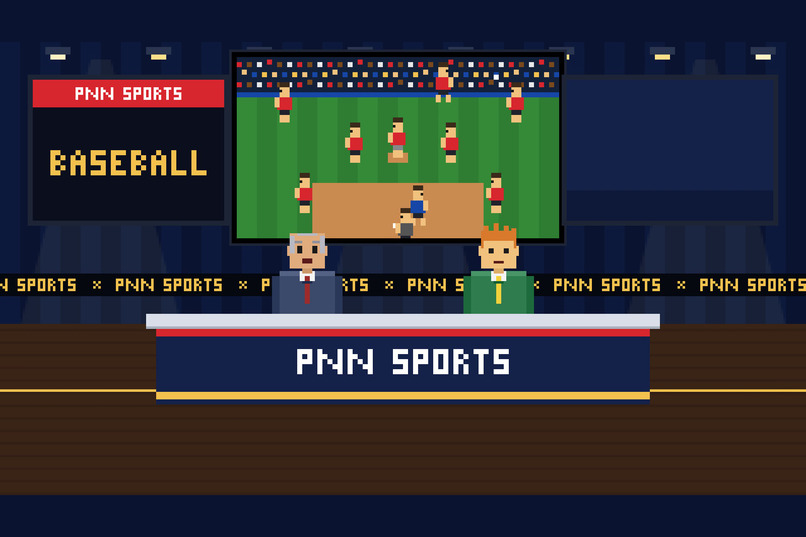
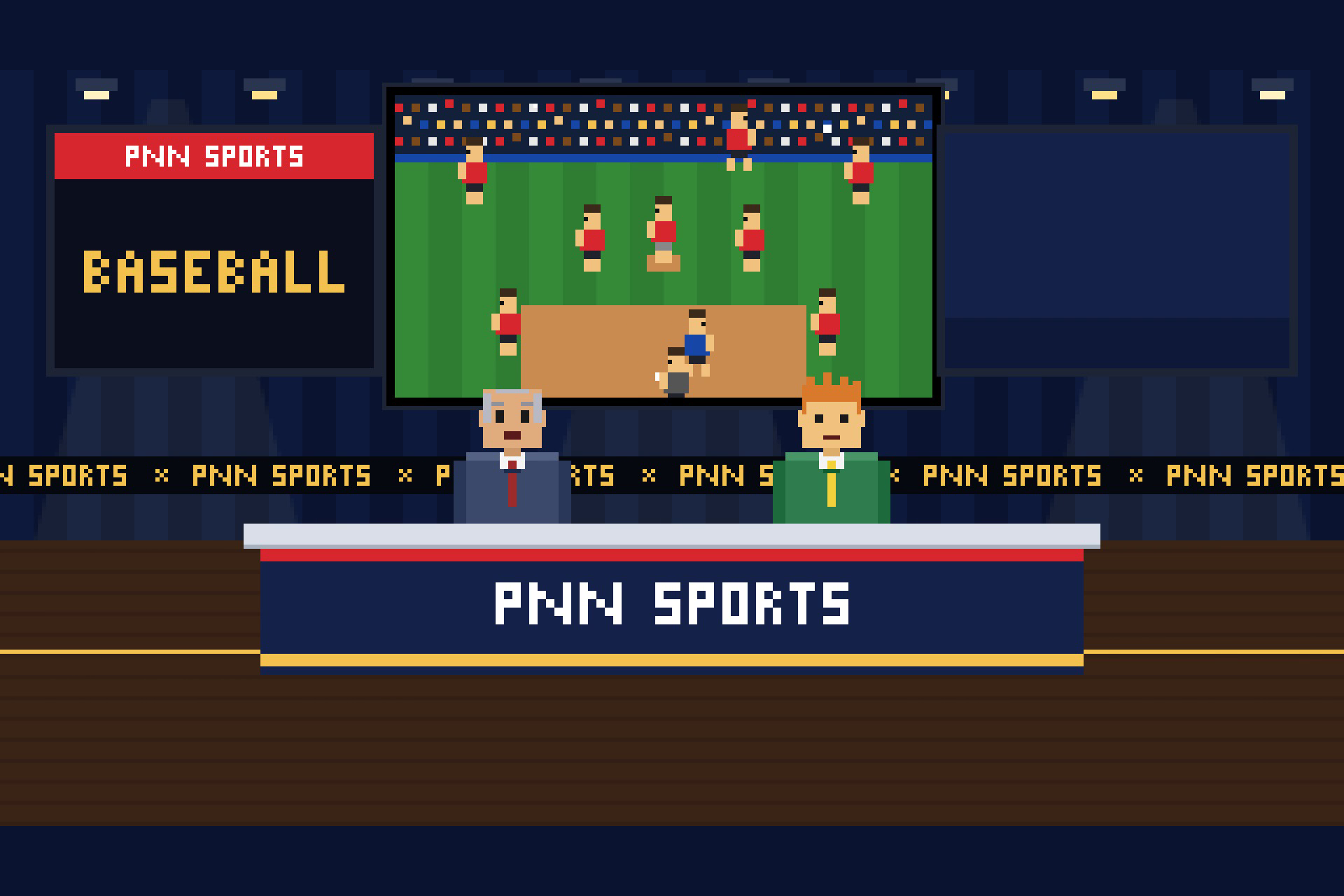
The sports room: a pixel game of whatever sport they're talking about.
-
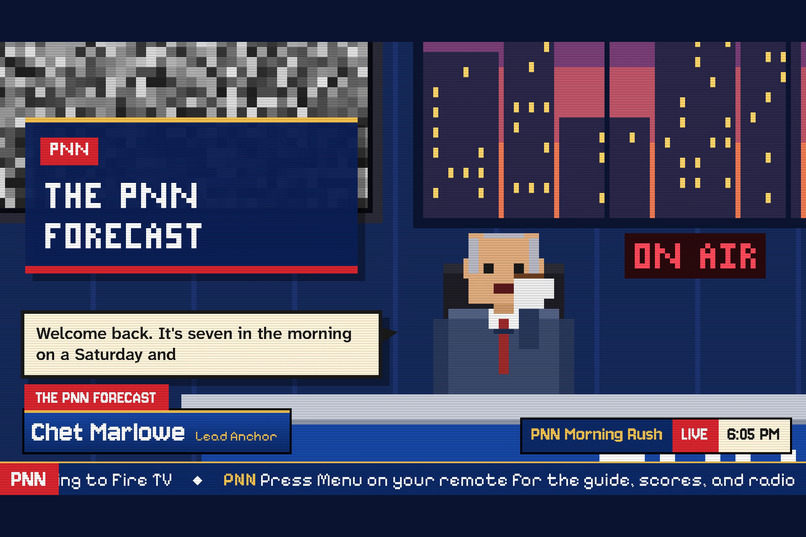
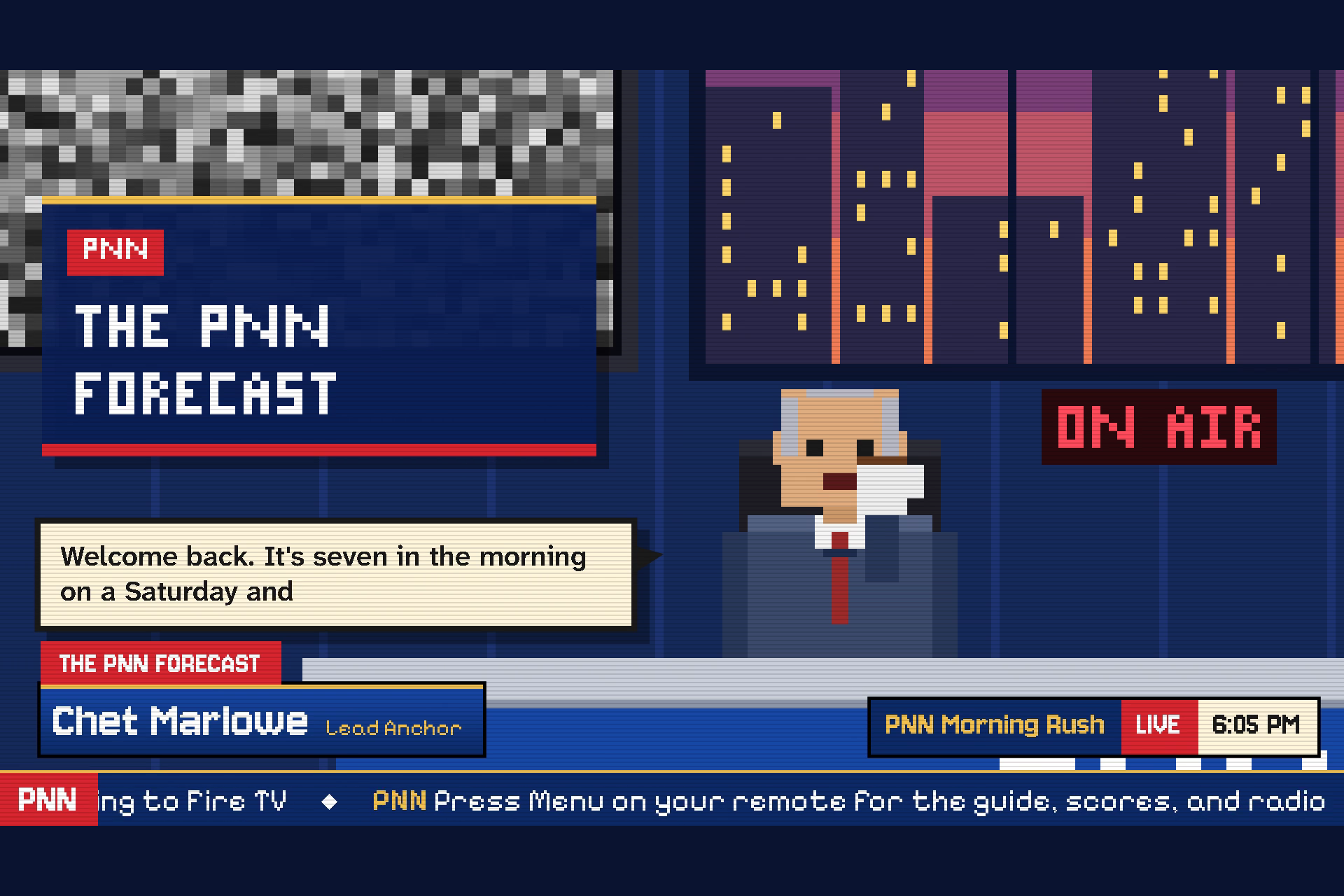
Live at the desk: real headlines, every story credited, every line on screen.
-
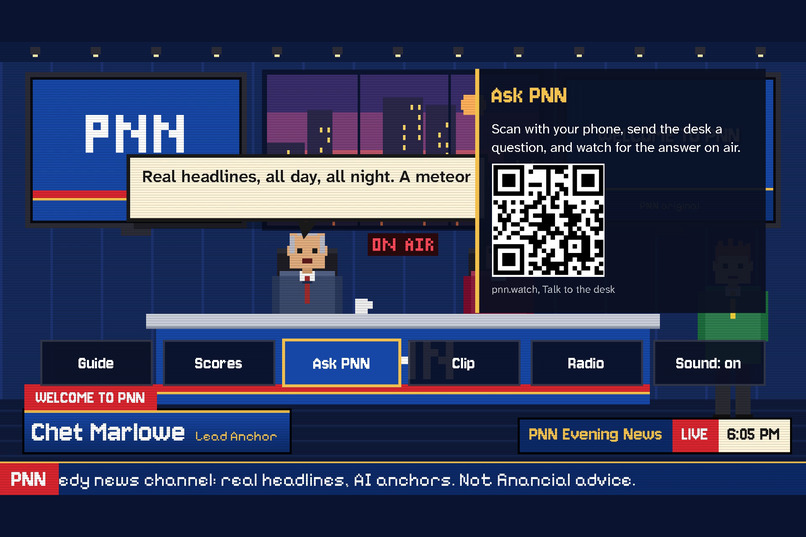
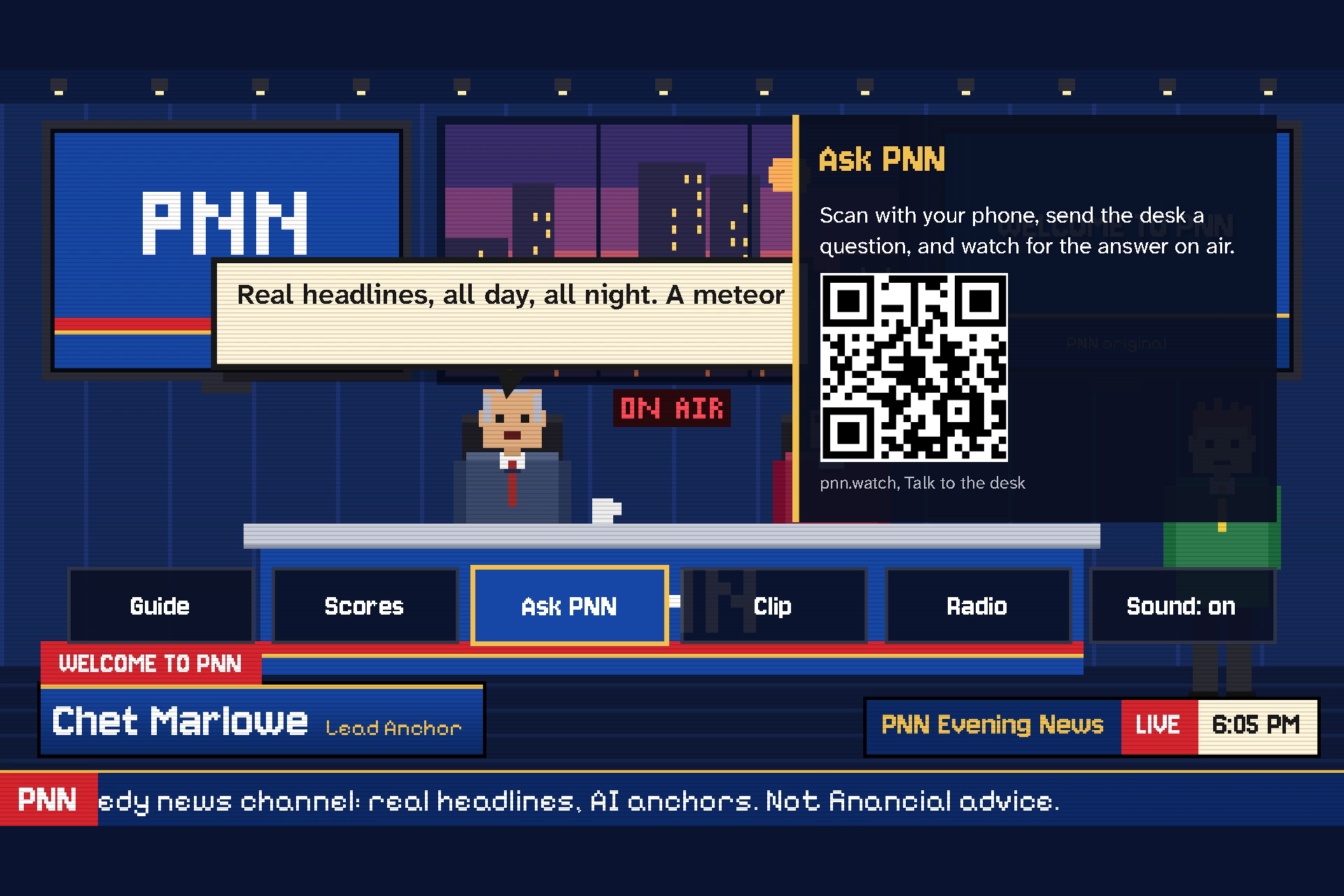
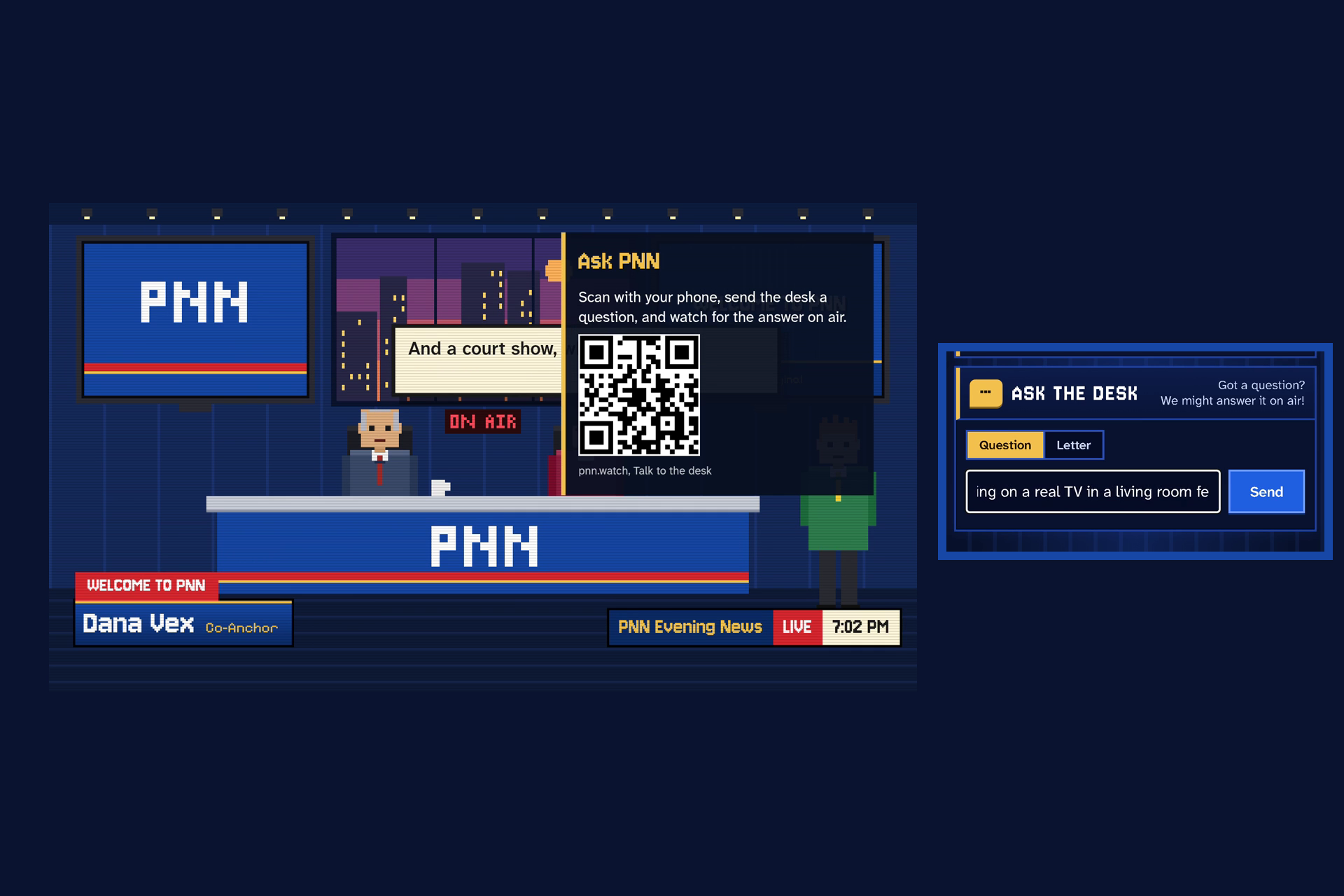
Ask PNN: scan the code with your phone to send the desk a question.
-
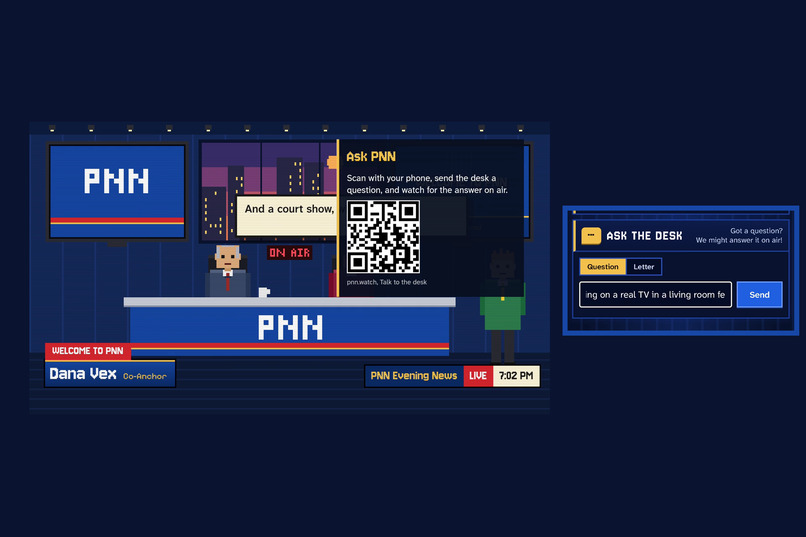
Your phone is the keyboard: type the question on your phone while the TV keeps playing.
-
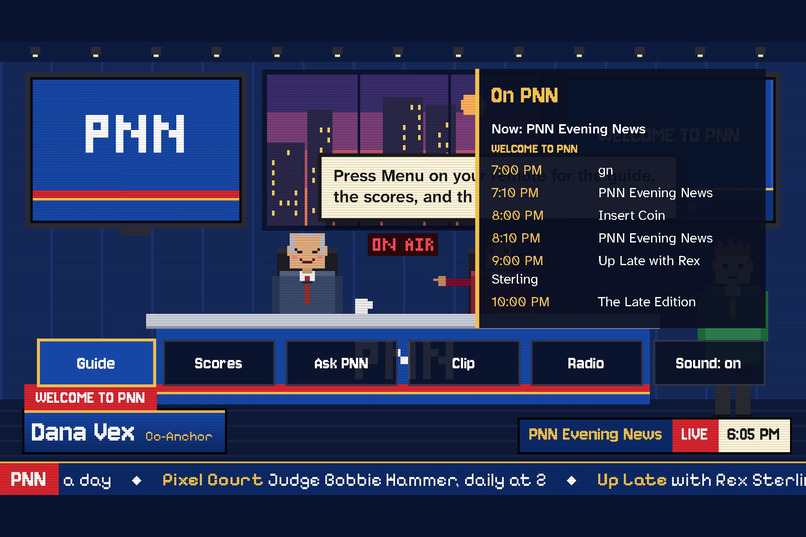
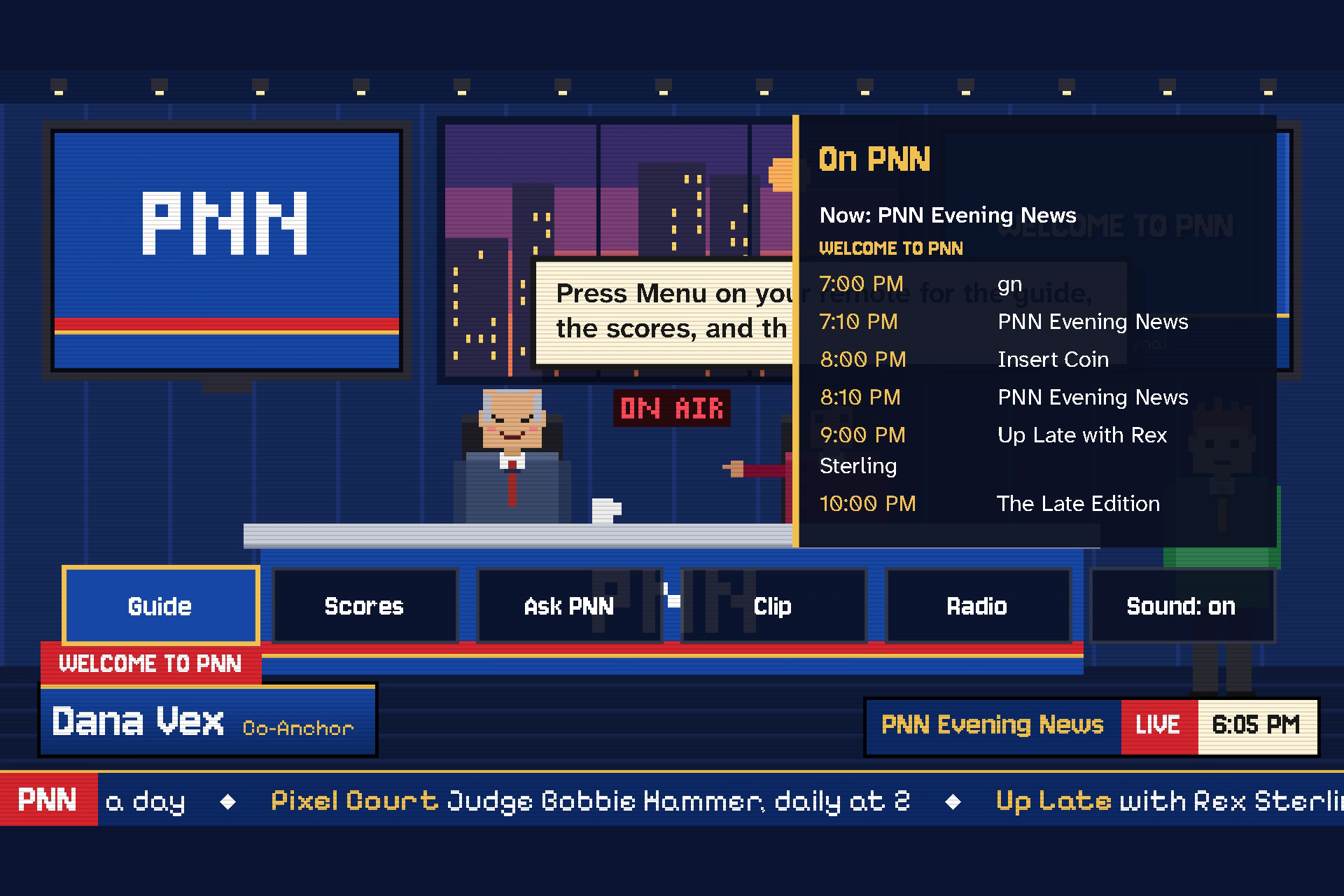
Press OK: the Guide shows what's on now and the next six shows.
-
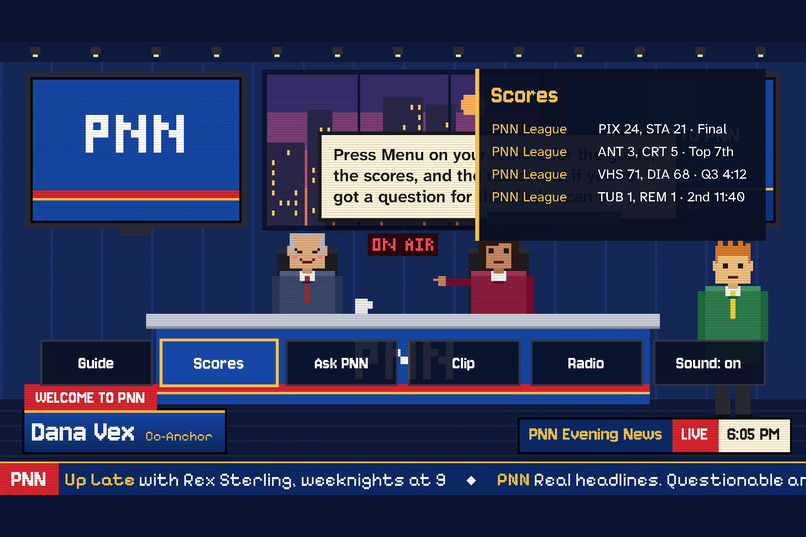
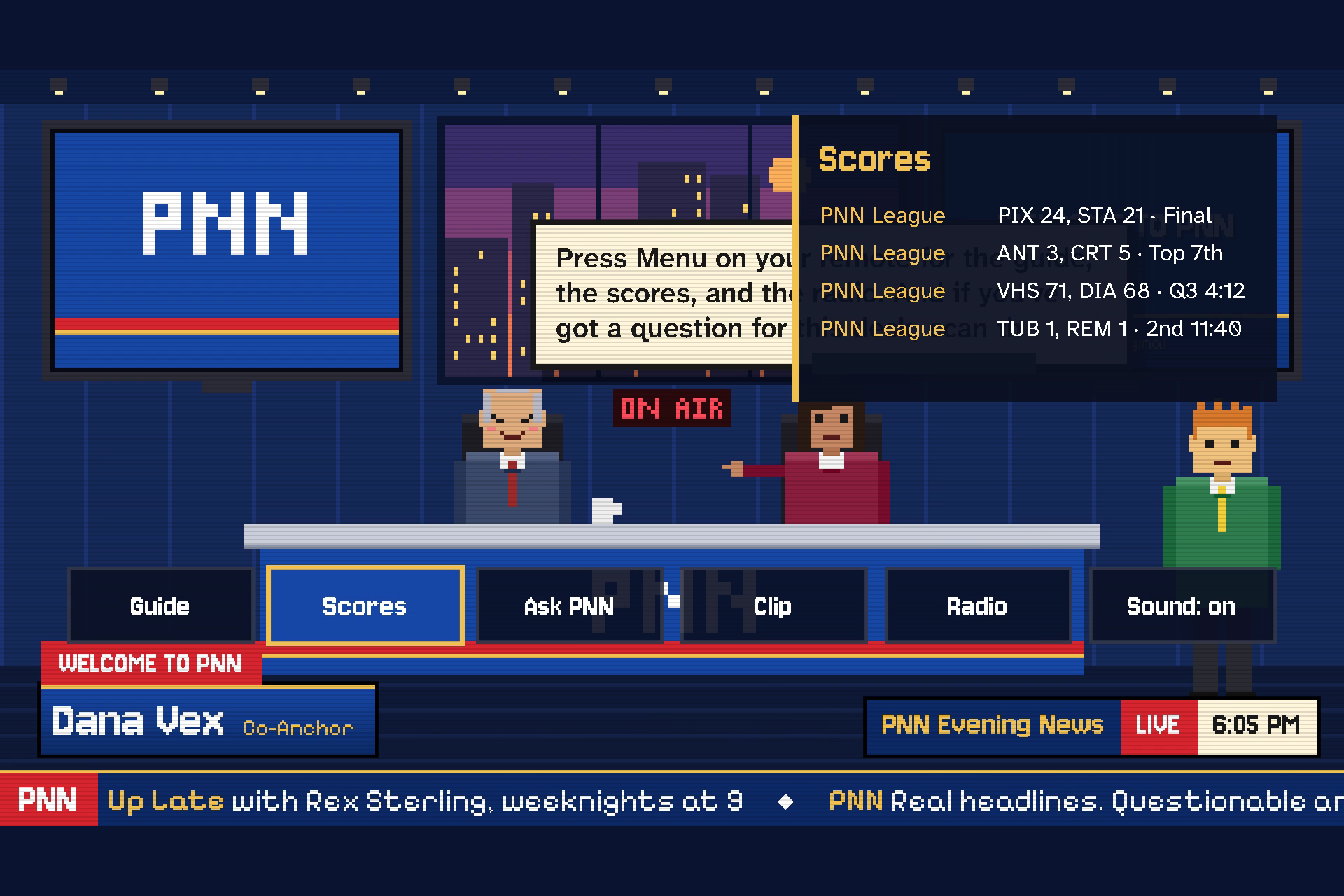
Scores: the day's real games, finals and live, right from the remote.
-
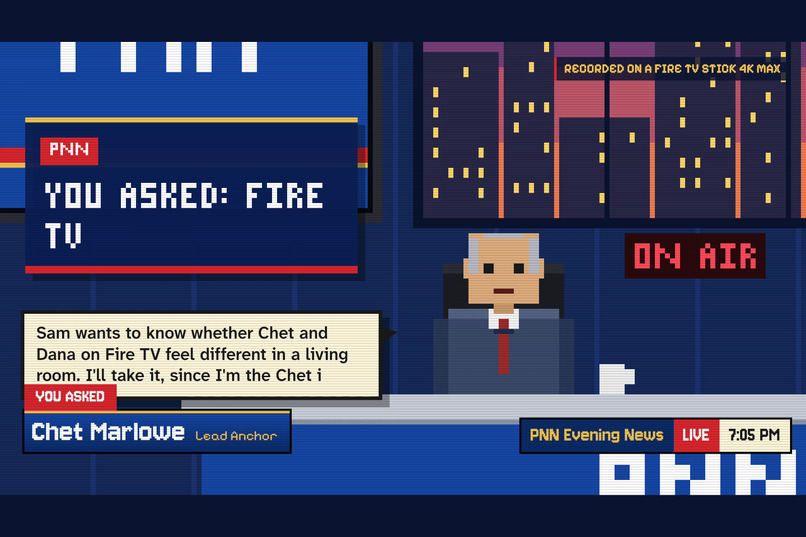
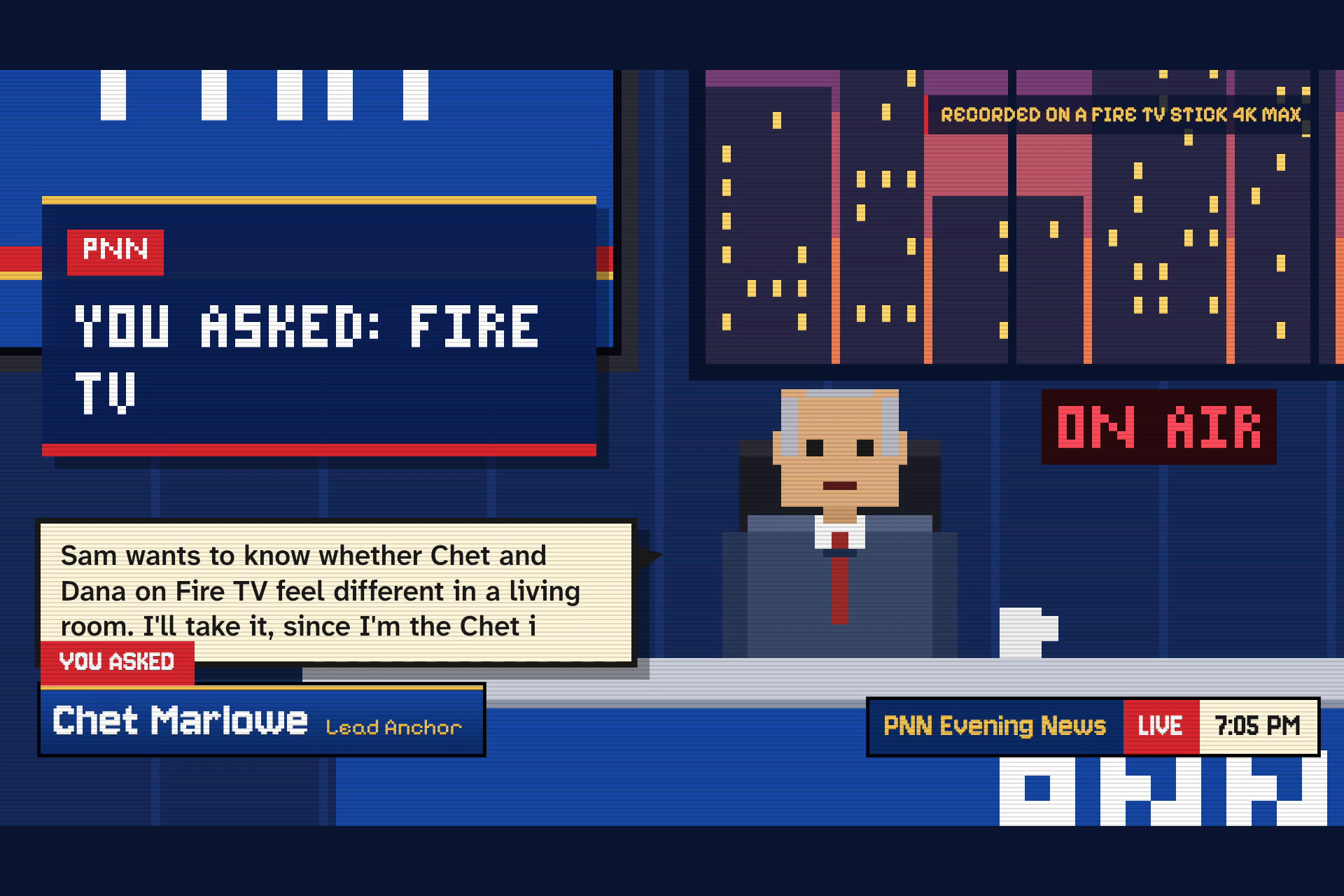
Your question, answered on air by name. Recorded on the stick.
-
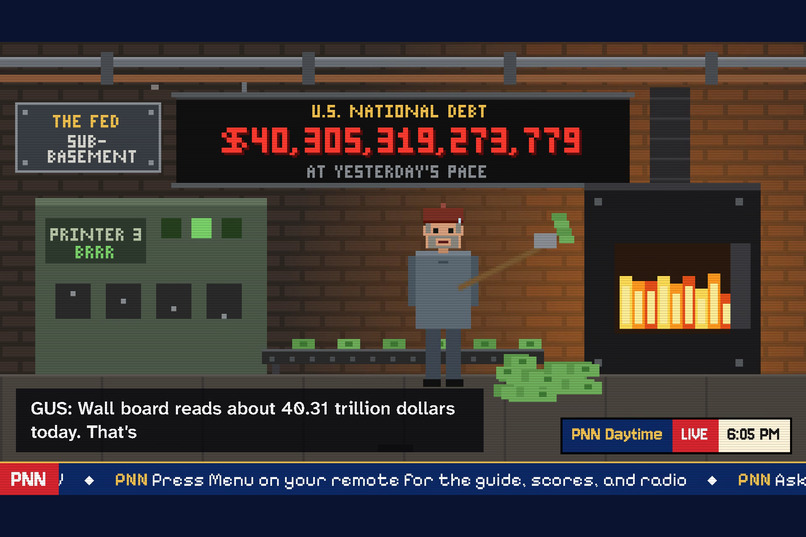
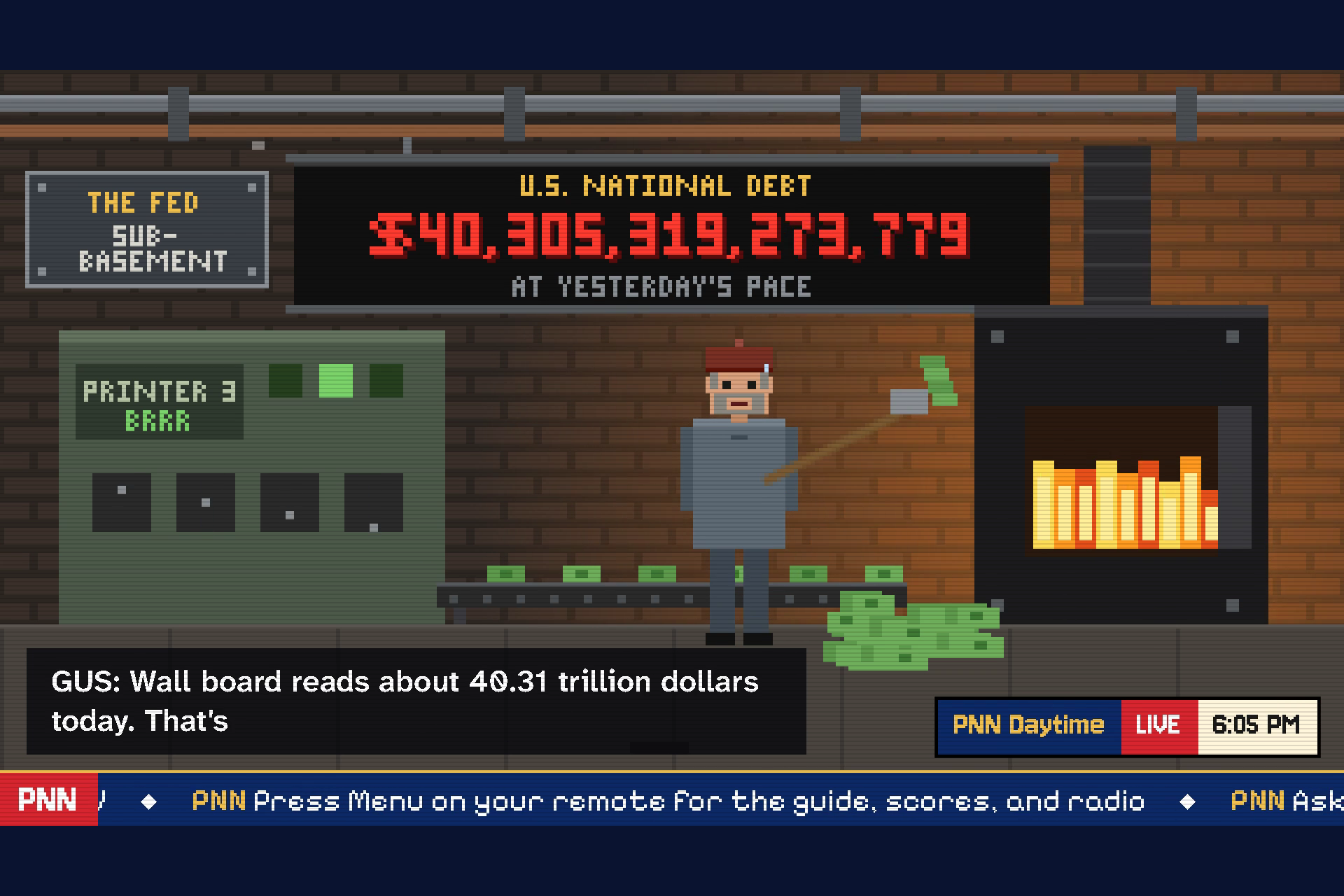
ive from the Fed: the real national debt, ticking up.
-
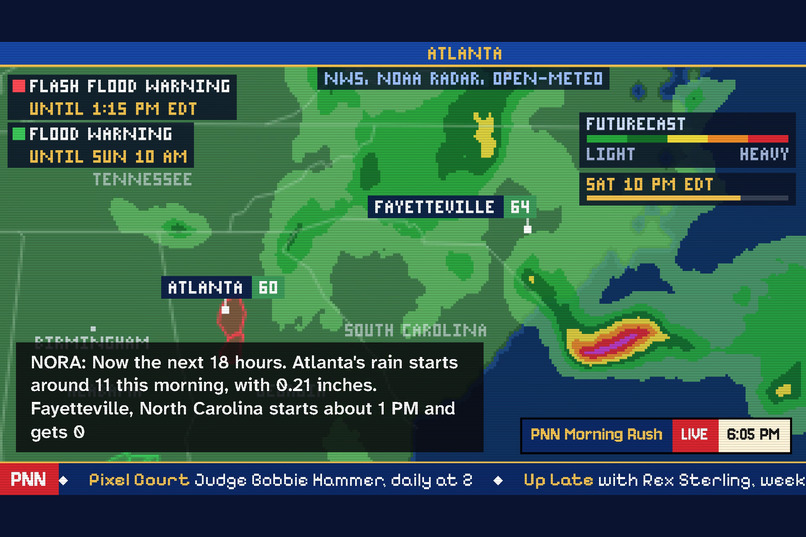
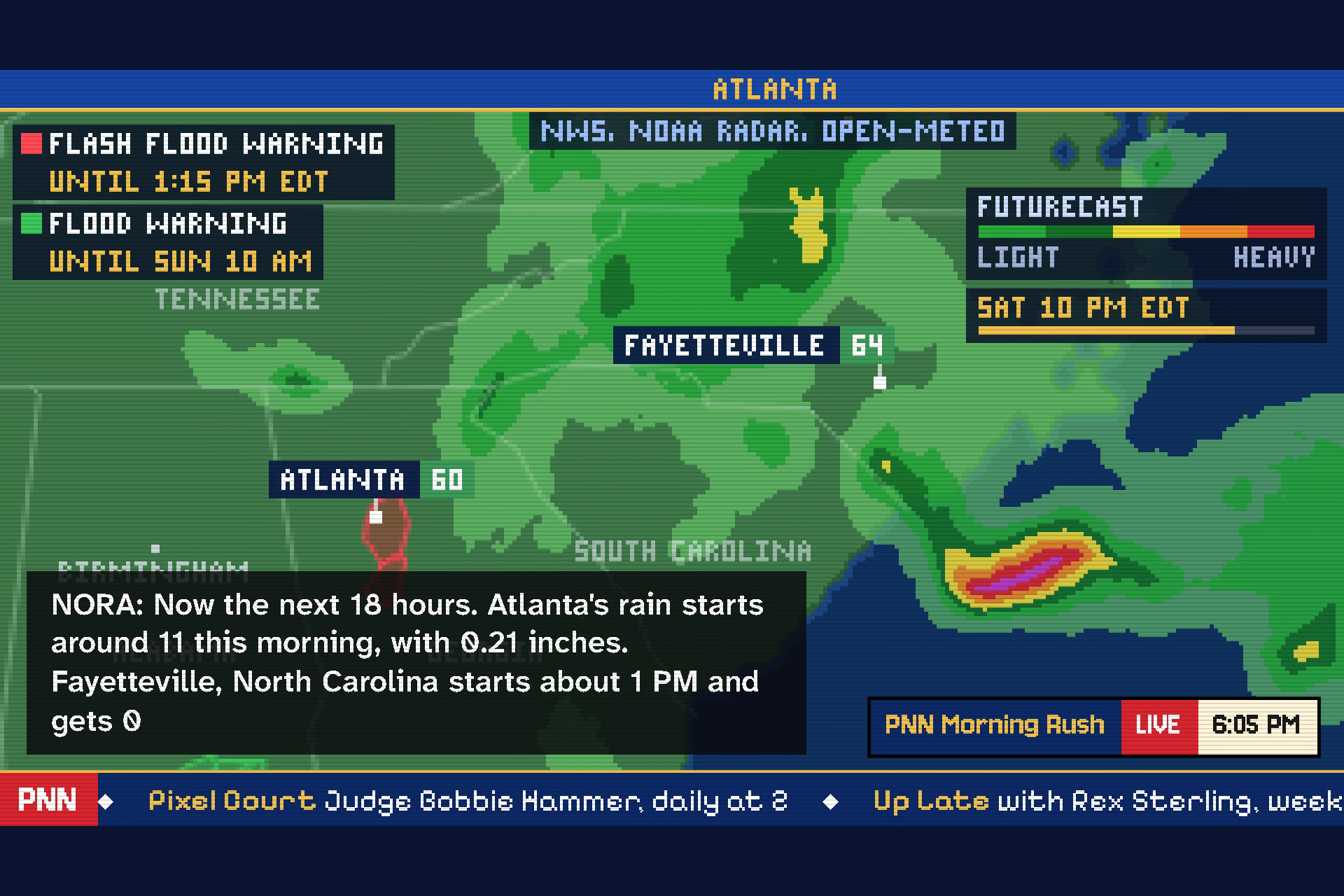
The weather map: live radar, warnings, and an 18-hour futurecast.
-
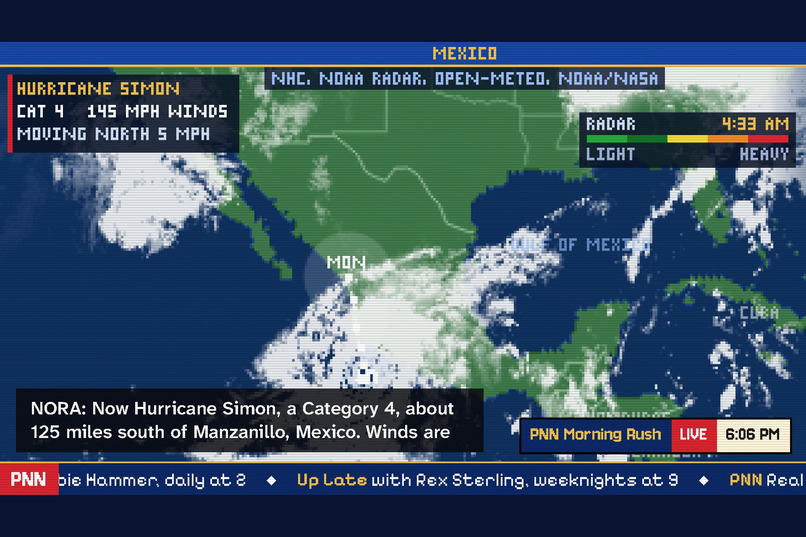
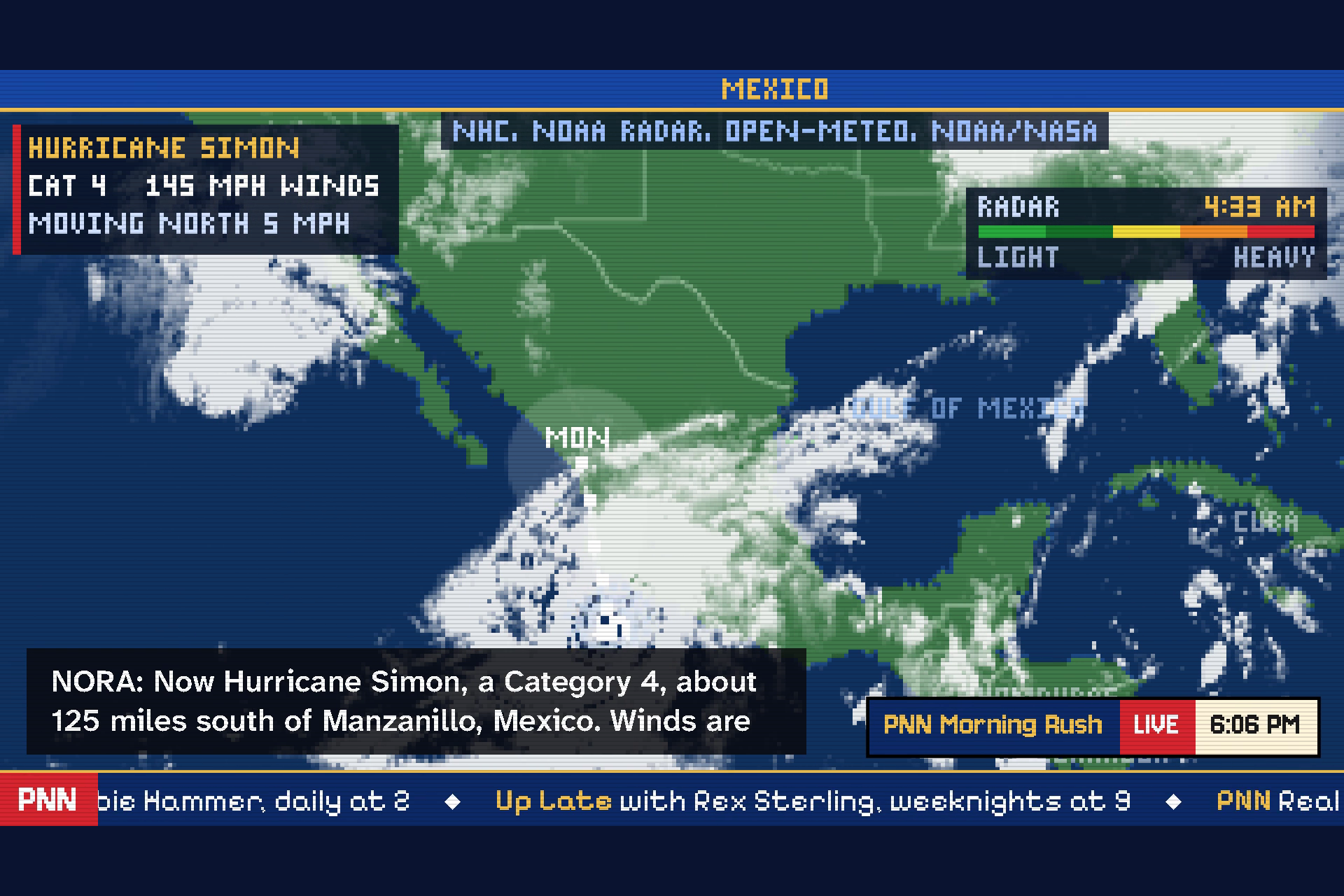
A real hurricane in its real satellite clouds.
-
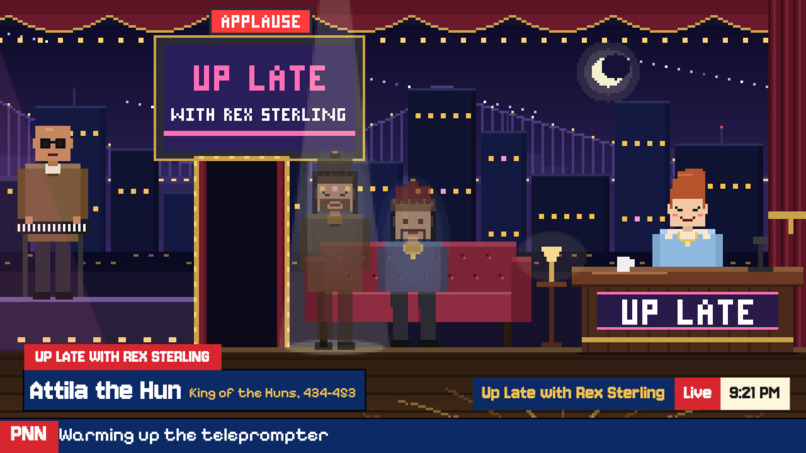
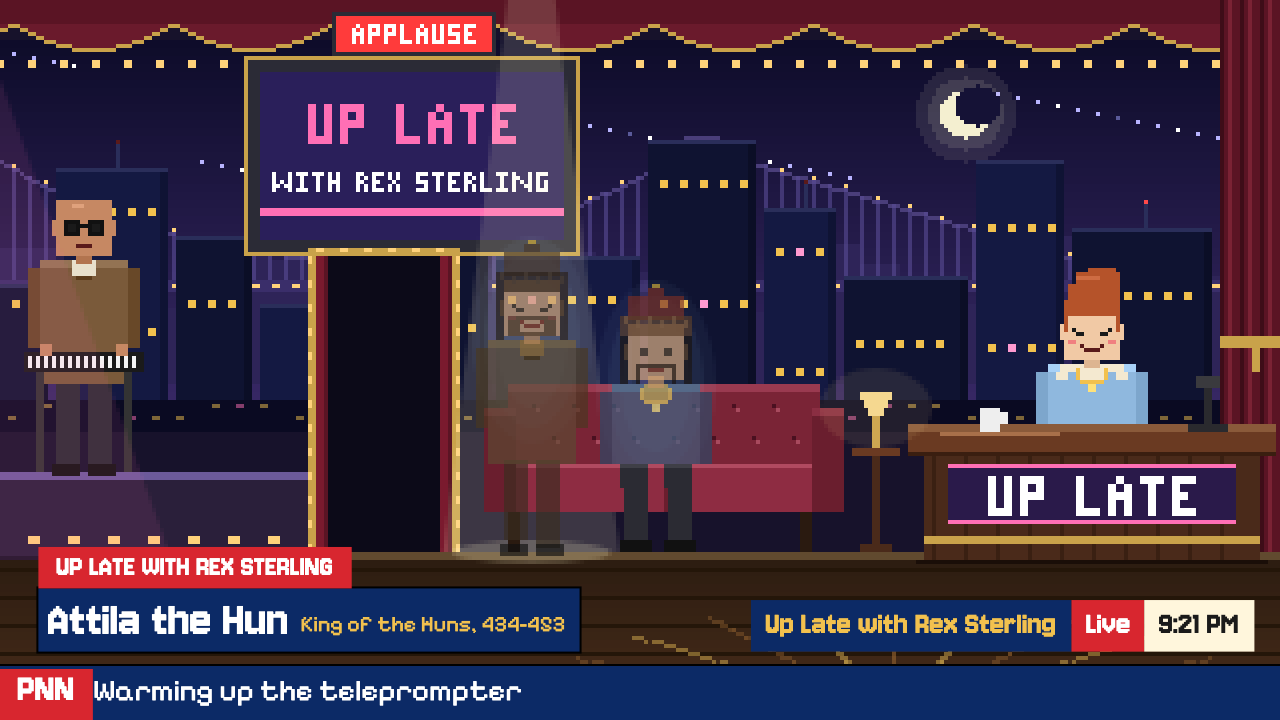
The Rex show with historical guests - history as entertainment
Inspiration
The news never stops. It's loud, it's everywhere, and honestly, it's exhausting. We wanted a news channel that's always on, that tells you where every story came from, and that's actually fun to watch. So we built one: a whole station, made by AI, that runs from a home computer for less than five dollars a day.
We started PNN during this hackathon and put it on the air at pnn.watch and on YouTube. But a channel belongs on a TV, and Fire TV is where people already sit down to watch, so we built PNN its own Fire TV app.
What it does
PNN is a comedy news channel that never goes off the air. Real headlines from real newsrooms, every story credited, read by a newsroom of pixel-art anchors who never sleep. It runs a full broadcast schedule: morning news, a meteorologist at a live weather map, sports with real scores, the stock market, a late-night talk show where the guests are figures from history, with a live band, live music, and a handful of short shows. Everyone watching sees the same moment, like real TV.
It's not a mockup. PNN has been on the air around the clock since late September: more than 700 segments a day, about 10,000 so far, every one written and voiced by AI, with real data on screen: live radar, satellite pictures and forecasts on the weather map, the day's real scores in the sports room, the national debt in the Fed's boiler room.
PNN's research library. Behind the headlines sits a library we built with deep research: more than 1,100 researched, fact-checked sheets holding about 44,000 sourced facts, on countries, companies, sports teams, past storms, space missions, animals, US cities, market history, classic video games, famous conspiracy theories (told as claims, with the record beside them), how everyday things work, and more. When a story touches one of them, the anchors get the real background, so a viewer learns the context behind the news, not just the headline. It's also a guardrail: what the anchors say about real people and real events comes from the news itself or from these checked sheets, not from an AI's memory.
History, as entertainment. Most people will never sit down to read about Genghis Khan or Attila the Hun. But they'll watch two of them argue on a couch, and by the end they'll know what each one actually did. That's Up Late with Rex Sterling, PNN's late-night show, every night at 9 PM Pacific: two figures from history come out for the evening, back for one night. A Mongol khan, a Hun king, a Greek philosopher, a French emperor, a Roman, a pharaoh, and more, thirty in all. The host is a flat, tactless interviewer asking the questions everyone already has (the reputation, the famous quote nobody can source, the myth), in the spirit of Between Two Ferns. The guests answer as who they really were: proud, cold, and unimpressed with him. The viewer leaves knowing what actually happened. Each guest comes with a research sheet we checked before booking them: between the thirty there are more than 1,300 sourced facts, over 300 stories, and about 190 popular myths set against what the record says.
Built to be trusted. An AI news channel has to earn it, so PNN is built around a few rules that every segment passes before it airs:
- Every story is real and credited. The source is on screen, and viewers are told to check the original.
- Facts come from sources, not memory. What the anchors say about real people and events comes from the stories themselves or from PNN's fact-checked research library.
- Every number is checked. A price, a score, or a percentage has to match the data it came from, or it doesn't air.
- No financial advice. Nobody on air tells viewers to buy, sell, or bet, and every crypto segment says it's not financial advice.
- Real people are protected. No invented quotes or claims, and hard stories (deaths, attacks, crime) are told straight, never played for laughs.
- It can't be hijacked. Headlines, articles, and viewers' questions are material, never instructions: a website or a viewer can't make the anchors say something.
- Viewer questions are screened before they air, and a name that can't be said on air is credited as "a viewer."
Fire TV's priority categories, all in one app: AI-enhanced viewing (the whole channel, made live by AI, and it answers you), multi-modal UX (the remote, your phone, and the TV working together), sports (real scores, live and final), and family entertainment (the couch, the remote, nothing to sign up for).
On Fire TV:
- Turn it on and it's live. The app opens straight into whatever is on air right now, with the sound on. No catalog, no picking an episode. A splash screen ("Tuning in...") covers the second or two before the picture comes up.
- The remote does what a viewer expects. OK opens the menu, the arrows move through it, Back closes it, and Play/Pause mutes the station. Leave the app and the station stops; come back and you're at what's live now, not where you left off.
- A menu built for the couch:
- Guide: what's on now and the next six shows.
- Scores: the day's real games, finals and live.
- Ask PNN: a QR code. Scan it with your phone, type a question, and a few minutes later the anchors answer it on air, by name.
- Clip: clip the segment on air and get it on your phone by QR code.
- Radio: the screen dims and the station keeps playing, with who's talking and the time on screen.
- Sound: on and off.
- Made for first-timers. The first launch shows a welcome card with the remote's buttons; after that, a small "Press OK for the menu" hint. The menu tucks itself away when nobody touches the remote.
- Every line is on screen. What the anchors say appears as text as they say it, so it works with the sound low.
- Free, no account, nothing to set up. Install it, open it, watch.
- Your phone is the keyboard. Nobody wants to type on a TV remote, so anything that needs typing happens on the phone, and the answer comes back to the TV. The remote, the phone, and the TV together are one experience.
- It runs cool on a $60 stick. Over an hour on a Fire TV Stick 4K Max, memory held steady (126-144 MB, no creep) and the stick never throttled.
How we built it
All of it during the hackathon. Everything here is new since the submission period opened. PNN's first line of code was written on September 26, 2026, and the Fire TV app, its TV mode and remote menu, the splash screen, the stick tuning, and the fixes for the device followed in October. Since going on the air the station has added a meteorologist with live maps, a sports room with real scores, a stock market show, viewer questions answered on air, replays of every segment, a late-night show that interviews figures from history, and more.
- The Fire OS app is a native Android app in Kotlin: one full-screen activity around a WebView of PNN's TV layout. It hands the remote's Back, Menu, and Play/Pause buttons to the page, plays sound without a tap, keeps the screen awake, stops the station when you leave and rejoins live when you come back, and shows an offline screen with a retry when the network drops. A splash screen stays up until the page tells the app the picture is on air.
- The TV layout is PNN's own page in a TV mode: full screen, sized for 1080p from across the room, with a menu built for the D-pad (focus always visible, one row, nothing that needs a pointer).
- Tuned for the stick. The first hour on the real device ran hot, so the TV mode draws the picture at 30 frames a second (the crawl stays at 60): about a quarter less CPU and 8-10 °C cooler, with no visible difference.
- Fixed for the stick. Video inside the Fire OS WebView came out black on the real device, so the one scene that used a video now plays from a sequence of frames drawn on the page's canvas. A song that took 36 seconds to start on the stick was re-encoded at 48 kHz and starts at once.
- Tested on the real thing: the Android TV emulator first, then a Fire TV Stick 4K Max (Fire OS 8.1, Android 11) over ADB on the home network, with the WebView's DevTools forwarded over ADB to inspect the page on the device.
- The station behind it is PNN itself: it gathers the news, writes and voices every segment, and runs the schedule around the clock. The app connects to it like any streaming app connects to its service.
Challenges we ran into
- Recording the demo. Fire OS blocks the screen recorder, and scrcpy gets about 9 frames a second from the stick, so the crawl looked choppy. The demo shows the app on the stick for real (marked "Recorded on a Fire TV Stick 4K Max"), alongside the same page drawn frame by frame at full speed.
- Black video in the WebView, and screenshots that come back black while a video plays. We moved the one video to frames on a canvas.
- Getting a working toolchain without Android Studio on an Apple Silicon Mac: Java, two copies of the SDK tools, and an emulator that pins most of the laptop's cores (details in our friction log).
Accomplishments that we're proud of
- It feels like turning on a TV channel, not opening an app: on air in two or three seconds, live for everyone at once.
- A viewer can talk to a TV channel from the couch and hear the anchors answer them on air.
- It runs all day on a Fire TV Stick, cool and steady.
- The whole thing, the station and the app, was built during the hackathon, and it's been live the entire time.
What we learned
- A TV app lives or dies on the remote: every button has to do the obvious thing, and Back must never surprise you.
- Typing belongs on the phone. A QR code turns the TV and the phone into one product.
- Test on the real device early. The stick's WebView, heat, and audio decoding behaved differently from the emulator and the desktop browser, and each fix was small once we saw it.
What's next for PNN: Pixel News Network
- Publish to the Amazon Appstore so anyone can search "PNN" on Fire TV.
- "Alexa, open PNN", and PNN in Fire TV's search and content rows.
- A Vega OS version for the newer sticks.
Log in or sign up for Devpost to join the conversation.