-
-
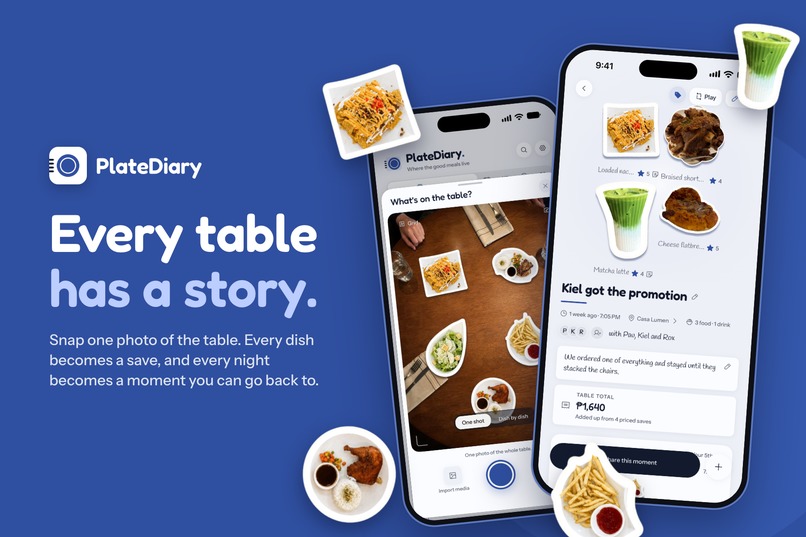
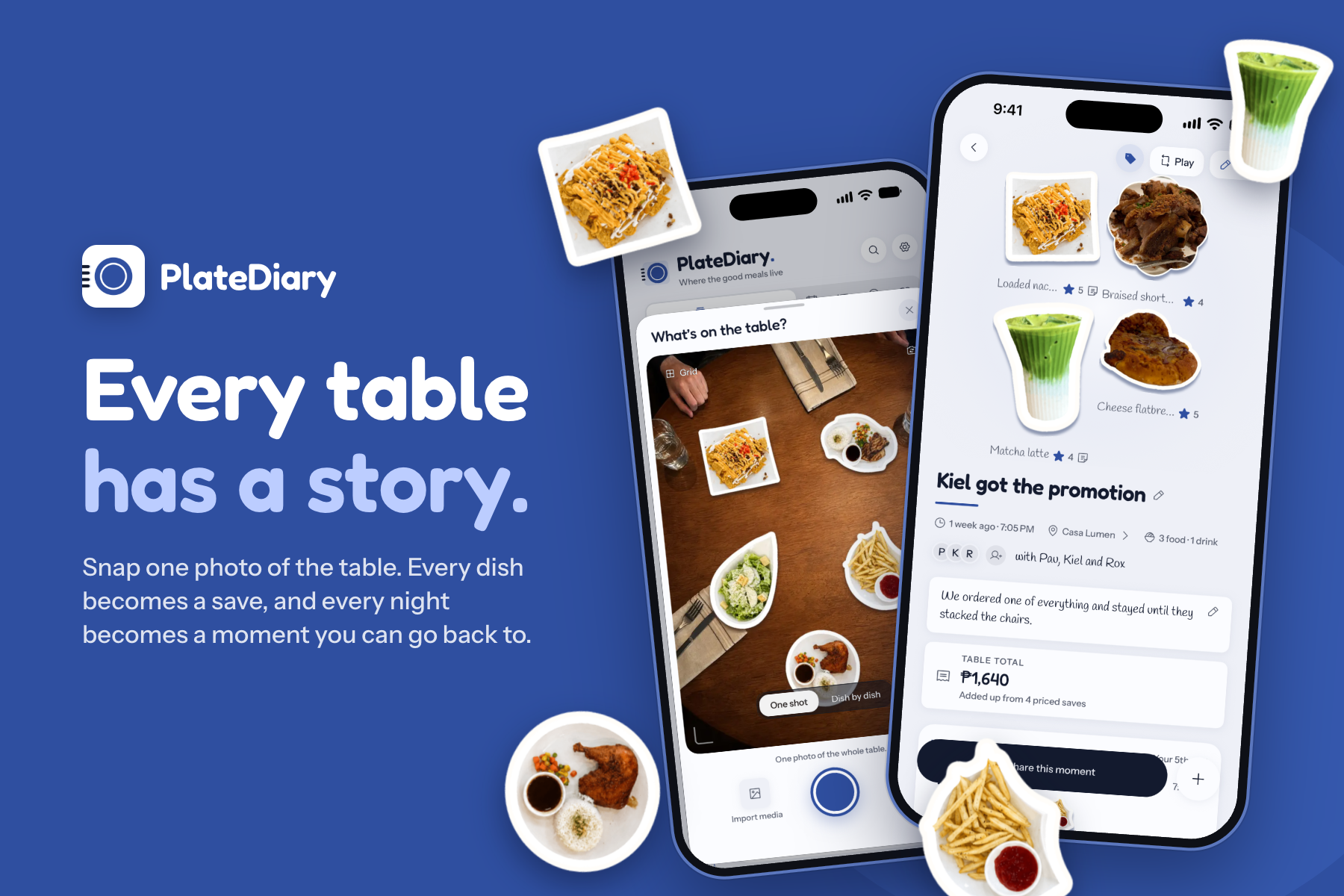
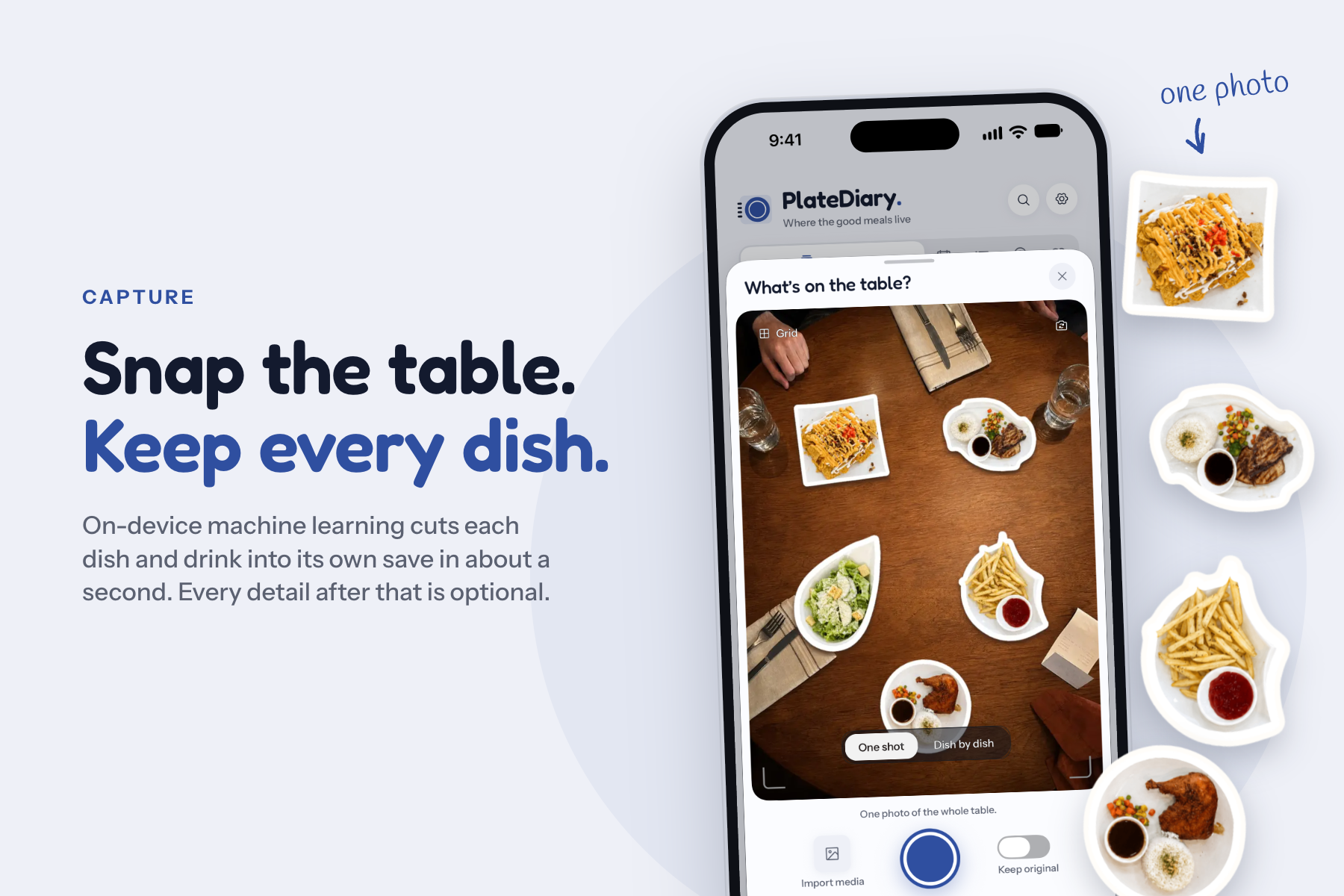
PlateDiary is a food memory app for eating out. One photo of the table, and every dish becomes a save.
-
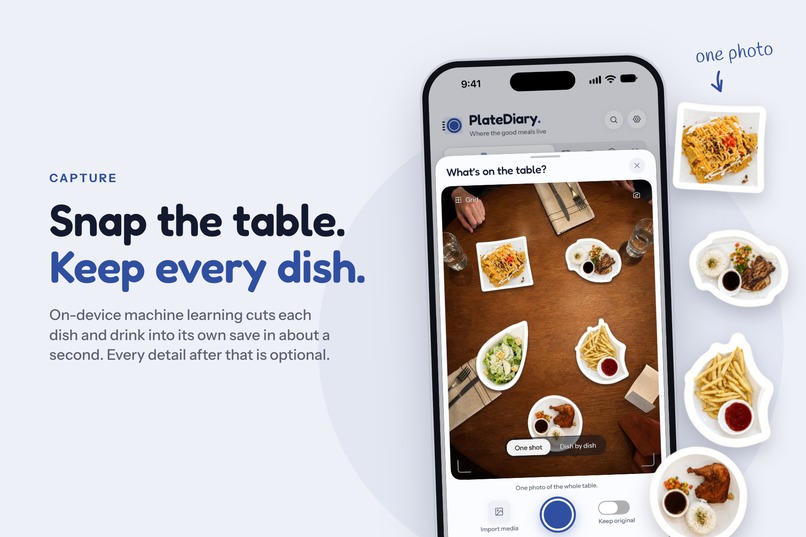
On-device machine learning cuts each dish and drink out of one photo in about a second. Names, stars and notes are all optional.
-
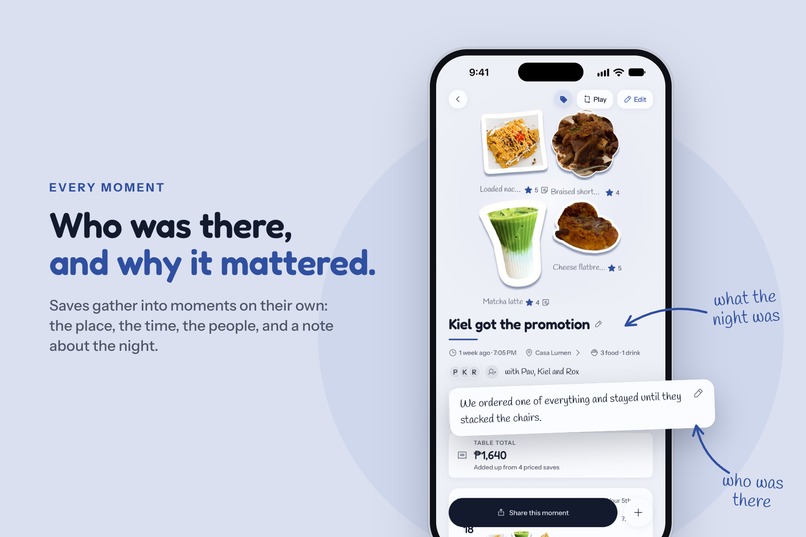
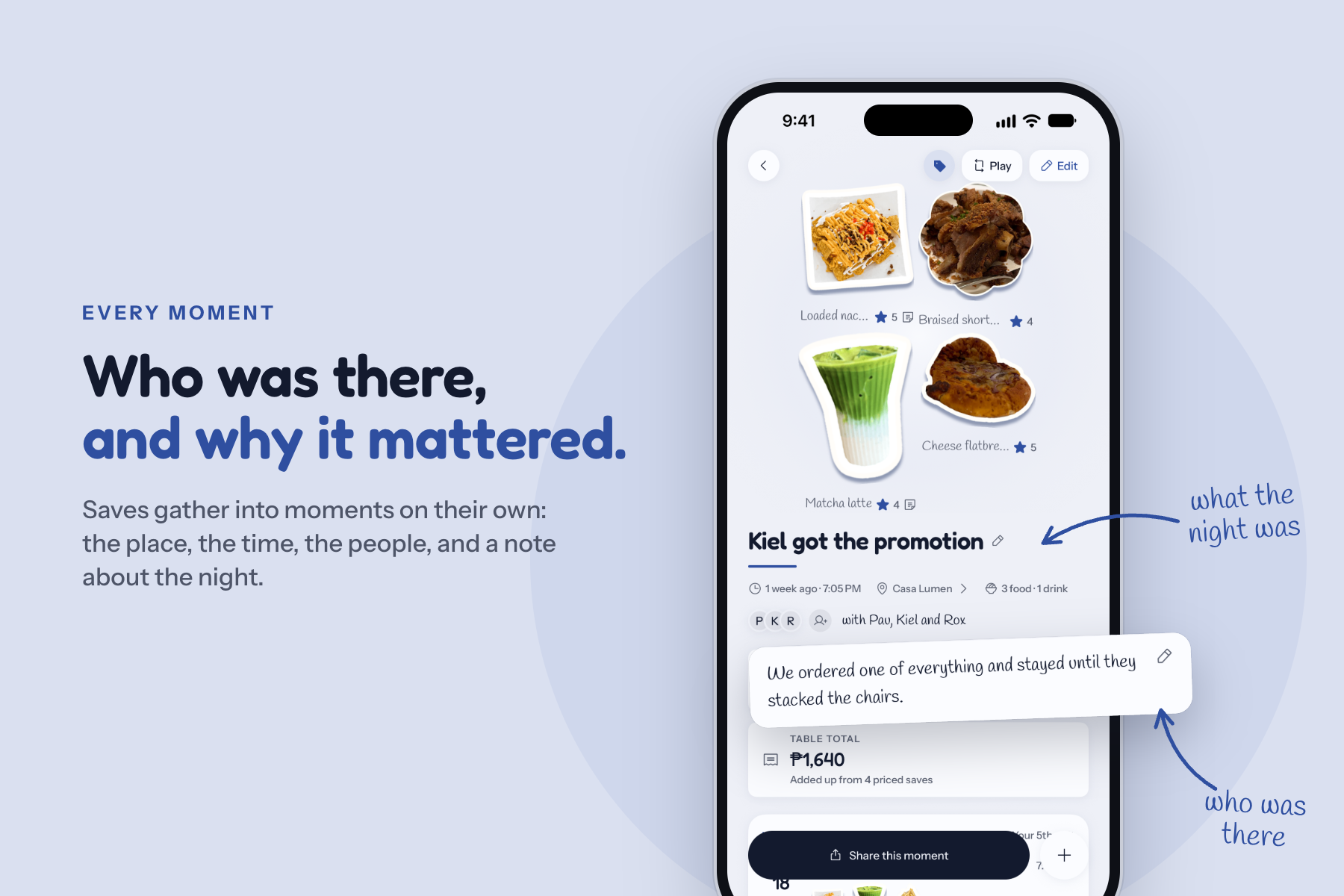
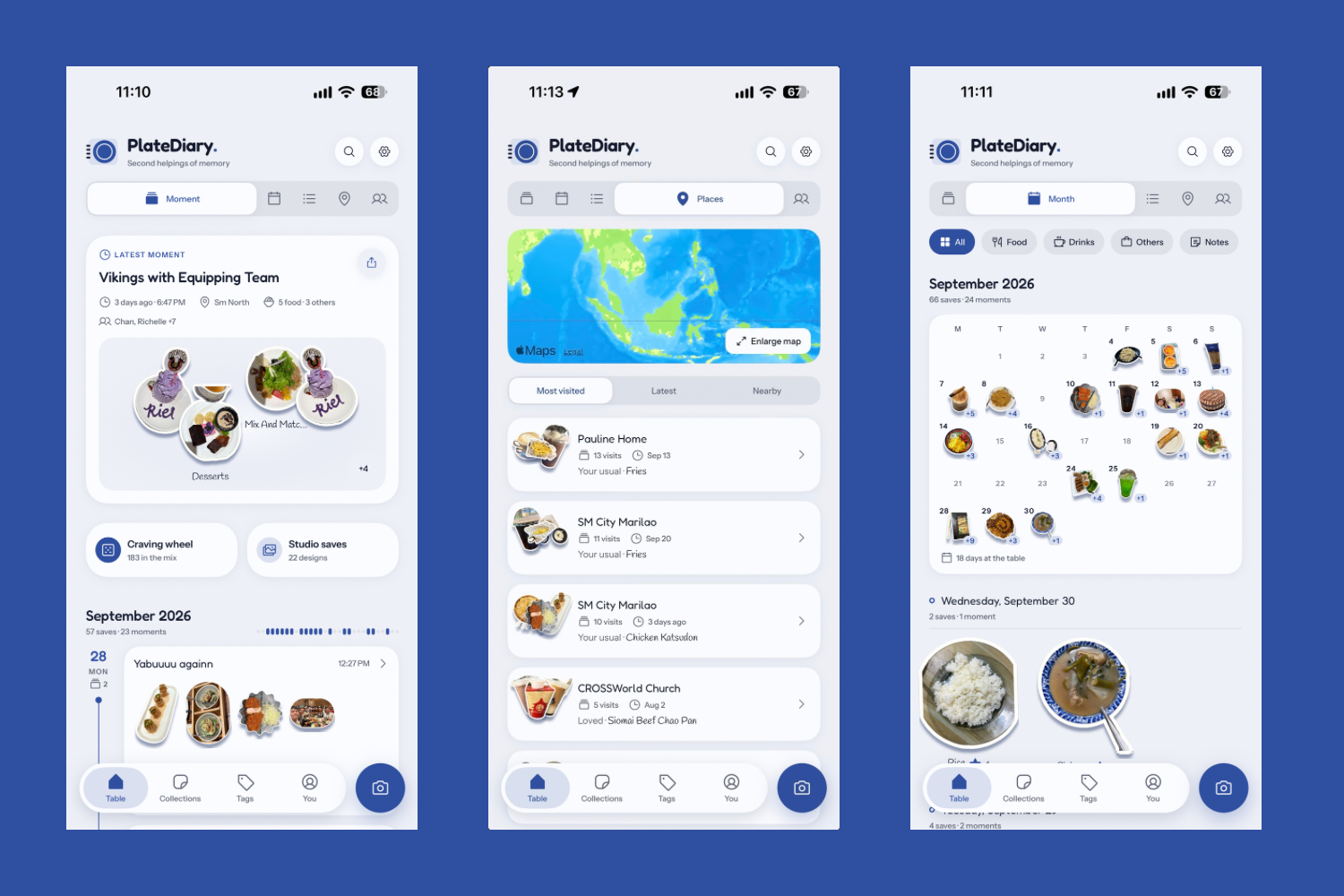
Saves group themselves into moments by place and time, with who was there and a note about the night.
-
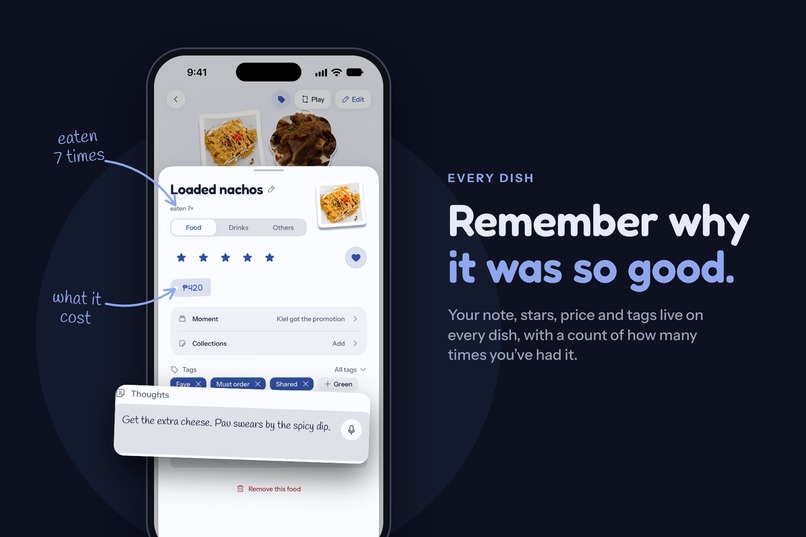
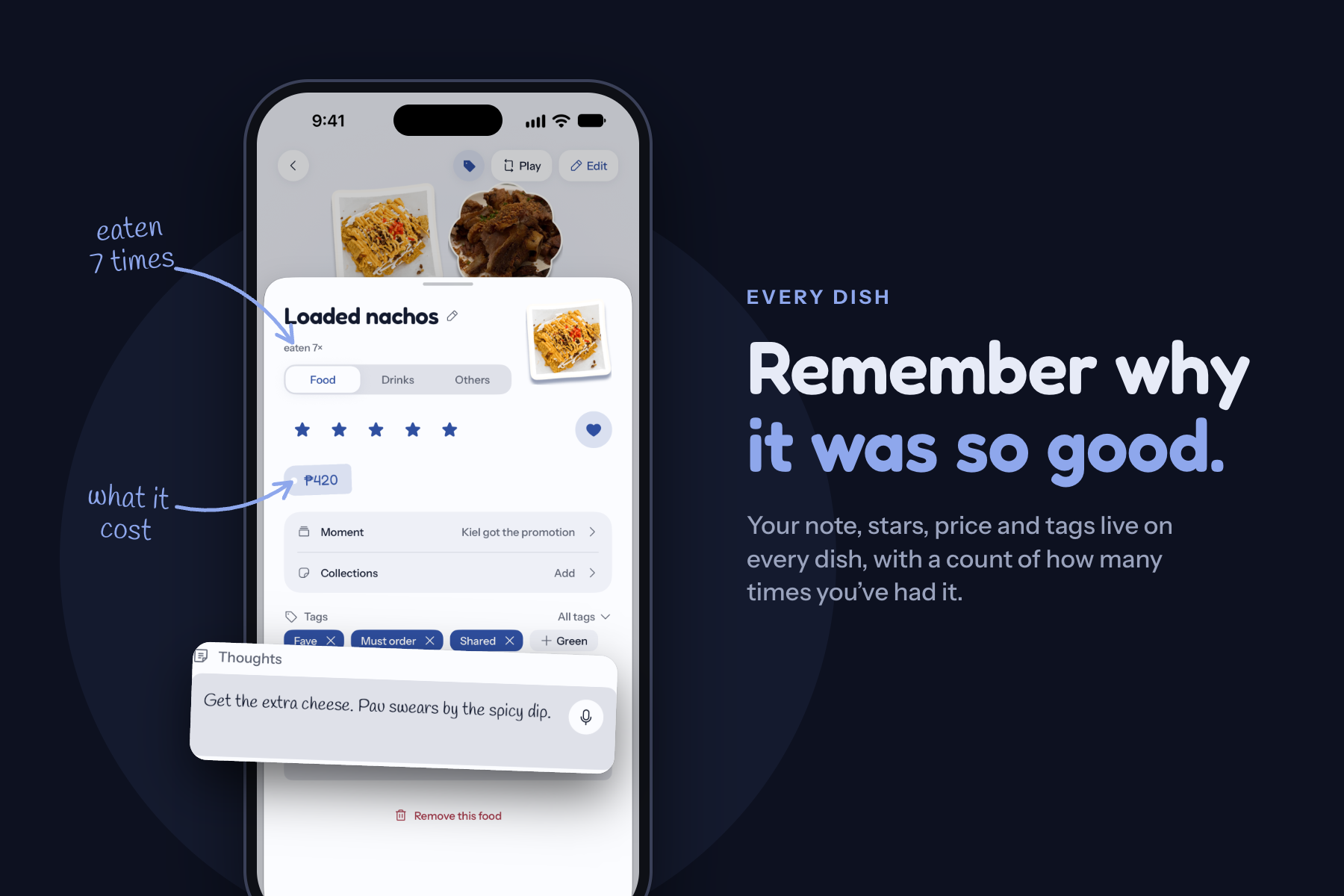
Every dish keeps its own context: your note, stars, price, tags and how many times you've had it.
-
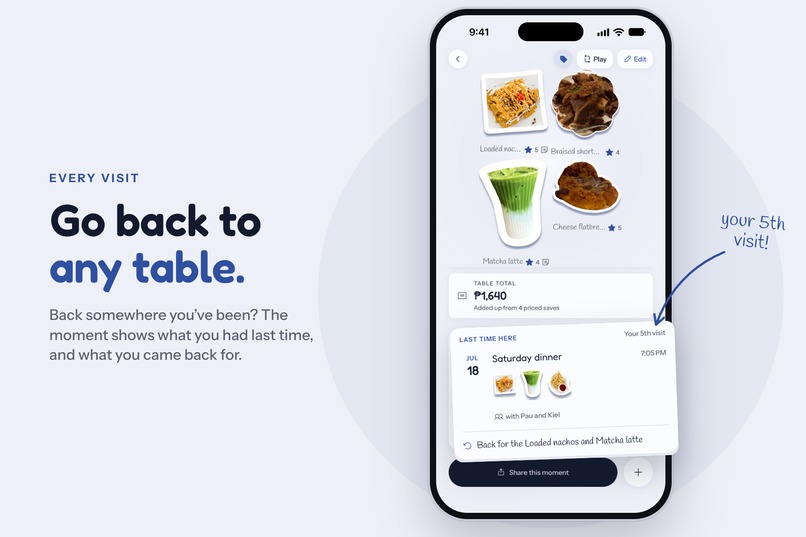
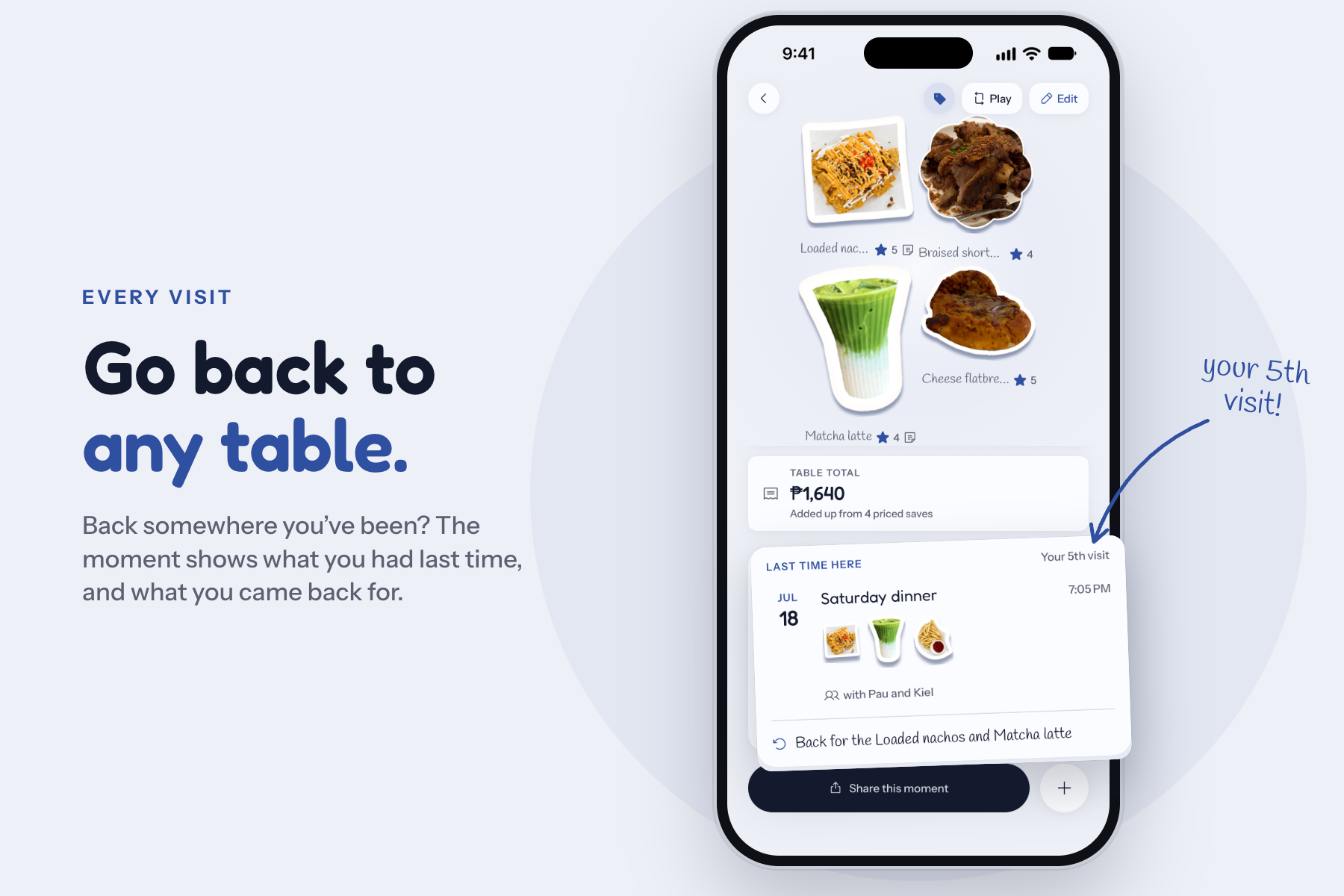
Go back somewhere and the moment shows what you had last time.
-
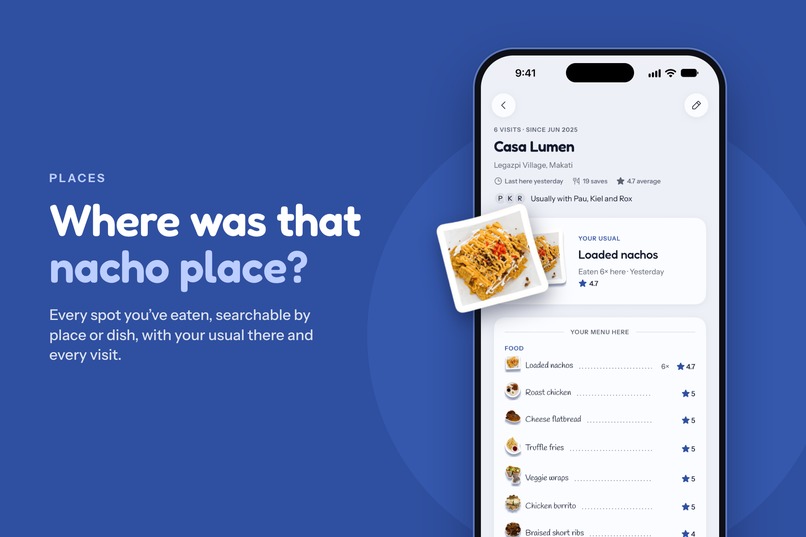
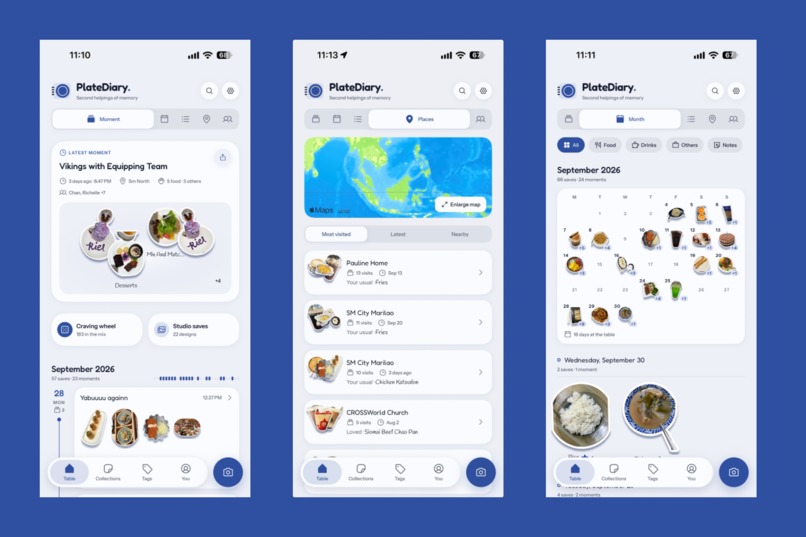
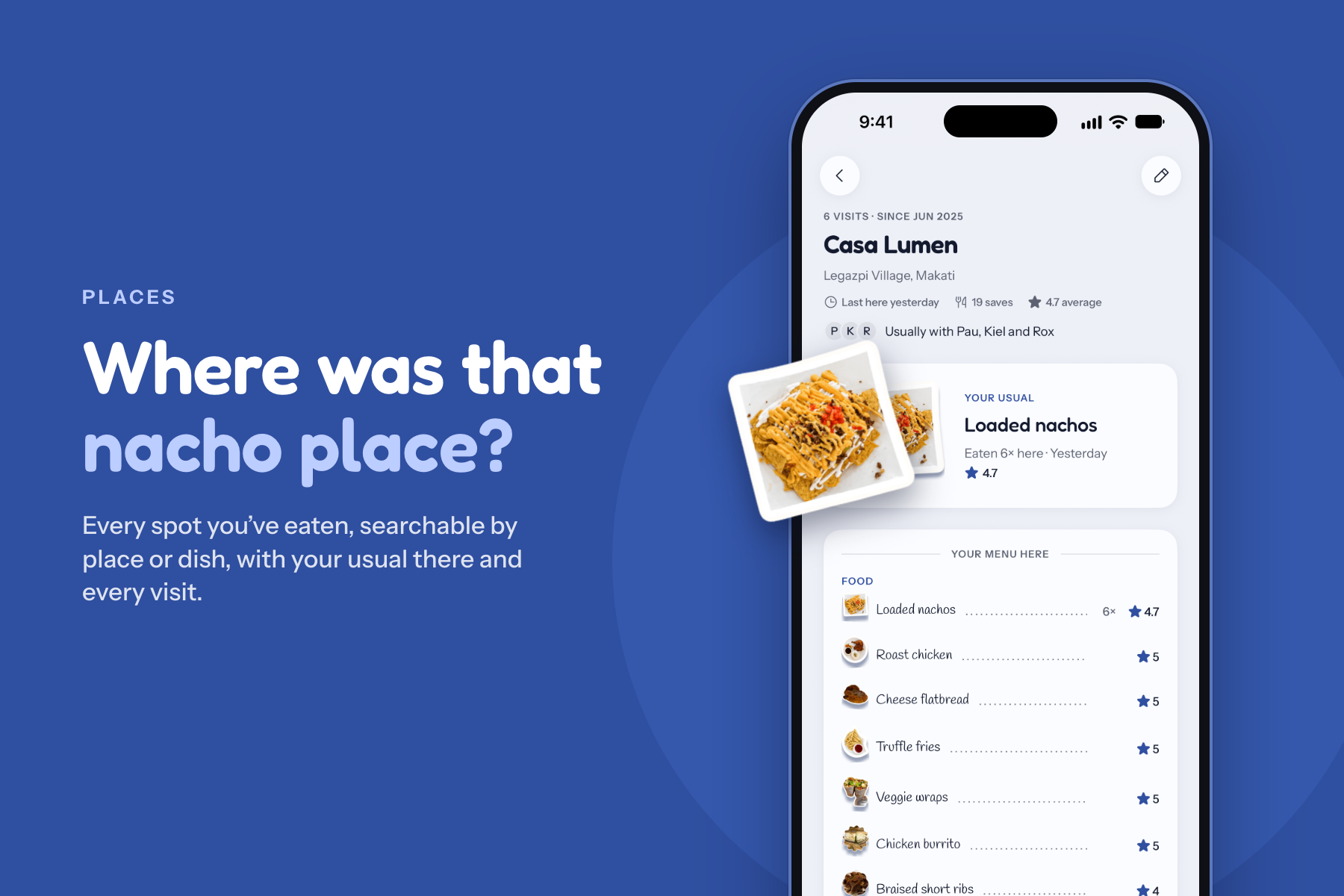
Places: every spot you've eaten, searchable by place or dish, with your usual and every visit.
-
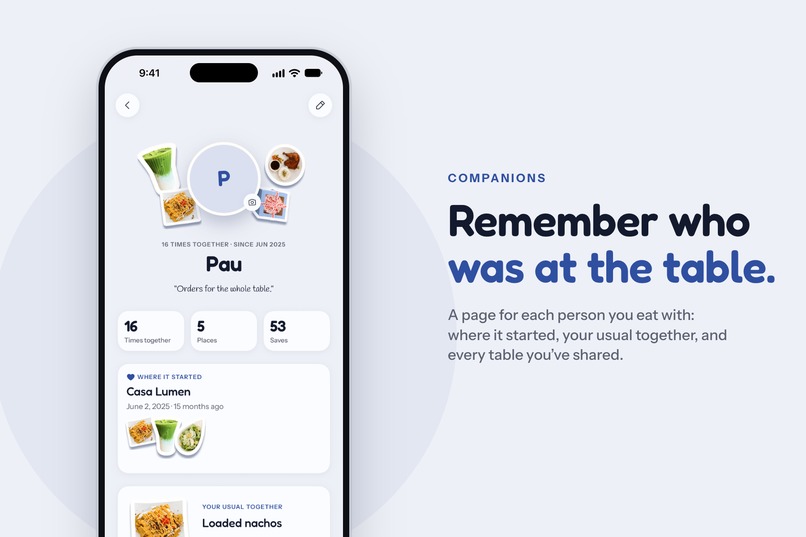
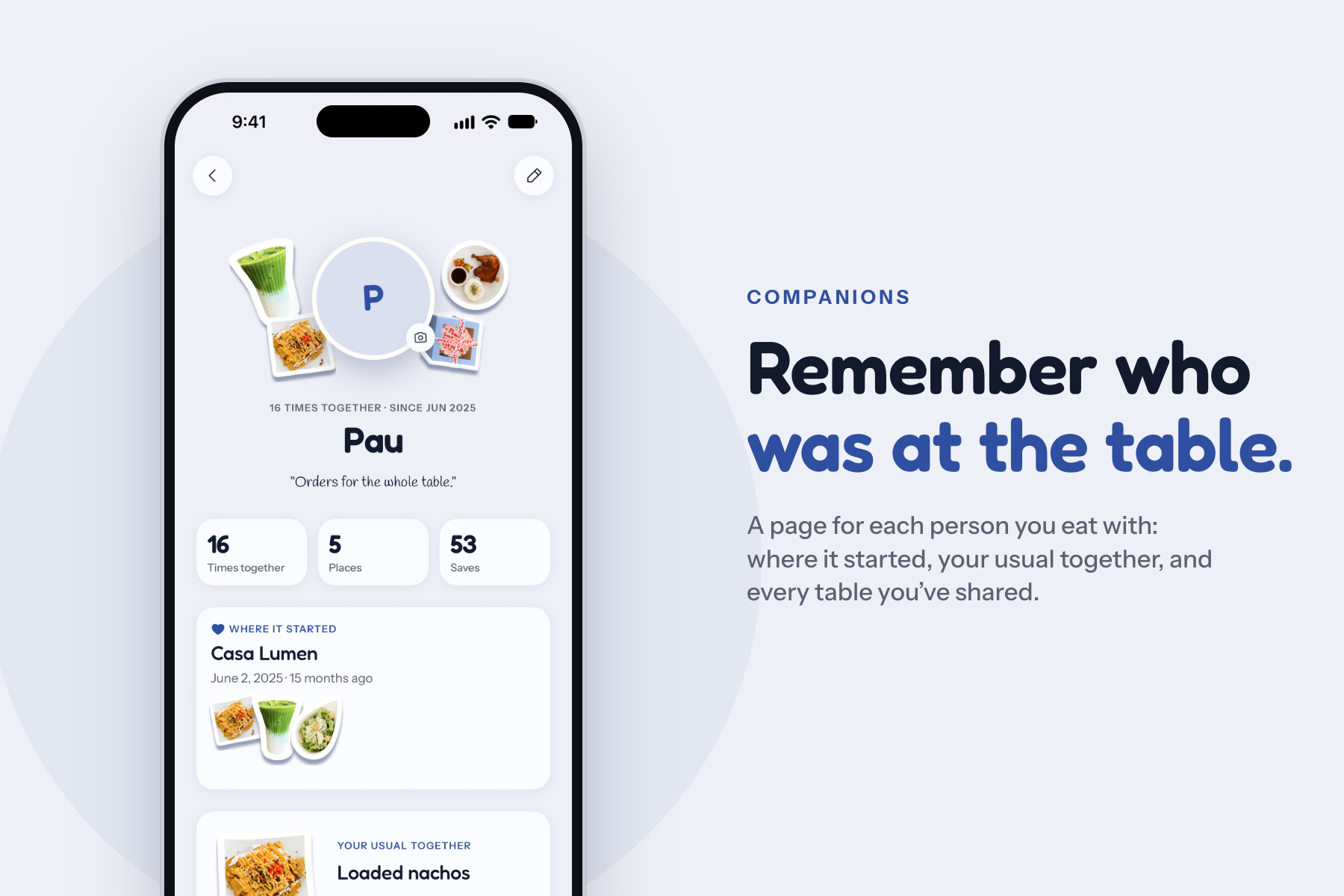
Companions: a page for each person you eat with, from your first meal together to your usual order.
-
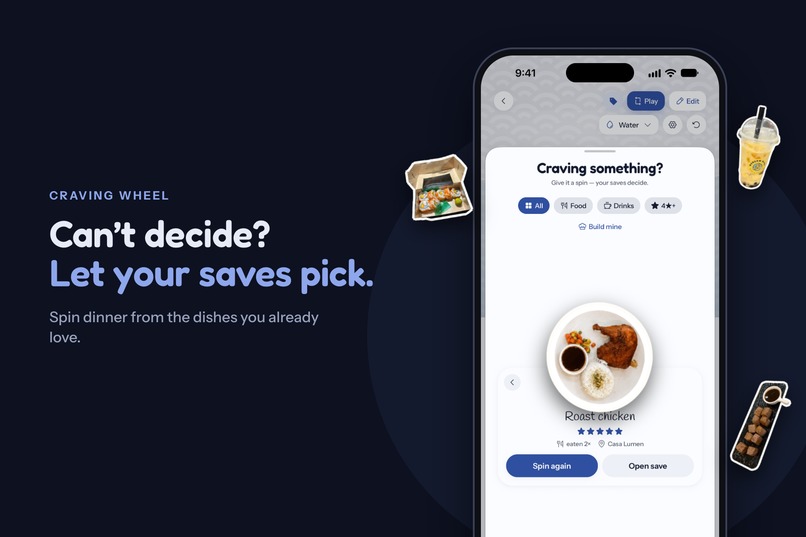
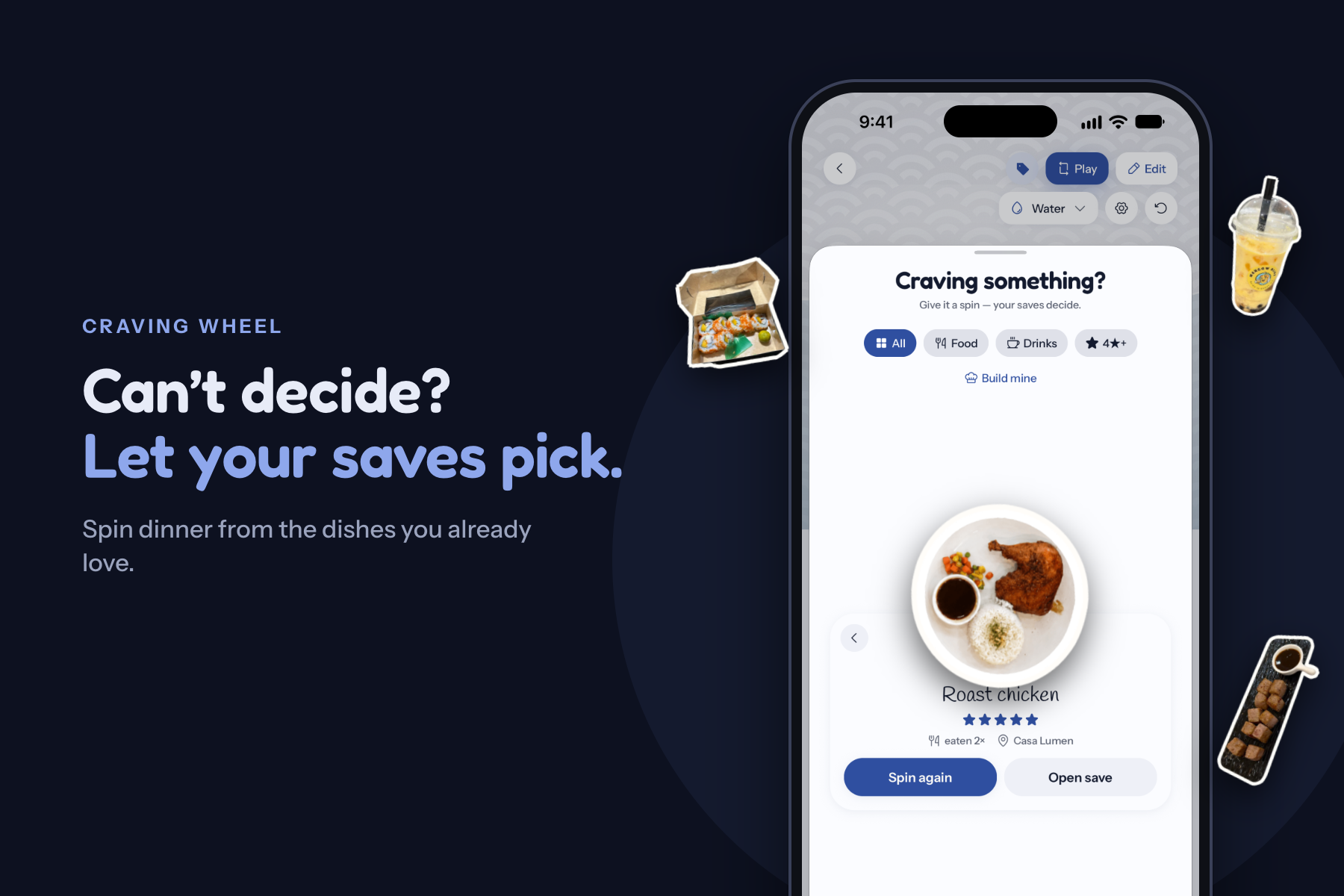
Can't decide where to eat? Spin the craving wheel and let your own saves pick dinner.
-
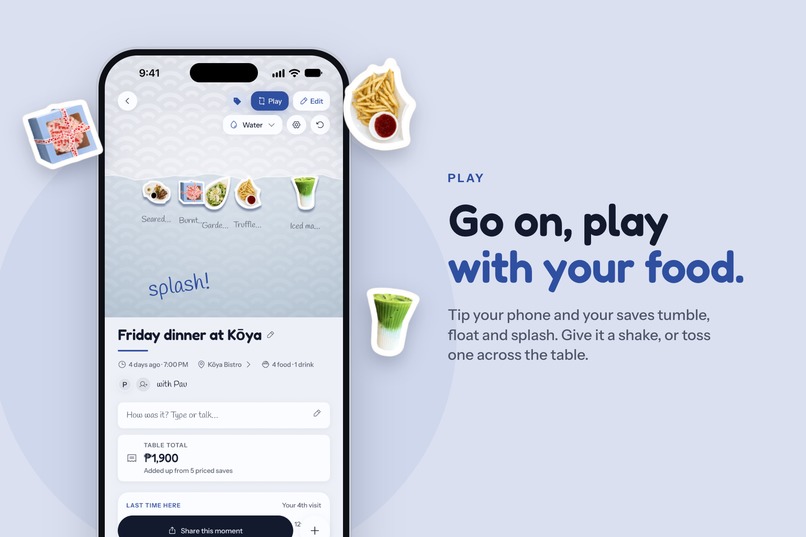
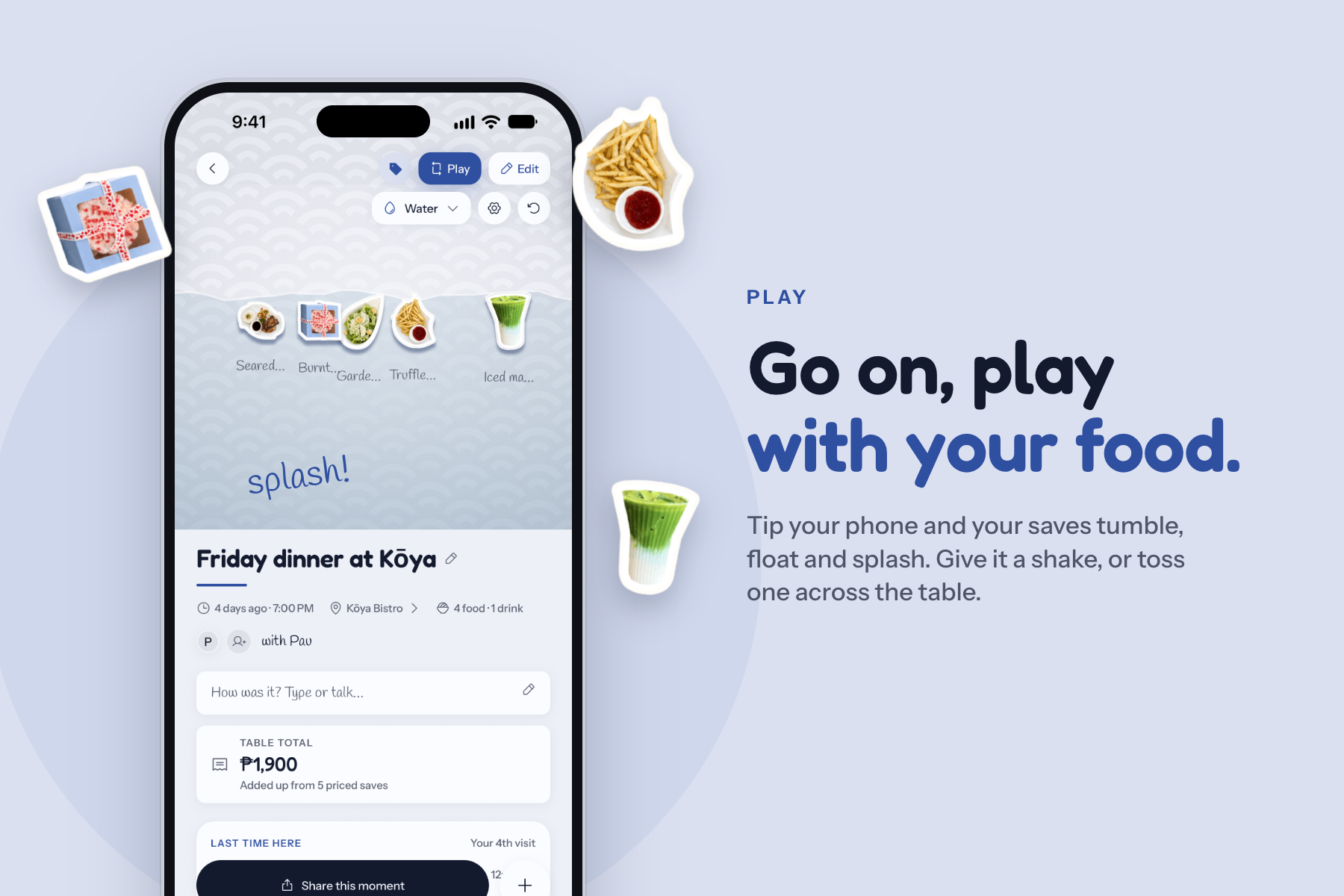
Play mode: tip your phone and your saves tumble, float and splash around the moment.
-
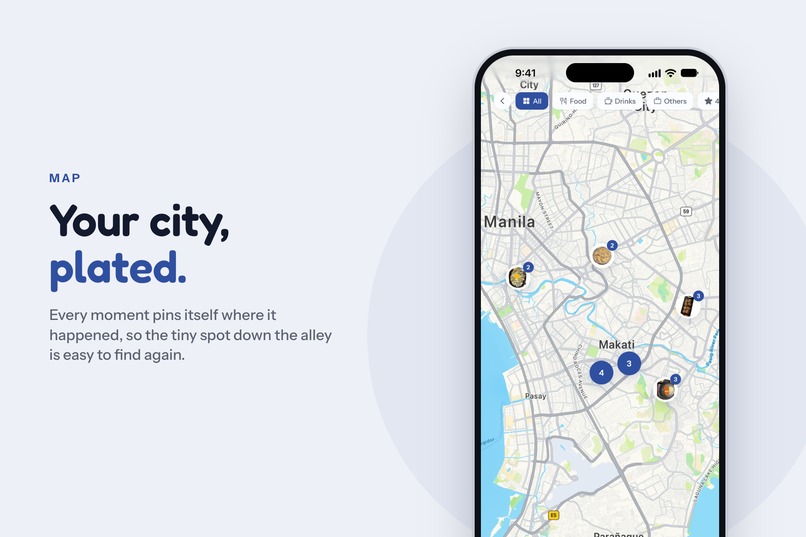
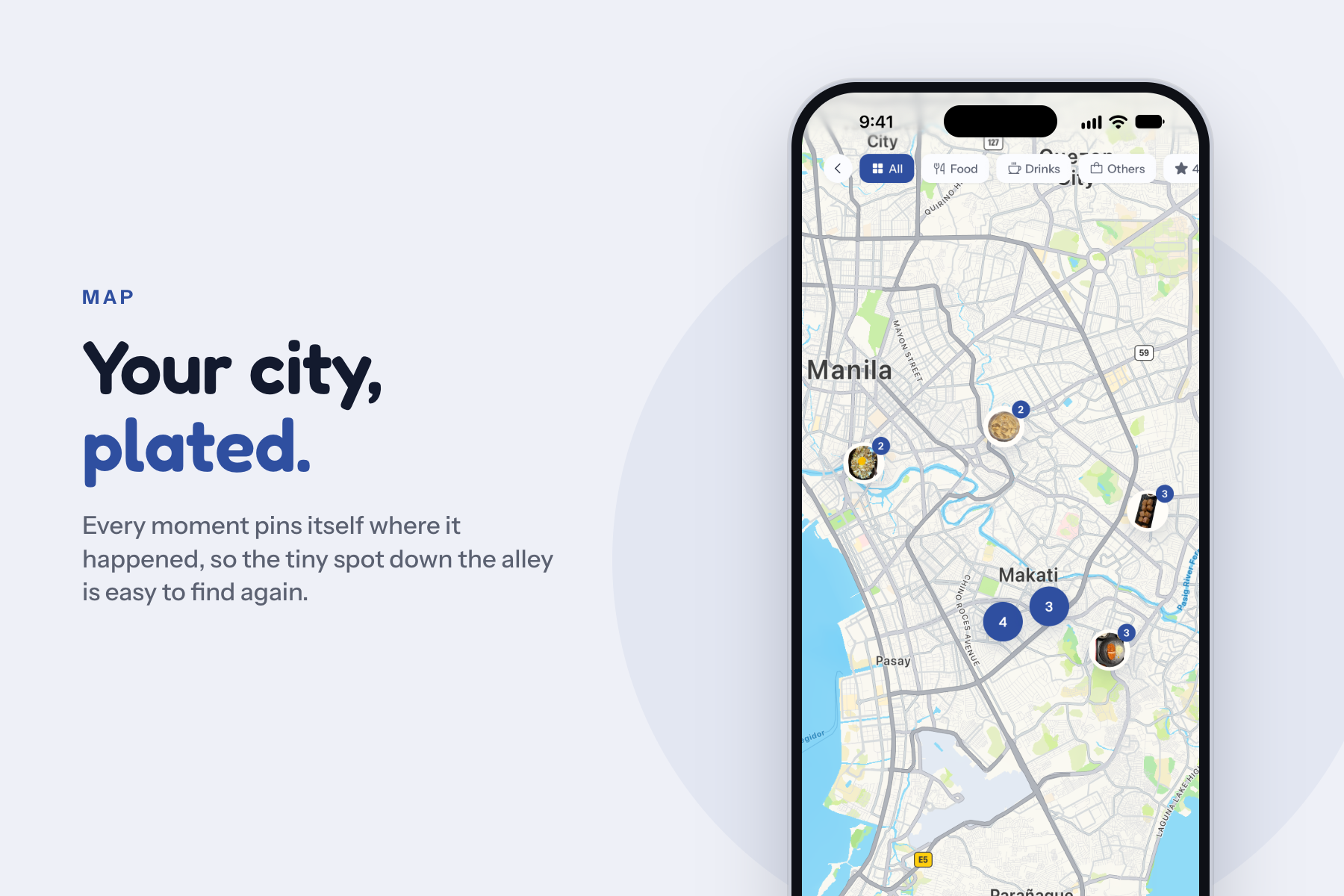
Every moment pins itself to the map where it happened.
-
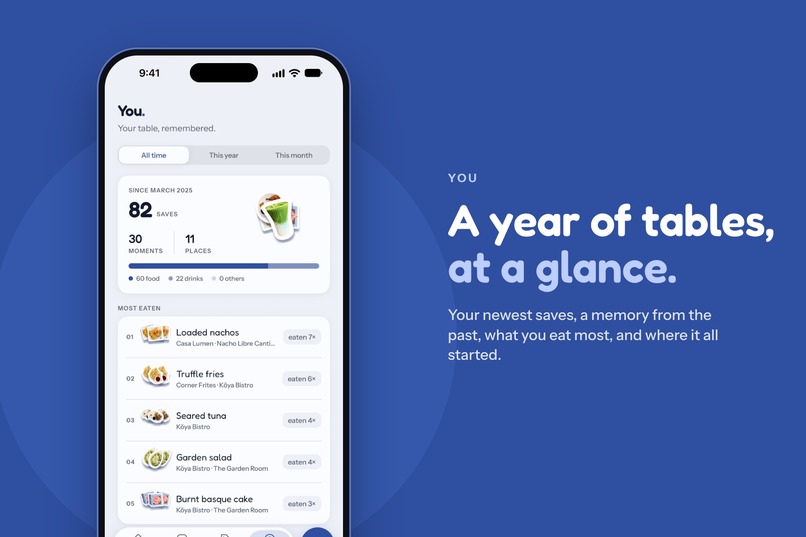
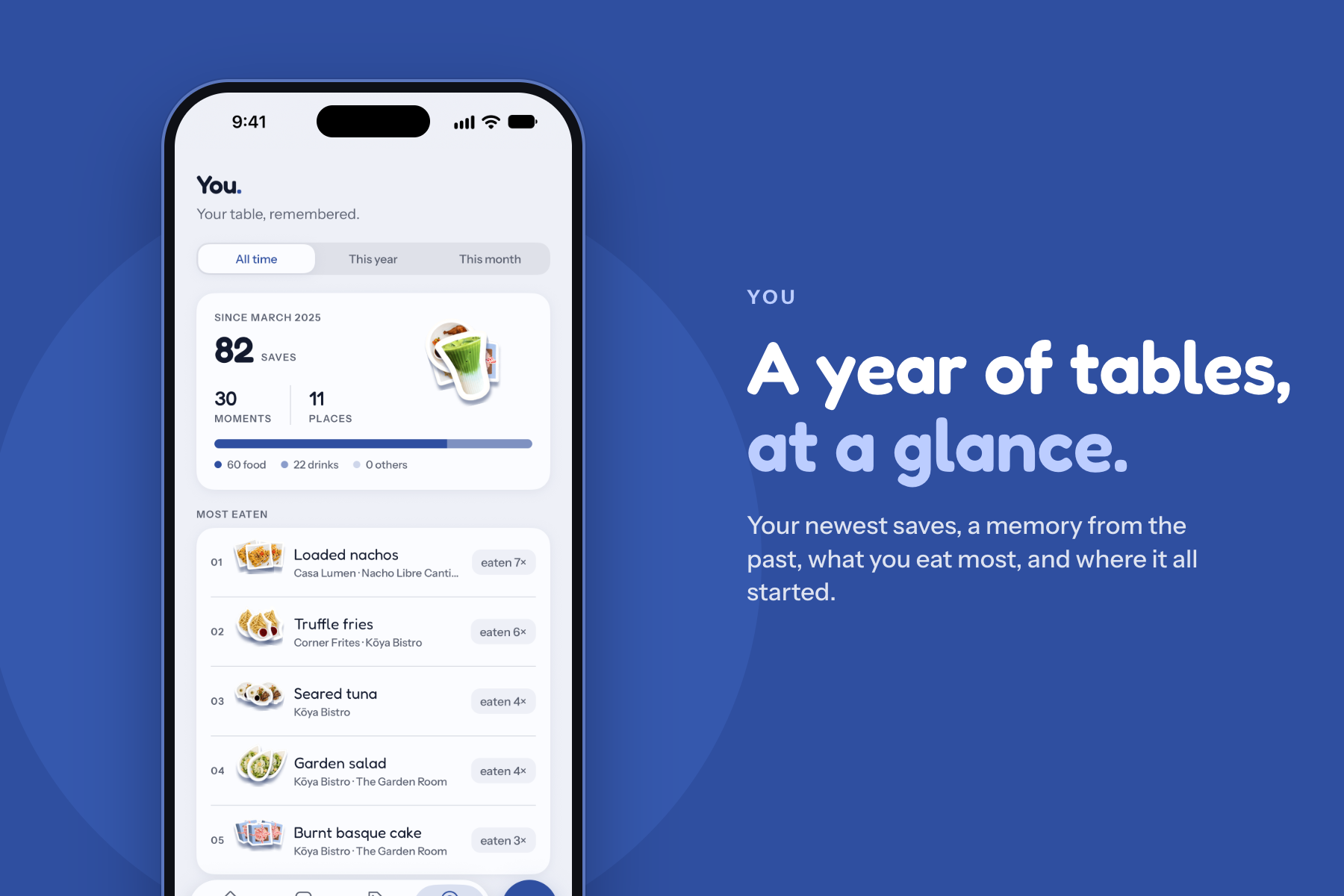
The You page: your newest saves, a memory from the past, what you eat most and where it all started.
-
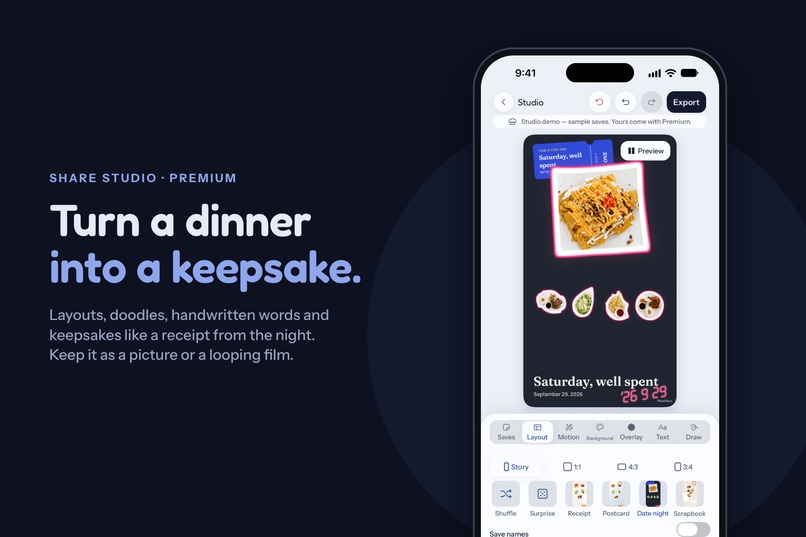
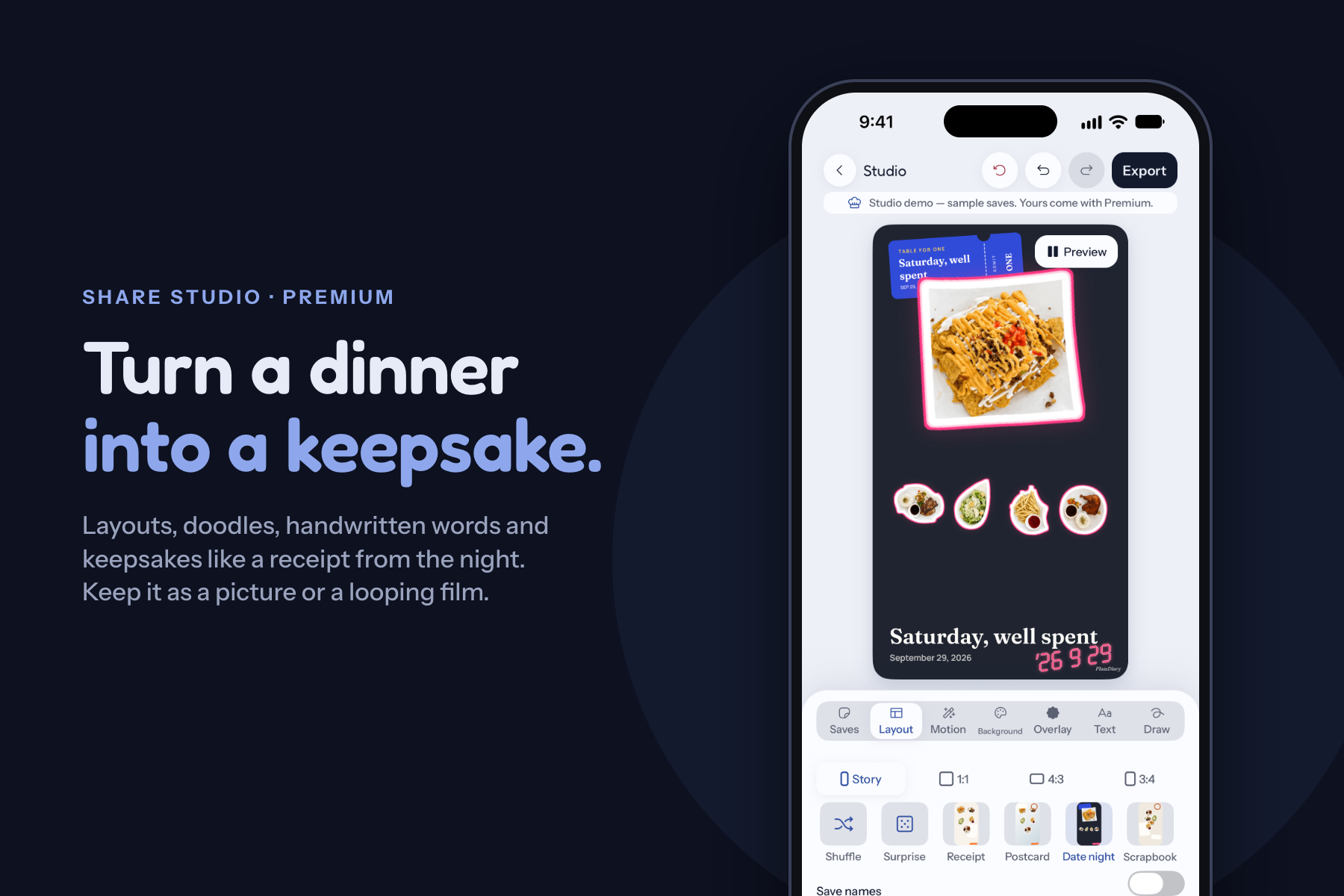
Share Studio (Premium): layouts, doodles and keepsakes like a receipt from the night, exported as a picture or a looping film.
-
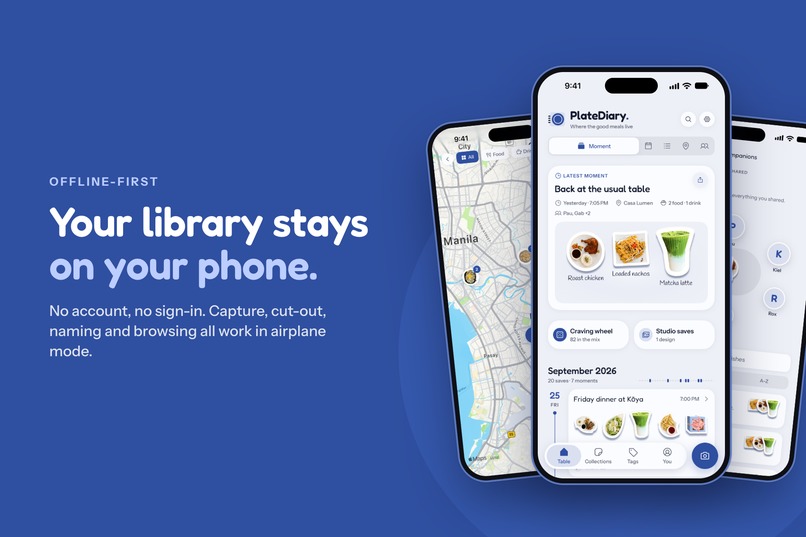
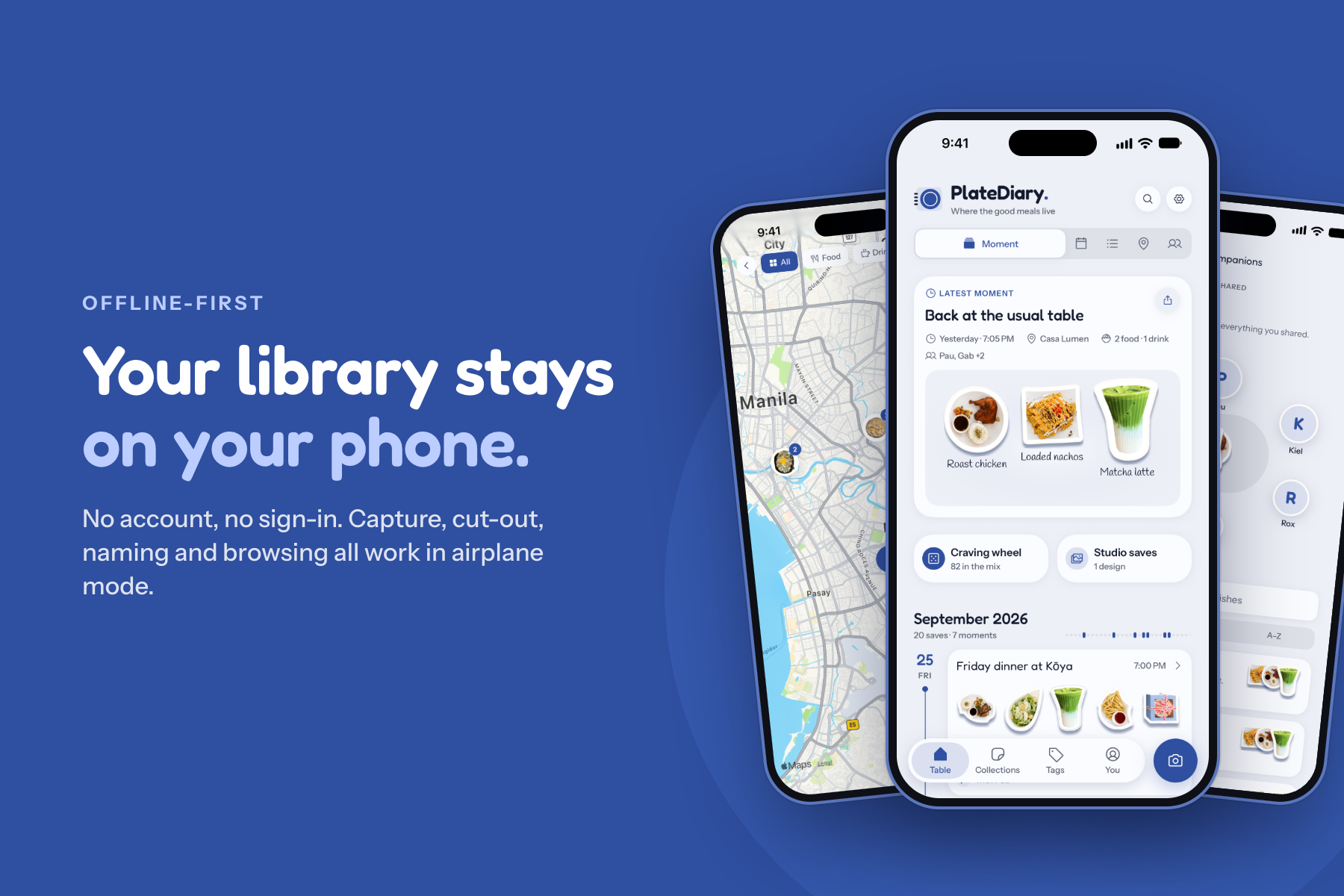
Offline-first: no account and no sign-in. Capture, cut-out and browsing all work in airplane mode.
-
No frame screenshots
I built PlateDiary because I love taking photos of my food.
Whenever I try a new dish, visit a restaurant, or share a meal with someone important to me, taking a photo has become almost automatic. The problem is that after a while, those photos just pile up in my gallery. I still have the pictures, but eventually I forget the context behind them — where I was, what the dish was called, what I thought about it, or what happened during that moment.
I wanted something more meaningful than another folder full of food photos.
Before PlateDiary, I was already keeping track of the food my girlfriend and I tried together. I would write the dishes and places in my Notes app so I could remember the things we had eaten together. It worked, but it was difficult to maintain, and the memories felt disconnected because my notes were in one place while the photos were somewhere else.
That made me think:
What if the photo, the food, my thoughts, and the memory behind the meal could all live in one place?
That idea became PlateDiary.
What PlateDiary Does
PlateDiary is a personal food diary built around memories, not just meals.
Instead of taking a food photo and eventually forgetting about it, PlateDiary lets me preserve the story around that photo. I can keep track of each dish, add my own notes, remember when and where it happened, and look back at the experience later.
The goal is for me to open PlateDiary months or even years later and think:
"I remember this day."
Not just:
"I remember eating this."
I also wanted these memories to be something I could easily turn into a story and share on social media, rather than posting another food photo without the context that made it special.
How I Built It
I built PlateDiary with a lot of care around one idea: capturing a memory should feel effortless and fun.
The experience starts naturally with something people already do — taking a photo of their food. From there, PlateDiary helps turn that photo into something worth remembering.
But I didn't want the app to feel like filling out a form or maintaining a database every time you eat.
A big part of building PlateDiary was carefully crafting the user experience, visual design, and motion. I paid attention to the small interactions — how things appear, how screens transition, how elements respond, and how the whole experience flows from one action to another.
Motion isn't there just for decoration. I wanted it to give the app personality and make interacting with your memories feel playful and alive.
I also put a lot of effort into making PlateDiary feel consistent across platforms. Whether someone uses it on iOS or Android, I wanted them to experience the same level of polish, familiarity, and delight.
At the same time, I didn't want PlateDiary to feel like another generic food tracker. I wanted it to have its own personality and interaction style — something that feels unique, personal, and fun to use.
The different pieces all come together:
- the food photo
- individual dishes and drinks
- personal notes
- the place and time
- the memory surrounding the meal
- and a story that can eventually be shared
The challenge was making all of that feel simple.
Challenges
One of the biggest challenges was finding the balance between capturing enough information to make a memory meaningful and keeping the experience lightweight enough that people will actually use it.
It is easy to keep adding fields, buttons, and features. It is much harder to decide what doesn't need to be there.
Another challenge was creating a polished experience across different platforms. Small differences in behavior, screen sizes, interactions, and platform conventions can easily make an app feel inconsistent. I had to continuously refine the experience so PlateDiary still felt like the same product everywhere.
Crafting the motion was also a challenge. Animations needed to feel natural without slowing the user down. The goal wasn't to add motion everywhere, but to use it intentionally so interactions felt smoother, clearer, and more enjoyable.
Most importantly, PlateDiary is built around something very personal.
Food memories aren't always about rating a restaurant or deciding whether a dish deserves five stars. Sometimes the most important part of a meal is the person sitting across from you, a conversation you had, a celebration, or even an ordinary day that became meaningful later.
That meant I had to think beyond building a traditional food-tracking app.
I wanted PlateDiary to feel more like opening an old journal than scrolling through a database.
What I Learned
Building PlateDiary taught me that a photo becomes much more valuable when it has context.
A picture can show me what I ate, but a small note can remind me what I was thinking, who I was with, and why that particular day mattered.
I also learned how much the small details of a product affect the overall experience. A feature can technically work, but the way it moves, responds, and fits into the rest of the experience determines whether it actually feels good to use.
It reinforced something I care about when building products: functionality gets people through a task, but thoughtful design can make them enjoy doing it.
And sometimes, solving a personal problem is a great place to start.
PlateDiary came from something very simple: my food photos were piling up, and the notes about the meals my girlfriend and I shared were separated from those photos.
Instead of continuing with that fragmented experience, I decided to build the experience I wished already existed.
Now, PlateDiary gives me one place where I can see what I've eaten, remember the moments behind it, keep the little details I don't want to forget, and turn those memories into stories worth sharing.
And I wanted the act of remembering them to be just as enjoyable as capturing them in the first place.
Built With
- android
- animations
- camera
- computer-vision
- cross-platform
- eas-build
- expo.io
- gps
- image-processing
- image-segmentation
- ios
- local-first
- maps
- mobile-app
- motion-design
- offline-first
- on-device-machine-learning
- react-native
- revenuecat
- typescript
- ui/ux


Log in or sign up for Devpost to join the conversation.