-
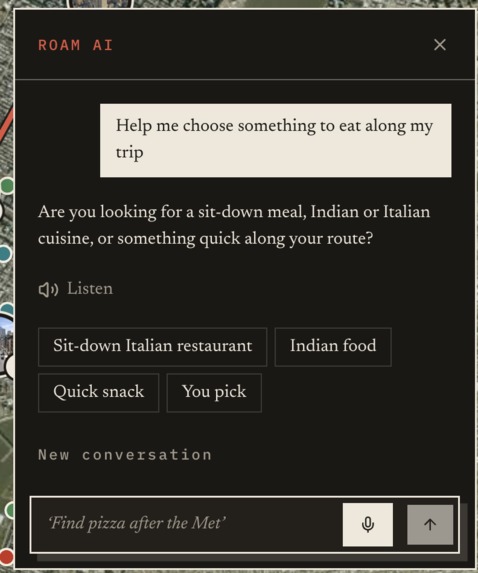
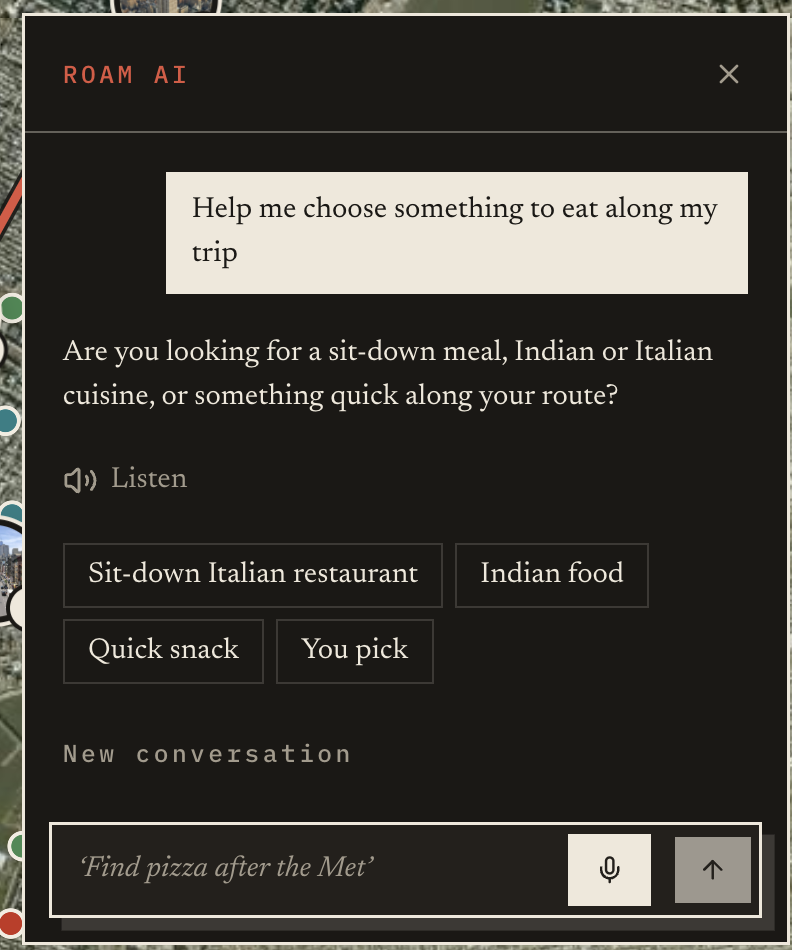
Roam AI in action
-
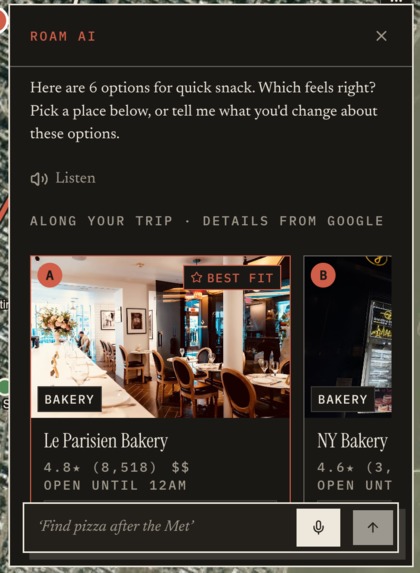
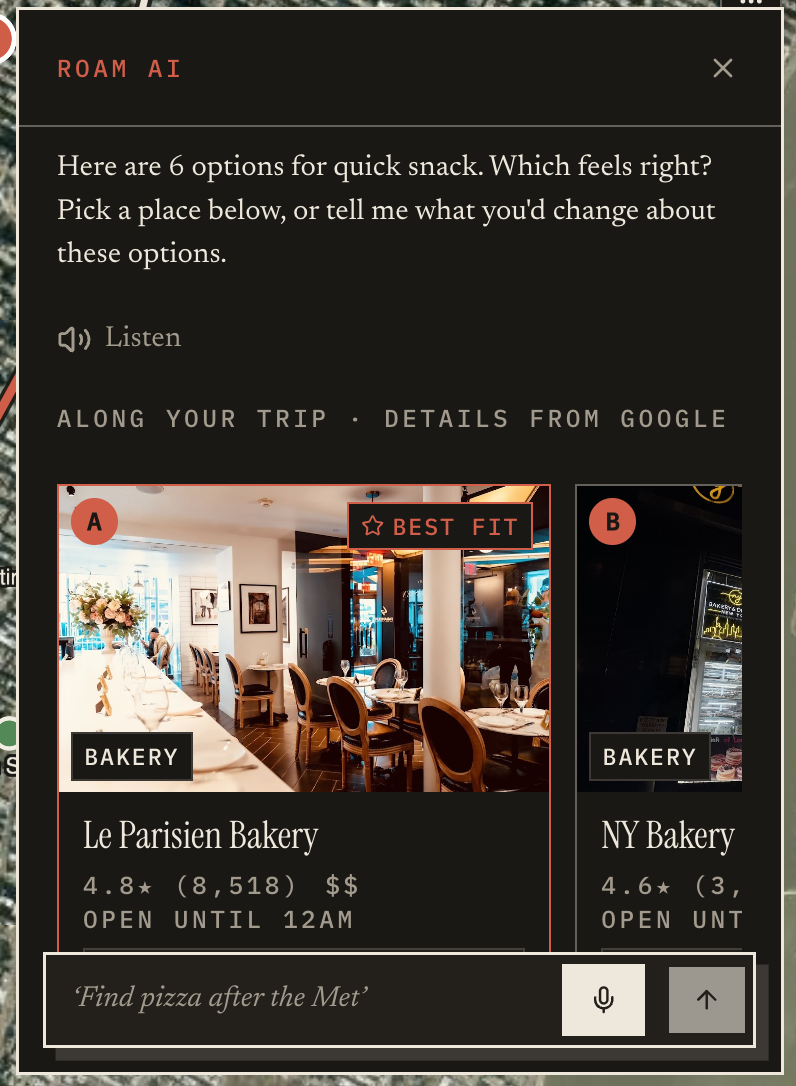
Roam AI suggestions based on my prompt
-
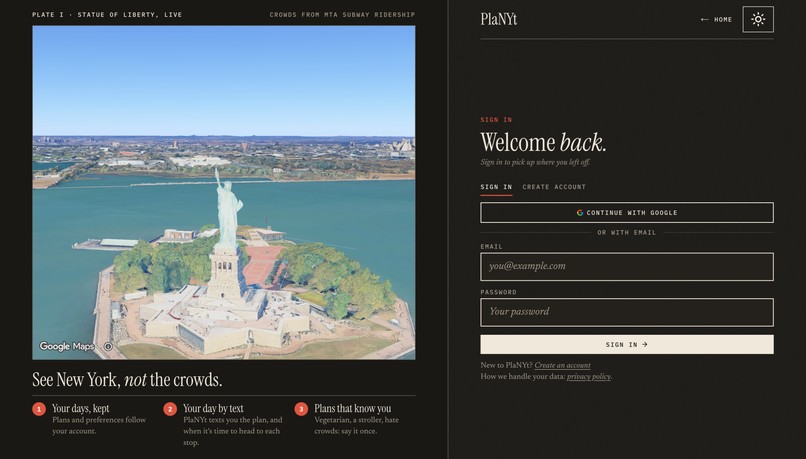
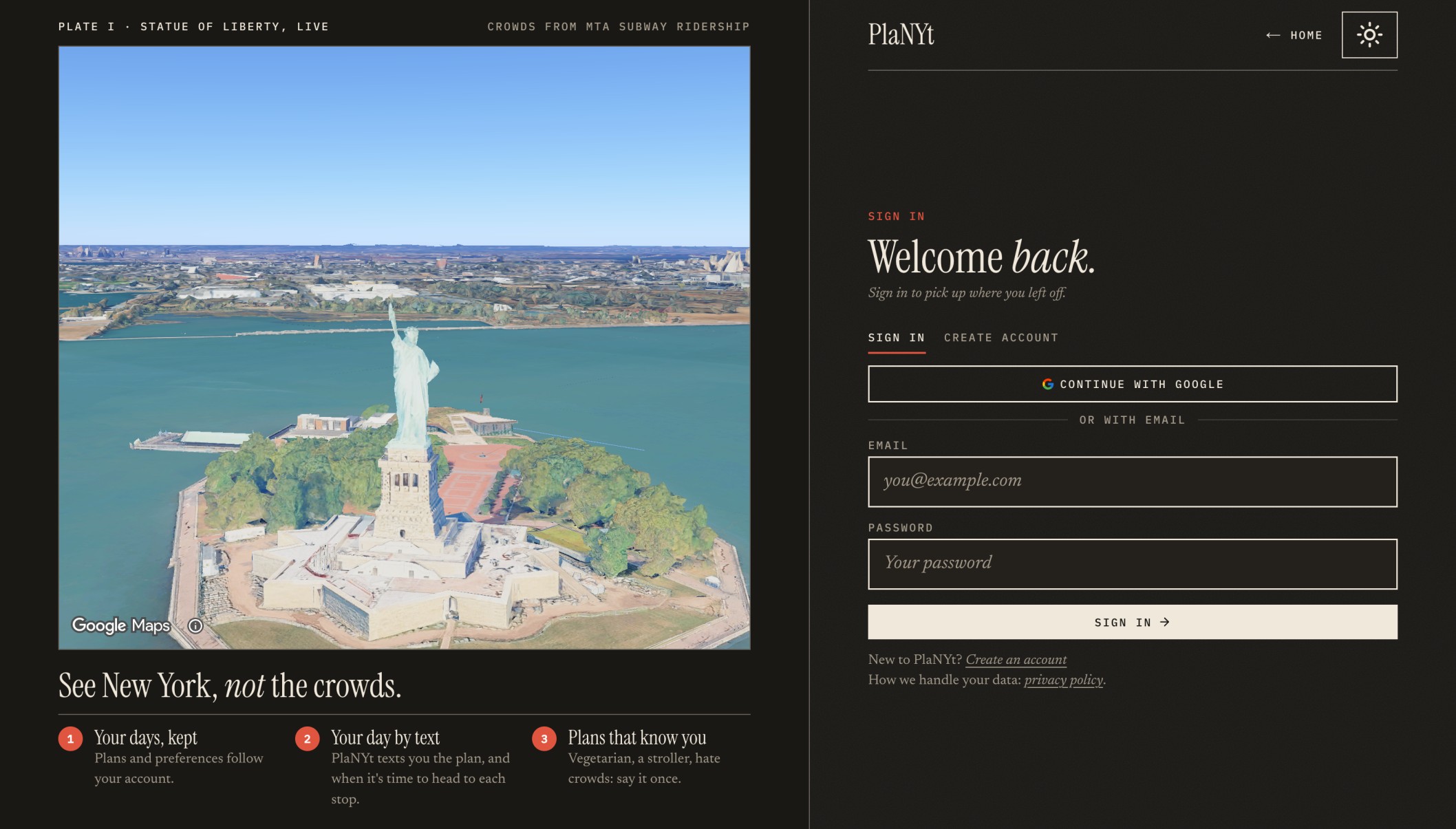
Login Page
-
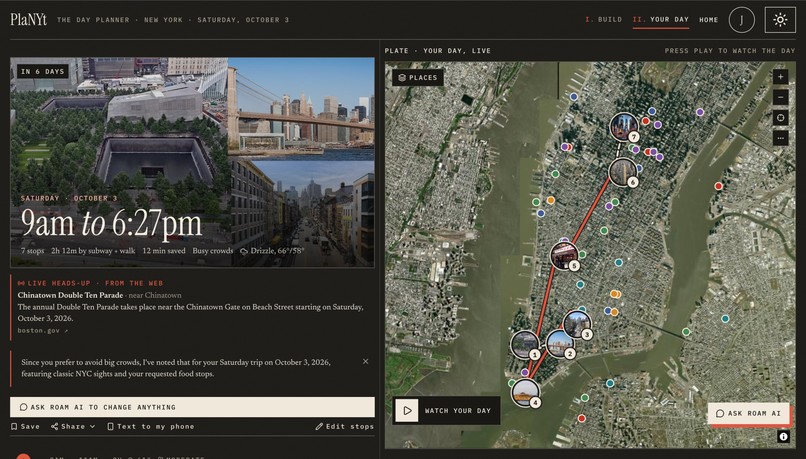
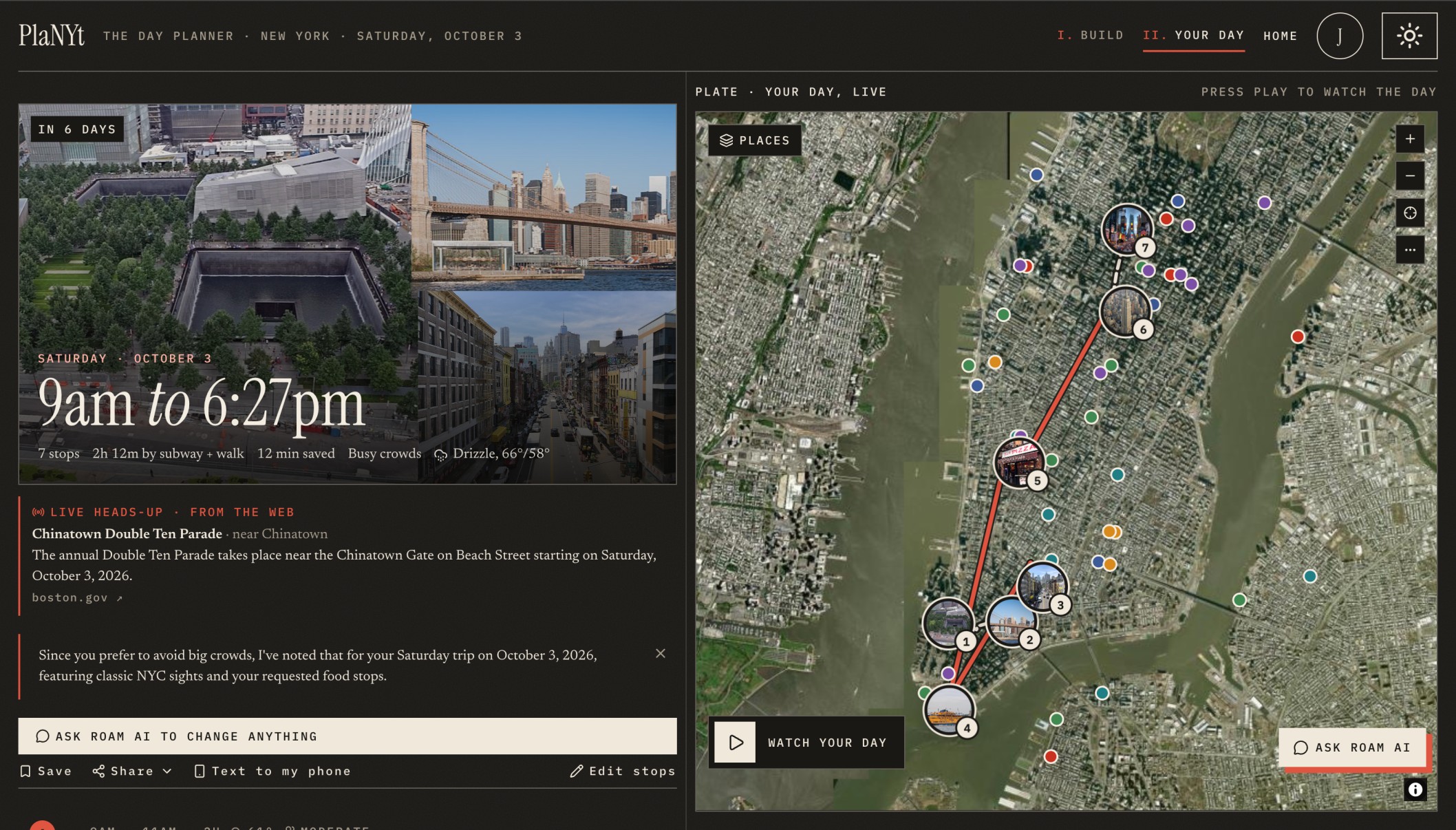
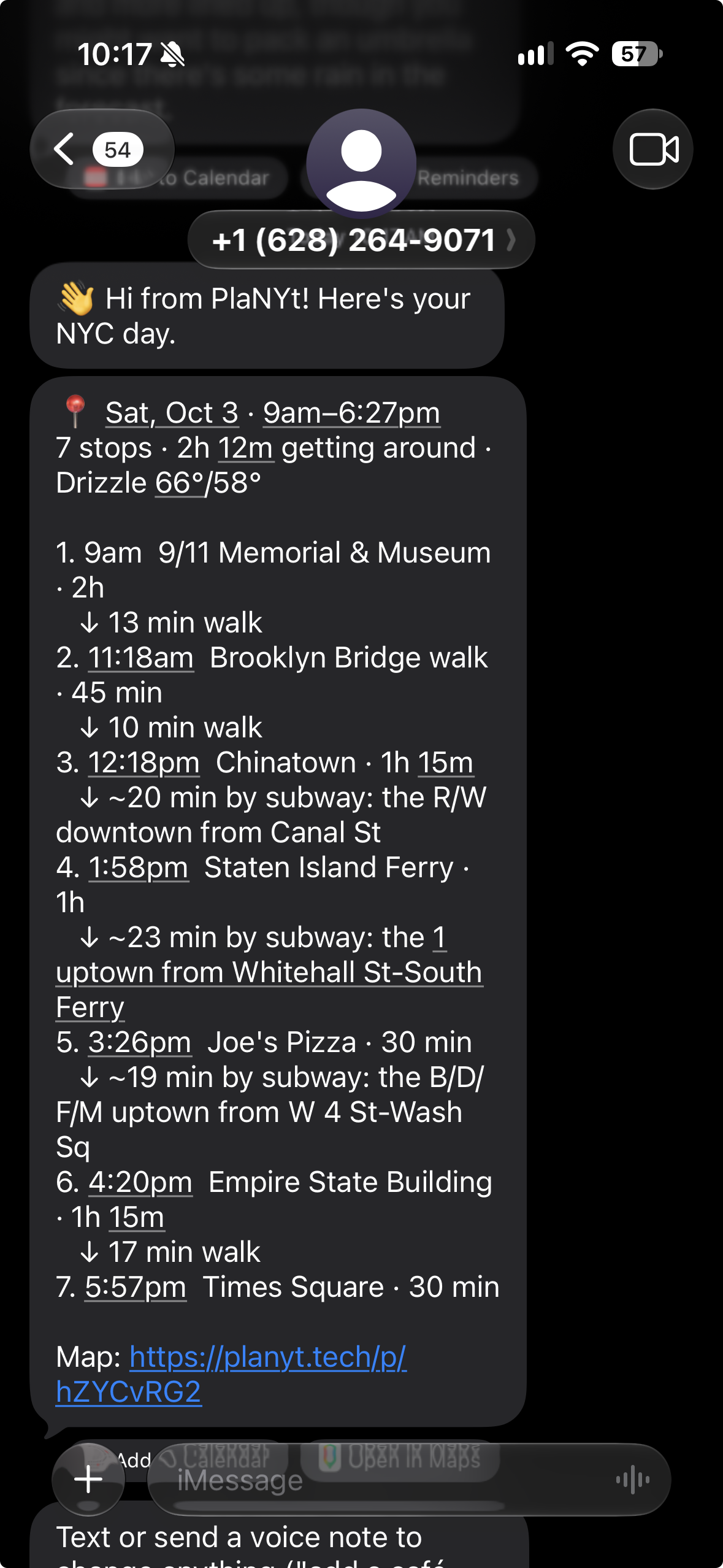
Result of a planned trip
-
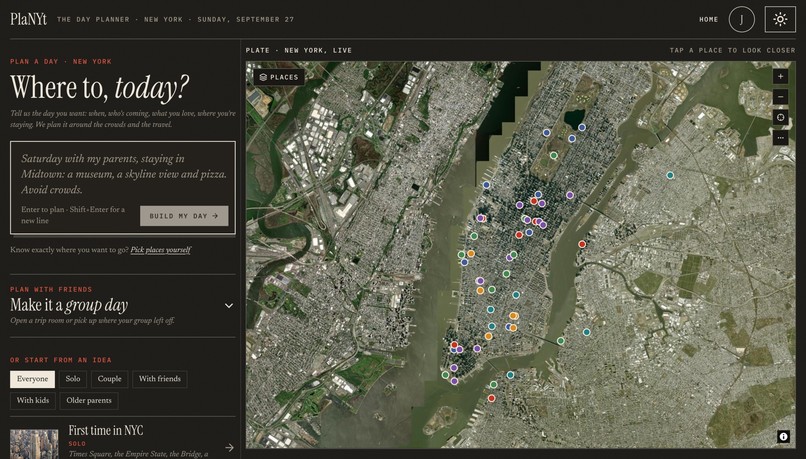
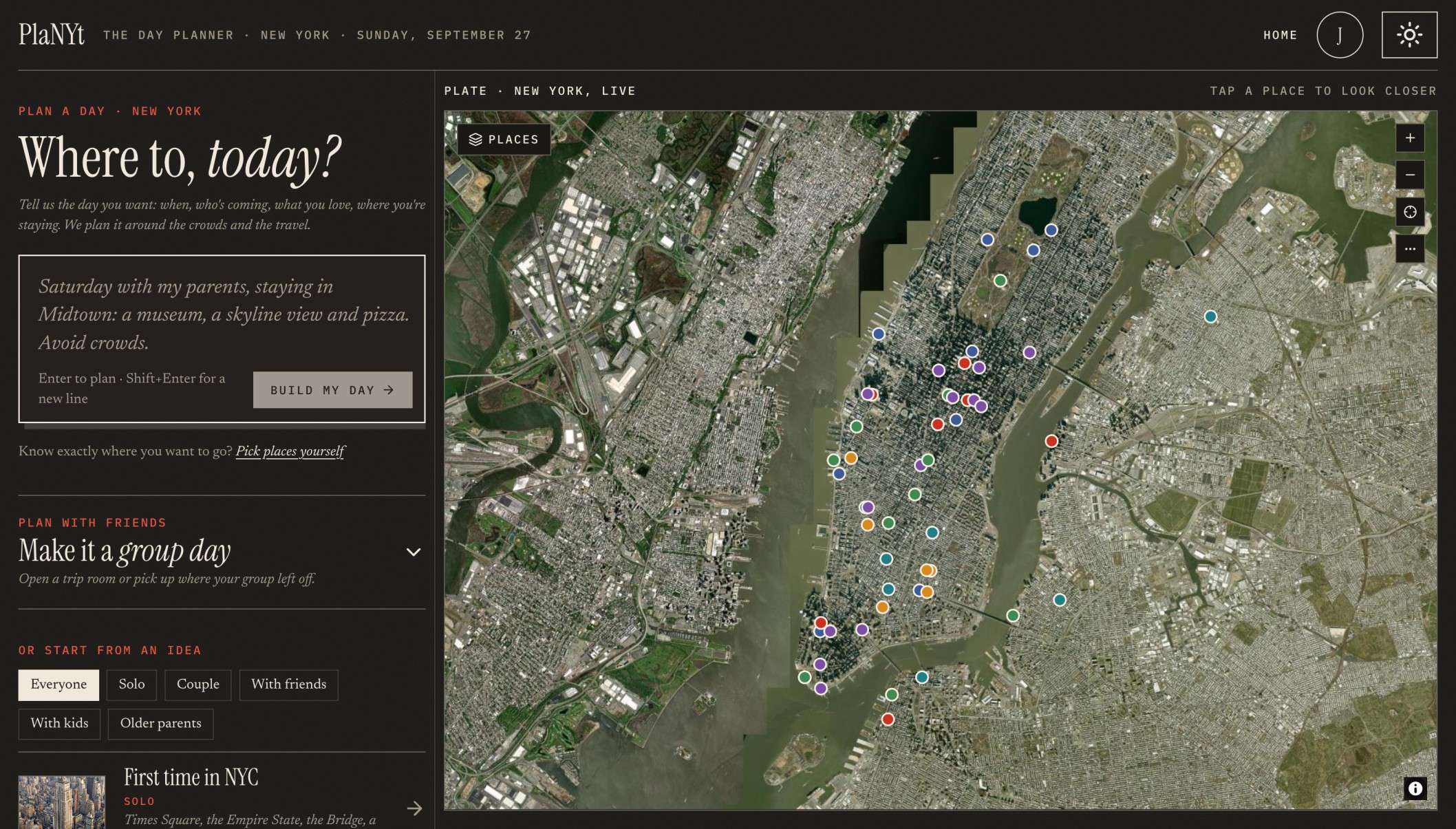
Homepage
-
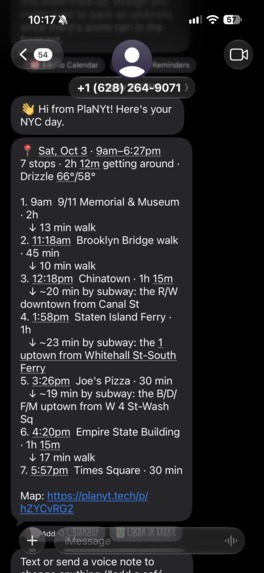
Response from AI using Photon
-

Landing Page
-
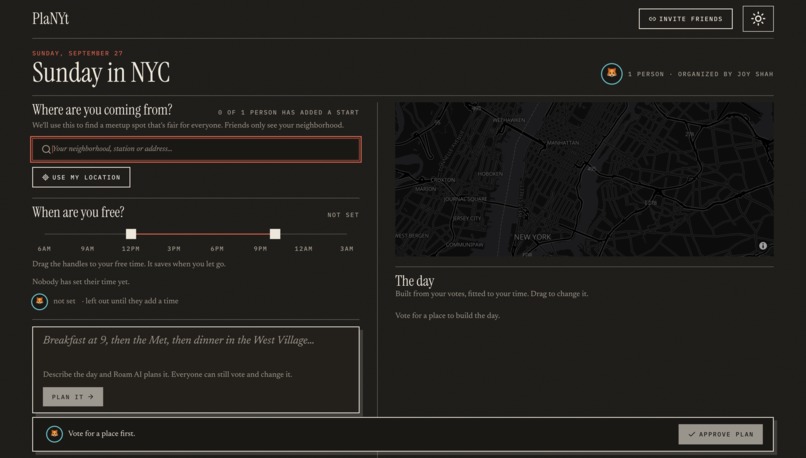
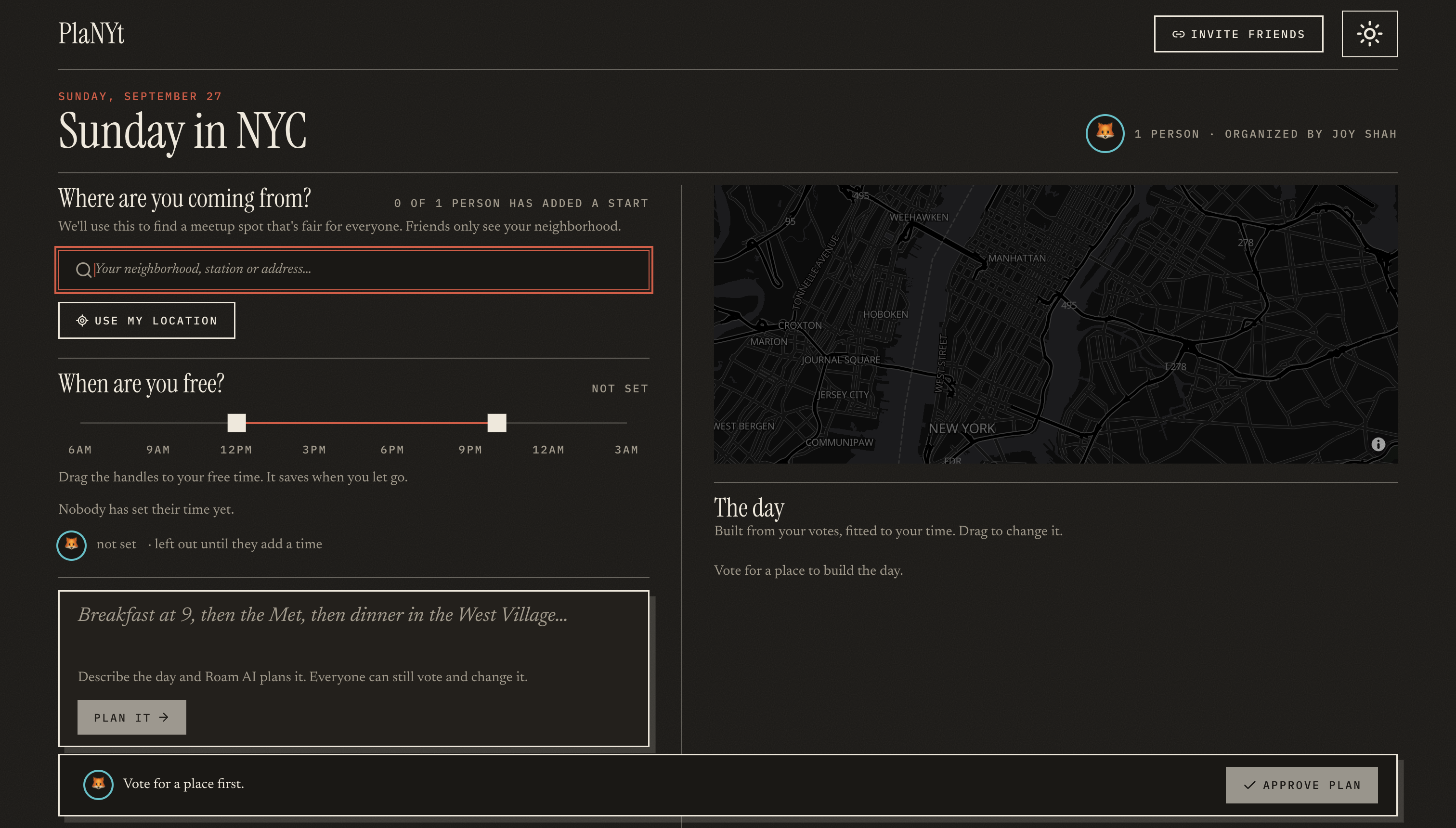
Group Planning
-
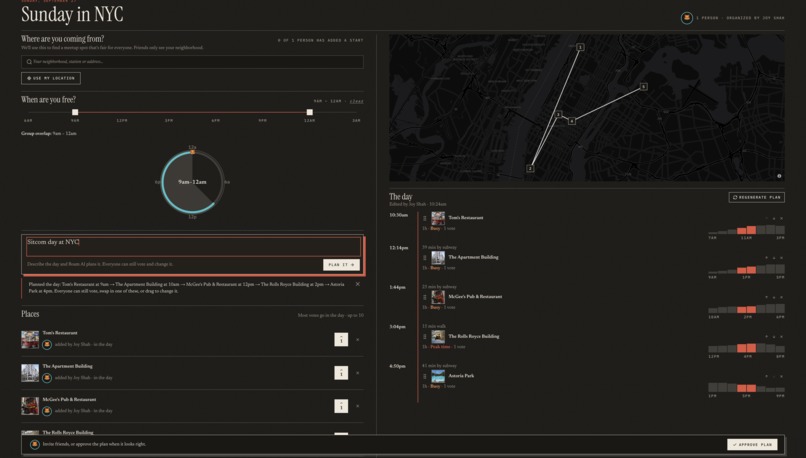
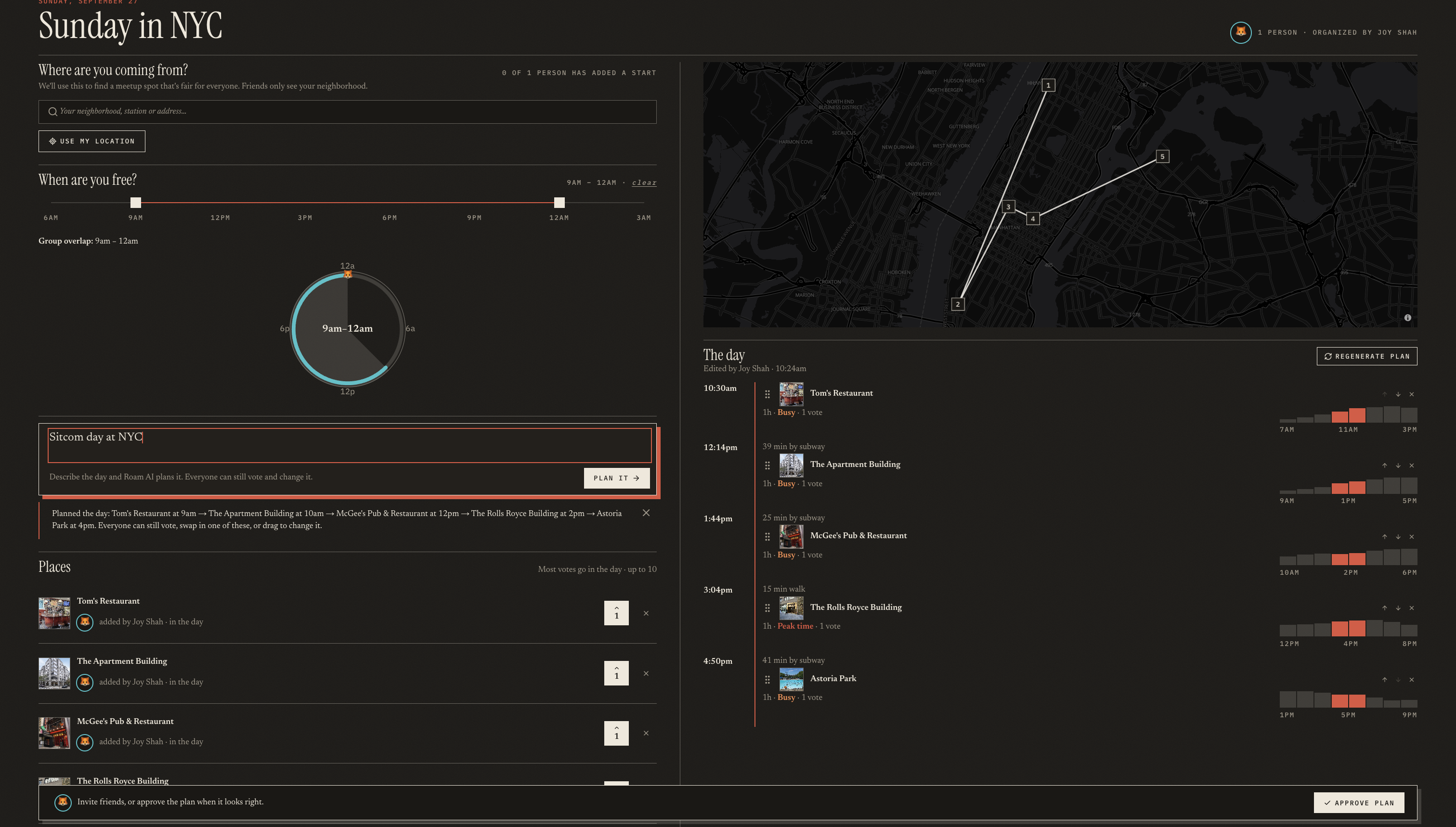
Group Planning using Roam AI

Inspiration
As frequent travelers to NYC, we kept running into the same two problems: the crowds and the timing. You plan to hang out with friends, and then the place is packed, the train you needed isn't running, or the weather turns. The mood and the vibe are gone before the day even starts.
The fix is to know more before you go: how busy each spot will be, how long it takes to get between places and what the weather will be like, so you can plan ahead. But that's only half of how New York works. Life here is spontaneous, and most plans get made on the spot.
So we built one simple tool for both kinds of plans, the ones made a week out and the impromptu ones. Planned or last-minute, you still get a great, semi-planned day with your people. That's PlaNYt: See New York, not the crowds.
What it does
PlaNYt turns one sentence into a full NYC day that is timed and ordered to avoid crowds. You can plan it alone or with your group.
"Saturday with my parents: the Met, a skyline view and great pizza. We hate crowds."
Solo planning
- Describe your day however you like: type it, say it (ElevenLabs voice) or pick stops by hand.
- The best order, guaranteed. An exact optimizer checks every order of your stops and weighs travel time, opening hours, meal windows and fixed-time bookings.
- Real crowd forecasts. MTA hourly subway ridership, weighted by distance from each stop, shows how busy each area will be hour by hour. PlaNYt schedules your visits for the quiet hours.
- Real routes for walking, biking and driving on OpenStreetMap streets (OSRM), plus subway estimates and one-tap Google Maps directions.
- Weather and live alerts: a 16-day forecast, plus web-sourced warnings about parades, street fairs, marathons and closures near your stops. Each alert links to its source.
- A photorealistic 3D map with animated playback of your route, plus budget tracking, calendar export and short share links.
Roam AI, the assistant
- Talk to your plan: "make it end by 7", "add somewhere outdoor after lunch." Roam suggests real places that fit, shows the travel time each one adds and only changes the plan when you approve.
- It remembers you across trips (diet, accessibility needs, "hates crowds") and backs its answers with cited web sources.
- Guardrails: it only helps with NYC trips, resists prompt injection and says when it's unsure instead of making things up.
- It works over iMessage: text Roam to plan a day, reply YES to approve changes and get "leave now" reminders.
Plan with Friends: group trip rooms
- Share a link and friends join without needing an account. Everyone adds ideas and votes, and the day re-optimizes as votes come in.
- Free-time overlap: the day fits the window everyone shares, and PlaNYt shows who will miss which stop.
- A fair first stop: the meetup spot keeps the longest trip anyone makes as short as possible. Everyone also gets a route home with time and a rough cost.
- Group sign-off: members tap "I'm in", then the host confirms the plan.
Live at planyt.tech.
How we built it
The AI understands, the code decides. Planning happens in two stages:
- Understanding (Google Gemini): free text becomes a structured, validated request: places, date, travel mode, pace, diet and constraints.
- Optimizing (plain code): a branch-and-bound search over every order of stops minimizes travel + waiting + crowd exposure + penalties. For typical days (up to about 8 stops) it finds the provably best order in under 100ms. The same input always gives the same plan, and every choice comes with a plain-English reason, for example "saves 22 min of travel."
Stack
- App: Next.js 16, React 19, TypeScript, Tailwind CSS 4
- AI: Google Gemini, Backboard (long-term memory), Tavily (web search), ElevenLabs (voice)
- Maps and routing: Google Photorealistic 3D Maps, MapLibre GL, OSRM, Nominatim, OpenStreetMap
- Data: MTA Subway Hourly Ridership, Open-Meteo weather, Google Places photos
- Backend: MongoDB Atlas, better-auth (email, phone, Google sign-in)
- Messaging: Photon Spectrum (iMessage)
- Quality and hosting: Vitest (59 test files, about 370 tests), Zod validation, deployed on Render
Design. An editorial, magazine-style look: paper and ink, serif type, a single red accent and the 3D city in place of photography. The landing page opens with the PlaNYt letters rising out of the city, dives into 3D Manhattan and settles into a slow orbit. The layout works on every screen size, from phones to ultrawide monitors, and has a full dark mode.
Process. We wrote a design spec and an implementation plan before each major feature, which let four of us build in parallel. Over the hackathon we made 106 commits.
Challenges we ran into
1. The crowd-avoiding optimizer sent people zig-zagging across town. Once crowding became a cost, the optimizer found a loophole: go from Midtown to Brooklyn and back just to dodge one busy hour. The math was right, but no human would take that route. We now run the search twice, once with crowds and once without. If the quieter route adds more than 15 minutes and more than 25% extra travel, and the direct route still meets every opening hour, the direct route wins. Crowds still decide between routes that are about equally direct.
2. Live alerts were slow and sometimes made up. Our first version asked Gemini to read web results and pull out events. It was slow, and it sometimes tied real events to the wrong date or place. We rebuilt it so plain code does the matching: a result counts only if it names the date (in any format: "Oct 3", "3 October", "10/3") and mentions one of your stops nearby, or describes a citywide event such as a marathon. Gemini now only tidies the wording, with a 5-second cutoff. The alerts became fast, backed by sources and testable.
3. Making one assistant feel native on both the web and iMessage. Roam's replies were written for the website: "Pick a place below", "Choose Add on its card." Over text, those pointed at buttons that don't exist, and follow-up questions weren't showing up at all. We built a formatting layer for texts. It rewrites web-only phrases, shortens each suggested place to one line, states shared warnings once instead of six times and shows a proposed change as a one-line timeline you approve with YES or NO.
Accomplishments that we're proud of
- Roam AI. One assistant across the planner, group trip rooms and iMessage. It remembers you between trips, cites its sources, stays within safe limits and only works with real places and real travel times. The optimizer decides the plan and the AI helps, so it can't make up a place.
- The UI. PlaNYt looks like a city magazine, not a dashboard. The intro into photorealistic 3D Manhattan, the flip-board presets and the small animations make planning feel like part of the trip.
- Crowd avoidance from real public data, built into an optimizer that can prove its answer is the best order.
- It's live at planyt.tech, with real accounts, a real database, a working iMessage bot and about 370 automated tests.
What we learned
- Let the AI understand and let code decide. Our best results came when Gemini handled language and deterministic code handled correctness. The live-alerts rebuild taught us that the hard way.
- Be honest about the data. Subway ridership measures how busy an area is, not the line inside a museum. We say that in the app rather than overclaiming.
- Each channel needs its own voice. A good web reply makes a bad text message, so the same assistant needs different wording for each place it appears.
What's next for PlaNYt
- Multi-day trips and vacations. Today, each day is saved as its own trip. Next, a weekend or a week becomes one trip or vacation. Roam will spread neighborhoods across the days, avoid repeats and move outdoor plans to the days with the best forecast.
- Future plans based on what PlaNYt already knows about you. Roam already remembers your preferences and past trips, so it can suggest your next outing: a new neighborhood, a quieter weekday version of a favorite or an event near places you love.
- Live transit. Real-time MTA feeds, so plans adjust to actual departures and service changes.
- Plans that adapt as they happen. If you're running late, Roam re-plans the rest of the day from where you are and texts the group.
- More cities. The engine works anywhere. Each new city needs a place catalog and crowd data, starting with cities that publish transit ridership openly.
Built With
- backboard
- better-auth
- elevenlabs
- google-3d-tiles
- google-gemini
- google-maps
- imessage
- maplibre
- mongodb
- mta-open-data
- next.js
- node.js
- nominatim
- open-meteo
- openstreetmap
- osrm
- photon-spectrum
- react
- recharts
- tailwindcss
- tavily
- typescript
- vitest
- zod


Log in or sign up for Devpost to join the conversation.