Inspiration
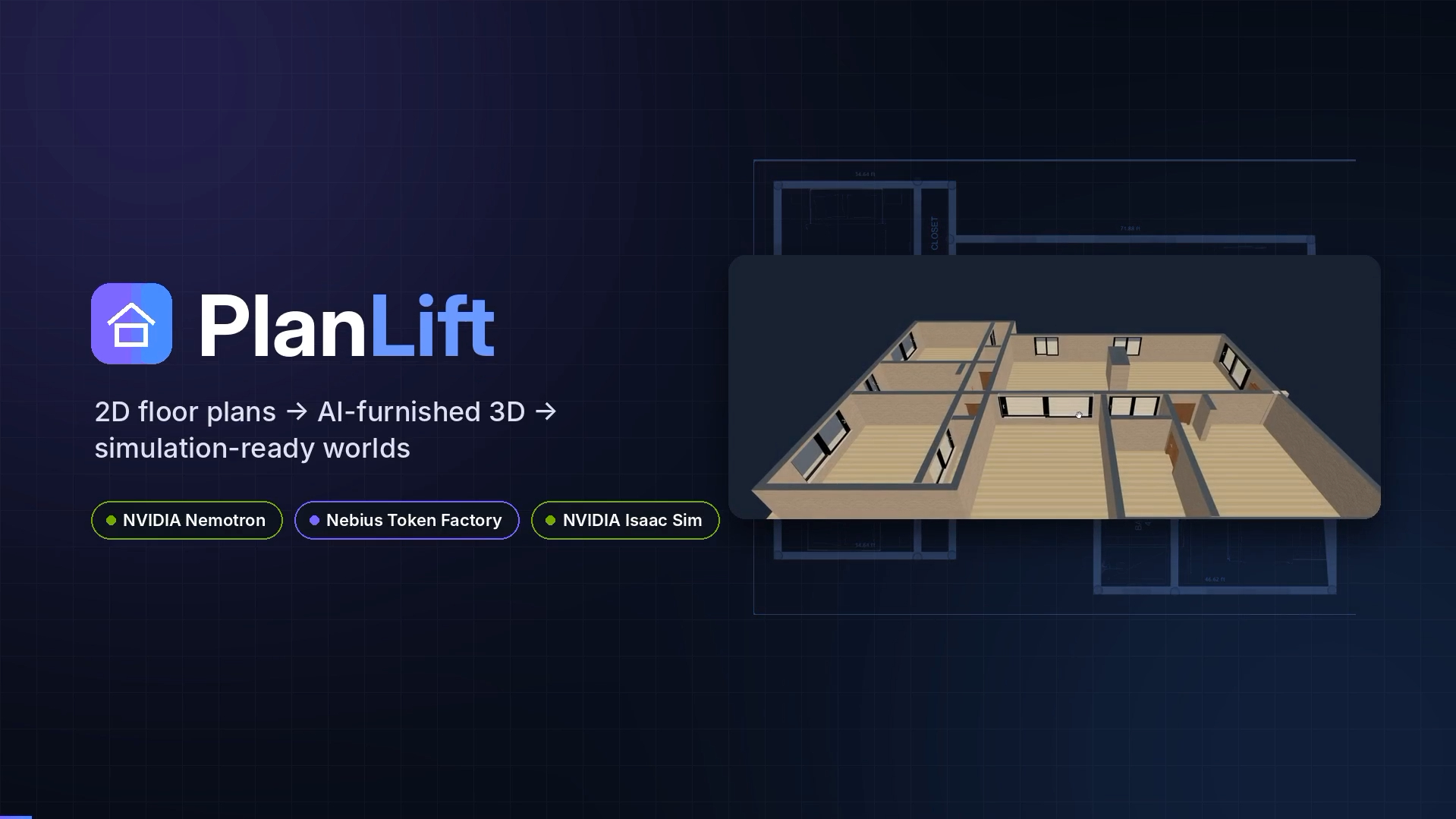
Turning a floor plan into something you can actually walk through today means hours of manual CAD or 3D modeling — even for a simple apartment layout. We wanted to collapse that entire pipeline into: take a photo of a floor plan, and get a furnished, explorable 3D space back, with no manual modeling in between. And once that 3D space exists, editing it shouldn't mean learning a 3D tool either — it should mean just saying what you want changed.
What it does
- Upload a floor plan (photo, scan, or clean drawing) — a custom-trained Mask R-CNN model detects walls, doors, and windows automatically.
- Edit the detected layout in a browser-based 2D editor — snap walls, resize openings, add stairs, fix anything the model got wrong.
- Label rooms (kitchen, bedroom, reception, …) so the rest of the pipeline knows what's where.
- AI Furnishing — type something like "a sofa, coffee table, and plant" for a room, and an NVIDIA Nemotron model turns that into a structured furnishing plan, which gets resolved into real downloadable Sketchfab 3D models and placed collision-free in the room.
- View in 3D right in the browser, with real PBR wall textures and glass materials.
- Open in NVIDIA Isaac Sim with one click — the scene converts to USD and loads into a live Isaac Sim session, materials intact.
- Talk to the scene inside Isaac Sim — a native panel lets you type things like "add a light in the kitchen" or "furnish the reception as a waiting area"; a second Nemotron model parses the request and the agent executes it live against the open stage, no relaunch required.
How we built it
The backend is a Flask service wrapping a Mask R-CNN model (TensorFlow/Keras) trained to detect walls, doors, and windows from a raster floor-plan image. Detections get vectorized into a room graph (Shapely + NetworkX), extruded into geometry, and exported via Trimesh.
The editor is a Next.js app with a Three.js-powered 2D/3D view for layout editing, room labeling, and live furniture placement.
For AI Furnishing, a free-text request plus room dimensions goes to an NVIDIA Nemotron model through Nebius Token Factory, which returns a structured JSON plan (item, quantity, zone). A geometric solver resolves that plan against real Sketchfab assets and places them without collisions. Walls and windows get real-world PBR materials from Poly Haven.
For the Isaac Sim side, the scene is converted to USD and injected into a live Isaac Sim session via a custom Omniverse Kit extension. That extension adds a native AI Agent panel: a second Nemotron model (also via Nebius Token Factory) parses natural-language scene-editing commands into a structured intent, which the extension then executes directly against the open USD stage in real time.
Challenges we ran into
Getting Nemotron's output to be a reliably parseable structure — consistent enough to drive actual geometry placement, not just readable text — took real prompt and schema iteration on both the furnishing-plan side and the live-agent side. Keeping materials consistent between the browser preview and Isaac Sim's renderer (especially glass) across two completely different rendering pipelines was another recurring issue. And making the in-Isaac-Sim agent edit the already-open stage live, instead of requiring a relaunch per command, meant working directly against Omniverse Kit's extension and stage lifecycle rather than treating Isaac Sim as a one-shot viewer.
Accomplishments that we're proud of
Getting a single floor-plan photo all the way to a live, agent-editable Isaac Sim scene, with no manual 3D modeling step anywhere in that path. We're also proud of using NVIDIA Nemotron for two genuinely different jobs in the same project — structured furnishing planning and live scene-editing intent parsing — both through the same Nebius Token Factory endpoint.
What we learned
Nebius Token Factory's OpenAI-compatible API made it straightforward to drop Nemotron into an existing /chat/completions call without rewriting any request or response handling. We also learned that inference speed matters more than we expected for the in-sim agent specifically — editing a live scene only feels usable if the response comes back in a couple of seconds, not tens of seconds.
What's next for PlanLift
Expanding the furniture and material catalog, tightening the 3D asset pipeline, and extending the AI Agent panel to handle more complex, multi-step scene edits in a single request.
Built With
- flask
- html/css
- javascript
- mask-r-cnn
- nebius-token-factory
- networkx
- next.js
- numpy
- nvidia-isaac-sim
- nvidia-nemotron
- nvidia-omniverse-kit-sdk
- opencv
- python
- react
- scikit-image
- scipy
- shapely
- sketchfab-api
- tensorflow
- three.js
- trimesh
- typescript
- usd-(universal-scene-description)

Log in or sign up for Devpost to join the conversation.