Inspiration
Great photos and videos depend on direction that most people never learn: where to place their weight, what to do with their hands, how to move naturally between poses, where the camera should be, and how to use the available light.
Static pose boards can provide inspiration, but they do not understand the actual person, outfit, group, mobility needs, location, or movement in front of the camera. Written advice is also difficult to follow while someone is actively shooting.
I built PhotoGuide to place an intelligent visual director inside the camera—for both still photography and video. It is designed for creators, photographers, videographers, couples, families, small businesses, students, and everyday people across different ages, bodies, cultures, and occasions.
What it does
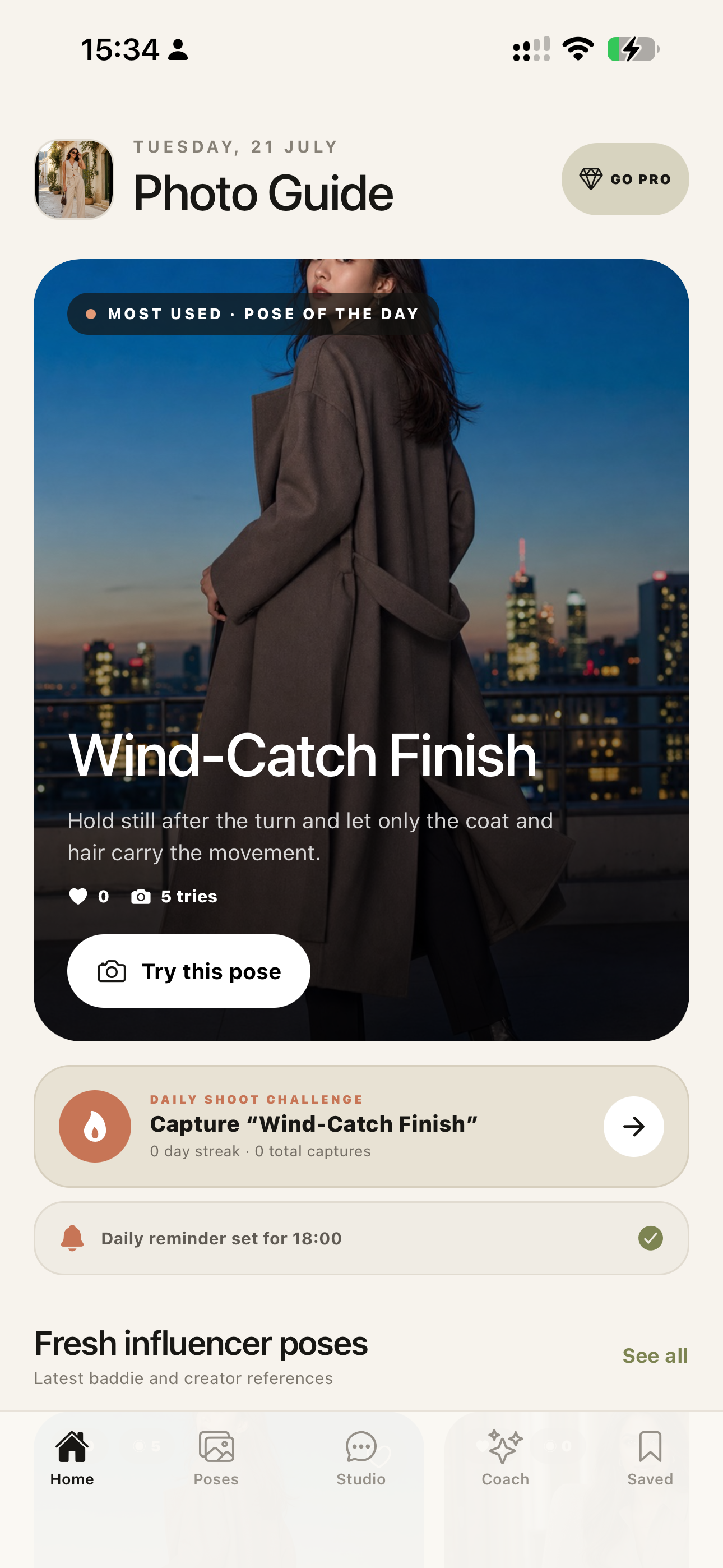
PhotoGuide is a camera-first AI photo and video pose director for iPhone.
A user can open the camera without choosing a template, point it at a real person, and analyze the scene. PhotoGuide considers visible body position, outfit, framing, available space, background geometry, and light, then creates practical directions for that specific person and location.
Generated references appear in a swipeable strip and can be used as live camera overlays. A photographer can move, scale, rotate, fade, hide, or restore the guide while shooting.
PhotoGuide supports two connected creative workflows:
For photography
- Analyze a live camera frame or gallery photo.
- Generate personalized pose sets for the actual person, outfit, and scene.
- Preview a pose before using it.
- Place the pose over the live camera as an adjustable visual guide.
- Receive coaching for body line, hands, expression, composition, camera angle, and light.
- Hear optional spoken coaching while keeping attention on the subject.
- Generate corrected visual examples instead of relying only on text.
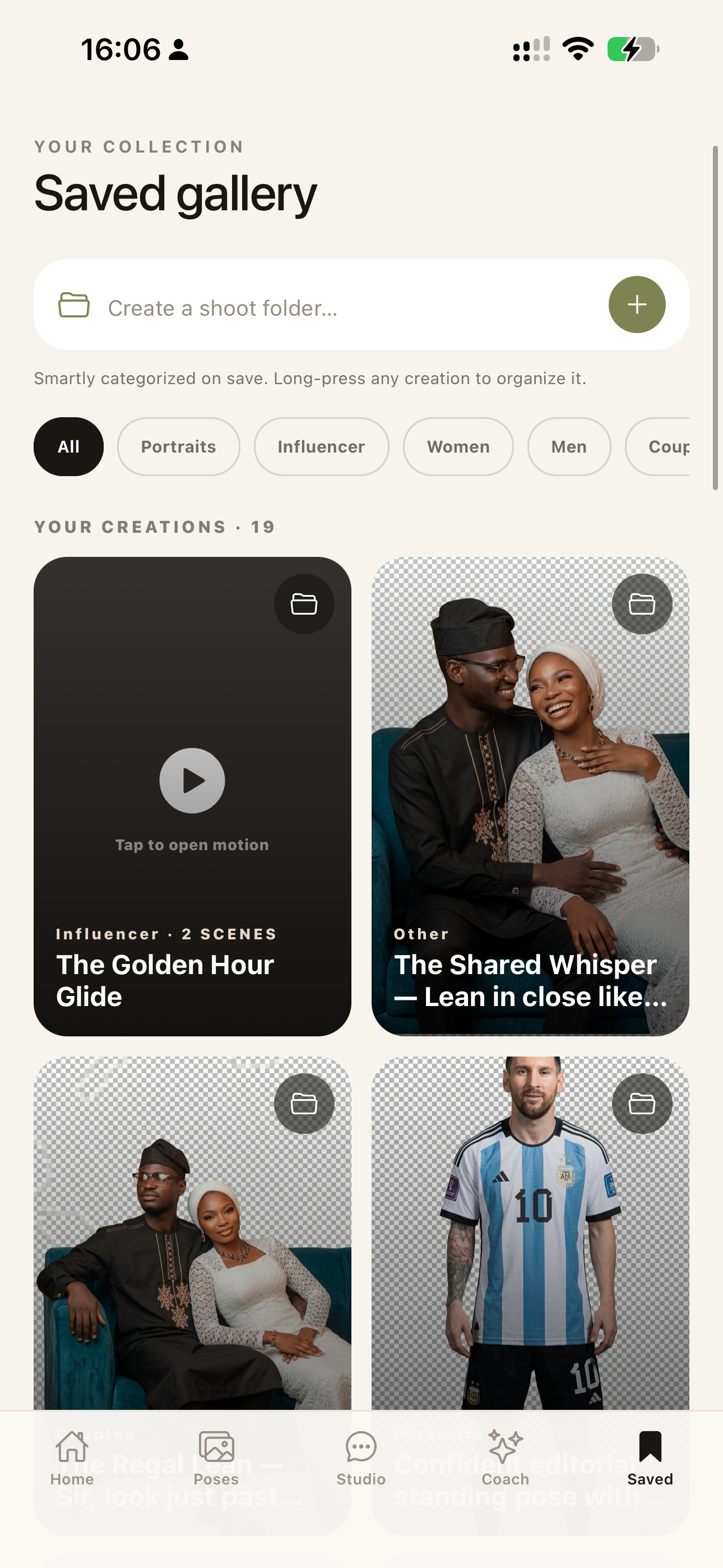
- Capture, edit, filter, save, categorize, and organize the final images.
For video
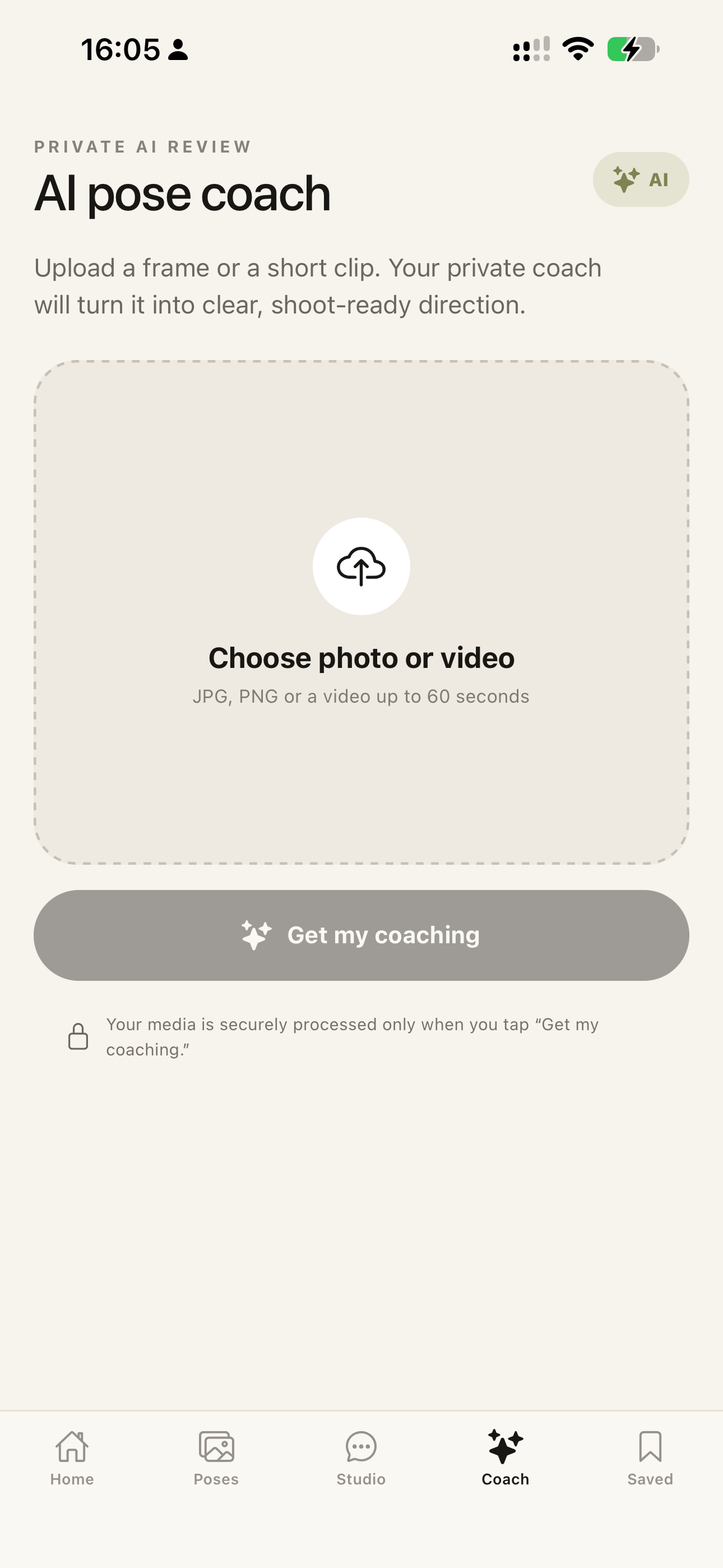
- Upload a photo or video and receive movement-aware coaching.
- Turn a pose or correction into reusable motion lessons.
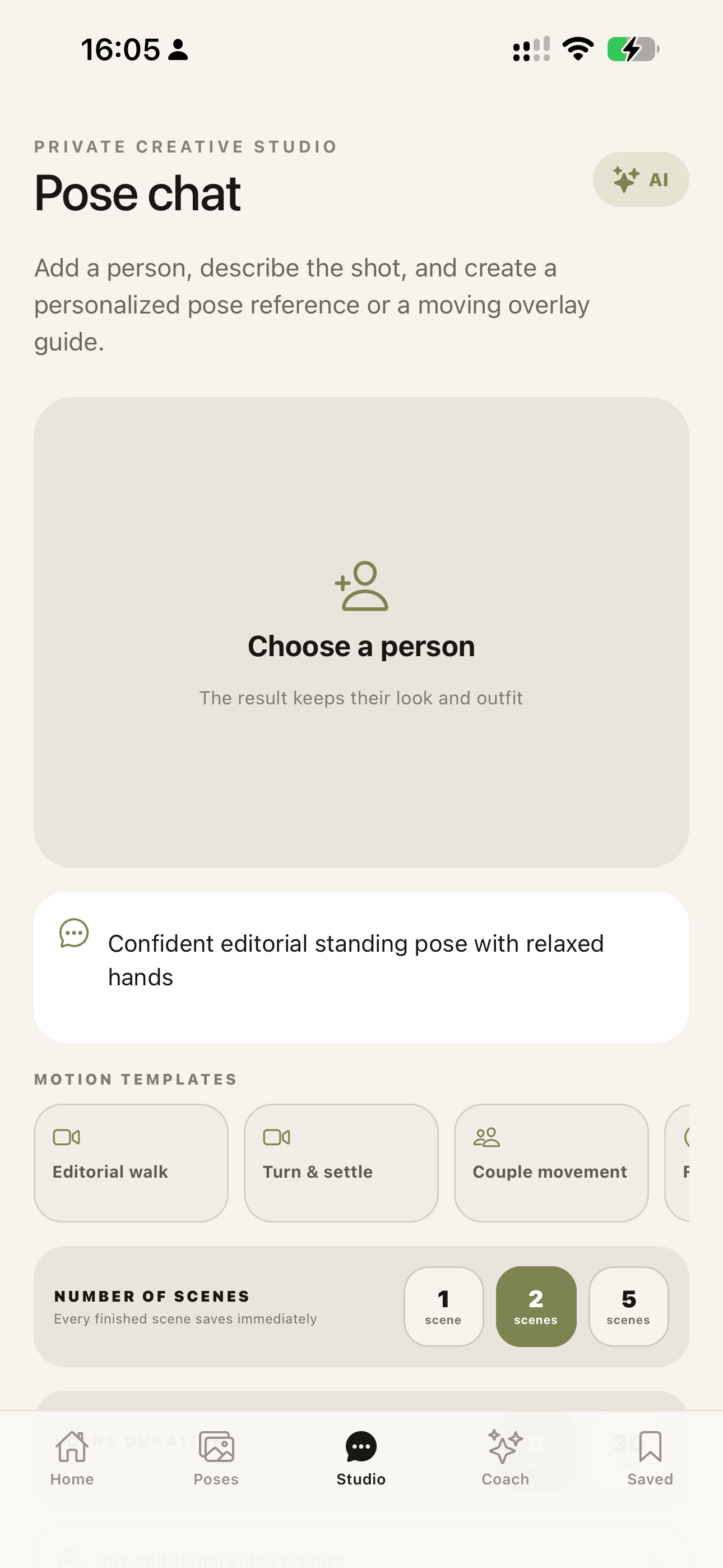
- Create single- or multi-scene vertical pose films.
- Build approximately 8-second demonstrations or longer scenes assembled from connected takes.
- Save every successful scene immediately so a later failure does not erase completed work.
- Combine completed clips locally on the iPhone.
- Play motion guides inside PhotoGuide or place them over the live camera.
- Let the person copy the timing, transitions, hand movement, gaze, and final hold while the photographer records.
- Trim video, adjust playback speed, mute sound, save clips, and export results to Apple Photos.
The motion overlay is important: PhotoGuide does not merely tell someone how to move. It shows the movement directly inside the camera, turning video direction into something a subject can rehearse and follow.
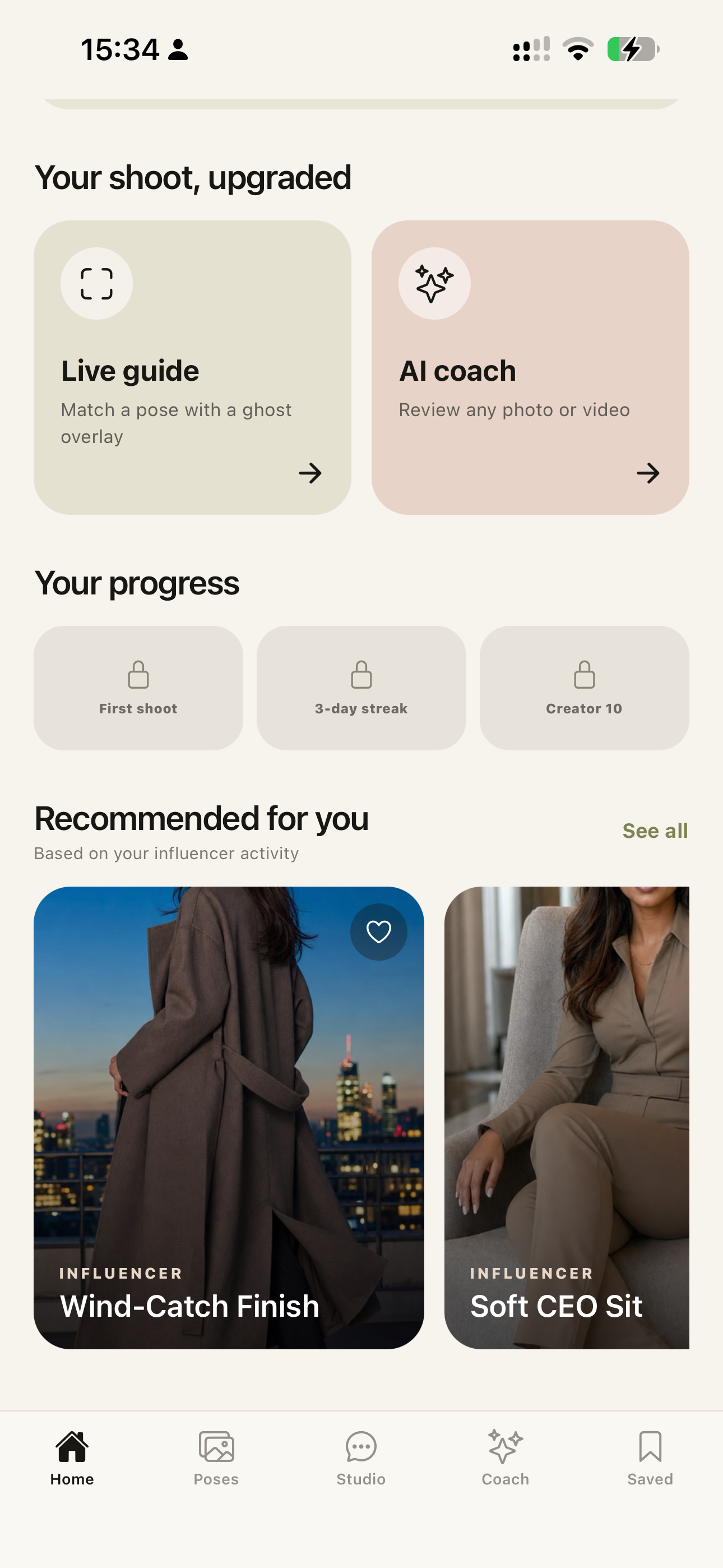
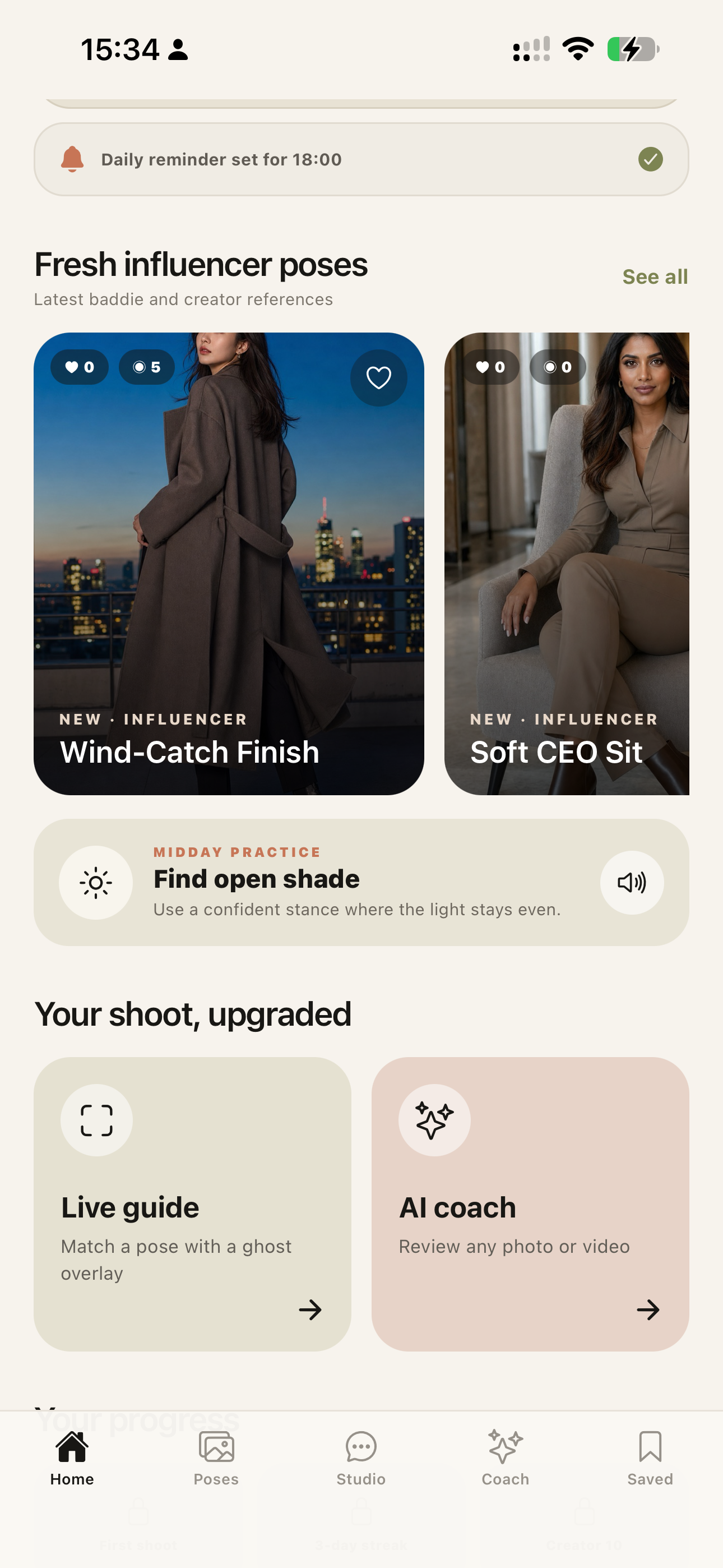
The inclusive pose library covers individuals, influencers, men, women, couples, families, children, weddings, corporate portraits, sports, creator content, and culturally specific occasions—including African and Nigerian wedding contexts.
The complete loop is: understand the person and scene, create photo or motion direction, rehearse it visually, capture the result, and organize it for future shoots.
How I built it
PhotoGuide is an Expo and React Native application written in TypeScript and tested on a physical iPhone. Expo Camera powers photo and video capture, while custom interaction layers handle scene analysis, pose selection, adjustable still and motion overlays, capture review, and editing.
Multimodal generation services analyze photos and videos, plan personalized pose sets, render corrected references, and create motion lessons. Structured-response parsing validates creative plans, repairs safe formatting issues, and retries incomplete responses rather than exposing raw parser failures.
Long-running video generation is handled as a recoverable sequence. Scenes are generated sequentially to reduce quota collisions, temporary status failures are retried, each completed scene is checkpointed immediately, and partial films remain usable. Users can navigate elsewhere in the app while generation continues in the active session.
Custom Swift Expo modules use:
- Apple Vision for on-device human-body pose detection and full-body framing feedback.
- AVFoundation for video trimming, speed changes, muting, audio handling, and multi-clip composition.
- Core Image for lightweight photo adjustments.
Generated images and videos are persisted in the app’s Documents directory and can be exported to Apple Photos. Supabase provides identity, telemetry, storage, and server-authoritative billing foundations. RevenueCat supports subscription and consumable-credit experiments.
How Codex and GPT-5.6 contributed
Codex with GPT-5.6 was my primary engineering collaborator during Build Week.
I used Codex to inspect and evolve the mobile codebase, translate real physical-device feedback into implementation tasks, debug Expo and CocoaPods failures, trace iOS signing and entitlement problems, implement custom Swift modules, improve camera usability, harden structured generation, and build partial-failure recovery for long-running video creation.
GPT-5.6 helped reason across TypeScript, React Native, Expo, Swift, CocoaPods, Xcode, Apple Vision, AVFoundation, local persistence, and remote generation APIs. Codex edited the project, ran type checks and production bundles, diagnosed device logs, validated native integration, and iterated with me as features were tested on a connected iPhone.
Key decisions made through that collaboration included:
- Open directly into the camera instead of forcing a pose choice first.
- Base recommendations on the real subject and scene rather than a random stock pose.
- Teach through still and moving overlays instead of text alone.
- Make voice coaching opt-in.
- Preserve every successful video scene immediately.
- Keep camera controls transformable or hideable so guidance does not block the shot.
- Use local Apple frameworks where they improve responsiveness, privacy, and resilience.
Meaningful Build Week extension
PhotoGuide existed as an early prototype before Build Week. During the submission period, it was meaningfully extended with:
- camera-first personalized scene analysis;
- pose sets based on the actual subject, outfit, light, and location;
- resilient structured-output validation and retries;
- movable, scalable, rotatable still-image overlays;
- playable motion overlays inside the live camera;
- local Vision body detection and framing feedback;
- native AVFoundation video composition and editing;
- 8-second and approximately 30-second checkpointed motion scenes;
- sequential generation, retry handling, immediate per-scene persistence, and partial-film recovery;
- photo and video capture review and Apple Photos export;
- persistent Saved media, smart categories, and folders;
- opt-in voice coaching and generated visual correction lessons;
- physical-iPhone signing, native-module, audio-session, and media-export fixes;
- subscription, usage-credit, rewarded-use, and Supabase backend groundwork.
The timestamped primary Codex task and its required /feedback Session ID provide the development record.
Challenges
Turning direction into something visible
Instructions such as “open the shoulder” or “move naturally into the final pose” can be hard to interpret. Treating generated images and motion clips as instructional overlays made the coaching immediately actionable.
Making video generation recoverable
Video creation is asynchronous and can take several minutes. A multi-scene batch could partially succeed and then fail. PhotoGuide now retries transient failures, generates scenes sequentially, saves each successful scene immediately, preserves partial results, and combines completed clips locally.
Preserving the subject and context
Useful photo and video directions must respect the person, clothing, available space, light, age group, culture, group relationships, and visible mobility devices.
Native mobile reliability
Physical-device testing uncovered provisioning trust, stale build caches, missing native modules, Photos permissions, audio-session ownership, video-track compatibility, and export problems that did not appear in a simple JavaScript prototype.
Keeping the camera usable
Guidance is only helpful when it does not obscure the subject. Users can directly transform the guide, change its opacity, or hide the interface while capturing photos and videos.
Accomplishments
- The complete analyze → generate → rehearse → overlay → capture workflow runs on a physical iPhone.
- PhotoGuide supports still photography and video direction as one coherent experience.
- Recommendations are based on the visible person and scene instead of a random default pose.
- Coaching combines concise text, optional voice, corrected images, and motion demonstrations.
- Motion clips can become live camera overlays that teach timing and transitions.
- Successful scenes survive later failures and remain available in Saved.
- Local Vision and AVFoundation complement cloud generation for responsiveness and resilience.
- The product accounts for varied ages, groups, cultures, occasions, creator needs, and mobility considerations.
What I learned
The most useful AI coaching is not the longest explanation. It is the shortest relevant instruction paired with a visual example at exactly the moment someone needs it.
For video, movement must be taught as a sequence—not a single final pose. Showing the transition, rhythm, gaze, hand action, and finishing hold creates much more useful direction.
Reliability is also a product feature. Saving partial progress, recovering from malformed structured output, handling permissions clearly, and testing on real hardware matter as much as generation quality.
What’s next
- Move generation behind authenticated server-side jobs so photo and video work can continue after app suspension or termination.
- Add secure account linking and encrypted cross-device media restoration.
- Expand real-time skeleton alignment and measurable pose-similarity feedback.
- Add video shot lists, continuity planning, creator storyboards, client mood boards, and collaboration.
- Add richer transitions, camera-path guidance, and automatic assembly of multi-scene motion lessons.
- Improve accessibility with multilingual voice, haptics, and more mobility-aware pose grammars.
- Evaluate confidence, time-to-pose, movement accuracy, and usable-shot rate with photographers, videographers, and first-time subjects.
- Ship production-ready iOS and Android releases with reviewed privacy, safety, billing, and retention controls.
Built With
- apple-vision
- avfoundation
- core-image
- expo.io
- google-gemini-api
- gpt-5.6
- openai-codex
- react-native
- revenuecat
- supabase
- swift
- typescript
- veo