-
-
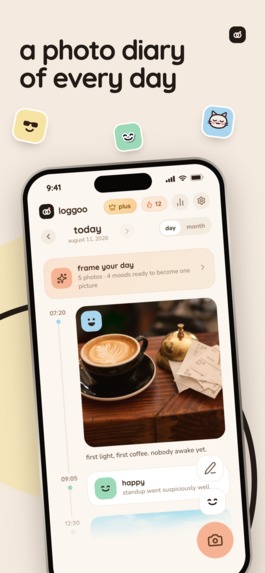
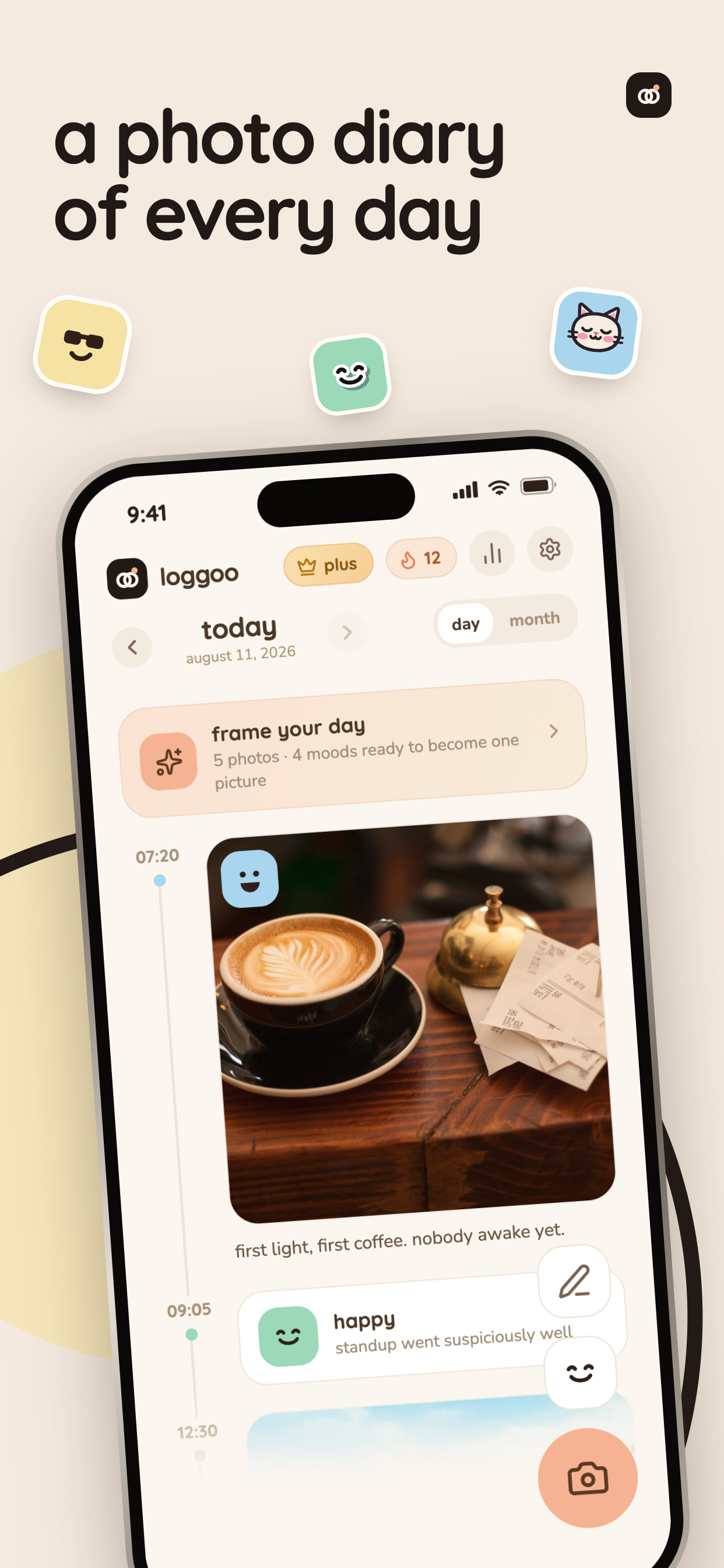
a photo diary of every day
-
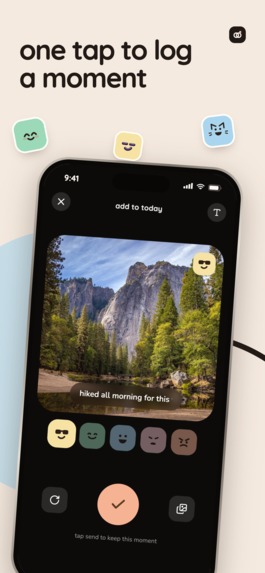
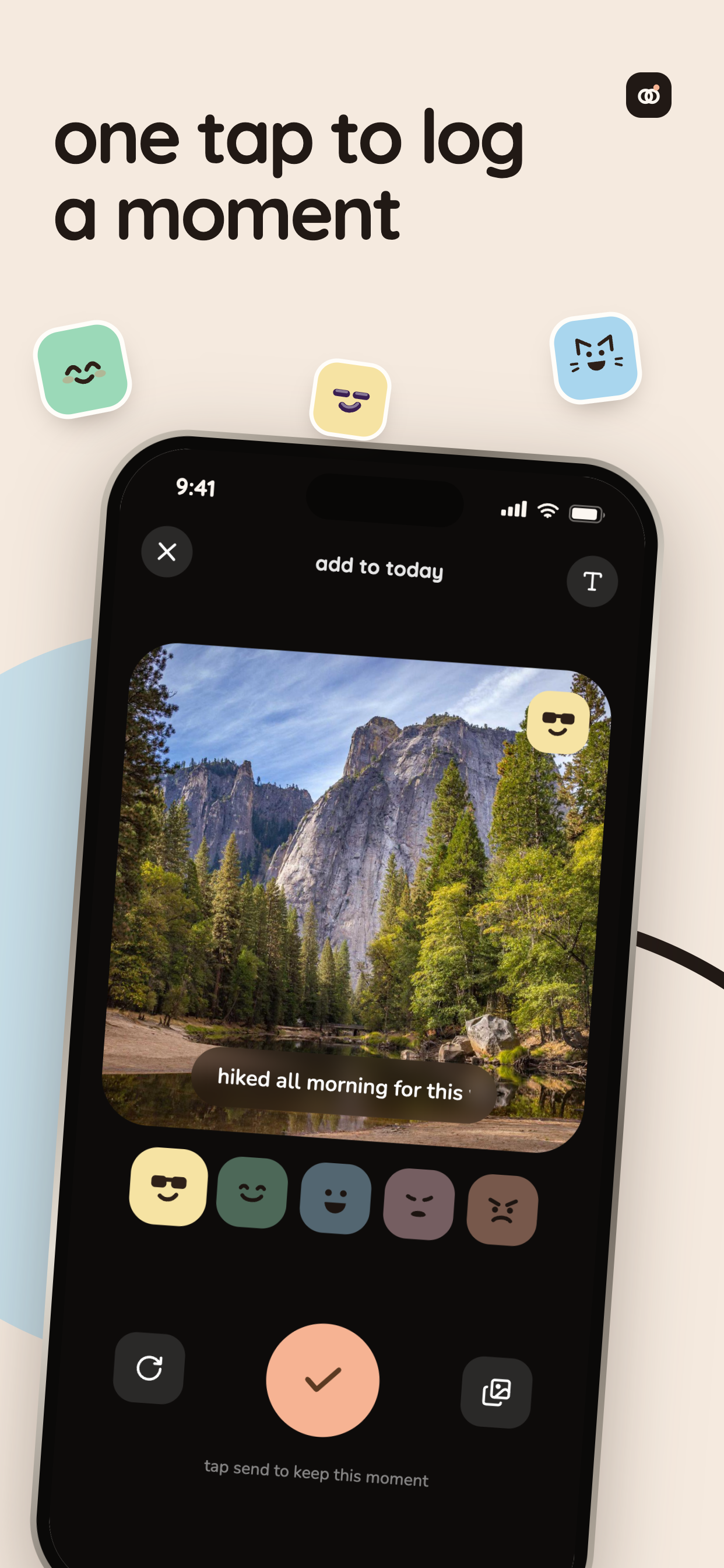
one tap to log a moment
-
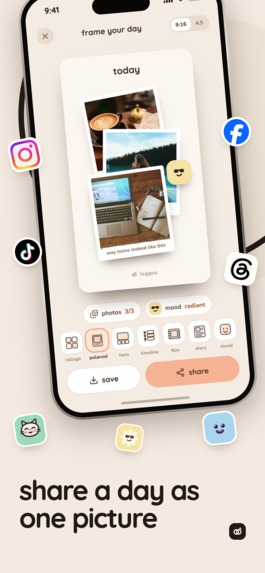
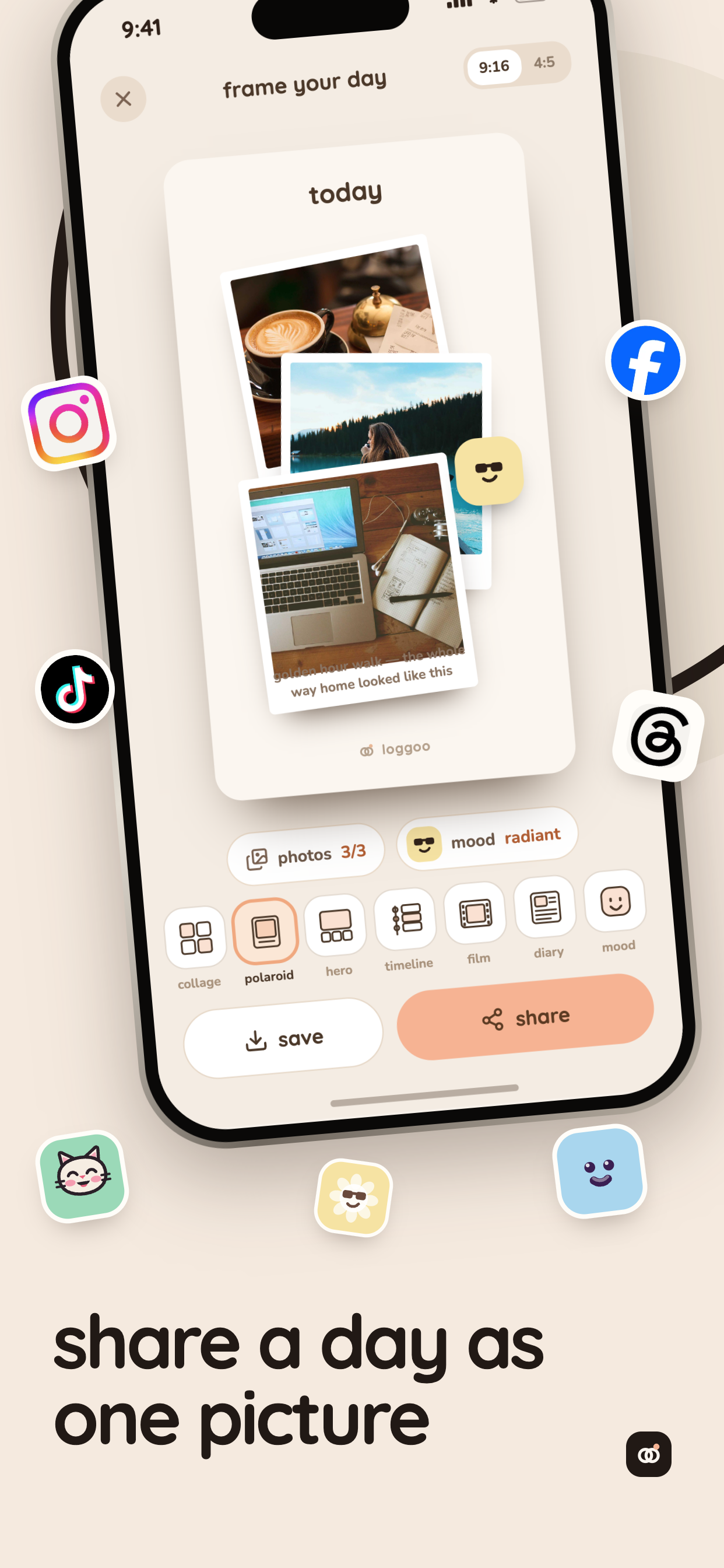
share a day as one picture
-
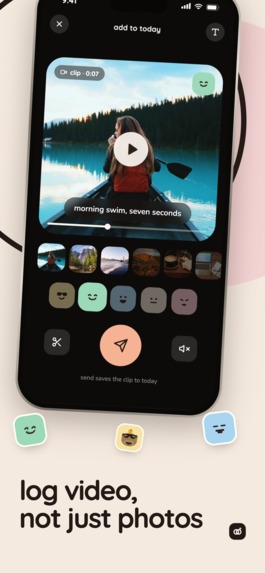
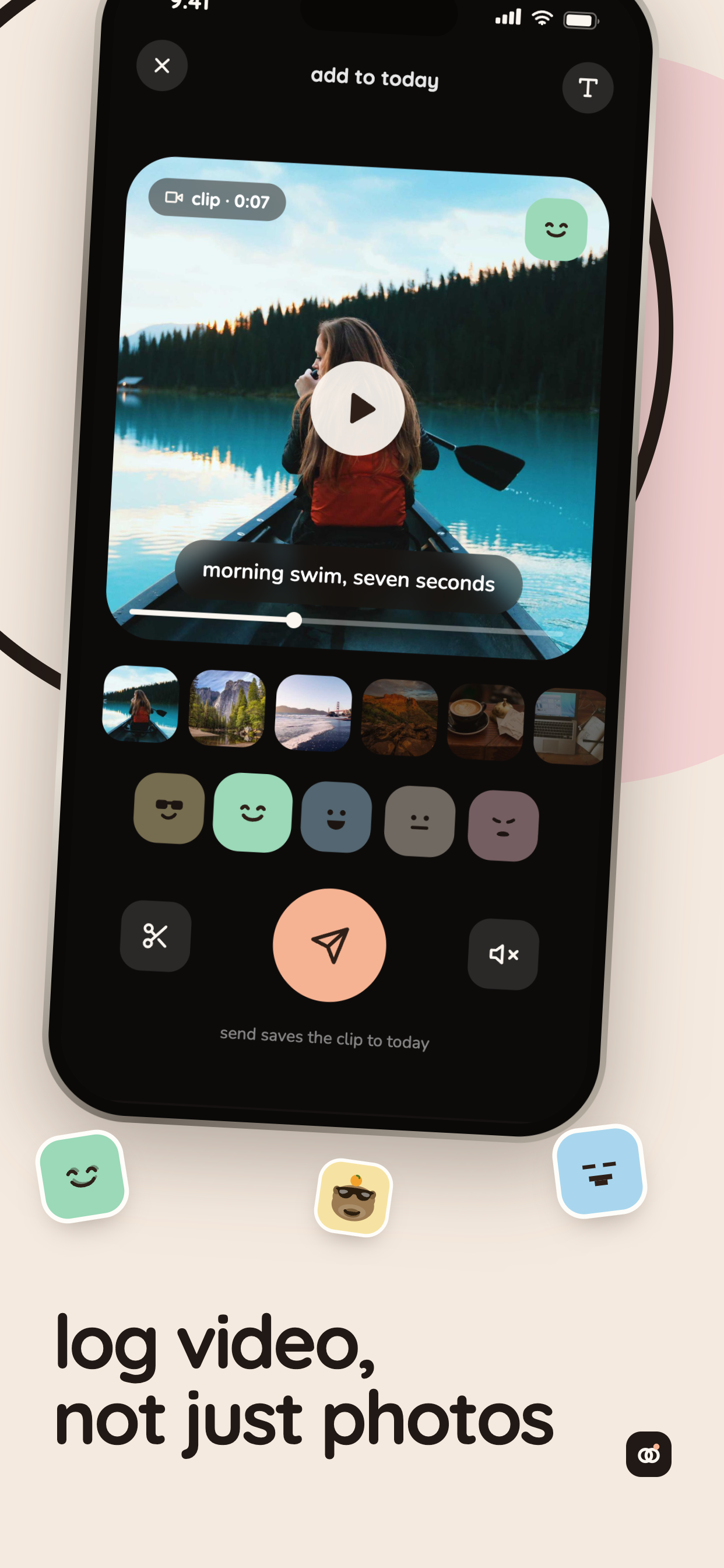
log video, not just photos
-
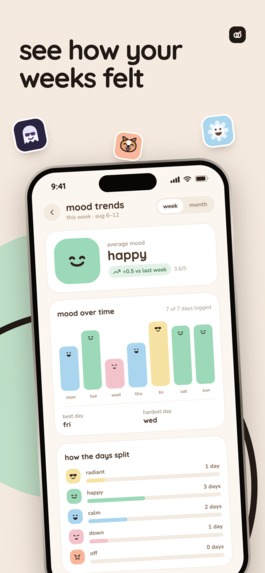
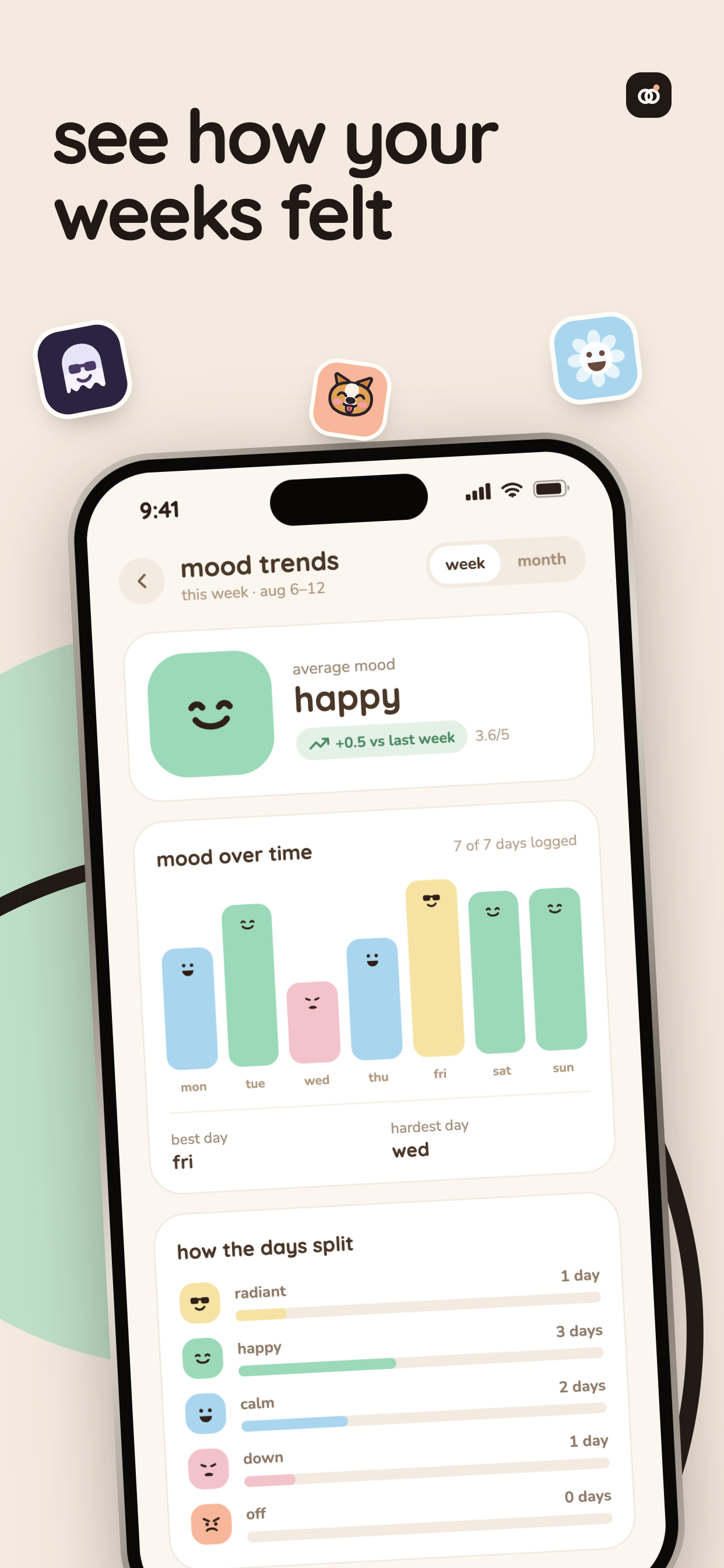
see how your weeks felt
-
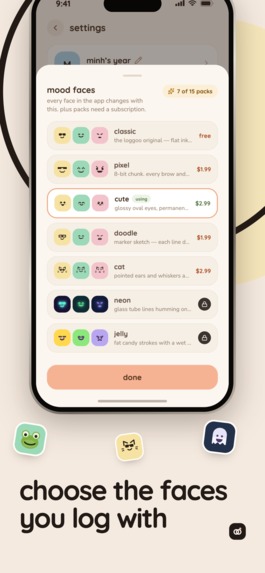
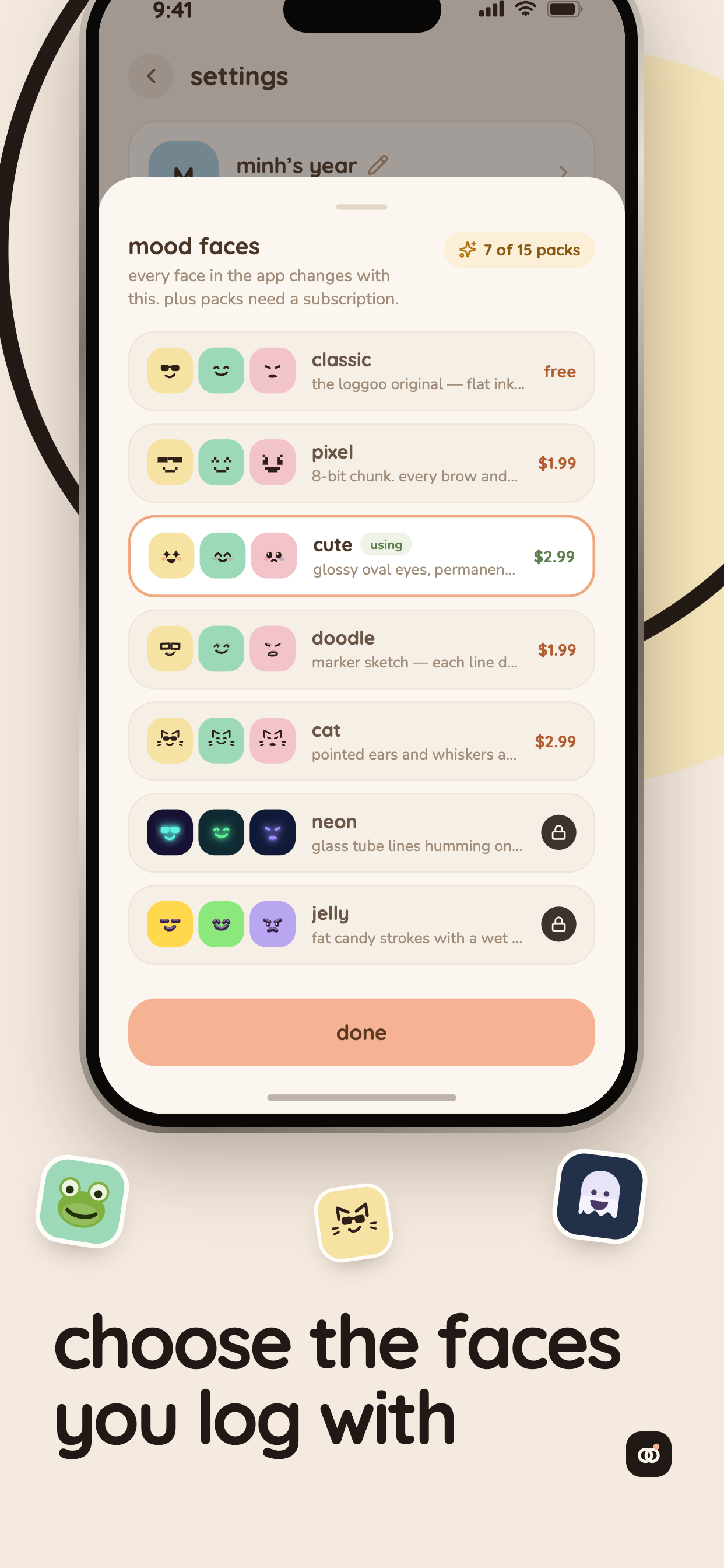
choose the faces you log with
-
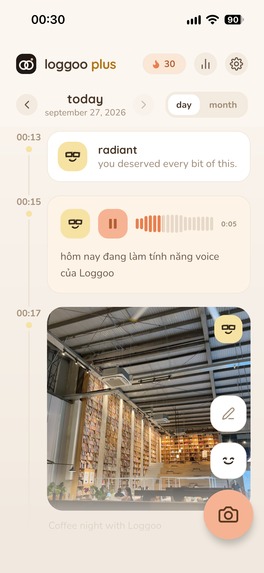
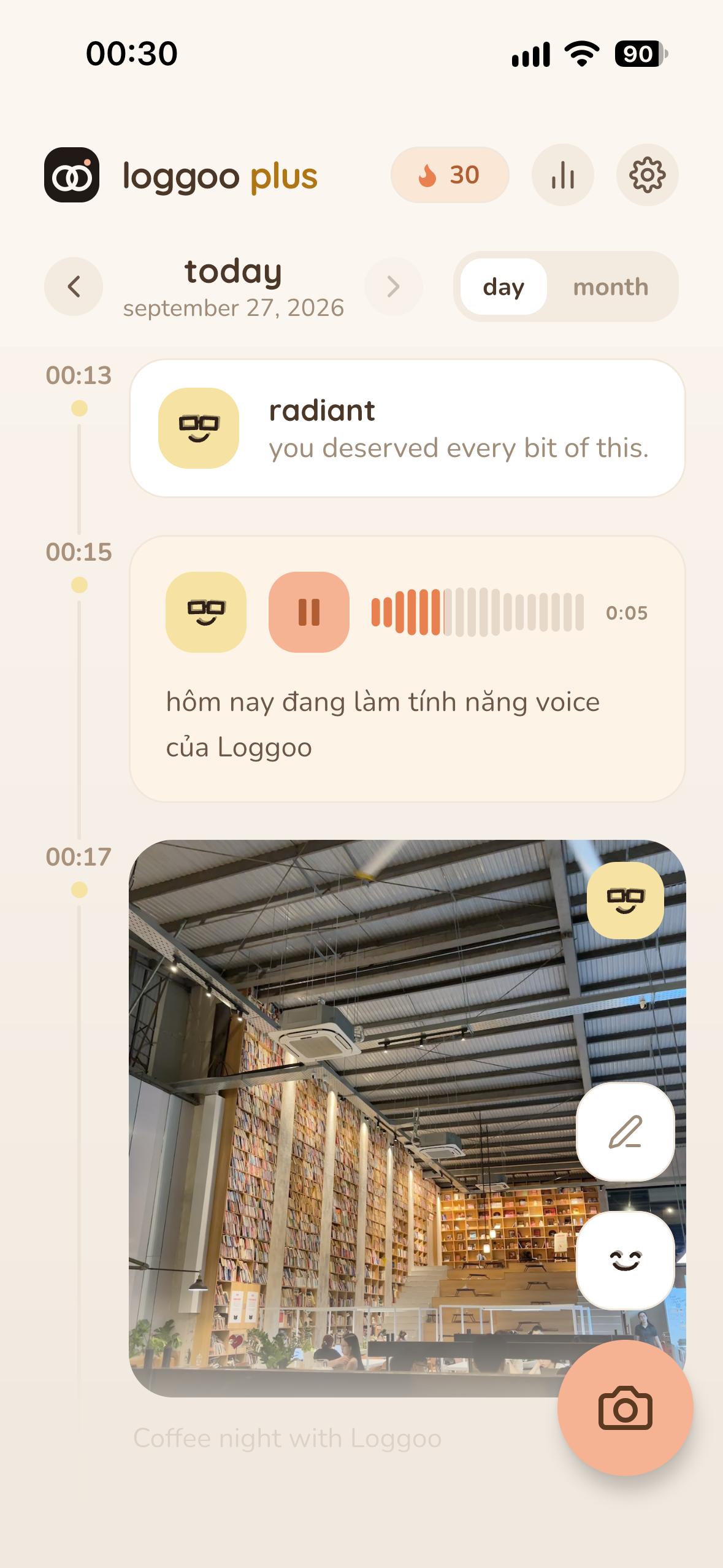
home screen with day timeline
-
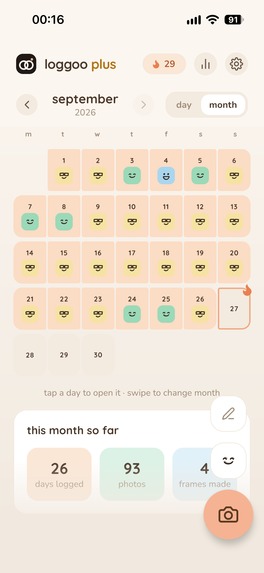
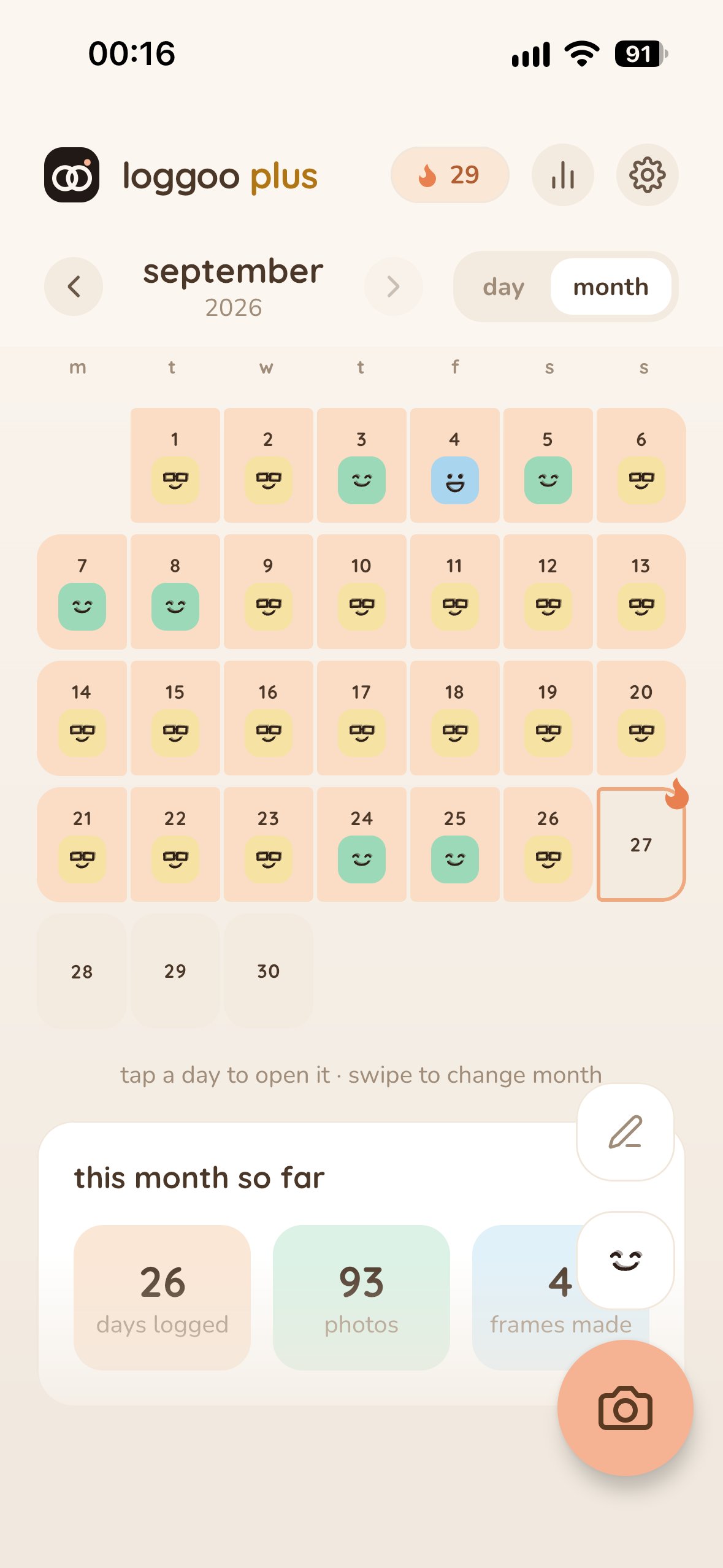
month calendar with mood
-
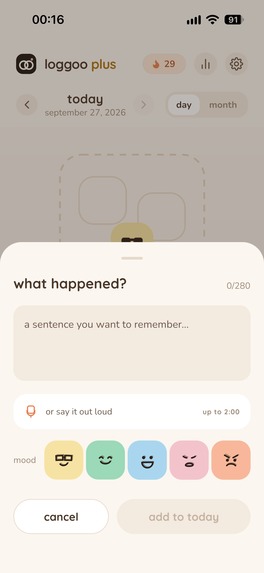
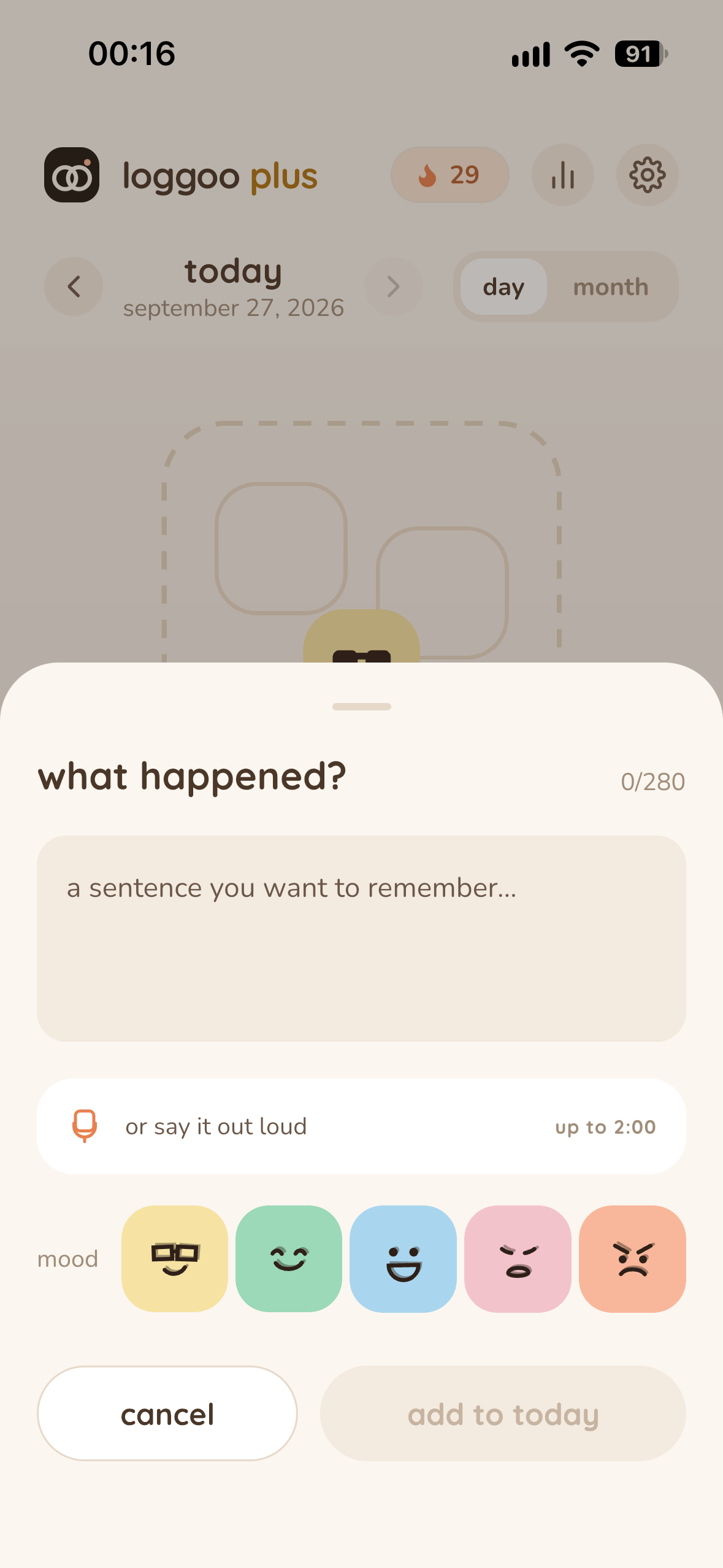
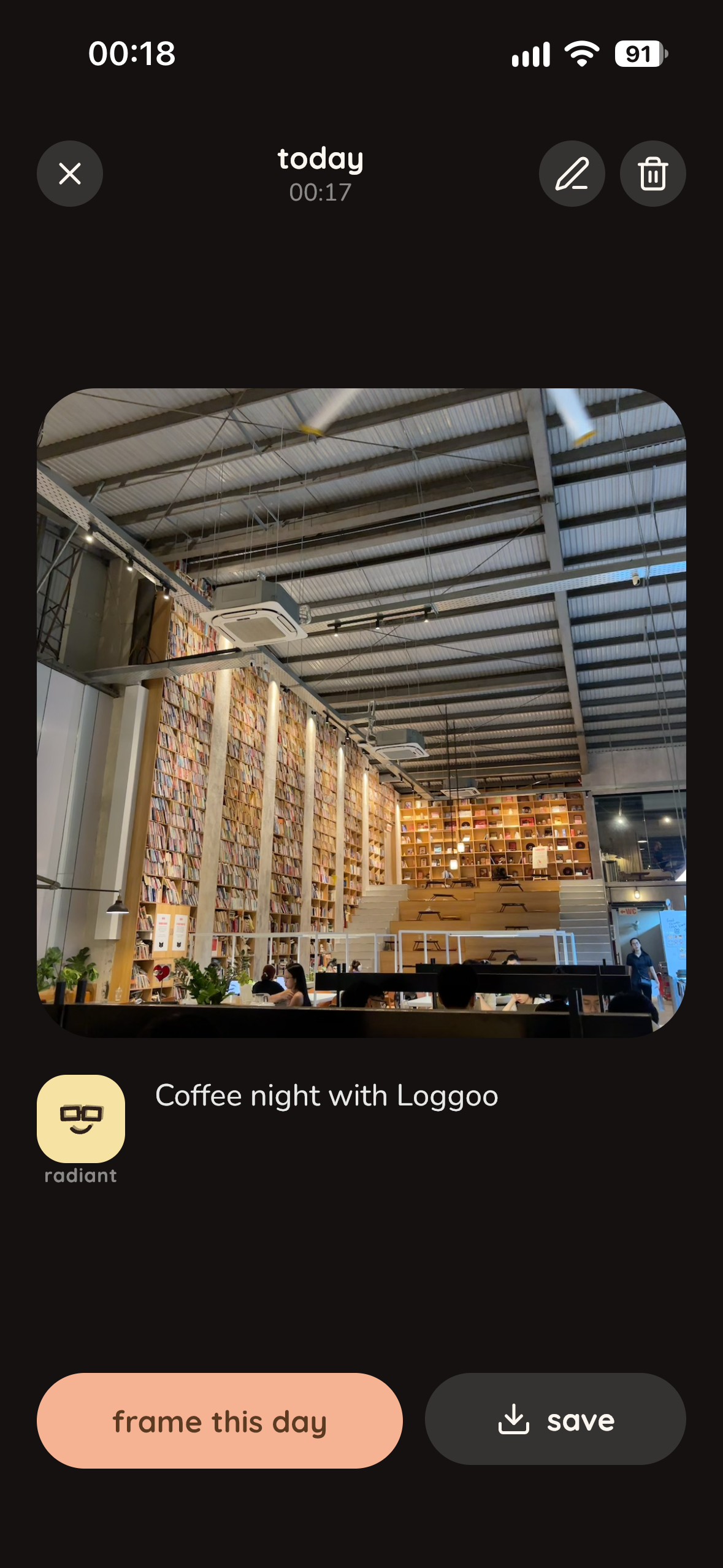
a day with note, voice log
-
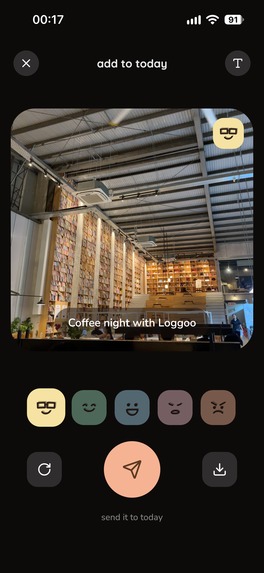
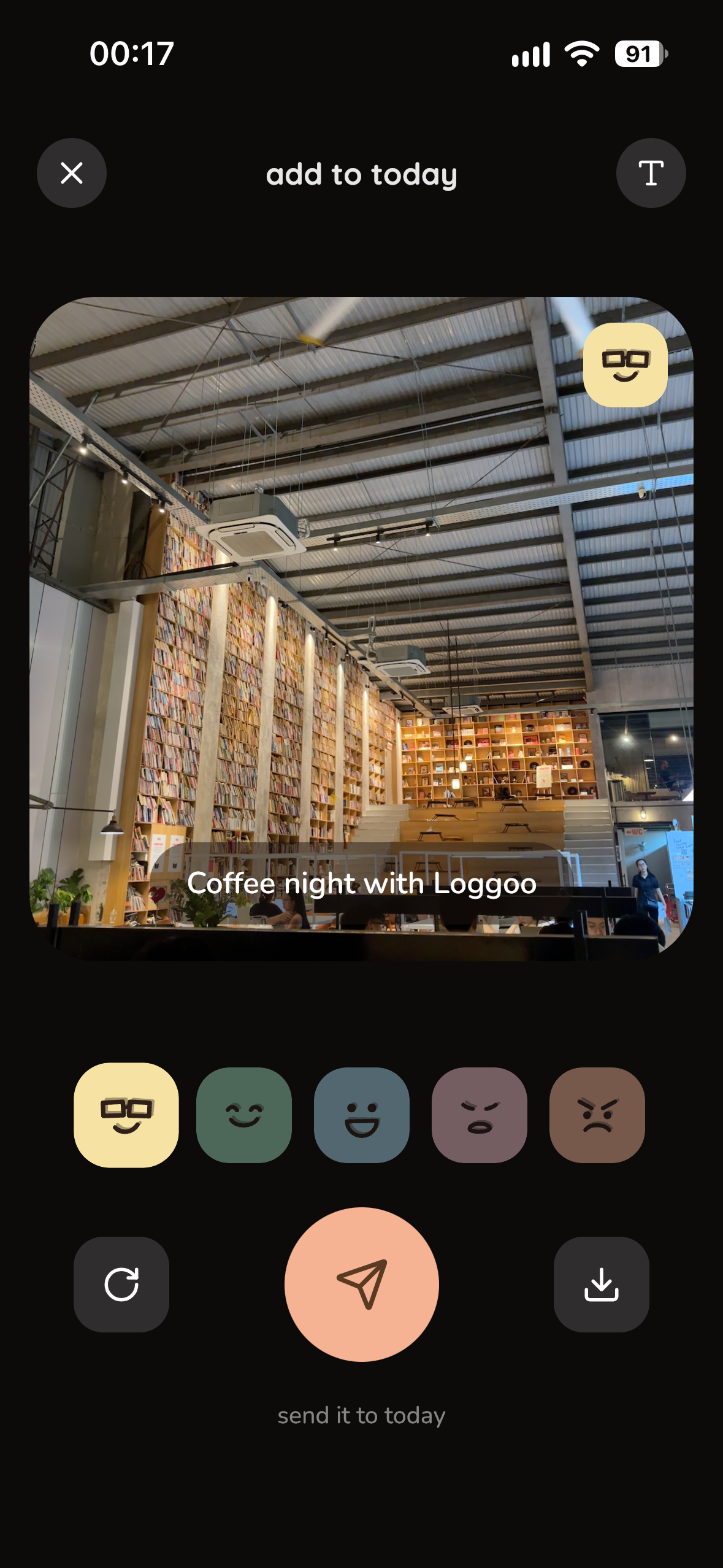
camera preview after capturing
-
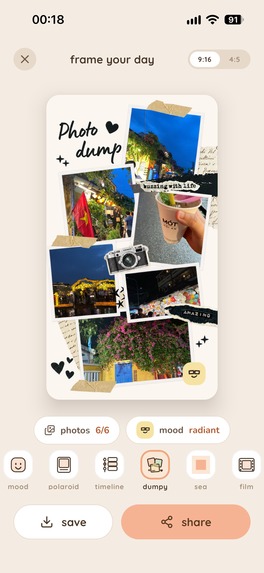
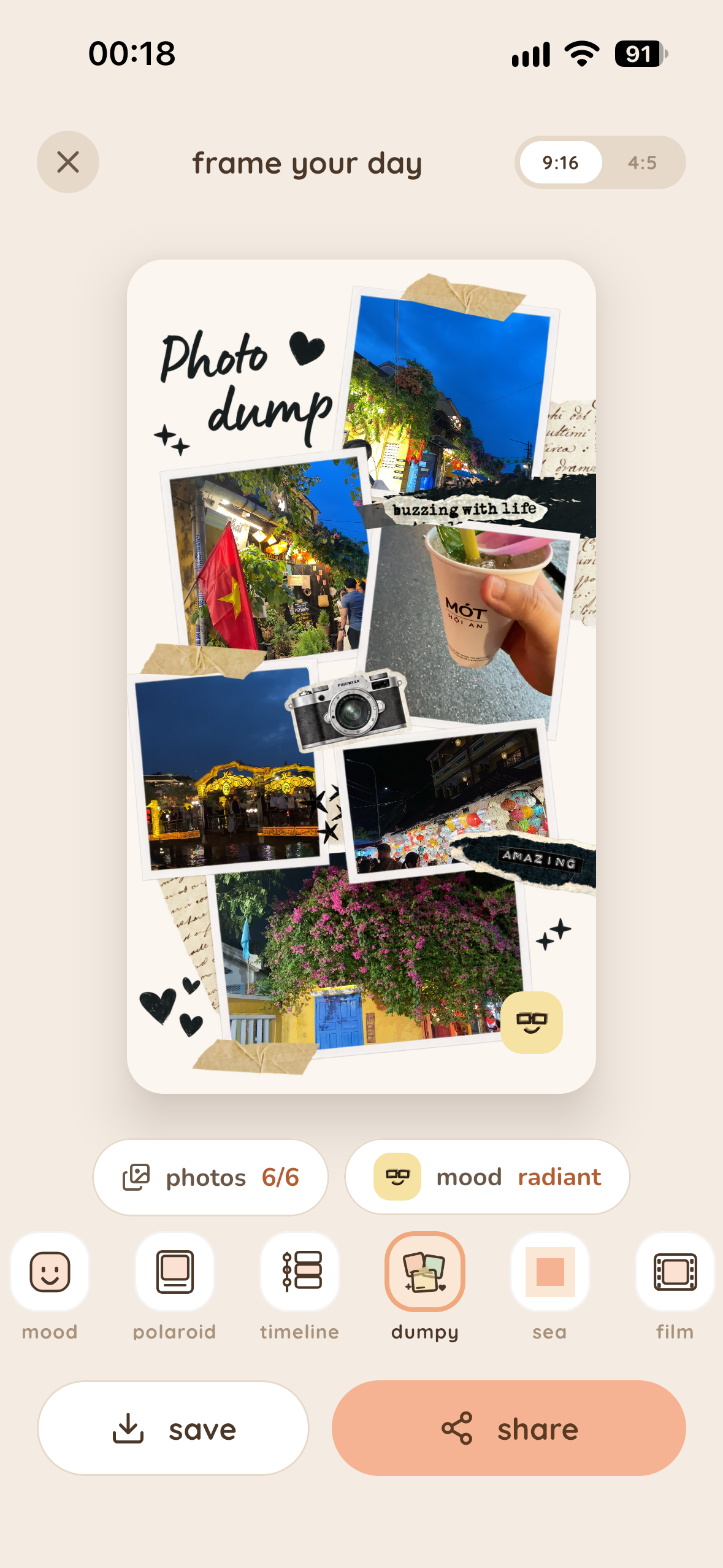
choose your favorite frames, save and share it
-
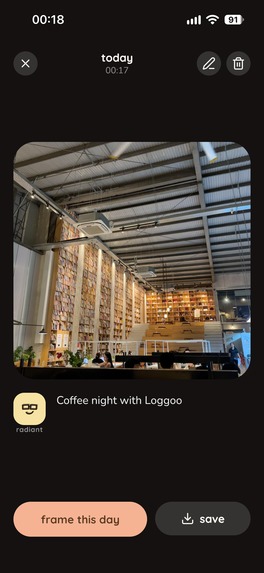
look back your memories
-
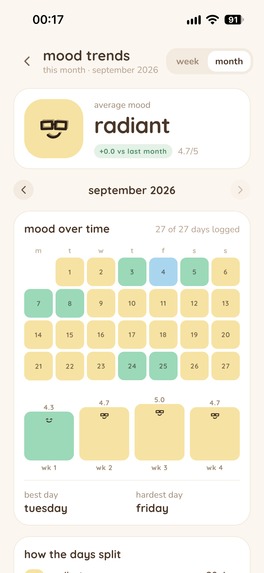
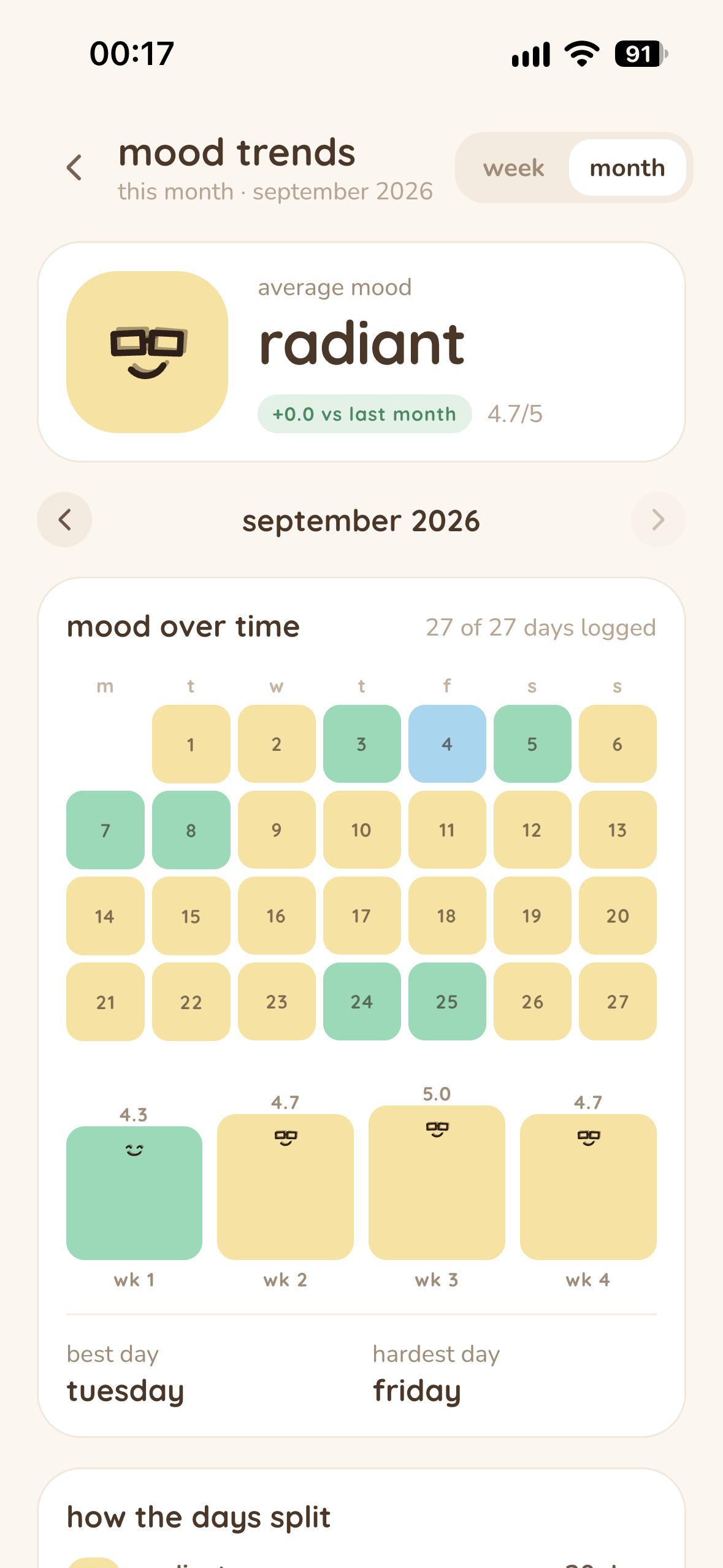
your mood trends by month
-
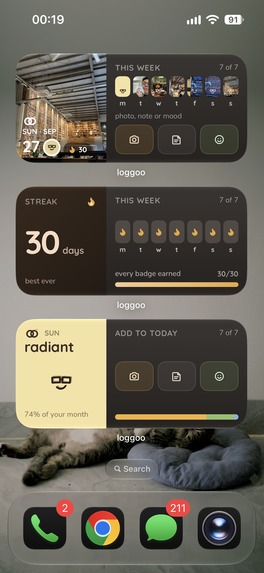
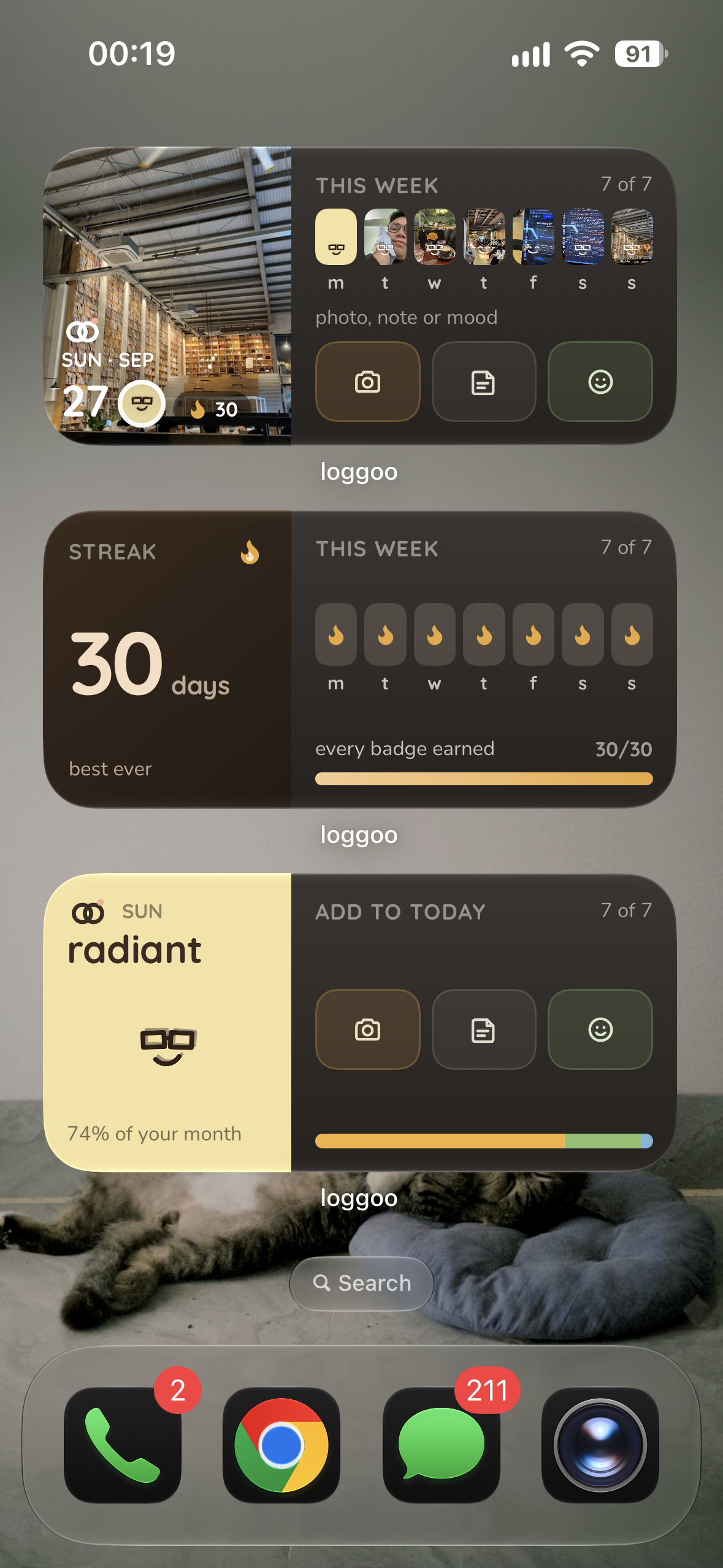
home widgets with photos, streaks and moods
-


💡 Inspiration
I'm someone who always loves capturing every moment of life, every emotion, and everything I want to remember so that at the end of the day—or some day in the past, maybe a week, a month, or a year later - I can look back at those moments, the feelings back then, and what I needed to remember, as well as quickly share what I've been through with my friends. Sounds interesting, right?
Currently, we have camera apps, but our busy lives clutter the camera gallery with so many things (photos, screenshots... ahhh, way too many things). Note-taking apps require too much time to organize, format, and make them look good, and when we want to share, we have to filter them out and search for beautiful templates to post.
I realized that many people also want an app to aggregate and quickly note down their emotions at that moment, quickly capture or record everything, and when it's time to share, they can just pick a ready-made template they like. Plus, it helps look after mental health and build a habit through streaks (just like other social media platforms) to preserve beautiful memories in life, especially now when everyone has a tendency toward nostalgia.
=> That is why Loggoo was born.
✨ What it does
Loggoo is a app that helps you to note down your life with captured images, notes and moods, share your life with your friends via beautiful frame, take care of your mental health and help you to keep your memories alive.
Features in Loggoo:
- Capture in seconds: Take a photo / Record video, choose one from your library, tap a mood, or write a short note.
- 24-hour visual timeline: Photos, moods, videos, and notes appear together in the order they happened.
- Frame Studio: Turn a day into a shareable story or post using built-in layouts available at launch. New seasonal and holiday-themed templates are added regularly.
- Mood calendar and trends: Review how you felt throughout the month and explore patterns and advices across weeks and months.
- Home Screen widgets: See your current day, mood, or streak and jump directly into logging.
- Cute mood face packs: Personalize every mood across the timeline, calendar, widgets, and exported frames.
🛠️ How I built it
Initially, I planned to use Flutter due to my extensive cross-platform experience. However, I decided to bet on Kotlin Multiplatform and Compose Multiplatform to test its ecosystem maturity, performance, and its integration with deep native features like camera hardware, video playback, and home widgets. They are things that Flutter does not yet handle well, requiring reliance on external libraries.
Tech Stack:
- Core & UI: Kotlin Multiplatform & Compose Multiplatform
- Camera & Capture: CameraX (Android) & AVFoundation (iOS) for native recording.
- Video Playback: Media3 (Android) & AVKit (iOS) for timeline playback.
- Home Widgets: Jetpack Glance (Android) & WidgetKit (iOS).
- Data Sync: CloudKit for iOS cloud backup and sync.
- Monetization: RevenueCat for robust in-app purchases, yeahh 100% percent of course
- OneSignal: for automated user journeys, personalized notifications and campaign notification.
- Analytics & Stability: Firebase Analytics & Crashlytics, configured using my own custom open-source CLI setup tool, auto register app to Firebase and download configuration files quickly
- I also built landing page and frame generator with Astro to transfer beautiful frames to Loggoo too.
- And Thank you Claude Design for helping me on giving idea about color palatte for my design system and helping me to create beautiful frames for Loggoo.
🧗 Challenges I ran into
Camera speed and quality, OMGGG but it so fun and real technical challenging
"Snap it, mood it, frame it" only works if the camera is fast on both Android and iOS, and the photo still looks good. The usual path is shoot, wait for the phone to process the picture, then show it. That wait killed the snap, especially on a slower Android phone.
So I skipped that processing. A tap keeps the frame already on screen, crops it square, saves it, and shows that same picture at once. It stays clear because the camera takes a middle size, not a giant file and not a soft one, and in the dark it shoots a little slower so the photo stays bright.
Here is a gif of Loggoo snapping:
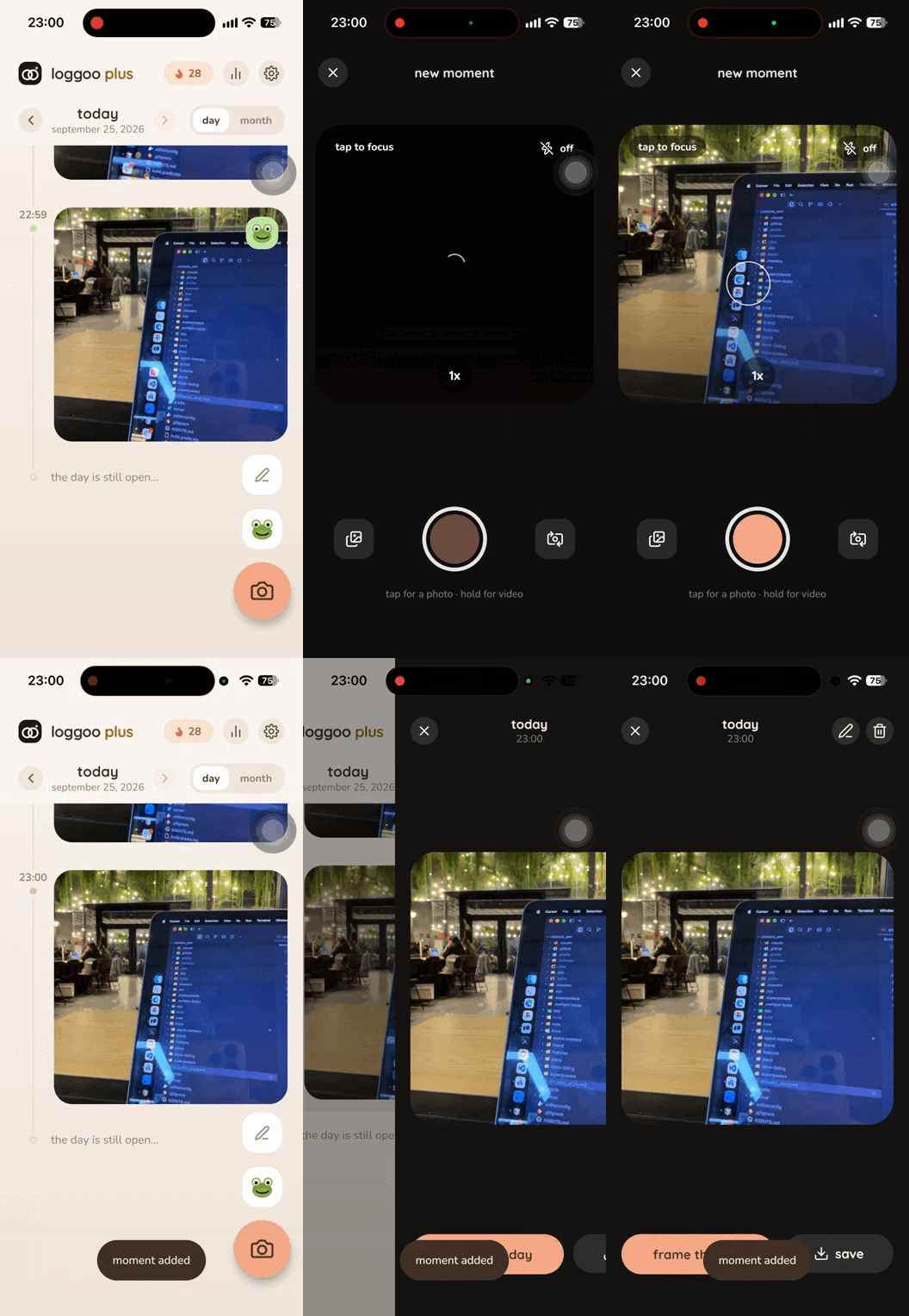
Then the iPhone 17 front camera showed up already upright, while older iPhones lie on their side. The app still rotated every photo 90 degrees, so those selfies came out sideways. I left the new sensor alone and kept rotating the older ones. Photos, video, and the cover image stand upright now.
Of every challenge in Loggoo, the camera is the one I had the most fun with, really technical challenging but so fun. I shared the result on X
Beautiful frames but different densities for different devices
The same frame had to look the same on every phone. It did not. Android and iPhone measure the screen differently, a small phone is not a big one, and a bigger system text size shoved the layout around.
So a frame no longer follows the device. Every template sits on one fixed canvas, and system text size cannot blow it up. When you share, that same layout is drawn again as a full-size image, so the preview and the picture you send match. So nicee when I share frames to my friends, they look the same on their phones.
A data bridge for widgets, written from scratch
Home screen widgets were new territory for me, on both platforms. A widget does not live inside the app. It cannot just peek at the journal. Android and iOS each want their own little bridge, and nothing off the shelf did both. So I wrote it. The app saves a small snapshot of the day, the mood, and the streak, and each widget reads that same snapshot. Log a moment, and the tile on the home screen catches up. Same story on both phones, two completely different doors. Here is day 18 of me with my Loggoo widgets
Keeping the timeline smooth with photos, video, and voice
A day in Loggoo is a long scroll of heavy things: photos, video, and voice notes. Load every full file while you flick, and the list stutters. On a slower phone it stops feeling like a journal.
So the list only does the work for what is on screen. Small photos use a light preview, and the big tile is the one that reads the real picture. A video plays only while its card is showing, then lets go, so two clips never run at once. A voice note draws a saved waveform instead of opening the recording just to scroll past it. The day stays full. The scroll stays light. Compose Multiplatform helps me to achieve this for both Android and iOS
Removed from the App Store, and the appeal
This one is not a fun engineering puzzle. Apple says Loggoo is misleading because the features were switched after review. I do not agree. There is no feature flag in the app. What they reviewed is what shipped. I am appealing. The iOS app had already been live for more than a month when it was removed from the store. I am actively looking for help and pushing the appeal, because the Android build is still up and the iPhone one should be too. I'm not sure if it will be approved again, but I'm trying my best. Here is day 22 of me when Apple removed Loggoo from the App Store.
🏆 Accomplishments that I're proud of
App Performance and beyond expectations
What I am proud of is that Loggoo launching is fast and smooth. The native pieces run cleanly because of Kotlin Multiplatform. I bet on it, and it held up. Camera, video recording, and home widgets all work better than I expected, thank you JetBrains.
Have great feedbacks from users
The first time I tried it on Reddit, I got a lot of feedback. People said the idea had promise, the UI was striking, and the templates were beautiful. They also asked for a lot of features. I built many of the ones they asked for, and they were happy with them, here are their feedbacks:
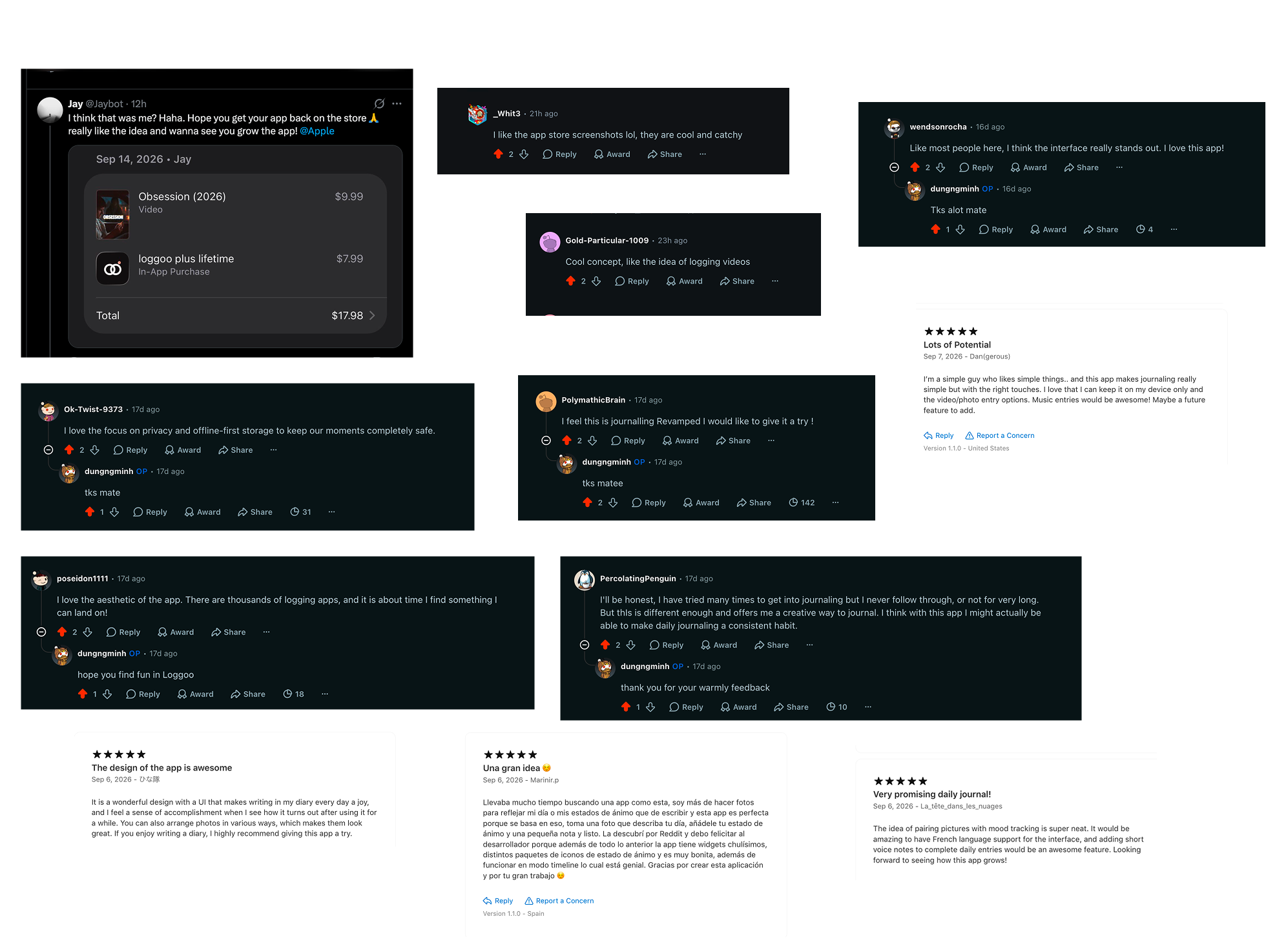
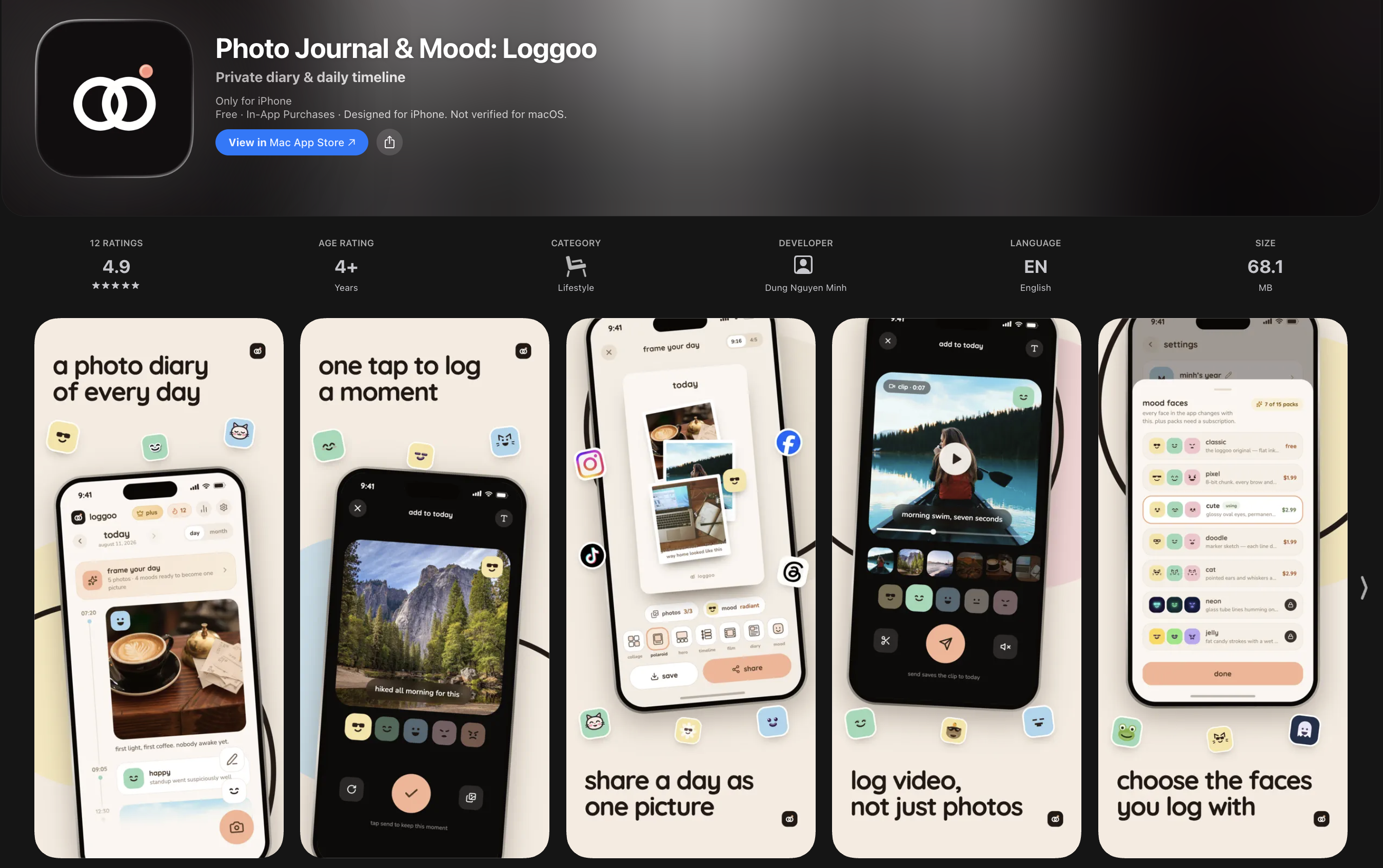
Great rating number on App Store too (before Apple removed it :)) )
I got my first paying users
This one is honestly the happiest. I got my first paying users. They really like Loggoo, and it actually solves the problem they had. Here is my happy moment on X
I built an open source CLI tool to share with the community
While building Loggoo I realized that configuring Firebase for a KMP project is genuinely tiring. You register the app, download the configuration files, and set them up for each project. It felt like work that should not take that long, so I built a tool that does it automatically. It made Firebase setup for KMP fast and easy. Flutter already has something like this. This one is for KMP.
And it is 🔥 kmpfire_cli, an open source CLI for quickly configuring Firebase on a KMP project. Here is the repository and my story on X.
OneSignal helps me alot in user engagement and retention
I never thought about user engagement retention via notification in before, but OneSignal helps me a lot. OneSignal provides me a lot of features to help me to engage with users and retain them through automated user journeys, personalized notifications and campaign notification. I can easily send notifications to:
- Gently remind users to log their record to keep streak.
- Notify users about new frames, collaborator updates, and new features.
- Engage users with targeted campaigns, journeys event like recap week.
- Notify them to look back at their previous week or month activity
This helps users have habit to log their record daily, and keep them engaged with the app. OneSignal is my hero, thank you for your help. Here is my story on X
And I might be the first person in Shipaton to get removed by Apple LOL
This one was not on the plan. The iOS app had already been live for more than a month when Apple said it was misleading, because the features had been switched after review. I do not agree. Loggoo has no feature flags at all. What they reviewed is what shipped. I am appealing, and the iOS build is off the store. Android is still up and doing fine. If Shipaton had a prize for "removed first," I might be leading it, and I am still trying to get the iOS app back. Let's look back my 22rd day.
📚 What I learned
- Cross platform but still native feeling, Kotlin Multiplatform / Compose Multiplatform is a great choice. From Android native developer and Flutter developer, now I have a new weapon to build cross platform apps with native feeling and performance. Write own native code for both platforms and share the codebase between them is interesting and challenging.
- Before adding a feature, ask whether users actually need it. Listen to their feedback and try it more than once before the final call. A personal experience is what sets the app apart, keeps people, and helps it grow.
- Building the app can be fast. Getting people to actually find it is the long part, and that means learning marketing and promotion. As a developer, this is the lesson I keep coming back to.
🚀 What's next for Loggoo: Photo Journal & Mood
I have a lot of plans for Loggoo, but here are the top 5:
- Improve the app performance and stability: The app is still new, and there are still a lot of things to improve. I need to improve the app performance and stability to make the app more reliable and user-friendly.
- Marketing and Promotion: Yeahhh to be honest, marketing is really hard, I need to learn a lot. Currently I'm learning some marketing strategies, find some "Study with me" or "Lifestyle" TikTokers / Hot Instagram to collaborate with me to create content for Loggoo.
- Timeline collaborator feature: I want to add a feature to allow users to collaborate with each other on the timeline. Users can add each other as collaborators and see each other's timeline and keep memories together. This is really interesting and challenging, I need to think about how to implement it.
- Collab with brands in Frames: For frames, I created a Studio that brings special frames to Loggoo to expand the frames libraries, I'm thinking about collab with brands to create frames in Loggoo, this will help brands to increase brand recognition and Loggoo to increase revenue.
- Maximize the power of OneSignal: OneSignal helps me a lot in understanding user journey and personalized notifications, help users to have habit to log their record daily, and keep them engaged with the app. They have alot features that I haven't even touched yet, I need to explore and use them to the fullest.
💬 Final words
Thank you for reading this far. I am grateful to be part of Shipaton, and glad I got to tell the Loggoo story here. I would love to hear what you think of the app, and I am excited to keep building what comes next.
Dung Nguyen Minh - @dzungngminh
Built With
- avfoundation
- camerax
- composemultiplatform
- firebase
- kotlinmultiplatform
- onesignal
- widgetkit


Log in or sign up for Devpost to join the conversation.