-
-

Swipe. Decide. Clean. Keep what matters, delete what doesn't, and reclaim your storage with effortless Tinder style swipes
-
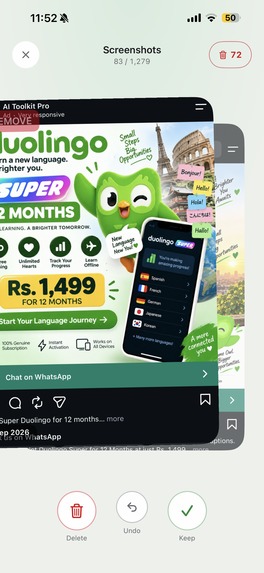
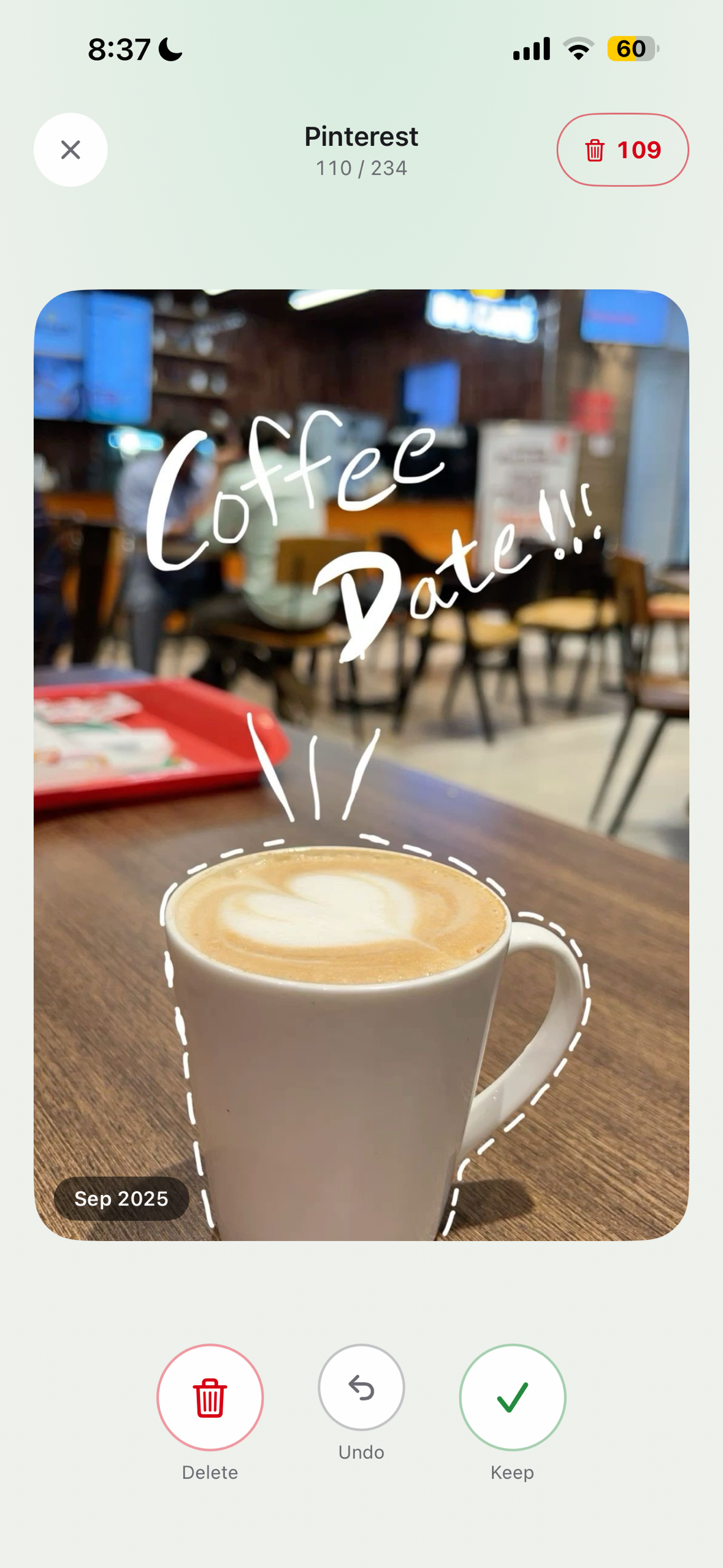
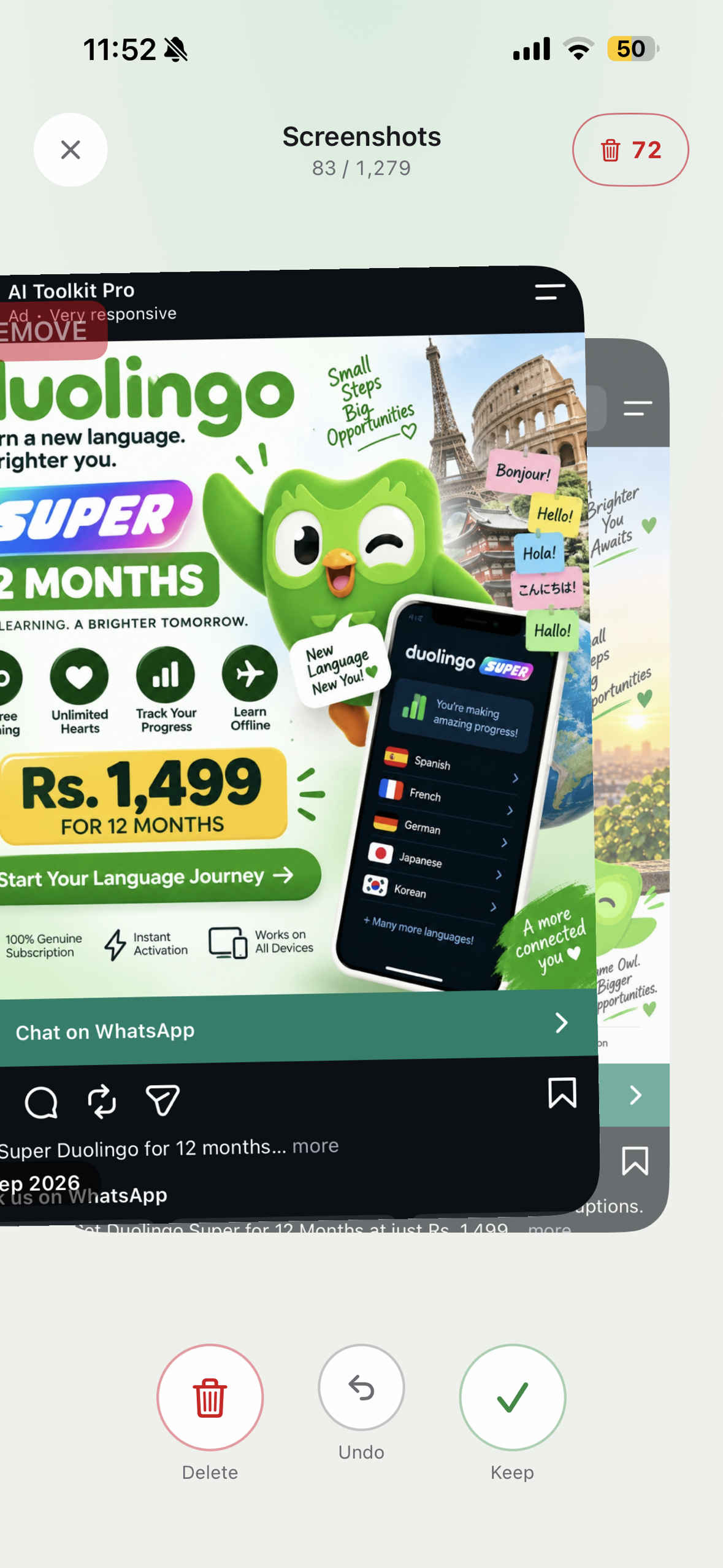
Swipe right to keep, left to delete, one photo at a time
-
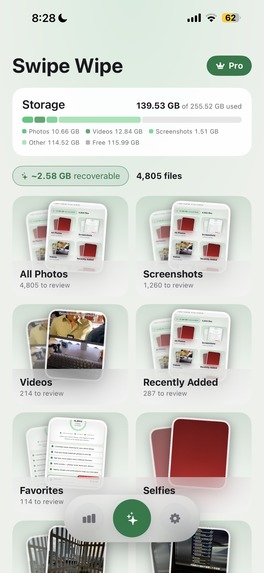
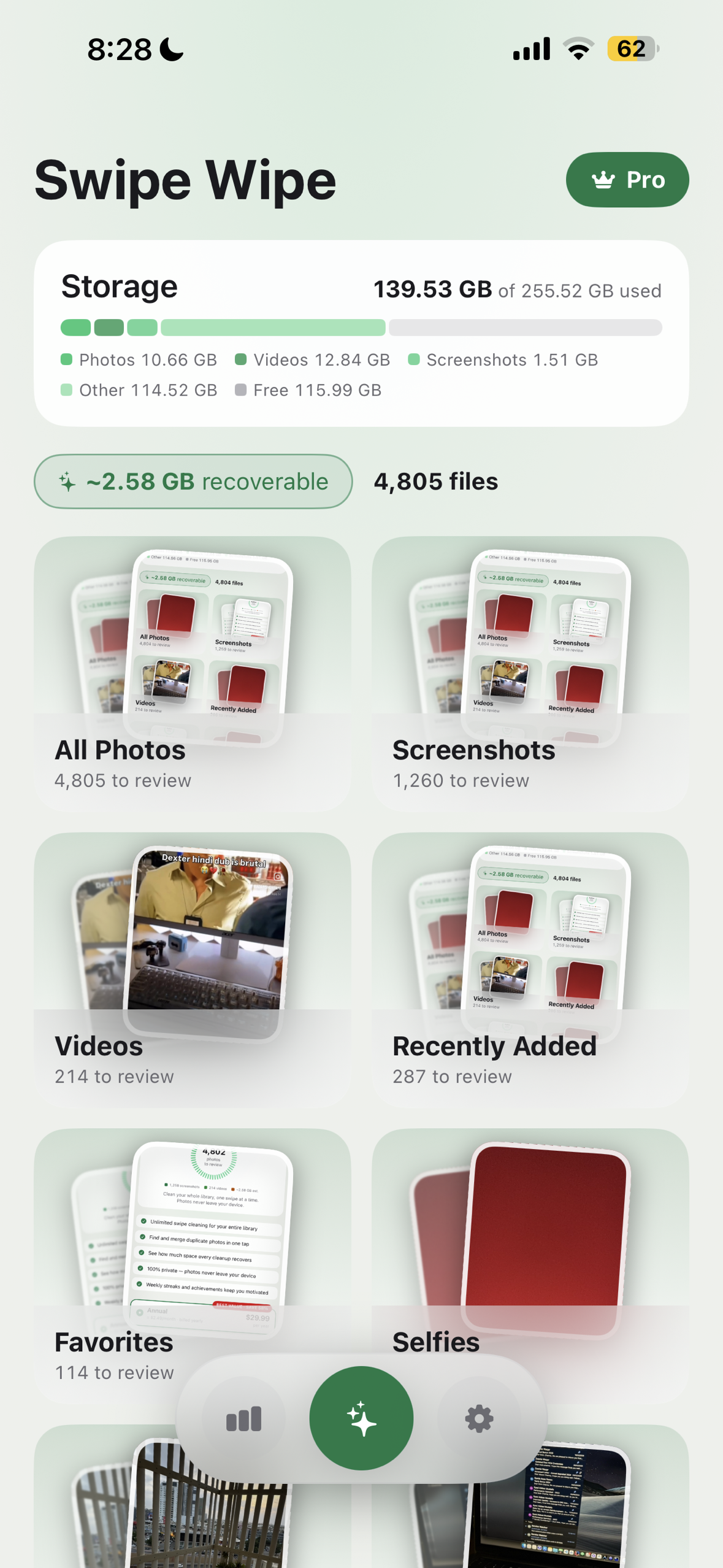
Your library by category, counted on the device
-
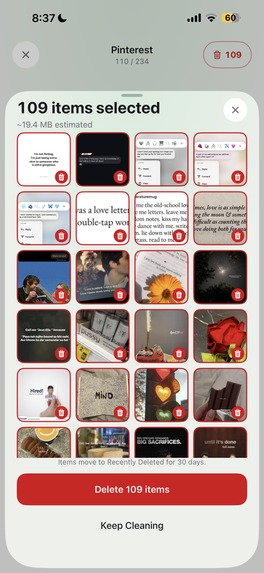
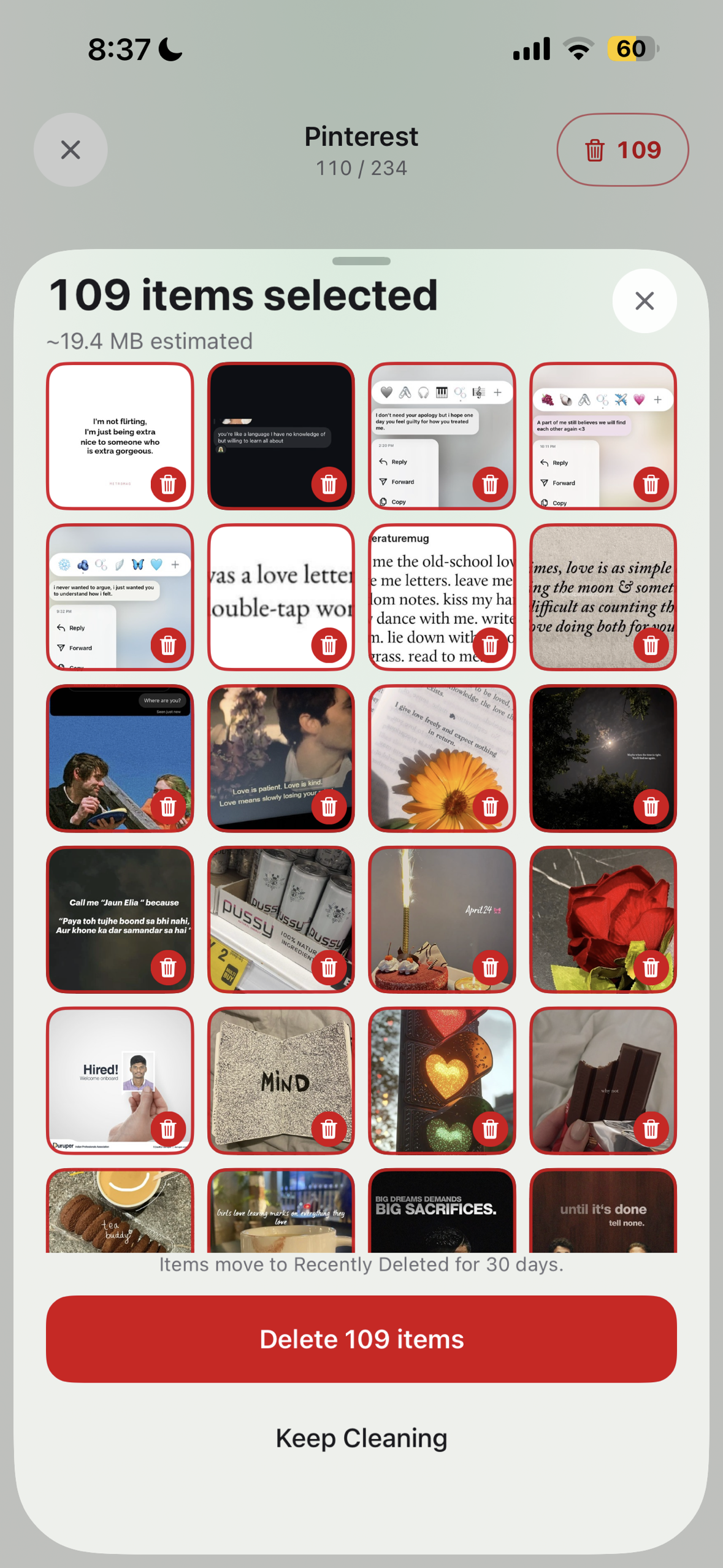
Review everything before anything is removed
-
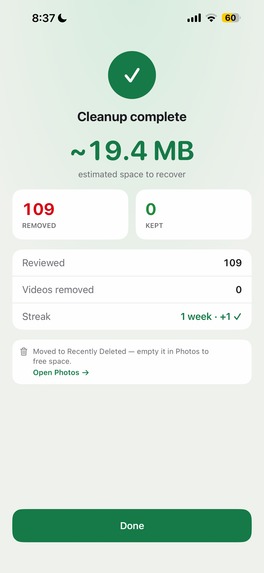
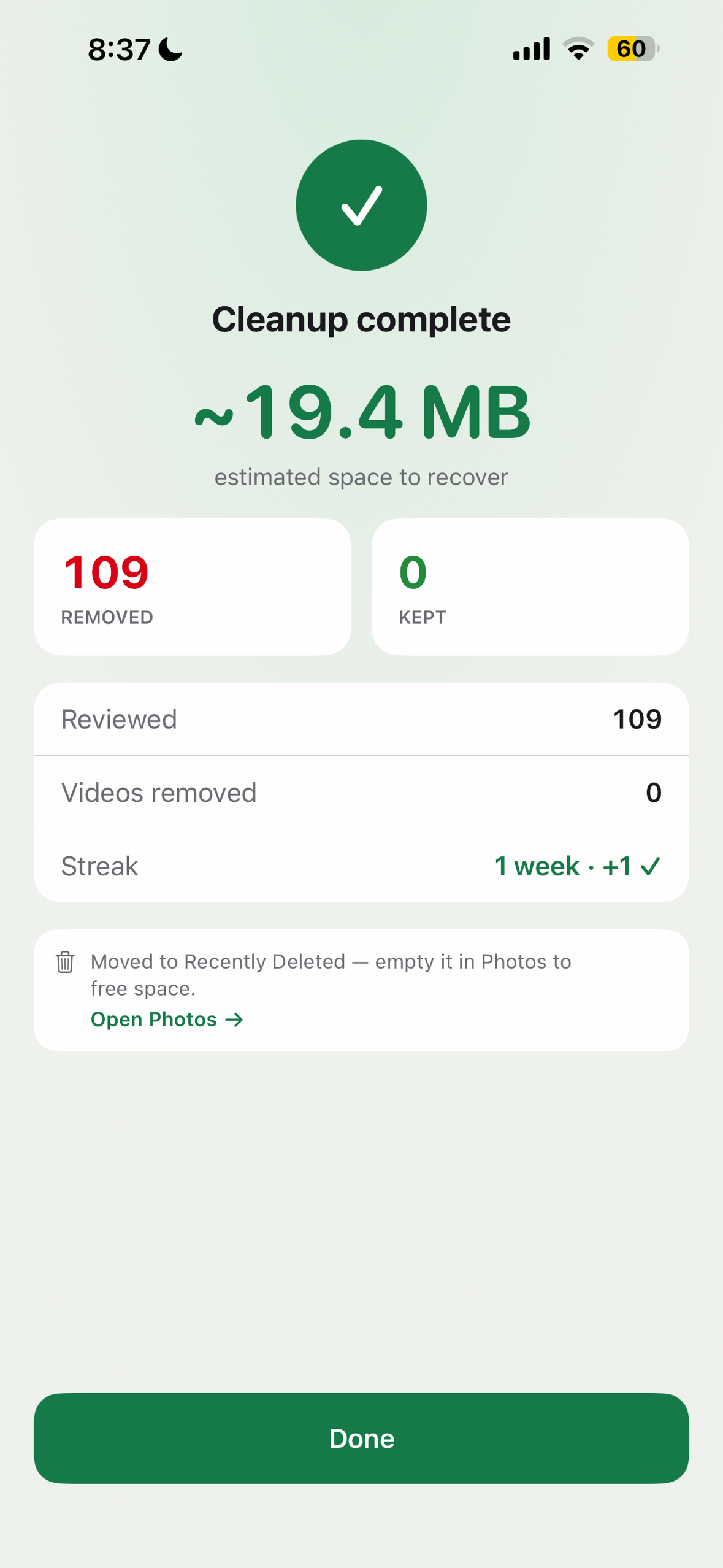
Removed only after iOS confirms. Recoverable from Recently Deleted
-
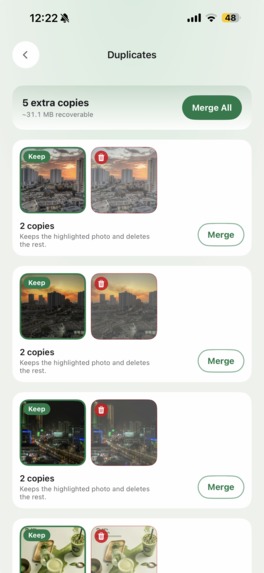
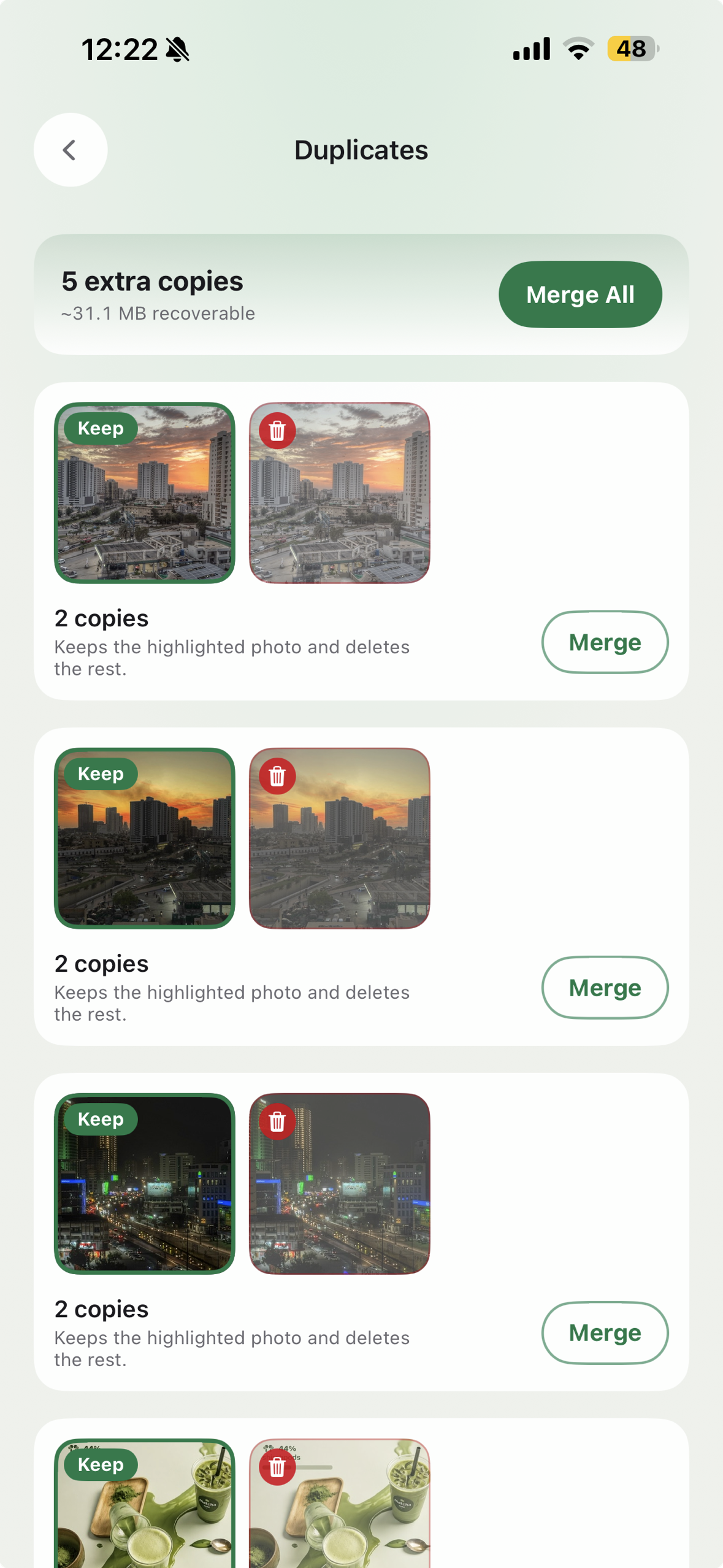
Exact duplicates grouped: keep one, merge the rest
-
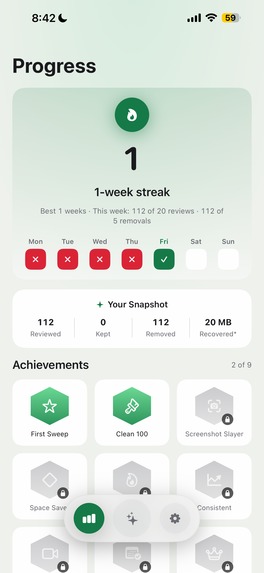
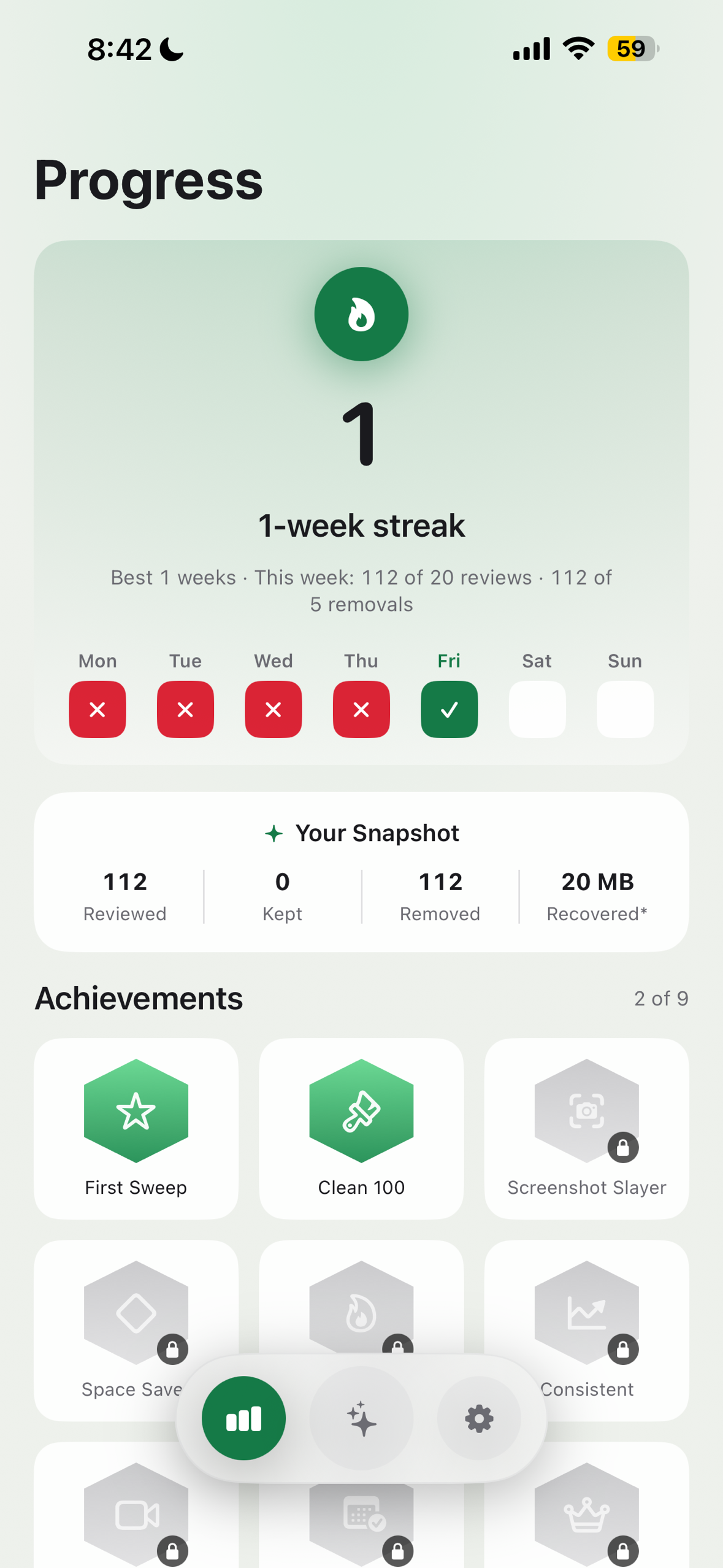
Weekly streaks and stats turn cleanup into a habit
-
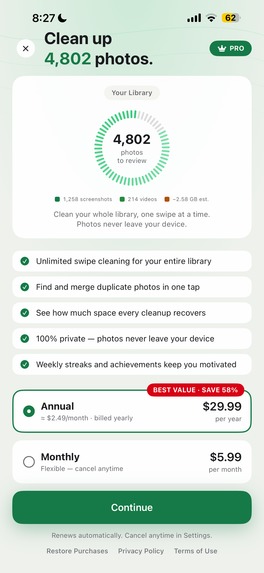
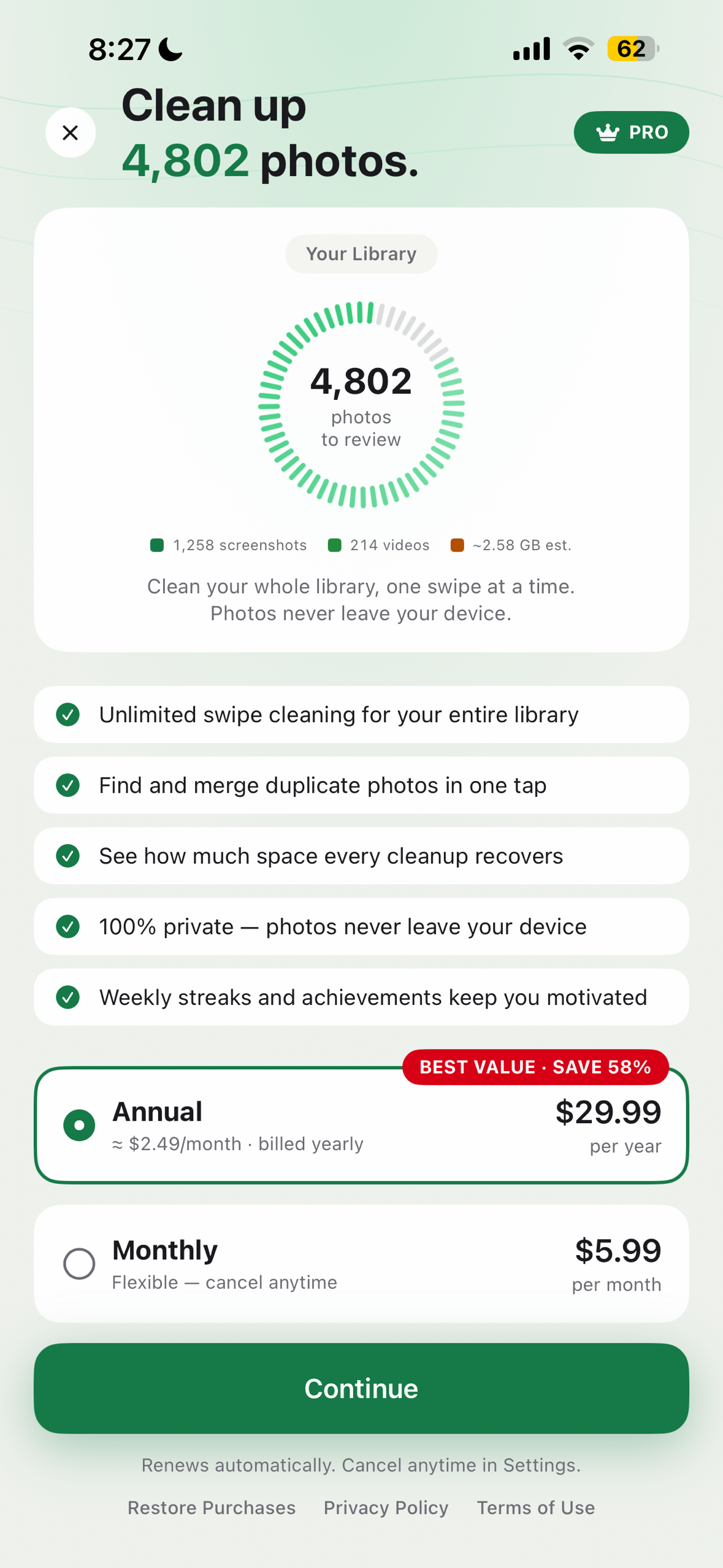
Paywall powered by RevenueCat Offerings, store localized pricing
-
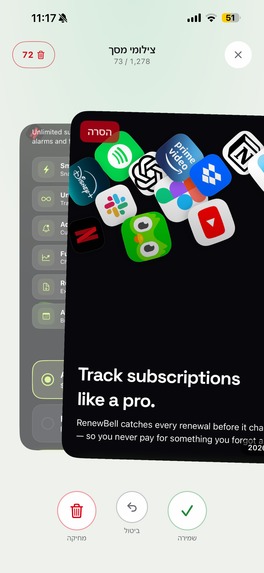
Full RTL, with Delete kept physically on the left
-

App icon

Inspiration
My girlfriend was cleaning her iPhone gallery one evening while talking to me, and she was getting more and more frustrated. Deleting photos and videos on iPhone takes real time and effort: the interface isn't built for speed, and you end up selecting pictures one by one before you can delete them. I asked her what she was doing, and she snapped, "Deleting useless pictures!" She was taking the frustration out on me when the real problem was the photo cleanup.
That moment gave me the idea: deleting photos should feel as quick as a dating-app swipe.
What it does
Photo Cleaner: Swipe Wipe shows your library one photo or video at a time. Swipe right to keep, swipe left to mark it for deletion, and undo anytime.
Nothing is deleted while you swipe. When you finish, you get a review grid of everything you marked, and only then does iOS show its own system delete confirmation. Deleted items go to Recently Deleted, so mistakes are recoverable.
It also:
- Breaks cleanup into categories: All Photos, Screenshots, Videos, Recently Added, and By Month
- Finds exact duplicate copies and lets you keep one and merge the rest
- Resumes exactly where you stopped, even if the app is closed
- Tracks weekly streaks, lifetime stats, and achievements so cleanup becomes a habit instead of a once a year chore
- Ships in 12 languages, including full right-to-left Arabic and Hebrew
All photo processing happens on the device. Photos, thumbnails, filenames, and cleanup decisions never leave the phone.
Who it's for
People with large, messy camera rolls and constant "Storage Full" warnings who don't want to hand their photos to a cloud service. My girlfriend and I use it ourselves every couple of weeks to keep our galleries clean.
How it makes money
Photo Cleaner is freemium, with subscriptions powered by RevenueCat: $5.99 per month or $29.99 per year, with no free trial.
- Free users get the full swipe experience: they can browse every category, swipe left and right, undo, and build their deletion list.
- The paywall appears only when they confirm the deletion. At that moment the user has already done the work and can see exactly what they are about to clear, so Premium unlocks the result, not the effort.
- Duplicate merging is Premium too.
- All prices shown in the app come from RevenueCat Offerings and the App Store, so each storefront shows its own local price.
How I built it
The app is built with Kotlin Multiplatform (KMP). For judges who don't use Kotlin: KMP lets you write the app's "brain" once in Kotlin and compile it into a native iOS framework, while the screens stay 100% native Swift.
SwiftUI screens (native iOS)
        |  user taps / final swipe decision
        v
Shared Kotlin core (KMP)  -->  SQLDelight database
        |                 -->  RevenueCat KMP SDK
        |                 -->  Supabase (Ktor)
        v
PhotoKit (native deletion + iOS confirmation)
Shared Kotlin core (one codebase, ready for iOS and Android):
- The cleanup session logic: keep, delete, 20 step undo, and resume
- The local database (SQLDelight) with versioned, tested migrations
- Batched saving: decisions are written after every 5 swipes or 1 second, and saved instantly when the app goes to the background
- Streak and achievement rules
- Subscription state through RevenueCat's Kotlin Multiplatform SDK
- Anonymous backend client (Supabase over Ktor) for remote config and support
- Analytics event definitions and all localization keys
Native iOS layer:
- SwiftUI for every screen, with MVVM on each one
- PhotoKit for the library, thumbnails, iCloud downloads, and deletion
- AVPlayer for video preview
- The swipe gesture and animation live entirely in SwiftUI. Kotlin only hears about the final decision after you let go, so nothing in the shared layer can slow down a frame.
Kotlin state flows into SwiftUI through a small bridge that turns Kotlin StateFlow into a main thread ObservableObject.
Challenges I ran into
Why KMP at all? My priority was iOS, but I'm an Android user myself. I didn't want to build two separate native apps and maintain them forever. I wanted a single codebase, with the idea that if it runs smoothly on iOS, the same core will run on Android too.
That created the biggest challenge. My first KMP version felt slow: swiping and deleting pictures had noticeable lag and delay. The simulator hid the problem completely, and it only showed up on a physical iPhone.
So I set a hard rule: zero database, network, billing, or analytics work while a finger is on the card. The gesture runs natively in SwiftUI, and the shared Kotlin code only receives the final decision. After that change, swiping on a real device became smooth.
Other real problems:
- Development speed. With pure native SwiftUI, Xcode builds quickly and the app launches fast in the simulator. With KMP, every build first compiles the Kotlin framework, so building and running the app in the simulator became a much slower loop. That cost me a lot of time.
- Xcode 26's script sandboxing broke the Gradle build phase that compiles the Kotlin framework, so the build setup had to be adjusted.
- SQLDelight on iOS inside a static framework needed sqlite linked at the app level, not the framework level.
- Kotlin default arguments don't carry over to Swift, so shared ViewModels needed explicit Swift-friendly constructors.
Accomplishments that I'm proud of
- A Kotlin Multiplatform app that feels native on a real iPhone. It started with visible lag and slow deletes, and after moving the gesture fully into SwiftUI, swiping and deleting became smooth on a physical device, which is where it actually matters.
- Full RTL support where Delete stays physically on the left and Keep on the right, even in Arabic and Hebrew, so muscle memory never flips.
- My girlfriend led the App Store optimization. She bought an ASO tool (Astro) and did the keyword research herself. With her research, I added support for multiple languages in the app, and every region has its own localized App Store listing.
What I learned
- Test on a real device early. The simulator told me everything was fine while the real iPhone told the truth.
- Share the logic, not the feel. KMP works best when Kotlin owns the rules and data, and the platform owns every gesture and animation.
- Where the paywall sits matters. Putting it at the confirm step means users see the value before they are asked to pay.
What's next for Photo Cleaner: Swipe Wipe
- Android release from the same shared Kotlin core, which was the whole reason I chose KMP
- More languages, plus an on device AI scan that suggests blurry shots, similar photos, and old screenshots to review first, without any photo leaving the phone
Categories
RevenueCat Design Award and HAMM Award.
Built With
- avfoundation
- firebase-crashlytics
- gradle
- kotlin
- kotlin-coroutines
- kotlin-multiplatform
- ktor
- photokit
- postgresql
- posthog
- revenuecat
- sqldelight
- storekit
- supabase
- swift
- swiftui
- xcode
- xcodegen

Log in or sign up for Devpost to join the conversation.