-
-
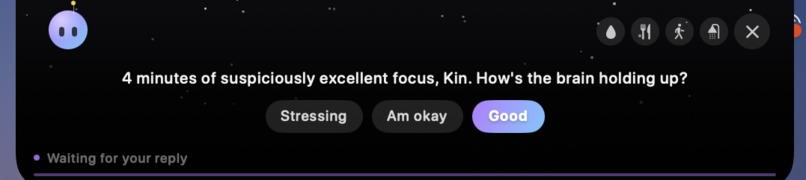
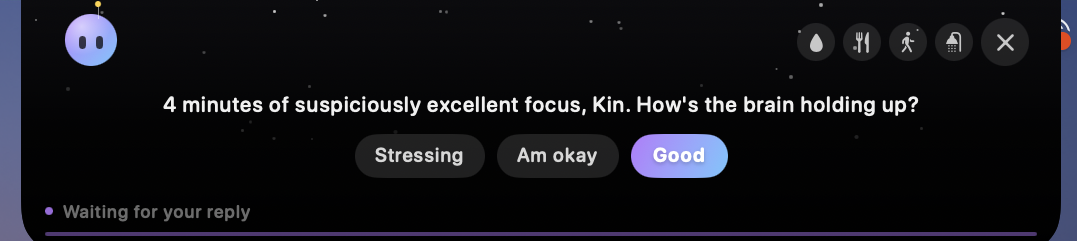
A check-in asking how you're doing after a focus session.
-
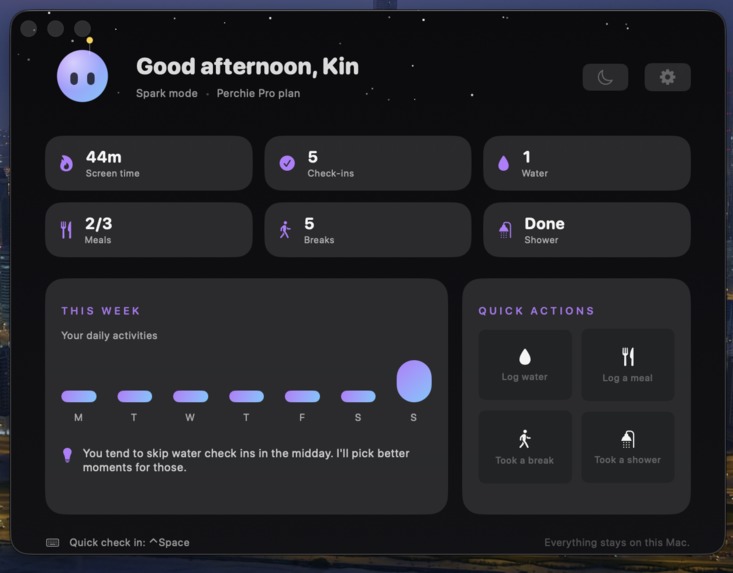
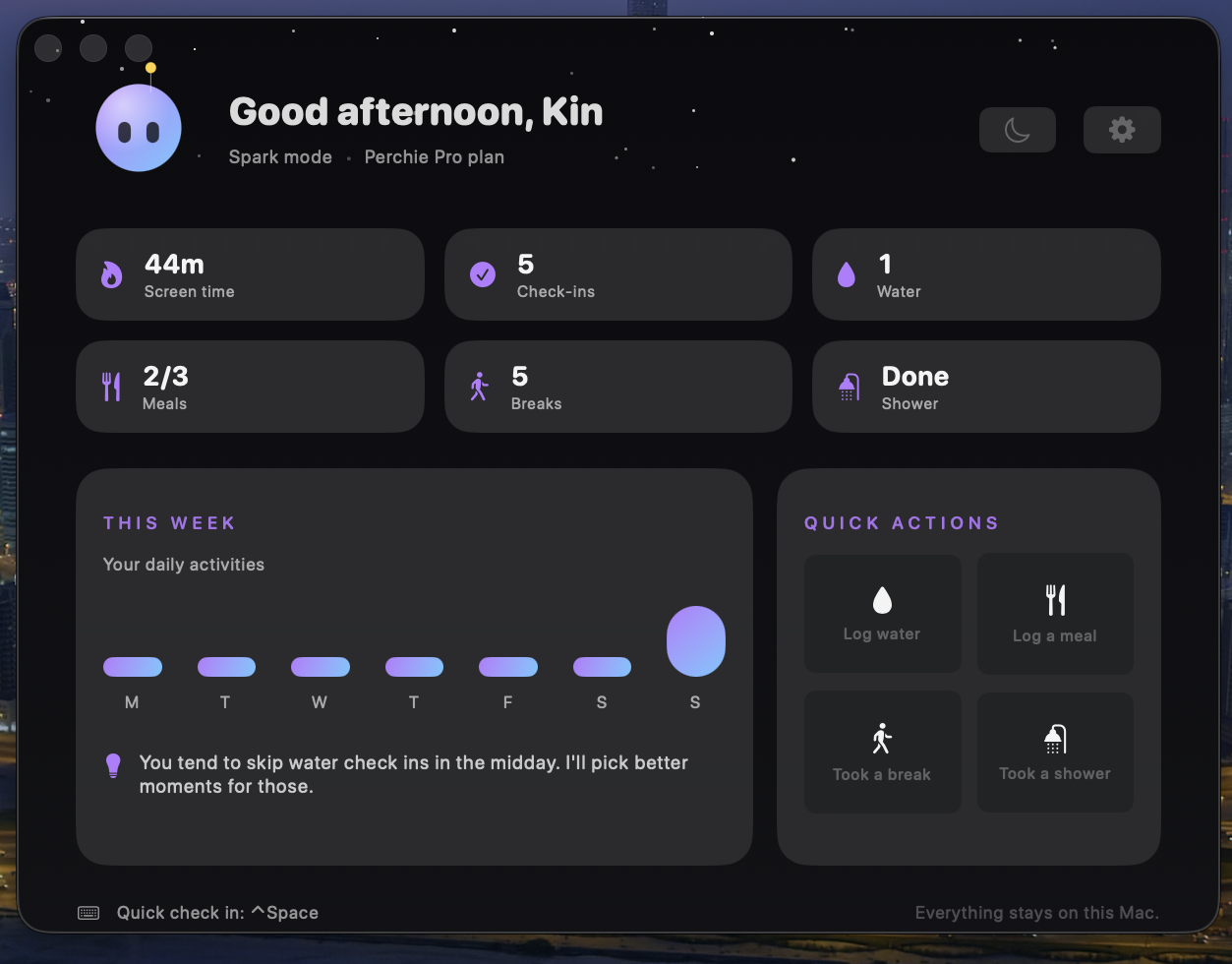
The main dashboard: screen time, check-ins, water, meals, breaks, and shower for the day.
-
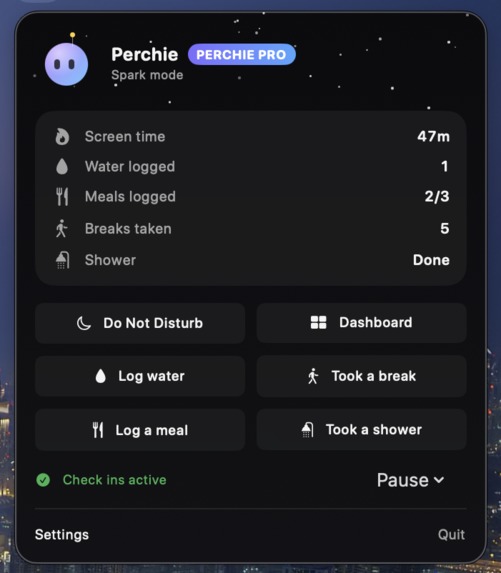
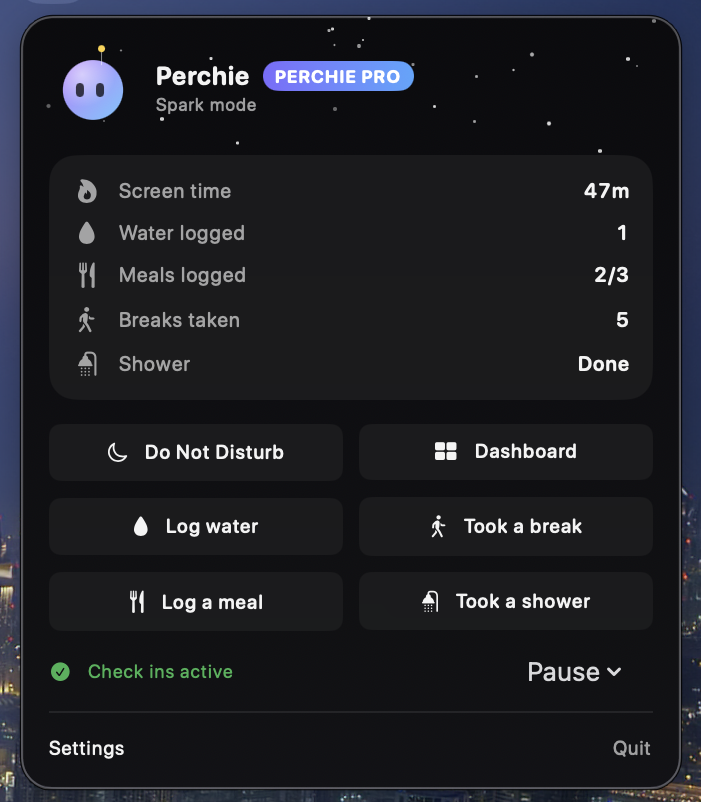
The menu bar dropdown with your stats and quick actions.
-
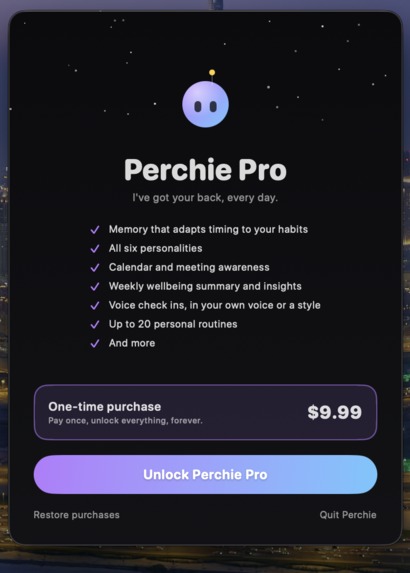
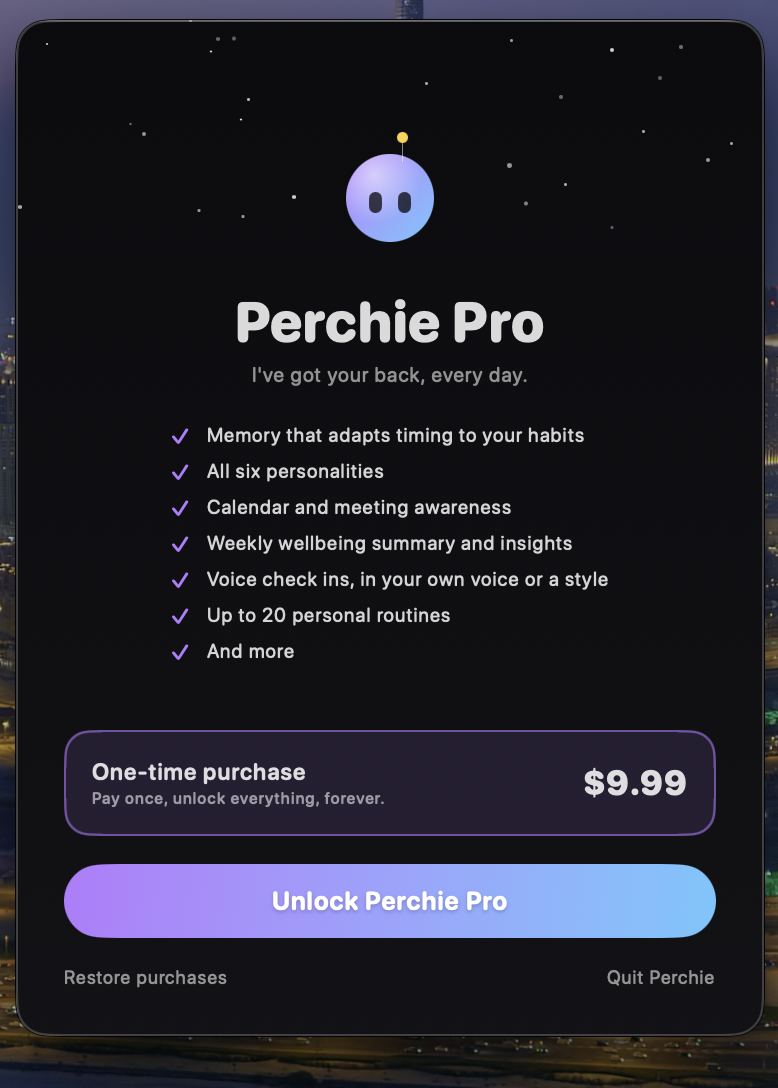
The Perchie Pro paywall, one-time purchase for $9.99.
-
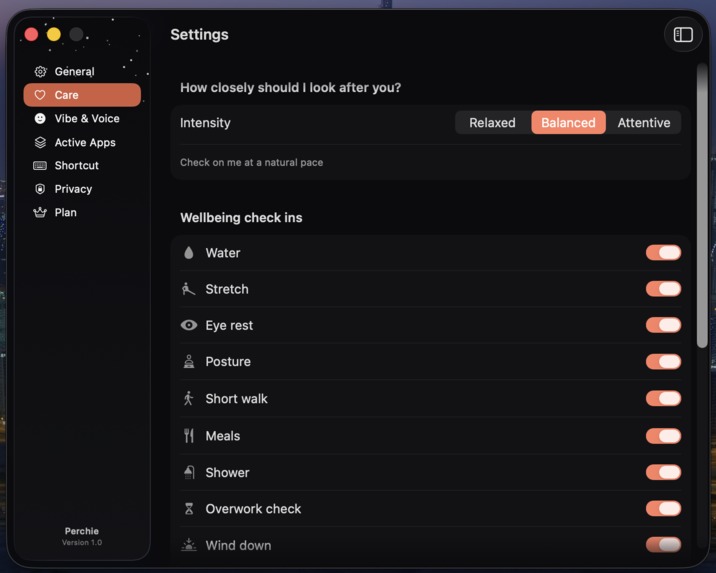
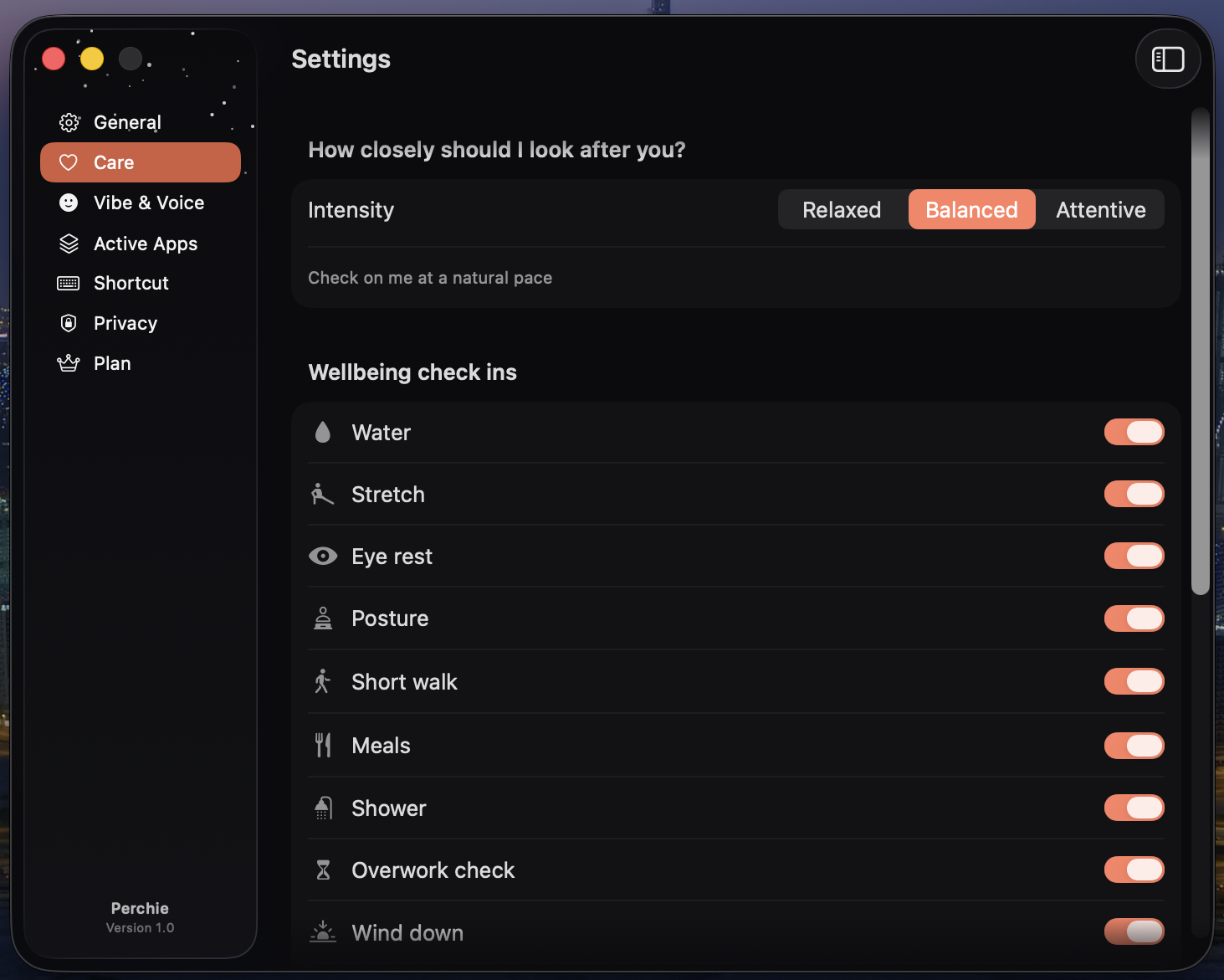
The care settings, where you choose how closely Perchie checks in on you.
-
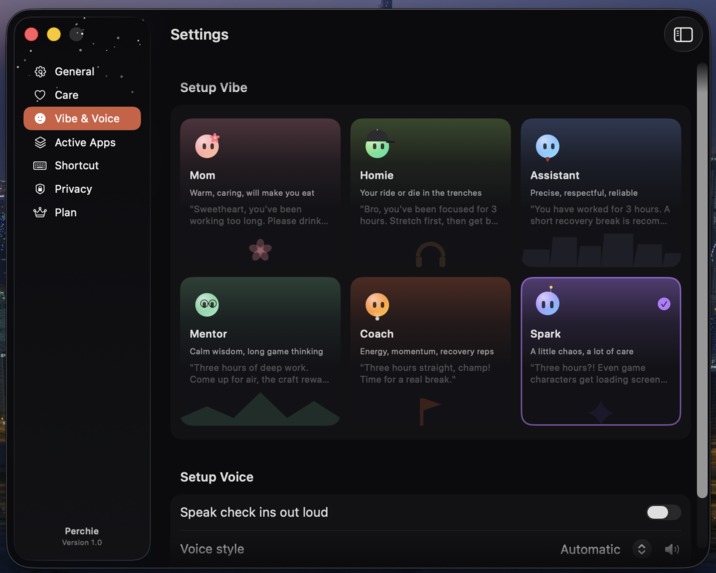
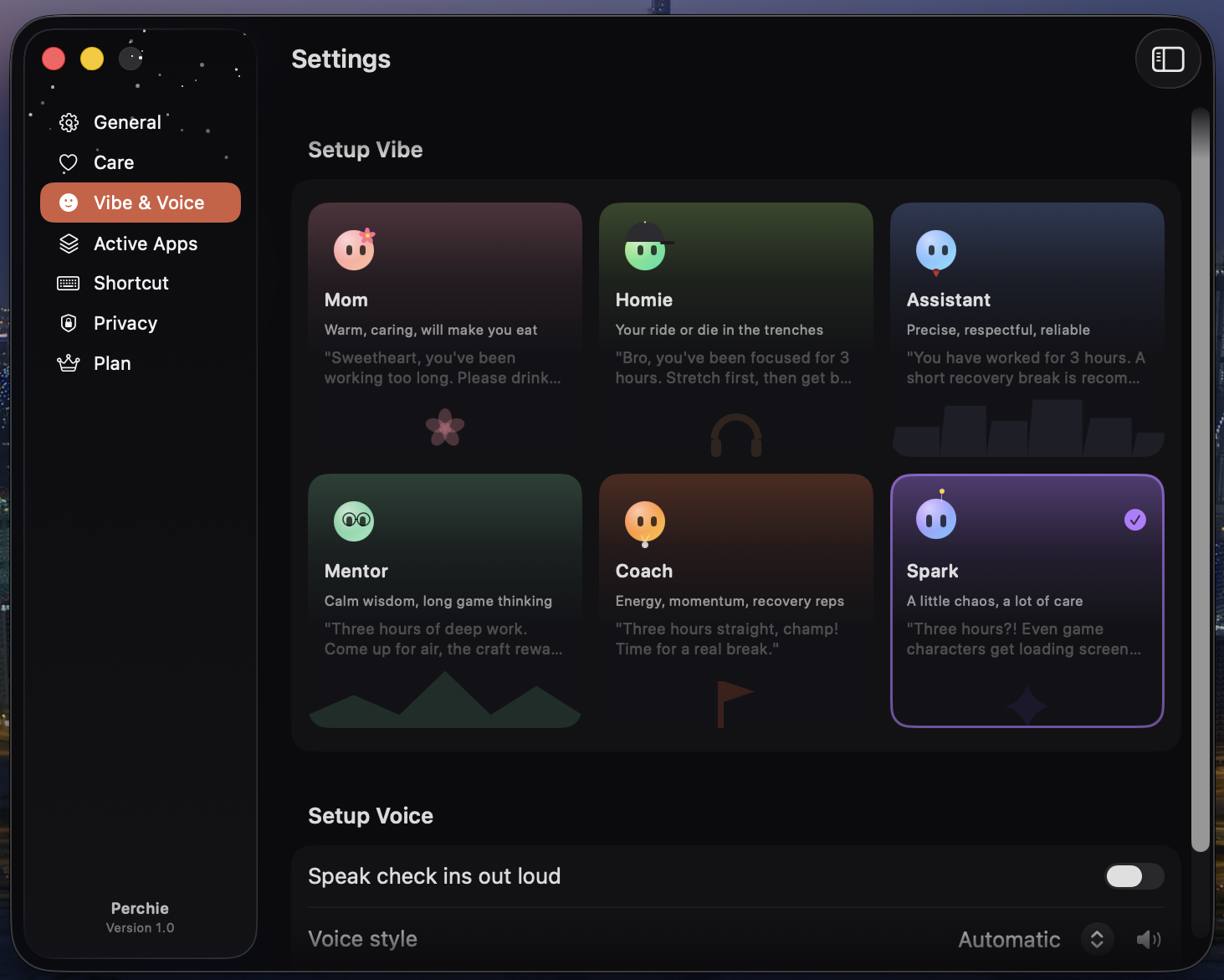
The six personality options you can pick for Perchie.
-
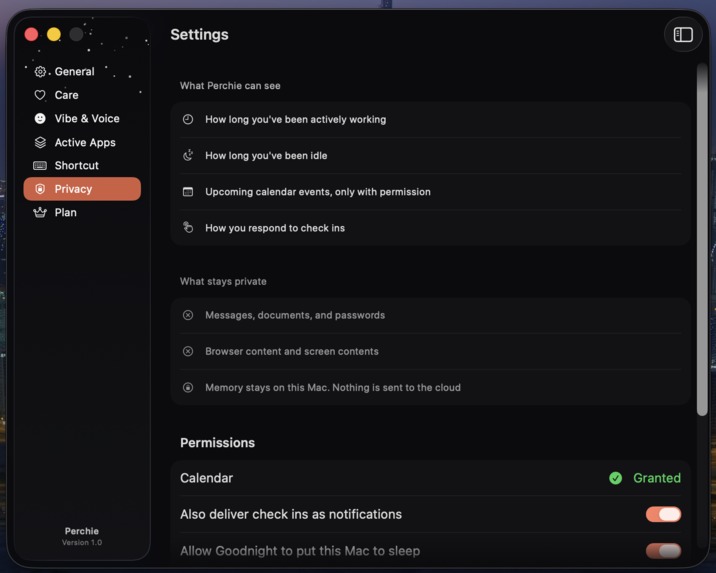
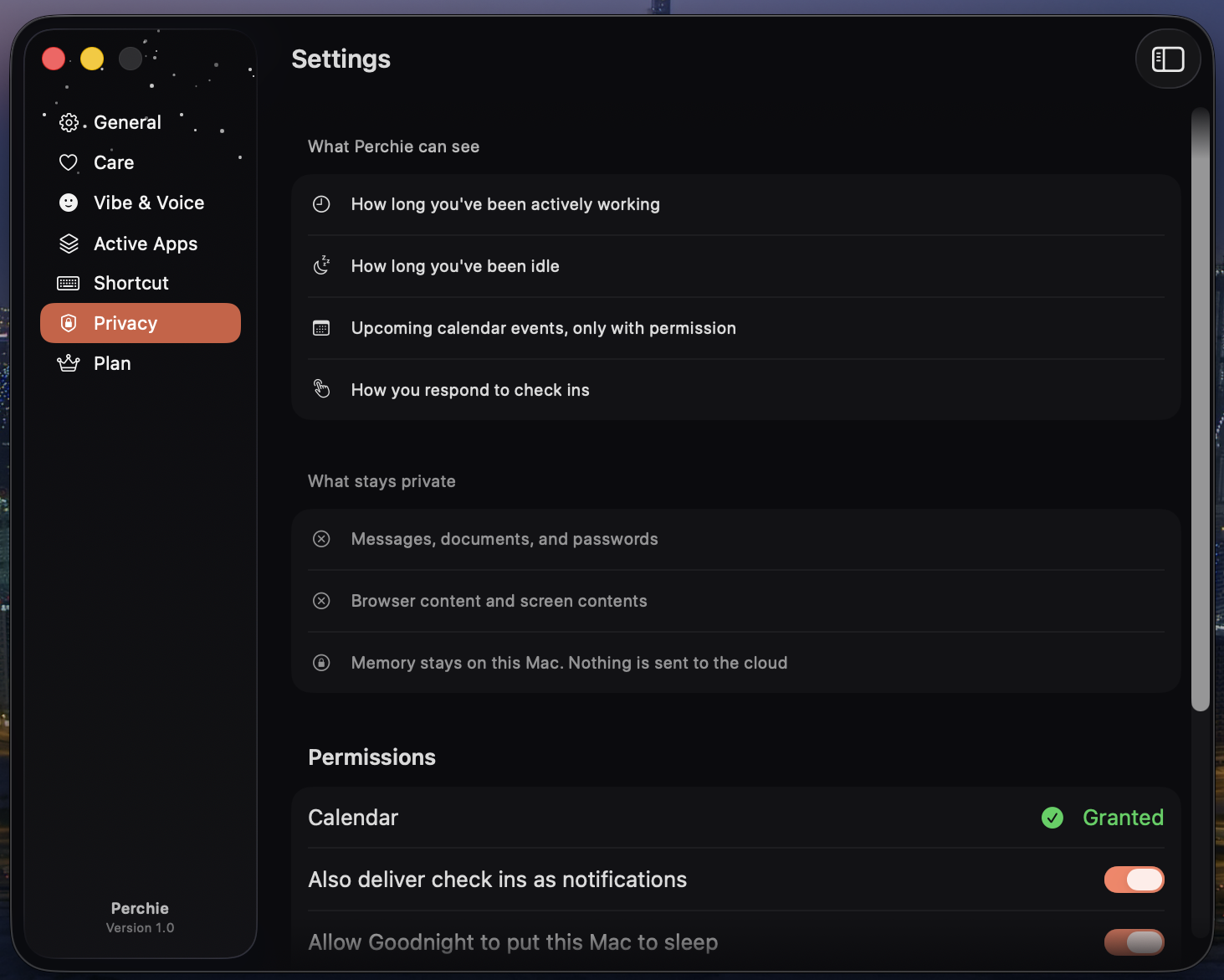
The privacy settings, showing what stays on your Mac and what Perchie can see.
Inspiration
I built Perchie because I lived it. Chasing this dream, I'd get so locked into building that I forgot to take care of myself. Skipped meals, ignored water, sat in the same terrible posture for hours.
I didn't want any other builder to end up like me.
Everything out there measures output or demands attention. Productivity trackers make you anxious about numbers. Task managers make you stop and context-switch. I needed something that cared about me, not my metrics, without ever breaking my flow.
What it does
Perchie is a tiny wellbeing companion that lives right in your MacBook's notch. It quietly watches safe, private signals in the background: how long you've been focused, your idle time, your calendar, and checks in at the exact right moment. Not on a rigid timer. It waits for a natural pause in your work, then drops down from the notch to ask if you need water, a stretch, a meal, or a break.
Every check-in is a single tap. No typing, no chatbot, no leaving your flow. Pick one of six personalities, Mom, Homie, Assistant, Mentor, Coach, or Spark, and Perchie talks to you the way you'd actually want to be talked to.
It's not a productivity tracker. It's a companion looking out for you while you're locked in.
How I built it
Built entirely native for macOS with Swift, SwiftUI, and AppKit, targeting the newest OS.
- Design: A custom Liquid Glass system for the notch drop-down and dashboard, glassEffect throughout, built to feel like a real part of macOS rather than an overlay bolted on top.
- Personality voice: Every check-in line is hand-written, two natural variants per personality per situation, chosen by an anti-repeat picker so Perchie never says the same thing twice in a row. It's the writing, not live generation, that makes Mom sound like Mom and Coach sound like Coach.
- PerchBrain: A local memory store that learns your habit timing (when you actually eat, drink, shower, focus) via rolling histograms and feeds that back into every check-in so the companion sounds like it knows you.
- Monetization: RevenueCat with StoreKit 2, a 3-day full-access trial with zero features held back, then a straightforward paywall.
- Shipping-prep: Audited the app against Apple's App Review guidelines before ever submitting, fixing what I could find on my own first.
Challenges I ran into
Keeping an always-on menu bar app from eating CPU meant leaning entirely on event timing and idle detection instead of polling. Getting the notch panel to drop down without stealing window focus took real NSPanel/AppKit work most SwiftUI apps never touch.
Auditing against App Review guidelines ahead of submission surfaced real bugs I'd have otherwise shipped: a permission button phrased "Allow" that would have visually doubled up with the system's own calendar-access dialog (Apple's guidance is to use neutral wording like "Continue" instead), and black text on a dark background that only shows up under macOS Light Mode, something I never caught locally because the app forces dark mode everywhere. That one taught me .preferredColorScheme(.dark) in SwiftUI doesn't fully reach AppKit-backed controls like DatePicker inside a Form. Every raw window in the app now sets its real NSAppearance explicitly.
Late in the process I also cut WeatherKit and location-based sky entirely, in favor of a simple day/night-only sky. One less permission to ask for, one less thing that could break.
Accomplishments that I'm proud of
- The design. The notch integration and glass animations feel premium enough that people assume it's an Apple feature, not a hackathon build.
- The non-toxic voice. Perchie never lectures, never mentions productivity metrics, never guilt-trips. It's strictly on your side.
- Catching my own mistakes first. Auditing against Apple's actual guidelines before submitting instead of finding out the hard way after a rejection.
What I learned
I started by generating every check-in line live with on-device Apple Intelligence. It taught me fast that small on-device models can't be trusted with logic, only with words. I once asked the model to judge "is it late right now" from a timestamp in the prompt. It couldn't, and told users to go to sleep at 2 PM. Worse, the phrasing drifted: sometimes warm, sometimes oddly stiff, never quite as consistent as a real personality should feel. I eventually replaced live generation with a hand-written message library instead, and the check-ins got more consistent, not less personal. Decide in code, write the words yourself, and a reminder app becomes something you can actually trust to sound right every time.
Choices beat conversation for a reminder app. I built a full chatbot with dictation, then watched it pull people away from the one thing Perchie is for. Nobody deep in focus wants to compose a message. They want to tap "drank water" and get back to work. I deleted the entire chat path rather than leave it dormant behind the UI.
Apple's guidelines are specific, not vague opinions. Reading them literally before submitting caught real bugs, wording that reads as a false permission prompt, black text nobody would see in dark mode alone, that I'd have otherwise found out about the hard way.
Dark mode in SwiftUI is a promise the framework makes, not a guarantee AppKit keeps. A .preferredColorScheme(.dark) on a view doesn't automatically reach a raw NSWindow hosting it. Set the real appearance yourself, every time.
What's next for Perchie
Submitting to the Mac App Store for the first time. After that, exploring iCloud sync for PerchBrain, still no server, still nothing but Apple's own infrastructure and your device.
Built With
- appkit
- avfoundation
- carbon
- eventkit
- iokit
- liquidglass
- macos
- nspanel
- observation
- revenuecat
- storekit
- swift
- swiftui
- xcode

Log in or sign up for Devpost to join the conversation.