-
-
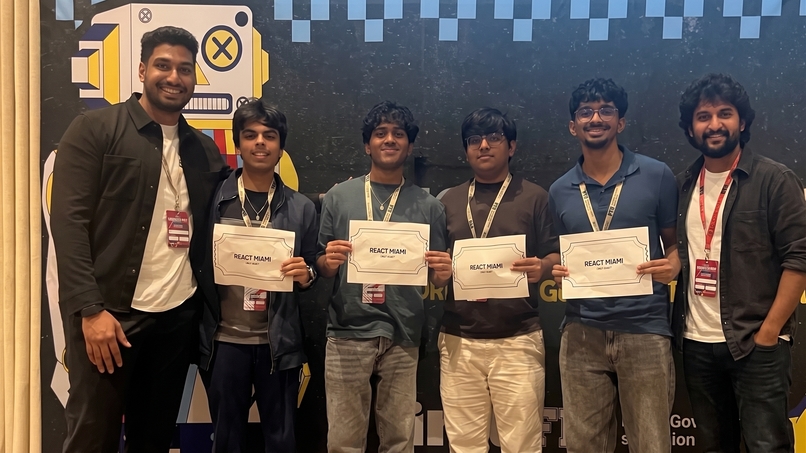
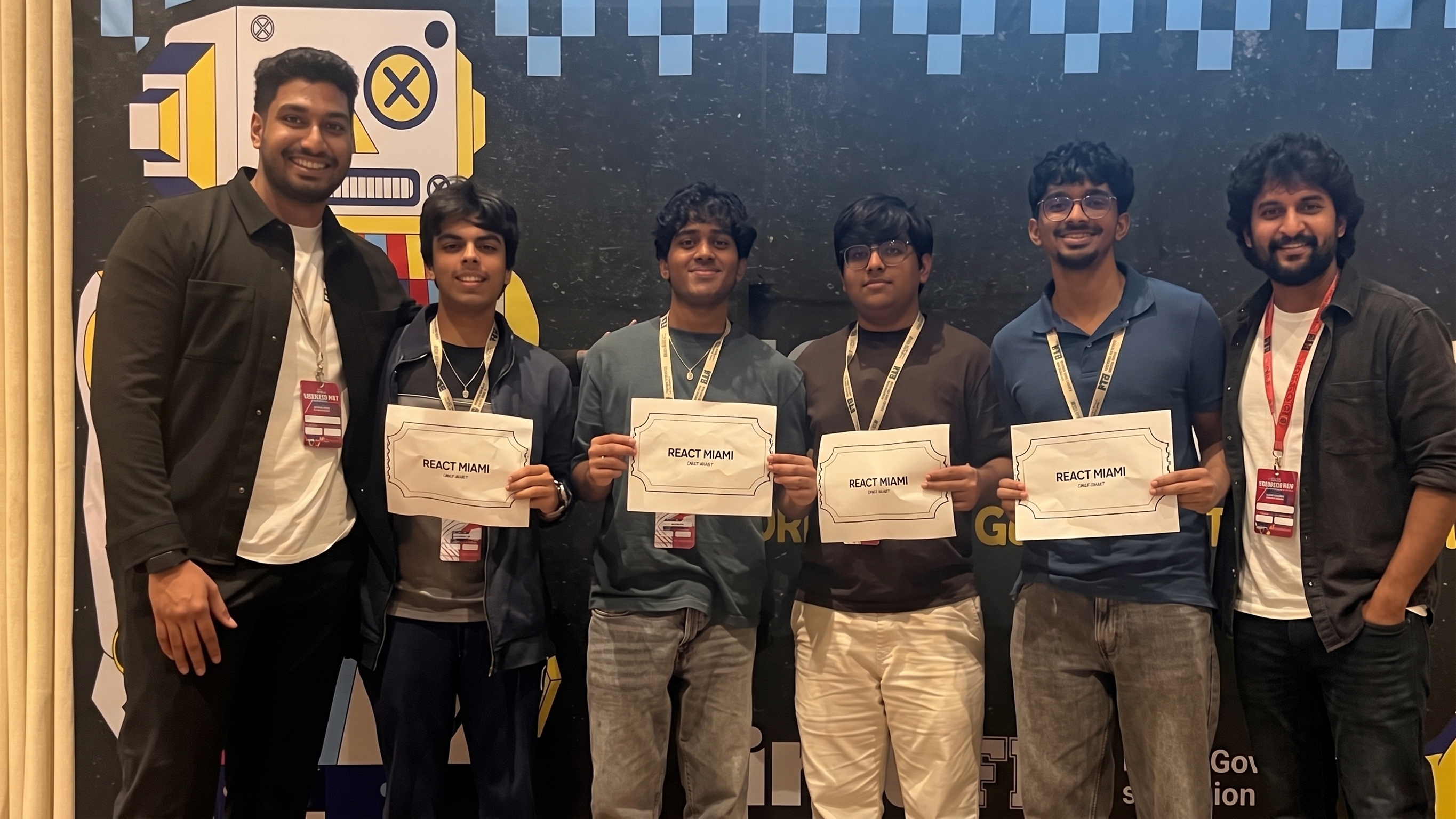
3rd Best Overall
-
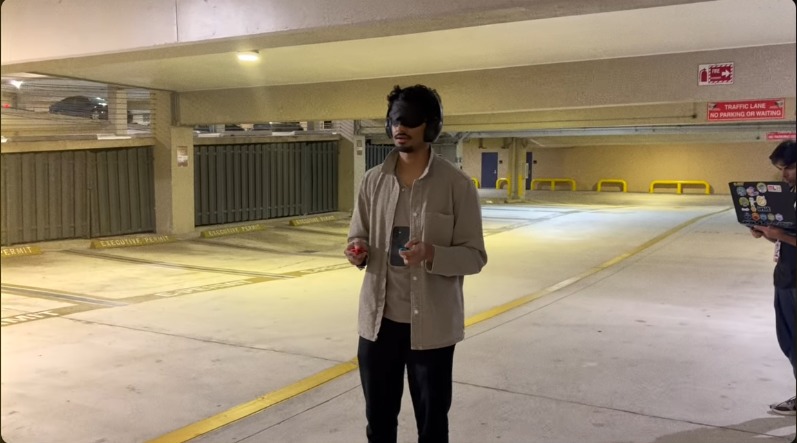
Visually and Auditory Impairment
-
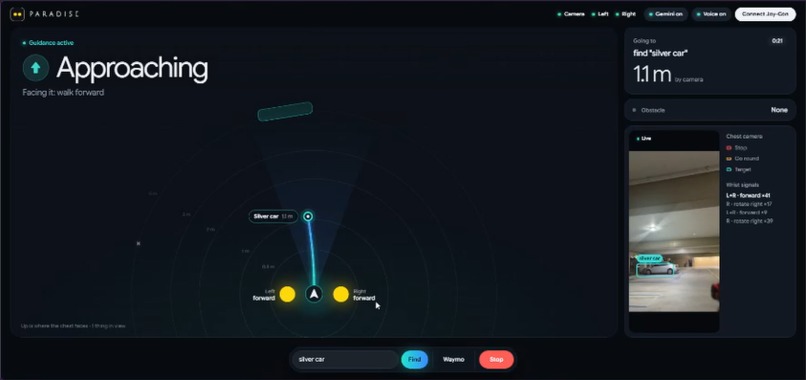
To the waymo!
-
-
-
Inspiration
- Close your eyes, cover your ears, and try to find a glass of water in a room you've never been in. Then try to find the car that just pulled up for you somewhere on the street. For people with combined visual and auditory impairments, that's an everyday challenge.
- The World Federation of the Deafblind estimates that persons with deafblindness make up 0.2% to 2% of the global population. In the US, more than 1.5 million people live with both significant hearing and vision loss. 50000 people are deaf and blind.
- Many navigation tools assume you can see a screen or hear spoken directions. We wanted to know whether touch alone could provide useful guidance.
- A ride arriving nearby doesn't tell you where the car stopped, how to reach it, or where its door handle is.
- We built Paradise to explore that last stretch of the journey.
What it does
- Paradise guides the wearer through vibrations on their wrists. They don't need to read a screen or hear directions.
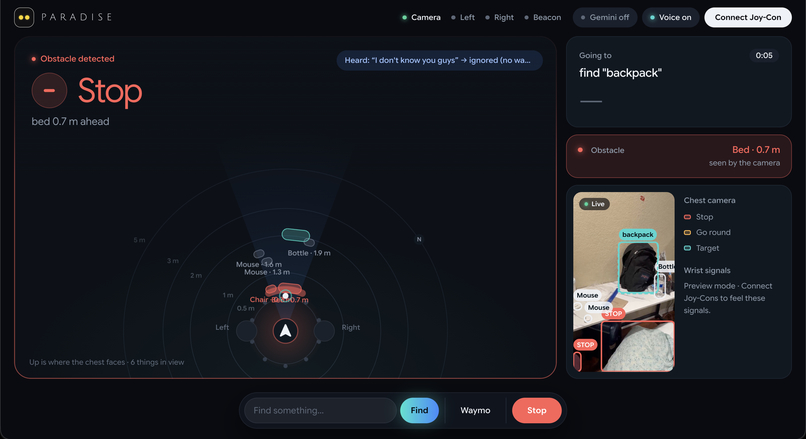
- The wearer has a Joy-Con on each wrist and a phone mounted on their chest. A laptop processes the live camera feed and coordinates the guidance.
- Three steady signals give directions: a buzz on the left or right wrist means turn that way, and a buzz on both wrists means walk forward. When the buzzing stops, you stop. A double buzz means you've arrived.
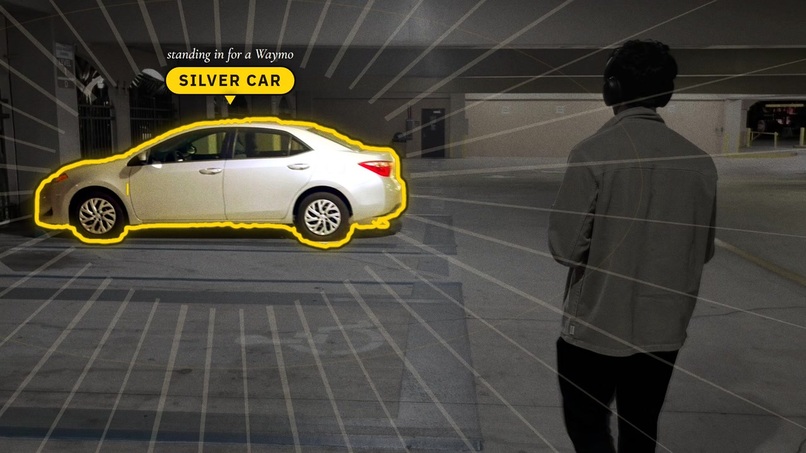
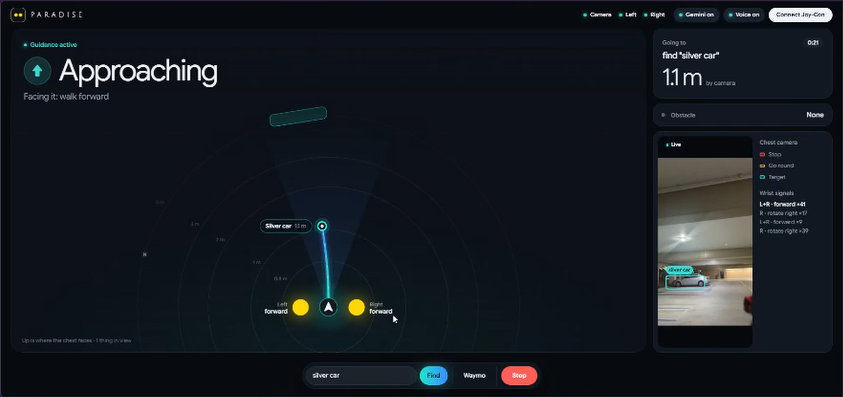
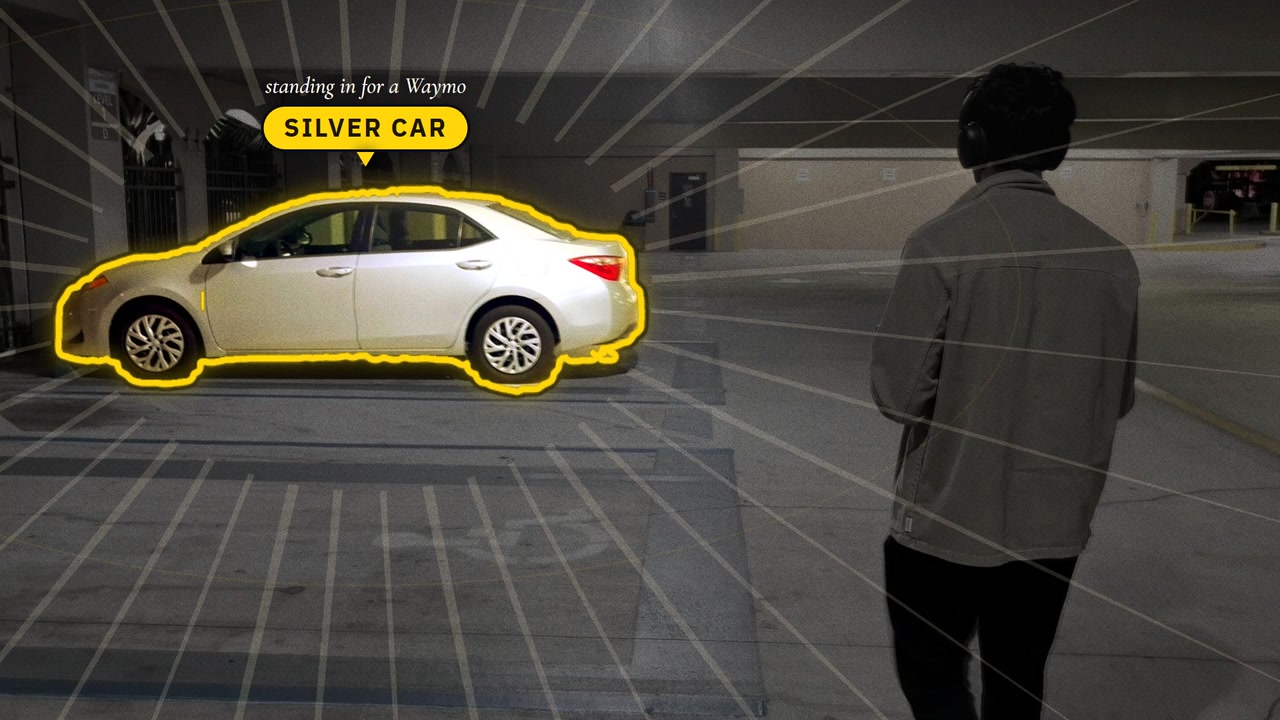
- In our ride pickup demo, a second phone simulates the car's location and arrival. Paradise guides the wearer along the sidewalk, identifies the target car, including its colour, and brings them right up to the car: GPS gets them close, then the camera locks onto the car at the second phone's location, and a Gemini photo check confirms they're within arm's reach before the arrival buzz.
- In our indoor demo, the wearer can ask to find something to drink. Paradise looks for a water bottle and walks them up to it. Before signalling arrival, it checks that the bottle is really within arm's reach.
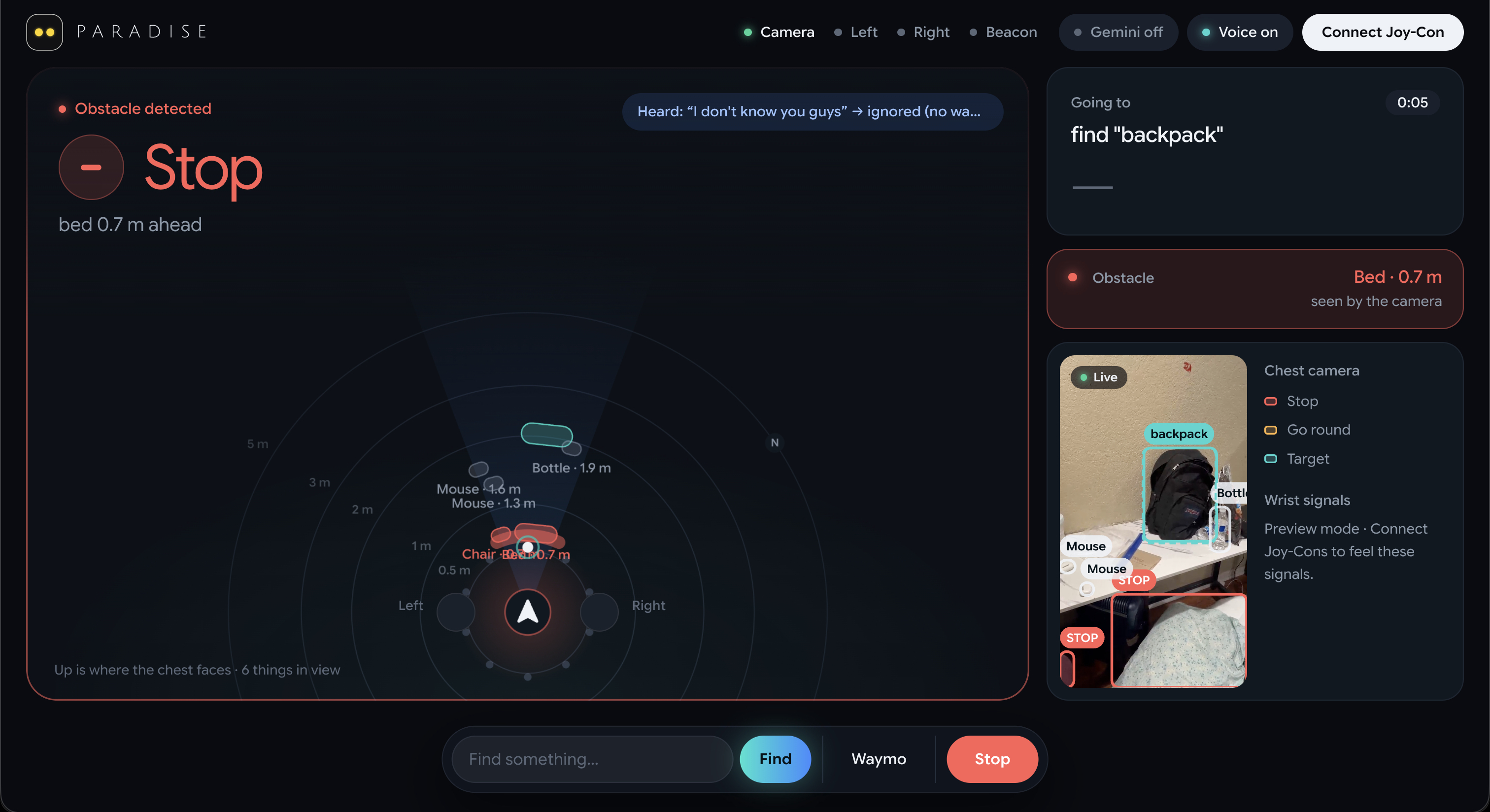
- If Paradise detects a person or obstacle in the path, the walk signal stops until the way is clear.
- An optional "Speak for the audience" mode narrates live progress through the laptop speakers, so people watching can follow along. The wearer still receives guidance only through the Joy-Cons.
How we built it
- Phone on the chest: YOLO runs on the phone to spot people, cars and obstacles in the wearer's path, and reads each car's colour. The camera streams live to the laptop over WebRTC.
- Finding objects: On the laptop, YOLOv8n looks for the requested object in the live video, following the approach of the open-source Lumen project: an object only counts once it appears in 3 of the last 5 frames, and its distance is estimated from its usual size.
- Finding the car: We trained a small classifier on CLIP features of openly licensed Waymo photos to pick out the target car. Paradise follows sidewalk routes instead of sending the wearer in a straight line.
- Gemini: Gemini turns a request like "something to drink" into an object the camera can search for and understands spoken commands. When the wearer seems to be right next to the object, it looks at a camera photo to confirm it's really within arm's reach before the arrival signal.
- Wrist guidance: Two Joy-Cons deliver the three steady signals. The wrist gives the direction, and a double buzz means arrival.
- Laptop dashboard: A live page shows the camera feed, what Paradise detects and which signal the wearer receives. It also helped us debug the system.
- ElevenLabs: We built optional live narration for the audience. When Paradise reaches states such as "going to the bottle," "found the bottle," or "at the bottle," the laptop generates a short spoken update with ElevenLabs. Repeated lines are cached, and the browser's voice takes over if a request fails. This audio plays through the laptop speakers and never guides the wearer.
Challenges we ran into
- Our first vibration vocabulary was too large and hard to follow. We cut it down to three steady signals for left, right and forward, with a double buzz for arrival.
- Deciding when someone had truly arrived was harder than simply finding an object. From a chest-mounted camera, a bottle could look close while still being out of reach. We added distance estimates based on the object's real size and a Gemini photo check before sending the arrival signal.
- Object detectors were good at spotting people but missed some obstacles, such as a box on the floor. We added a depth model as another layer of detection.
- Keeping the phone, laptop, cloud services and two Joy-Cons in sync was difficult. A walk signal has to stop quickly when something enters the path.
- There is no public Waymo API for our prototype, so a second phone represents the car's location and the ride status is simulated. We make that clear in the demo.
Accomplishments that we're proud of
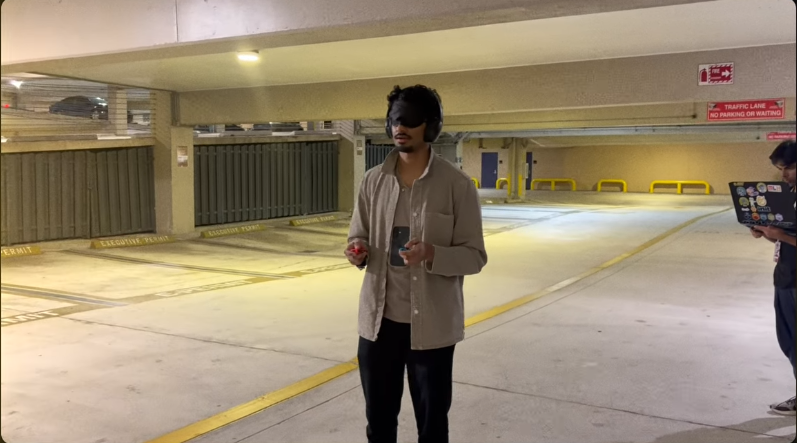
- A tester wearing a blindfold and ear defenders found a water bottle and walked to a car using vibrations for guidance, while keeping a cane in hand.
- The wearer completed the demo without hearing instructions or looking at a screen. The AI worked behind the scenes, and the guidance arrived through touch.
- We improved the arrival signal so Paradise checks whether the target is within arm's reach before telling the wearer they've reached it.
- We built a way for the audience to follow the experience through optional live narration on the laptop, without adding audio to the wearer's guidance.
What we learned
- Three steady signals were easier to follow than our earlier, larger vocabulary.
- Finding an object in a camera frame isn't the same as getting a person close enough to reach it. Arrival needs its own check.
- Where a model runs matters. Time-sensitive detection runs on the phone, object finding runs on the laptop, and Gemini helps interpret requests and confirm the final approach.
- Trying the prototype with a blindfold and ear defenders exposed design problems we hadn't noticed. The next step is to learn directly from people with lived experience of combined visual and auditory impairments.
What's next for Paradise
- Work with people who have visual impairments or combined visual and auditory impairments, then improve the design based on their feedback.
- Connect to a real ride service so the car's location and arrival status are live.
- Move more processing onto the phone so the laptop isn't needed.
- Support more everyday tasks, such as finding a door, an empty seat, or a crosswalk button.
Built With
- chrome
- clip
- cloudflare
- depth-anything-v2
- deviceorientation-api
- geolocation-api
- google-gemini-api
- grounding-dino
- html
- ios
- javascript
- mediapipe
- nintendo-joy-con
- node.js
- onnx-runtime
- openstreetmap
- osrm
- safari
- transformers.js
- web-speech-api
- webassembly
- webgpu
- webhid
- websocket
- yolov10s


Log in or sign up for Devpost to join the conversation.