-
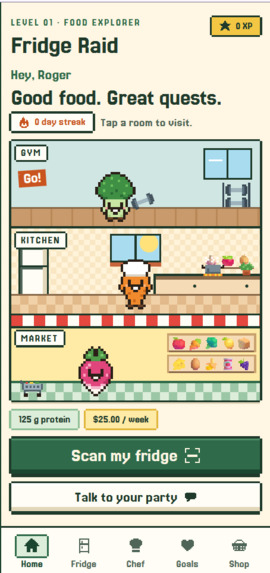
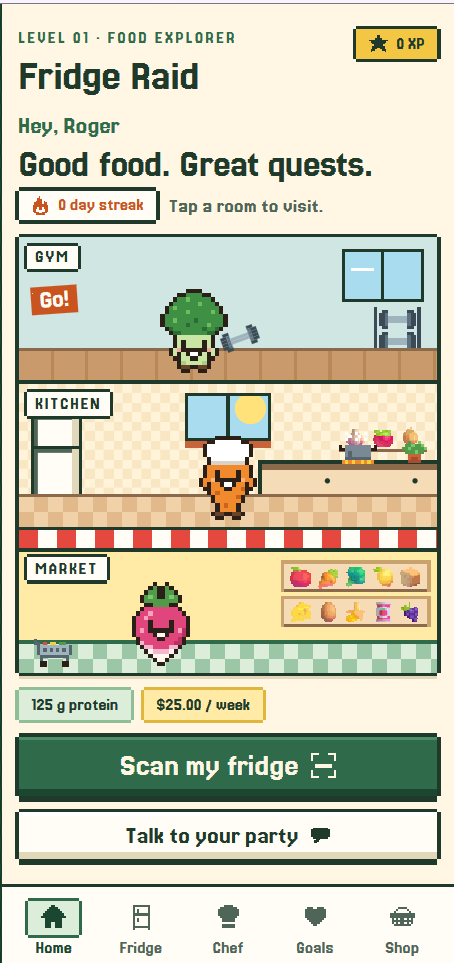
Home page
-
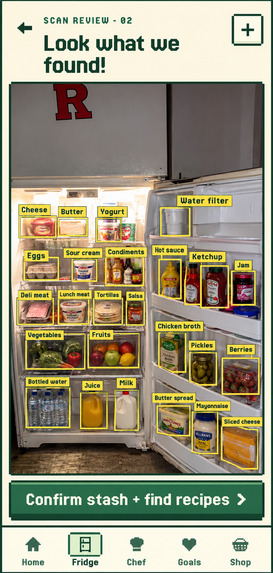
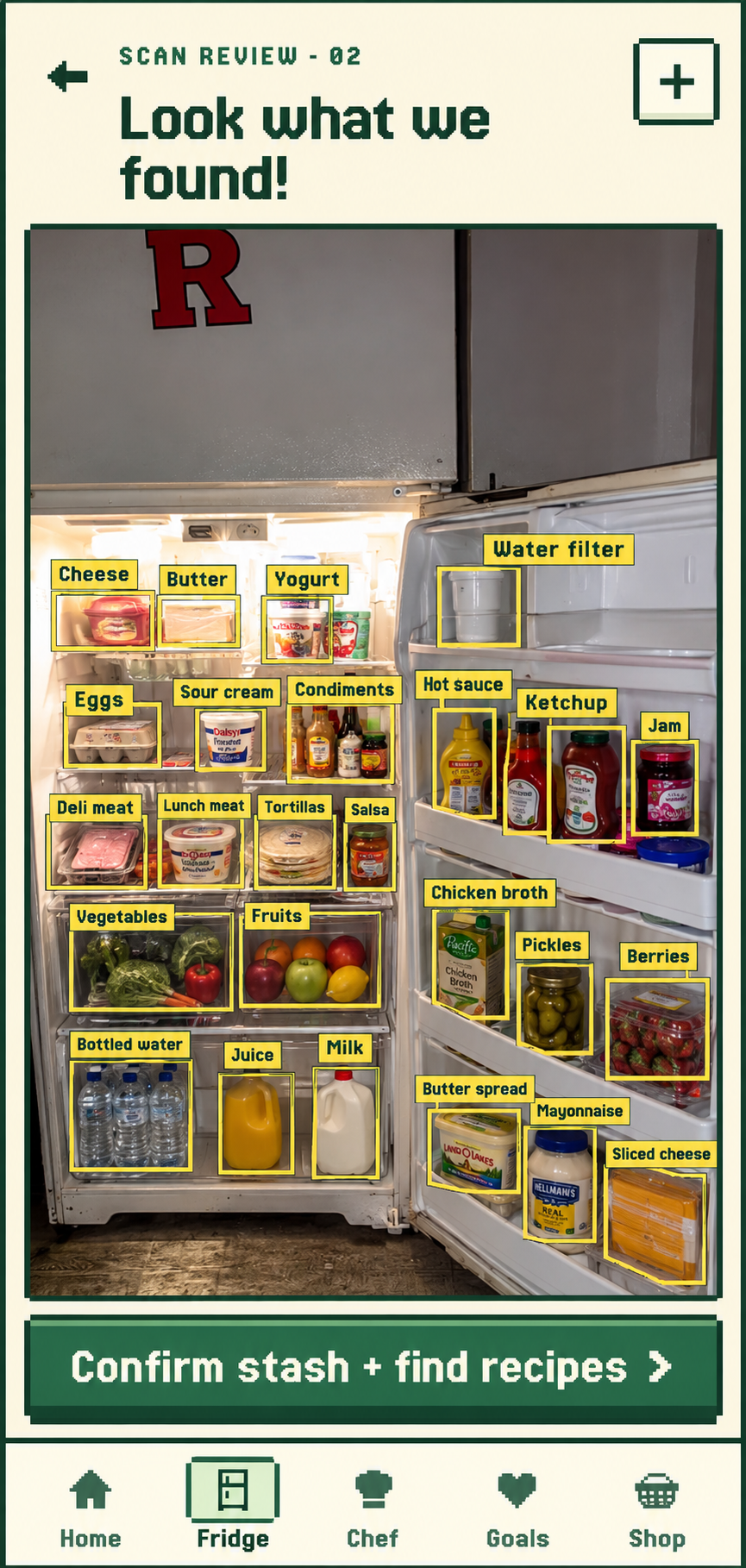
Fridge Scan and ingredients detection
-
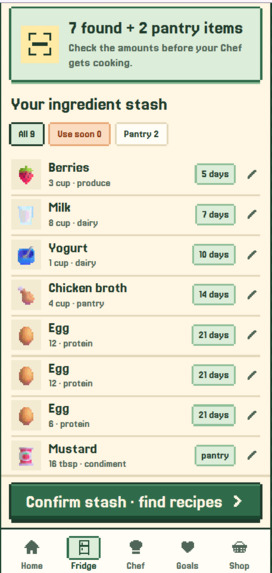
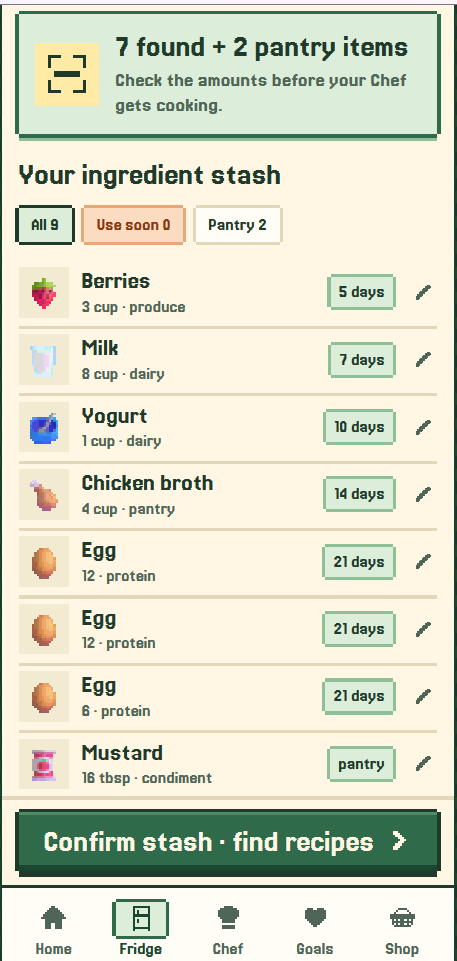
Fridge Contents
-
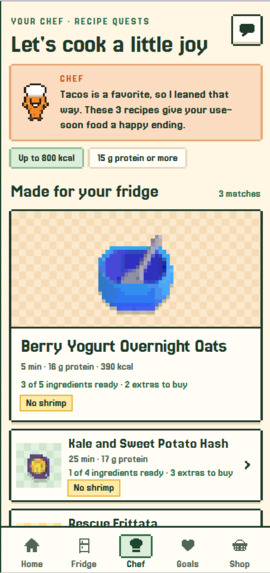
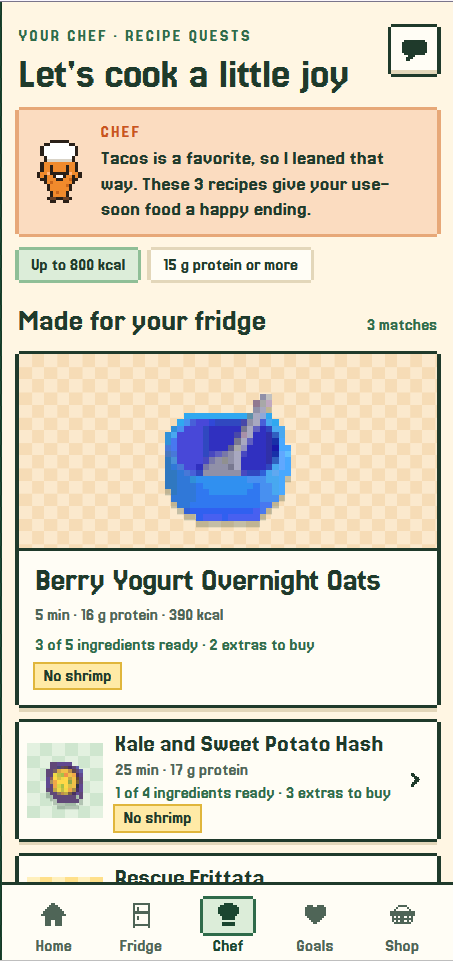
Chef Agent Recipe Suggestions
-
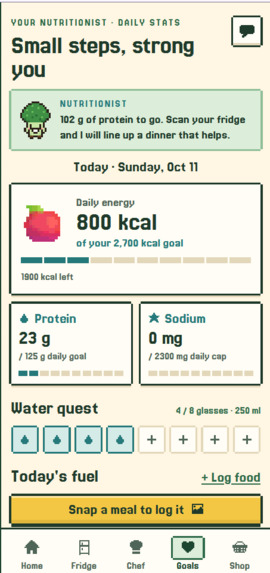
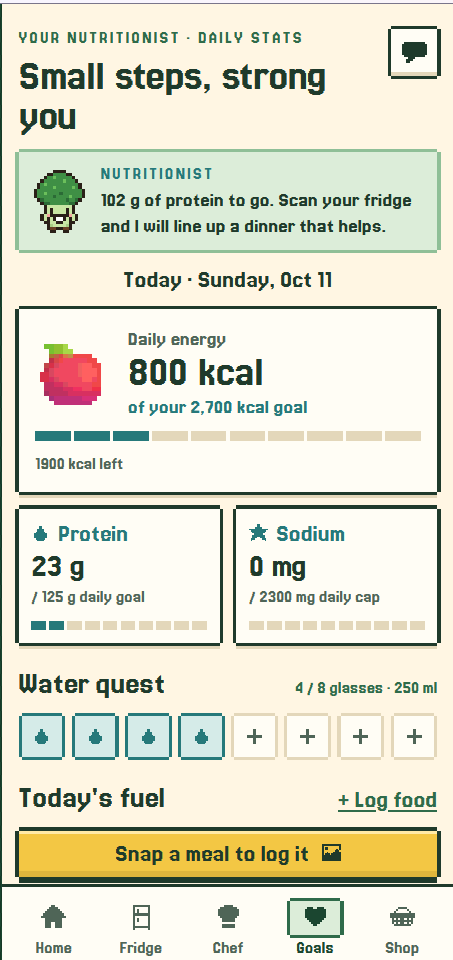
Nutricionist Agent Tab
-
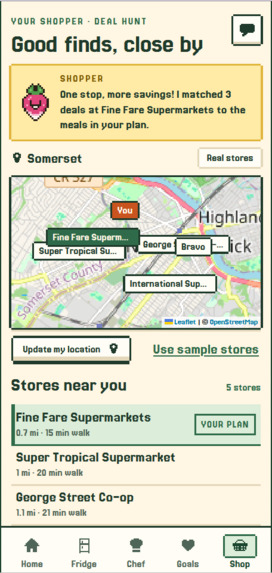
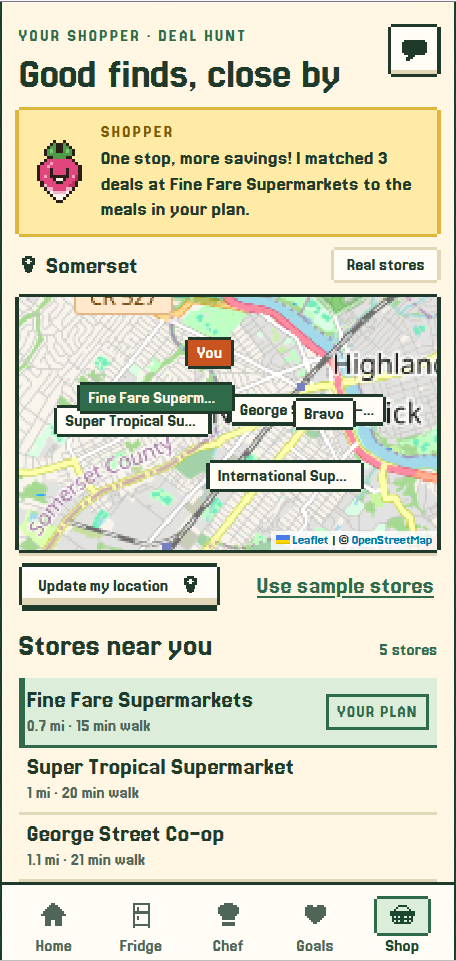
Shopper Agent looking for grocery stores and best deals
-
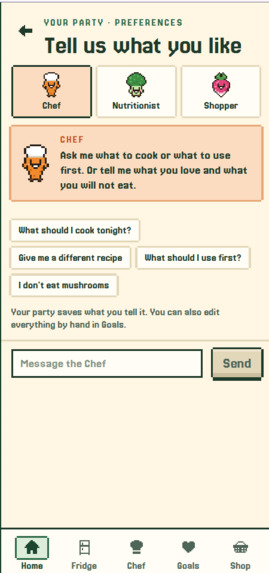
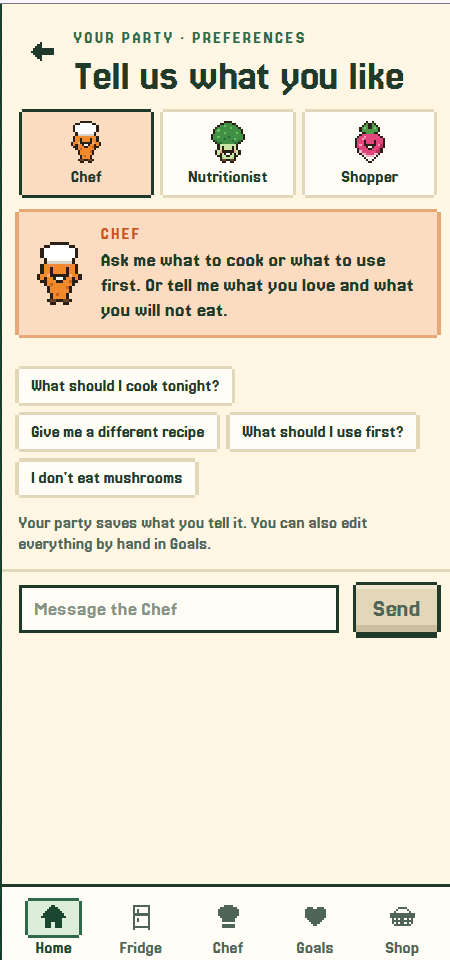
Agent Chat
-
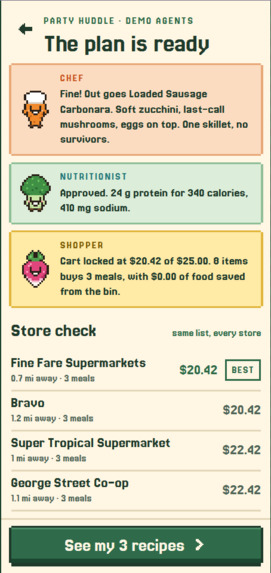
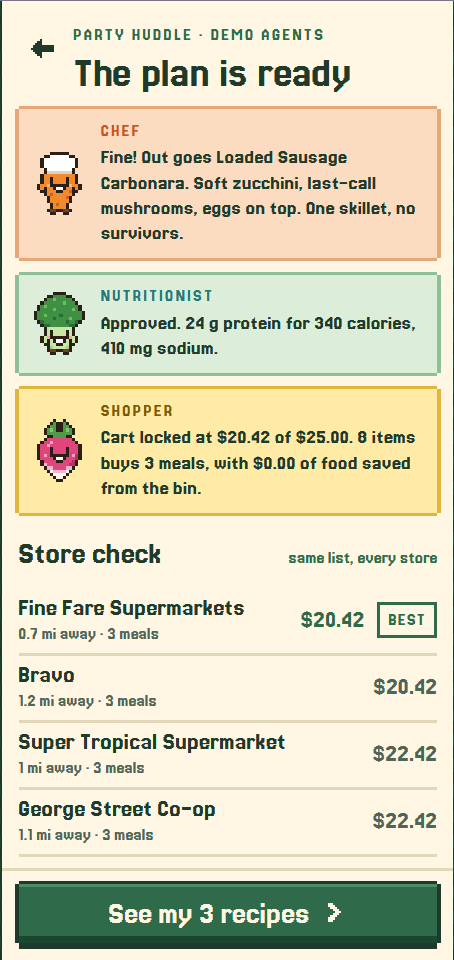
Plan Found
Inspiration
Most people throw food away for the same boring reason: they forget what is in the fridge until it has gone bad. Planning meals around what you already have, your nutrition goals and a budget is three chores at once, so nobody does it. I wanted to turn that chore into something you would actually open: a little game with a party of helpers who do the planning for you.
What it does
Fridge Raid is a phone-first web app with three AI agents who live in a three-floor pixel house.
- The Chef (a carrot, in the kitchen) builds recipes from what is already in your fridge, starting with the food that will spoil first, and leans toward the foods you love.
- The Nutritionist (a broccoli, in the gym) sets daily calorie and protein goals, checks every recipe against them, and can veto a dish.
- The Shopper (a radish, in the market) finds real grocery stores near you and works out the single stop that completes your meals for the least money.
The flow:
- The agents greet you and take turns asking about your favorite foods, foods to avoid, how you eat, your height and goal, your location and your budget.
- You take a photo of your fridge. Gemini vision lists what it sees, estimates days left, and the app draws a box around each item it found.
- The agents plan on screen. The Chef pitches dishes, the Nutritionist approves or vetoes them, the Chef revises, and the Shopper prices the list at every nearby store.
- Each recipe shows why it was picked ("You love tacos", "Uses your spinach before it spoils"), what you still need, and where to buy it.
- Cooking a recipe logs the meal, updates the fridge and earns XP. You can also log a meal from a photo.
- You can chat with each agent. Ask the Chef for another recipe, tell the Nutritionist you drank water, or have the Shopper add eggs to your grocery list, and the app updates.
How I built it
- Agents: Google Gemini through the
google-genaiSDK with structured output, so every reply is validated against a schema before the app uses it. - Backend: Python and FastAPI. The planning round streams to the phone live over Server-Sent Events.
- Data: Tiger Data (managed Postgres with TimescaleDB). The fridge, profile, plan and grocery list live there, and the food log and cooking history are stored as hypertables, since both are time series. The same code falls back to a local SQLite file when no database is configured.
- Optimizer: the shopping plan is not a prompt. One pack of an ingredient can unlock several dishes, so the code checks every subset of candidate dishes at every store and ranks by food rescued, then meals, then cost, then distance.
- Frontend: React, TypeScript and Vite, installable to the home screen.
- Pixel art: the characters, icons and rooms are hand-authored pixel grids drawn as SVG. Food icons are emoji redrawn on a 16 pixel canvas and scaled up with hard edges, so there is no asset pack.
- Stores: real store names and locations come from OpenStreetMap, shown on a Leaflet map.
- Testing: about 200 backend tests, about 80 frontend tests, and an automated phone walkthrough in Playwright.
Challenges
- A model that is sometimes busy. During the hackathon Gemini often returned "high demand". I added a fallback chain across several Gemini models, and a rule-based version of every agent that takes over a single step if the model fails, so a plan always finishes.
- Trusting model output. A vision model can return odd units or impossible numbers. Everything is clamped and matched to a grocery catalog before it reaches the plan.
- Making it work on a real phone. Camera and location only work over HTTPS, and iPhones reject a certificate that does not name the exact address, which took a while to track down.
- Scope, solo. I rebuilt the interface from a desktop page into a phone app partway through, and added setup, chat, location and a demo mode in the last hours.
- One storage layer, two databases. I wrote the data layer to run on both SQLite and Postgres so I could build offline and switch to Tiger Data late. It connected and passed every operation on the first try, which I did not expect.
What I learned
- Letting an AI propose and plain code decide is far more reliable than asking a model to do arithmetic. The agents argue, but the optimizer and the validators have the final say.
- Designing a fallback for every model call changed how I structured the whole backend, and it is the reason the demo is dependable.
- Small touches matter. Showing why a recipe was chosen made the agents feel like they were listening.
What's next
- Real grocery prices. Store names and locations are real, but prices and deals are sample data today.
- Accounts, so more than one person can use it.
- Reuse database connections. Each request opens a new one today, which adds about a second to a chat reply.
- Unit conversion, and certified kosher and halal data. Those two diets are currently checked by ingredient only.
Built With
- css3
- fastapi
- gemini
- google-genai
- html5
- leaflet.js
- openstreetmap
- overpass-api
- playwright
- postgresql
- pwa
- pydantic
- pytest
- python
- react
- server-sent-events
- tigerdata
- timescaledb
- typescript
- vite
- vitest

Log in or sign up for Devpost to join the conversation.