-
-
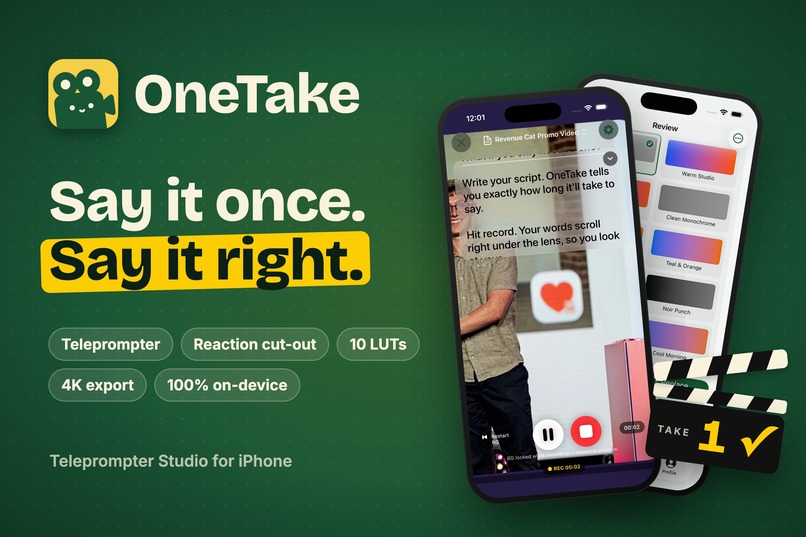
OneTake — Say it once. Say it right.
-
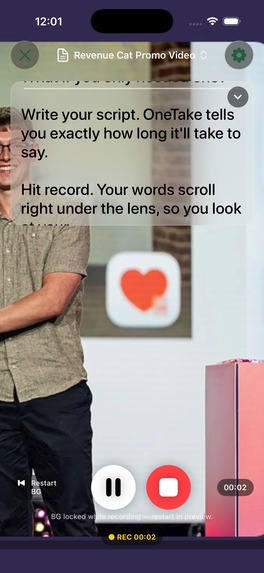
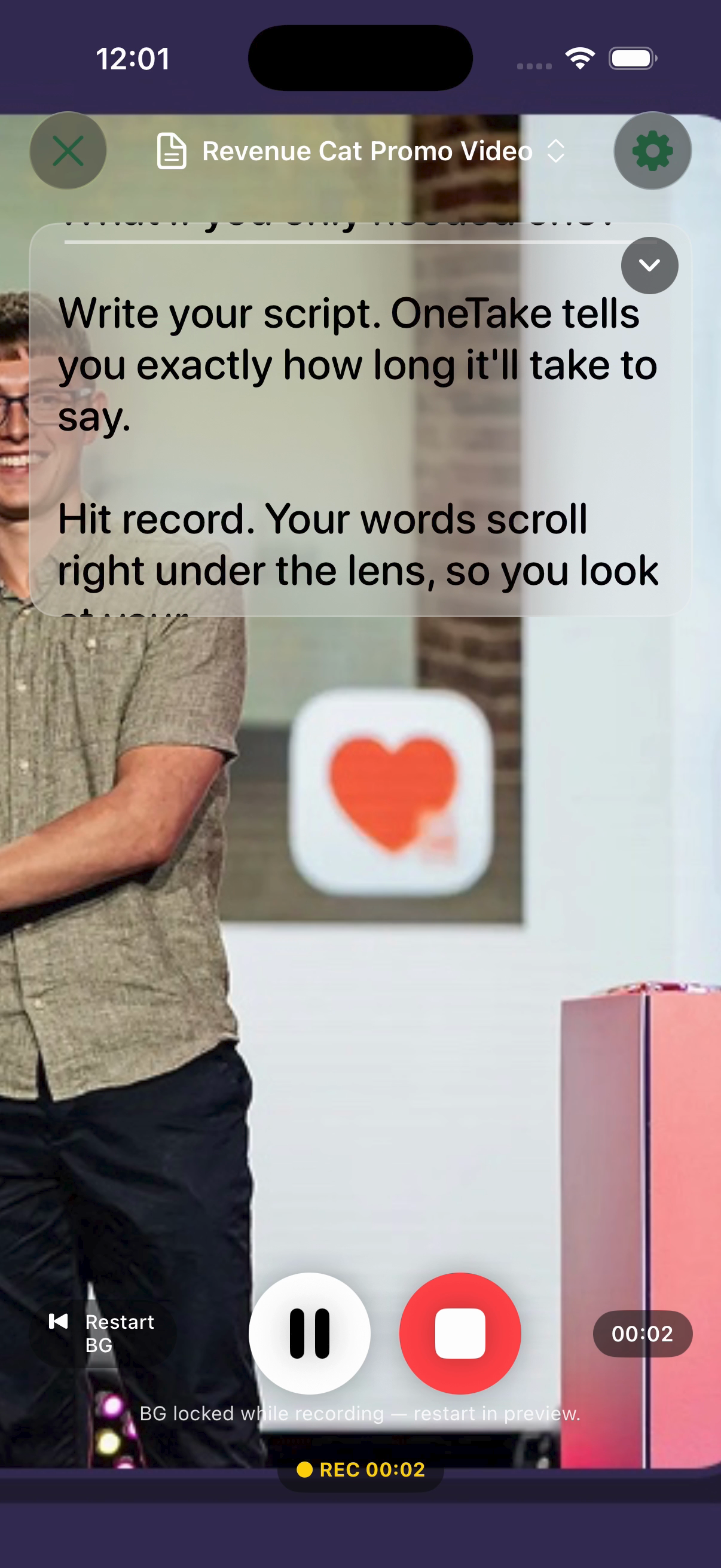
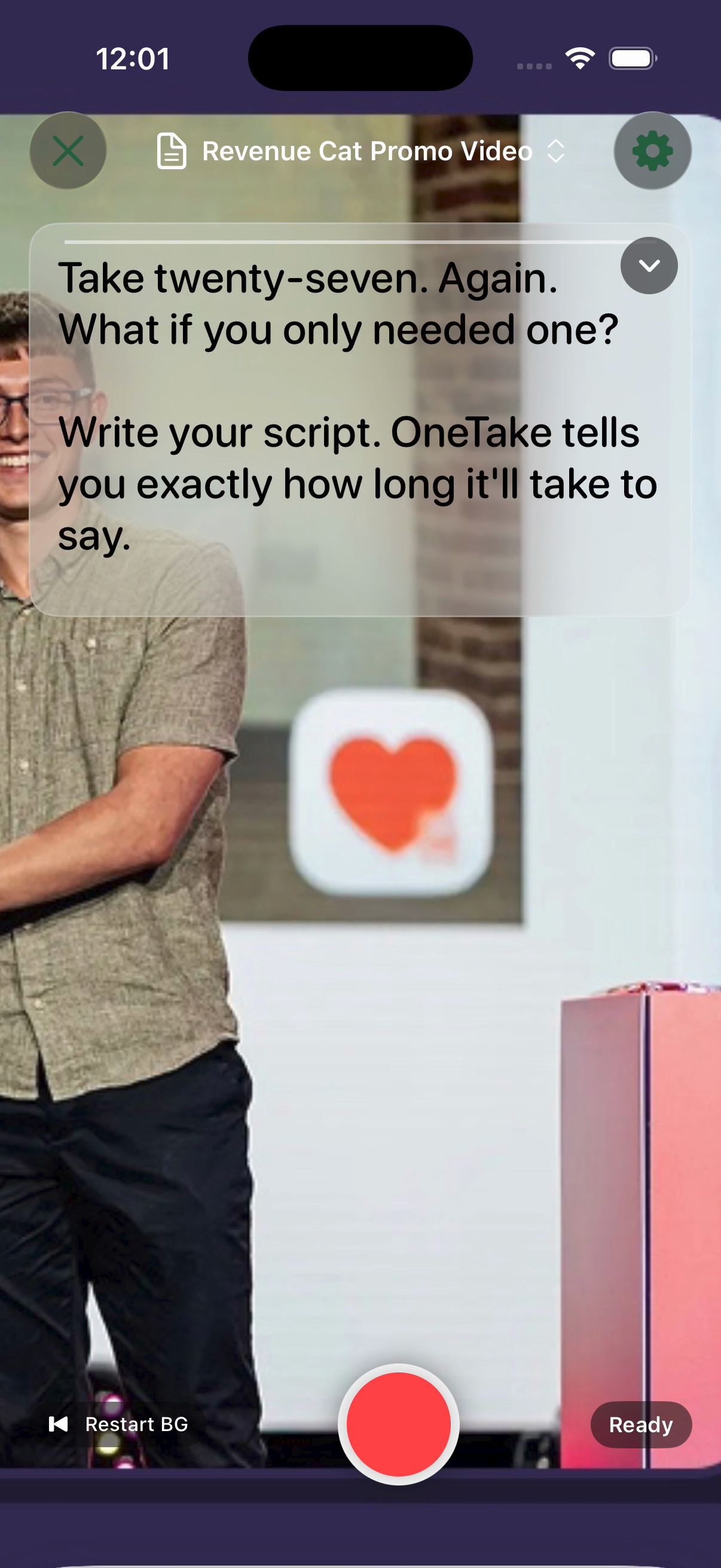
Recording with your script scrolling right under the lens
-
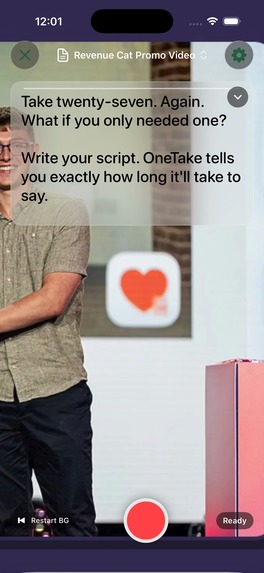
Reaction Studio: you, cut out over any clip. No green screen.
-
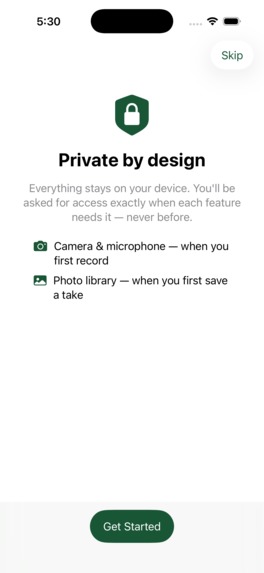
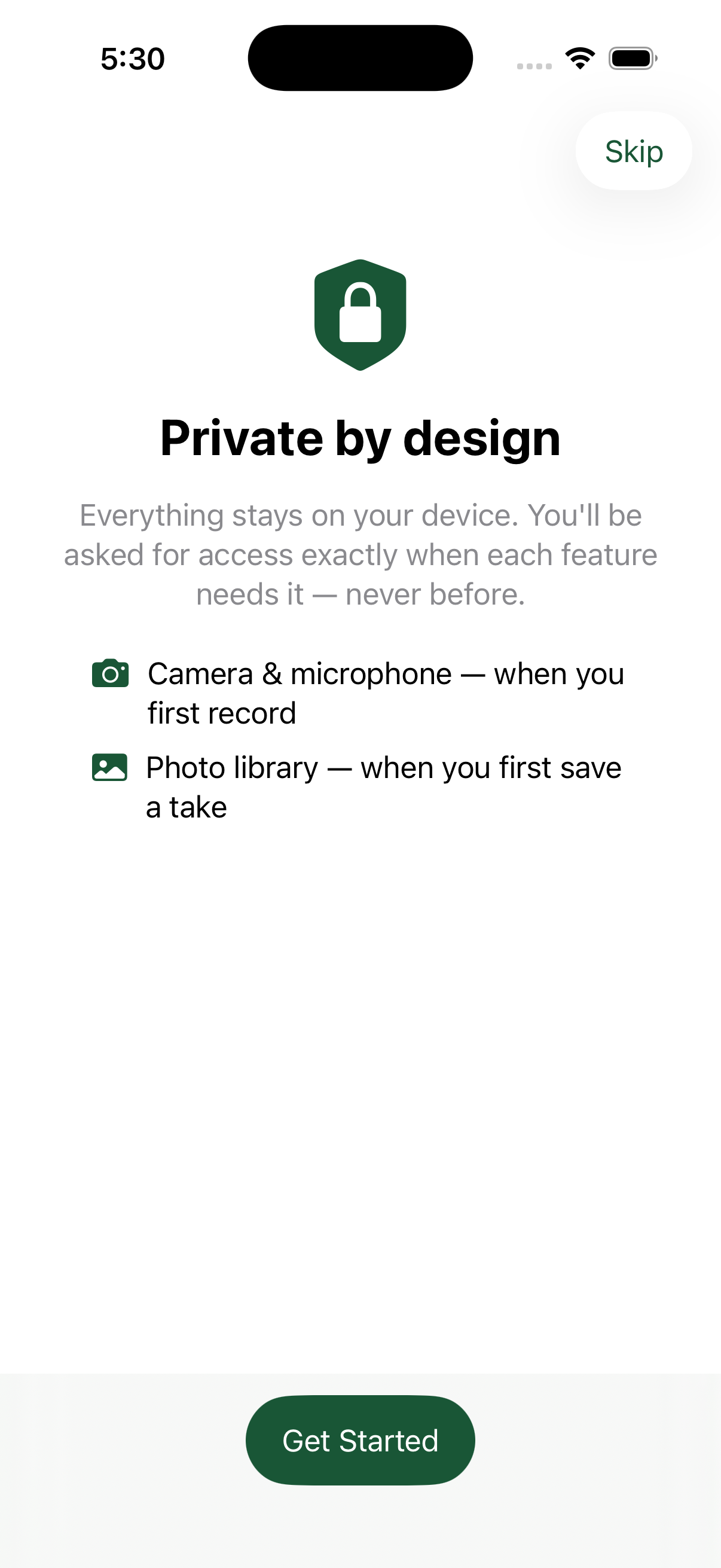
Private by design: camera, mic and Photos access is only requested when a feature needs it
-
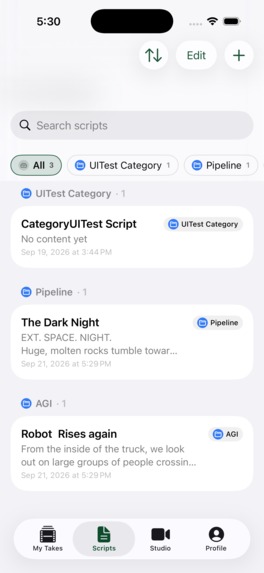
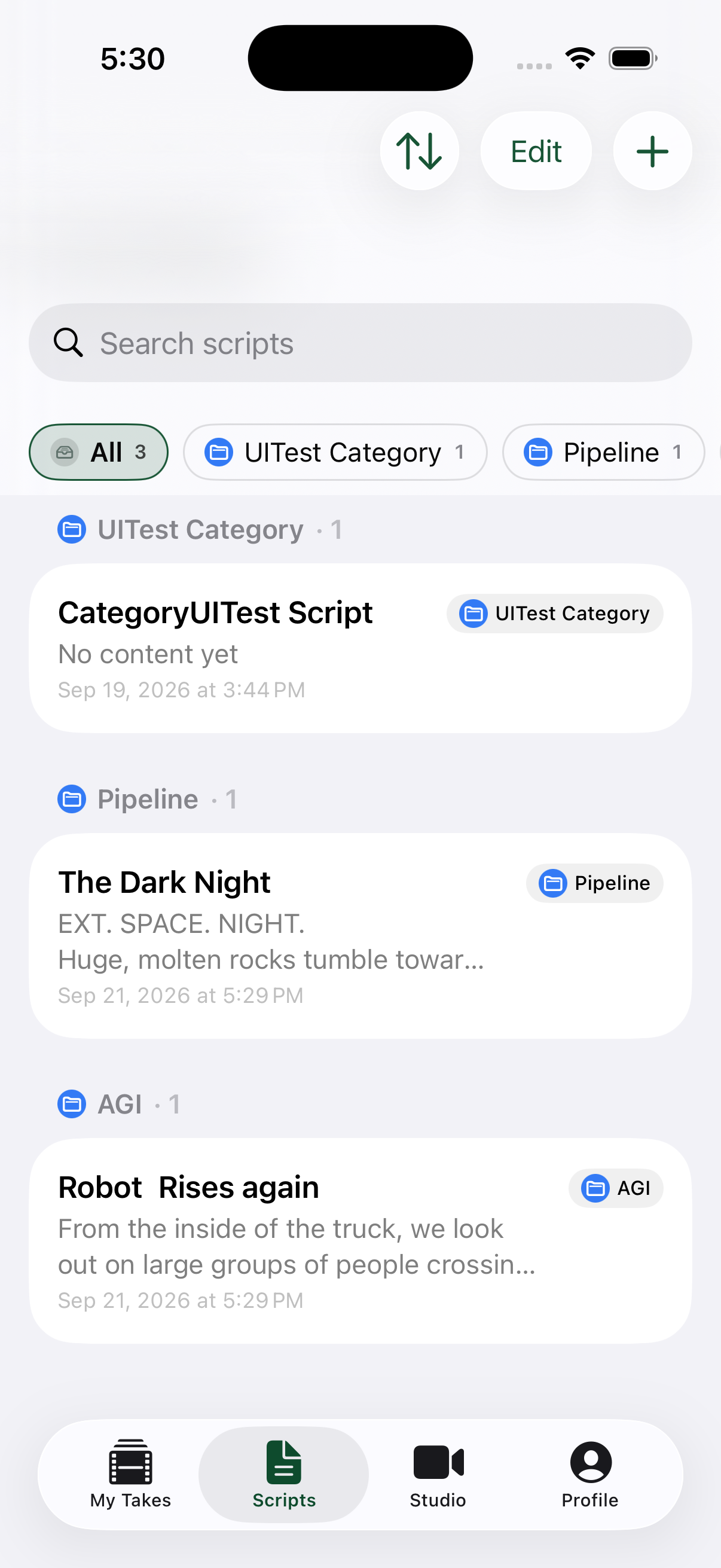
Script library with categories, search and sorting
-
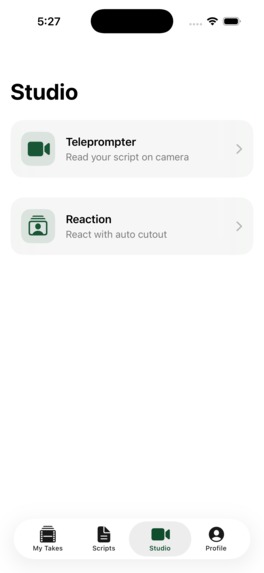
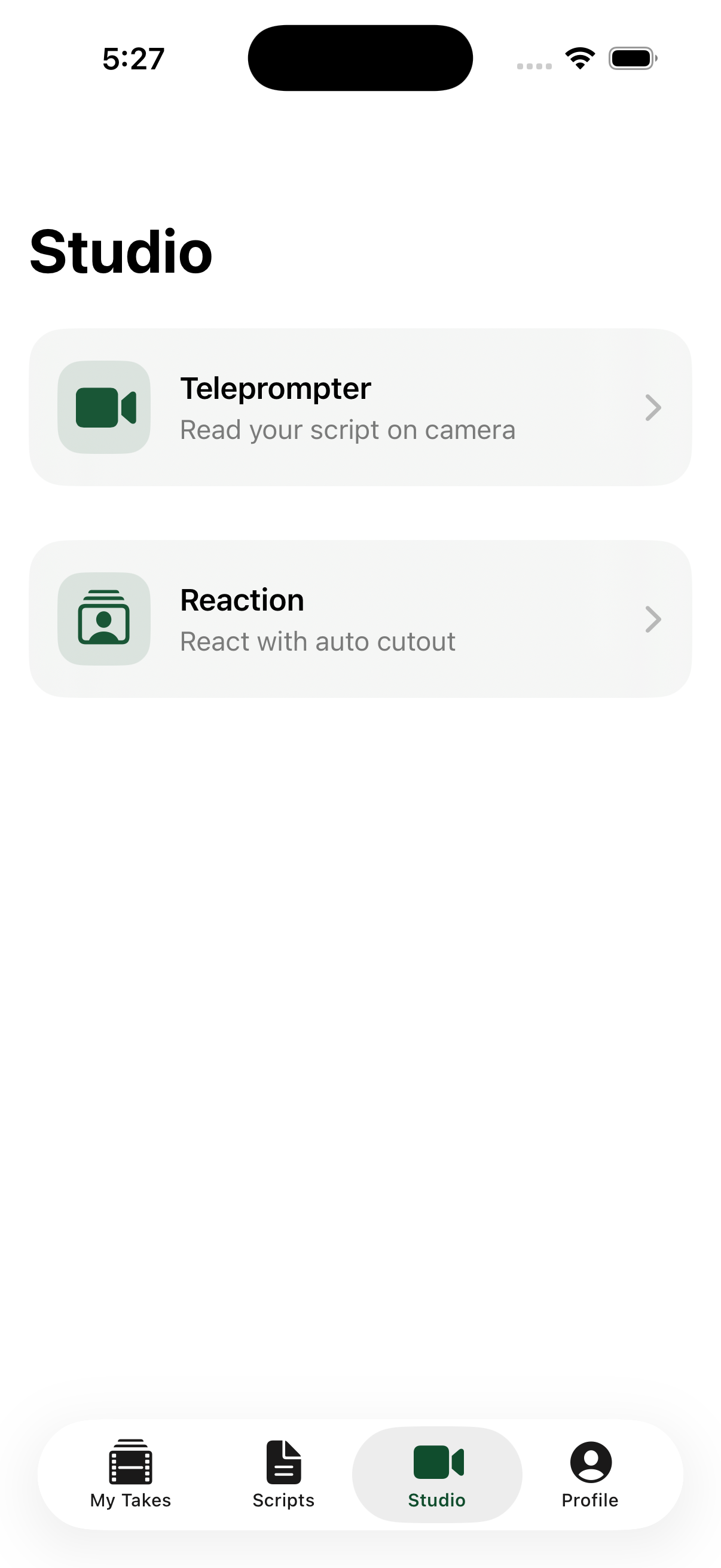
Studio: choose the Teleprompter or the Reaction studio
-
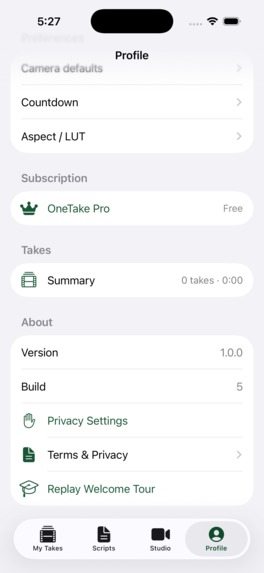
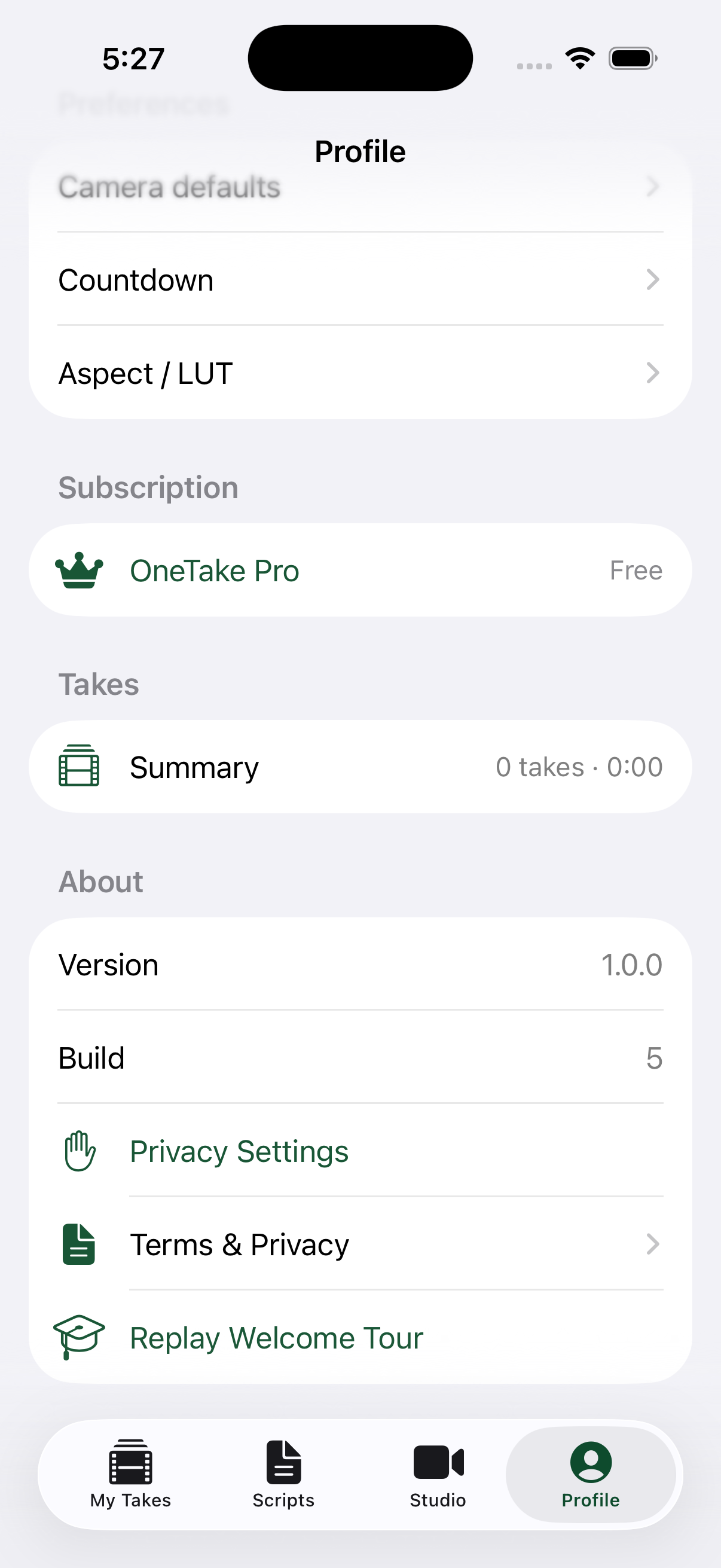
Profile: OneTake Pro status, takes summary and settings
-

OneTake app icon (1024×1024)
-
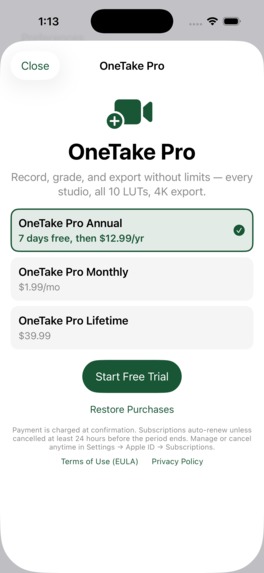
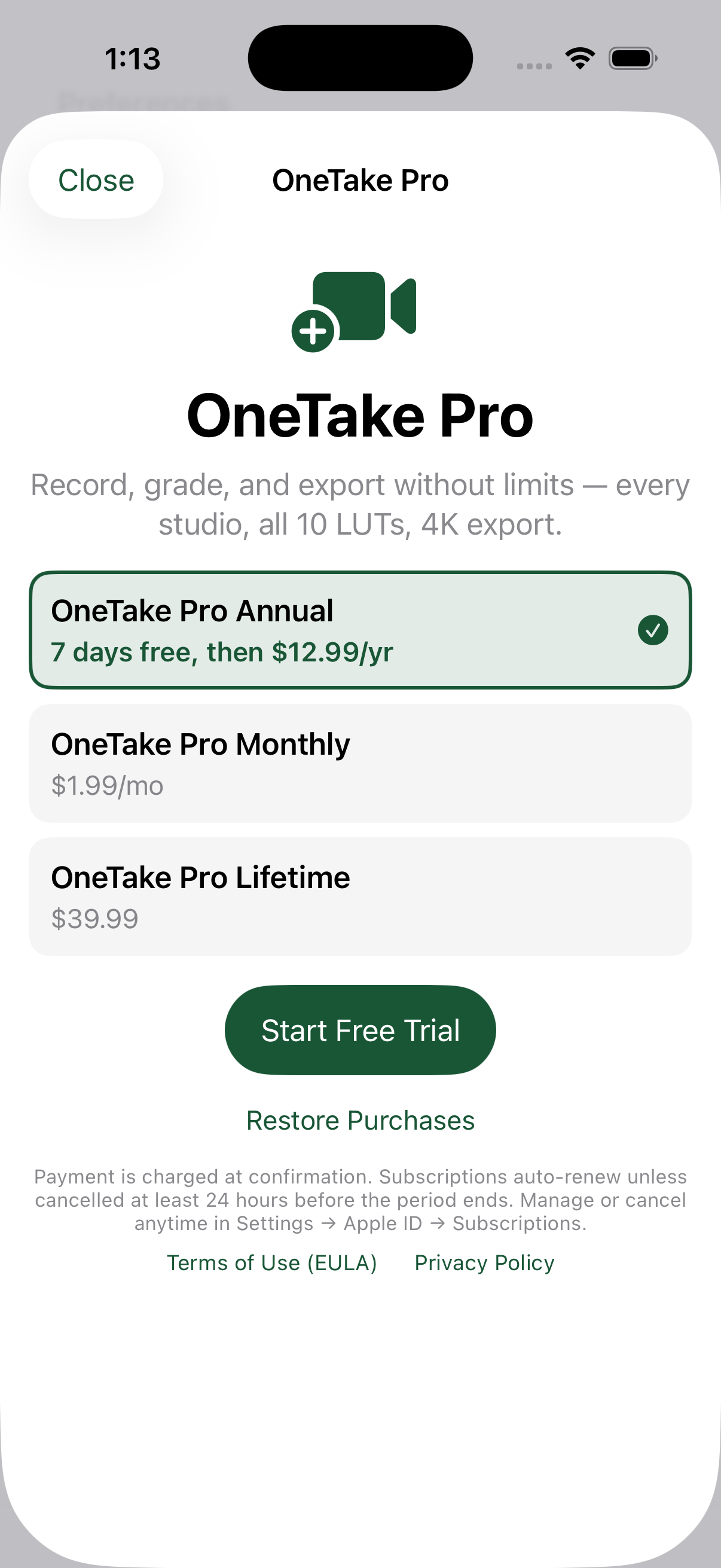
OneTake Pro, powered by RevenueCat: 7-day free trial, monthly or lifetime
-
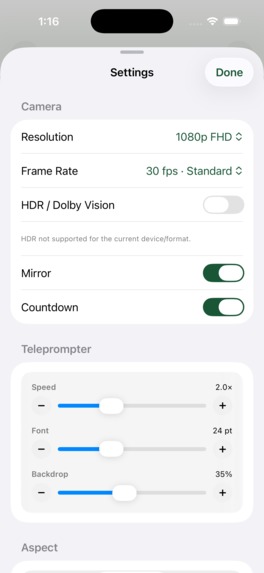
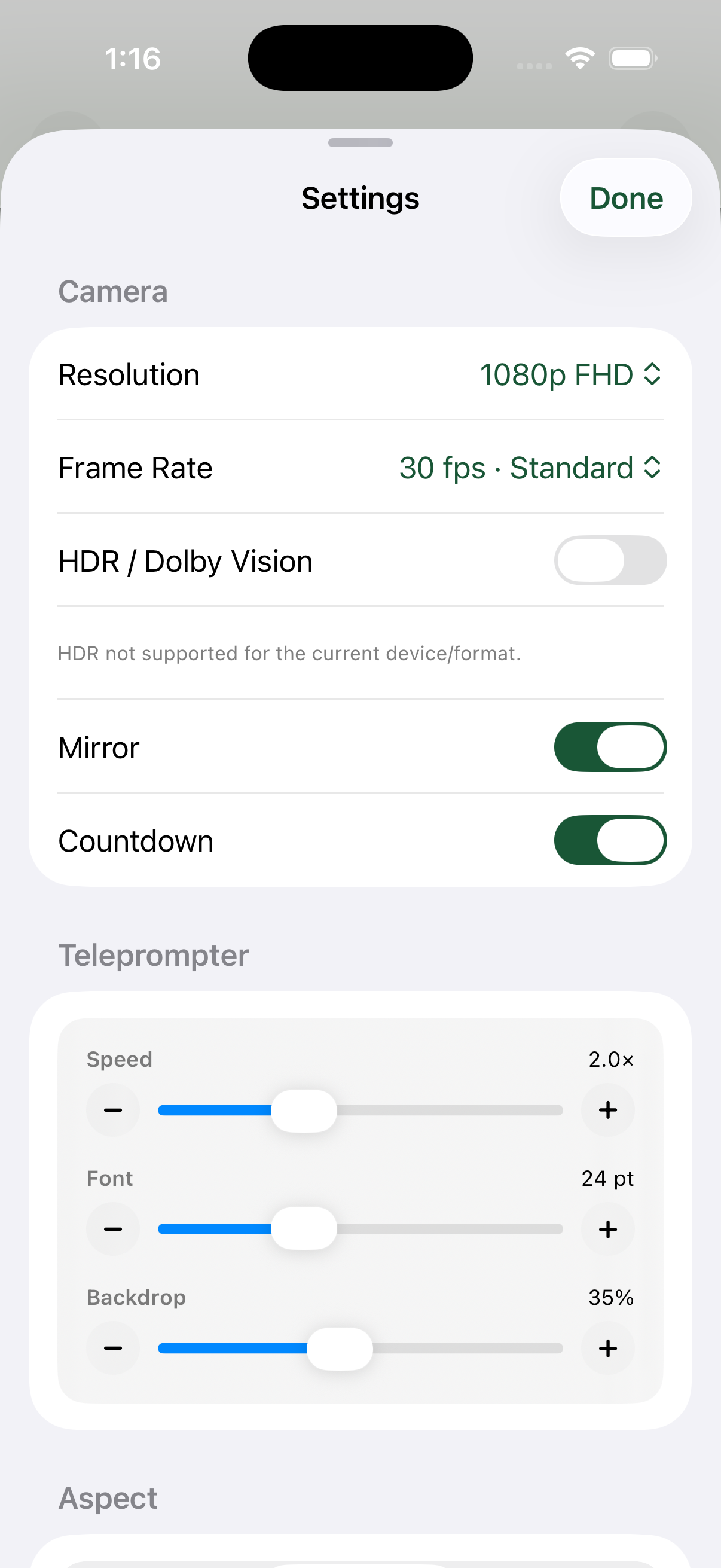
Tune prompter speed, font size and backdrop opacity
-
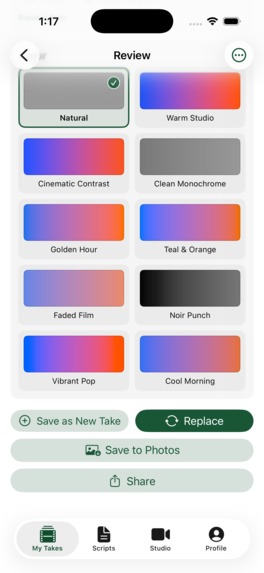
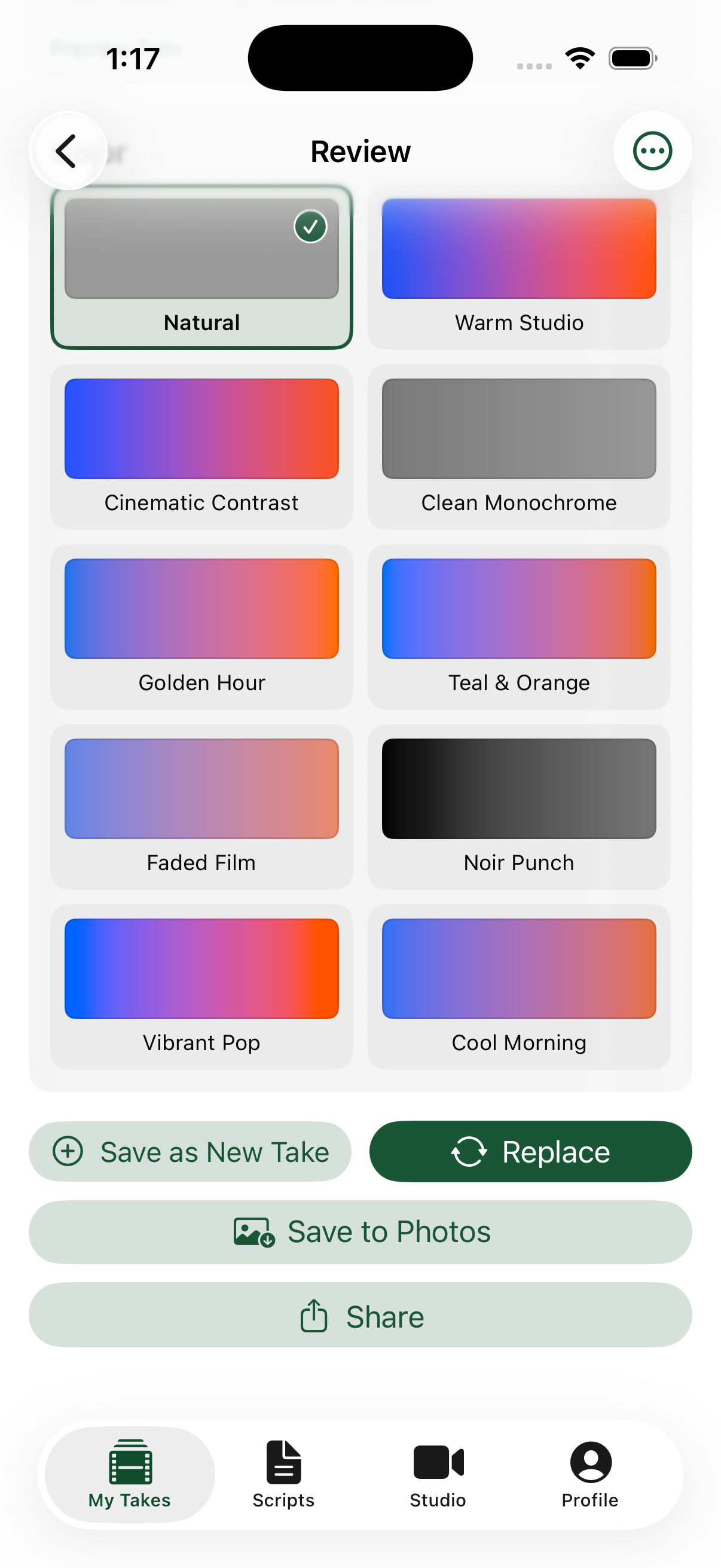
10 built-in color grades (3D LUTs), previewed live
-
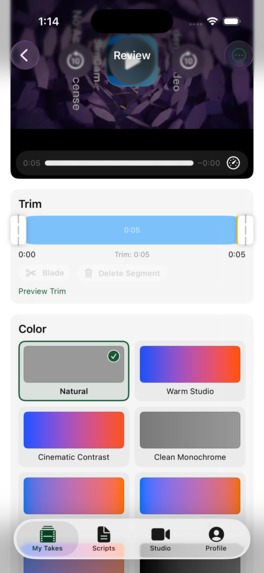
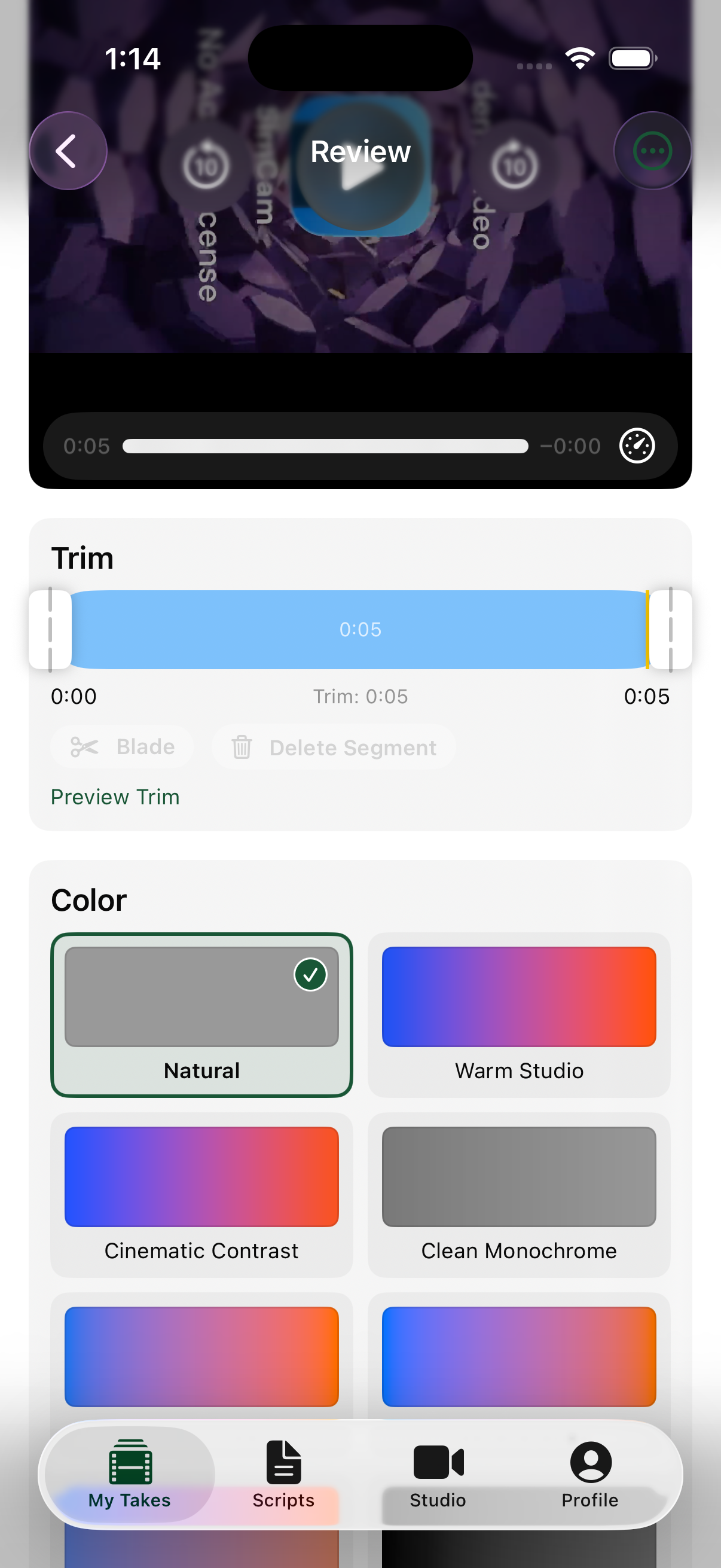
Review: trim, blade-split and delete the stumble

Inspiration
You've been there. You're recording a 30-second video: a birthday message for a friend, an intro for a job application, a quick Instagram Story. Halfway through, your mind goes blank. You glance down at your notes, look back up, and now you look like you're reading a hostage statement. Delete. Try again. Twenty takes later, the energy is gone.
Ever wondered how news anchors sound so smooth? They haven't memorized anything. The words are sitting right in front of the lens. We wanted everyone to have that trick in their pocket.
The tools we found weren't much help. Teleprompter apps made us move the file to a separate editor for trimming and color. Some wanted an account and uploaded our footage to the cloud. Many cost $8–10 a month. We wanted one app, fully on the phone, that goes from script to finished video. Our tagline became "Say it once. Say it right."
What it does
OneTake: Teleprompter Studio is live on the App Store. It's an offline-first teleprompter and camera for iOS with a built-in Reaction Studio. It covers the whole short-form video workflow in four tabs:
- Write: A script library with categories, search and sorting. It shows a live word count and an estimated read time, so you know how long a script will take to say.
- Read & Record (Studio): The front camera records while your script scrolls right under the lens, so you keep eye contact with your audience. You can adjust speed, font size and opacity, and there's a countdown, aspect-ratio masks, pause/resume with a Live Activity, and automatic quality downgrade when the phone gets hot.
- React (Reaction Studio): Pick any clip from Photos and OneTake cuts you out automatically with person segmentation, no green screen needed. Drag and resize yourself over the clip, and your voice is mixed with the clip's audio.
- Edit & Grade (Review): Trim with two handles, blade-split at the playhead, delete the stumble (with undo), and grade the video with 10 built-in 3D LUTs. Each LUT shows a live preview swatch rendered from the real color cube.
- Export: Export in up to 4K straight to Photos or the Share sheet.
No account and no cloud. Your videos never leave your phone.
OneTake Pro is powered by RevenueCat: a 7-day free trial on Annual ($12.99/yr), Monthly ($1.99/mo) or Lifetime ($39.99). Annual works out to about \( \$12.99 / 12 \approx \$1.08 \) a month, so we're the affordable option on purpose. The app never blocks launch or your library. Without Pro you get a view-only mode, and recording and exporting are where the paywall appears.
How we built it
- UI: 100% SwiftUI with the Observation framework (
@Observable), a 4-tabTabView(.sidebarAdaptable)with a separateNavigationStackpath per tab, and Liquid Glass on iOS 26. - Persistence: SwiftData models (
Script,Take,ScriptCategory) with versioned schemas and lightweight migrations. Takes store relative file paths so they survive app-container moves. - Capture:
AVCaptureSessionfor Studio, plus a separate movie-capture pipeline for Reaction Studio. Vision person segmentation handles the cut-out, and a custom compositor and audio mixer build the final clip. - Editing & color: Blade edits are stored as non-destructive segment ranges. Export builds an
AVMutableComposition, adds anAVVideoCompositionwith Core Image'sCIColorCubeonly when a LUT is applied, and otherwise passes the video through untouched. We wrote a.cubeparser for Adobe text and raw binary formats, and a small Python tool that generates our parametric 32³ LUTs. - System integration: App Intents, ActivityKit Live Activities, haptics and full VoiceOver support.
- Monetization: The RevenueCat
purchases-iosSDK, our only third-party dependency. AProEntitlementServicecachesisProon the device so Pro keeps working offline, refreshes it on launch, on foreground, after a purchase or a restore, and listens tocustomerInfoStream. Entitlement checks sit at exactly two points: starting a recording and exporting. The paywall is step 3 of onboarding (skippable), and Profile has a OneTake Pro row with Restore Purchases. - Process: We built it spec-first with OpenSpec: every feature started as a proposal, then a design, spec deltas and tasks. We enforce SwiftLint and SwiftFormat with 0 violations and run a unit test suite covering blade editing, categories and the reaction pipeline.
Challenges we ran into
- Non-destructive editing on top of SwiftData. Blade cuts first shipped as a plain
[Double]array. Supporting deleted segments needed real segment ranges, and we had to migrate without breaking existing users' takes. We addedsegmentsJSONwith a fallback to the old format and clipped segments against the trim range at export time. - Real-time compositing for Reaction Studio. Segmenting a person frame by frame, placing them over a background clip that runs on its own timeline, and keeping audio in sync took a lot of work on timing and memory.
- A capture crash that appeared only on some session setups. We tracked it down and fixed it in the same release as our paywall plan-selection fixes.
- App Review. Our first submission was rejected (guidelines 2.1(b) and 3.1.2(c)): our in-app purchases hadn't been submitted with the build, and our metadata had no link to the Terms of Use (EULA). The App Store Connect draft-submission flow for first-time subscriptions isn't obvious. We learned it, added the EULA link and resubmitted everything together.
- A paywall that respects users. We wanted a real trial without blocking the app on first launch, and without losing entitlements when the phone is offline.
Accomplishments that we're proud of
- We built a full script → record → react → edit → grade → export pipeline that runs 100% on-device.
- Our reaction cut-outs need no green screen, and our LUT grades are real 3D color cubes rather than simple filters.
- The RevenueCat integration is clean: one entitlement, two checkpoints, offline-safe, with a 7-day trial and a Lifetime option for people who don't want subscriptions.
- The codebase has 0 lint violations, spec-driven docs and tests, so it's easy to keep building on.
What we learned
- RevenueCat saves weeks of work. Offerings, trials and entitlements set up in the dashboard, plus
customerInfoStream, meant we didn't have to write receipt validation or subscription-state logic ourselves. - A native free trial beats a homemade "10 free videos" counter. Apple enforces it once per Apple ID, it survives reinstalls, and we don't need extra code to count videos or show warnings.
- AVFoundation rewards doing less. Passing video through untouched when no grade is applied makes exports faster and keeps quality intact.
- Shipping includes App Store Connect. Getting through App Review is part of the job, not something to leave for the last day.
What's next for OneTake
- Voice-tracking prompter that scrolls at your speaking pace using on-device speech recognition.
- Auto-captions burned into exports.
- More LUT looks and custom
.cubeimport. - iPad and external-display prompter modes.
- RevenueCat Experiments to A/B test trial length and paywall copy, and a Customer Center for managing subscriptions in the app.
Built With
- activitykit
- app-intents
- avfoundation
- core-image
- ios
- remotion
- revenuecat
- swift
- swiftdata
- swiftui
- vision
- xcode
- zed

Log in or sign up for Devpost to join the conversation.