-
-
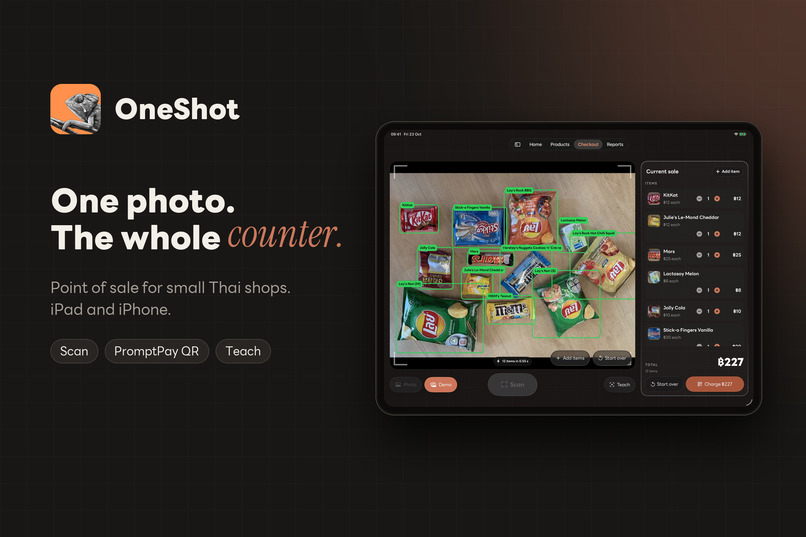
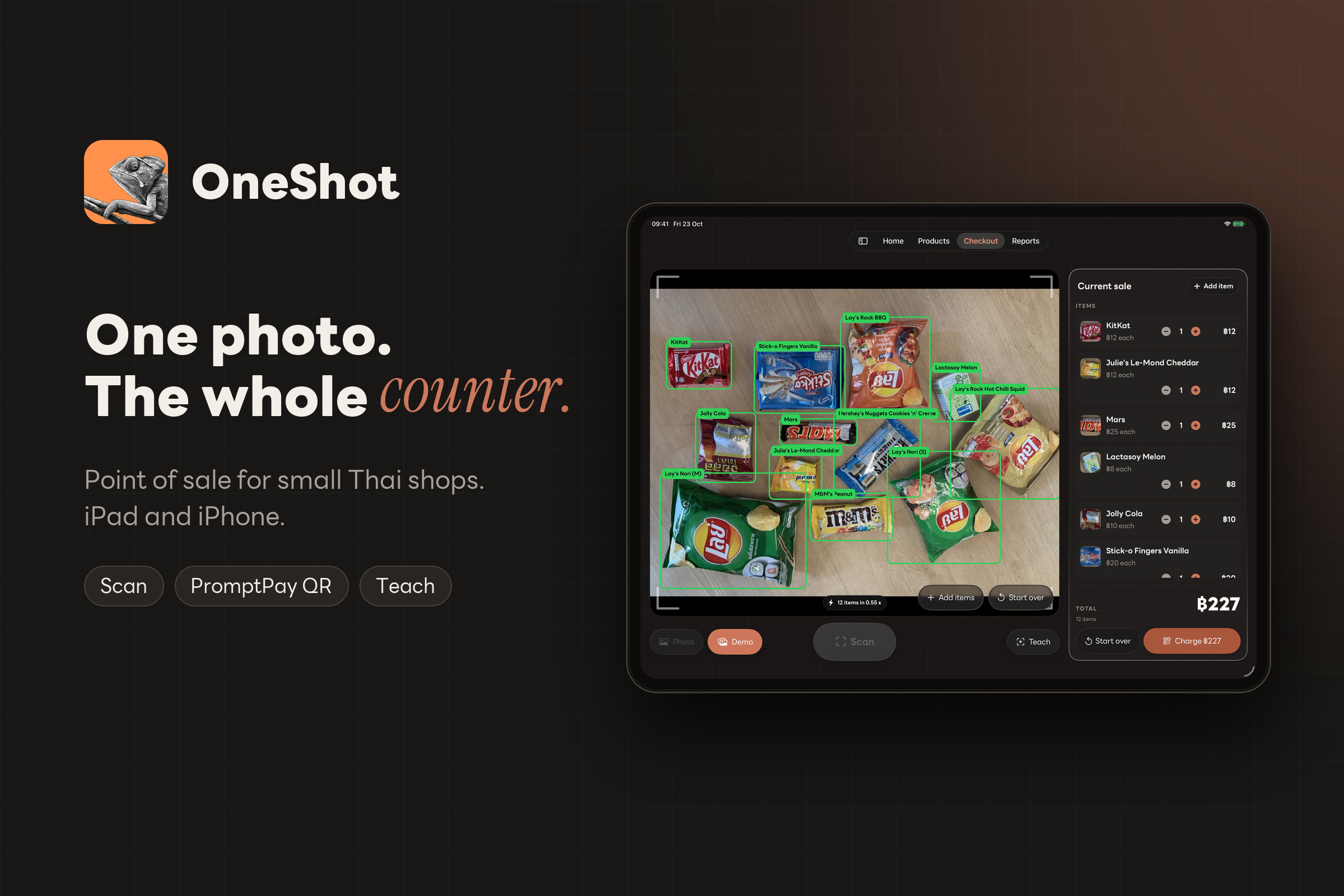
OneShot is a point-of-sale app for small Thai shops on iPad and iPhone. One photo of the counter rings up everything on it.
-
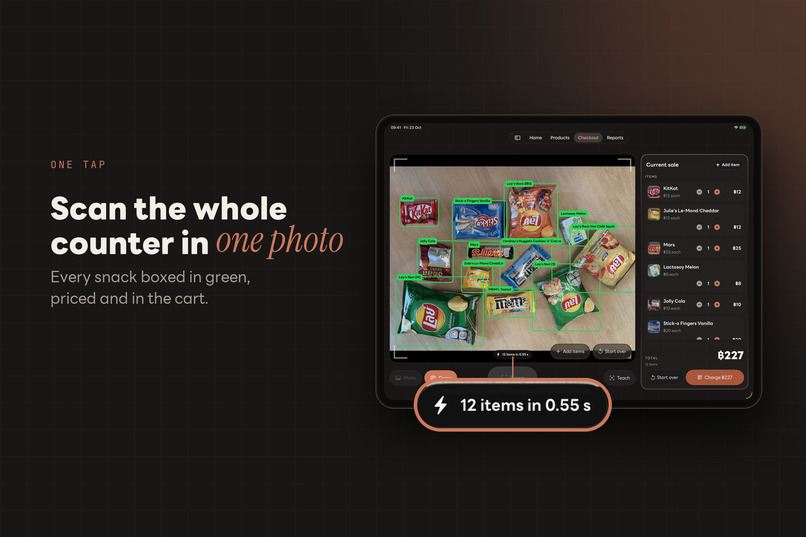
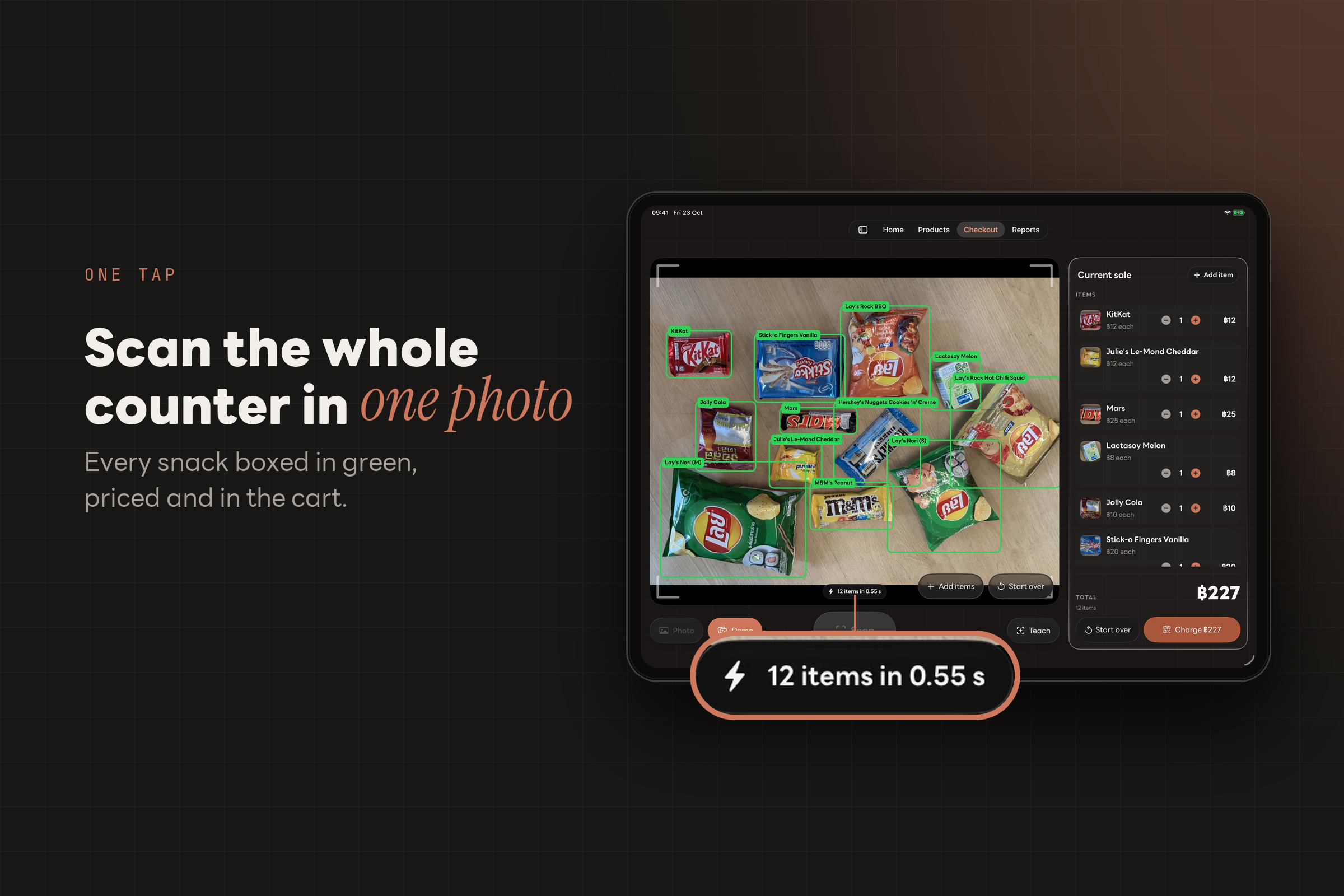
One tap of Scan boxes every snack in green and adds it to the cart. Here it found 12 items in 0.55 s.
-
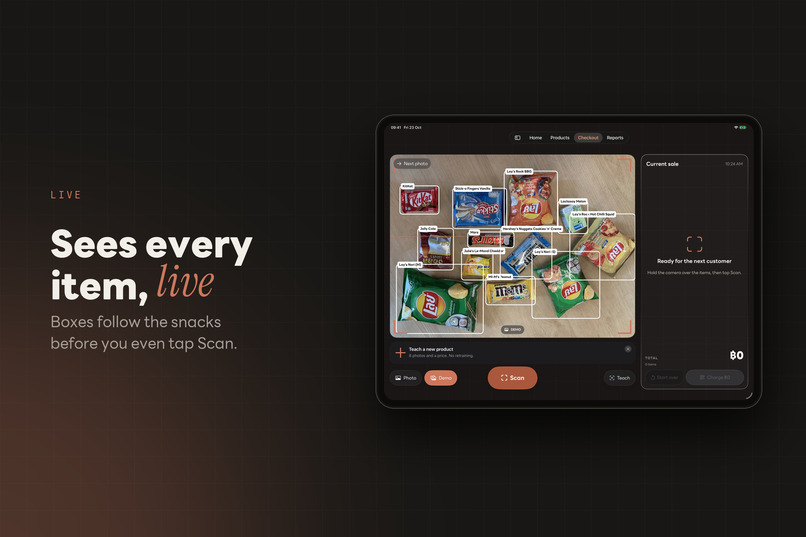
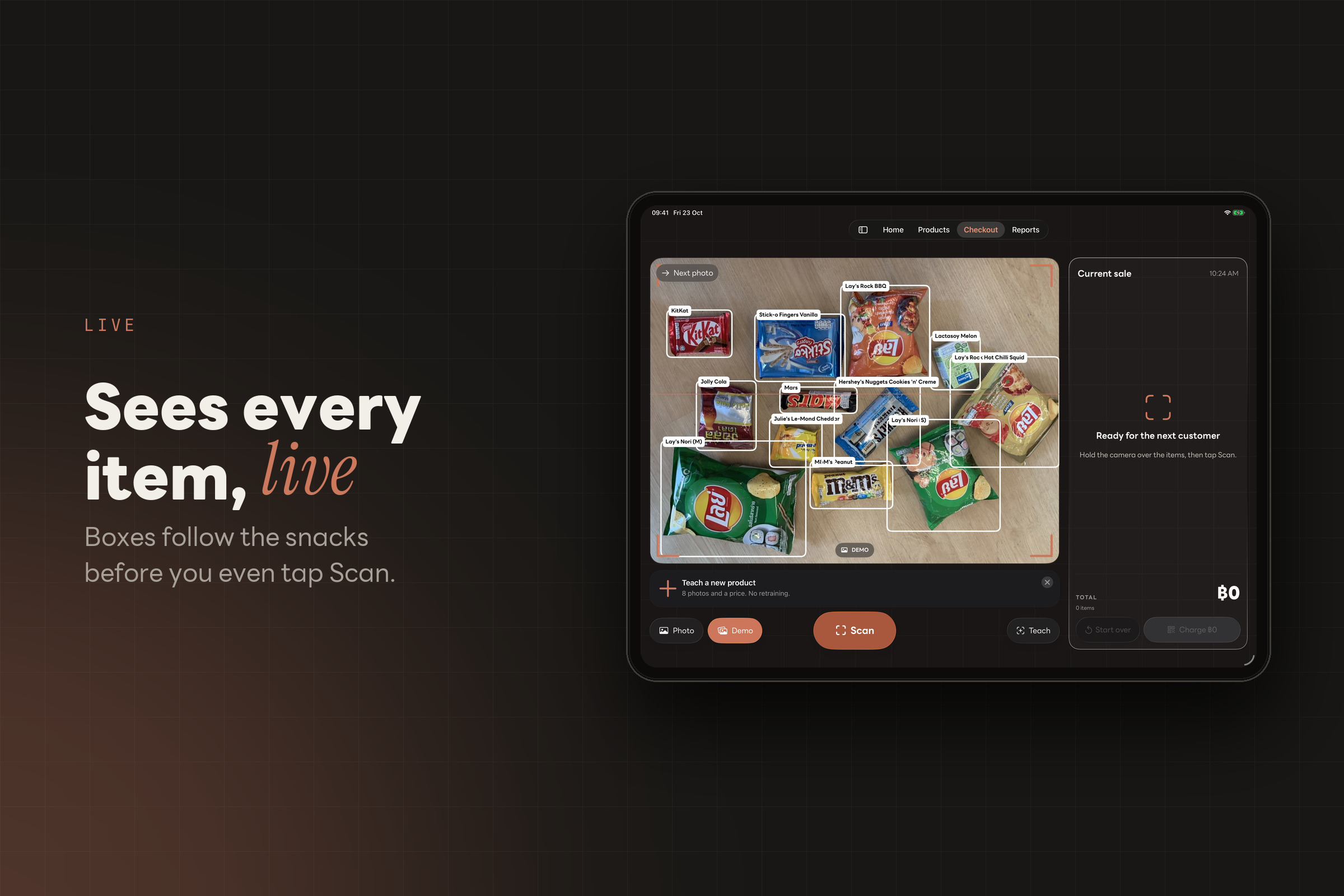
Live detection draws boxes around the snacks as soon as the camera sees them, before you tap Scan.
-
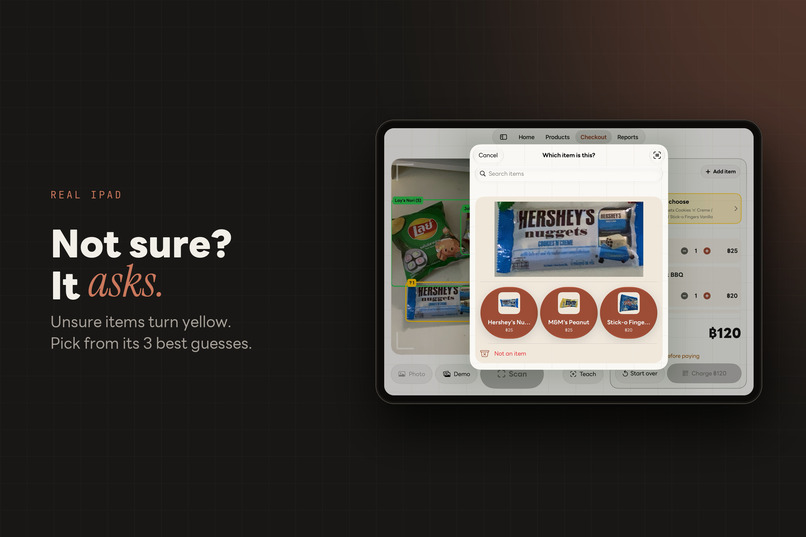
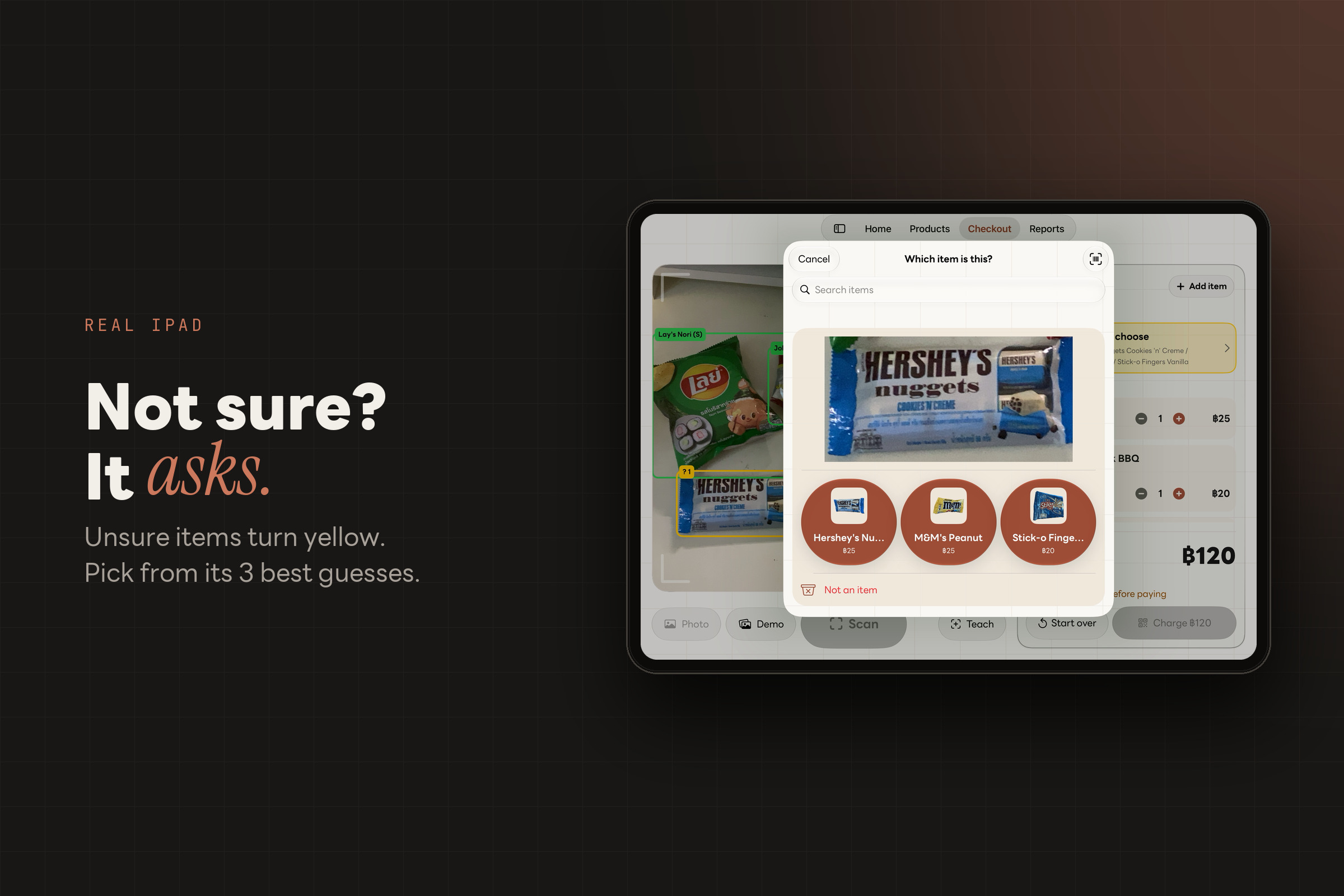
When OneShot isn't sure about an item, it marks it yellow and asks the cashier to pick from its 3 best guesses.
-
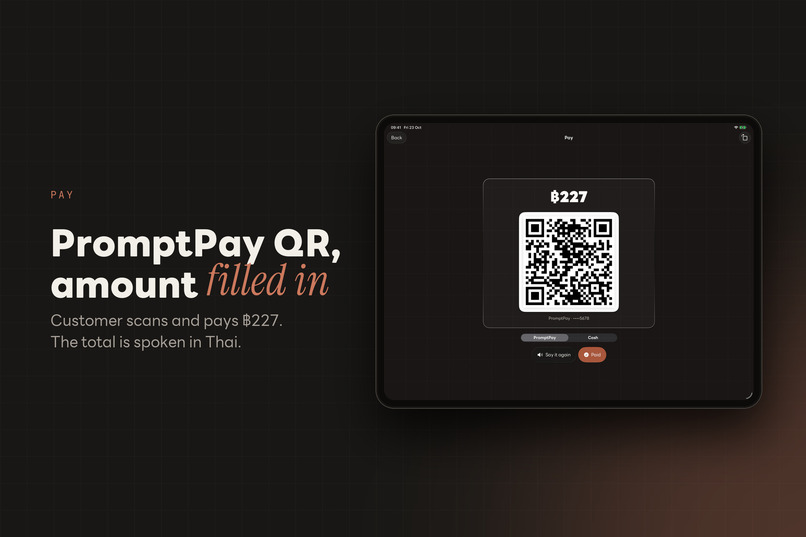
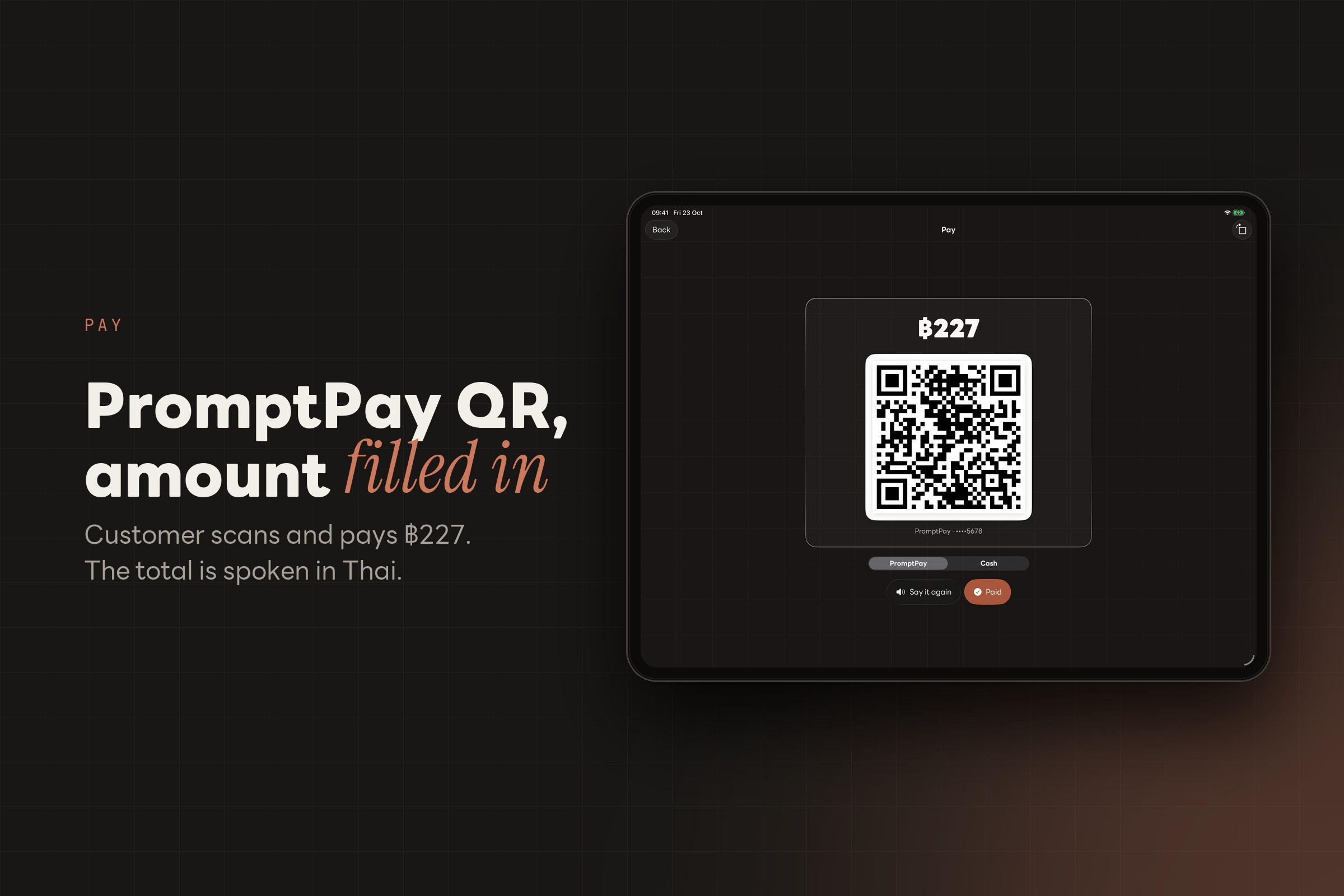
PromptPay QR with the amount already filled in (฿227). The total is also spoken aloud in Thai.
-
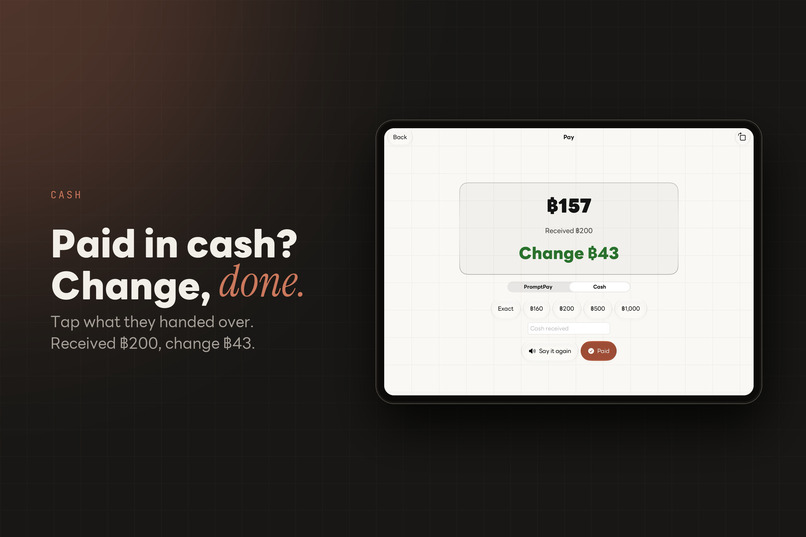
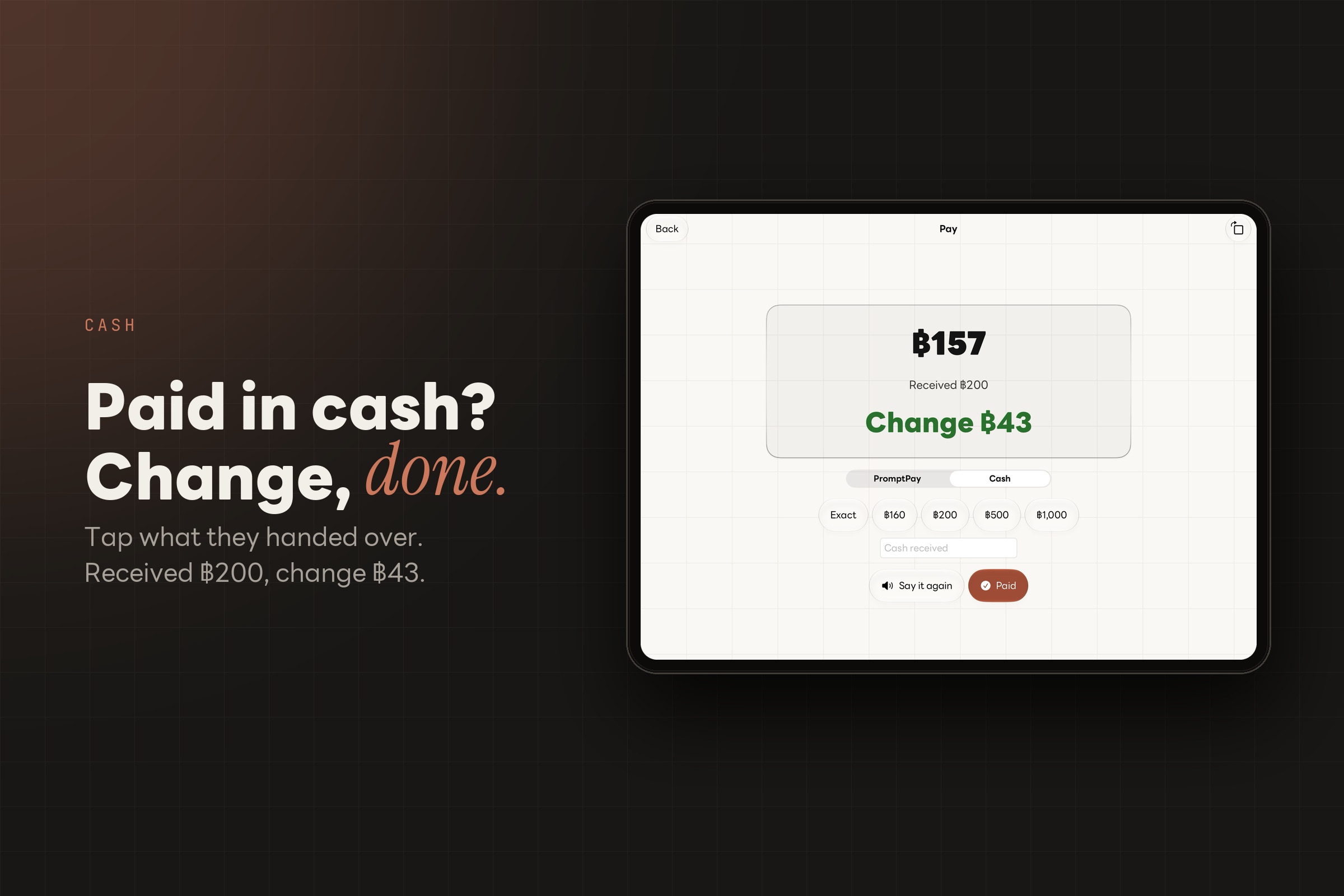
For cash, tap the note the customer handed over and OneShot shows the change: ฿200 received, ฿43 change.
-
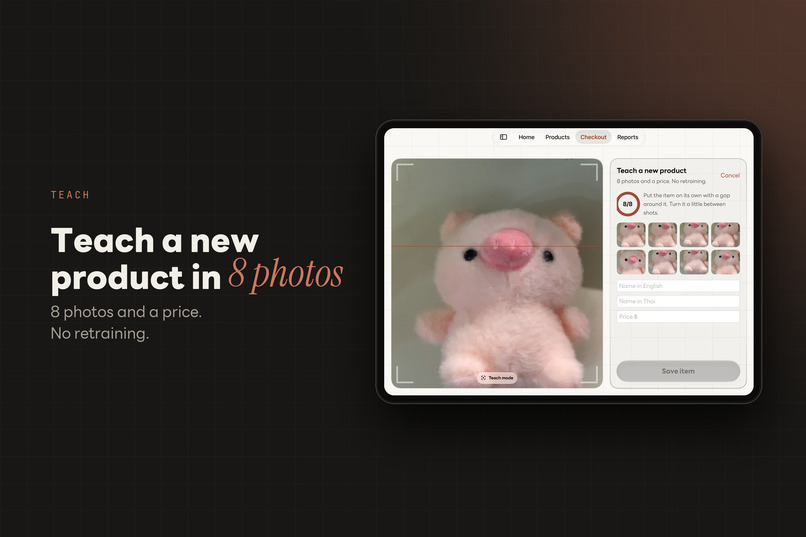
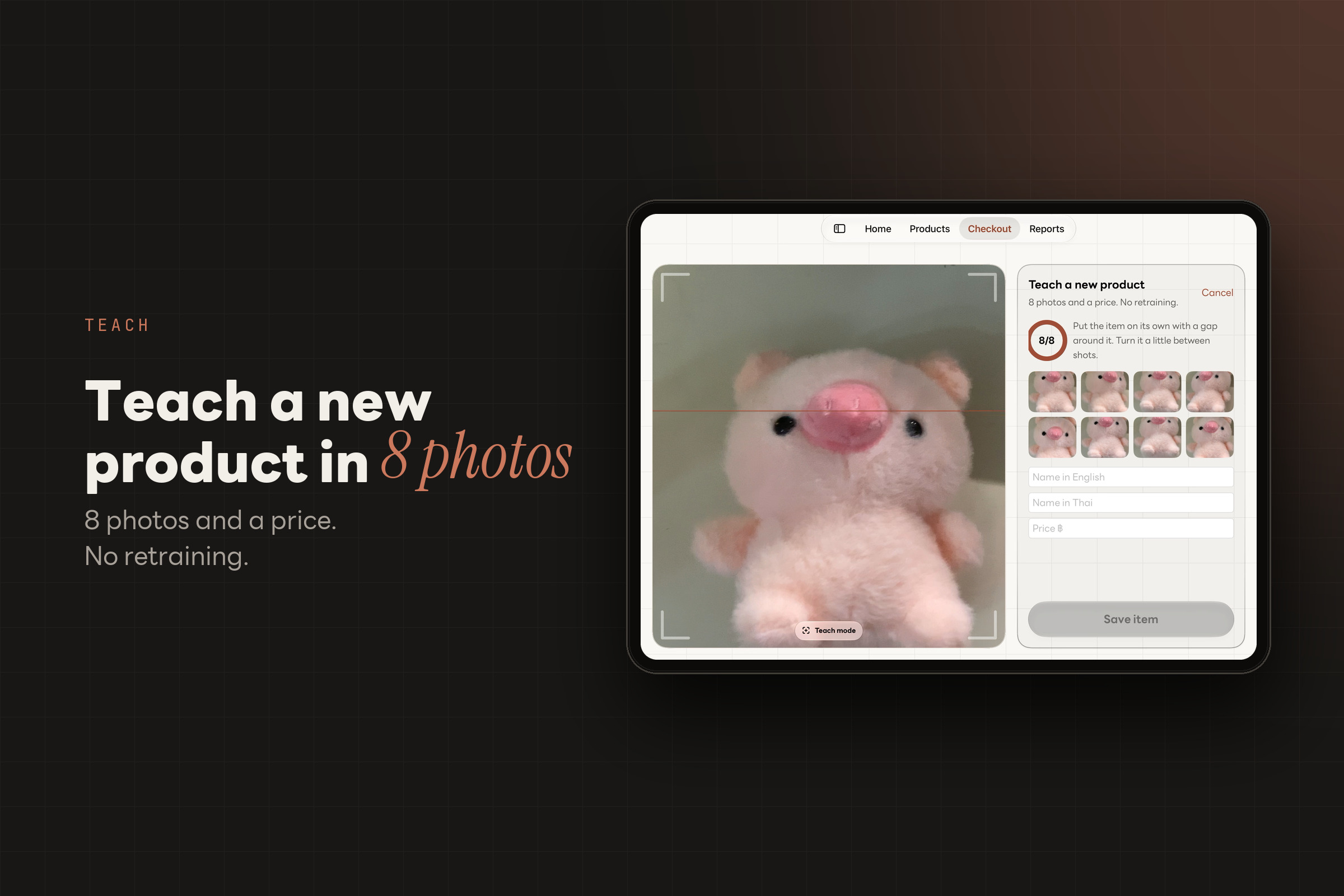
Teach a new product with 8 photos and a price, no retraining. Shown here with a pink plush toy, "Piggy".
-
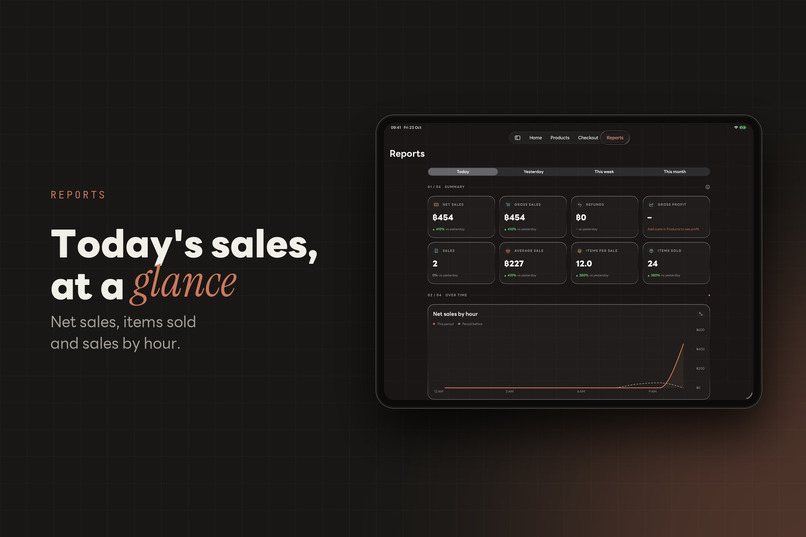
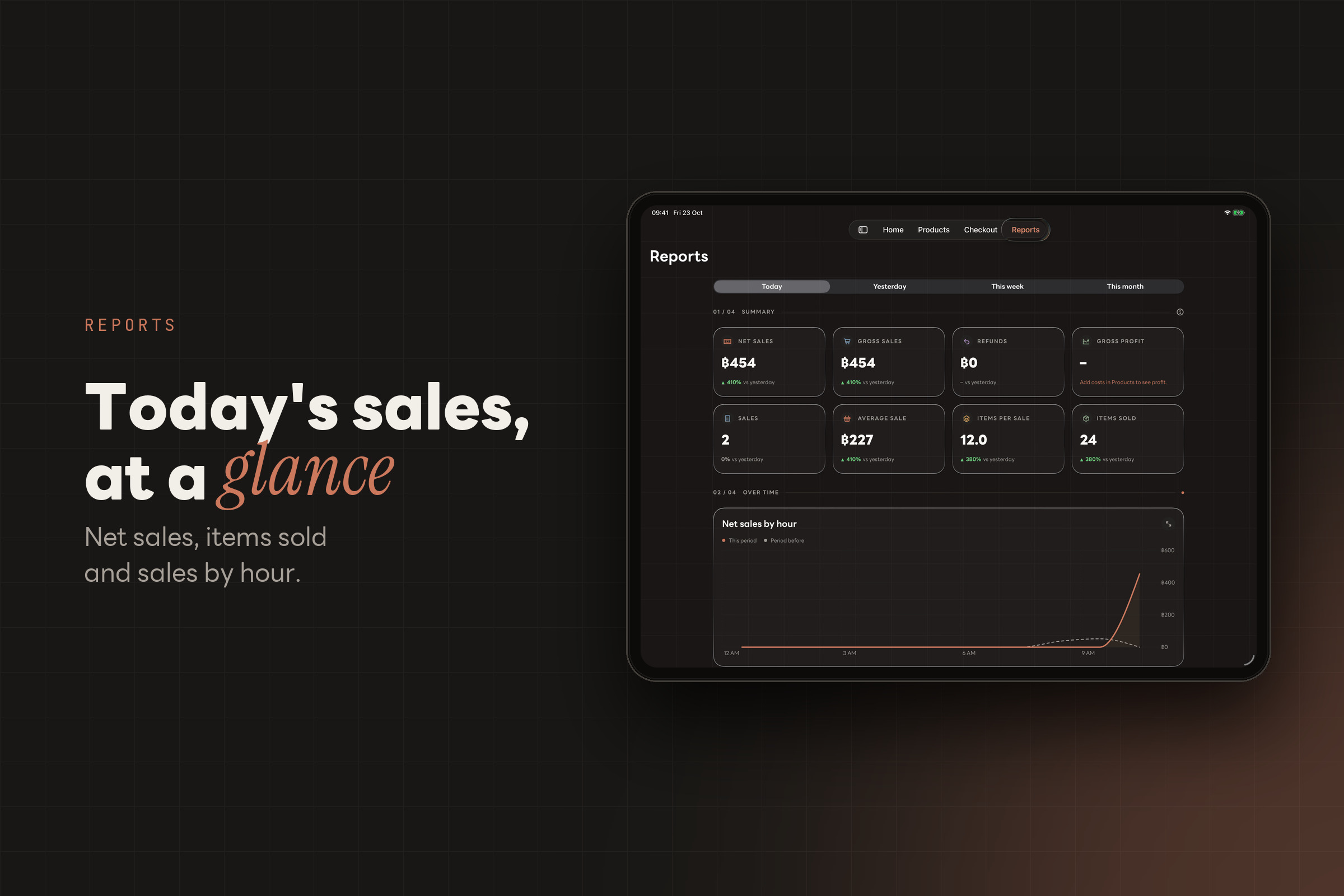
Reports show today's net sales, items sold, average sale and sales by hour.
-
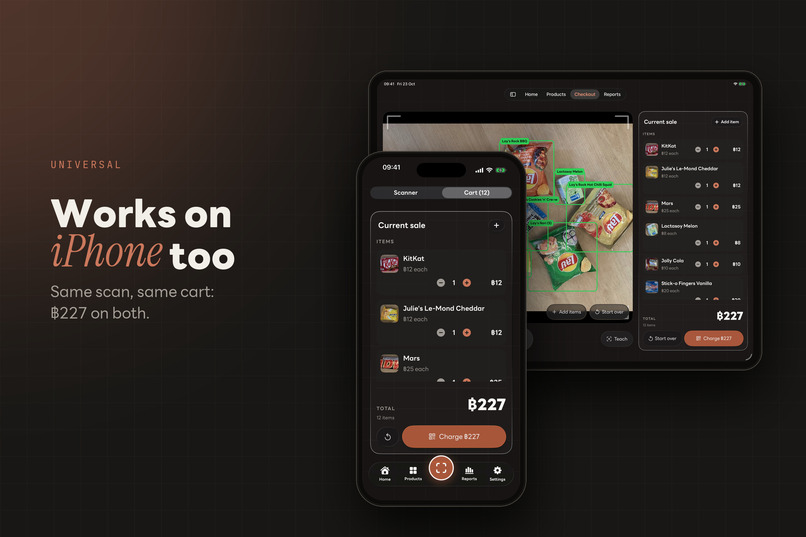
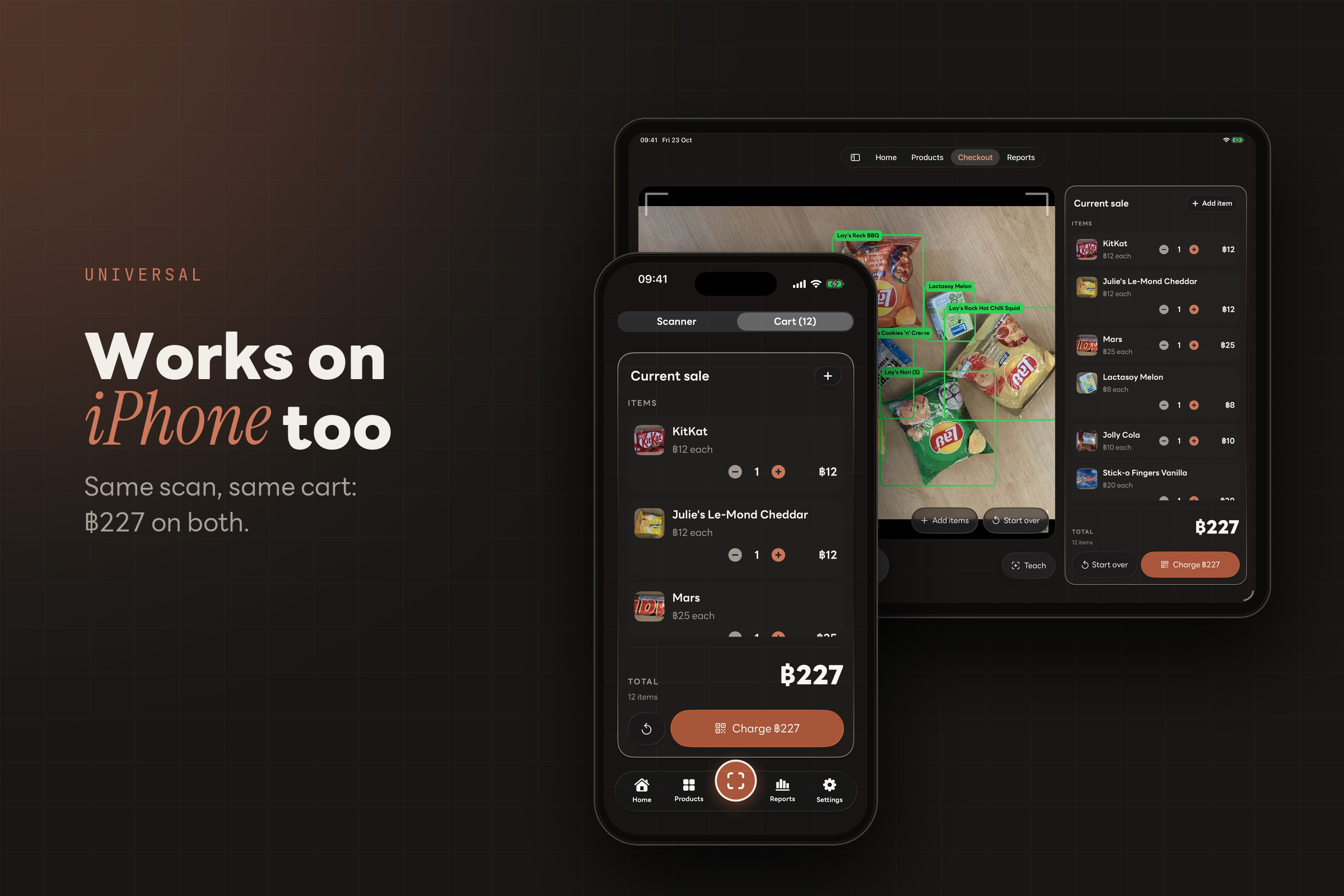
The same scan and cart work on iPhone as on iPad, with the same ฿227 total.
-
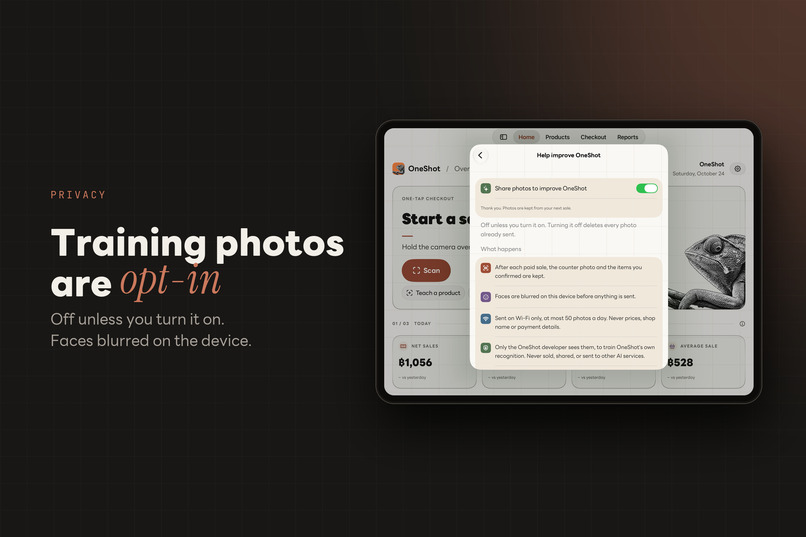
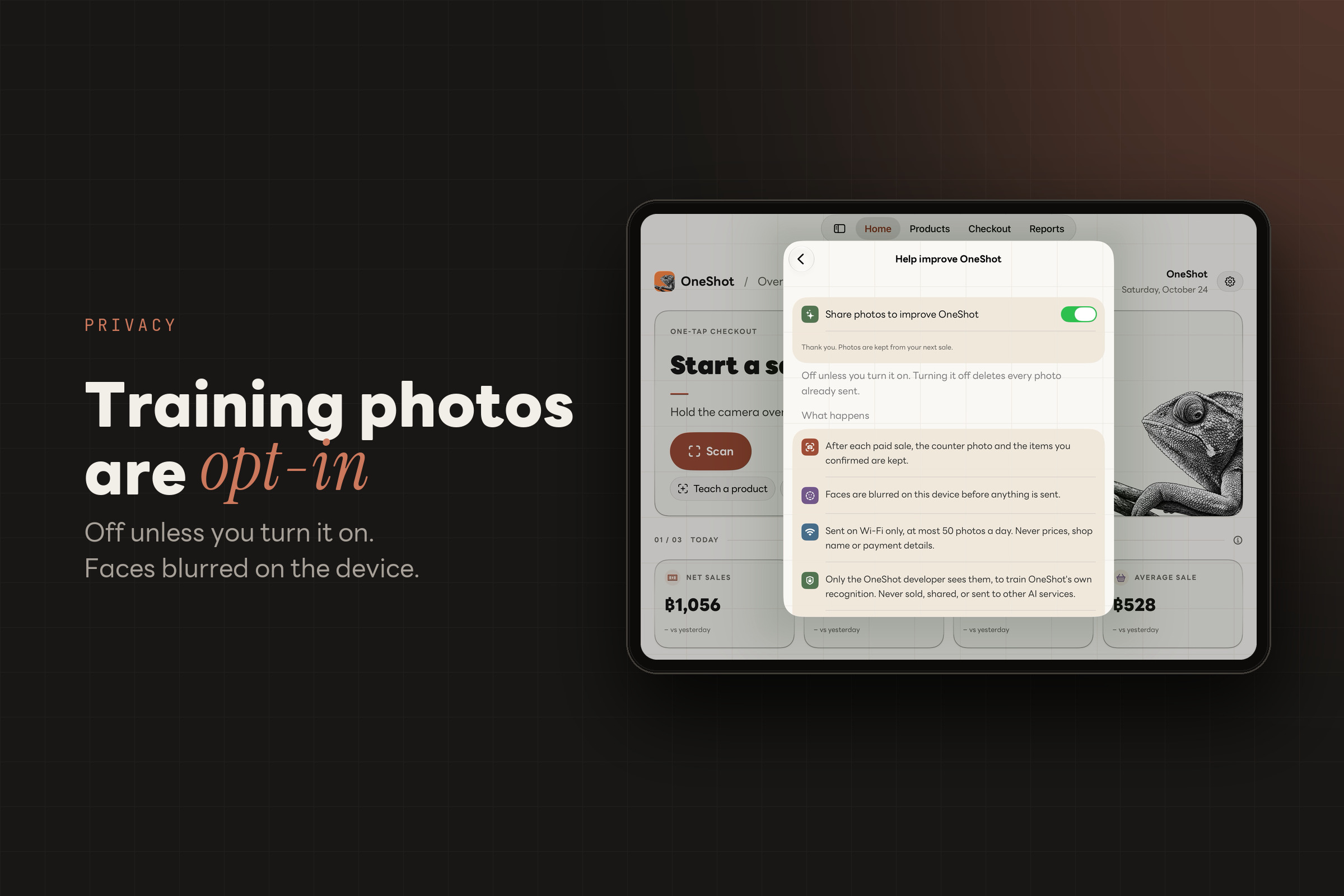
Sharing training photos is off unless the shop turns it on, and faces are blurred on the device before anything is sent.
-
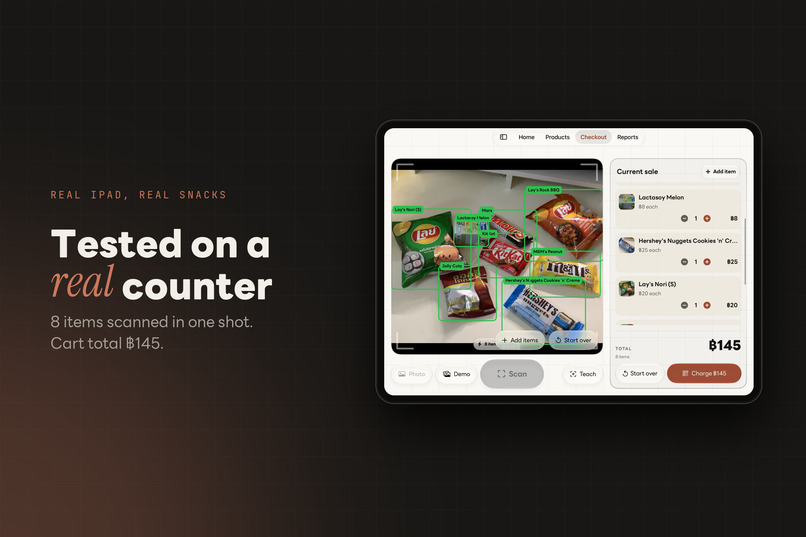
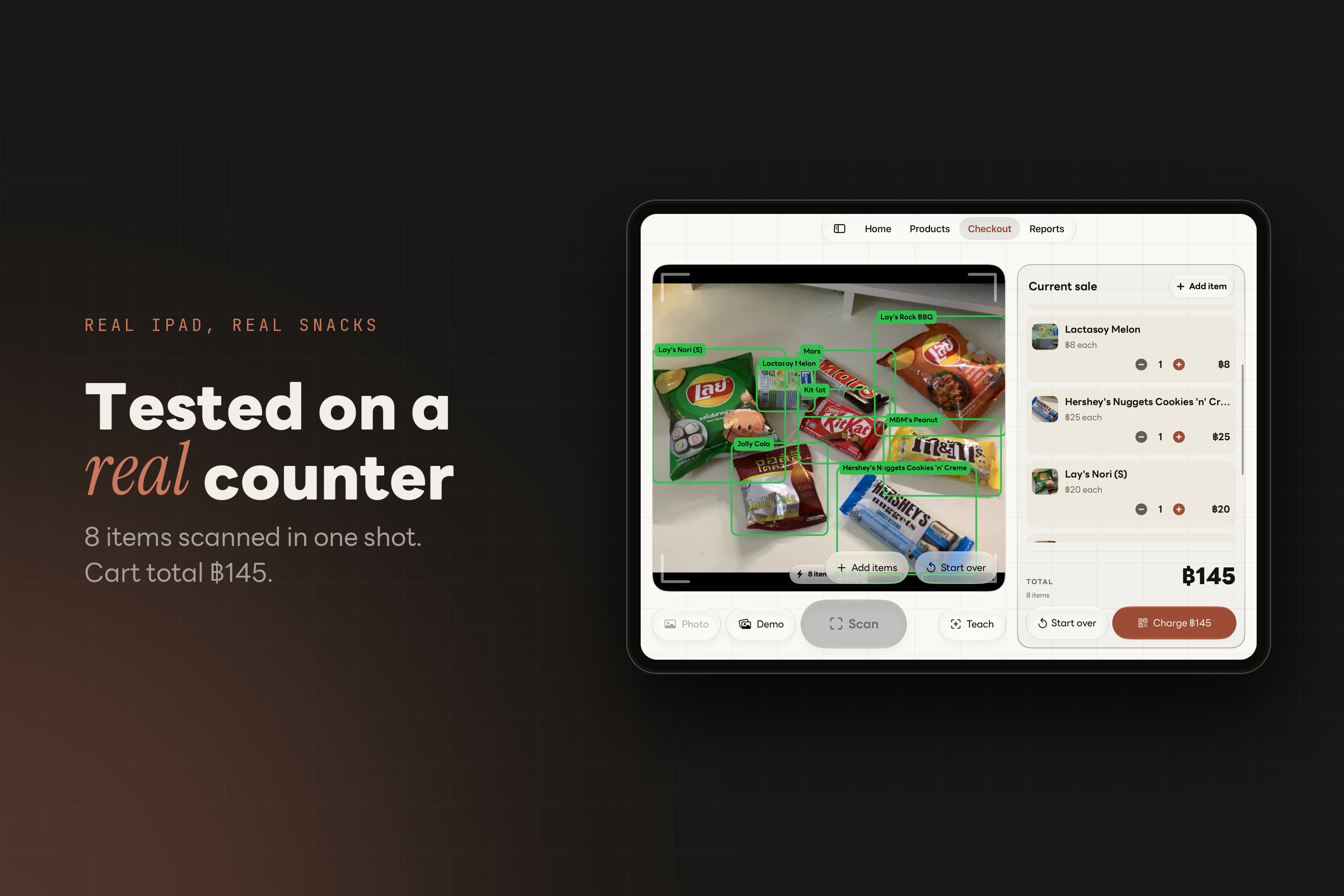
Tested on a real iPad with real snacks: 8 items found in one scan, cart total ฿145.
-
OneShot: one photo, the whole counter. PromptPay QR, teach in 8 photos, works offline.
OneShot: Smart scanner for a faster checkout
Inspiration
Last Monday, I had five minutes before my van left for school, so I ran into a convenience store to buy a banana. I waited in a line that barely moved, and before I could even reach the counter, I put the banana back and walked out. I went hungry, and the shop lost a sale.
That is when I realized barcode scanning is simply inefficient. The cashier has to pick up each product, turn it until the barcode faces the scanner, and scan it, one item at a time. That takes only a few seconds per item, but across 10, 100 or 1,000 items it adds up very quickly.
What it does
OneShot is an iOS cashier. Hold an iPad or iPhone over the counter and tap Scan: every item in view is named and priced from that one frame. The total is spoken in Thai, and a PromptPay QR (a common way to pay in Thailand) appears with the exact amount locked in. Everything runs on the device, with no internet.
- Two AIs vote on every item.
- 🟢 If they agree, or only one is sure, the item turns green and its price locks in.
- 🟡 If both are sure but disagree, or neither is sure, it turns yellow, and the cashier picks the right one from the top 3 choices.
- That photo then goes to the second model's gallery, so accuracy improves over time. OneShot never guesses a price.
- Teach a new product in about 30 seconds with 8 photos and a price. No retraining needed.
- Run the whole shop: cash with change, receipts, sales history, refunds, stock, a day close and reports, all stored on the iPad. On-device Foundation Models read the sales data and suggest how to improve the product selection.
How we built it
Data
We bought 12 real snacks and drinks, including four Lay's packs that look almost the same on purpose, and shot 457 photos ourselves.
We used Apple's Vision instance masks to draw the bounding boxes automatically. That gave one tight box on 348 of 350 single-product photos.
To teach the model what a crowded counter looks like, we pasted real product cut-outs onto photos of empty surfaces at their measured sizes. That made 880 synthetic piles with occlusion-aware labels.
Model
We trained YOLO11n with Ultralytics (PyTorch) on an M1 MacBook Air, in three rounds, each fine-tuned from the last.
We turned off hue shifts and mirror flips. Our flavours differ by bag colour, and mirrored text never appears in a shop.
Compared with Create ML (lab test, same data):
| YOLO11n (PyTorch) | Create ML transfer learning | |
|---|---|---|
| Training time | 5.3 min | 49 min |
| Model size | 5.1 MB | 7.2 MB |
We exported it to Core ML as a 5.2 MB .mlpackage, with duplicate-box removal built in. It runs on the iPad through Vision in about 13 ms per frame on an iPad Air.
The second vote
Vision's FeaturePrint turns each item crop into a vector $\mathbf{v}$. We match it to the shop's stored photos by cosine similarity:
$$\operatorname{sim}(\mathbf{a}, \mathbf{b}) = \frac{\mathbf{a} \cdot \mathbf{b}}{\lVert \mathbf{a} \rVert \, \lVert \mathbf{b} \rVert}$$
Setting the thresholds from data:
- Gallery: on the iPad, the right item usually scored 0.84–0.95, and other objects scored at most 0.72. We put the threshold in that gap, at τ_g = 0.78.
- Detector: it counts as sure at confidence ≥ τ_d = 0.70. That is the lowest value that gave zero wrong prices on every test set.
Each item's colour is decided by
$$\text{green} \iff (L_1 = L_2) \;\lor\; (L_1 \text{ sure} \oplus L_2 \text{ sure}),$$
and yellow otherwise. L₁ is the detector’s label and L₂ is the gallery’s. Every cashier pick saves its crop to the gallery, so the app learns the shop’s products as it is used.
App
| Framework | Job |
|---|---|
| SwiftUI | All screens |
| AVFoundation | Camera and the Thai voice |
| Core ML + Vision | Detector, instance masks, FeaturePrint |
| Core Image | EMVCo PromptPay QR, checked against published test vectors and a real Thai bank app |
| SwiftData | The shop's books |
| VisionKit | Barcode scanning as a fallback |
| Foundation Models | A short on-device sales tip |
Challenges we ran into
- Look-alike bags. Our first model got only 1 of 8 Lay's Nori Seaweed pairs right, because the small and medium bags share one design. We measured the small bag at 0.76× the medium, built piles that always held both sizes, and reached 8 of 8.
- Great scores, bad results. Our validation photos came from the same shoot as the training photos, so they flattered the model. We wrote a script that grades whole bills on photos the model never saw. Every decision after that came from it.
- Things that aren't for sale. One model billed a phone on the counter as a Mars bar. We pasted phones and bottles, unlabelled, into 30% of the training piles. The final model now ignores them.
- Hardware limits.
- Training on an 8 GB Mac pushed swap past 10 GB, so we ran one job at a time.
- The simulator can't run Vision's masks or FeaturePrint, so all recognition had to be tested on a real iPad.
- One iPad's Neural Engine aborted our model, so the detector now runs on the GPU and CPU.
🏆 Accomplishments that we're proud of
Accuracy. On 42 photos of mixed piles the model had never seen (339 items):
| First round | Final model | |
|---|---|---|
| Items right | 97 / 339 | 338 / 339 |
| Exact bills | 7 / 42 | 41 / 42 |
| Wrong prices | — | 0 |
The one miss turned yellow. The first round had scored 0.995 mAP50 on validation, yet failed this exam.
Speed. We timed a 7-Eleven cashier scanning 10 items in 35.38 s, counting only from when the cashier picked up the first item. OneShot rang up 20 items in two taps in 13.27 s on average over 5 tries, including the time for the customer to place the items:
$$\frac{35.38/10}{13.27/20} = \frac{3.54\ \text{s}}{0.66\ \text{s}} \approx 5.3\times \text{ faster per item.}$$
What we learned
- A test on unseen data is worth more than any training score. So we measure what the user feels: the bill.
- Set thresholds from data, not by feel.
- Show uncertainty; don't hide it. The yellow item is what lets a shop trust the green ones.
- How much of Apple's on-device stack fits in one small, offline app: Core ML, Vision, VisionKit and Foundation Models.
What's next for OneShot
- Pilot in a real school shop or local corner store, measuring seconds per customer and the wrong-price rate.
- Crowd-sourced training. With the Help improve OneShot setting on, every scan helps us train more products.
- TestFlight launch. The app is pending review. Once Apple approves it, we will start a marketing campaign and real-world testing to gather more products.
- Commercial-ready model. With those resources, we will train YOLOX (Apache-2.0) so OneShot can be used commercially, replacing the current YOLO11n.
Built With
- avfoundation
- cloudflare
- cloudflare-pages
- core-image
- core-ml
- create-ml
- ios
- ipados
- promptpay
- python
- pytorch
- swift
- swiftdata
- swiftui
- ultralytics
- vision
- visionkit
- xcode
- yolo11n


Log in or sign up for Devpost to join the conversation.