-
-
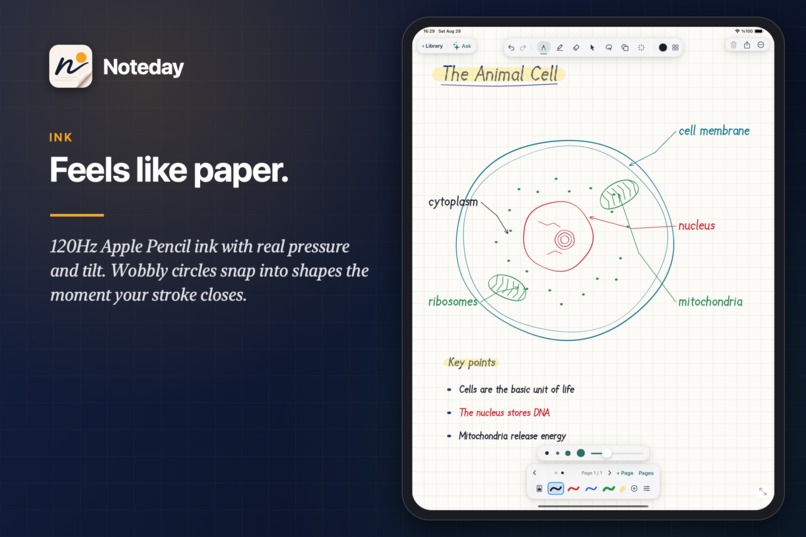
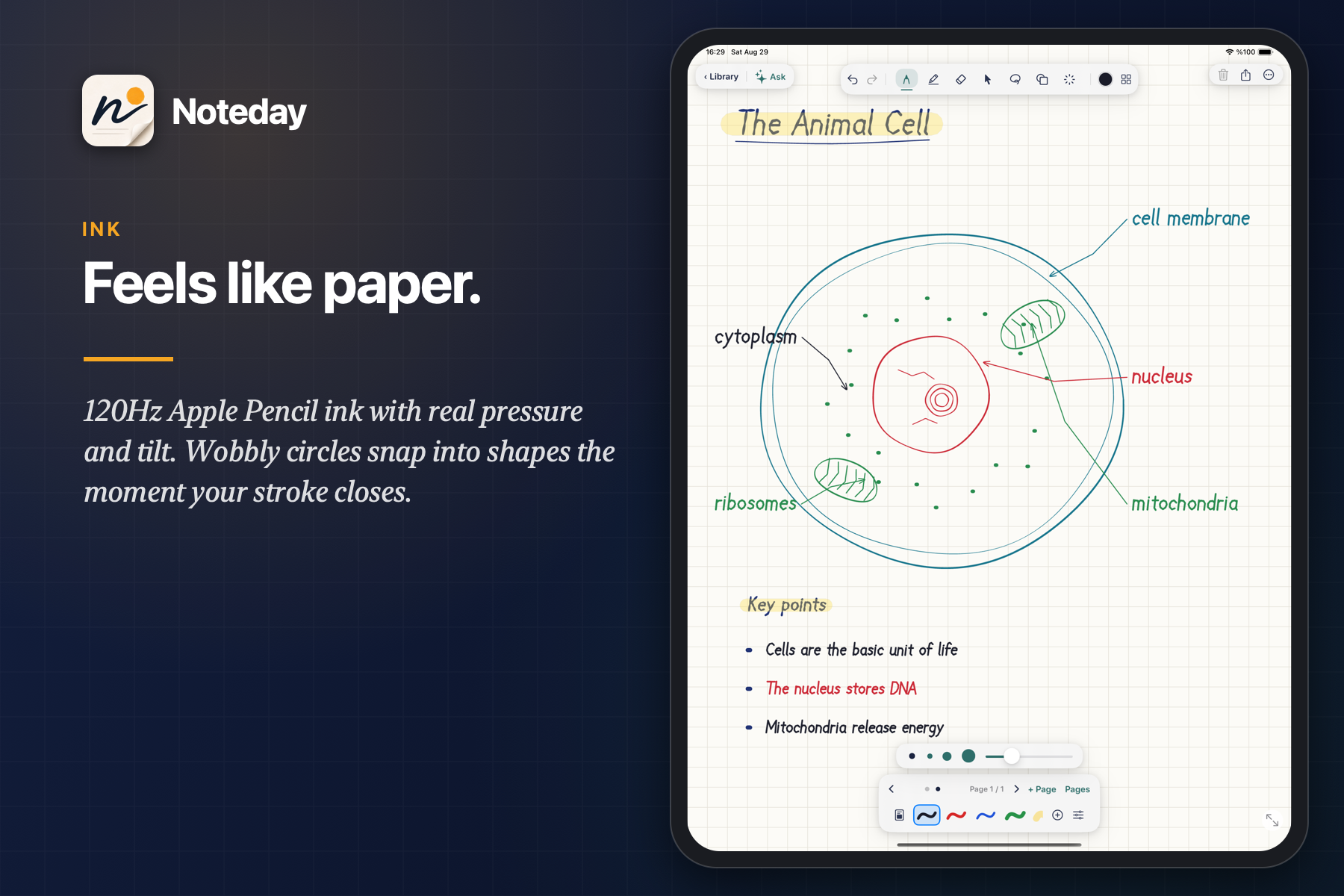
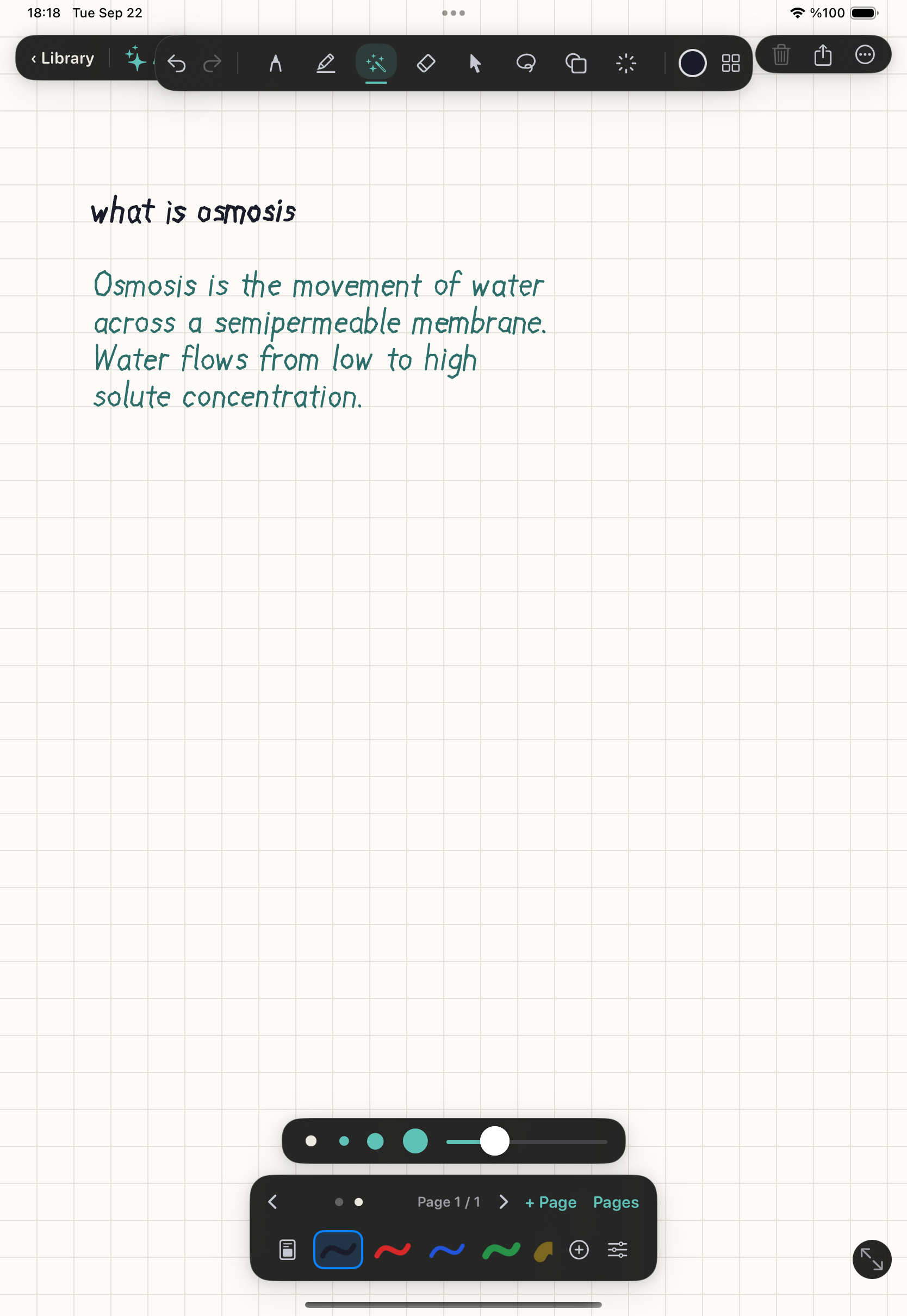
Ink: Feels like paper
-
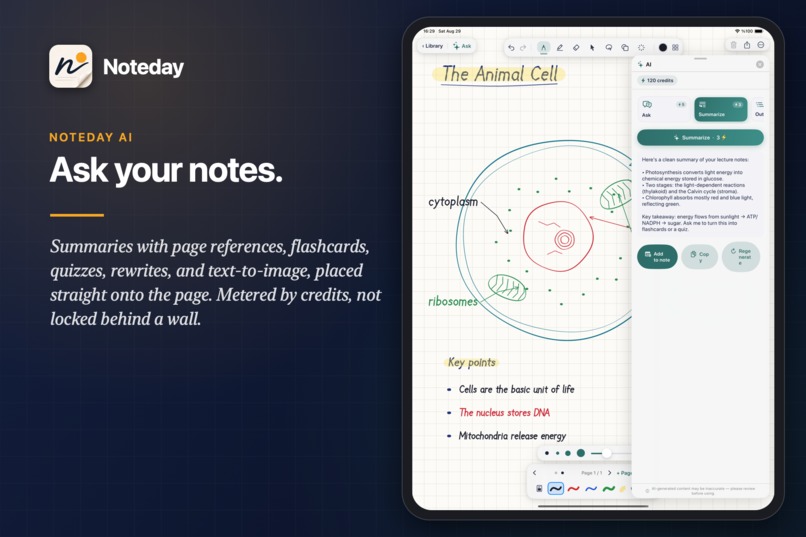
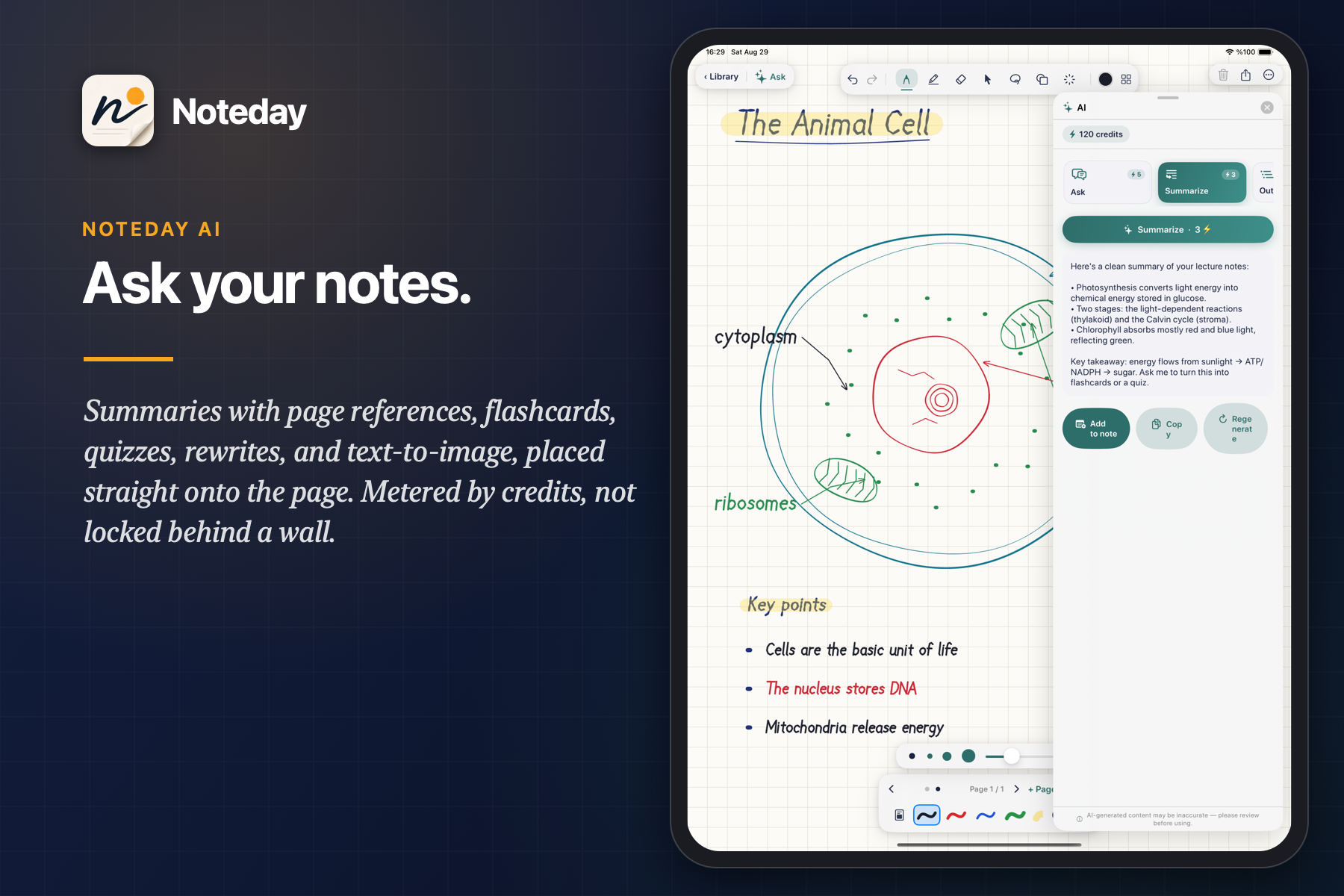
AI panel: Ask your notes
-
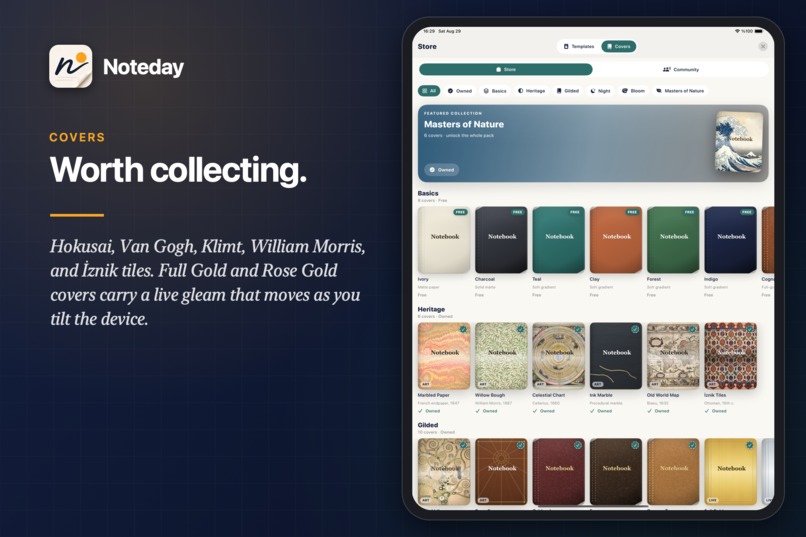
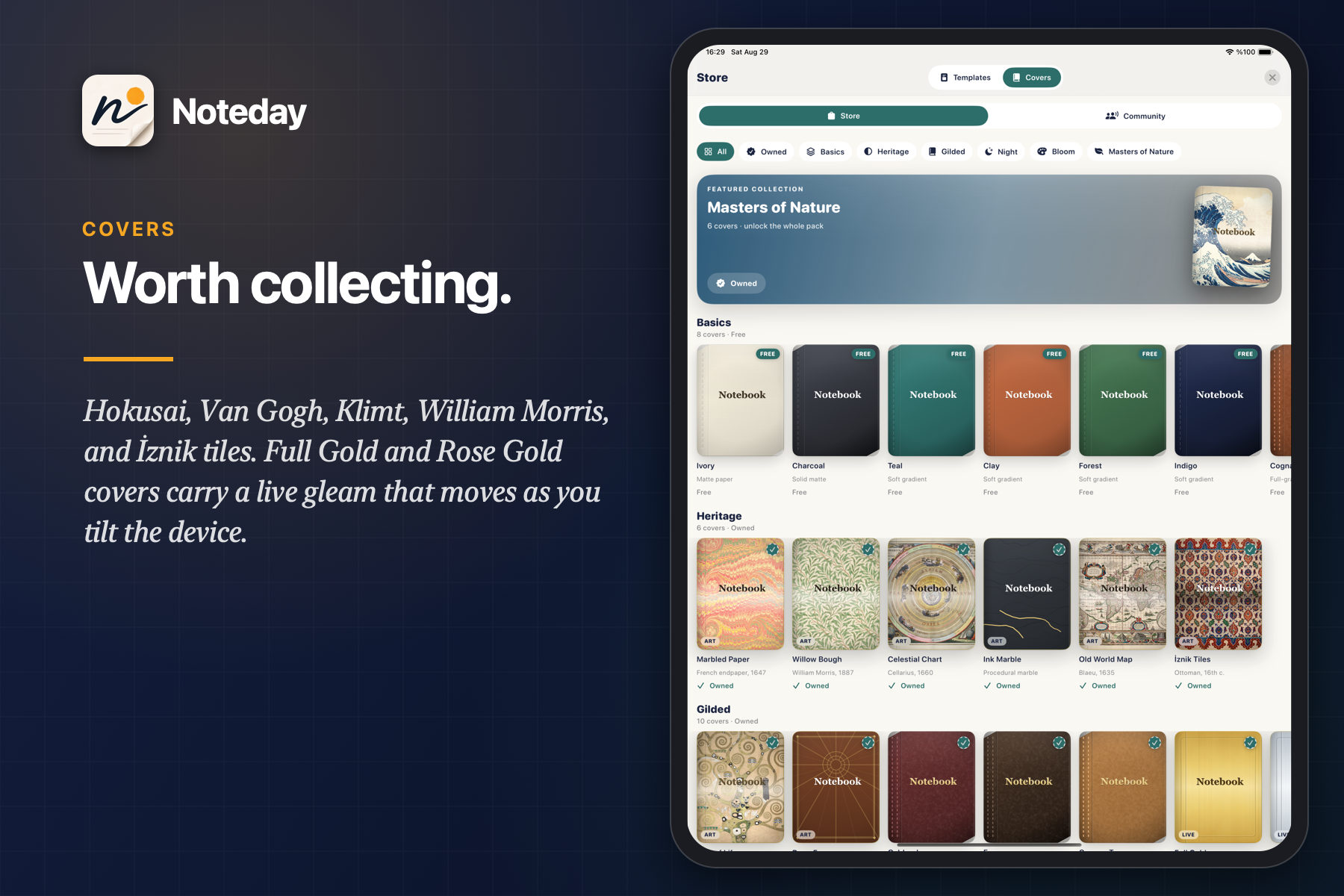
Covers store: Worth collecting
-
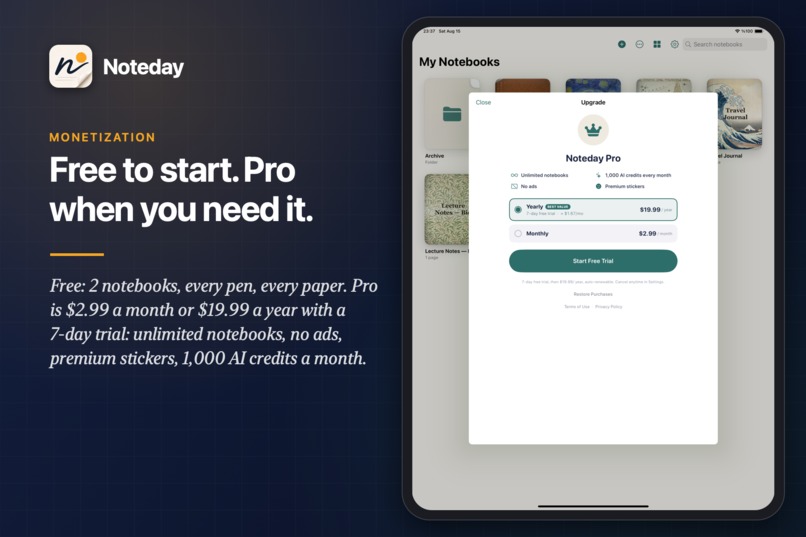
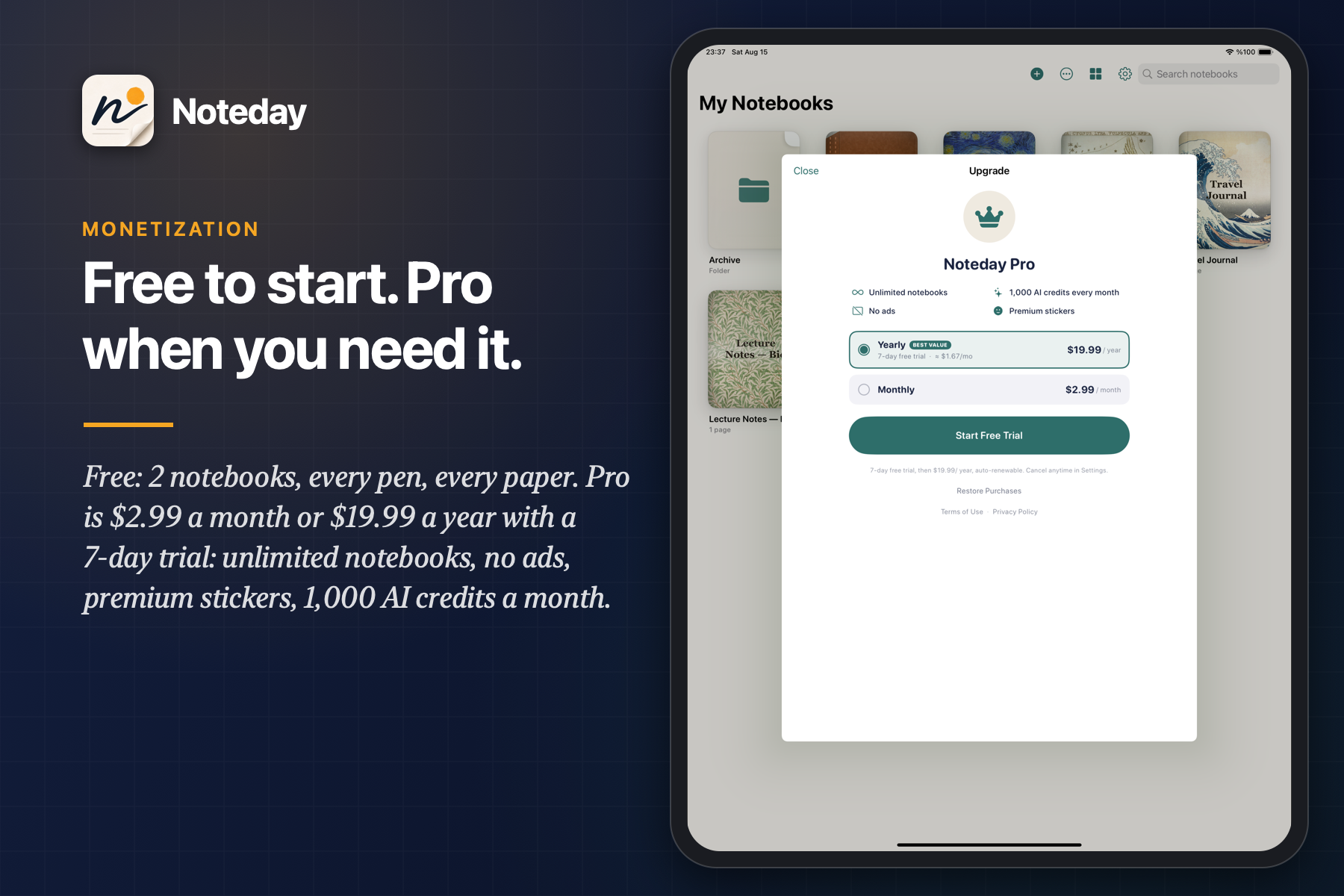
Free to start. Pro when you need it.
-
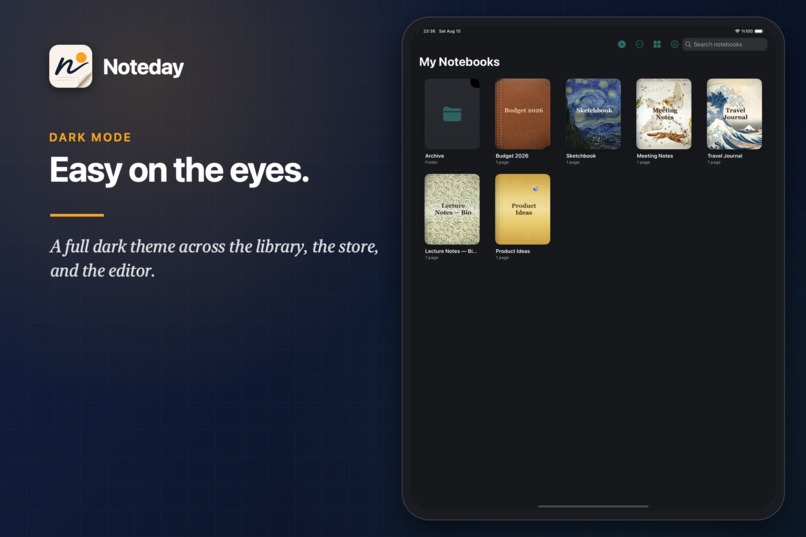
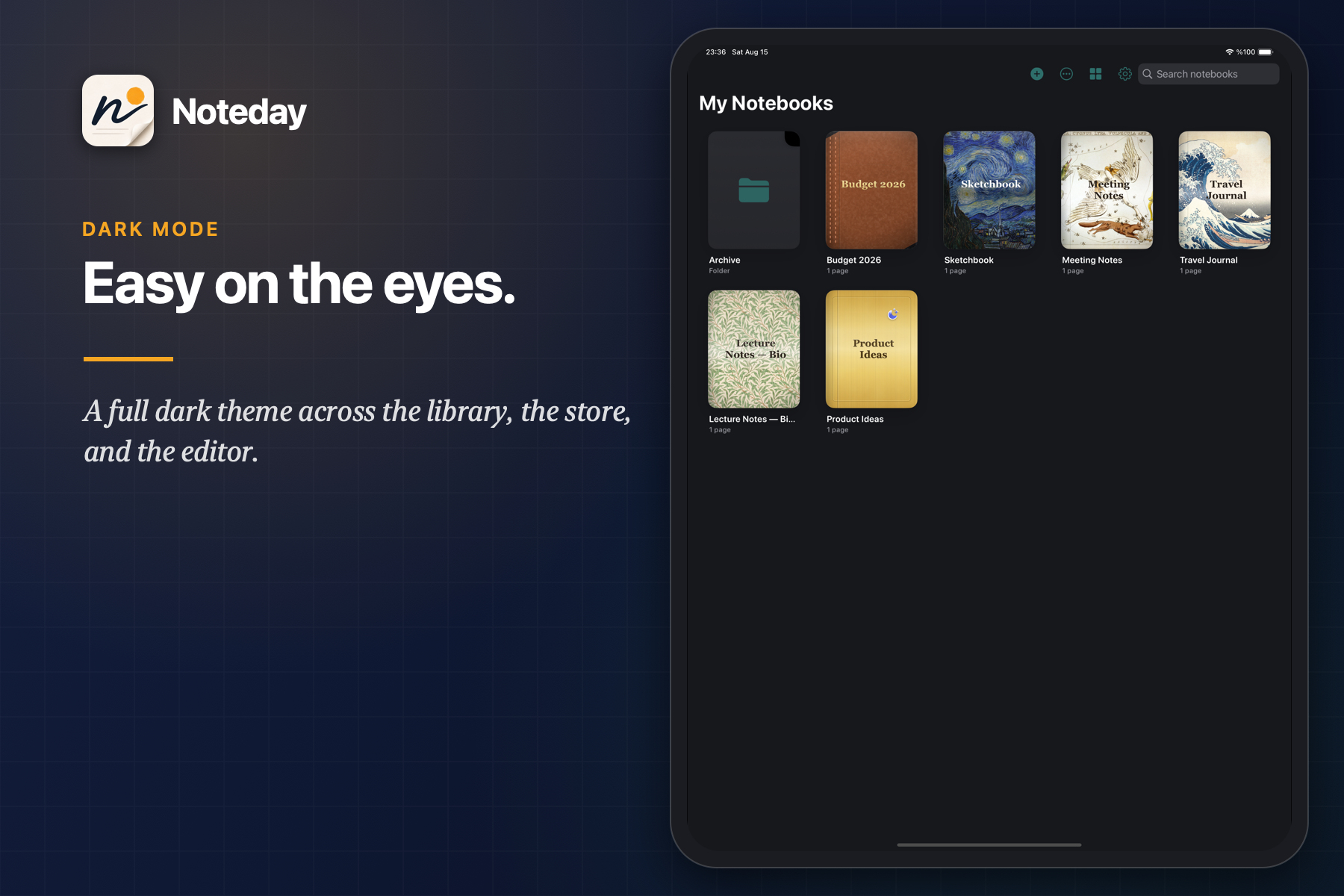
Library
-
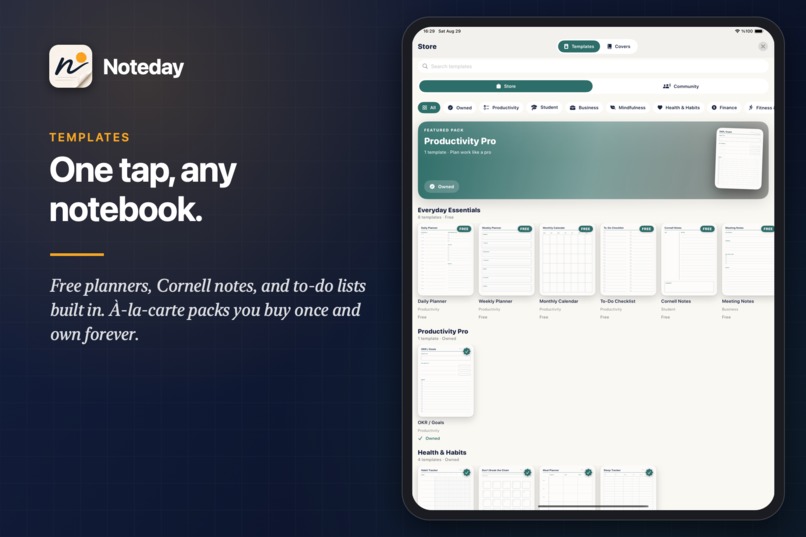
Templates store
-
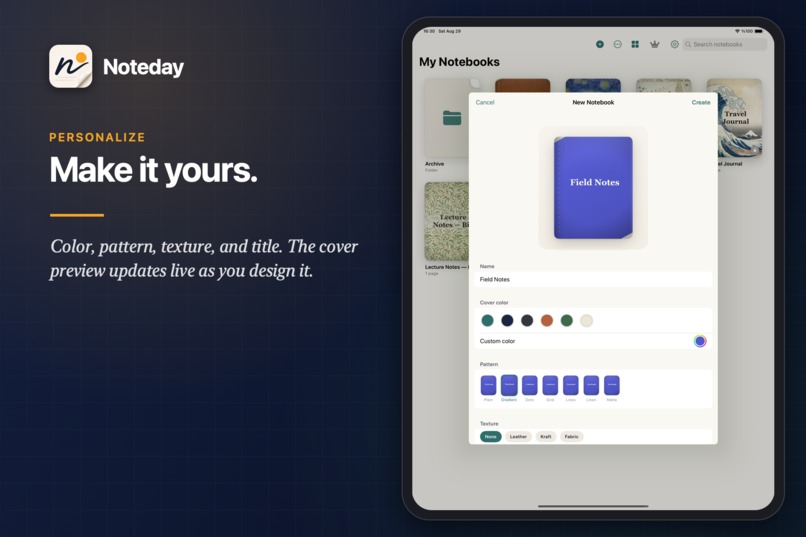
New notebook / personalize
-
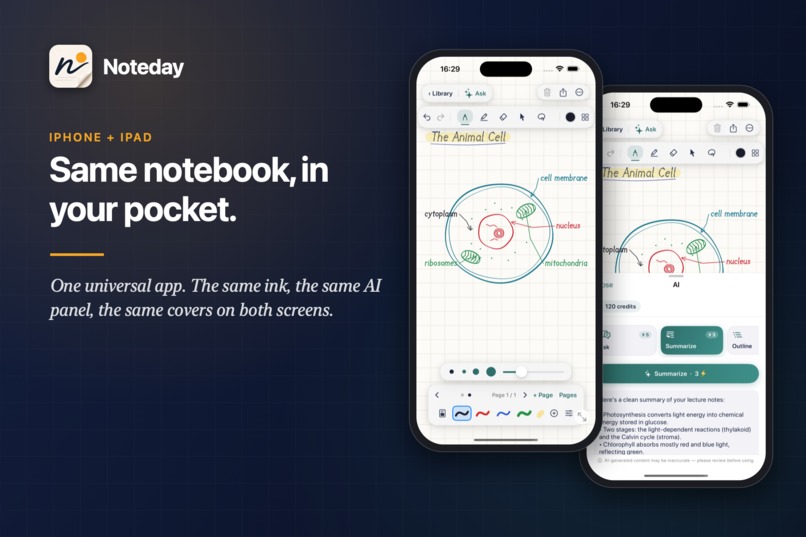
iPhone editor + AI
-
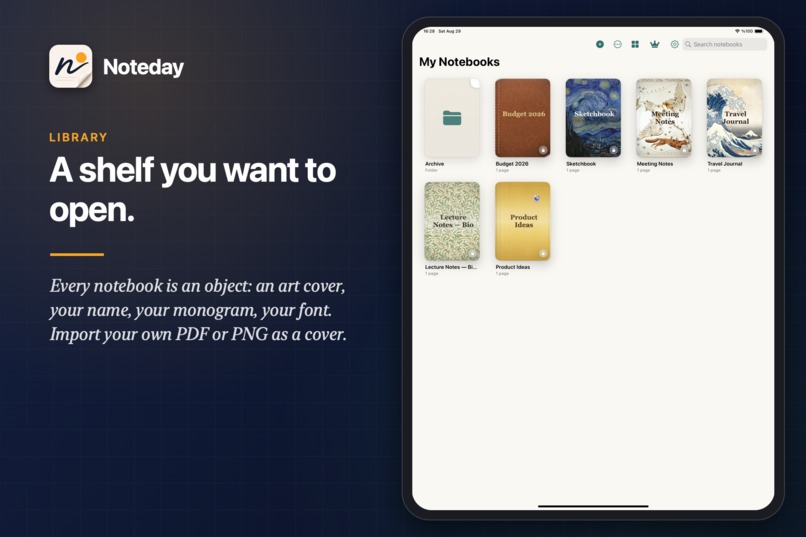
A shelf you want to open!
-
-
Inspiration
I take notes by hand, and I own a folder of photographed notebook pages I have never opened again.
One night before an exam I typed a single page of those notes into a chatbot and asked for a quiz. It was good. Then I looked at the other forty pages, all handwriting, and closed the laptop. The knowledge was right there on the paper. No app could read the paper, and the apps that could read it wrote like a mouse.
That is the gap Noteday closes: ink that feels like paper, and a study partner that reads the page and hands you the quiz without retyping a word. Not a chat window bolted onto a notebook. The page is the prompt.
One more thing, because I would open a notebook with The Great Wave on the cover for no reason at all: it had to be beautiful.
One person. Live on the App Store on September 21.
What it does
Noteday is a handwriting-first notebook for iPad and iPhone that can read what you wrote.
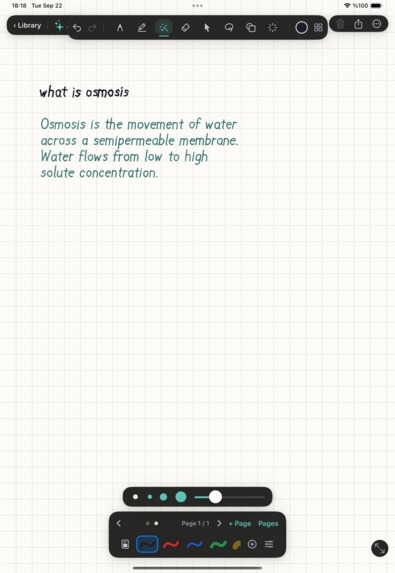
- Living Notebook. Pick the magic pen, write a question on the page, and lift the Pencil. A second later the notebook answers you in handwriting, stroke by stroke, in its own teal ink, right under your question and lined up with the paper's ruling. (Or lasso any handwriting you already wrote and tap Ask the page.) It is not an overlay and not a text box: the reply is real ink in the same document core as everything you drew, so you can erase it, lasso it, export it to PDF, and undo the whole answer with one tap. While it writes, the fresh ink glows warm gold and cools into teal behind an invisible nib that sheds a few sparks; the effect is a remote-config string (fairy dust, ember, ink bleed), so new kinds of magic ship without an App Store review.
- Ink that feels like paper. Apple Pencil with pressure and tilt at up to 120Hz on ProMotion. Draw a wobbly circle and it snaps into a perfect one the moment the stroke closes. Hold the pen still mid-stroke and the line straightens under it. Partial eraser, lasso, ruler, zoom-write box, laser pointer, and remappable Pencil Pro squeeze and double-tap.
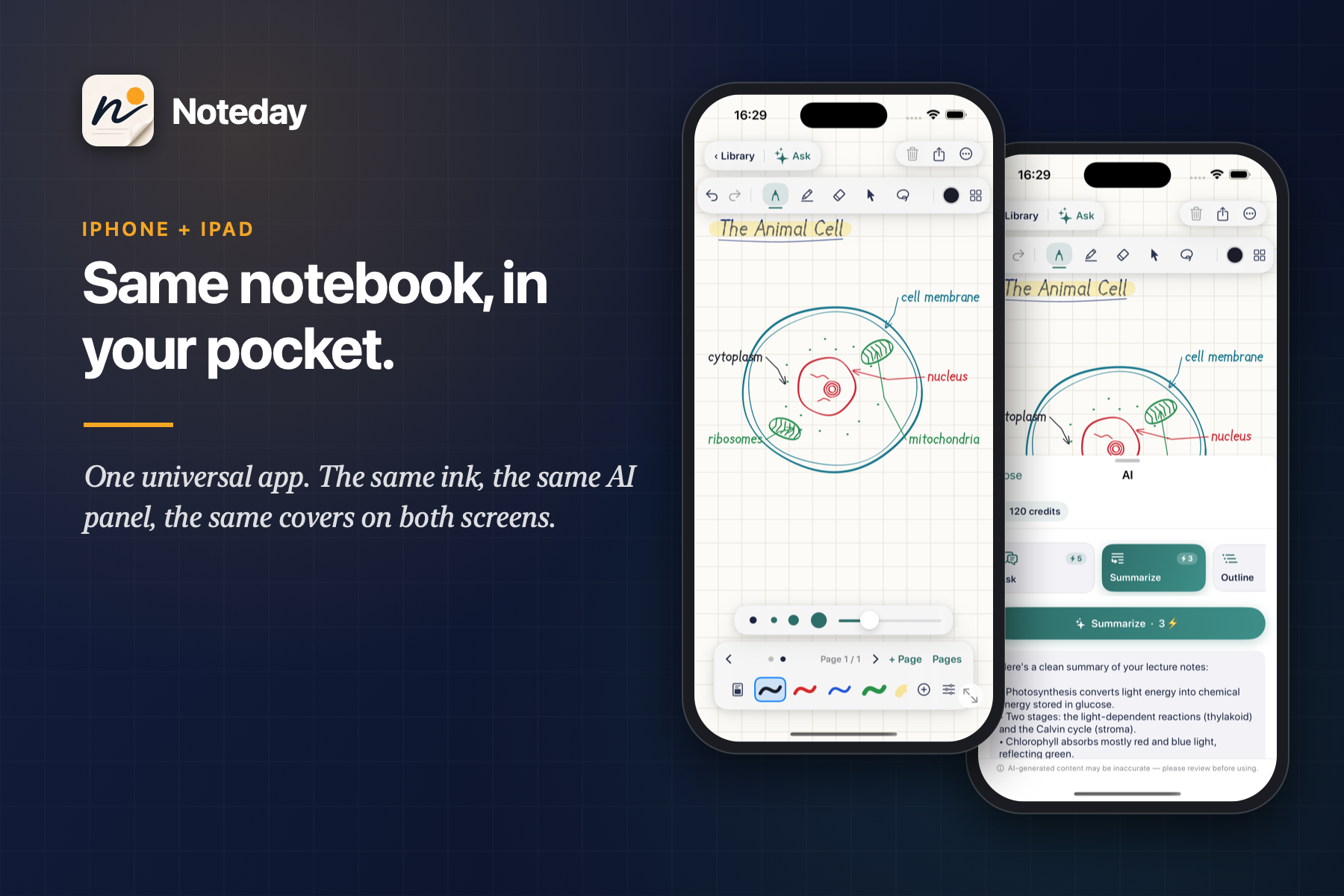
- Ask your notes. Noteday AI reads the page, handwriting included, through on-device OCR. Ask a question and get an answer with page references. Tap once for a summary, an outline, a flashcard deck, or a quiz built from your own notes. Scope it to the whole notebook, this page, or pages 2–5. Rewrite a messy paragraph, or describe a diagram and have the image dropped straight onto the page.
- Metered, not gated. Every AI action shows its credit cost before you tap. New users start with welcome credits, Pro members get 1,000 a month, and anyone can top up. Free users can start using AI on day one.
- Real pages. Text, images, stickers, sticky notes, tables, audio recordings, and local reminders on any page. Import a PDF and write over it. Export any notebook as PDF or image. Pro notebooks sync across your devices through iCloud, with no account to create.
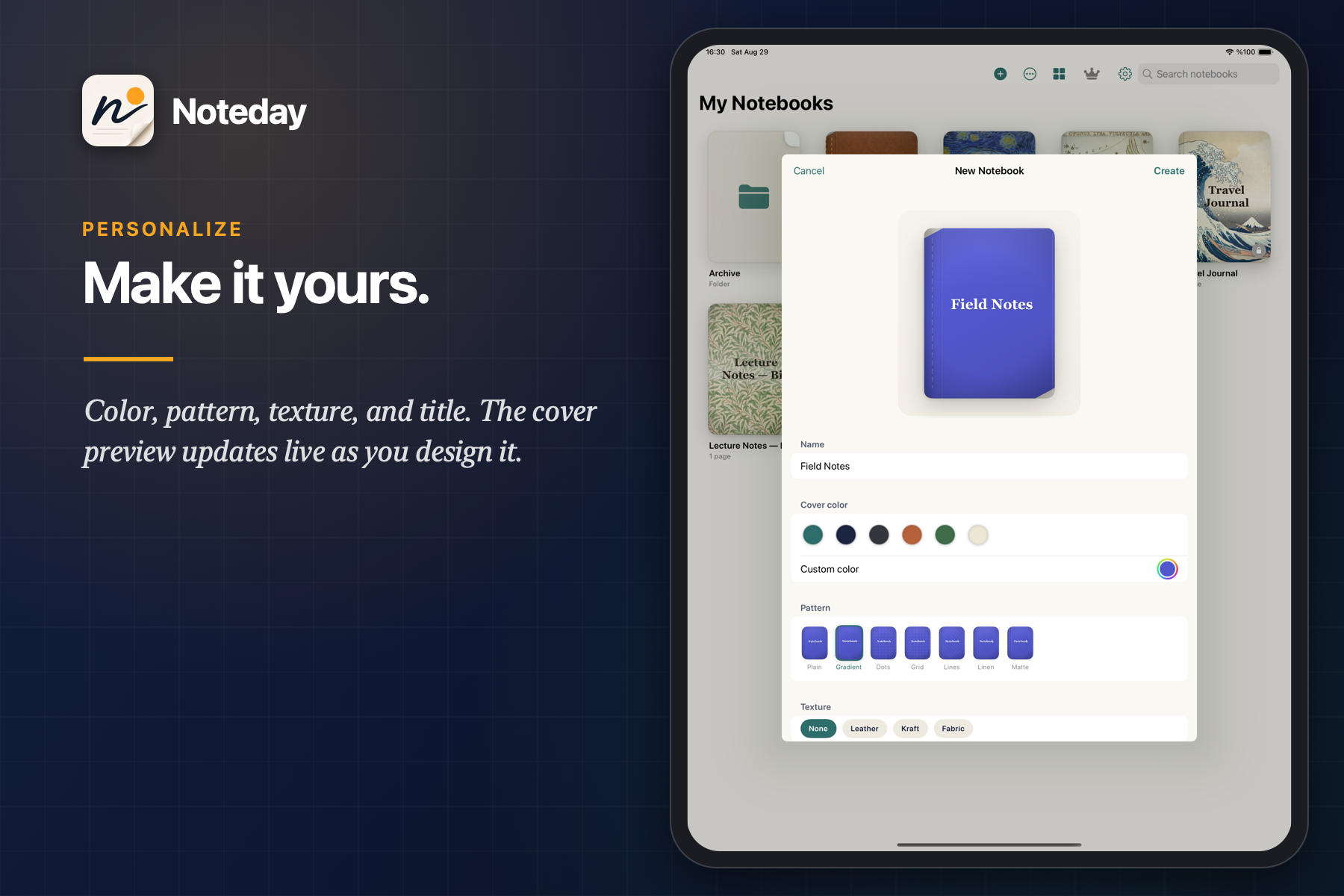
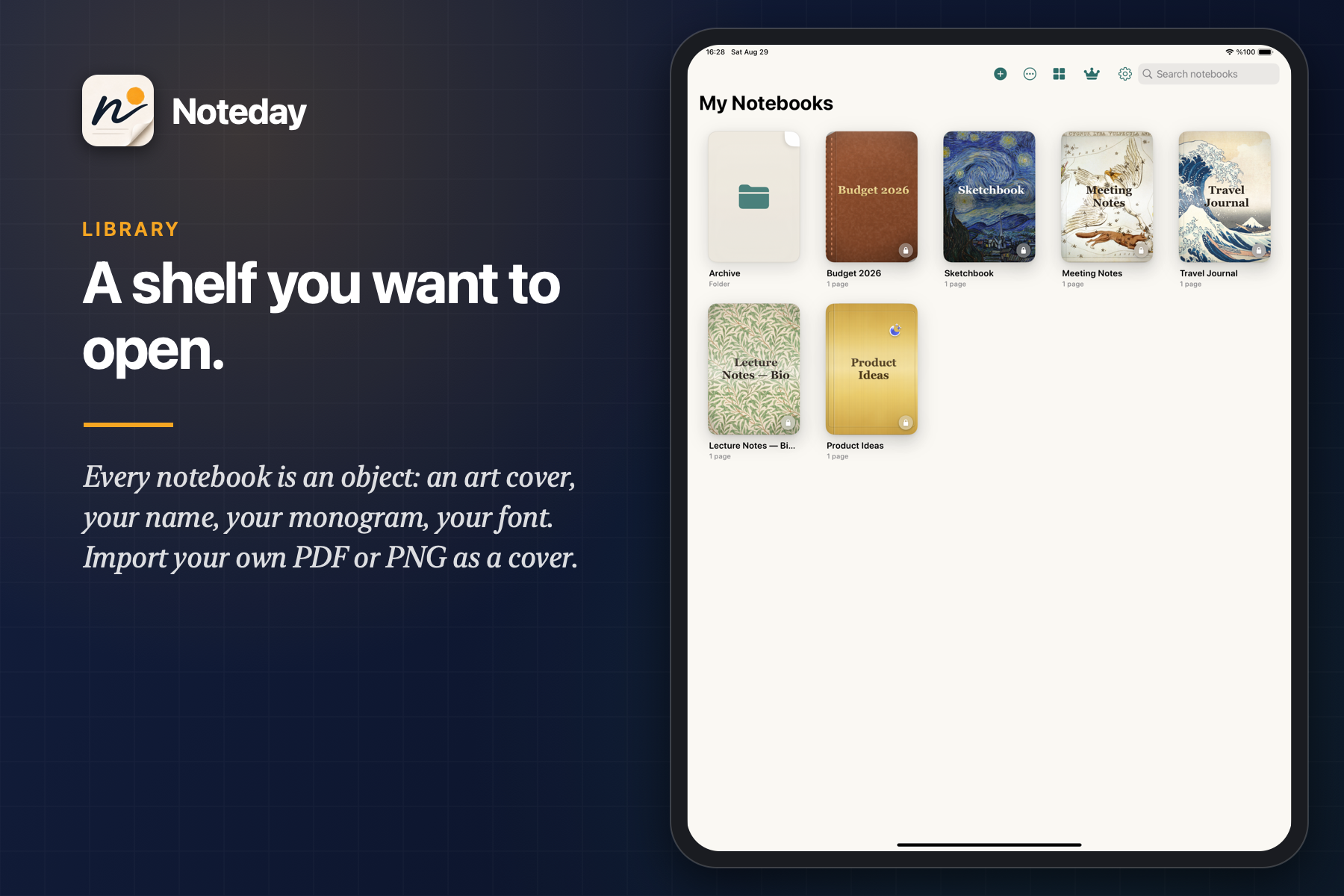
- Covers worth collecting. Museum-art covers from Hokusai, Van Gogh, Klimt, Monet, Hiroshige, William Morris, Haeckel, Audubon, and Ottoman İznik masters. Full Gold, Full Silver, and Rose Gold carry a living gleam that sweeps across the surface. Add your name, monogram, and typeface, or import your own art.
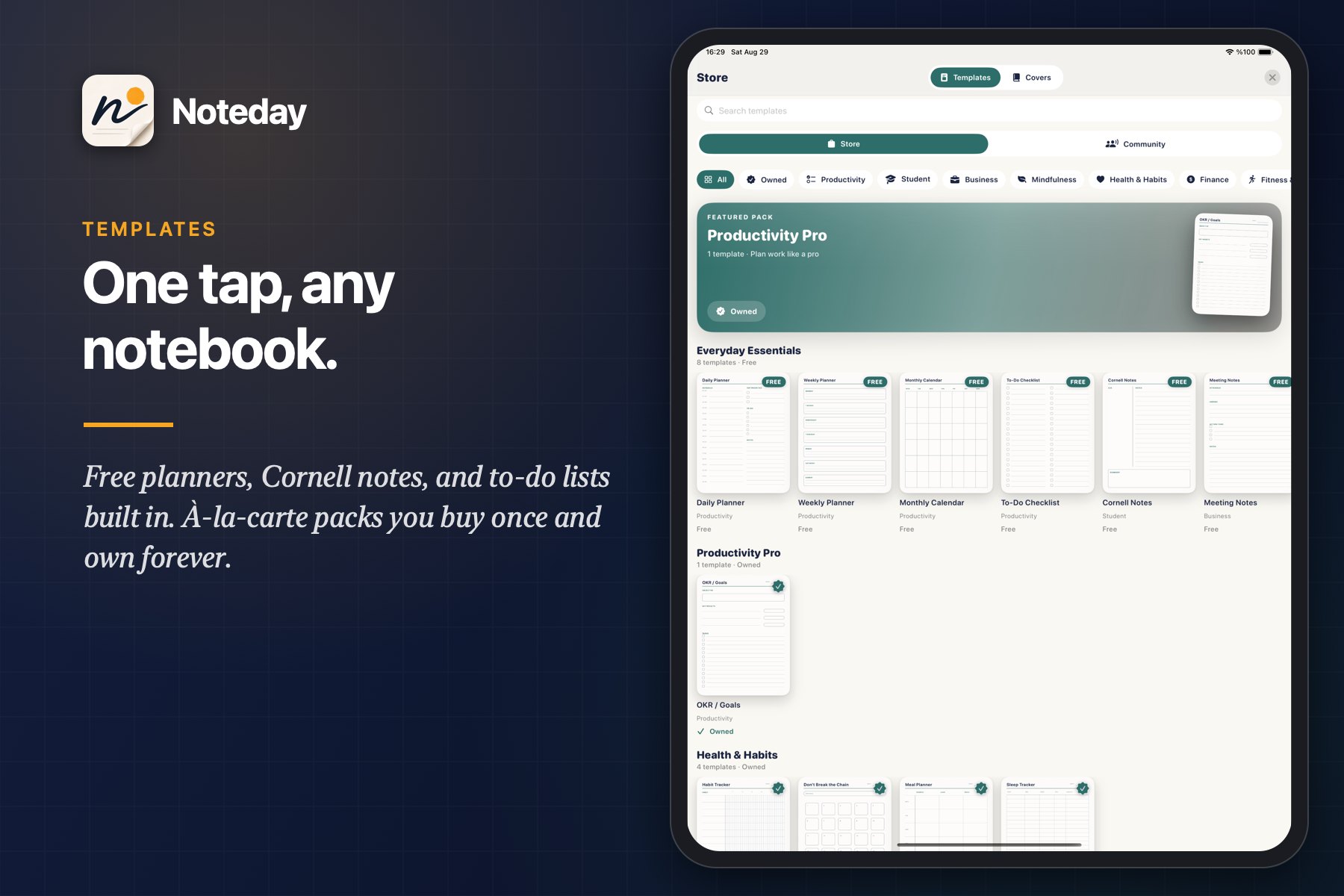
- Templates, one tap. Free planners, Cornell notes, to-do lists, and calendars built in. À-la-carte packs for students, finance, fitness, medical, music, and travel: bought once, owned forever, applied as a page inside any notebook.
How we built it
One developer, roughly 35,000 lines: 23k Swift, 11k TypeScript, 1.3k C++, and 51 lines of Metal.
- Ink core in C++17, bridged to Swift with direct C++ interop. Tessellator, op-log document with undo/redo, spatial hit-testing for eraser and lasso, a compact binary
.inkospage format, and the shape recognizer. The same core also compiles to Android through a JNI bridge, so the latency-critical code is written once. - Metal renderer with a "dry texture" design. Committed strokes are baked once into a 4x MSAA texture. Only the stroke under the pen is drawn each frame, so frame cost does not grow with how much is on the page. Coalesced touches fill in missed samples and predicted touches extend the live tessellation. The display link idles after three quiet frames, so a page at rest costs nothing. At 120Hz the whole budget is 8.3 milliseconds per frame, and that number shaped every decision in the renderer.
- Handwriting as context. Sending page images to a model is slow and expensive. Instead the app runs Vision OCR on-device, caches results per page keyed on file modification time, and stays under a character budget so a long notebook never overflows the context window. The model sees text with page numbers, which is why answers come back with page references.
- RevenueCat runs Noteday Pro ($2.99 a month or $19.99 a year, 7-day trial). Offerings feed a custom SwiftUI paywall with localized prices,
customerInfoStreamreflects renewals, lapses, and cross-device purchases while the app is open, and a RevenueCat webhook to my backend flips the user's Pro state and triggers the monthly 1,000-credit grant. App code never touches the SDK directly; everything reads a singleisProbehind a provider protocol, which made the paywall trivially testable and swappable. - StoreKit 2 handles the long tail: 94 non-consumable covers and template packs plus three consumable credit packs. Credit purchases carry an
appAccountToken, the signed transaction is verified on the server, and the transaction is finished only after the credit grant succeeds, so a crash mid-purchase can never lose or double-grant credits. - Backend: Node, TypeScript, Fastify, Prisma, PostgreSQL, Redis. Sign in with Apple, App Attest gating every credit-spending endpoint, and an append-only credit ledger with reserve, commit, and release around each AI call. A margin guard derives credit prices from provider cost, and circuit breakers cap spend per user and globally per day. Models are Gemini 2.5 Flash Lite and Imagen 4 Fast behind a provider registry, so I can switch vendors from the admin panel without shipping an update.
- Dynamic catalog. A Next.js admin panel publishes covers and template packs with remote artwork; the app merges the remote catalog over its embedded seed and re-indexes StoreKit product IDs at runtime. I can launch a new collection on a Tuesday without an App Store review.
- Covers are rendered, not photographed. CoreGraphics draws leather grain, stitched spines, fore-edges, debossed and foil titles over the artwork. The metal gleam is a SwiftUI
Canvasinside aTimelineView, and it switches off under Reduce Motion. All 22 artworks were license-verified against the Wikimedia Commons API, Met Open Access, and the National Gallery of Art; one candidate (Mucha) was rejected because it is not yet public domain in life-plus-100 jurisdictions. - Firebase Analytics and Messaging for push, AdMob with UMP consent on the free tier only.
- Handwriting as ink, not as text. The Living Notebook reply is laid out by a 113-glyph single-stroke handwriting table in the C++ core (Turkish diacritics included, our own table, no embedded font). Each glyph is a list of pen paths in writing order, so the write-on animation follows the order a hand would take. Layout wraps to the page ruling, resamples for the tessellator, and commits all strokes as one undo operation. A seeded PRNG drives the jitter and width variation, and floating-point contraction is switched off, so the same question with the same seed produces the same ink on every device.
Challenges we ran into
- Magic that shows up on paper. The first fairy dust was drawn additively and simply vanished on cream paper; additive light cannot brighten near-white. The fix was a premultiplied source-over pass, fewer and smaller particles, and a cooling ribbon on the fresh ink, so the effect reads as ink becoming writing instead of confetti.
- Latency versus page complexity. The first renderer redrew every stroke every frame, and a dense page of lecture notes fell off the 120Hz cliff. The dry-texture split fixed it and made frame time independent of stroke count.
- Consumables are scary. A network failure between Apple's receipt and my server means either a customer who paid and got nothing, or one who got paid twice. The fix was idempotency: each transaction ID is unique in the ledger, and the client only calls
finish()after the server confirms the grant, replaying unfinished transactions at launch. - Keeping AI from eating the margin. Every feature has a credit price derived from measured provider cost, image generation costs more for a reason, and the ledger reserves credits before the call and releases them if the call fails.
- Making museum art legal. "Public domain" is not one rule; it depends on the artist's death year and the jurisdiction. Every cover went through a license check against the source archive, and the ones that failed did not ship.
- Keeping the store fresh without app updates. Remote covers had to coexist with the embedded catalog, survive offline, and map to StoreKit products the app had never seen. The client merges the remote catalog over its seed, caches artwork by content hash, and re-indexes product IDs at runtime.
Accomplishments that we're proud of
- A Metal ink engine, a custom binary format, a marketplace, a hosted AI backend with a credit economy, and an admin panel, shipped from zero by one person.
- Handwritten notes to a quiz in one tap, no retyping.
- Three purchase types (subscription, non-consumable, consumable) working together with server-side truth and no double grants.
- Covers people want to collect: museum art with documented provenance, and Full Gold, Silver, and Rose Gold with a living gleam that respects Reduce Motion.
- An AI feature set that is metered, not gated, so the free tier can try it instead of reading about it.
- A notebook that answers in its own handwriting, in real strokes, on the page where you asked.
What we learned
- Shorter paywalls convert. The paywall went through four versions during the build, and each one removed something. The final version has four benefits, two prices, and one button.
- Facades pay for themselves. The RevenueCat provider, the analytics sink, and the AI provider registry are each a single file behind a protocol. That is why switching the AI vendor is an admin toggle and why the paywall can be unit-tested with a fake store.
- Credits beat feature gates for AI. When people can see a cost and try the feature, they try it. When it is locked, they never learn what it does.
- Design is a monetization feature. Covers sell because they are beautiful, not because they are locked.
What's next for Noteday
- Lecture mode. Record the lecture while you write. The transcript is aligned to your ink on a timeline, so tapping a word you wrote plays back what was being said at that moment, and the AI can answer from both the audio and the page.
- Study plans that come to you. Flashcards and quizzes generated from your own notes, scheduled by spaced repetition, and delivered through the reminders you already set. The notebook becomes the study calendar.
- Two Pencils on one page. An op-log CRDT with Lamport clocks is already written in the ink core. Wiring it in turns every notebook into a shared one: study groups, tutors, and co-authors writing on the same page at the same time.
- Community marketplace. The store already has a Community tab. Next, creators publish their own templates and covers through the same dynamic catalog, with a revenue share, so the marketplace grows without me drawing every template.
- Android. The C++ core already runs through the JNI bridge. A Compose UI, Play Billing, and RevenueCat cross-platform entitlements bring the same notebook to the other half of the world.
- One dashboard for every purchase. Covers, packs, and credit packs move onto RevenueCat next to the subscription, so revenue, entitlements, and webhooks live in one place across both platforms.
- Search your handwriting. The OCR that feeds the AI becomes a library-wide index, so you can find the page where you wrote "Krebs cycle" three notebooks ago.
Built With
- admob
- app-attest
- avfoundation
- c++
- cloudkit
- docker
- fastify
- firebase
- google-gemini
- imagen
- metal
- next.js
- node.js
- pdfkit
- postgresql
- prisma
- redis
- revenuecat
- sign-in-with-apple
- storekit
- swift
- swiftui
- typescript
- uikit
- vision


Log in or sign up for Devpost to join the conversation.