-
-
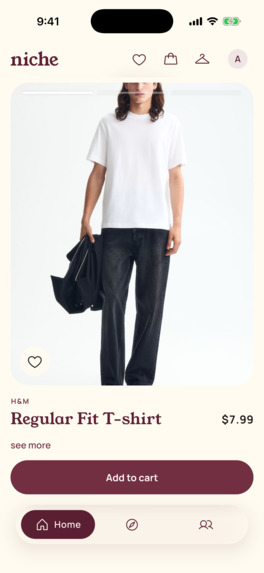
Home Page
-
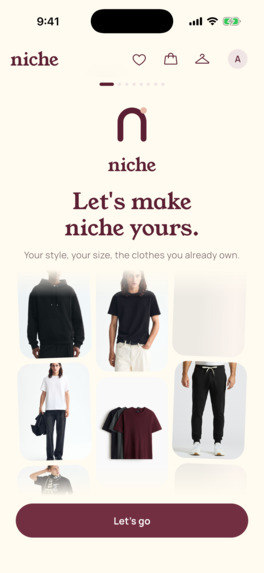
Onboarding
-
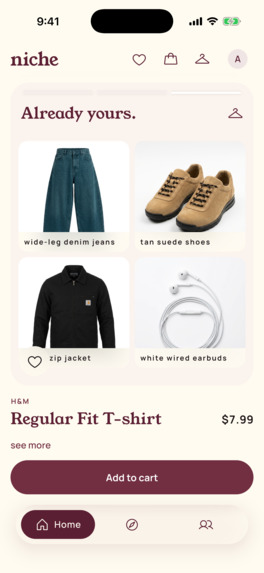
Full outfit idea
-
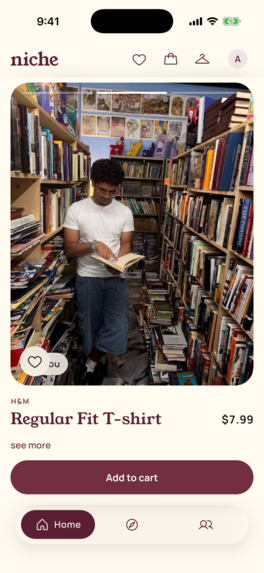
Try it on!
-
Inspiration
Shopping for one outfit means five tabs, five carts, and guessing your size five times. Styling apps tell you what to wear but can't sell it to you. Shopping apps sell you things but have no idea what's already in your closet. College students on a budget feel this the most: we want pieces that work with the clothes we already own, in our size, at a price we pick.
What it does
Niche learns who you are once. After that, everything you see is real, in your size, goes with what you already own, and checks out in one tap across stores.
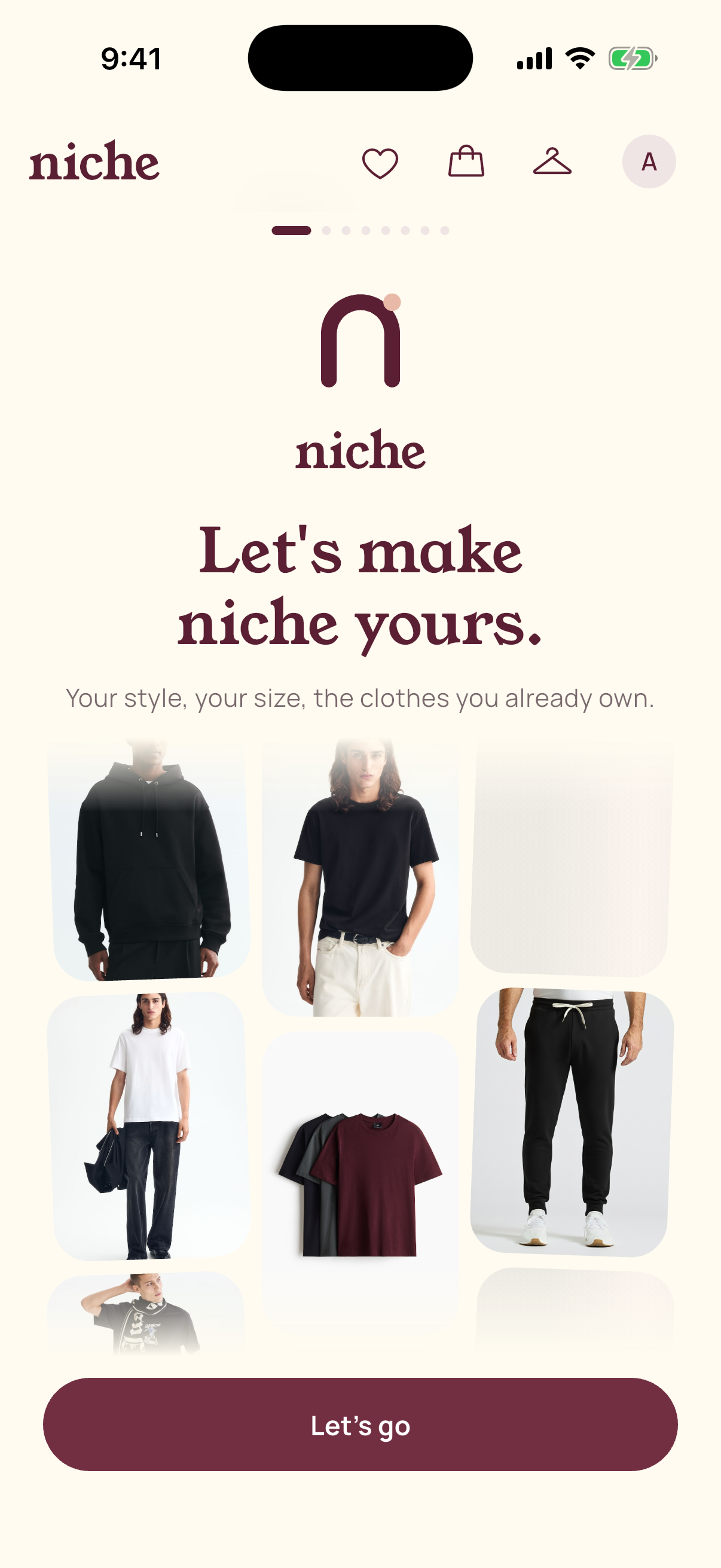
- Onboarding: describe your style in plain words ("y2k fits, baggy jeans, tops under $40"), pick your stores and men's / women's / both, and upload a few photos of yourself. From those photos plus your height, Niche estimates your measurements (you confirm them) and starts your closet.
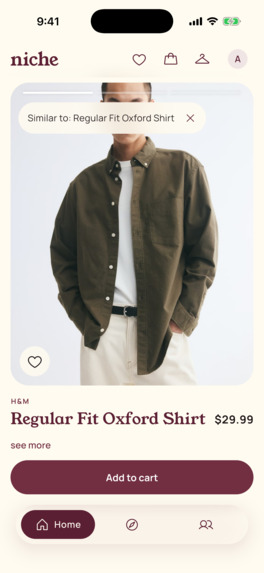
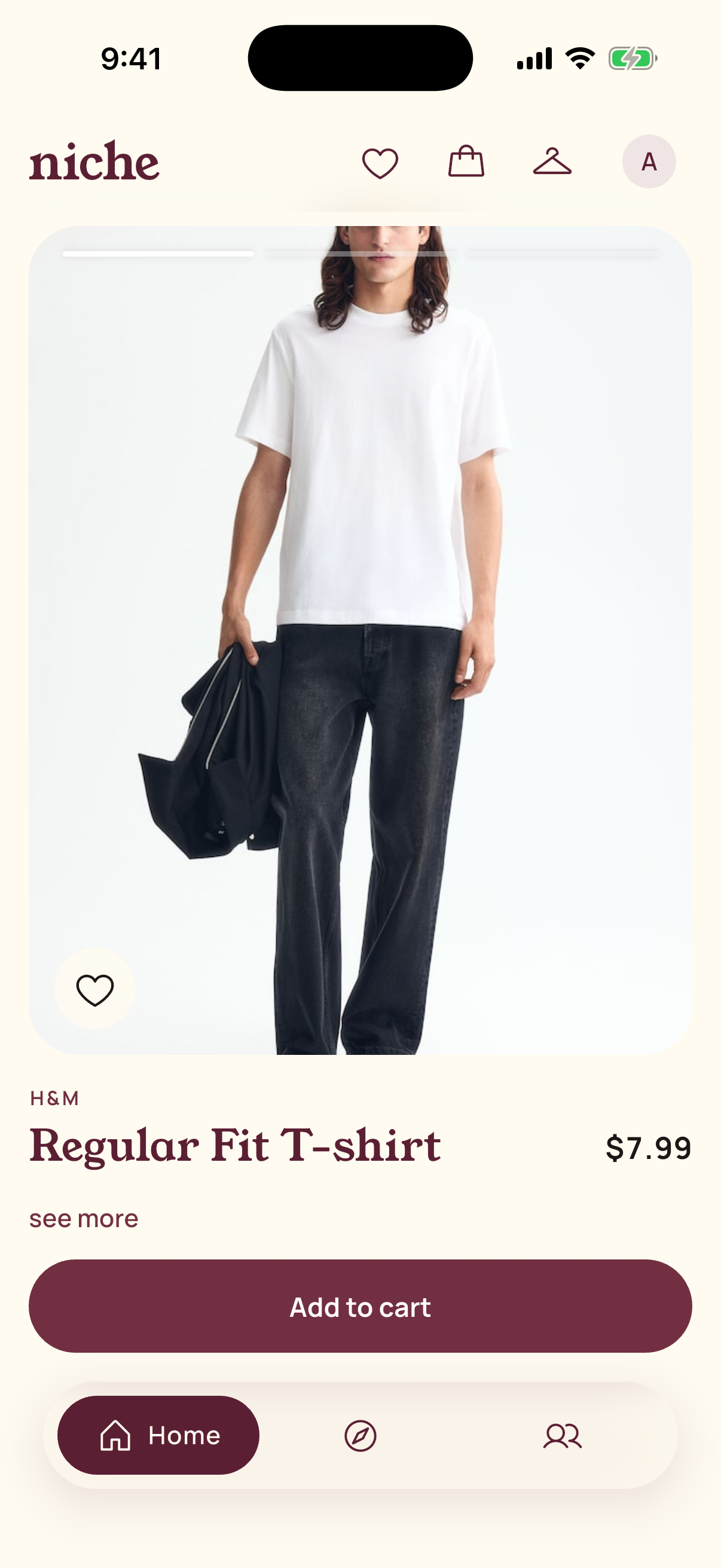
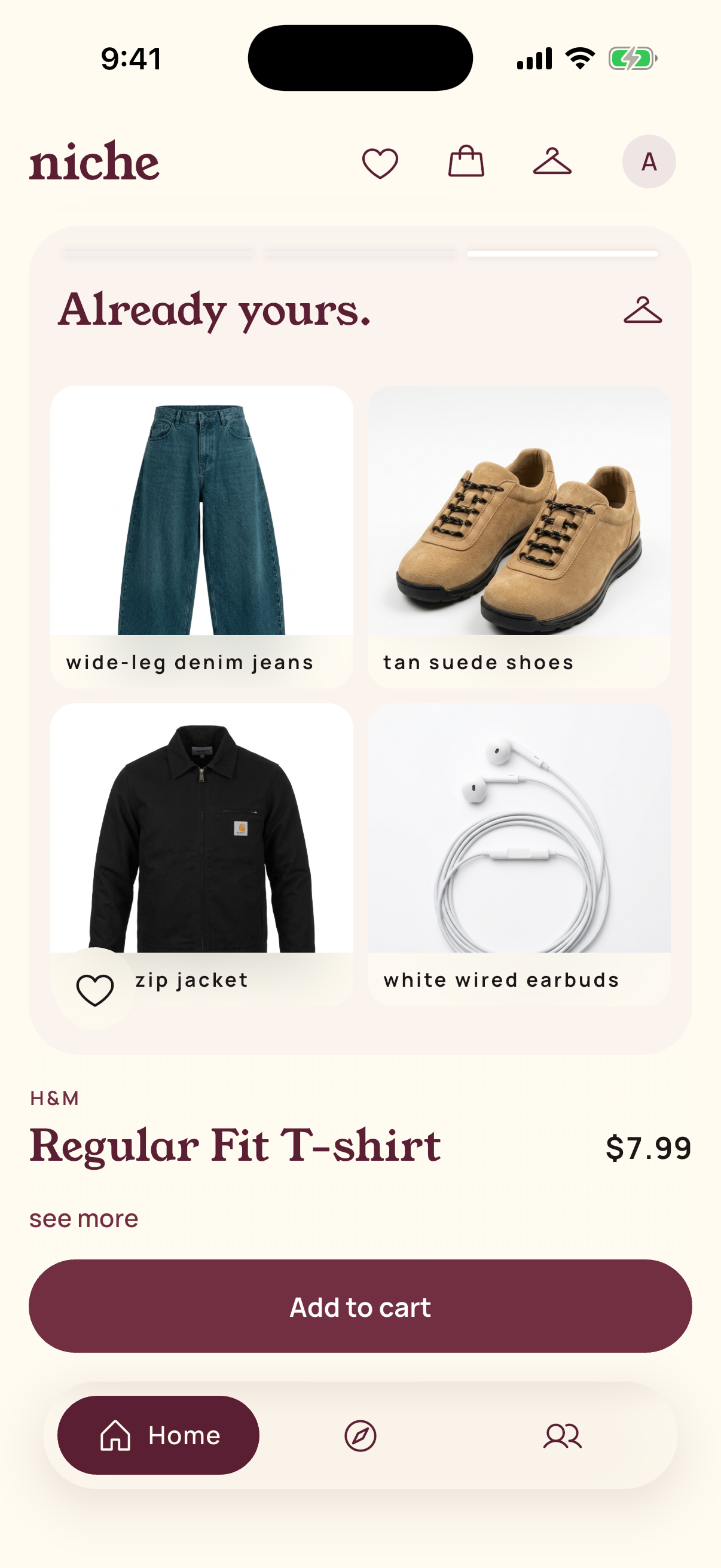
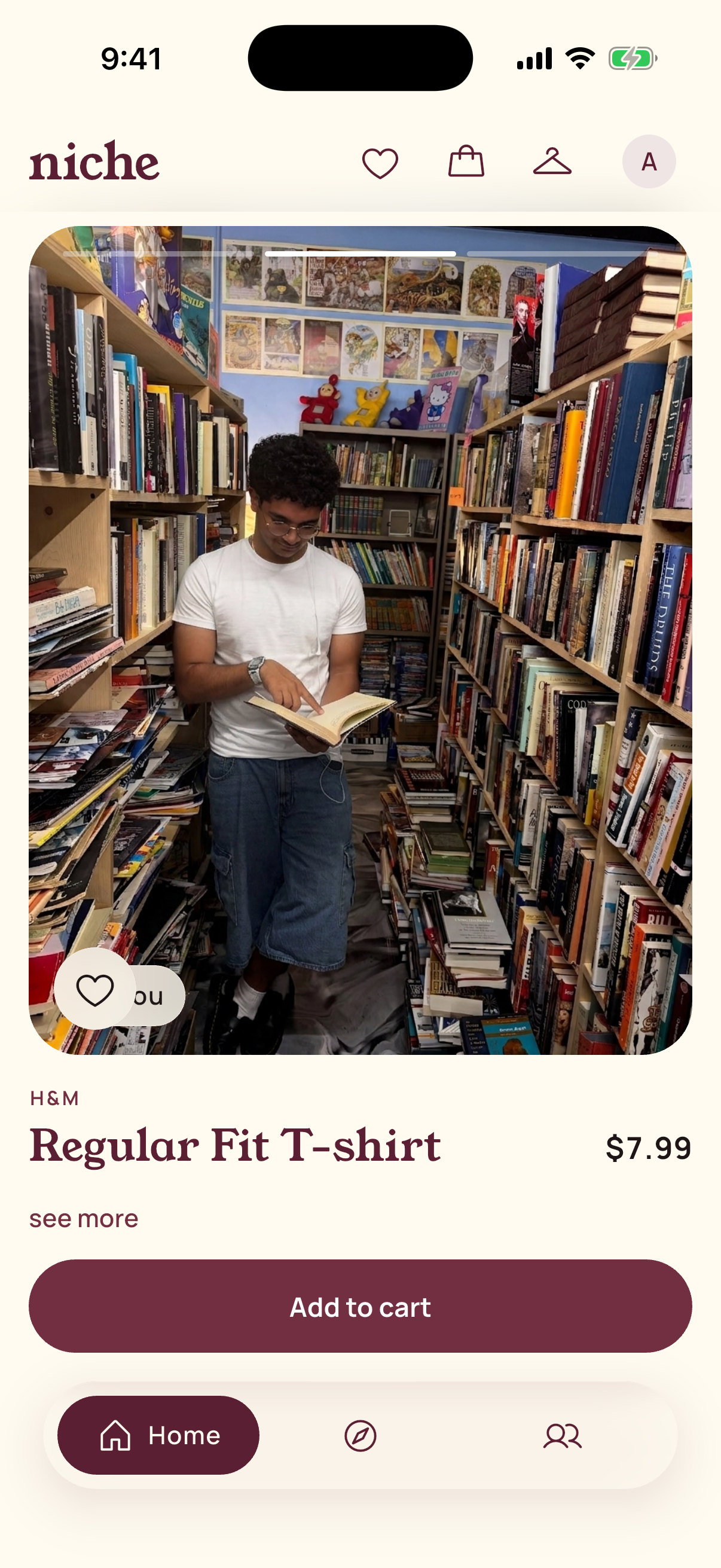
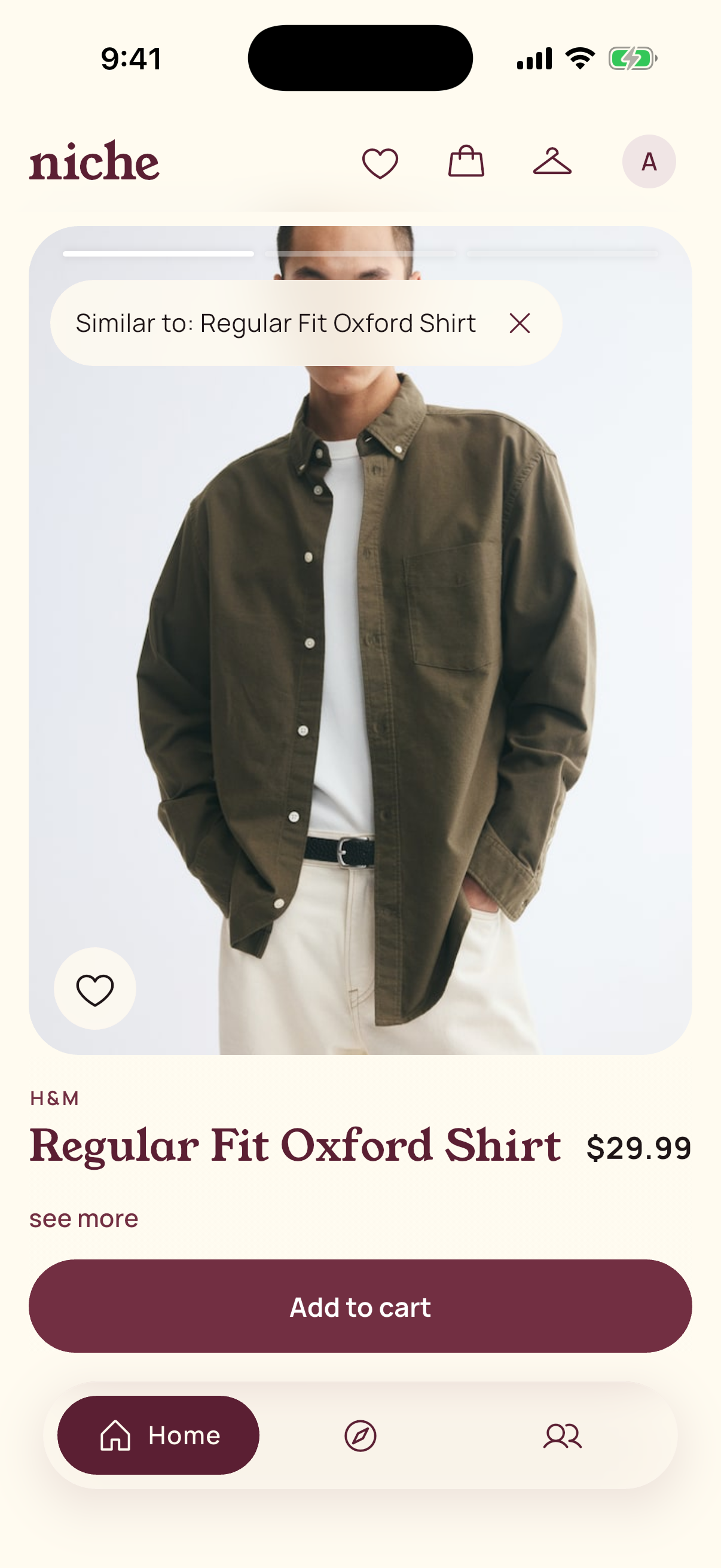
- Home, like reels: one real product fills the screen at a time, from 8 stores (H&M, Uniqlo, Princess Polly, Edikted, Brandy Melville, True Classic, Kith, Stüssy). Each post has three slides:
- the item on its own;
- the item on you: your own photo with just that garment swapped in, already rendered before you scroll to it;
- a 2×2 grid of pieces you already own that go with it.
- Sizes are pre-picked and in stock. Every card says why it's there ("goes with your camel overcoat"). Tap the heart or double-tap to like; Add to cart is the only other button.
- Discover: a Pinterest-style board that mixes 793 real outfit pins, products in your size and friends' posts. Search a style or a vibe, or snap something you like in real life. Every pin has Similar: your own closet pieces first, then pieces to buy.
- Closet: post your outfit photos and Niche splits each one into separate pieces, including layers you can only partly see (the sweater under a jacket) and accessories (earbuds, watch, bag). Each piece gets a clean white-background shot, a label that matches what's actually in the photo, and a brand only when a logo is visible. The same piece seen in different outfits is merged into one item.
- Outfits keep the photos you wore them in, each with an editable nickname and a Fit Score.
- Create 3 fits: type the occasion in your own words ("date night in SF, 55°F, walking a lot") and get three outfits built only from your closet, season-checked (no shorts under a coat).
- Fit Score: 0–100 from eight stylist criteria (colour, silhouette, pattern, formality, style coherence, shoes, layering, occasion), said in terms of a style: "72 as classic: strong palette, shoes too casual."
- Inspo: everyone's outfit of the day.
- Post your OOTD to Friends or Everyone. Add friends by @handle or friend code.
- React with 🔥 😍 👀 💯 and comment.
- Find similar look opens one section per tagged piece: similar items you already own, then items to buy in your size.
- One cart, every store, one checkout through Capital One Nessie: one purchase per store, with sold-out and failed-payment handling. The Niche Card in your profile shows your Nessie balance and purchases live.
- Google sign-in, light and dark mode, on iPhone, Android and web.
How we built it
- App: Flutter, one codebase for iOS, Android and web, with its own design system (Young Serif + Manrope, merlot and cream, frosted-glass bars, motion and haptics) and the Niche arch icon.
- Backend: one Python FastAPI service. The app never talks to outside services directly; every API key stays on the server.
- Catalog (Apify): three actors (
gauzy_penguin/HM-Product-Scraper,abotapi/uniqlo-com-scraper,autofacts/shopifyfor six Shopify brands) feed our ingest pipeline: per-size stock, photo galleries, men's/women's/unisex from the store's own data, and AI tags on every product. 3,476 products from 8 stores. A Pinterest actor adds 793 outfit pins, kept only if the AI finds at least two real garments in them. - Checkout (Capital One Nessie): each user is a Nessie customer with a credit-card account, each retailer is a Nessie merchant, and each store in the cart becomes its own purchase with its own status, so a failed store can be retried without charging the others twice. The Niche Card reads the account and purchases live from Nessie and ties each one back to its order.
- Gemini (try-on and clean shots):
- Picks the best photo of you for each item: one that already has that type of garment, and in the same season and layers (shorts never go on your trench-coat photo).
- Edits only that garment in place, true to size from your measurements; face, pose, background and every other piece stay.
- Every image is labelled inline in the request, and a perceptual-hash guard rejects any render that looks more like the store's model than like you, then retries. If it still fails, the app shows "try-on unavailable" with Retry, never a fake.
- The next three posts are pre-rendered in the background, so "on you" is ready before you swipe.
- Closet clean shots name the exact piece ("white wired earbuds, accessory"), and a Claude vision check rejects any shot that isn't that piece; fallback is a render from the label alone.
- Claude (stylist): tags every product and closet photo, ranks the feed against your closet and writes the reason on each card, scores fits, and builds the 3 fits.
- Rules first, then Claude: a rule-based shortlist removes clashes and same-category pairs, Claude re-ranks the top 20 and explains them, and hard validators check every card (no reasons that mention clothes you don't own).
- Temperature 0, strict JSON schemas with closed vocabularies, retry once, then fall back to rules.
- We built an eval harness (20 cases × 3 runs, real model): style clashes went from 11% to 0%, same-category pairs from 19% to 0%, top-5 stability from 0.61 to 0.75, at about $0.001 per ranking.
- Plain rules (free, instant): sizing, colour matching, warmth/season, duplicate detection.
- Reliability: budget caps, caching and fallbacks everywhere; about 780 backend tests and 200 app tests.
Challenges we ran into
- Try-on that's actually you. Our first renders sometimes came back as the store's model, not the user, because the model couldn't tell which image to edit. Labelling each image in the request and adding a hash check that rejects lookalikes fixed it. Choosing a photo with the right season and layers fixed the "shorts under a trench coat" renders.
- Closet shots of the wrong item. A crop around earbuds on your chest is mostly jacket, so the image model drew the jacket. Naming the exact piece and checking every result with a second model fixed it, and merging synonyms ("earbuds", "earphones") removed duplicates.
- Sizes. Most fashion scrapers read category pages, which don't list sizes, so we had to find actors that open each product page, then handle store quirks like Uniqlo's low stock coming back as out of stock.
- Finding the photo of just the item. Store galleries mix product and model shots. Claude labelled 11,779 catalog photos from one contact sheet per product for about $0.23.
- Model photos confuse taggers. A photo of jeans usually shows a whole outfit; without the product name as a hint, 37 of 418 tags described the wrong garment. With it, 0.
- Scores that mean something. Our first Fit Score gave almost everything 80+. We rebuilt it as a calibrated rubric so a 90 has to be earned.
- Privacy. iPhone photos carry GPS coordinates; we strip that metadata on upload. Friends-only posts stay hidden from everyone else.
- Three people, one backend, 36 hours. We split into lanes (app, AI, commerce), coordinated through handoff files in the repo, and merged every change by pull request into a shared staging branch.
Accomplishments that we're proud of
- Real products, real sizes and stock, real multi-store checkout through Nessie, not mock data.
- Try-on on your own photo that keeps you you, guarded so it never shows a stranger.
- A closet built from photos you already have, with layers and accessories found and checked.
- Recommendations that are measured, not vibes: clashes from 11% to 0% with an eval harness we can rerun.
- It fails gracefully: no error screens in the demo.
What we learned
- Pick a data source by the hardest field you need (sizes), not by how many stores it covers.
- Generative output needs a checker: a cheap second pass (a hash, a yes/no vision call) beats a better prompt.
- Rules first, AI second makes recommendations consistent and cheap.
What's next
- More stores (Zara, Mango, ASOS), refreshed on a schedule.
- Real payments and per-store order tracking.
- Creators earning when people shop their Inspo posts.
- Learning from what you actually wear and keep, not just what you like.

Log in or sign up for Devpost to join the conversation.