Inspiration
At the driving range, the most useful question is often the simplest: “How was that swing?”
Recording a video is easy. Understanding what to change—and remembering it before the next shot—is much harder. Reviewing footage also means putting down your club, picking up your phone, and interrupting your practice.
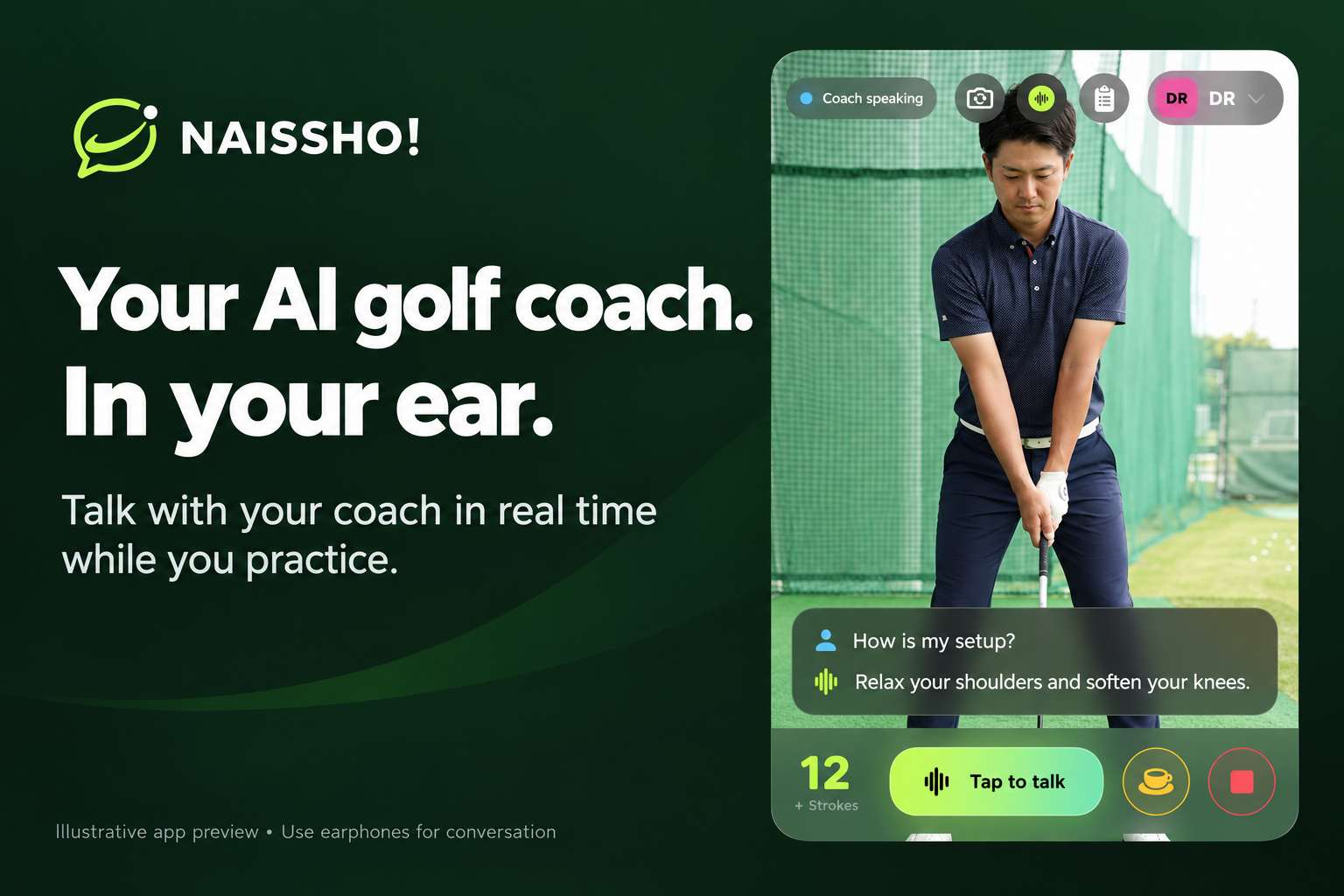
We built Naissho! to make that feedback loop feel more natural. Set up your iPhone, take a swing, and talk to your coach.
The name comes from the Japanese way of saying “Nice shot!”—the kind of encouragement we want golfers to hear while they practice.
What it does
Naissho! turns an iPhone into a conversational golf practice companion.
Its core experience is hands-free voice coaching. Golfers can ask about their setup, request feedback on a recorded swing, and follow up with questions such as “What about my follow-through?” or “Was that better than before?”
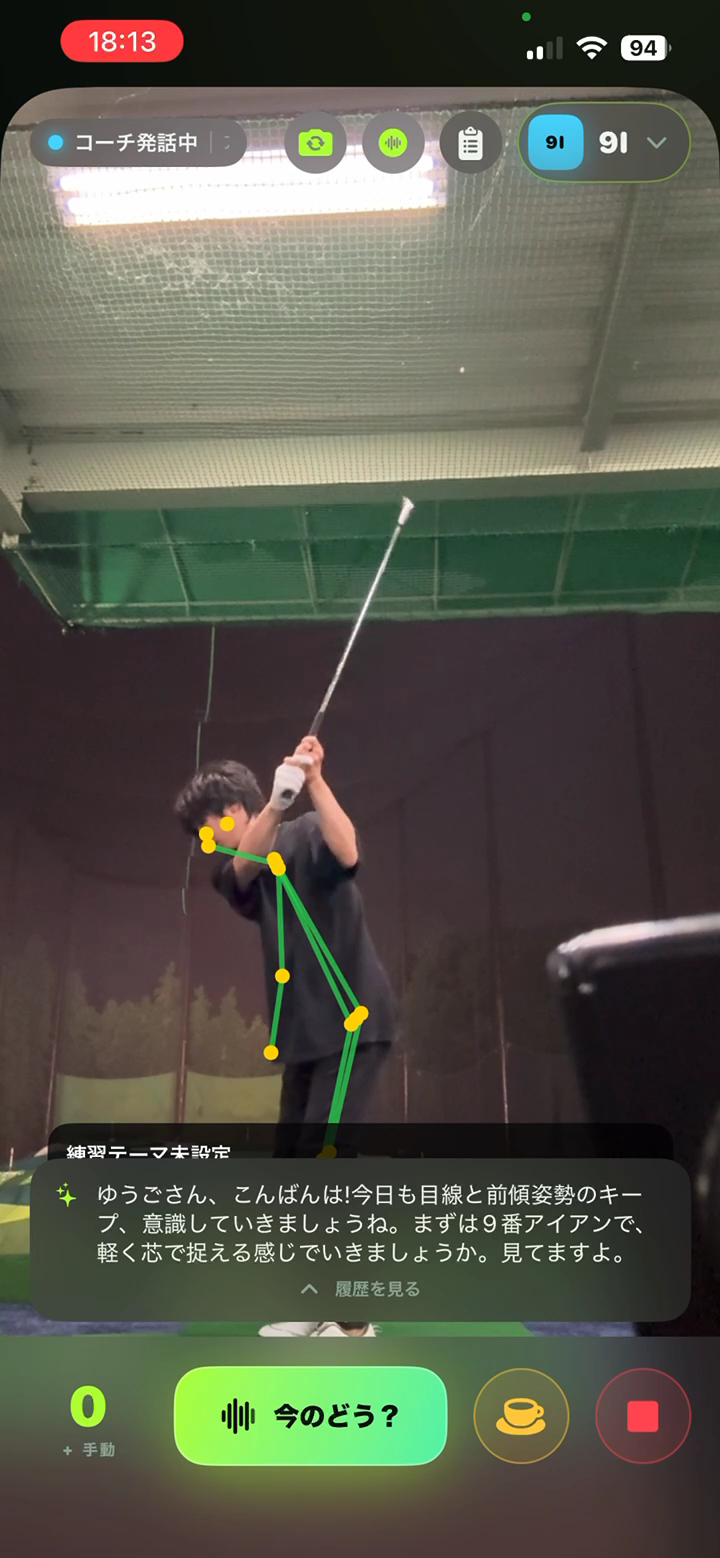
The app combines on-device analysis with cloud-based AI. On-device processing detects swings and estimates body movement, while video analysis provides more detailed feedback across swing checkpoints. Detailed video analysis takes additional processing time; it is not an instant measurement of every shot.
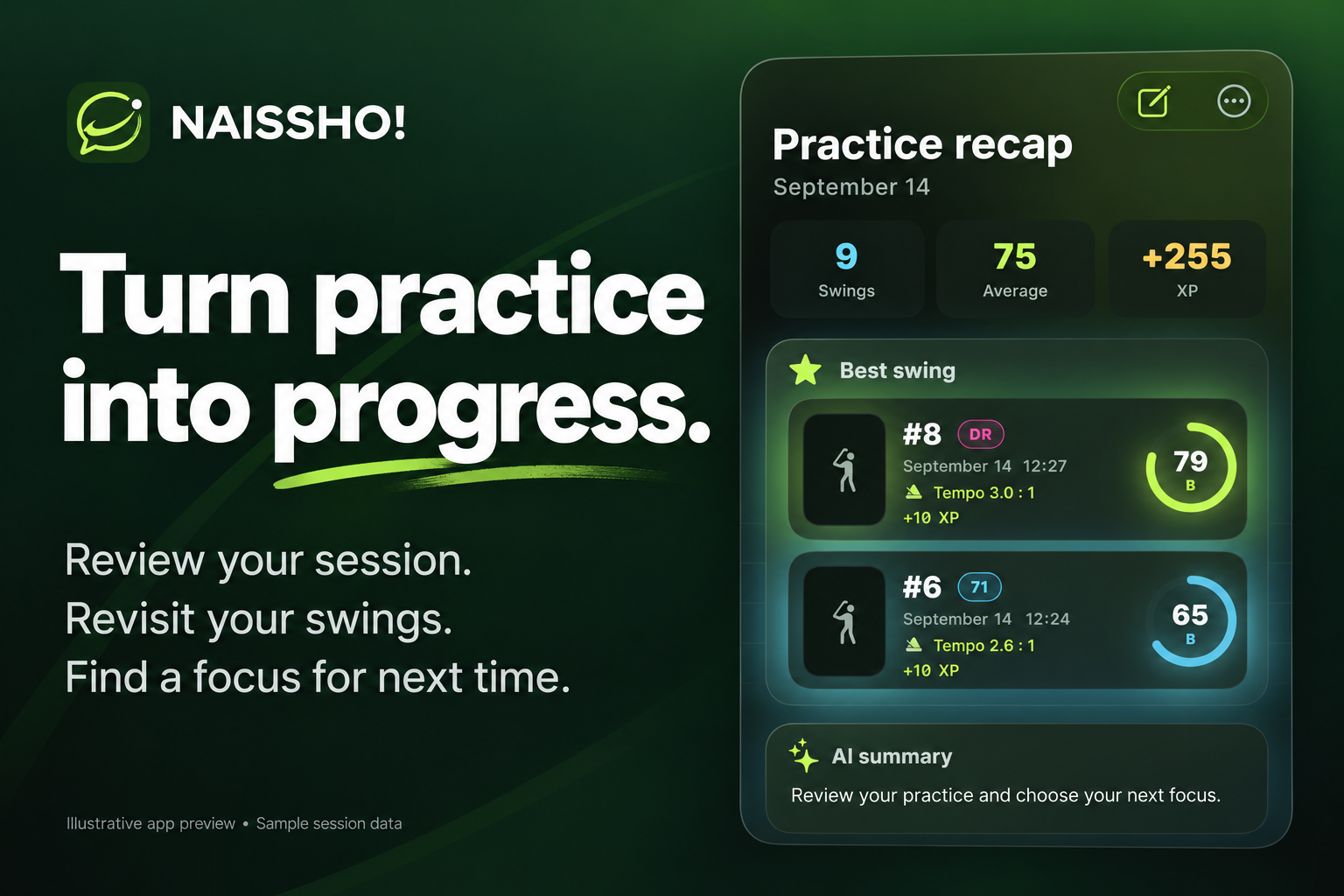
After practice, golfers can review their recordings, body-pose overlays, estimated club and ball paths, and coaching feedback.
No wearable or dedicated launch monitor is required. The visual estimates are designed to support review, not replace precision measurement equipment.
How we built it
We built the native iOS app with Swift and SwiftUI, using AVFoundation for camera and audio processing and Apple Vision for body-pose analysis.
Google Gemini supports visual analysis and coaching, while an optional OpenAI-powered conversation mode enables more natural voice interaction. Analysis results become part of the conversation context, so golfers can ask follow-up questions without starting over.
A Node.js backend on Google Cloud Run handles authenticated AI requests, usage limits, and purchase events. Firebase provides authentication and data services. RevenueCat integrates Apple subscriptions and consumable purchases with our usage-based coaching allowances.
Because the app processes personal audio and video, we added explicit, provider-specific consent before AI transmission, with controls to withdraw that permission.
Challenges we faced
Keeping feedback inside the practice rhythm
A detailed answer is less useful if it arrives after the golfer has moved on. We built a video-validation page to compare processing time and response quality across different clips and encoding settings, including original video uploads.
We also moved suitable processing off the main thread to reduce interruptions to the camera, interface, and conversation.
Making tracking more believable
Fast club movement, motion blur, and temporary occlusion made tracking difficult. Early paths sometimes zigzagged in ways a real club or ball could not.
We created browser-based validation tools, manually labeled reference points, and iterated on detection, continuity, and motion constraints. This gave us a repeatable way to evaluate changes instead of relying only on visual impressions.
Making the coach useful, not just talkative
We refined the interaction around the golfer’s questions rather than constant unsolicited commentary.
Beta feedback also highlighted the importance of clear priorities, understandable language, and recognizing what improved. We incorporated prioritized feedback and comparisons with previous analyzed swings to make advice more actionable.
What we learned
Building an AI coach is about more than producing an accurate-looking answer. Timing, context, and presentation determine whether that answer helps someone practice.
We learned to separate fast local observations from slower, detailed analysis—and to connect both through one coherent conversation.
We also learned that showing a golfer what improved can be just as valuable as identifying another mistake.
What we are proud of
Naissho! has passed App Store review and is publicly available.
We took the project beyond a conversational demo: it includes real camera and audio workflows, repeatable tracking validation, subscriptions, usage controls, and explicit AI data-sharing consent.
Most importantly, the product is built around a practical moment: helping a golfer decide what to focus on before the next shot.
What’s next
We want to keep improving response latency, tracking reliability across filming conditions, and comparisons over longer periods of practice.
Our goal is a coach that helps golfers notice progress, understand their next priority, and keep practicing—with less time looking at a screen.
Built With
- apple
- authentication
- avfoundation
- cloud
- cloudkit
- express.js
- firebase
- firestore
- gemini
- ios
- javascript
- node.js
- openai
- revenuecat
- run
- storekit
- swift
- swiftdata
- swiftui
- vision
- websockets

Log in or sign up for Devpost to join the conversation.