-
-
-

App icon (1024×1024)
-
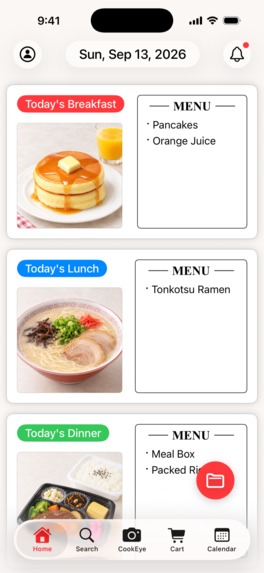
Screenshot without device frame (1179×2556)
-
-
-
-
-
-
-
-
-


Inspiration
Every evening the same question comes up: "What should I cook tonight?" And when I tried to keep track of what I ate, most food apps answered with numbers — calories, macros, targets. Logging turned into homework, and like many people, I quit after a few days.
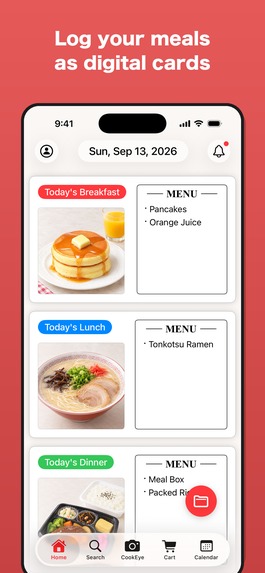
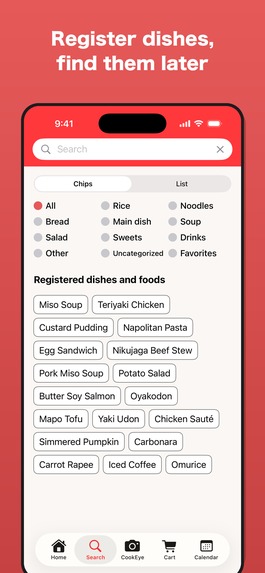
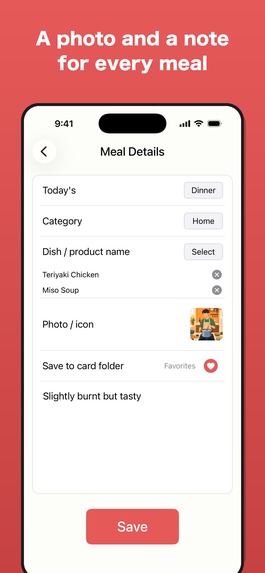
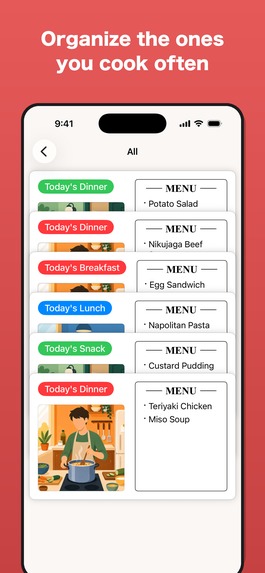
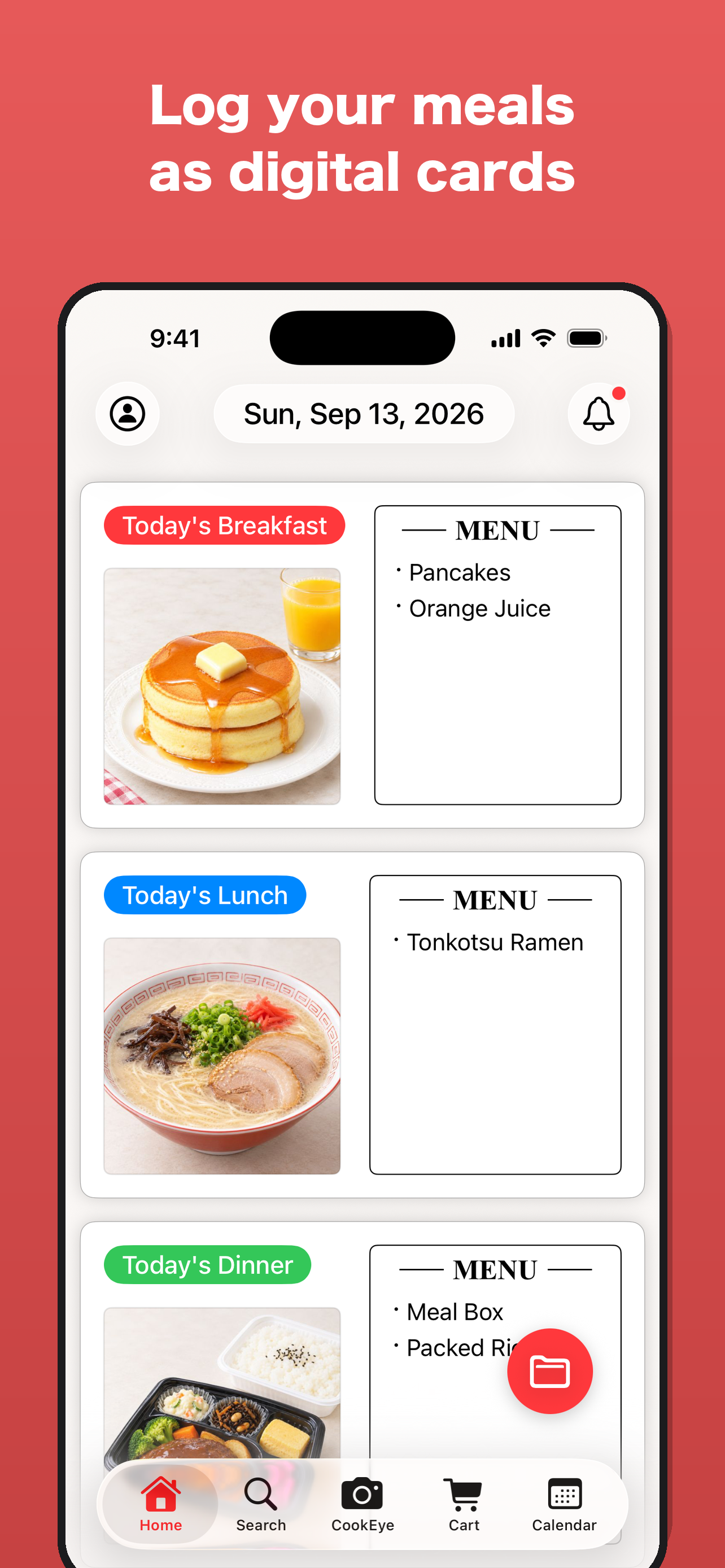
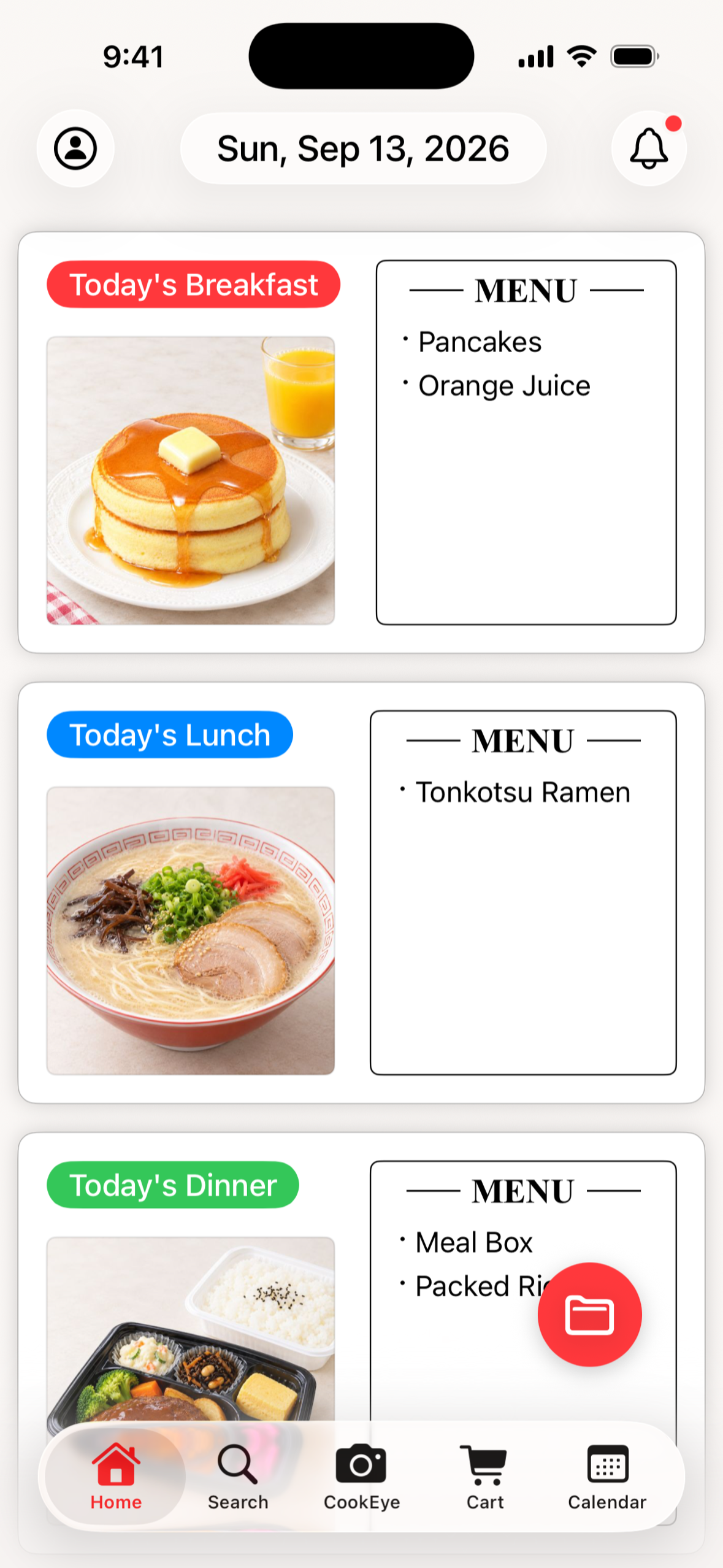
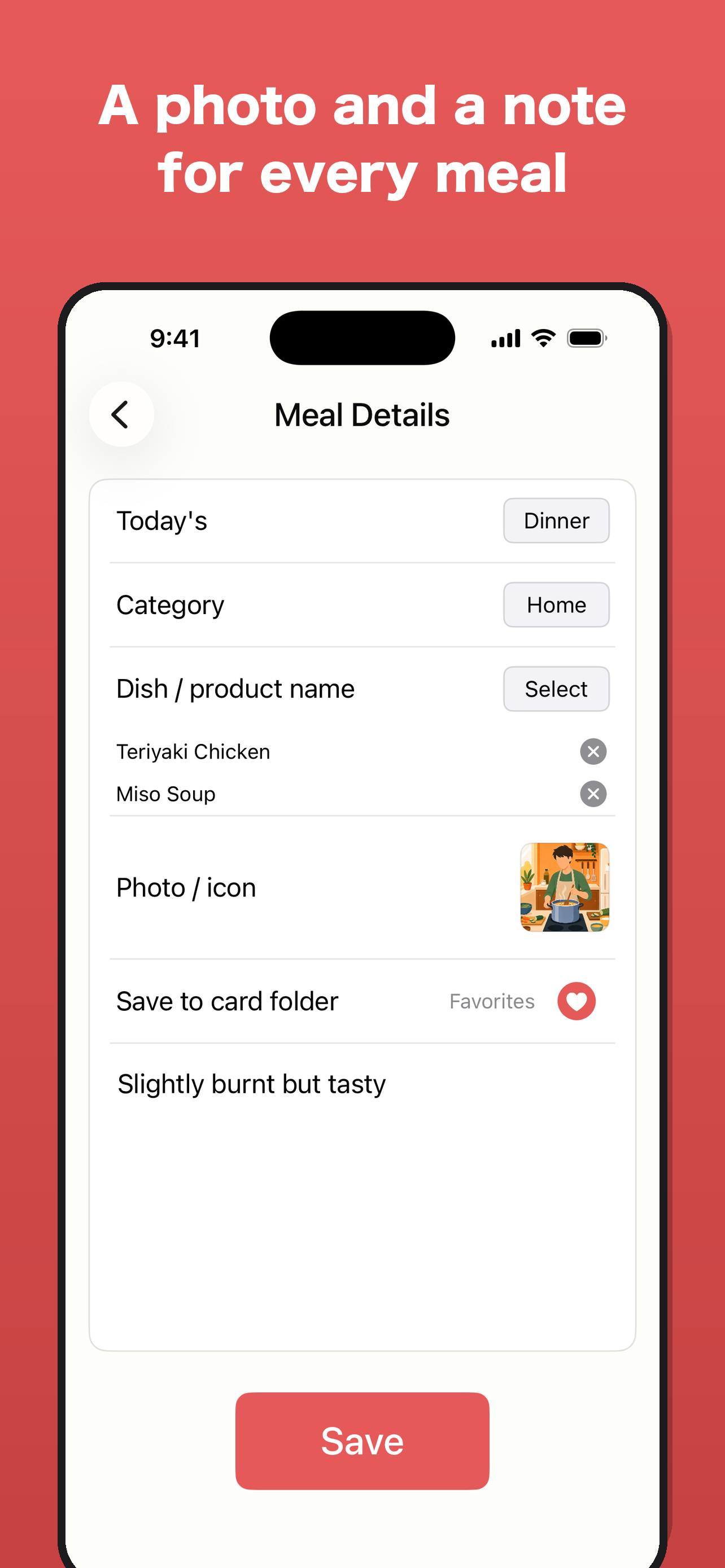
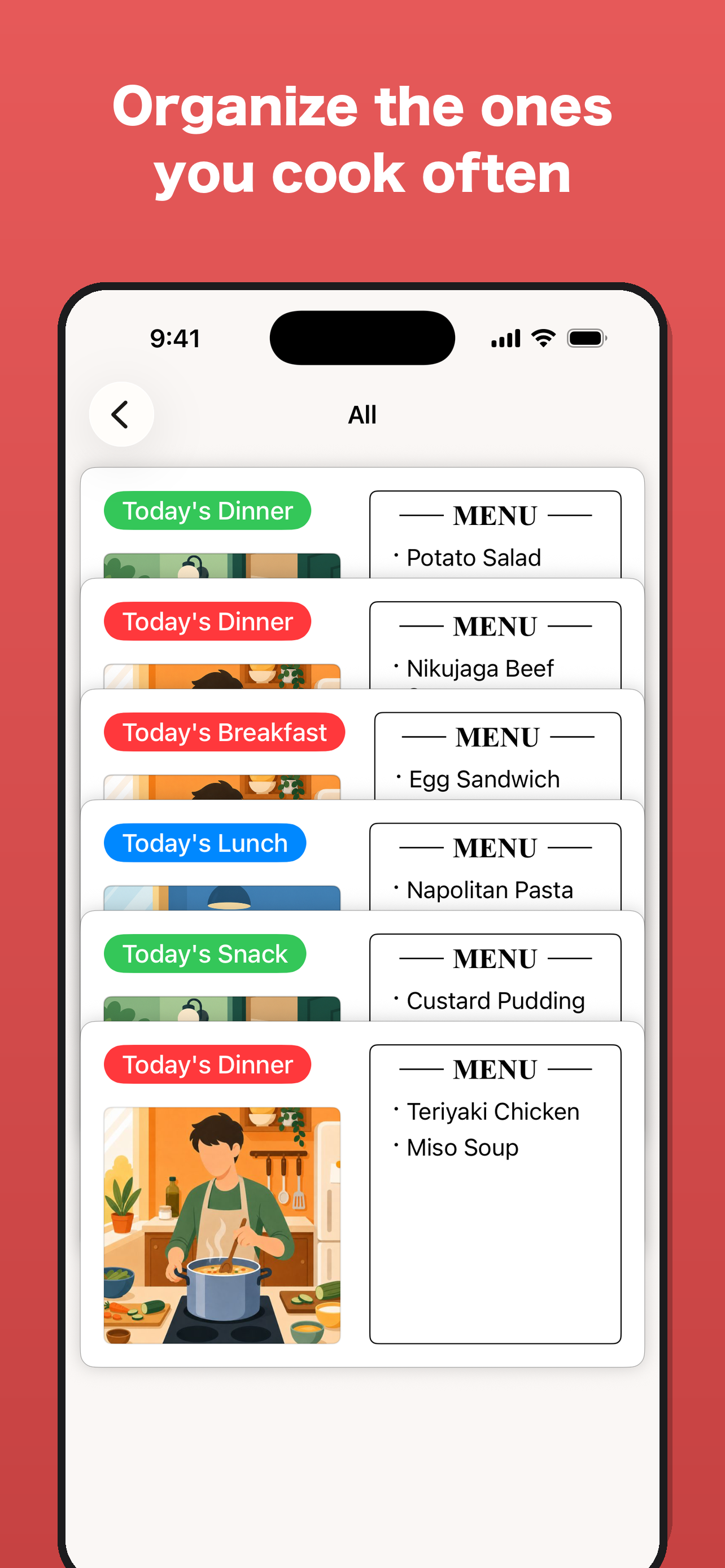
So I asked two questions. First, what if recording a meal felt less like filling in a spreadsheet and more like writing a small menu for your day? That became Meal Cards: each meal is a card styled like a restaurant menu, with a photo, the dishes you had, and whether it was home-cooked, eaten out, or from a deli. You add a dish to your own list once, then simply pick it the next time, so logging takes seconds. Over time your cards line up into a personal menu book you actually enjoy flipping through, instead of a log of numbers to feel guilty about.
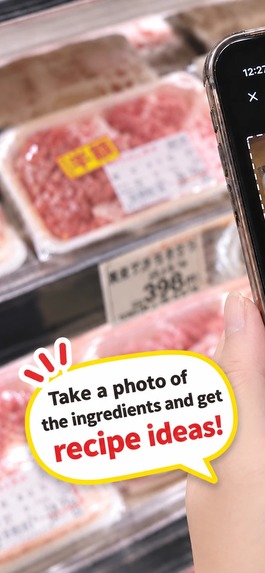
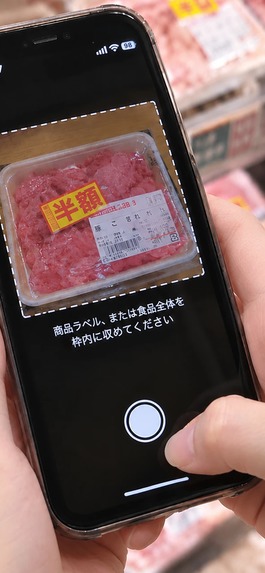
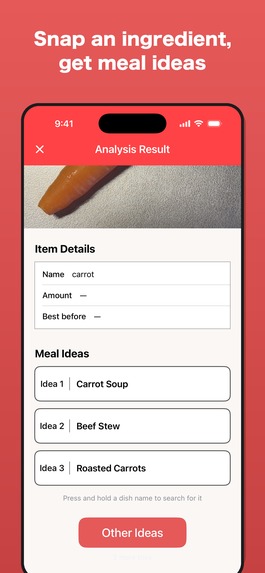
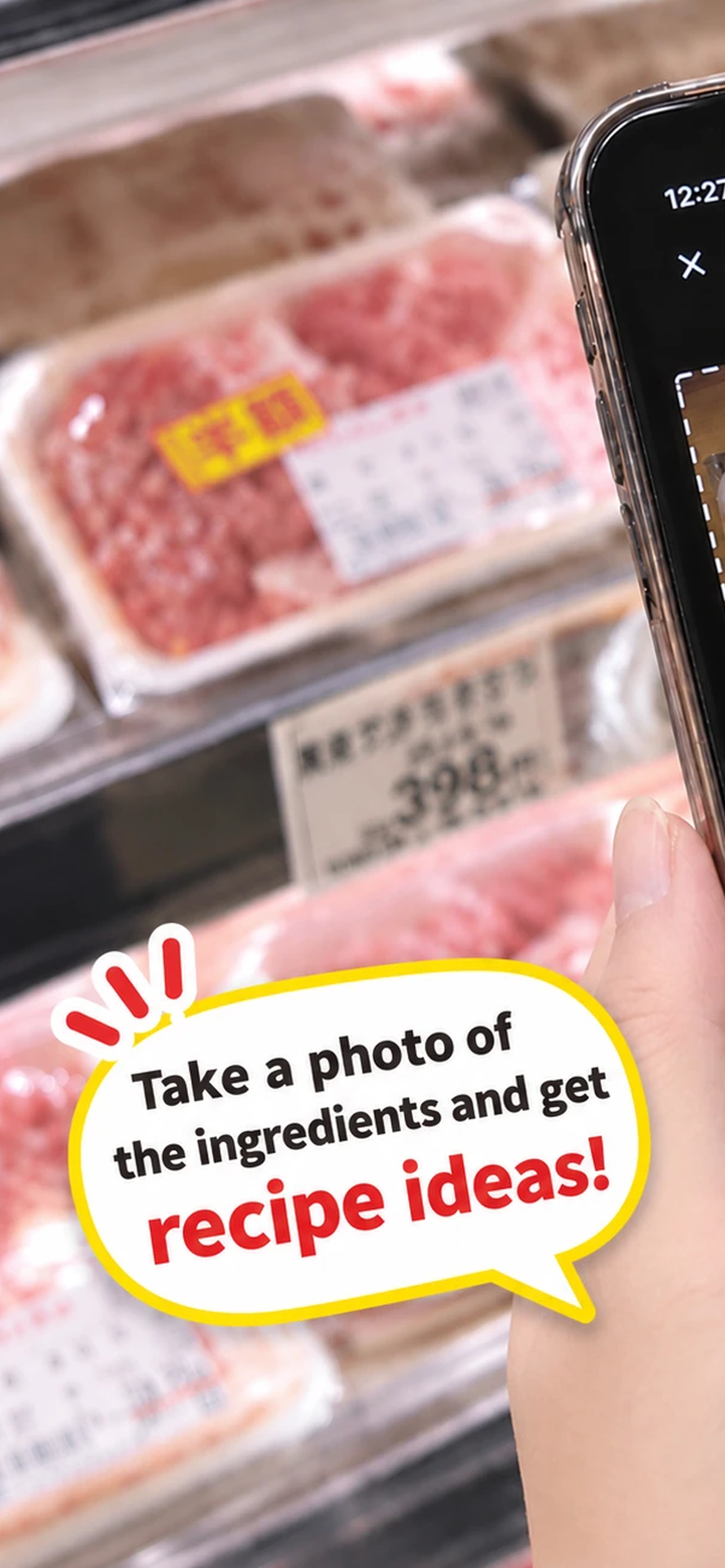
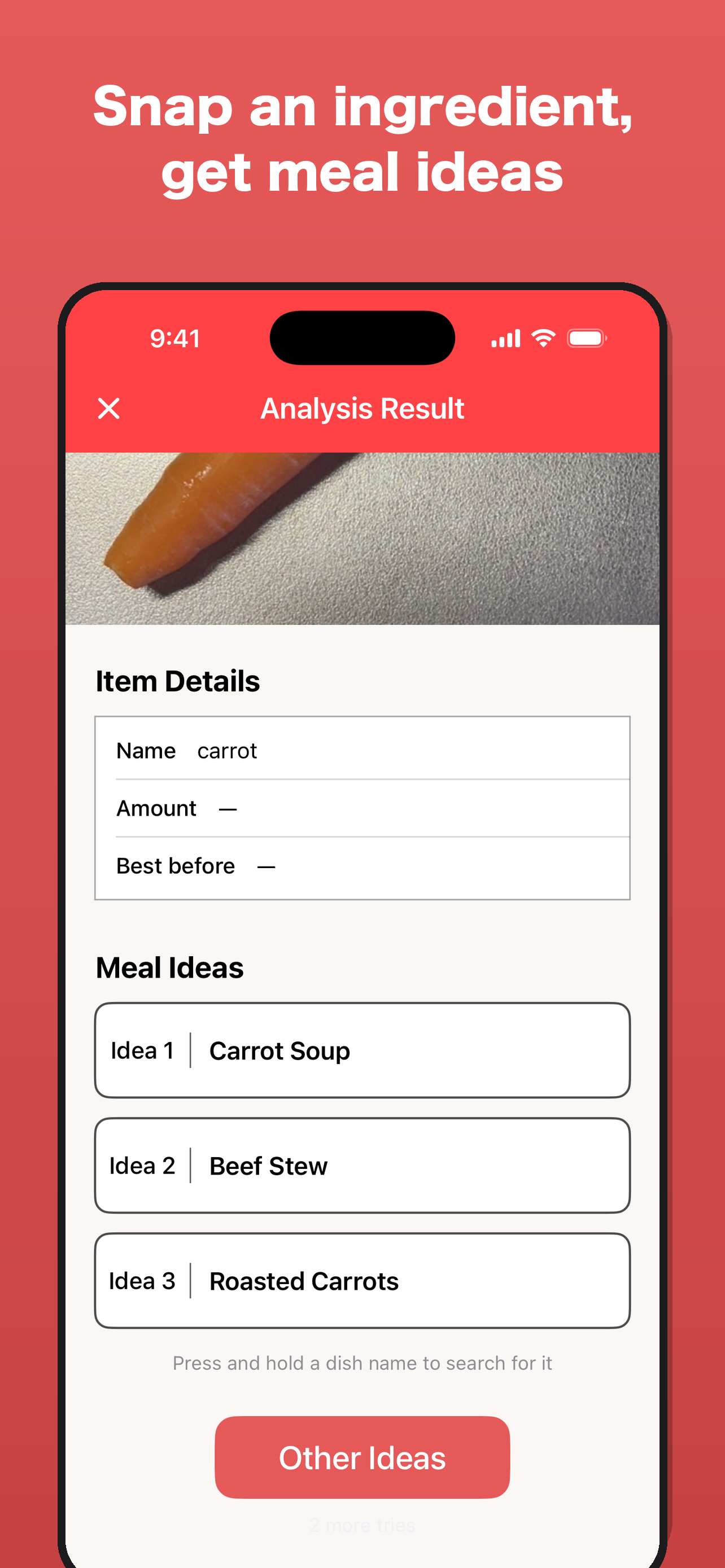
Second, what if the app could help with the decision itself? That became CookEye: point the camera at one ingredient or a product label, and get three familiar home-cooked dishes you can make with it.
Together they close the loop: decide what to cook, cook it, keep it as a card, and look back to see how you've been eating, without ever counting anything.
What it does
- CookEye — Photograph a single ingredient or a product label (in your kitchen or at the supermarket). AI identifies it, reads the amount and best-before date from the label, and suggests three home-cooked dishes you can make with it. Tap "Other Ideas" for a new set; press and hold a dish name to look up how to make it.
- Meal Cards — Save each meal as a card styled like a restaurant menu: a photo, the dishes, and a note. Tag it Breakfast / Lunch / Dinner and Home cooking / Eating out / Deli.
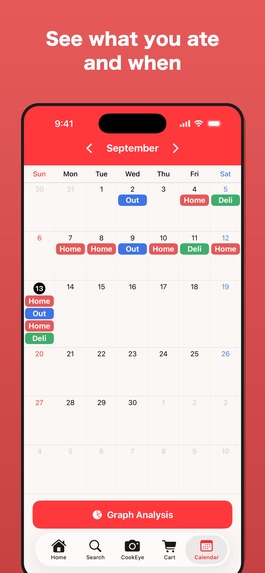
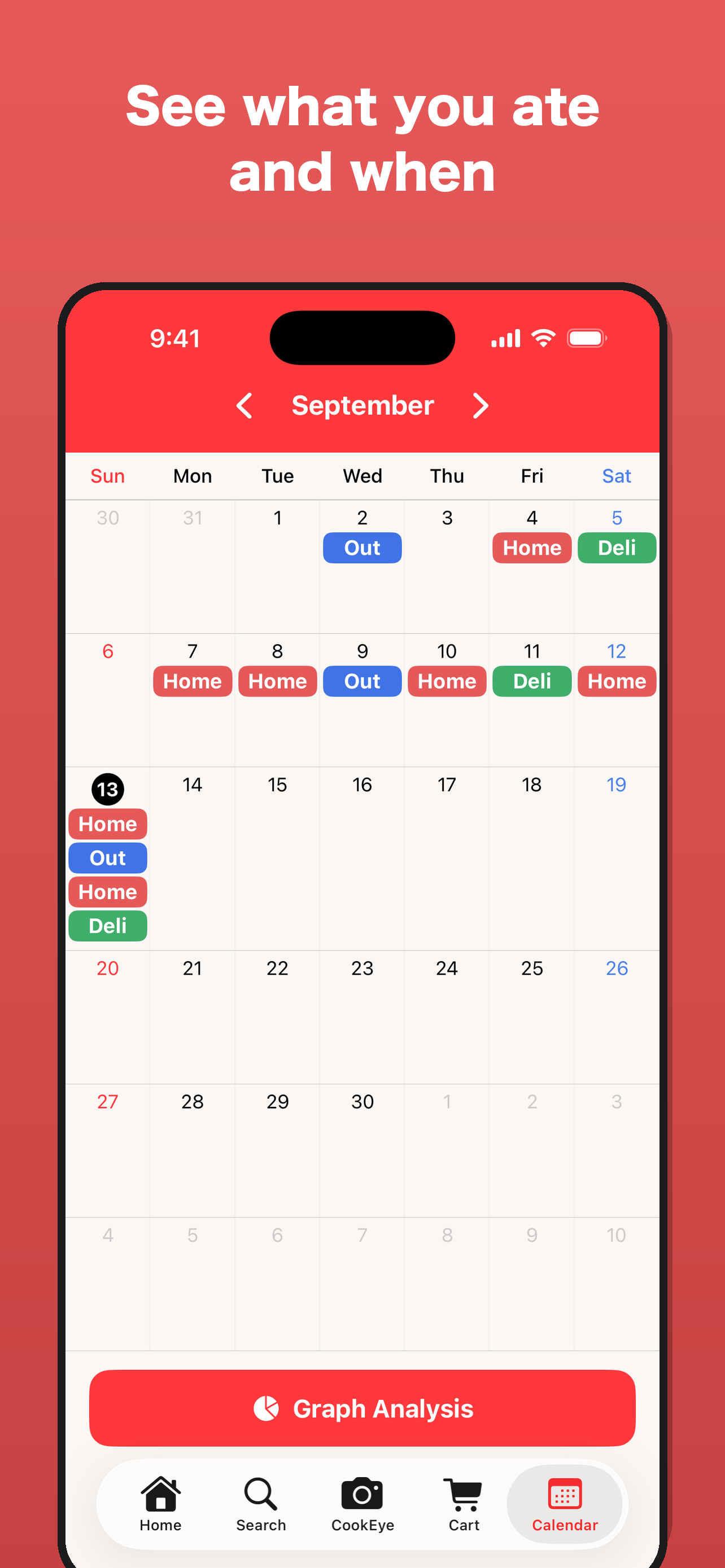
- Calendar — See what you ate and when at a glance; swipe between months.
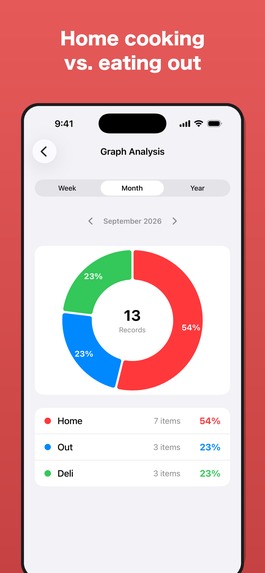
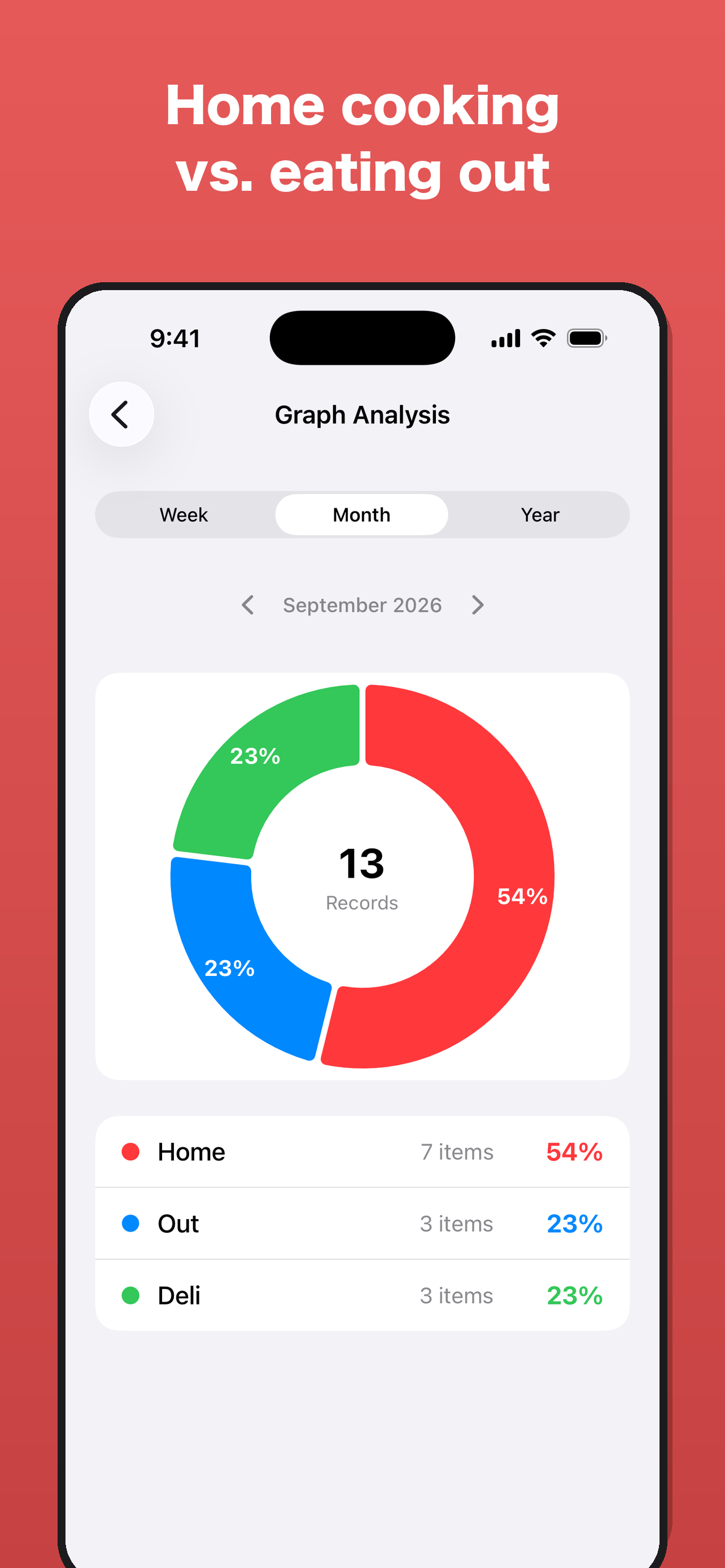
- Graph Analysis — A pie chart of how your meals split between home cooking, eating out and deli, by week, month or year.
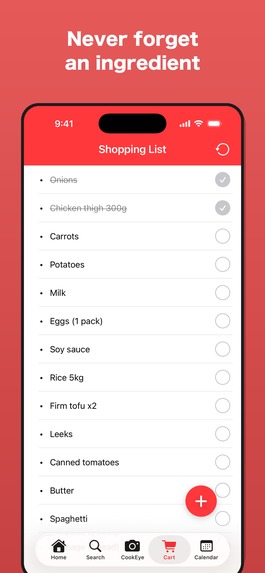
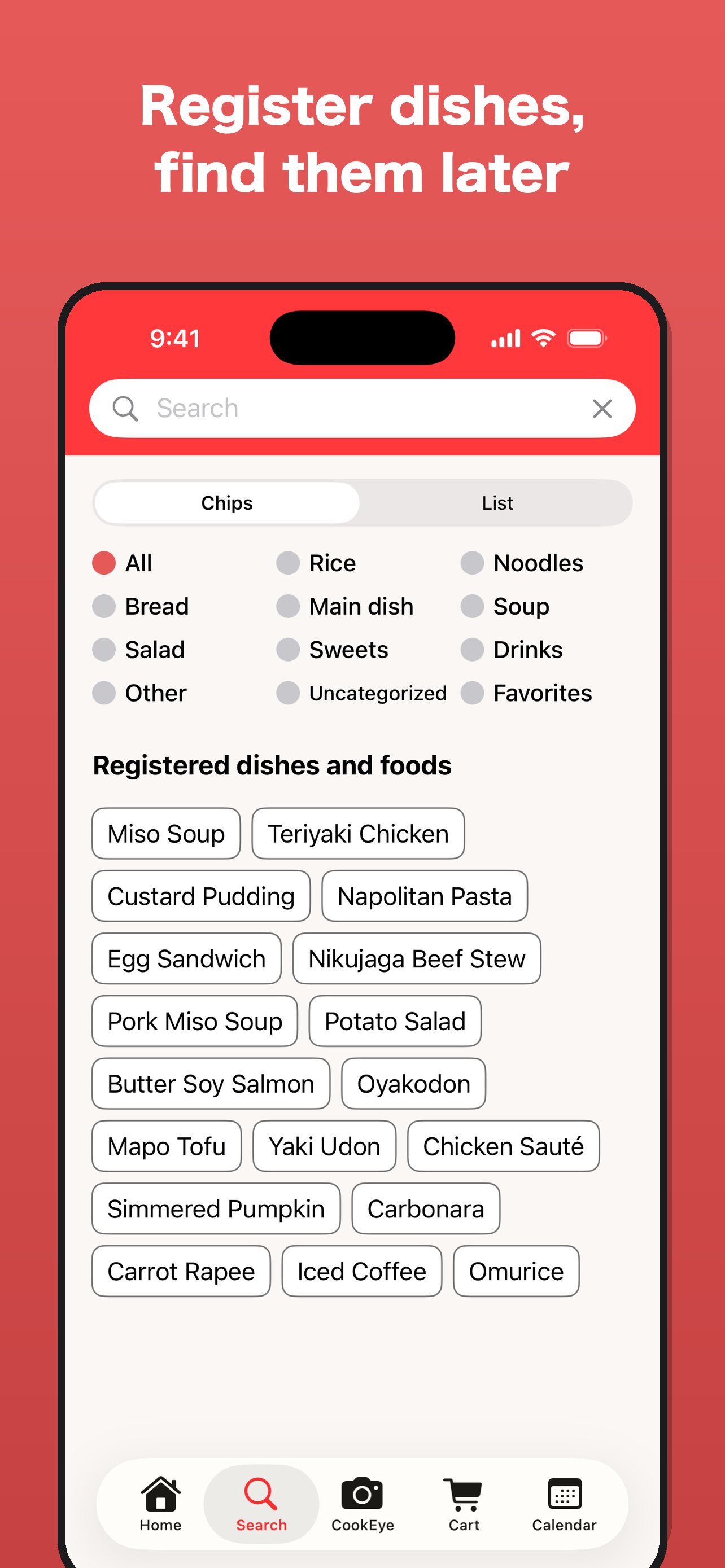
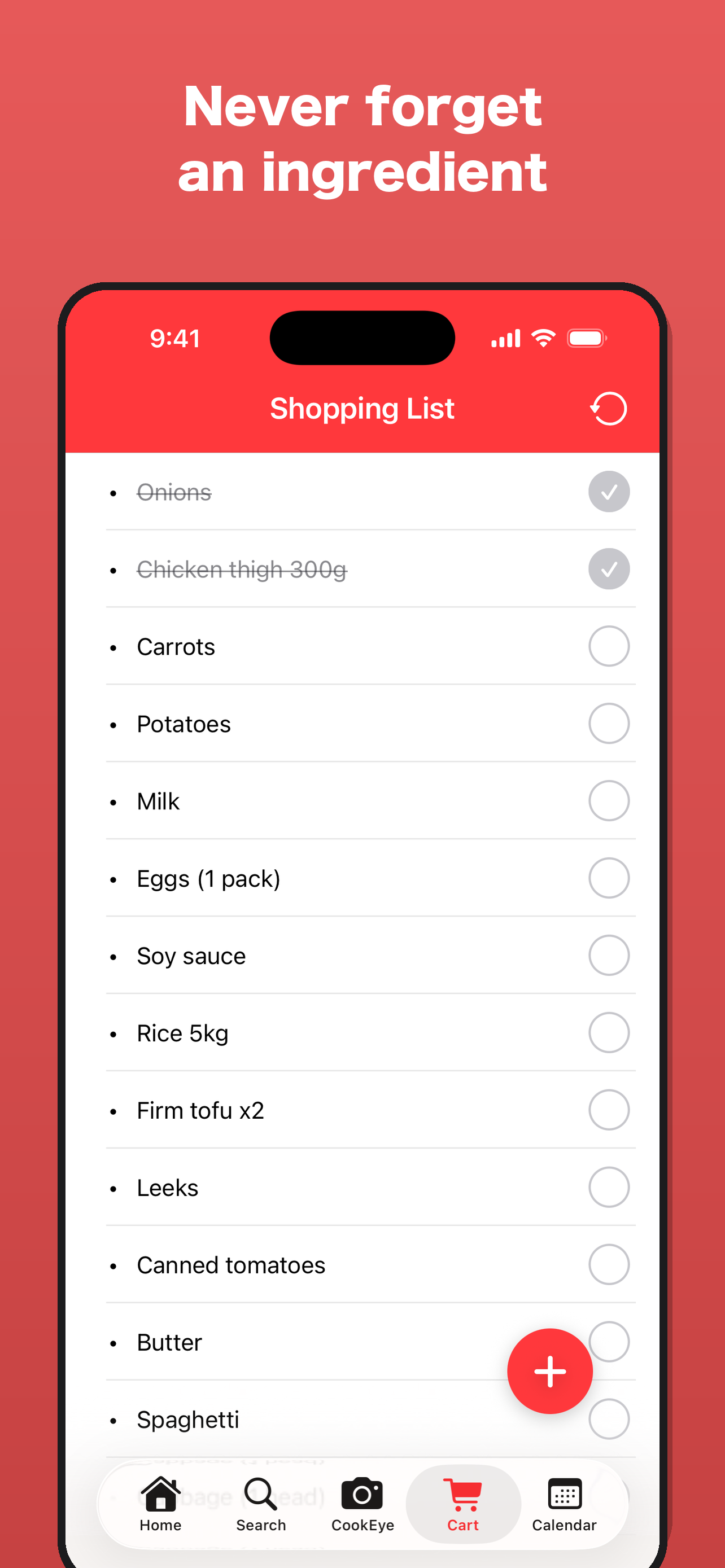
- Shopping list, card folders, search — Keep what to buy, group memorable meals, and find dishes you've made before.
- Daily reminder — An optional local notification at the time you choose, so logging becomes a habit.
- Fully bilingual (English / Japanese) with instant switching.
How I built it
- Swift / SwiftUI (iOS 26), Swift Charts, AVFoundation camera
- RevenueCat for subscriptions (monthly / yearly, 1-week free trial). The server also checks the entitlement through the RevenueCat REST API before running AI requests, so Pro limits can't be spoofed on the device.
- Firebase: Authentication (Sign in with Apple / Google / email), Firestore sync, Cloud Functions, Cloud Messaging
- Google Gemini (via Cloud Functions, never called directly from the app)
- Google AdMob for the free plan
Challenges I ran into
- Keeping AI costs sustainable: I measured the real cost per CookEye request and designed the free and Pro limits around it.
- App Review: four submissions before approval (information request, trial display on the paywall, and making profile questions optional). Each round made the app clearer and more honest.
- Reading 2-digit years on Japanese food labels correctly (e.g. "26.9.19" means 2026, not an old Japanese era year).
Accomplishments that I'm proud of
Shipping a real, bilingual, subscription-backed app to the App Store as a solo developer, and a meal log that people can keep using because it never asks them to count anything.
What I learned
Monetization and honesty go together: the paywall, the limits and the store text all have to match what the app actually does.
What's next
Better suggestions from multiple ingredients at once, more ways to look back on meals, and gentle guidance for building satisfying, balanced meals — still without counting.
Built With
- admob
- avfoundation
- cloud-functions
- firebase
- firestore
- gemini
- revenuecat
- swift
- swift-charts
- swiftui

Log in or sign up for Devpost to join the conversation.