-
-

AppIcon
-
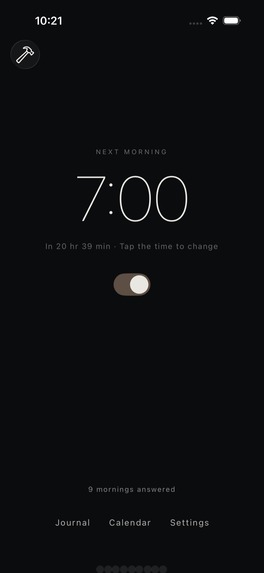
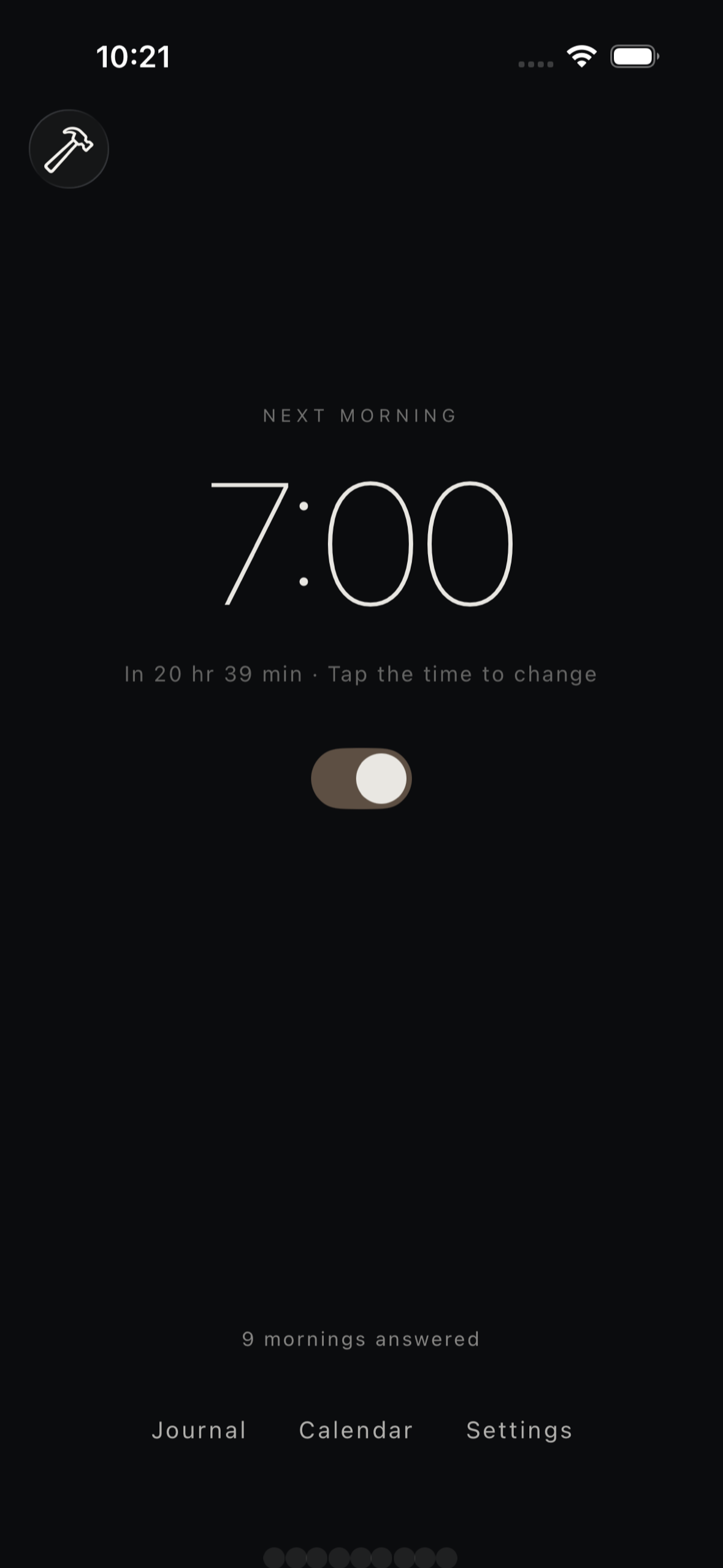
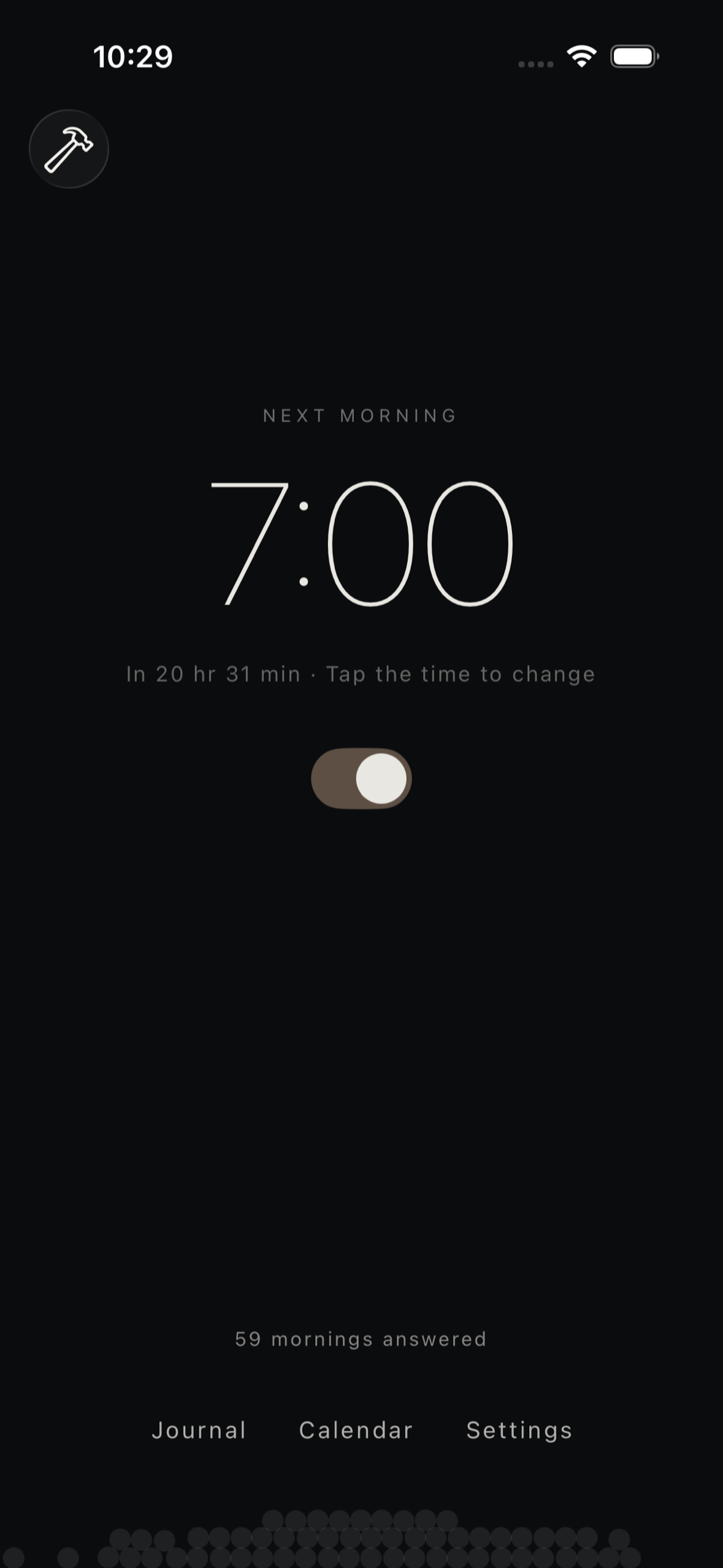
Set tomorrow's alarm and watch each answered morning settle as a warm dot at the bottom of the screen
-
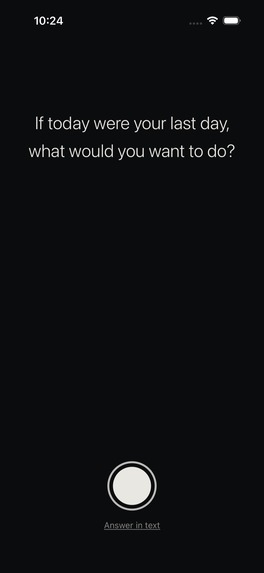
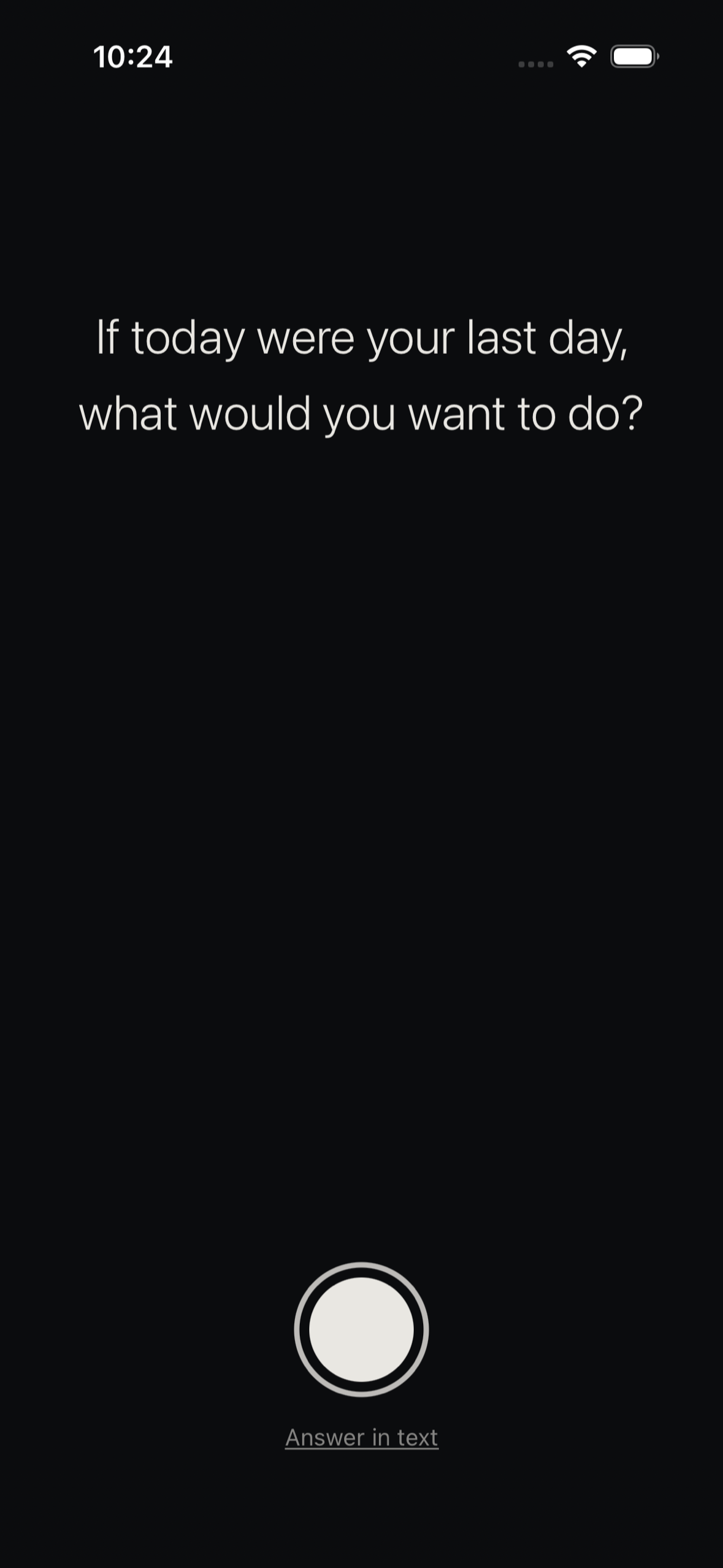
The alarm rings and one question appears over your front camera. Say your answer out loud or type it
-
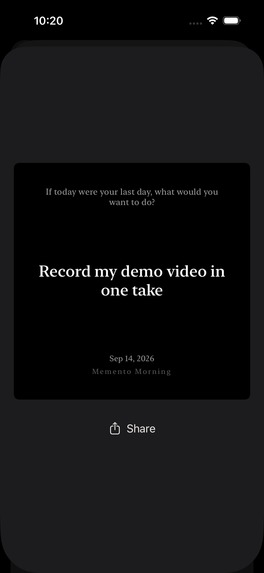
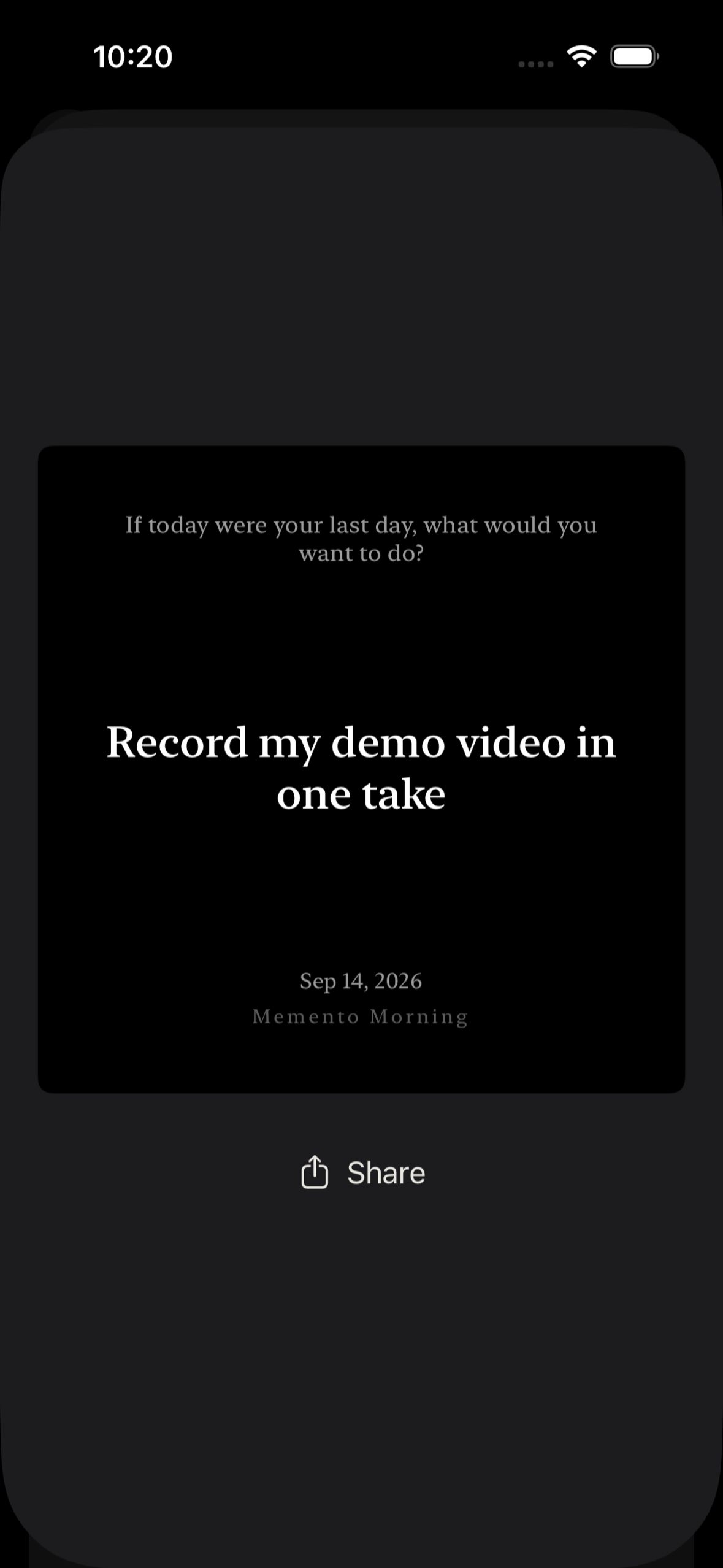
Share any answer as a quiet card with the question, your words, and the date
-
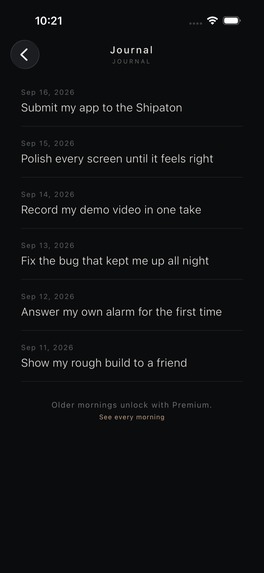
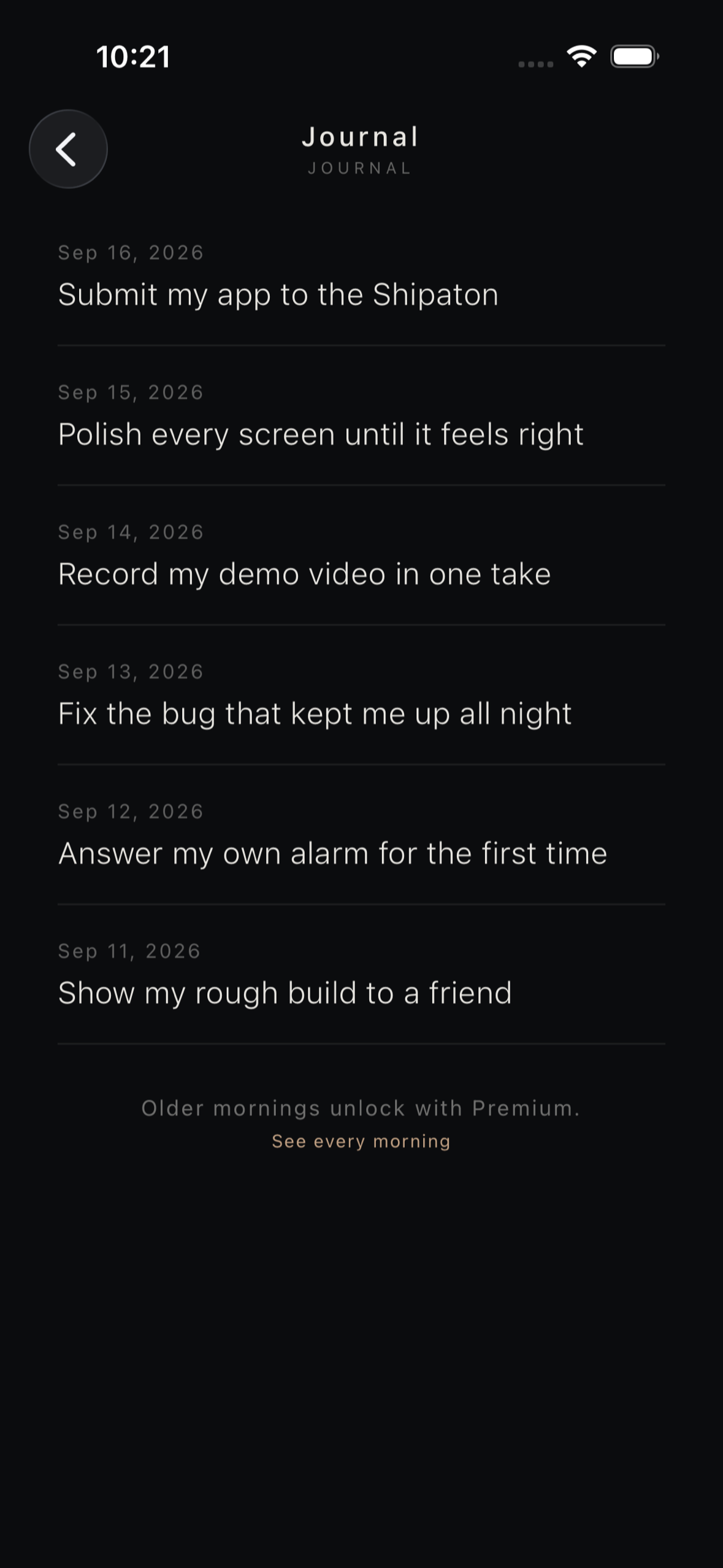
Your answers become a journal of what each day was for. Older mornings unlock with Premium
-
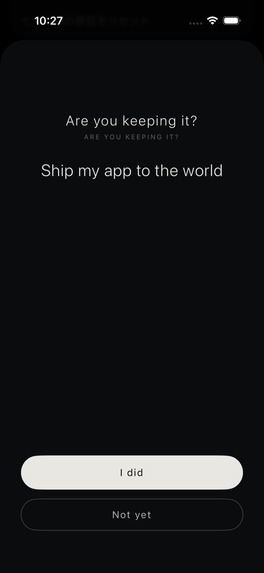
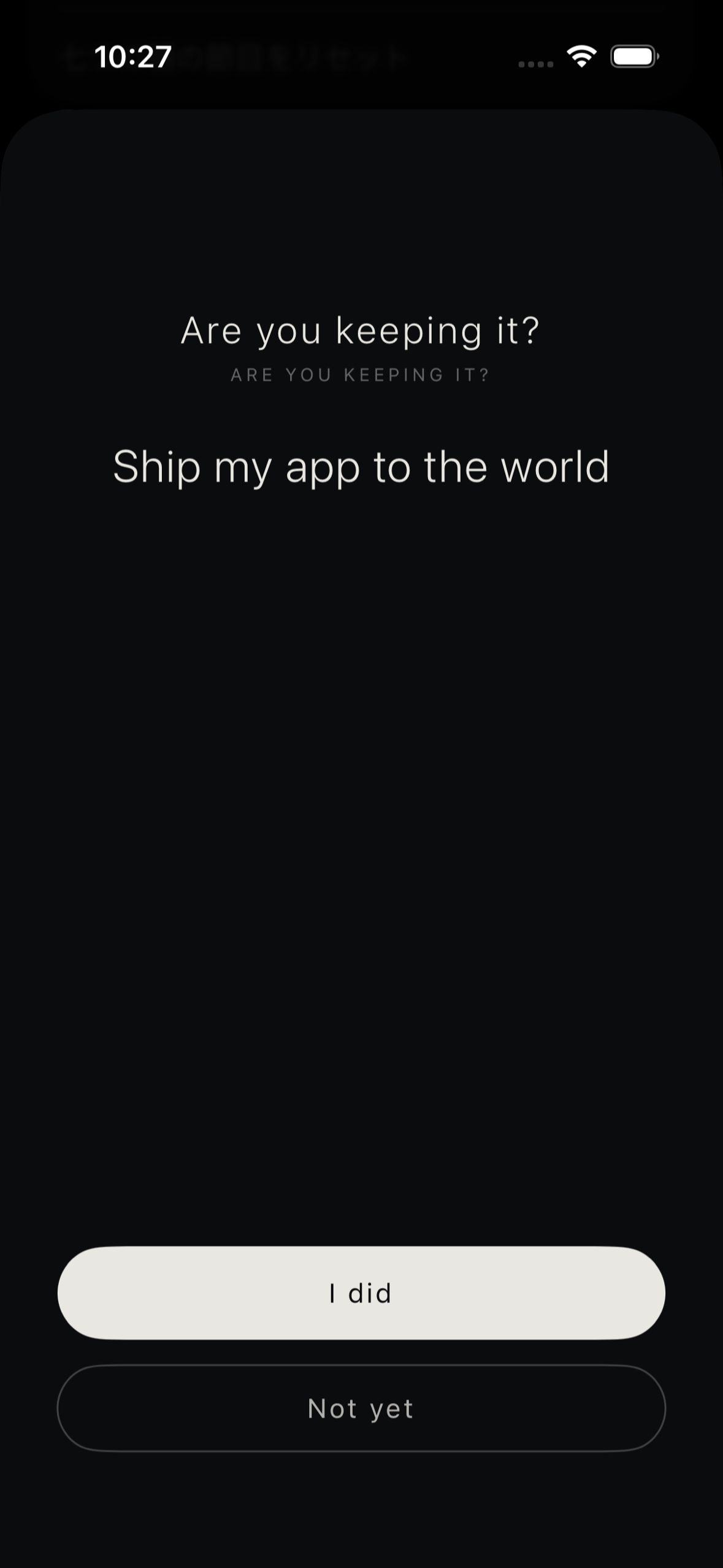
At night the app asks if you kept this morning's promise
-
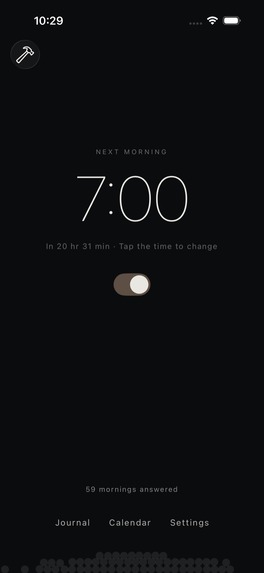
59 mornings later the dots pile up and roll as you tilt your phone
-
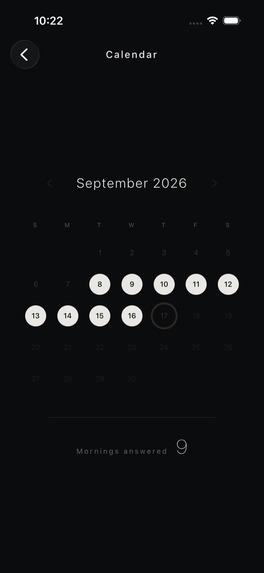
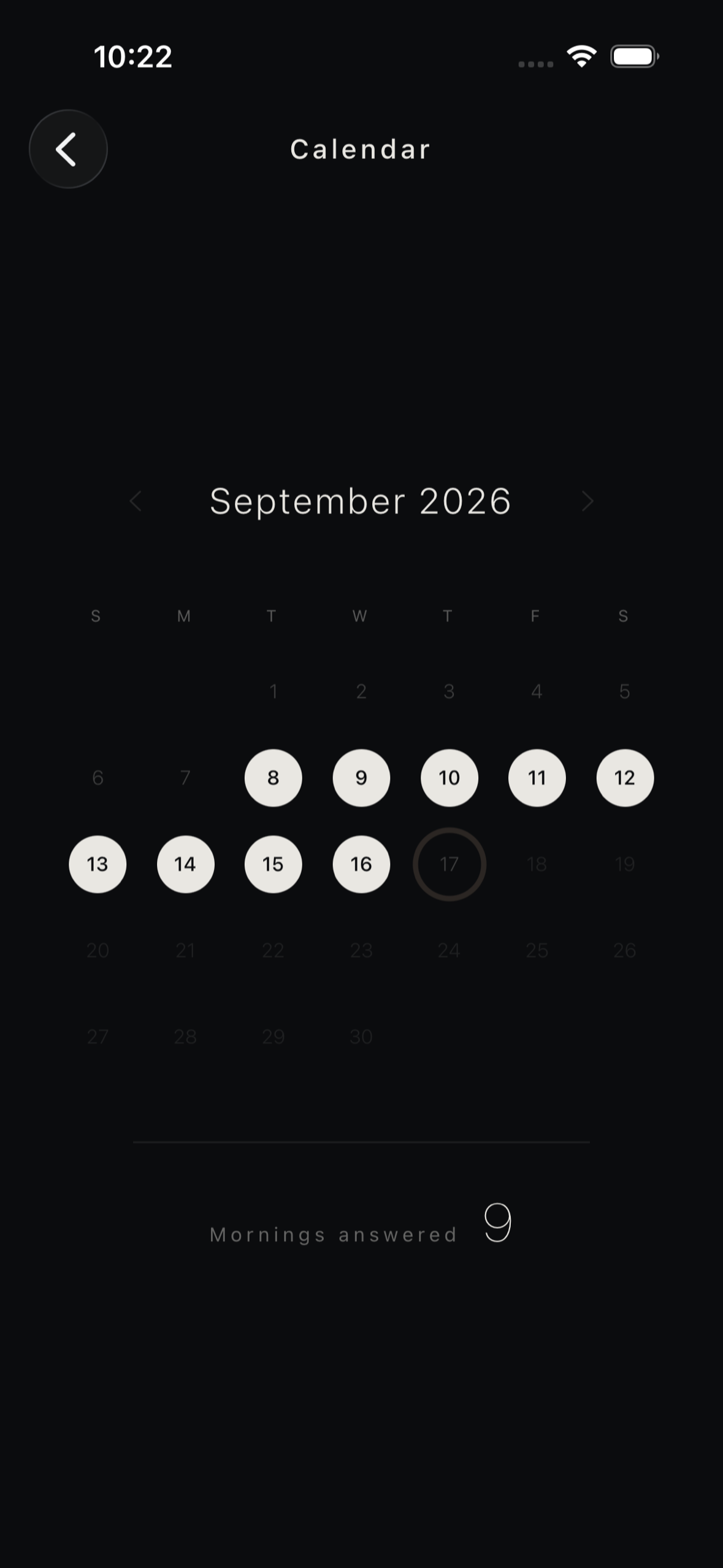
Every answered morning fills a day on the calendar so you can revisit any date
-
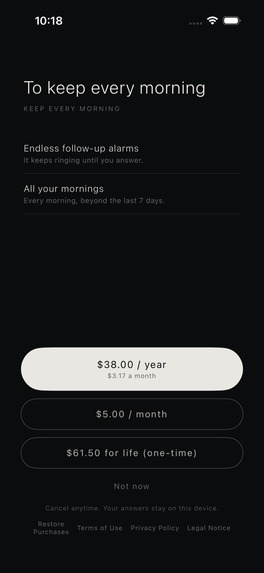
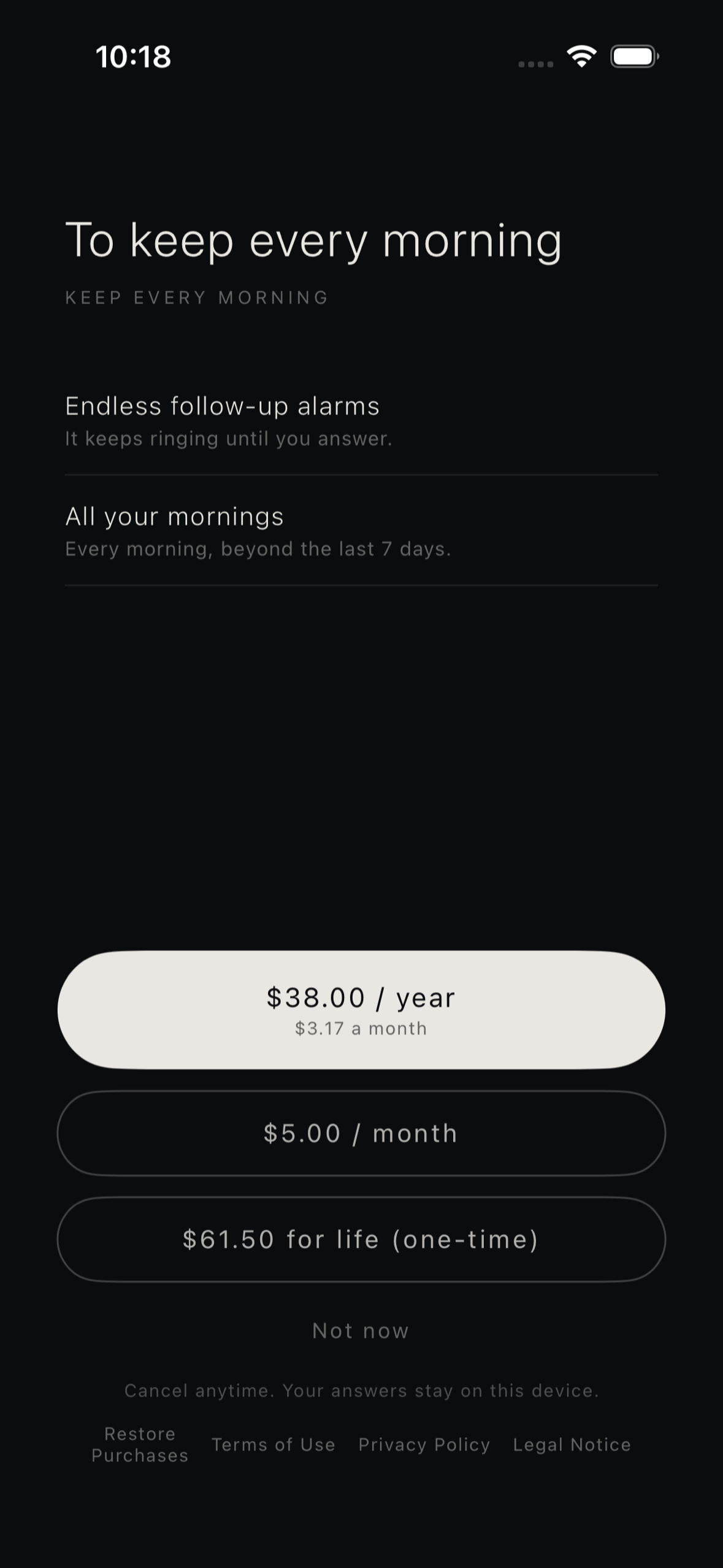
RevenueCat paywall: endless follow-up alarms and every past morning with yearly, monthly, or lifetime plans
-
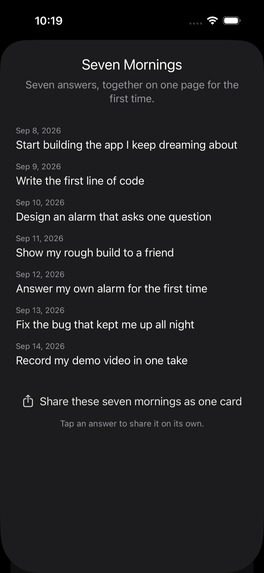
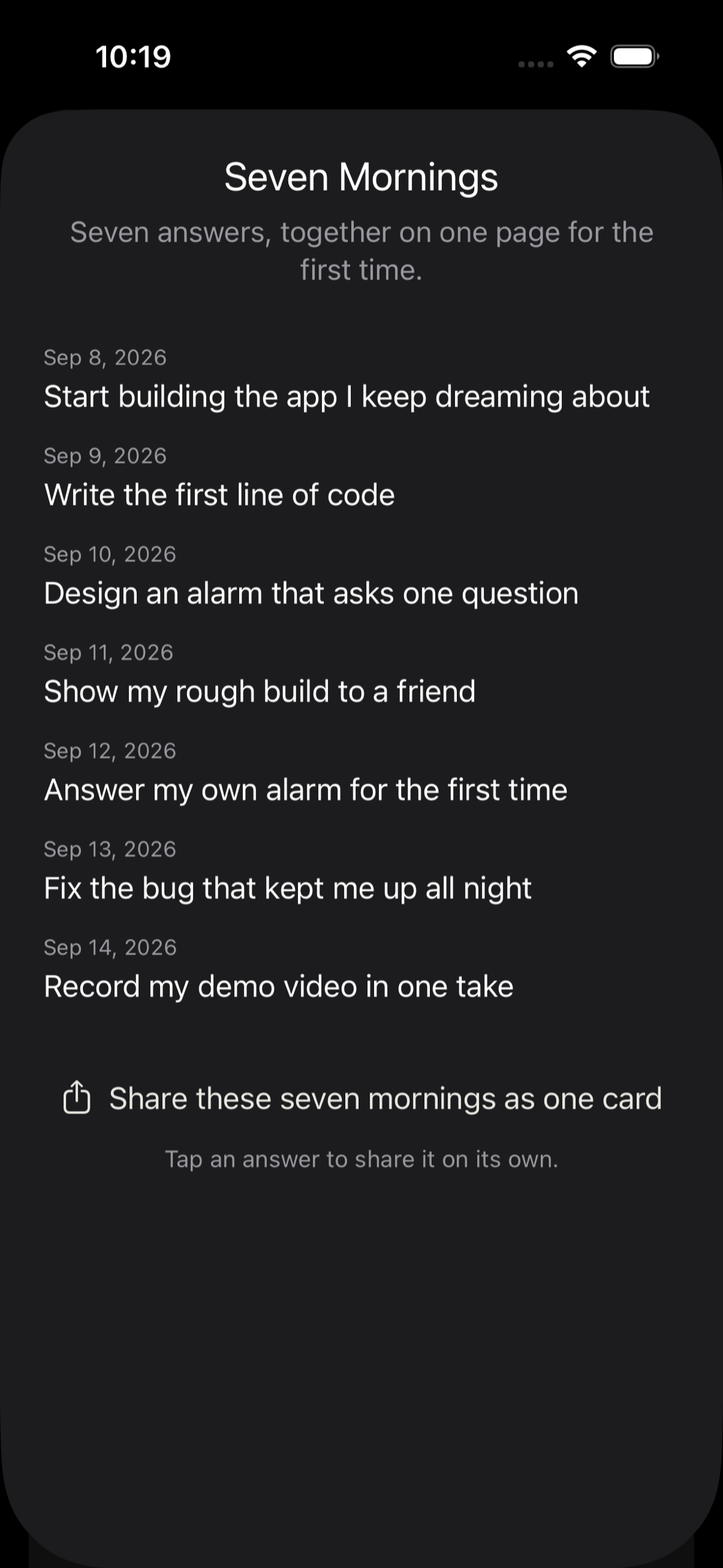
After seven answers Seven Mornings brings them together on one page for the first time

Inspiration
I wanted to wake up early and make the most of my days. But I noticed that waking up early on its own wasn't enough. Without a clear purpose, the extra hours slipped away like any other. What I was missing wasn't more time. It was one clear thing to focus on.
So I built an alarm that makes you name that one thing before the day begins. Every morning it asks: "If today were your last day, what would you want to do?" Imagining the day as your last cuts through the noise and leaves only what truly matters. Saying the answer out loud turns it into a commitment, so you start the morning with purpose and energy instead of drifting into the day. The name comes from memento mori ("remember that you will die"), combined with the start of a new day.
What it does
- An alarm that asks one question. When the alarm goes off, Memento Morning shows the question over your front camera. You answer by speaking to yourself on video, or by typing. Finishing your answer is what completes the morning.
- Follow-ups if you skip it. Built on iOS 26 AlarmKit. If you stop the alarm without answering, it schedules a follow-up within the snooze limit you set (unlimited with Premium). Answering cancels the rest of that morning's alarms.
- Your purpose stays in sight all day. Today's answer appears on the Lock Screen as a Live Activity and on a Home Screen widget, so you see what you committed to every time you pick up your phone.
- Close the loop at night. An evening reflection asks whether you followed through on the morning's answer.
- Your answers become a journal. Each answered morning becomes a warm dot on the home screen that settles with physics and moves as you tilt your phone. After seven mornings, "Seven Mornings" gathers your answers on one page and turns them into a shareable card. After thirty, a "One-Month Letter" tells you the word you repeated most.
- Private by design. Answers are stored on device with SwiftData, videos are saved to your own Photos library, and transcription runs on device. The app has no server of its own.
How we built it
- Swift and SwiftUI, targeting iOS 26 and later.
- AlarmKit and App Intents for the alarm. The alarm's stop intent runs in the app's process, checks whether today's answer exists, and schedules a follow-up when it doesn't.
- AVFoundation for front-camera recording, Photos for saving the video, and the Speech framework for on-device transcription, with editable text as a fallback.
- SwiftData for the journal, ActivityKit and WidgetKit for the Lock Screen and Home Screen, SpriteKit and CoreMotion for the physics-based dots, and NaturalLanguage to find your most repeated word on device.
- RevenueCat for monetization: a custom SwiftUI paywall that loads monthly, yearly, and lifetime packages from an offering, shows store-localized prices, checks introductory-offer eligibility before showing the 7-day free trial (yearly plan only), and gates Premium through a single
premiumentitlement. - Localized into 36 languages.
- I built it with Claude Code, working through pull requests with recorded checks and review-driven fixes. A developer menu reproduces states that are hard to reach by hand, such as sample history and Premium status.
Challenges we ran into
- iOS doesn't let an app remove the alarm's stop button. The system owns the stop control, so a truly unstoppable alarm isn't possible. Instead, the stop intent checks whether you've answered and schedules a follow-up if you haven't.
- Swiping the alarm away skips the stop intent. To cover that case, each alarm is scheduled with two backup alarms five minutes apart, and they are cancelled once you answer. AlarmKit has an undisclosed limit on scheduled alarms, so I kept the backups to a minimum.
- Race conditions between alarm operations. The stop intent registers follow-ups while the app may be rescheduling everything at the same moment. I serialized all alarm operations on a single queue, so a reschedule can never cancel a follow-up that was just registered.
- Keeping the goal on the Lock Screen without a server. Live Activities end after about eight hours, and extending them normally requires push notifications from a backend. The app restarts the Live Activity whenever it returns to the foreground, and trims the answer to fit ActivityKit's 4 KB limit without breaking emoji.
- Transcription edge cases. A late recognition result could overwrite text you had already edited, so edited answers are protected from it.
Accomplishments that we're proud of
- The whole ritual fits into one quiet flow: wake up, say your purpose, carry it through the day, and check in at night.
- A visual language with no streak counters, badges, or confetti. Progress shows up as warm dots that pile up and respond to your hand.
- Everything personal stays on the device: no account, no server, on-device transcription, and on-device keyword analysis.
- Shipped to the App Store on September 15, 2026, in 36 languages, with subscription and lifetime plans approved on September 17.
What we learned
- The alarm is only the trigger. What shapes the day is the one sentence you say after it, so I designed around the purpose rather than the wake-up time.
- Platform limits shape the experience. AlarmKit, Live Activities, and a serverless architecture each have hard constraints, and the honest answer was to work with them: follow-ups instead of a fake lock, and restarting the Live Activity instead of relying on push.
- Monetization can support the purpose. Premium offers stronger commitment (unlimited follow-ups) and your full history, while the core morning ritual stays free.
What's next for Memento Morning
- More milestones: a 90-day view that places your first answer next to today's, and a 180-day list of the things you keep saying but haven't done yet.
- "365 Mornings", a book that collects a year of answers.
- Question decks and customizable evening reminders.
- A short-video series for TikTok and YouTube Shorts built on the app's own story: the alarm, the answer, and the moment it comes true.
Built With
- activitykit
- alarmkit
- appintents
- avfoundation
- coremotion
- fastlane
- github-actions
- ios
- maestro
- naturallanguage
- photokit
- revenuecat
- speech
- sprite-kit
- storekit
- swift
- swiftdata
- swiftui
- usernotifications
- widgetkit
- xcode

Log in or sign up for Devpost to join the conversation.