-
-
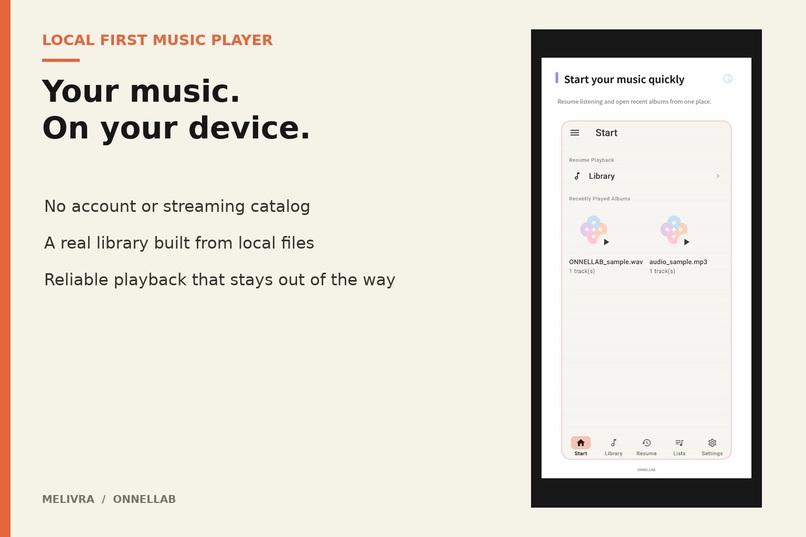
Your music. On your device. Melivra is built around music people already own, with no account, recommendation feed, or streaming catalog.
-
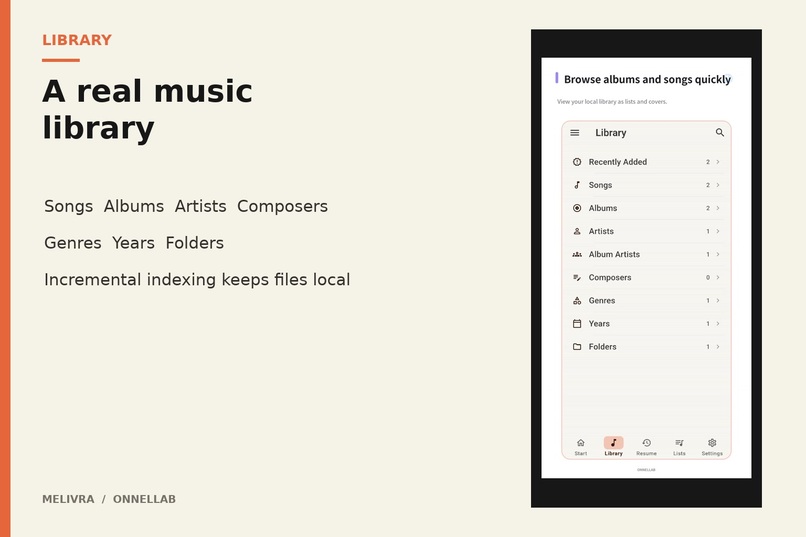
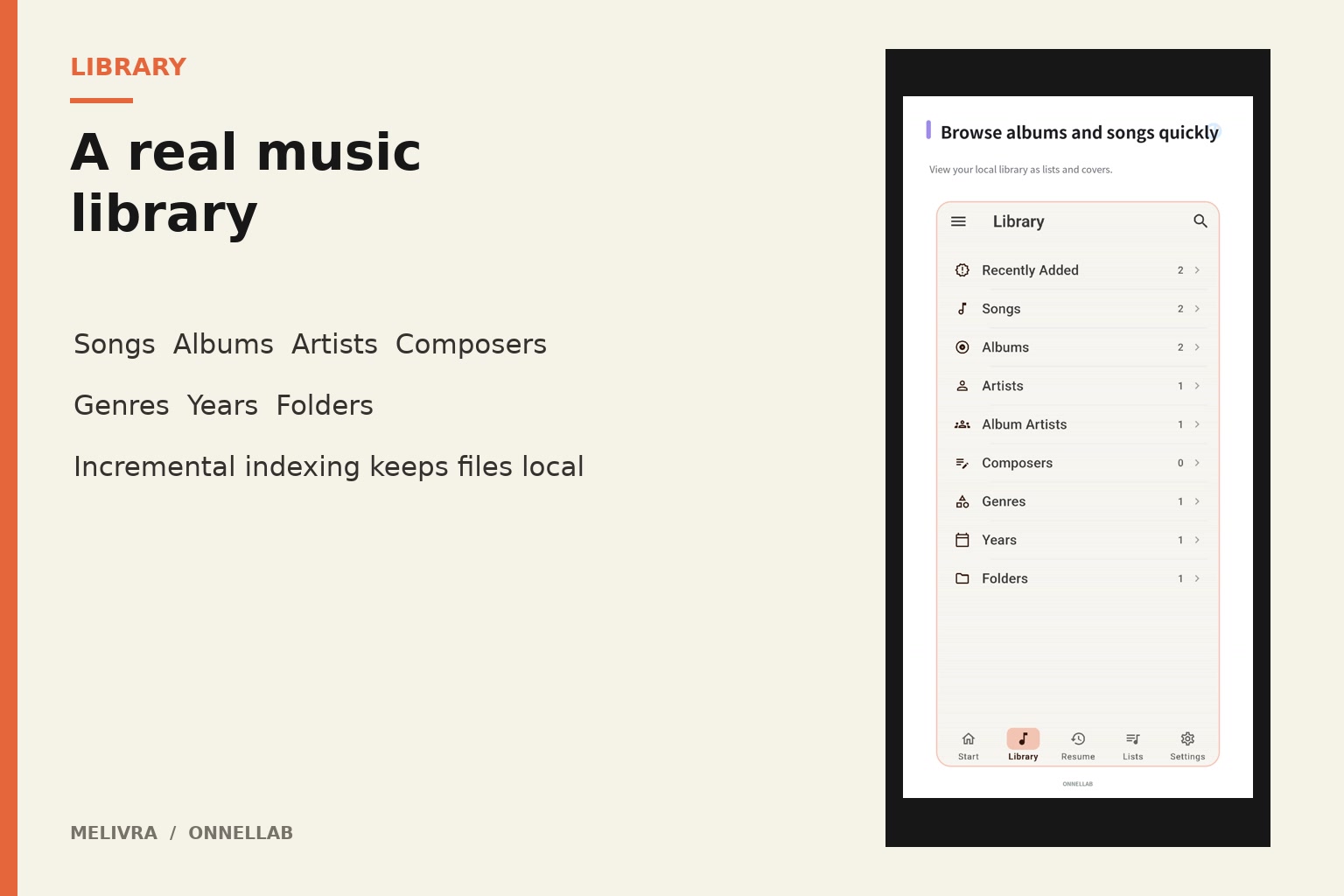
A real library, not a folder dump. Songs are indexed into albums, artists, composers, genres, years, and folders under a listener's control.
-
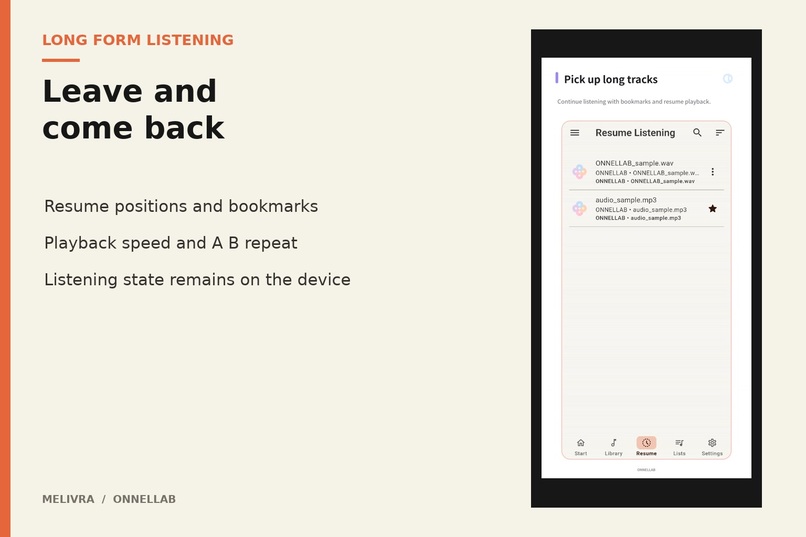
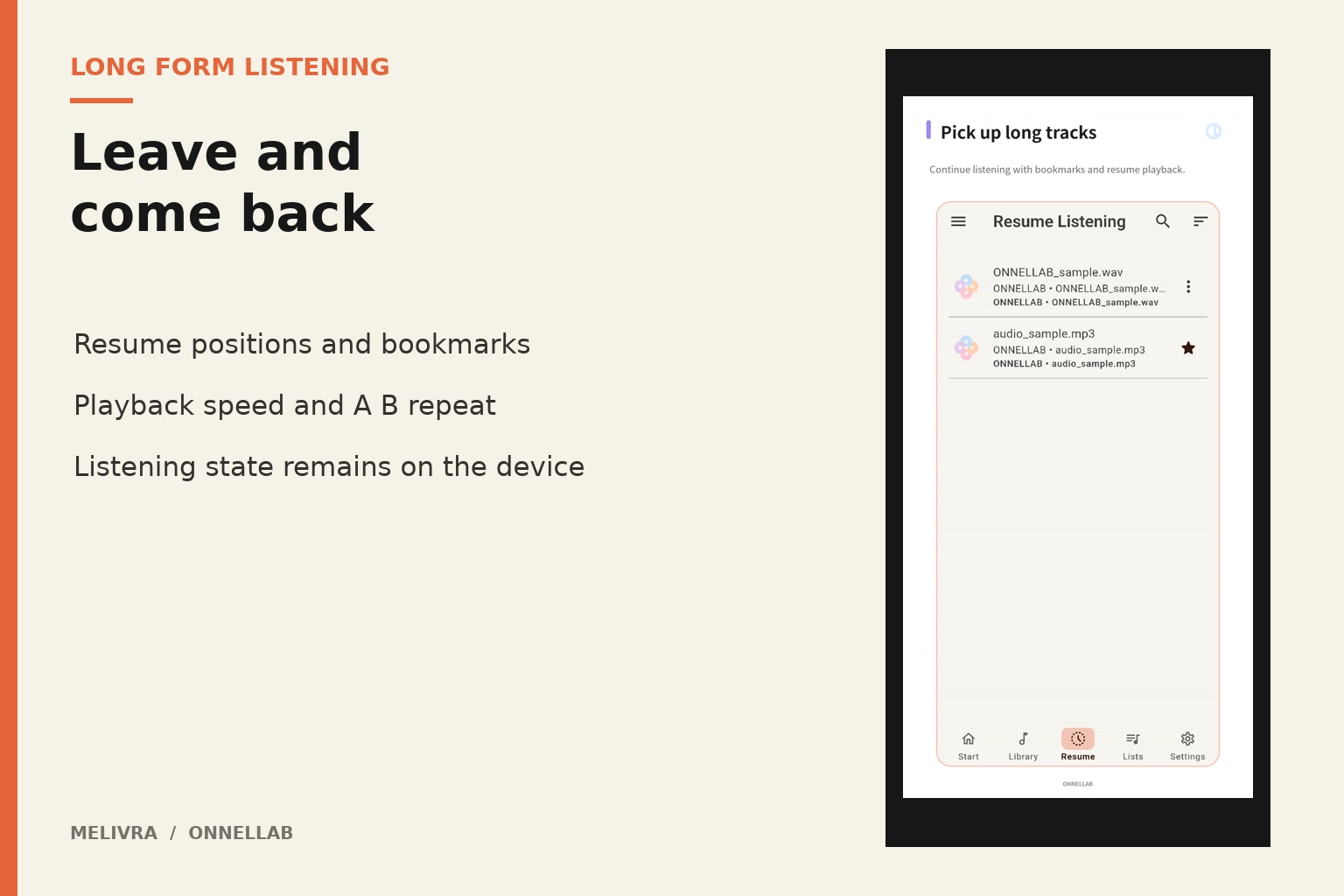
Made for listening that lasts. Resume positions, favorites, ratings, and a dependable queue make long tracks easy to leave and return to.
-
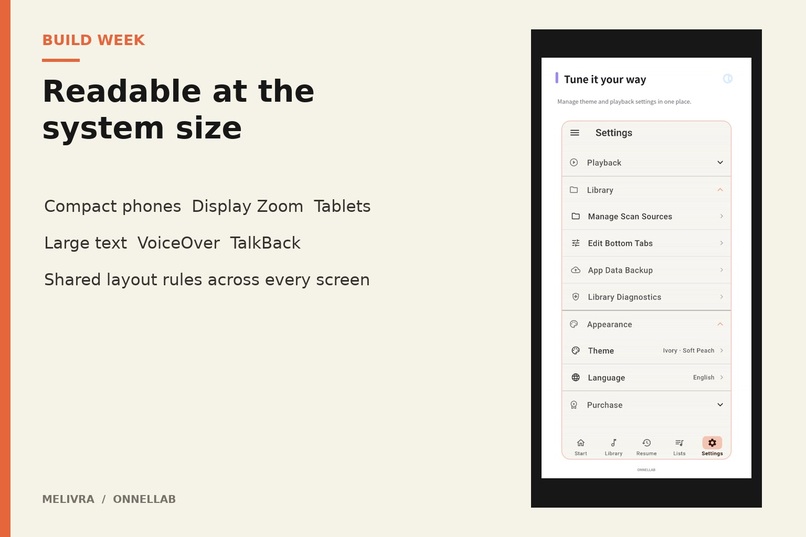
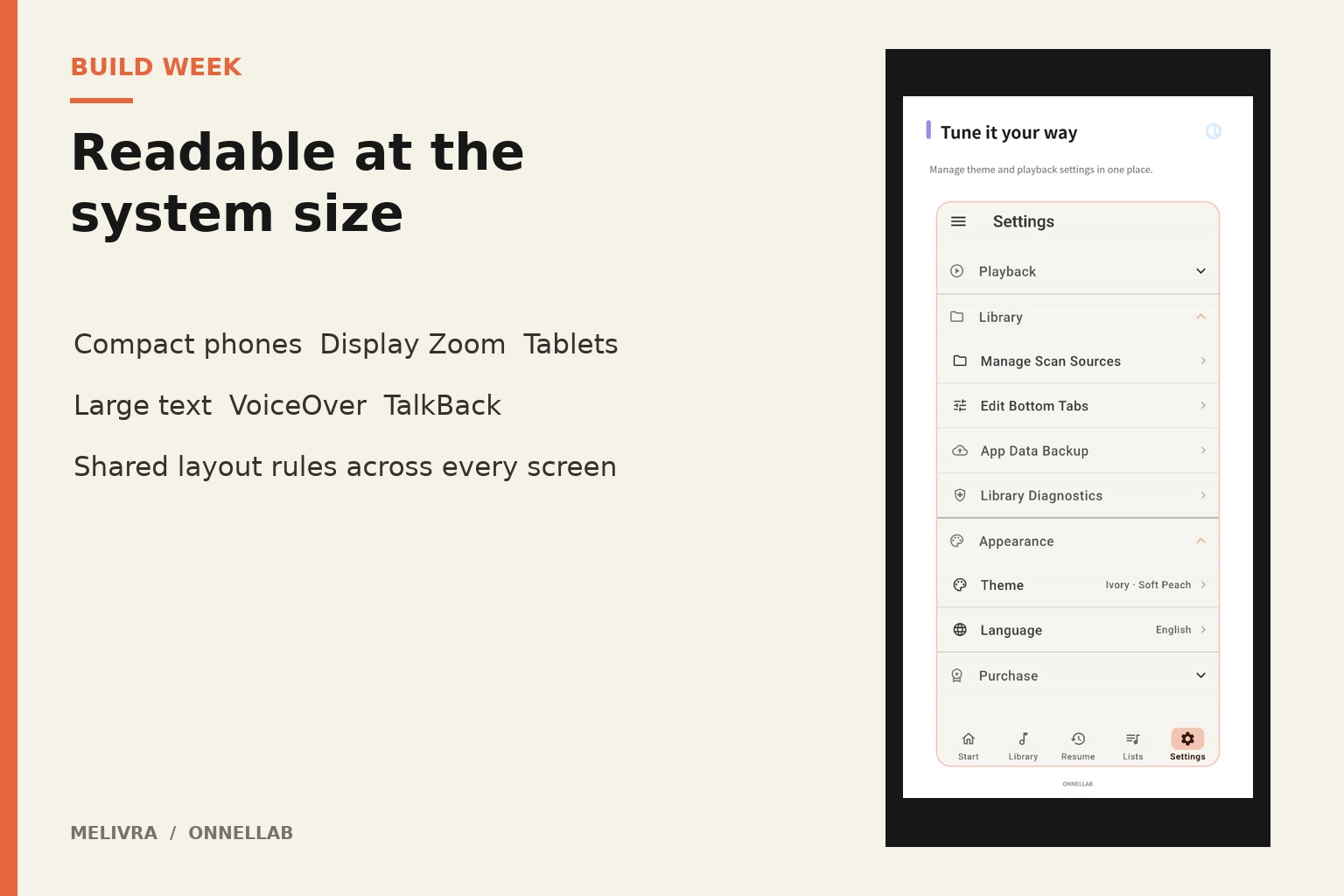
Readable at the system size. Shared layout rules cover compact phones, tablets, large text, and TalkBack without splitting the product.
-
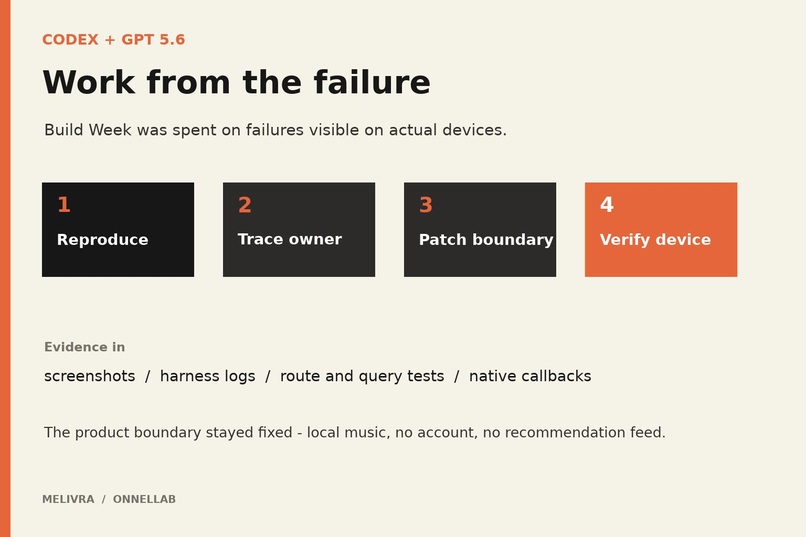
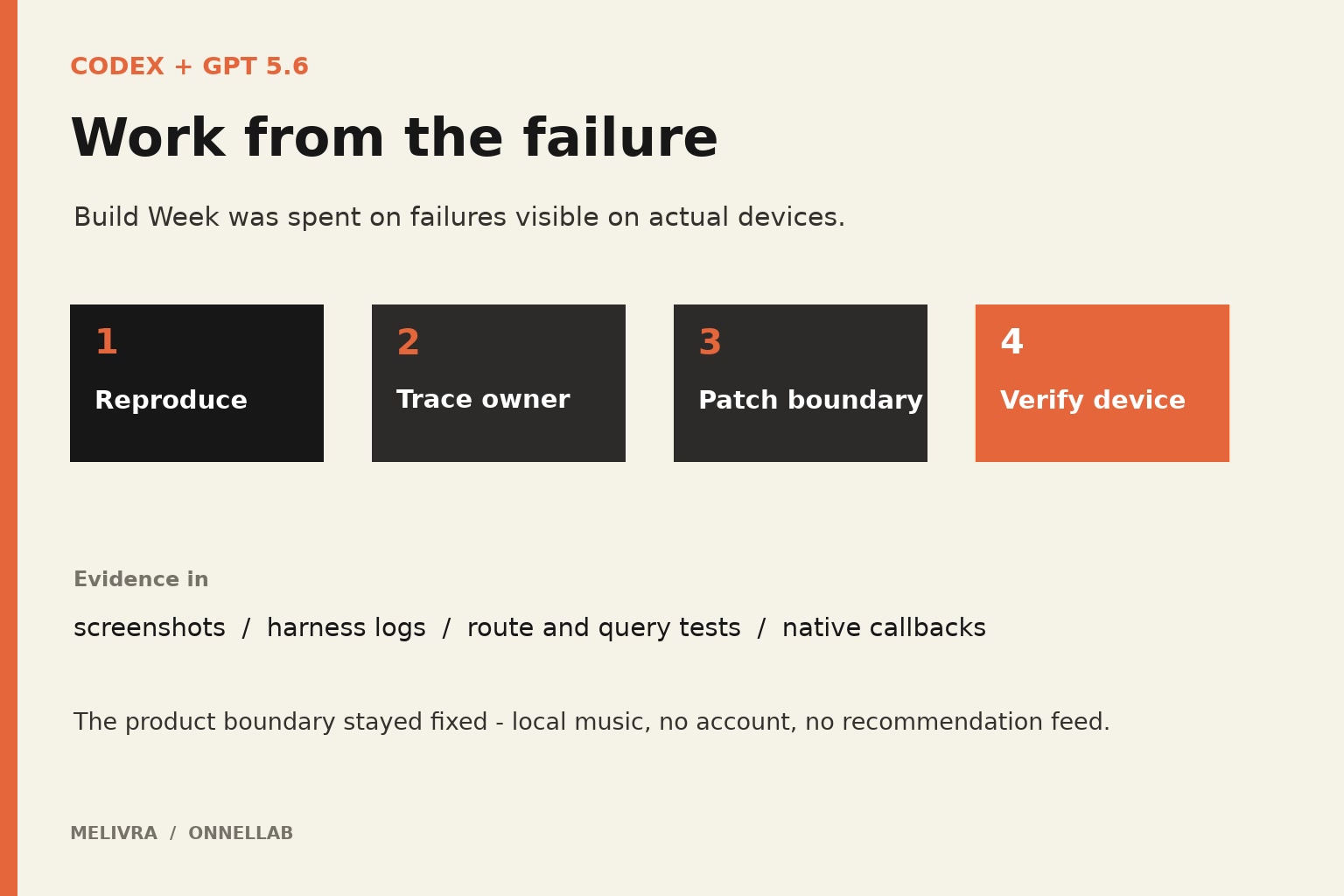
Build Week was spent on the hard edges. Codex helped trace device failures through responsive layouts, scanning, and native playback.
-
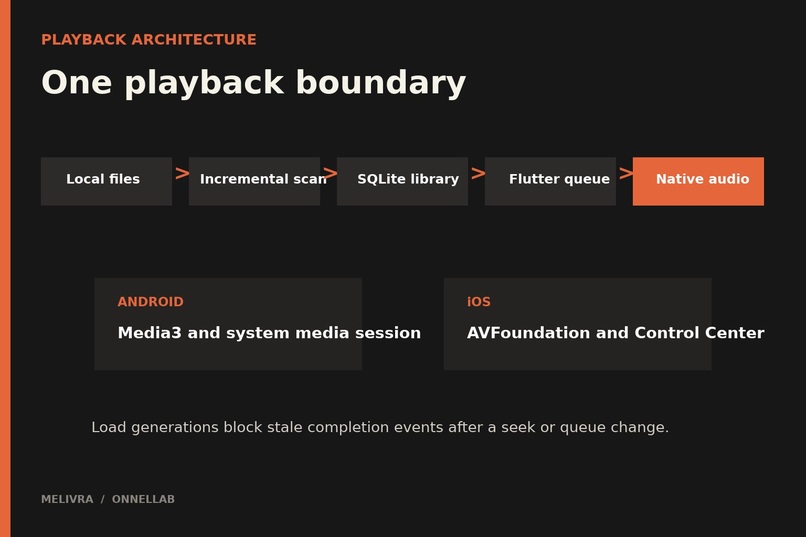
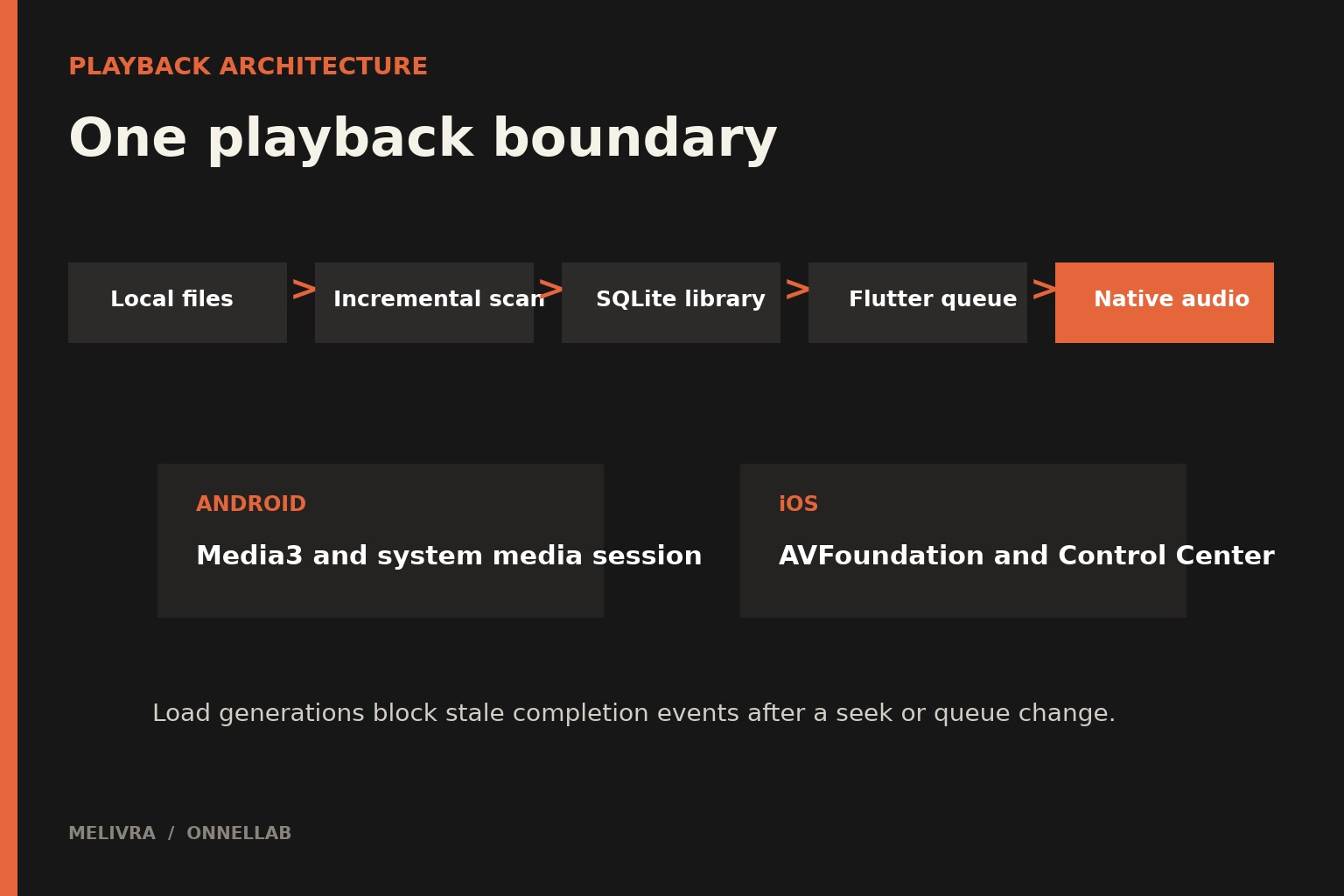
One playback boundary. Flutter owns the queue and visible state while Android and iOS handle platform audio, and background events.
-
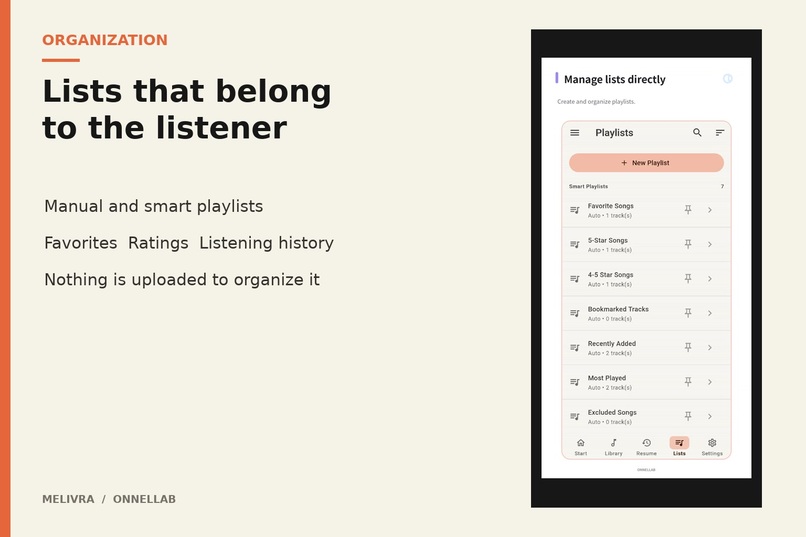
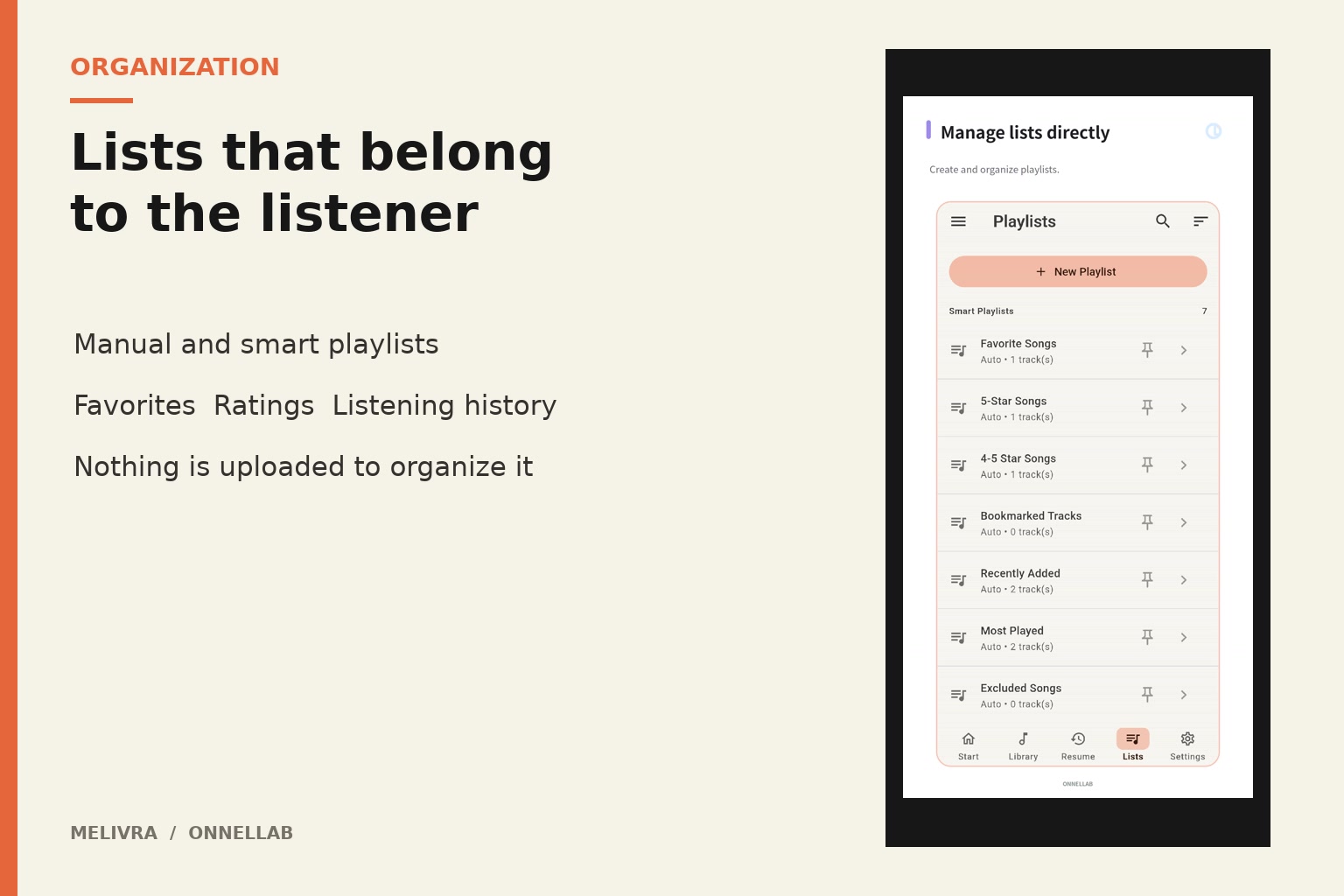
Lists that belong to the listener. Manual and smart playlists organize the collection without uploading it to a service.
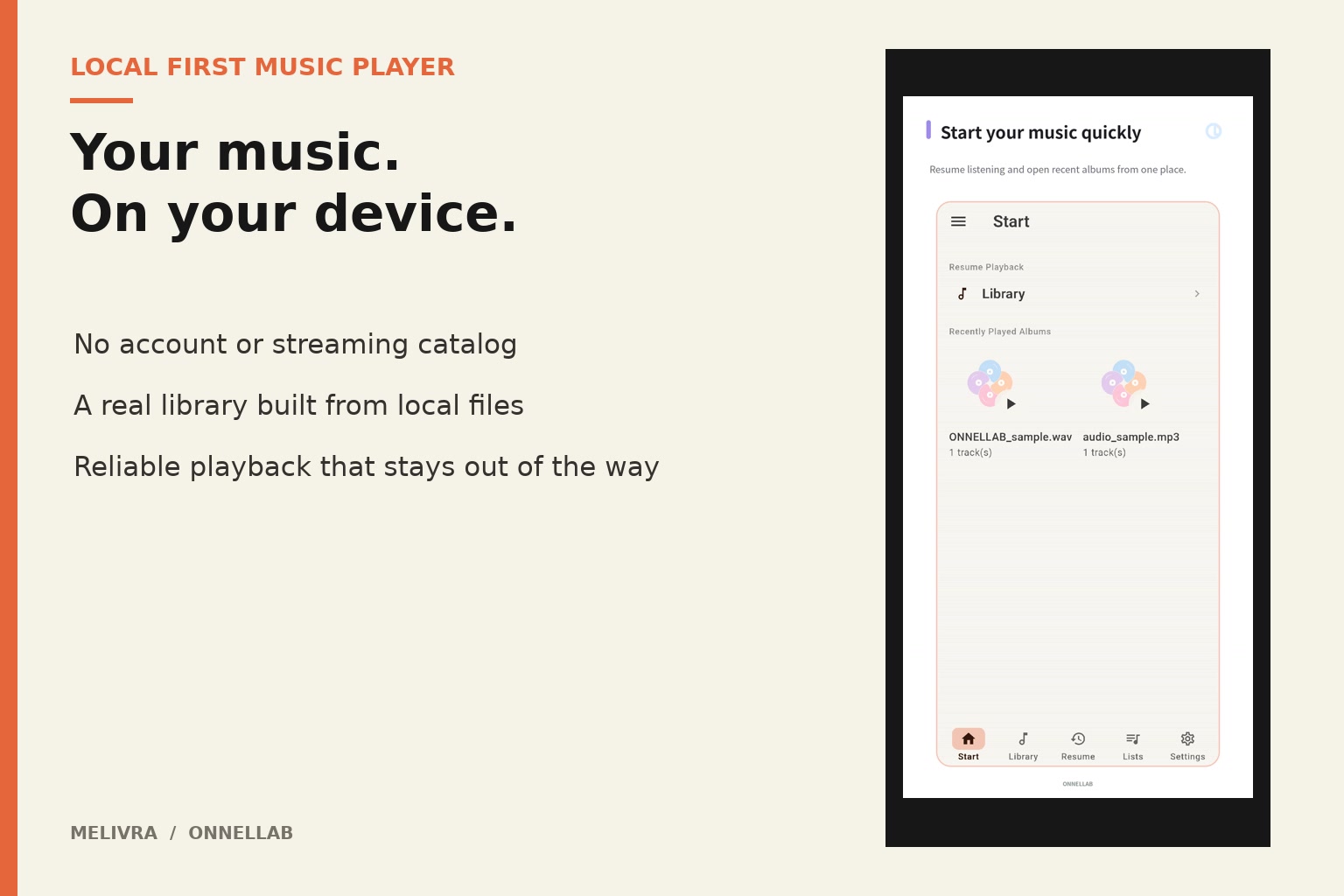
Melivra
Inspiration
I keep music files because I want the collection itself, not just access to a catalog. Most mobile players either flatten that collection into folders or surround it with accounts, recommendations, and online services. I wanted a player that treats local music as a real library and then stays out of the way.
Melivra existed before Build Week. During the submission period, I used Codex to finish the parts that become difficult on real devices: layouts that survive small screens and large text, library state that stays consistent after scans, and playback that remains predictable across Flutter and native audio engines.
What it does
Melivra is a local music player for Android and iOS. It scans music chosen by the listener and organizes it by song, album, artist, album artist, composer, genre, year, and folder. The files remain local.
The player supports a persistent queue, resume playback, bookmarks, favorites, ratings, playlists, playback speed, A-B repeat, EQ, volume normalization, and gapless playback. Android and iOS system controls can operate the same queue used inside the app.
The Build Week work concentrated on:
- adaptive Start, Library, Search, Player, Queue, Playlist, and Settings screens;
- compact phones, Display Zoom, tablets, foldable boundaries, and large text;
- clearer TalkBack and VoiceOver actions and predictable focus order;
- incremental scan-source persistence and normalized library grouping;
- queue, detail navigation, resume, and native playback lifecycle fixes;
- Android and iOS widgets that remain legible at their platform sizes;
- a physical-device harness that records constraints, overflow, keyboard, navigation, and accessibility evidence.
How I built it
The application is written in Flutter and Dart. SQLite stores the local library index and listening state. The presentation layer asks application controllers for library and playback state instead of opening files directly.
Platform audio stays native. Android uses Media3 and the system media session. iOS uses AVFoundation and Control Center integration. Flutter remains the owner of the queue and the state shown to the listener, while native code reports platform playback events back through a narrow bridge.
The library scanner keeps file identity and metadata separate from app-owned data such as play counts, favorites, bookmarks, and resume positions. Scans are incremental, and unavailable metadata falls back to readable local labels or the file name rather than dropping the track.
Codex was used throughout the submission period as an engineering partner. I gave it failing device behavior, screenshots, harness logs, and the relevant product boundary. It traced each symptom to the owning route, controller, database query, or native playback callback; changed that boundary; and checked the nearby callers. I made the product decisions and kept the constraints fixed: local music first, no recommendation feed, no account requirement, and no patch whose only purpose was to make a test pass.
Challenges I faced
One interface across very different screens
A layout that feels calm on a tall phone can overflow with Display Zoom, become sparse on a tablet, or lose its reading order at 200 percent text. The solution was not another collection of per-device numbers. I introduced shared size classes and screen density tokens, then exercised them through the same screens and harness measurements.
Two playback engines, one visible state
Flutter, Android Media3, and iOS AVFoundation can all observe a track boundary. If an old native completion callback survives a seek or queue reload, the app can advance even though the listener chose a new position. Build Week fixes added explicit load and schedule generations so stale native work cannot change the current queue.
Trusting a local library
File access differs sharply between Android folders and iOS Files imports. A scan also has to preserve listening history while metadata and file paths change. The scanner and SQLite snapshot code were tightened around explicit source, identity, and metadata boundaries instead of treating every scan as a rebuild.
Testing what is visible
An assertion can pass while a label is clipped or a control sits below the keyboard. The device harness now records actual screen constraints and checks navigation, large text, keyboard insets, scroll reachability, and platform widget sizes. Screenshots and device evidence became part of debugging, not a final cosmetic check.
Accomplishments I am proud of
- The Build Week history touches 118 files across the app, native platforms, tests, harnesses, and documentation.
- Compact phones, Display Zoom, regular phones, tablets, and short wide screens now share an explicit layout system instead of unrelated overrides.
- Library grouping, scan snapshots, queue state, native completion callbacks, and detail navigation were repaired at their owning boundaries.
- Important playback actions are exposed to screen readers, and large text is treated as a supported layout rather than an exception.
- The app remains a local collection player. The added engineering did not turn it into a streaming or recommendation product.
What I learned
- Responsive work is easier to maintain when size classes describe available space rather than specific devices.
- Native playback callbacks need identity, not just a status string.
- Accessibility testing catches state and navigation mistakes that are easy to miss visually.
- Local-first software still needs strict ownership boundaries; keeping data on the device does not make state consistency automatic.
- Codex was most useful when the report included a reproducible failure and a clear product boundary.
What's next
The next step is to run the final Android and iOS judging builds through the complete physical-device matrix and publish the resulting evidence with the submission. After that, I want to keep improving large-library scan time and playback recovery without changing the simple promise at the center of Melivra: your music, on your device.

Log in or sign up for Devpost to join the conversation.