-
-
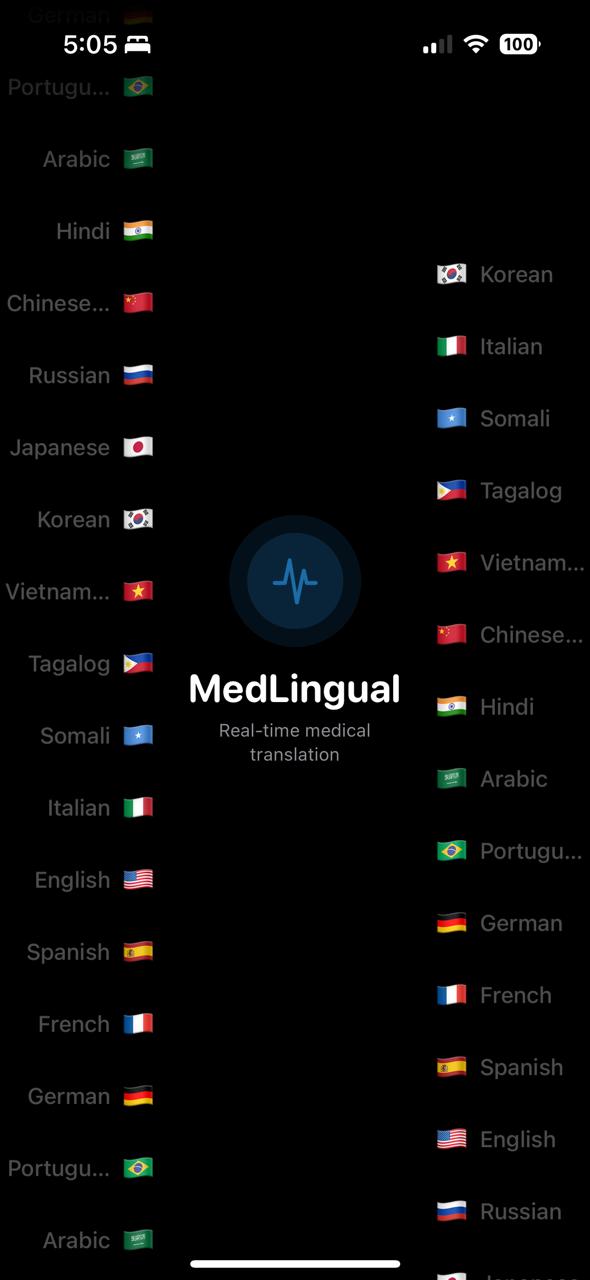
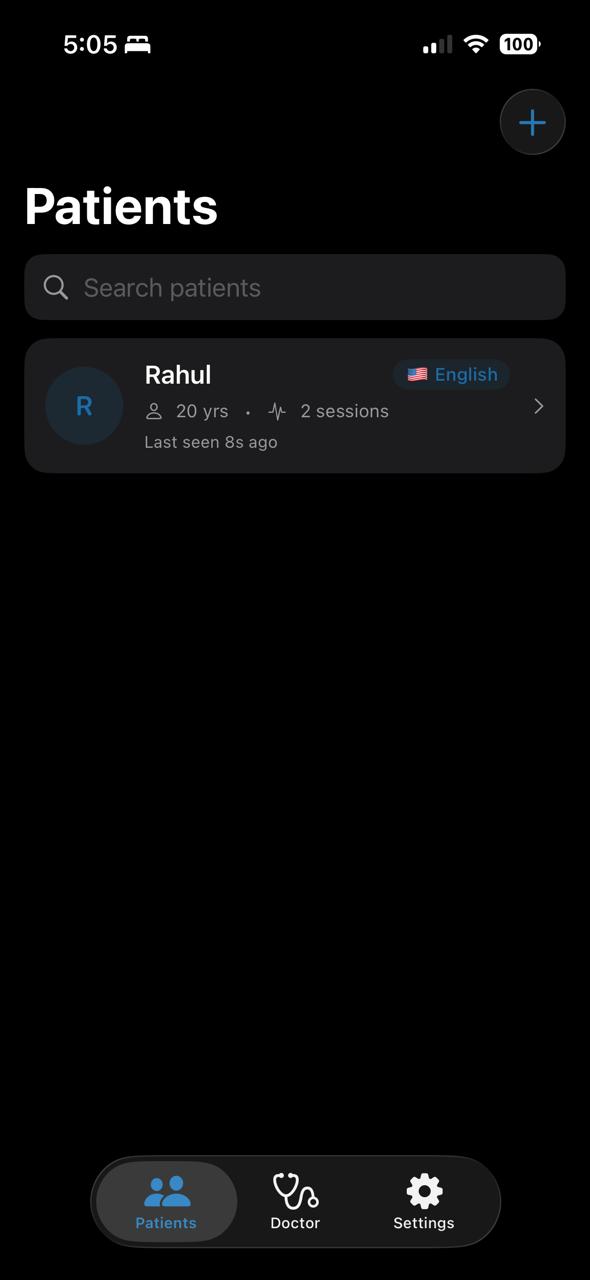
MedLingual Opening Display
-
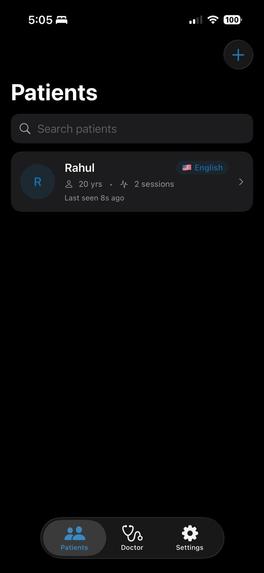
Dashboard
-
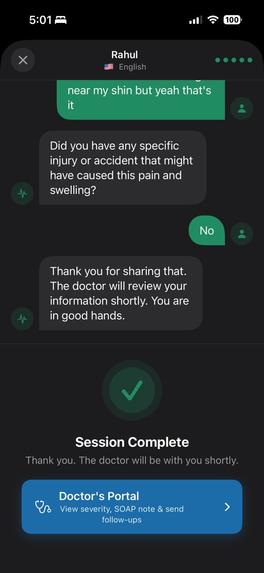
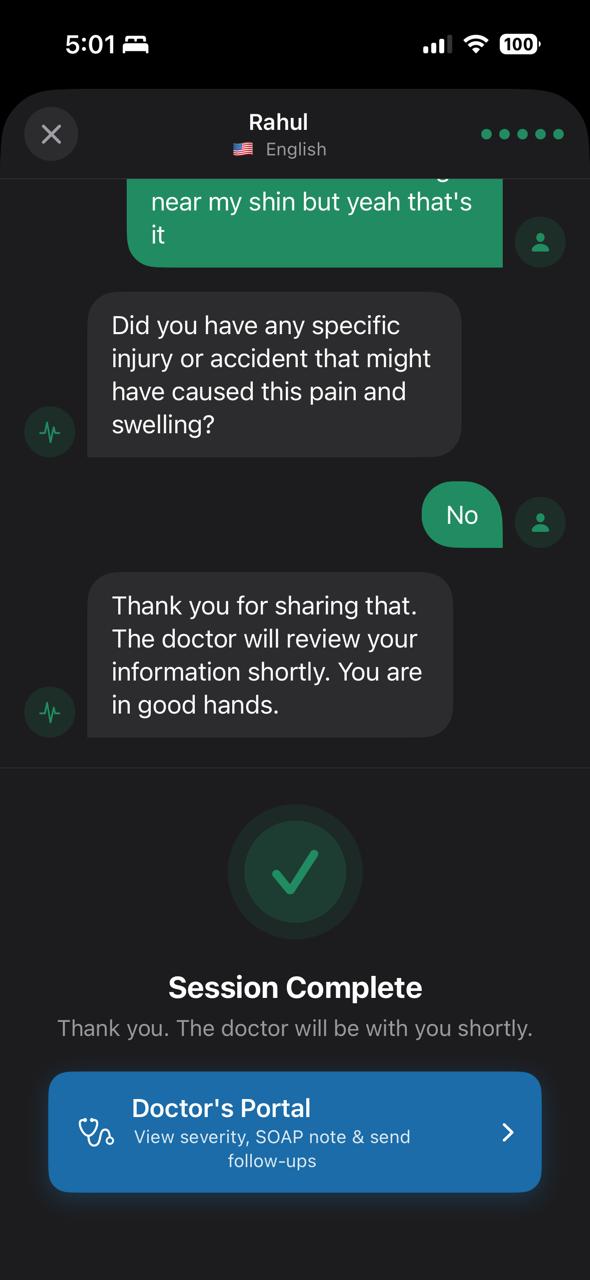
Example Patient's Portal in English for better understanding
-
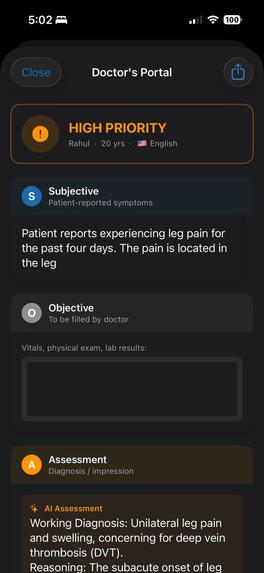
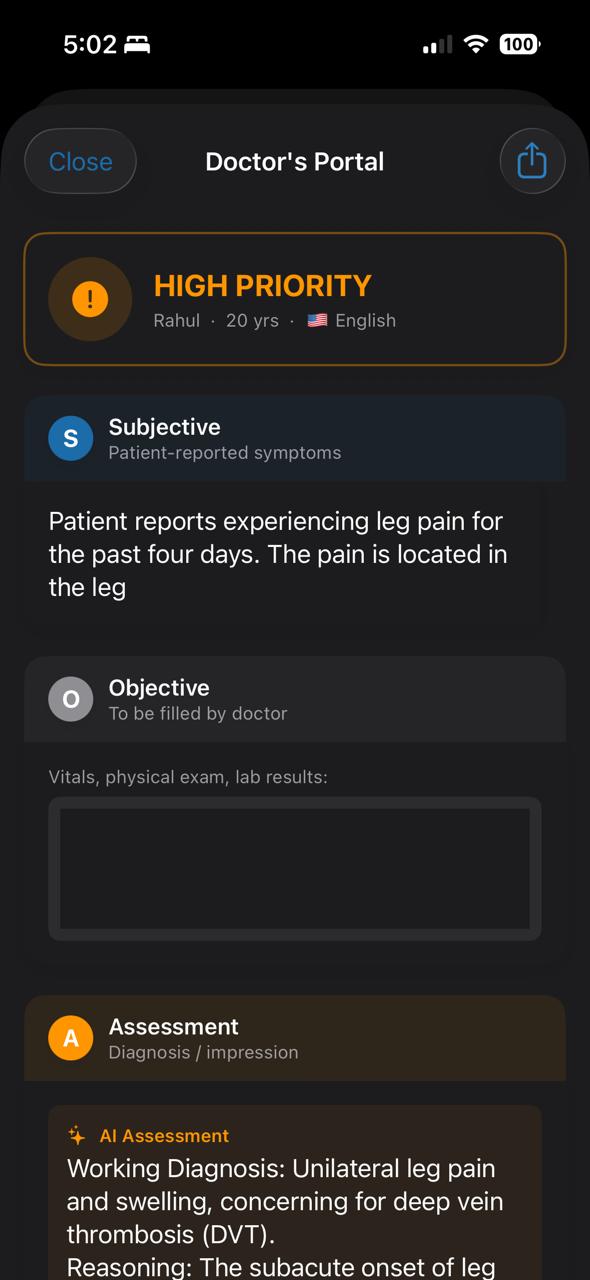
Doctor's Portal (1)
-
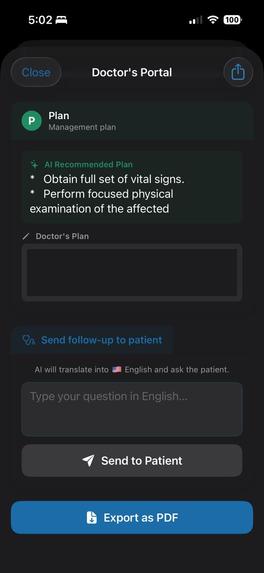
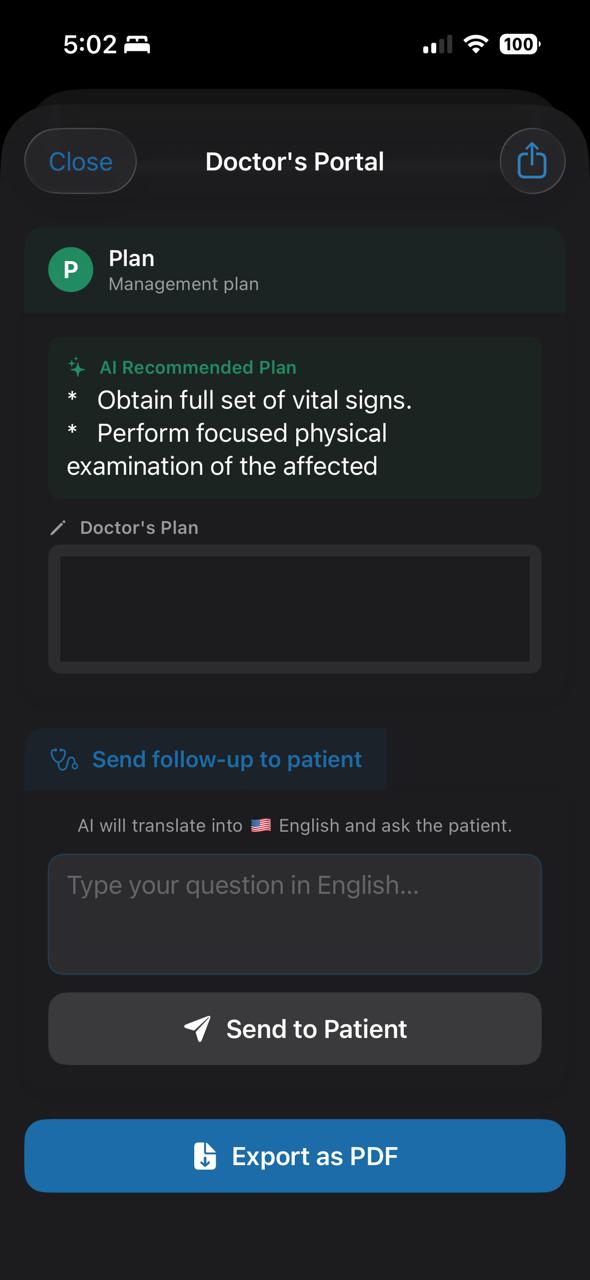
Doctor's Portal (2)
-
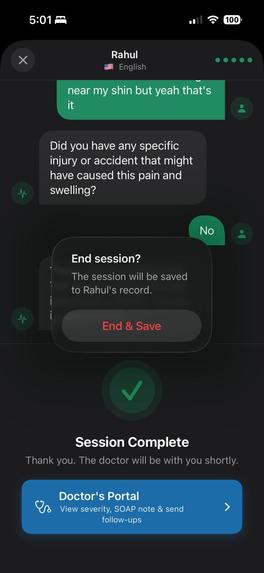
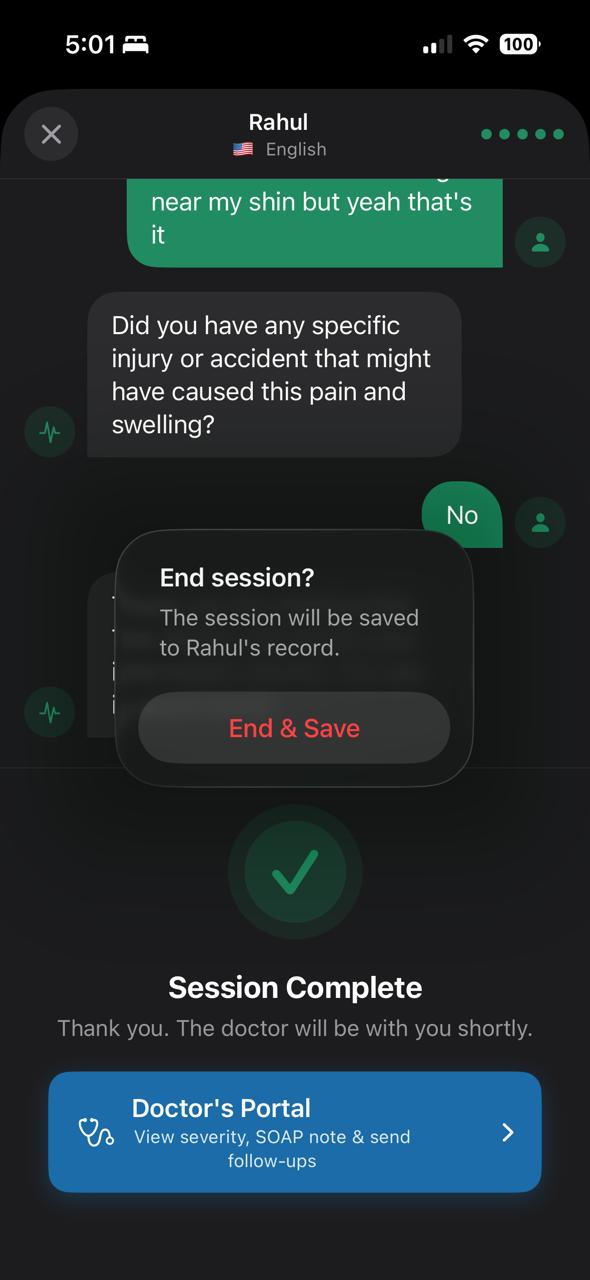
Option to end & save session
-
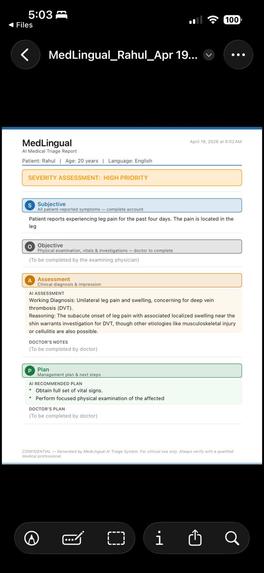
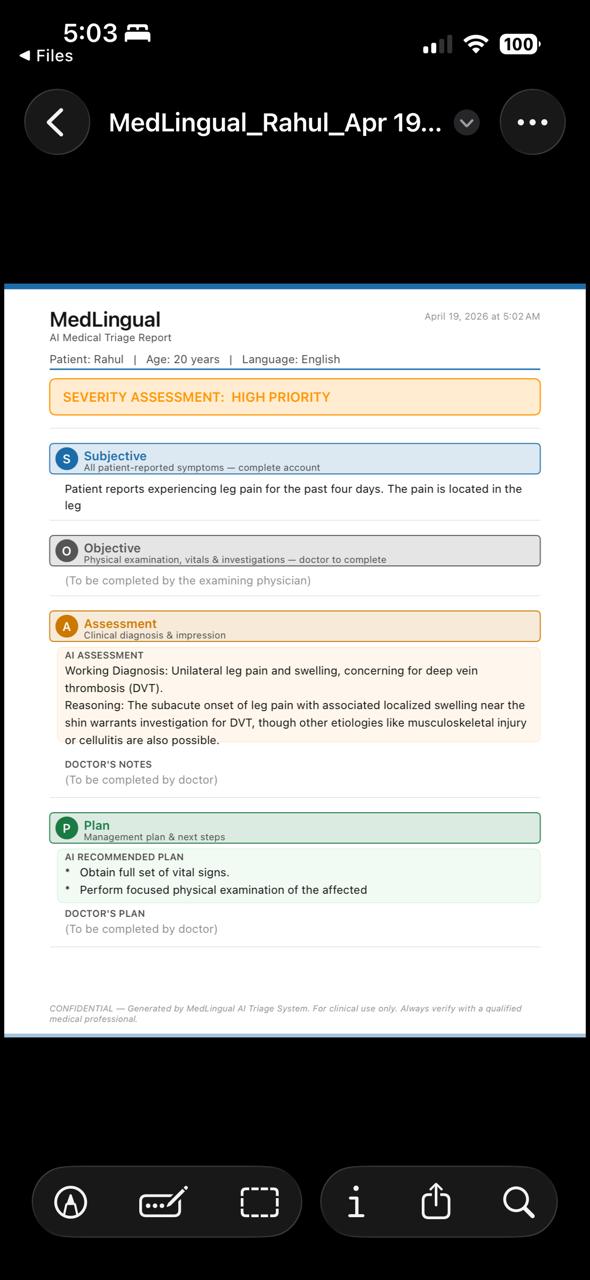
Example ER-ready SOAP note awaiting doctor's input
Inspiration
We kept coming back to one story. A mother in Kansas watched her son's appendix rupture after a language gap led to a mistaken diagnosis. The doctors weren't negligent — they just couldn't understand what her son was saying. That story is not rare. 59% of serious adverse hospital events involve patients who can't speak English fluently, and yet most ERs still rely on human interpreters that cost $150/hour and aren't available at 2am.
We're students at KU. We see international students, immigrant families, and non-English speakers navigate Lawrence every day. We kept asking: what happens when one of them ends up in the ER? That question became MedLingual.
What it does
MedLingual is an iOS app that sits in a doctor's pocket and eliminates the language barrier during medical triage. The doctor creates a patient session, selects the patient's language, and hands their phone across the desk. The patient speaks in their language — Bengali, Tamil, Spanish, Hindi, Arabic, or any of the 17 supported languages. MedLingual listens, translates, and asks smart medical follow-up questions back in the patient's language. On the doctor's side of the screen, a structured SOAP note builds itself in real time in English — the standard clinical format every doctor already uses. If the patient mentions chest pain, difficulty breathing, or any life-threatening symptom, an urgent alarm shows instantly. When the session is done, the doctor verifies the note, signs it, and exports a PDF ready for any EHR system.
How we built it
MedLingual is a native iOS application built entirely in Swift and SwiftUI, following an MVVM architecture where a central @MainActor ObservableObject class — TriageSession — manages all state, audio, and API communication.
Audio & Speech
We used AVFoundation for audio session management with a .playAndRecord category, handling both text-to-speech and microphone input without switching categories mid-session. Text-to-speech runs through AVSpeechSynthesizer with an AVSpeechSynthesizerDelegate across 17 languages. Voice transcription uses SFSpeechRecognizer for on-device recognition, with an English fallback when the patient's locale isn't natively supported.
AI Backend
All AI calls route through a Node.js serverless backend deployed on Vercel, which proxies requests to the Google Gemini 2.5 Flash API — keeping the API key off the device entirely. The iOS app communicates over HTTPS using a custom URLSessionDelegate (TLSBypassDelegate) to handle TLS certificate validation on iOS 26 beta.
Triage Flow
The triage flow translates the patient's spoken transcript into their language for display, then generates up to 5 AI-driven clinical follow-up questions. Once the session ends, the Doctor's Portal triggers four parallel async Gemini calls — subjective summary, assessment, plan, and urgency classification — all forced to English output regardless of patient language.
PDF Export
PDF generation uses UIGraphicsPDFRenderer with hardcoded UIColor values (dynamic system colors render transparent in PDF context), drawing each SOAP section with colored headers, tinted AI subsections, and a severity badge.
Data Persistence
Patient data, encounter history, and doctor profile are persisted locally using UserDefaults with Codable structs — keeping everything on-device and private.
UI Architecture
The tab-based UI has three tabs — Patients, Doctor, and Settings — with a full-screen PatientSessionView overlaid via a ZStack when a session is active.
Challenges we ran into
The hardest part wasn't the code; it was the prompting. Getting the AI to simultaneously ask a follow-up question in Tamil and produce a clean English SOAP summary from the same response, consistently, without hallucinating medical details, took a lot of iteration. We learned that the structure of the prompt matters as much as the model itself.
Speech recognition across languages was the other big challenge. The speech framework handles most languages well, but mapping the right locale code to the right language and handling edge cases like mixed-language responses with followups required careful testing on real devices.
We also had to think hard about the UI problem of one device serving two people. A split screen felt cramped on a phone. A full flip between two distinct modes — one designed for a stressed patient, one designed for a working clinician — turned out to be the right call both technically and humanistically.
Accomplishments that we're proud of
We're proud that we built something that feels real. Not a prototype with fake data and hardcoded responses but an actual working app that listens to a patient speak Bengali, understands them, asks a medically appropriate follow-up question back in Bengali, and hands the doctor a structured SOAP note in English. All in under 1 minute. On one phone.
We're proud that we thought like clinicians, not just developers. Every feature — the verification layer, the triage priority tags, the urgency alert, the signed PDF export — exists because a real doctor in a real ER would need it. We didn't add features to impress, we added them because a patient's life might depend on them.
And we're proud that we built this at KU, for the kind of patients who show up at Lawrence Memorial Hospital every day and don't always get heard.
What we learned
This hackathon was Disha's first hackathon and Rahul's first time handling API. We learned how to scope ruthlessly. In a hackathon, the gap between what you want to build and what you can is humbling — and learning to prioritize features by clinical impact rather than technical interest was a skill we didn't expect to develop this weekend.
We learned how to read research fast. Going from zero to citing NIH studies, the Kansas Reflector, and federal AHRQ reports in a few hours taught us how to find credible sources quickly and translate them into a compelling narrative.
We learned that healthcare is a design problem as much as a technical one. The question was never just "does it work", it was "would a doctor trust this at 3am." That changed every decision we made.
What's next for MedLingual
Very soon we wish to deploy MedLingual in App Store.
The upgrades we wish to include are:
Auto Language Detection : patient just speaks, MedLingual detects the language without the doctor selecting it upfront.
Offline Mode : on-device inference via Apple Core ML so MedLingual works in rural hospitals with no connectivity.
Clinical Validation : partnering with KU Medical Center to formally measure whether MedLingual reduces diagnostic errors and documentation time in real clinical settings.
We built MedLingual to ensure language won't be an added discomfort for stressed patients, and we intend to make sure of it.
Built With
- avfoundation
- encounters
- google-gemini-2.5-flash
- google-gemini-api
- javascript
- severity-assessment)-storage-userdefaults-?-local-on-device-storage-for-patients
- sfspeechrecognizer
- soap-generation-apis-google-gemini-api-?-all-ai-calls-(translation
- soap-notes
- swift
- swiftui
- text-to-speech-speech-(sfspeechrecognizer)-?-voice-recognition-cloud-&-backend-vercel-?-backend-hosting-(serverless-functions)-google-gemini-2.5-flash-?-ai-translation
- triage
- triage-questions
- userdefaults
- vercel
- xcode


Log in or sign up for Devpost to join the conversation.