-
-
MedLens
-
Architecture Diagram
-
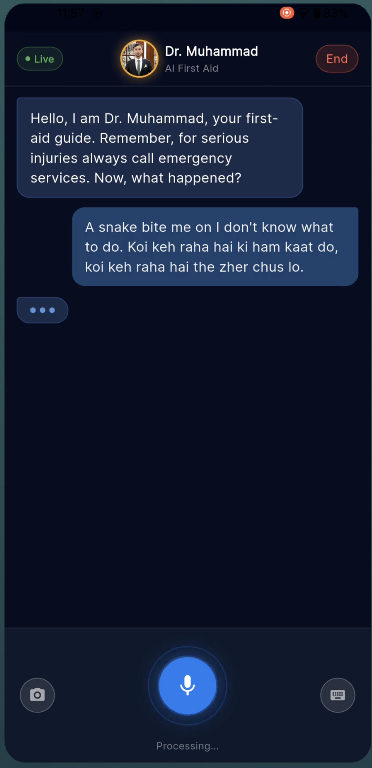
Session
-
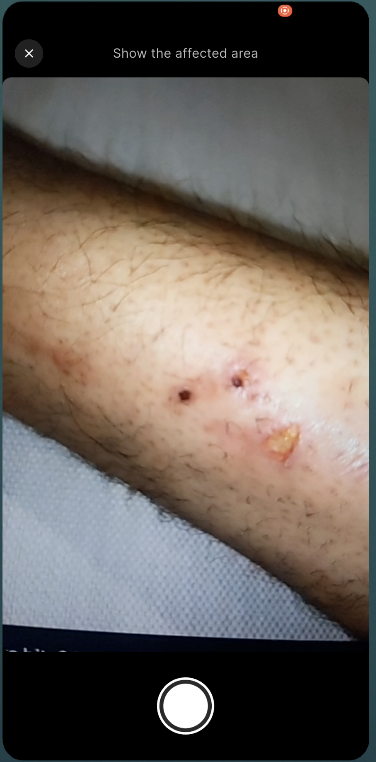
Camera Preview
-
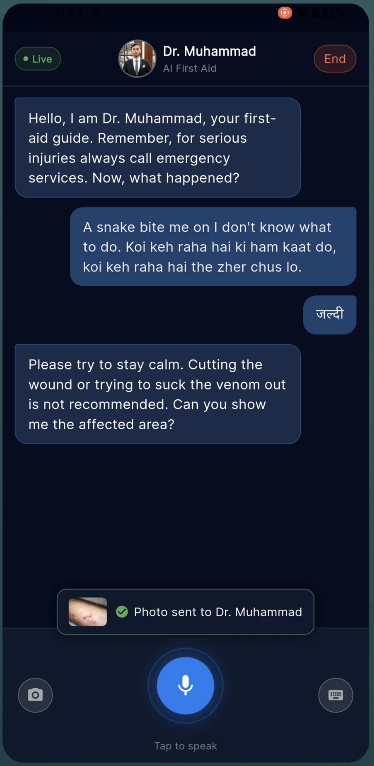
Sees and Talks
-
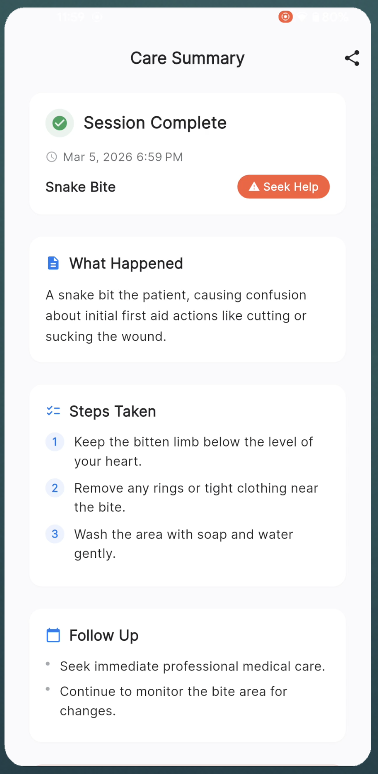
Summary
Inspiration
I started university as a medical student before switching to software engineering. That background stuck with me — especially the frustration of watching people around me handle injuries wrong. Pouring ice on burns. Tilting heads back during nosebleeds. Applying toothpaste on scalds because someone's aunt said it works.
My co-builder on this project, Dr. Muhammad Khan, is an actual doctor. We've had this conversation dozens of times: "If people just had someone calm telling them what to do in the first 5 minutes, half these cases wouldn't get worse." The problem is that in an emergency, nobody can type. Your hands are shaking, or they're busy applying pressure, or you're holding a crying kid. Text-based chatbots are useless when you're panicking.
When the Gemini Live Agent Challenge dropped, the idea was obvious. What if your phone could see the injury and talk you through it — hands-free, like having a doctor on a video call who never loses patience?
What it does
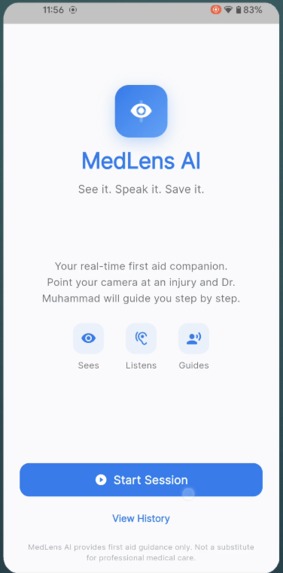
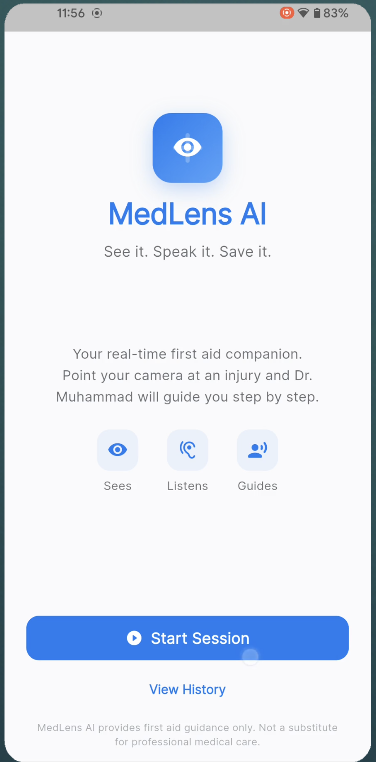
MedLens AI is a mobile app with one job: real-time first aid guidance through voice and vision.
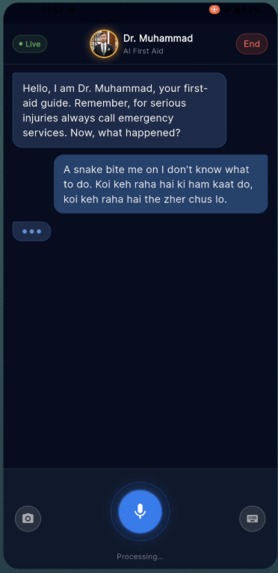
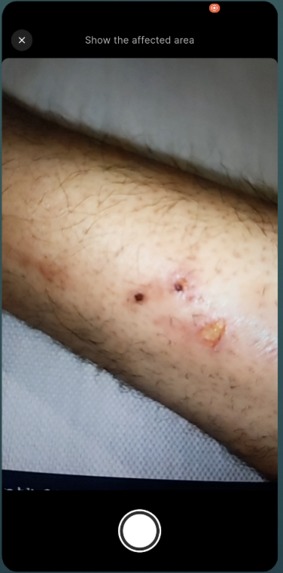
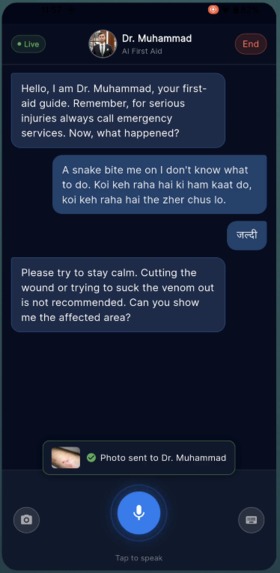
You open the app, tap "Start Session," and Dr. Muhammad — our AI first aid specialist — greets you by voice. You describe what happened. He listens, asks focused questions, and gives you step-by-step instructions out loud. If he needs to see the injury, he asks. You tap the camera button, show him, and he tells you exactly what he's looking at and what to do about it. He can highlight areas on your camera feed with colored overlays — "apply pressure here," "run water over this area."
He knows when to escalate. If you describe chest pain, difficulty breathing, or he sees a burn that's clearly beyond first aid, he'll tell you to call emergency services immediately — no hedging, no "you might want to consider."
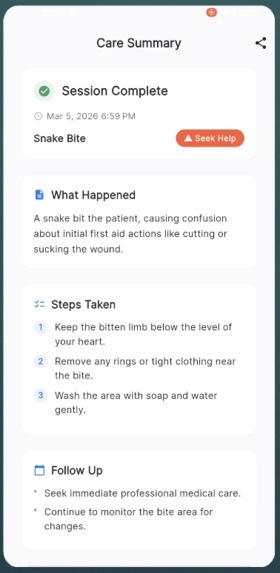
At the end, he generates a structured care summary: what happened, what was done, what to watch for, when to see a doctor. You can show that summary to an ER doctor later.
The app also includes 12 offline first aid guides for critical scenarios — cardiac arrest, choking, anaphylaxis, severe bleeding — so there's always something useful even without internet.
How we built it
Two people, 13 days. I handled all the engineering. Dr. Muhammad Khan — yes, the AI persona is named after him — handled the medical content, reviewed the system prompts for clinical accuracy, and made sure the AI never gives advice that could make things worse.
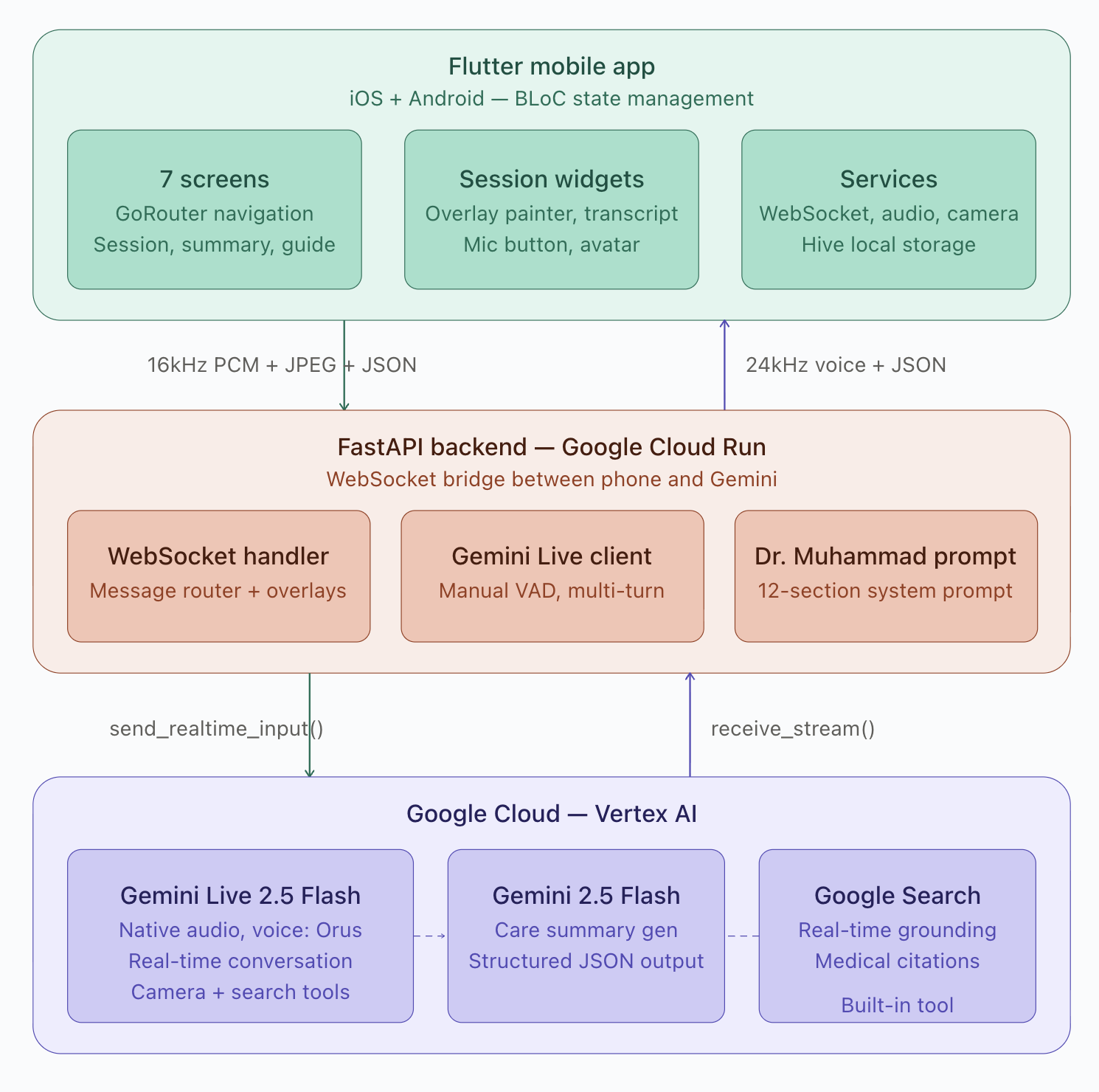
The stack:
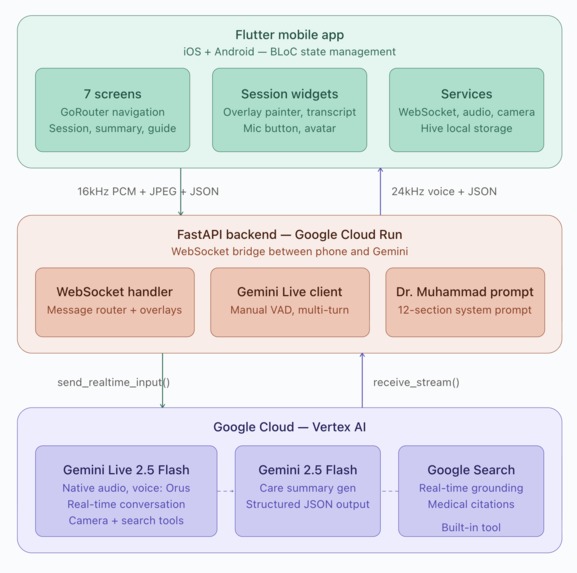
- Flutter for the mobile app (iOS/Android), using BLoC for state management
- FastAPI on Python for the backend, deployed on Google Cloud Run
- Gemini Live 2.5 Flash for real-time voice conversation (native audio, not TTS)
- Google Search grounding for real-time medical citations
- Terraform for infrastructure
The hardest architectural decision was the audio pipeline. Gemini Live uses a persistent WebSocket with bidirectional streaming — the phone records 16kHz PCM from the microphone, streams it to our Cloud Run backend, which bridges it to Gemini. Gemini sends back 24kHz PCM audio that the phone plays. All of this happens with low enough latency that it feels like a phone call.
The camera is on-demand, not always-on. Dr. Muhammad asks to see the injury when he needs to — "Can you show me the affected area?" — and the user taps a camera button. This was a deliberate design choice. Continuous camera streaming burns bandwidth and feels invasive. A doctor in an ER doesn't stare at you the entire time — they look when they need to.
Challenges we ran into
Three things nearly broke us:
1. Gemini Live multi-turn was fragile. The SDK exits session.receive() after every turn_complete. If you don't wrap it in a while loop, the conversation dies after the first exchange. Took us a full day to figure out that this was by design, not a bug.
2. Automatic VAD killed sessions. Gemini's automatic voice activity detection would detect silence after the greeting and close the session. We had to switch to manual VAD — the app explicitly signals when the user starts and stops speaking. This one cost us two days of debugging before we found it buried in the API docs.
3. send_realtime_input vs send_client_content. You cannot mix these in the same session. We were using send_client_content for text and send_realtime_input for audio. Everything worked on the first turn and broke on the second. The fix was simple — use send_realtime_input for everything — but finding the problem was not.
The audio format requirements are also unforgiving. Mic input must be exactly 16kHz 16-bit mono PCM. Playback must be exactly 24kHz. Any deviation gives you garbled noise or silence. No helpful error message, just broken audio.
Accomplishments that we're proud of
The conversation feels natural. When you talk to Dr. Muhammad, there's no button-pressing or waiting for loading screens. You speak, he listens, he responds. You can interrupt him mid-sentence if you need to (barge-in). If you sound panicked, he slows down and shortens his sentences. If he needs to see something, he asks.
We got the overlay system working — Dr. Muhammad can highlight areas on your camera view with colored bounding boxes and labels like "Apply cool water here." The overlay data is embedded in his response as structured JSON, stripped from the transcript so the user never sees raw markup, and rendered as a CustomPainter layer on the camera preview. It auto-clears after 8 seconds.
The care summary generation is solid. At session end, the full transcript goes to Gemini Flash, which produces structured JSON with injury type, severity, steps taken, warning signs, and follow-up recommendations. A 12-second timeout with a fallback ensures it never hangs.
And the whole thing deploys with one shell script. ./scripts/deploy.sh builds the Docker container, pushes to Artifact Registry, and deploys to Cloud Run. Terraform handles the rest of the infrastructure.
What we learned
The Gemini Live API is powerful but has sharp edges. The documentation doesn't always warn you about the things that will break your implementation — the multi-turn behavior, the VAD quirks, the input method constraints. We filled a notebook with "things we wish the docs had said."
Building a medical AI responsibly is harder than building one that works. Dr. Muhammad Khan rejected three versions of our system prompt because they were too confident — saying things like "this is definitely a first-degree burn" instead of "this appears to be a first-degree burn." The disclaimer isn't just legal protection; it shapes how the AI speaks about everything.
Real-time audio streaming at production quality is an engineering problem that doesn't have shortcuts. Every millisecond of latency matters when someone is waiting for help.
What's next for MedLens AI
Multi-language support. Gemini Live handles language switching mid-conversation — the infrastructure is there. We want to test with Urdu, Arabic, and Spanish first, specifically for underserved communities where English-language medical resources are scarce.
Better grounding. We have a Vertex AI Search datastore with Red Cross and WHO first aid manuals indexed. It works but we ran out of time to fully integrate the RAG pipeline into the live session. The next version will have Dr. Muhammad cite specific protocols from verified medical sources in real time.
Offline mode expansion. The 12 built-in guides cover critical scenarios, but we want to add audio playback for those guides — so a user with no internet can still get spoken first aid instructions.
Validation with medical professionals. Dr. Muhammad Khan wants to run the app through a panel of ER doctors to stress-test the AI's advice across edge cases. The goal isn't to replace medical professionals — it's to buy people time until they can reach one.
Built With
- bloc-pattern
- dart
- docker
- fastapi
- flutter
- gemini-2.5-flash
- gemini-live-2.5-flash
- google-artifact-registry
- google-cloud
- google-cloud-build
- google-cloud-run
- google-search-grounding
- hive
- python
- terraform
- vertex-ai-search
- websocket

Log in or sign up for Devpost to join the conversation.