-
-
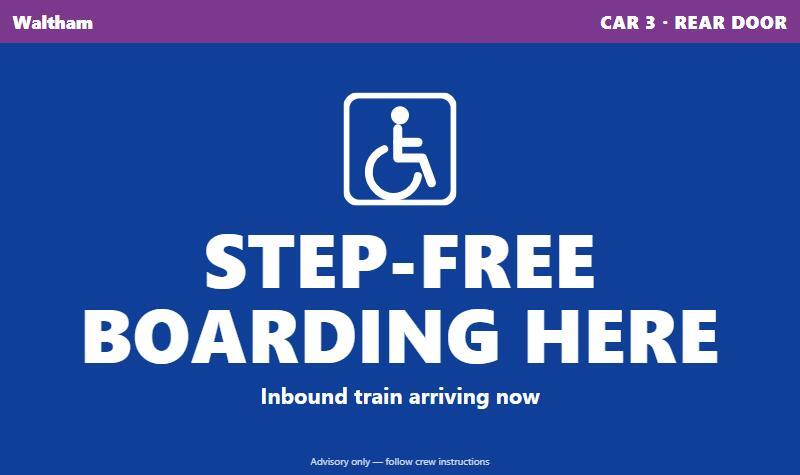
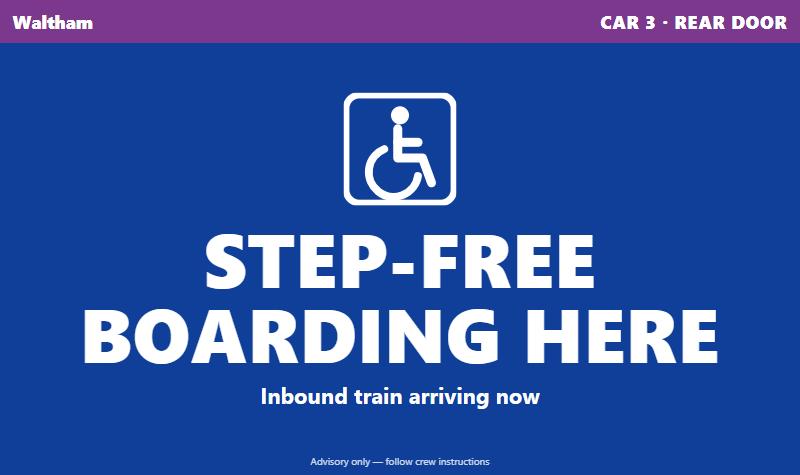
platform sign, "Step-free boarding here"
-
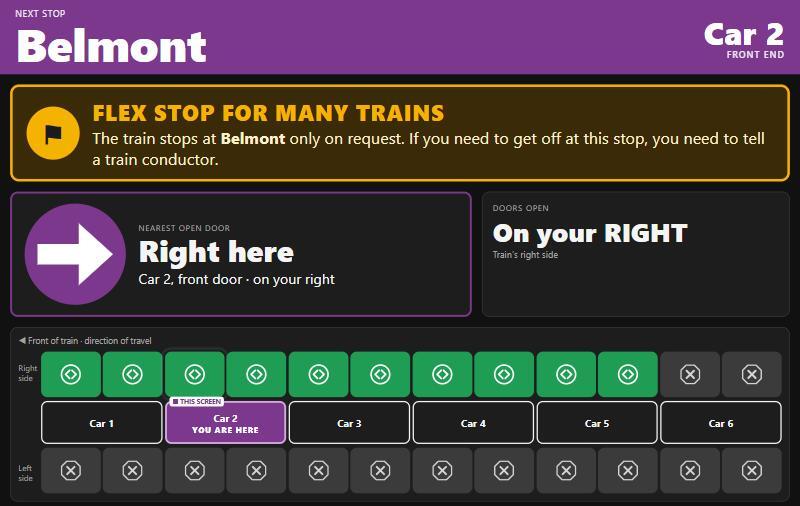
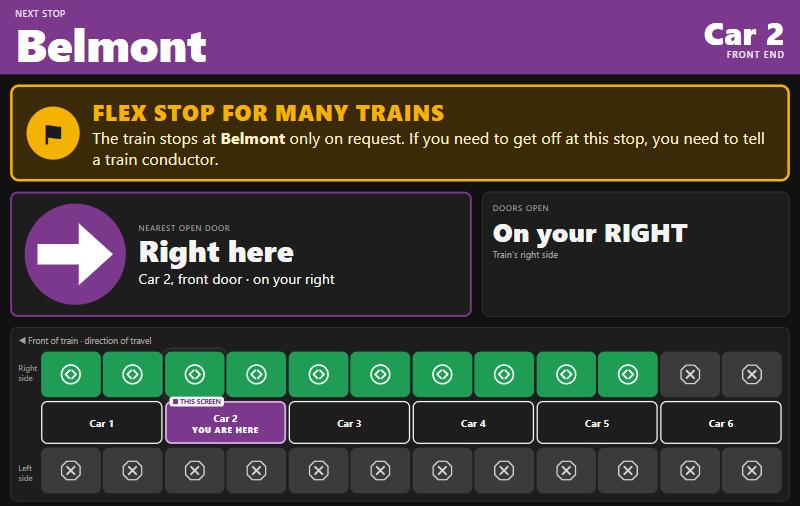
flex stop banner on a cabin screen
-
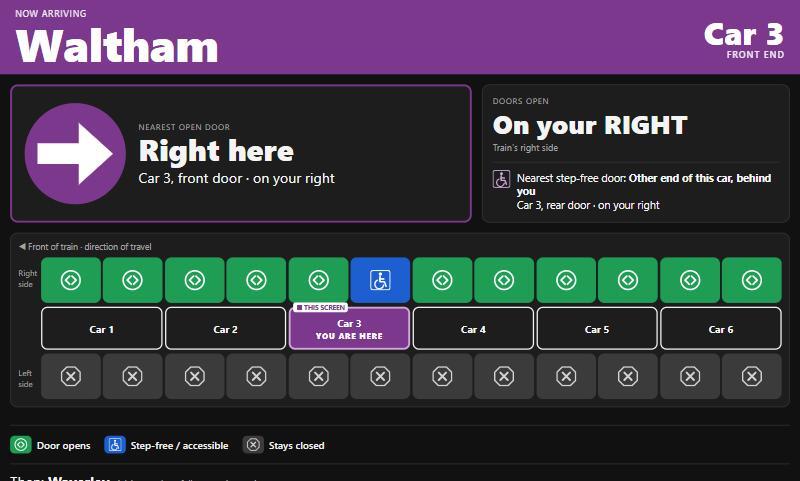
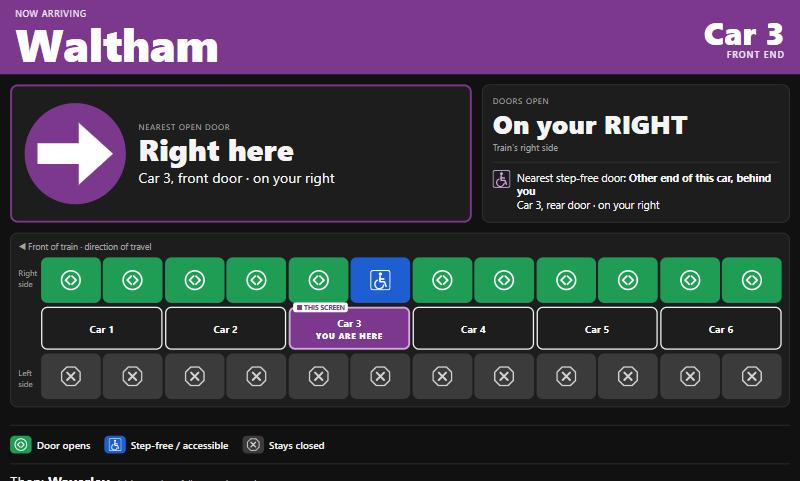
in-car cabin screen
-
"Where to ride" with step-free advice
-
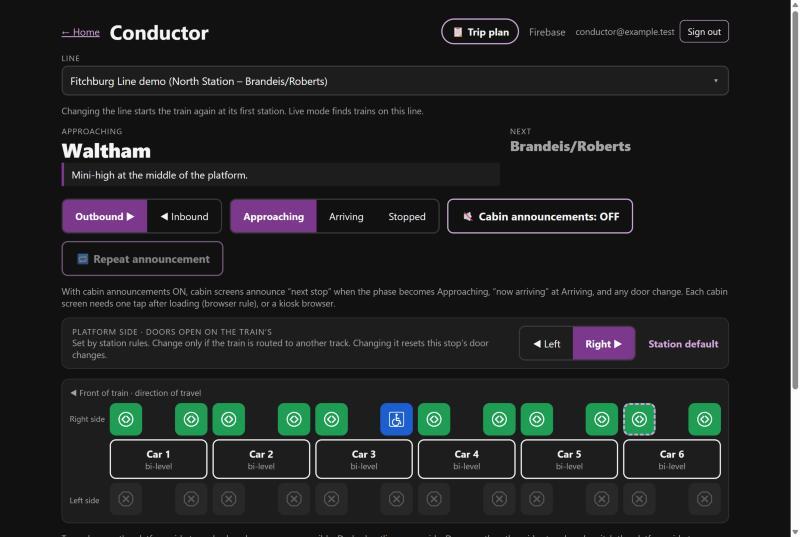
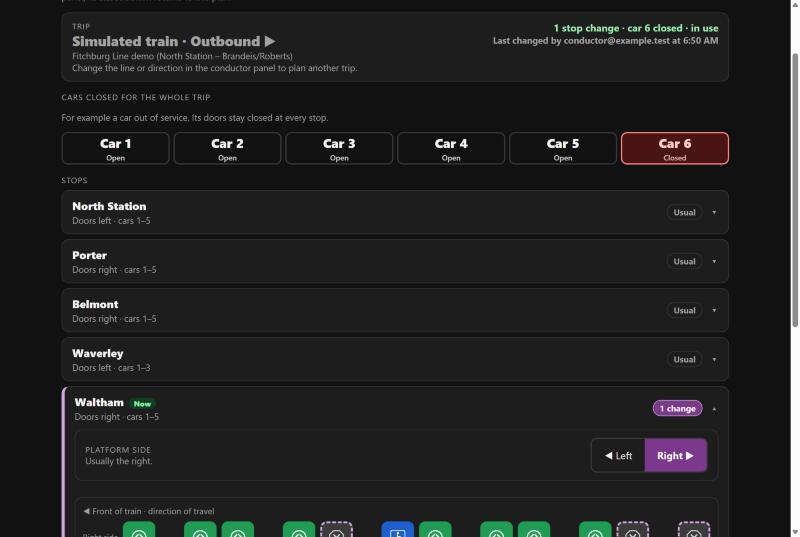
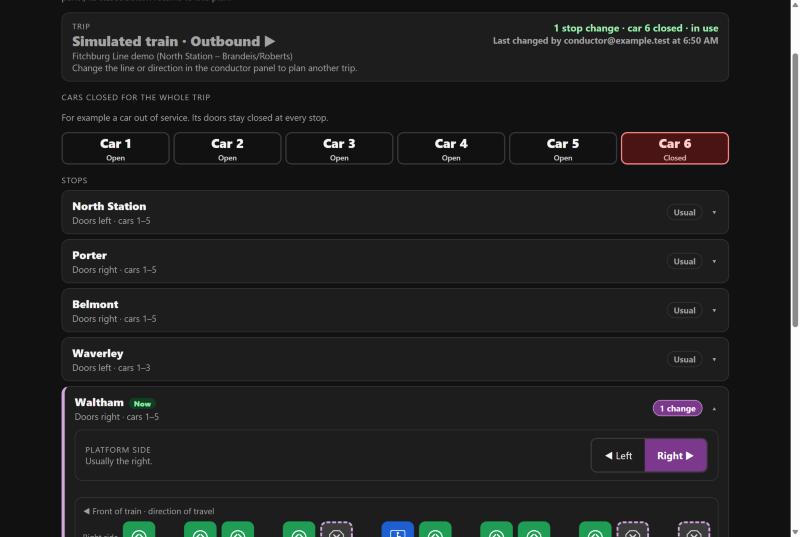
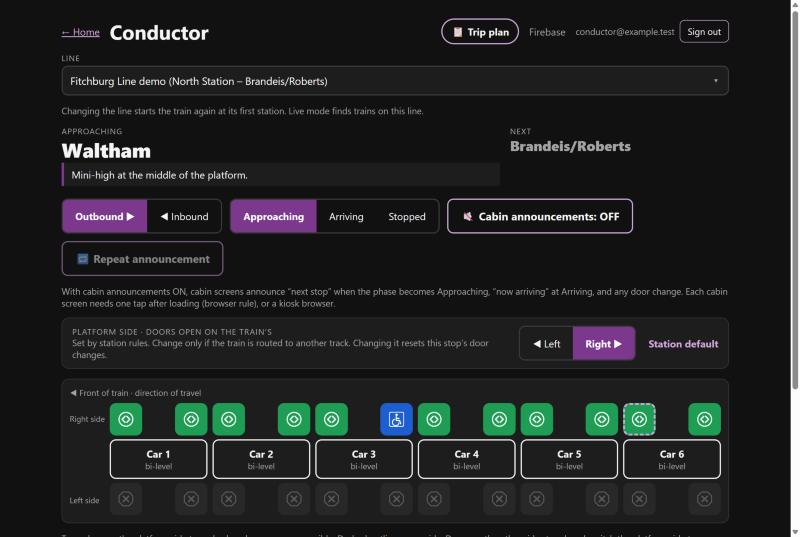
conductor panel
-
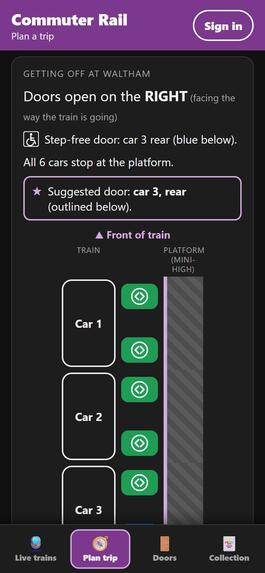
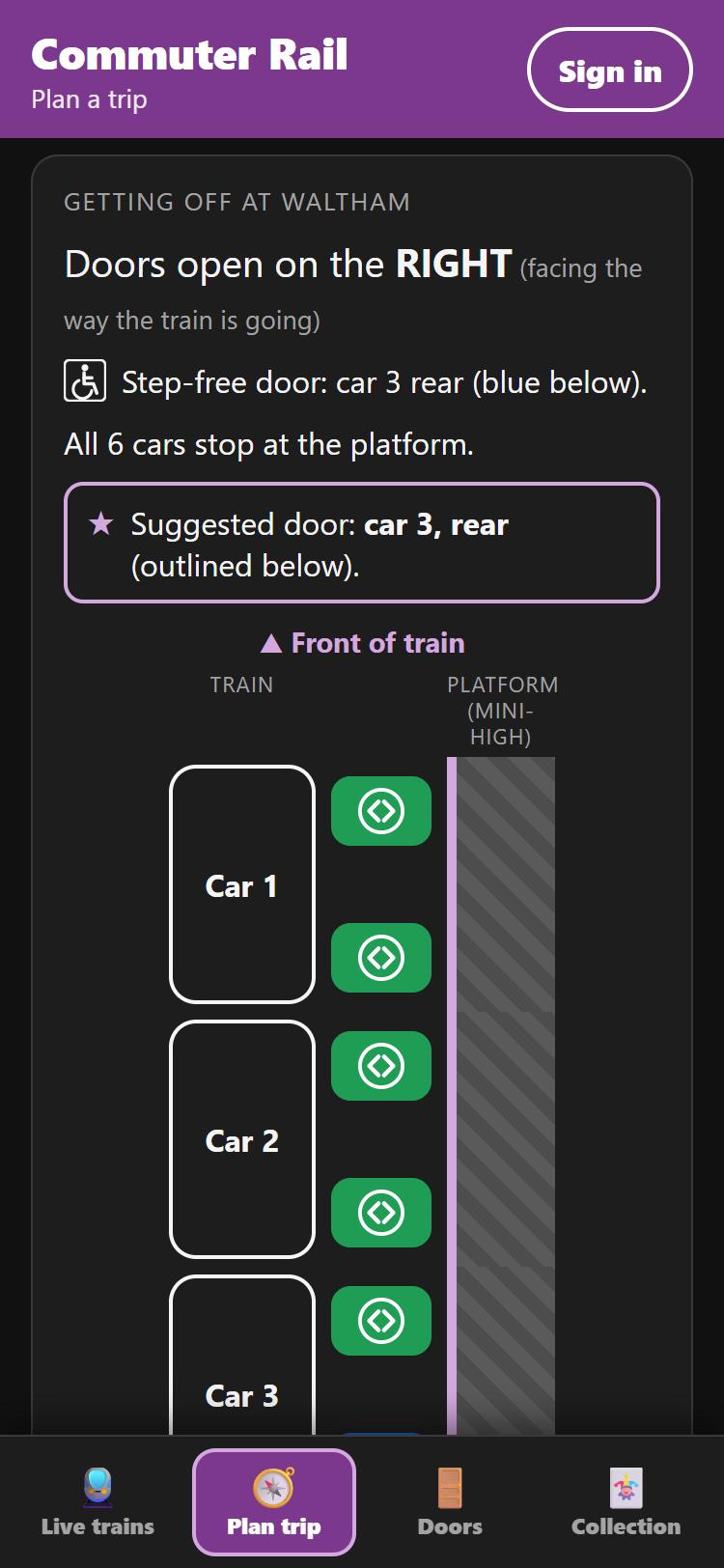
door diagram for getting off at Waltham
-
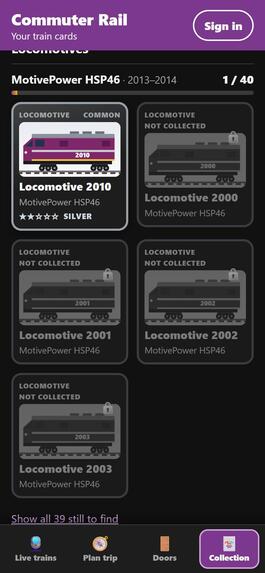
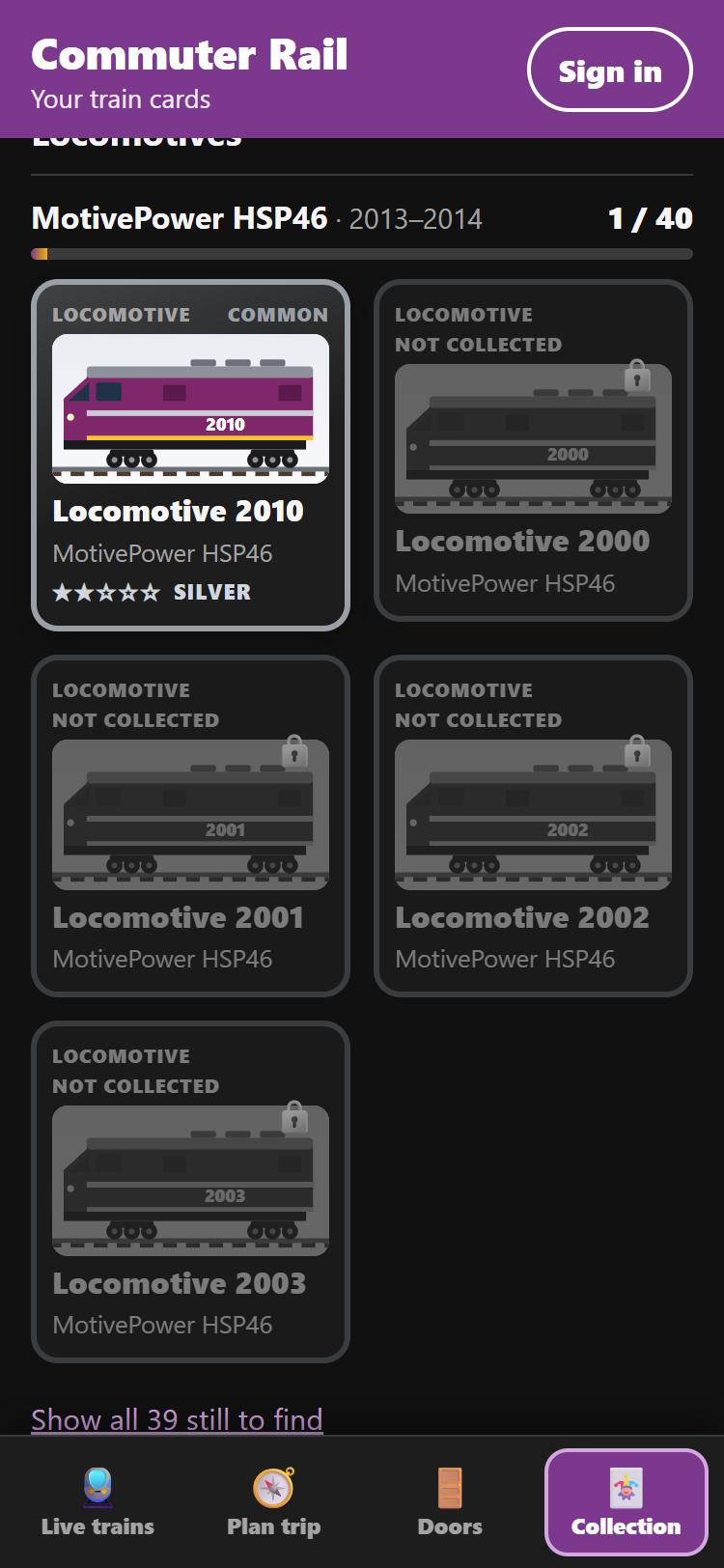
collection with upgrade tiers and grayed-out missing cards
-
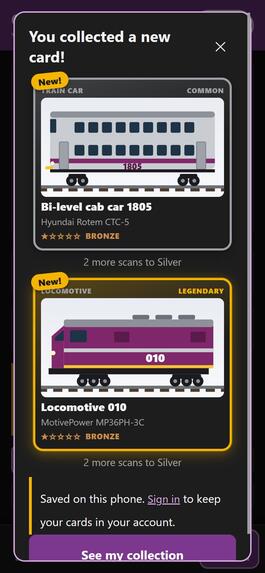
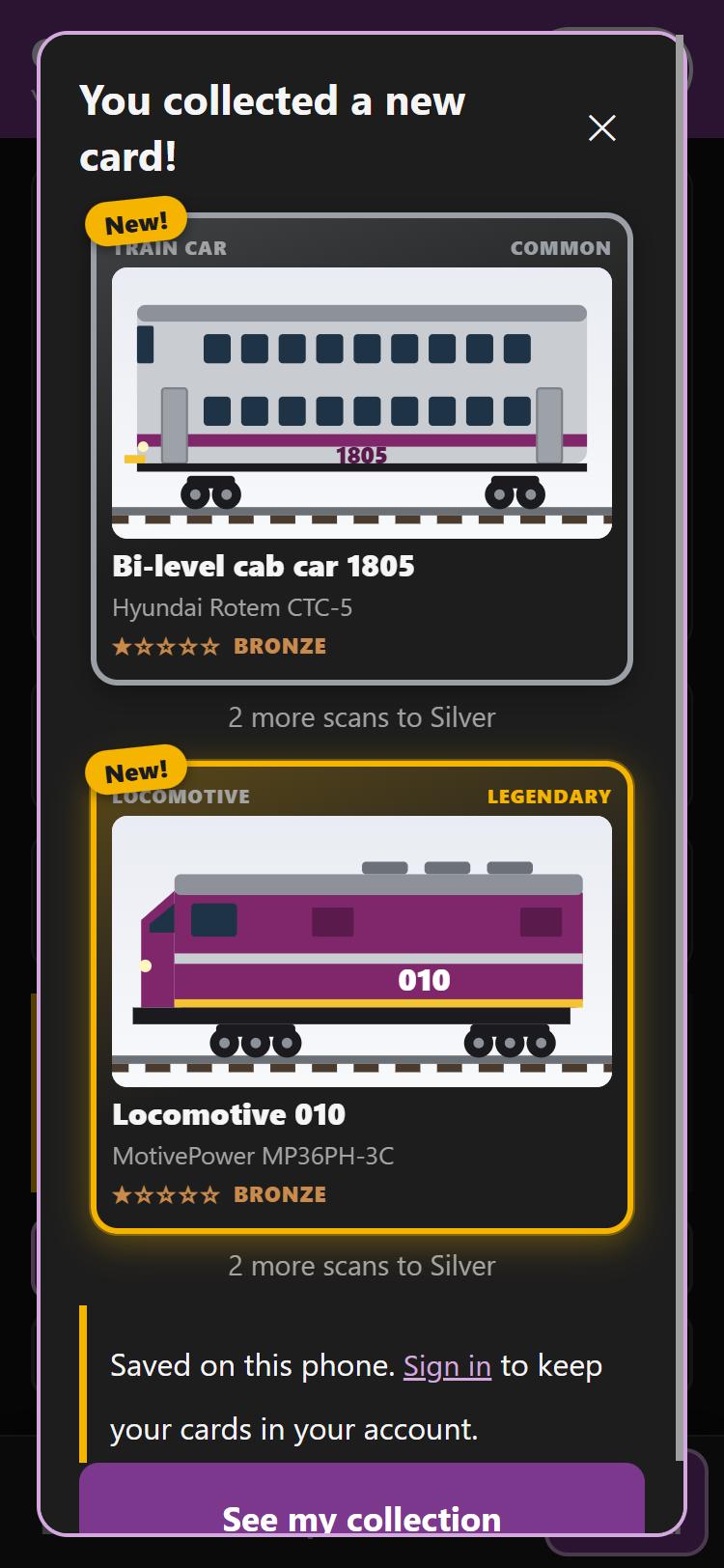
"You collected a new card!" with a Legendary locomotive
-
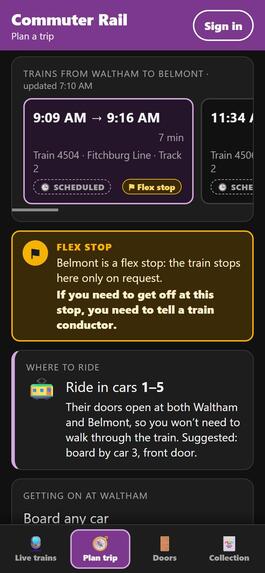
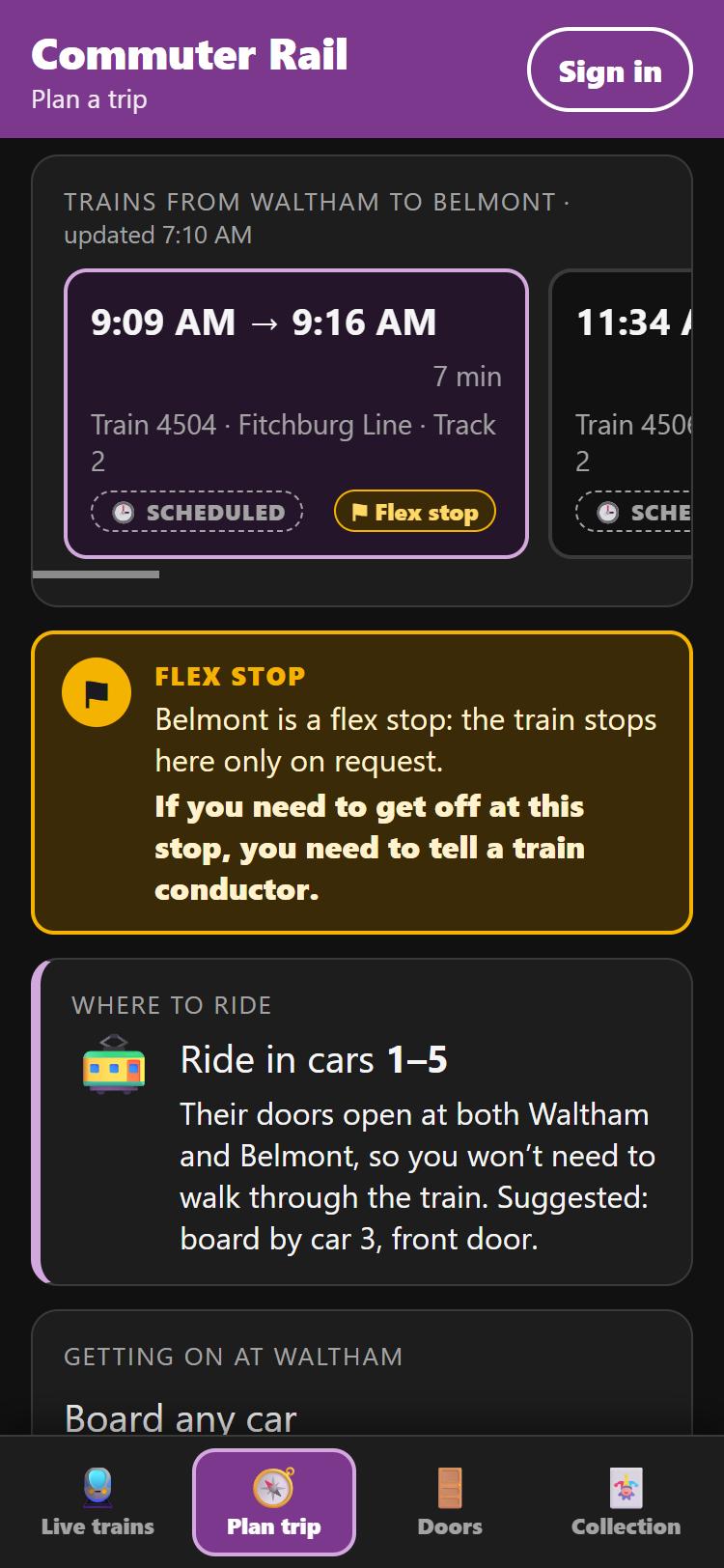
flex stop alert box
-
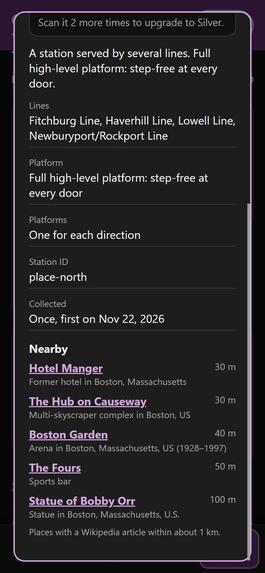
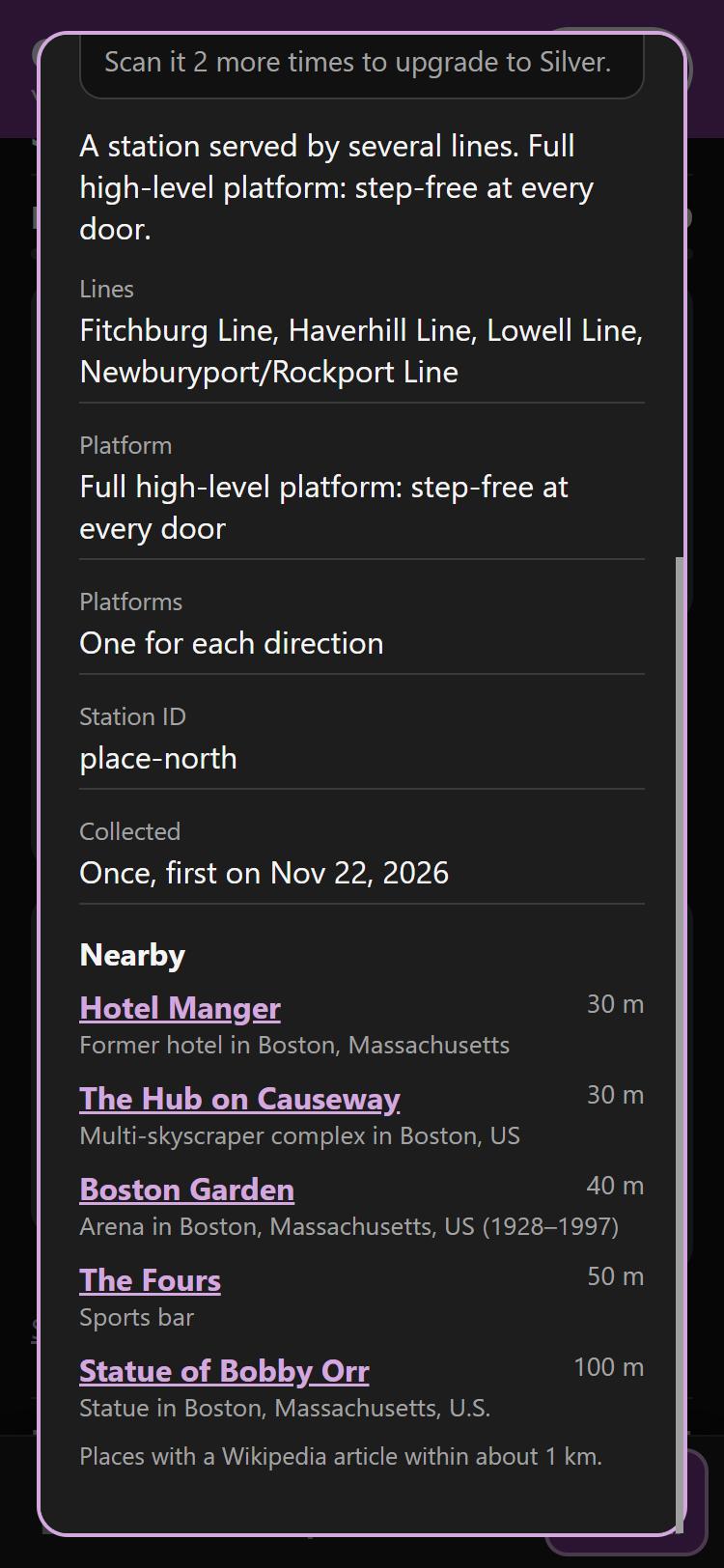
station card with nearby places
-
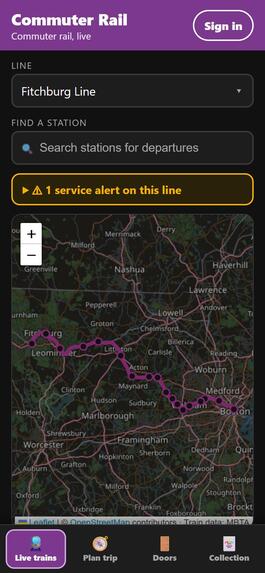
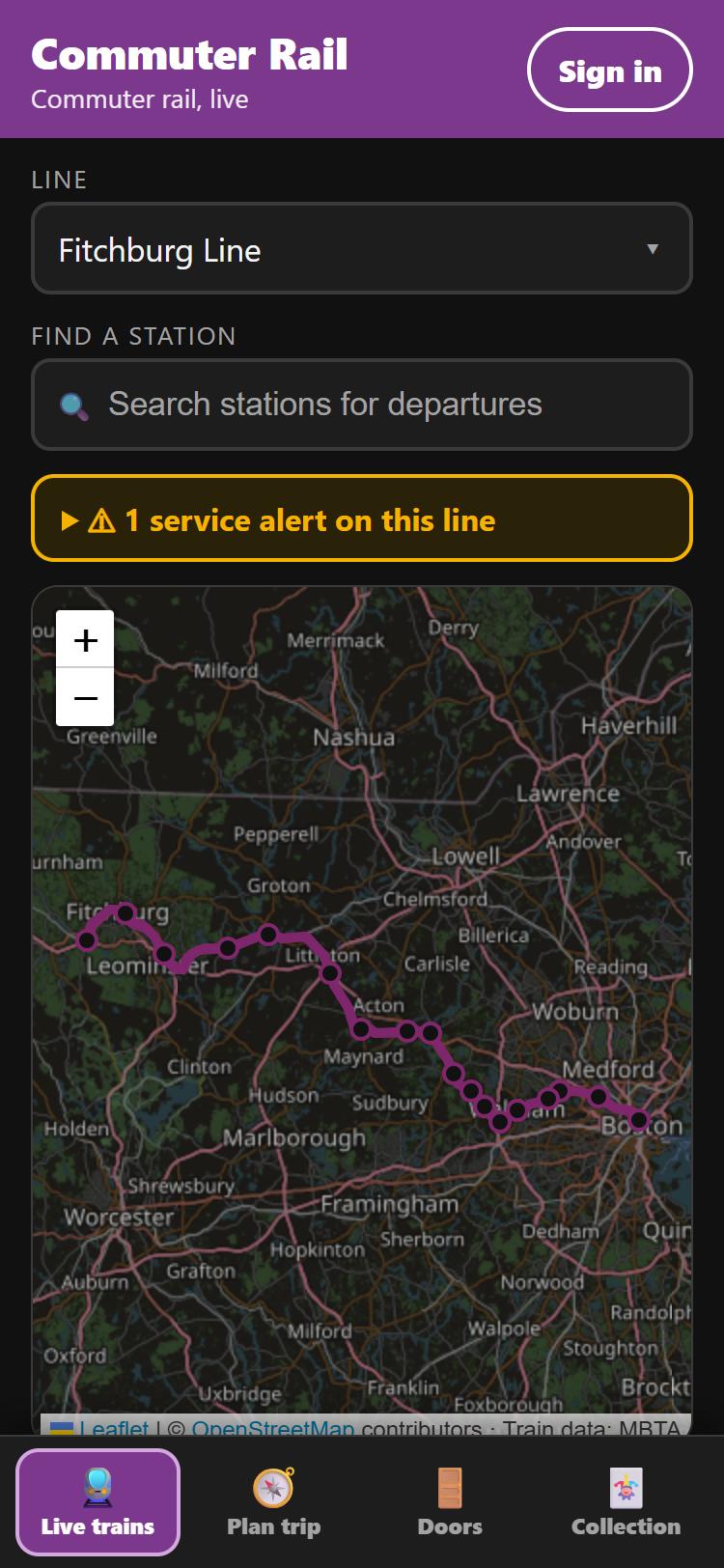
live trains map
-
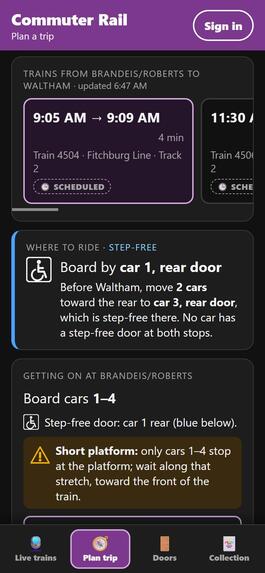
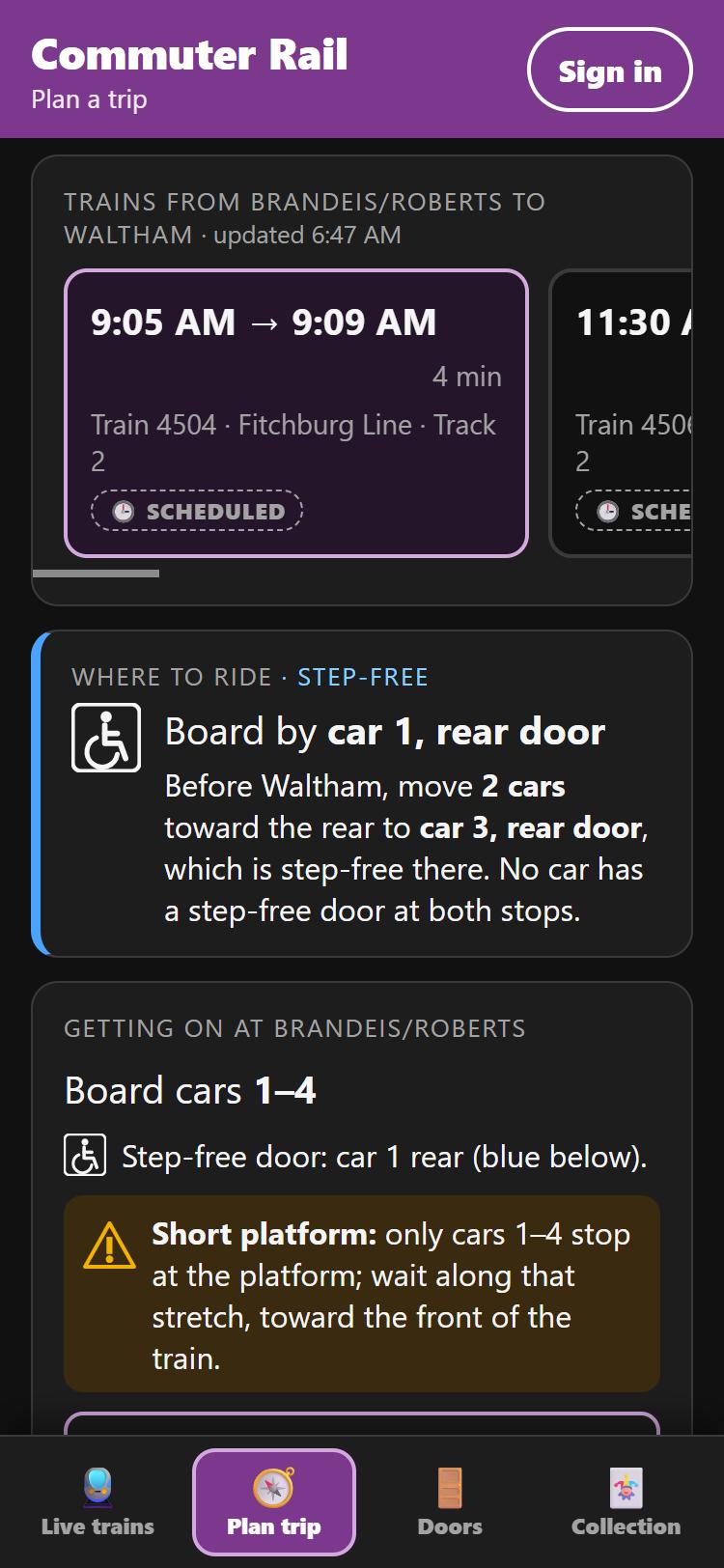
"Where to ride" with step-free advice
! Please use the following credentials if testing the ops panel as a conductor. Username: [email protected] Password: bostonhacks26-conductor
Inspiration
On the MBTA Commuter Rail, every station is different, and the only person who knows the door plan is the conductor:
- Doors open on one side only, and at some stations which side depends on the track.
- Some platforms are only long enough for the first few cars.
- A mini-high platform gives step-free boarding at one door, and which door that is changes from station to station.
- Short-staffed trains may open only some cars, and that can change on the fly.
- At 25 stations, many trains stop only if you ask the conductor ("flag stops").
Riders find out when the train stops. That means running along the platform for an open door, walking through moving cars, missing a stop, or, for riders who need step-free access, a door they can't use. We wanted everyone to know the plan before the train arrives.
What it does
CR puts the conductor's door plan on every screen at once, in real time.
For crew (ops console)
- Conductor panel: shows the default door plan for every stop. Tap any door to change it, or change the platform side for track-dependent stations, and every screen updates live.
- Trip plan: set before departure. Close whole cars for a short-staffed trip, or change doors at single stops. The plan applies itself as the train reaches each station, and Reset to trip plan undoes changes made on the fly.
- Lines: every line and branch is available, with a built-in simulator and live MBTA tracking.
- Cabin screens: one at each end of every car. They point to the nearest open door, flipped correctly for riders facing backwards, with spoken announcements.
- Platform boarding signs: BOARD HERE, STEP-FREE BOARDING HERE, NO DOOR HERE (with an arrow to the nearest door), or TRAIN AT ANOTHER PLATFORM.
- Flex stops: before a request-only stop, a large banner and announcement tell riders that if they need to get off, they need to tell a train conductor.
- CR tags: register the NFC tags in doorways and at stations for the card game.
For riders (phone app, no install)
- Live trains: a map of all 13 lines, station search, departures with tracks and delays, and service alerts.
- Plan trip: direct trains between any two stations, with live delays.
- Where to ride: compares the door plans at both ends and tells you which car to ride, e.g. "Ride in cars 1–4: their doors open at both stops".
- Step-free mode: finds the level doors at both ends, even when they're in different cars ("board by car 1 rear, move 2 cars back to car 3 rear before Waltham").
- Getting on / getting off: platform diagrams with the suggested door.
- Flex stop alerts, exact for your train: only trains that stop on request are flagged.
- Saved trips with a rider account.
- Doors: the live view of the current train, car by car.
- Collection: tap your phone on a CR tag in a car's doorway to collect that car and its locomotive, or at a station entrance to collect the station.
- Every real unit number in the current fleet, with original illustrations. Rarity follows how many exist: the 2 MP36PH-3Cs are Legendary.
- Cards upgrade from Bronze to Diamond as you ride again.
- Missing cards are grayed out; retired equipment is earned at special events.
- Station cards list notable places nearby.
Pitch page: https://mbta-cr-pitch.web.app
CR is advisory only: it never controls doors. Conductors open doors exactly as they do today; CR tells everyone what to expect.
How we built it
- Frontend: React 18 + TypeScript + Vite, as two separate builds. The rider site can't reach crew controls.
- Real-time state: Firebase Realtime Database. Every screen subscribes to one shared train state, and conductor changes use transactions.
- Firebase Auth handles staff and rider sign-in.
- Security rules allow writes only from allowlisted staff, keep rider data private, and validate it. A rule test suite runs against the Firebase emulators.
- Firebase Hosting serves three sites.
- Door logic: pure TypeScript modules, with 145 unit tests (Vitest) covering:
- default door plans per station and direction
- mirrored trains at single-platform stations
- nearest-door wayfinding for front- and rear-facing screens
- trip-plan overrides
- "where to ride" advice
- flex stops, collectible cards and tiers
- Station data for all 143 stations, generated from the MBTA V3 API by a script:
- which platform each direction uses (from the timetable)
- platform type per track (from MBTA facilities: full high-level, mini-high or low)
- door side, computed from the platforms' map positions relative to the route's map line
- flag stops (GTFS pickup/drop-off type 3)
- each line's own tracks at shared stations like Back Bay
- Live data: MBTA V3 API (vehicles, predictions, schedules, alerts). The map uses Leaflet and OpenStreetMap.
- Collectibles:
- Web NFC reads the tag's serial number; we demoed with student ID cards.
- Fleet facts come from the North American Commuter Rail Wiki.
- Nearby places come from Wikipedia's location search, generated once ahead of time.
- Hardware: an ESP32 door-light prototype (stub) that mirrors one door's status.
Challenges we ran into
- Door data isn't published. The MBTA doesn't publish which side doors open or how long platforms are. We derived door sides from platform coordinates, but at about half the stations the MBTA gives both platforms the same coordinates, so those sides stay estimates. The app labels them as such.
- Shared stations. At stations like Back Bay, each line uses different tracks with different platform types, so the data has per-line overrides.
- Mirrored trains. At single-platform stations, a train going the other way lines up from the other end with the platform on its other side, so "car 1, front door" moves.
- Flag stops vary by train. Belmont is a flag stop for 23 of 35 weekday Fitchburg trains, so the trip planner reads each train's own timetable entry.
- Rate limits. Wikipedia and the MBTA API both limit request rates, so the data scripts resume and back off.
- Web NFC limits. It works in Chrome on Android, and only reads a tag's serial number, so tags also work as links for iPhones.
- Phone layout bugs. Several of the trickiest bugs were CSS stacking contexts and off-screen accessibility text making phone pages scroll sideways.
Accomplishments that we're proud of
- Door information for every Commuter Rail station on all 13 lines, mostly from real MBTA data, with the estimates clearly labelled.
- Step-free trip advice that handles the step-free door moving between stations.
- The trip plan: a short-staffed train can be set up once and runs itself, stop by stop.
- One shared state driving phones, cabin screens and platform signs live, locked down with tested security rules.
- A card game that makes riders learn the fleet. It's surprisingly fun to pull a Legendary MP36PH-3C.
What we learned
- How much accessibility depends on small physical details: which door, which side, which car.
- GTFS and the MBTA V3 API in depth: facilities, flag stops and platform-level stops.
- Designing security rules first and testing them on emulators before deploying.
- Being upfront about data quality: showing riders what's measured and what's estimated.
What's next for Commuter Rail (CR)
- Surveyed data: real platform lengths and mini-high door positions, working with the MBTA and Keolis.
- Live consists: per-trip car numbers and locomotives from operations, with live door states from crews' devices.
- Notifications: push alerts for door changes and flex stops on your saved trips.
- Hardware: real CR tags (NDEF links) in doorways and stations, and production door lights.
- Expansion to subway: the T could benefit from a similar system for situations such as 4-car trains, which requires passengers to move to the front of the platform (currently handled by announcement from the approaching train).
- Crowdedness: two break-beam sensors on the commuter rail train doors could give us accurate live data of how crowded each train car is. So passengers on the platform know where to move.
Built With
- css3
- esp32
- firebase
- firebase-authentication
- firebase-hosting
- firebase-realtime-database
- gtfs
- html5
- leaflet.js
- mbta-v3-api
- openstreetmap
- react
- typescript
- vite
- vitest
- web-nfc
- wikipedia-api
