-
-
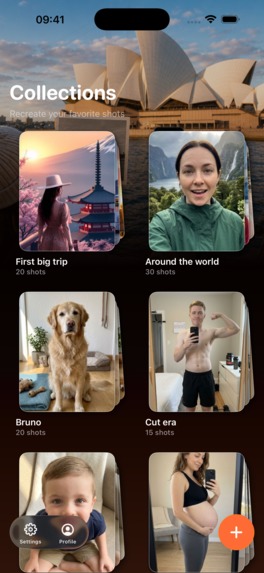
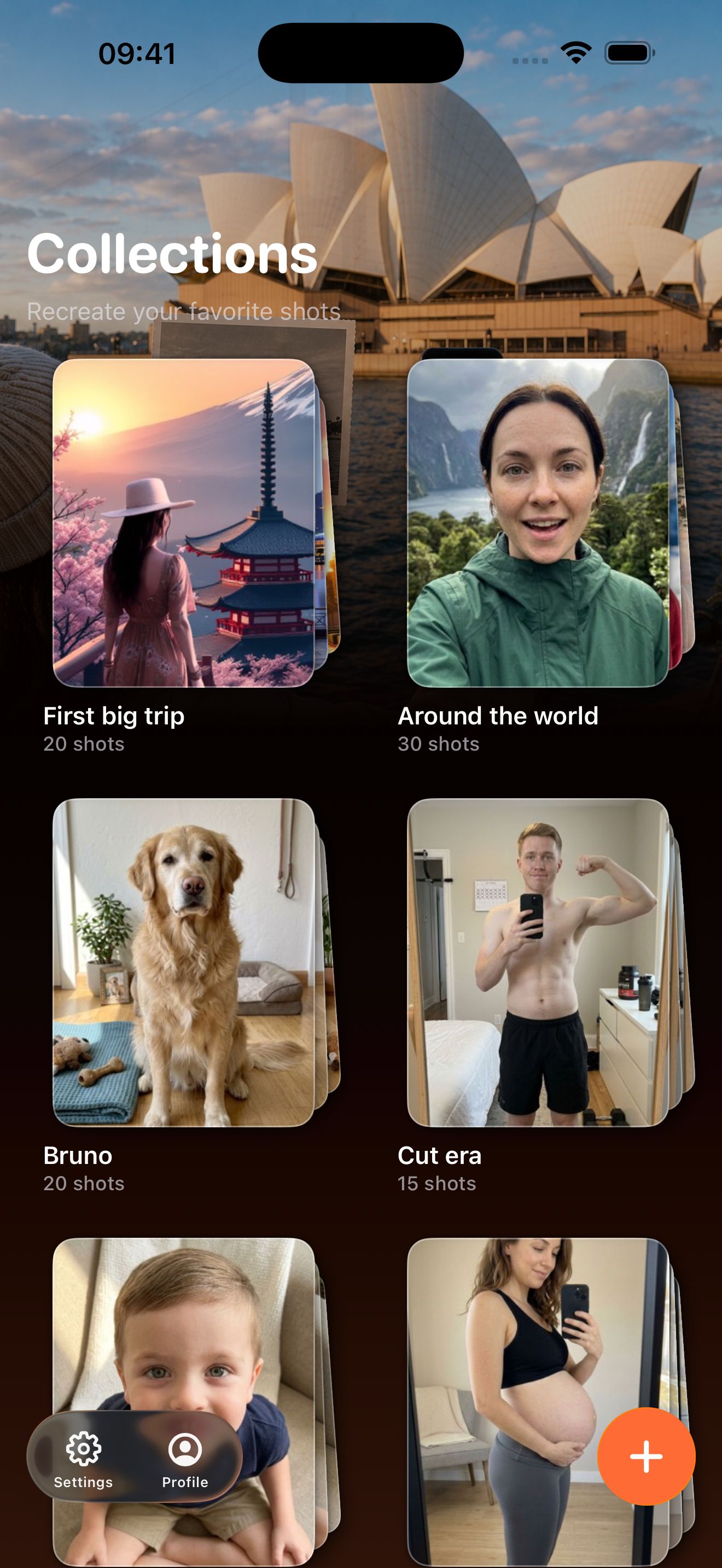
Home/Collections page
-
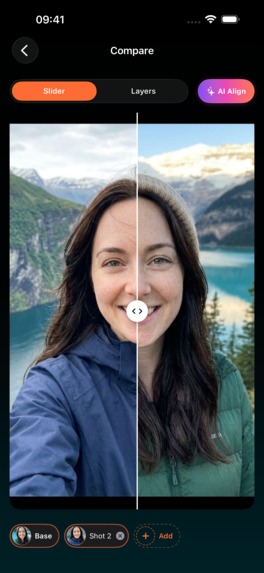
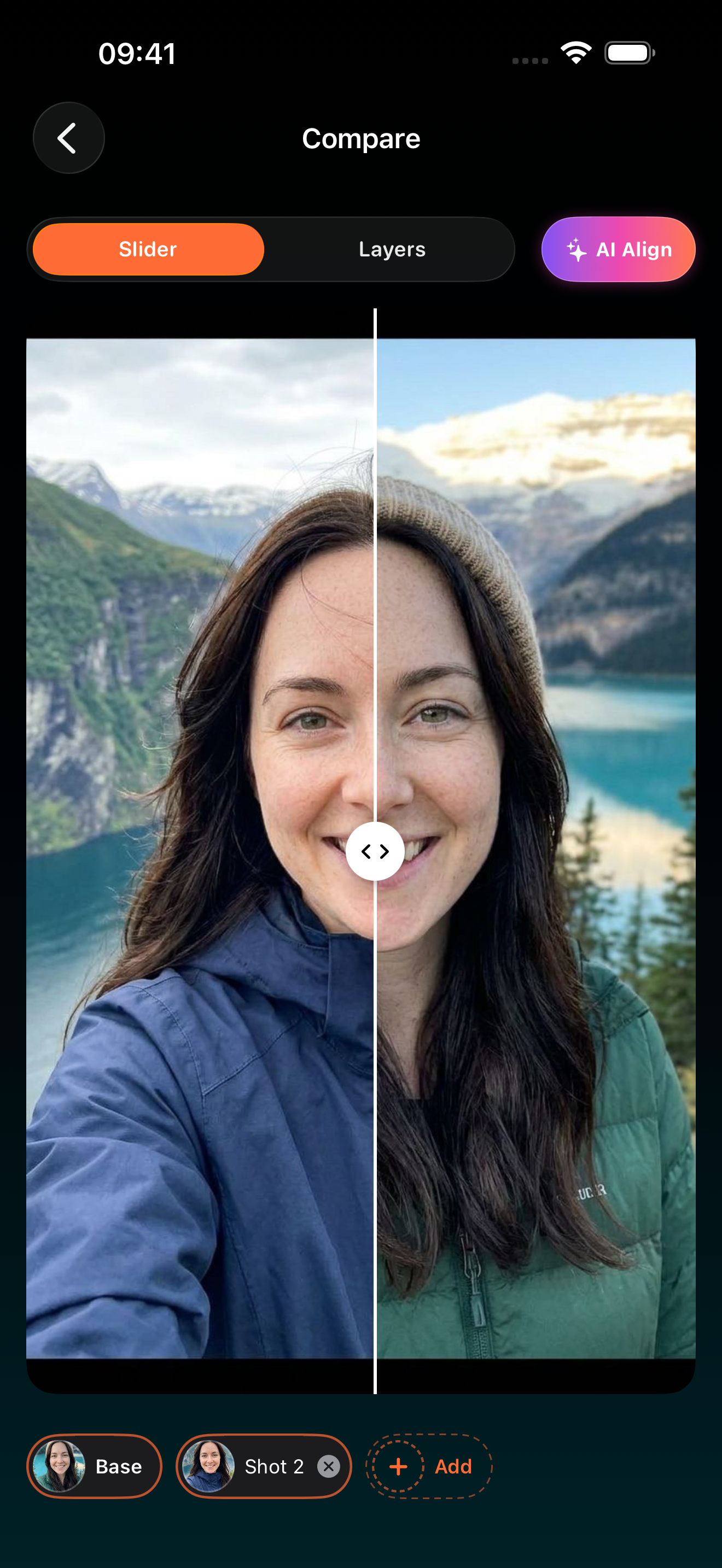
Compare screen
-
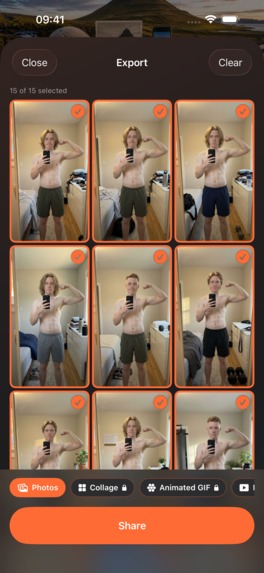
Export options
-
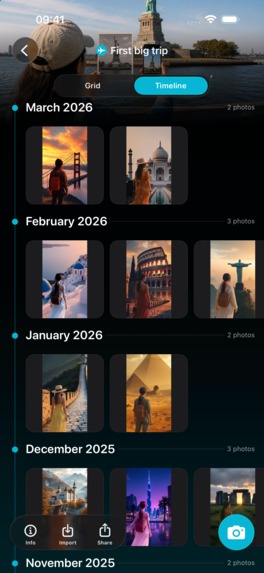
Timeline view
-

AI Align and titles
-
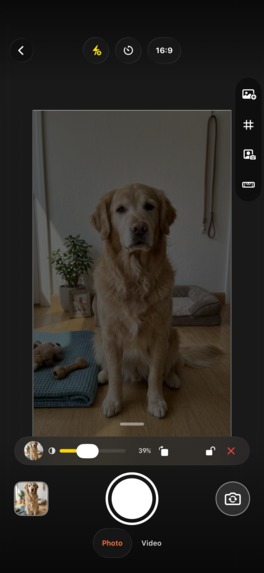
Camera overlay
-
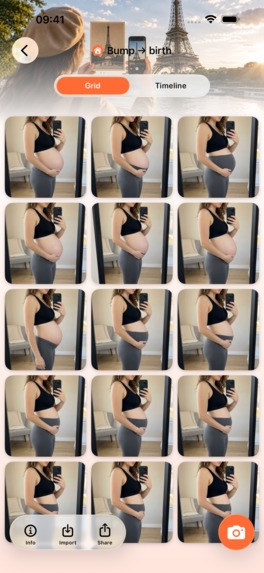
Sample collection
-

App Icon


Inspiration
I have boxes of photos I would love to recreate years later. But once the moment has passed, fixing the framing means cropping, warping, and guessing where the camera originally stood.
That led to a simple question: what if the camera remembered the composition before I pressed the shutter?
MatchShot turns an earlier photo into a live guide. It is built for situations like baby growth, fitness and recovery, changing seasons, a pet growing up, returning to the same travel spot, stop-motion experiments, and every “same shot, later” idea that deserves a sequel.
What it does
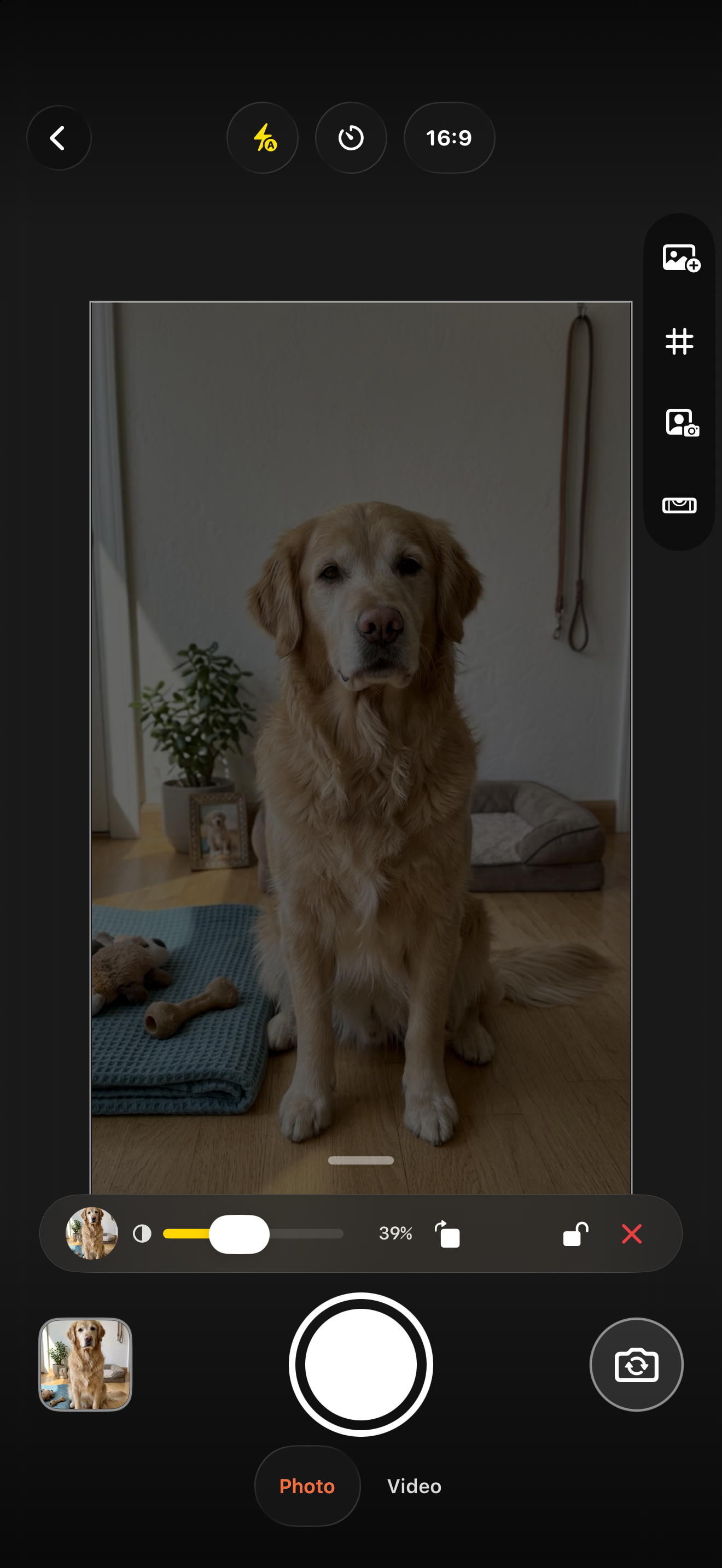
Choose an earlier shot or import a reference, then place it directly over the live viewfinder. Adjust its opacity, position, scale, and rotation, or let on-device AI alignment help. When the old and new frames meet, capture the photo or video while the composition is already right.
MatchShot goes beyond a single selfie template:
- Stack up to three reference layers and lock the layers you do not want to disturb.
- Align portraits from face landmarks, full-body shots from pose anchors, and places or objects from image features.
- Use composition guides, multiple aspect ratios, lenses, front camera, or dual-camera picture-in-picture.
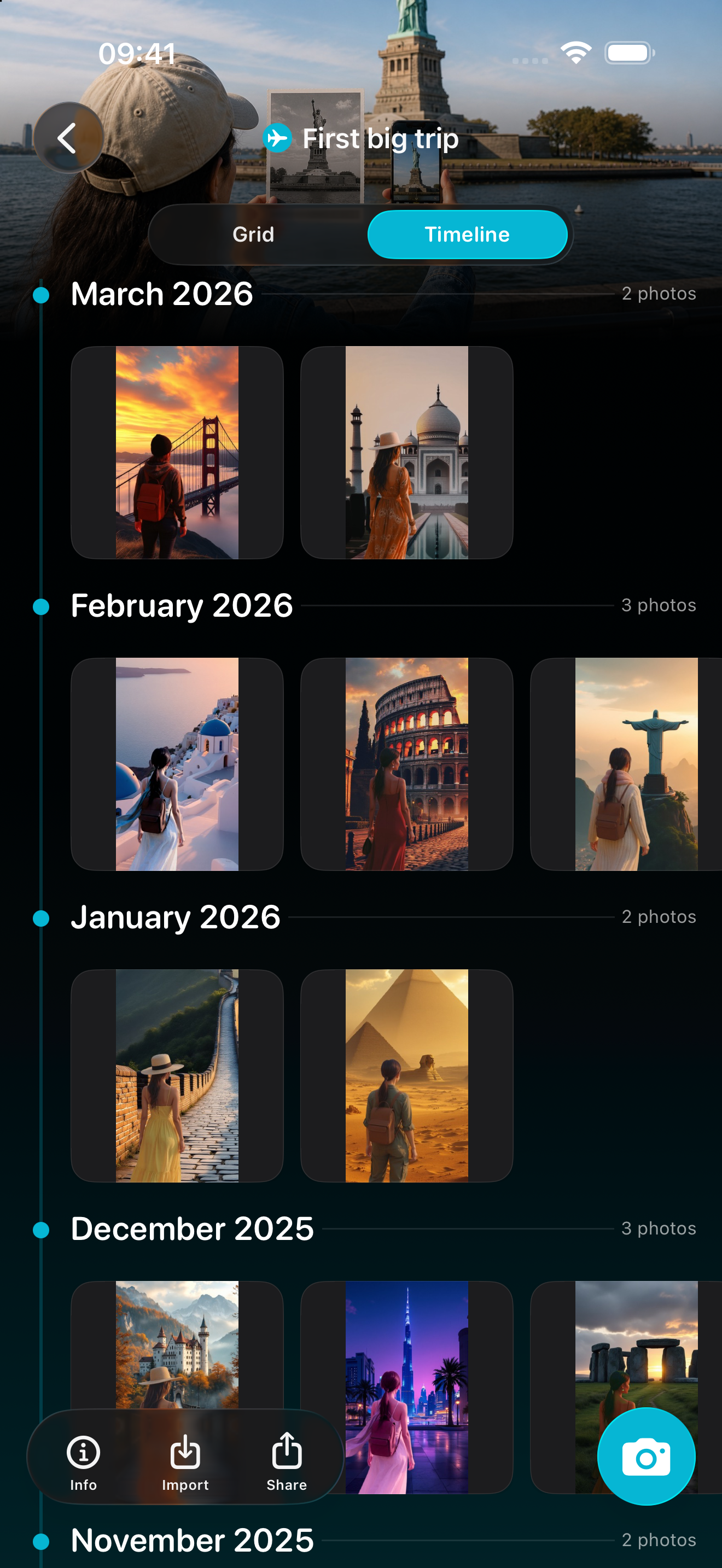
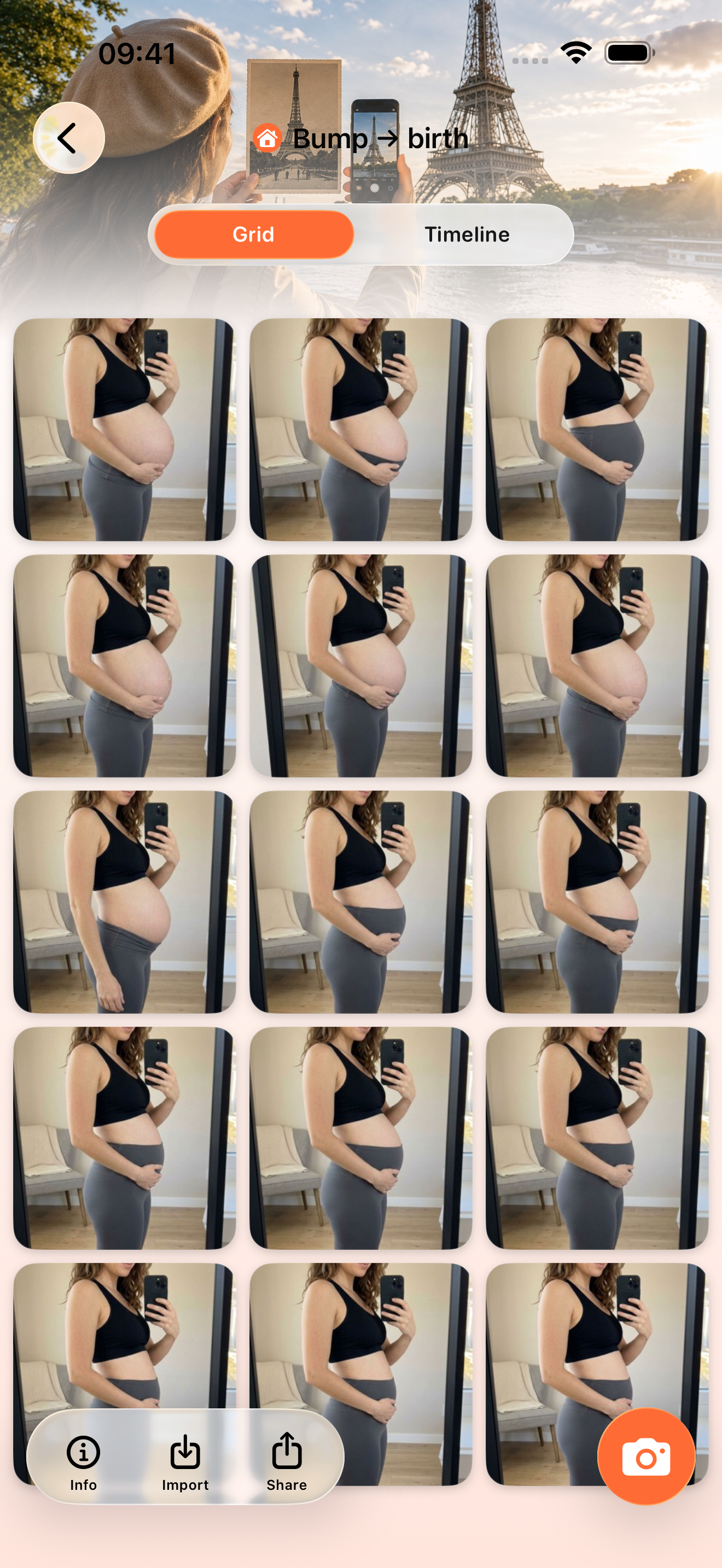
- Organize repeat shots into Collections.
- Compare any two moments with a tactile before/after slider or onion-skin blend, then fine-tune and save the transform.
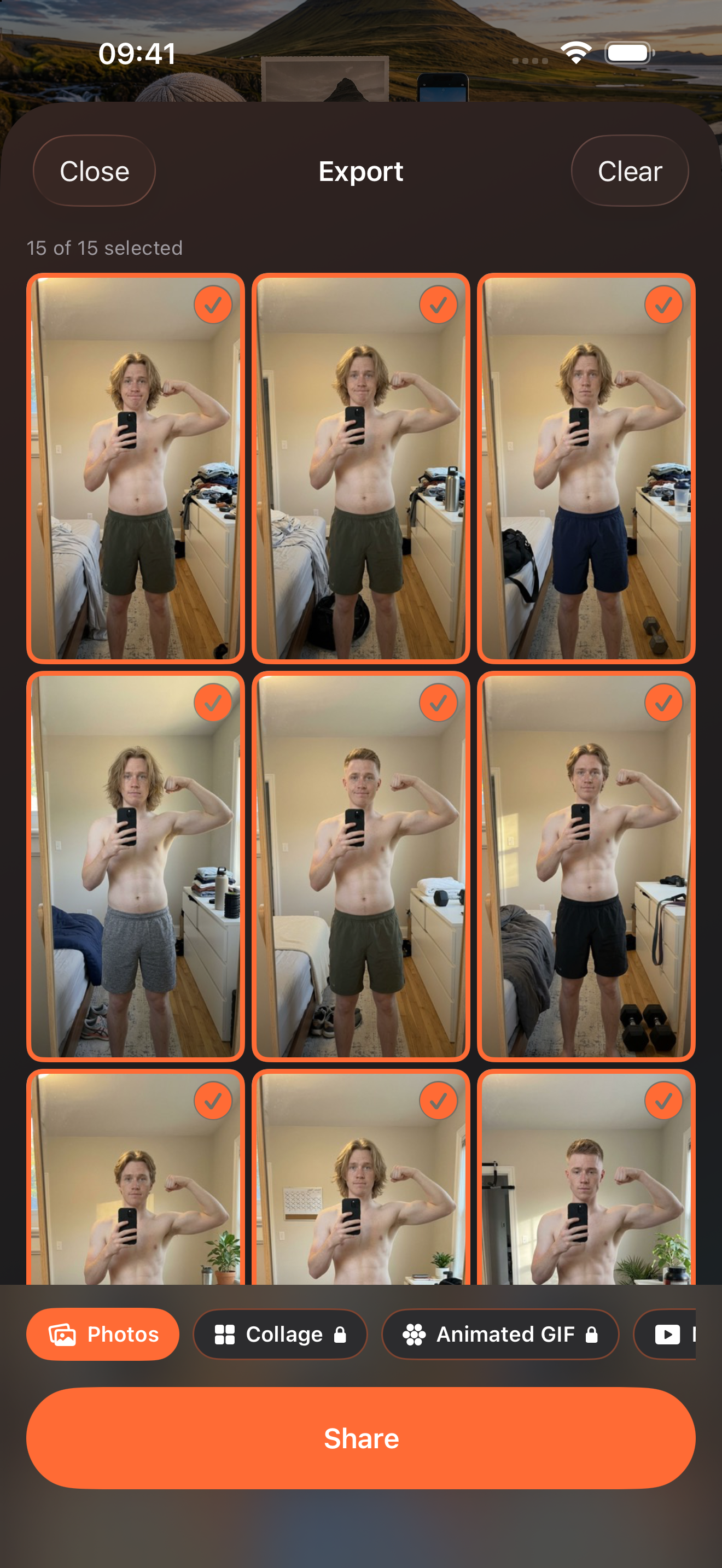
- Export the sequence as photos, a collage, an animated GIF, or an MP4 with transitions, labels, and optional music.
- Trigger the shutter from the Apple Watch when stepping behind the camera is part of recreating the scene.
The photos and alignment pipeline stay on the device. RevenueCat manages the MatchShot Pro subscription and entitlement.
How I built it
MatchShot is a native SwiftUI app for iPhone and iPad, with a SwiftUI Apple Watch companion. SwiftData stores Collections and shot metadata, while the original media lives in local app storage.
The camera stack is built on AVFoundation. A shared geometry model keeps the preview, captured image, overlays, gestures, orientation, aspect-ratio masks, and dual-camera composition in the same coordinate system.
There are two complementary alignment systems. During capture, Vision image-registration requests estimate translation and homography from live frames, then an actor smooths and converges the transform. In Compare, a cascading alignment service tries face landmarks, then body-pose anchors, then general image translation. The UI tells the user which strategy matched instead of hiding the result behind a generic magic button.
Core Image and AVFoundation power non-destructive rendering and export. Dedicated exporters build collages, GIFs, and MP4s while preserving saved transforms and text overlays. WatchConnectivity carries the remote-shutter state. RevenueCat's iOS SDK, integrated through Bedrock, loads offerings, purchases subscriptions, restores access, and gates Pro features.
Challenges I ran into
The hardest part was not drawing a translucent photo. It was making that photo mean the same thing everywhere. A camera preview, a rotated HEIC, a mirrored front camera, SwiftUI gestures, Vision's normalized coordinates, and an exported video all describe geometry differently. Small mistakes only appear on a particular orientation or lens—and they accumulate into visible drift across a series. I built explicit camera-frame geometry and exercised it across portrait, landscape, front, rear, single-camera, and picture-in-picture paths.
Image work also stresses memory and concurrency. Batch alignment and animated export need cancellation, bounded processing, deterministic ordering, and careful cleanup. Camera reconfiguration and Watch connectivity introduce their own asynchronous state transitions. The current project includes focused tests for geometry, overlay transforms, storage, models, photo processing, exports, feature access, dual-camera behavior, and the Watch message protocol.
Accomplishments that I'm proud of
- Turning alignment into a live camera interaction instead of only a post-processing repair.
- Making one alignment flow work across faces, bodies, pets, objects, and places.
- Keeping the advanced controls progressive: the first capture is simple, while layering, dual camera, compare transforms, and exports are there when needed.
- Building a coherent experience across iPhone, iPad, and Apple Watch.
- Preserving the user's originals while transforms, overlays, and export decisions remain non-destructive.
What I learned
The best computer-vision experience is not the one that looks most magical. It is the one that gives people confidence. Showing the reference, exposing manual control, naming the matched strategy, and letting the user refine the result made alignment feel understandable rather than arbitrary.
I also learned that “broadly useful” is not the same as clearly positioned. MatchShot can recreate many kinds of scenes, but the pitch has to remain concrete: the camera remembers exactly how the last shot was framed.
What's next for MatchShot
First, I want to learn which recurring stories people actually finish: family growth, fitness, pets, travel returns, creative stop-motion, or something unexpected. That will shape templates and onboarding.
Next are opt-in collection schedules and reminders, a stronger capture-quality confidence signal, and optional end-to-end encrypted sync for people who want continuity across devices - without making cloud storage a requirement. I also want to turn alignment quality and export completion into privacy-respecting product feedback so every iteration makes the core action faster and more reliable.
Some frames are meant to have sequels.
Built With
- activitykit
- avfoundation
- ios
- ipados
- lottie
- posthog
- revenuecat
- revenuecatui
- storekit
- swift
- swiftdata
- swiftui
- vision
- watchconnectivity
- watchos
- xcode

Log in or sign up for Devpost to join the conversation.