-
-
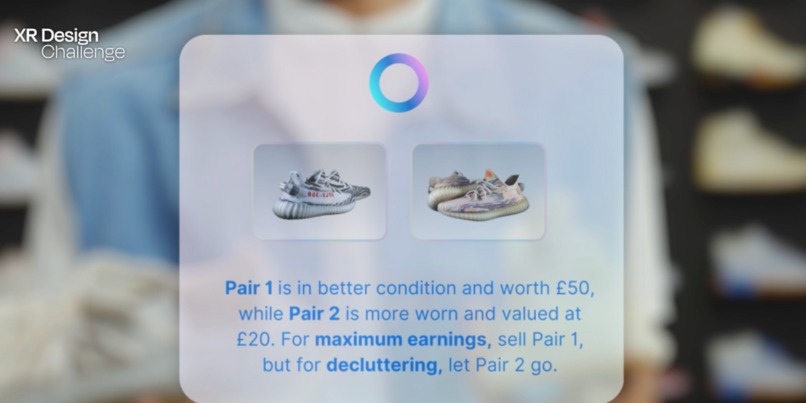
Meta AI Integration
-
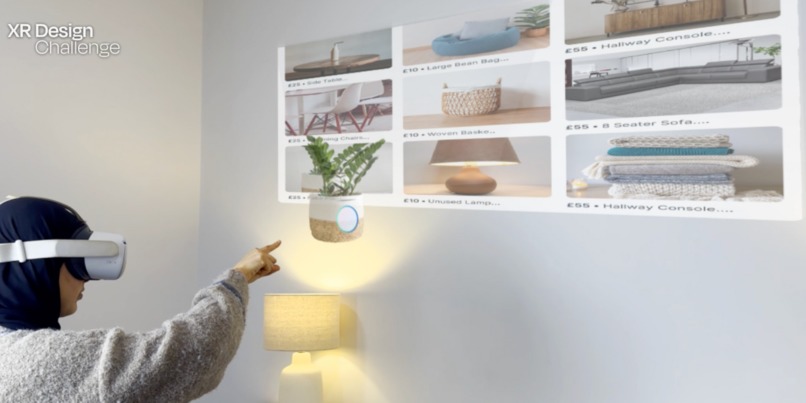
Buyer Mode
-
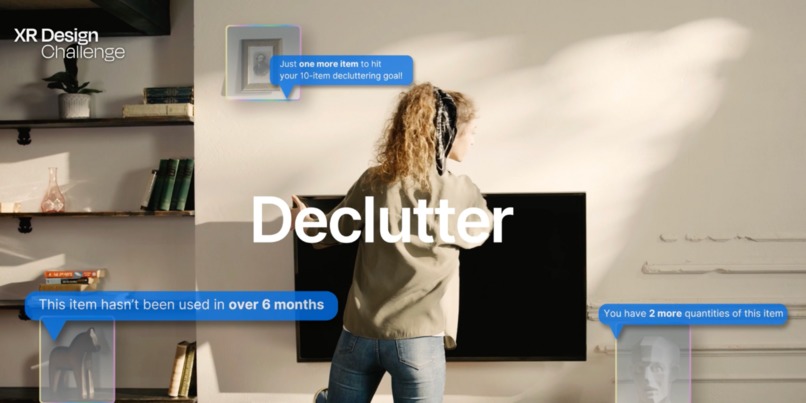
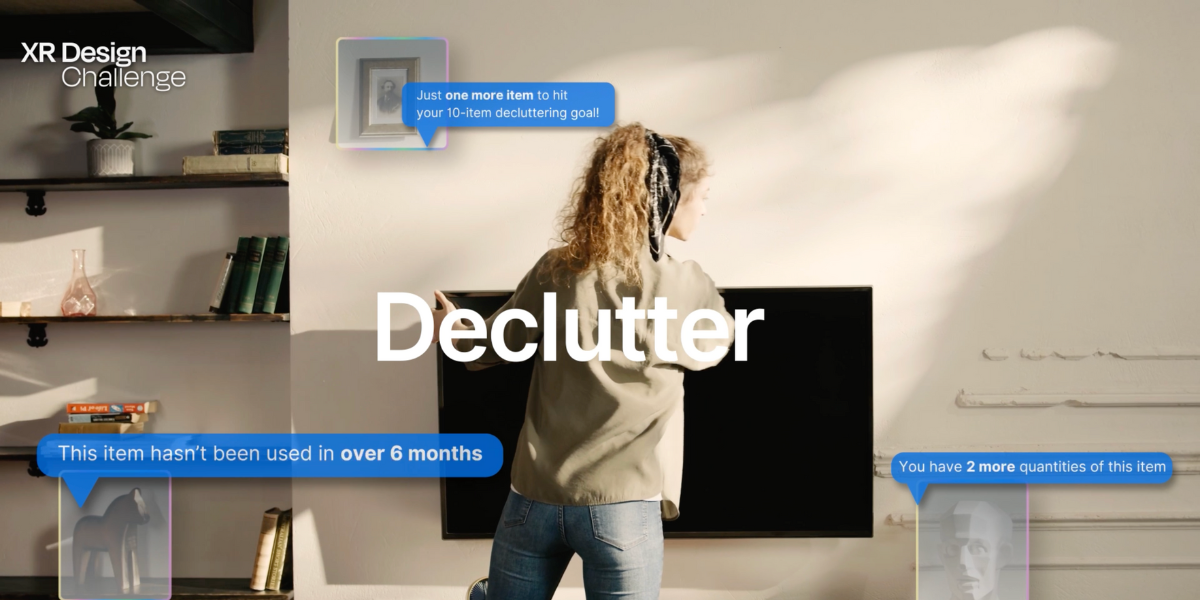
Decluttering Insights
-
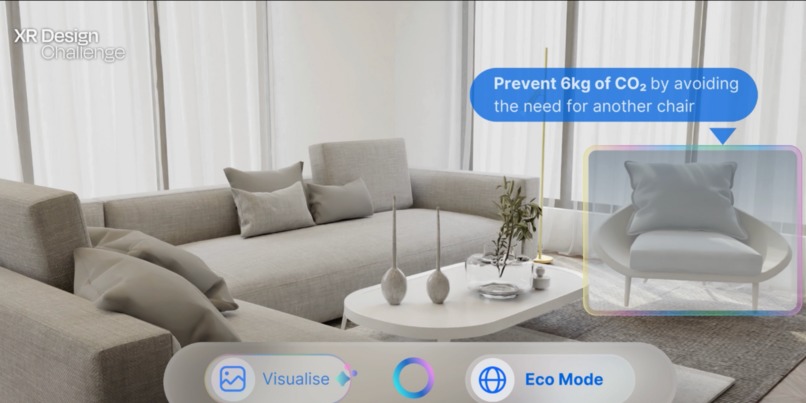
Eco Mode
-
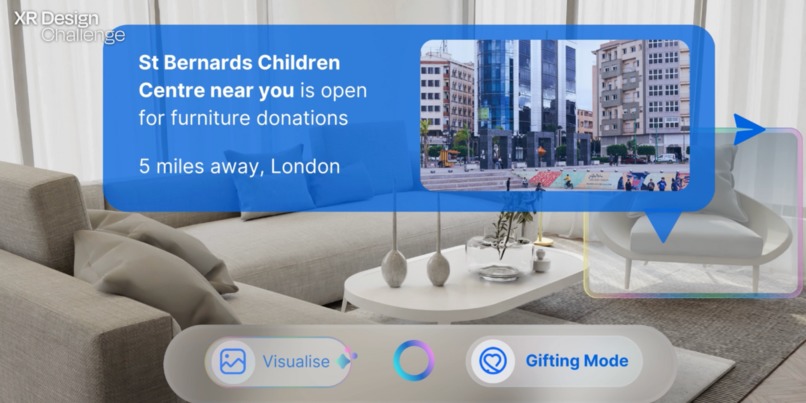
Gifting Mode
-
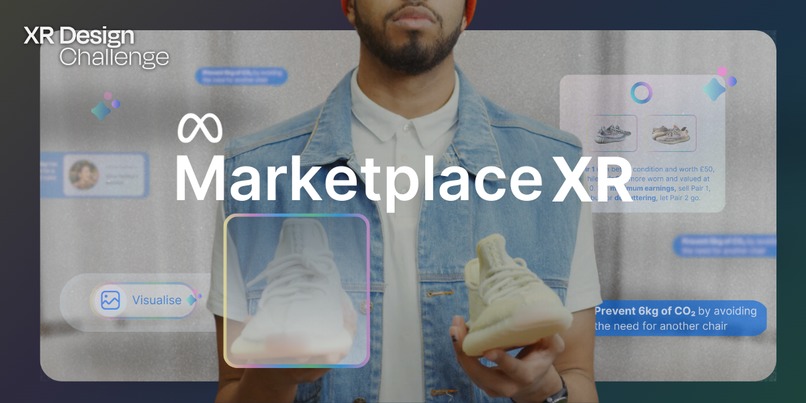
Thumbnail | Concept Image



Inspiration
In today’s world, overconsumption is on the rise, with endless content encouraging us to buy more and accumulate items we don’t truly need. I saw an opportunity to transform the current Facebook Marketplace application into a tool that helps users evaluate what they own—whether it’s still serving a purpose, or if it’s time to sell or pass it forward in a sustainable way. Facebook Marketplace was the ideal platform for this concept, as it not only facilitates reselling but also incorporates a unique social aspect through its connection to Facebook.
My vision was to reimagine how people engage with their belongings—helping them buy, sell, and share items with purpose while staying connected in a sustainable way. XR technology was key to achieving this transformation, enabling users to interact with their items in real time and gain insights on their items providing them with a powerful tool to make informed decisions. My goal was to make sellers and buyers understand and more aware of how their belongings impact the environment, their space, their finances, and even local communities and friends.
What it does
Marketplace XR transforms the way users engage with their belongings and the Facebook Marketplace platform. By using real-time scanning, the app instantly provides insights tailored to users’ goals:
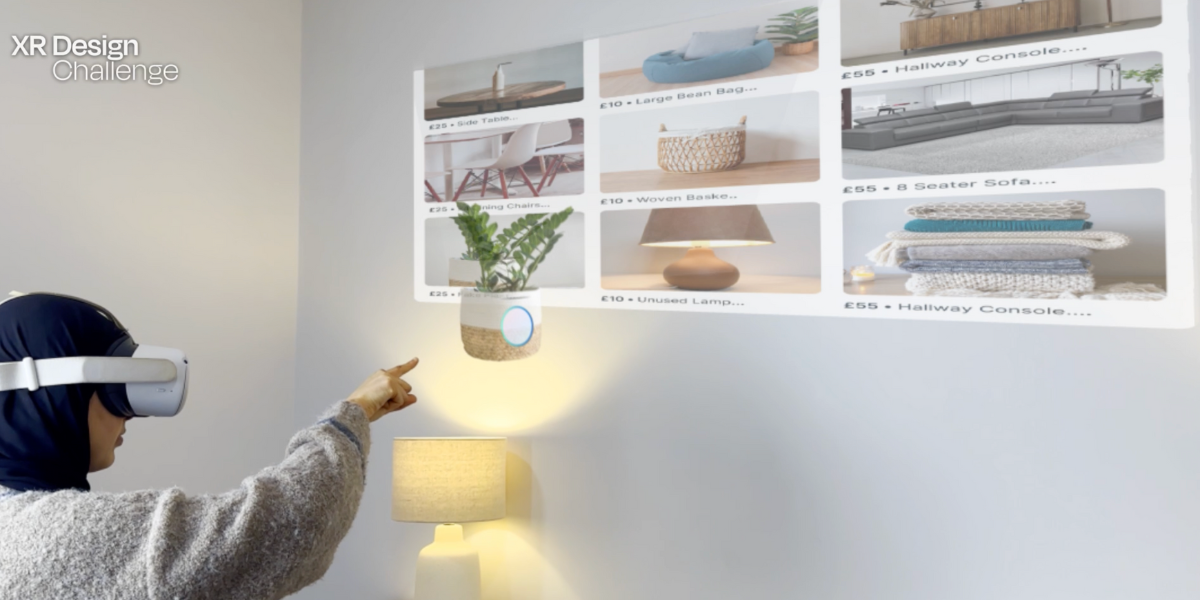
-Seller Mode: Reveals the earning potential of items and suggests the ideal listing price. Eco Mode: Highlights the environmental impact of keeping, reselling, or recycling, such as CO₂ savings. Declutter Mode: Helps users decide whether to let go of an item by showing insights like space saved, usage frequency, and item condition. Gifting Mode: Connects users with Facebook friends who might need the item or identifies local charities accepting similar items. Buyer Mode: Lets users explore the marketplace and visualise how pre-loved items would fit into their space before purchasing.
The Visualise Tool enhances decision-making by letting users see their spaces clutter-free or preview how new items integrate into their home. Meta AI offers personalised suggestions for challenging decisions, such as whether to sell, donate, or keep an item. Marketplace XR empowers users to make sustainable, informed choices while fostering meaningful connections within their communities."
How I built it
As a graphic designer, I relied entirely on my favourite tools—Figma, Adobe Illustrator, Photoshop, and After Effects. I began by sketching wireframes in Figma to understand the app’s structure and features. Once the functionality was mapped out, I transferred the designs to Illustrator to create detailed visuals. Photoshop was instrumental in crafting XR mockups, allowing me to visualise how the app would interact with real-world items. Finally, I brought everything together in After Effects, where I created simulations and the demo, showcasing how Marketplace XR would look and function in a real-world setting.
Challenges I ran into
Coming from a graphic design background with no prior XR experience, showcasing the app in a somewhat realistic way to present it as an XR concept was a significant challenge. I had to creatively adapt my skills to design and visualise the functionality of the app. Additionally, I only had access to a Meta headset for a few hours, which meant I had to quickly figure out how to record shots that convincingly showed someone interacting with the app. This required experimenting with camera angles and timing to make the interaction feel natural and immersive. Despite these challenges, I found creative solutions to bring the concept to life, making the most out of my learnings and experience!
Accomplishments that I'm proud of
- A Real Purpose: The app addresses critical issues like overconsumption and sustainability while fostering connections between people and communities.
- Brand Alignment: Successfully aligning the app's branding with Meta’s design language, creating a polished, professional, and authentic user experience.
- Creative Execution: Overcoming technical and time constraints to design and present the app in a way that isn't typical but rather from an outsider's point of view Creative Execution: Overcoming technical and time constraints to design and present the app in a way that isn’t typical but rather from an outsider’s point of view. Designing for Space: Learning how design interacts with space and translating that into a functional, immersive experience Sustainability Impact: Highlighting the real-world environmental benefits of selling or donating items brings a new dimension to XR.
What I learned
As a designer, I typically work with flat designs, focusing on static visuals and layouts. This challenge pushed me to step out of my comfort zone and explore how design interacts with real-life spaces. By incorporating XR elements, I learned how to think spatially—considering depth, perspective, and how users engage with digital objects in physical environments. It was an eye-opening experience that expanded my understanding of how design can influence and enhance real-world interactions
What's next for Marketplace XR
- Expanded AI Features: Refining Meta AI to provide even smarter suggestions, like grouping similar items for bulk actions.
- Generated reports: Adding the function of creating reports to get an outline of how many items you have bought/donated or sold to remind users to make sustainable choices.
- Business Tools: Adding functionality for small businesses to manage inventory and stock.
- Collaborative Decluttering: Introducing group challenges for families or roommates to gamify the decluttering experience.
- **Virtual Marketplace: **Building immersive XR marketplaces where users can connect with each other virtually and showcase the items they are selling in real-time.
- Enhanced Visualisation: Adding real-time lighting and room arrangement features to make the Visualise Tool even more realistic.
Built With
- adobe
- adobe-after-effects
- adobe-illustrator
- figma
- photoshop


Log in or sign up for Devpost to join the conversation.