-
-
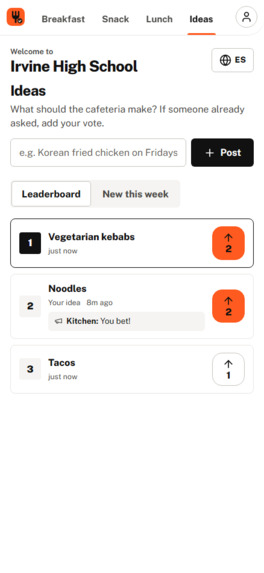
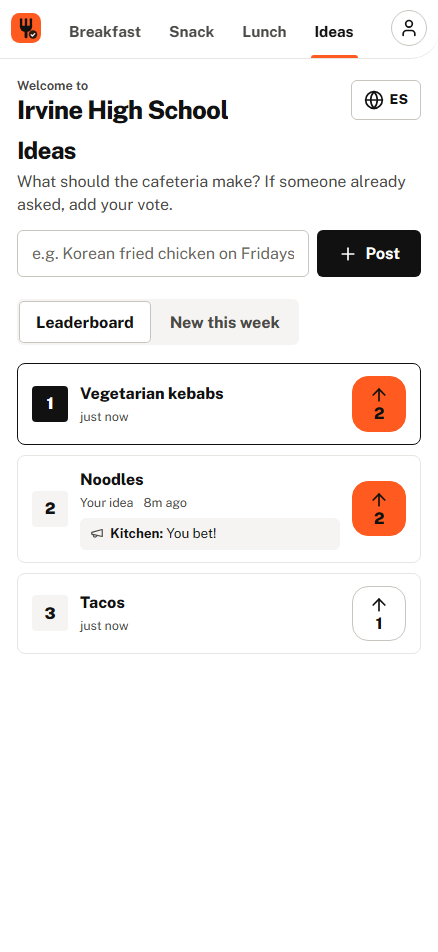
Student-side Leaderboard
-
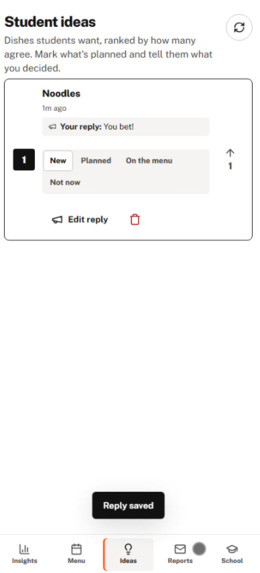
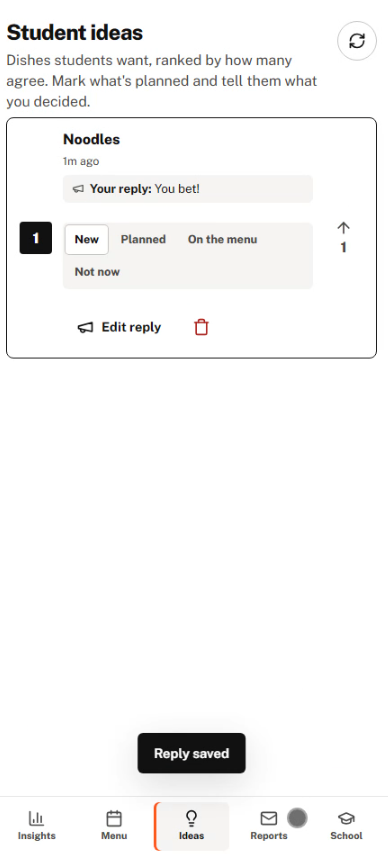
Leaderboard for staff to view and reply to students!
-
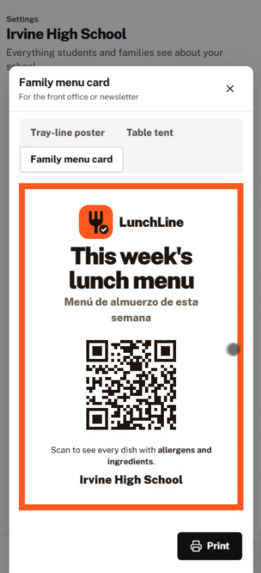
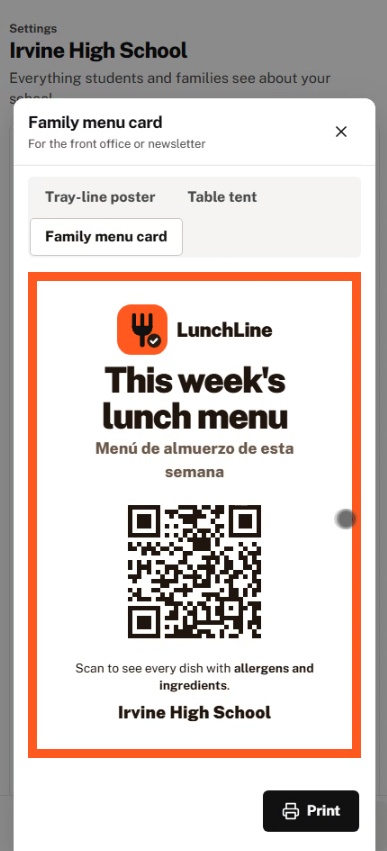
QR for Students to effortlessly Scan
-
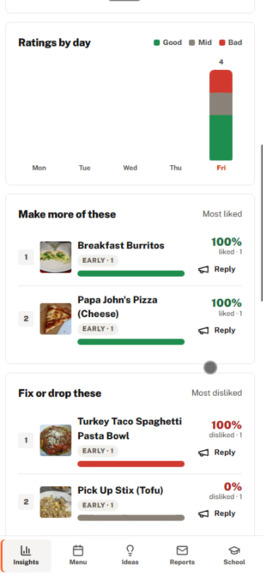
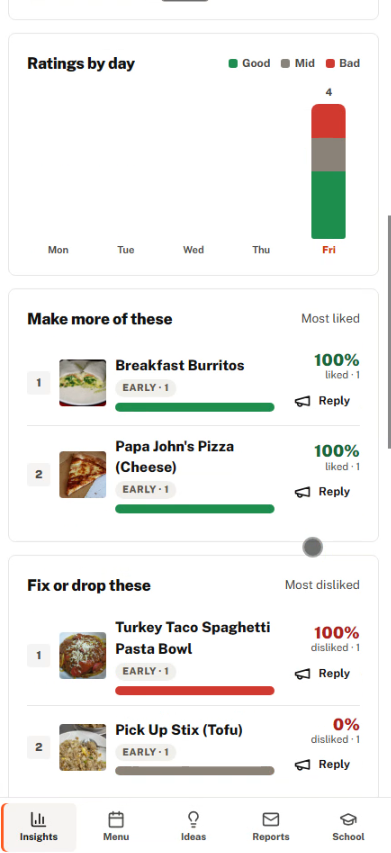
Summary of the week and items
-
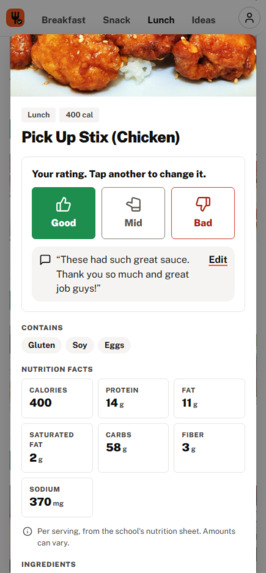
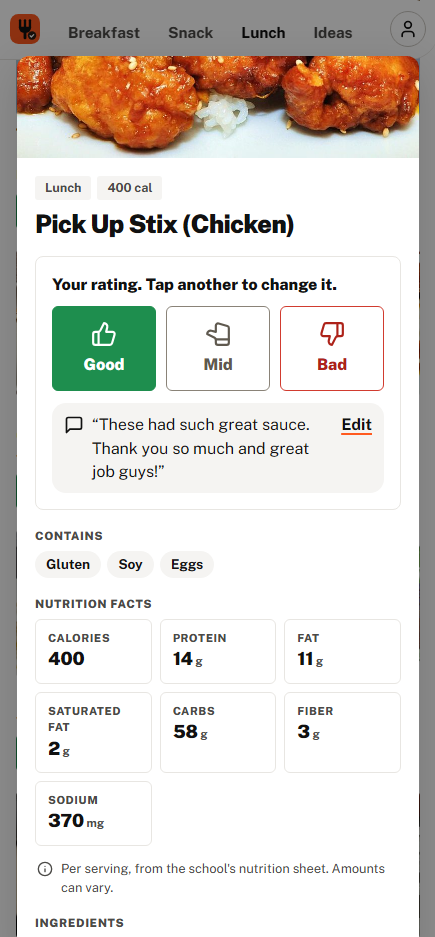
Viewing nutrients and commenting!
-
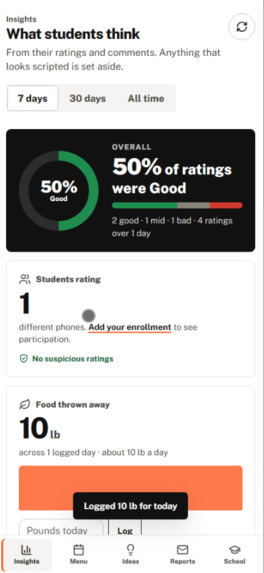
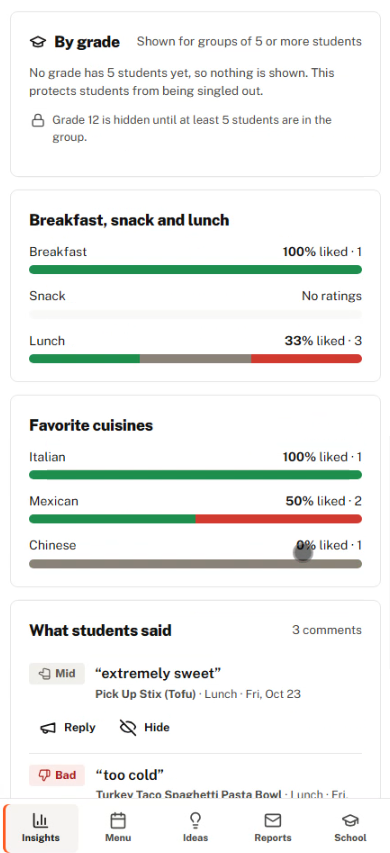
Daily summary
-
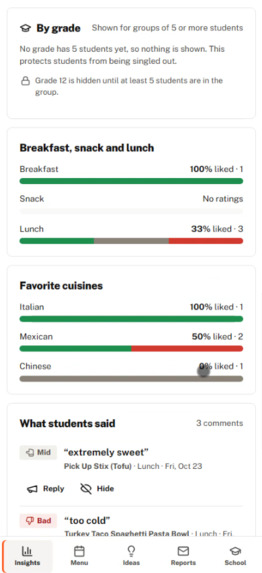
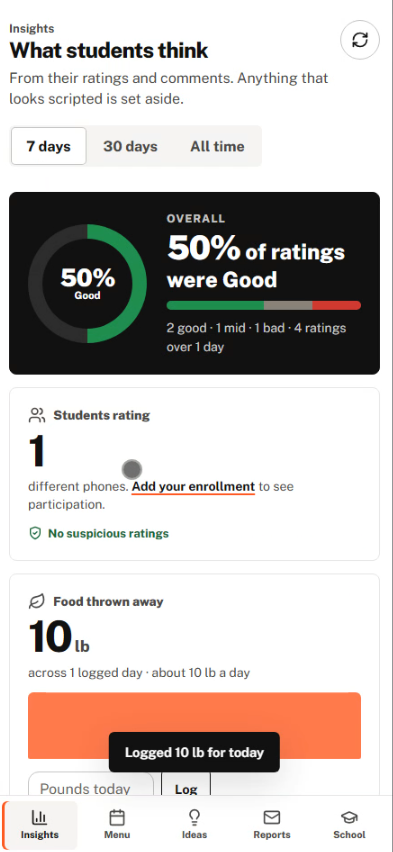
Easily readable statistics.
-
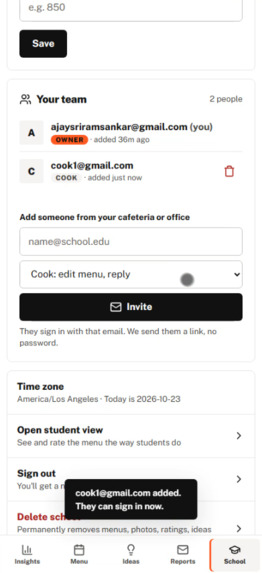
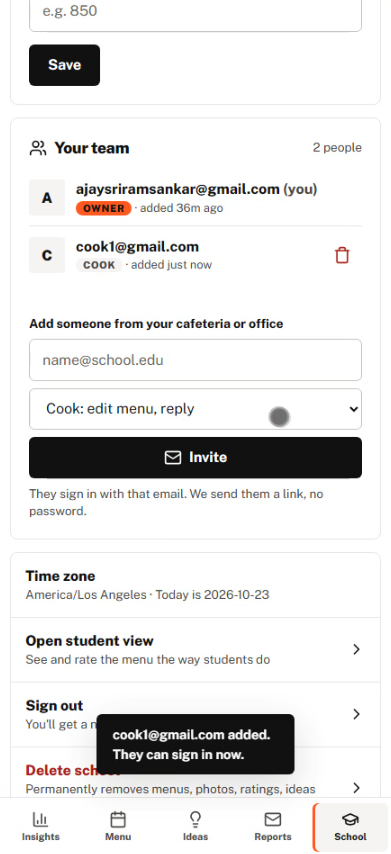
Admin adding Cafeteria Staff
-
Home Screen
-
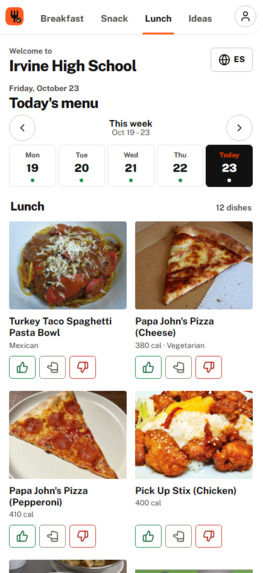
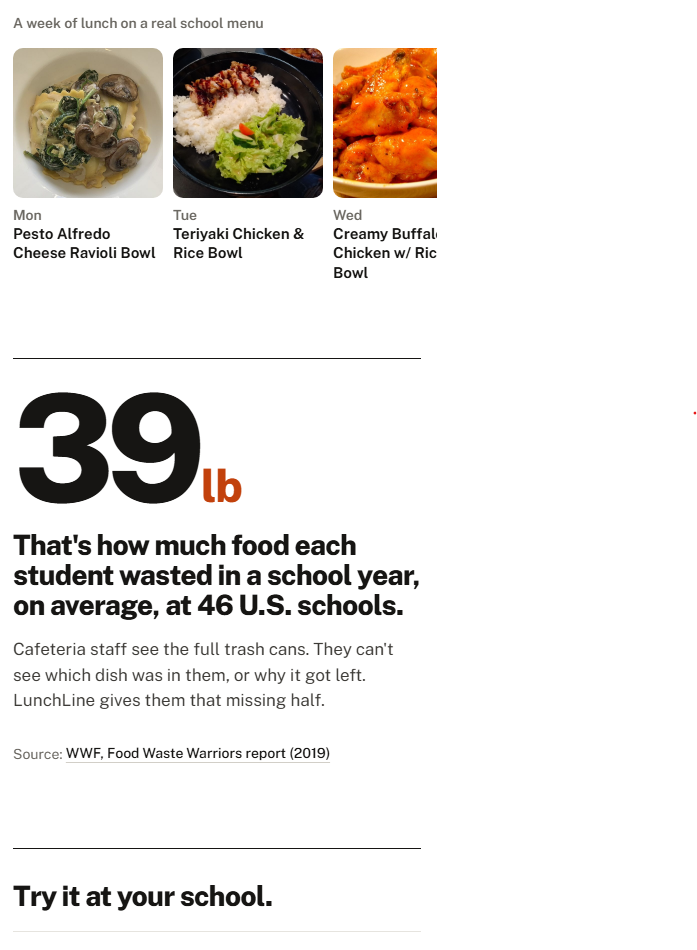
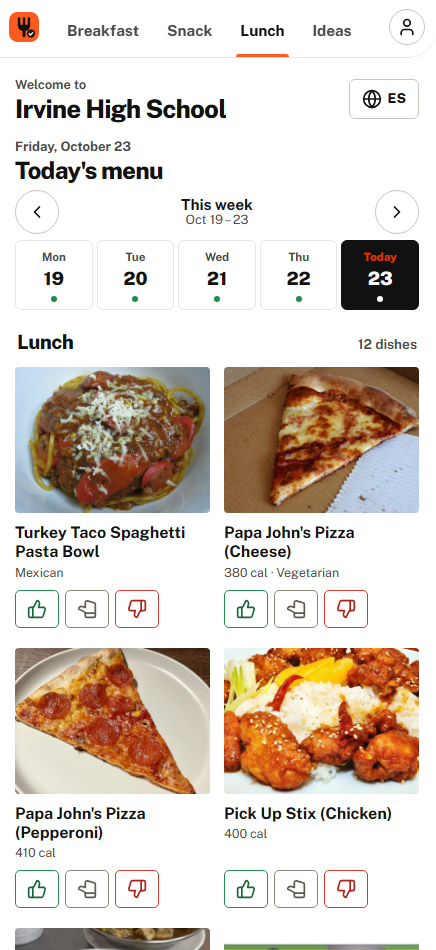
Daily menus and voting!
-
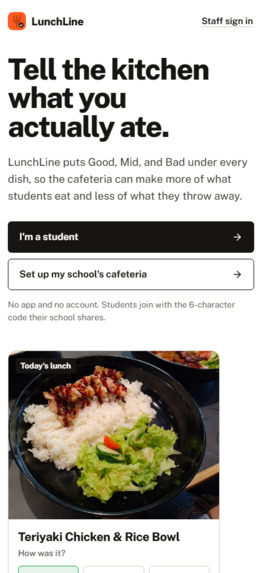
Home Screen
Inspiration
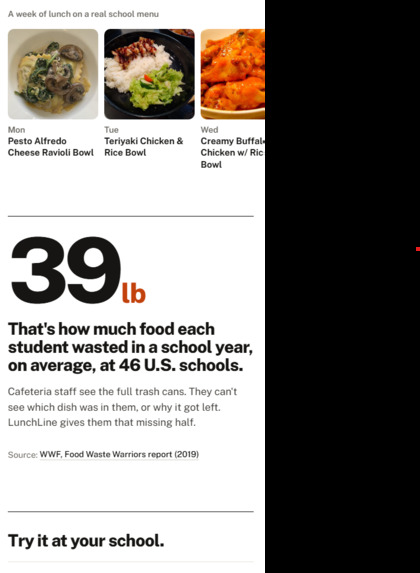
Almost everyone at our school complains about the school lunch. But nobody ever tells the people who actually make it. We kept noticing this weird gap where all the complaints stay at the lunch table with friends, and the cafeteria staff never hears a word of it. The cooks just see these massive, full trash cans at the end of the period. They can see that food is being thrown away, but they have no way of knowing which specific dish it was or why students hated it.
So we went out and asked. We surveyed 23 students around campus, and 91 percent of them said they straight up do not like the school food. They gave us a massive list of reasons, mostly about how the food looks or what they wish they were eating instead. Then we sat down and talked to three of our cafeteria staff members. They told us they genuinely want to make food students like, but they are working completely in the dark without any feedback loop.
Both sides actually want the exact same thing. They just need a quick way for the message to get from the tray to the kitchen without it being a giant hassle for anyone.
What it does
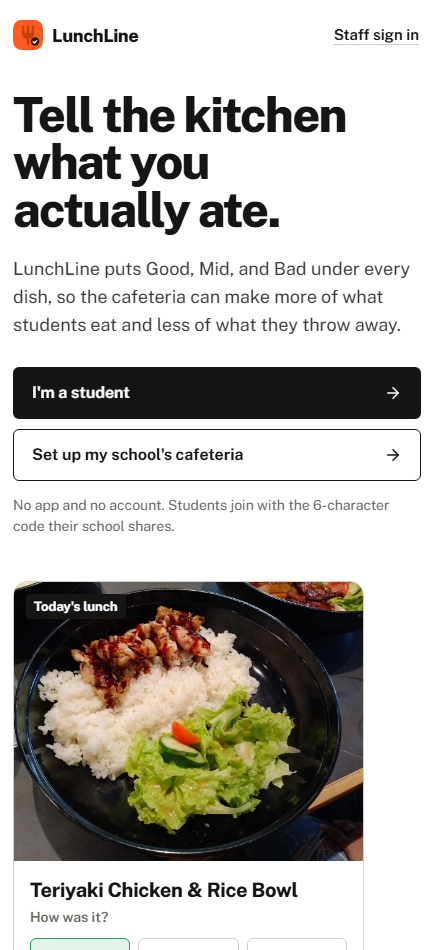
We made a system that starts with a simple QR code poster right on the cafeteria tray line. A student scans it on their phone and instantly sees the week's menu with photos, calories, nutrition info, and allergens. They just tap Good, Mid, or Bad under whatever dish they ate, and they can type a quick note if they want to. There is no app to download, no accounts to create, and no names attached.
On the other side of the counter, the kitchen staff gets a clean dashboard showing exactly what students liked and what they did not, right alongside their comments. Cooks can reply directly to student feedback on any dish. Students can also suggest meals they would actually eat. When a bunch of different classmates suggest the same thing, even if they typo it like noodles, noodels, or NOOdLEs, our system groups them into one single idea that climbs up a school leaderboard. Staff can also log how many pounds of food get thrown away each day so they can see if student ratings match up with the actual physical waste. Every Monday morning, they get a quick summary emailed straight to them.
Why we made the choices we did
- Students never sign up: A feedback tool that nobody uses is completely worthless. We cut out every single step between scanning the code and tapping a rating. Things like food allergies and grade levels are totally optional, and they stay saved on the student's own phone instead of a database.
- Allergens are flagged in bright red: If a dish has something a student is allergic to, it warns them before they take a bite. If a dish is missing allergen data entirely, it says Not listed. Ask nutrition services, instead of just pretending that it is safe.
- We used a real menu: The menu in our project is the actual Irvine High School snack and lunch flyer. All the nutrition numbers and allergens were taken exactly as written from the district's official 2026-27 high school nutrition sheet.
- Fake votes are a real problem when you do not have accounts: To stop people from spamming buttons, each phone solves a tiny background puzzle to join the system. The ratings are strictly rate-limited, and anything that looks like a script gets filtered out before it hits the kitchen dashboard. It is not 100 percent perfect, and we openly say so in our documentation.
- It works on terrible school wifi: Ratings get queued up offline if the connection drops and send automatically the second the phone reconnects. It is fully translated into English and Spanish, works with screen readers, and has zero annoying animations for anyone who prefers less motion.
How we built it
We kept the tech stack as simple and lightweight as possible. We used vanilla JavaScript on the front end with no heavy frameworks or complicated builders. The backend runs on a single Netlify Function for the API and uses Netlify Blobs for storage. Cafeteria staff log in securely using a magic link sent to their email, and they have clear roles like cook, admin, or owner. The weekly email report is a scheduled function that calculates the ratings and asks the Anthropic API to write a plain-language summary for the kitchen, with a basic backup summary if the AI key ever fails. We also wrote 47 server tests that run automatically on GitHub every time we push code.
Challenges
- The nutrition sheet was a total nightmare: The district office gave us a PDF table with shifting columns. Reading it normally mixed up all the rows and values. We had to write a script to parse it by exact page coordinates and double-check every line. We even had to manually fix a few printed typos from the sheet, like a single meal supposedly having 464 grams of protein, or the word What written instead of Wheat.
- The whole school shares one network IP address: Our very first rate-limiting code would have locked out the entire cafeteria because everyone looked like they were clicking from the exact same device on the school wifi. We had to rewrite it to raise the network limits while keeping strict limits on each individual phone.
- Forcing ourselves to keep it minimal: We rebuilt the interface multiple times because it kept getting too cluttered. The final version is plain on purpose. It is just clean white, black, and a little bit of orange, keeping the focus entirely on the food.
What we learned
The hardest part of this project was not figuring out how to design these algorithms without AI (it took far too long). The real challenge was figuring out how to build trust without making people create accounts. We had to design something for students who will never fill out a form, and for kitchen staff who have absolutely zero time to read a complicated data report.
What's next
We want to run this in a real school cafeteria for a few weeks and publish data on how the menu actually changes because of it. We need to get our Spanish text fully reviewed by a native speaker (no matter how much and add support for more languages. Down the road, we want to build a district-level dashboard so the main nutrition office can compare trends across different schools, and let kitchens import their menus instantly from a basic spreadsheet or PDF.
Built With
- anthropic-api
- brevo
- css3
- github-actions
- html5
- javascript
- netlify
- netlify-blobs
- netlify-functions
- node-test-runner
- node.js
- public-sans
- pwa
- qr-code
- resend
- service-workers
- sha-256
- web-crypto
- web-workers


Log in or sign up for Devpost to join the conversation.