-
-
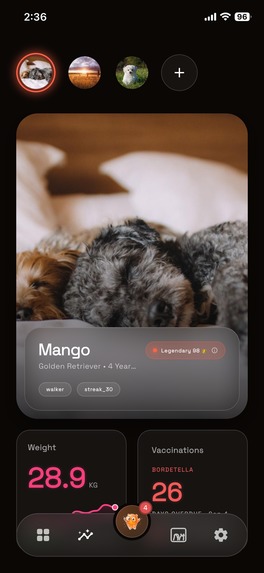
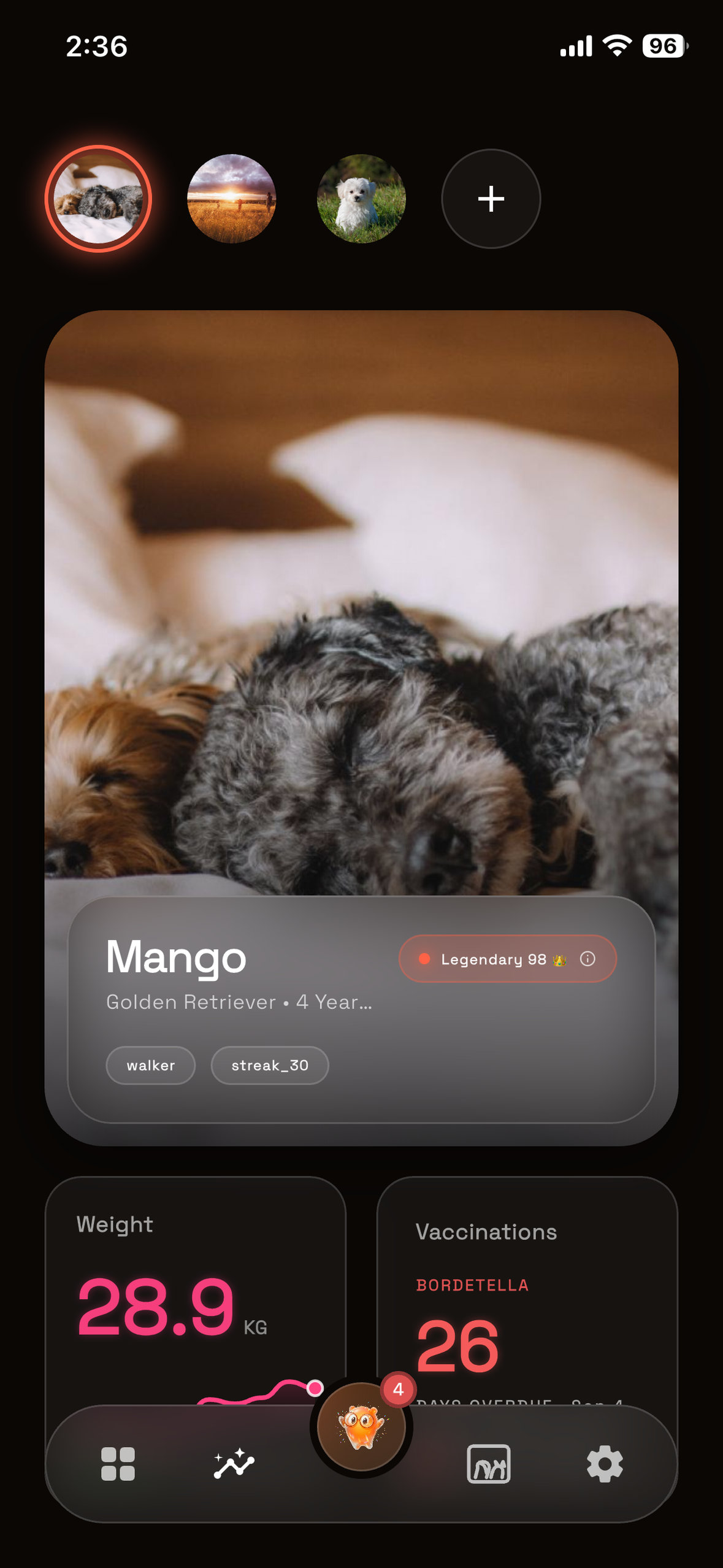
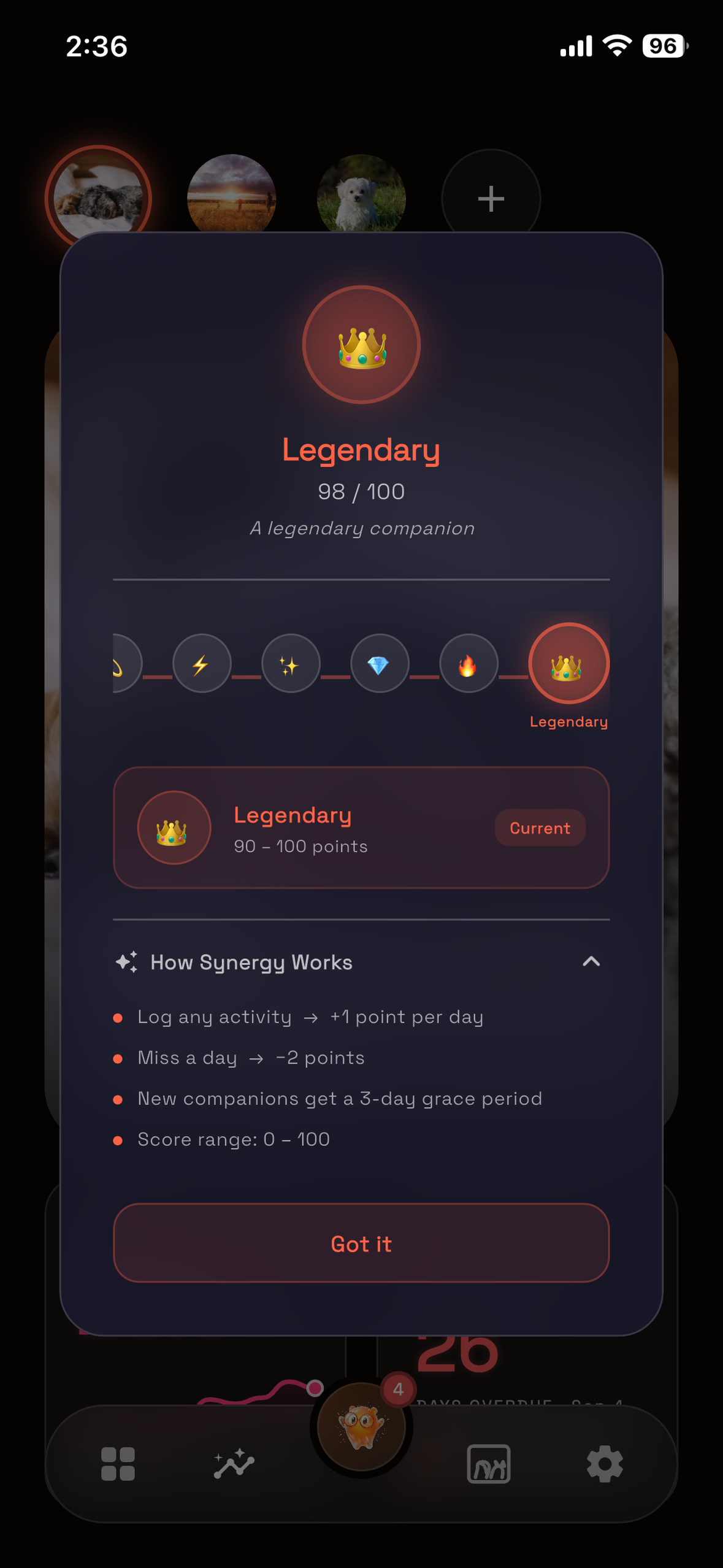
Every day you show up moves the synergy score. Mango is Legendary: 98 of 100.
-
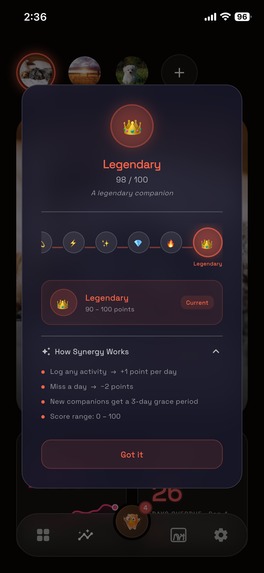
+1 for every day you show up, −2 for every day you don't, and a 3-day grace period for a new companion.
-
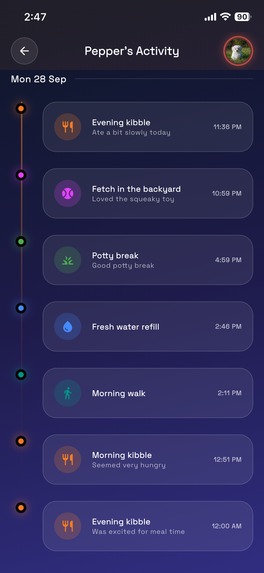
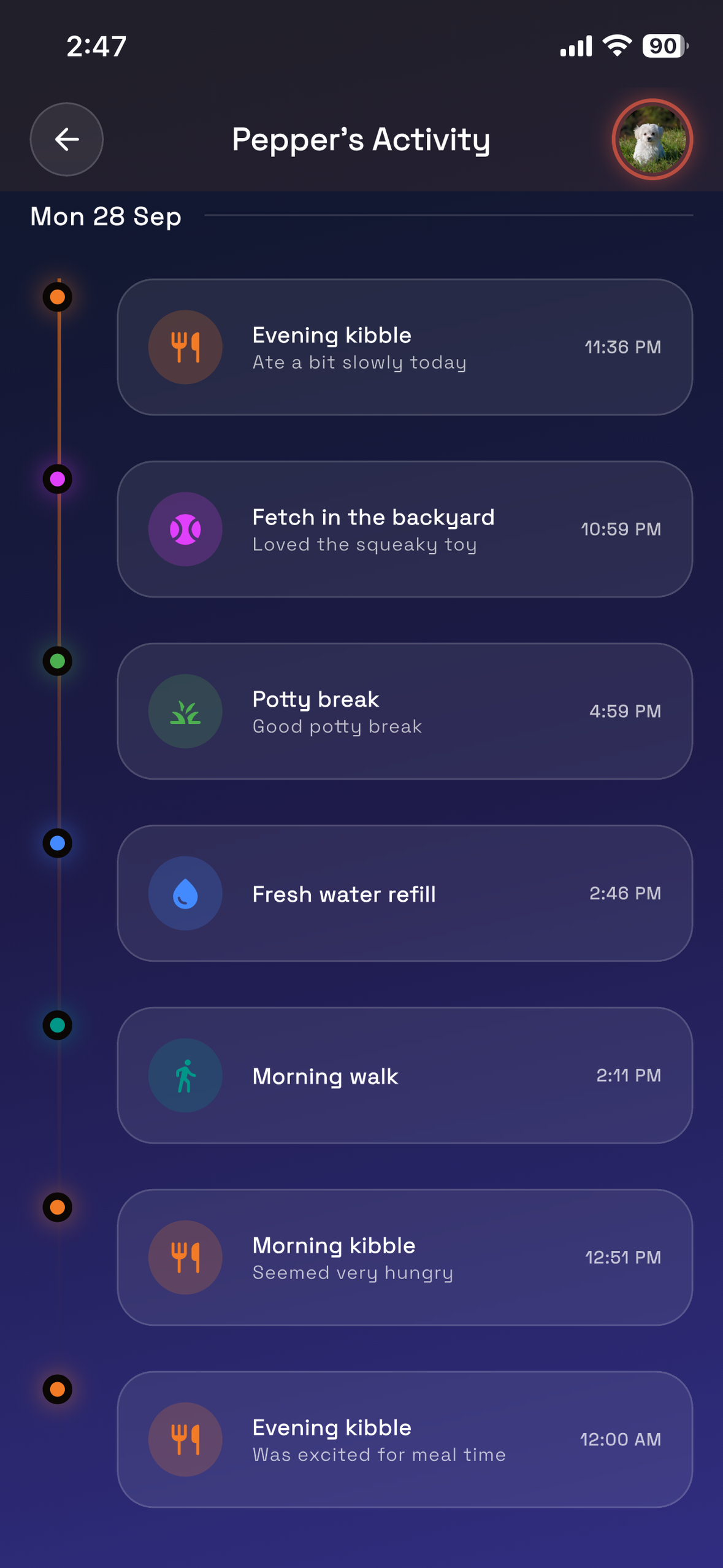
Every walk, meal and vet visit, on one timeline.
-
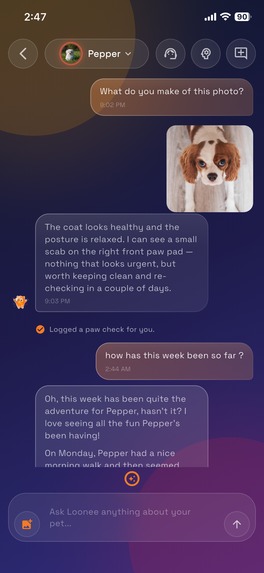
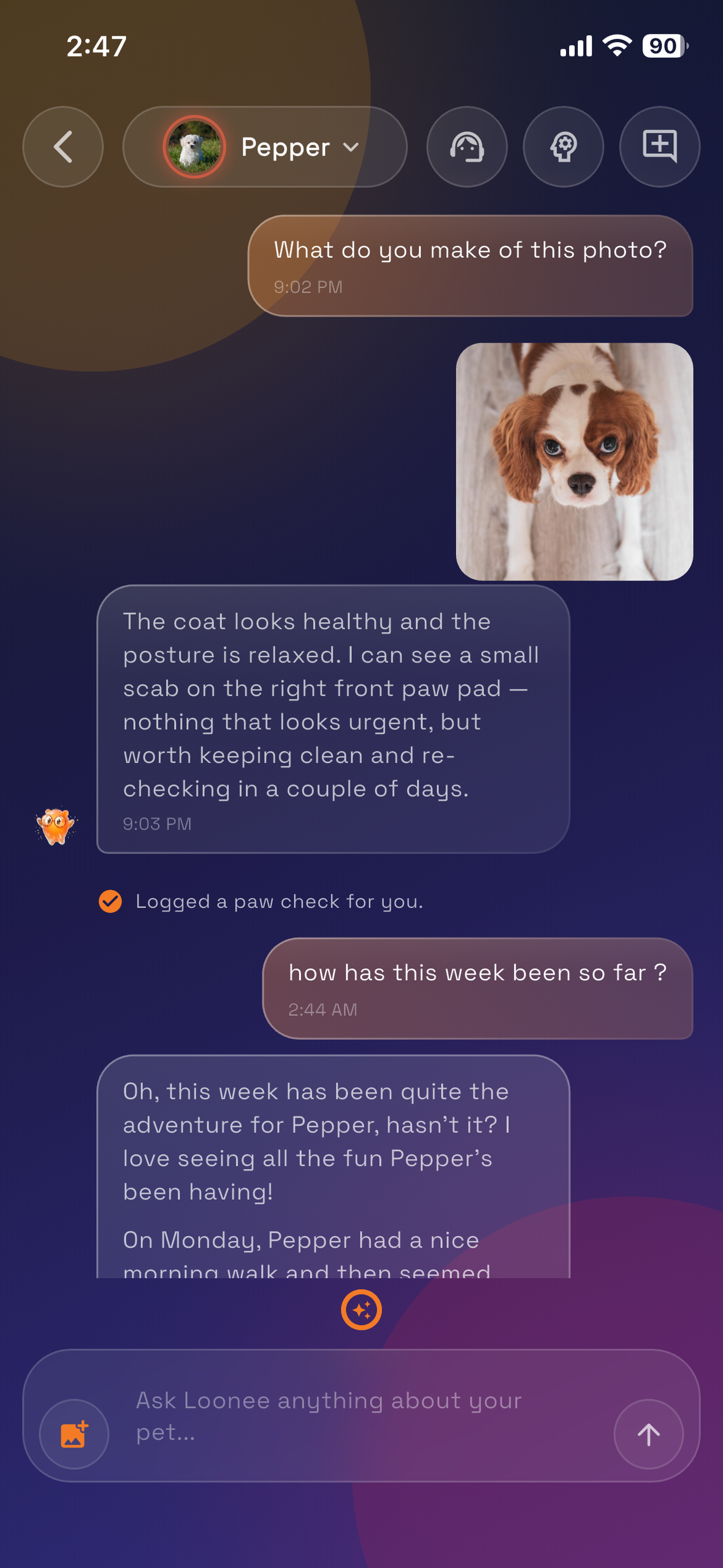
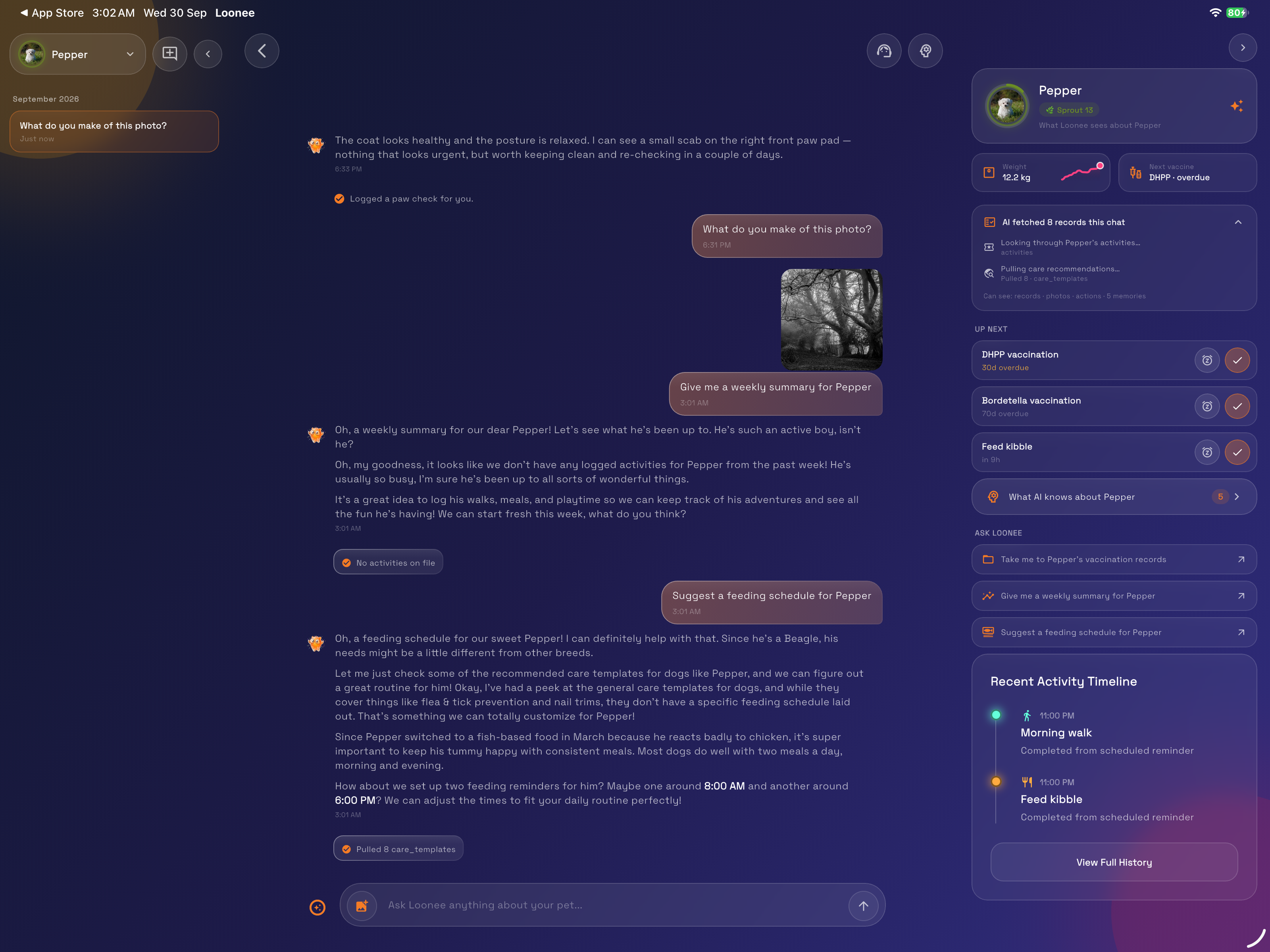
Answers come from your pet's own records. Anything it writes, like this paw check, needs your OK first.
-
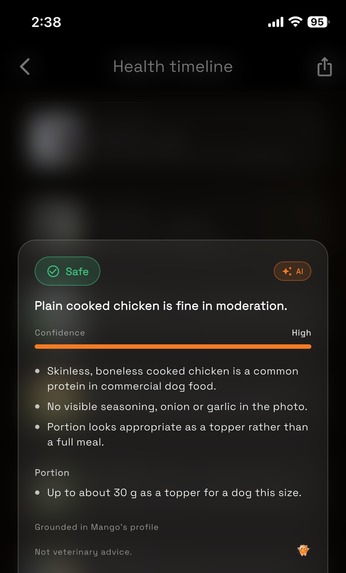
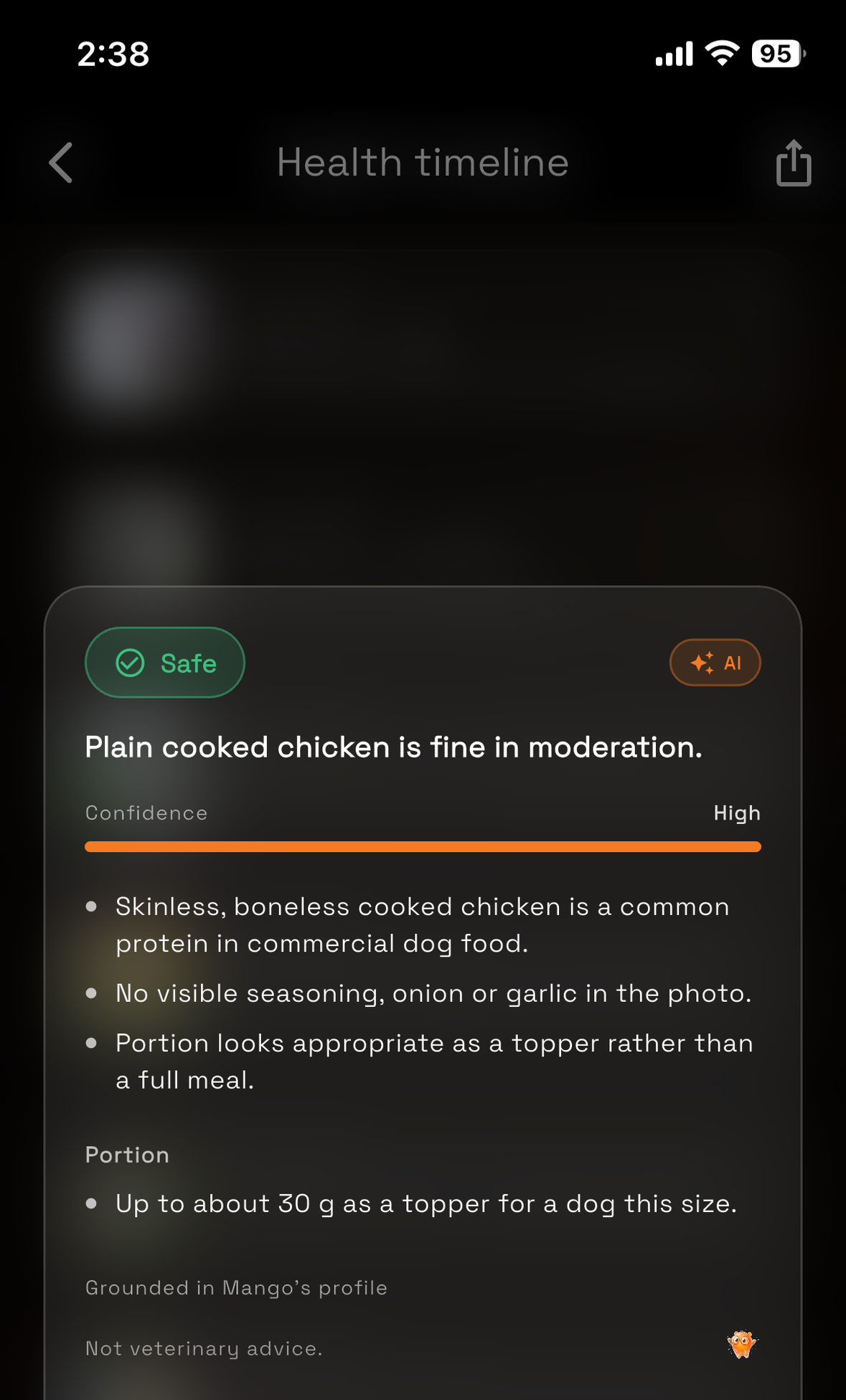
Is this safe to feed? A verdict grounded in Mango's own profile, down to the portion size.
-
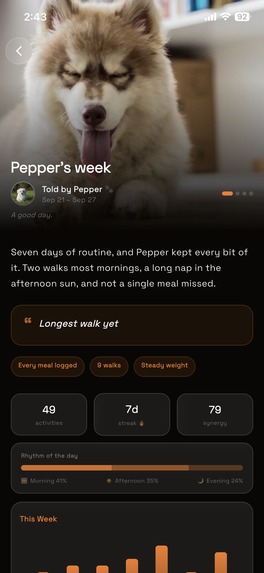
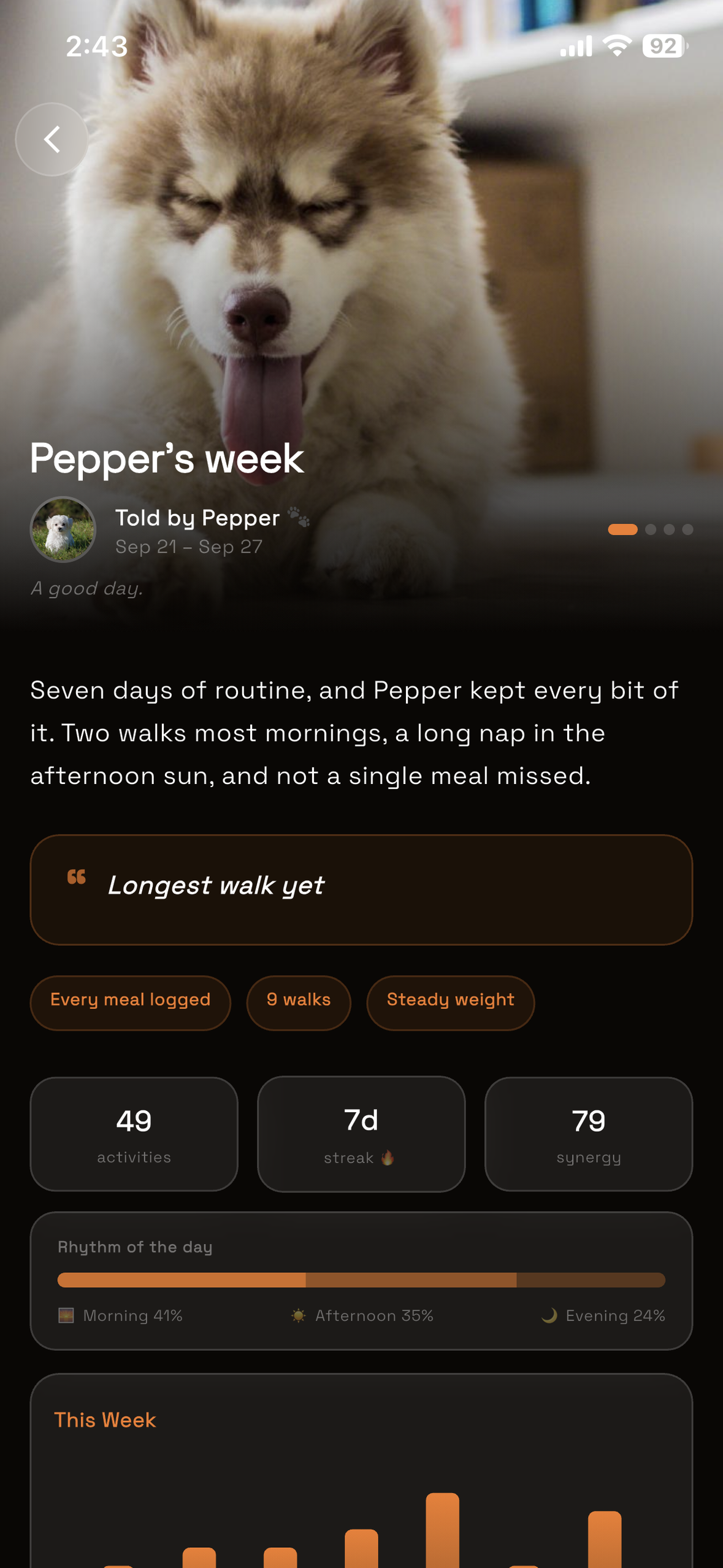
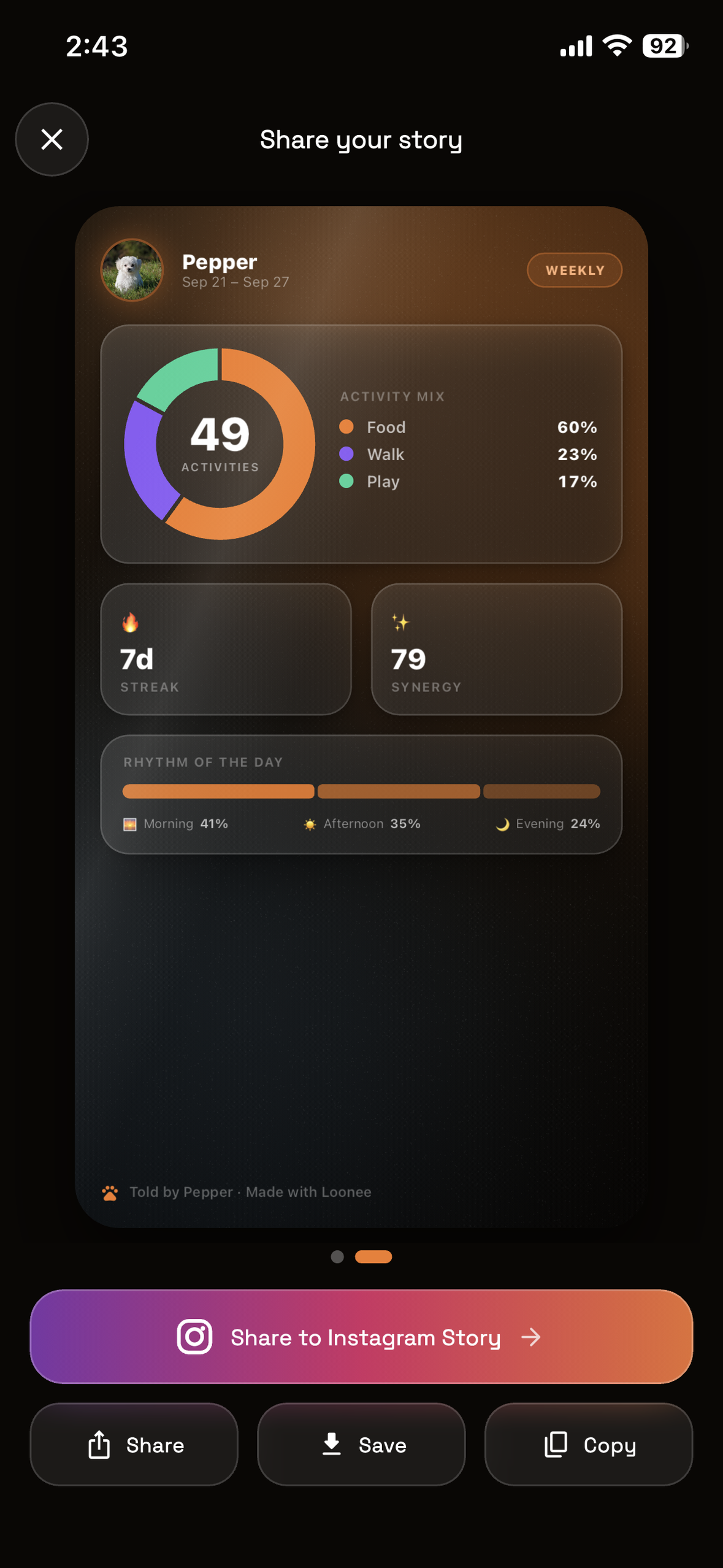
Every Sunday, a story written from what actually happened that week.
-
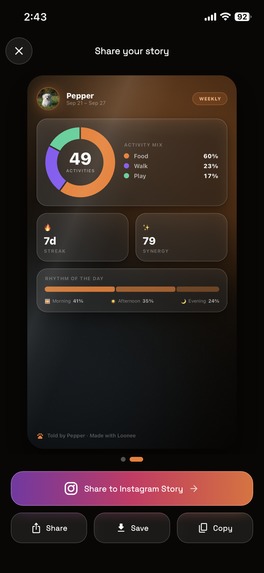
Made to share: one tap to Instagram Stories. Share on all your social media platforms.
-
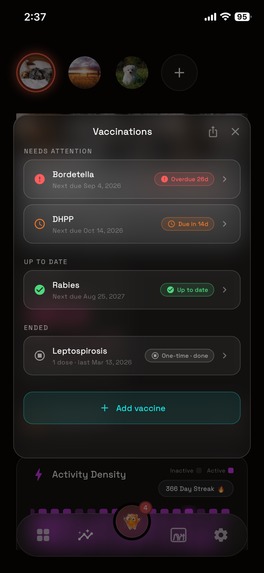
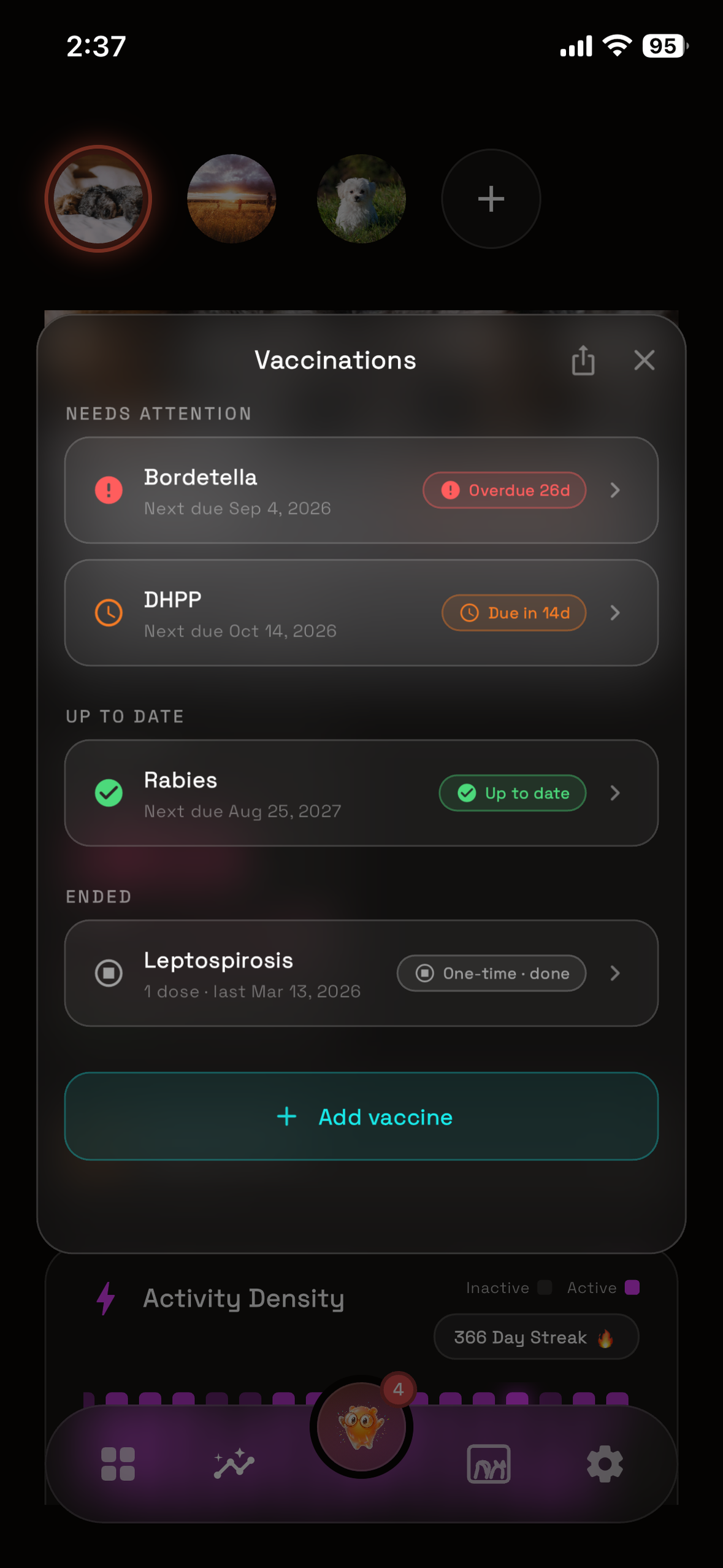
Every vaccine: what's overdue, what's due next and what's done.
-
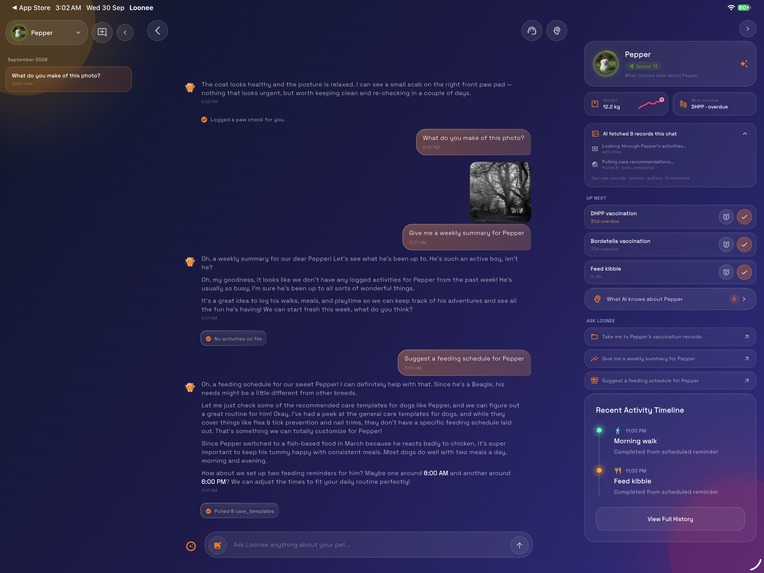
On iPad, the AI chat opens into three zones, and the side panel shows exactly which records it read and what it remembers about Pepper.
-
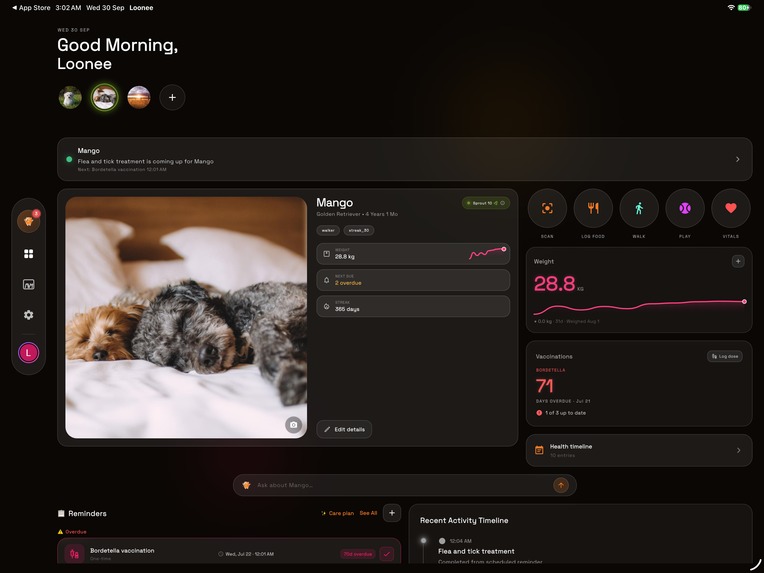
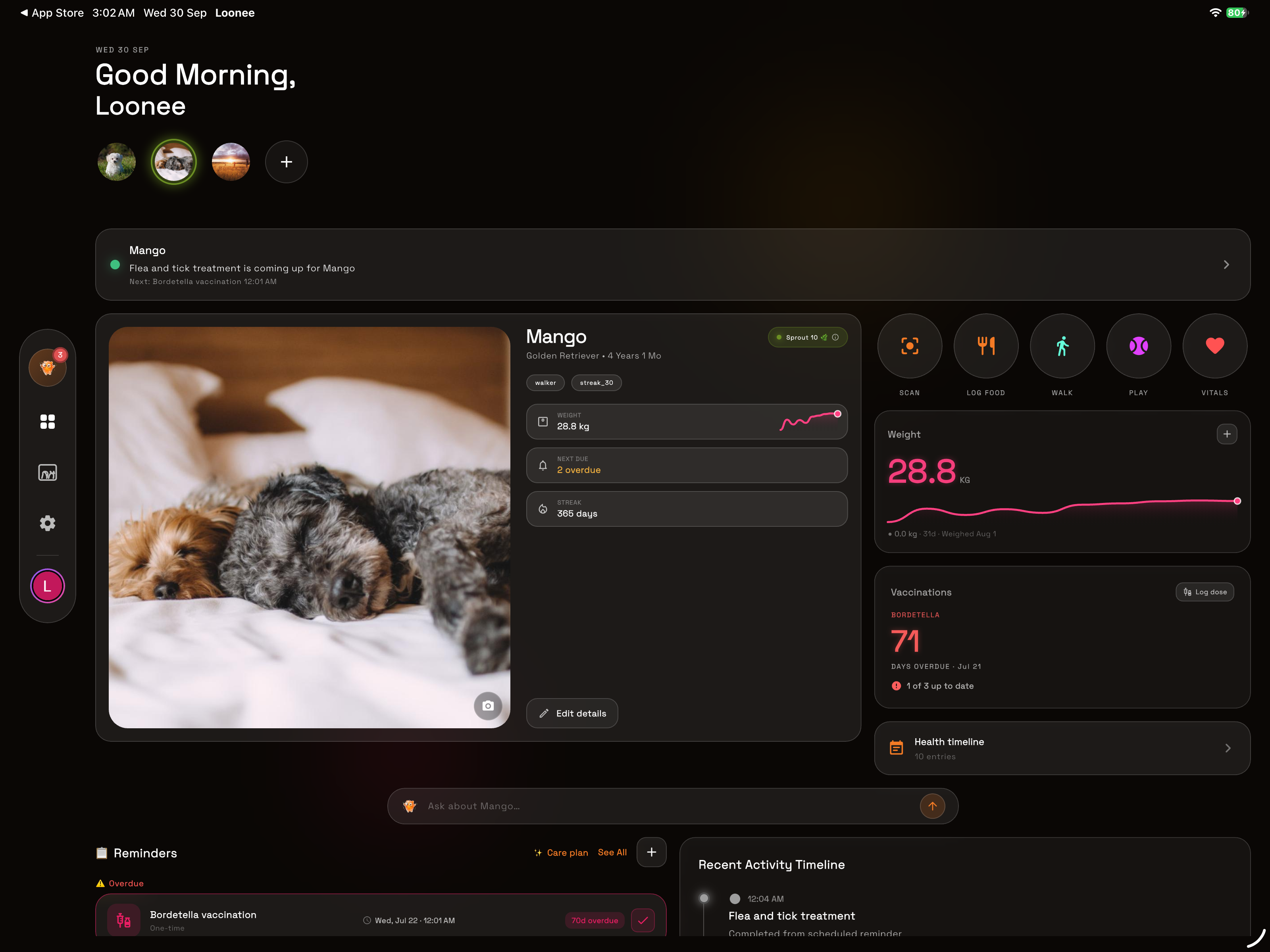
On iPad, everything about Mango on one screen: reminders, weight, vaccinations and the day's timeline.
-
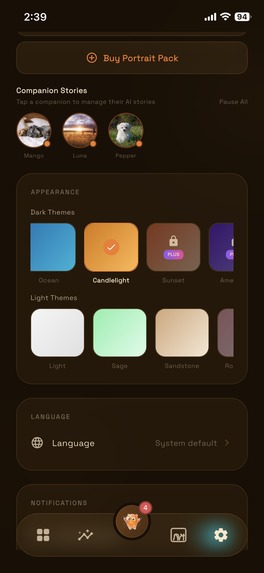
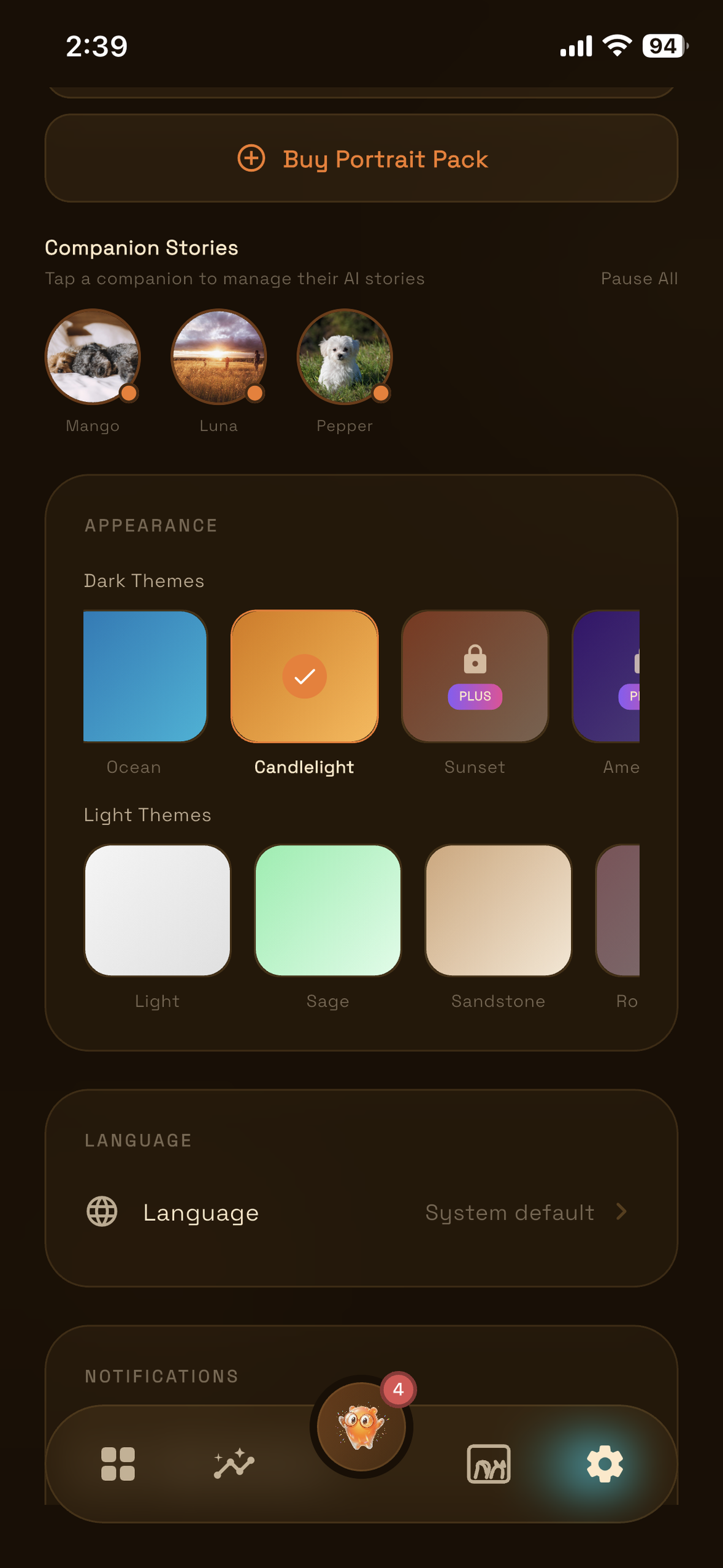
17 themes and 18 languages. Every Loonee looks like its owner.
-
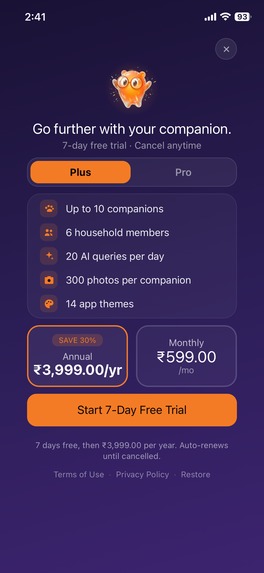
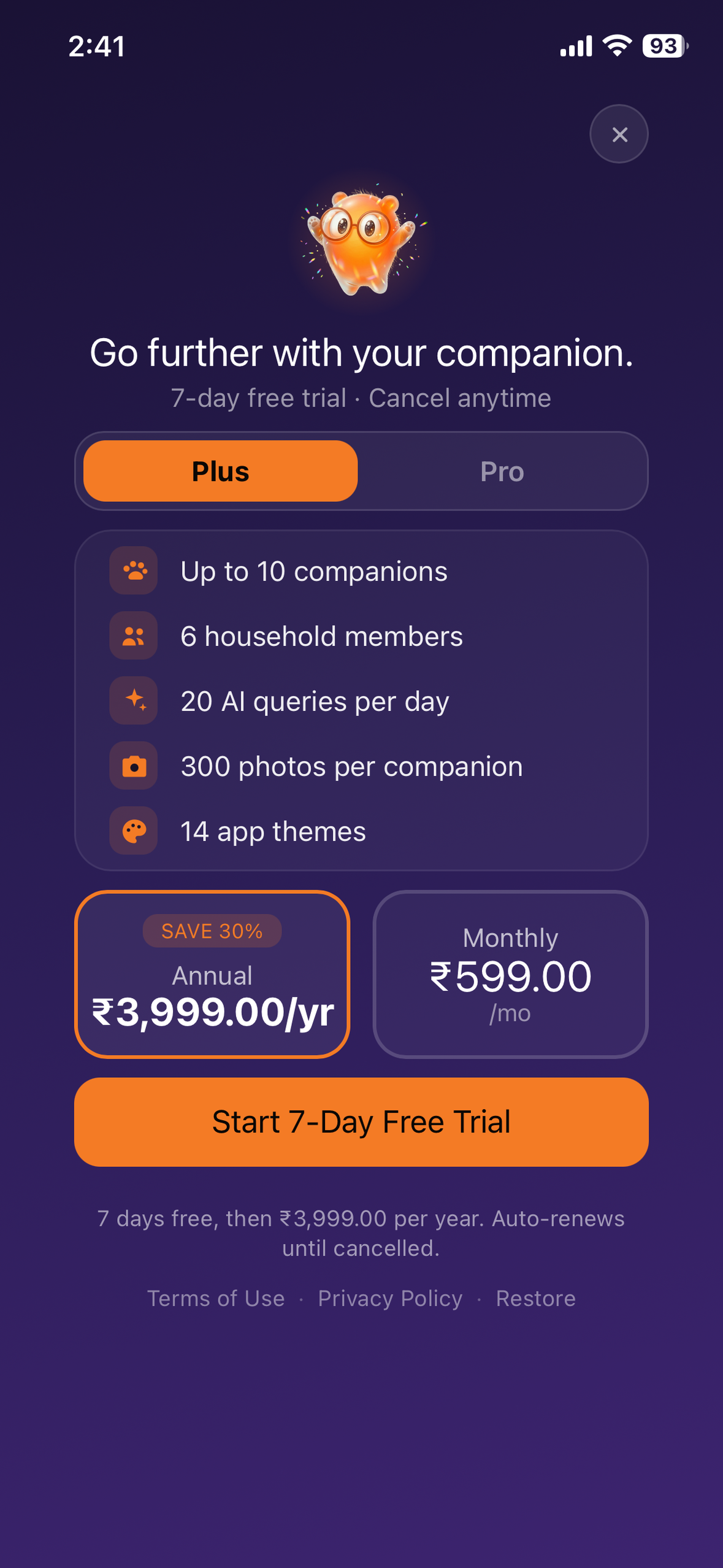
The price you pay is the biggest number, in your own currency (₹ here), with the terms under the button.
-
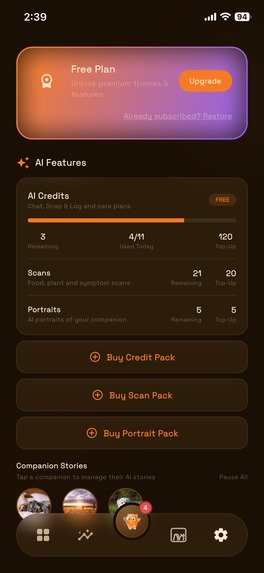
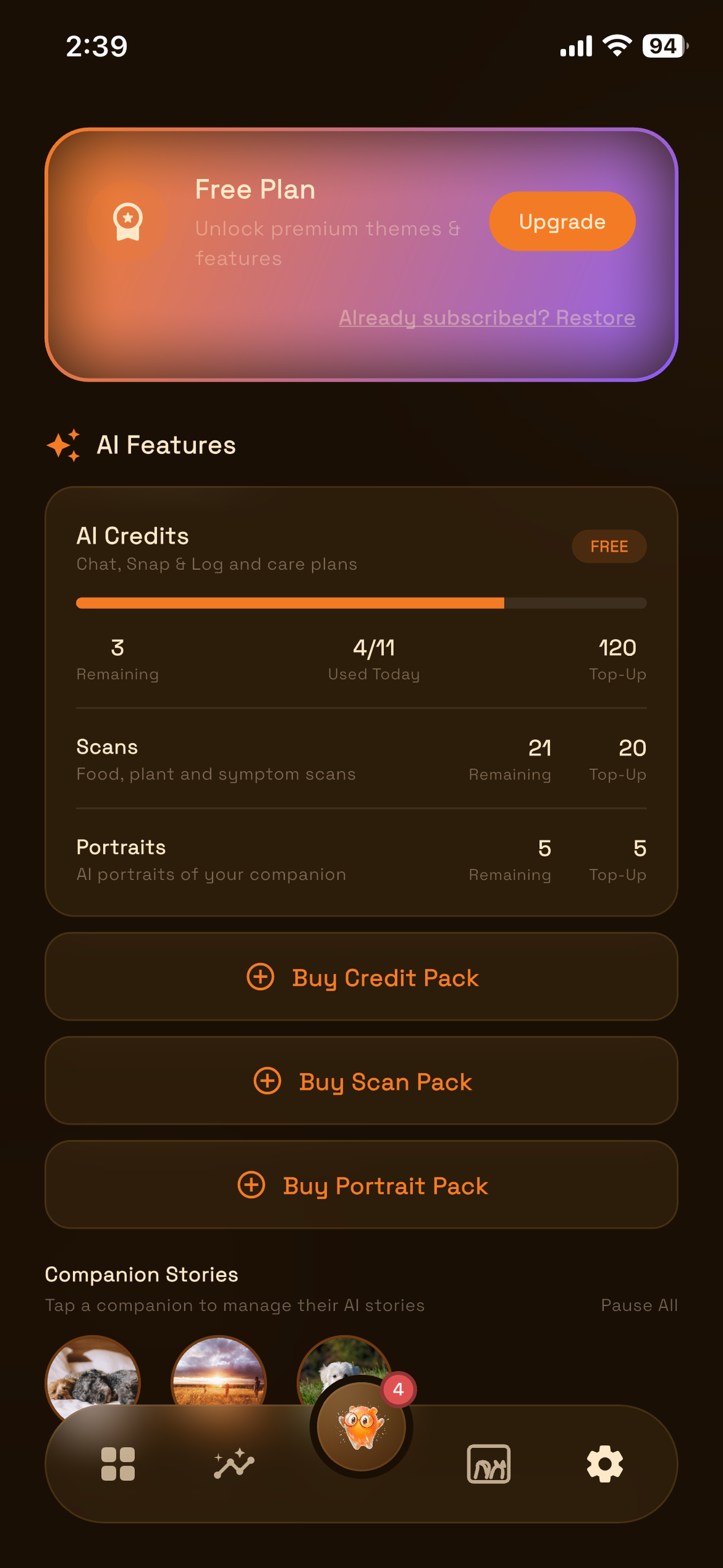
Three currencies, each priced by what it costs to run: AI credits, scans and portraits.
-
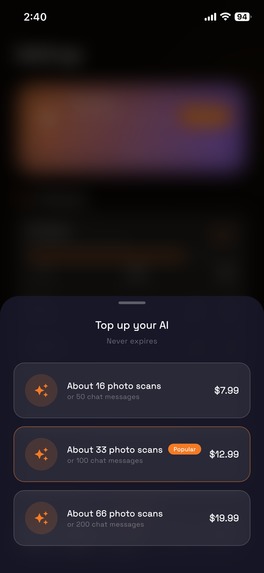
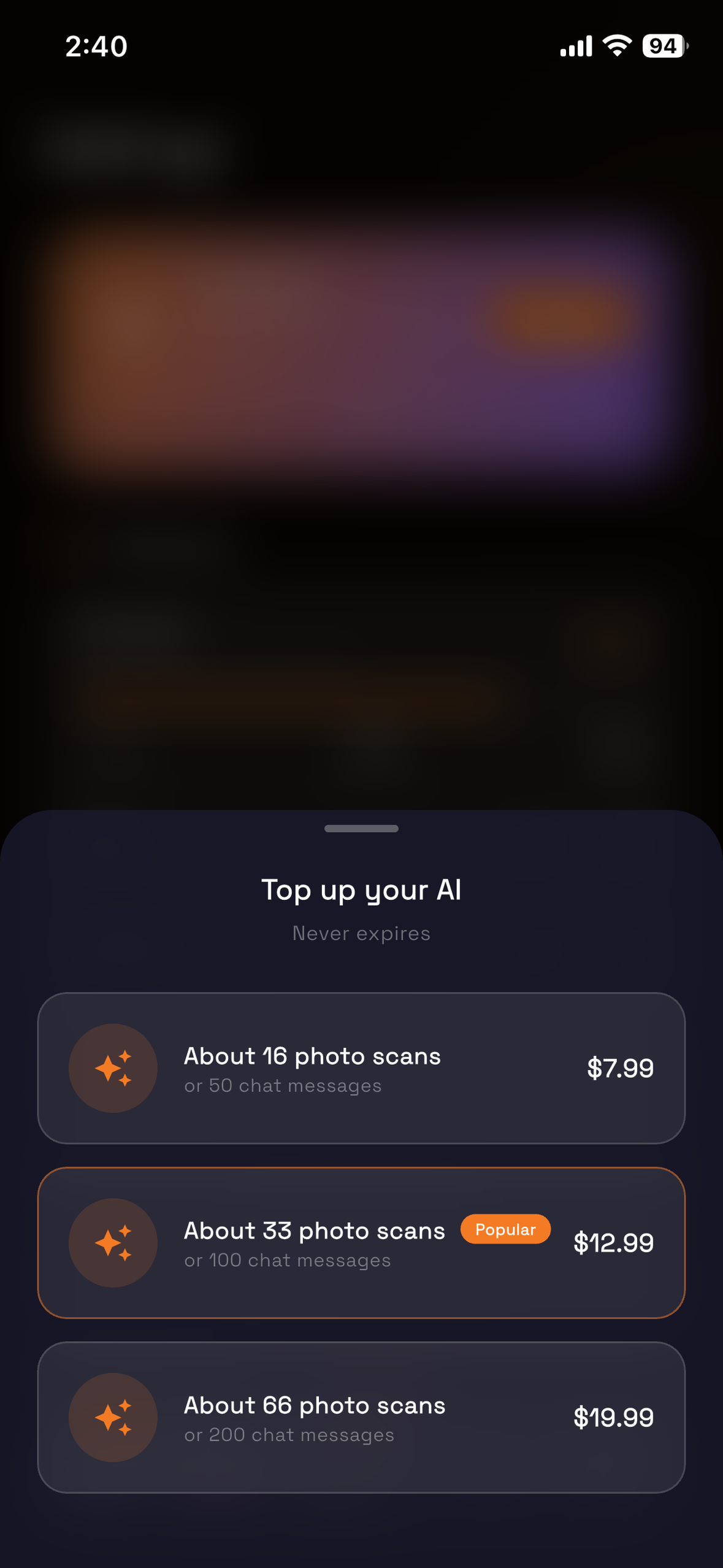
A credit pack, shown as what it buys: about 16 photo scans or 50 chat messages.
-

Loonee

About 600 weekends. That's roughly what you get with a dog. I got a little over 150 with Joy.
Inspiration
My pet was an indie dog named Joy. I adopted him when he was just a puppy, and rather than confining him inside the home, I often let him out to explore. That was a mistake, because he got parvovirus. I was a bit late to diagnose it, but somehow the vets saved him right on time.
He was with me for more than three years. The sweetest puppy I could have asked for. We made so many memories together. He was so mischievous, but caring, and always by my side till his last breath.
He caught parvo again, and the second time I wasn't able to save him. I lost him last December.
There are countless memories I have with him, and a few photos and videos. But deep down in my heart, I always wished I had some kind of journal to look back at those memories again. With just a gallery of random days' photos and videos, memories get lost with time. I wish I can share the awesome memories I made with Joy to the world.
A few months later, I started building something you can reflect back on, and so Loonee came into the picture. This is what motivated me.
What it does
Loonee keeps building a journal that actually shows the bond between you and your pet: a permanent place, and a companion that acknowledges it. It keeps track of every activity, reminds you about vet visits and vaccinations, and turns every week and month into a story you can share on social media. It becomes a book with an amazing story that you can read in the future.
The app transforms with time. It gets totally personalised with the data and logging you do, so every Loonee, on every phone, is completely personal: its own theme, its own language, its own story. It feels like your own.
- The bond, made visible. Every walk, meal and vet visit feeds a synergy score: +1 for each day you show up, −2 for each day you don't, with a 3-day grace period for a new companion. It climbs ten named tiers, from Seedling to Legendary.
- An AI that knows your pet. It answers from your pet's own logs, weights and vet records, remembers what it learns about them, and can add a reminder, a walk or a vaccine, but only as a card you confirm. Words like "poisoning" or "bleeding" get an immediate "see a vet" reply first.
- Photo scans: is this food or plant safe for your pet, a symptom check, and a body-condition check from two photos.
- A household, not an account: roles, invite codes and an approval step. Everyone logs, everyone sees.
- Changing homes: a one-time code transfers a companion with their whole history.
- Yours alone: 17 themes (light themes even switch the app icon to a light version) and 18 languages.
- And: 22 reminder types, vaccine and weight records with PDF export, portraits in four styles, widgets, Face ID lock, offline logging, iPhone and iPad.
How we built it
I am fluent with Flutter and AWS, and have been using them for a long time. Scalability mattered, because I want this experience to be shared not with just a selected few pet parents, but globally. Loonee launched in 175 countries, in 18 languages.
Claude Code helped me refine the features, the plan, my rough sketches, my architecture and the design, through countless iterations until it felt right by me. I kept the architecture, the design and the overall plan, and handed the iterations to Claude with close guardrails: how to write code and how not to, and an extensive set of completely custom rules that every bit of code had to follow and be verified against afterwards. A 200-line limit per widget file, the AWS rules, the CDK rules, everything.
- App: Flutter, Riverpod, Hive (cache-first, so the app opens before the network answers), and a hand-built liquid-glass design system.
- Backend: TypeScript on AWS Lambda (30+ functions), MongoDB, SQS, S3, EventBridge and Rekognition, all in AWS CDK.
- AI: Gemini on Vertex AI, routed by task. A health question with a photo gets the strongest model on every plan, free included; off-topic messages get a template reply, with no model call and no credit spent.
- Money: RevenueCat is the single source of truth for entitlements, and Superwall draws the paywalls through a custom purchase controller. Packs are granted only by RevenueCat webhooks, never by the app.
Challenges we ran into
AWS switched off scan for nine days.
I was testing the nonprod build when scan stopped working. I was still logged in, and scan had worked the day before, so I checked CloudWatch, then logged into AWS: the account had been suspended over a payment issue. Paying brought the account back, but not scan. The suspension had switched off all 28 of my queue triggers, AWS never turns them back on, and cdk deploy couldn't see the difference. For nine days scan said "Try again in a moment", which could never come true. Now an alarm watches those triggers.
Every paying user looked free. At first I thought the app would take some time to refresh and show the paid tier, but waiting and multiple retries did nothing. The backend looked completely fine, so I thought something in the payment circuit was completely missing. It was: the app read the plan from the wrong level of the server's reply, so it always came back empty and quietly defaulted to free. My tests passed because they used the same wrong shape. Now they use real responses.
The upgrade button did nothing. It took me two whole days, and a lot of RevenueCat and Superwall docs, to find out why the paywall wasn't rendering. With my own purchase controller, Superwall doesn't know a user's subscription status until the app tells it, so it waited about ten seconds and gave up quietly: no paywall, no error, nothing in the logs. Now the app tells Superwall the moment it starts, and a slow network can't hold the paywall shut.
AI answers cut off mid-sentence. The AI was taking a bit longer to analyse, and the waiting time wasn't configured that long on Lambda, so it kept timing out before the AI completed the full response. Streaming wasn't running back then. Turning streaming on, with a longer timeout, fixed chat. Then scan results came back cut off for a different reason: the model's own thinking was using up the room for its answer. My logs held 96 scan lines in 30 days, every one a failure, because I only ever logged failures.
RevenueCat transfers were silently dropped.
In August, while chasing another "paid, but it says free" report, I found every RevenueCat TRANSFER event had been thrown away since the webhook shipped. TRANSFER is the only event without an app_user_id; my schema required one, so each transfer failed validation, got a 200 anyway, and RevenueCat never retried. The tests passed against a payload RevenueCat never sends. Now the handler asks RevenueCat who holds the subscription.
Portraits had never produced a single image. Three causes, each fatal on its own: a status filter that real photos never pass (only my seeded test photos did, so testing hid it); a just-taken photo still in moderation for up to 2.6 seconds; and seeded photos with no image files behind them. S3 disguised the last one: without list permission, a missing file comes back as "access denied", so for months it looked like a permissions bug. Fixed on Aug 18.
Accomplishments that I'm proud of
All of them:
- The first public release, live in 175 countries.
- 18 languages at launch, each checked by CI.
- A design system the build itself enforces, and 17 themes.
- A 13-product economy that never sells what the backend can't grant.
- 4,000+ tests, written test-first.
- The way the AI works inside the app, like a companion quietly looking over everything, making the whole app smarter in a way that is brilliant and subtle.
What I learned
The freedom you feel, and that sense of accomplishment, when your app goes live for the first time. And how hard a rejection hits when you're up against a release deadline: mine came after 14 days in the queue, with Shipaton a week away.
What's next for Loonee
- Android. The release is on the way.
- Version 1.1.1, already built: a new add-companion flow, a new Help Center, and deleting a chat or a scan.
- Day care and sitters: hand your pet over with a live timeline of their day.
- Scan to join: join a household, or take over a companion, by scanning a QR code.
- The App Store listing in all 18 languages.
- An accessibility pass, starting with screen-reader labels.
Built With
- amazon-eventbridge
- amazon-rekognition
- amazon-sqs
- amazon-web-services
- aws-cdk
- aws-lambda
- claude-code
- dart
- firebase
- flutter
- gemini
- github
- hive
- hono
- mongodb
- node.js
- posthog
- revenuecat
- riverpod
- sign-in-with-apple
- superwall
- swift
- typescript
- vertex-ai
- zod


Log in or sign up for Devpost to join the conversation.