Inspiration
Oftentimes waiting for the T can take longer than the actual ride, especially in the late evening. Every station is full of small items, objects, and designs that go unnoticed: stickers, old signs, cracked tiles, marks on benches. We wanted to create a game that gets MBTA riders interacting with the station around them while also cognitively engaging them.
What it does
Lookout is a photo scavenger hunt played in MBTA stations.
- Hide an egg. Take a photo of something in your current station and name it. We use Gemini to screen uploaded photos to ensure there are no faces present, that the photo isn't too plain to find (like a bare wall or blank picture), and that the user correctly labeled the image. If that level already has a live egg at the station, newly uploaded photos are queued until the current egg is found.
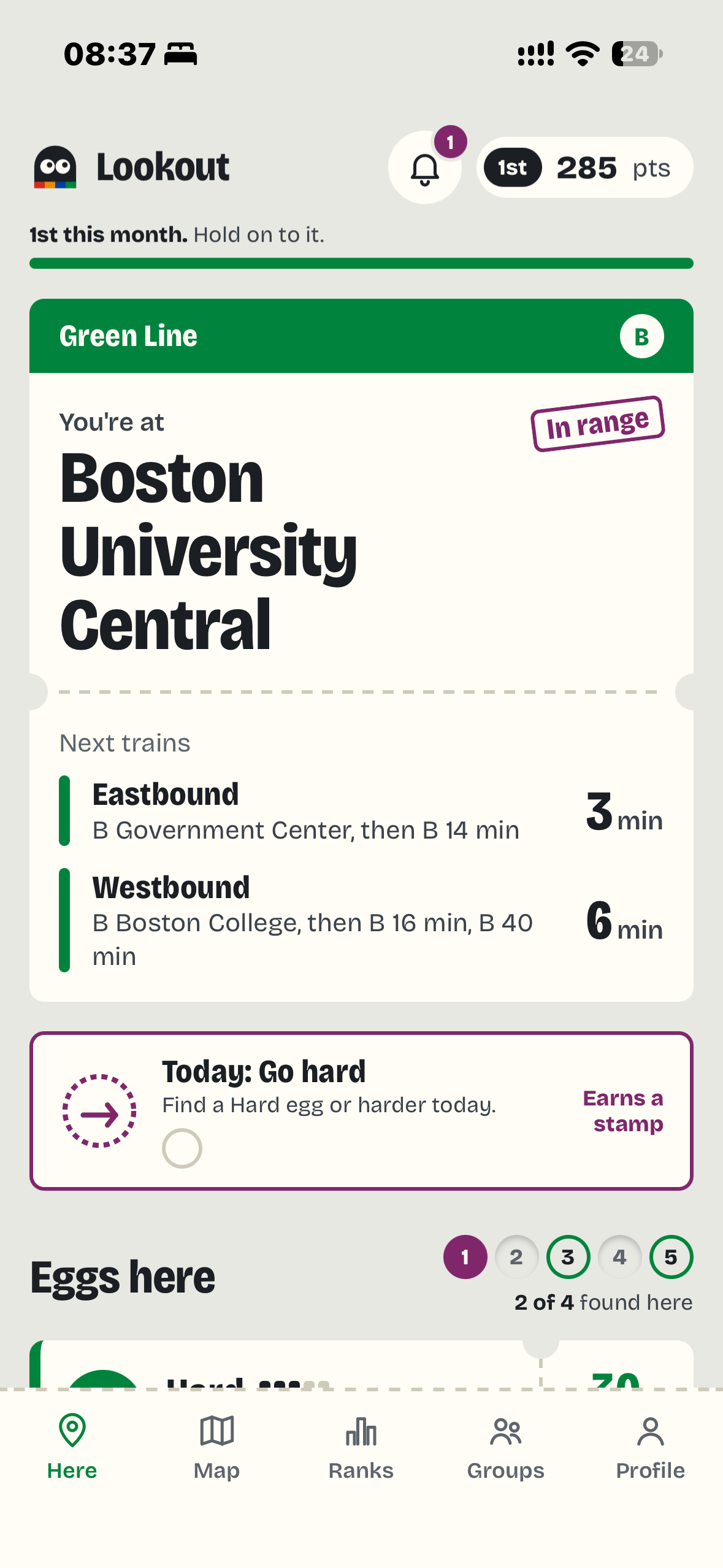
- Find an egg. Other riders at that station see the photo uploaded by a previous rider and get between 1 and 3 minutes, depending on the level, to find where the item or design in the picture is located. They take a photo to prove they've found it, and Gemini checks that the photos match.
- Levels and points. Each station has five egg slots based on difficulty (easy- impossible). More difficult levels are worth more points, the Hard and Impossible levels give you less time (2 minutes and 1 minute), and the two hardest show the finder a blurred photo. Finding it faster earns a time bonus of up to 50%.
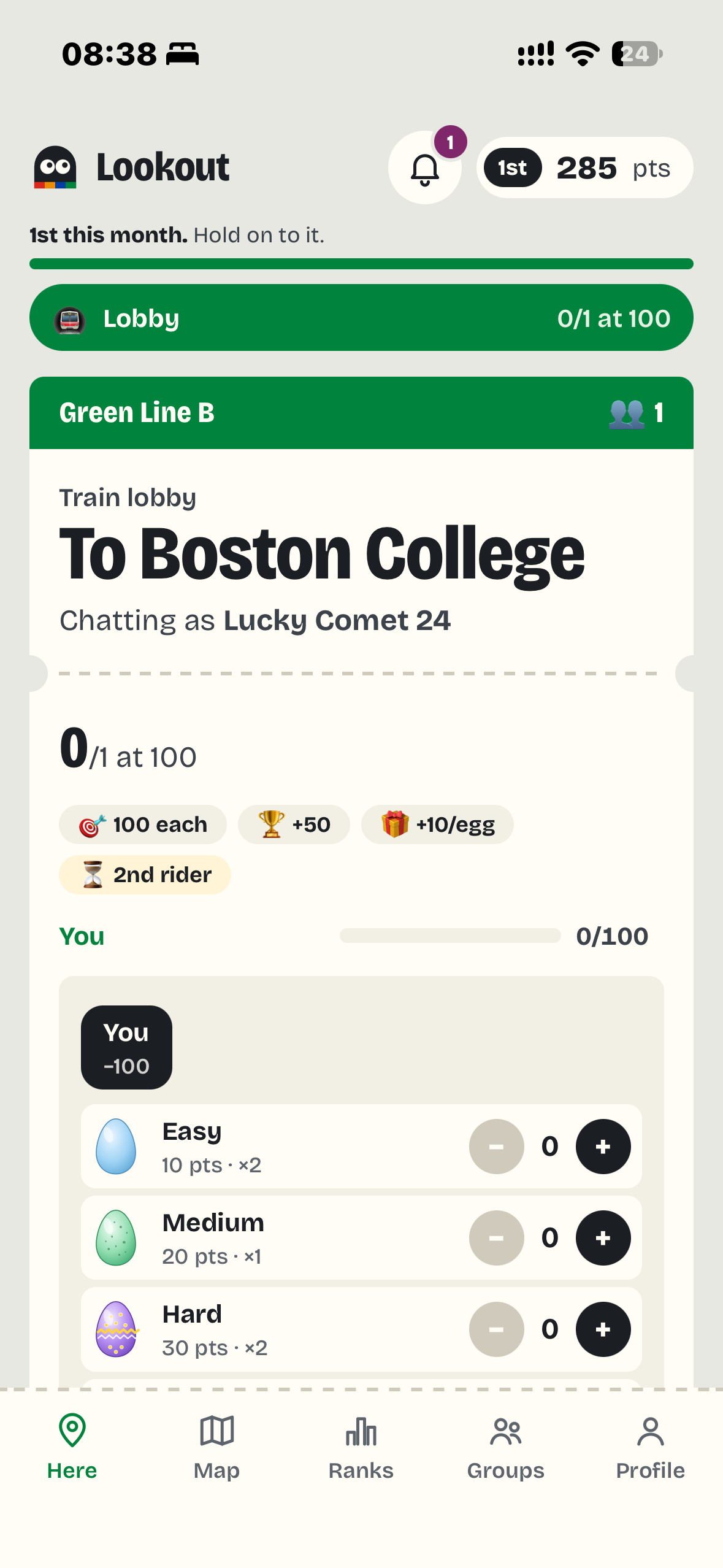
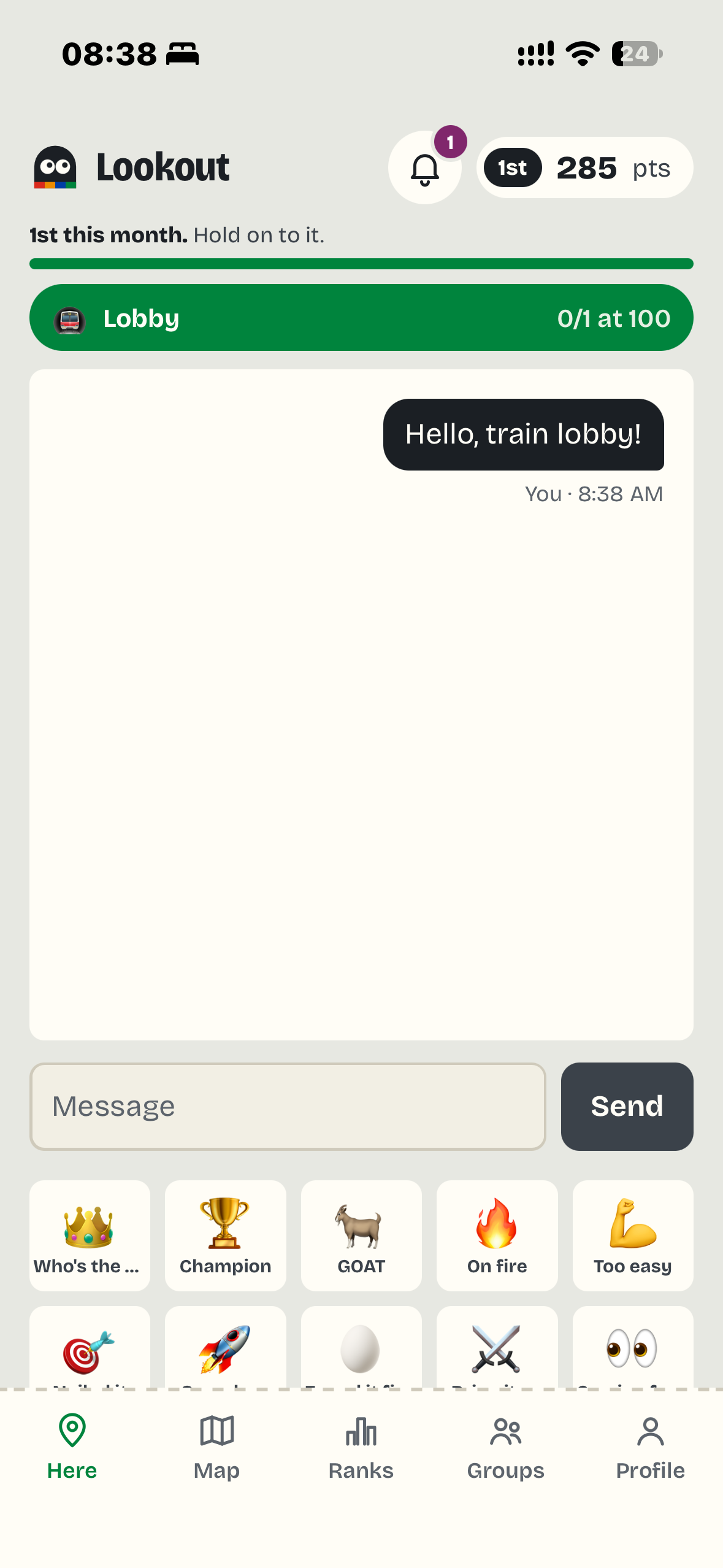
- Train lobbies. When riding a train, the app checks the user's location against the MBTA's live train positions and puts them in a lobby with everyone else on that train. Riders can chat anonymously and pledge eggs they've found toward a shared goal: each rider needs 100 points worth of eggs. Riders who are short can ask for help, and others can donate their eggs to them. If every rider reaches 100, everyone gets 50 bonus points, and donors get 10 extra points for every egg they gave away, so riders are incentivized to work together instead of just competing.
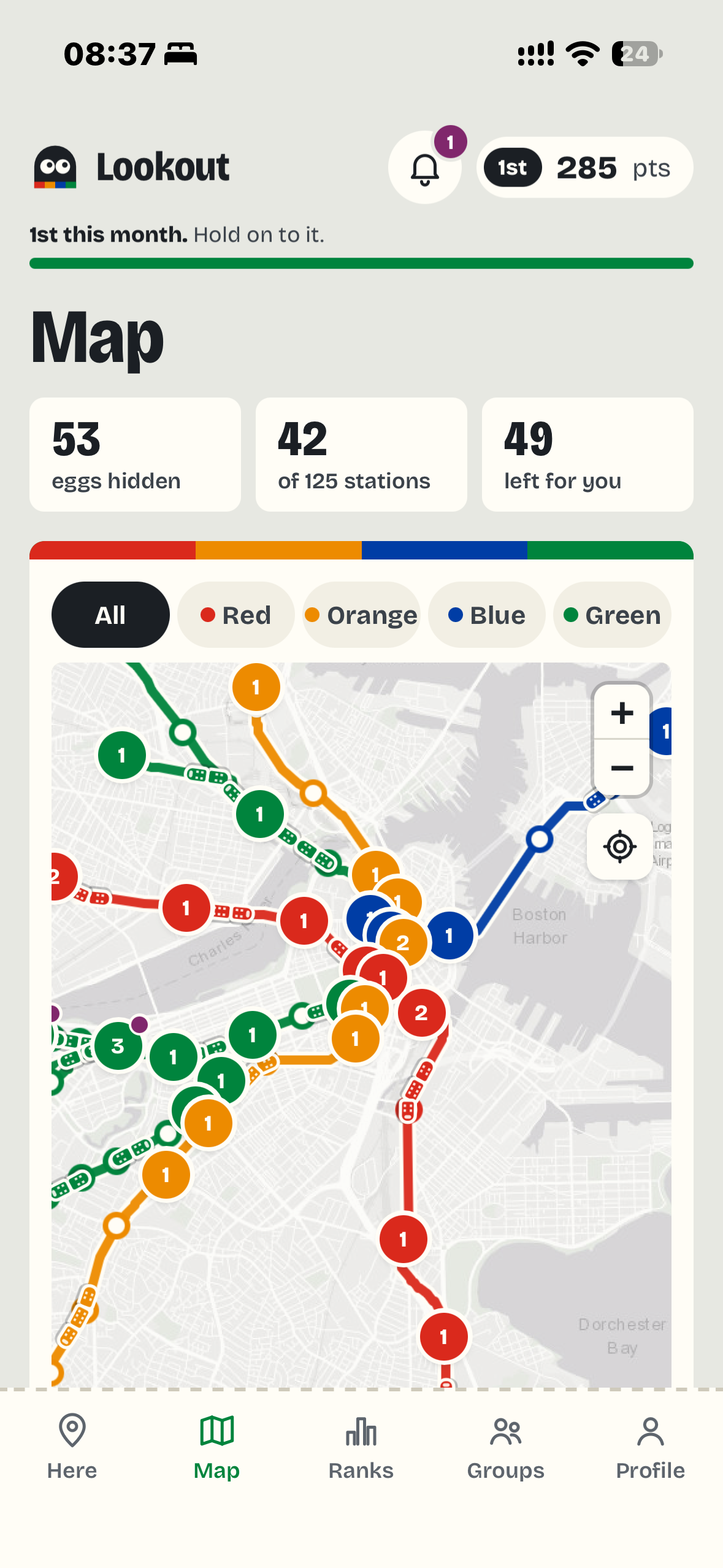
- Live map. Every train on the subway moves on the map in real time from MBTA data, with in-app movement that glides each train along the track between the MBTA's position updates, along with how many eggs are currently in circulation at each station. Tapping on a train lets you see its destination, the stop it's at or heading to, its direction, and how crowded each car is.
- Next trains. The home screen shows the next trains in both directions at the station you're at, a feature aimed at improving coordination and ensuring people don't miss their trains.
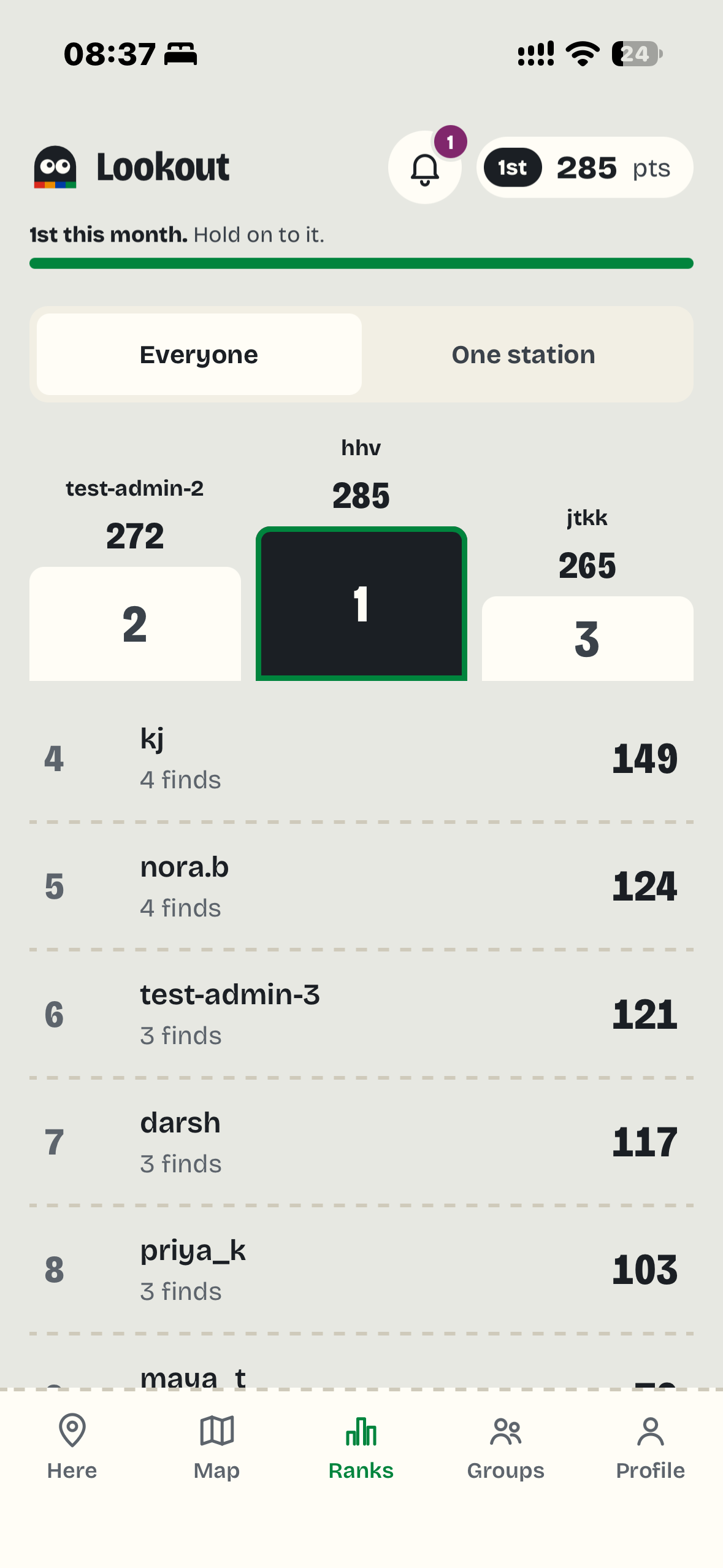
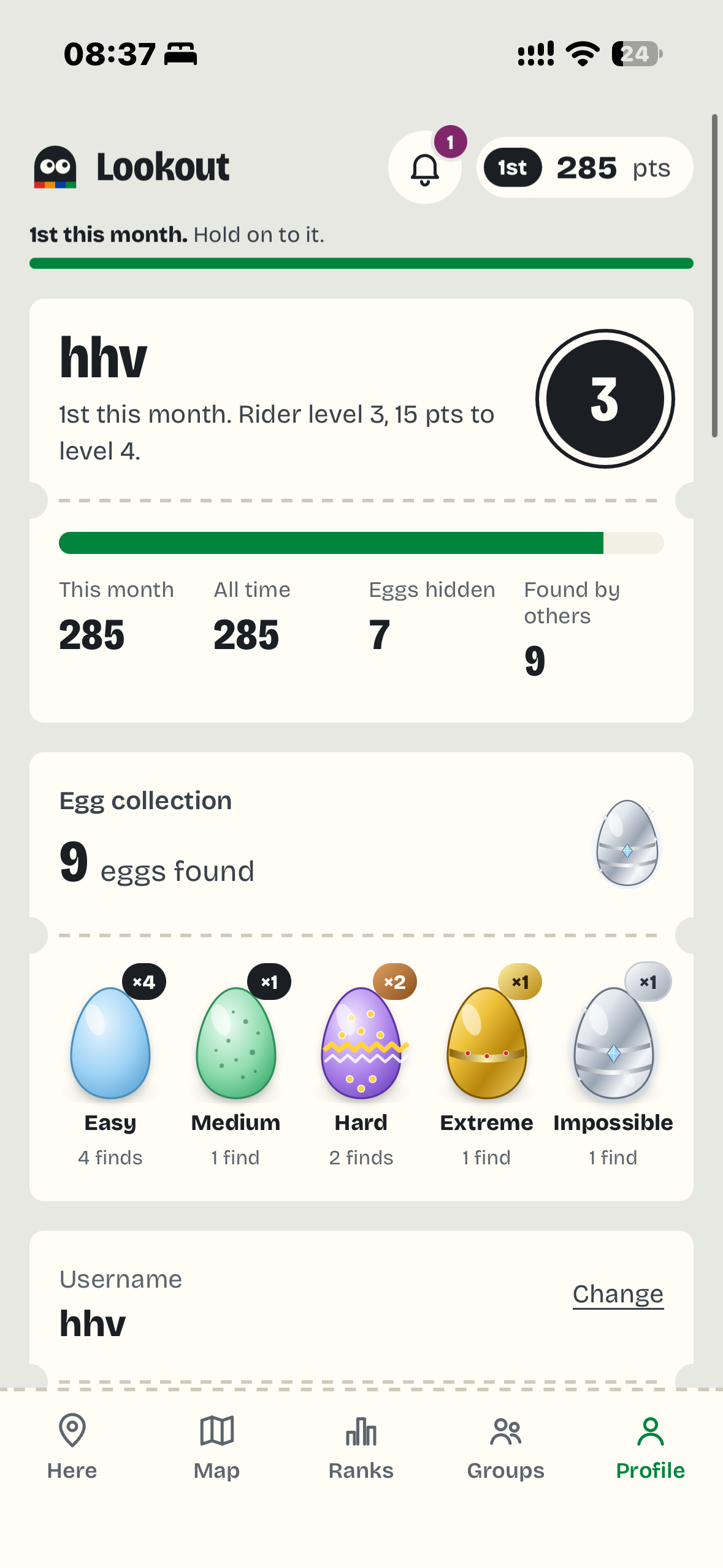
- Progress. Monthly and all-time leaderboards (overall, by station, or by line), stamps (achievement badges), daily challenges, and friend groups with their own leaderboard and chat are features aimed at monitoring progress. Finds give the user eggs that can be used as pledges in train lobbies, and they're kept in an egg collection on your profile, with one egg per level that gets fancier as the level goes up.
How we built it
- Frontend: a phone web app in plain HTML, CSS and JavaScript, with no build step. The map uses Leaflet, with the trains drawn on a canvas.
- Backend: Node and MongoDB (Atlas), deployed on Vercel as a serverless function.
- MBTA V3 API: stations, live vehicle positions, track shapes and arrival predictions.
- Gemini: two photo checks using structured output: one screens new eggs, and one compares a finder's photo to the original. If a model fails or is overloaded, it falls back to the next one.
- Tests: end-to-end API tests on an in-memory MongoDB.
Challenges we ran into
- Trains on the map. We struggled with the MBTA vehicle positioning. Since we combined the API data for the trains with a custom map, the trains were glitchy and sometimes appeared off the tracks or spun in circles. We snapped each train onto the track and ignored small variances in the vehicles positions to fix this issue.
- Map performance. Redrawing every train at every new frame made the map feature heavily lag on phones. We fixed it by drawing each car once into a small image and reusing that image.
- Making Gemini reliable. Free-text answers were inconsistent and varied in answer, so we just ended up using a fixed answer format for the image and text checks.
- Several people editing at once. Two players trying to hide an egg at the same time would cause an overlap in our database. We implemented transactions to fix this issue.
- Changing the backend mid-hackathon. We moved from Postgres to MongoDB partway through and had to port queries and merge everyone's work on top of it.
- Coordination. Although we used Github and other collaborative tools, we still struggled at times to ensure we were being as productive as possible and ensure we weren't all working on the same thing.
Accomplishments that we're proud of
- We tested our app in multiple stations (BU Central, BU east, Blandford Street and Kenmore), and it worked well!
- The live map shows every train on the subway moving smoothly on a phone while also keeping it easily digestible.
- Guidelines and rules, such as photos matching and correct labels, are reinforced with Gemini effectively.
What we learned
- How to use the MBTA V3 API, and how much cleanup live vehicle data needs to run smoothly.
- How to get structured, checkable answers out of Gemini instead of free text.
- How to keep a multiplayer game consistent when everything runs as stateless serverless functions.
What's next for Lookout
- Commuter Rail stations and bus stops.
- Letting stations or the MBTA run official hunts, where we can hide stickers and items to be found ourselves.
- Alerts when an egg is hidden at a station you pass through.
- Deployment on app store through App Store Connect.
Built With
- claude
- css3
- geolocation-api
- google-fonts
- google-gemini
- html5
- javascript
- leaflet.js
- mbta-v3-api
- mongodb
- mongodb-atlas
- node.js
- openstreetmap
- sharp
- vercel
- web-notifications-api
