Inspiration
Reading is not always a screen-first activity. People study while commuting, rest their eyes after a long day, listen before sleep, and sometimes need a calm voice to help them return to the next page. Most AI reading products send documents to a cloud service. LocalReader started from a different question: what if the book, the voice, and the reading history could all stay on the iPhone?
What it does
LocalReader is a private, offline-first reader and listener for iPhone.
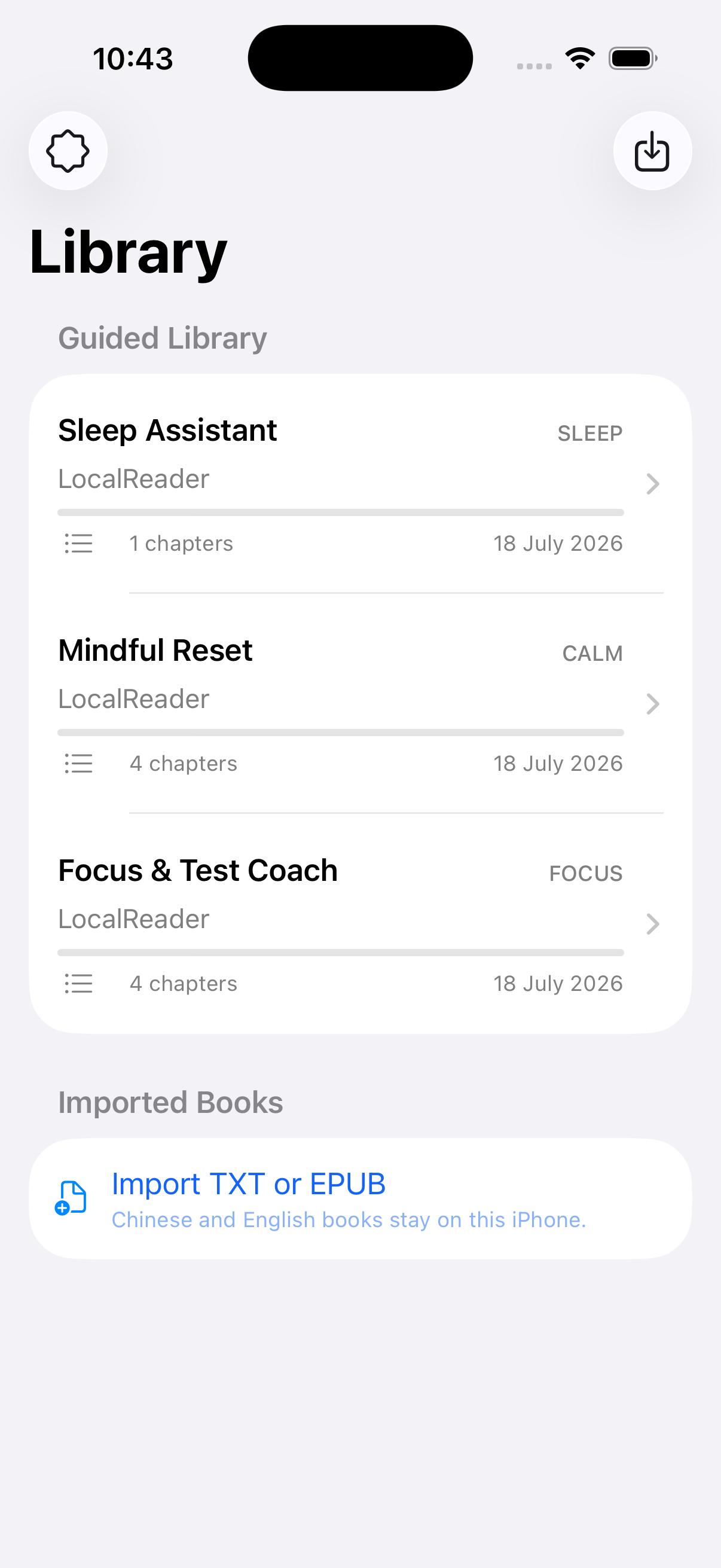
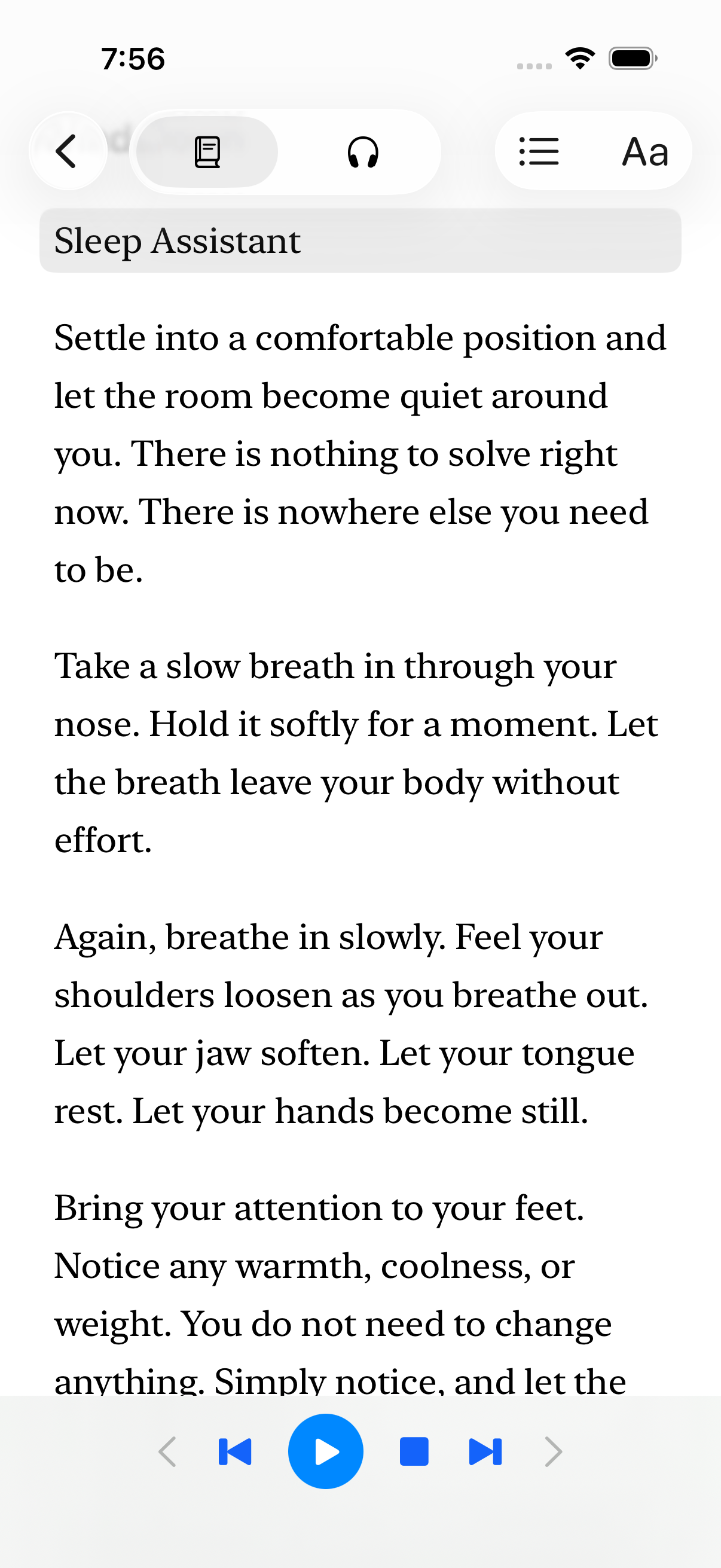
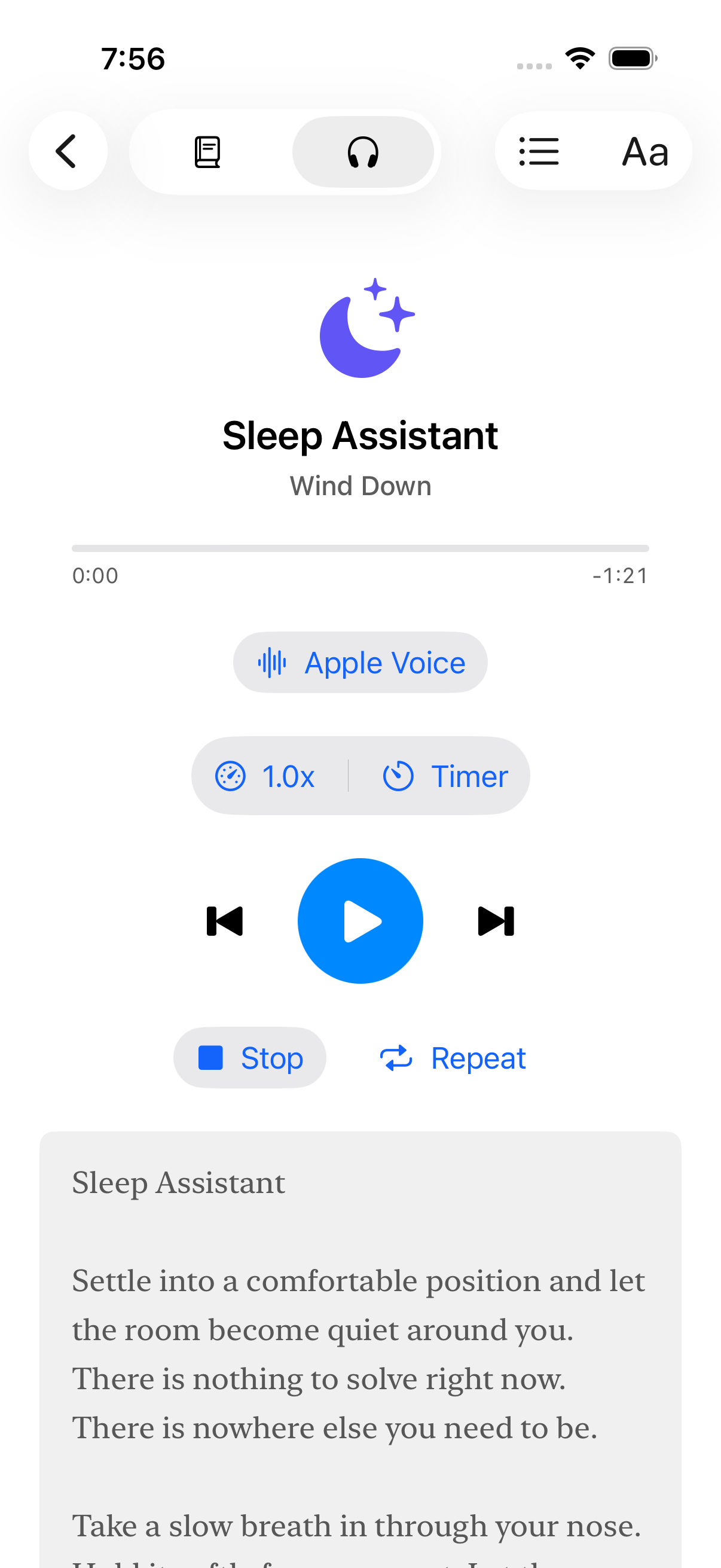
Imports TXT and EPUB books or text-based study materials from Files. Opens supported documents directly from the iOS share/open flow. Decodes UTF-8, UTF-16, GBK, GB18030, and GB2312 text. Parses chapters and EPUB tables of contents when available. Supports Chinese, English, and mixed-language reading. Keeps visual reading and spoken playback at the same position. Generates natural speech on-device with a bundled Kokoro-82M Core ML model, with Apple system voices as a fallback. Continues audio in the background with lock-screen controls and a sleep timer. Stores the library, progress, and preferences locally—no account, analytics, cloud upload, or cloud TTS. Includes a Guided Library with Sleep Assistant, Mindful Reset, and Focus & Test Coach.
The focus guide helps a learner approach imported notes or text-based questions calmly and deliberately. The mindfulness and sleep guides can be read or played aloud with the same offline voice system.
How we built it
The app is native SwiftUI for iOS 18. The reading pipeline uses Foundation and Uniform Type Identifiers for local documents, a custom EPUB parser, robust text decoding, and UTF-16 offsets shared by the reader and audio engine.
Speech is handled with AVFoundation. For the local AI voice, the app bundles Kokoro/Core ML assets and a pinned Swift speech package. Text is split into model-safe chunks, generated into 24 kHz audio, trimmed, and fed into a three-buffer AVAudioEngine queue. Progress, highlighted sentences, elapsed time, background playback, and remote commands all follow the same canonical text position.
July 20 voice reliability update: Human Voice now validates and normalizes generated samples, repairs isolated invalid samples, retries with background-safe compute, and splits recoverable failures into smaller subchunks. The narration pipeline skips punctuation-only input, respects short Mandarin sentences and quoted dialogue, protects the first phoneme with leading padding, and applies dialogue-, sentence-, and paragraph-aware pauses.
StoreKit 2 provides one-time Pro unlock scaffolding. XCTest and XCUITest cover import formats, chapter detection, progress restoration, StoreKit behavior, voice generation, accessibility sizing, and read/listen journeys.
Codex helped turn the initial reader into a submission-ready product: exploring the codebase, adding the Guided Library, tightening metadata, extending tests, and verifying the simulator build.
Challenges we ran into
Keeping AI truly local. The voice model is large, and on-device generation has real memory, latency, and thermal constraints. Apple TTS remains a reliable fallback while physical-device validation continues.
Making text and audio agree. EPUB chapters, multibyte Chinese encodings, speech chunks, sentence highlighting, and saved progress all need to point to the same place. UTF-16 offsets became the shared contract.
Natural continuous playback. Short model windows can create gaps or produce invalid audio for difficult text. A look-ahead queue, ordered buffers, silence trimming, language-aware chunking, output validation, background-safe retry, and subchunk recovery make narration more resilient while preserving the original text.
Privacy without losing convenience. We deliberately avoided accounts, analytics, document uploads, and cloud speech while still supporting Files import, background audio, and lock-screen controls.
Accomplishments that we're proud of
Real English and Mandarin Kokoro/Core ML audio generation works in automated tests. The updated Human Voice regression suite passes 49 tests with zero failures, including real English/Mandarin generation and reported Mandarin dialogue. The app imports stored and compressed EPUBs plus several Chinese TXT encodings. Reading and listening progress stays synchronized across relaunches. The Guided Library now covers study preparation, mindfulness, and sleep without making medical claims. The updated app compiles successfully for iPhone Simulator, and the new guide and metadata tests pass.
What we learned
Local AI is not only about chat. A small, focused on-device model can make a familiar tool feel more private, accessible, and humane. We also learned that trustworthy offline UX depends as much on careful file parsing, playback state, fallbacks, and testing as it does on the model itself.
What's next for LocalReader
Complete physical-iPhone audio, battery, thermal, VoiceOver, and background-playback validation. Reduce initial download size with Apple-hosted Background Assets for the Pro voice model. Add optional PDF/OCR import. Explore private on-device study features such as summaries and question generation only when they can preserve the same local-first promise. Localize the interface while continuing to support Chinese and English content.
Built With
- avfoundation
- coreml
- epub
- ios
- kokoro
- storekit
- swift
- xctest
- xcuitest

Log in or sign up for Devpost to join the conversation.