Inspiration
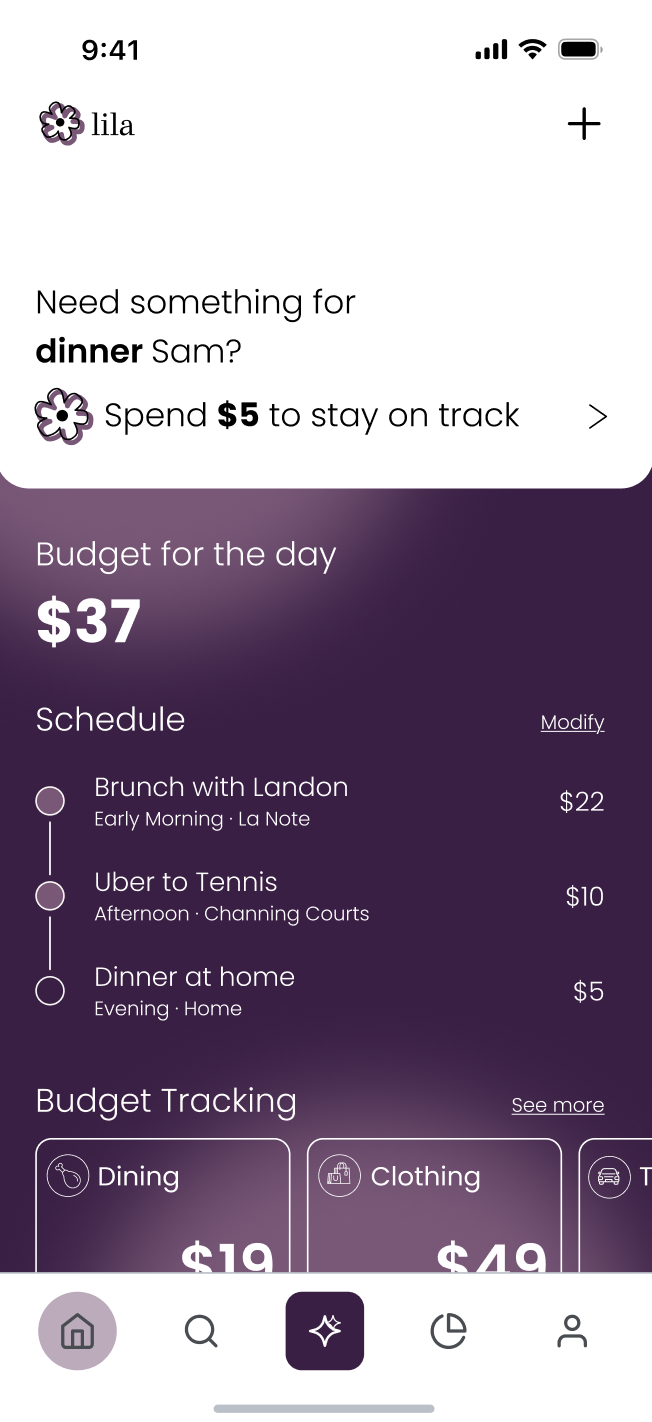
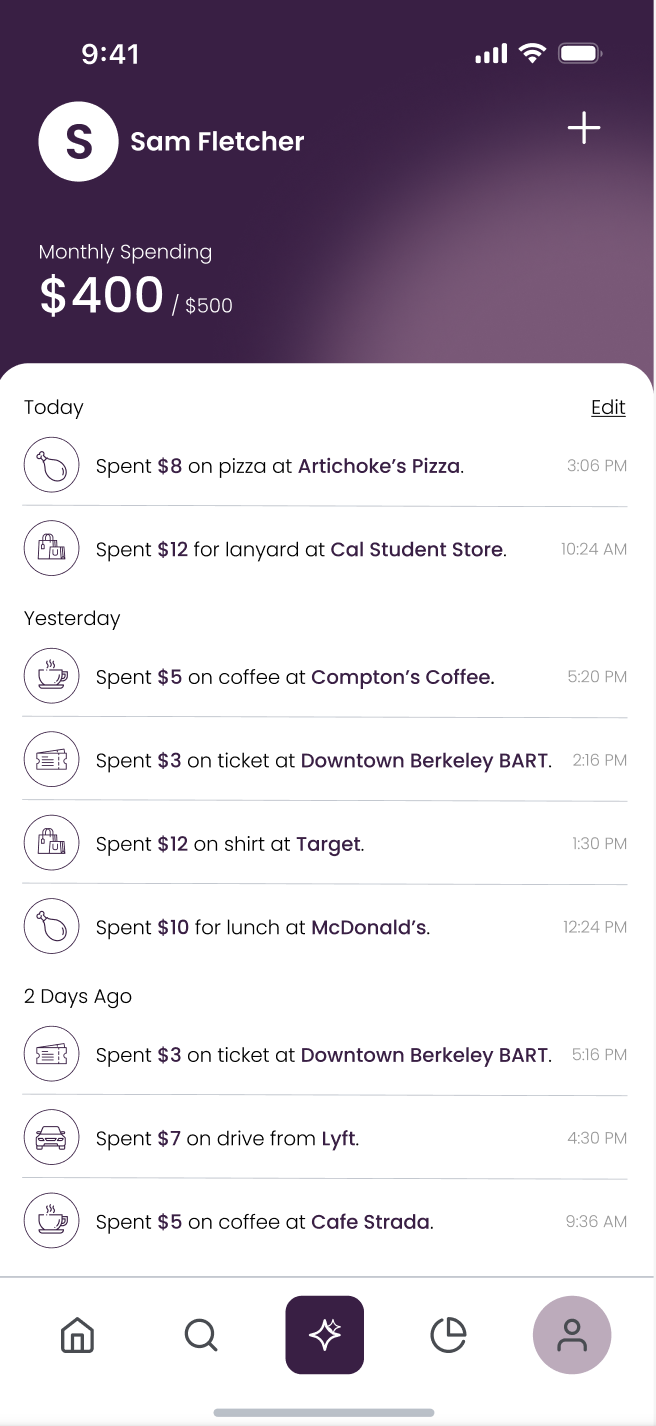
Most budgeting apps feel like a report card. You find out you overspent after the fact, and the only advice is "spend less." But real life isn't a spreadsheet. A friend invites you to dinner, you grab a coffee on a rough day, and you shouldn't have to feel guilty about it. You also shouldn't wreck your month.
We wanted a budget app that is proactive at the moment of the decision. It should be as easy as texting a friend, and it should be about making room for the things that matter, not just cutting back.
What it does
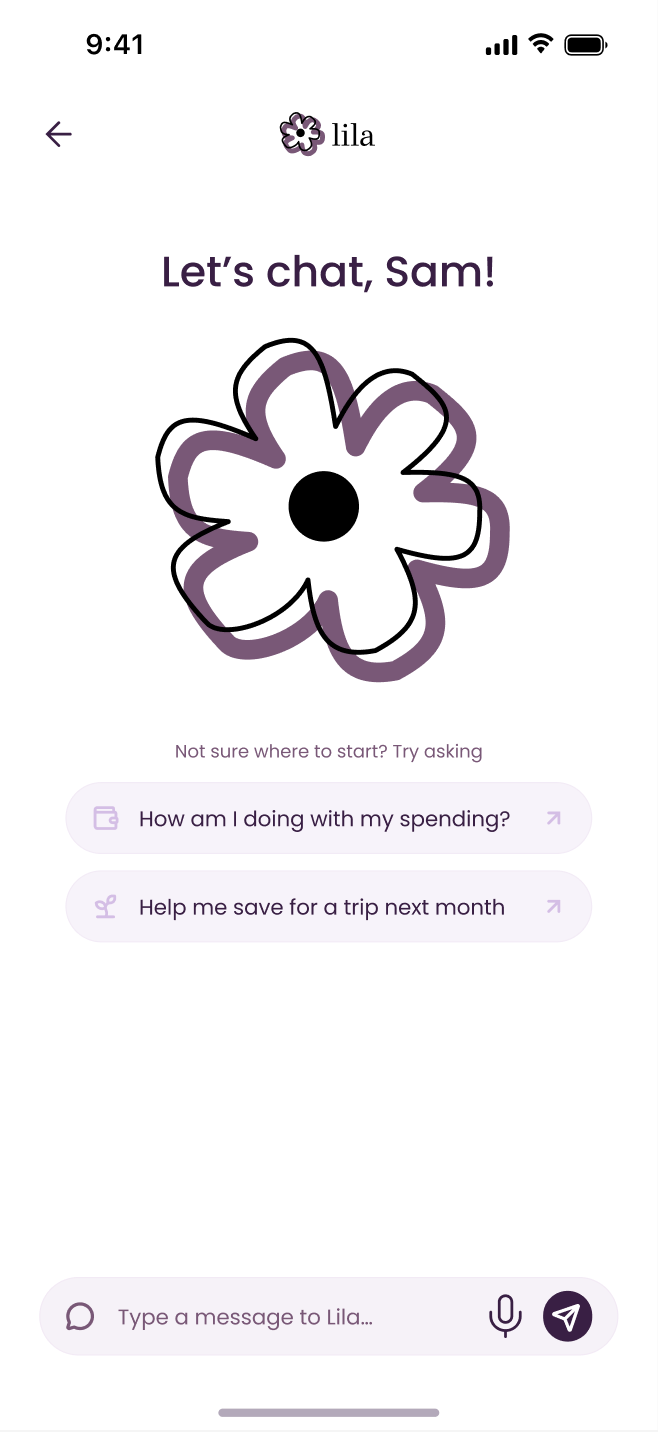
Lila is a financial companion app with a conversational agent you can reach by text, chat, or voice.
- Say yes to life. Forward Lila a dinner invite and she checks your real spending and tells you where you stand, e.g. "Dining has $38 left, the $55 dinner is $17 over." Then she gives you options on where to get dinner within your budget.
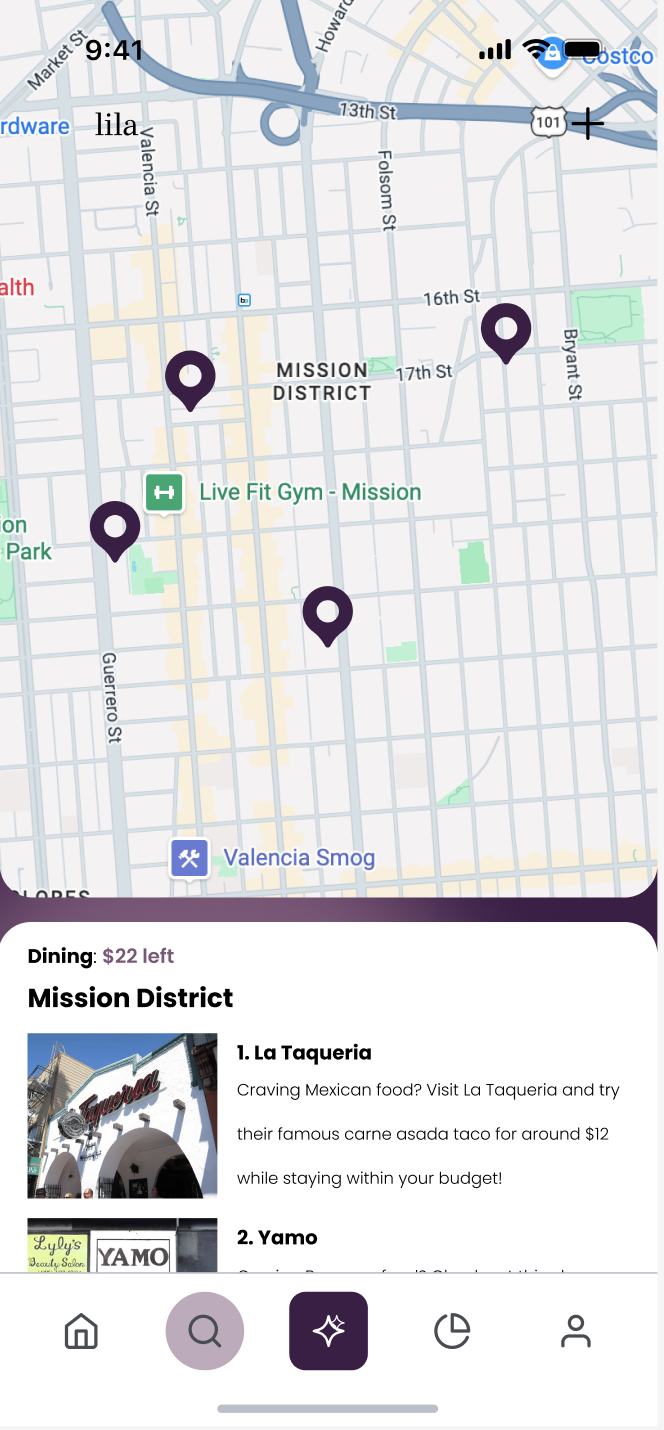
- Tight budget? Lila finds alternatives. When a category is running low, Lila suggests cheaper nearby spots that fit what you can spend. Results show on a map in the Nearby tab.
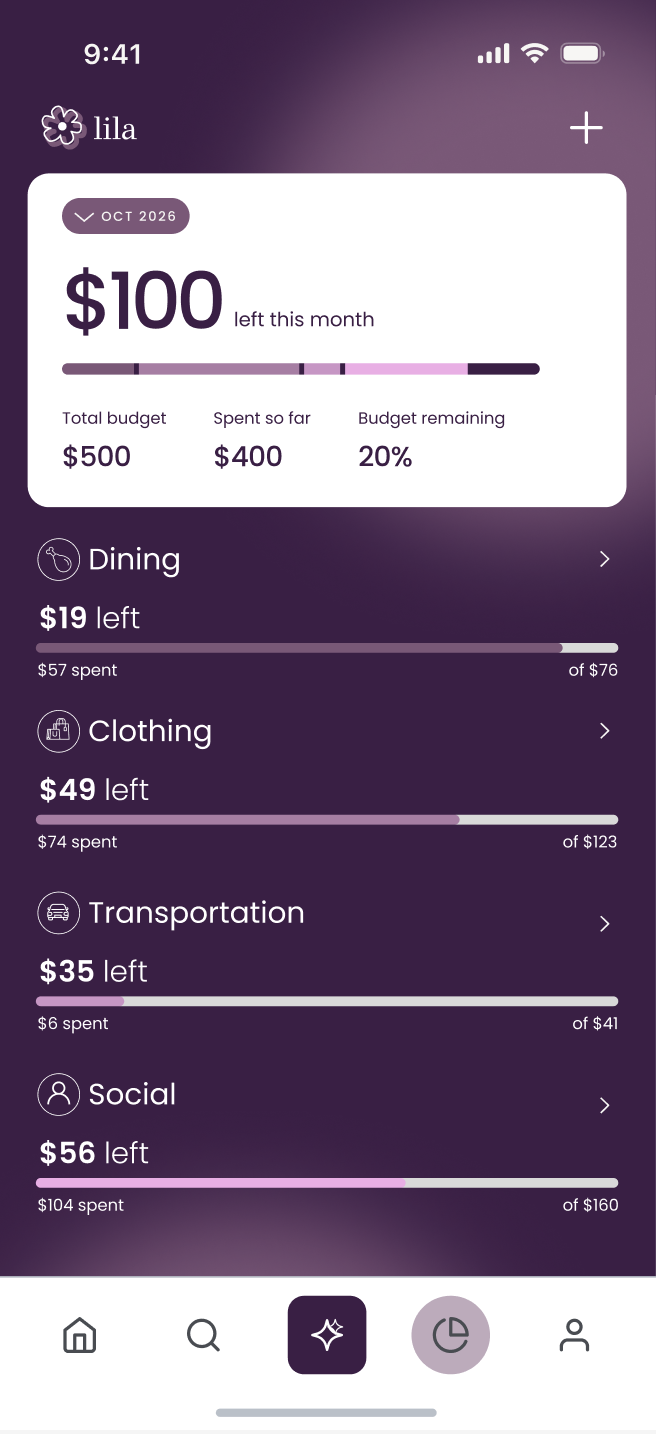
- Reallocate instead of restrict. Lila can pull unused money from a high-budget category (say, Clothing) and move it to the one you need (Dining). You can ask in plain words ("move $20 from Clothing to Dining"), and it applies right away. Text or say undo to reverse it.
- Your call, always. You can choose not to spend at all. Purchases only happen after an explicit YES said through voice, chat, or text, and that approval is enforced in code, not just by the prompt.
- Location-aware heads-ups. When you walk into a cafe or a clothing store, Lila texts you what your budget looks like there, before you order.
- Talk to her. Hands-free voice conversations (Cartesia speech-to-text and text-to-speech) and a memory (Moss) that remembers what you tell her ("I'm vegetarian," "I'm saving for a trip").
- Real data. Budgets run on transactions imported from the Capital One Nessie sandbox, and approved alternatives are paid through Nessie as real purchases in the sandbox account.
How we built it
- Frontend: React 19 + Vite, mobile-first UI converted from our Figma designs, with Leaflet/OpenStreetMap for the Nearby map. Wrapped with Capacitor into a real Android APK, and installable on iPhone as a home-screen web app.
- Agent: A Claude agent (Anthropic SDK) with tools to read budgets and purchases, move budget between categories, search the web for cheaper alternatives, remember facts, propose purchases, and confirm them. Zod validates tool inputs.
- Texting: Bandwidth SMS and a webhook let you text Lila from your phone, and Lila text you first for location heads-ups.
- Voice: Cartesia Ink for transcription and Sonic for spoken replies, in a hands-free listen → think → speak loop.
- Memory: Moss semantic search over what users tell Lila, with a built-in fallback.
- Banking data: Capital One Nessie API for accounts and purchases.
- Places: Google Places (photos) and OpenStreetMap Nominatim (geocoding, nearby places).
- Backend and deploy: A Node server with shared file-backed state, private pairing links, and a Render blueprint; ngrok for phone rehearsal. Budget logic uses integer cents, with unit tests for the invariants.
Challenges we ran into
- Giving an LLM access to money safely. We didn't want "the model said yes" to move funds. Purchases only go through if the user's own message is exactly YES, the action matches the pending proposal, it hasn't expired, budgets haven't changed, and Nessie was refreshed. Two approvals arriving together can only start one payment, and payment attempts are saved first so a timeout never double-charges.
- Budget moves vs. friction. Requiring confirmation for every budget move felt clunky, so we made moves apply instantly with text-undo, and kept strict approval only for purchases.
- Texting limits. The SMS trial caps messages at ~129 characters, so replies are cleaned to plain ASCII and split intelligently.
- Design to code. Turning Figma frames into a polished, responsive mobile UI while the backend was changing under us.
Accomplishments that we're proud of
- An end-to-end loop that actually works on a real phone: forward a dinner invite → Lila reads your real transaction data → suggests a cheaper spot → moves budget → pays the approved option → the app updates live.
- A safety model for agent-driven payments that is enforced in code and covered by tests.
- Three ways to reach the same agent (SMS, in-app chat, hands-free voice) with shared memory and rules.
- A shipped Android APK, plus a hosted demo.
- A budgeting product with a different philosophy: help people spend well, not just spend less.
What we learned
- The best financial UX happens at the point of decision, not in a monthly report.
- Guardrails for agents belong in code, not just prompts.
- Voice and SMS feel much more personal than dashboards, and small details (undo, short replies, not interrupting) matter a lot.
- Mobile realities, such as permissions, background location, HTTPS-only microphones, and SMS limits, shape the product more than we expected.
What's next for Lila
- Native background location so Lila can text you when you walk into a store, even with the phone in your pocket.
- Real accounts and multi-user support (Supabase auth, atomic server-side transfers) instead of the single-user demo.
- Real bank connections beyond the Nessie sandbox.
- Smarter reallocation: learning your patterns, such as always under-spending on clothes, and proactively suggesting budget shifts.
- A native iOS build and richer spending-pattern and savings-goal insights.
Lila: Sponsor Track Add-ons
What it does (again!)
Lila is a proactive AI financial companion for college students and new grads managing money on their own for the first time. Instead of reporting overspending after the fact, she steps in at the moment of the decision: forward her a dinner invite, text her, or talk to her, and she checks your real transactions, tells you where you stand, finds cheaper nearby options, and can move budget between categories so you can say yes to life without wrecking your month. Purchases only happen after an explicit YES, enforced in code.
Anthropic: Thoughtful Use of Claude
Named community: College students and new grads handling personal finance independently for the first time.
Real problem: Budgeting apps feel like a report card. You learn you overspent after the fact, get told to "spend less," and feel guilty about a coffee on a rough day or a dinner with friends. First-time budgeters need help in the moment, not a monthly summary.
How Claude matters: Claude is the core of Lila, not a wrapper. Using the Anthropic SDK, a Claude agent has tools to read budgets and purchases, move budget between categories, search the web for cheaper alternatives, remember facts about the user, and propose and confirm purchases. Zod validates every tool input. Claude turns a forwarded invite ("$55 dinner") into a grounded answer ("Dining has $38 left, the $55 dinner is $17 over") plus options that fit the budget.
Where it could go wrong, and what we did:
- Moving money on a model's say-so. A purchase only goes through if the user's own message is exactly YES, the action matches the pending proposal, it hasn't expired, budgets haven't changed, and Nessie data was refreshed. Two simultaneous approvals can only start one payment, and payment attempts are saved first so a timeout never double-charges. This is enforced in code and covered by tests, not left to the prompt.
- Friction vs. safety. Budget moves apply instantly with text-undo, while purchases keep strict approval.
- Guilt and pressure. Lila's philosophy is "make room for what matters," and the user can always choose not to spend.
- Made-up numbers. Budget logic uses integer cents and real transaction data, so Claude reasons over facts instead of guessing.
Microsoft: Grand Prize "Built for the Real World" and Customer Impact Award
Customer understanding: Our user is a college student or new grad budgeting alone for the first time. They don't need another dashboard. They need guidance at the point of decision, on the channels they already use (text, chat, voice).
Measurable usefulness: Lila turns a decision into a concrete number ("$38 left, the $55 dinner is $17 over"), then offers an in-budget alternative or a one-line budget reallocation ("move $20 from Clothing to Dining"). Success is staying on budget while still saying yes to social plans.
End-to-end functionality: Forward a dinner invite, Lila reads real transaction data, suggests a cheaper spot on the Nearby map, moves budget, pays the approved option, and the app updates live. It runs on a real phone (Android APK, plus installable iPhone web app).
Responsible design: Agent-driven payments are gated by exact-YES confirmation, proposal matching, expiry, budget-change checks, single-payment locking, and payment-attempt persistence to prevent double charges. Every budget move is undoable. Users can always decline.
Path from prototype to production: Next steps are real accounts and multi-user support (Supabase auth, atomic server-side transfers), real bank connections beyond the Nessie sandbox, native background location, and smarter reallocation from spending patterns. The backend already uses integer-cent math with unit-tested invariants and a Render deploy blueprint.
Visa: Reimagining Shopping
Lila reimagines shopping by moving budgeting from after the purchase to before it. Walk into a cafe or clothing store and Lila texts you what your budget looks like there. If the category is running low, she finds cheaper nearby alternatives on a map, lets you reallocate budget instead of restricting yourself, and pays the option you approve.
- Innovation: a proactive spending companion that acts at the point of purchase and treats budgeting as "making room," not cutting back.
- User experience: reach the same agent by SMS, in-app chat, or hands-free voice, with short plain replies, instant undo, and no jargon.
- Technical execution: a Claude agent with validated tools, location-aware nudges, web search for alternatives, and Nessie-backed payments.
- Commerce impact: the user steers toward options that fit their budget, so local merchants get a spend that is realistic and intentional rather than a guilt-driven skip.
- Trust and responsibility: purchases require an explicit YES enforced in code, the user always has the final say, and plain-language messages show exactly what will happen.
Cartesia: Best Use of Cartesia
Voice is core, not a feature. Lila is meant to feel like texting or talking to a friend. In the hands-free voice mode, Cartesia Ink transcribes what you say and Cartesia Sonic speaks Lila's replies in a continuous listen, think, speak loop. You can ask "can I afford dinner tonight?", say "move $20 from Clothing to Dining," or say "undo," all without touching the screen.
- Problem and originality: budgeting help at the moment of decision, usable when your hands are busy or you're on the move.
- Use of Cartesia: Ink (speech-to-text) and Sonic (text-to-speech) power the main voice flow, sharing the same agent, memory, and rules as SMS and chat.
- Execution: the full flow works end to end on a real phone, including voice-approved purchases with the same exact-YES safety checks.
- Impact and responsibility: voice lowers the barrier for people who dislike dashboards or typing, and payments stay gated by explicit confirmation. Known limitation: browsers require HTTPS for microphone access, and we kept replies short so they work well spoken aloud.
Moss: Best Use of Moss
Lila is a voice-capable personal agent that remembers you. Moss provides semantic search over what users tell Lila ("I'm vegetarian," "I'm saving for a trip"), so suggestions fit the person, not just the budget. If Lila suggests a cheaper dinner spot, vegetarian options come first. If you're saving for a trip, that shapes her advice.
- Memory is shared across SMS, in-app chat, and hands-free voice, so you never repeat yourself.
- Moss runs as the retrieval layer for the agent's remember and recall tools, with a built-in fallback so the app keeps working if retrieval is unavailable.
- It makes Lila feel like a friend who knows you, which is what makes budgeting advice feel supportive instead of judgmental.
Capital One: Best Use of Nessie
Nessie is Lila's source of truth for money, which makes the agent's advice grounded instead of guessed.
- Completeness: transactions are imported from the Nessie sandbox to build real category budgets, and approved alternatives are paid through Nessie as real purchases in the sandbox account, closing the loop from advice to action.
- Creativity: Nessie data powers proactive, location-aware guidance ("what can I spend here?") instead of a typical after-the-fact transaction list.
- Complexity: before any payment, the system confirms the user's exact YES, matches it to the pending proposal, checks expiry, verifies budgets haven't changed, and refreshes Nessie data. Payment attempts are saved first so a timeout can't double-charge, and concurrent approvals start only one payment. Budget math uses integer cents with unit tests for the invariants.
Figma Award
Throughout this project, we used Figma to streamline our workflow across ideation, prototyping, handoff, and code generation. During ideation, we explored different concepts, refined our ideas, and established the overall direction of our project. In prototyping, we transformed those ideas into interactive experiences, allowing us to experiment with layouts, navigation, and functionality while quickly iterating on feedback. During handoff, we refined our designs to maintain consistency and ensure a smooth transition from concept to implementation. Finally, in code generation, we used Figma's development capabilities to turn our designs into a functional product, testing and improving the experience along the way. Each stage contributed directly to our final build, demonstrating how Figma can connect design and development in a unified workflow. Our final submission showcases this process through an interactive prototype, a working implementation, and a demo video highlighting the finished experience.
Addendum: What we learned
Giving an LLM access to money taught us that guardrails belong in code, not prompts. The best financial UX happens at the point of decision, not in a monthly report. And voice and SMS feel far more personal than dashboards, so small details like undo, short replies, and not interrupting matter a lot.
Built With
- android
- anthropic-sdk
- bandwidth
- capacitor
- capital-one-nessie
- cartesia
- cartesia-ink
- cartesia-sonic
- claude
- figma
- google-places
- leaflet.js
- moss
- ngrok
- node.js
- nominatim
- openstreetmap
- react
- render
- sms
- vite
- web
- zod


Log in or sign up for Devpost to join the conversation.