About Kompas
Kompas started from a simple frustration: in Ho Chi Minh City, there are too many places to go and too little time to decide. Existing apps are good at navigation, but weak at helping people decide where to go, why to go, and how to plan with others.
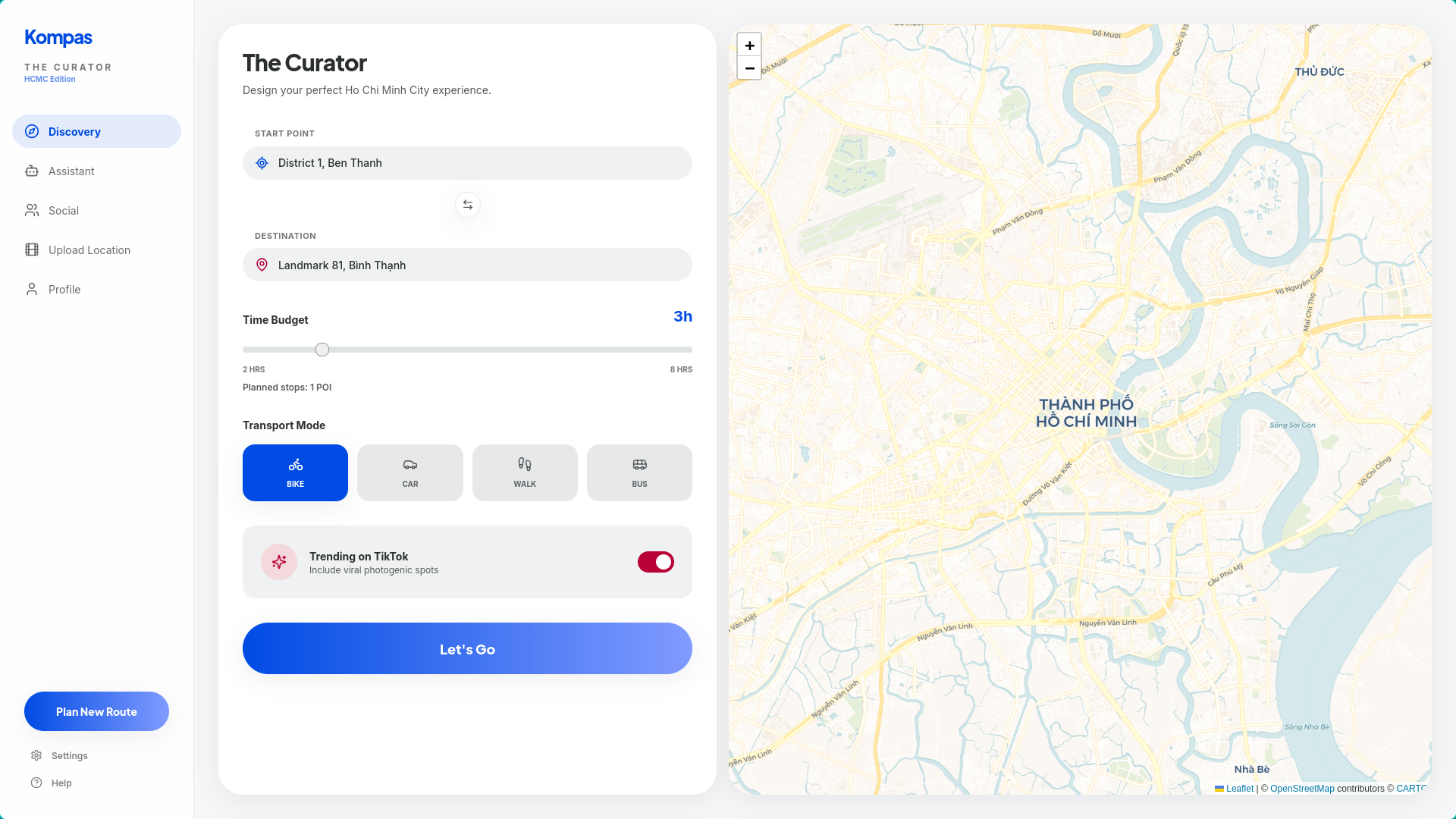
We wanted to build a planner that feels local, fast, and social, not just another generic “point A to point B” map. Kompas brings discovery, route planning, group coordination, and AI assistance into one flow, so users can go from idea to itinerary without switching between social media, maps, and group chat.
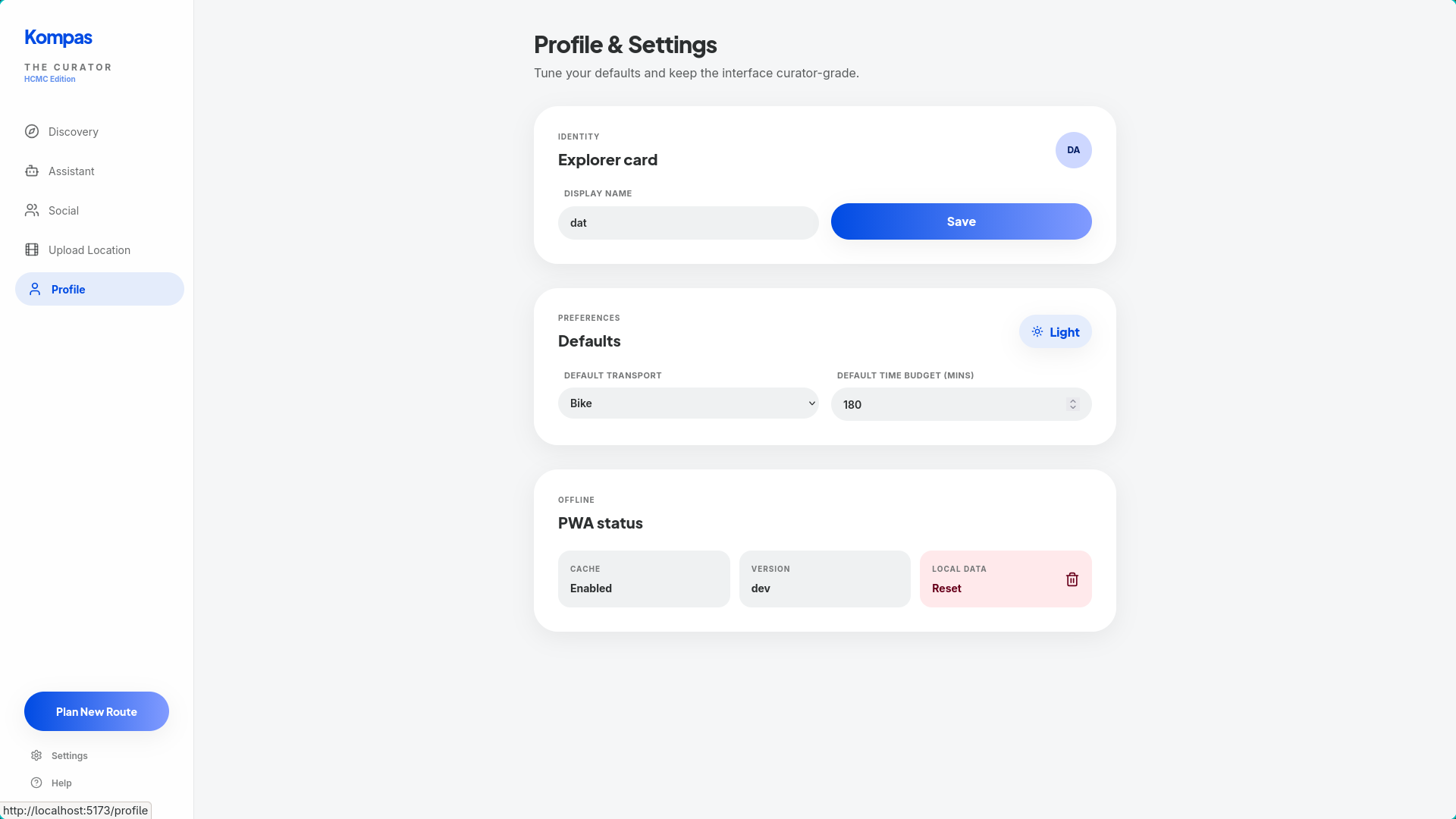
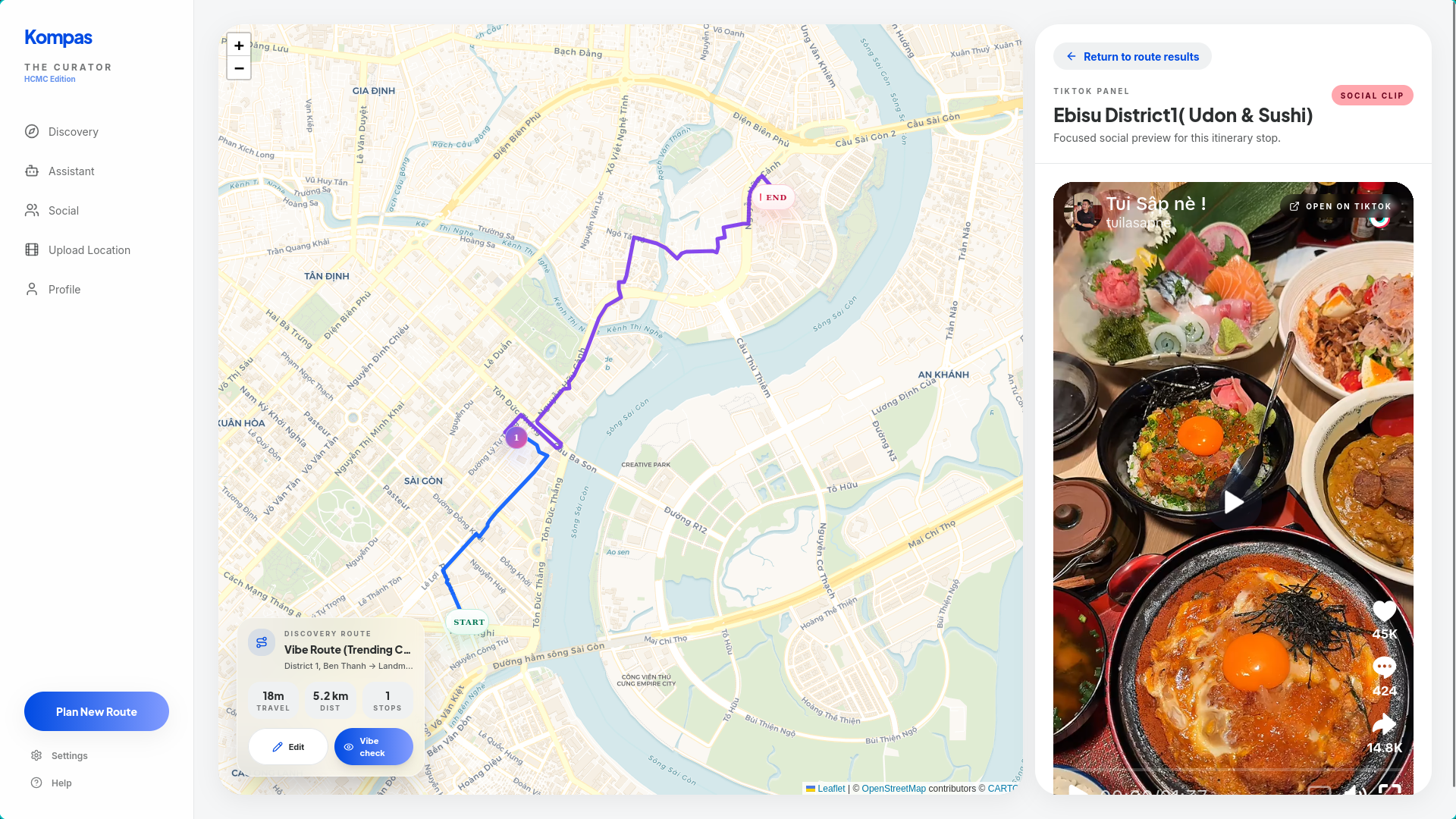
A user can discover trending places, search by preference, ask an AI assistant for help, build a route, and coordinate with friends from different starting points — all in one app.
What inspired us
We were inspired by how people actually discover places today: short-form videos, recommendations from friends, trending local spots, and spontaneous group plans.
Traditional map apps optimize for distance. Real people optimize for vibe, time, context, popularity, and convenience.
That insight shaped Kompas. We designed it around vibe-first discovery, where a place is not just a coordinate on a map, but a destination with social context. A quiet café, a scenic park, a late-night food stop, or a trending hangout each means something different depending on the user’s mood and situation.
Kompas is built around that real-world behavior. It helps users move from:
“I saw this place online”
to
“Here is the best plan, route, and meetup option.”
How we built it
Kompas is a full-stack web application that combines mapping, planning, AI processing, and social coordination.
Tech stack Frontend: React + TypeScript + Vite + Tailwind + Leaflet / React-Leaflet Core API: Go + Chi AI services: Python + FastAPI LLM and chatbot: OpenAI API Data + vector search: Zilliz/Milvus for assistant retrieval, Qdrant for UGC and POI indexing Data processing: Interfaze API Routing and geocoding: OpenRouteService first, Vietmap fallback, OpenStreetMap fallback IDE: Codex, Trae Core intelligence layers
1. AI-powered data processing
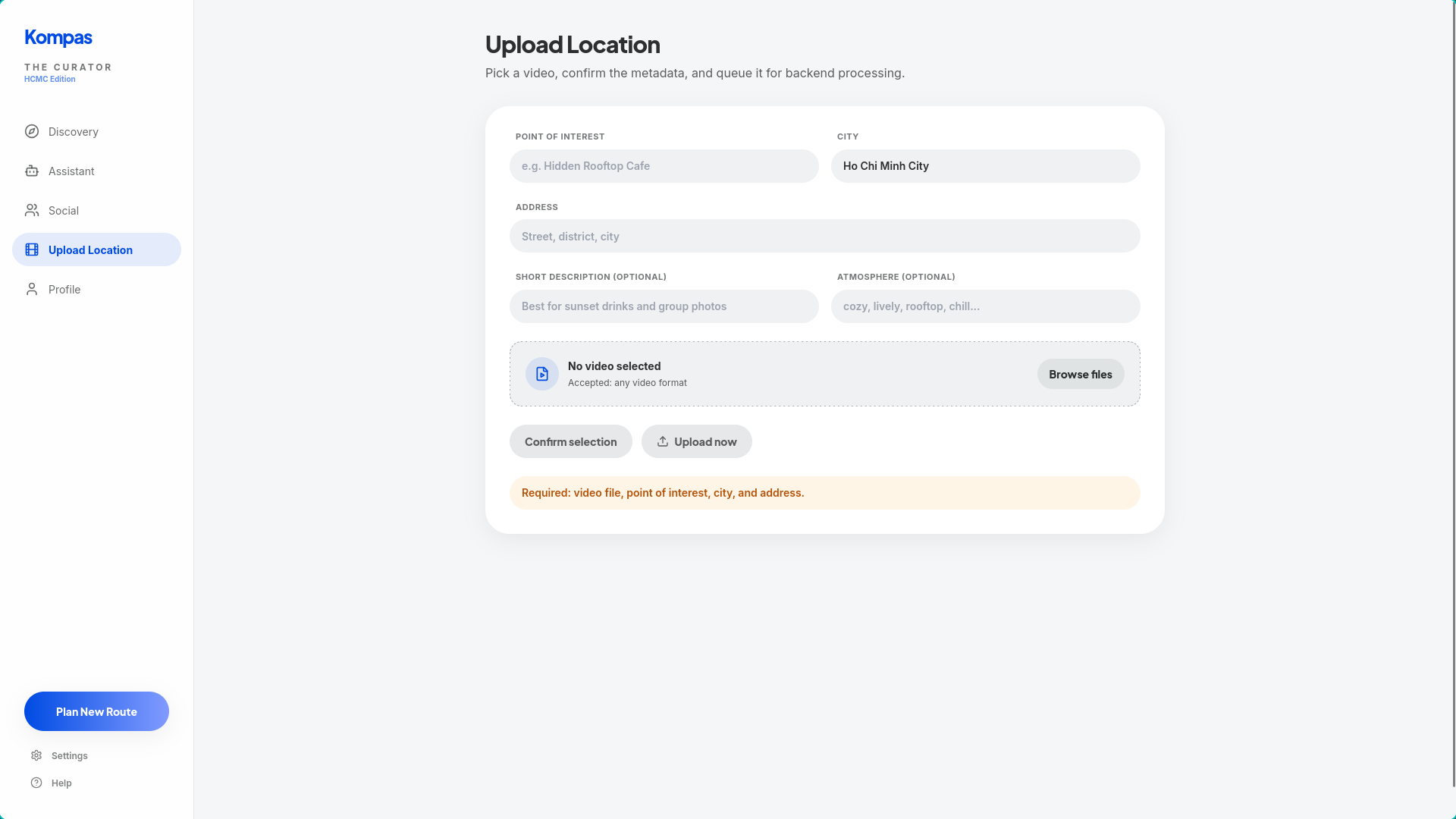
Kompas processes social and user-generated place data into structured Points of Interest (POIs).
Instead of treating social content as raw posts or videos, we transform it into searchable place intelligence. For this layer, we used the Interfaze API to process media-rich input and extract useful structured signals from content. This helps us turn unstructured social data into attributes that the system can actually reason over, such as place references, descriptive context, and other metadata relevant to discovery.
That processing layer is what allows Kompas to move beyond raw content and build a usable discovery system from information that would otherwise stay buried inside posts and videos.
2. Assisted planning
Kompas helps users go from discovery to an actual itinerary.
For discovery mode, we implemented a knapsack-based planner that selects stops under a time budget while limiting the number of stops by budget bands. In practice, this means the app chooses the most valuable combination of places that still fits the user’s available time.
This lets Kompas produce itineraries that are not only short, but also worth the user’s time.
We also added a “normal route” mode (A → B directions only) for assistant-driven routing, and improved route results with better travel-time estimation from real leg durations.
3. Conversational AI assistant
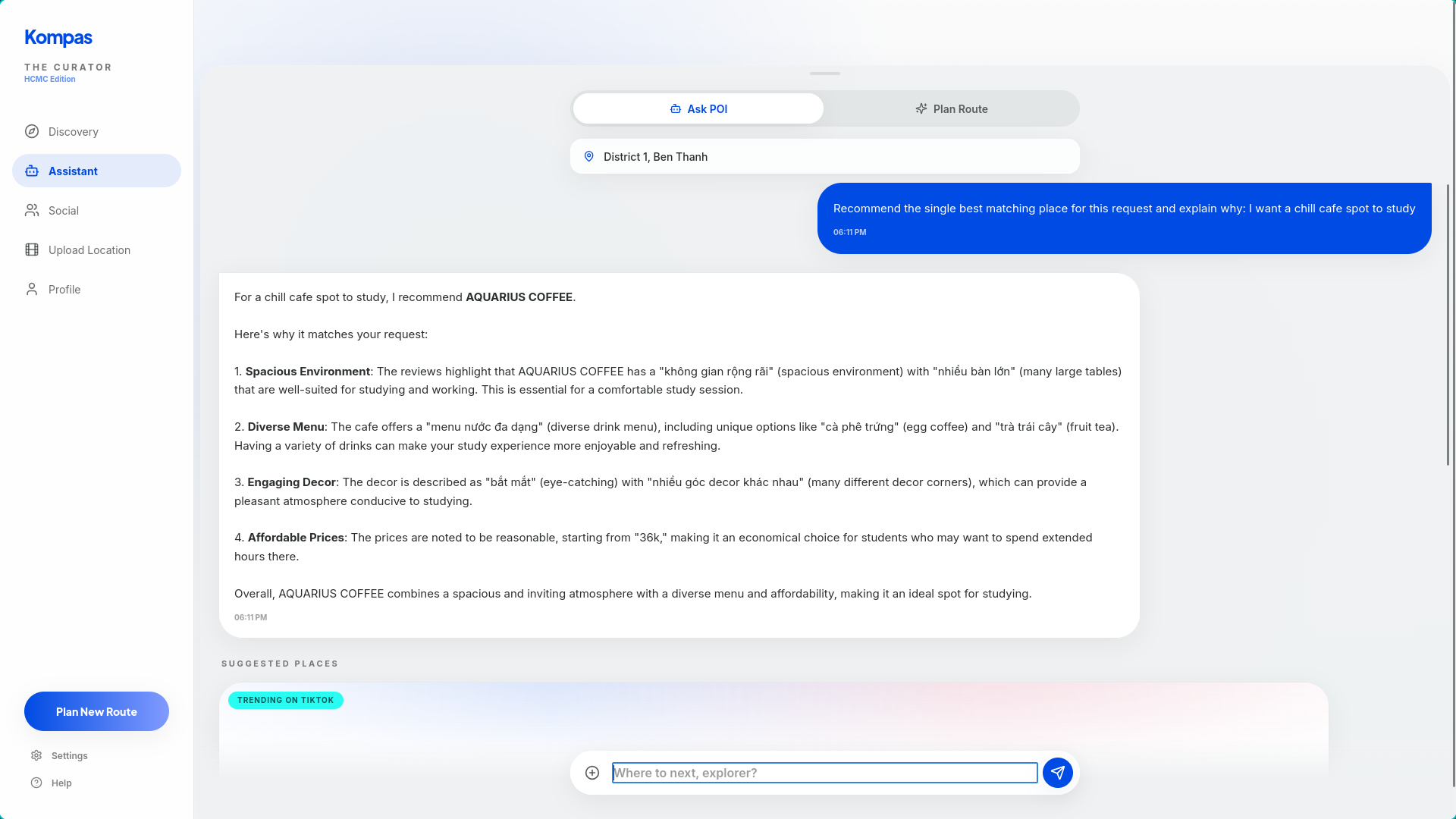
We added a chatbot so users can interact with Kompas in natural language instead of manually piecing together a plan.
Users can ask for things like:
“Find me a relaxed evening route with food and a park.”
“Suggest trending places near me.”
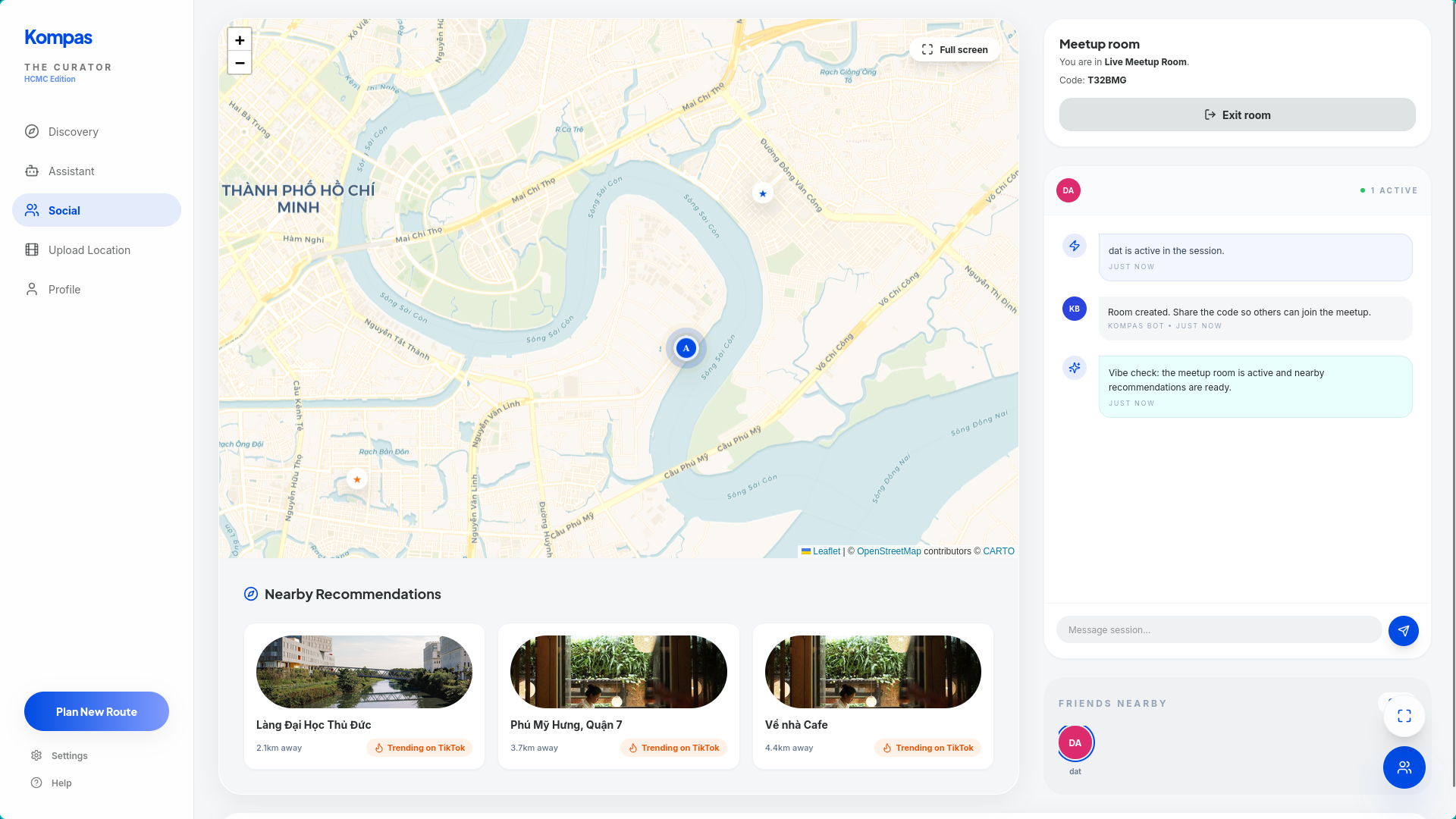
“Plan a meetup for four people starting from different locations.”
“Make me a short city trip with coffee, dinner, and a scenic stop.”
The conversational layer is powered by the OpenAI API, which allows the assistant to understand intent, generate natural responses, and help users plan in a flexible way. However, the chatbot is not just a generic assistant. It is grounded in Kompas’s own place data and planning logic.
To make that work, we use Zilliz/Milvus as the retrieval layer for assistant memory and semantic search over indexed place information. When a user asks for recommendations or a route, the system retrieves relevant POIs and contextual information from the database, then uses the OpenAI model to turn those results into useful, natural-language answers.
This architecture gives us a RAG-style assistant that is both conversational and grounded. Instead of hallucinating generic travel advice, it responds using the actual data Kompas has processed and stored.
4. Search and retrieval infrastructure
A big part of Kompas is making discovery feel fast and relevant.
We use Zilliz as a core vector database layer for assistant retrieval and semantic search, allowing the system to match user intent against place-related context rather than relying only on exact keywords. This is important because users often search in fuzzy, human ways such as “somewhere chill,” “good place for a night walk,” or “a trendy café near a park.”
By embedding and indexing POI-related information, Zilliz helps Kompas retrieve places that are contextually relevant, not just literally matched. This makes both search and chatbot responses feel much smarter and closer to how people naturally think.
Challenges we faced
Building Kompas was not just about adding features. The harder problem was making the experience feel stable, trustworthy, and practical.
Live map stability in Social Hub
User pins were jittering and refreshing too often after people joined rooms. This made the live map feel unreliable. We fixed it by stabilizing location updates and anchoring the display to the user’s actual tracked position.
Address search reliability
Strict Ho Chi Minh City filtering sometimes hid legitimate places. We replaced hard exclusion with smarter ranking and multi-provider geocoding fallback, which improved both relevance and resilience.
UI clutter and map overlays
Overlapping controls, hidden panels, and z-index conflicts made the interface harder to understand. We simplified the layout, removed redundant controls, and made the map experience more task-focused.
Data quality and normalization
Social and place data came with inconsistencies in UTF-8 handling and place naming. We had to normalize place names carefully so the data would render correctly, index consistently, and remain reliable for search and retrieval. The data is transcribed, so the accuracy of the claims of the videos are debatable.
Making AI helpful instead of superficial
Adding a chatbot is easy. Making it genuinely useful is harder.
The challenge was making sure the assistant stayed grounded in real POI data, routing constraints, and user context. That pushed us to improve our retrieval pipeline, data structure, and planning logic so the assistant could generate answers that were both natural and actionable.
What we learned
We learned that the quality of a city planning product depends heavily on resilience and trust.
Users need to trust that:
- the recommended places are actually relevant,
- the “nearby” labels are accurate,
- the route is practical,
- the group coordination is fair,
- and the AI assistant is helping them make decisions instead of adding noise.
From a technical perspective, we learned a great deal about combining:
- algorithmic planning,
- map and routing systems,
- AI retrieval,
- external AI APIs, and real-time collaboration into one coherent product.
More importantly, we learned that these parts only create value when they work together smoothly. Discovery should naturally lead into planning. Planning should naturally lead into coordination. And AI should reduce friction, not create another layer of complexity.
Built With
- codex
- exa
- fastapi
- golang
- interfaze
- openai
- openrouteservice
- openstreetmap
- python
- react
- trae
- typescript
- vietmap
- ziliiz

Log in or sign up for Devpost to join the conversation.