-
-
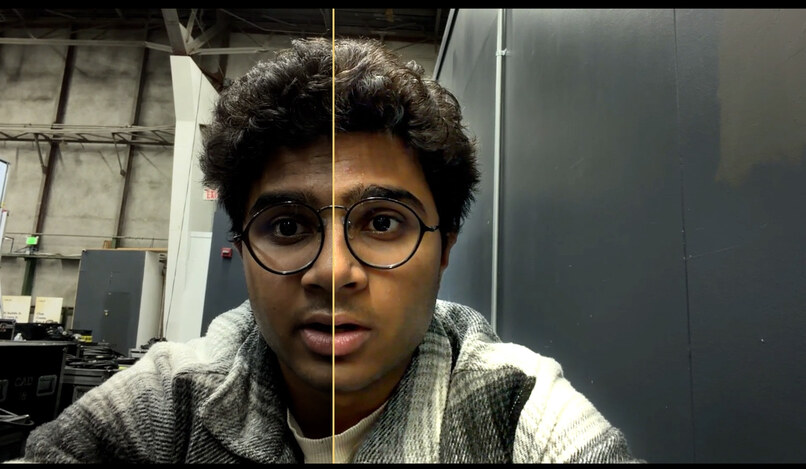
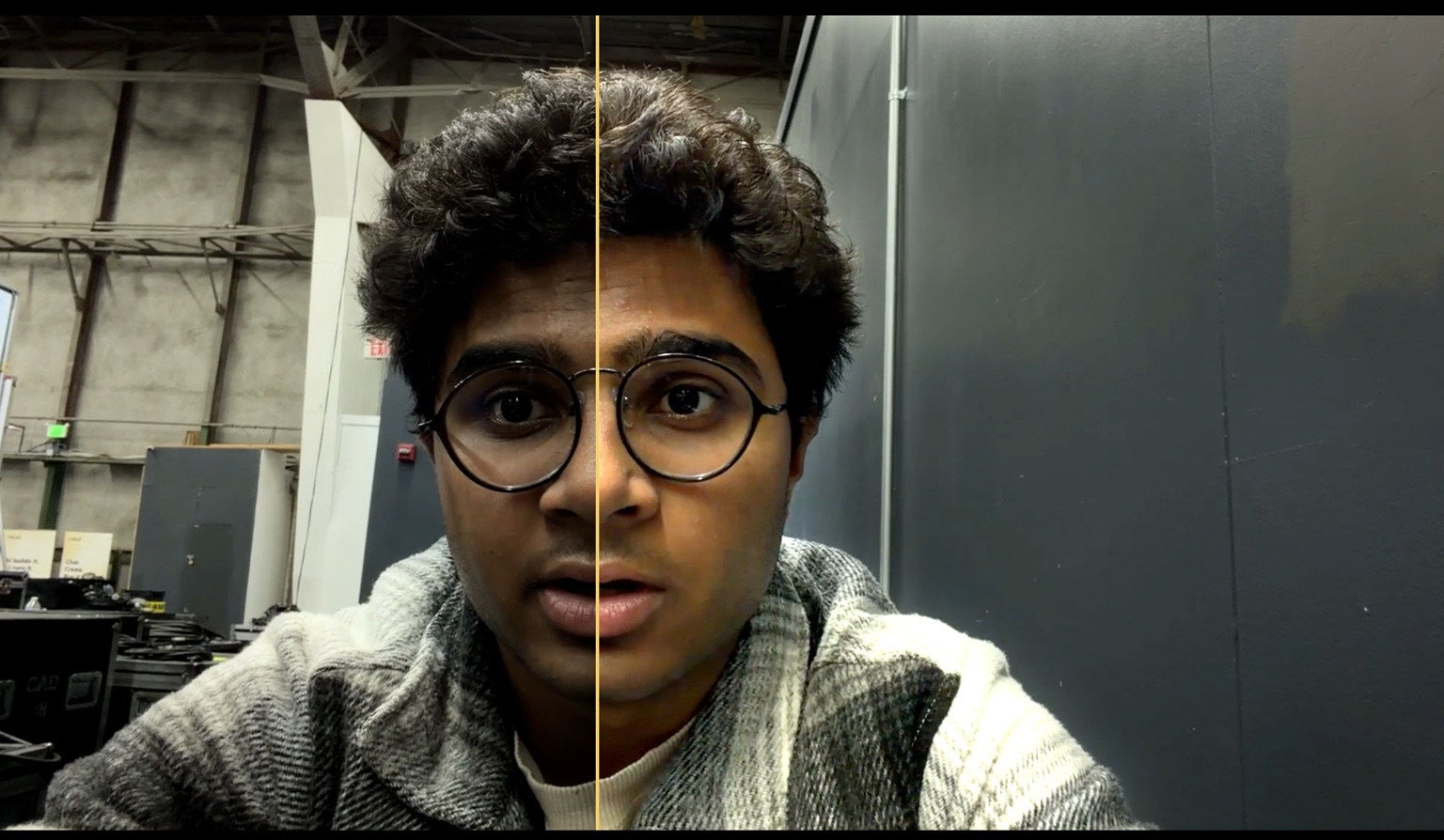
Original iPhone video on left, Keylight on right (background unchanged)
-
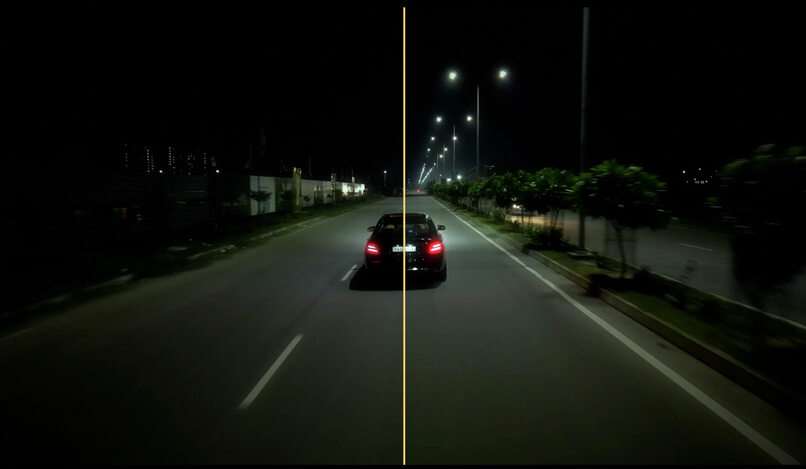
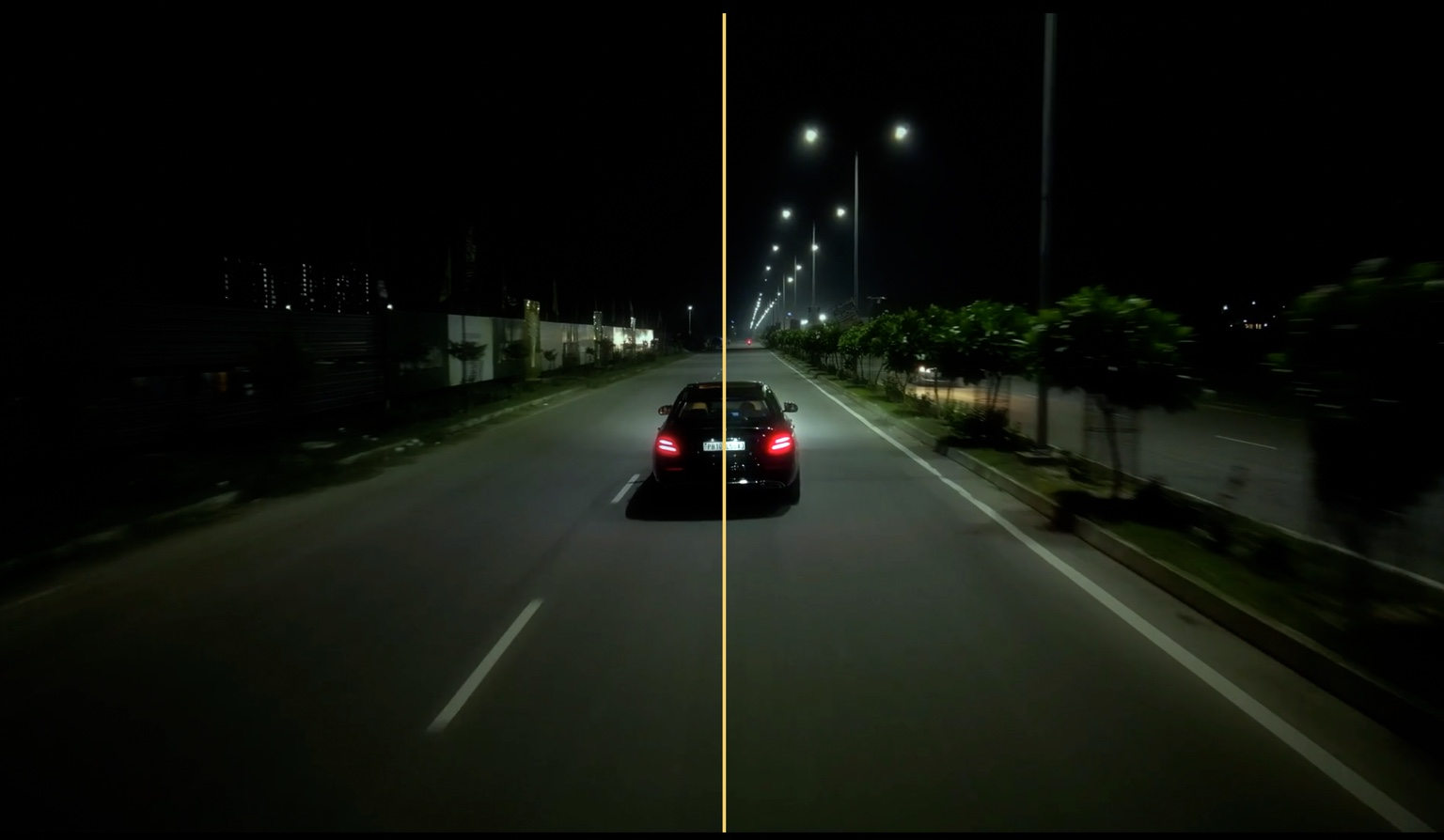
Original car footage on left, Keylight on right (background unchanged)
-
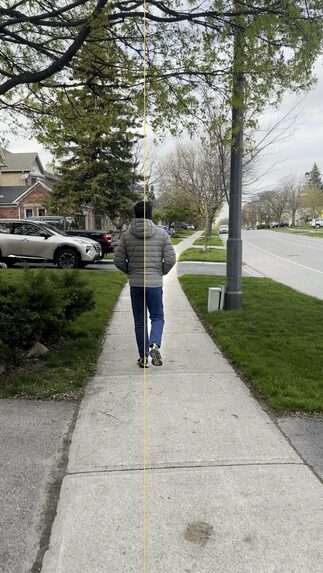
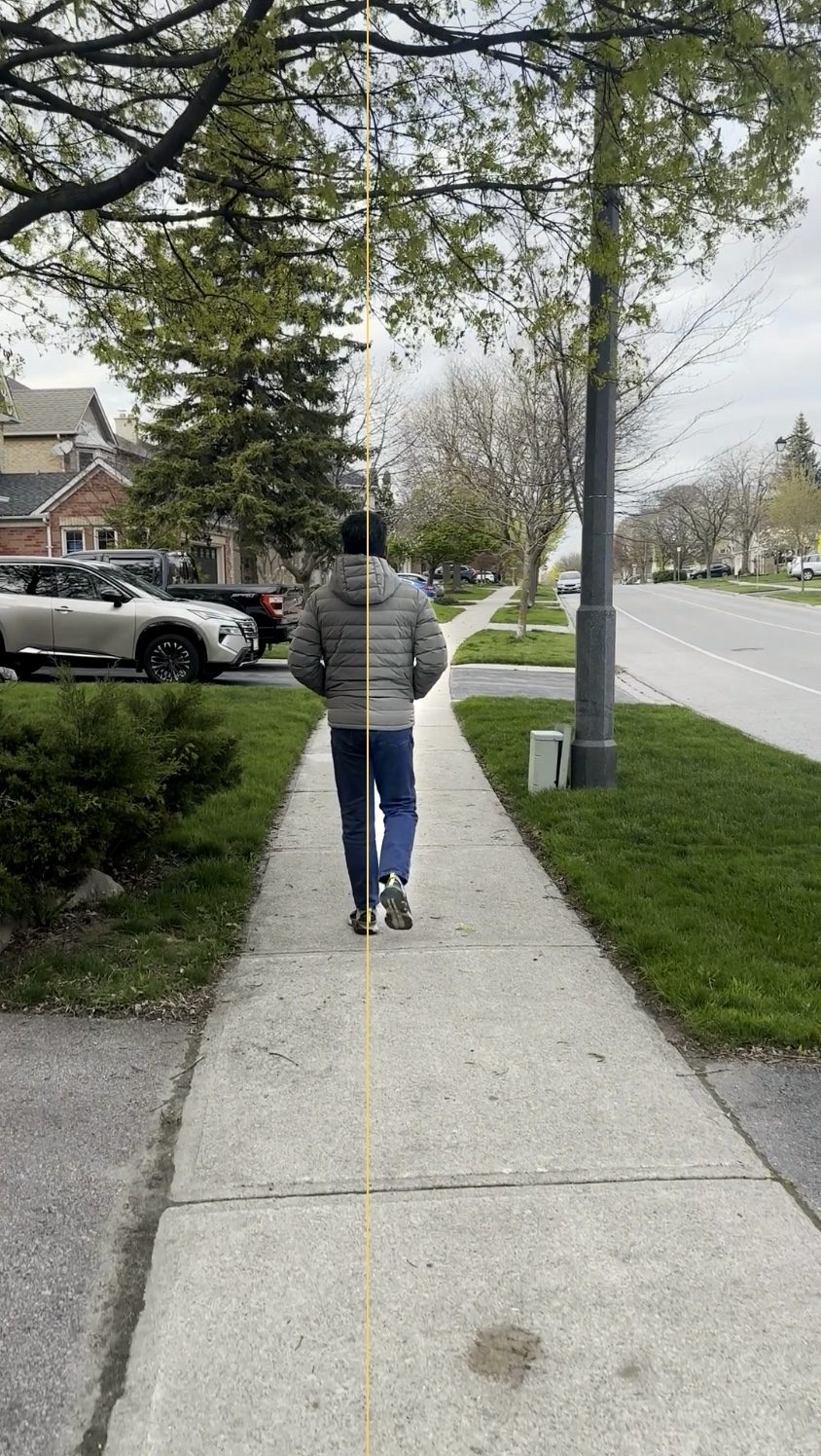
Original video on left, Keylight on right (only subject changed)
-
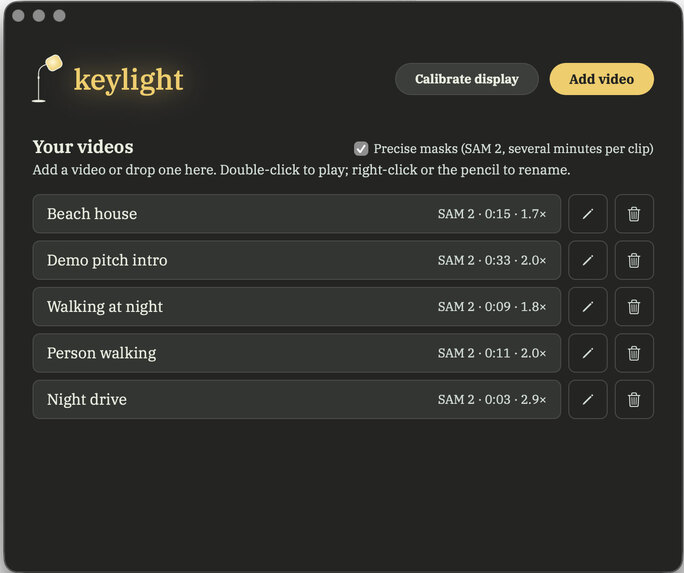
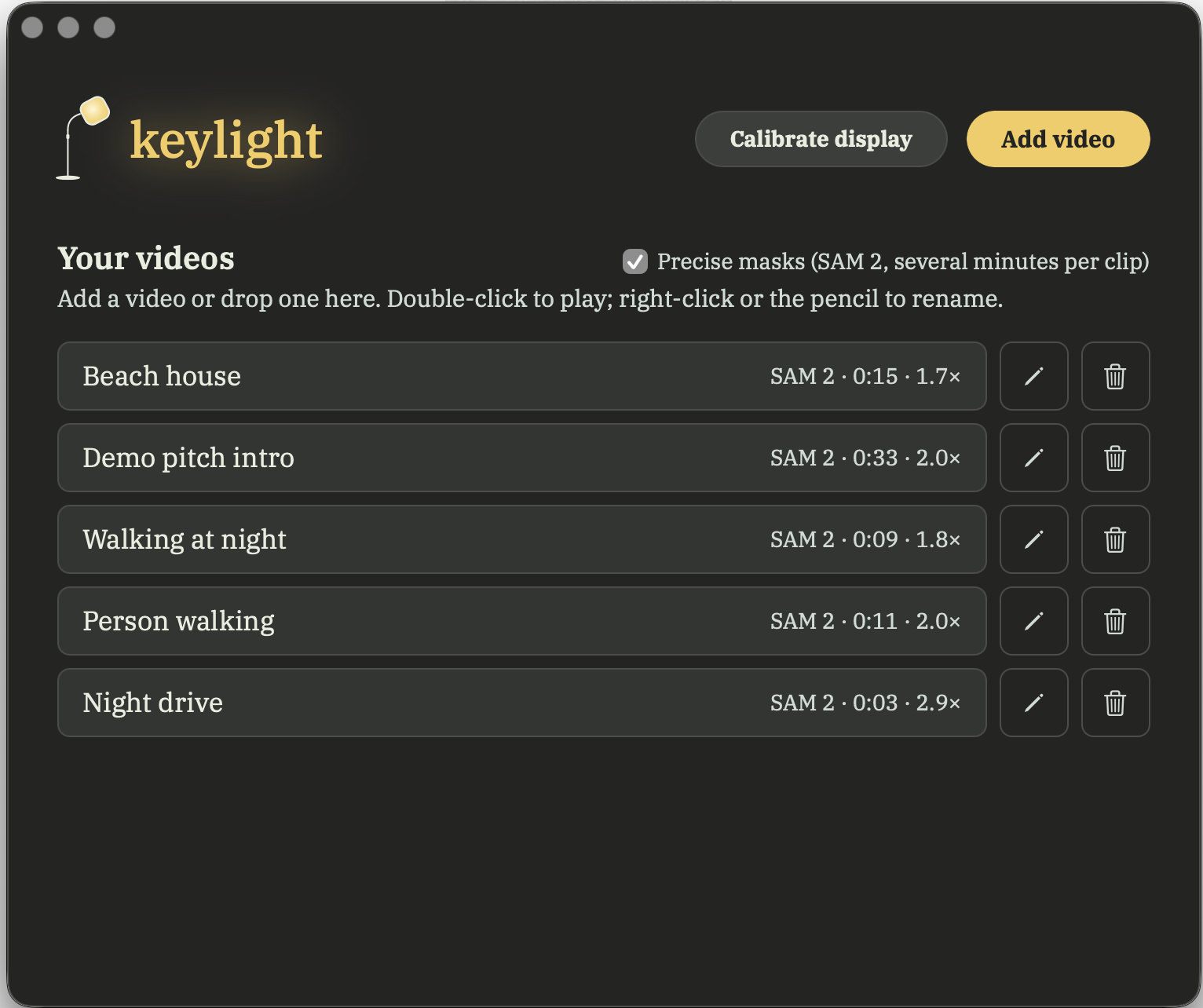
Keylight app menu (only on macOS currently)
Inspiration
Imagine watching a film where you can see the screen but can't pick out the person walking down a dark street, or the car coming toward you at night. The information is there; the subject just blends into everything around it.
For people with reduced contrast sensitivity, including many with macular degeneration, that makes video hard to follow. Brightness and contrast controls don't really help: they change the whole frame, so the background gets brighter along with the subject, and the subject never stands apart.
Eli Peli and colleagues at the Schepens Eye Research Institute showed that viewers with macular degeneration prefer contrast-enhanced video, and that the amount they prefer tracks their contrast-sensitivity loss. Those approaches redistribute contrast within the existing image.
Modern displays can do more. A MacBook Pro's Liquid Retina XDR screen can show highlights far brighter than ordinary SDR white, yet no video accessibility tool uses that headroom. So I asked: what if that unused light went to the subject instead of the whole scene?
Keylight doesn't make every pixel brighter. It makes the important pixels brighter.
What it does
Drop in a video and Keylight processes it locally in four stages:
- Perception: what's in the frame? Computer vision detects, segments and tracks people, vehicles, animals and other subjects across frames.
- Understanding: what matters? Claude looks at representative keyframes and picks the subject that matters, or the one you asked for: "Follow the cyclist in red." Without Claude, local heuristics choose.
- Temporal attention: how should focus move? Up to one second of lookahead, tracking, hysteresis and smoothing move focus naturally, never flicker between competing subjects, and reset at scene cuts. When two people walk together, both are lit.
- Rendering: make the subject easier to see. On an HDR display, the subject's luminance goes above SDR reference white while the rest of the frame keeps its original brightness. The background never has to get darker for the subject to stand out.
There are three ways to watch:
- Native macOS player (Swift, Metal, EDR): live enhancement with a draggable before/after wipe, a subject-brightness control, an attention-mask view, and synchronized audio. Its library lets you add videos by button or drag-and-drop, with live progress, an optional focus instruction, and rename/delete. Brightness changes apply instantly, with no re-encoding.
- Local web app (React): upload, tune settings, and compare original and enhanced videos, with HDR10 playback where supported.
- SDR fallback: on standard screens, the subject gets selective enhancement and the background a modest dim, so separation still improves without HDR hardware.
Keylight is an accessibility-focused prototype. I have not yet tested it with low-vision users, and I make no clinical claims.
How I built it
YOLO and SAM 2 find where things are. Claude decides what matters. Metal decides how it looks.
Perception. The default path is YOLO11n-seg + ByteTrack for masks and persistent track IDs, plus scene-cut detection. Dark frames are brightened for the detector only, never in the output. For higher-quality masks I integrated Meta's SAM 2.1 (Hiera Tiny), running locally on an M3 Pro through PyTorch MPS. YOLO proposes objects about once a second, and SAM 2 segments and tracks them at about 15 frames per second; the frames in between reuse the nearest mask, shifted with the object's motion. A drift guard catches masks that suddenly jump.
Understanding (Claude). Segmentation can find three people, two cars and a bike, but it can't tell which one the story is about. For each shot, Keylight sends Claude one downscaled frame with numbered markers on the detected objects (set-of-mark prompting), the valid IDs, and any focus instruction. Claude returns an ID. Invented or invalid IDs are rejected, calls have a time budget, and offline it falls back to local heuristics. Claude decides which object deserves attention; the vision pipeline decides exactly which pixels belong to it.
Temporal attention. Each tracked object carries an attention weight that is smoothed over time, with lookahead, hysteresis, minimum dwell times and cut-aware resets. I smooth the weights, not the masks, so moving subjects never leave bright ghost trails. With no focus instruction, close same-kind companions (two people walking together) are lit as well, up to three subjects.
HDR color management. BT.709 video is decoded to linear light (BT.1886) and converted to BT.2020, with SDR white mapped to 203 nits (BT.2408). The subject gets a 2.2× luminance lift by default (3× max), with a soft roll-off above 500 nits and a 1,000-nit cap, and the result is encoded as 10-bit HEVC PQ. The baseline and enhanced videos go through the identical pipeline, so the wipe shows only Keylight's effect.
Native rendering (Swift + Metal + EDR). AVFoundation drives decoding and audio. A Metal fragment shader works in extended linear sRGB, where 1.0 is SDR white and anything above it uses the display's live EDR headroom. It combines each frame with its precomputed attention mask, read from a memory-mapped file. An optional light saturation boost (1.1×, on by default, S toggles it) leaves luminance unchanged and never pushes colors past the display's P3 gamut. Keylight computes what matters ahead of time, and how bright it should be at playback time.
Local-first. Decoding, segmentation, tracking, enhancement and rendering all run on the Mac. Claude receives only a few downscaled stills with numbered markers, never the video or its audio. Without internet, Keylight keeps working with local subject selection.
Measured results (Apple M3 Pro)
Night drive (97 frames, 1080p):
- Mask stability (mean consecutive-frame IoU): YOLO 0.960, SAM 2 0.983
- Edge alignment: YOLO 5.72, SAM 2 7.11
- Speed: YOLO 9.8 fps, SAM 2 0.83 fps (about 12× slower)
Phone clip of a person walking (689 frames, 60 fps):
- Speed: YOLO 35.7 fps, SAM 2 2.05 fps, up from 0.52 fps after adding the 15 Hz frame stride and tracking up to three ranked objects
- Edge alignment: YOLO 2.15, SAM 2 3.27
- Mask stability: YOLO 0.979, SAM 2 0.980
SAM 2's masks are measurably tighter, but YOLO is 10–35× faster. So YOLO is the default, and SAM 2 is an opt-in "precise masks" mode. These numbers measure mask quality and speed on two clips; they aren't evidence of better accessibility.
How Keylight differs
- Contrast-enhanced TV research (Peli et al.) redistributes contrast across the whole picture. Keylight targets specific subjects and adds luminance above SDR white.
- Sony BRAVIA XR focal-point processing is built into specific TVs. Keylight is software you can direct, shows its attention masks, and accepts natural-language subject choices.
- NVIDIA RTX Video HDR converts the whole SDR image to HDR. Keylight decides where the extra dynamic range goes.
The point isn't more dynamic range. It's deciding where it goes.
Challenges I ran into
- HDR that wasn't HDR. The hardware HEVC encoder dropped the BT.2020/PQ color tags, so players showed it washed out. I rewrote the tags in the bitstream and now verify them after every encode.
- An unfair before/after. The original was stream-copied while the enhanced video was re-encoded, which differed even where nothing was enhanced (37.5 dB PSNR). Both now go through the same pipeline.
- Color shifts. An untagged BT.601 conversion caused errors of up to 41/255. Correct matrices and tags brought that down to 5/255.
- Crushed shadows. Additive local contrast pushed dark pixels to black. Ratio-based detail enhancement in log space fixed it.
- SAM 2 jumping to the wrong object. At a reduced frame rate, a walker's mask sometimes leaked onto a parked car. Tracking the nearby objects too keeps it on the right subject.
- Audio drift. Re-encoding audio drifted about 21 ms, so the export now keeps the original audio stream when it can. In the native player, AVFoundation owns the clock.
Accomplishments that I'm proud of
- Subjects that are genuinely brighter than SDR white, rather than looking brighter because everything else got darker.
- One perception engine, two renderers: HDR video export and a live Metal EDR player.
- A defensible comparison: matched encode paths, correct color management, and calibrated HDR.
- SAM 2 on Apple Silicon, benchmarked rather than assumed better.
- Claude choosing which pixels get the light, connecting natural-language intent to pixel-level rendering.
- Fully local video processing: no cloud GPUs and no video uploads.
What I learned
Finding the subject wasn't the hard part. Making its brightness physically real was: transfer functions, primaries, reference white, HDR metadata, compression and display headroom all had to be right, or the image looks "enhanced" for reasons that have nothing to do with the algorithm.
Attention is a temporal problem: a perfect mask in one frame means little if the emphasis flickers.
And the most advanced model isn't automatically the right product choice. SAM 2 makes better masks, but YOLO makes the better default.
What's next for Keylight
- Test with low-vision users and specialists: which scenes benefit, and whether extra luminance causes discomfort or glare.
- Faster precise segmentation, using smaller or distilled video models to close the gap between YOLO and SAM 2.
- Live playback integration, building on the Metal renderer to enhance playback without making a separate HDR file.
- Personal profiles for subject brightness, roll-off, background treatment, subject selection and smoothing.
The goal isn't to make every pixel brighter. It's to make every bit of brightness count.


Log in or sign up for Devpost to join the conversation.