
Inspiration
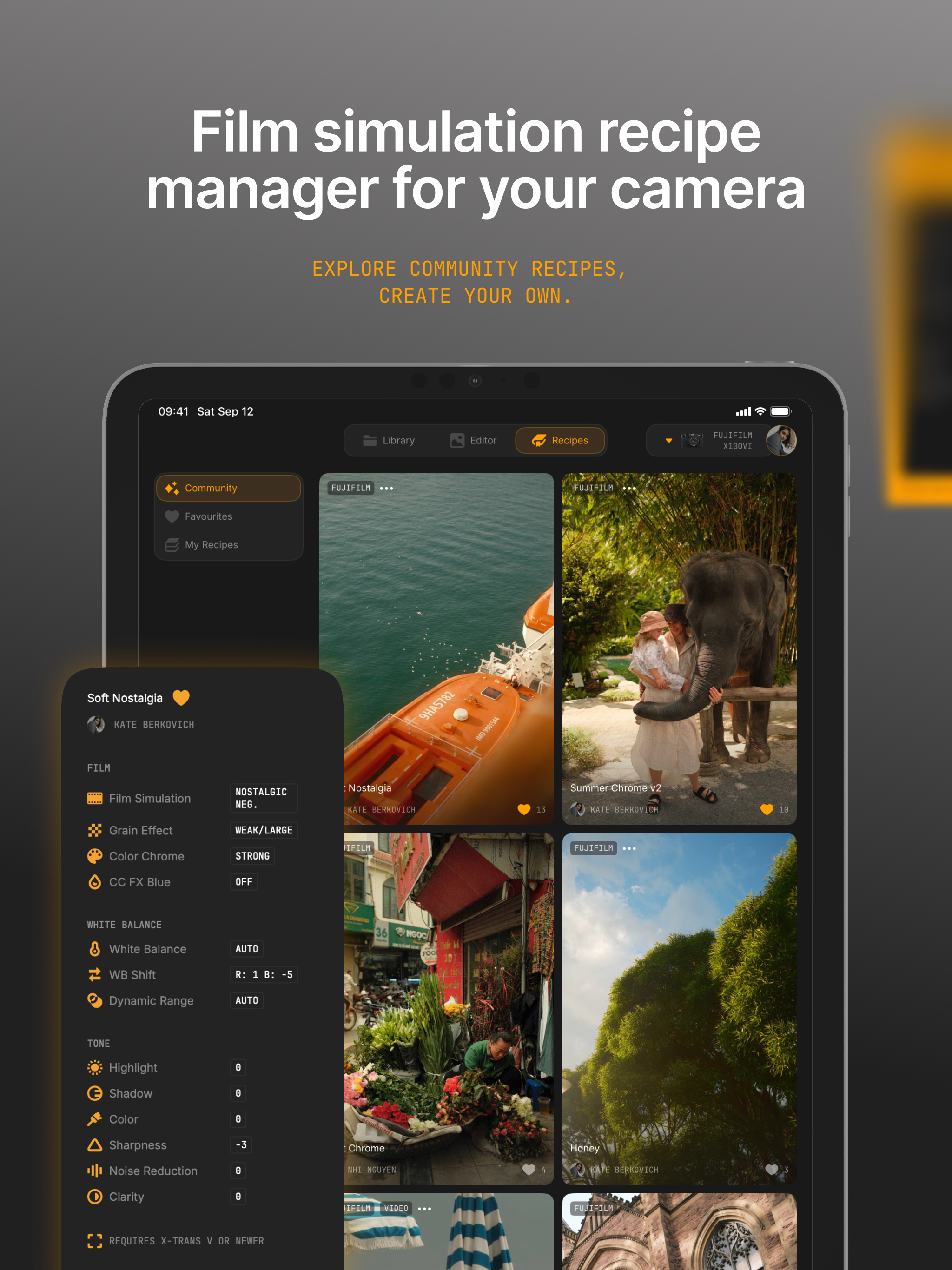
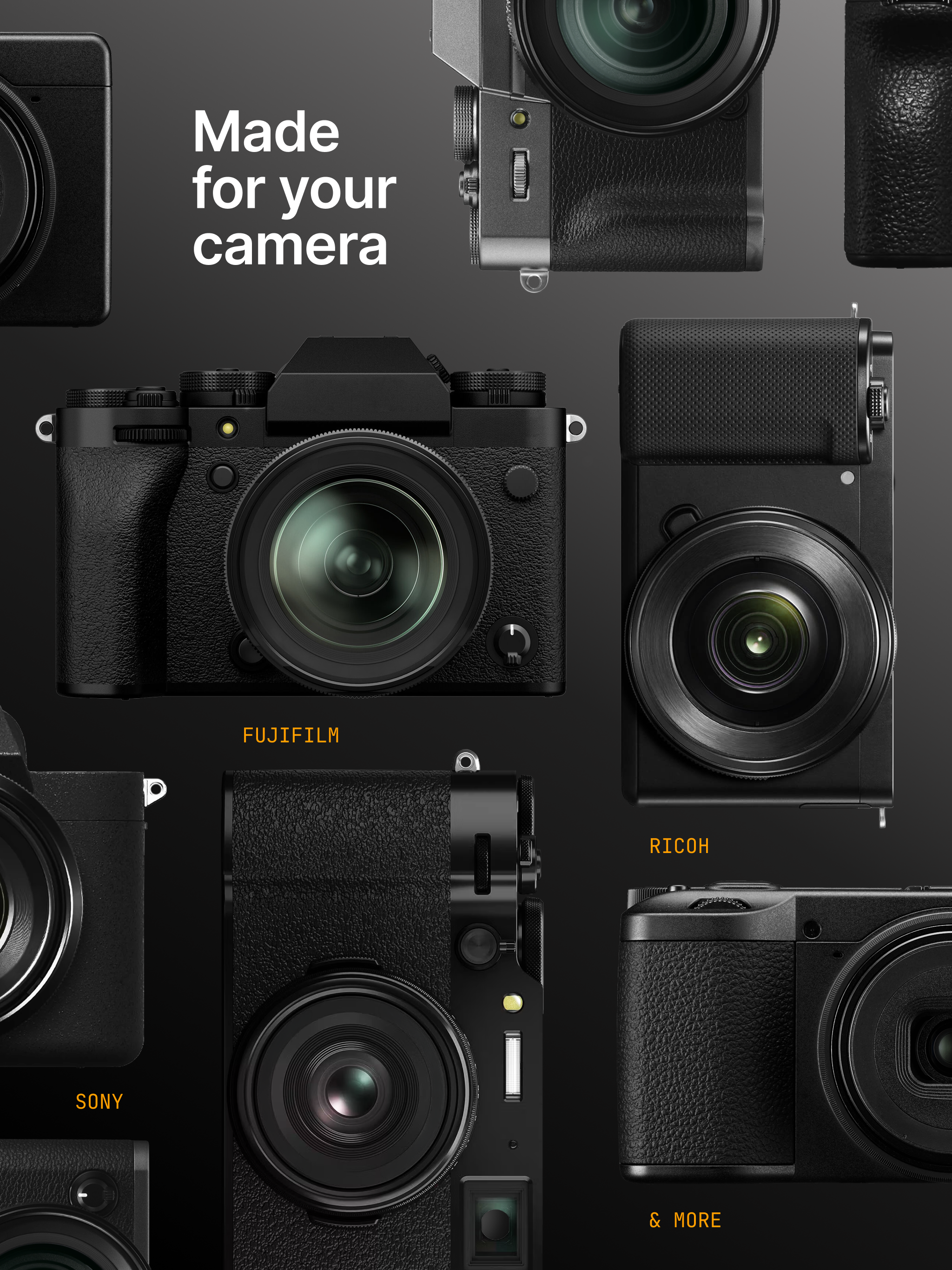
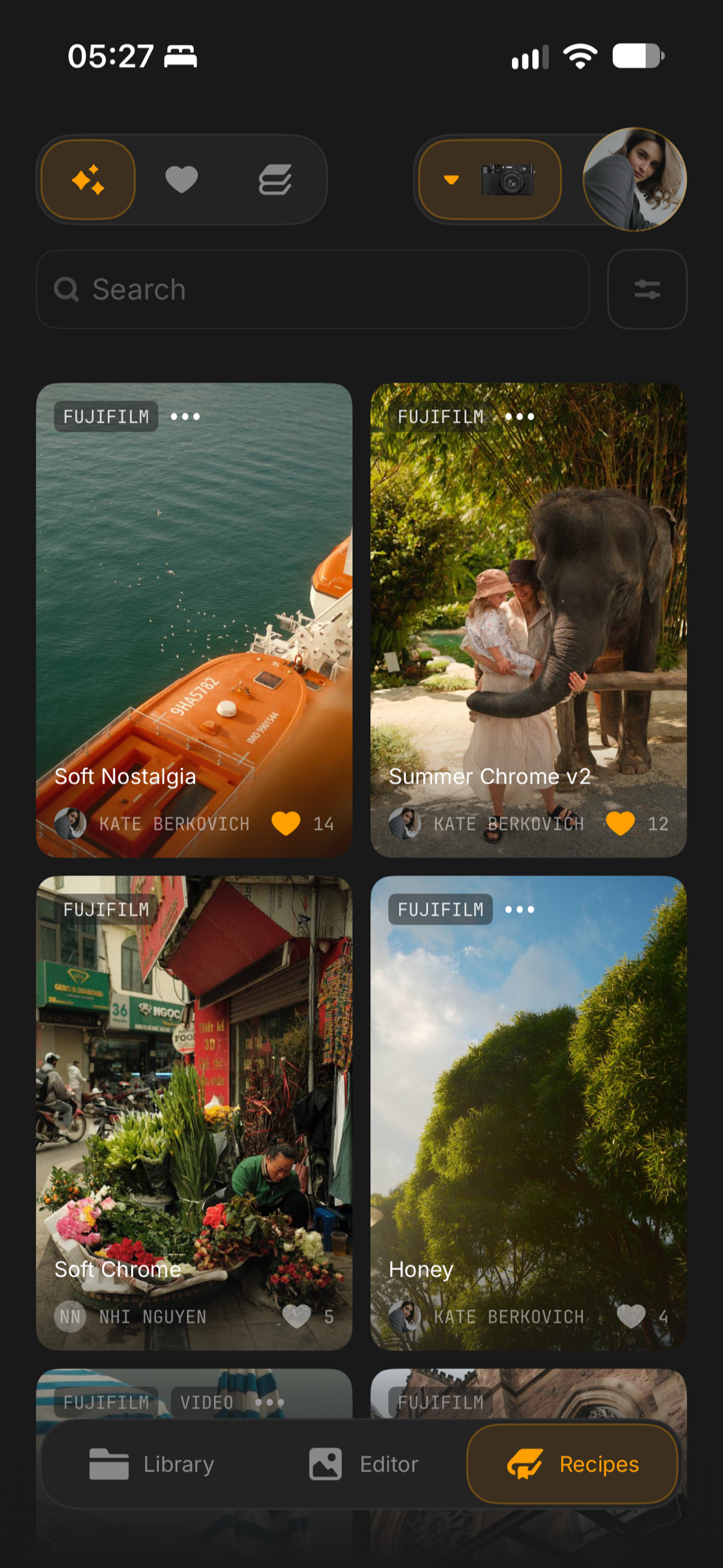
For years, beautiful colours meant editing every photo on a computer afterwards. That is changing: camera makers now let you choose the look before you shoot. Fujifilm has film simulations, Ricoh has image controls, Sony has creative looks, and the latest iPhones have photographic styles with control over tone and colour. Photographers share their favourite settings as recipes. Set one up once, and every photo comes straight out of the camera with the colours you want, no editing needed.
So you shoot hundreds, even thousands of photos on a vacation. And then what? They still have to be sorted, the best ones picked, crooked horizons straightened and crops made. That's where Jepex started: in February, on a family vacation in Thailand, with 3,000 photos of my daughter that needed exactly that and nothing more. I've been taking photos for 18 years and have tried just about every tool there is, and none of them fit that job.
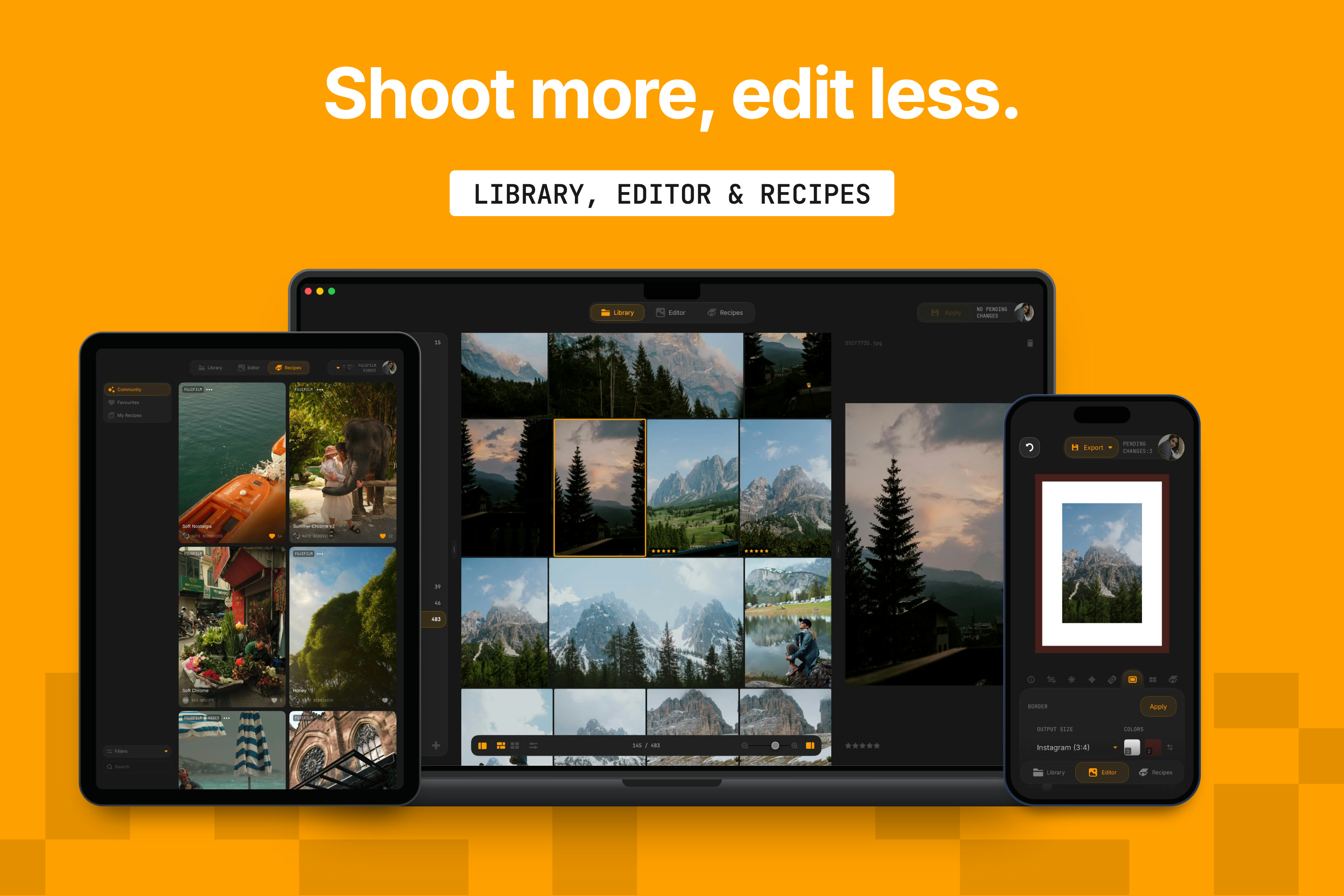
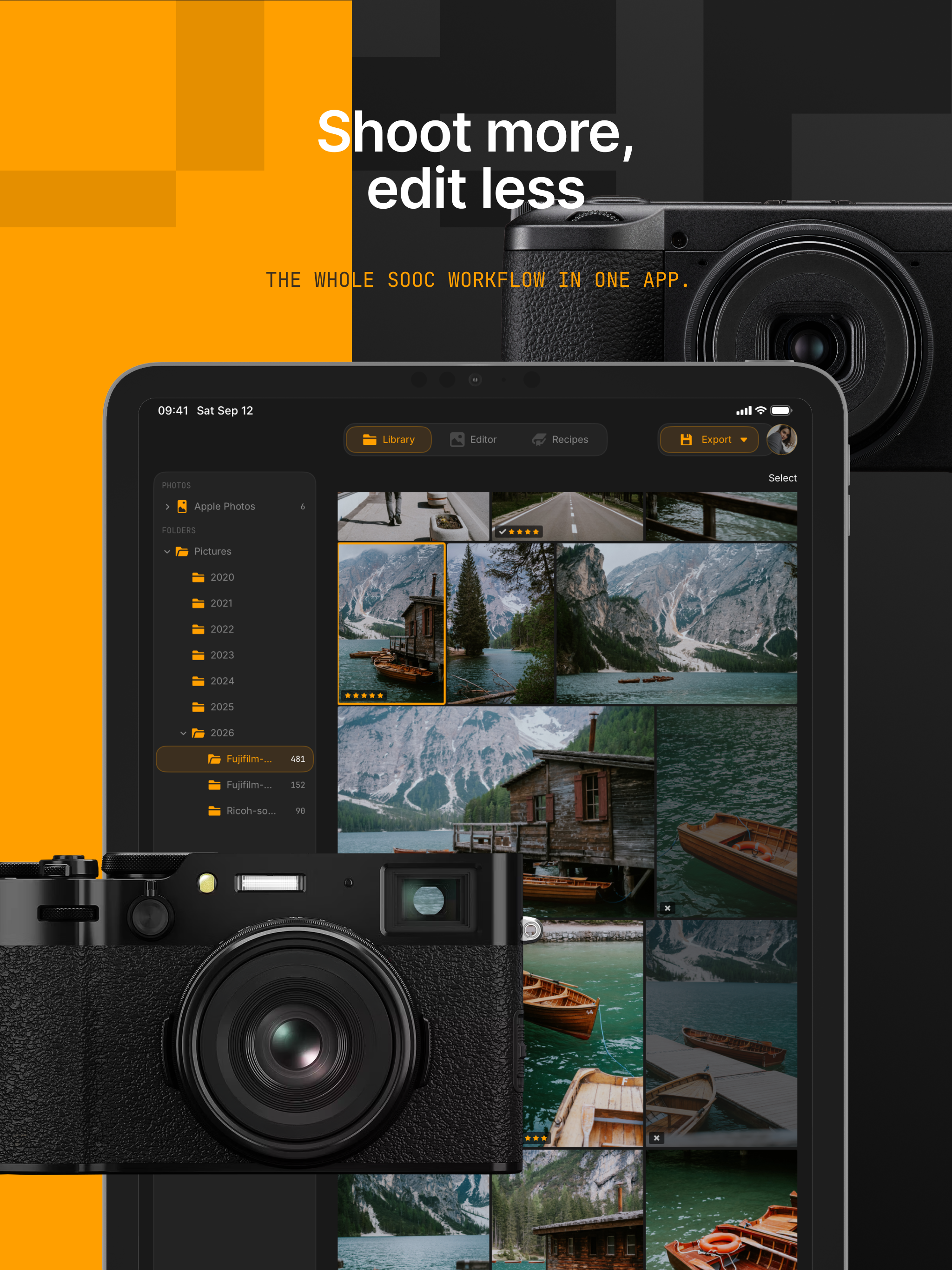
Jepex is built for that step. It sorts thousands of photos straight from a drive or a folder, with nothing imported, on iPhone, iPad and Mac. It fixes a horizon in a moment and reads the recipe back from the file. Its idea fits in four words: shoot more, edit less.
What it does
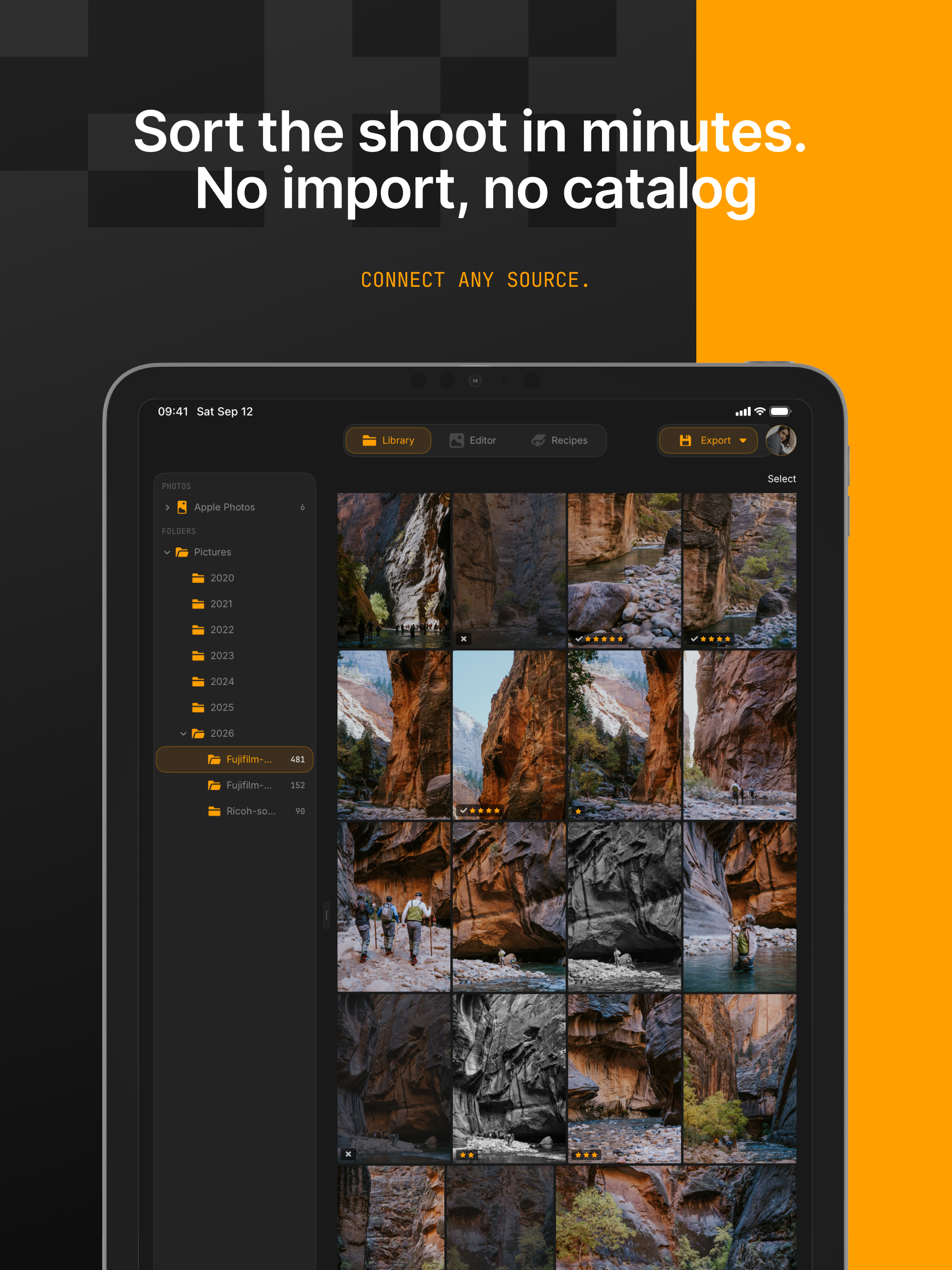
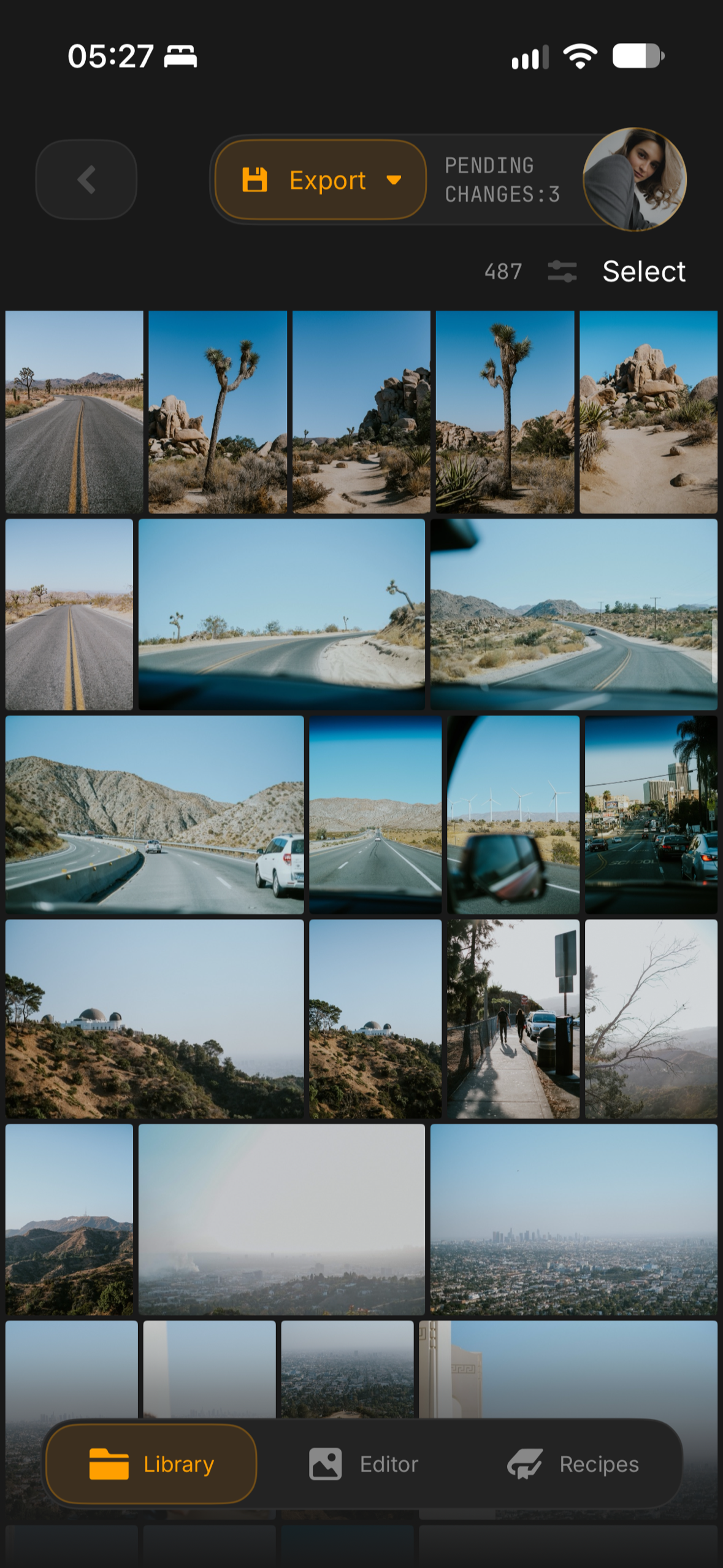
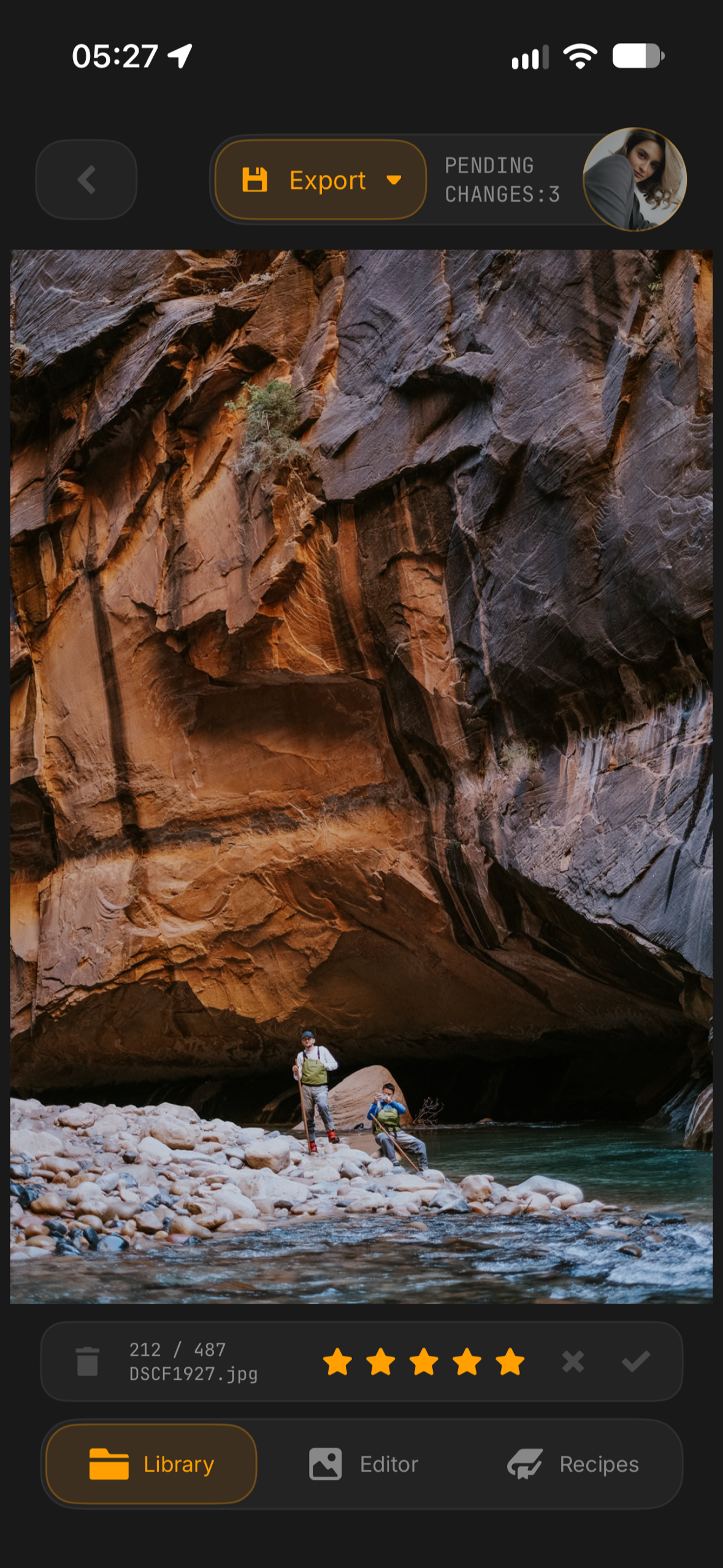
Jepex opens photos where they already are: a folder on the phone, an external drive, a camera card in a reader, iCloud Drive and other cloud folders, or the Apple Photos library. Nothing is copied. You swipe through photos full screen, give them stars, pick the keepers, reject the rest and sort them into albums, with videos alongside the photos.
Ratings and edits travel with your folders, not with a database. Rate a drive on the Mac, plug it into the iPad, and the stars and unfinished edits are there. It all works offline, and none of it passes through Jepex's servers.
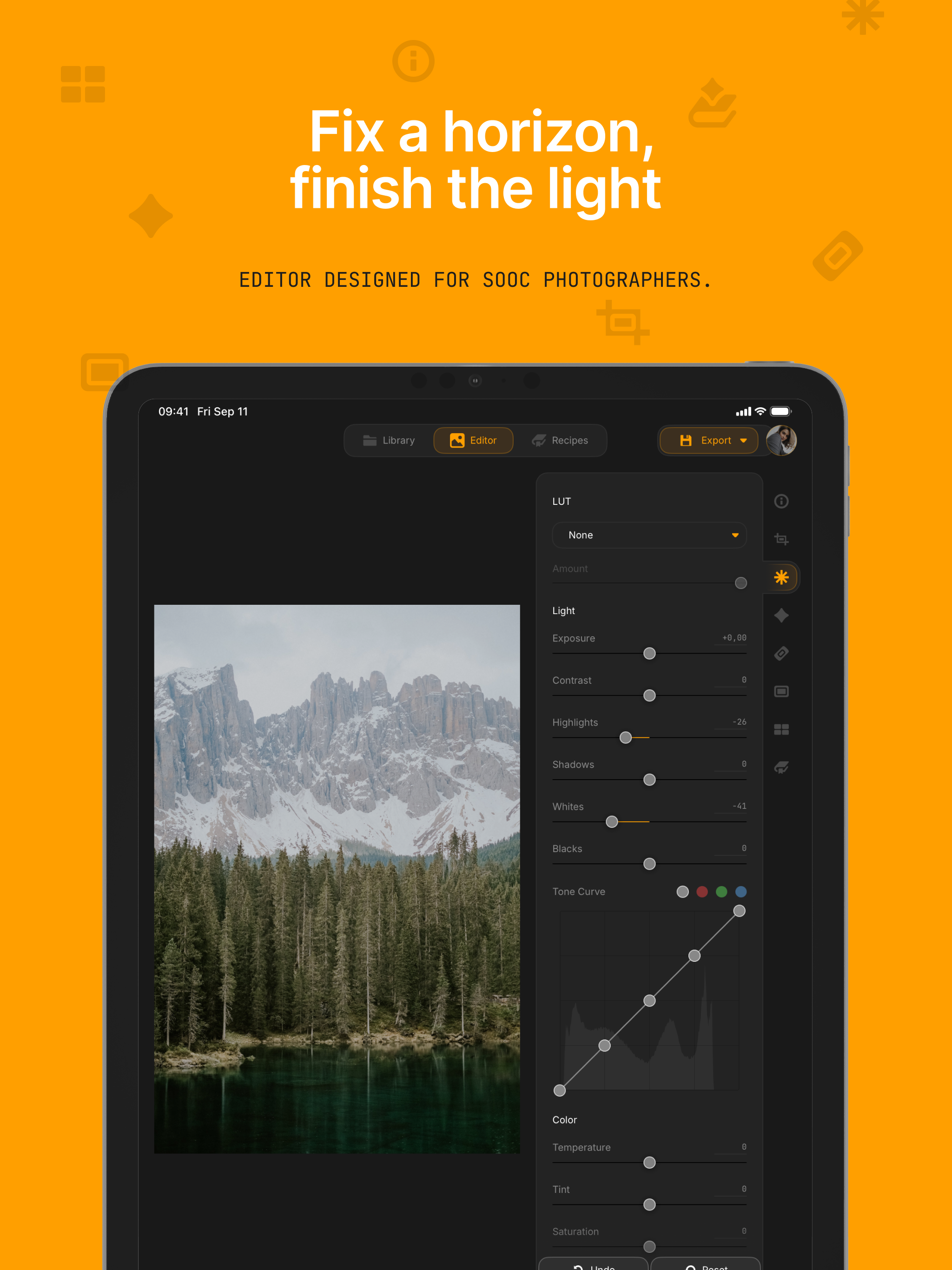
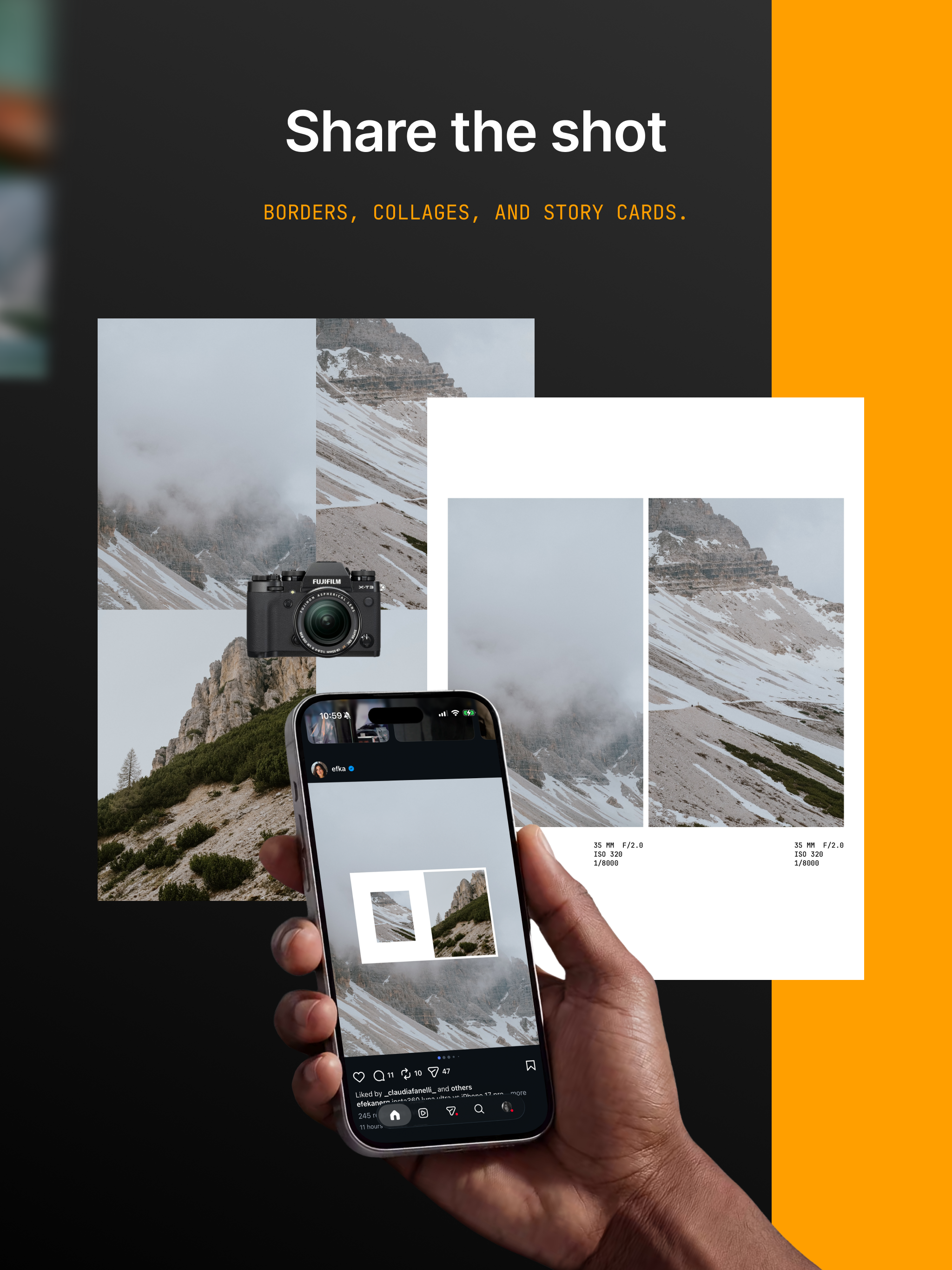
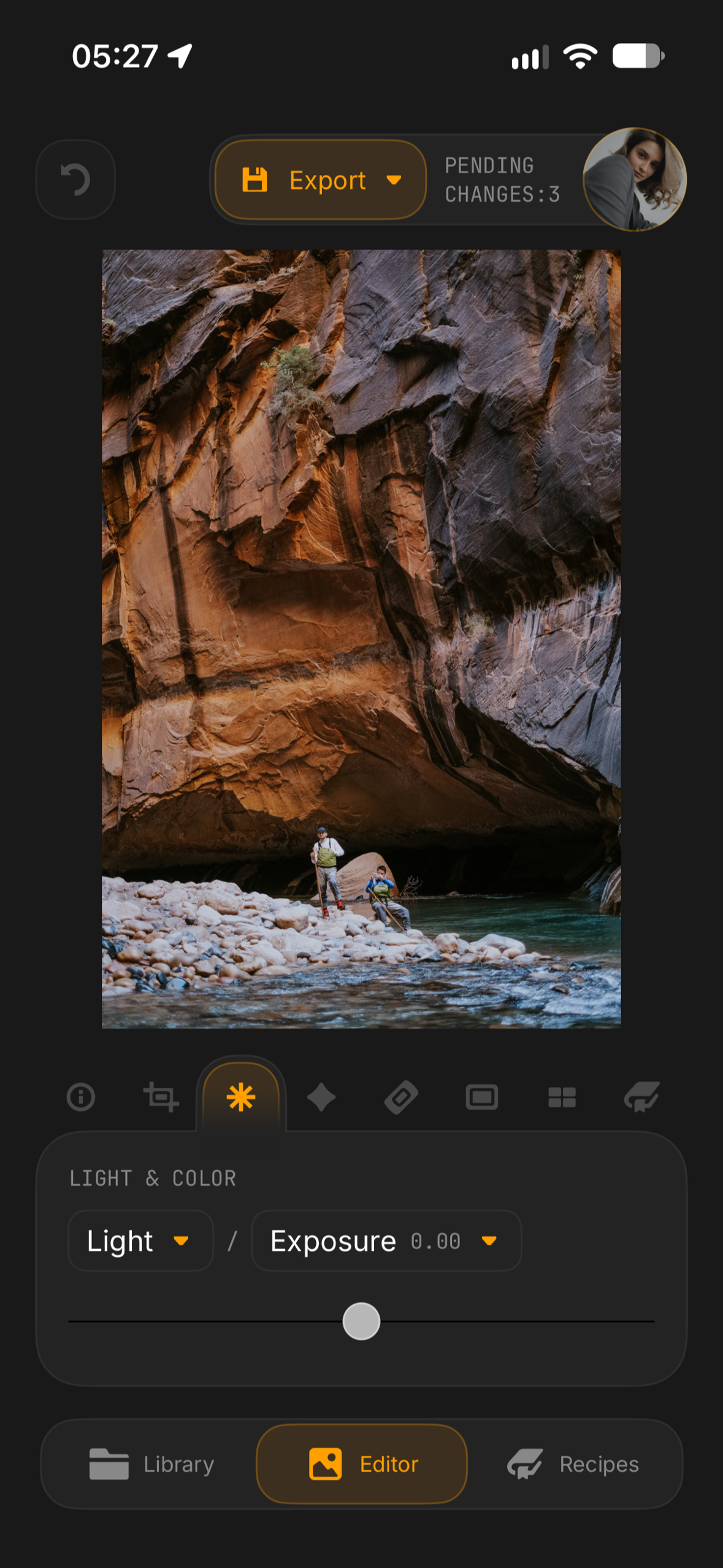
The editor finishes a photo instead of reworking it: crop and straighten, with one tap to level the horizon; exposure, contrast, highlights, shadows and tone curves; film-like finishing such as grain, halation, black mist, fade and vignette; spot healing, LUTs and classic print borders. Edits can be copied to the rest of a shoot. They stay pending until you save, the original stays untouched unless you choose to overwrite it, and every camera setting in the file survives the save.
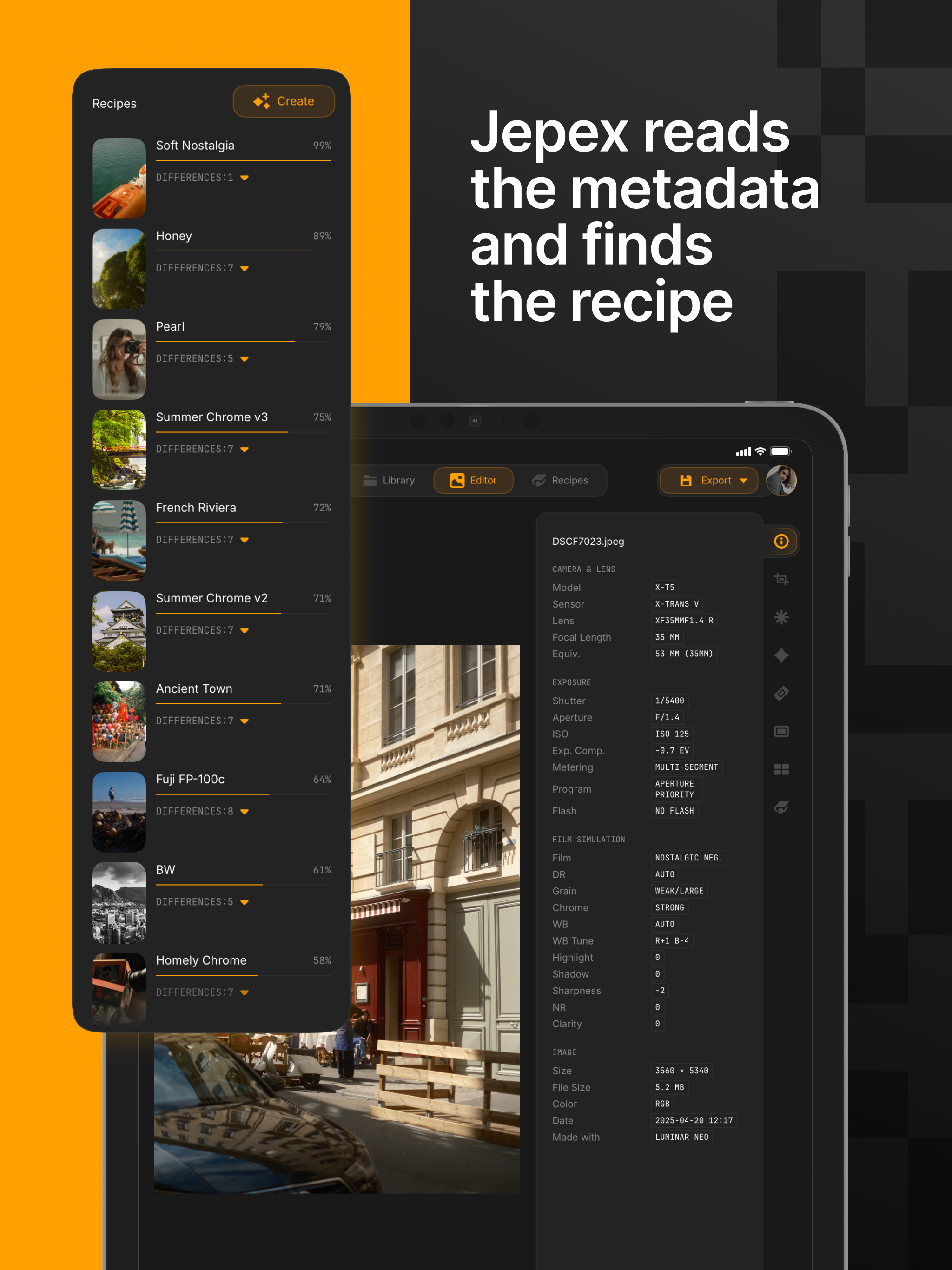
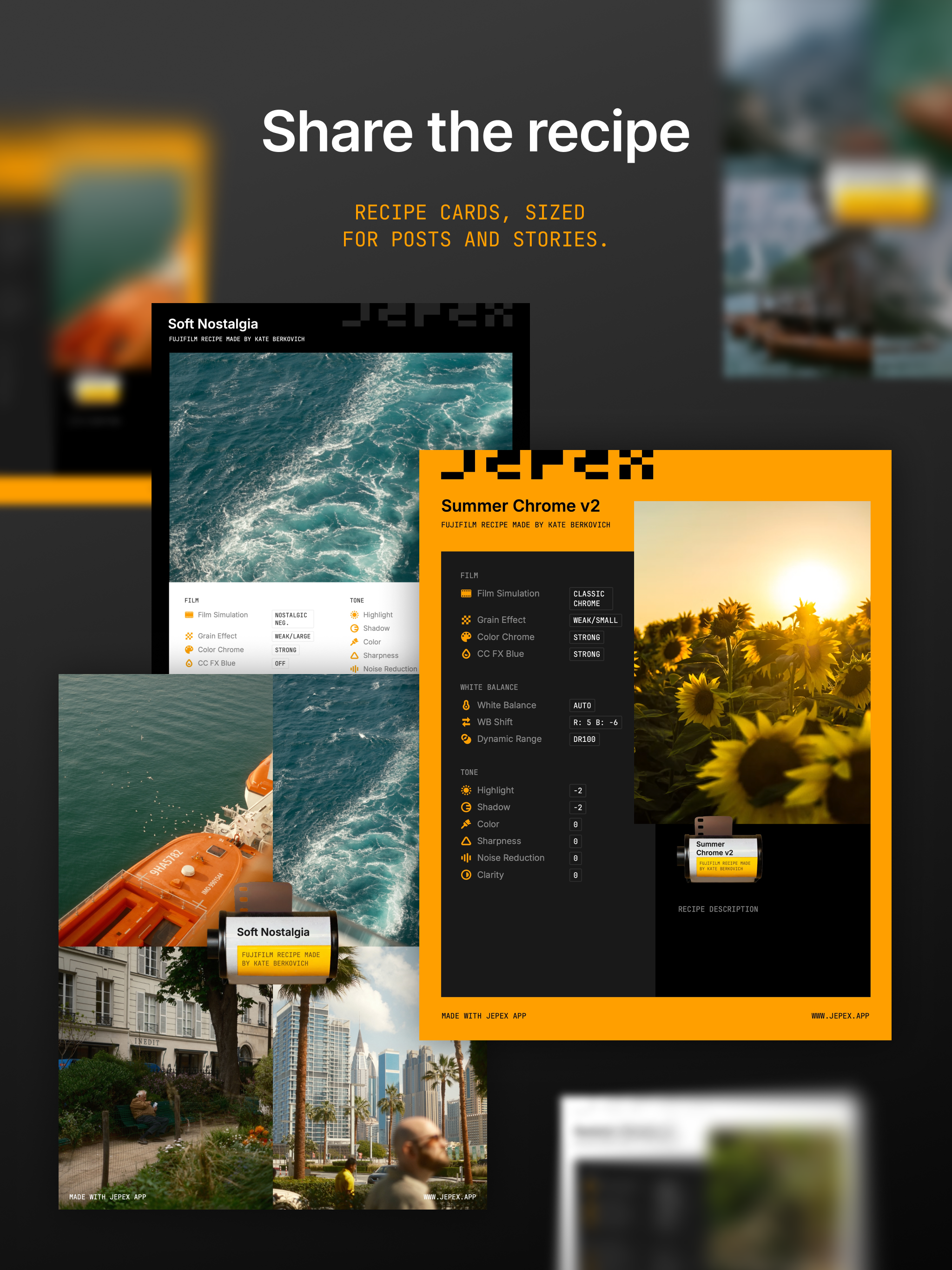
Jepex reads the camera's own settings from every photo, including the ones stored in each manufacturer's own format, and shows them in full. For Fujifilm and Ricoh cameras it goes further: it recognises the recipe a photo was shot with, matching it against a free community library, and turns any photo's settings into a new recipe you can keep and share. The recipes are also on the web at jepex.app, for anyone to browse.
How I built it
Jepex is fully native: Swift and SwiftUI, with image processing on the GPU through Core Image and Metal, and libjpeg-turbo, a C library, for working directly on JPEG data. One Xcode target builds the apps for iPhone, iPad and Mac, not a port: almost every view is shared, each device gets its own layout over the same components, and every size in the design system has a touch value and a pointer value, picked by the width of the window, so an iPad in full screen gets the Mac's sizes.
I brought one rule from more than ten years of engineering: the simplest architecture is the one that lasts, because complex things break. The design at the centre of Jepex follows it: the app works without any import or catalog database. An unplugged drive stays in the sidebar, marked offline, until it comes back.
Everything Jepex knows about cameras lives outside the code, in a separate repository of pure data with no logic: how each maker stores its settings, the options a recipe can take, and the weights the recipe matching uses. The app and the website both pull it in as a Git submodule, so they read a photo exactly the same way, and future Android and Windows apps will too. The decoders that read the files are written by hand, with no library: Fujifilm, Ricoh and Nikon each keep their settings in their own undocumented format, and one setting is often spread across several fields.
Colour is the point of the whole app, so the save pipeline is built to keep it. Photos are processed in their own colour profile from start to finish. A crop-only save doesn't re-encode the image at all; any other save re-encodes once, at high quality, with the original's settings. The file is then reassembled so that every piece of the camera's metadata, from its own settings to GPS and the colour profile, is copied back exactly. If that can't be done, the save stops rather than lose data.
Where image quality is at stake, I wrote my own tools instead of using ready-made ones: spot healing is my own Poisson solver that blends in the photo's colour space, LUTs load through my own parser, and videos are trimmed and rotated without being re-encoded. The image and metadata engine is a separate Swift package, and half of it uses no Apple imaging or interface framework, which is the groundwork for Android and Windows.
I partnered with a very talented designer on the interface and its hand-drawn icons. The design system mirrors the designer's Figma tokens, and custom lint rules flag any hard-coded colour, font size or corner radius in the code.
More than 2,000 automated tests cover the app, including fixtures with exact expected values for the camera decoders and the recipe matching. PostHog measures how the app is used, and in the EU it stays off until the user agrees.
Challenges I ran into
Four problems took most of the work.
Speed with thousands of photos. A shoot can be thousands of full-size photos on a slow external drive or in a cloud folder, and browsing them has to feel instant on every device. I spent a long time on performance, memory, caching and image loading: photos are decoded at the size they are shown, thumbnails come in tiers, are cached on the device and load ahead of the scroll, full resolution loads only when you zoom in, and caches scale with each device's memory.
Colour that survives the save. The colours a photographer sets up in the camera are the reason they shoot JPEG at all, so Jepex treats them as the most valuable thing in the file. I tested saves and exports again and again until those colours stayed where the camera put them, wide-colour photos included.
Cameras that don't document themselves. Camera makers don't publish how they store their settings. The community has decoded part of it, but for Ricoh's newest cameras much was missing. So I bought the camera, shot every setting one by one and decoded the files myself, until Jepex could read settings that even ExifTool, the standard tool for photo metadata, doesn't.
A deep tool that feels light. Jepex holds a library, an editor, recipes and video, on three devices. Keeping all of that quiet around the photo, on a phone as much as on a Mac, was a challenge of its own.
Accomplishments I'm proud of
In seven months, Jepex grew from a small crop tool for my own holiday photos into a full photo app. It has been on the Mac since June, by direct download, with paying users from the first weeks, and on iPhone and iPad since 22 September, its first release on the App Store.
What I'm proudest of is the idea at its centre, and it came from something I never liked in the usual workflow: import every photo into a library, then export a second copy of every one you edit. For RAW files that makes sense. For a JPEG the camera has already finished, a second copy makes no sense. So Jepex works on photos where they are, with no import and no catalog, on every device, and a finished JPEG can be saved in place instead of as a copy. It's an elegant idea: simple to use, hard to get right, and everything else in Jepex stands on it. I haven't found another app that lets you continue the same work across Mac, iPad and iPhone straight from your own drive, with no catalog, no vendor cloud and no photo library in between.
And users tell me that simply looking at their photos in Jepex feels good. For a tool built around photographs, I can't think of better praise.
What I learned
The first lesson: a photo's metadata is almost as valuable as the image itself. It holds the settings that made the look, and it's easy to lose on a save without anyone noticing. Few photographers think about it until it's gone, so part of my work now is showing them why it matters.
The second: making a powerful tool feel simple is harder than making it powerful. Every feature I added had to find a place where it doesn't compete with the photo, and some of the best work in Jepex is the work you never see.
What's next for Jepex
Next is Sony: support is almost done, so Sony shooters will have their looks read and matched the same way. Then two things for Fujifilm shooters: developing RAW files on the camera's own engine, over a cable, so a RAW gets exactly the camera's look, and sending recipes straight into the camera.
After that, new platforms. I expected Android to come first, but the waitlist says Windows, so Windows comes first, then Android. And every camera brand after Sony, one by one, each with its own look system.
How it makes money
Recipes, recipe matching and reading a photo's settings are free for everyone, forever: that's my contribution to the photography community. Jepex Pro, a monthly or yearly subscription through RevenueCat, unlocks the personal workflow: rating and flagging, batch work, pasting edits and saving from the editor.
Built With
- avfoundation
- cloudflare-workers
- cloudkit
- core-image
- libjpeg-turbo
- metal
- posthog
- revenuecat
- supabase
- swift
- swiftui
- tipkit
- vision

Log in or sign up for Devpost to join the conversation.