
Inspiration
Anyone who has tried to photograph a toddler knows the problem: the person holding the phone can see the framing, but the person in the photo can't. You end up shouting directions, turning the phone around, or taking forty shots to get one good angle. iPhone Duo has a second screen that faces the subject, so we put it to work.
What it does
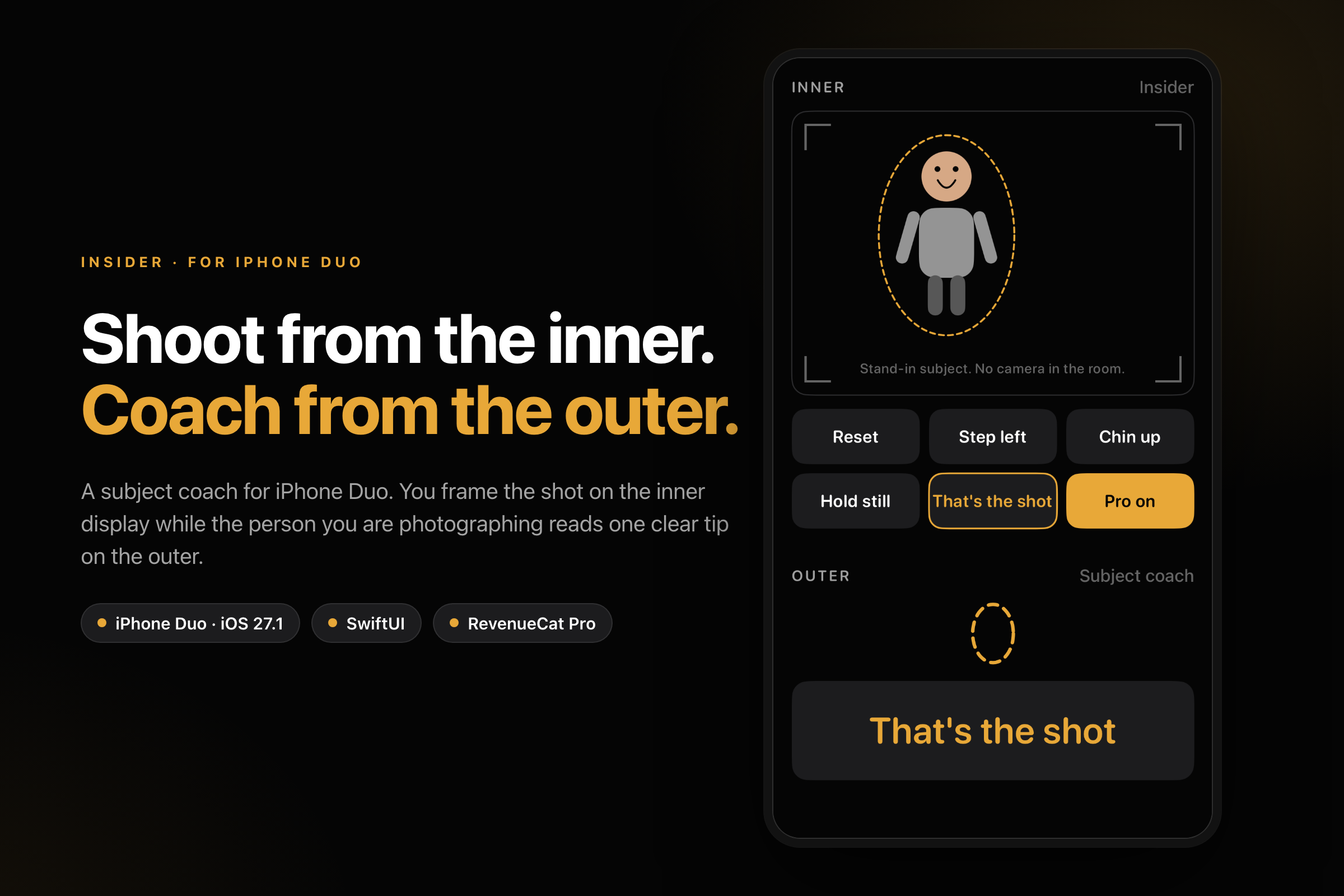
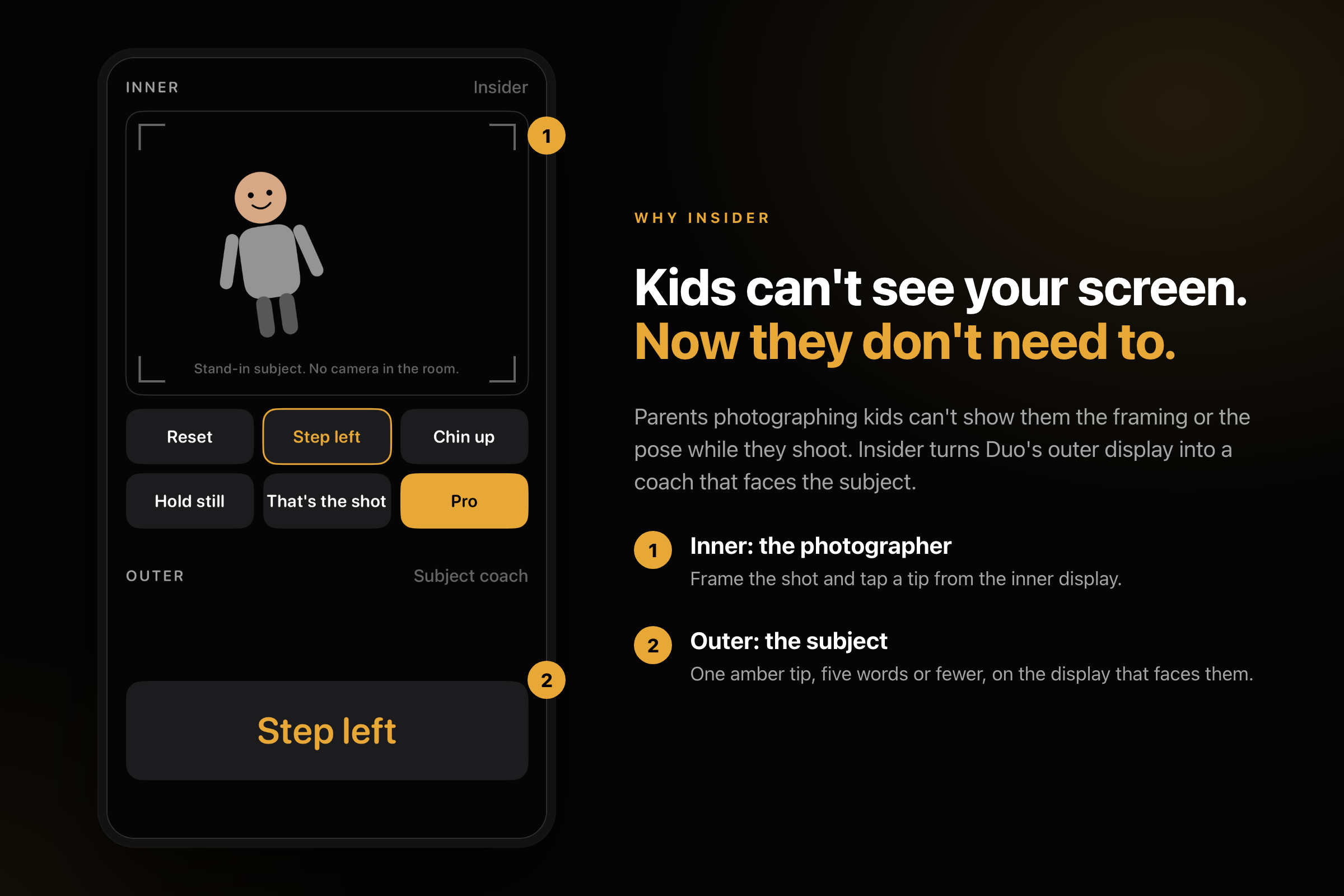
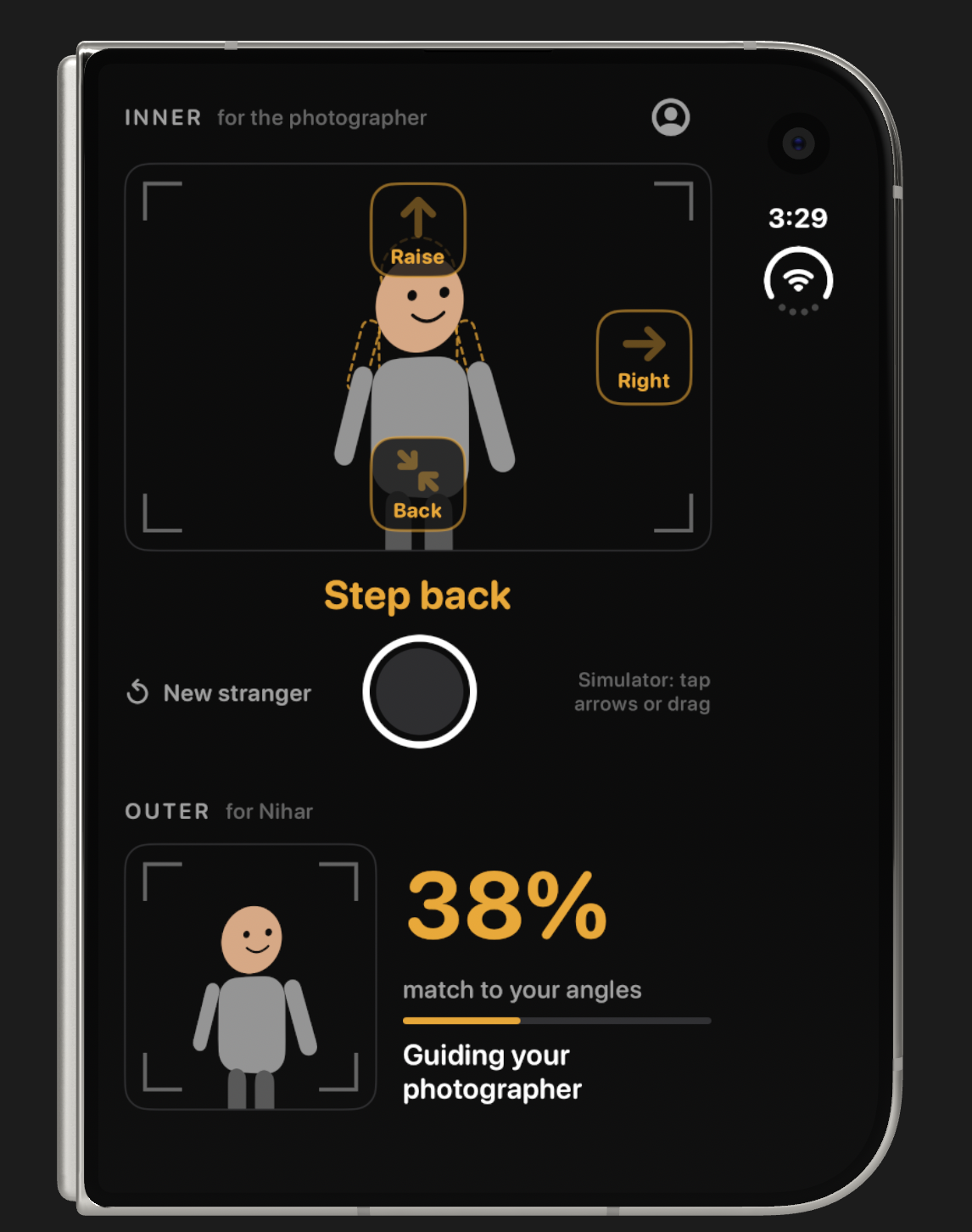
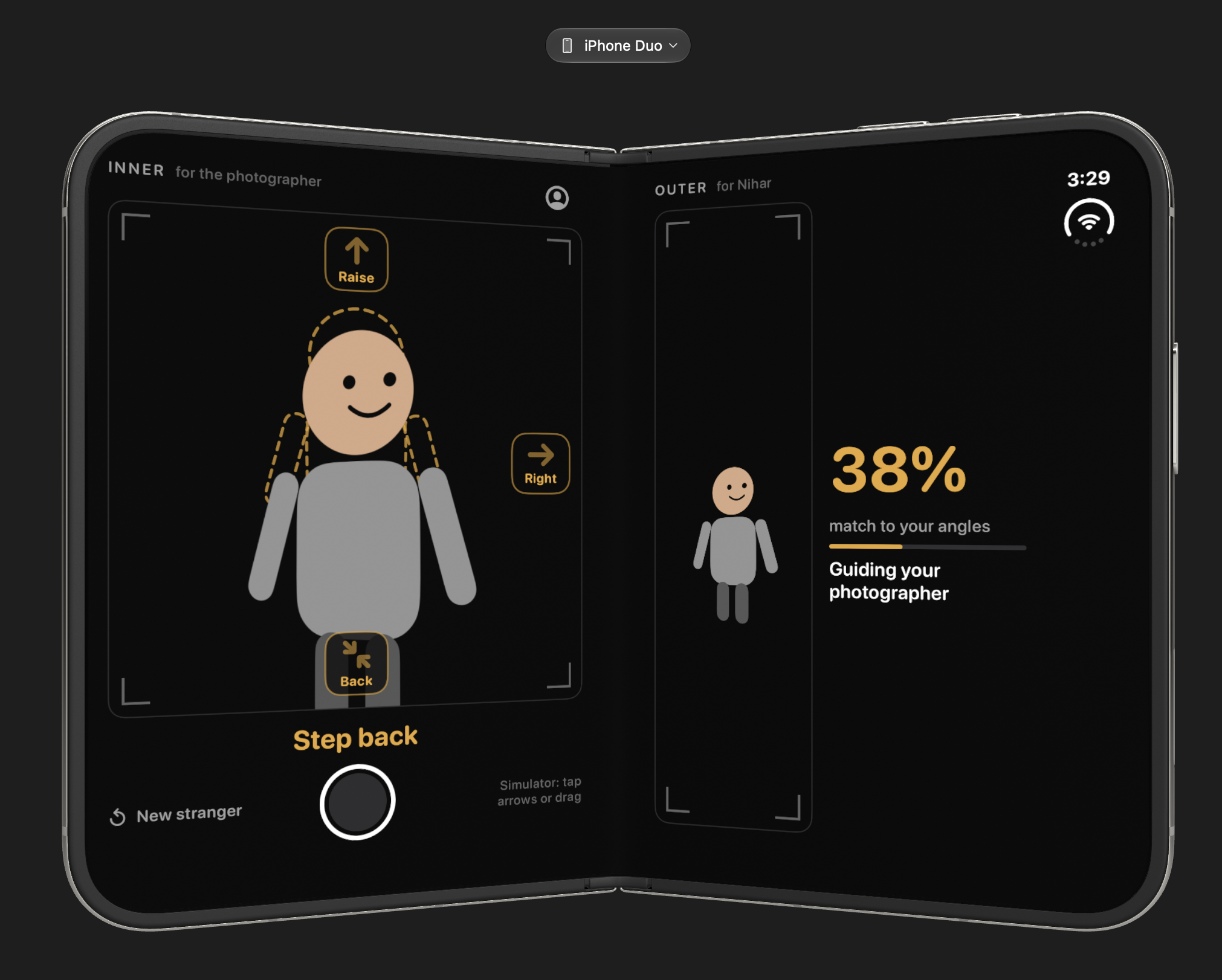
Insider splits one photo shoot across Duo's two screens, so the photographer and the subject work toward the perfect angle together.
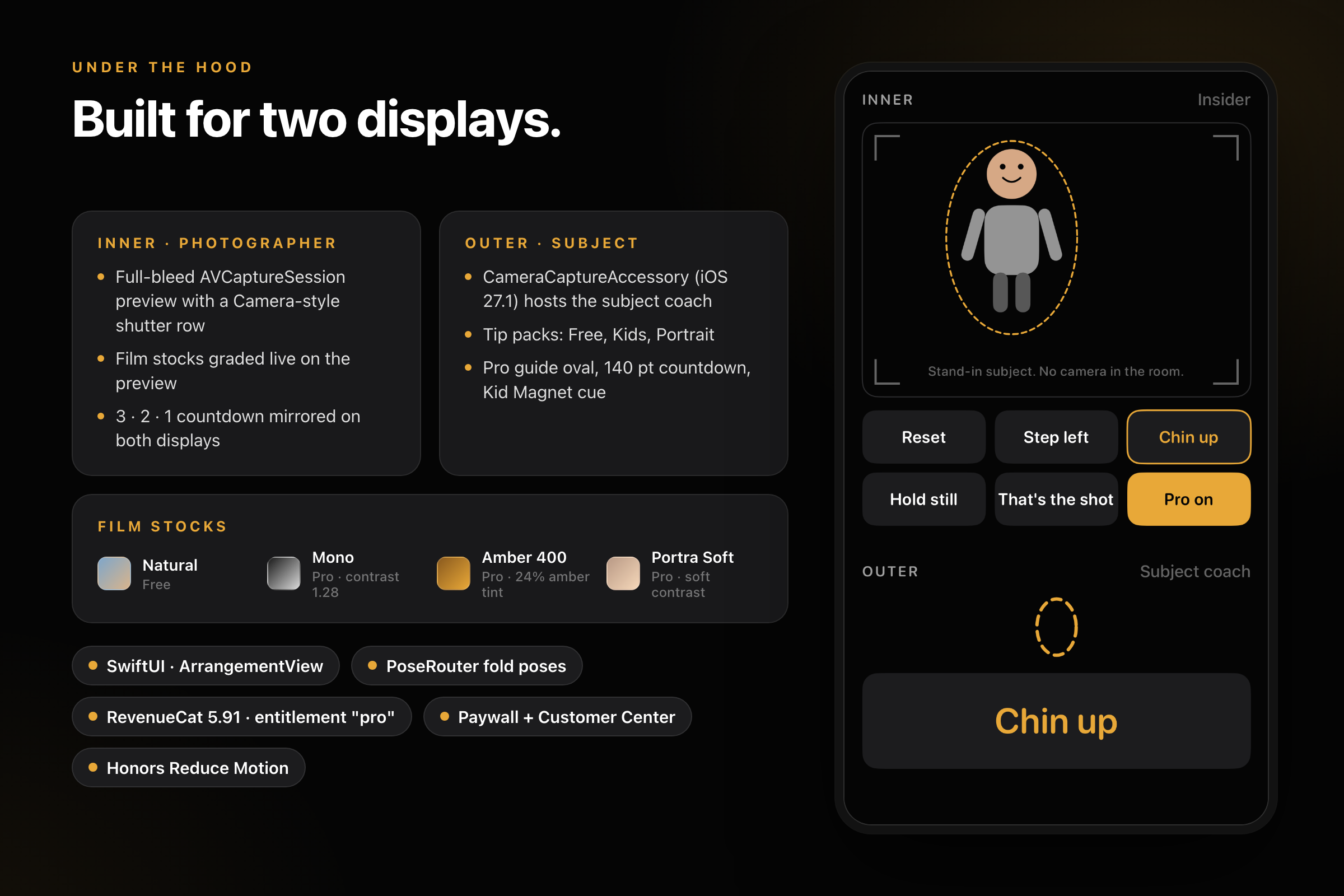
- Inner screen, for the photographer: the capture stage with the viewfinder, shutter, tip controls and film stocks with live preview grading (Natural is free; Mono, Warm Amber and Portra Soft come with Pro).
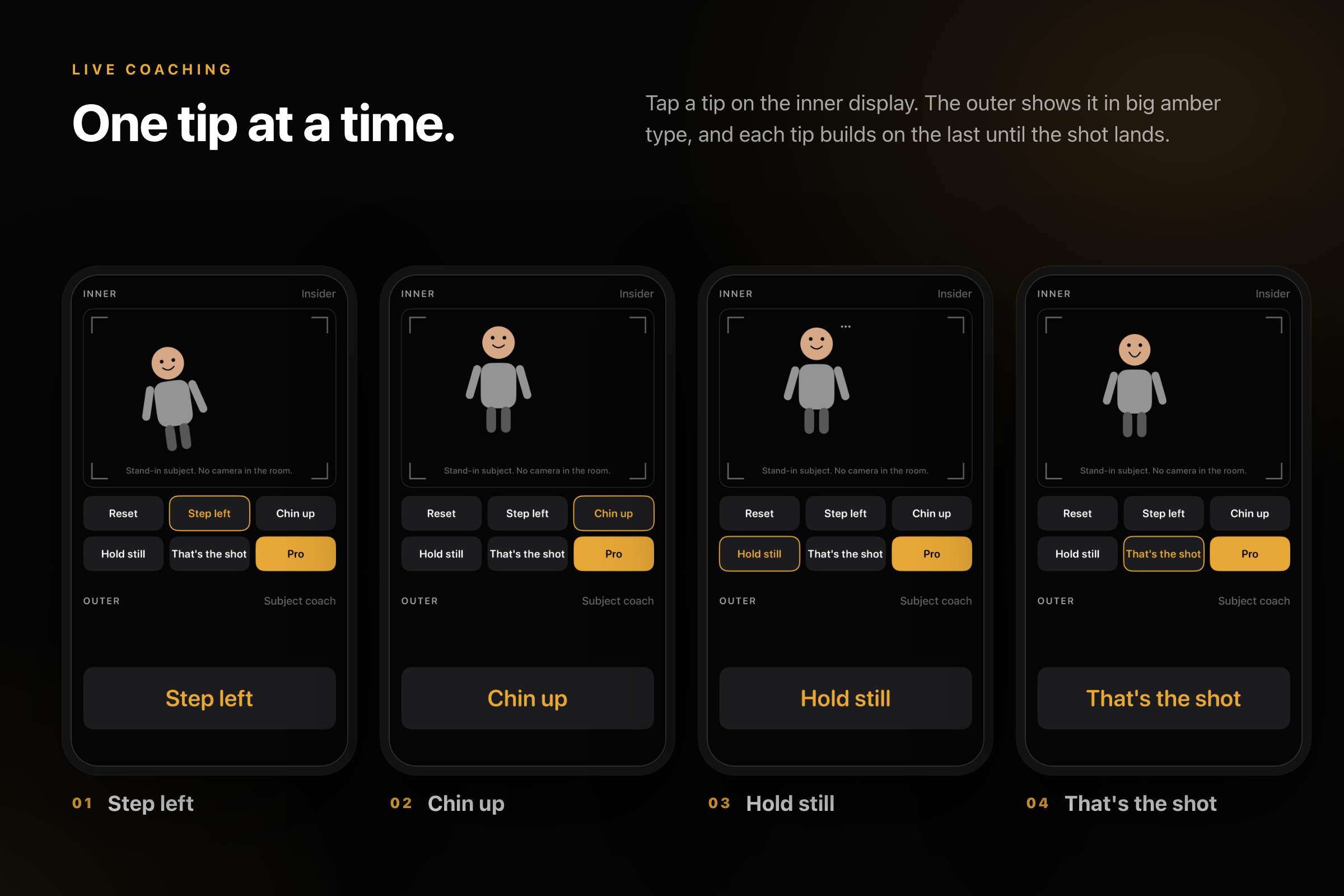
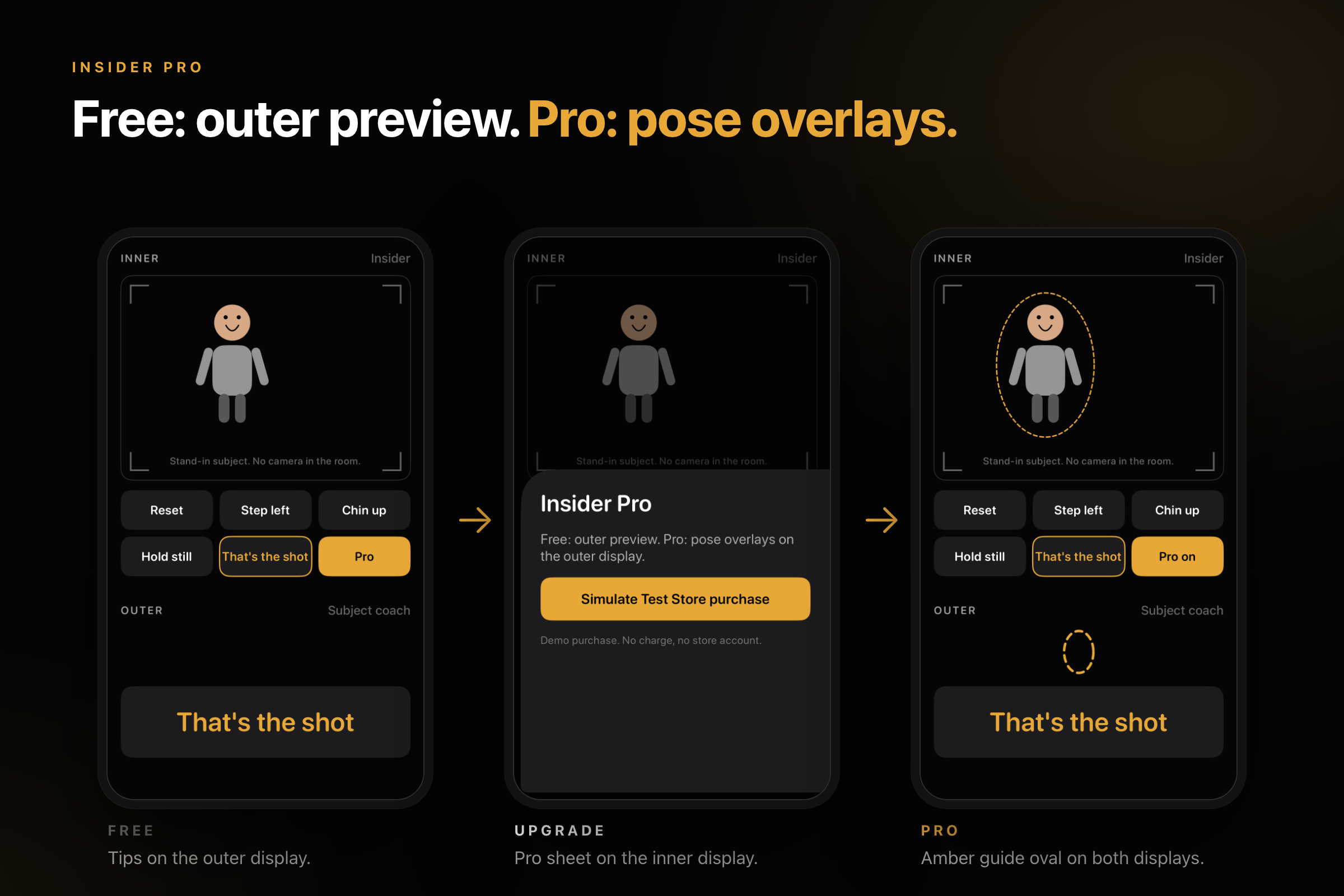
- Outer screen, for the subject: one big, high-contrast tip plate they can read at a glance: "Step left", "Chin up", "Hold still", "That's the shot". The photographer taps a tip and the subject sees it instantly.
- Tip packs: Free, Kids and Portrait. The Kids pack adds an animated "Kid Magnet" cue near the lens to pull a child's eyes to the camera ("Look at the puppy paws!"). Motion respects Reduce Motion.
- Insider Pro: a dashed amber pose guide on the outer screen, a large 3-2-1 countdown, the Kids and Portrait packs, and the Pro film stocks. Free users keep the outer preview and core tips.
- Photos stay on the device.
How we built it
- SwiftUI on iOS 27.1, using the iPhone Duo arrangement APIs to run separate inner and outer panes, with a subject-screen path through CameraCaptureAccessory.
- AVFoundation capture on a dedicated queue, with a graceful fallback when no camera is available.
- Film stocks are design tokens (contrast, saturation, tint) applied as live preview grading.
- RevenueCat for monetization: monthly, yearly and lifetime packages, a
proentitlement, the RevenueCat paywall, restore and Customer Center. - Bitrig for iPhone Duo fold-pose previews and visual QA, alongside the Xcode 27.1 beta.
- Unit tests for the coach overlay, film stocks, capture session, paywall presentation, motion accessibility and RevenueCat package handling.
Challenges we ran into
- No physical iPhone Duo, and no camera feed in the simulator. We built a no-camera stage with a drawn stand-in subject that reacts to every tip, so the demo shows exactly what the outer screen drives.
- Xcode 27.0 lacks the Duo SDK symbols, so everything had to build on the 27.1 beta.
- RevenueCat Test Store purchases failed with "Package monthly is not in the current offering". We added fallback package resolution with unit tests and surfaced purchase errors in the paywall. The stage demo simulates the purchase so it has no network dependency.
- Keeping capture, coaching and monetization work moving in parallel branches without breaking each other at merge time.
Accomplishments that we're proud of
- A camera built for two audiences at once: one screen for the person shooting, one for the person being shot.
- 20 merged pull requests in a day, with unit tests on the core logic.
- A demo path with no camera or network dependency, so it can't fail on stage.
What we learned
- Designing for two viewers changes the UI: the outer screen needs a few words in huge type, not controls.
- How Duo's arrangement and fold poses behave, and how to preview them before hardware is in hand.
- Aligning RevenueCat offerings, packages and entitlements early saves hours of debugging.
What's next for Insider
- An on-device AI coach: add a photo of your best angle, analyze it with Vision face-pose detection, and let Apple Foundation Models turn it into personalized live tips on the outer screen.
- Testing on real iPhone Duo hardware with a live subject feed.
- More tip packs (pets, couples, groups) and saving to Photos.
Built With
- avfoundation
- bitrig
- ios
- iphone-duo
- revenuecat
- swift
- swiftui
- xcode


Log in or sign up for Devpost to join the conversation.