-
-
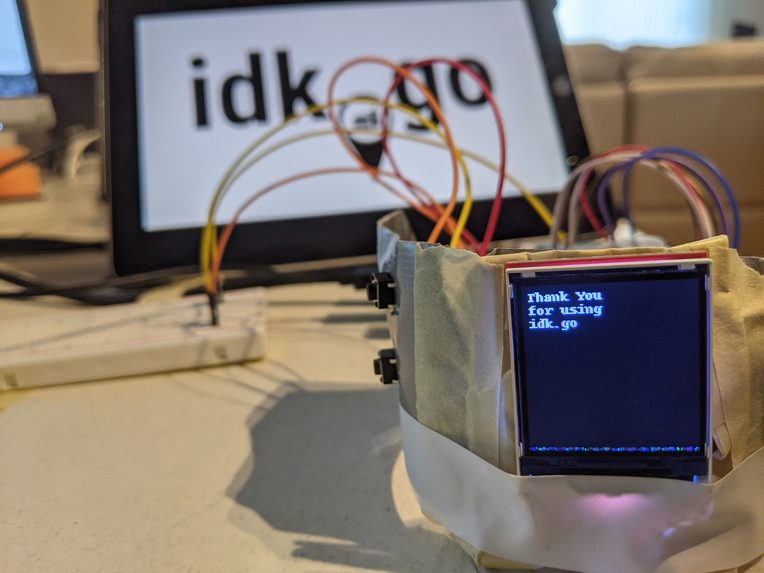
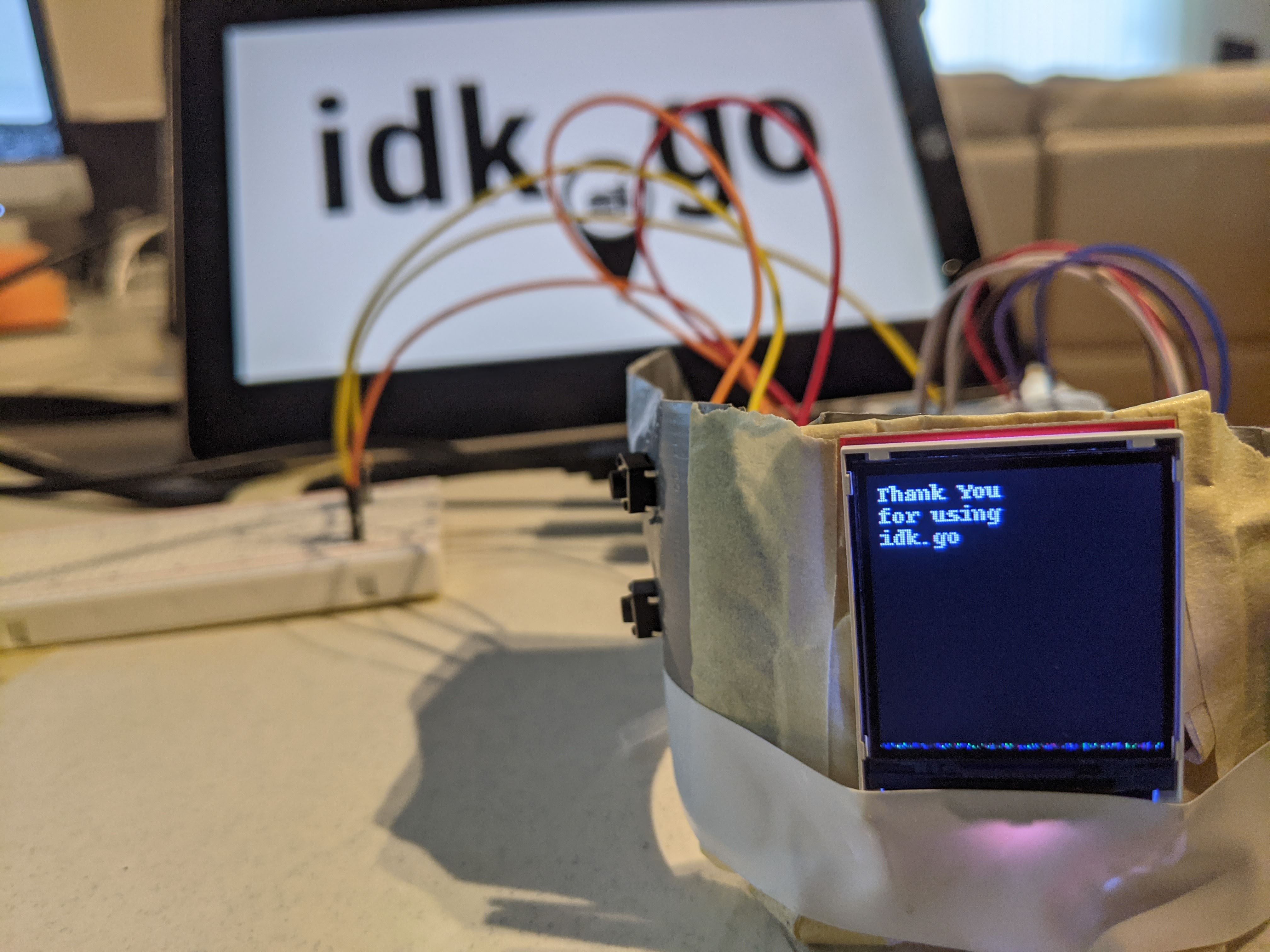
The idk.go with its OLED display.
-
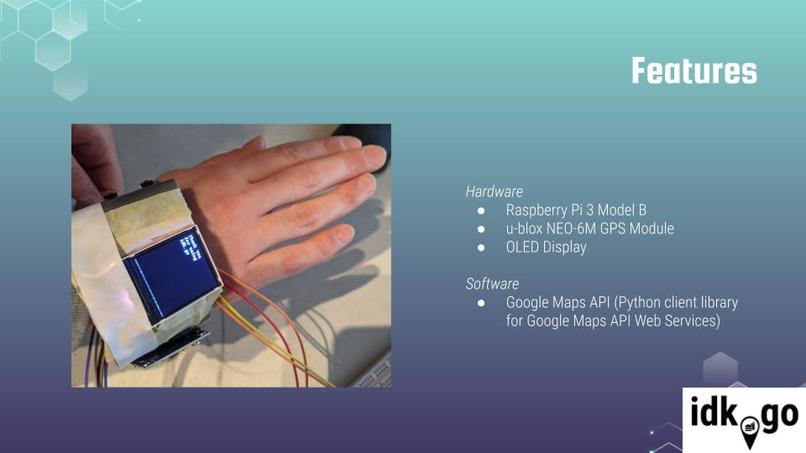
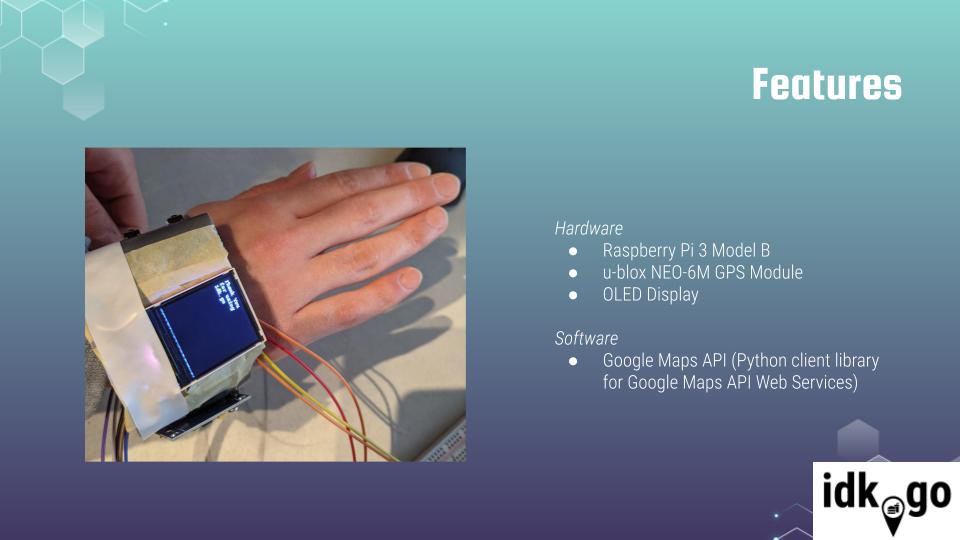
Features of the idk.go.
-
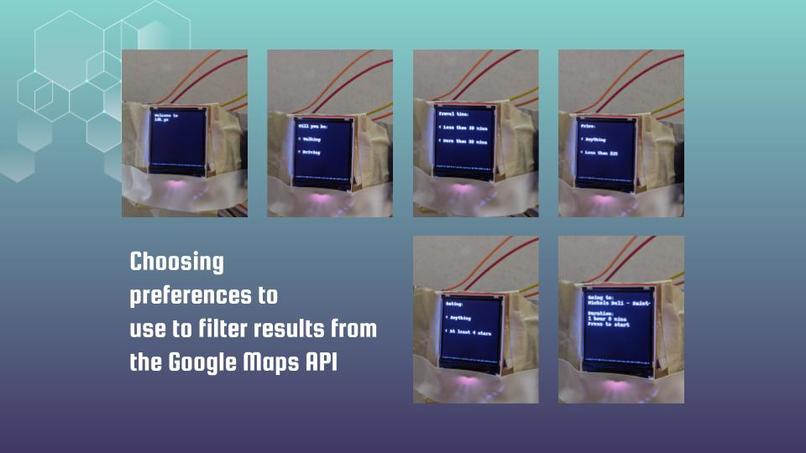
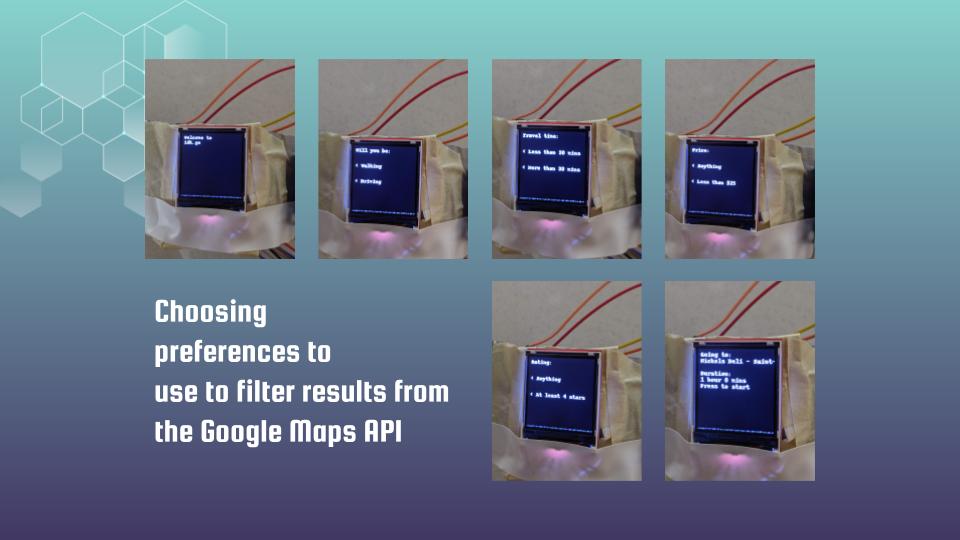
The first thing users do is complete a short questionnaire so that idk.go can lead them to the best restaurant suited for their needs.
-
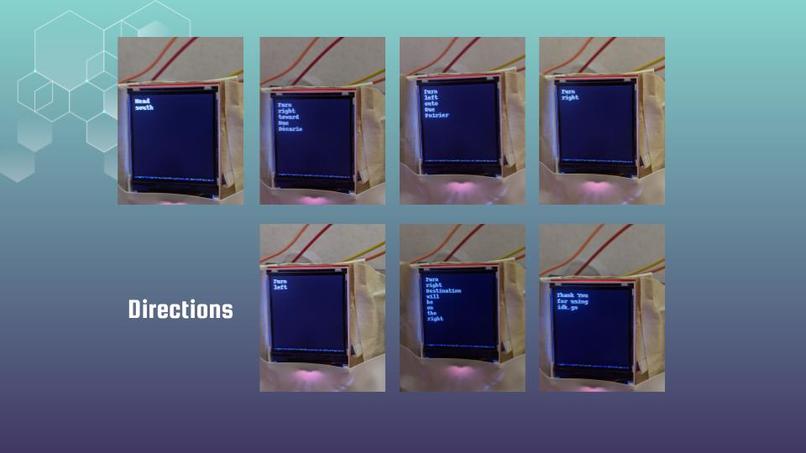
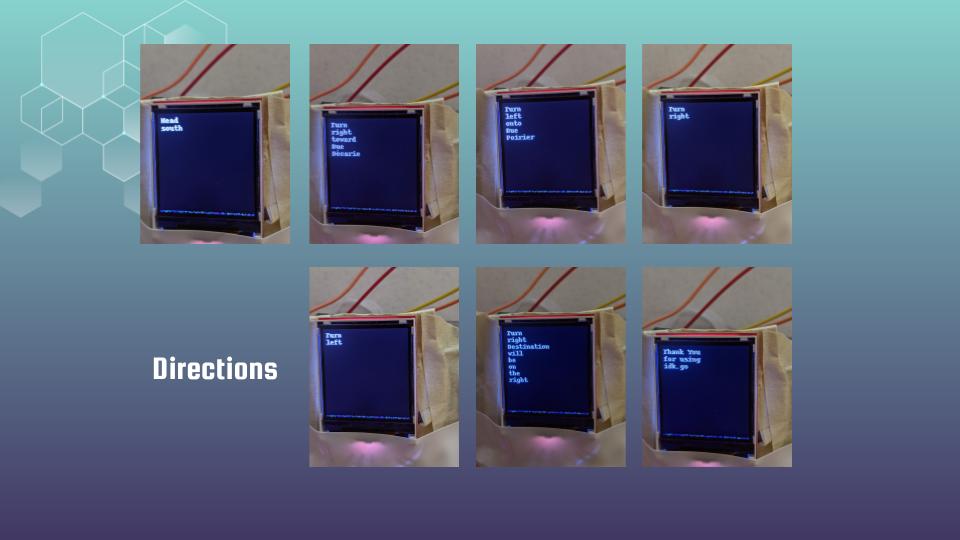
After a restaurant is selected, the idk.go provides step-by-step direction instructions on its OLED display.
-
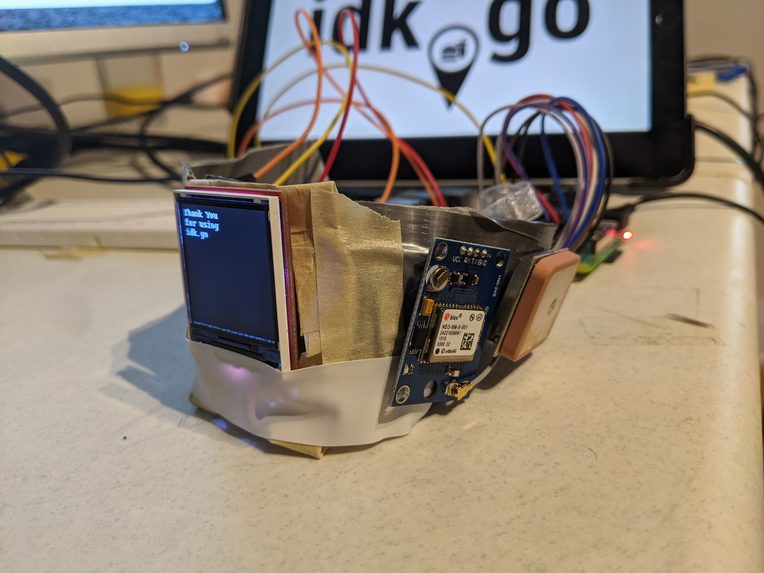
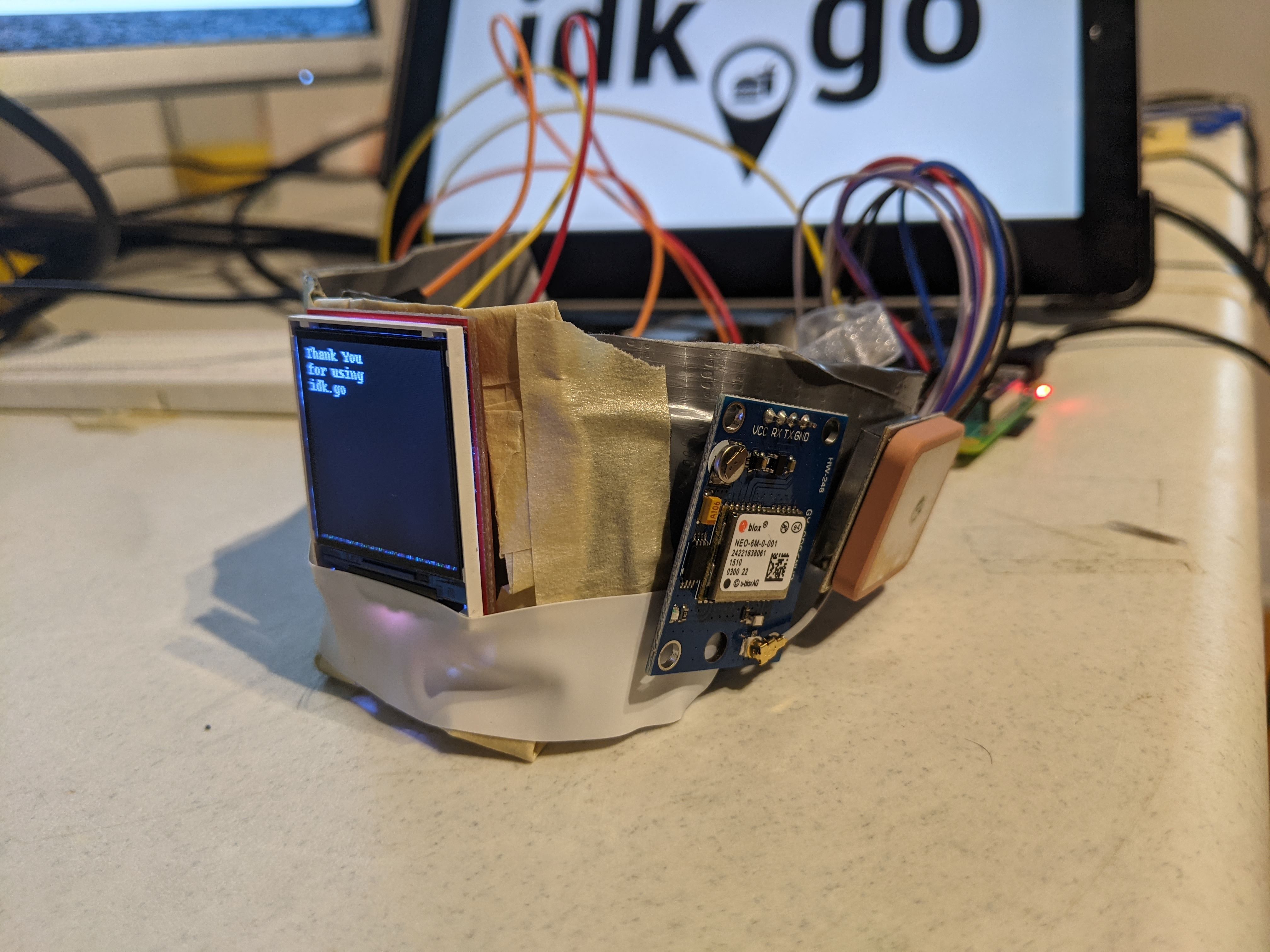
View of the GPS module of the idk.go.
Inspiration
As avid travellers and foodies who like exploring new cities and foods, we found ourselves struck by a common challenge: not knowing which food to eat and where to find it. Food is an integral part of life and of travel. You learn so much about a city by its food. But when we visit these new cities how do we know which restaurants are near us and are suited for our taste? We were inspired by new trends in IoT and wearables, and we wanted to create a device that tackles this food and navigation challenge when you are a tourist in new cities or your own. Since the world is starting to travel again, the foodies of the world need a tool to help them find and locate the best restaurant for them.
What it does
Our wearable device leads the user to their ideal restaurant based on their preferences and location. Preferences are collected through a short questionnaire when the device is powered on. Using the two mounted buttons, the user selects their preferred method of travel, how much time they are willing to spend on their commute, their price range, and their minimum rating for the restaurant. This information is then used on the information retrieved from the Google Maps API to filter and format the desired information on possible restaurants. idk.go selects the most optimized restaurant choice for the user and then provides step-by-step instructions on its OLED display on how to get to the chosen restaurant.
How we built it
This project revolved around using a Raspberry Pi to create a wearable. In this hackathon we split our team into two separate groups: hardware and software. The hardware team focused on creating a physical interface through the use of an OLED and 2 buttons and a GPS to get the current position of the user and then use that as a parameter for the software. The software team focused on using a Google Maps API to determine available restaurants based on the position of the user and other circumstances. To select a restaurant, our team created an algorithm to choose the ideal restaurant for the user based on their inputs. Then, everyone collaborated in the integration of all the components and participated in the debugging of the project.
Challenges we ran into
The two main issues that were encountered during this project were the OLED and the GPS. The problem with the OLED was that all readily available example code was designed for the Arduino and was not compatible with the Raspberry Pi. To solve this, it required downloading Python library files and sorting through the documentation to properly initialise the display with a set of parameters. Afterwards, we had to create a function to write text to the display so that the GUI would be easy to use.
The GPS also presented a series of challenges. The GPS was connected through UART, which presented itself with a lot of permission issues, requiring us to use commands such as “chmod 777” to give us full permissions. Afterwards, we discovered that all the example code provided required a Python2 interpreter to work correctly. To solve this we first tried adding OS features to the Python scripts to give similar abilities to that of a shell script so we could launch the necessary script with Python2 interpreter, but we then opted to modify the code to work with a Python3 interpreter.
Accomplishments that we're proud of and what we learned
Our team consists of university students with varying levels of experience working with software and hardware. During this competition, two of us learned how to solder, and it was our first time working with Raspberry Pi. We’re proud of getting our feet wet and dipping into the vast sea that is the field of electronics. It was also our first makeathon, and we are excited for the next one! The two other members of our team have done makeathons in the past and have noticed improvements this time around. This competition had more complex software and better documentation than last year’s. It was also their first time using Google API, and they were pleased to find that they managed to extract all the information they intended to. As well, it was the first time they were able to complete a project that successfully goes from hardware to backend software.
What's next for idk.go
Going forward with this project, we would like to add the option of showing public transit information on the idk.go since the only two options right now for the method of travel are walking and driving. In order to make the device easier to use, we would like the device to be more compact, and to have a touchscreen instead of two buttons. Also, more testing can be done to improve the accuracy of the GPS and to allow for automatic direction changes when it is the right time to go to the next step. Finally, the addition of a speaker would allow those who are visually impaired to use our device, which makes it more accessible to all. In the future, we would like to optimise the user’s selection process, and to add additional filters, such as the ability to choose the user's preferred type of cuisine.
Log in or sign up for Devpost to join the conversation.