-
-
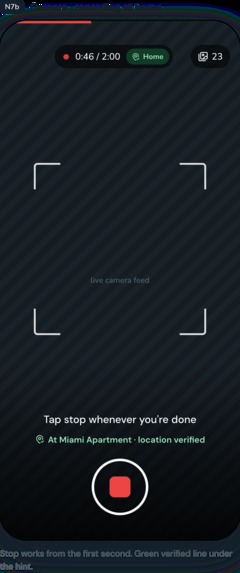
Capture items
-
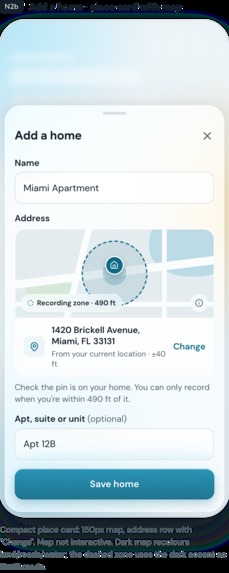
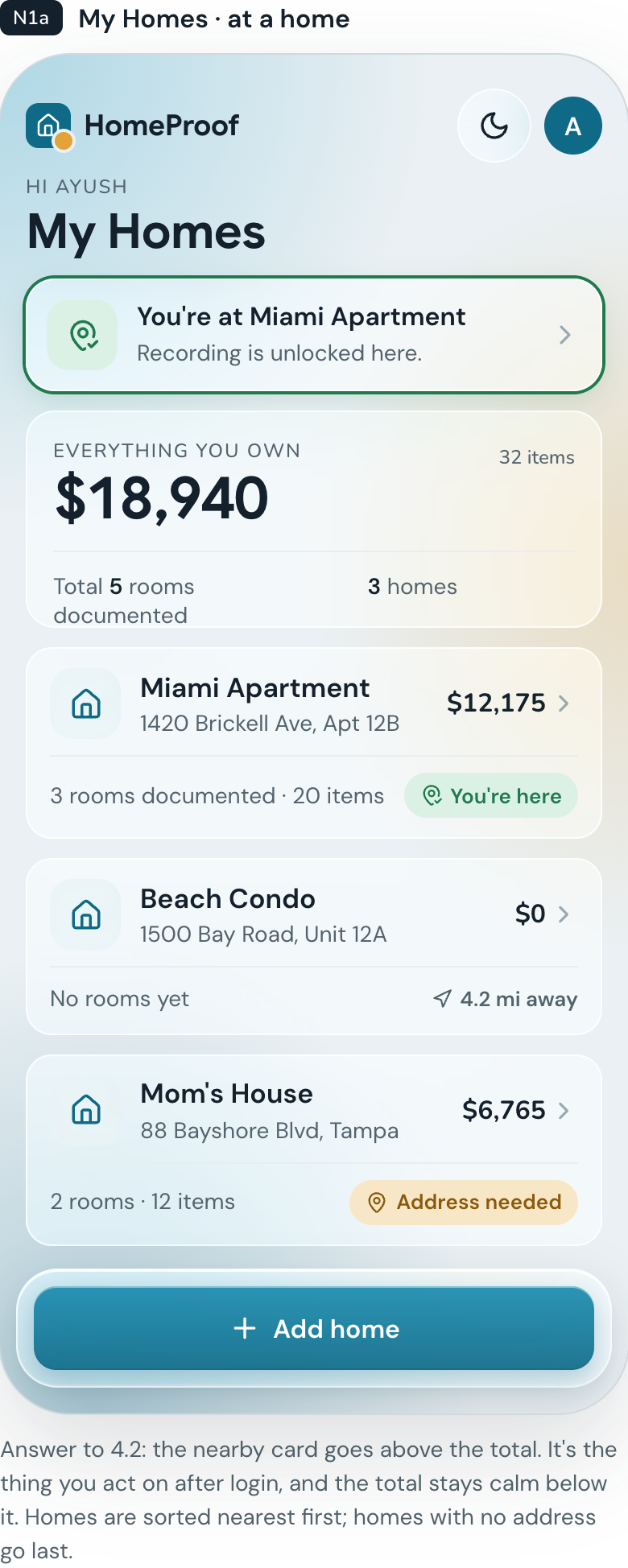
Automatic Location selection
-
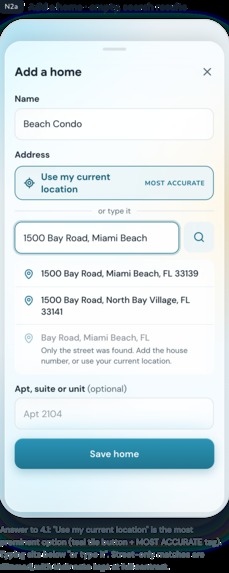
Add/edit location manually
-
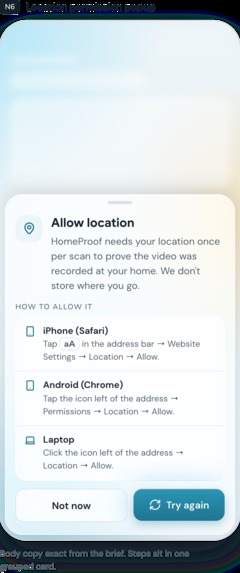
Permission for location access
-
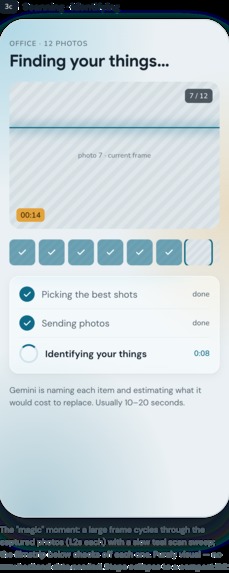
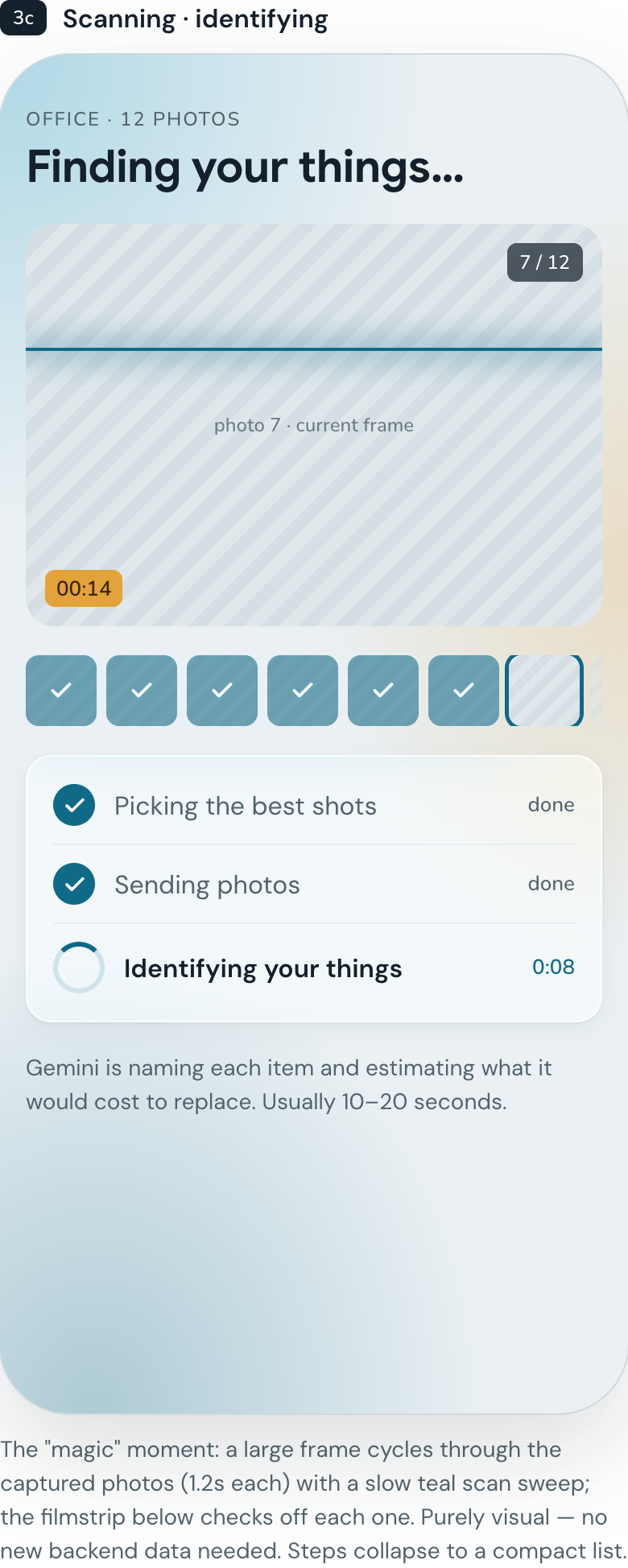
Identifying the items in the recording and estimating its vale
-
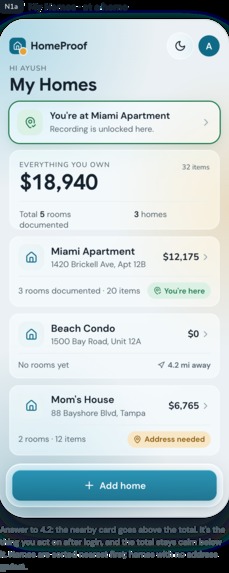
Net worth of each house
-
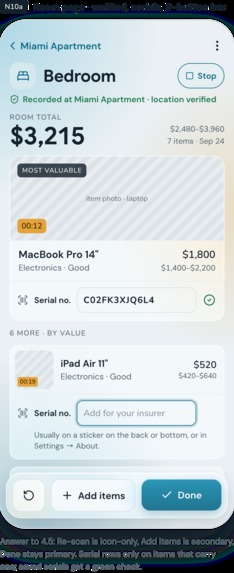
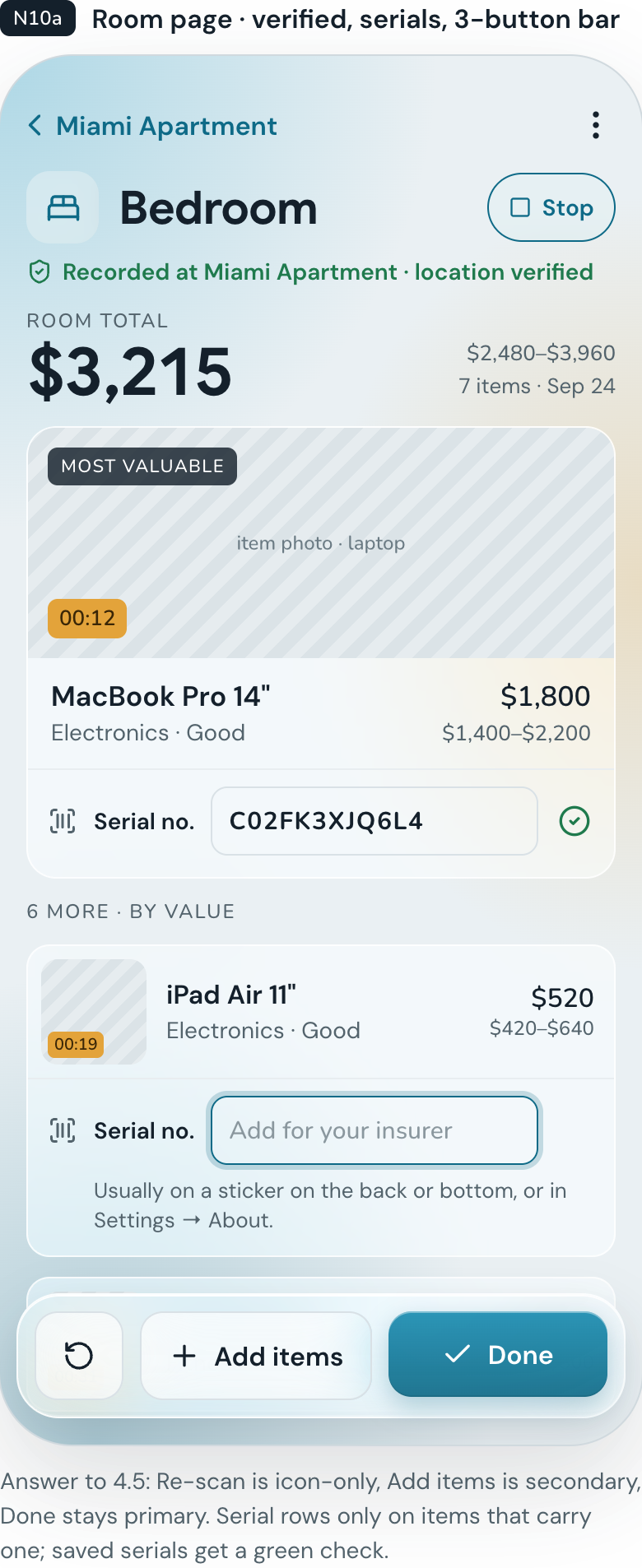
Item serial number
-
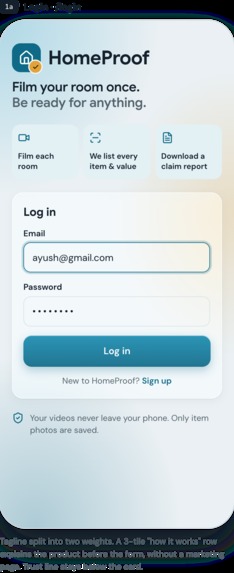
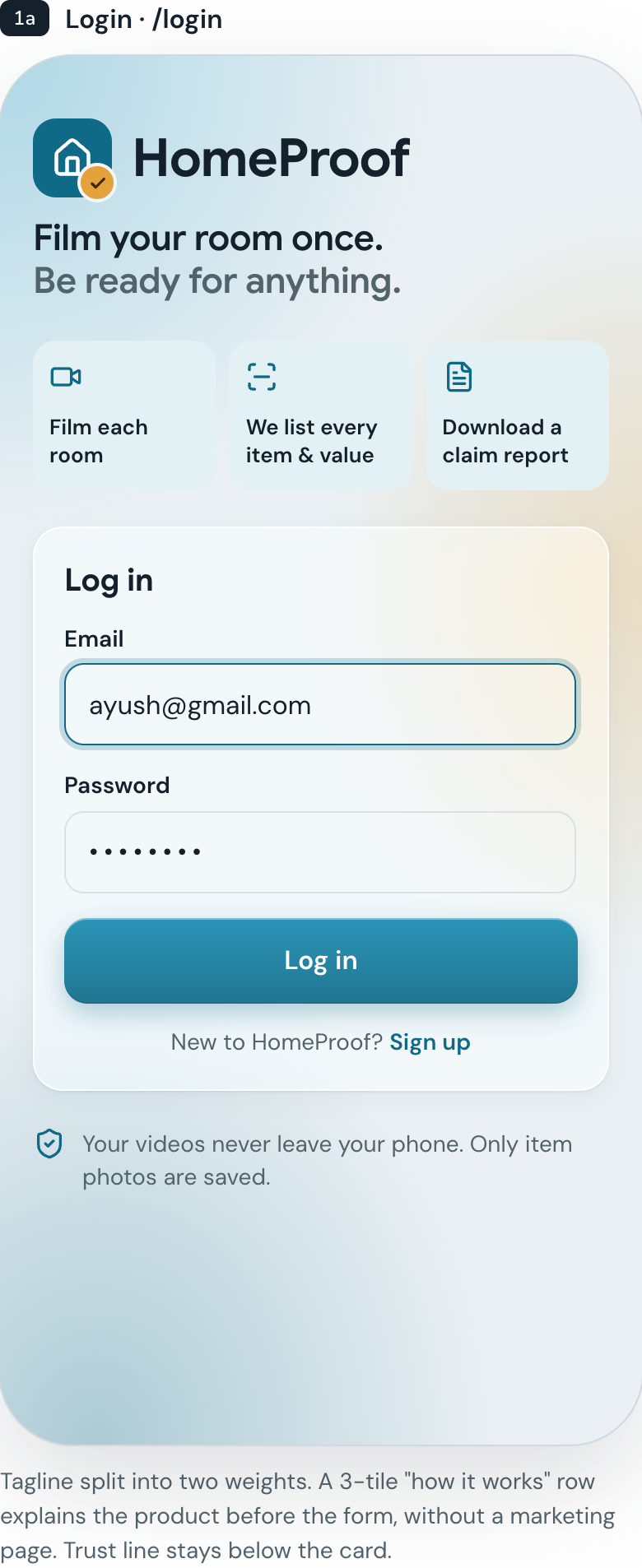
login or signup
-
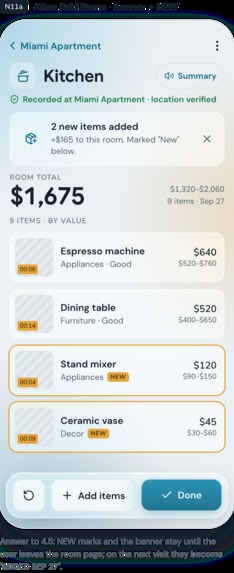
items worth
-
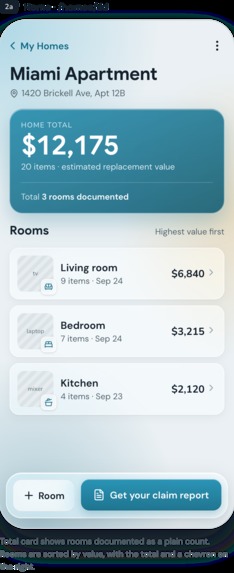
room worth
-
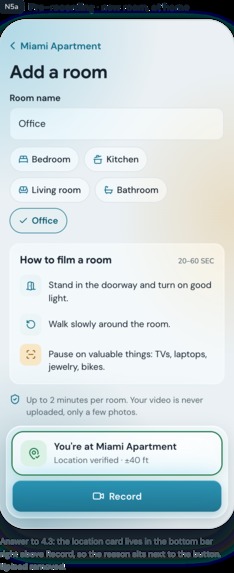
Steps to film a room
-
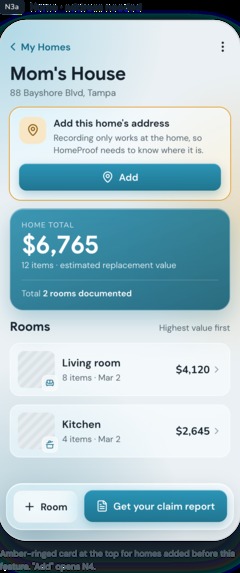
Household Net Worth
Inspiration
We're students in Miami, and every hurricane season we get the same advice: document your belongings before the storm. Almost nobody does it. We didn't either.
Then we looked at what happens after a loss. The insurance company asks you to list everything you owned, what it was worth, and to prove it. You're doing this after a fire, a flood or a break-in, often when the things themselves are gone. Most people end up with a half-remembered list and a payout that doesn't cover what they lost.
Home inventory apps already exist, but they make you type in every item by hand. That takes hours, so people give up. We wanted to turn that job into something you can finish in the time it takes to walk around a room.
What it does
HomeProof turns a short video of a room into a complete, insurance-ready inventory.
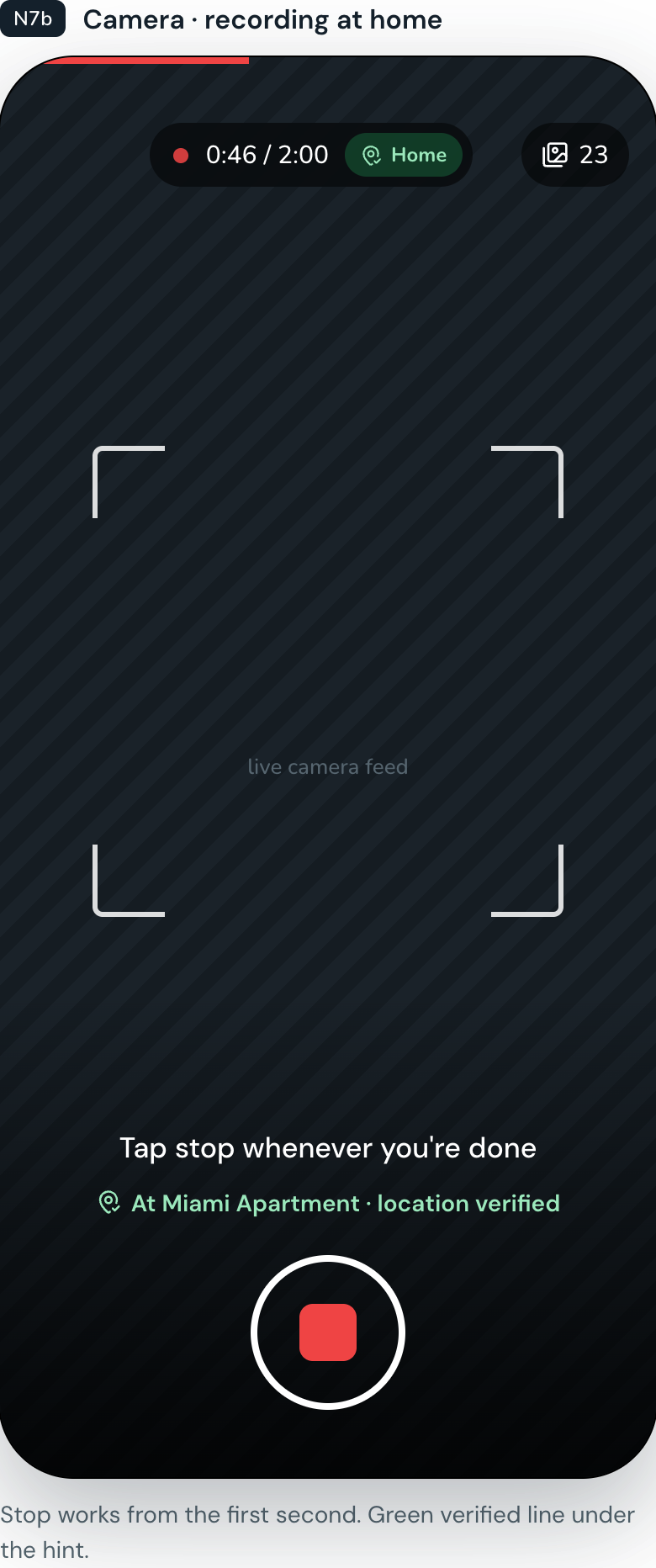
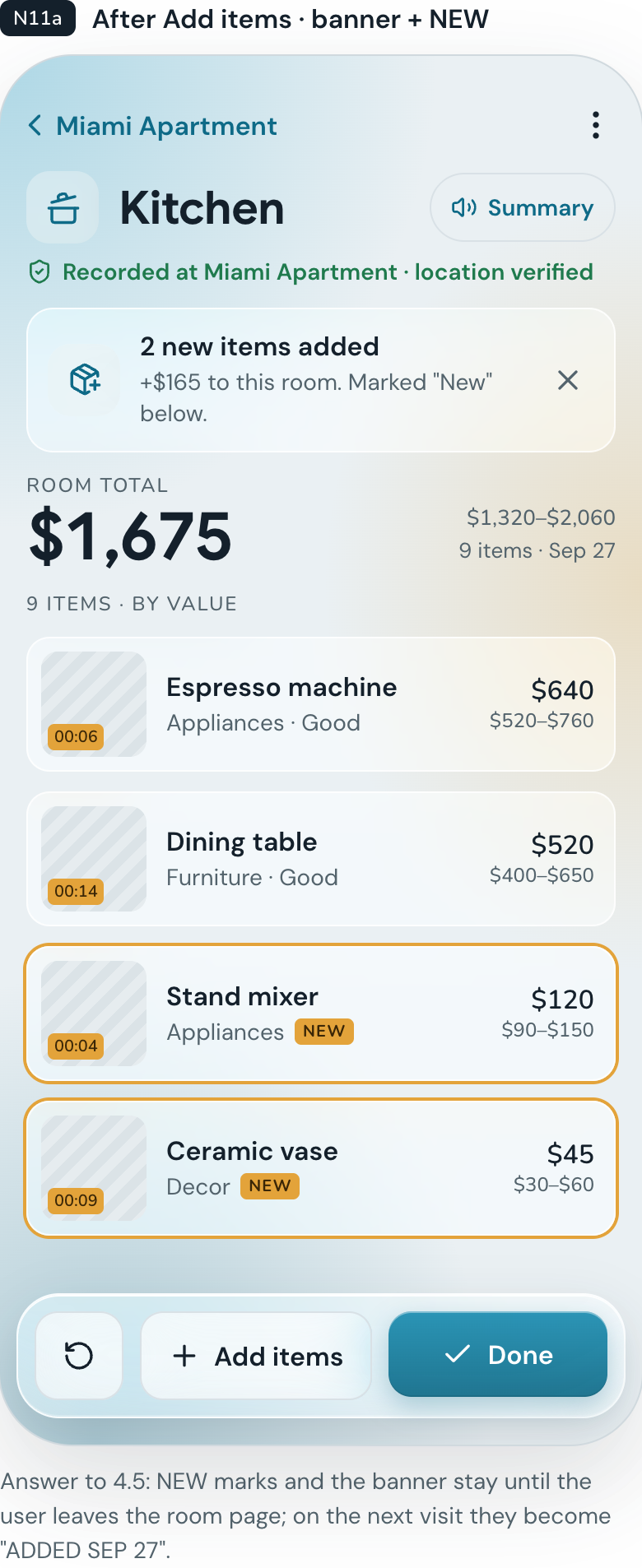
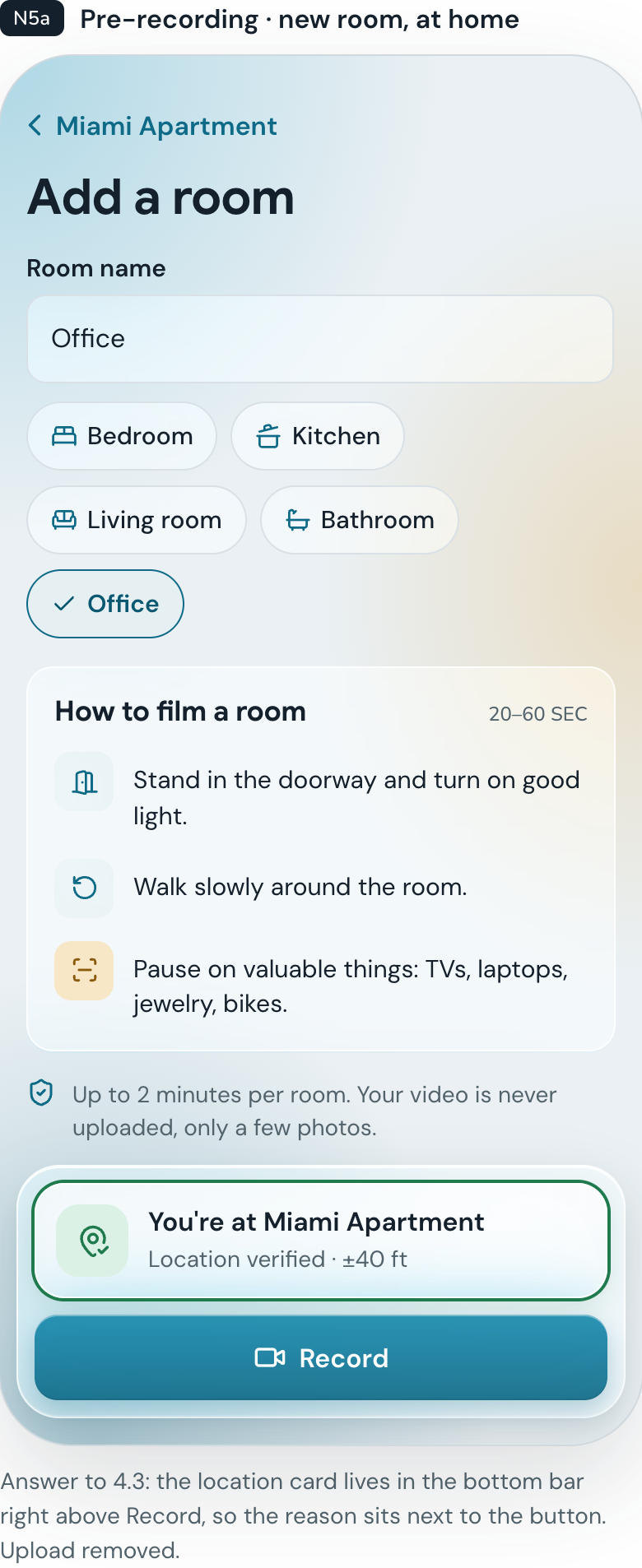
You add your home, name a room, and film it with your phone for up to two minutes. HomeProof picks the clearest shots from the video, and AI identifies every item worth claiming: the laptop, the TV, the couch, the shoes in the corner. Each item gets a name, category, condition, an estimated replacement value with a price range, and a photo from the video as evidence. You can fix anything the AI got wrong.
A few things we cared about:
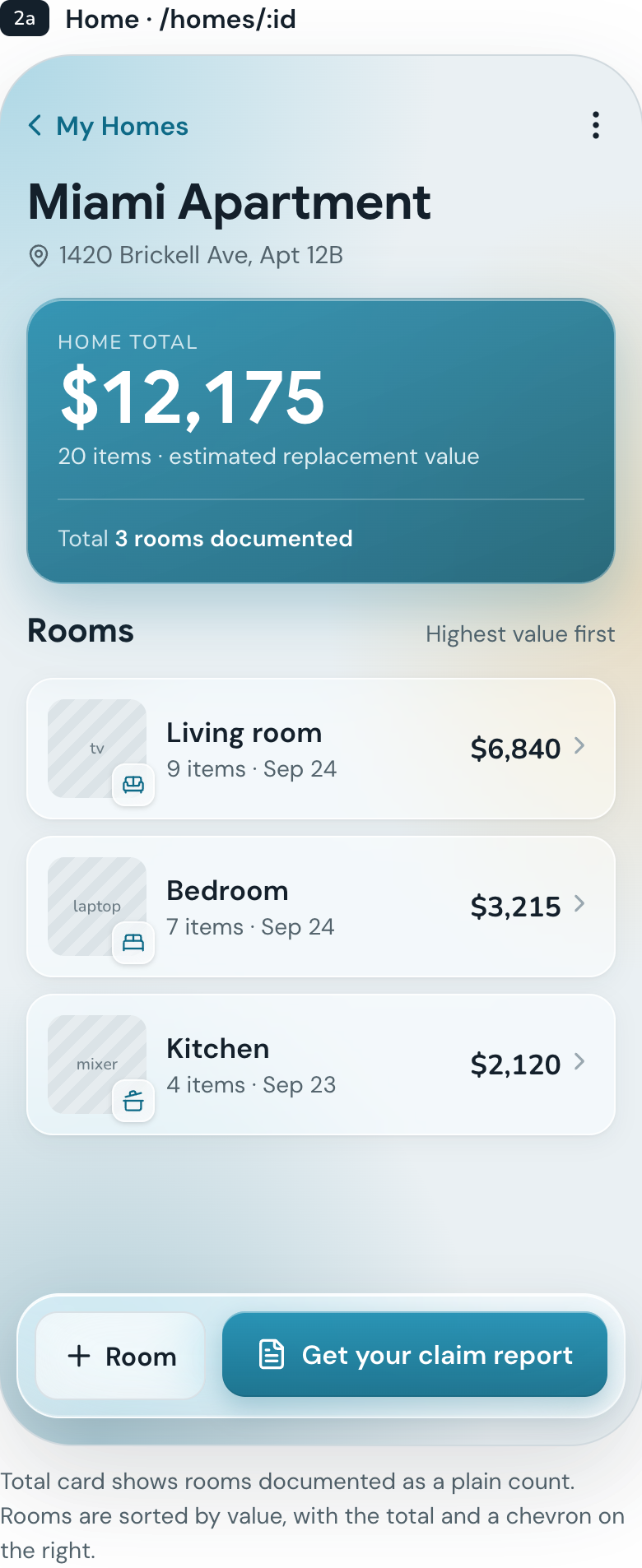
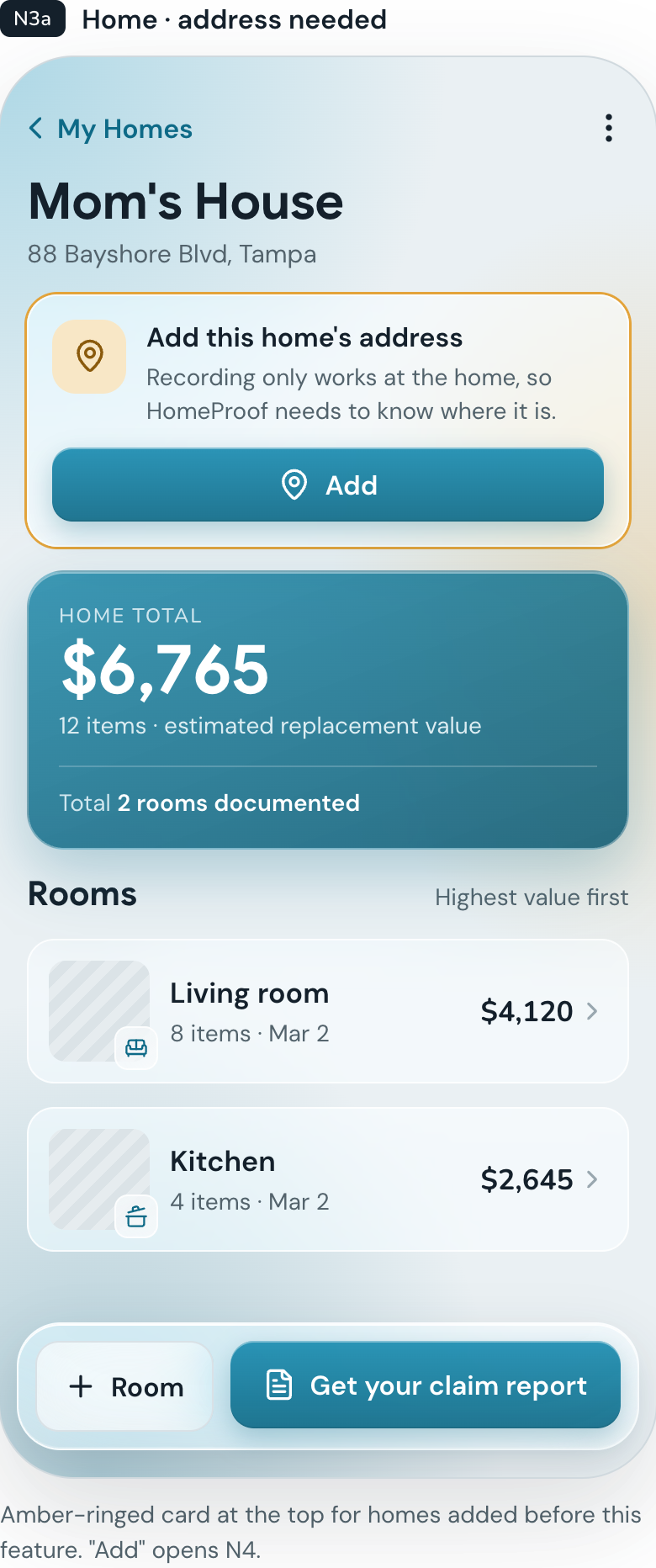
- Room by room, home by home. You see a total for each room and for the whole home, and you can manage more than one home.
- Serial numbers for electronics. HomeProof asks for serial numbers on laptops, phones, TVs and appliances. You can type it or snap a photo of the label and let AI read it. Insurers and police use serials to verify ownership.
- Add new items later. Bought a new TV? Film just the new stuff and HomeProof adds it without touching what's already saved.
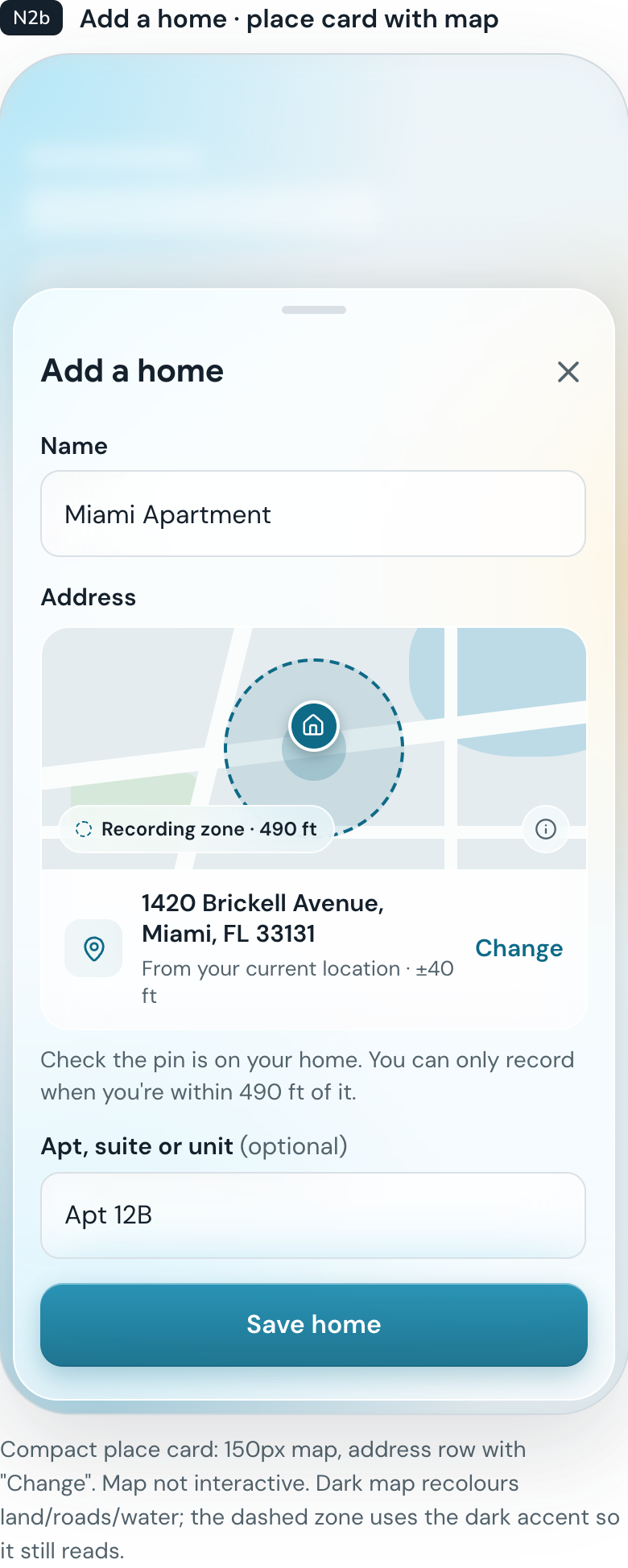
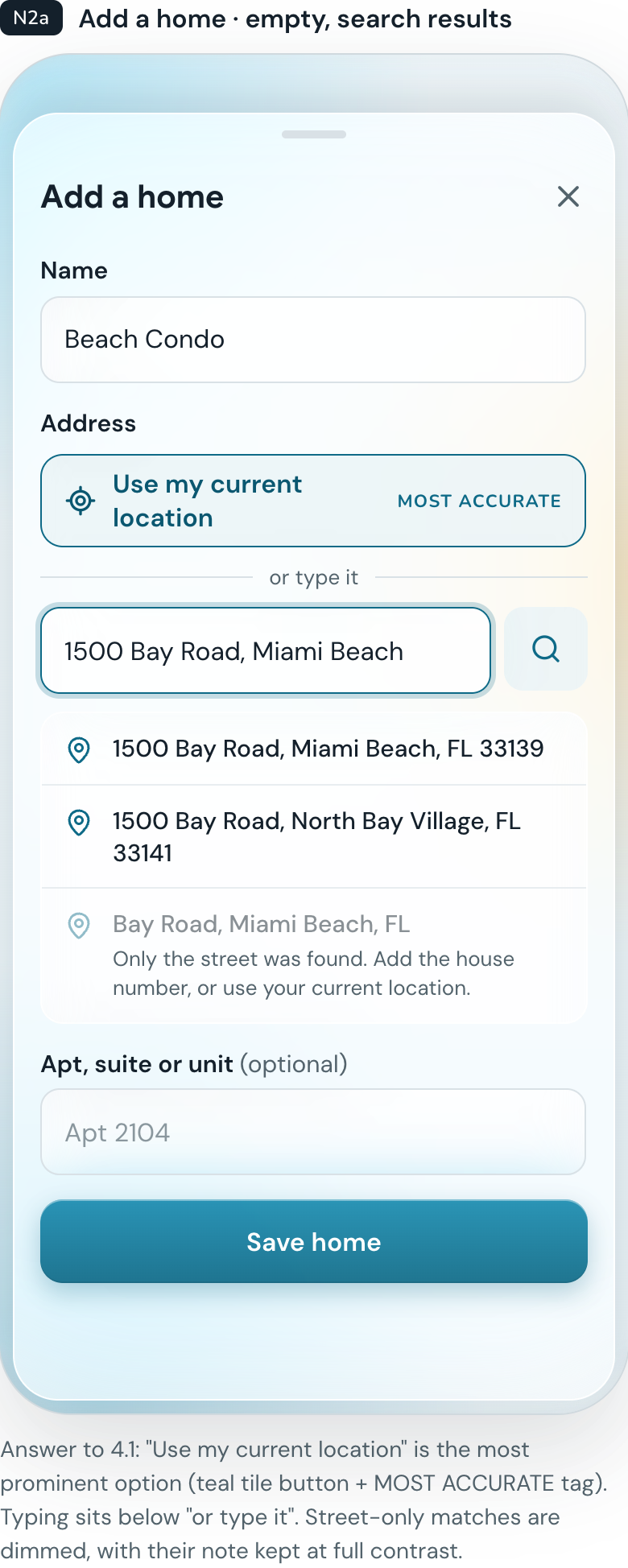
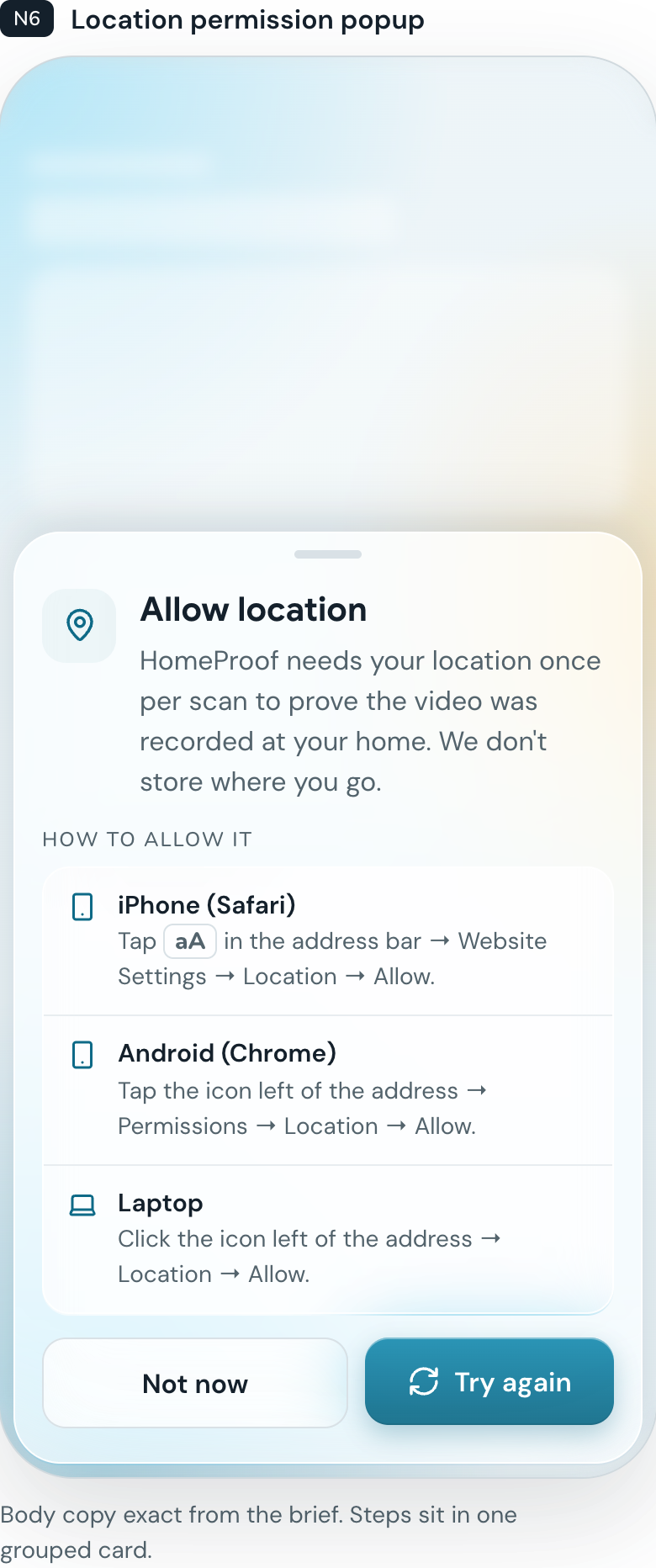
- Built so it's hard to cheat. The record button only works when you're physically at the home you registered. The location is checked on our server at the moment you press record, and videos can't be uploaded from somewhere else.
- One tap for a claim report. When something happens, tap "Get your claim report," choose the event (hurricane, fire, break-in), and get a professional PDF with every item grouped by room, photos, serial numbers, subtotals and a grand total.
- A voice that tells you the result. After a scan, an ElevenLabs voice tells you how many items it found and what they're worth.
Every value is labeled as an estimate. HomeProof doesn't approve claims. It gives the insurer much better evidence than a list typed from memory.
How we built it
- Frontend: React and Vite, designed phone first and installable as a web app. The camera, recording and photo extraction all run in the browser.
- Backend: Node.js and Express.
- AI: Google Gemini. We send all the photos from one room in a single request, each labeled with its frame number and timestamp, and ask for structured JSON back. Gemini tells us which frame shows each item best, and that frame becomes the item's photo. A lighter Gemini model takes over automatically if the main one is busy.
- Database: MongoDB Atlas stores users, homes, rooms, items and item photos.
- Voice: ElevenLabs text-to-speech for the scan summary and report confirmation.
- Reports: PDFs generated on the server.
- Location: the browser's GPS, compared on the server with the home's coordinates using the Haversine distance formula.
Challenges we ran into
Uploading whole videos was too slow. Our first version sent the full video to Gemini. A 30-second clip meant a big upload and then a wait while Gemini processed the video before it could even start. We changed the design so the phone takes snapshots while you record and only sends those photos. The upload went from many megabytes to a couple, and the processing wait disappeared.
The same item showed up in five photos. Neighboring frames overlap, so a laptop could appear again and again. Sending every photo in one request, with labels, let Gemini treat them as one walk-through and list each item once.
Gemini got overloaded. During testing we hit "model is experiencing high demand" errors. We added retries with backoff and an automatic switch to a lighter model, so a busy moment on Google's side doesn't break a scan.
Keeping it honest. A tool that helps people file claims could also help people cheat. We spent real time on questions like "what if someone films a friend's house?" That led to the location lock, server-side checks, and a report that clearly shows when and where each scan happened.
GPS indoors is messy. Phones can be off by 100 meters inside a building. We check against a fixed radius around the home plus the accuracy the phone reports, with a hard cap, so honest users aren't locked out and nobody can record from across town.
Phones don't agree on video. iPhones record MP4 and many Android phones record WebM, and Chrome's WebM files don't even report their length until you seek to the end. We had to handle each case to pull clean frames.
Accomplishments that we're proud of
- On one of our first real tests, a short video of a desk turned into seven correctly named items, including the laptop brands, worth an estimated $2,695, each with a photo from the exact moment it appeared.
- The whole flow works on a phone with no install: film a room, see your inventory, download a claim report.
- The location lock. It's simple to explain, it doesn't need any extra AI calls, and it answers the first question every insurance person asks us.
- We kept the AI inside a real task instead of building another chat window.
What we learned
- Getting reliable structured output from a vision model is mostly about how you frame the input. Labeling each photo and explaining that the photos overlap made a big difference.
- How long something takes matters less than how the wait feels. Showing progress steps and the photos being analyzed made scans feel much faster.
- A lot about insurance: claims need itemized lists, serial numbers are one of the best proofs of ownership, and trust matters as much as speed.
- Sometimes the best technical decision is removing a feature. Dropping video uploads made the app simpler, cheaper to run and harder to abuse.
What's next for HomeProof
- Before and after. Re-scan a room after a disaster or break-in, and HomeProof compares it with the earlier scan to show exactly what's missing or damaged.
- An evidence strength score on every report, so an adjuster can see at a glance how well each claim is documented.
- Receipts and purchase dates attached to expensive items.
- Coverage check: compare your inventory total with your policy limit and warn you if you might be underinsured.
- Share with your adjuster through a secure read-only link.
- Spanish support, because so many Miami households need it.
- Working with insurers so a HomeProof report can go straight into their claims process.
Built With
- bcrypt
- css3
- elevenlabs
- express.js
- google-gemini
- google-identity-services
- html5
- javascript
- jwt
- leaflet.js
- lucide
- mongodb
- mongodb-atlas
- mongoose
- node.js
- openstreetmap
- pdfkit
- pwa
- react
- render
- vercel
- vite


Log in or sign up for Devpost to join the conversation.