Inspiration
Millions of people delay getting medical help because they are unsure whether symptoms are serious, what to do next, or where to go for care. This problem is even bigger in underserved communities, crisis settings, and regions with language or access barriers.
We wanted to build a practical tool aligned with UN SDG 3: Good Health & Well-being that helps people make safer health decisions quickly using only a mobile phone.
That idea became HealthBridge.
What it does
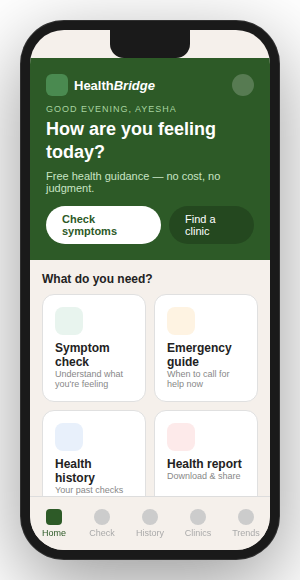
HealthBridge is a mobile-first health triage and clinic discovery app that helps users take the next best step when they feel unwell.
Users can:
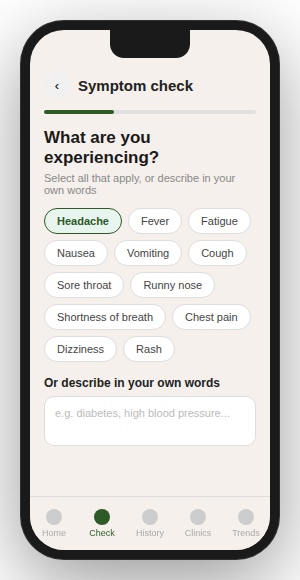
- Enter symptoms in simple language
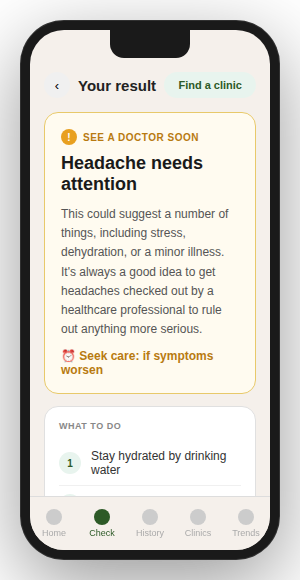
- Receive urgency guidance: Urgent / Moderate / Monitor
- See clear next actions and warning signs
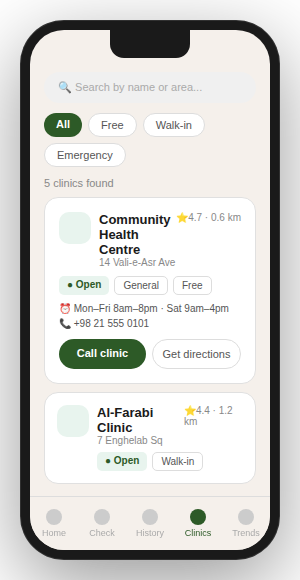
- Find nearby clinics using maps and geolocation
- Access emergency contact help
- Save previous health checks locally
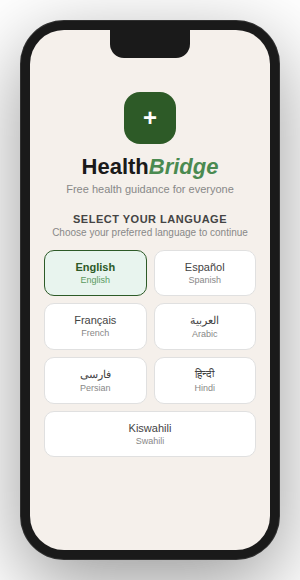
- Use the app in multiple languages, including RTL languages
- Continue using core features with fallback behavior if services fail
Important note: HealthBridge does not diagnose illness. It is a triage and navigation assistant.
How we built it
We built HealthBridge as a modern web app optimized for mobile devices.
Frontend
- React 19
- React Router
- Vite
- Custom responsive CSS
Backend
- Vercel Serverless Functions
AI Layer
- Groq API for structured symptom triage
- AI-assisted clinic search planning
Maps & Location
- Leaflet
- React Leaflet
- OpenStreetMap
- Overpass API
Storage
- React Context
- localStorage for persistent health history
Product Design Decisions
- Mobile-first interface
- Calm health-focused UI
- Fast low-friction navigation
- Accessibility and multilingual support
- Safe wording that avoids medical diagnosis claims
Challenges we ran into
One major challenge was balancing helpfulness with safety.
Health tools must be clear and useful without pretending to replace doctors. We solved this by designing triage outputs around urgency levels, next steps, warning signs, and disclaimers instead of diagnoses.
Other challenges included:
- Handling geolocation failures gracefully
- Supporting multilingual and right-to-left layouts
- Keeping the app useful even when APIs are unavailable
- Designing a simple UX for stressful situations
Accomplishments that we're proud of
We are proud that HealthBridge is not just a demo idea — it is a working product with real-world utility.
Highlights include:
- AI-powered triage with structured outputs
- Real nearby clinic search using OpenStreetMap
- Emergency SOS page for urgent situations
- Local health history tracking
- Anonymous symptom heatmap concept for trends
- Offline-friendly installable PWA structure
- Inclusive multilingual design
Most importantly, we built something that could genuinely help people make better health decisions.
What we learned
This project taught us that impactful health technology is not about complexity — it is about trust, clarity, and usability.
We learned how to:
- Design safer AI experiences
- Structure LLM responses for reliability
- Integrate maps and geolocation into real workflows
- Build resilient products with fallback systems
- Design for global users, not just one region
What's next for HealthBridge
Our roadmap includes:
- Partnerships with NGOs and clinics
- Country-specific healthcare directories
- Telehealth and appointment integrations
- SMS / low-bandwidth versions
- Expanded language coverage
- Better offline support for rural areas
- Privacy-first analytics for public health trends
Our vision is simple:
Help anyone, anywhere, know what to do next when health problems happen.
Built With
- api
- app
- css3
- groq
- javascript
- leaflet.js
- localstorage
- openstreetmap
- overpass
- progressive
- react
- router
- vercel
- vite
- web

Log in or sign up for Devpost to join the conversation.