-
-
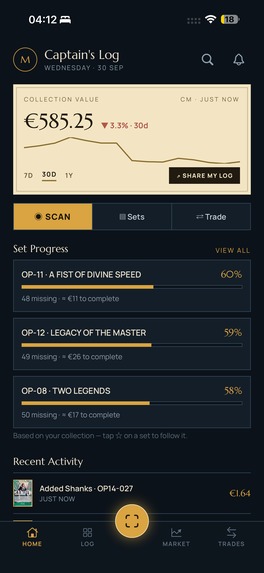
Home
-
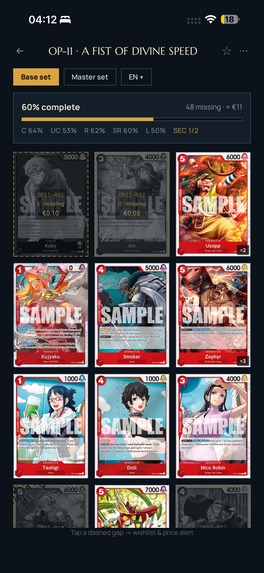
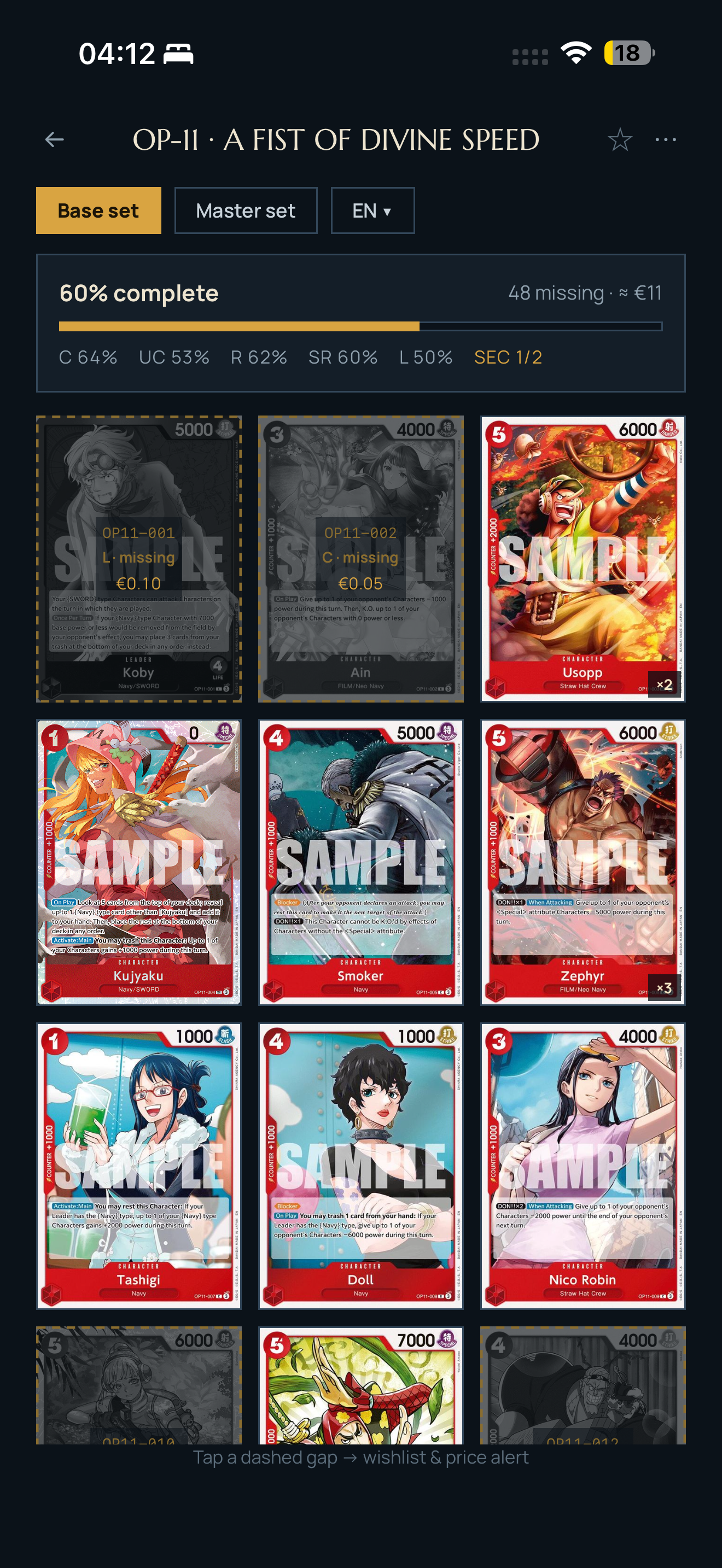
Set completion
-
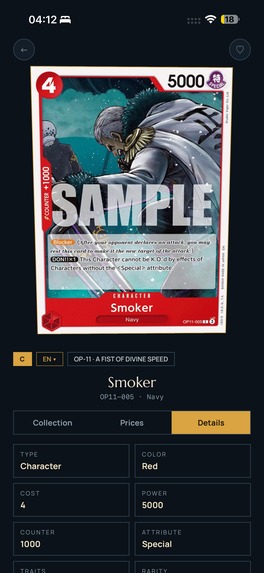
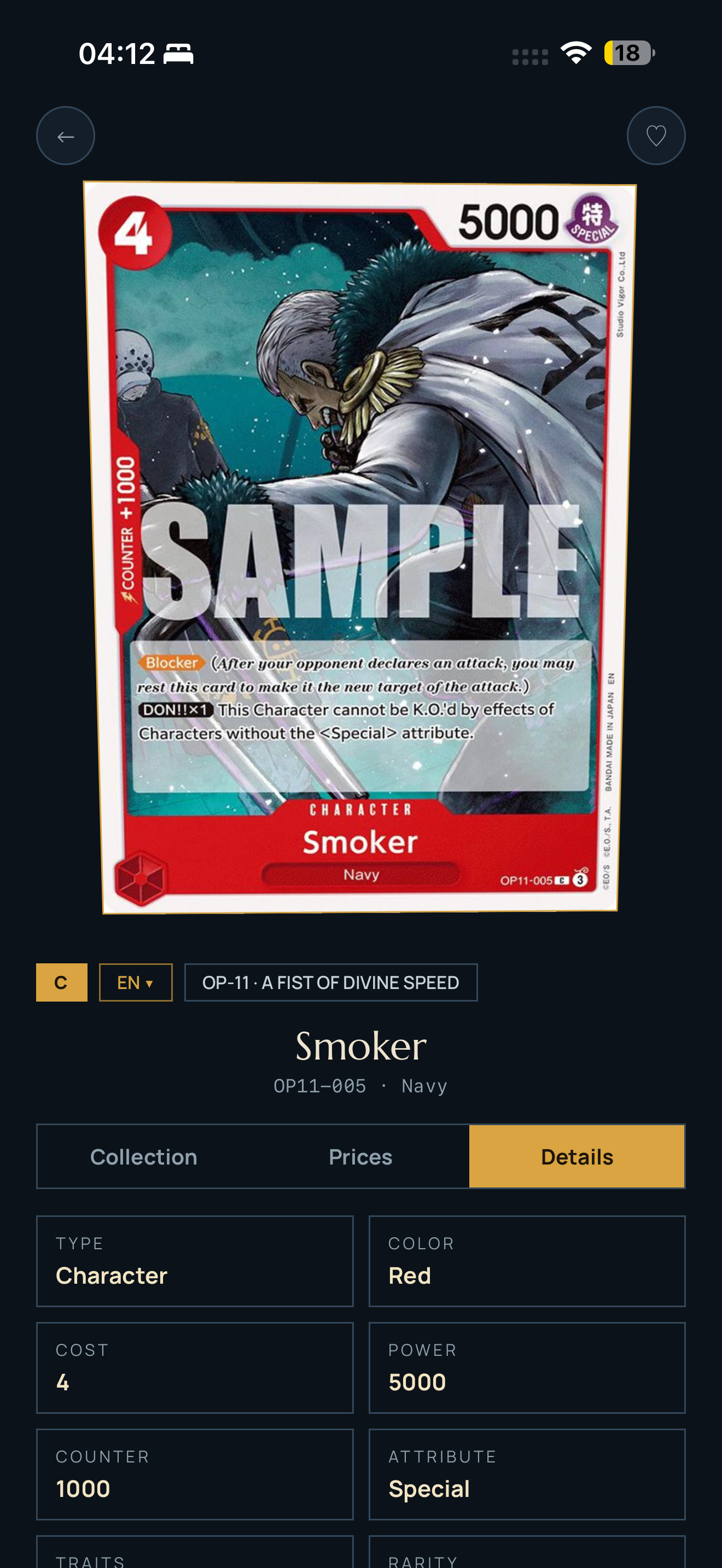
Card details
-
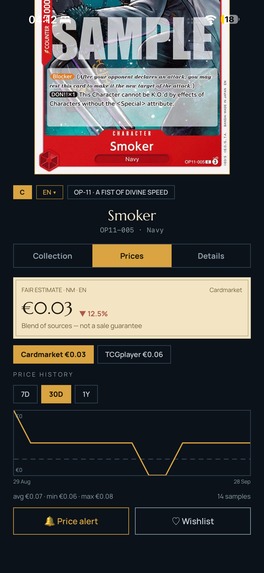
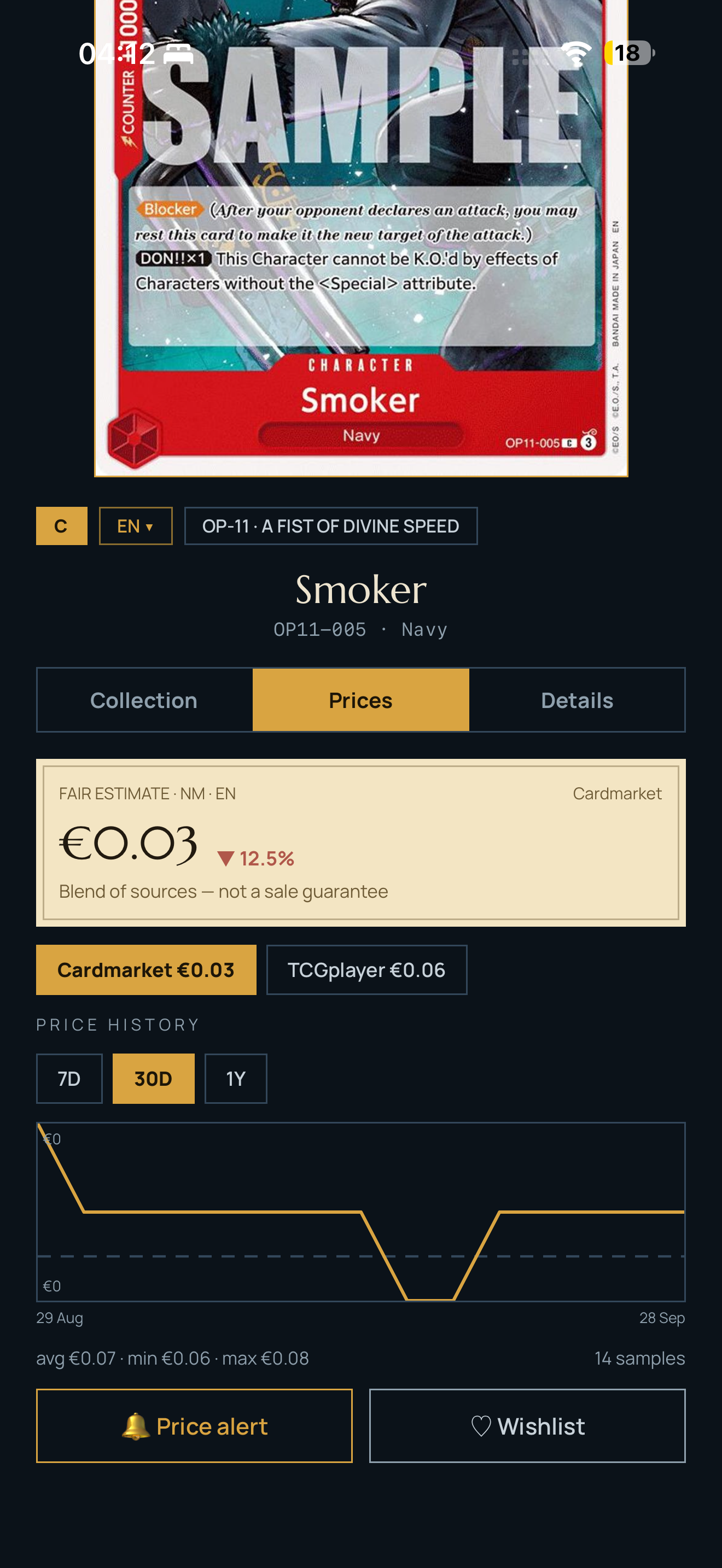
Price history
-
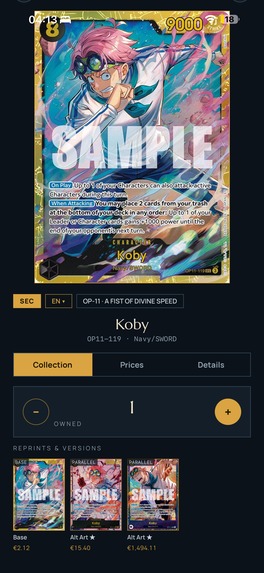
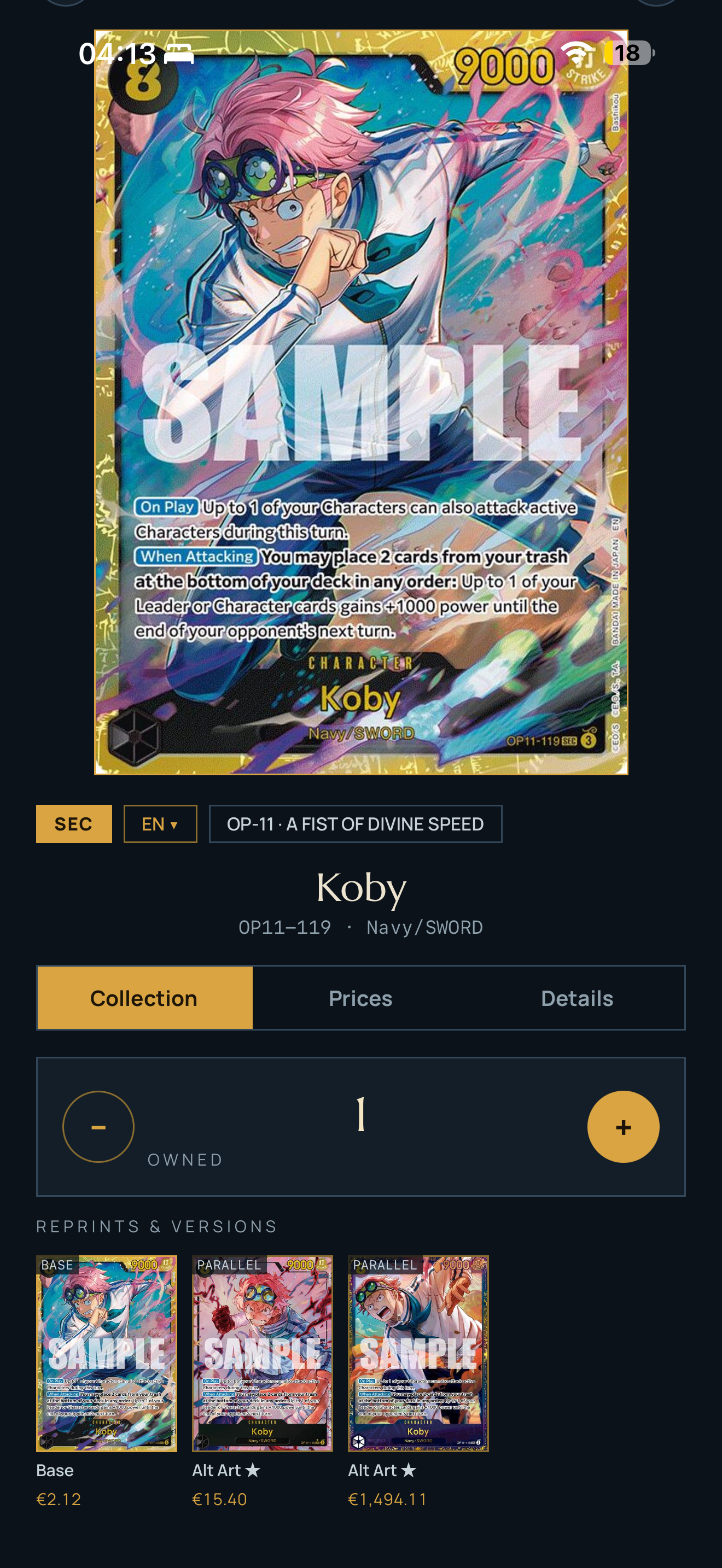
Card variants / reprints
-
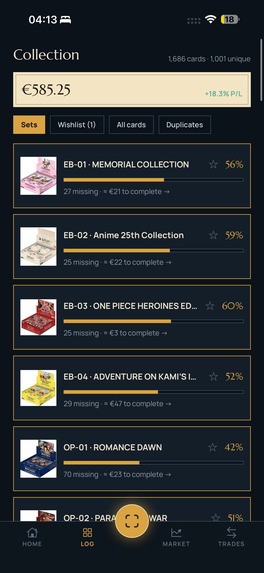
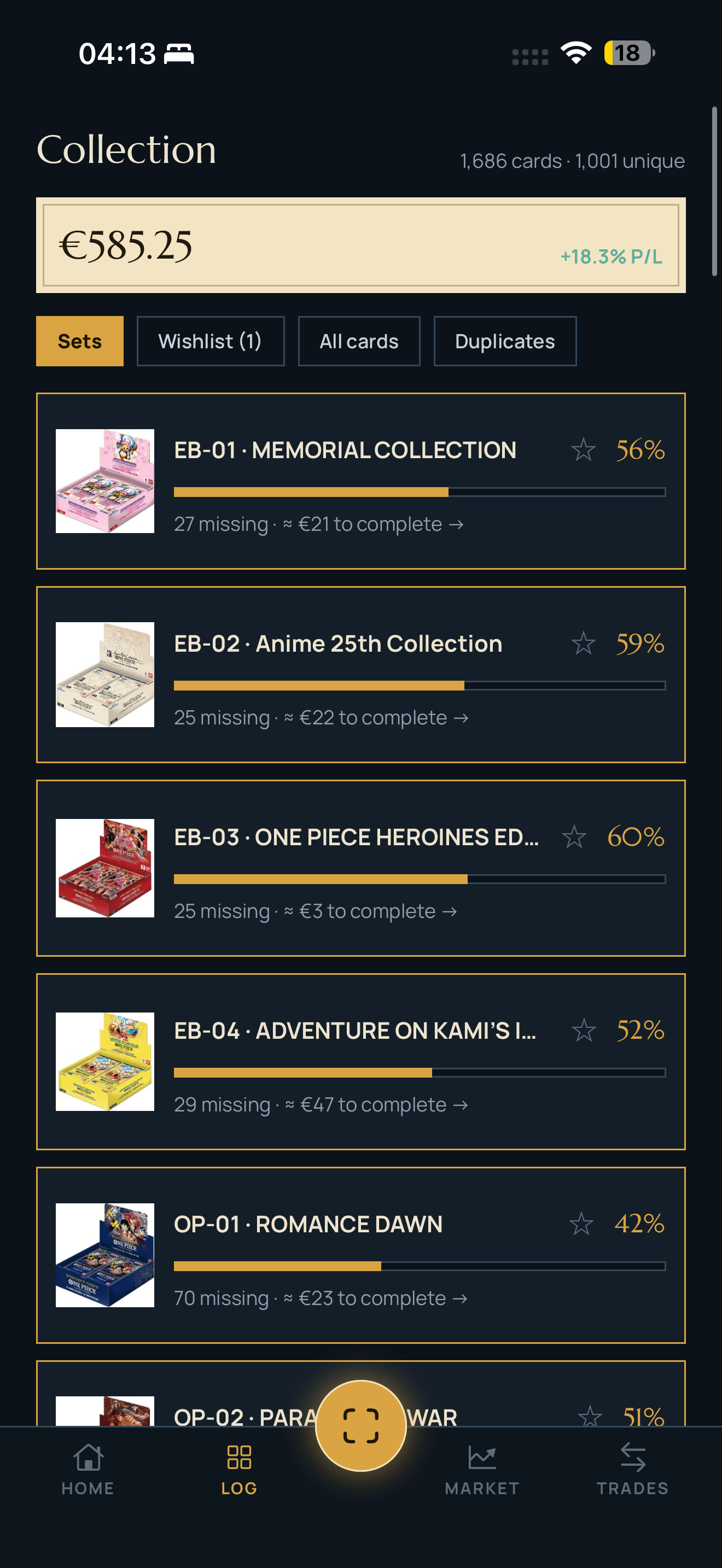
Collection overview
-
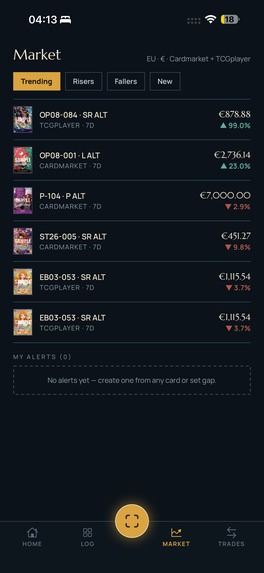
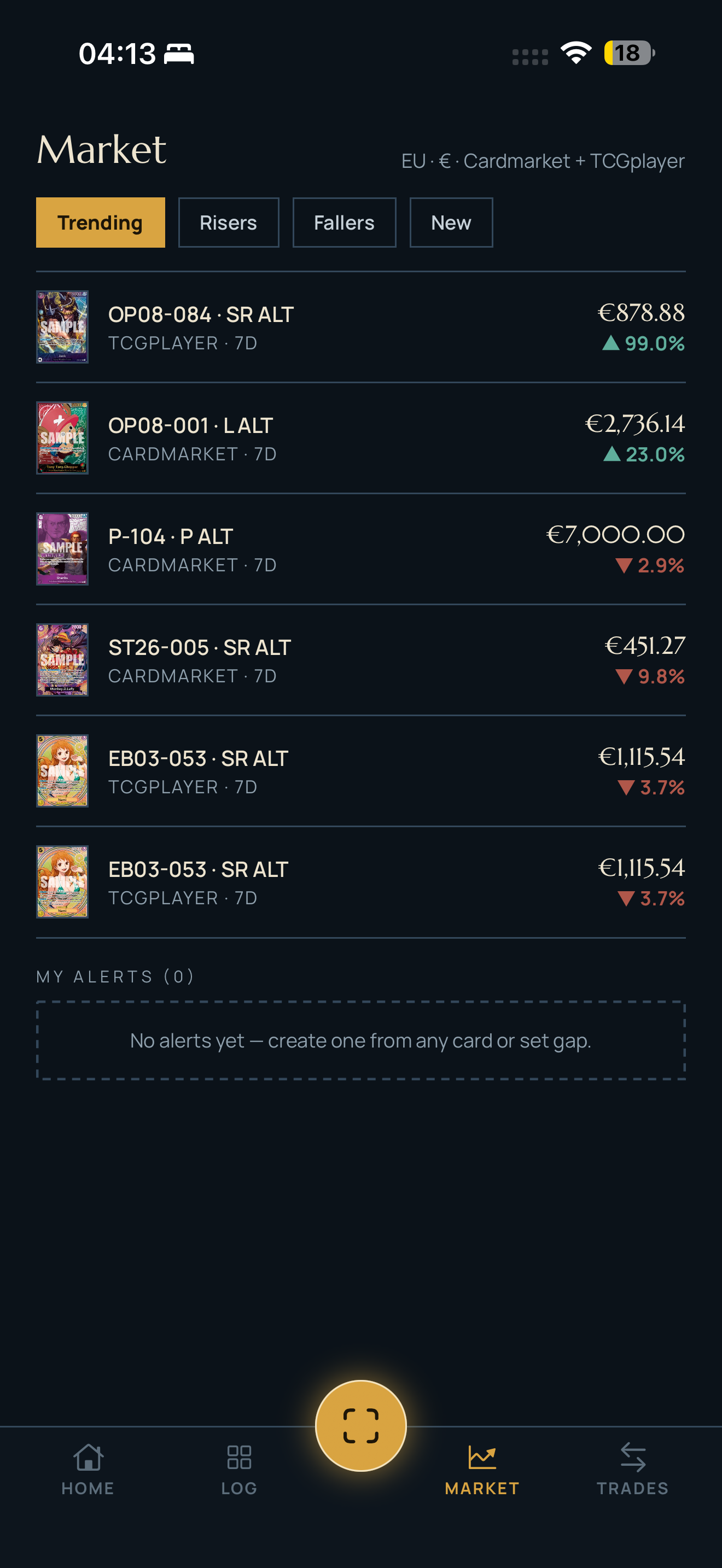
Market trending
-
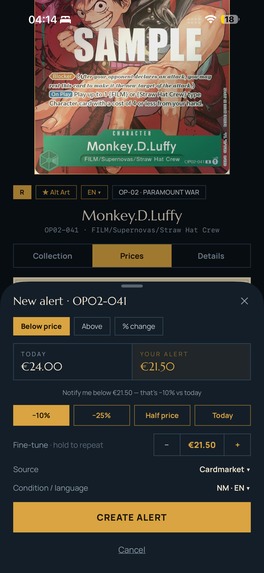
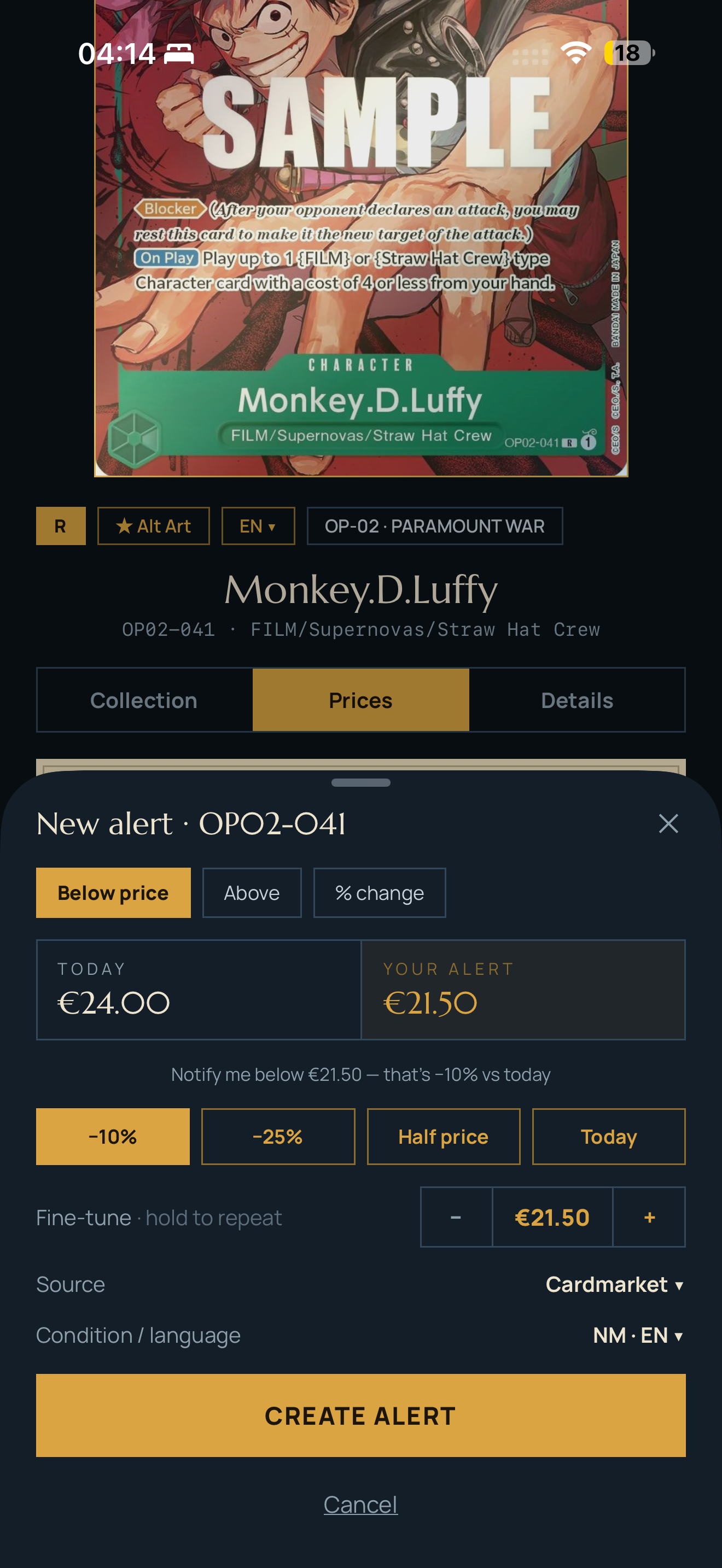
New alert
-
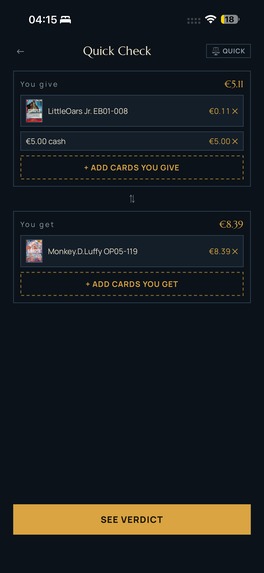
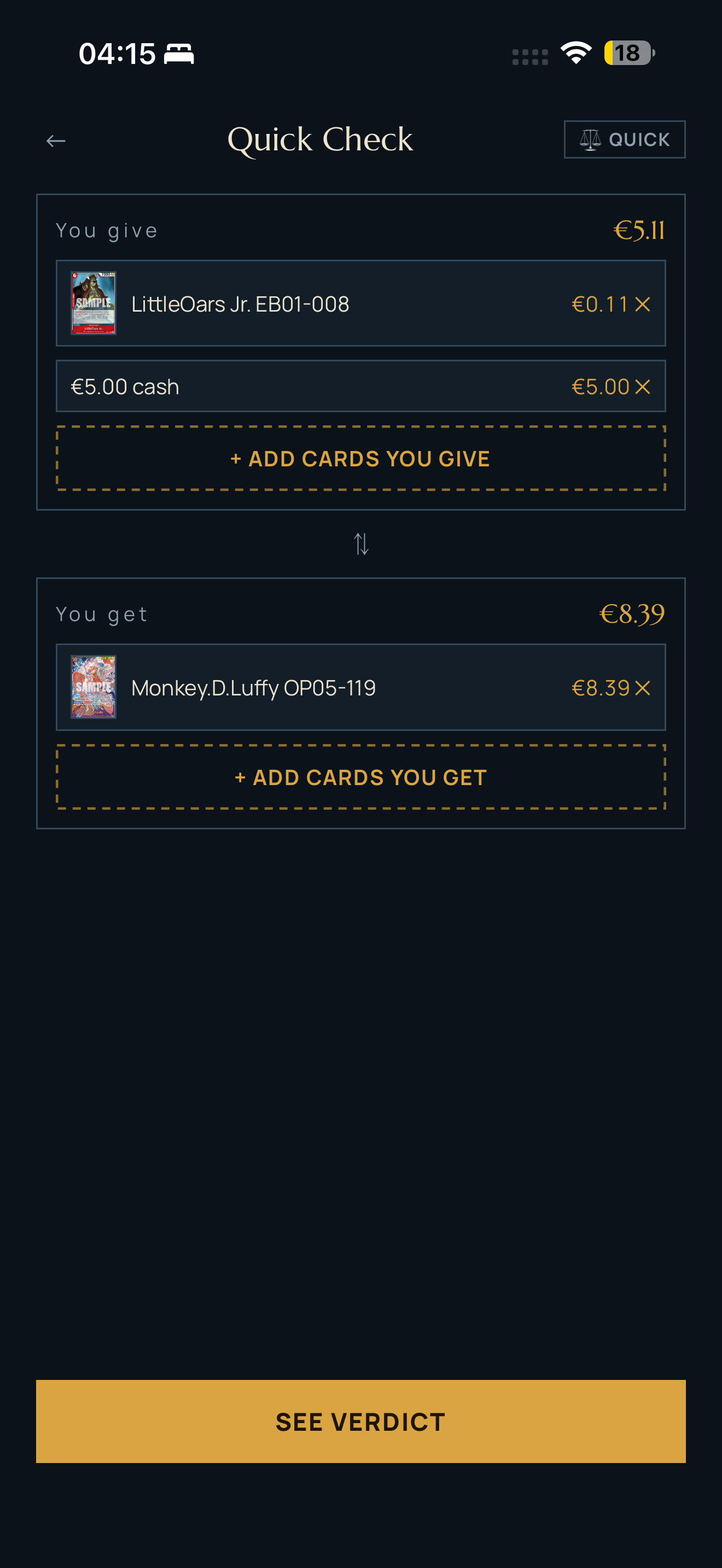
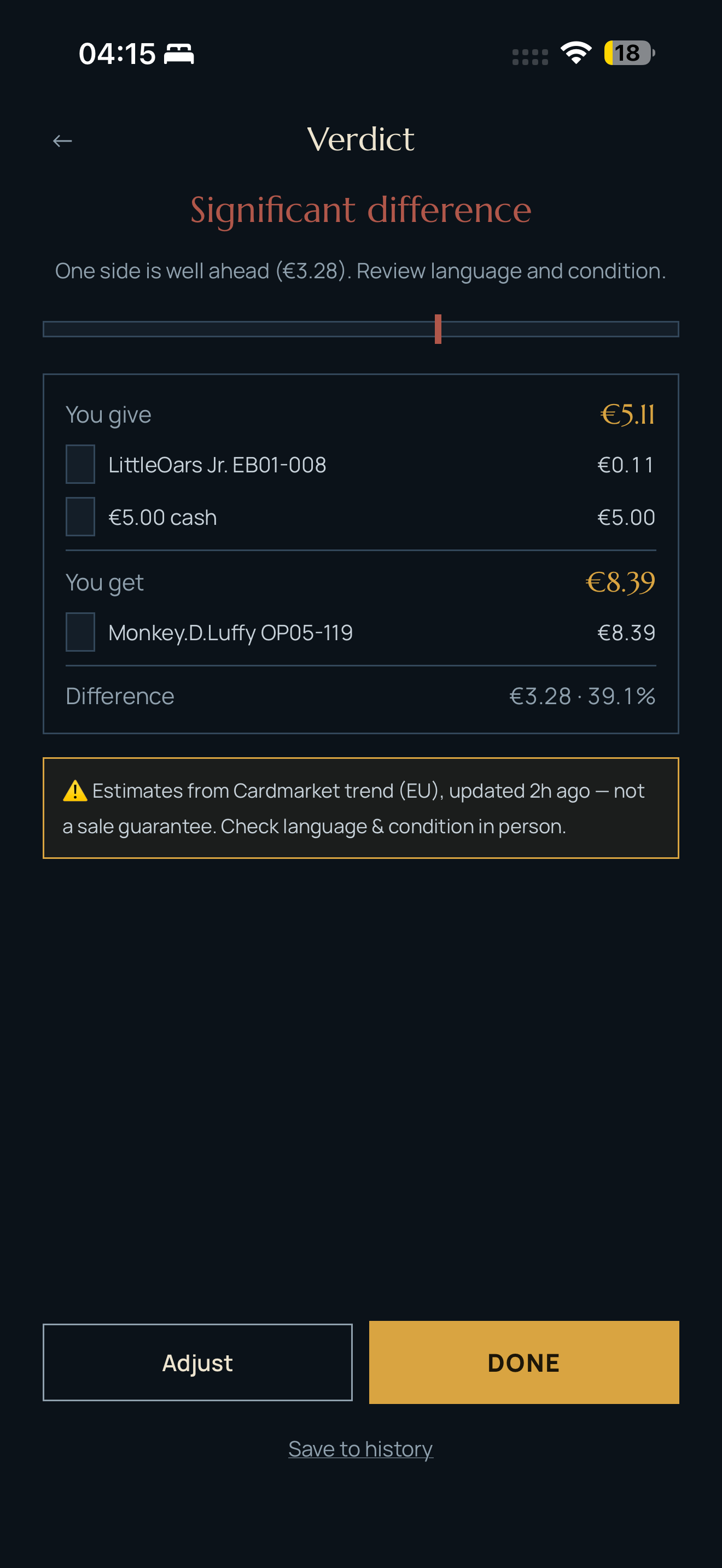
Quick Check trade
-
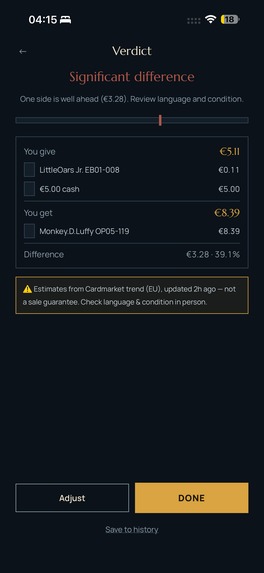
Trade Verdict
-
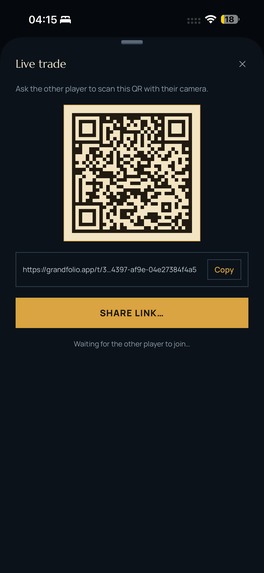
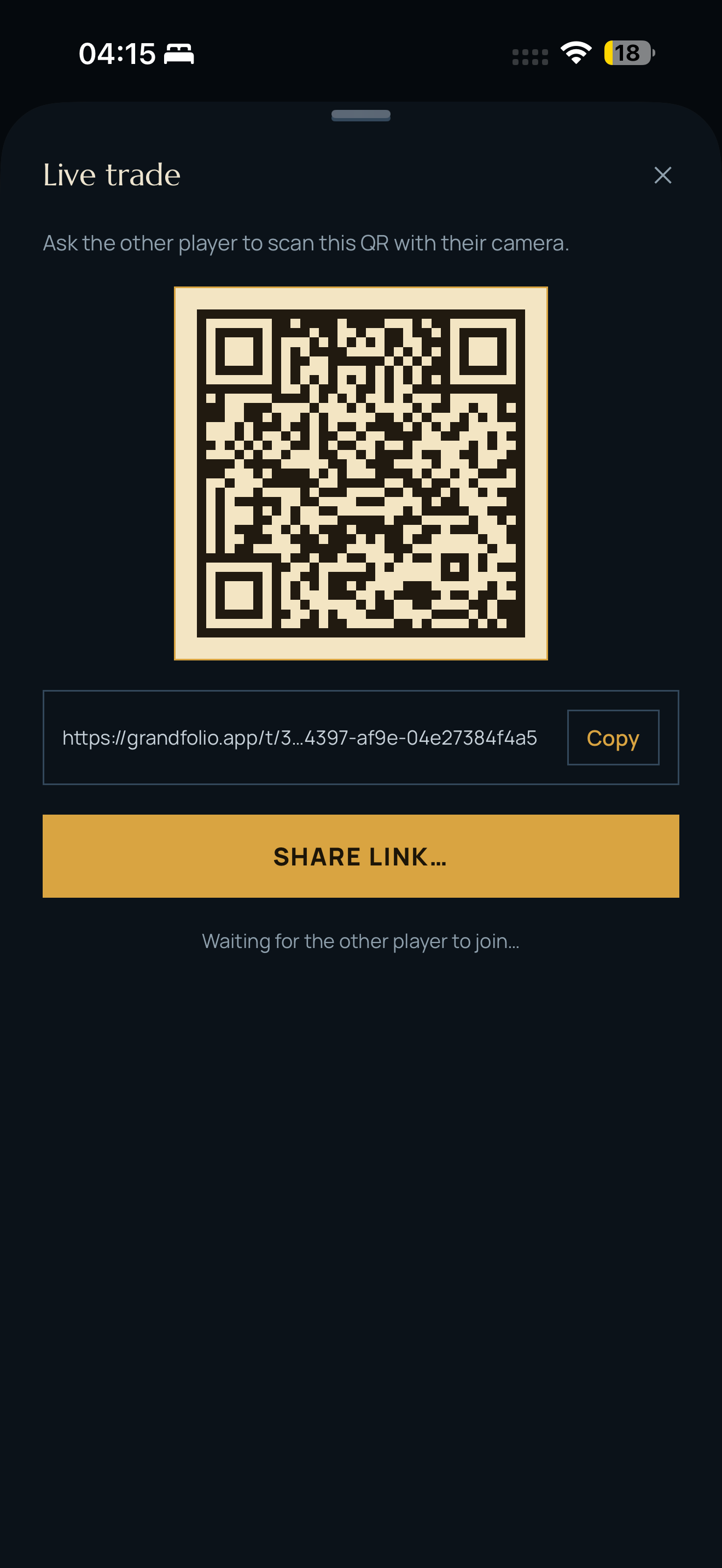
Live Trade QR
-
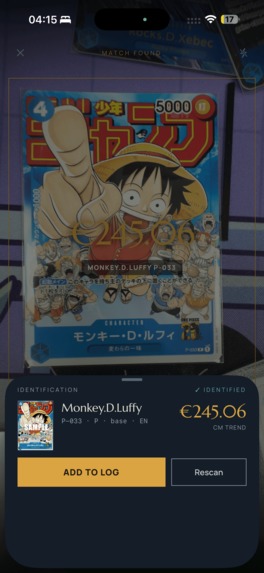
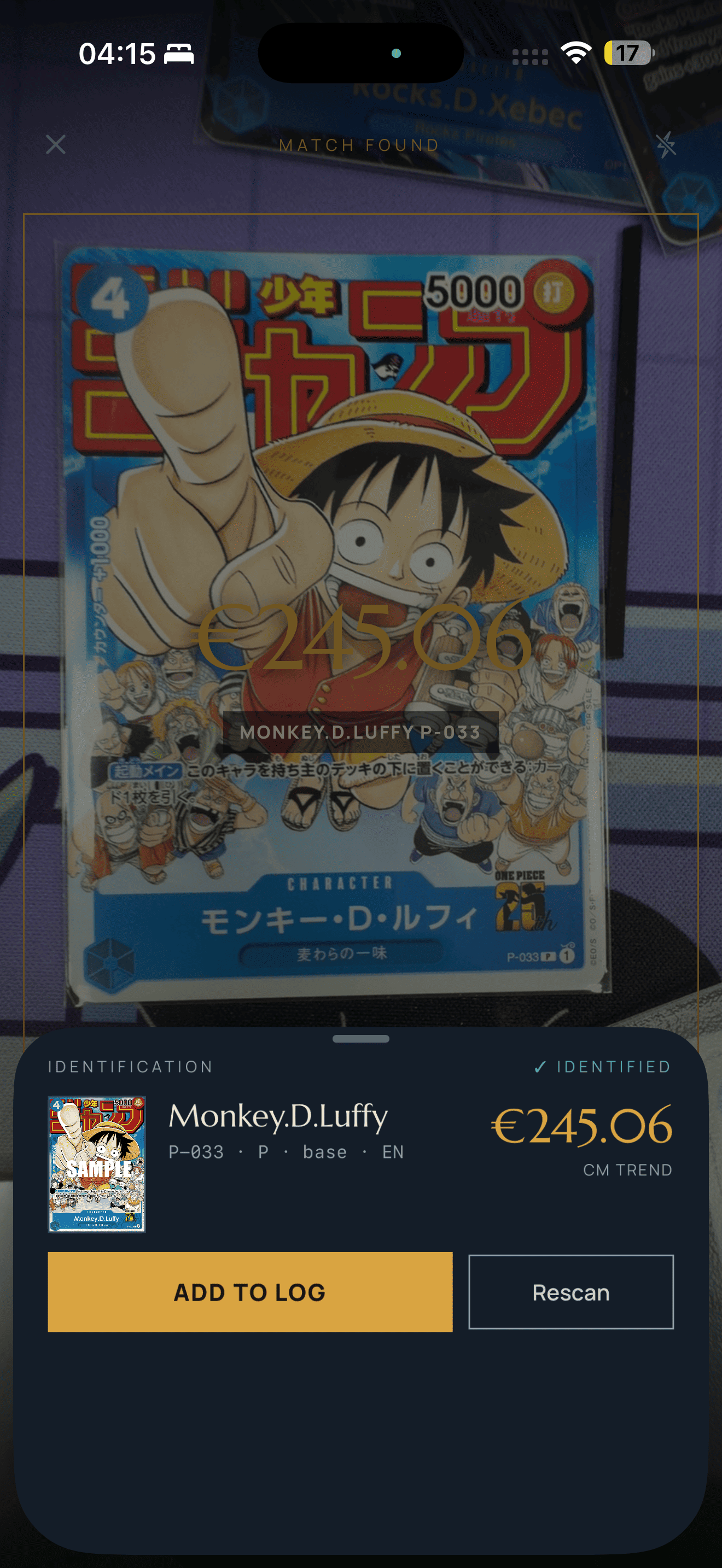
Scanner individual
-
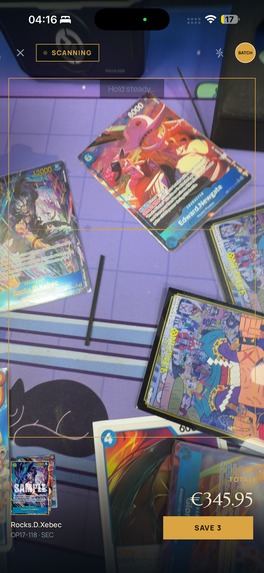
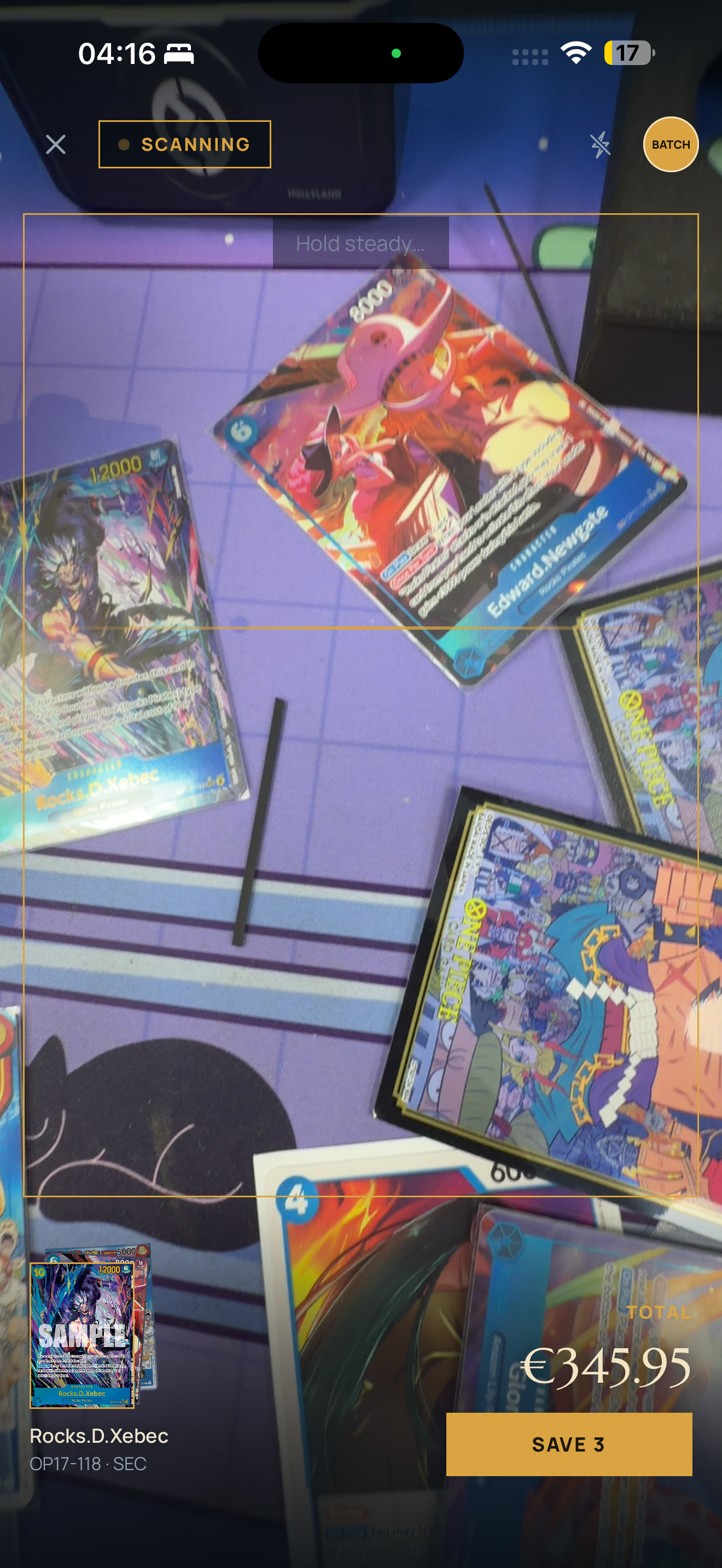
Batch Scanner active
-
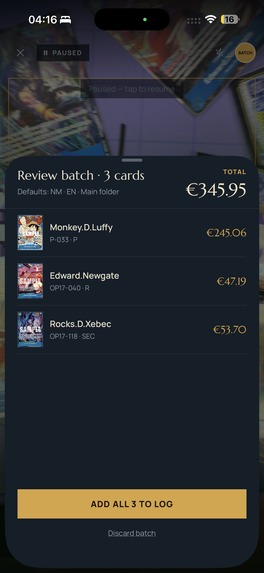
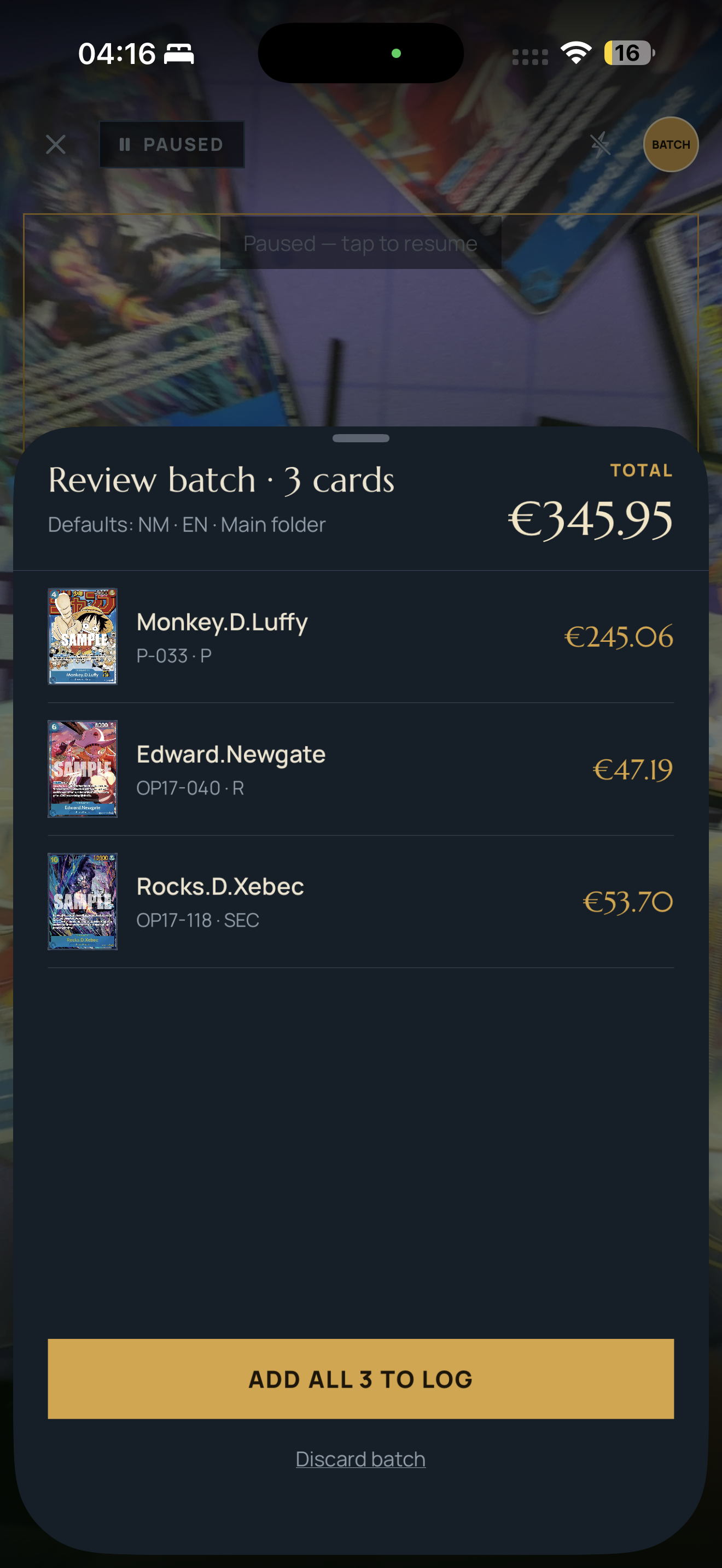
Batch review
-
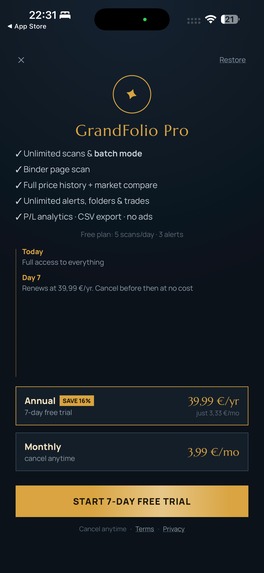
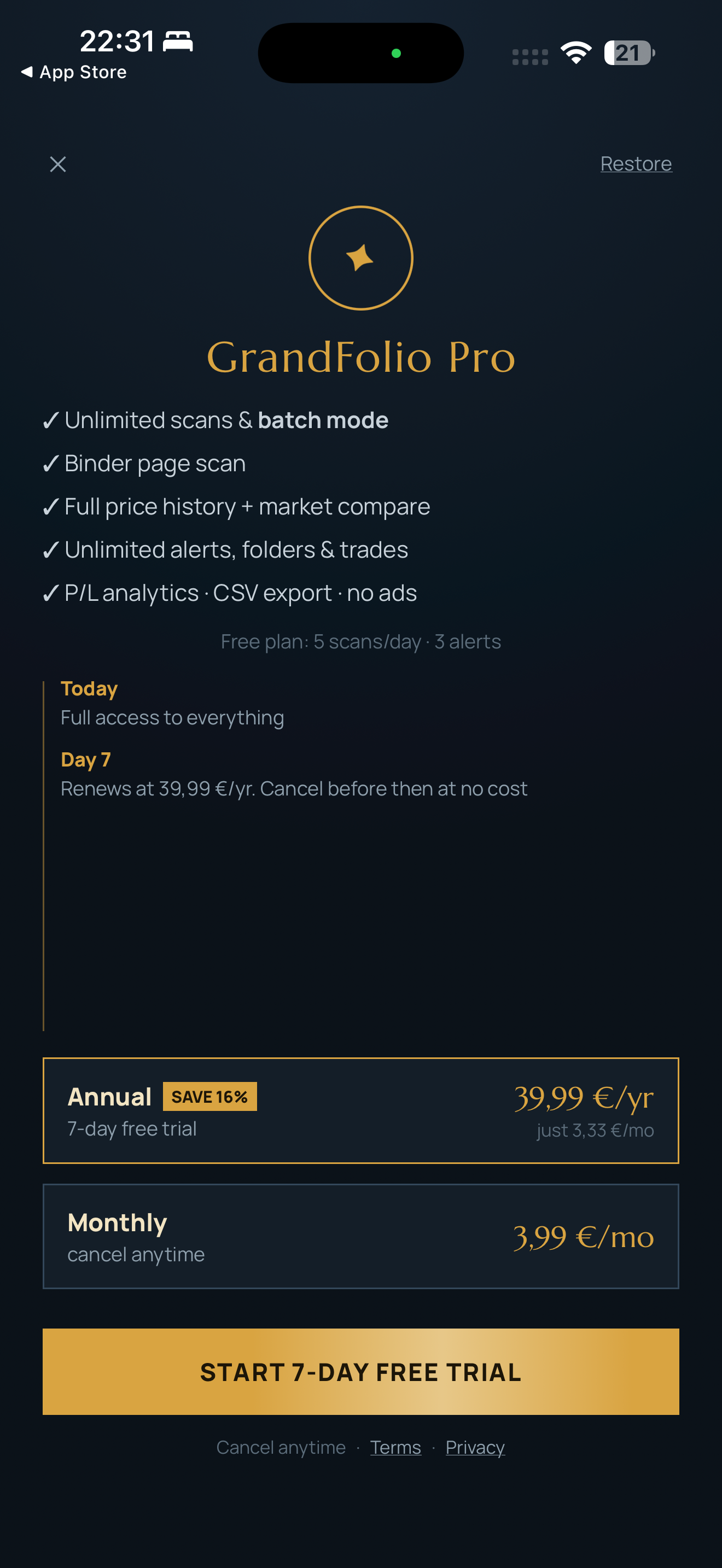
Paywall
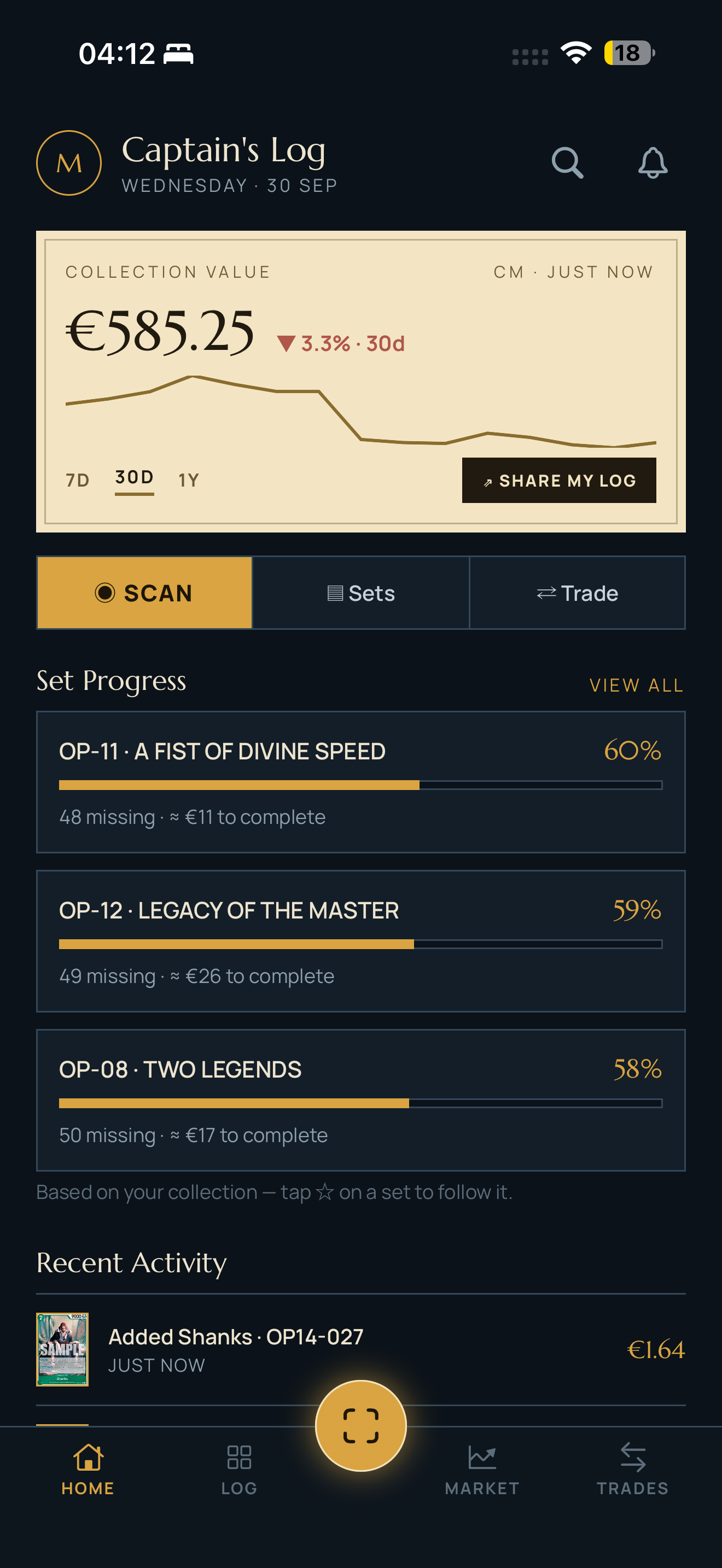
Inspiration
Grandfolio started from a pretty simple idea: I wanted a better way to manage my One Piece Card Game collection.
I wanted to be able to point my phone at a card, scan it, add it to my collection, see what I was missing from each set and know how much my collection was worth.
It sounded simple.
Then I started working on the scanner.
Recognizing a card ID like OP01-001 is relatively easy.
Recognizing the exact version of that card is a completely different problem.
In One Piece Card Game, the same card code can exist in multiple artworks, alternate arts, parallels and special versions. Some of them can look very similar while having completely different market values.
For a collector, identifying the card isn't enough.
You need to identify the exact card they actually own.
And that's basically where Grandfolio started.
I didn't want to build a scanner that simply sends an image to a generic AI model and asks:
"What card is this?"
I wanted to build a recognition system specifically designed around the way One Piece cards actually work.
That challenge became the technical foundation of Grandfolio.
What it does
Grandfolio is an all-in-one companion app for One Piece Card Game collectors.
You can point your camera at a physical card and Grandfolio identifies not only the card itself, but also tries to recognize its exact variant and artwork.
Once identified, you can immediately add it to your collection.
From there, Grandfolio lets you:
- Build and manage your collection.
- Track duplicates.
- See your completion progress across sets and expansions.
- Check current card prices.
- Follow historical price changes.
- Track the total value of your collection.
- Keep everything organized in one place.
The scanner is the entry point, but the idea is much bigger than scanning cards.
I want Grandfolio to be useful throughout the entire collecting process, from opening a booster and scanning a new card to understanding how your collection evolves over time.
How we built it
Grandfolio is built with Kotlin Multiplatform, allowing me to share a large part of the codebase and business logic between Android and iOS.
But the core technical challenge of Grandfolio is definitely the scanner.
I didn't want to build another card scanner that simply sends an image to a generic AI model and asks it to guess what card is in the picture.
That approach can work for recognizing a character or even finding a card ID.
But that's not enough for a collector.
The same One Piece card code can exist in multiple artworks, parallels and alternate versions, sometimes with dramatically different market values.
So I built a custom multi-stage recognition pipeline specifically for One Piece cards.
Grandfolio doesn't depend on a single prediction.
Instead, the scanner progressively reduces the number of possible answers.
The process starts by analyzing the card and extracting identifying information using OCR.
That information lets Grandfolio narrow the search down to a much smaller group of possible candidates.
Then the scanner goes deeper.
Grandfolio analyzes the visual information of the card and generates different image fingerprints that can be compared against known versions.
Two important parts of that process are:
- Full Card Hash, which represents the visual information of the complete card.
- Illustration / Art Hash, which focuses specifically on the artwork area of the card.
Different stages of the pipeline answer different questions:
- What card is this?
- What versions of this card could it possibly be?
- Does the full card visually match one of those candidates?
- Does the artwork match?
- Which exact variant is the strongest match?
This matters because two cards can share exactly the same card code while having completely different illustrations and prices.
Instead of asking one AI model to magically know the answer, Grandfolio combines several independent signals and progressively eliminates incorrect candidates.
In other words:
Grandfolio doesn't ask an AI to guess which card you're holding. It progressively proves which card you're holding.
And building the first version of the algorithm was only the beginning.
Real physical cards are messy.
You have:
- Reflections.
- Sleeves.
- Shadows.
- Perspective changes.
- Different camera sensors.
- Bad lighting.
- Slightly damaged cards.
- Cards with extremely similar designs.
Something can work perfectly with twenty cards and then completely fail with the twenty-first because of an edge case you hadn't considered.
A huge part of building the scanner became an iterative loop:
scan → detect failure → understand why → adjust the pipeline → test again.
Over and over.
That scanner is now the technical foundation of Grandfolio and probably the part of the project I've spent the most time refining.
Outside of the scanner, I also had to build everything that turns a technical idea into an actual mobile product:
- Onboarding.
- Collection management.
- Set completion.
- Pricing and price history.
- Analytics.
- Subscriptions.
- Notifications.
- Store listings.
- Privacy requirements.
- Releases.
- Crash monitoring.
- Android and iOS distribution.
Basically, all the less exciting things that still need to exist if you actually want people to use what you've built.
Challenges we ran into
The scanner has definitely been the biggest challenge.
Recognizing a clean digital image of a card is one thing.
Recognizing a real physical card through a phone camera is something completely different.
Real cards introduce reflections, sleeves, imperfect lighting, different angles and visual noise.
And because Grandfolio tries to identify the exact version of a card, small mistakes matter.
If the scanner recognizes the correct card code but selects the wrong artwork, the result can still be completely wrong from a collector's perspective.
The market value of two versions of the same card can be very different.
That meant I couldn't just optimize for:
"Did we recognize the card?"
The real question became:
"Did we recognize the exact version?"
Another challenge has been deciding where to stop.
I have a huge list of features I would love to add, especially around trading, community features and deeper portfolio analytics.
But at some point you need to stop building and actually ship something.
The Ship-a-ton helped a lot with that.
Having a deadline forced me to decide what Grandfolio really needed in its first version and what could wait.
Accomplishments that we're proud of
The thing I'm most proud of is definitely the scanning system.
There are much easier ways I could have built this feature.
I could have taken a picture, sent it to a general-purpose vision model and used whatever answer it returned.
But I wanted Grandfolio to solve the harder problem.
If two cards both say OP01-001, but one is a regular version and the other is an alternate artwork worth considerably more, telling the user that both are OP01-001 isn't good enough.
A collector needs to know which version they actually own.
That's why I built a recognition pipeline specifically around the structure and edge cases of One Piece cards.
OCR, candidate filtering, full-card visual fingerprints, artwork fingerprints and multiple comparison stages work together to progressively identify the exact version in front of the camera.
No single step needs to magically know the answer.
Each stage reduces uncertainty until Grandfolio can make a much more precise identification.
Getting that system to work with real physical cards, not just perfect digital images, has probably been the most technically challenging and rewarding part of the entire project.
And seeing someone point their phone at a card, have Grandfolio recognize the exact artwork and immediately add that specific version to their collection still feels a little bit like magic.
I'm also proud of something much less technical:
Grandfolio actually shipped.
It didn't stay as a computer vision experiment, a GitHub repository or a prototype running on my phone.
During the Ship-a-ton, it became a real application released on Android and iOS, with real users, subscriptions and a product I can continue improving long after the competition ends.
What we learned
One of the biggest things I learned is that making something work and making something feel good to use are completely different problems.
A scanner can be technically impressive, but if it takes too long, requires perfect lighting or makes the user fight with the camera, none of that really matters.
Speed, feedback and reliability are part of the technology too.
The scanner also reinforced something I already knew from software development:
one technique is rarely enough for a difficult real-world problem.
OCR alone isn't enough.
Image comparison alone isn't enough.
A generic AI prediction alone isn't enough.
The interesting part is combining different signals and making each one solve the part of the problem it's actually good at.
I've also been reminded just how much work exists between having an app running on your own phone and having something ready for real users.
Code signing, store reviews, privacy requirements, subscriptions, analytics, screenshots, releases, crashes, edge cases...
Even after years working as a mobile developer, building Grandfolio from idea to production has taught me a lot.
What's next for Grandfolio - OPTCG Scanner
Grandfolio isn't something I plan to stop working on when the Ship-a-ton ends.
This is just the first version.
The next step is to keep improving the recognition pipeline and make the scanner even more reliable across more cards, devices, lighting conditions and edge cases.
I also want to expand collection and price tracking, improve the portfolio side of the app and gradually build out the trading and community features based on feedback from actual collectors.
There are a lot of directions Grandfolio can grow from here.
But the long-term goal is actually pretty simple:
If you collect One Piece cards, I want Grandfolio to be the app you open every time you get a new card.
Built With
- androidx-windowmanager
- apple-vision
- avfoundation
- camerax
- computer-vision
- firebase
- foldable
- github-actions
- image-processing
- jetpackcompose
- kmp
- kotlin
- ktor
- mlkit
- ocr
- onesignal
- revenuecat
- samsung-galaxy-store
- sqldelight
- supabase
- swiftui

Log in or sign up for Devpost to join the conversation.