-
-
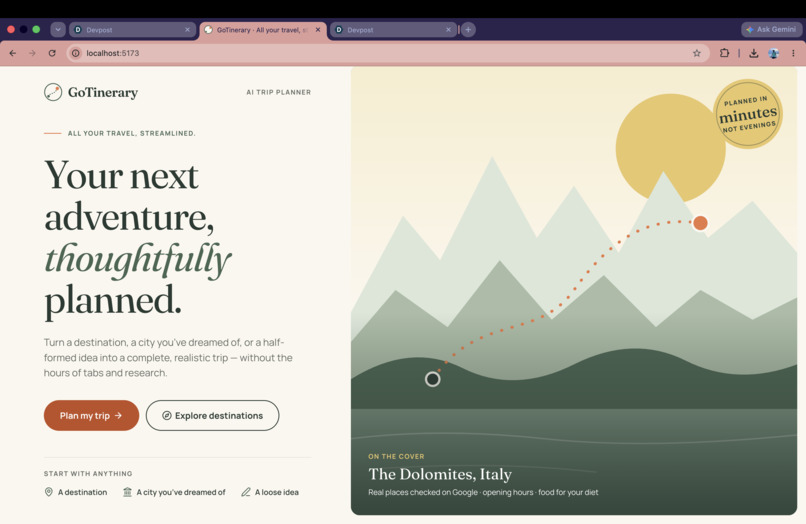
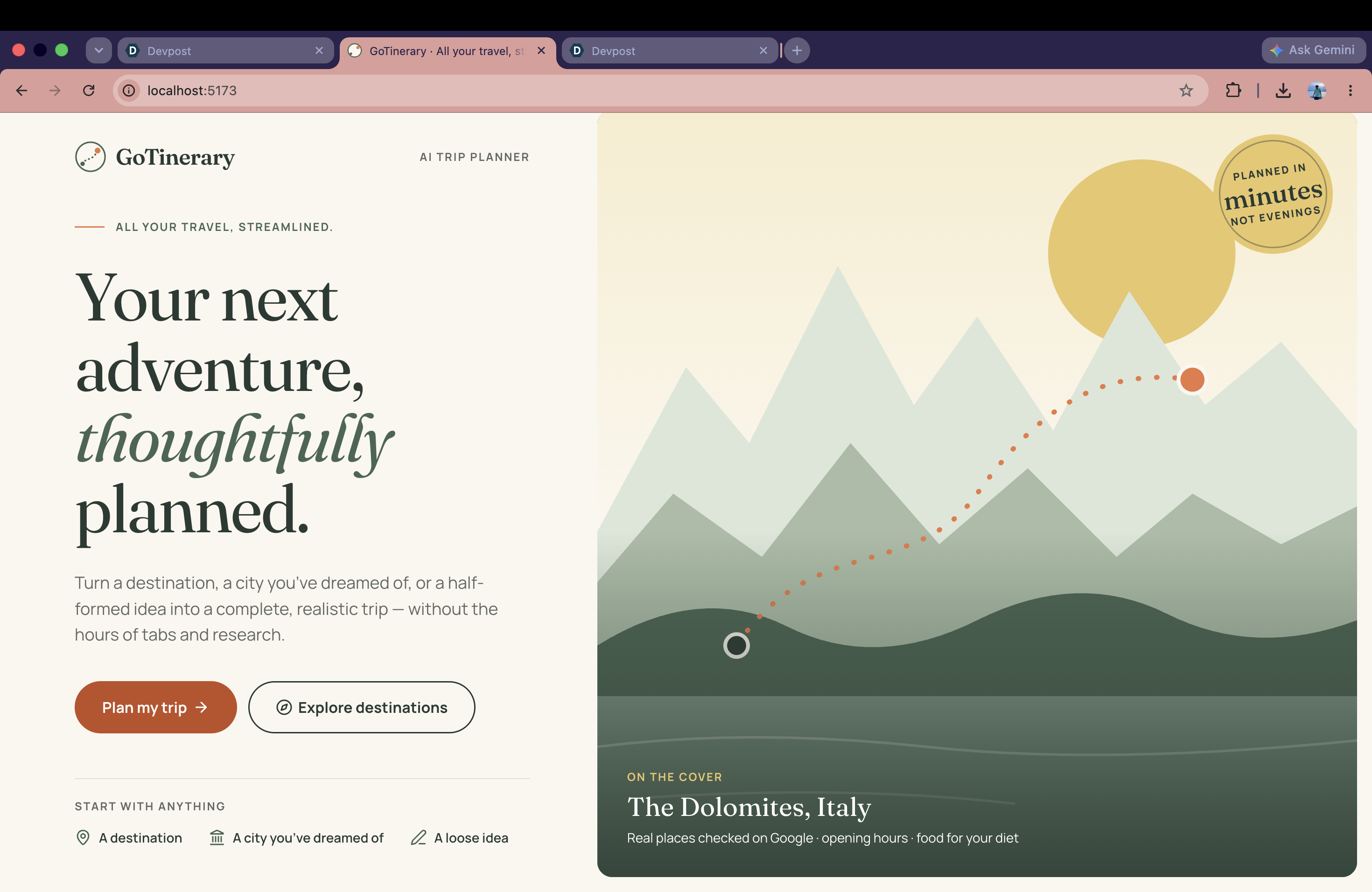
Welcome screen: “Your next adventure, thoughtfully planned.”
-
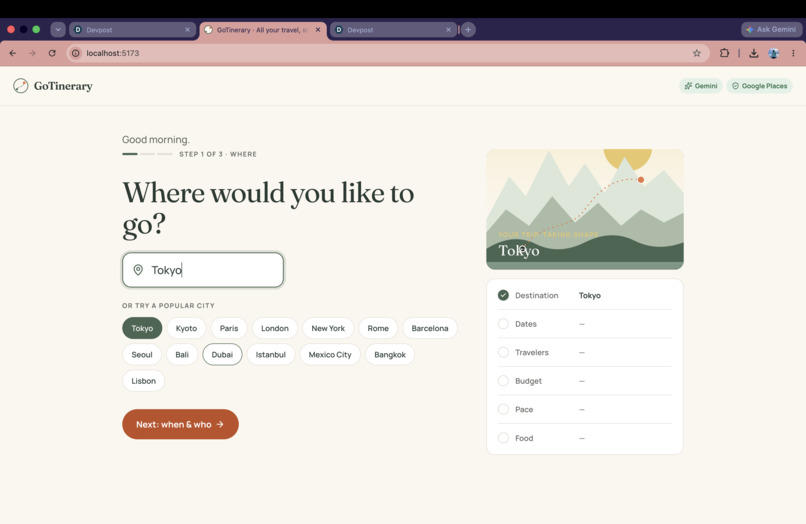
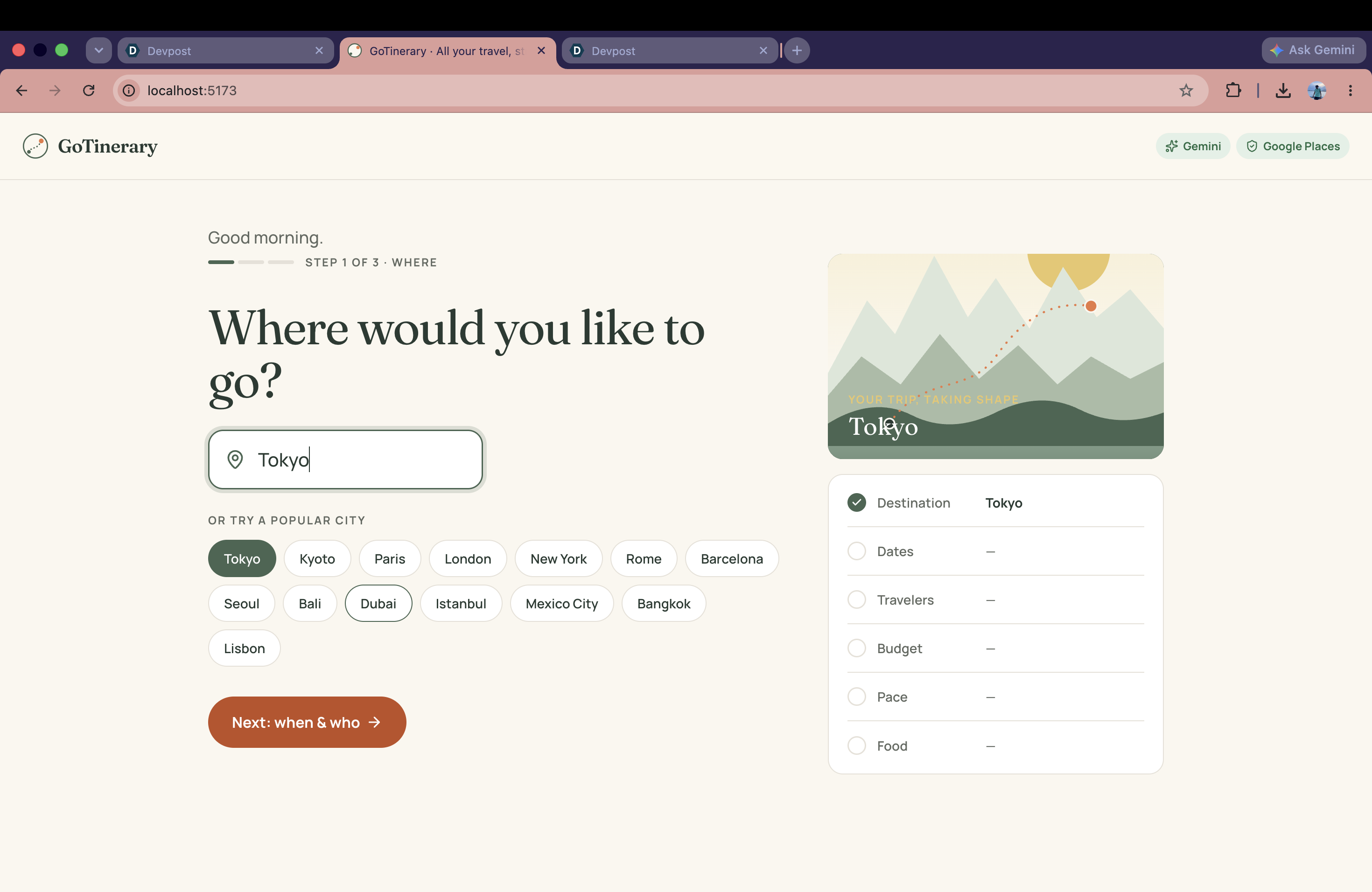
Planning step 1: “Where would you like to go?” One calm question at a time, with a “trip so far” postcard that fills in as you go.
-
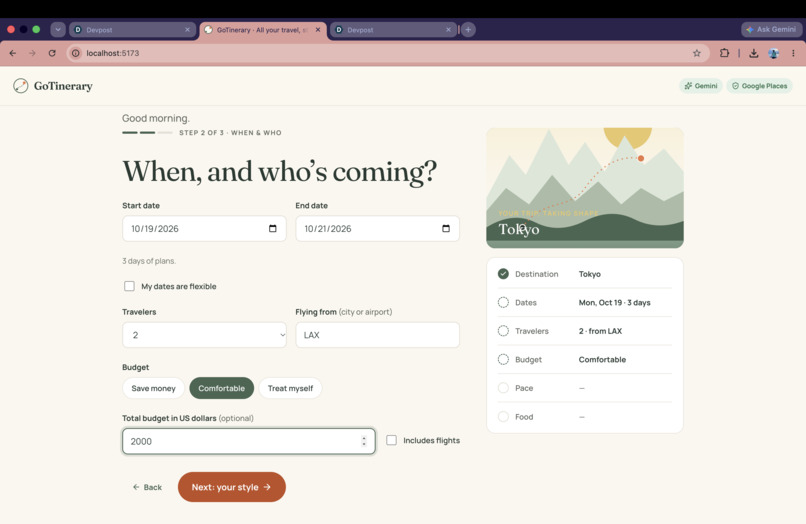
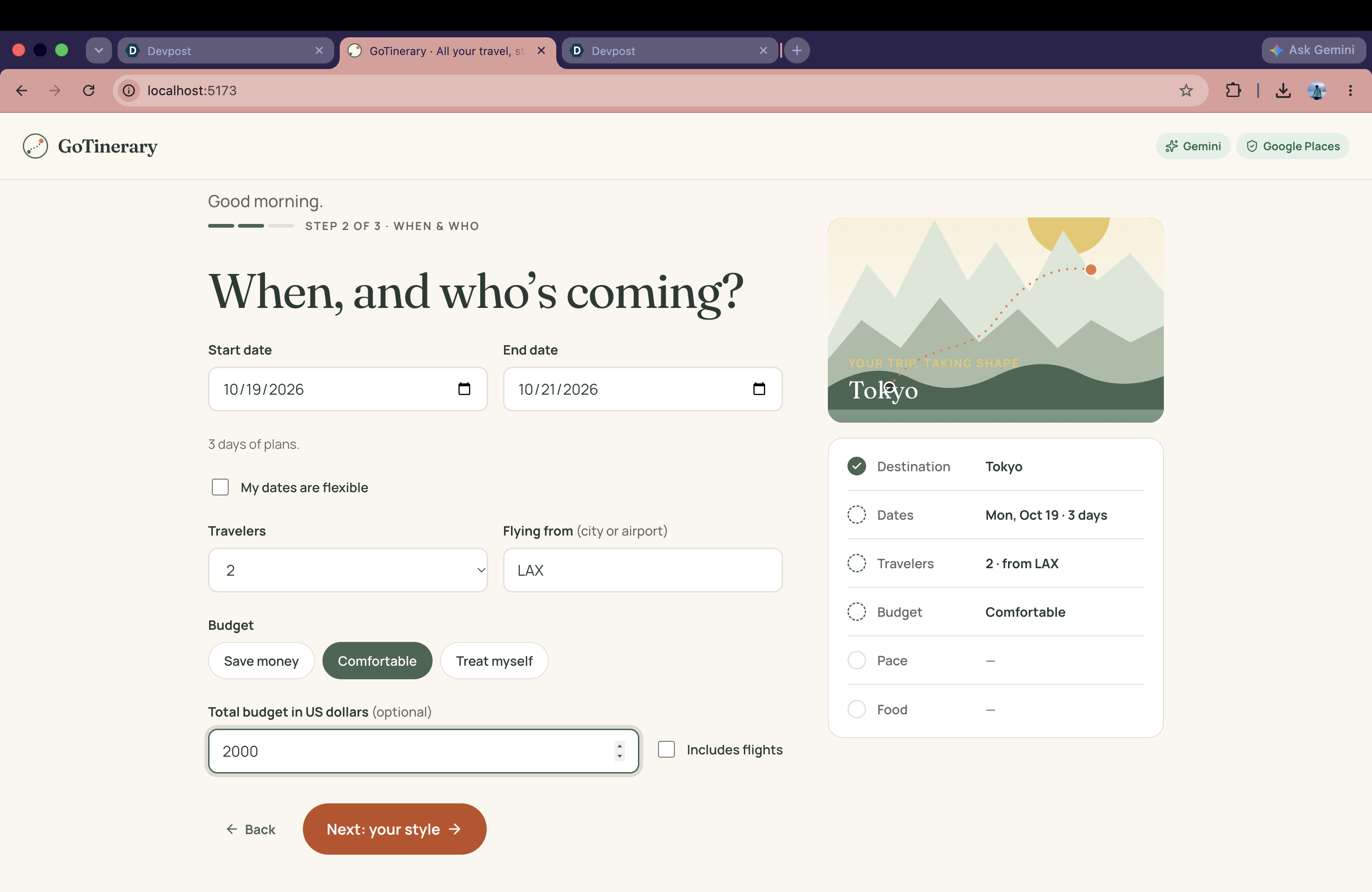
Step 2: “When, and who’s coming?” Dates, travelers and budget, with the trip summary updating live on the right.
-
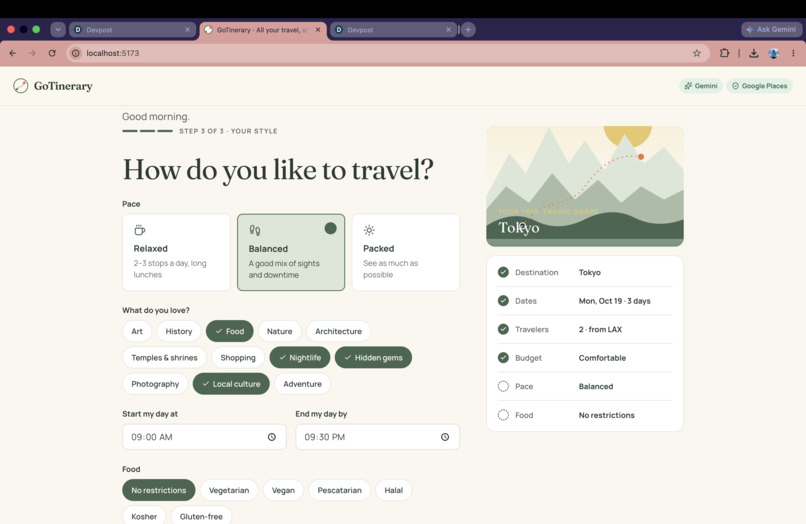
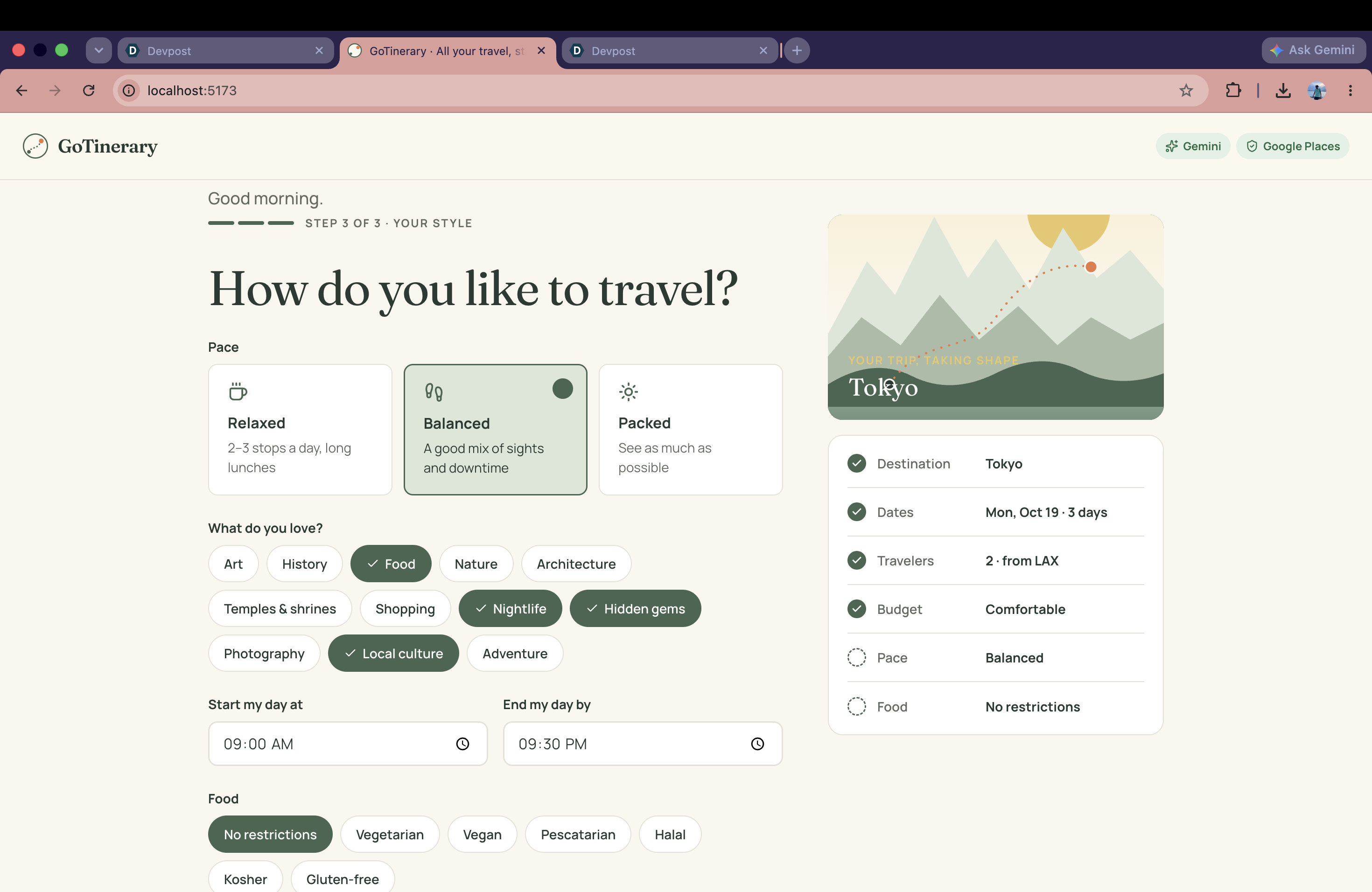
Step 3: “How do you like to travel?” Pace, interests, daily hours and food needs shape every part of the plan.
-
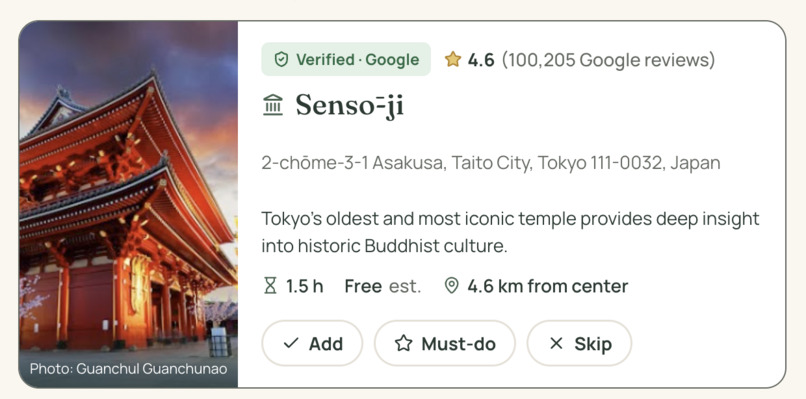
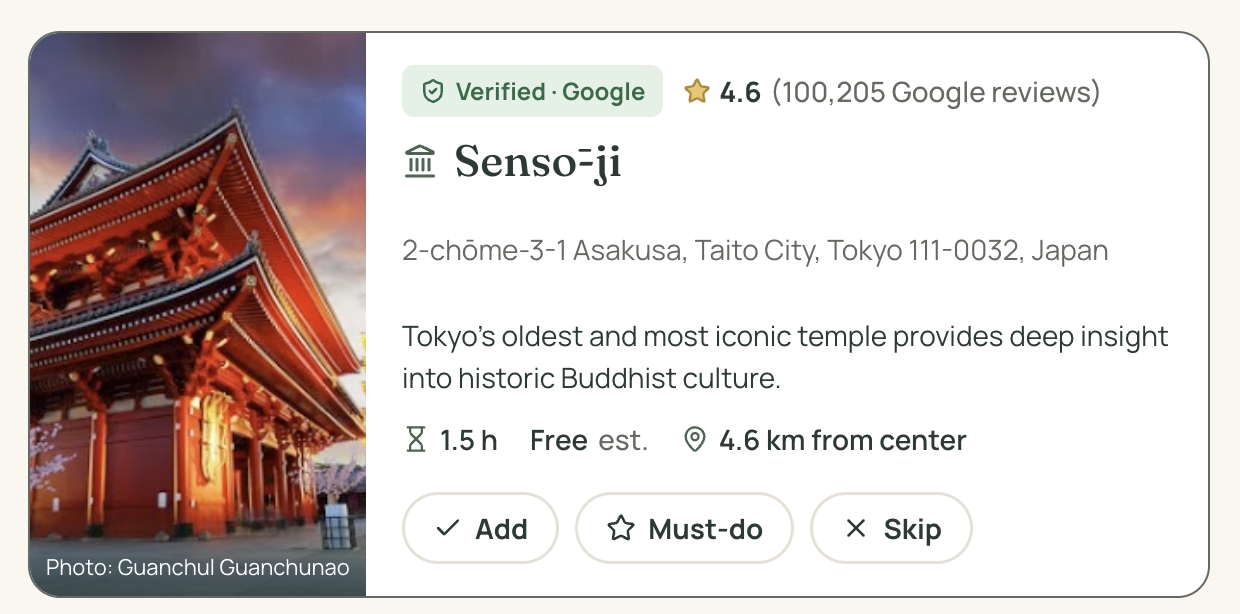
Place card: name, address, rating and photo from Google Places; visit time and cost marked as estimates.
Inspiration
Millions of people travel every year, and many come home a little disappointed: not because the place was bad, but because the trip wasn't planned well. A museum was closed the day they went, two "must-see" spots were on opposite sides of the city, the restaurant had nothing they could eat, or they missed a famous place that was ten minutes away.
Good planning takes a lot of time. People spend about 17 hours and 42 minutes planning a single trip (Go City Trip Planning Survey, 2024), jumping between Google Maps, review sites, booking sites, TikTok and chatbots. Most people don't have that time, or don't know where to start.
I wanted to build a planner that does the hard work properly: real places, real opening hours, food that fits your diet, and a plan that still works when things change during the trip.
What it does
GoTinerary turns "I want to go to Kyoto" into a realistic, day-by-day trip.
Tell it your trip in three short steps: where, when and who, and your style (pace, interests, day hours, diet, allergies, stay type).
Discover places in three groups: Popular on social media (each place links to the web article it came from), Must-see landmarks and Hidden gems. Every card shows a "Verified · Google" or "AI estimate" badge, the Google rating and review count, photos and opening hours. You can Add, mark Must-do, Skip, or add your own place. "What might I be missing?" suggests nearby places without forcing them in.
Get a plan that actually works. A rule-based engine groups places by area, never schedules a place on a day it is closed, fits each visit inside its opening hours, adds travel time and small delay buffers, orders the route to avoid zigzagging, and adds lunch and dinner from real nearby restaurants that match your diet. Anything that can't fit is listed with a clear reason.
Change plans during the trip. Tap "Re-plan my day" (it's raining, I'm tired, running late, a place is closed, I'm hungry) and only the rest of today is rebuilt from where you are.
Stay and flights. Well-rated stays close to your planned stops (choosing one re-times every day from the hotel), plus prefilled searches on Google Flights, Kayak and Expedia.
Bookings dashboard. A checklist of what still needs booking (flight, stay, tickets, dinner reservations) with statuses, booking references and costs. Export to your calendar.
Honest by design: the AI only suggests ideas. Names, locations, ratings and opening hours come from Google Places. Unverified items are clearly marked. We don't show prices we can't verify, we never book or pay for you, and we always say "confirm allergies with the restaurant".
Track and challenges
Track: Applied Intelligence. GoTinerary applies AI to a real, everyday problem: the hours people lose planning a trip that still doesn't work. The AI does what AI is good at (ideas, explanations, re-planning), while real data and rules handle the facts.
Best Use of Gemini API: Gemini powers three parts of the app: (1) place ideas and personal explanations as structured JSON, (2) "Popular on social media" picks using Gemini with Google Search grounding, where every pick must cite a real web source, and (3) live "Re-plan my day" when it rains, you're tired, or a place is closed.
Paper: Best Designed Hack: I designed the brand and every screen in Paper: a "nature meets sunshine" palette (forest green, terracotta, warm cream), Fraunces and Manrope type, a magazine-style welcome screen with an illustrated cover, and a boarding-pass style for bookings. I checked text contrast (for example, a darker terracotta
BF4F24 for buttons with white text), then used Paper's MCP connection with Claude Code to turn the design into the React app. Screenshots of the Paper file are in the gallery.
How I built it
Frontend: React + Vite, Leaflet with OpenStreetMap, Open-Meteo weather, lucide icons. Backend: Python FastAPI with Pydantic models. AI: Google Gemini with structured JSON output for ideas and live re-planning, and Gemini with Google Search grounding for social-media picks with sources. Automatic retries and saved answers keep it fast and reliable. Real data: Google Places API (New) for verification, ratings, photos and opening hours, behind a small provider interface with caching and retries. Rule-based engine (no AI): opening-hours checks for each date, travel-time estimates, nearest-neighbor + 2-opt route ordering with meals kept in place, day grouping by area, and clear conflict reasons. Design: Paper, connected to Claude Code through MCP. I used AI coding assistants (Claude) throughout the build.
Challenges I ran into
Making AI trustworthy. Language models invent hours, ratings and even places. I separated the jobs: AI suggests, Google verifies, and my own code does the scheduling. Opening hours are messy: places that close after midnight, are open 24 hours, or close one day a week. The engine handles each case and explains conflicts.
Social media access: TikTok's Research API is only for non-commercial research and takes weeks to approve, and Instagram doesn't let apps read reels. So social picks come from web sources found by Google Search, with links.
Rate limits on the free Gemini tier: I added automatic retries and saved answers so the demo stays fast. Accomplishments that I'm proud of A plan that respects real opening hours and real restaurants, not just a list of famous places.
Clear honesty: every fact shows where it came from.
A design that feels like a travel magazine, not a software dashboard. Built solo in one weekend.
What I learned
How to combine AI with real data and simple rules so the result is useful and trustworthy, and how much good design changes how a product feels.
What's next for GoTinerary
Live flight and hotel prices through official partner APIs, exact transit times with Google Routes, an "Ask GoTinerary" chat to edit the plan in plain language, shared trips for groups, and multi-city trips. First users: study-abroad and international students.
Built With
- fastapi
- google-gemini
- google-places
- javascript
- leaflet.js
- open-meteo
- openstreetmap
- paper
- python
- react
- vite

Log in or sign up for Devpost to join the conversation.