-
-
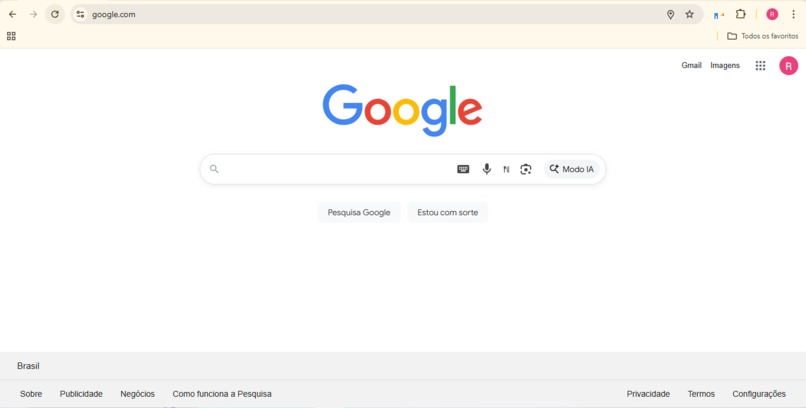
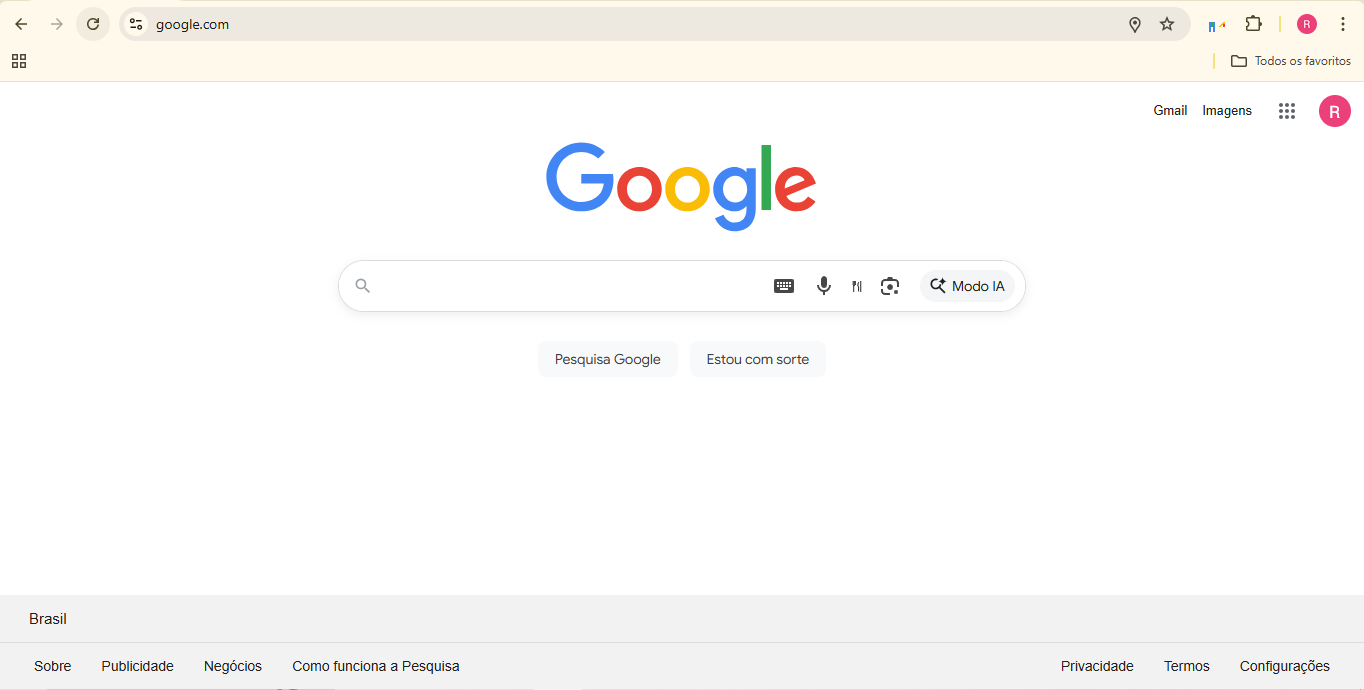
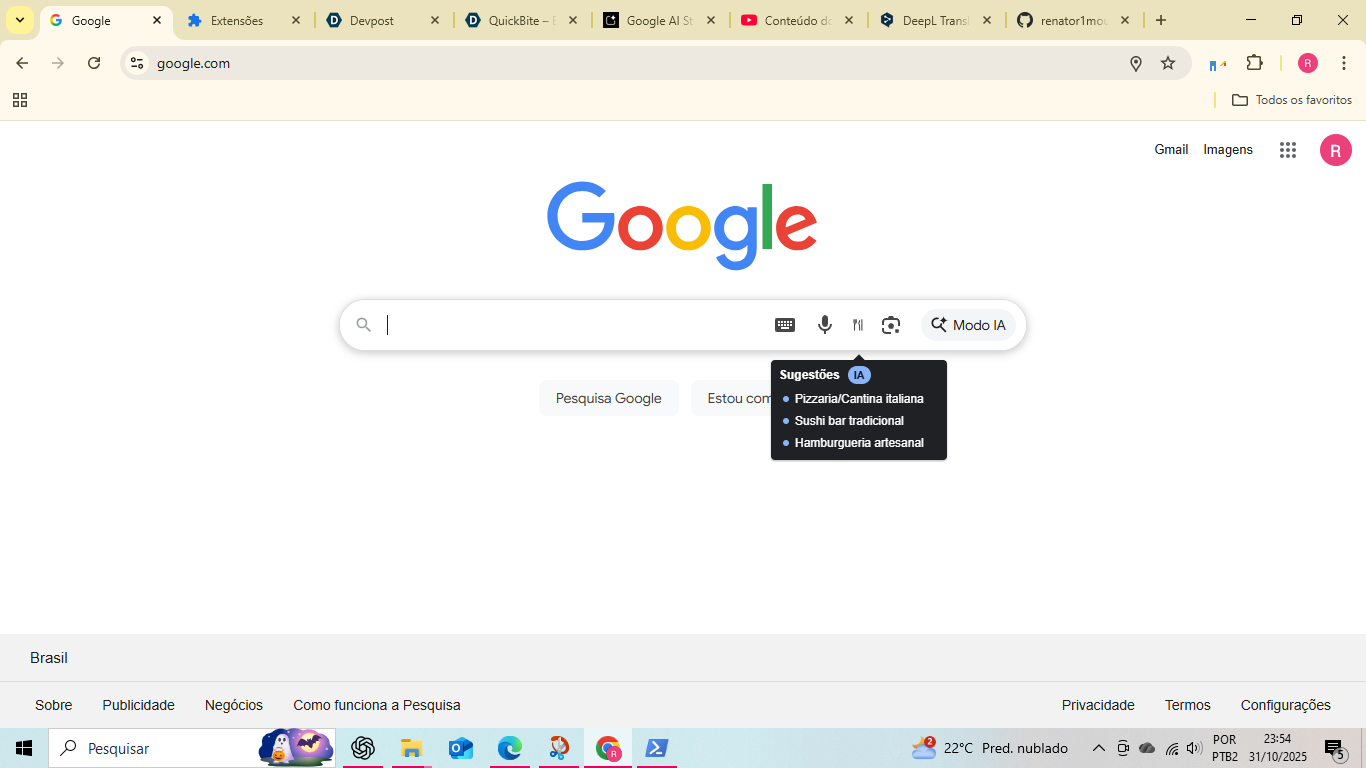
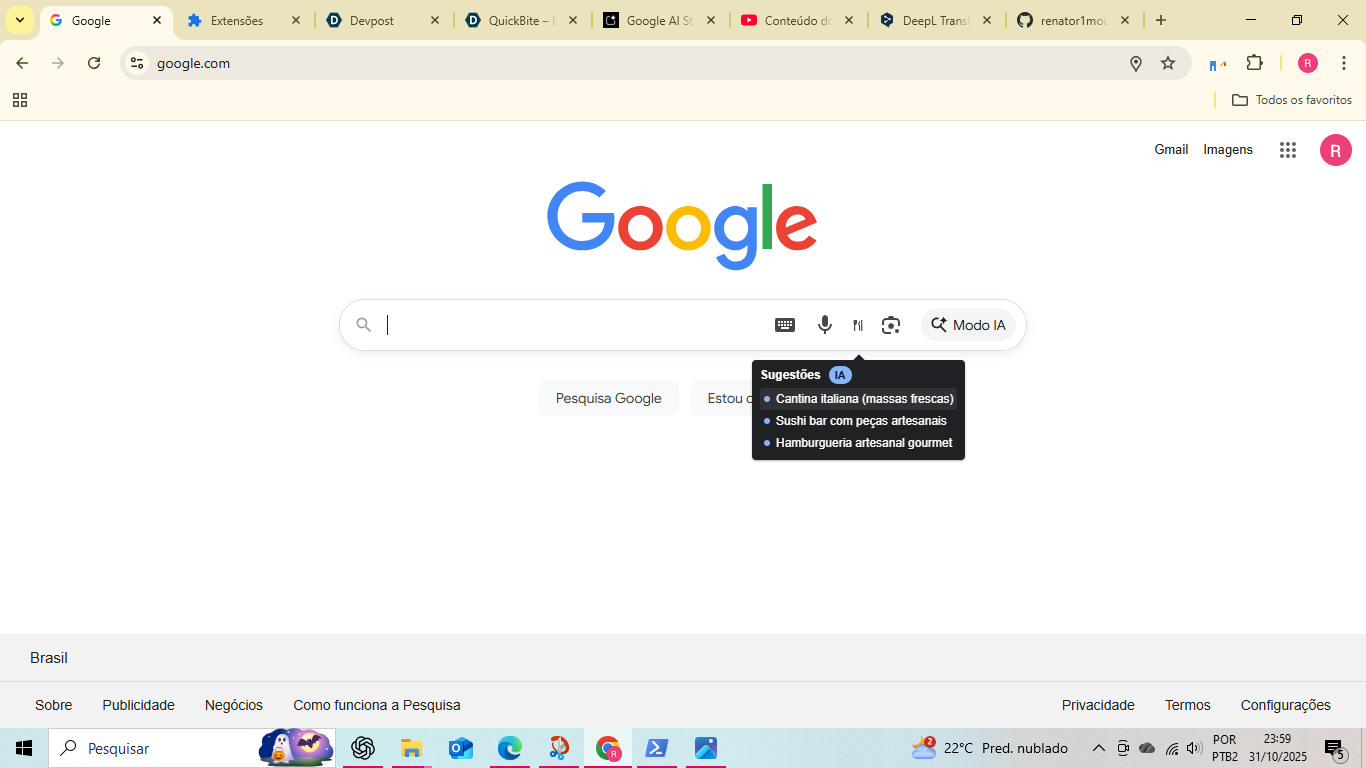
QuickBite adds the ‘Eat Now’ icon to Google’s search bar.
-
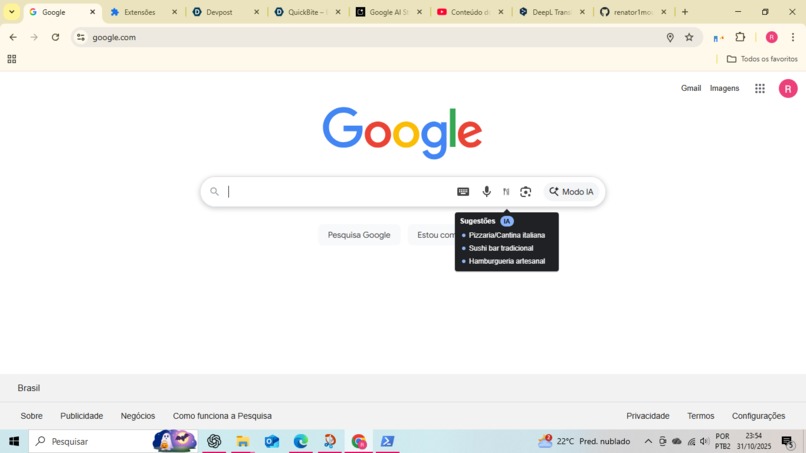
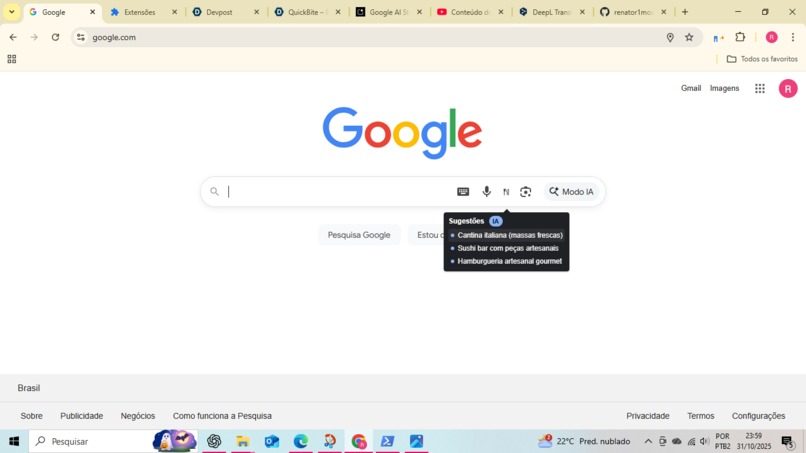
Suggestions generated on-device via Chrome Built-in AI.
-
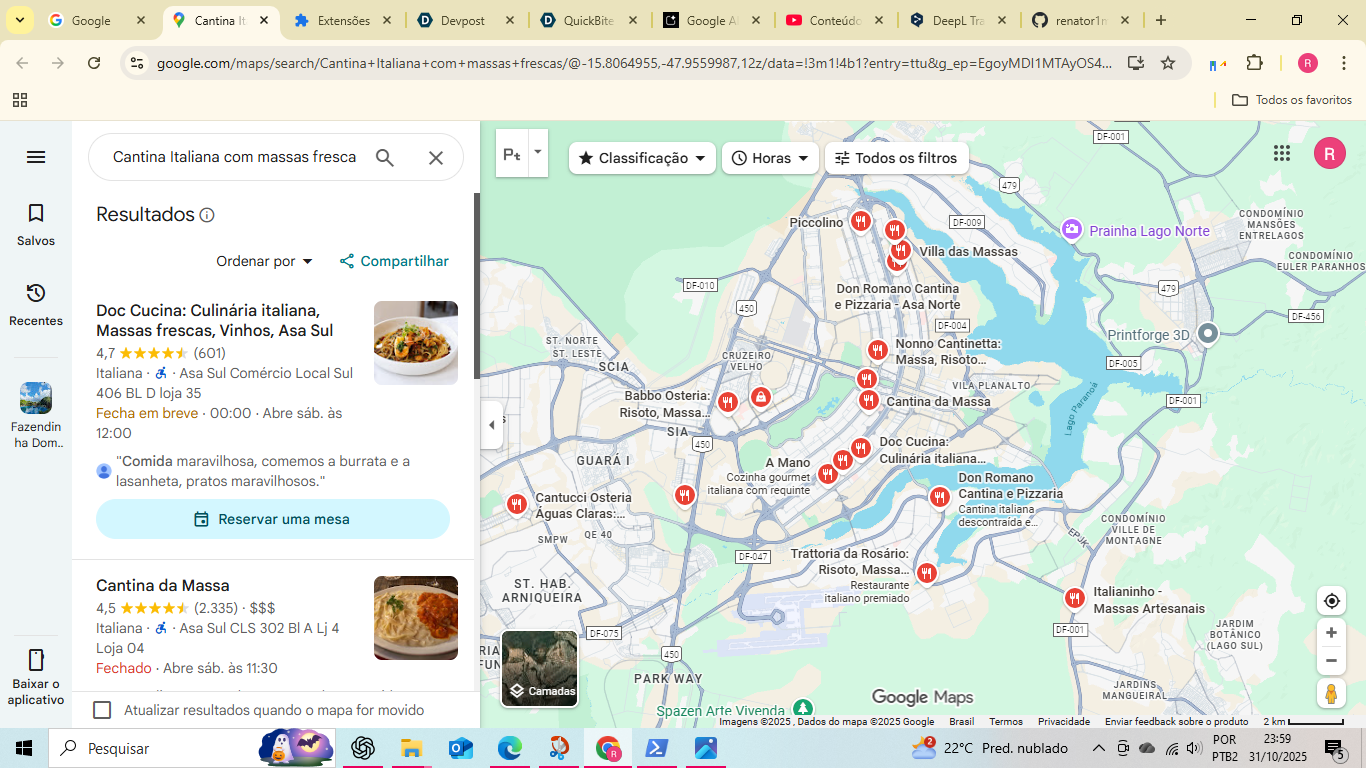
Opens the place directly on the Reviews tab to speed up decisions.
-
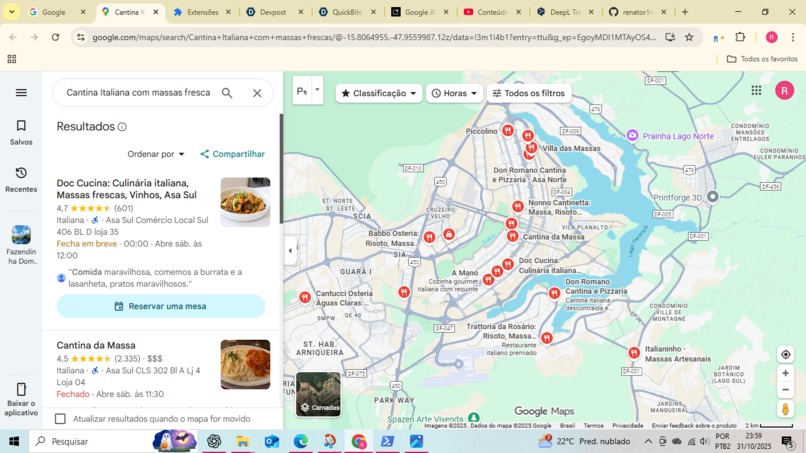
Opens the place directly on the Reviews tab to speed up decisions.
Inspiration
Every day, millions of people type the same intent into Google: “where to eat now.” Google already has the world’s richest places graph (ratings, hours, reviews, photos). The missing layer is a lightweight, proactive, and personalized experience that turns that data into three great picks for right now without typing, tab-hopping, or reading walls of reviews.
What it does
QuickBite – Eat Now adds a small fork-and-knife button next to the Google search icons. Hover/tap → a tooltip shows three context-aware suggestions (open now, rating, price band, cuisine bias, time-of-day). Click → it deep-links to the place’s Reviews pane on Google Maps so decisions take seconds, not minutes. Everything runs client-side with Chrome Built-in AI; preferences stay on the device.
APIs used
Prompt API (on-device, Gemini Nano): ranks/phrases three options from a nearby candidate list.
Translator / Proofreader (optional): localizes and polishes short labels.
Hybrid fallback (Gemini Developer API): used only if the local model isn’t available.
Google Maps Places (client-controlled): fetches nearby “open now” candidates and resolves place_id for precise deep links.
How we built it
MV3 Extension:
content.js injects a tiny icon & tooltip, handles i18n, and reads local prefs (rating floor, price, cuisine).
On-device Prompt pipeline: obtain nearby candidates (name, rating, price, place_id) → prompt Gemini Nano to select exactly three from that list → render compact chips.
Deep link: open https://www.google.com/maps/place/?q=place_id: so the Reviews tab is the first thing the user sees.
Precision guardrails: we map model choices back to the original candidate set; if a name isn’t recognized, we ignore it (no hallucinated places).
Hybrid mode: background.js tries on-device first; if the device reports after-download/unavailable, it falls back to Gemini 2.x via the Developer API (small prompt, strict output).
Performance: zero frameworks in the content script, Shadow-DOM tooltip, and minimal DOM observers → sub-1KB CSS and fast paint.
Challenges we ran into
Keeping suggestions real: LLMs love to invent names; we solved this by forcing selection from provided candidates and verifying against place_id.
DOM volatility on google.com: the search bar structure changes often; we anchor to aria-labels (“Search by voice”, “Lens”) and recompute positions cheaply.
Built-in AI availability: handling readily vs after-download vs unavailable, plus strict timeouts to keep UX snappy.
Geolocation and Maps quotas: we cache a tiny candidate set and avoid chatty calls; everything remains user-initiated.
Accomplishments that we're proud of
One-hover, three great choices that feel native to Google’s UI.
Direct Reviews deep-link (less decision friction than generic map search).
Private-by-design: context/prefs never leave the device; no server.
Resilient UX: graceful fallback to cloud only when the local model isn’t ready.
What we learned
Prompting on-device models shines when the task is ranking + phrasing over deterministic data (Places).
Guardrails matter: constraining outputs to a whitelist eliminates hallucinations.
The hybrid pattern (Built-in AI first, cloud only as backup) gives speed, privacy, and reliability without extra infra.
Small, well-placed UI (one icon, one tooltip) can meaningfully change a daily behavior.
What’s next for QuickBite – Eat Now (Chrome AI Extension)
On-device learning loop: thumbs-up/down to refine cuisine/price bias locally.
Intent modes: “healthy”, “fast”, “family”, “late-night”, “takeout”.
Multimodal input: voice (“craving sushi”), or a quick photo of the street to bias to nearby blocks.
Offline grace: cache last known candidates and show suggestions even with spotty networks.
Beyond food: the same pattern for Coffee Now, Pharmacy Now, Groceries Now.
Outcome: QuickBite turns Google’s massive places dataset into three timely, personalized picks powered by Chrome’s Built-in AI, reducing “where should we eat?” from minutes to seconds.


Log in or sign up for Devpost to join the conversation.