-
-
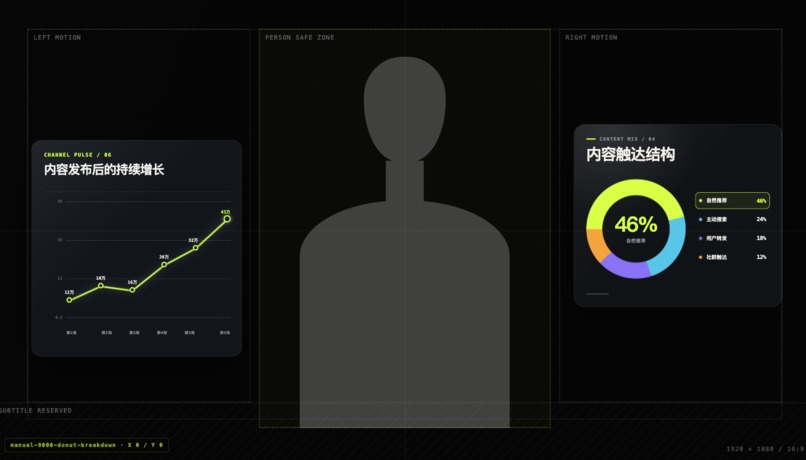
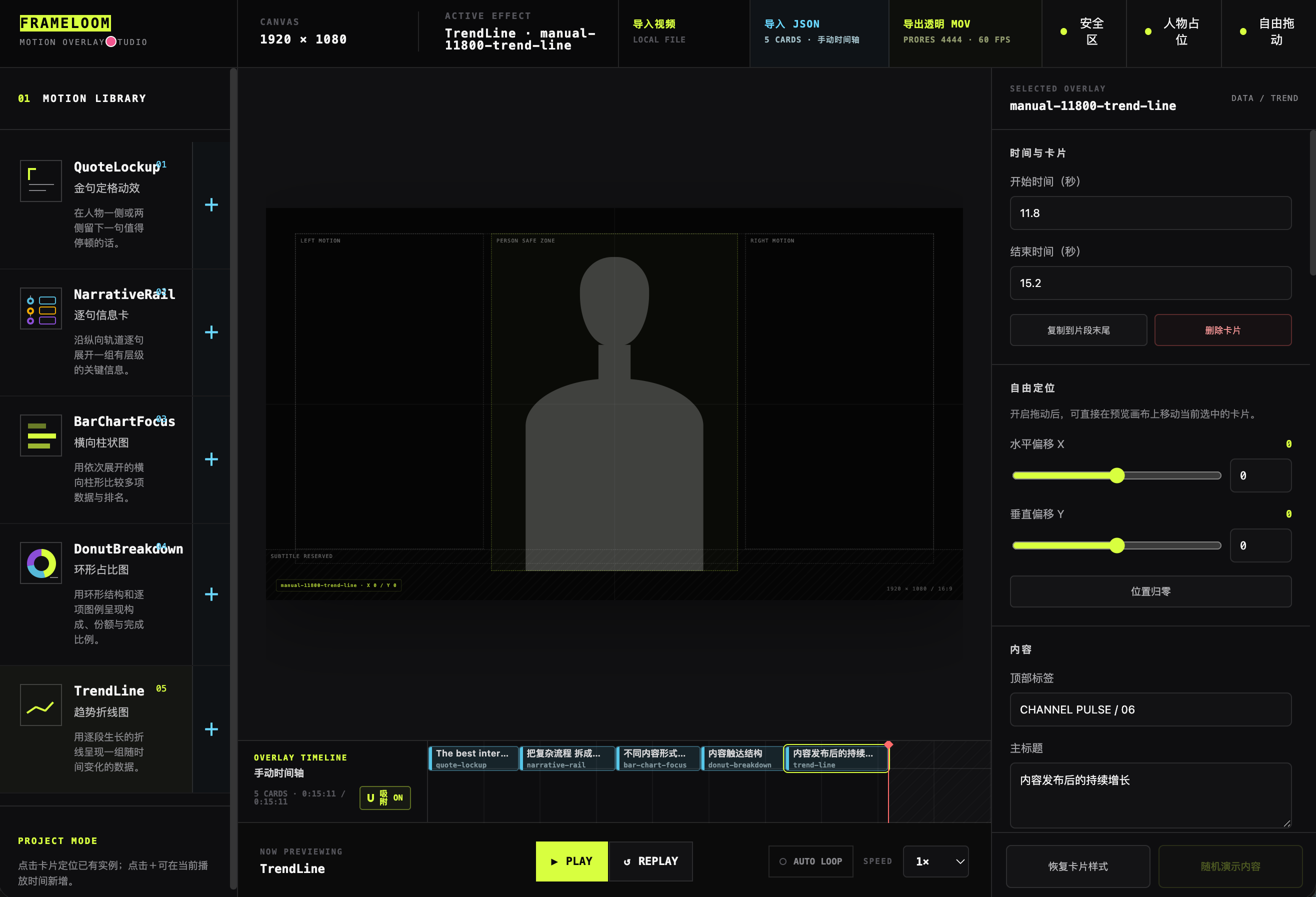
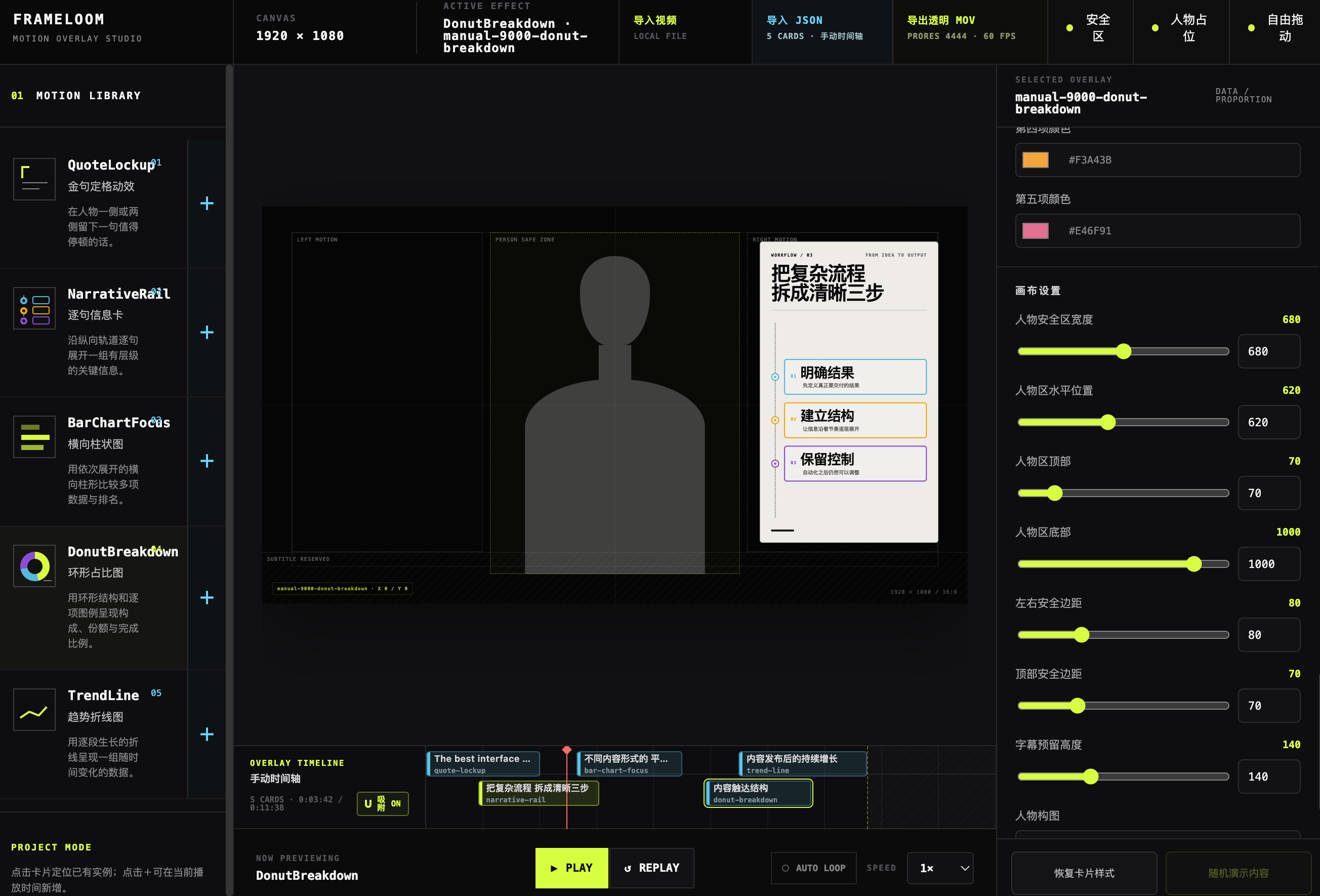
Special effect cards can be inserted into the video.
-
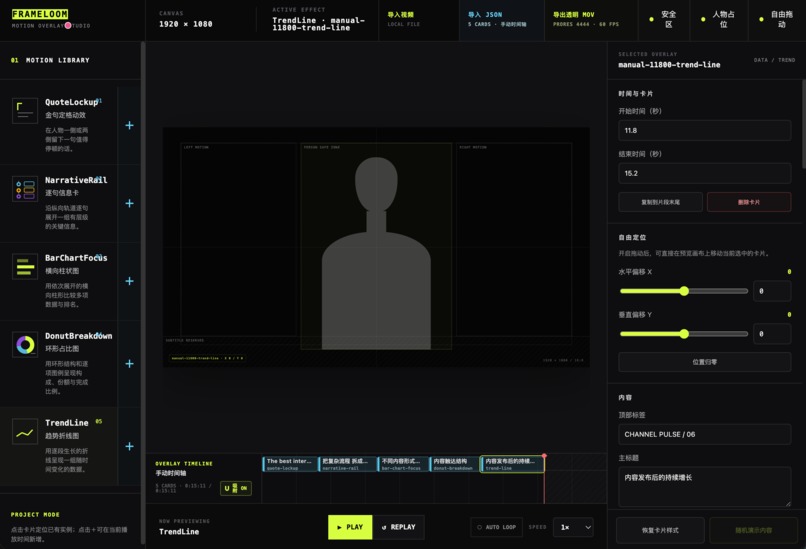
Interface Display
-
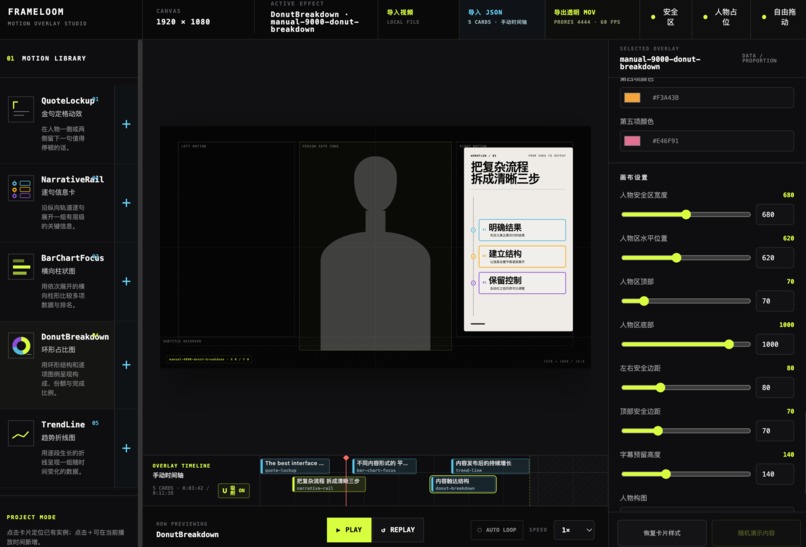
Right-side multi-functional menu
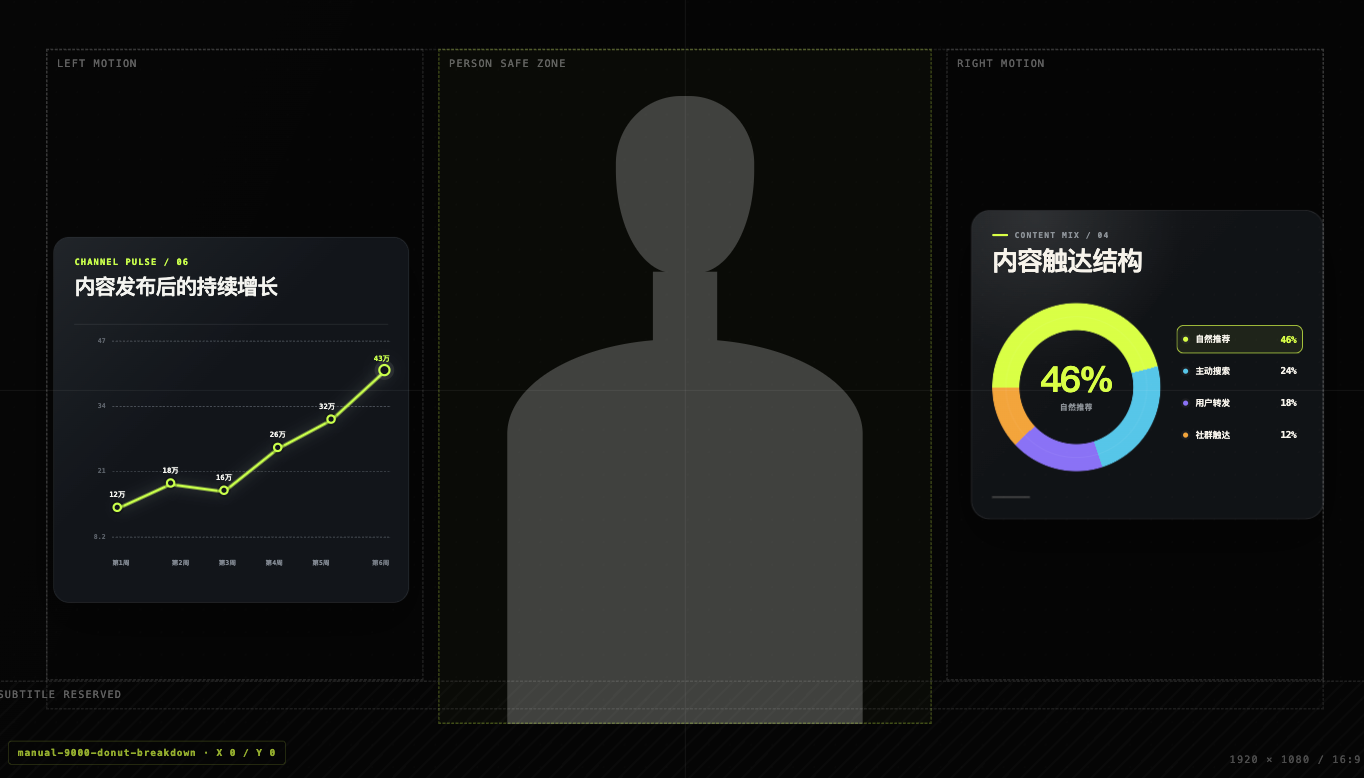
Inspiration
Talking-head videos often need more than subtitles. Quotes, statistics, comparisons, and chapter summaries can make an idea much easier to understand, but creating these graphics usually means rebuilding every element by hand in a traditional video editor.
We wanted a workflow in which motion graphics could be described as structured data, synchronized on a timeline, adjusted visually, and exported as a reusable production asset. That idea became FrameLoom: a focused tool that creates the motion layer while leaving the final edit to professional video software.
What it does
FrameLoom is a local-first motion overlay editor for talking-head videos.
Users can import a structured Overlay JSON timeline or create motion cards manually. FrameLoom currently provides five customizable effects:
- Quote highlights
- Narrative steps
- Bar charts
- Donut charts
- Trend lines
Every card remains editable. Users can change its content, timing, visual parameters, placement, and position while previewing it against a local reference video. The multi-card timeline supports seeking, dragging, snapping, duplication, deletion, and overlap-conflict detection.
When the motion layer is ready, FrameLoom exports a transparent 1920 × 1080, 60 FPS ProRes 4444 Alpha MOV that can be placed directly over footage in Final Cut Pro, Adobe Premiere Pro, or DaVinci Resolve.
Reference videos stay on the user’s device and are never uploaded.
How we built it
FrameLoom is built with React, TypeScript, Vite, Motion, and html-to-image. The browser manages the editor state, synchronized preview, timeline interactions, parameter controls, and deterministic frame rendering.
Imported Overlay JSON is treated as untrusted input. A strict parser validates the document version, required fields, effect types, value ranges, timing, layout, unique IDs, and overlap rules before replacing the current project.
For transparent export, the browser renders each timeline frame as a transparent PNG. A local Vite server pipeline passes those frames to a Swift and AVFoundation encoder on macOS, producing a ProRes 4444 MOV with an alpha channel. Intermediate frames are stored temporarily and removed after success, failure, or cancellation.
We developed FrameLoom with Codex using GPT-5.6. Codex helped us implement and debug the React and TypeScript editor, design the timeline model and validation rules, handle interaction edge cases, and build the local transparent export pipeline. We reviewed the proposed changes and verified the finished implementation with linting, TypeScript checks, production builds, and manual export testing.
FrameLoom does not call GPT-5.6 at runtime and does not require an AI API or cloud service.
Challenges we ran into
The most difficult challenge was keeping every part of the application on the same clock. The reference video, playhead, card visibility, entrance animations, timeline seeking, and export renderer all needed to agree on the current time. Small inconsistencies could make the live preview look correct while producing different exported frames.
Transparent video export was another major challenge. Rendering a transparent browser element was only the first step; we also had to preserve the alpha channel through frame capture, color handling, encoding, and output validation. The final pipeline needed to reliably produce ProRes 4444 rather than a visually similar file without usable transparency.
Timeline editing introduced its own edge cases. Cards needed to snap without unexpectedly moving the playhead, preserve their duration while being dragged, and reject invalid overlap combinations. JSON import also had to fail safely without partially replacing a valid project.
Finally, we had to keep the product boundary clear. FrameLoom is not intended to replace a complete video editor. It is designed to create a clean, reusable motion layer that fits into an existing production workflow.
Accomplishments that we're proud of
We are especially proud that FrameLoom goes beyond a visual prototype and produces a real post-production asset.
The project now includes:
- Five reusable, parameterized motion effects
- A synchronized multi-card editing timeline
- Strict and non-destructive Overlay JSON validation
- Local reference-video preview
- Schema-driven parameter controls
- Conflict detection for invalid card overlaps
- Deterministic transparent-frame rendering
- Native ProRes 4444 Alpha export on macOS
- Automatic cleanup of intermediate frames
- Unique export directories that never overwrite previous results
- A documented 60-second testing path for judges and new users
We are also proud of the local-first architecture. FrameLoom can use private video footage as a composition reference without uploading that footage to a remote service.
What we learned
We learned that structured data and visual editing work best as complements rather than competitors. JSON makes a timeline reproducible and easy to generate, while a visual editor makes the result understandable and adjustable. The strongest workflow combines both.
We also learned that “transparent video export” is not a single feature. It is an end-to-end contract involving browser rendering, frame timing, pixel formats, alpha preservation, color space, encoding, output validation, and temporary-file cleanup.
Building the timeline reinforced the importance of one canonical runtime model. Preview, editing, validation, and export become much more reliable when they all consume the same state instead of maintaining separate interpretations of the project.
Finally, using Codex with GPT-5.6 showed us the value of AI-assisted development when it is paired with explicit constraints and verification. The model helped us iterate quickly, but reliable results still required clear boundaries, code review, manual testing, and repeatable build checks.
What's next for FrameLoom
The next step is to make structured timeline creation and editing even more complete.
Planned improvements include:
- Direct SRT and transcript import
- Exporting the edited timeline back to Overlay JSON
- Local project saving and reopening
- More motion-effect templates
- Reusable visual themes and brand presets
- Keyboard-based timeline editing
- Improved accessibility and reduced-motion controls
- A cross-platform transparent-video encoding path for Windows
- More export formats and resolution options
- A transcript-to-overlay workflow that can suggest motion cards while keeping every decision editable
Our long-term goal is to make motion graphics feel less like repetitive manual construction and more like a structured, reviewable, production-ready workflow.
Built With
- avfoundation
- codex
- core-graphics
- core-video
- css3
- ffmpeg
- gpt-5.6
- html5
- javascript
- localhost
- macos
- node.js
- prores4444
- react
- swift
- typescript
- vite

Log in or sign up for Devpost to join the conversation.