-
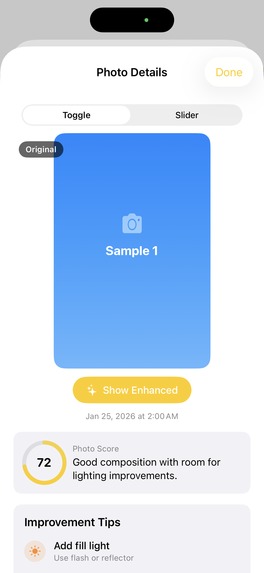
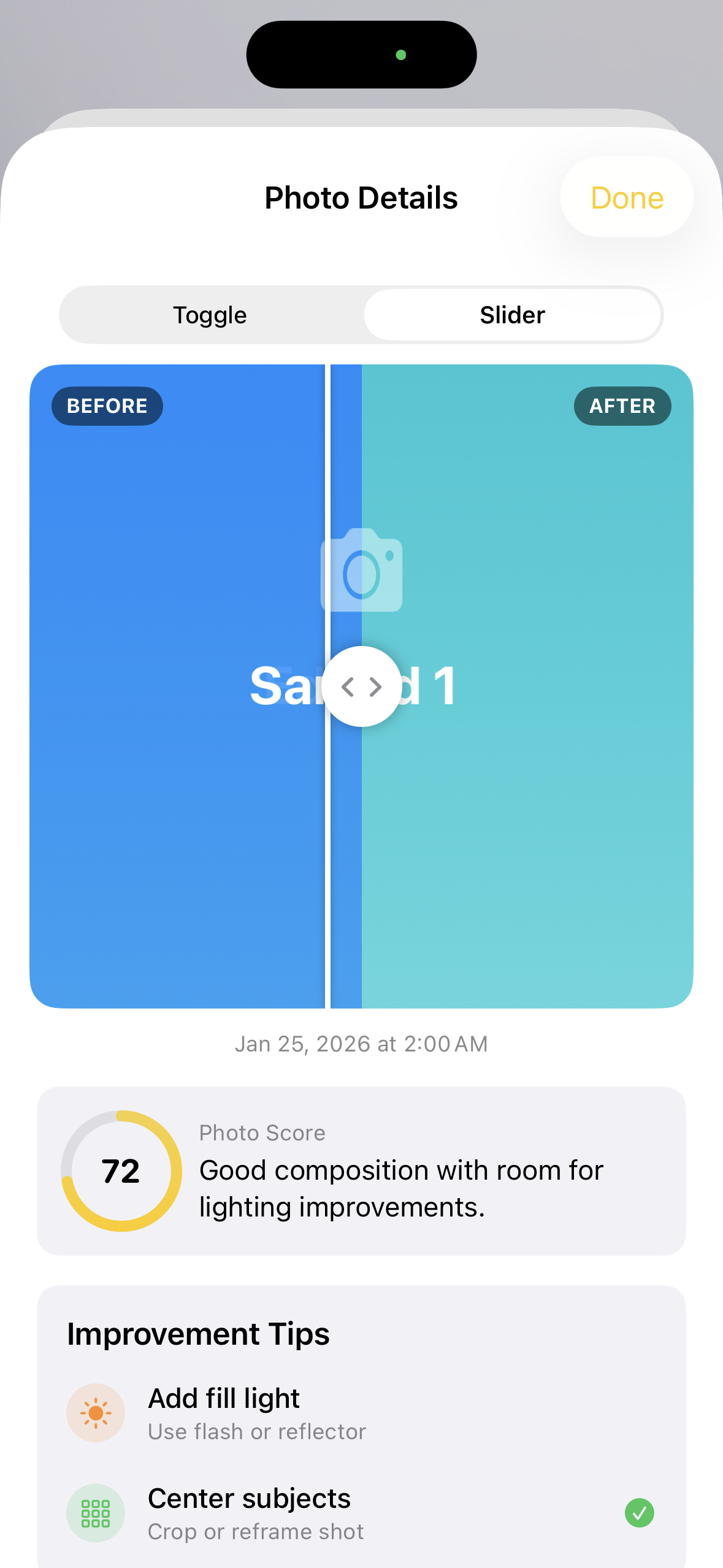
Enhancement Pic 1 (Gallery Landing Screen)
-
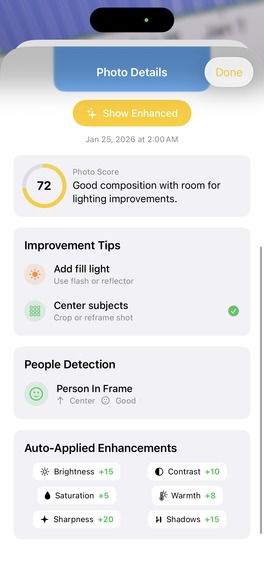
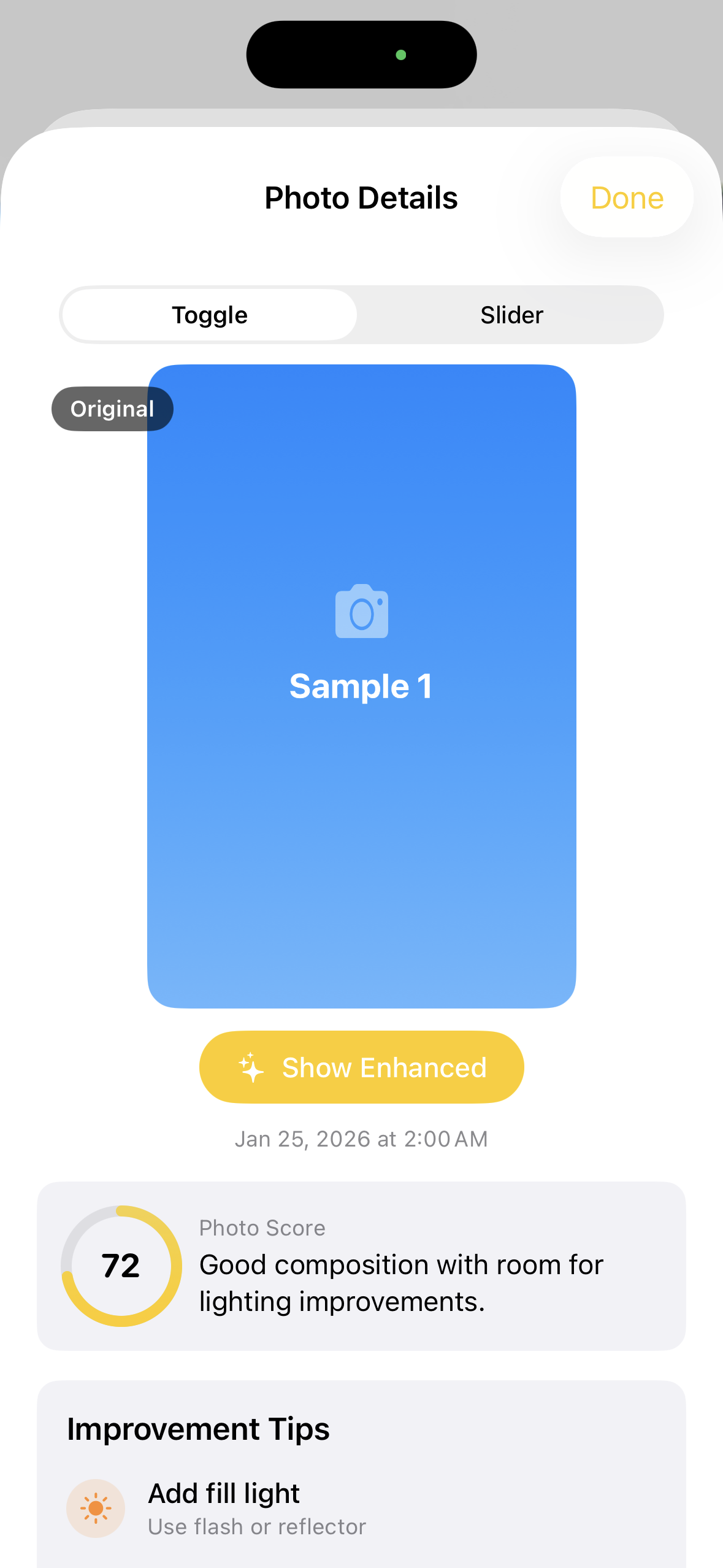
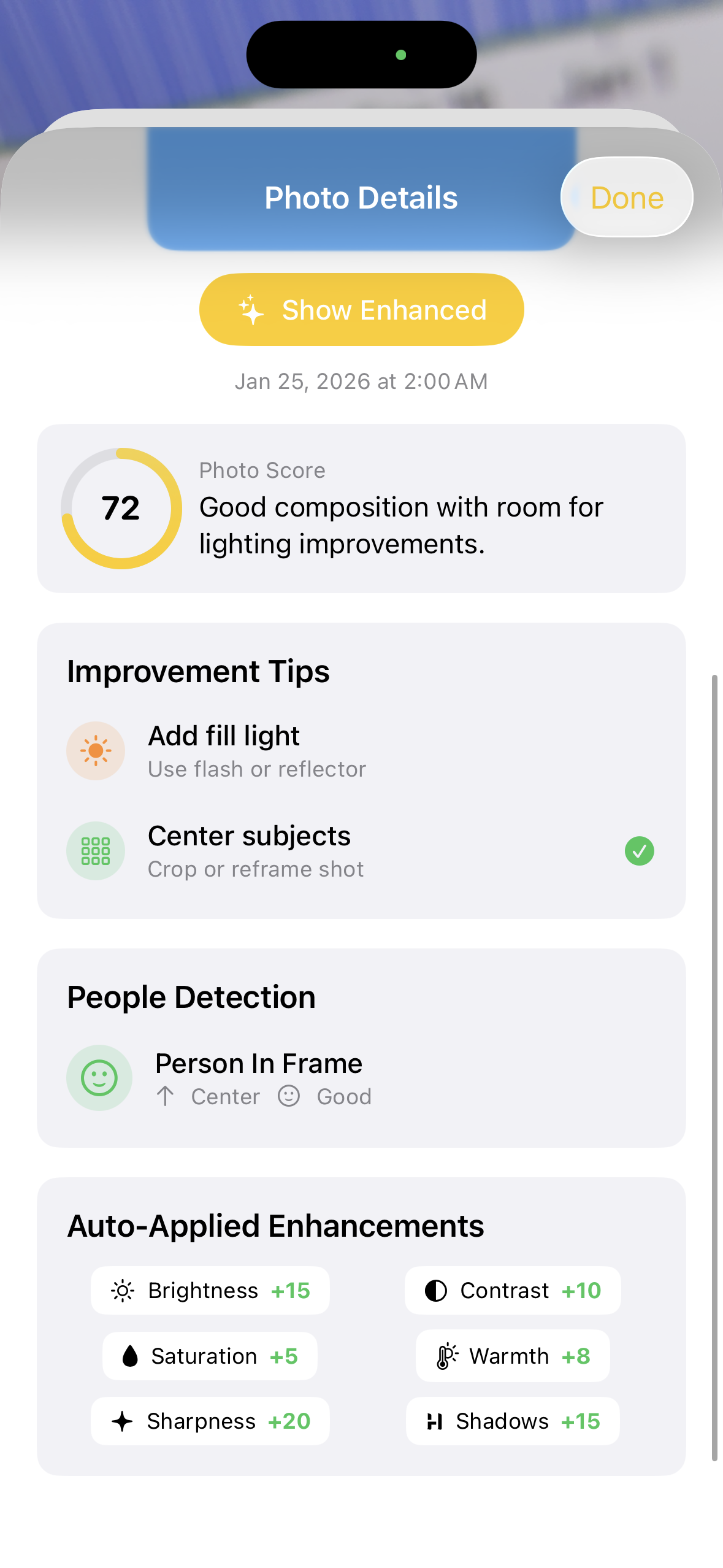
Enhancement Pic 2 (View Picture Stats)
-
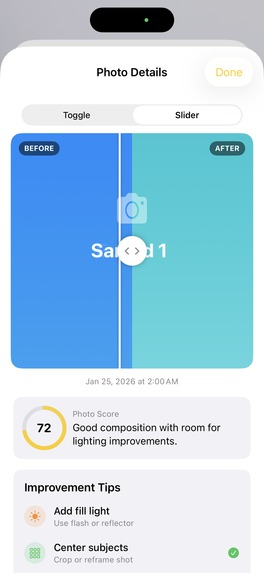
Enhancement Pic 3 (Compare Original/Enhanced)
-
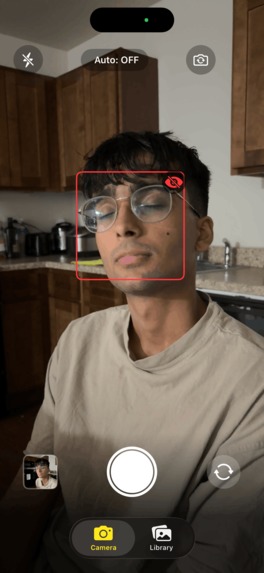
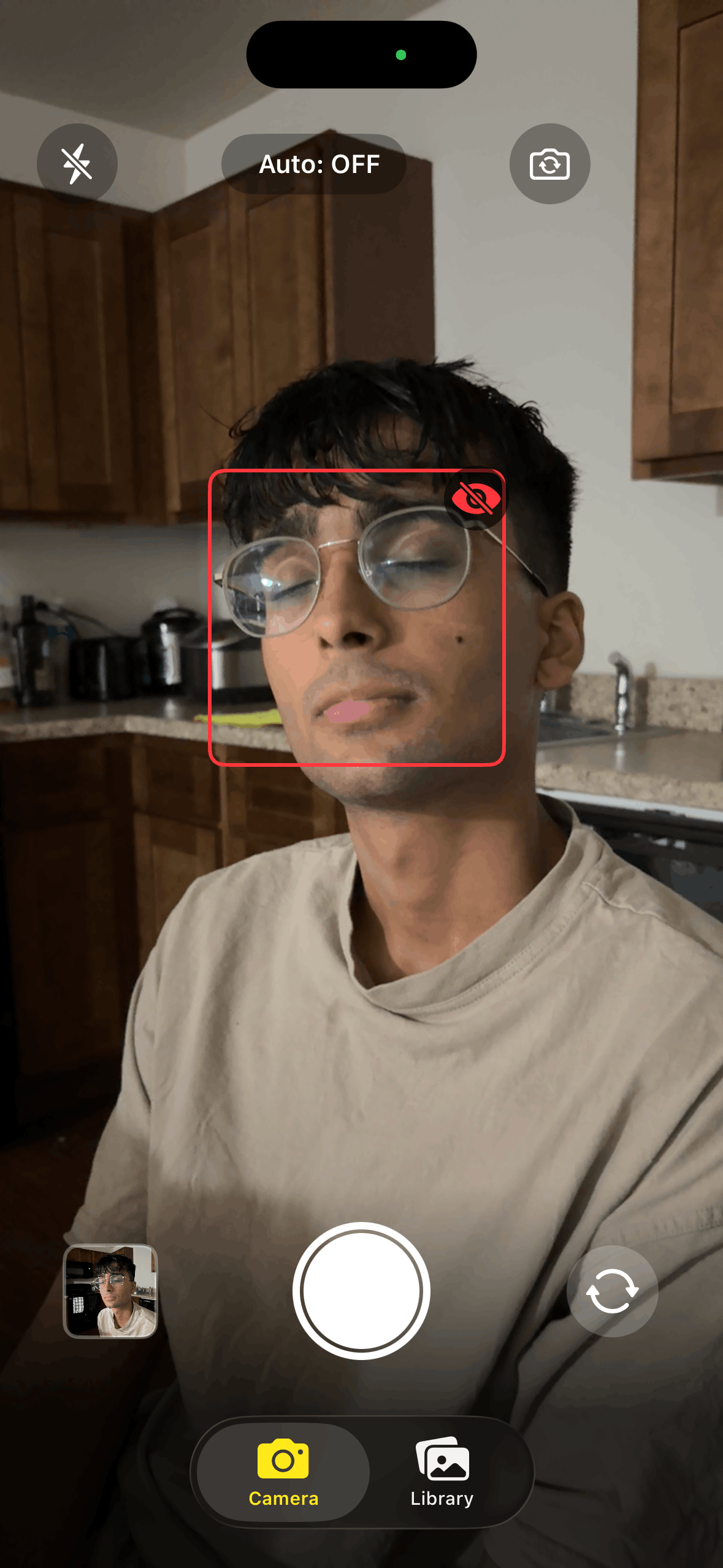
Camera Pic 1 (Closed Eyes)
-
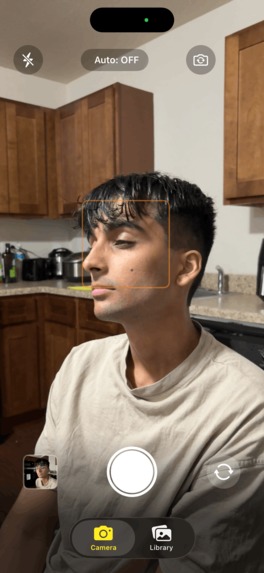
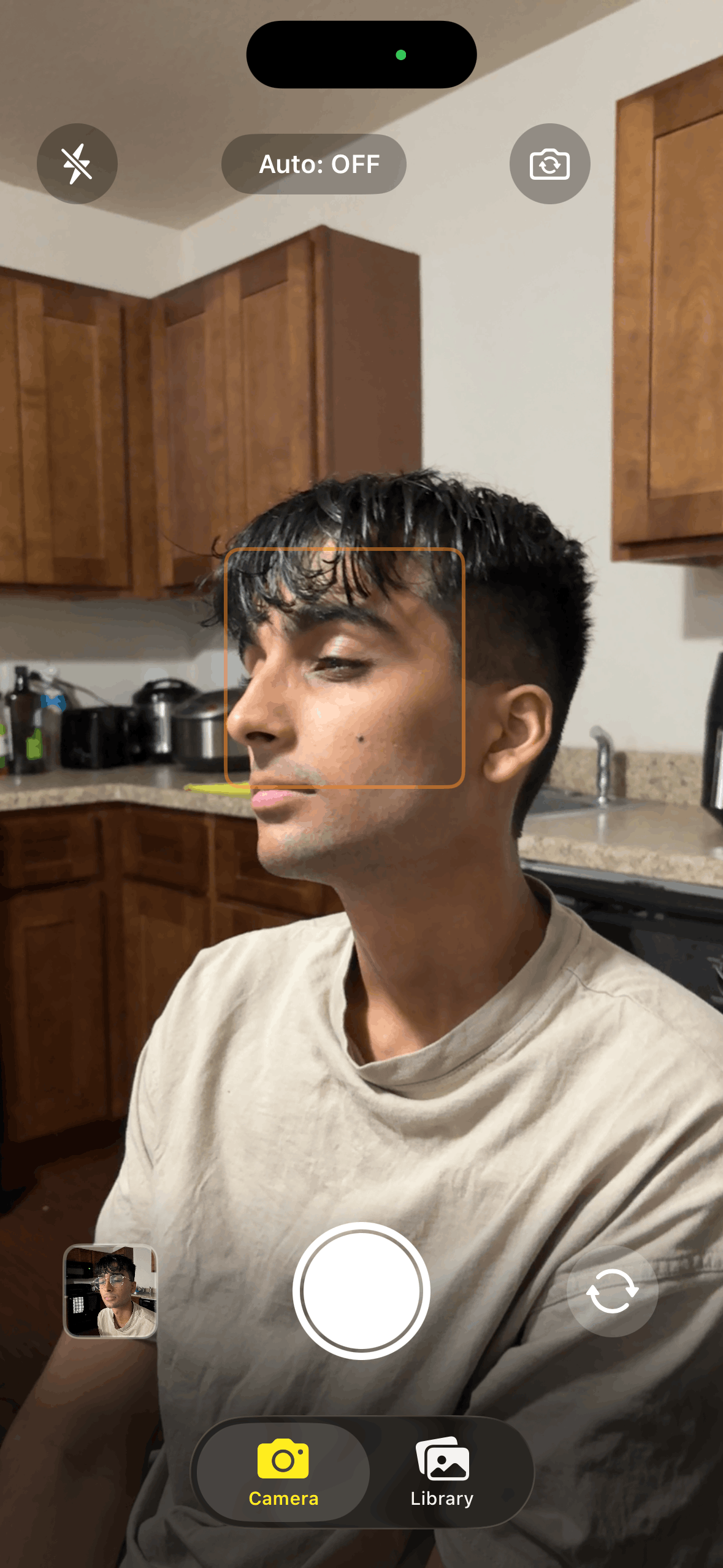
Camera Pic 2 (Not Looking)
-
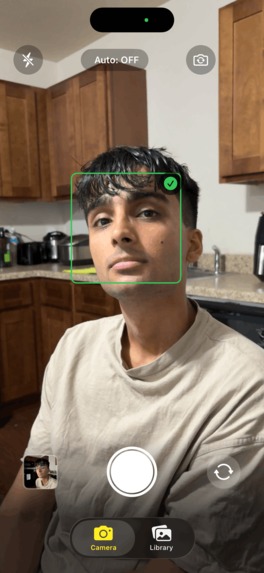
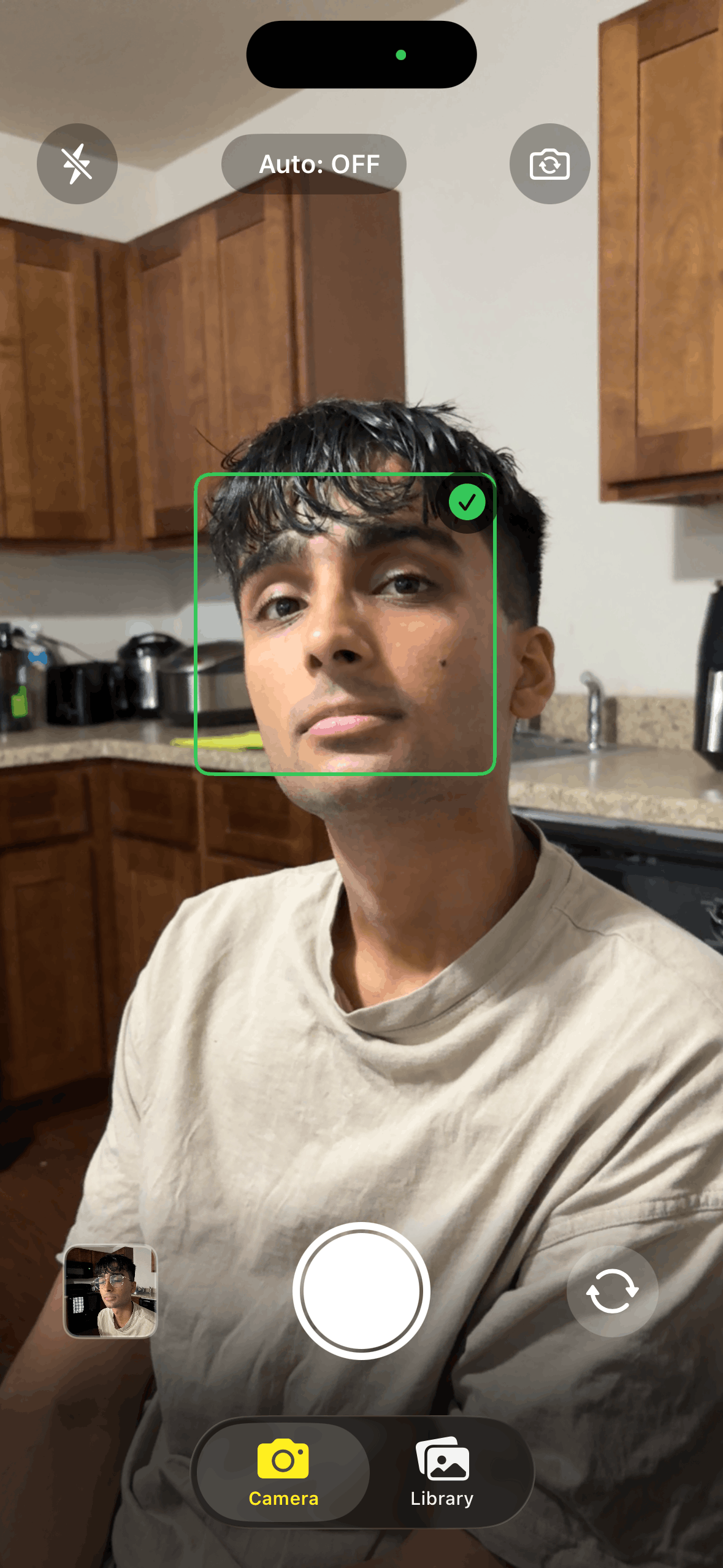
Camera Pic 3 (Looking and Open Eyes)
Inspiration
Group photos, although memorable, are not enjoyable to take. It only takes one person to look away or blink to force a retake, creating a long and repetitive process that nobody wants. The solution to this problem is Frame, a tool that not only automatically captures a photo whenever everybody is ready, but also edits your pictures to be Instagram-ready.
What it does
- Detects faces in real-time and waits until everyone is looking at the camera with eyes open
- Auto-captures the perfect moment, no more countdown anxiety
- Analyzes every photo with AI for composition, lighting, exposure, color balance, and facial expressions
- Automatically enhances photos by applying AI-suggested filter adjustments
- Shows before/after comparisons so you can see exactly what was improved
- Provides actionable tips like "Add fill light" or "Center subjects" with clear explanations ## How we built it We built Frame natively in Swift using SwiftUI for the UI and AVFoundation for camera control. The real-time face detection uses Apple's Vision framework to track faces, detect eye openness, and determine if people are facing the camera.
For the AI analysis, we integrated Google's Gemini 2.0 Flash API with a carefully crafted prompt that returns structured JSON. The prompt instructs Gemini to act as a professional photography coach, analyzing:
- Lighting conditions
- Composition (rule of thirds, balance)
- Focus quality
- Exposure levels
- Color/white balance
- Facial expressions and issues
The AI returns a score (1-100), a summary, specific filter values (-100 to +100 for brightness, contrast, etc.), and concise improvement tips.
We then use Core Image with Metal acceleration to apply the AI-suggested filters in real-time, creating an enhanced version of the photo that users can compare against the original using an interactive slider.
Challenges we ran into
Coordinating real-time face tracking with auto-capture was tricky—we needed to add a "steady state" delay to avoid capturing the moment someone was mid-blink or turning their head.
Parsing AI responses reliably required careful prompt engineering to ensure Gemini always returned valid JSON with the exact schema we needed.
Making the filter engine match Gemini's suggestions involved mapping the AI's -100 to +100 values to Core Image's different parameter ranges (brightness uses -0.3 to 0.3, saturation uses 0 to 2, etc.).
Accomplishments that we're proud of
Real-time face tracking with smart auto-capture — The app detects when all faces are looking at the camera with eyes open, waits for a steady moment, then counts down and captures automatically.
Before/after comparison UI — The interactive slider that lets you drag between original and enhanced versions makes the AI's improvements tangible and satisfying to see.
Face-aware feedback - The app doesn't just say "bad lighting", it tells you which person (by position and description) has shadowed lighting or closed eyes, making the feedback actionable.
Zero manual editing required - Users get a professionally-enhanced photo without touching a single slider.
What we learned
How to build a responsive camera app with real-time computer vision
Advanced prompt engineering for structured JSON outputs from multimodal AI
How to developer and use Core Image filter pipelines
What's next for Frame
Burst mode with AI ranking to automatically select the best shot from a series
Learning from user preferences to personalize enhancement style over time
Built With
- avfoundation
- core-image
- google-gemini
- ios
- python
- swift
- vision-framework
- xcode

Log in or sign up for Devpost to join the conversation.