-
-

App Icon
-
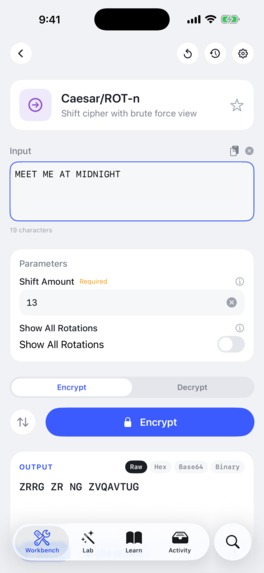
Workbench View
-
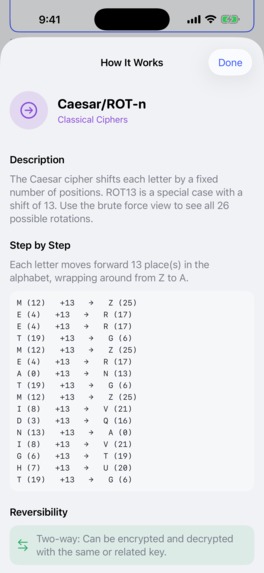
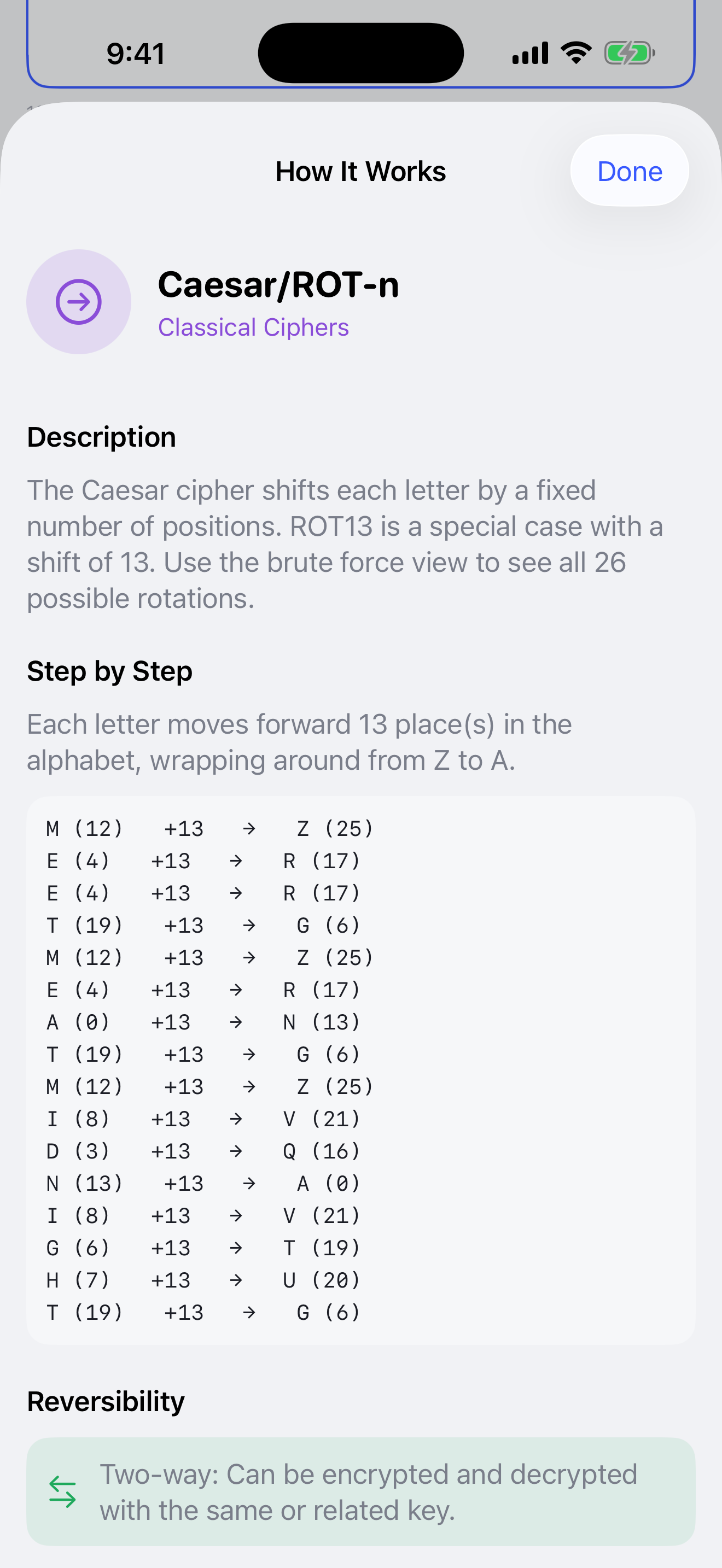
How it works using your entered example
-
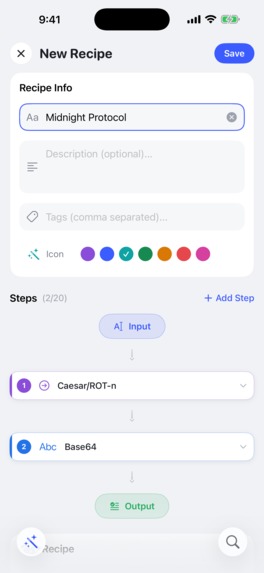
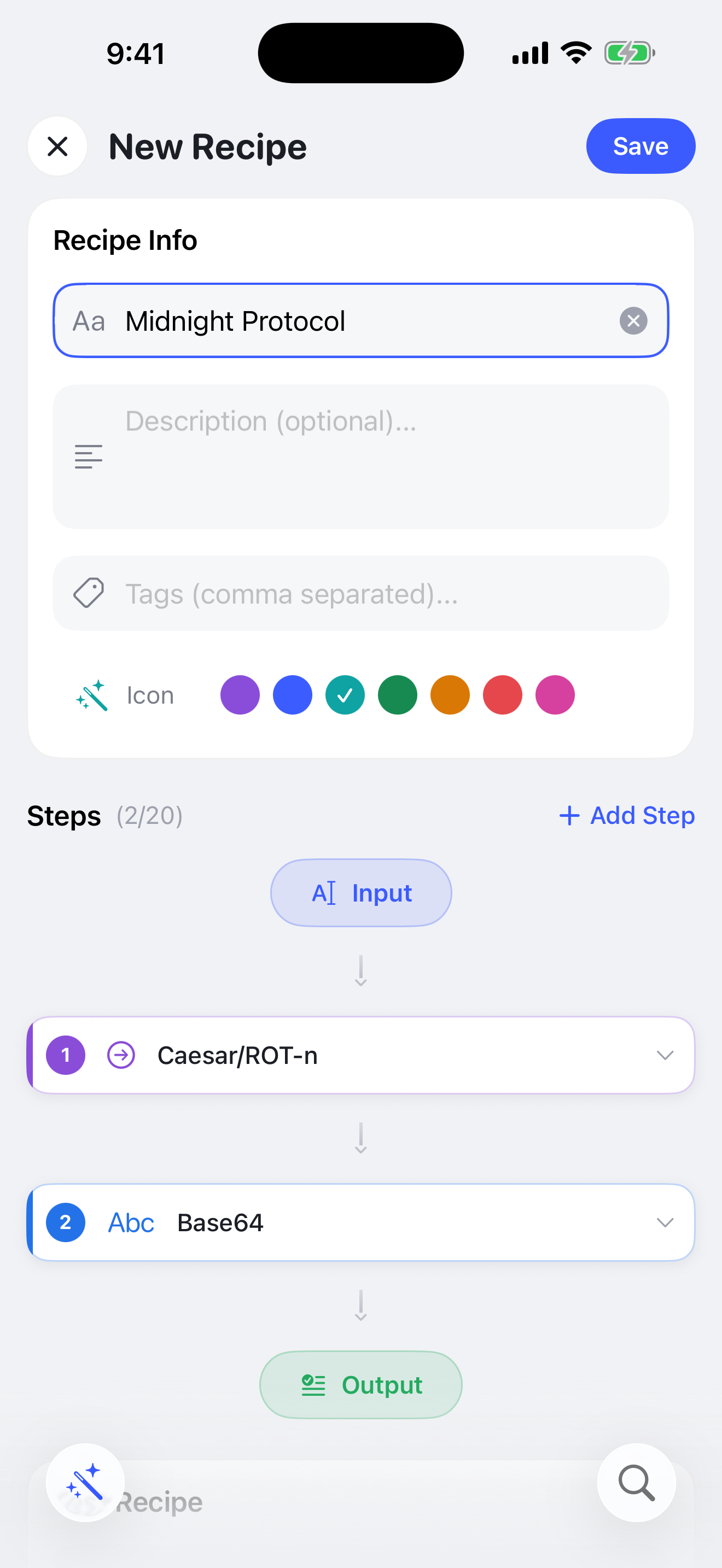
Cipher Lab Recipe Creation
-
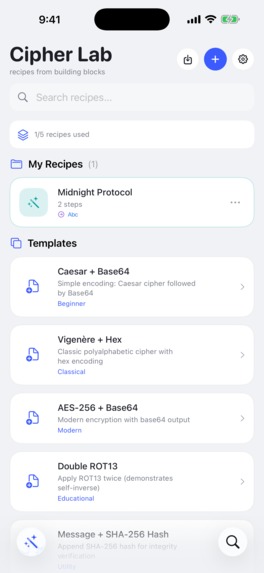
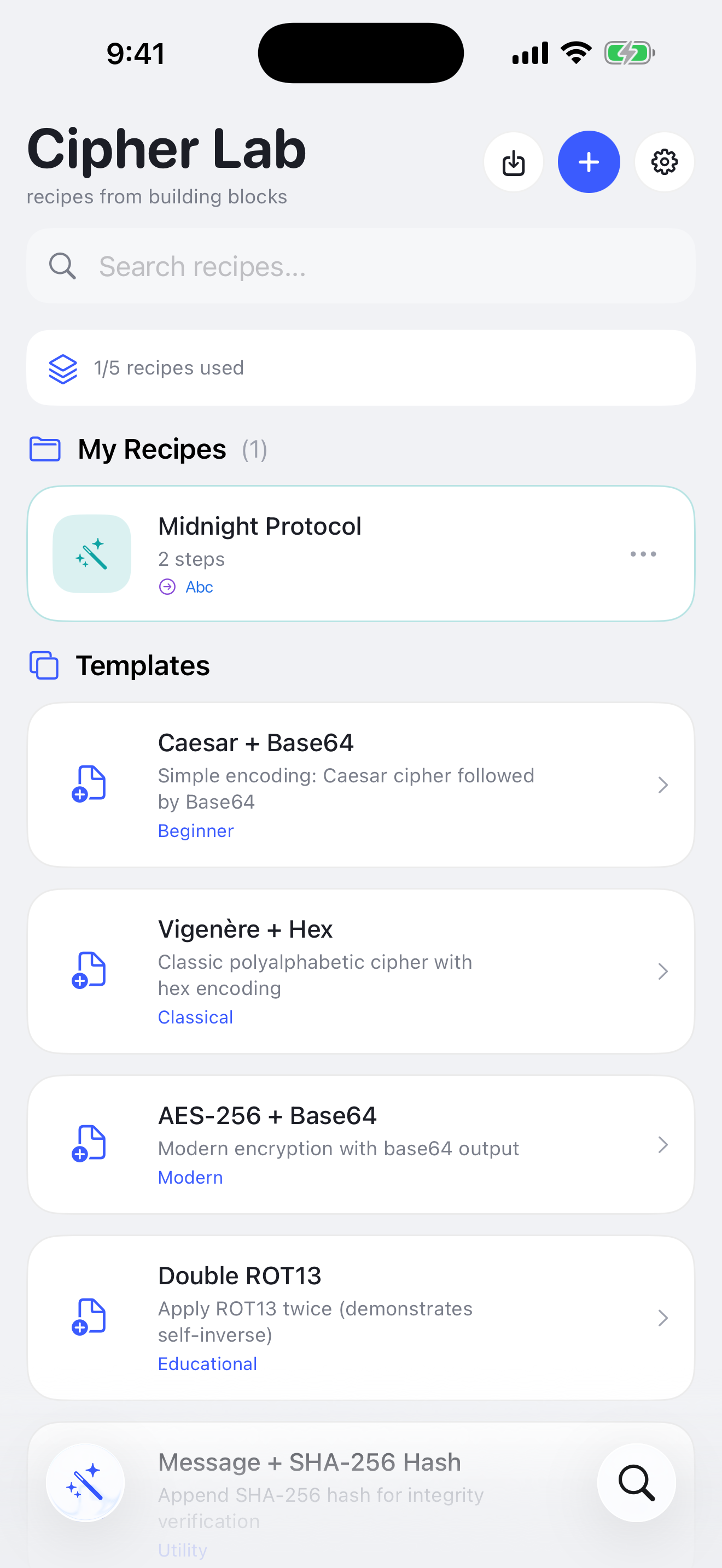
Cipher Lab List
-
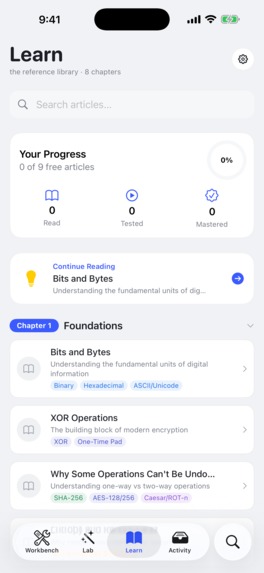
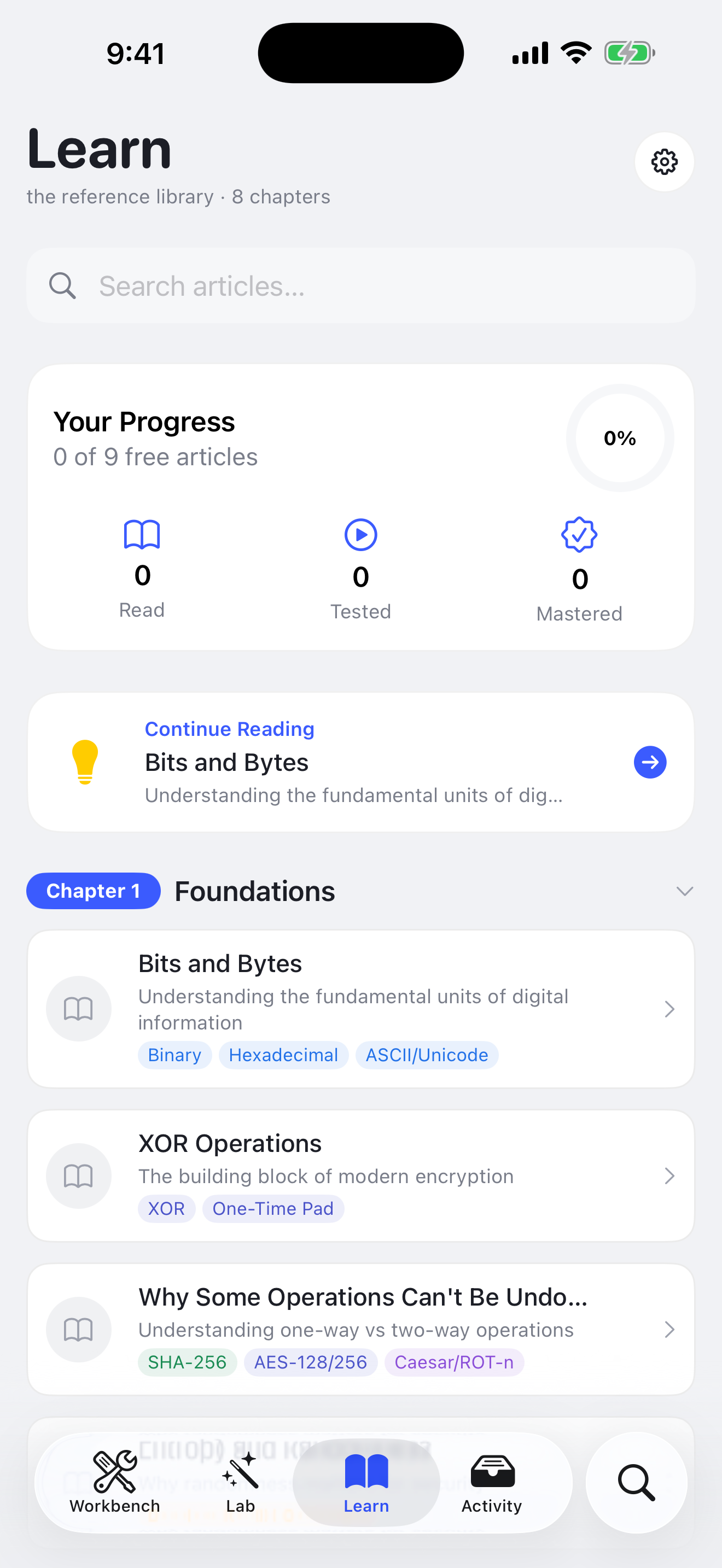
Learn tab
-
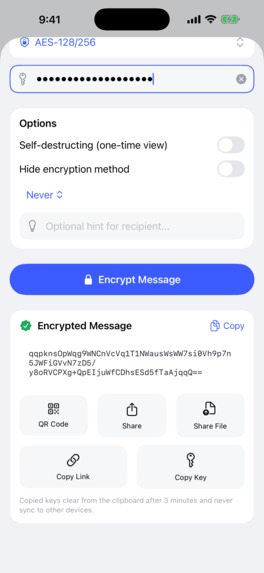
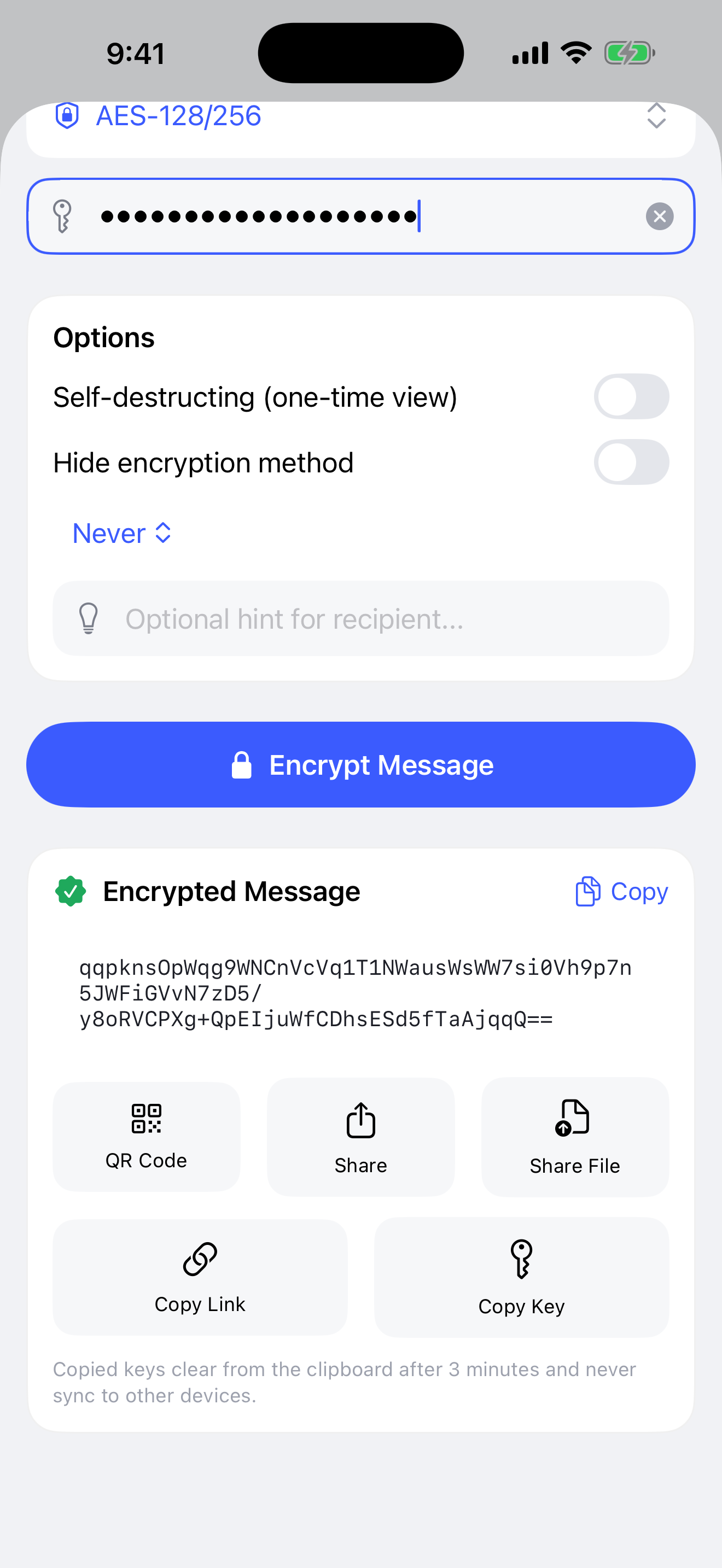
Message Encryption and actions
-
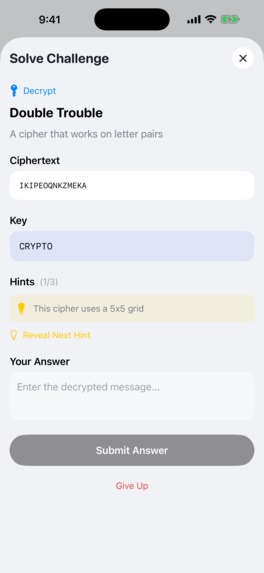
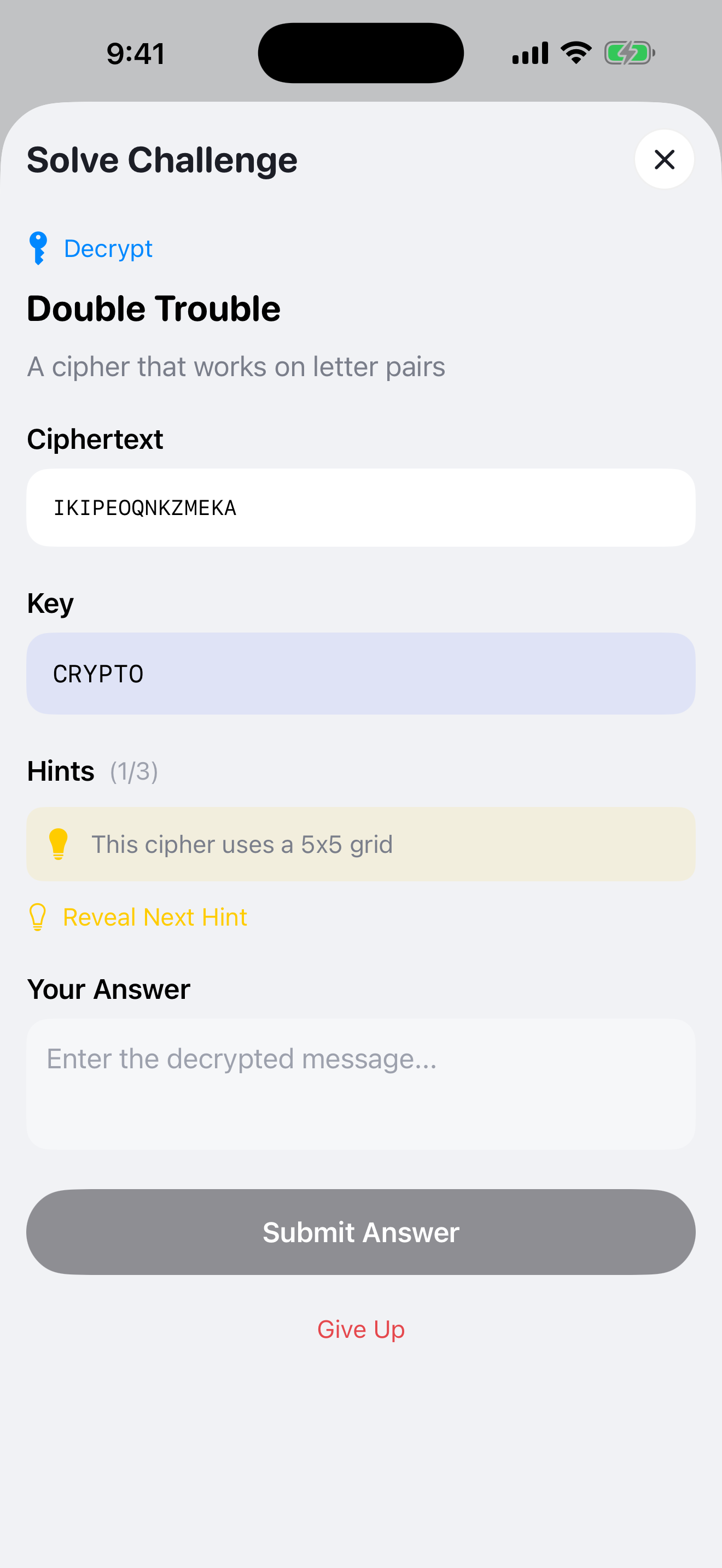
Challenge View

FoundKey is a cryptography app for students, developers and puzzle lovers. It runs real ciphers on your own words and shows you every step, then lets you build your own ciphers and send encrypted messages to friends.
Why I built it
When I was young, about seventeen years ago, I read Sherlock Holmes and wanted to be able to work things out the way he did. That meant puzzles, and puzzles led me to cryptography. Years later I became a developer, and cryptography came back as part of the job: SHA hashes, certificates, .p8 keys. So I asked myself whether there was an app that explains all of this, gives you a place to experiment and make your own ciphers, and helps when you actually need to solve something.
I did proper market research before writing any code: the existing apps, what they do well and badly, and what people say about them on forums. FoundKey is what came out of it.
The problem
What I found was a gap. The serious tools, both for working with cryptography and for learning it, are websites and desktop programs. On an iPhone they're hard to use: tiny controls, nothing built for a phone. The App Store has plenty of cipher apps, but most handle one cipher, many are full of ads, and almost none explain what they're doing. Nothing on the phone combined a real toolkit with real teaching.
Who it's for
Students learning cryptography. Developers who deal with hashes and keys at work. CTF players who need quick tools. And anyone who likes puzzles and secret codes, like I did.
What you can do with it
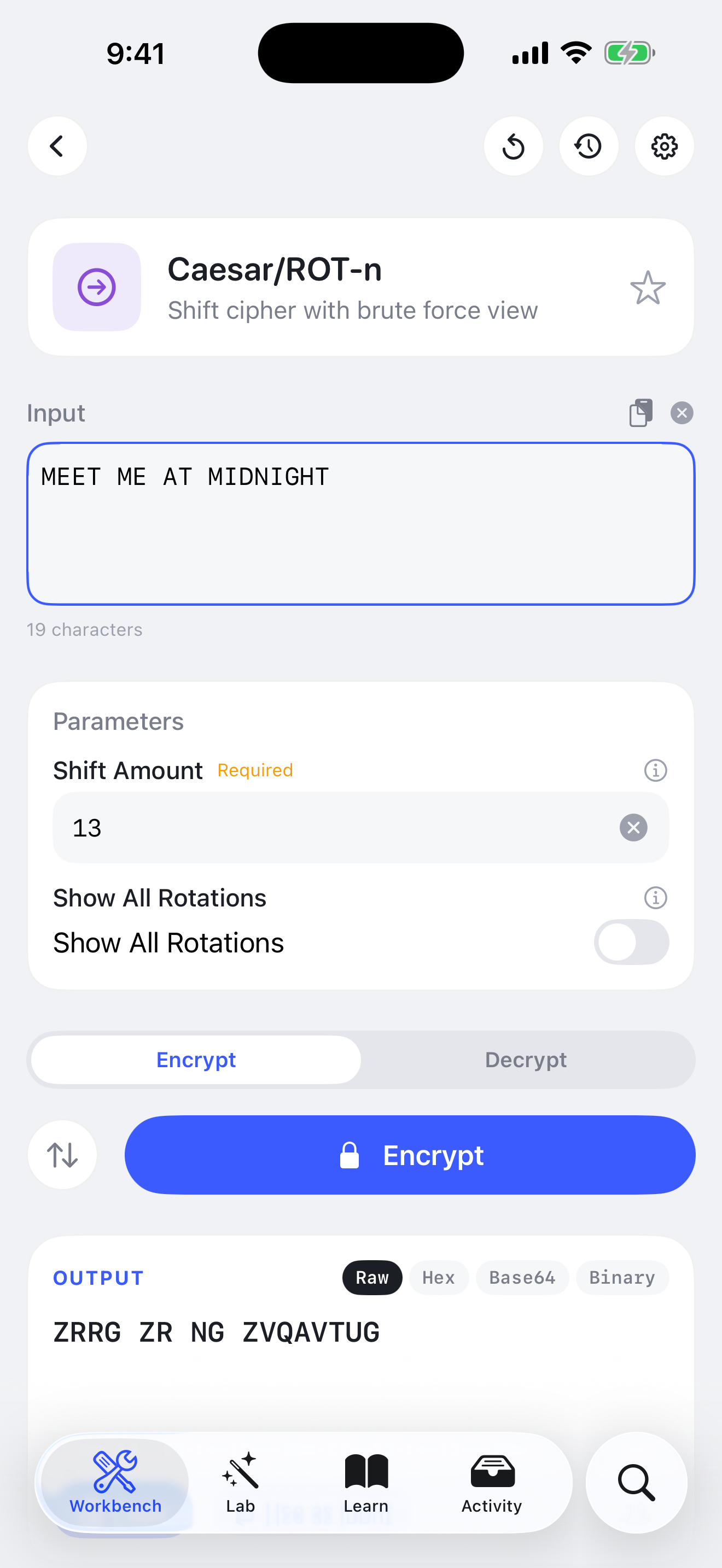
- Workbench. Run any of 45 operations, from Base64 and Caesar to AES, SHA-256 and an Enigma machine, and tap Explain to see how it works. Caesar, Vigenère and Rail Fence show every letter changing.
- Lab. Chain operations into a recipe, your own cipher, then save it and share it. Share it as a black box and a friend can use it without seeing inside.
- Learn. 8 chapters and 30 articles, from bits and XOR to modern encryption, with interactive tools to play with and the common mistakes people make.
- Messages. Encrypt a note with real AES or with your own recipe and pass it on by QR code, AirDrop or link. It can delete itself after one read.
- Challenges. Three puzzle packs from beginner to advanced, with timers and hints, or write your own and send it to a friend.
There's no account and no analytics. Everything stays on the phone, and the only outside service the app talks to is RevenueCat, for the purchase.
How it makes money
The core is free: all 45 operations, messages, five saved recipes, the first two chapters and two of the three puzzle packs. Premium costs $4.99, once, and unlocks unlimited recipes, all eight chapters and every pack.
There's no subscription because the research was clear: people don't want to rent a learning tool. The purchase runs through RevenueCat, and the app never names a product ID, so I can change the price in App Store Connect, or swap the product in RevenueCat, without shipping an update.
What makes it different
- Every operation comes with an explanation, and three of them trace your own text step by step.
- Everything connects. An operation becomes a step in your recipe, your recipe can encrypt a message, and a message can become a challenge.
- Classical and modern cryptography sit in one place. Most apps I looked at do one or the other.
- It works offline, with nothing to sign up for.
Categories
- RevenueCat Design Award. The interface is a custom design system made for this app, in light and dark. My Design answer lists what to look at.
- HAMM Award. A free core and one $4.99 purchase, chosen because this audience doesn't want subscriptions.
- RevenueCat Peace Prize. Students and self-taught coders learn how encryption works, free and offline, including the mistakes that leak passwords in real products.
How I built it
I wrote a full spec from the research first, then built the app between January and its launch on 25 August. It's SwiftUI and SwiftData on iOS 17.6 and up, with CryptoKit, CryptoSwift, Argon2 and bcrypt for the cryptography.
I set up RevenueCat through its MCP server from my coding agent: the project, entitlement, product, offering and package. Only the App Store key needed uploading by hand. I also used it to pull the numbers in my Grand Prize answer.
The hardest question for me was how to teach people to handle keys without teaching them bad habits. So copied keys clear from the clipboard after three minutes, weak hashes like MD5 carry warnings, and my first black-box version, which only hid the steps on screen, got rebuilt so the steps are now stored encrypted.
What's next
Home-screen widgets, a share extension so you can encode text from any app, full pages instead of sheets, Kazakh and Russian, and a native iPad version.
Built With
- avfoundation
- claude
- cryptokit
- figma
- photoshop
- revenuecat
- swftui
- swift
- xcode

Log in or sign up for Devpost to join the conversation.