
Inspiration
Every screen time app I tried had the same flaw: the "ignore limit" button sits one tap away from the limit. Willpower loses to a tired thumb at 1 AM. I wanted limits I couldn't wriggle out of, and a reason to keep them that feels warm instead of guilty.
What it does
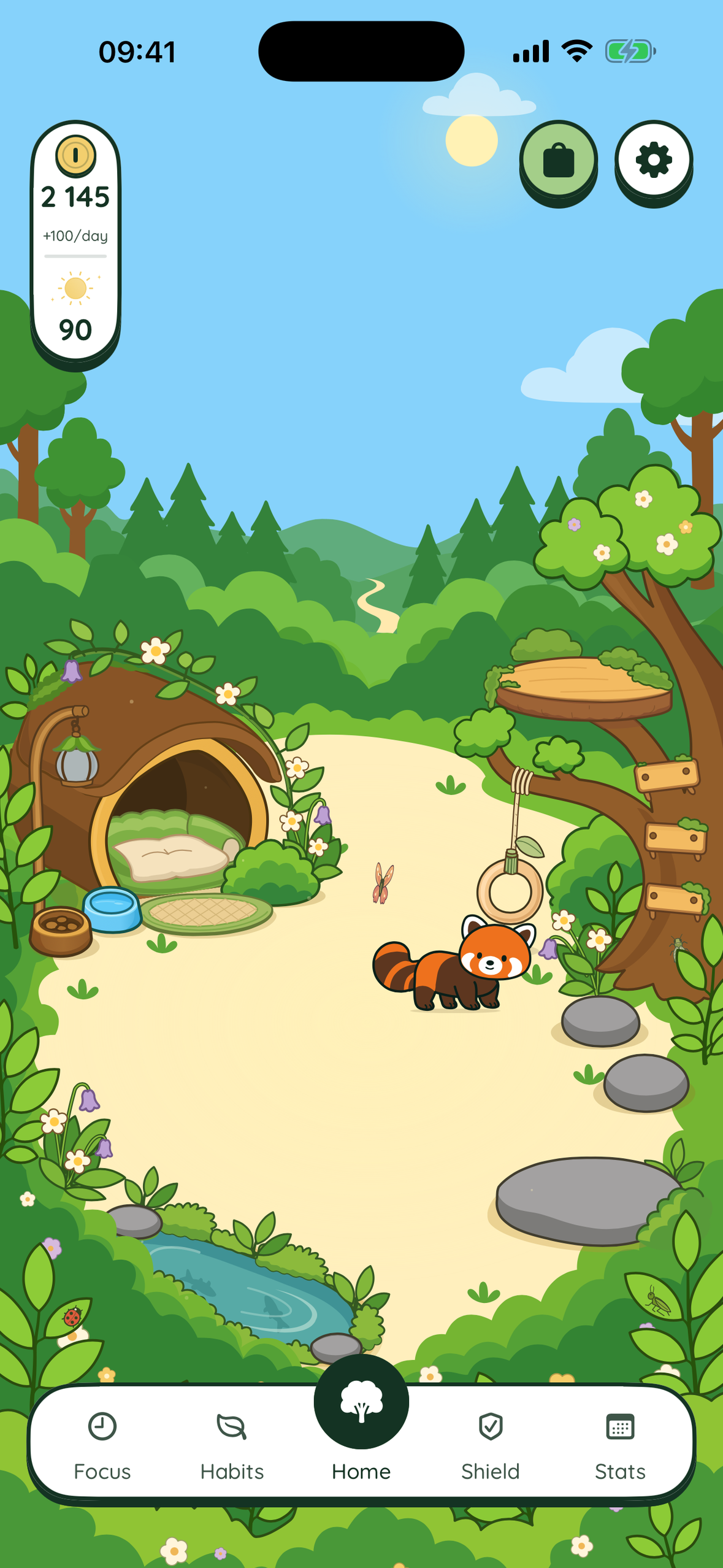
Forbear enforces the screen time limits you set, and gives you a small red panda (you choose his name) who's better off when you keep them.
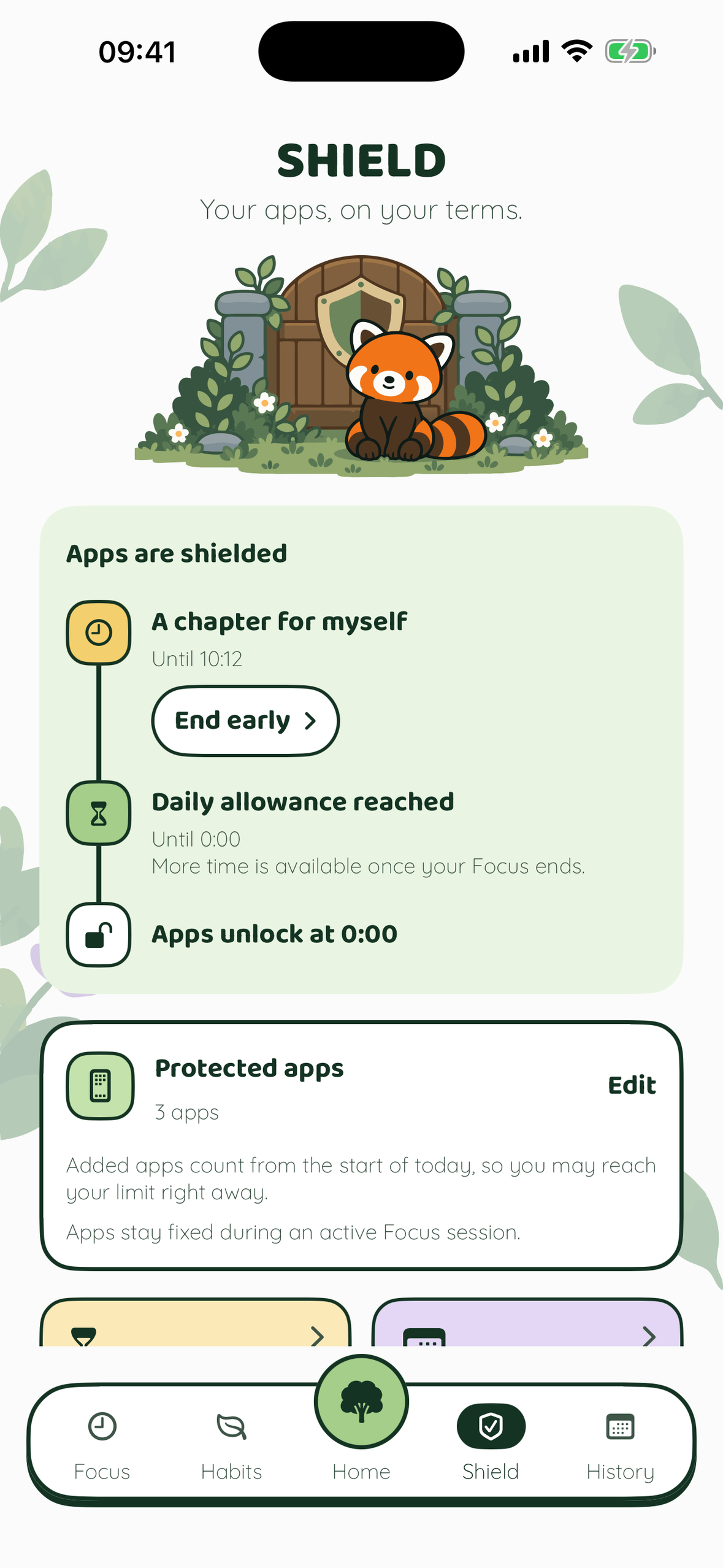
- Daily allowance. Pick the apps that pull you in and set a daily budget. When it's used up, those apps are shielded until tomorrow. There's no ignore button: shields lift only from inside Forbear.
- More time, at a visible cost. Need 5, 10 or 15 more minutes? You can ask up to three times a day, after a short wait. The cost to your score is shown before you confirm.
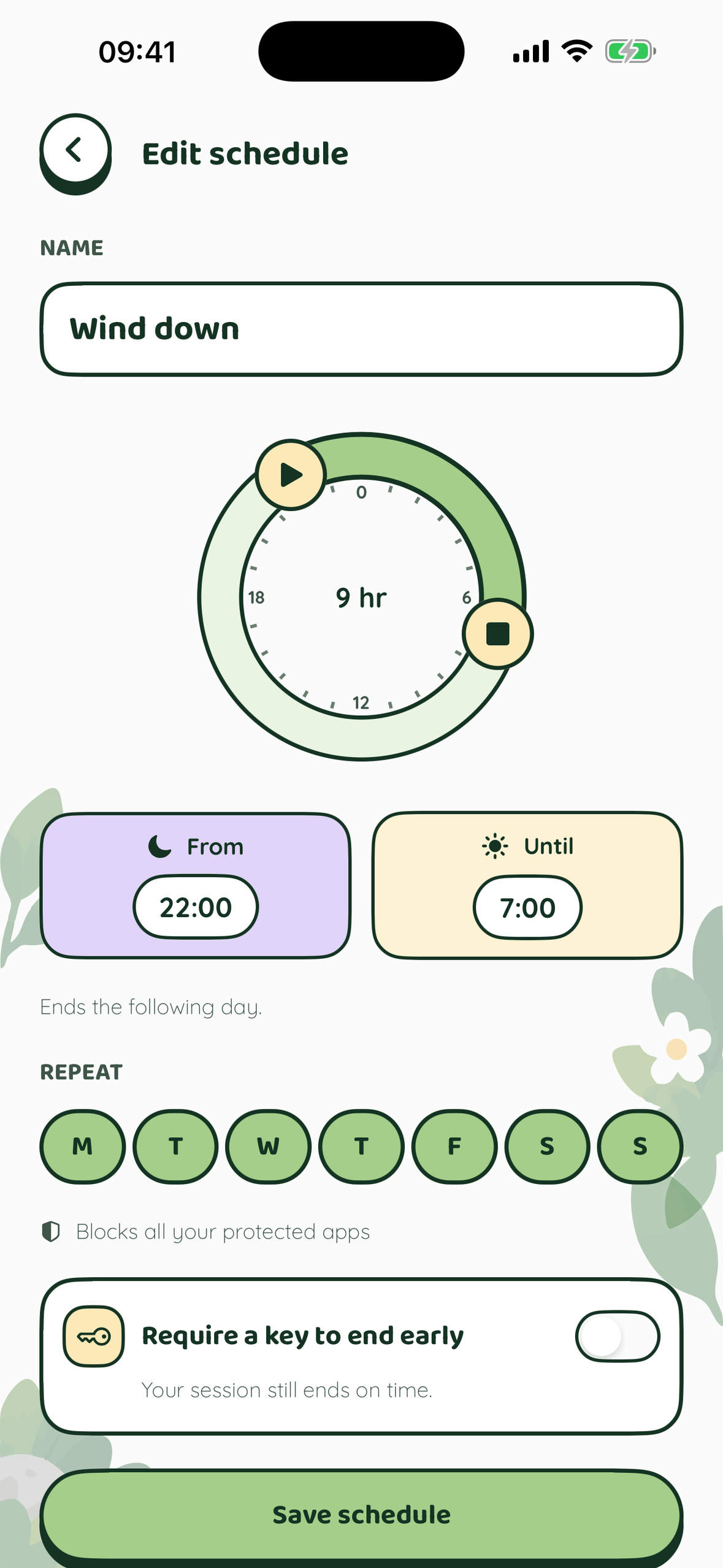
- Schedules. Quiet hours on autopilot: evenings, mornings, work hours.
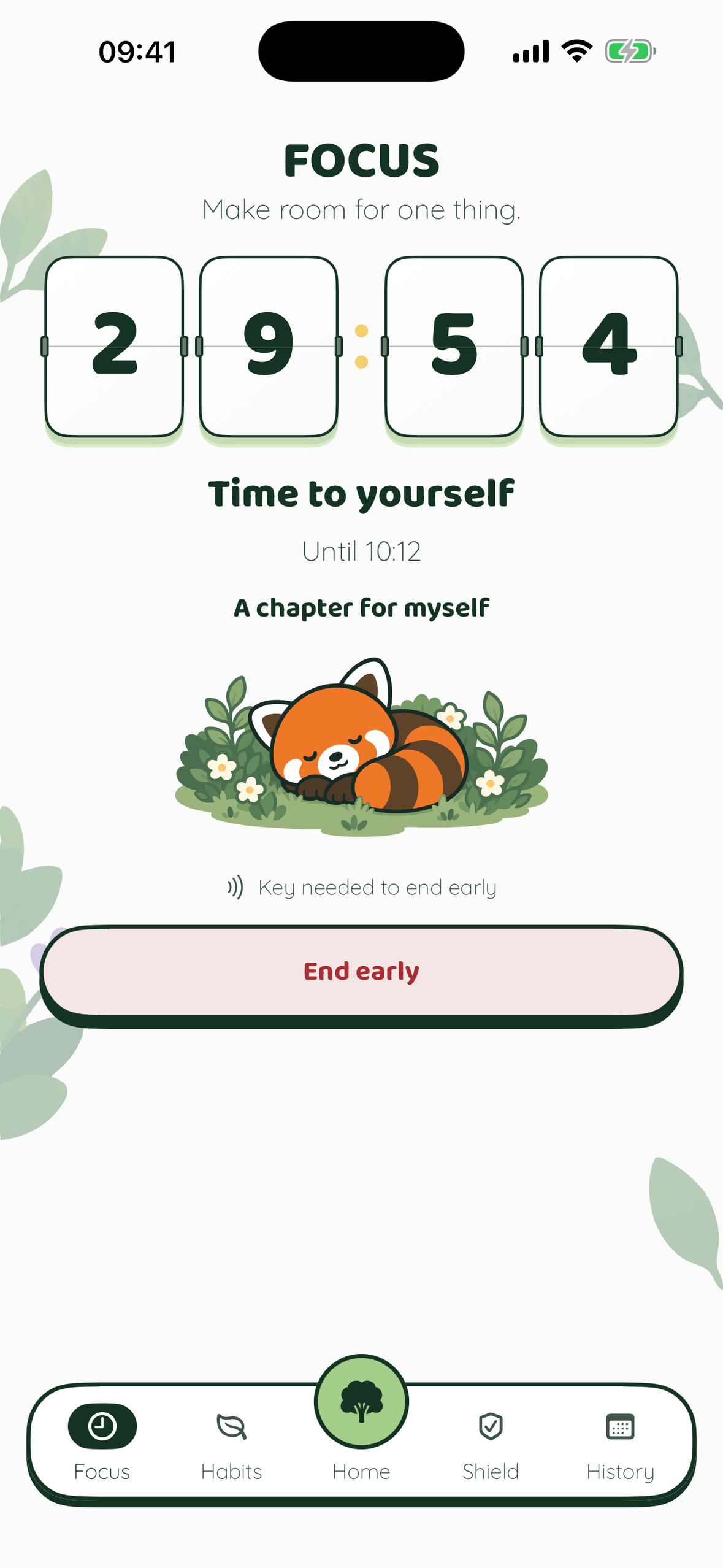
- Focus. A deep-work timer that shuts distractions out, with a Live Activity countdown on the Lock Screen.
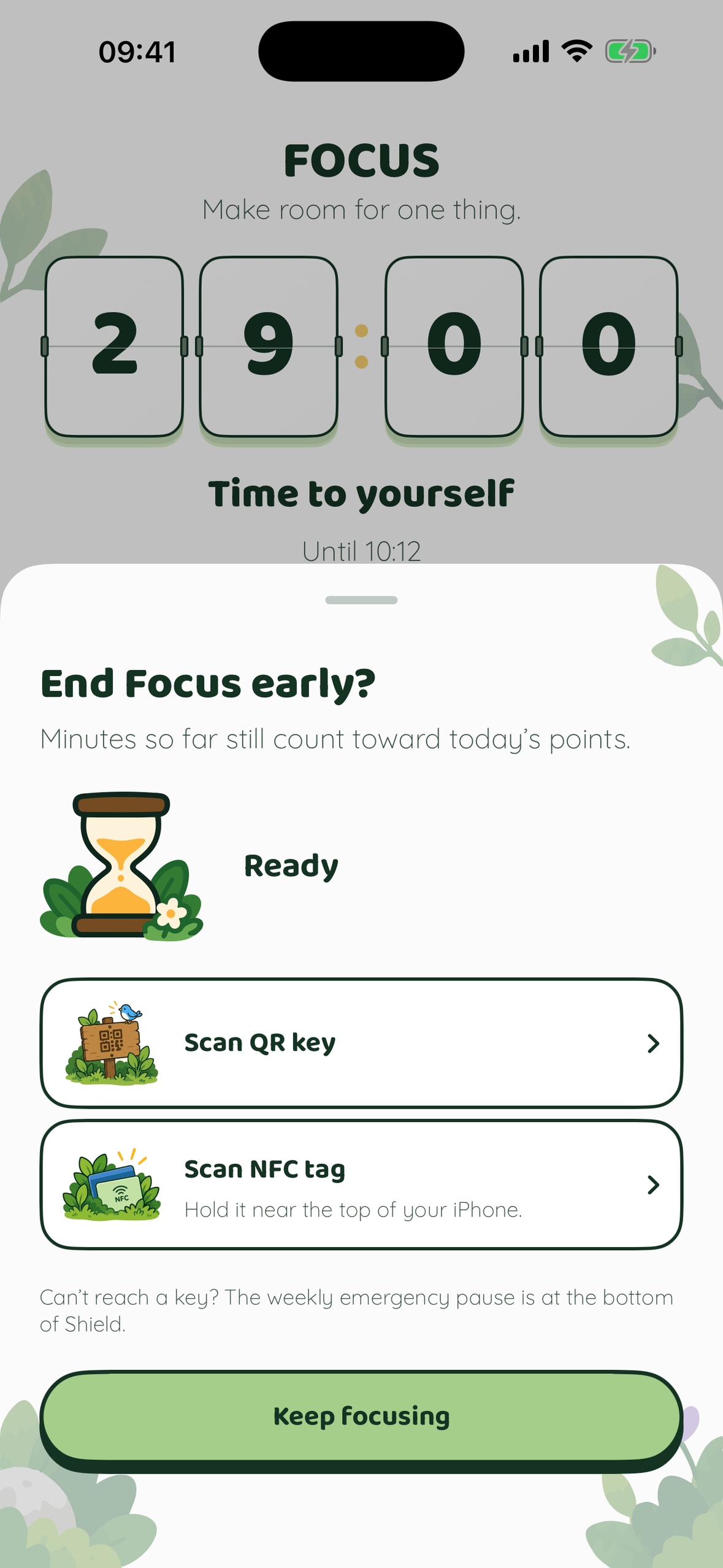
- Physical keys. Optionally require an NFC tag or an in-app QR code to end a block early. Stick the tag on something in another room: the walk is the point. One 60-minute emergency pause a week covers real emergencies.
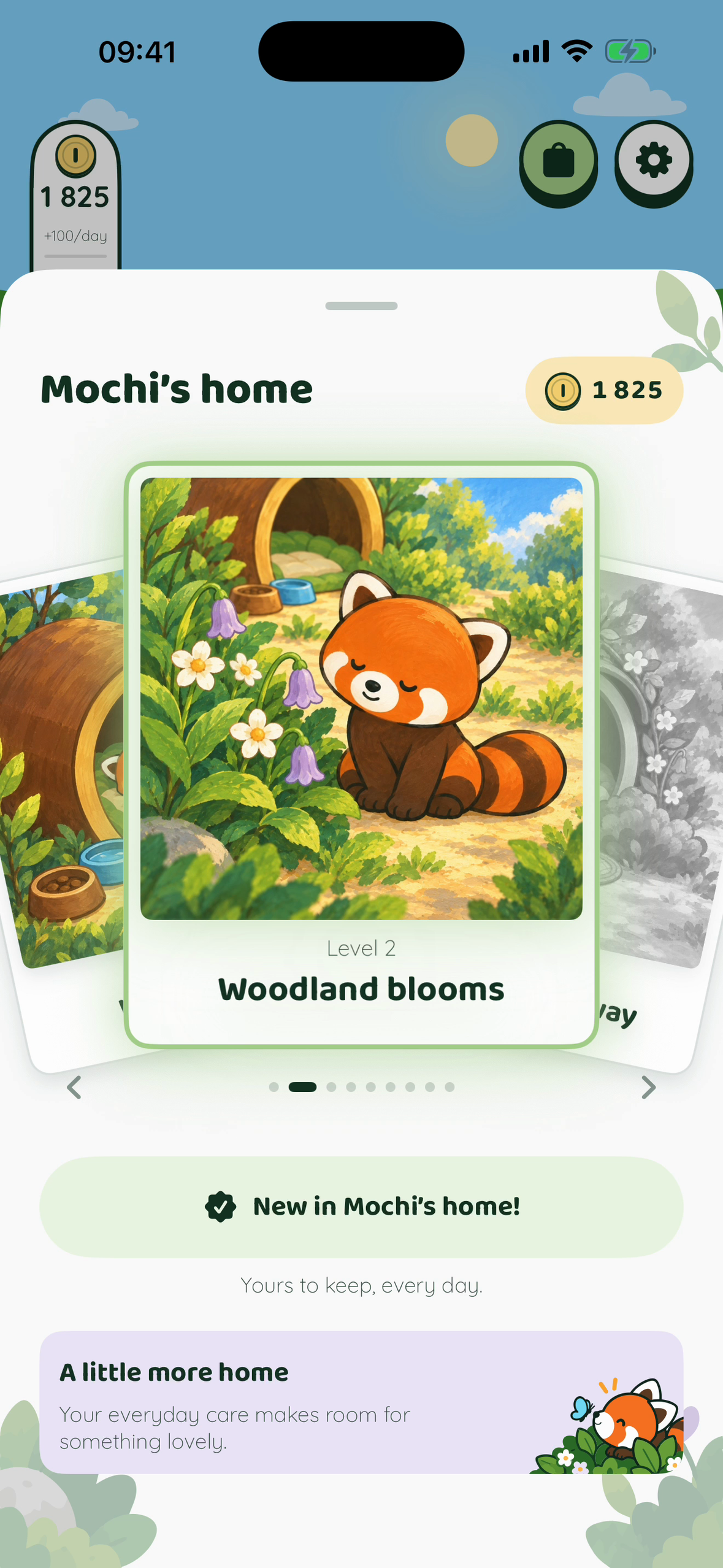
- Your red panda's living enclosure. An illustrated 2D world whose weather follows your days: clear skies when you stay within your limits, rain and storms when you don't. Good days earn coins that grow his home with permanent, cosy upgrades. Habits add small daily wins, and tapping him on Home gets a reaction (the first pet of the day brightens his weather a little).
- Home Screen widgets with his weather, time used, habits and your next schedule at a glance.
- Private by design. Built on Apple's Screen Time APIs. Usage data never leaves the iPhone. No account, no sign-up.
How I built it
- Native Swift 6 and SwiftUI, with The Composable Architecture for every screen, flow and side effect, and Swift Testing for the core logic.
- Apple's Screen Time stack across five targets: FamilyControls authorization, ManagedSettings shields, DeviceActivity monitors (allowance thresholds, schedules, Focus), a custom Shield configuration and actions, and a DeviceActivityReport extension for on-device usage charts.
- Core NFC and a camera QR scanner for the physical keys.
- WidgetKit and ActivityKit for widgets and the Focus Live Activity.
- RevenueCat for the paid gate: offerings, entitlement checks in the app and extensions, and a paywall with monthly and annual plans. Dismissing the paywall shows a founding annual plan (a separate recurring product, about 50% off), with every price PPP-adjusted across 175 storefronts.
- Layered SVG vector art for the enclosure, the red panda's animations and the weather.
Challenges
- "No callback" is not "success." Screen Time monitors run in separate, sandboxed extensions that can be killed at any time. The app never assumes a limit held. It verifies that the monitor which will close a block again is live before lifting anything, and treats missing evidence as "unknown", never as a good day.
- Mid-day edits. Adding an app or lowering a limit mid-day has to apply at once without losing the usage already counted. Replacement monitors replay the whole day, so thresholds fire at true cumulative usage.
- App Review with sensitive entitlements. I got Family Controls (Distribution) approved and recorded a hardware demo of the NFC flow for review.
Accomplishments I'm proud of
- Limits that genuinely can't be dismissed from the shield, while restore, legal, subscription management and "remove all restrictions" stay reachable outside the paid gate.
- Turning screen time from a guilt dashboard into a small living world you want to look after.
What I learned
How far the Screen Time APIs can be pushed when you design for extension death, missing callbacks and edge cases first. Also, that a friendly character moves behaviour more than a red number.
What's next
- A guided first-run tour.
- Worldwide launch. 1.0 is US-only, and PPP pricing is already set for 175 storefronts.
- More habitats and seasonal wildlife for your red panda.
Built With
- activitykit
- avfoundation
- core-nfc
- deviceactivity
- familycontrols
- ios
- live-activities
- managedsettings
- revenuecat
- screen-time-api
- storekit
- svg
- swift
- swift-testing
- swiftui
- the-composable-architecture
- widgetkit
- xcode

Log in or sign up for Devpost to join the conversation.