-
-

Top View of Foot Mouse/Controller
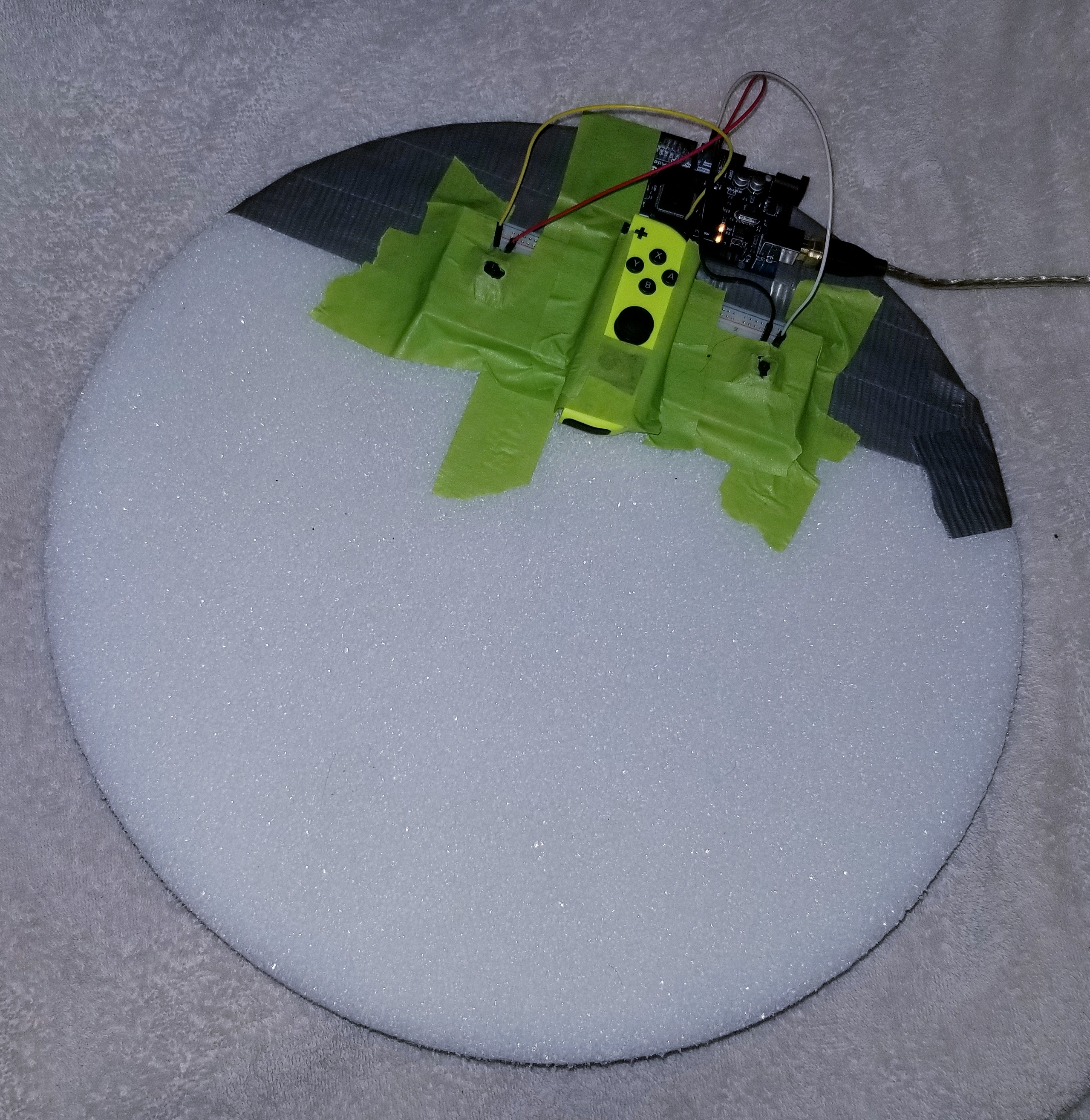
What it does
Allows you to use your feet as a mouse and game controller. Essentially, you place your feet on top of the apparatus then you tilt the apparatus to move the cursor or move your game avatar (WASD).
How we built it
All you need is a gamepad with an accelerometer (Nintendo Joycon, PS5 controller, etc.) and a DIY platform to get started. We used the SDL2 library to get low level access to accelerometer sensors in common household devices, then derived orientation from that sensor to allow you to create a virtual controller (keystrokes + mouse control are possible). The addition of buttons on top was done using an Arduino but is completely optional. The controller function and cursor movement are fully wireless.
All that is required for moving the cursor and using it as a game controller is to have a gamepad that has an accelerometer (Nintendo Joycon, PS5 controller, etc) inside and the attached software.
Challenges we ran into
This was my first hackathon, but also my first time dealing with software and hardware interfacing. First Arduino use. Also first time using SDL2 which can be quite fussy. More Specifically: It was tricky getting a good balance between sensitivity, and the dead zone so it's not too sensitive. When I was going to program the mouse buttons, I found that the Arduino Mega does not support controlling the Windows cursor out-of-the-box, so I had to use SerialPorts to relay the data to a C# program which did mouse actions. I also wish that I had some teammates, it ended up being a lot more work than I expected - so I had to ration time and rush many aspects. Not only the project but also putting together the presentation and such.
Accomplishments that we're proud of
A functional foot mouse that is fairly comfortable. I thought that it would be uncomfortable to keep my feet on the mouse for a long duration of time, however, my feet were able to naturally rest on top without much effort. Learning how to use Arduino and programming my first hardware project was fun too!
What we learned
I learned how to link various libraries into Visual Studio C++. I also learned how to use the Arduino, and about SerialPorts and how they can be used to read data from hardware. I also see how difficult it is actually create a polished product. Continued work on this project would require many more iterations.
What's next for Foot Mouse
Having a flatter bottom which is more elliptical shaped rather than spherical would likely make it easier to control the mouse. I would also like to have time to adjust the sensitivity curve more, I currently simply used a power function + dead zone but a lot more could be done to improve the response to tilting. Definitely spending more time on the design as well, it looks a little hideous - but it works.
Note: the demo video might appear to have some latency but this is actually just because I had to manually sync the two videos. In reality there is actually really no substantial latency.

Log in or sign up for Devpost to join the conversation.