-
-
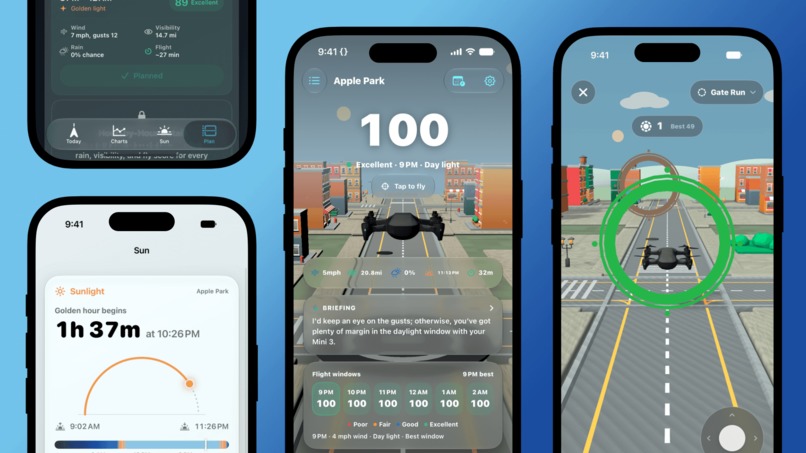
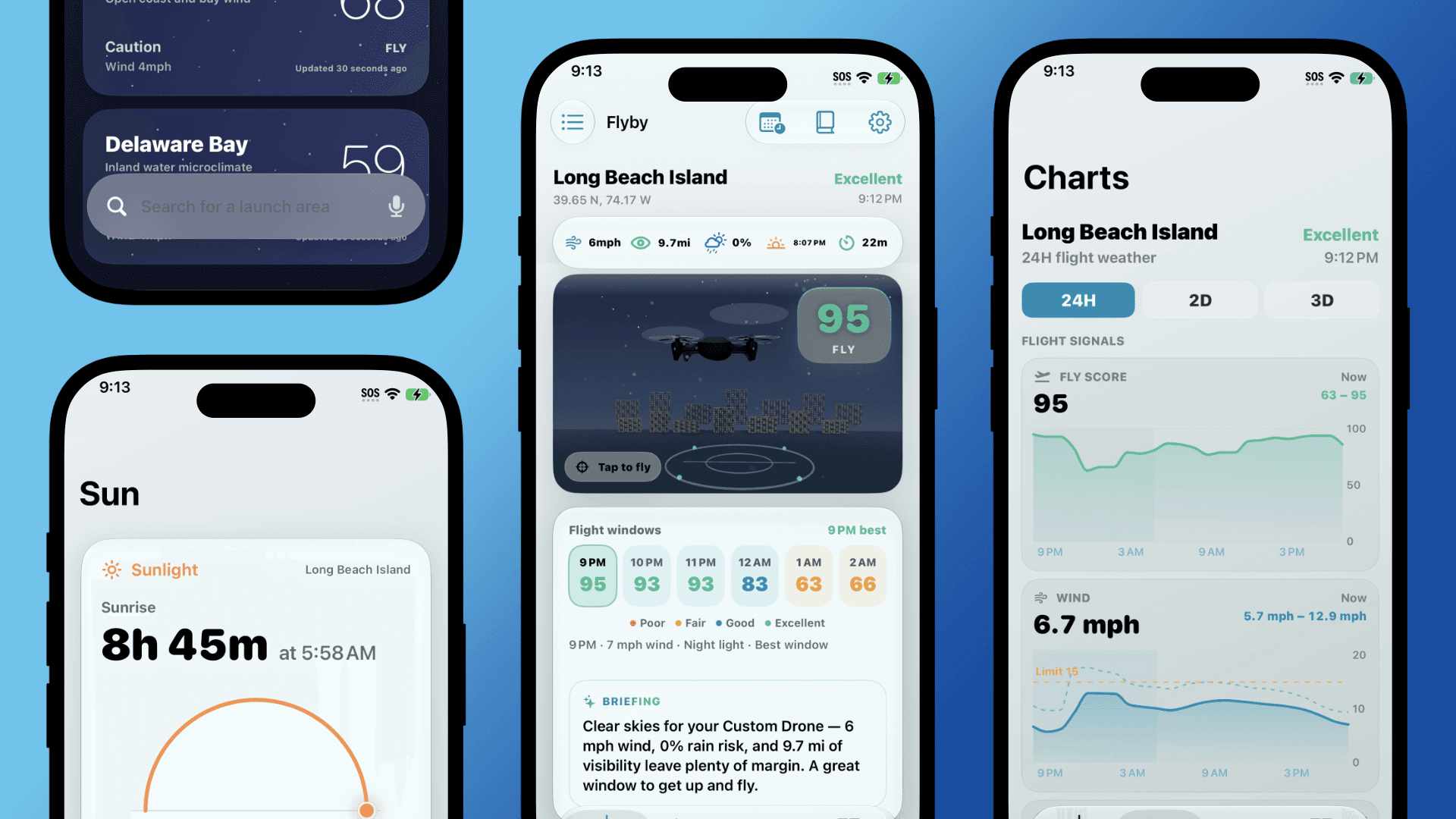
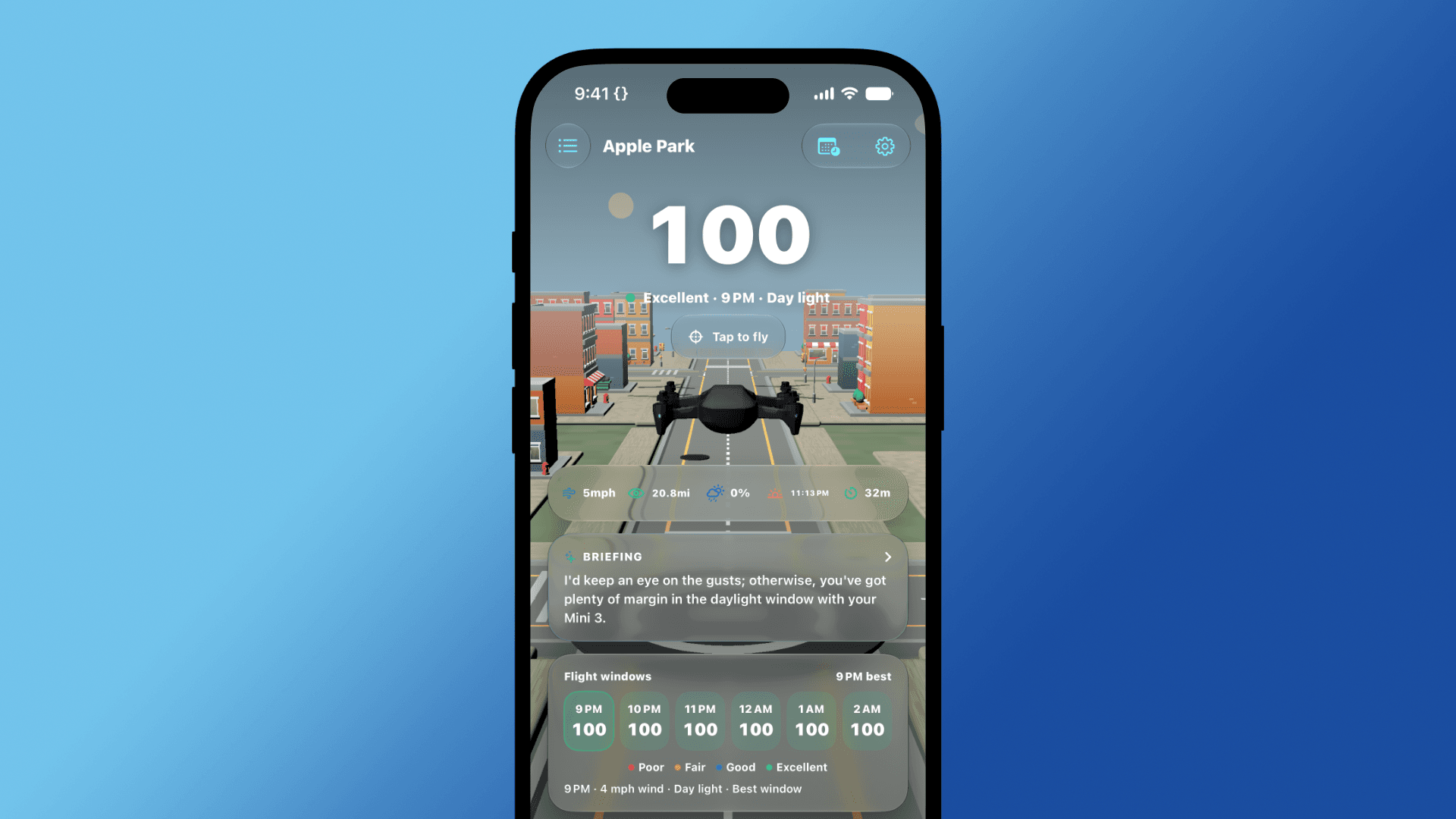
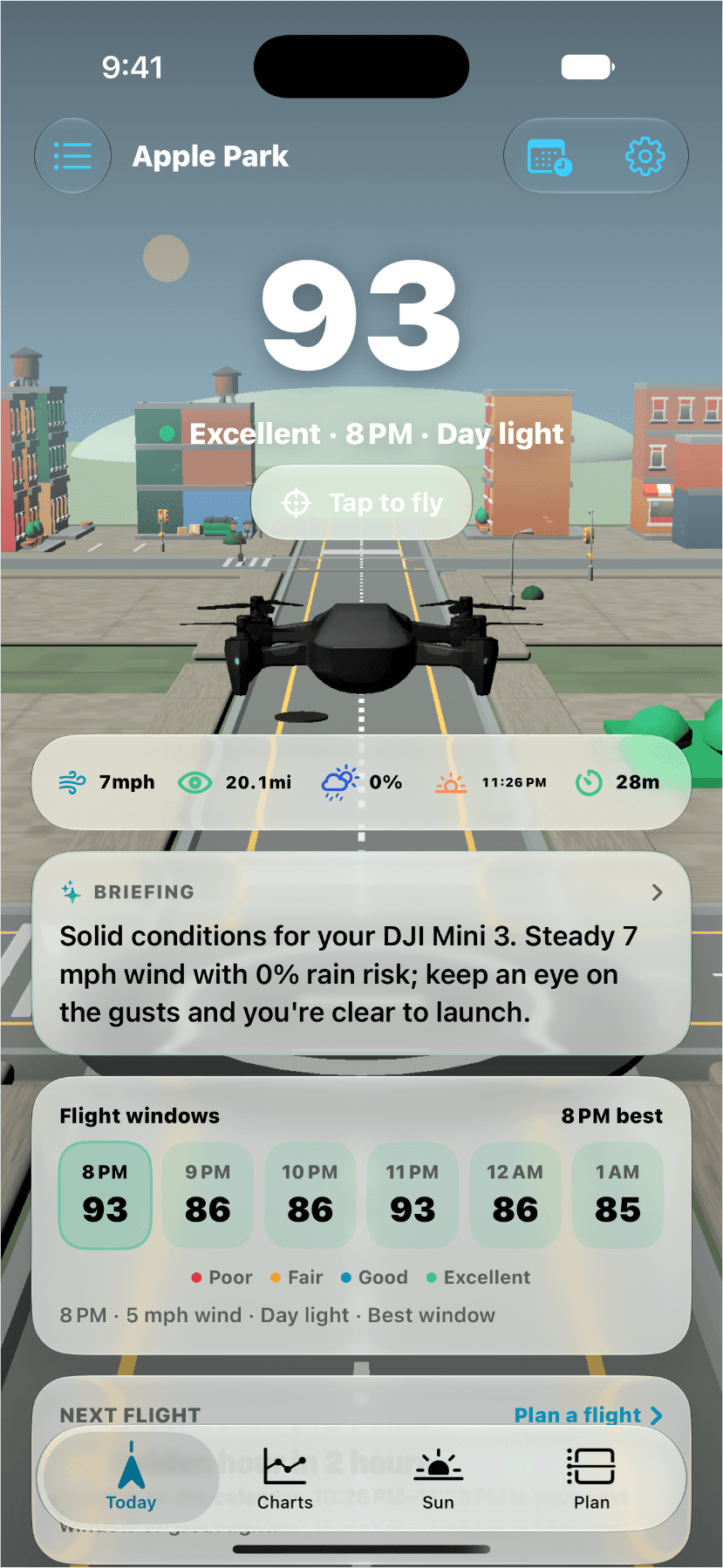
A Series of Flyby Screens (3)
-
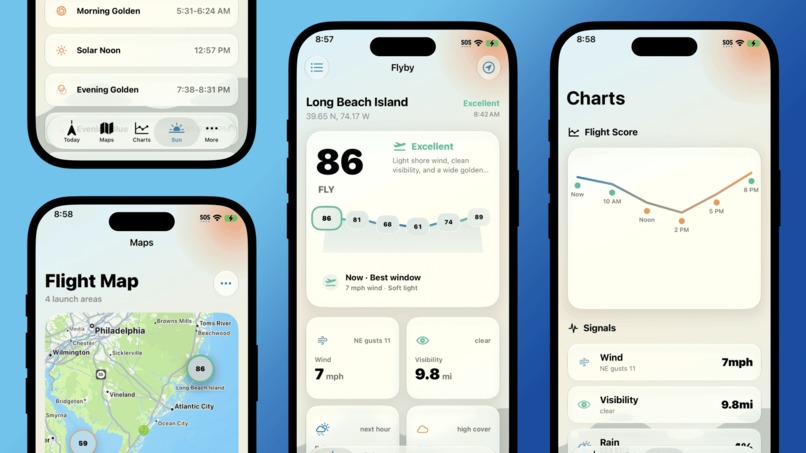
Early Version of Flyby (v0.3)
-
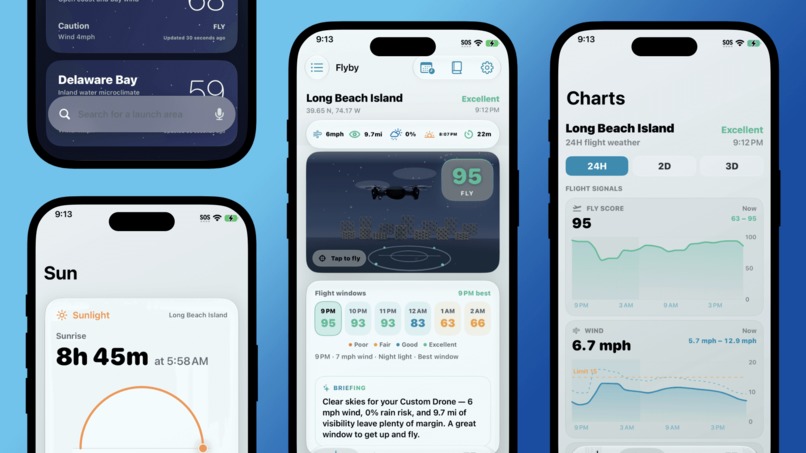
Early Version of Flyby (v0.5)
-
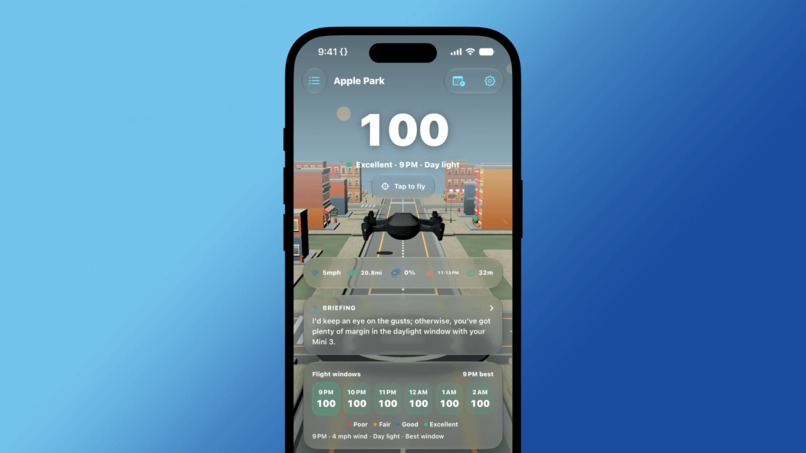
Latest Version of Flyby (v1.0)
-
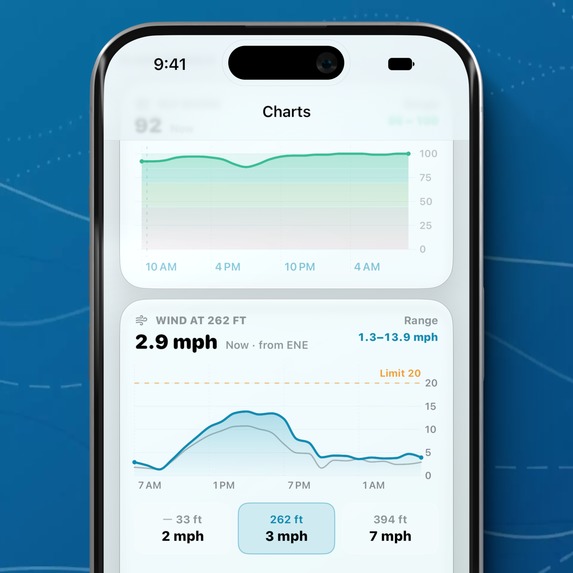
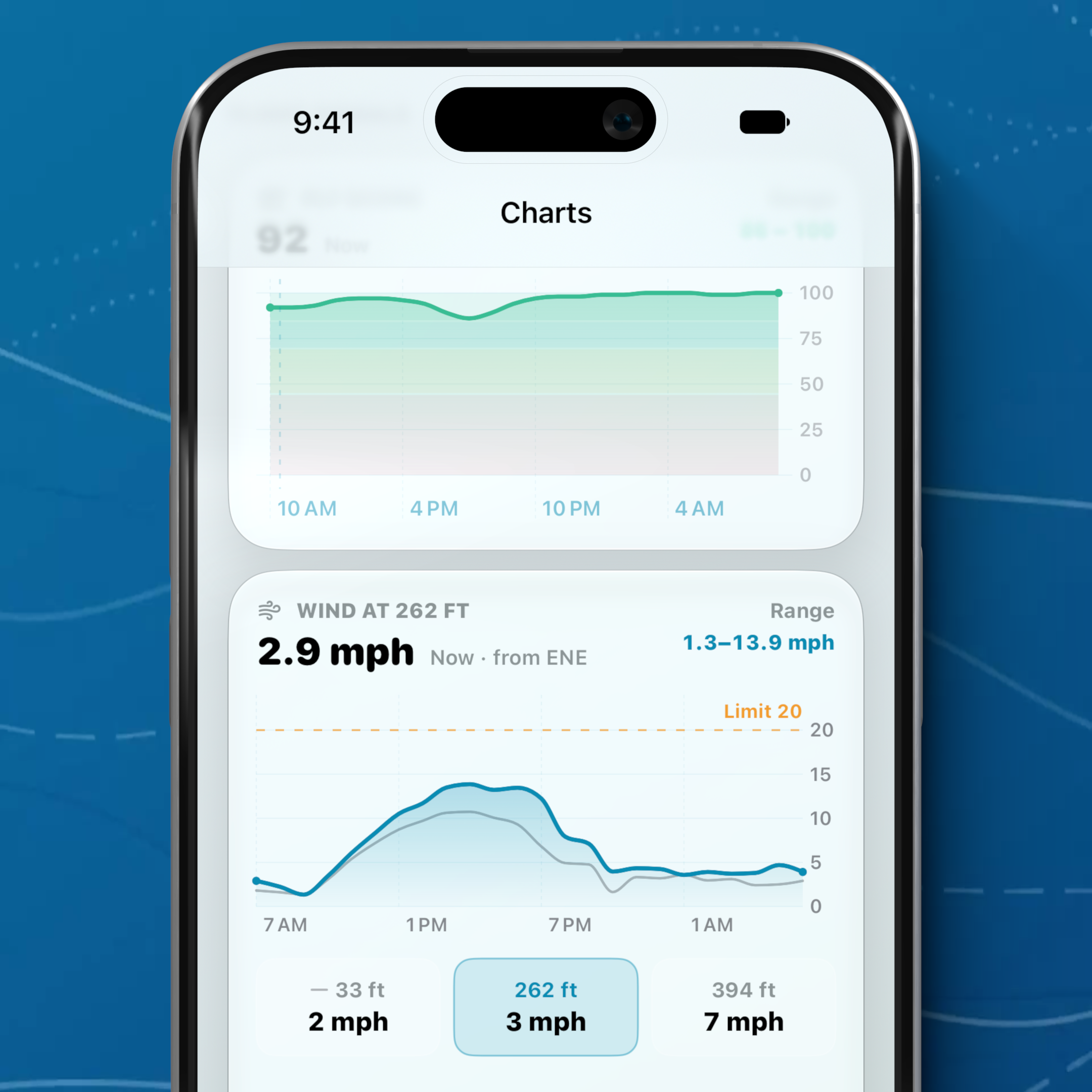
Flyby's New Wind Chart with Wind Heights (version 1.2)
-
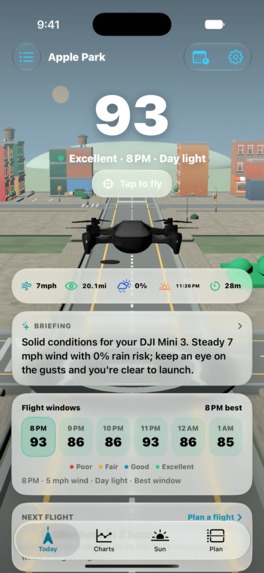
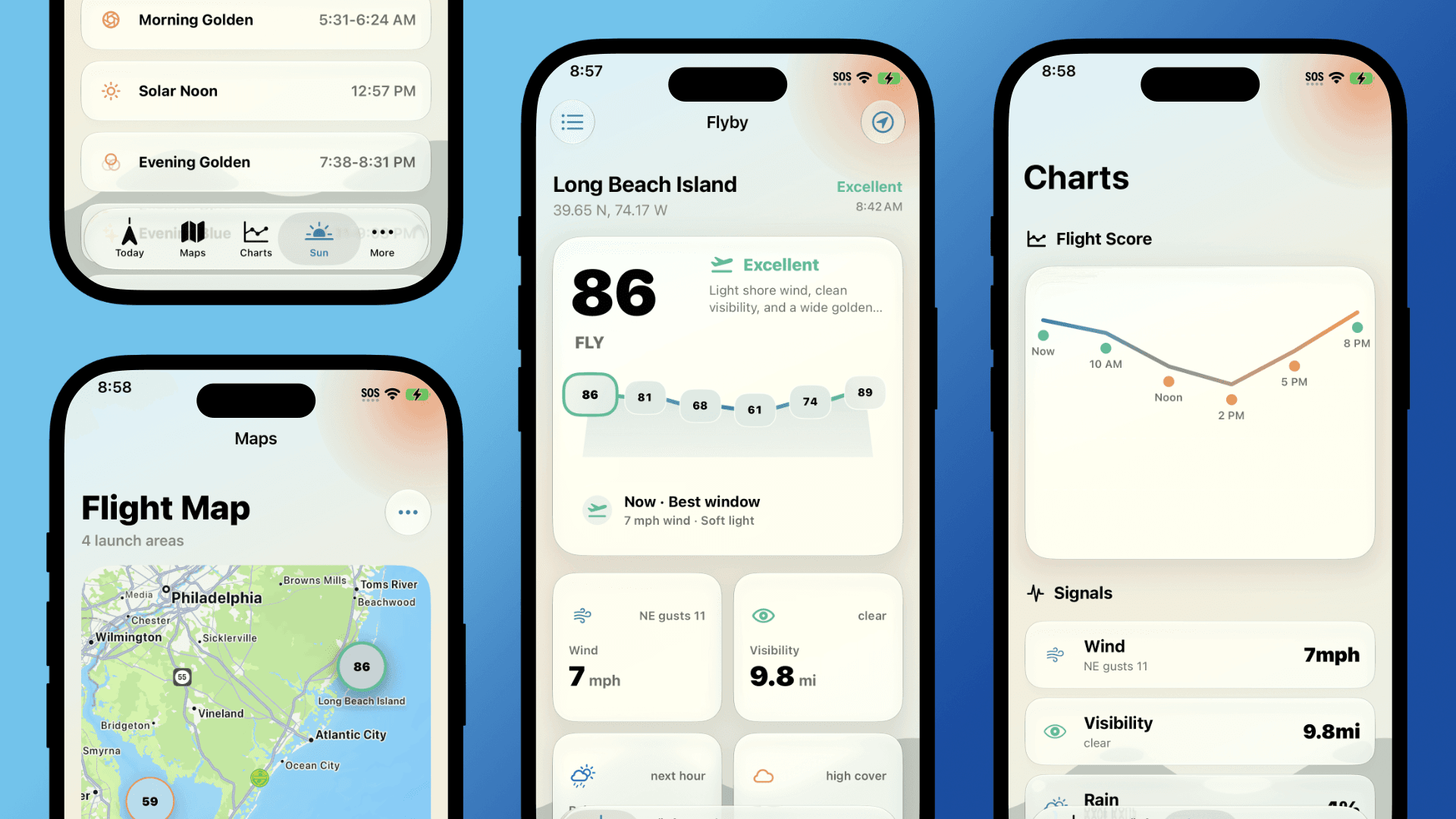
Flyby's Main Dashboard (App Store Screenshot)
-
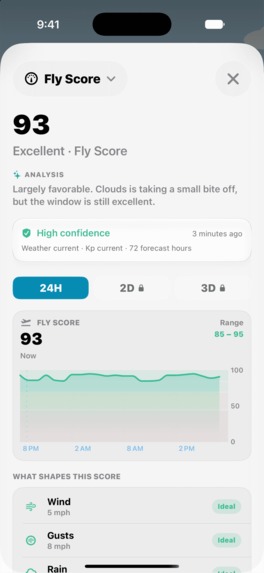
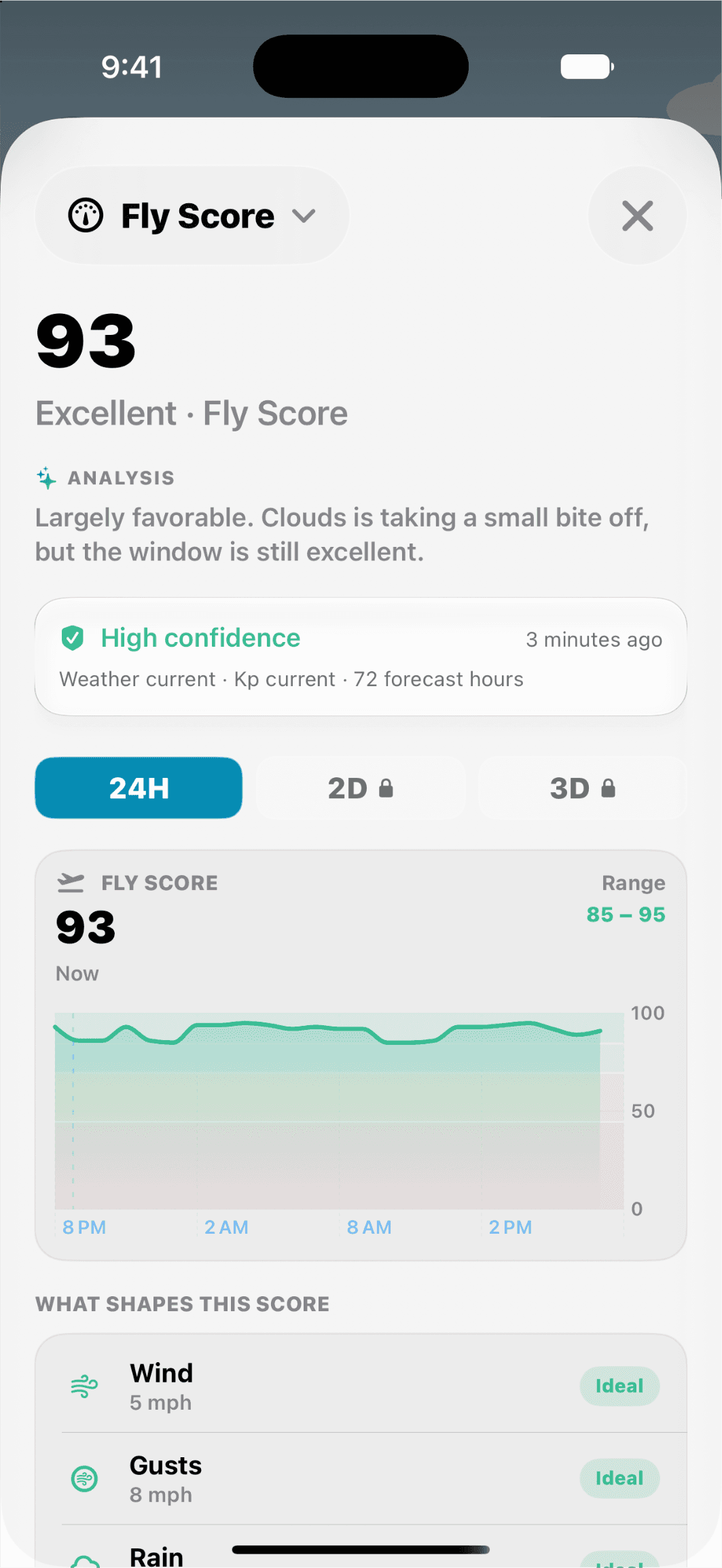
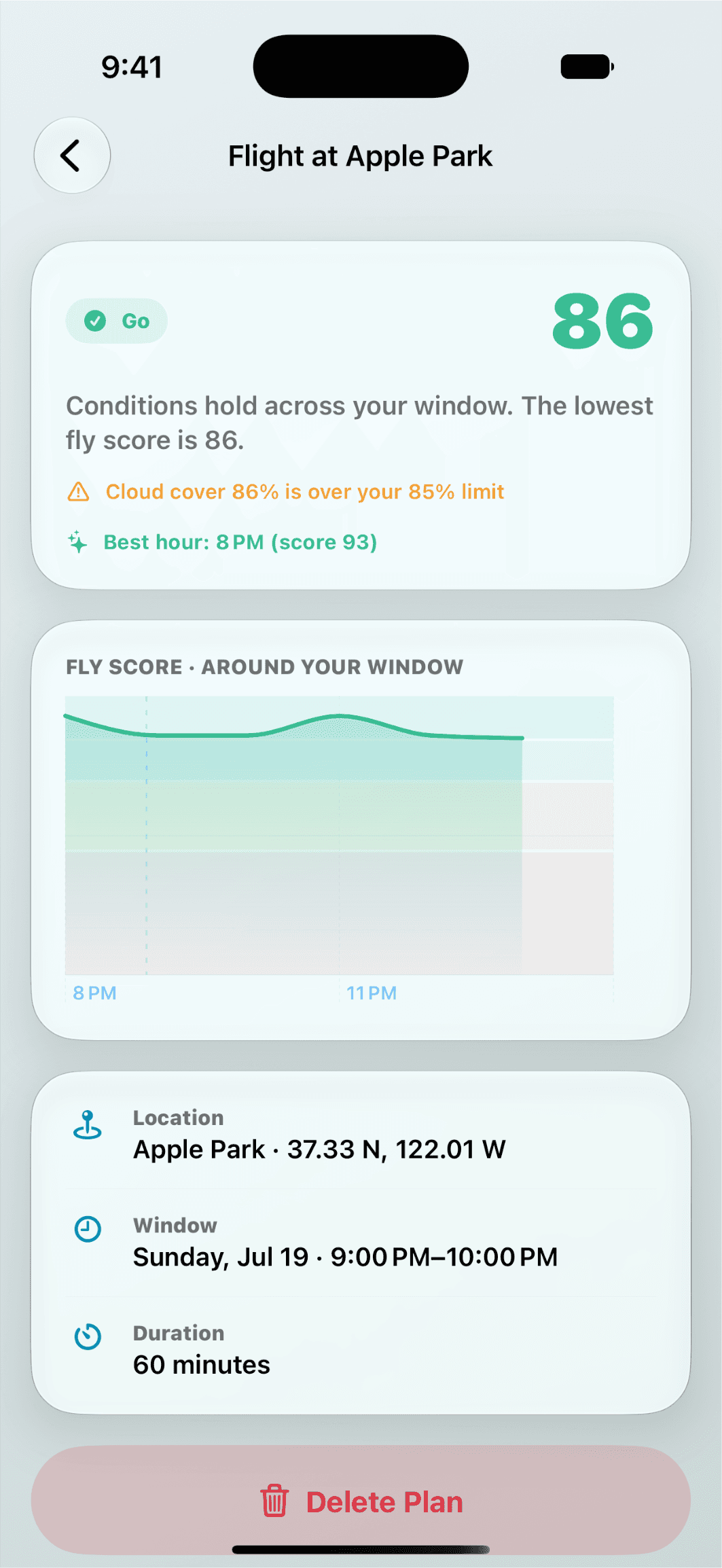
The Fly Score Data Sheet (App Store Screenshot)
-
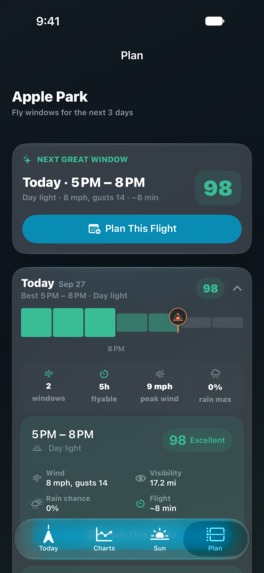
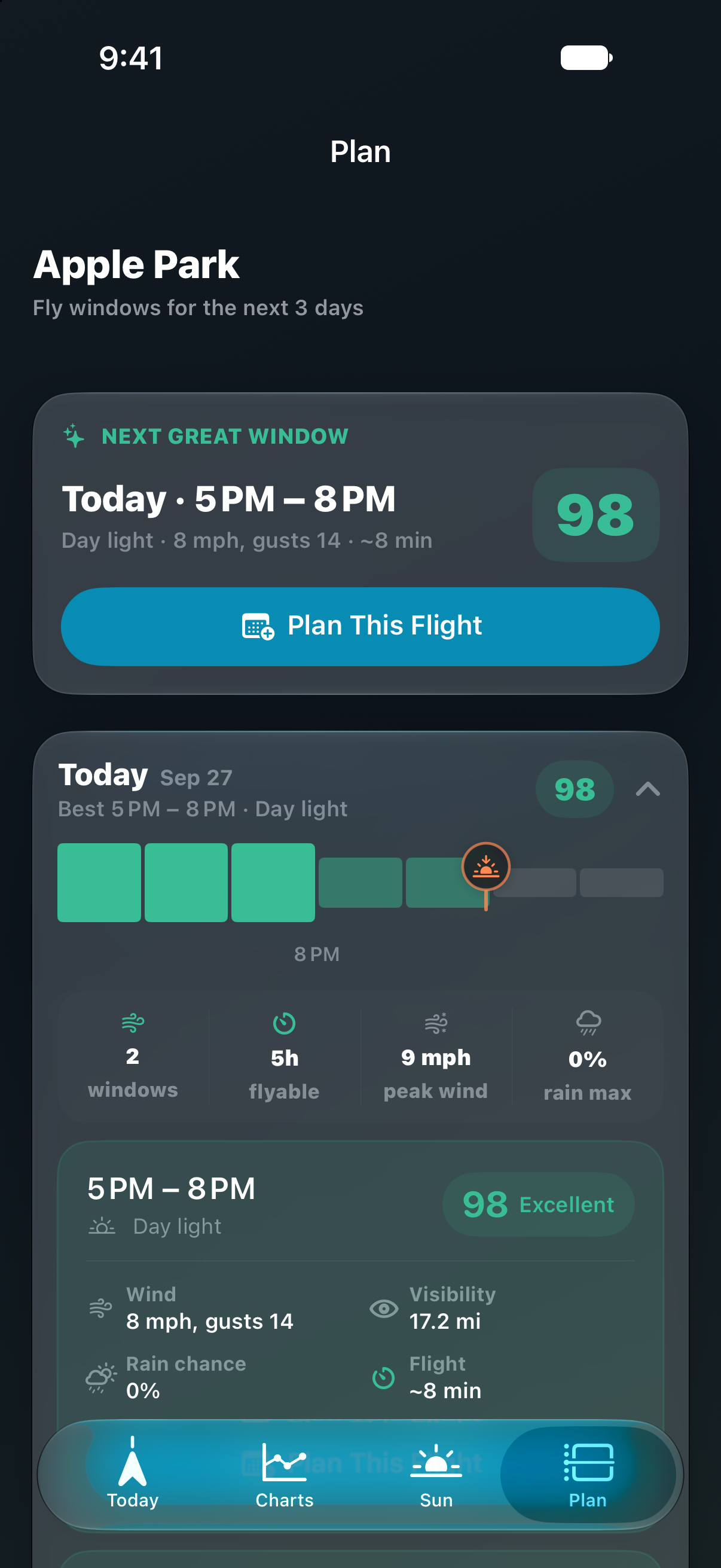
Flyby's Plan Tab (App Store Screenshot)
-
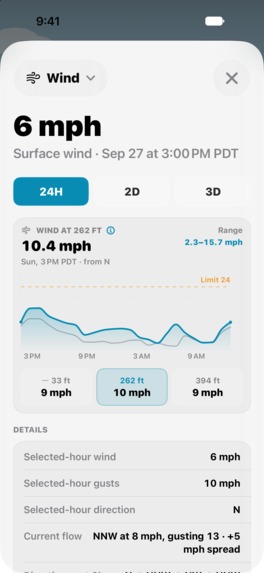
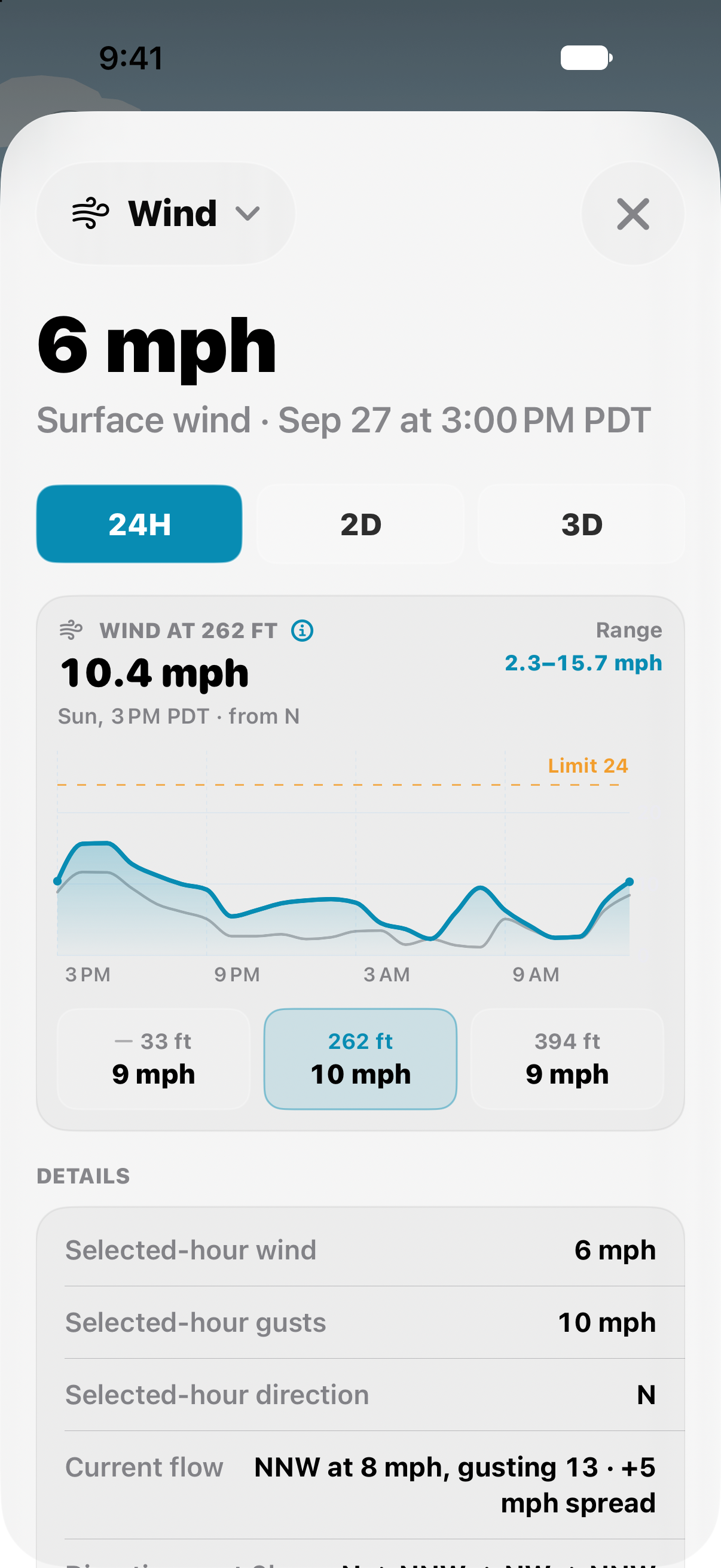
Surface Level & Elevated Wind Speed in Flyby (App Store Screenshot)
-
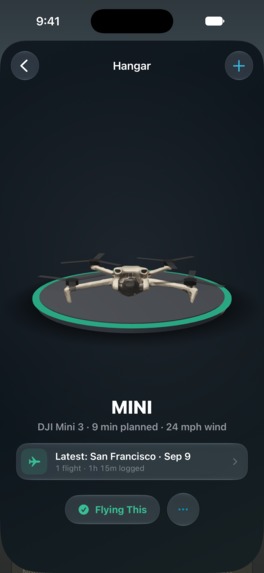
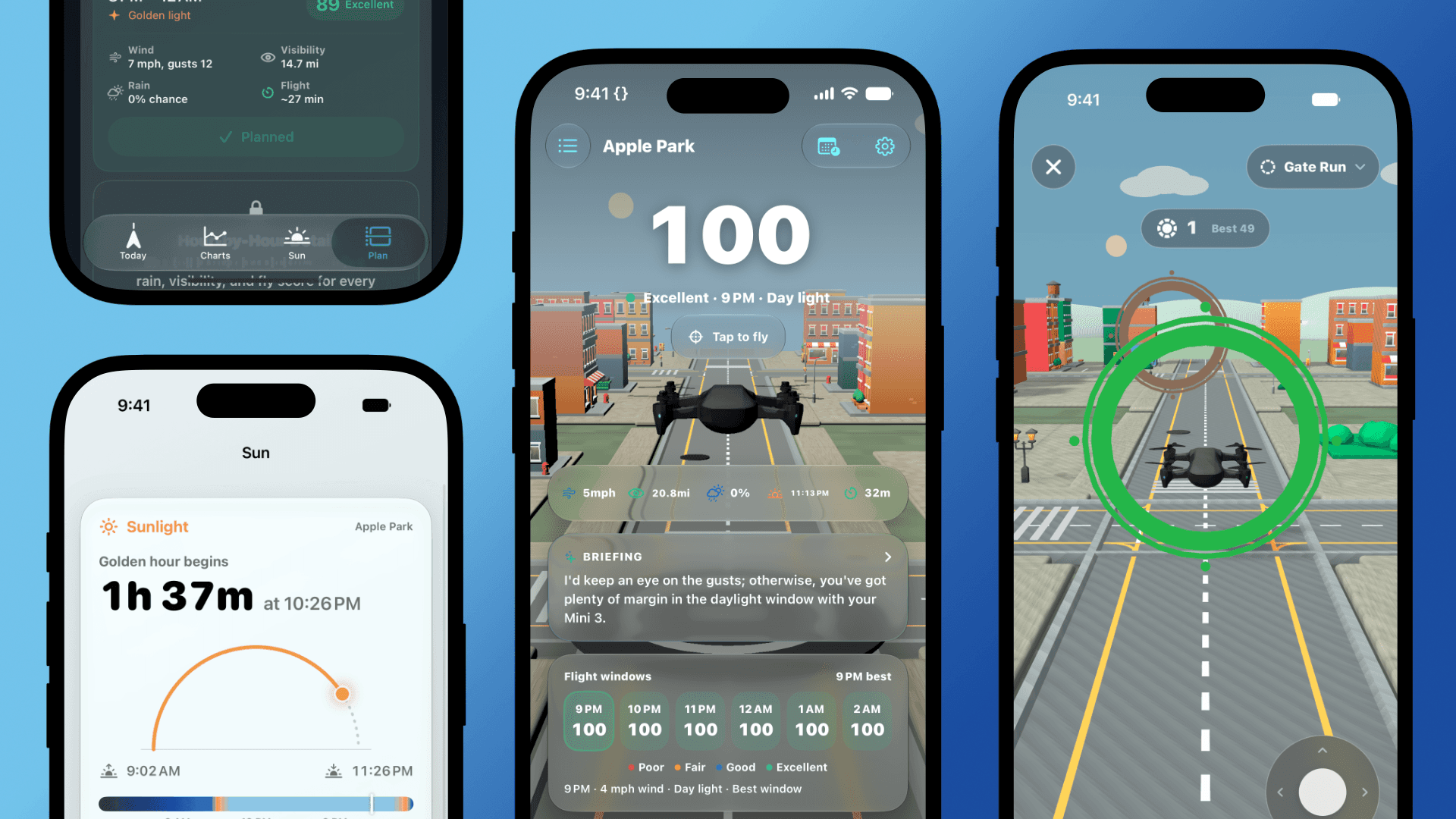
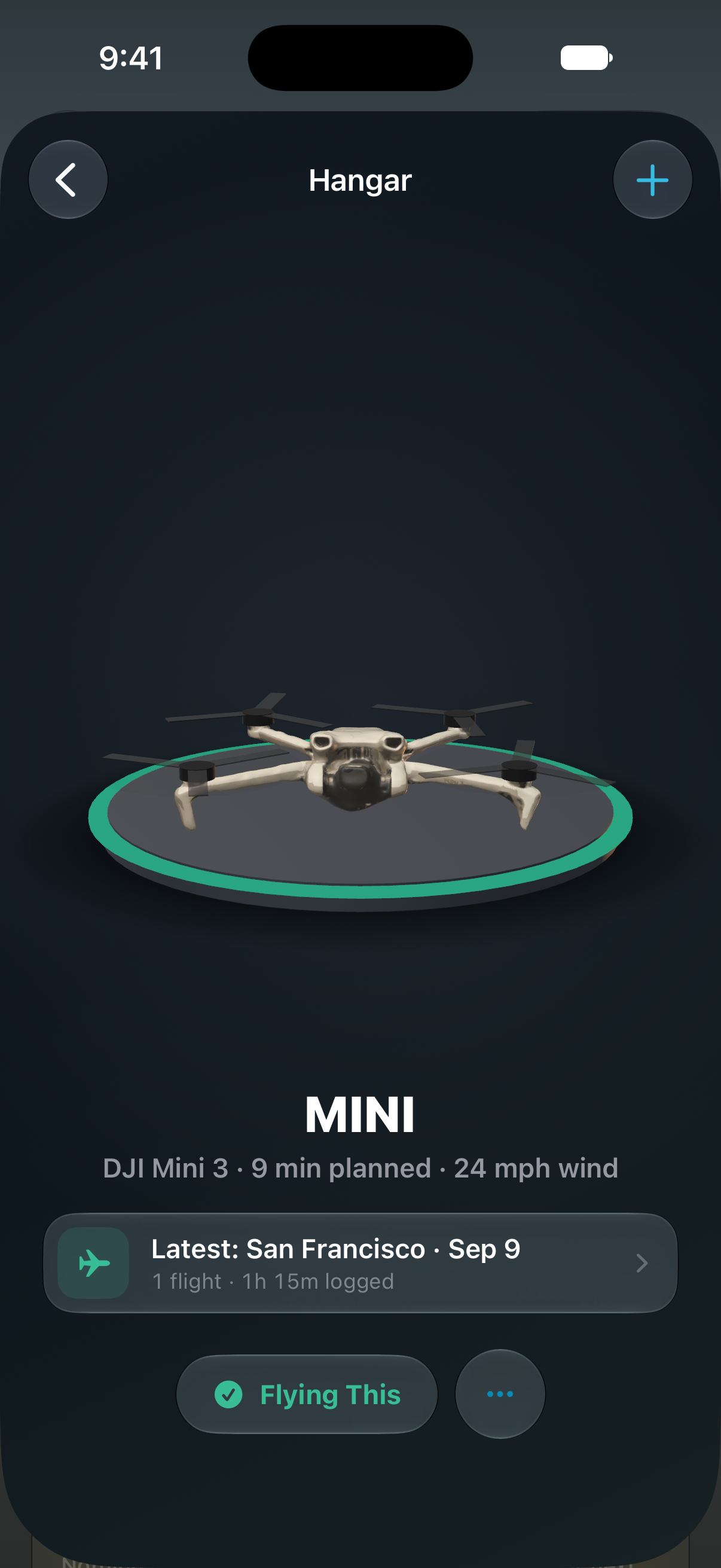
3D Hangar & Drone Scanning in Flyby (App Store Screenshot)
-
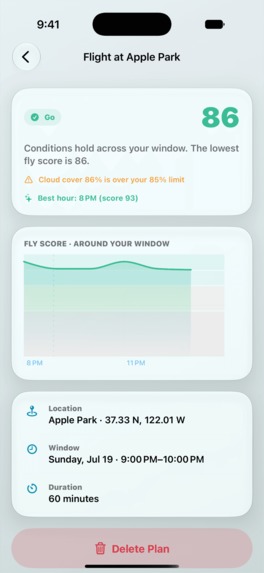
Flight Planning in Flyby (App Store Screenshot)
-
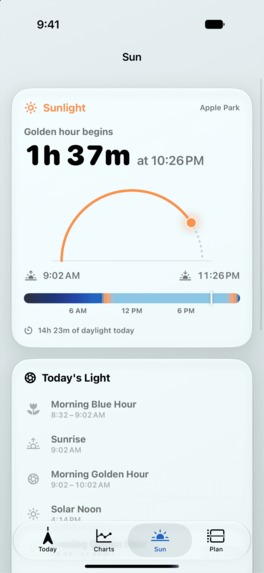
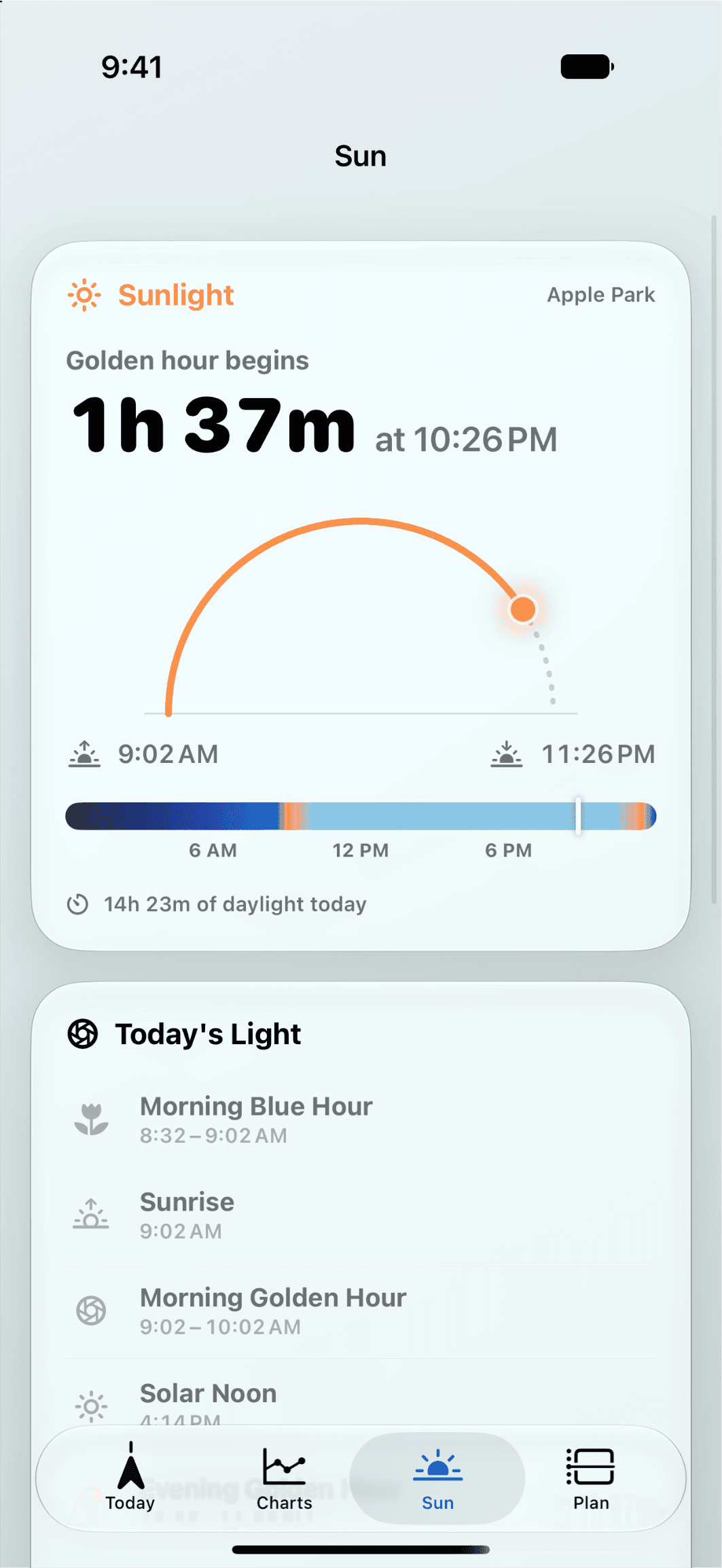
Flyby's Sun Tab (App Store Screenshot)
-
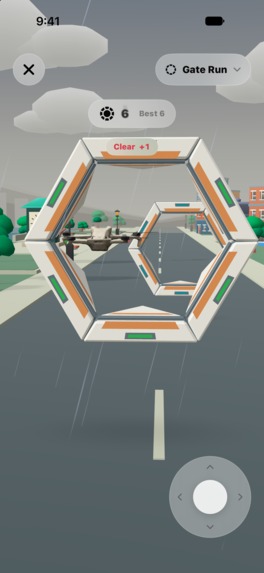
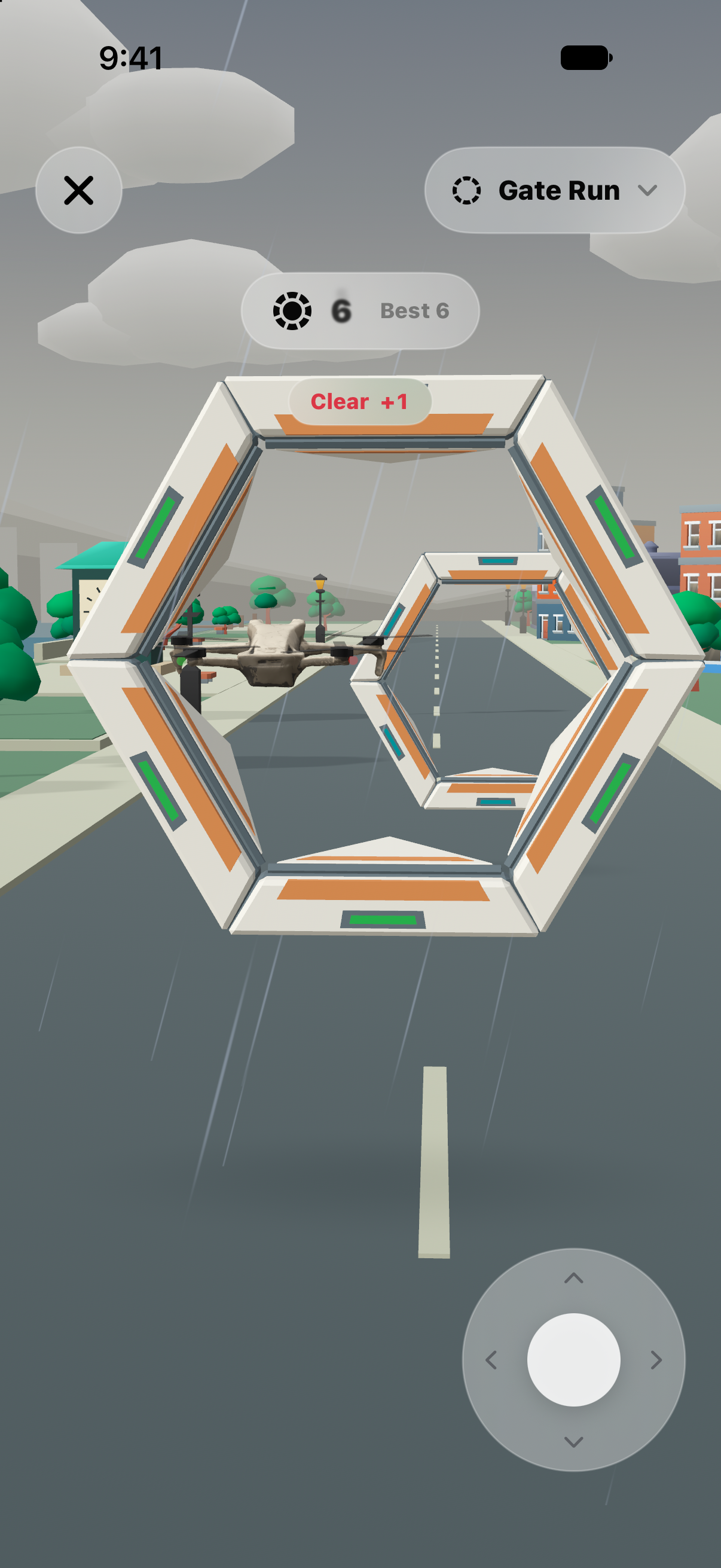
"Gate Run" Mini-Game (App Store Screenshot)
-
Flyby App Icon (from Icon Composer)
Inspiration
When I first began work on Flyby, I wasn't sure what it was going to be. For a long time, I was chasing clicks and what I thought users would want. Then, one day, as if the clouds had parted to show me the way, I thought to myself, "what would I want to use?" I began looking at my hobbies, interests, and aspects of my day job to find a way "in." I quickly centered in on aviation and drone flying, as it's one of my oldest hobbies and fits nicely into both creative disciplines that I find myself jumping between. It's a cliche, but once that lightbulb went off, the idea for Flyby began to take shape.
The idea is simple: every drone flight begins well before the propellers spin.
Before I ever even think about flying my drone, I check the weather in the area, the restrictions, and laws surrounding drone flights. That involves checking my weather app, researching FAA laws, and any of the other nuances that accompany drone flying. I wanted to reduce the amount of steps it took to confirm whether or not it was safe to fly, while also ensuring I received timely updates if the area isn't local to me. Hence, Flyby was born!
I was heavily inspired by recent apps like Tide Guide and its ability to make data that's typically overwhelming feel approachable and calm. I wanted to try my hand at making a similar experience for drone pilots, without overriding any existing systems or preferences.
Flyby is also an attempt to make more engaging and rewarding experiences. My previous applications rely heavily on user input and are quite niche, so with Flyby, I challenged myself to expand not only the quality of the application, but the capabilities within it. As I worked, Flyby graduated from a simple dashboard with large amounts of data to a personal flying companion for planning, flying, and remembering flights.
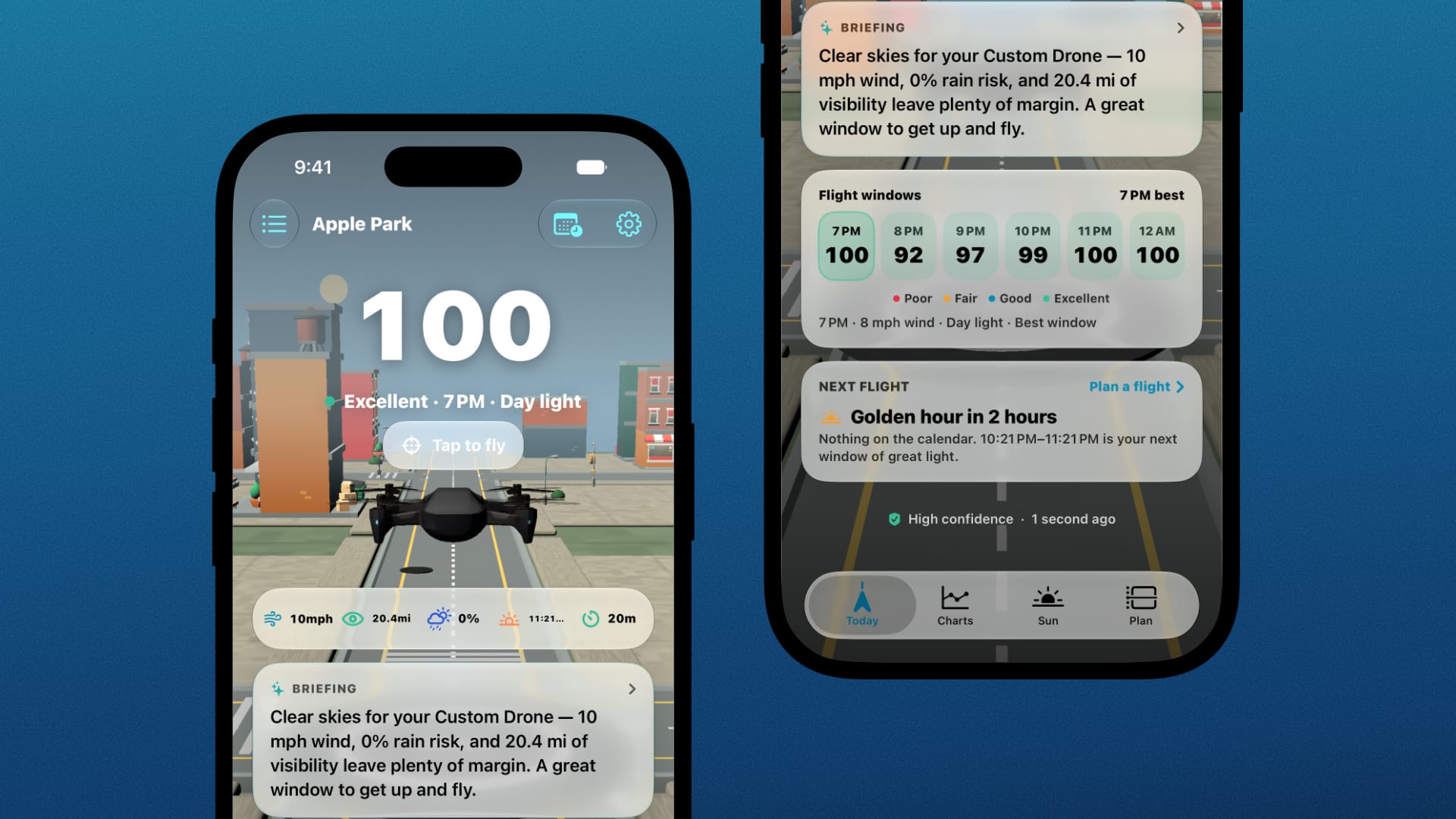
What it does
Flyby is a native, privacy-first pre-flight companion for drone pilots of all skill levels.
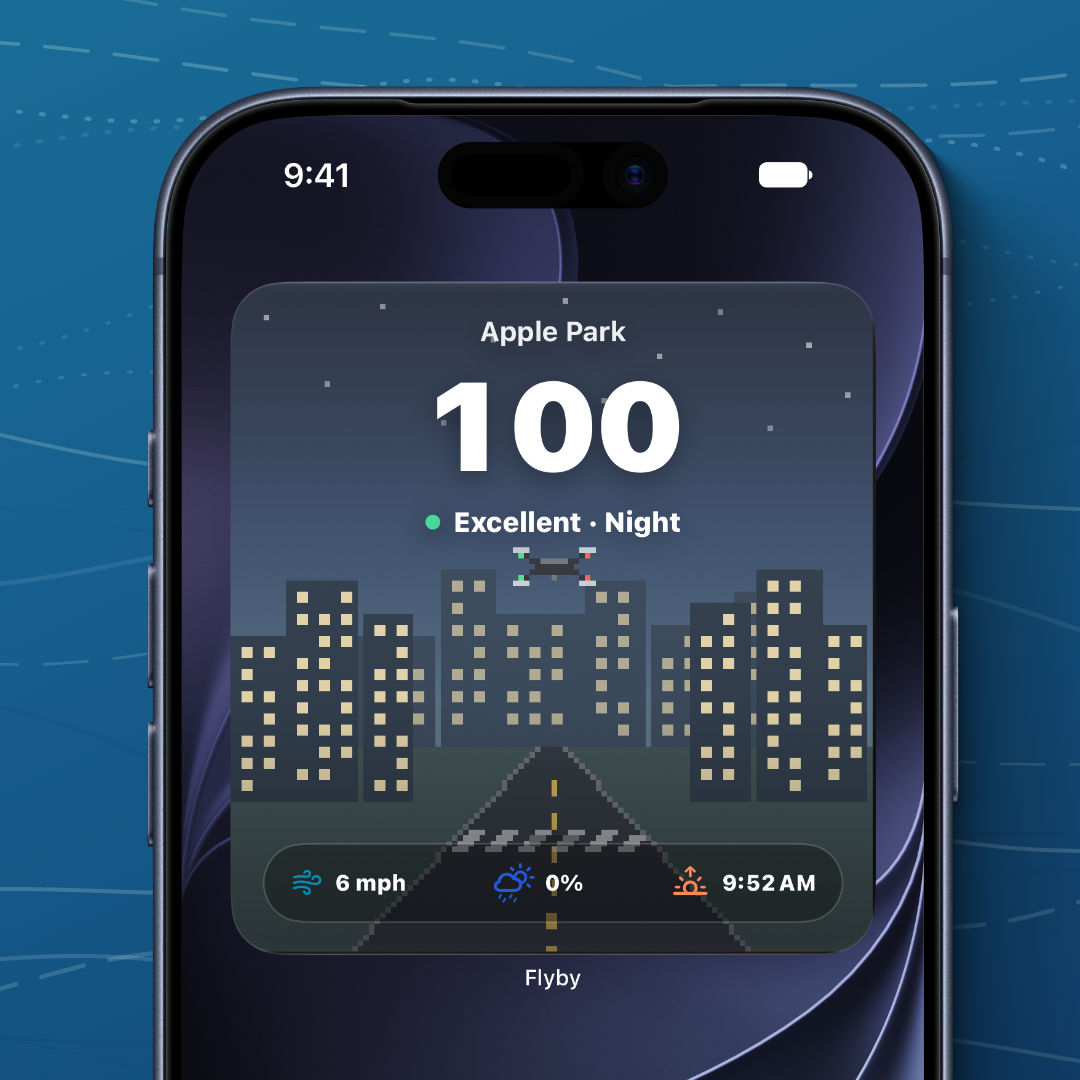
At the center of Flyby is the Fly Score, an explainable flight-readiness score that takes wind, gusts, rain, visibility, cloud cover, sunlight, geomagnetic conditions, the aircraft, and pilot profile into account. Flyby explains how conditions affect the score, and directly shows how the score is being impacted at any one moment.
Pilots can dig deeper through hourly charts and tables, plan around sunrise, sunset, golden hour, and blue hour, save launch locations, compare upcoming conditions, and schedule future flights with alerts when the forecast meaningfully changes.
Flyby also provides useful airspace context to pilots from the Map experience, providing UAS Facility Map ceilings and LAANC availability, where its supported. While useful, this information is presented as additional context, never as authorization or as a guarantee that a flight is permitted.
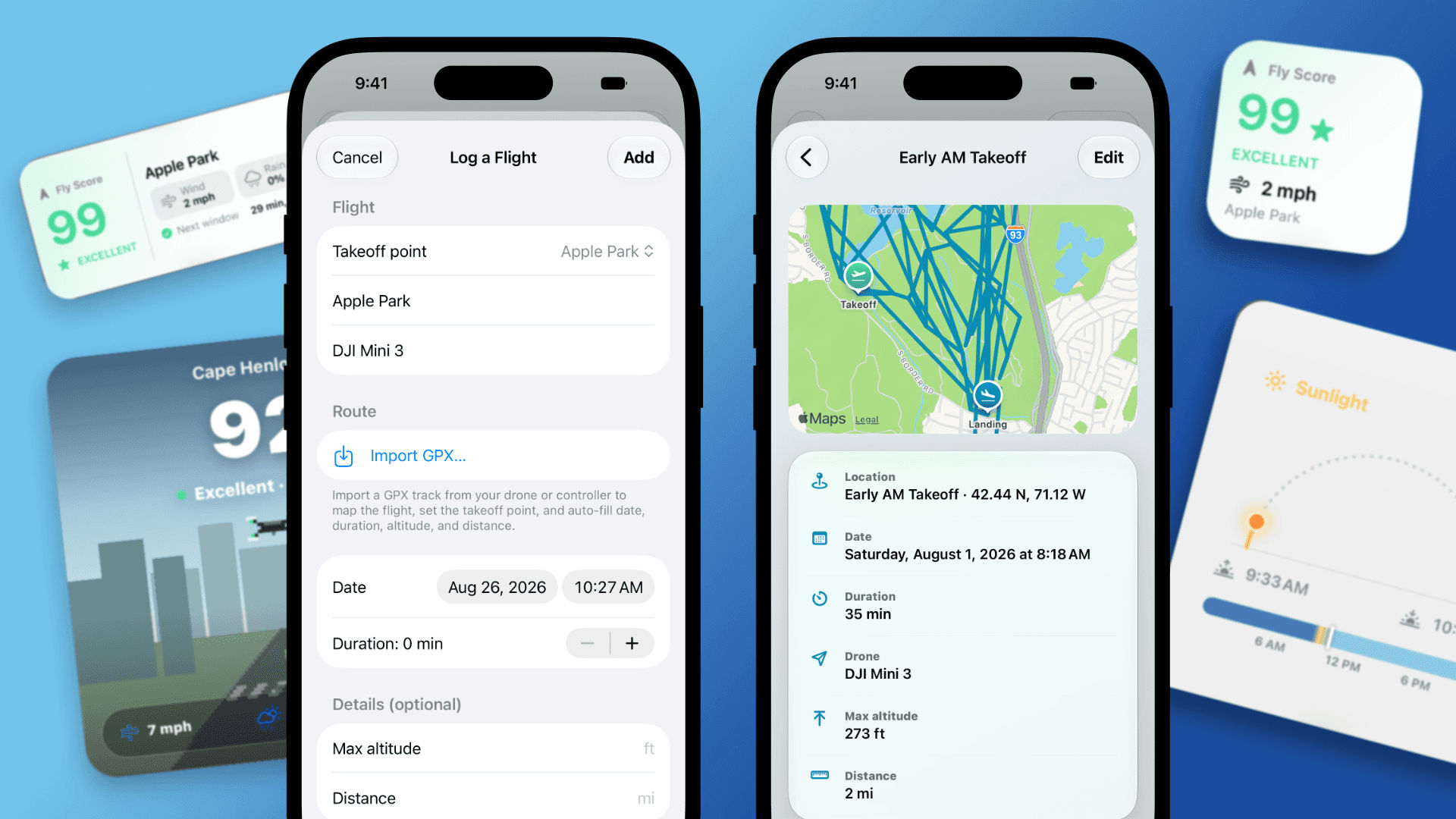
Creating a personal aircraft profile allows Flyby to account for wind resistance, battery level, reserve targets, payload, and accessories when providing estimated flight times and scores. A local-first Logbook allows users to import their previous flights and GPX tracks to recover routes, launch points, altitude, distance, and duration.
Outside of planning, Flyby also includes Home Screen widgets, on-device generated flight briefings, a 3D aircraft hangar where users can scan their physical drone into the app, Game Center Achievements and Leaderboards, and three interactive flight modes: Free Flight, Gate Run, and Touchdown.
How we built it
As a lifelong Apple fan(boy), I was intent on using Apple's latest technologies when building Flyby. As such, Flyby is built natively for Apple platforms and takes advantage of Swift, SwiftUI, and the latest iOS advancements.
WeatherKit powers Flyby's conditions and hourly forecasts. MapKit and Core Location are used to power location search, saved launch areas, and map-based planning. FAA UAS Facility Map data is also included, overlaying directly onto the Map in a non-intrusive way. Flyby also factors geomagnetic conditions in its calculations for pilots that rely on GPS systems.
Flyby also takes advantage of Apple's latest on-device Foundation Models to generate concise preflight briefings and flight-log recaps. Every generation has a deterministic fallback for users without Apple Intelligence/Foundation Model support.
The interactive flight environments are built using RealityKit and AVFAudio. Flyby includes a curated city, animated aircraft components, collision behavior, spatial ambience, adaptive drone audio, and control systems that will feel familiar to novice and experienced pilots alike.
WidgetKit, BackgroundTasks, UserNotifications, and GameKit also extend Flyby throughout the Apple ecosystem. RevenueCat manages Flyby's in-app subscription, Flyby Pass, and its various entitlements and offerings.
Challenges we ran into
Developing and designing Flyby introduced two new sets of challenges I had yet to experience on my previous applications. Density and performance. On density, Flyby surfaces a large amount of data, all at once. That data is fantastic, if you know how to succinctly communicate said data to the user in a way that isn't overwhelming. A lot of effort went into simplifying the data stream and design, without oversimplifying it.
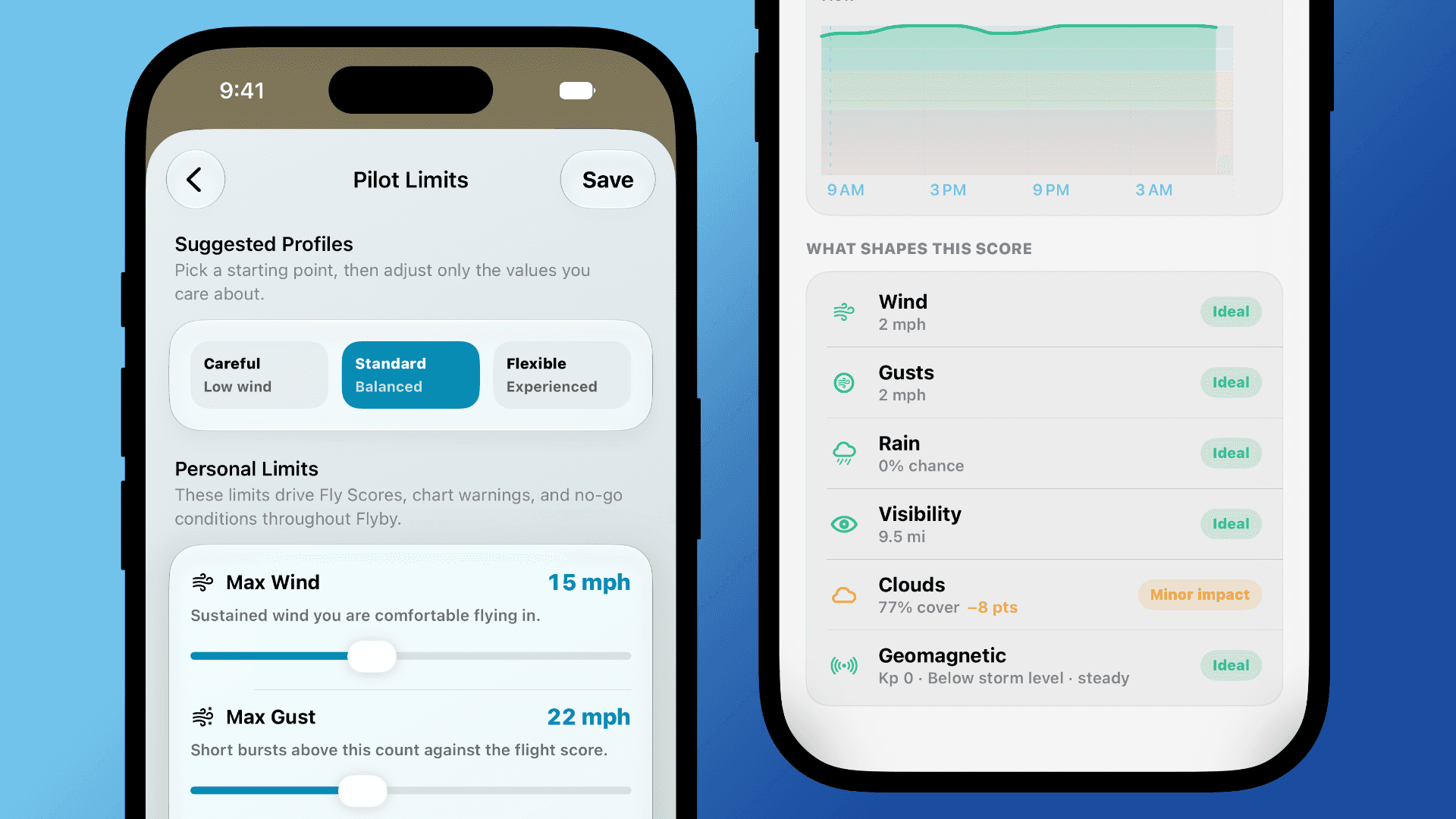
For instance, drone limits can vary between aircraft, pilots, and the overall goal of the flight. A wind speed that's reasonable for one drone may not work for another. The Fly Score, therefore, had to be personal and explainable, rather than a universal rating that applied everywhere and to everyone.
The 3D environment introduced an entirely different set of challenges: maintaining a smooth frame rate, managing memory, battery drain, thermal pressure, and creating a "convincing city," all took far more work than I initially expected. My original plan was to build a procedurally-generated world, but I quickly realized the performance costs associated with that and pivoted. The end result is a much more curated world, but one that doesn't hurt device performance nearly as bad as it once did. There's still work to be done, but compared to where it was, it's leagues better.
The final true consideration was pricing. From the outset, Flyby was designed to be usable for anyone interested in aviation and drone flying, so it was important that the core experiences remain free. That includes weather data, pilot profiles, aircrafts, locales, and airspace context for all users. For pilots who want more from their planning tools, Flyby Pass unlocks deeper planning, longer forecast ranges, and expanded customization.
Accomplishments that we're proud of
I'd say I'm most proud of the fact that Flyby feels like a cohesive experience from start to finish, despite the number of systems inside it. A pilot can open Flyby, see the Fly Score, read the reasoning behind it, inspect the forecast, view launch areas, plan the flight around a time or lighting condition, and so much more, all from one app.
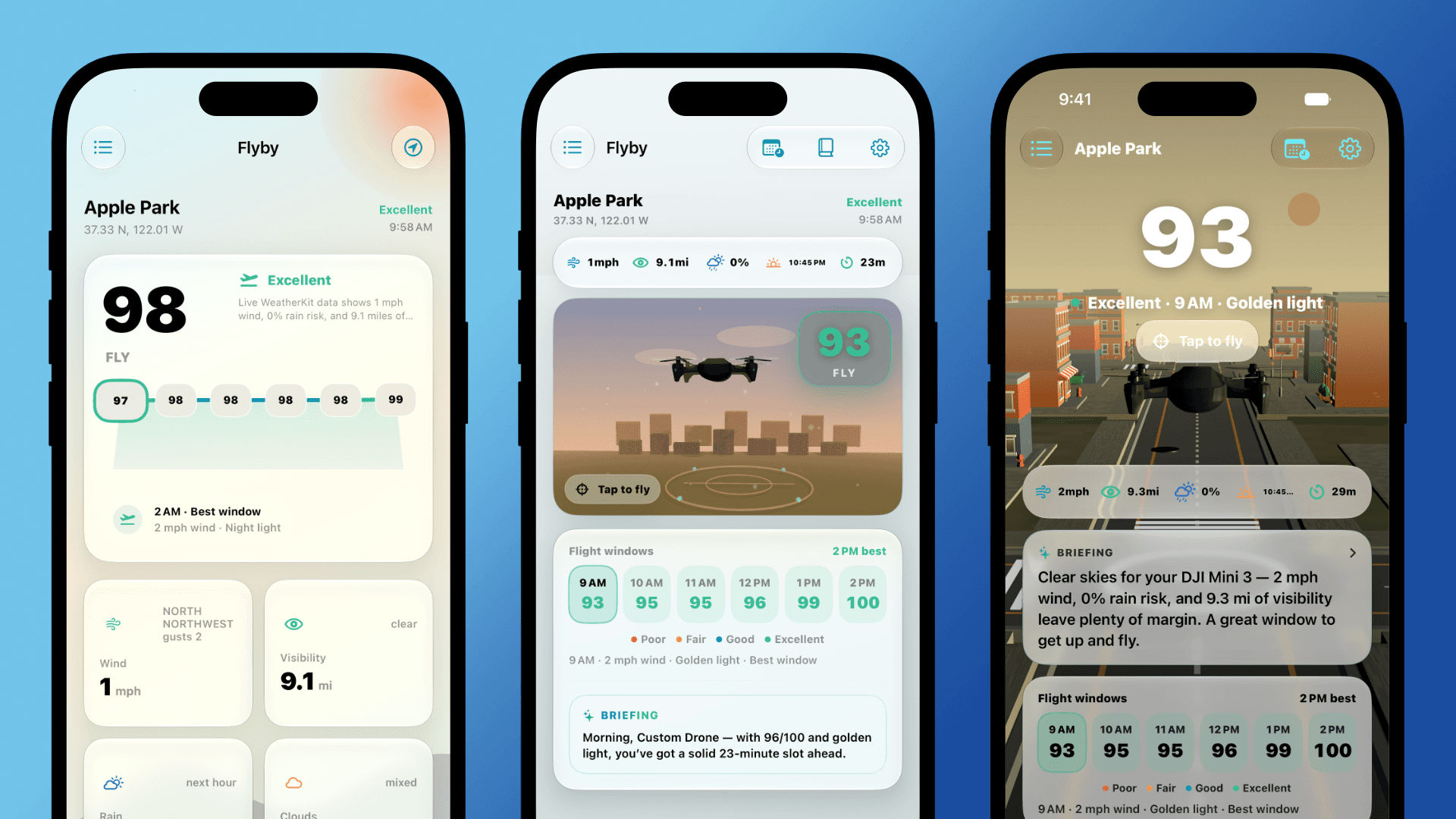
I'm also quite proud of the improvements made to the 3D environment. In early versions of Flyby, the 3D scene was a small window to tap into, but over the course of development it evolved into the defining feature and visual of the app in a way I never expected. What started as a way to break up text in an already dense view wound up being one of my favorite aspects of the app. And later in development, when the 3D environment presented challenges, I'm happy that I was able to find an approach that maintains the app's design and performance.
And on a personal note, it's one of the few apps I've made that I find myself playing with for fun!
What we learned
From a technical standpoint, everything. Flyby is an experiment in trying something new, and just about everything that Flyby does is new to me. I've never worked on a project with so many connections and moving pieces, and seeing it come together into a cohesive app was an awesome feeling.
If I had to choose any one area that I learned the most in, it would have to be RealityKit and 3D level design for mobile devices. Before Flyby, I had never tried making a 3D game/app on iPhone/iPad before. My lone previous attempt was an idle game (I know, but they're a guilty pleasure!), but that was entirely text-based/2D. Like most things, I found getting the 3D world started the easy part, but it was taking into account all of the smaller details that caused some hiccups.
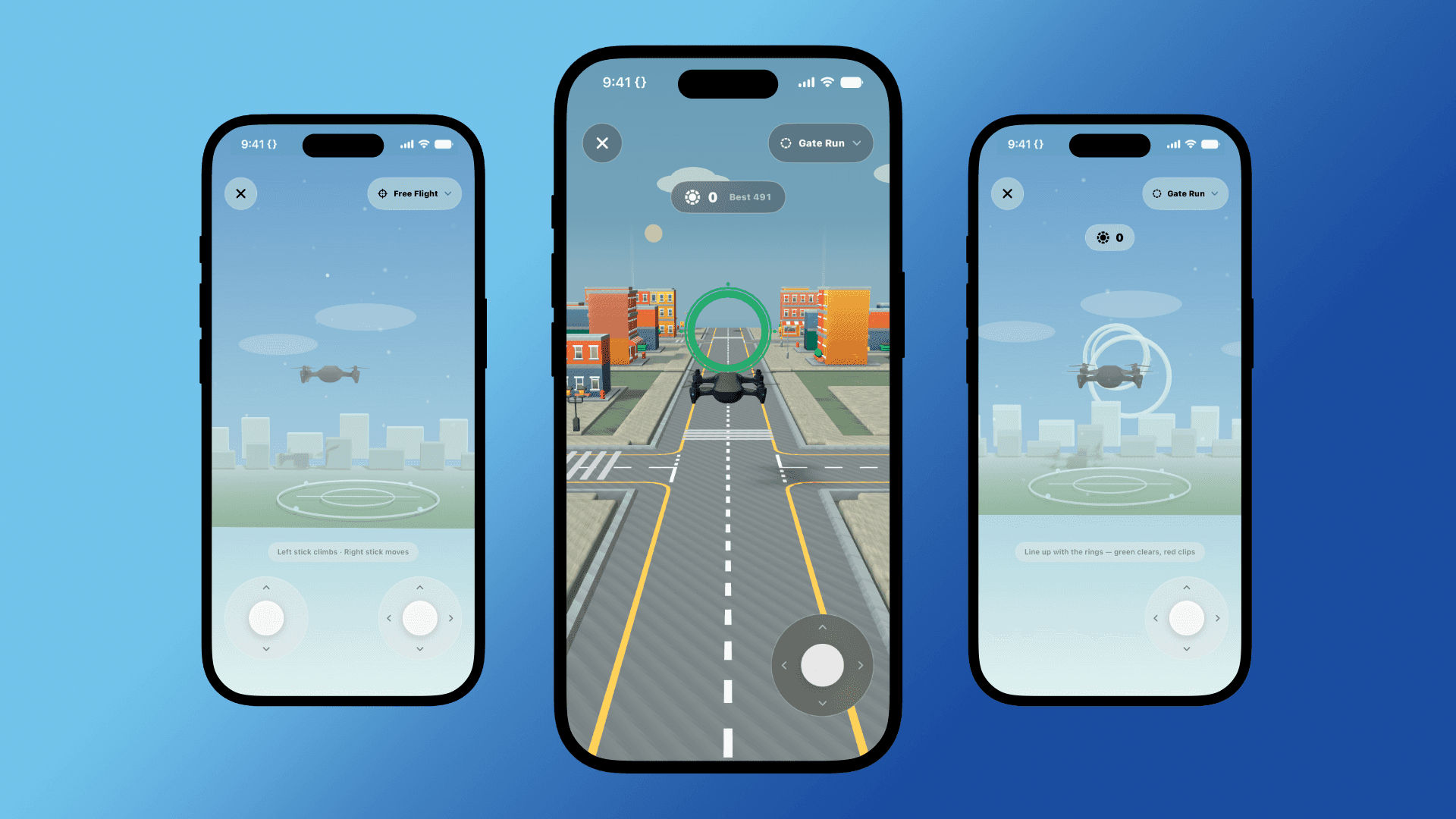
For instance, devices in Low Power Mode, which my phone essentially lives in these days, had an entirely different experience, not only in the Free Flight experience, but in the Gate Run and Touchdown modes, as well as the main app. This forced me to rethink the way the world was built, but also resulted in some clever enhancements to improve FPS and performance, especially with the mini games that have leaderboards, like Gate Run and Touchdown.
What's next for Flyby - Drone Planner
Flyby's launch on September 8 was only the beginning of Flyby's life. Since releasing Flyby's initial version, I've already released two major updates. Flyby 1.1 expanded aircraft personalization, flight and place history, planning tools, adding achievements, and improving the 3D experience. One of my favorite additions allows pilots to scan their physical drone and bring it directly into Flyby, the Hangar, and all of the 3D environments.
Flyby 1.2 returned the focus to preflight planning. Pilots can now view wind speed and direction at multiple heights above the ground for up to 72 hours, choose their typical flight height, and have Fly Score evaluate both surface level and winds at altitude. Planned flights also include a Preflight Checklist with important checks that Flyby can't perform itself.
Looking further ahead, I plan to continue refining Flyby as a pre-flight companion with features such as METAR observations, TAF forecast context, alternate weather sources, and deeper integrations within Apple's ecosystem, including iPad, Apple Watch, and CarPlay. Future-future plans also include additional airspace and authorization context, preflight checklists, battery planning, location comparison, and internal route/GPX processing.
And, finally, on a more "fun" note, I hope to continue to improve the 3D world and experience across devices. Flyby isn't designed to be a game or toy, but I've found myself having so much fun tinkering with, and playing with, the world, that I can't help but want to continue. I have some fun seasonal ideas planned, as well as better Game Center integration.
So that's Flyby!
Every time I go to start a new project, I ask myself the tried and true question: "who is this for?" Flyby began as a project for me, but quickly blew past that boundary and has become an indispensable part of my drone flying and filmmaking toolkit. Whether it's planning my next flight, viewing the weather, or messing around with the Free Flight modes or mini-games, there's always something that manages to put a smile on my face.
Hopefully, with a bit of luck, others will enjoy it and smile too! I know time is of the essence, but if you have time and feel like watching another video, I made this short promotional film to coincide with the launch (it's also at the end of my submission video).
The Lone Traveler | Promotional Film
Thanks a ton (no pun intended), Nick.
Built With
- core-location
- reveuecat
- swift
- telemetrydeck
- weatherkit


Log in or sign up for Devpost to join the conversation.