-
-
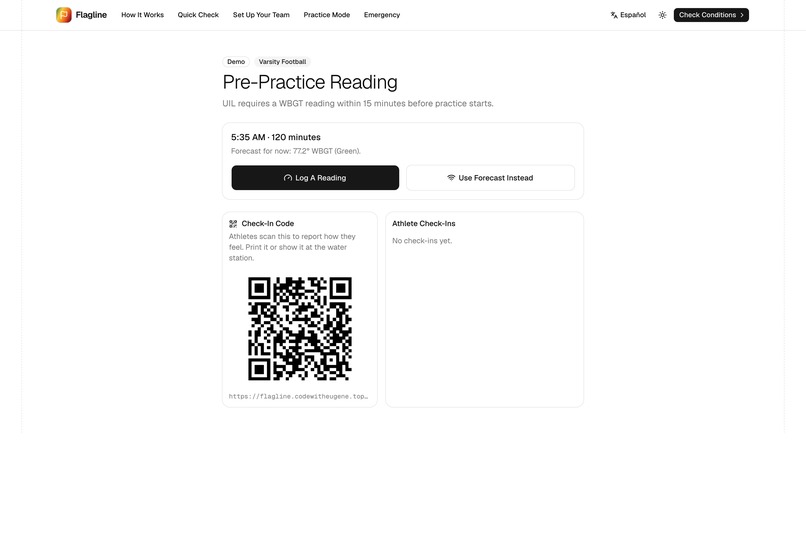
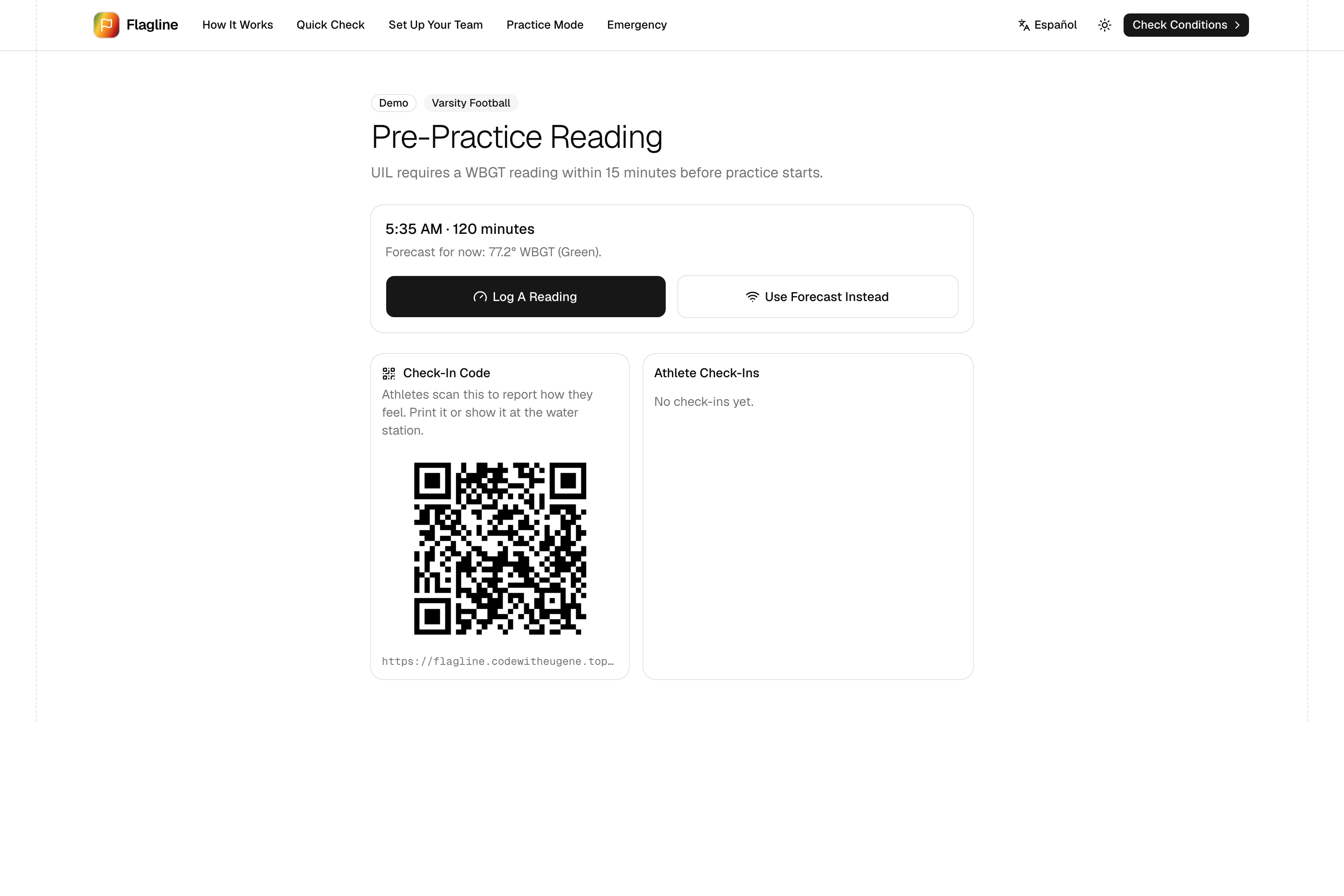
Pre-practice reading with a QR check-in code for athletes.
-
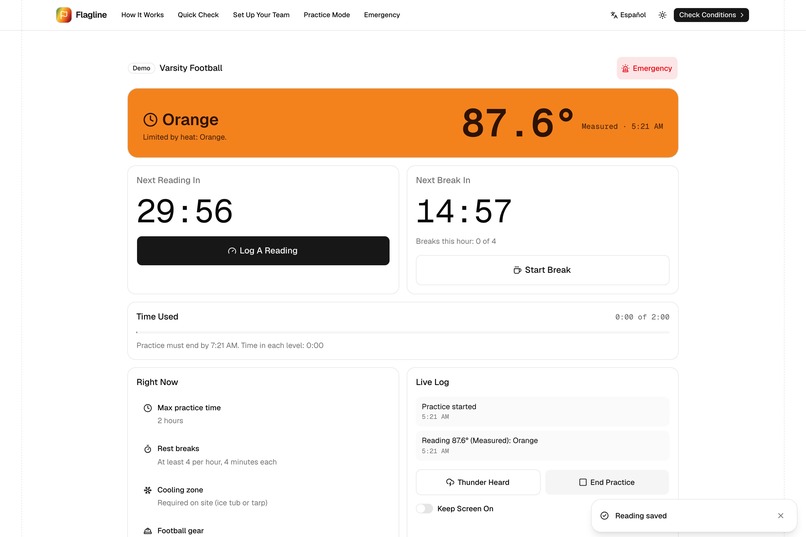
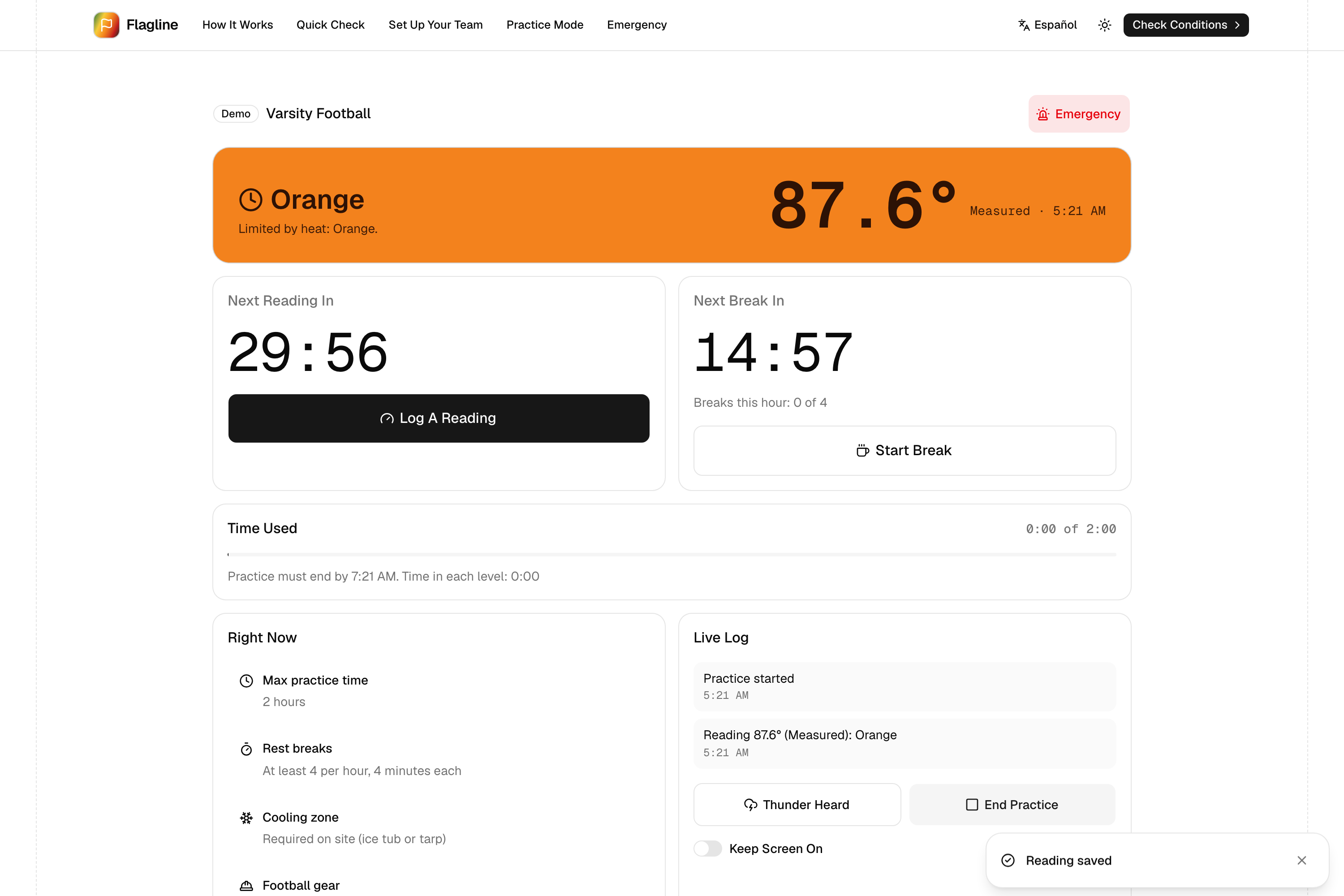
Practice Mode: recheck countdown, break timer and time used against the limit.
-
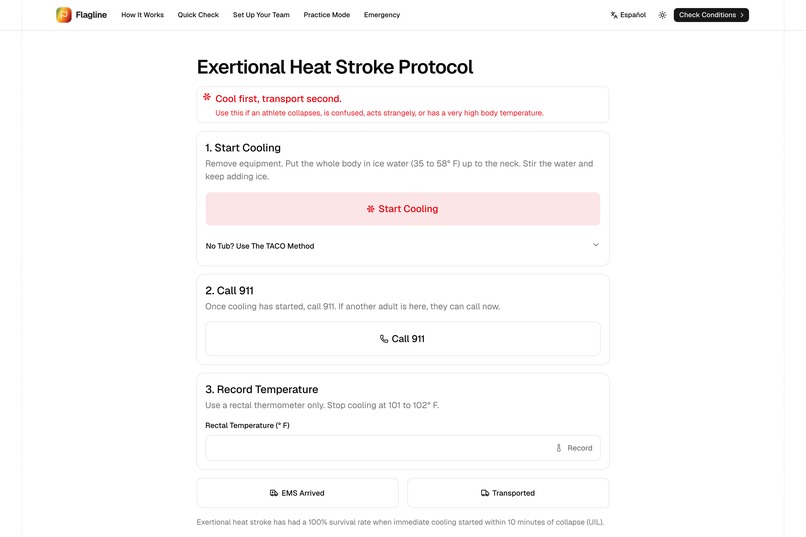
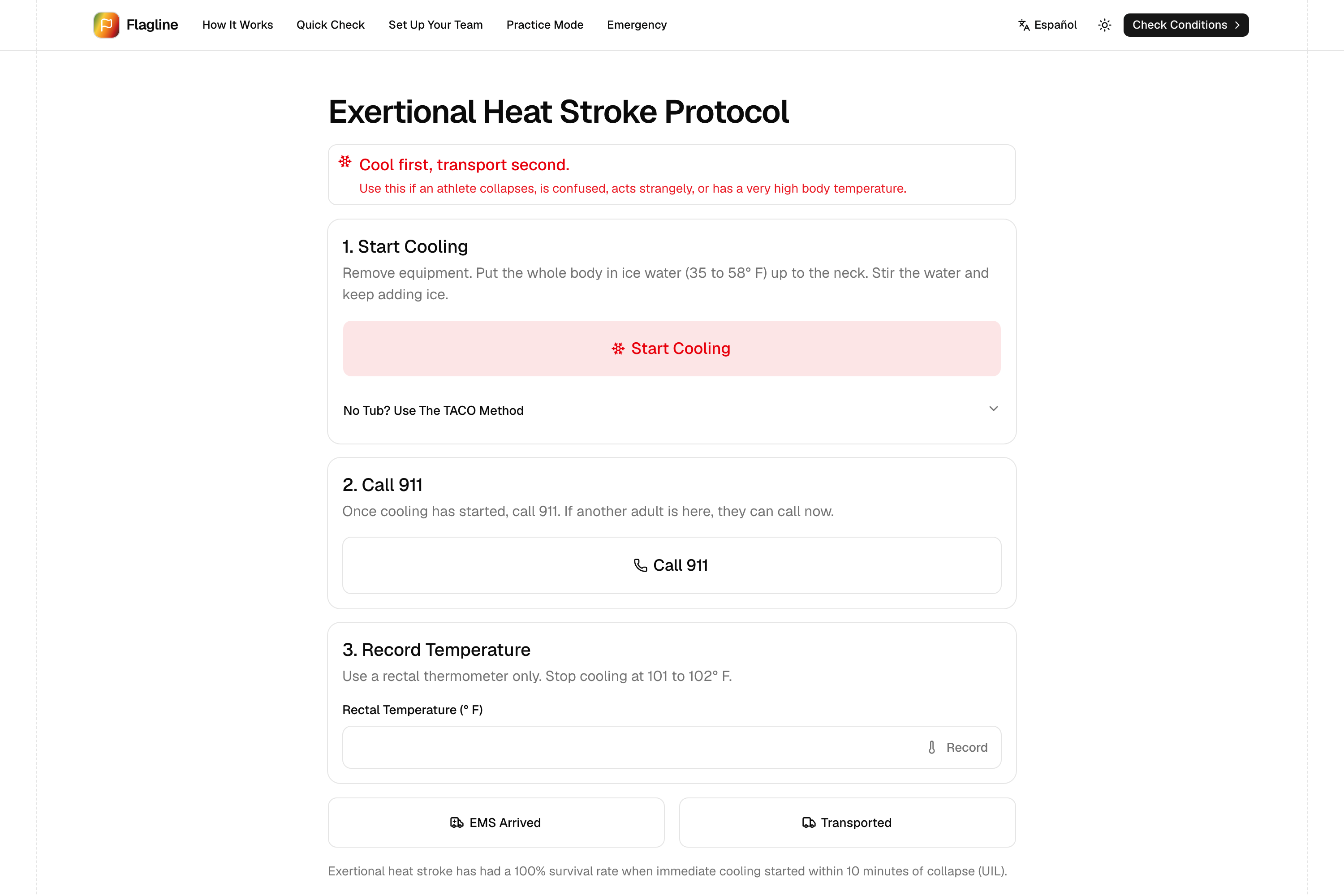
The heat stroke protocol: cool first, transport second.
-
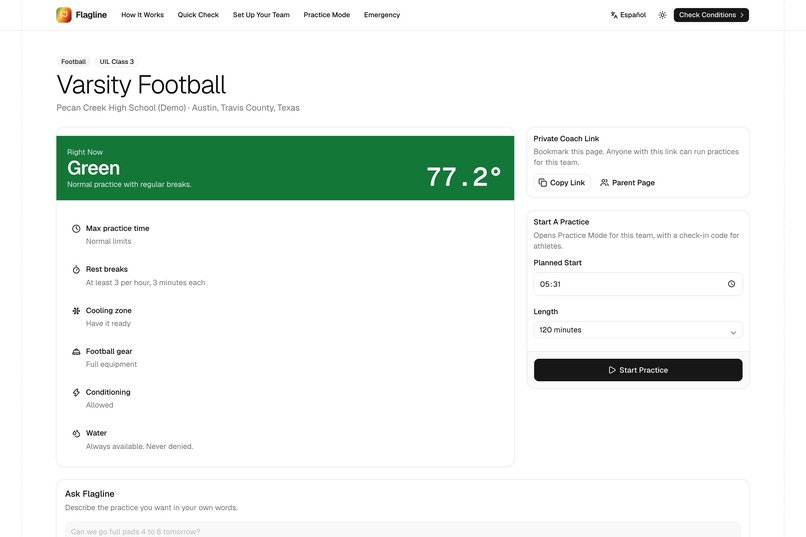
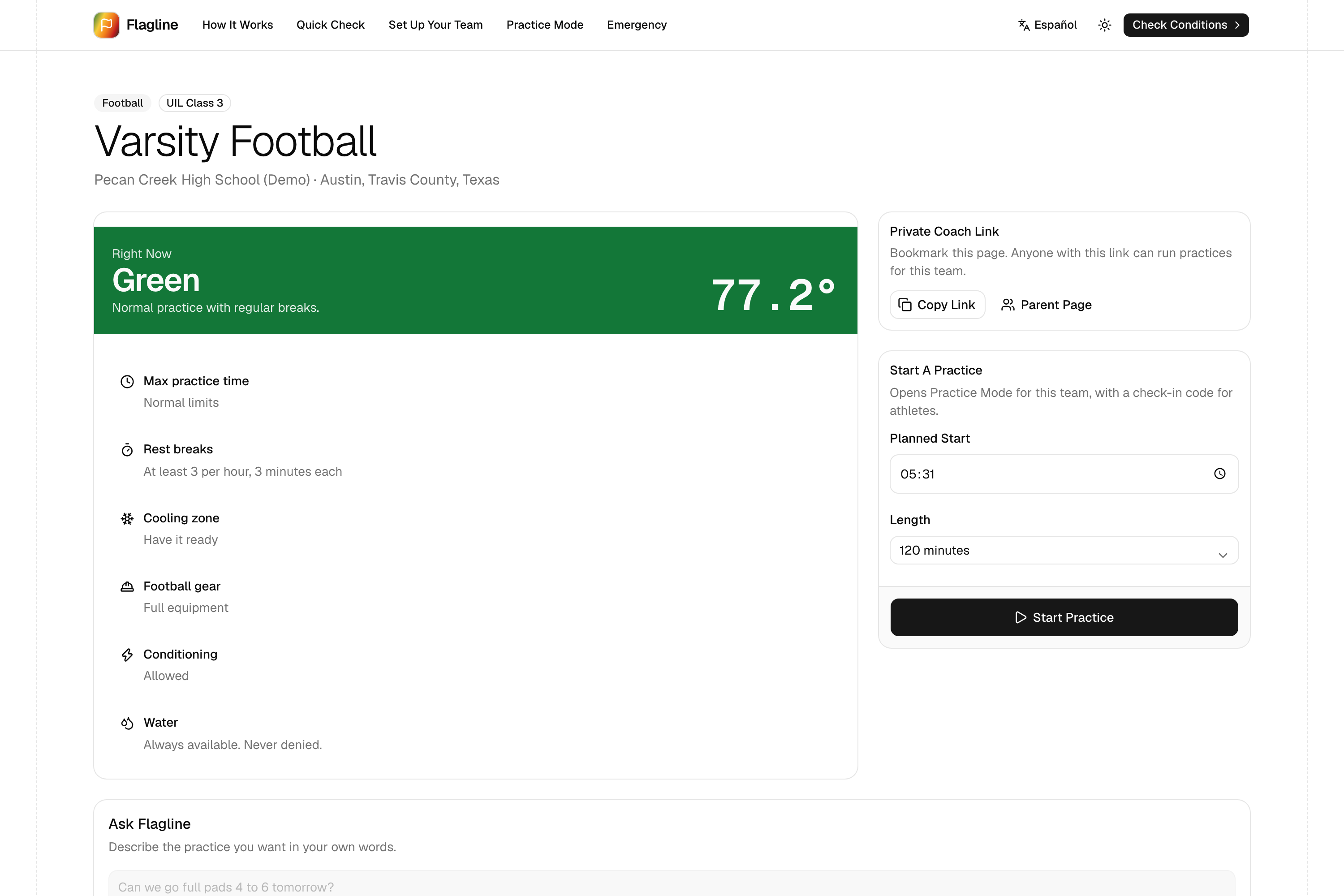
The coach dashboard for the fictional demo team, with today's requirements.
-
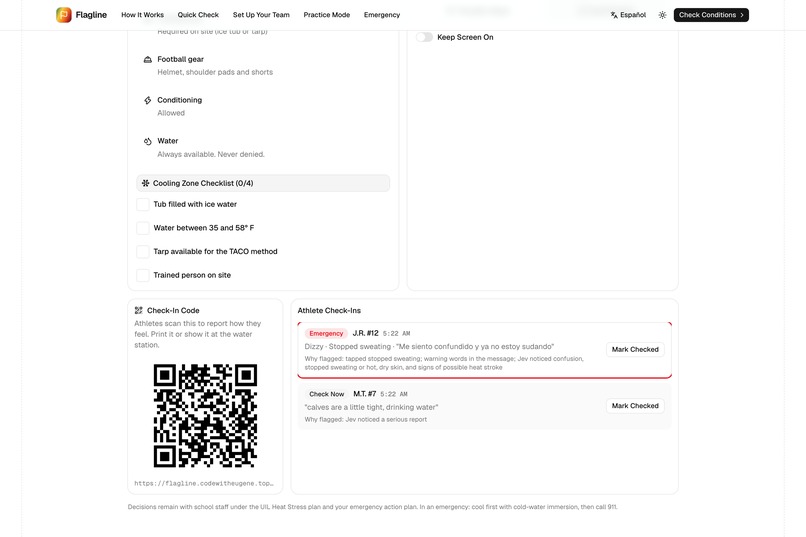
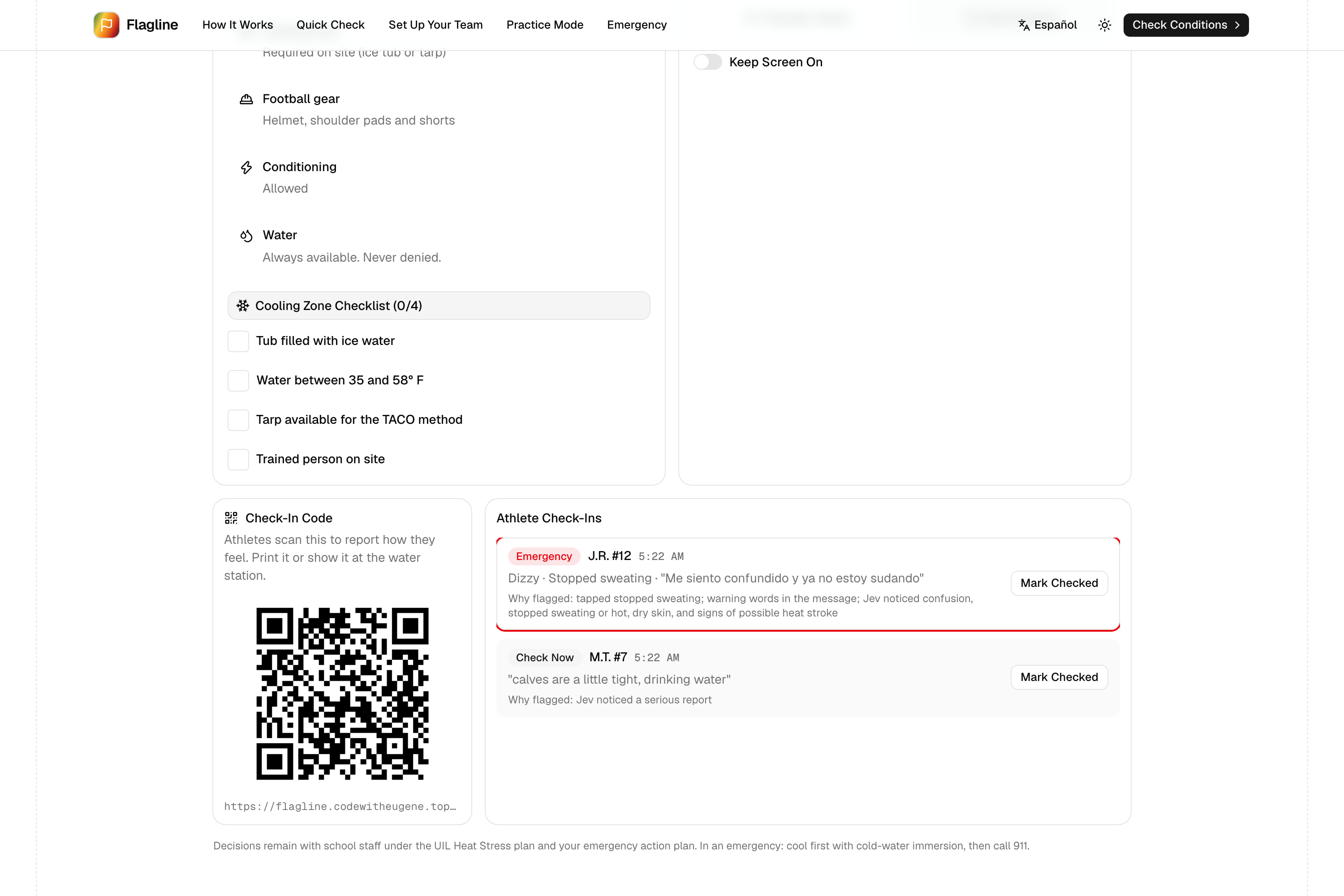
The check-in queue puts emergencies first and explains why each was flagged.
-
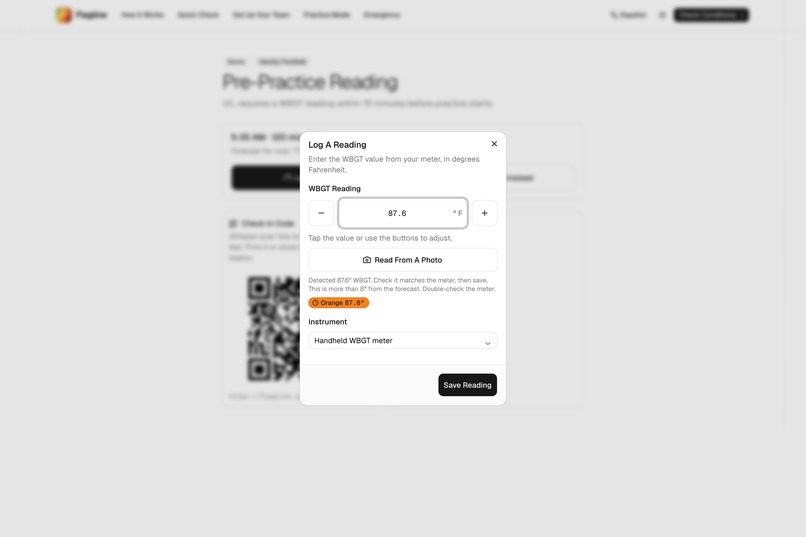
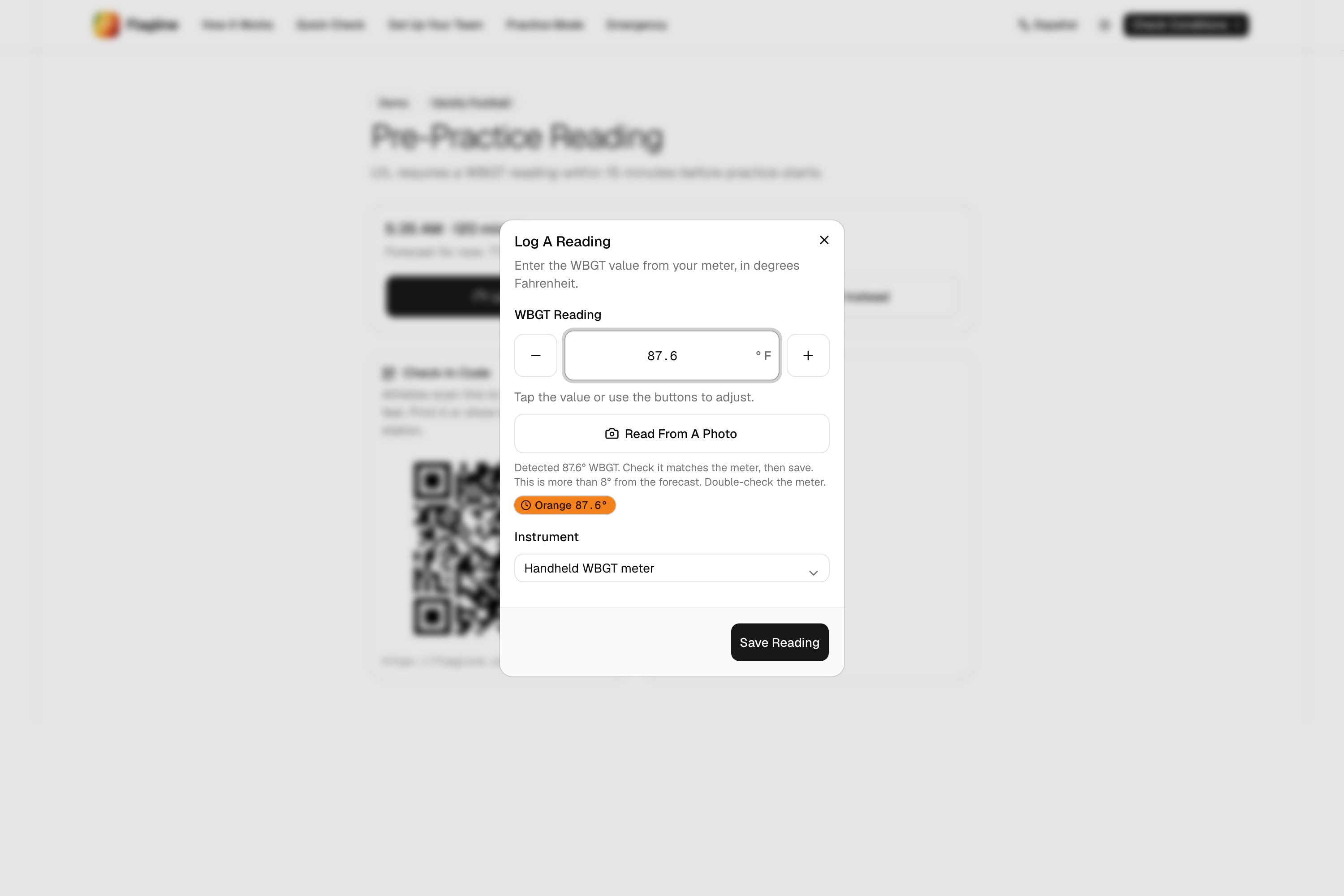
Snap the meter: Flagline reads the WBGT value and the coach confirms.
-
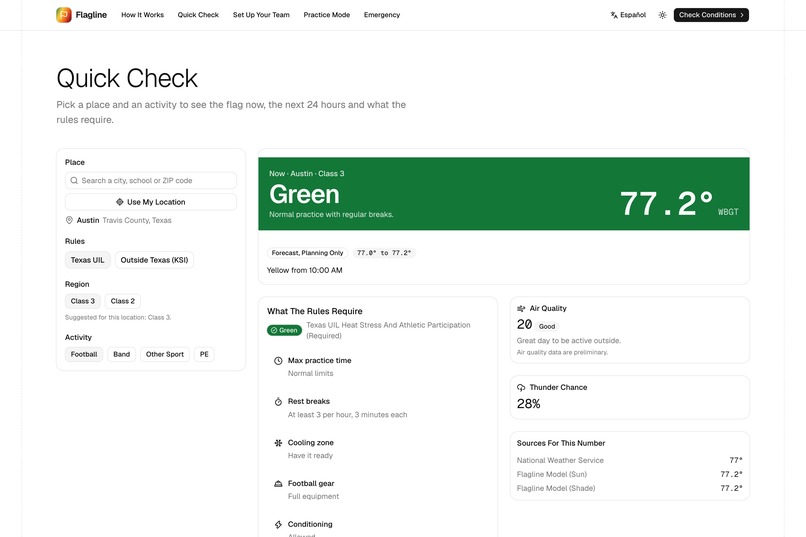
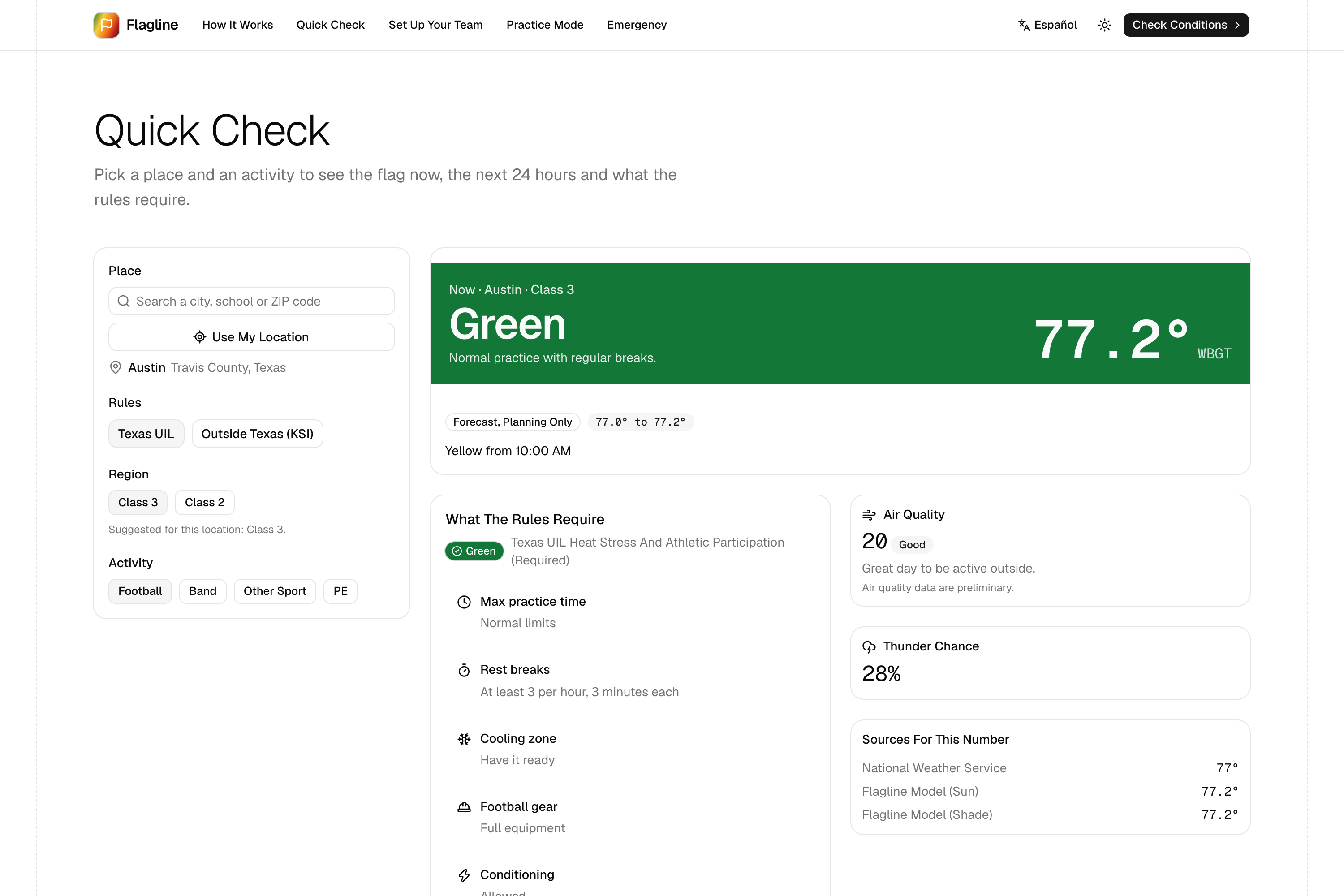
Quick Check: the flag right now, the next 24 hours and what the rules require.
-
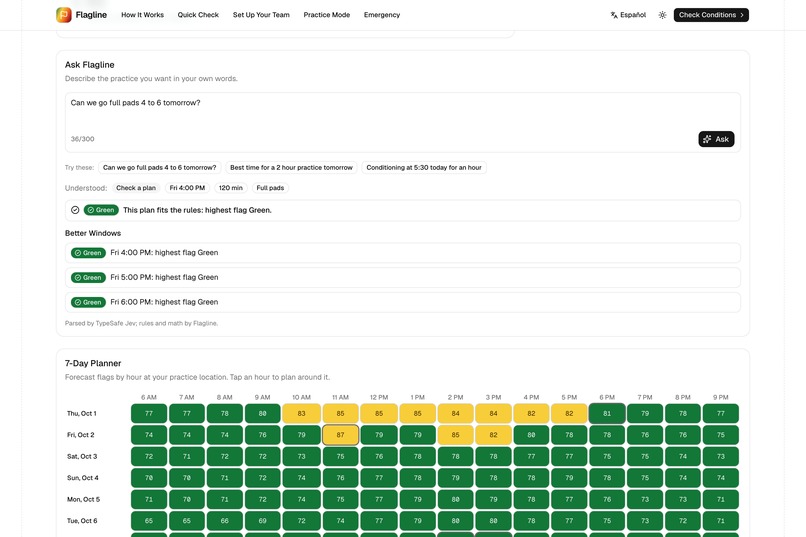
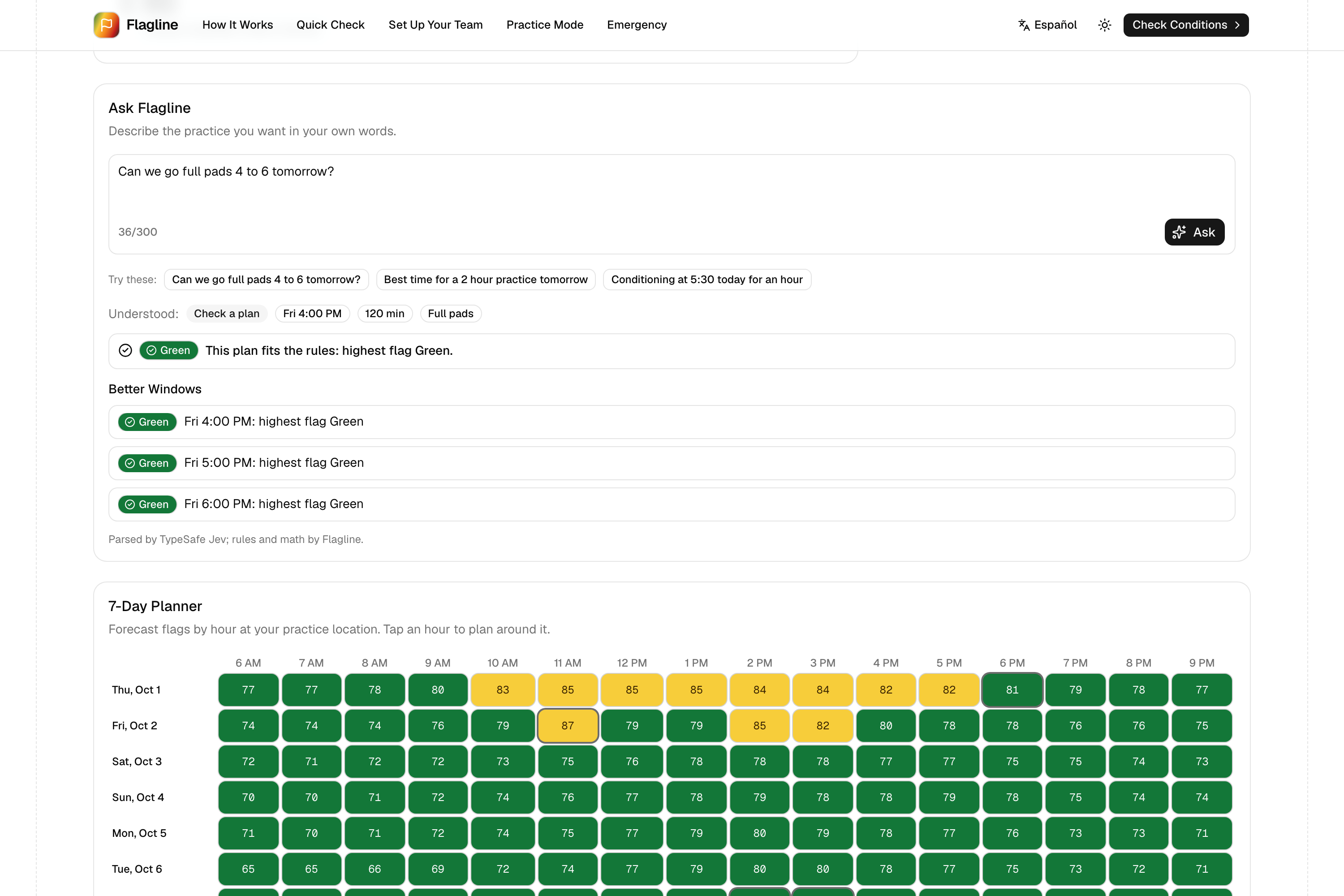
Ask Flagline in plain words, plus a 7-day planner of flags by practice hour.
-
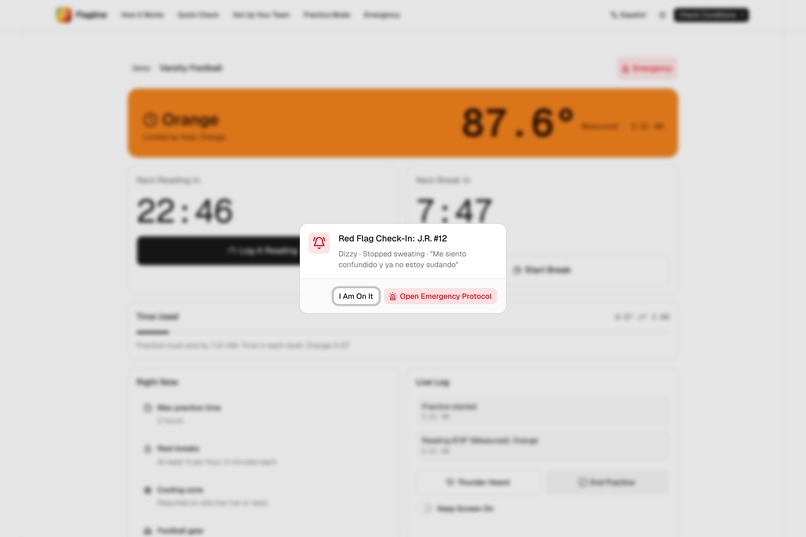
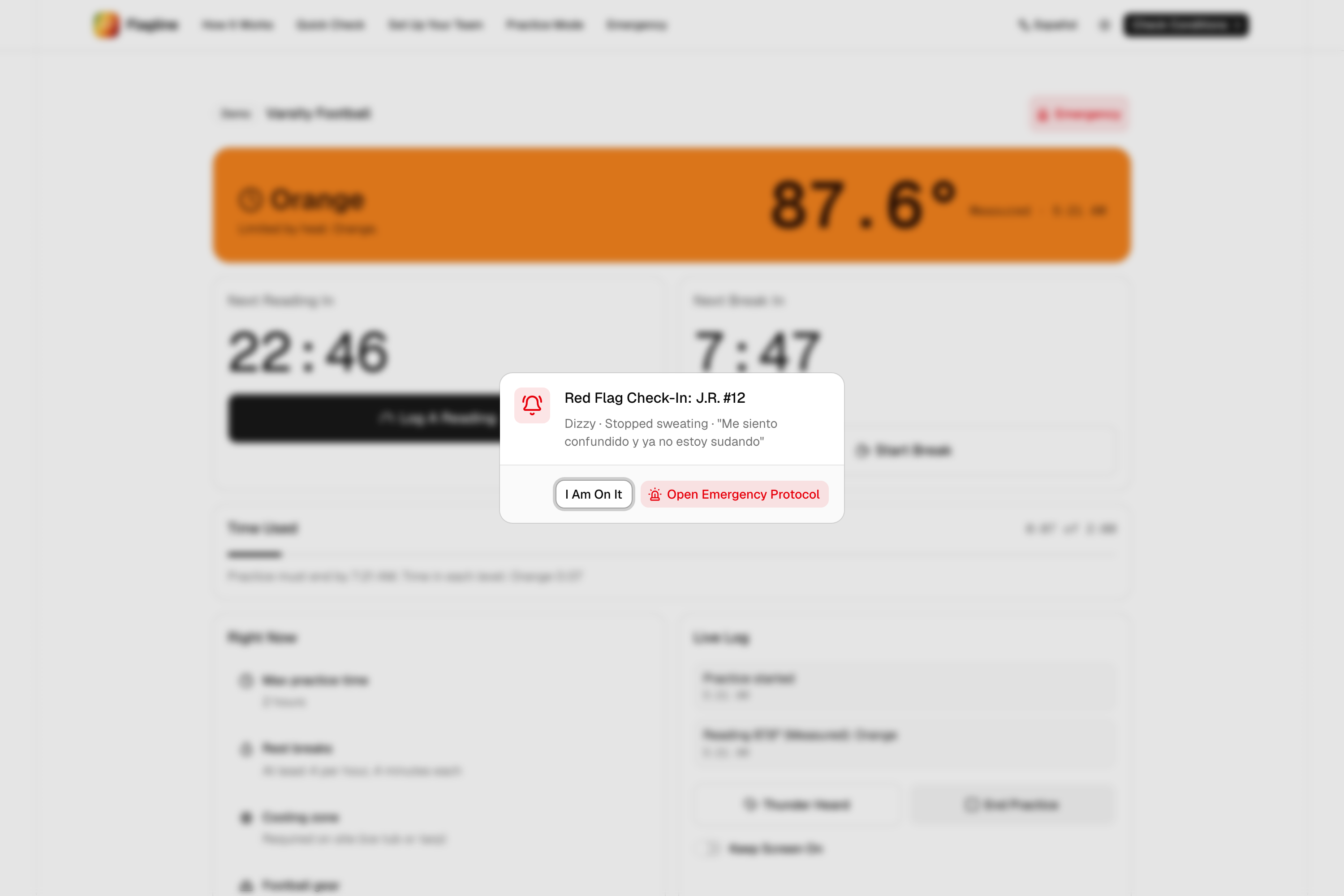
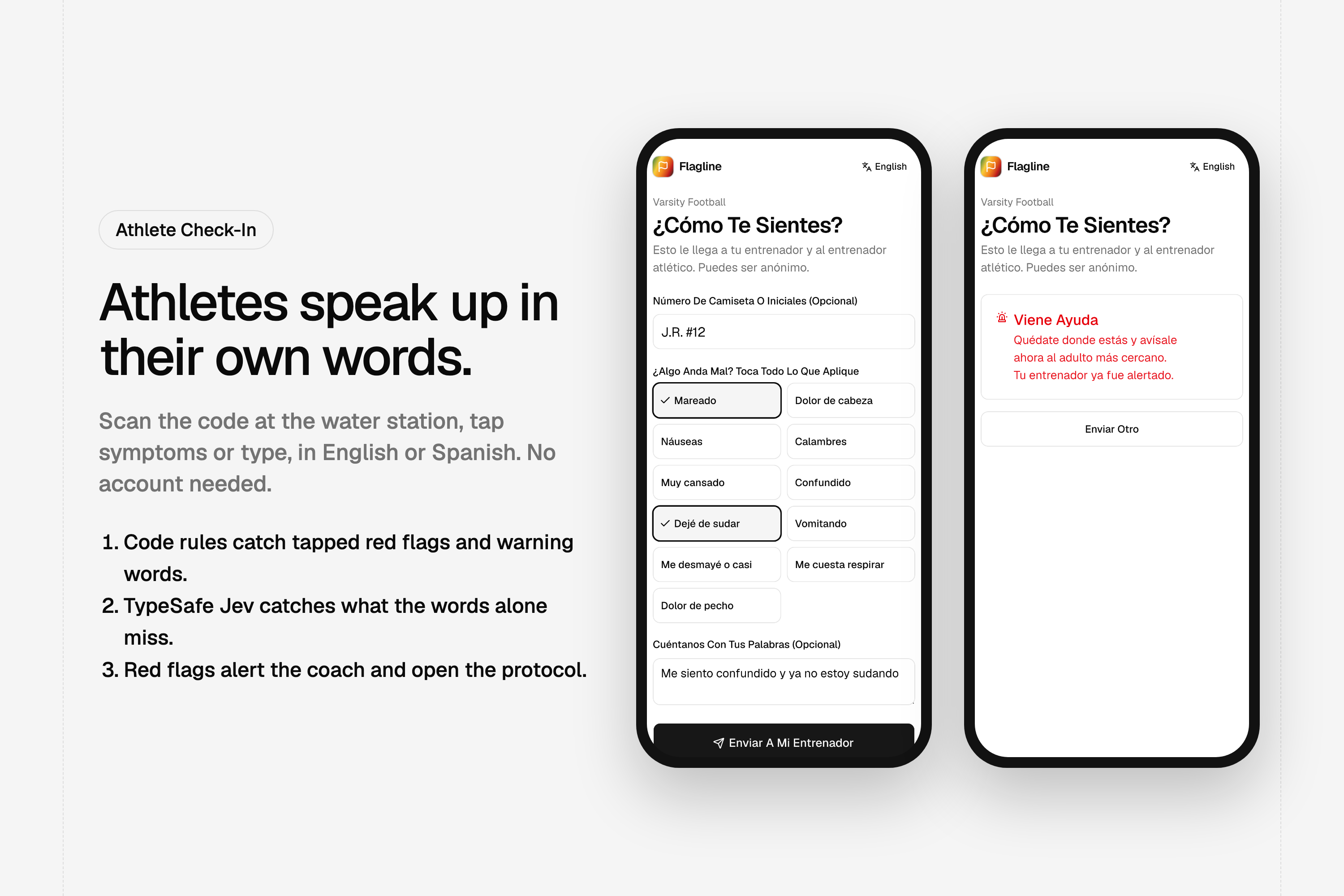
A red-flag check-in alerts the coach and opens the emergency protocol.
-
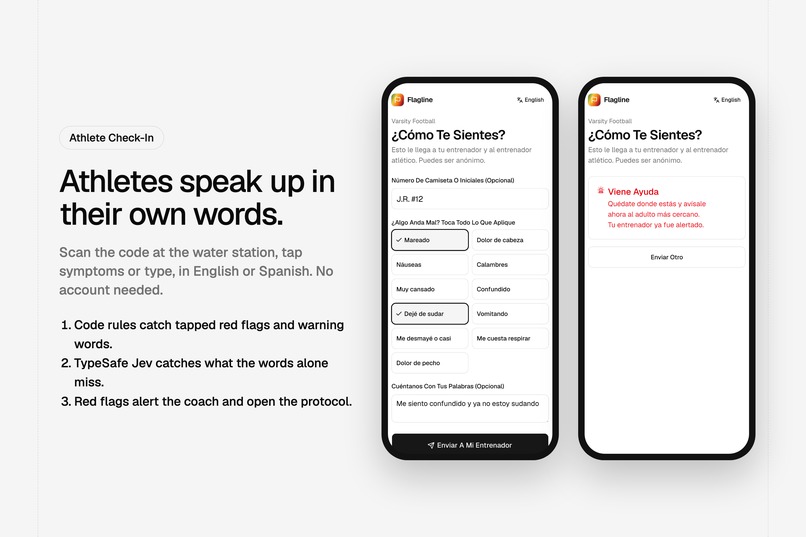
Athletes check in by QR code in English or Spanish, no account needed.
-
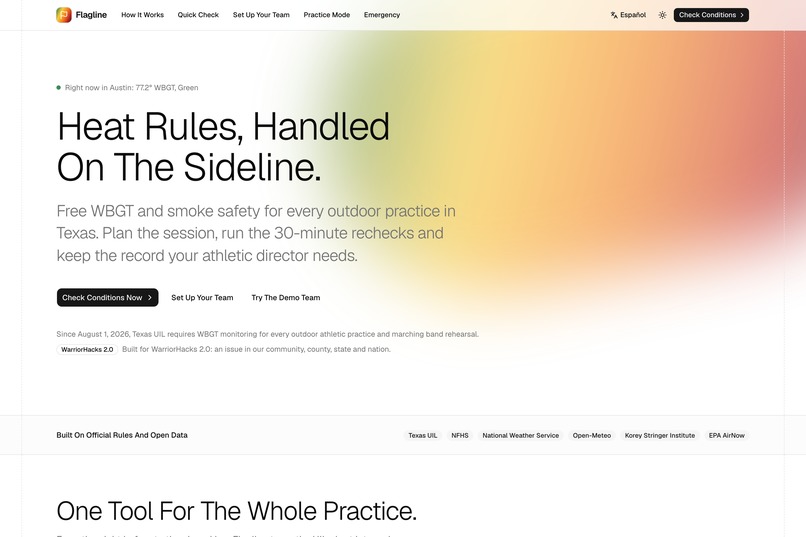
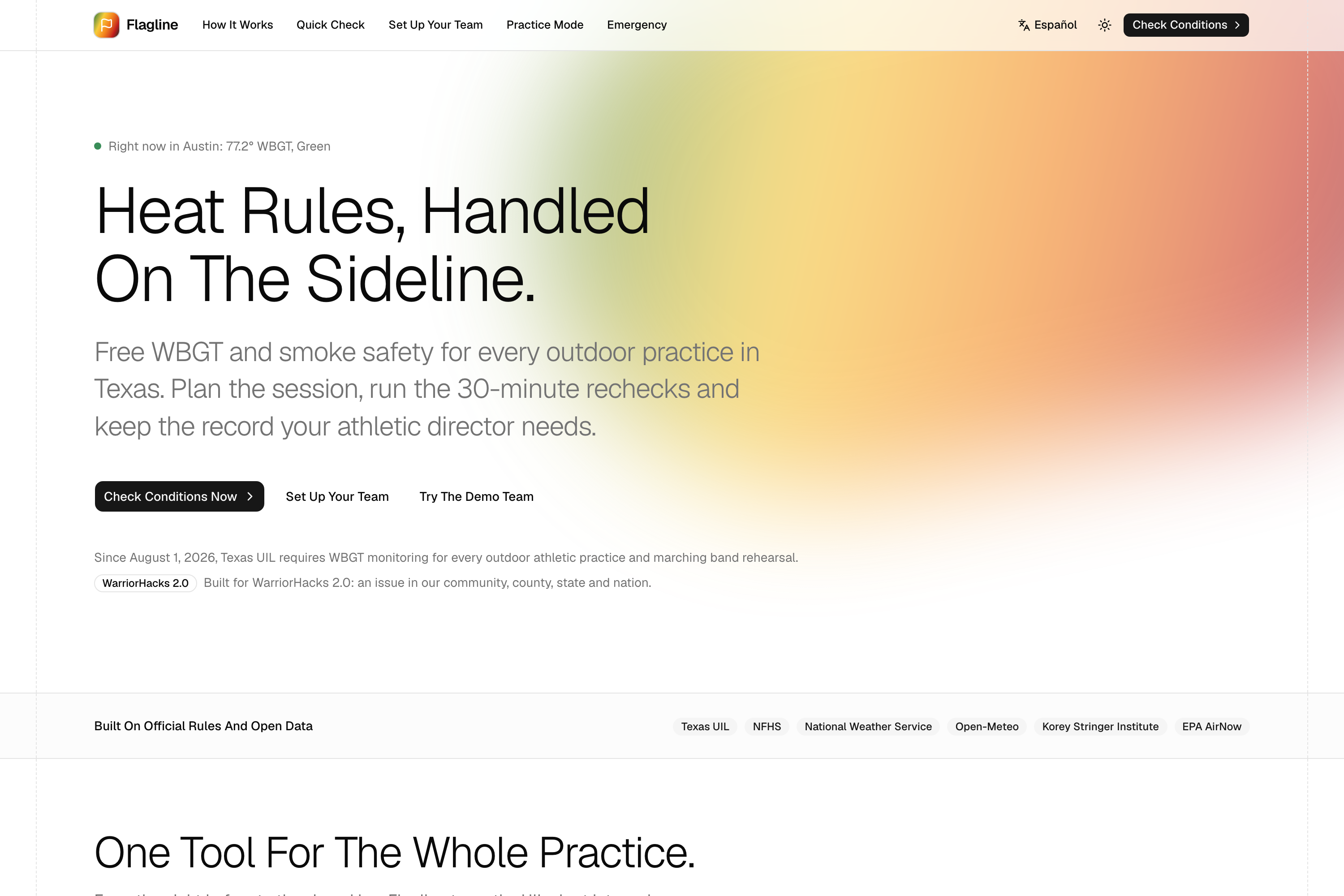
Flagline: heat rules handled on the sideline, free for every Texas school.
Inspiration
What it does
Inspiration
On August 1, 2026, Texas made heat monitoring mandatory for every outdoor athletic practice and marching band rehearsal. Under the new UIL rule, a coach has to take a wet bulb globe temperature (WBGT) reading within 15 minutes before practice and every 30 minutes during it. At each flag level the rules change: how long practice can run, how many rest breaks, whether football players can wear full pads, and whether a cold-water cooling tub must be on site.
That is a lot to track from a sideline with a whistle in one hand. Most schools do not have an athletic trainer at every practice, paid monitoring systems cost hundreds to thousands of dollars per site, and the free forecast tool UIL points to has no workflow and keeps no records. Meanwhile, exertional heat stroke remains a leading preventable cause of death in high school sports, and it is survivable when cooling starts within minutes.
The theme asked for a project that solves an issue in our community, county, state or nation. This one hits all four: the teams and families in Austin, Travis County schools, a brand-new Texas state rule, and at least 17 other states that already require WBGT-guided practices.
What It Does
Flagline is a free web app that turns the rule into a routine.
- Quick Check: pick a place and an activity to see the flag right now, the next 24 hours and exactly what the rules require. It works anywhere: UIL rules inside Texas (with the right Class 2 or Class 3 region), Korey Stringer Institute categories elsewhere, plus air quality (AQI) and thunder chance.
- Team setup with no accounts: a coach creates a team and gets a private coach link. Parents get a public team page.
- Ask Flagline: coaches type plans in plain words, like "Can we go full pads 4 to 6 tomorrow?", and get a rules check plus better time windows. A 7-day planner shows the flag for every practice hour.
- Practice Mode: the pre-practice reading, a 30-minute recheck countdown, a break timer, time used against the level's limit, a cooling zone checklist, a thunder hold, and instant rule changes when the level rises.
- Meter photo: snap the WBGT meter and Flagline reads the number, picks the WBGT value even when the screen shows several, converts Celsius, and warns when it is far from the forecast. The coach always confirms before saving.
- Athlete check-ins: athletes scan a QR code at the water station and report how they feel by tapping symptoms or typing, in English or Spanish, with no account. Red flags (confusion, stopped sweating, fainting) alert the coach immediately and open the protocol.
- Heat stroke protocol: one tap to a step-by-step "cool first, transport second" guide with a cooling timer and temperature log.
- Compliance log: every reading, break and decision is timestamped and exportable as CSV for the athletic director.
How We Built It
- Deterministic safety core. We ported the Liljegren WBGT model from ECMWF's thermofeel library to TypeScript and check it against 288 reference cases. UIL and KSI thresholds live in versioned JSON with source links, and a conformance suite tests every level boundary. AI never sets a flag level, a practice limit or clears an athlete.
- Two forecast sources. The National Weather Service gridpoint WBGT forecast and our own model running on Open-Meteo weather data. The planning number is the more cautious of the two, and readings within 1 degree of the next level are marked borderline.
- Typed AI judgments with TypeSafe Jev. Instead of prompting a chatbot and parsing text, Jev answers typed questions (Choice, Noul and Score) with confidence values our code gates on:
- Check-in triage screens free text for red flags alongside keyword rules in English and Spanish. On our eval set it caught 25 of 25 red-flag messages (8 of them caught only by Jev) with 0 of 8 false alarms.
- Ask Flagline uses Jev to pick the intent, gear and the right time candidates; code then does all the rules math.
- Meter photo uses a vision model (Kimi K3 via OpenRouter) only to transcribe the digits; Jev picks which number is WBGT; code validates the range. It reads 4 of 4 test screens correctly, including Celsius and a blurred, tilted display.
- Stack: Next.js 16, React 19, TypeScript, Tailwind CSS v4 and pure shadcn/ui on Base UI, Neon Postgres with Drizzle, next-intl for English and Spanish, deployed on Vercel. 442 automated tests run on every change.
Challenges We Ran Into
- Getting the physics right. WBGT depends on sun angle, globe temperature and wind near the ground. Porting the model and matching the reference values to a tenth of a degree took careful work on solar geometry and numerical solvers.
- Recall over convenience. In triage, a false alarm costs a walk across the field; a miss can cost a life. We tuned every threshold for recall first and still kept false alarms at zero on our test set.
- Turning dates into plans. "4 to 6 tomorrow" should be an afternoon practice, "about 2 hours" is a length and not a time, and "5:30" means today if it has not passed. We combined a date parser with Jev and covered each edge case with tests.
- Making it work on a sideline. Large targets, a sunlight theme for glare, Spanish throughout, and color never used alone: every flag shows an icon, a label and a value.
Accomplishments That We're Proud Of
- A complete loop from forecast to plan to live practice to athlete check-in to emergency, working end to end on the live site.
- A Spanish red-flag message ("me siento confundido y ya no estoy sudando") routes to Emergency in seconds, caught both by our rules and by Jev.
- A safety core that is fully deterministic and tested, with AI used only where language needs understanding.
What We Learned
- The hardest part of a safety tool is deciding what the software must never do.
- Typed AI answers with confidence scores are much easier to build safe logic around than free-form chatbot text.
- Real rules are full of edge cases (Class 2 versus Class 3 boundaries, reaching a level mid-practice, gear limits) that only show up when you encode them.
What's Next
- A signed, bilingual PDF practice log for athletic directors.
- Push notifications for rechecks and red-flag check-ins.
- Offline Practice Mode for fields with weak signal.
- Accounts for schools with several teams, and rule packs for the other states that require WBGT.
Built Responsibly
- All demo data is fictional ("Pecan Creek High School"). Check-ins never ask for names, and meter photos are read once and not stored.
- Planning documents were written before the theme reveal; all application code was written during the event.
- AI disclosure: Claude Code assisted with writing code and docs. In the product, TypeSafe Jev makes typed judgments and Kimi K3 (via OpenRouter) transcribes meter photos.
- Flagline supports school staff and does not replace them. Decisions remain with the school under its UIL heat plan and emergency action plan. ## How we built it
Challenges we ran into
Accomplishments that we're proud of
What we learned
What's next for Flagline
Built With
- base-ui
- chrono-node
- cloudflare
- drizzle-orm
- kimi-k3
- lucide
- national-weather-service
- neon
- next-intl
- next.js
- open-meteo
- openrouter
- openstreetmap
- postgresql
- python
- qrcode
- react
- recharts
- shadcn-ui
- tailwindcss
- typesafe-jev
- typescript
- vercel
- vitest
- zod

Log in or sign up for Devpost to join the conversation.