-
-
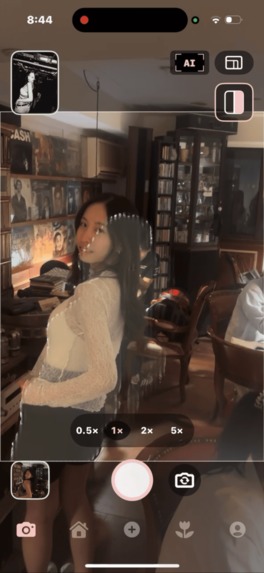
Match the reference silhouette to recreate the pose and camera angle you imagined, with less guesswork.
-
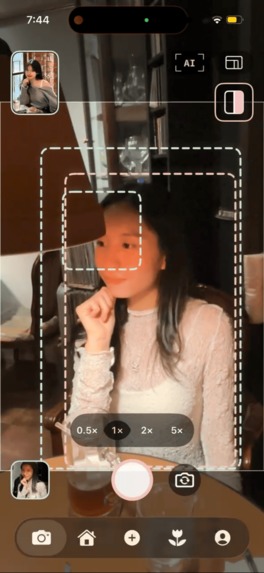
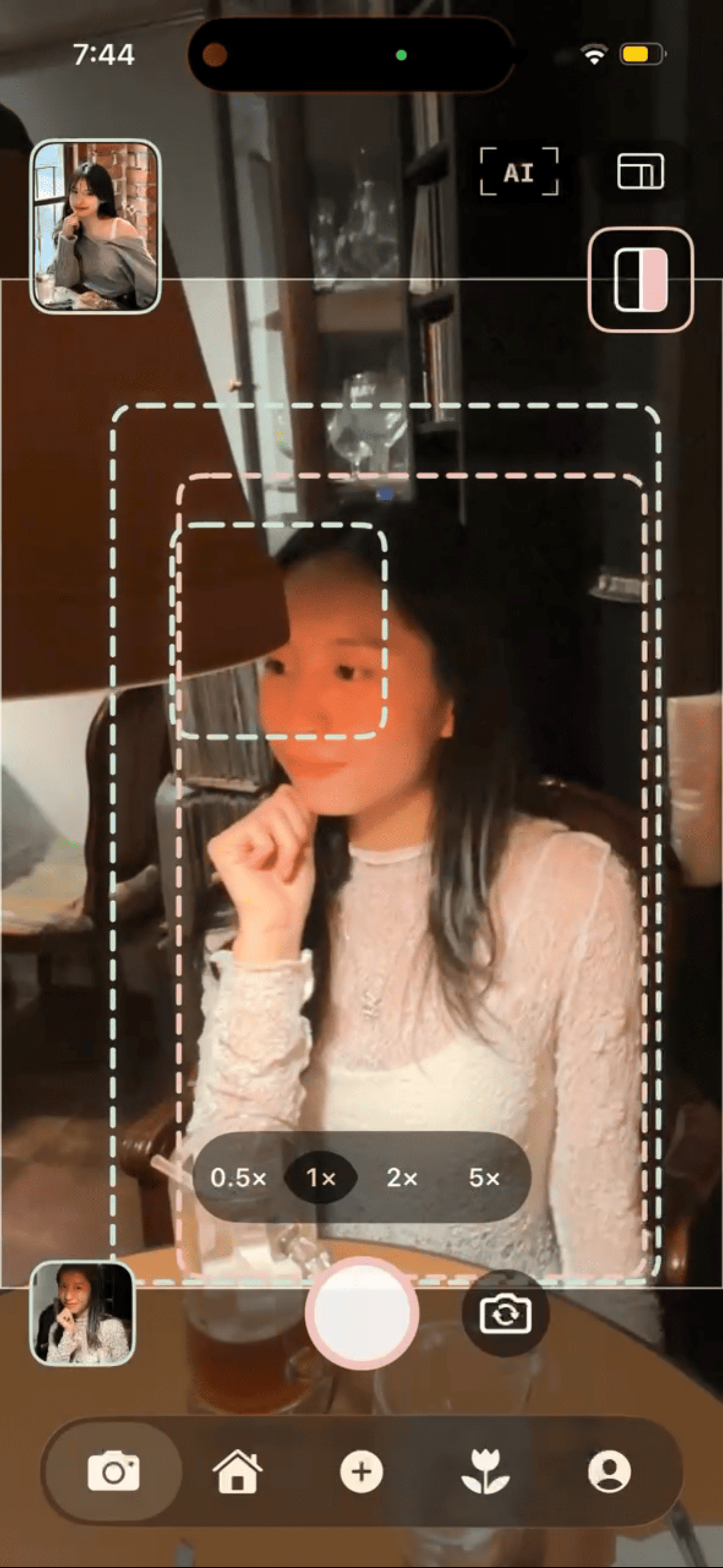
Align the live subject with the reference frame to match placement and size before you take the shot.
-
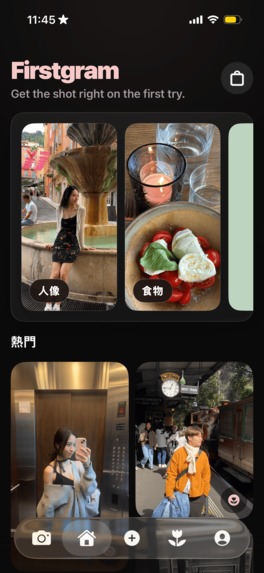
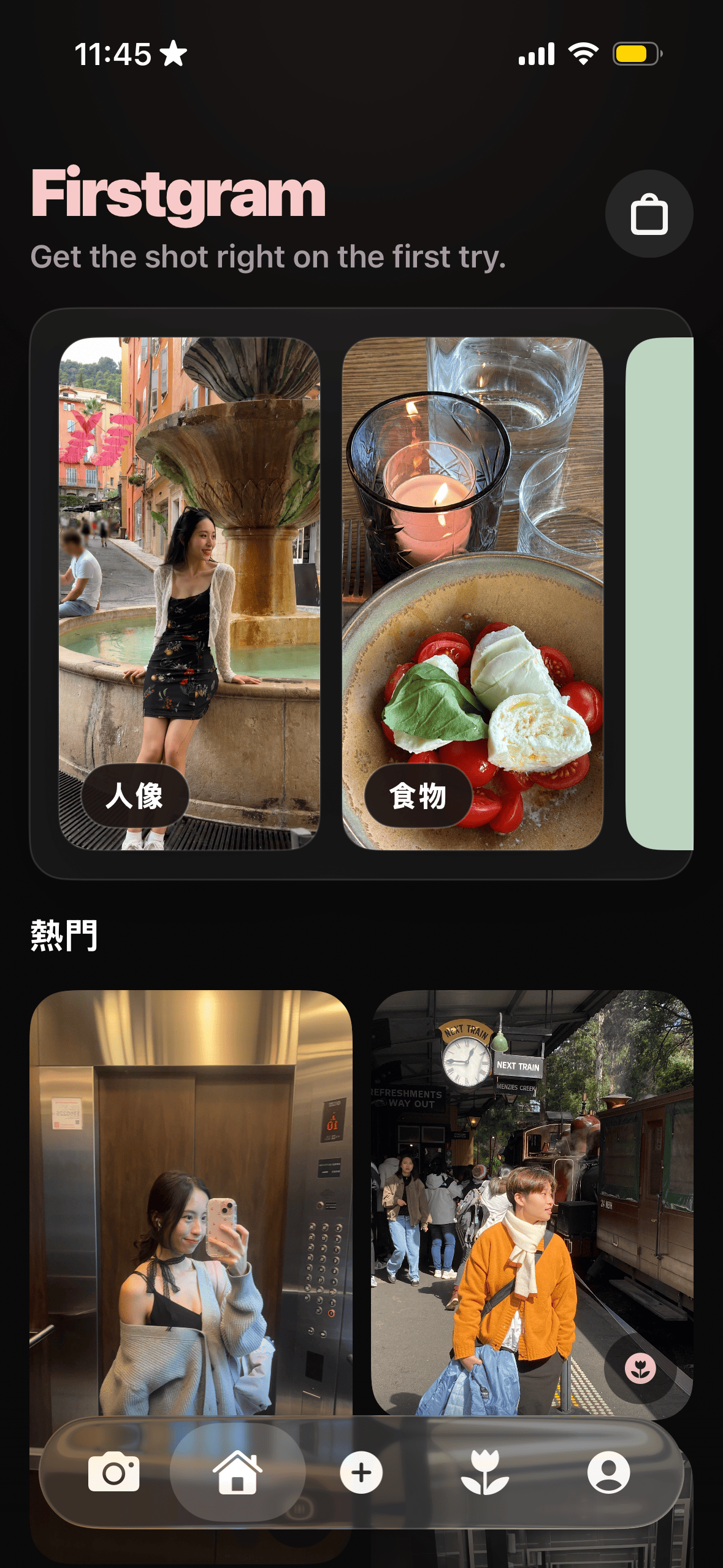
Find your next shot: explore portrait and food references, then bring the inspiration into your camera.
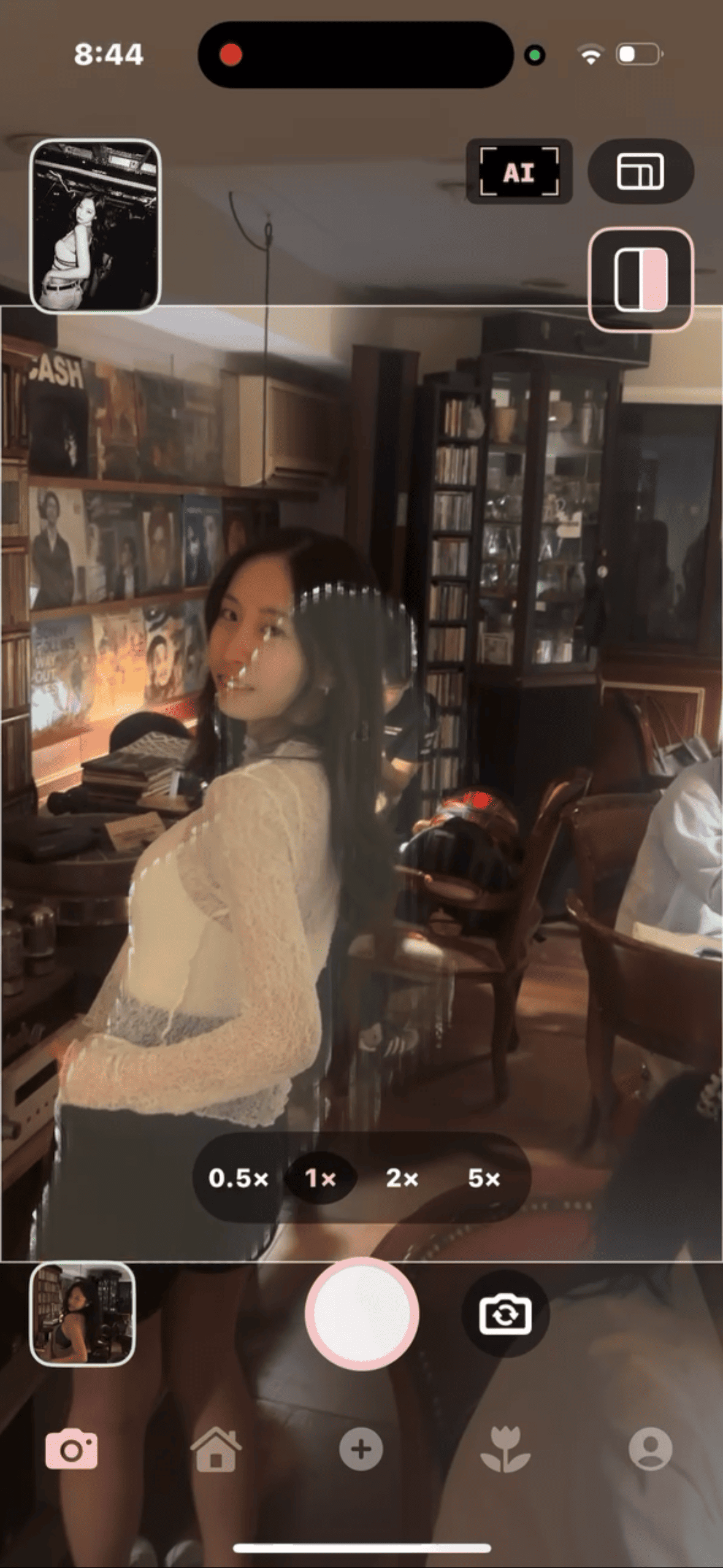
Get the shot right on the first try
I built Firstgram around three things I care about: recreating the photo you imagined, spending less time taking it, and feeling less anxious about the process.
A photo can be clear in your mind and still be difficult to explain. You hand your phone to someone, show them a reference, and start directing: lower, closer, a little to the left. The person taking the photo is trying. The person in it is becoming self-conscious. A moment you wanted to remember turns into a series of retakes.
I want Firstgram to make that interaction easier. A shared visual target can communicate what words struggle to explain. Getting the shot should leave you with more time to enjoy the moment.
What it does
Firstgram is a native iPhone camera app that turns a reference photo into guidance you can use while shooting.
Choose a reference from your library, saved inspiration, or a photography Kit. Bring it into the camera. The reference's green guides and the live subject's pink guides make differences in position, scale, and angle visible. Human outlines help communicate a pose; framing boxes help communicate where the person should sit within the image. Optional automatic zoom helps match subject size. Capture the photo and use the comparison view to check it against the reference.
The app also connects discovery with action. Portrait and food inspiration, saved photos, and a map help people find ideas. Kits group references into collections that can be opened in the camera. The purpose of discovering a beautiful image is to make it usable when you are ready to take your own.
The design decisions behind the promise
Recreate the photo you imagined. A reference remains part of the shooting experience. Guides translate it into something the photographer and subject can both work toward, with controls for the amount of assistance they want.
Spend less time retaking photos. Automatic zoom waits for stable measurements before adjusting. Small detection changes should not send the camera hunting back and forth. When a Kit is opened, the selected reference can load before the rest of the collection, so the next shot does not have to wait for every image.
Reduce the pressure around taking a photo. The interaction gives people a next action: align the guides, adjust the angle, then capture. Subtle haptic feedback acknowledges alignment. An interactive tutorial lets people move the phone and experience the relationship between motion and framing before using it in a real shoot.
These are the details that matter to me. A tool intended to reduce frustration has to feel calm and predictable itself.
How I built it
Firstgram is written in Swift. SwiftUI handles the main app and UIKit with AVFoundation handles the camera. Apple Vision performs reference analysis, human detection, tracking, and foreground-mask work on the device. Core Motion supports phone-angle measurement and the interactive tutorial. PhotosUI handles photo selection; MapKit supports location-based discovery. Supabase, PostgreSQL, and TypeScript backend functions support accounts, social content, and Kit commerce.
A large part of the engineering is translating between a photo and a live camera: image orientation, aspect-fill cropping, subject coordinates, phone roll, and zoom all affect where a guide belongs. The implementation separates reference geometry from live geometry, filters small motion changes, and requires stable evidence before treating alignment or zoom as ready.
Tests cover details such as preserving reference angles during phone rotation, rejecting ambiguous horizon estimates, not reusing one detected person for multiple targets, ignoring stale reference results, and keeping automatic zoom stable around detection noise.
RevenueCat and the business model
Firstgram uses consumable F coins to unlock photography Kits. RevenueCat Offerings provide coin packs and localized prices, its SDK handles the purchase flow, and RevenueCat Virtual Currencies provides the balance. The app's configured pack sizes are 30, 160, and 330 F coins; storefront prices come from the purchase system.
This model connects payment to a collection someone wants to use. A Kit has a visible coin price and a purchase confirmation. If the balance is insufficient, the store takes the user to coin packs and then returns them to the Kit once the balance is sufficient. Owned Kits have a direct Use action that leads back to photography.
Reliability is part of that experience. A successful store transaction and an updated balance can arrive at different times. The app handles pending states, account identity, balance refreshes, and repeated actions so that uncertainty in the purchase process does not become more uncertainty for the user.
Challenges I ran into
A guide that moves is easy; a guide people can trust is harder. A reference and the preview can disagree about crop, orientation, and scale. A slightly wrong coordinate transform makes the user adjust in the wrong direction. I had to treat camera geometry as a central product problem.
More automation is not automatically more helpful. Reacting to every detection can produce zoom oscillation. The zoom logic collects consistent samples, waits for the lens to settle, and ignores ordinary noise. The goal is assistance that makes the next action easier.
The tutorial must teach a physical action. Explaining alignment in text is not enough. The tutorial responds to phone movement and includes a fallback interaction, turning an unfamiliar camera behavior into something users can practise.
Purchases need to survive imperfect timing. The F coin flow must distinguish payment, balance updates, and Kit ownership. Those are separate states, and treating them carefully matters to trust.
What I'm proud of and what I learned
I'm proud that Firstgram's central idea runs through its details: the reference inside the camera, the two-color guidance, stable zoom, the hands-on tutorial, comparison after capture, and the route from a purchased Kit back to shooting.
I learned that precision and empathy are connected. A coordinate calculation, a small vibration, or a decision to wait for a stable measurement can change how confident a person feels while someone is holding a camera in front of them.
I am a student at National Taiwan University. Building Firstgram has meant connecting product design, computer vision, native iOS development, and in-app commerce around a problem I care about. The result is available on the App Store.
What's next
My next priority is to learn whether the experience delivers on those three goals in real situations: can people get closer to their intended photo, spend less time on retakes, and feel more comfortable taking it? I want to use that feedback to improve the first shooting session, guidance across different compositions, and the usefulness of the Kit library.
Get the shot right on the first try. Then get back to the moment you wanted to remember.
Built With
- avfoundation
- postgresql
- revenuecat
- supabase
- swift
- swiftui
- typescript


Log in or sign up for Devpost to join the conversation.