Inspiration
I miss a particular kind of software from the 1990s: the kind that made opening a book, browsing an encyclopedia, or organizing a media collection feel like entering a little world. The interfaces could be funny, surprising, and wonderfully inventive. Exploring them was part of the enjoyment.
I've been building iOS apps since 2008, mostly for B2B use. Those projects taught me to care about reliability and clarity. With Farwave, I wanted to bring that care to something more playful. What if finding something to listen to felt like exploring a place?
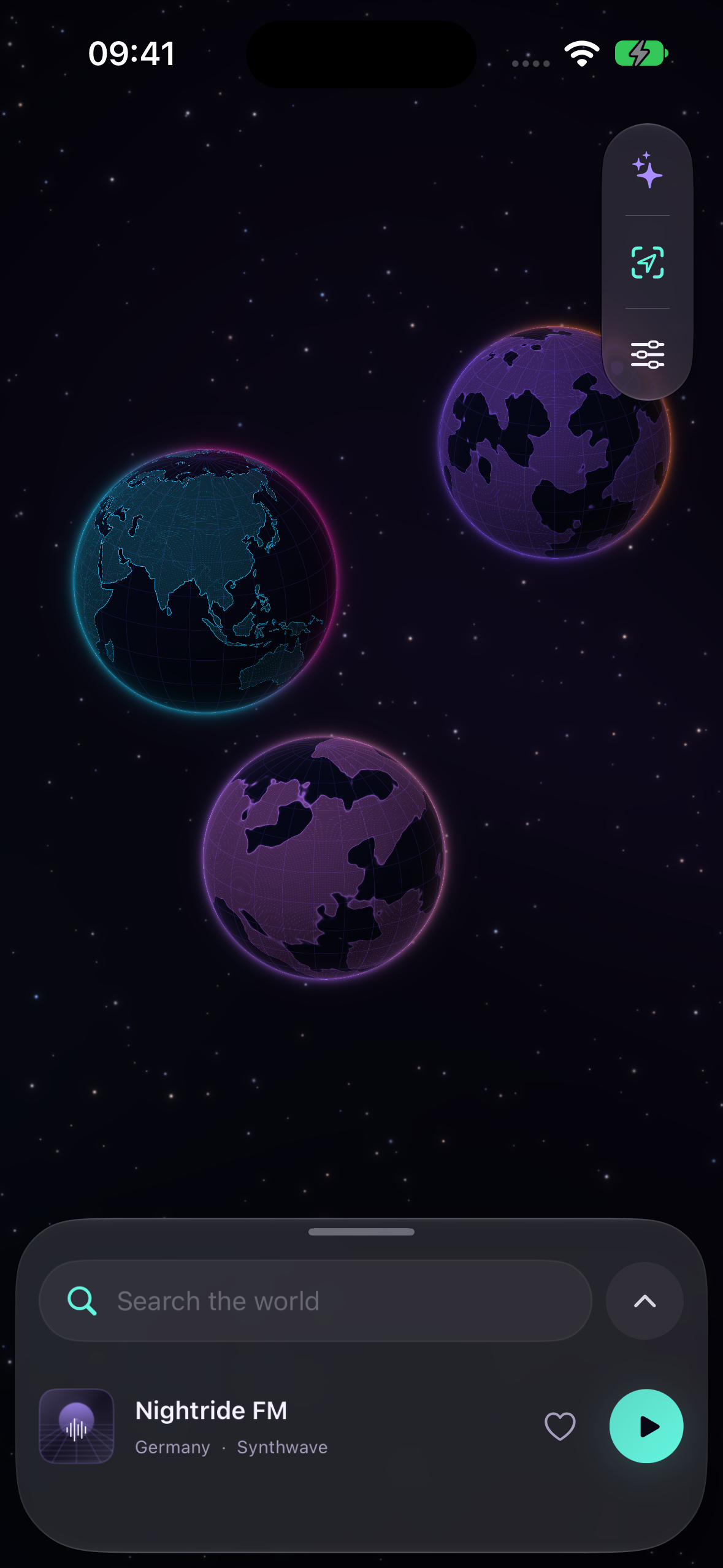
Planets gave me a way to connect the idea to the content. Earth could hold live radio, because stations really do come from places around the world. A second planet could hold the voices I follow through podcasts. A private planet could belong to my own music collection. Radio, podcasts, and music would each have a home, and travelling between them could become part of listening.
Farwave is my attempt to bring some of that older software's sense of discovery to an app I would want to use today.
What it does
Farwave brings live radio, podcasts, and your own music together on iPhone and iPad.
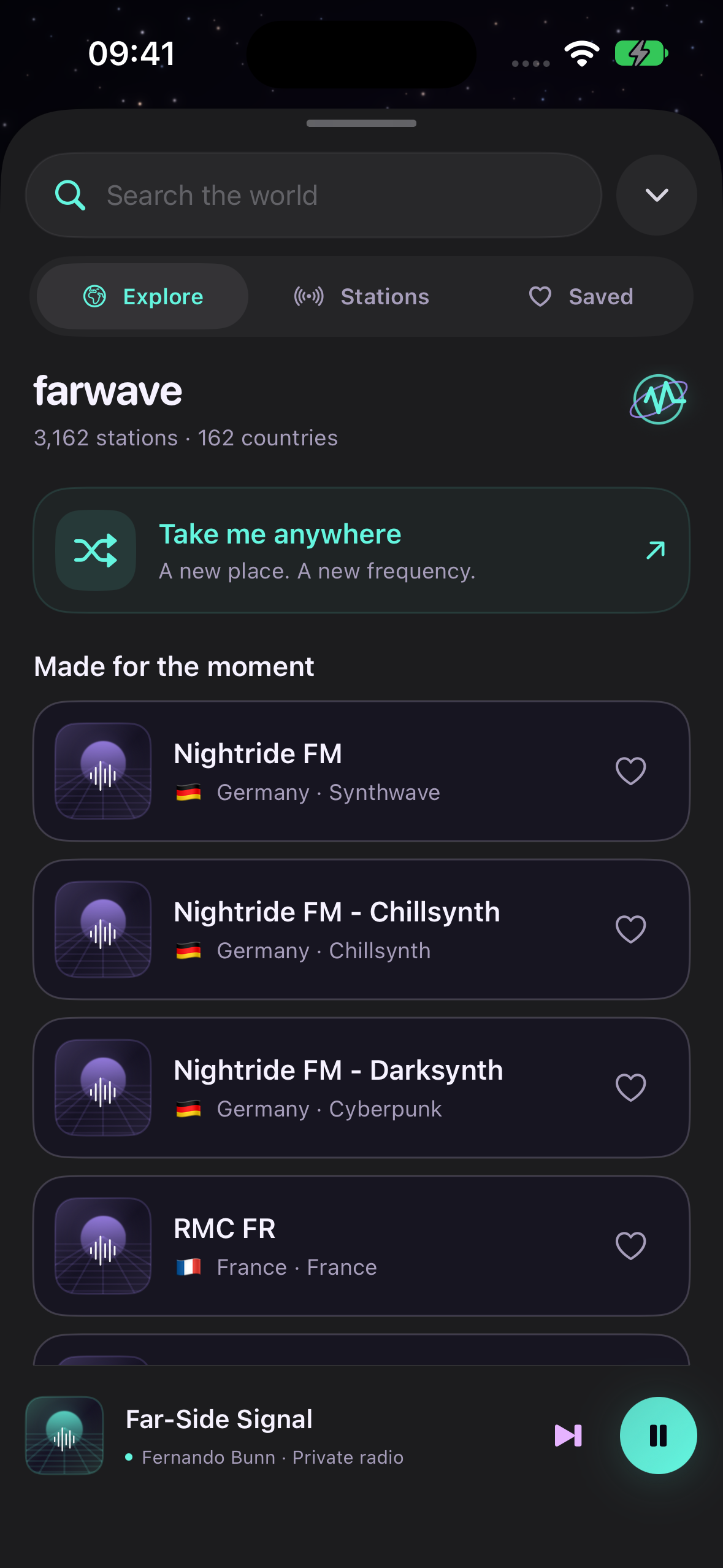
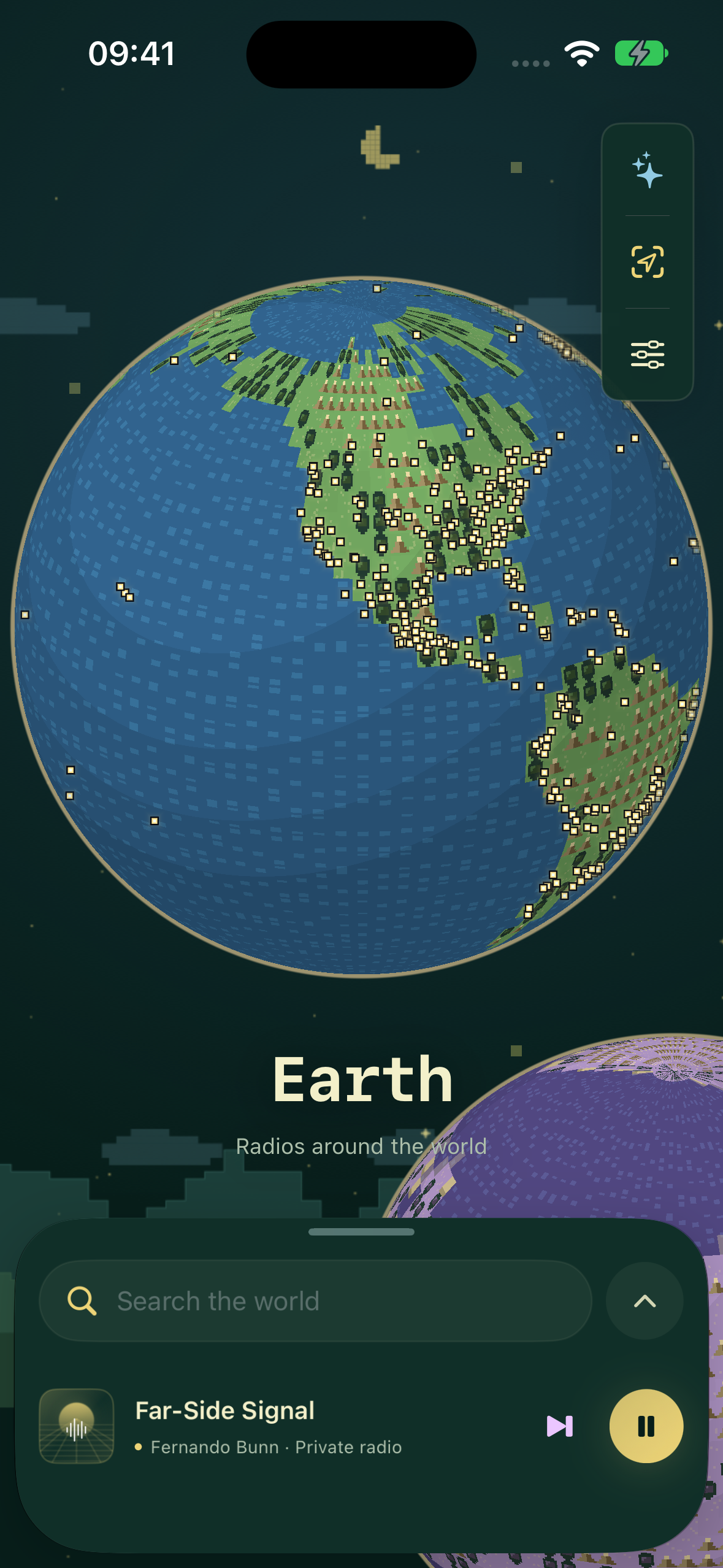
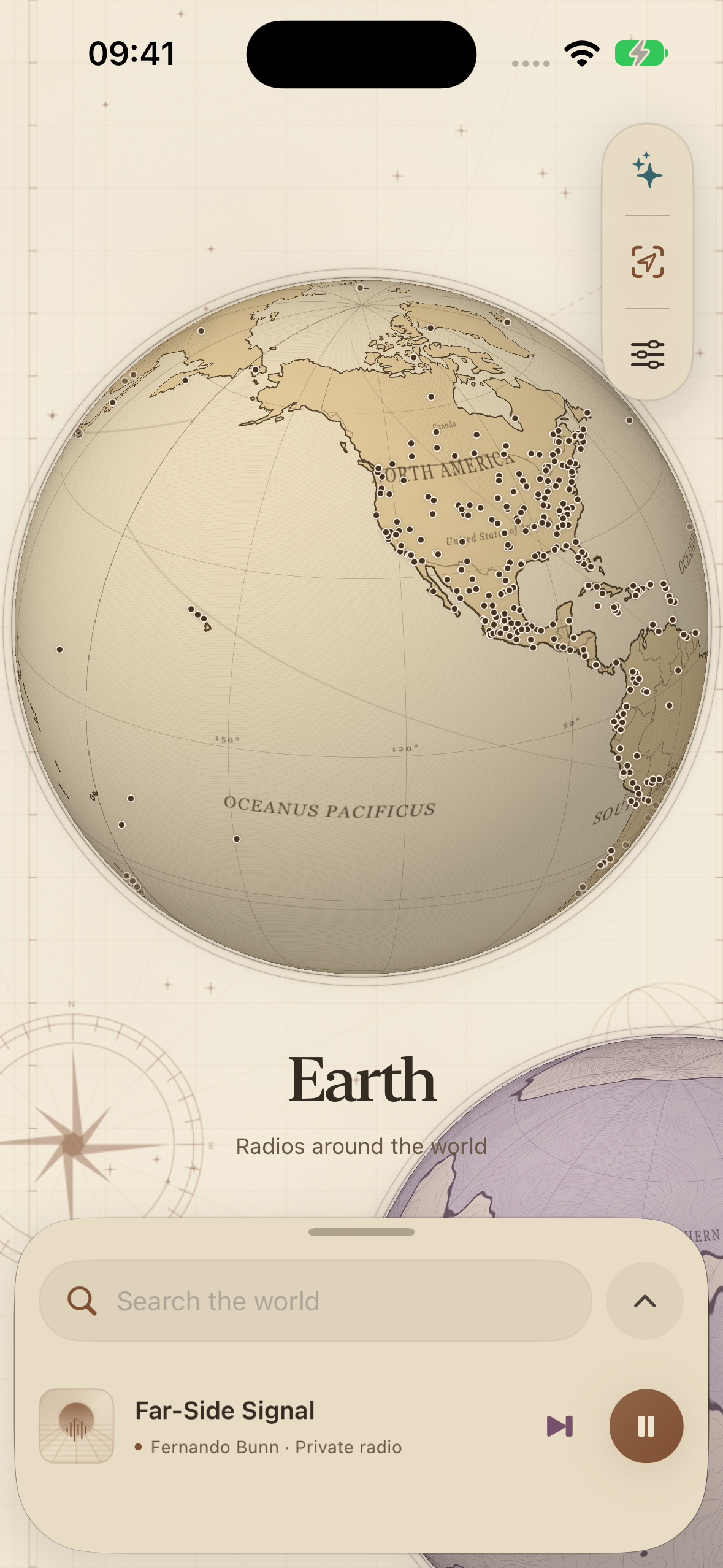
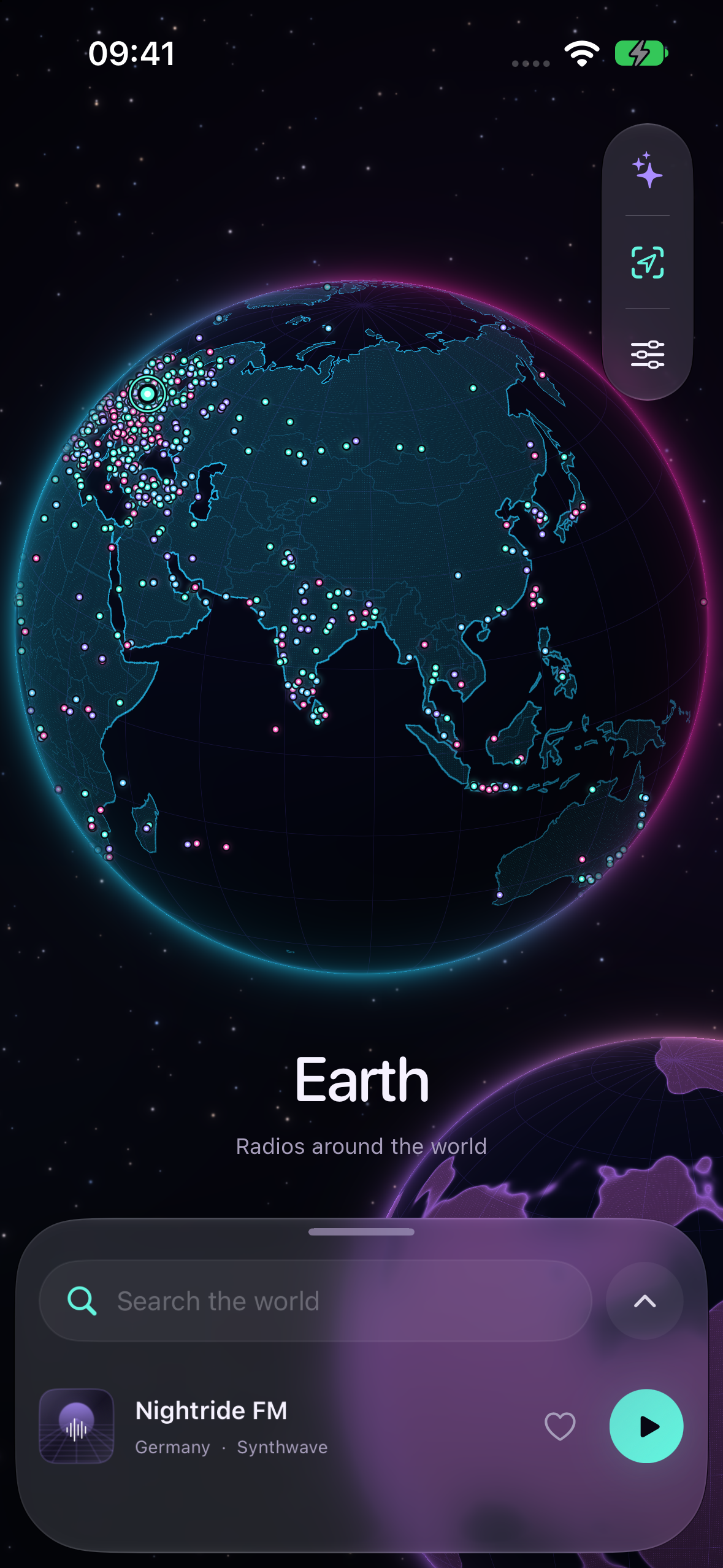
On Earth, you can spin and zoom the globe, tap a signal, browse a country, or search for a station or genre. “Take me anywhere” offers a simple way to discover something you would not have searched for yourself.
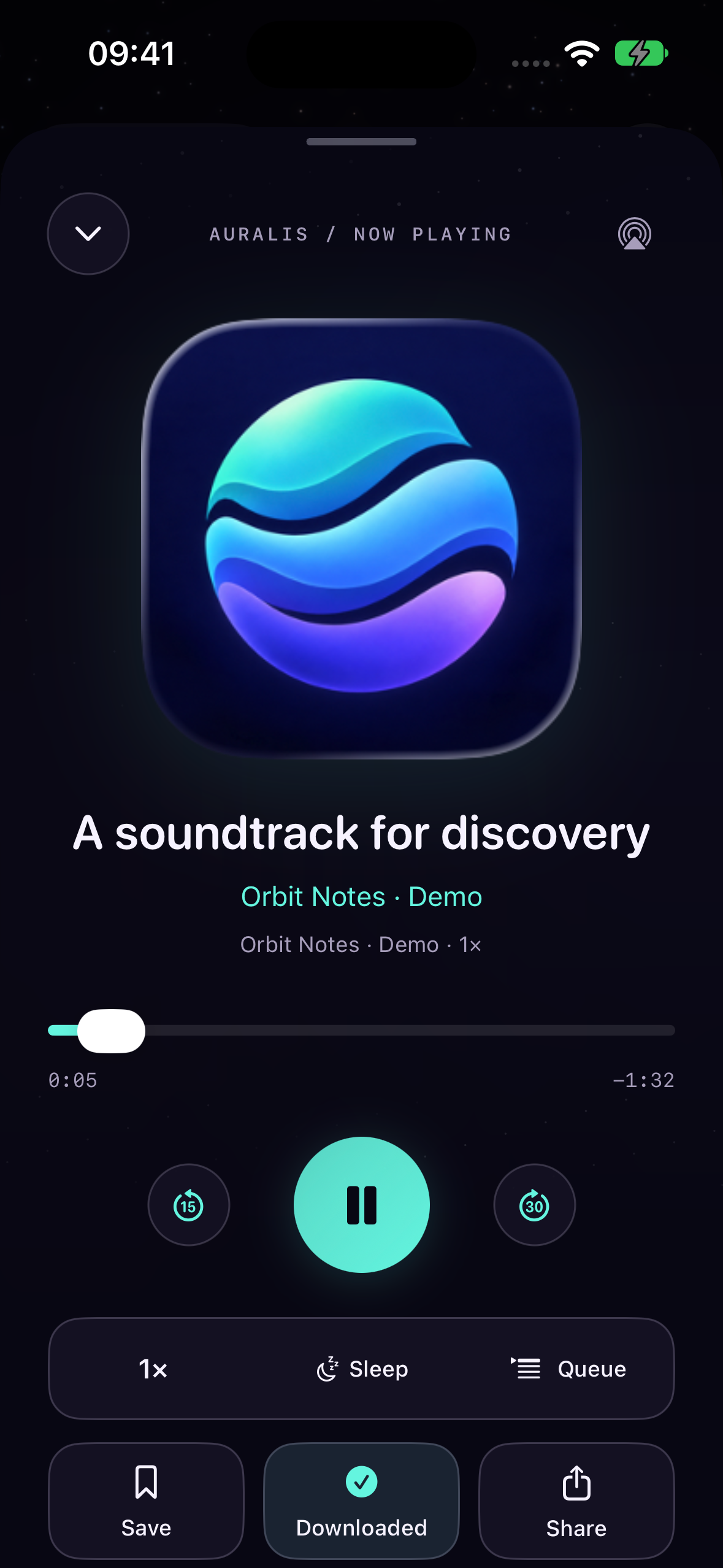
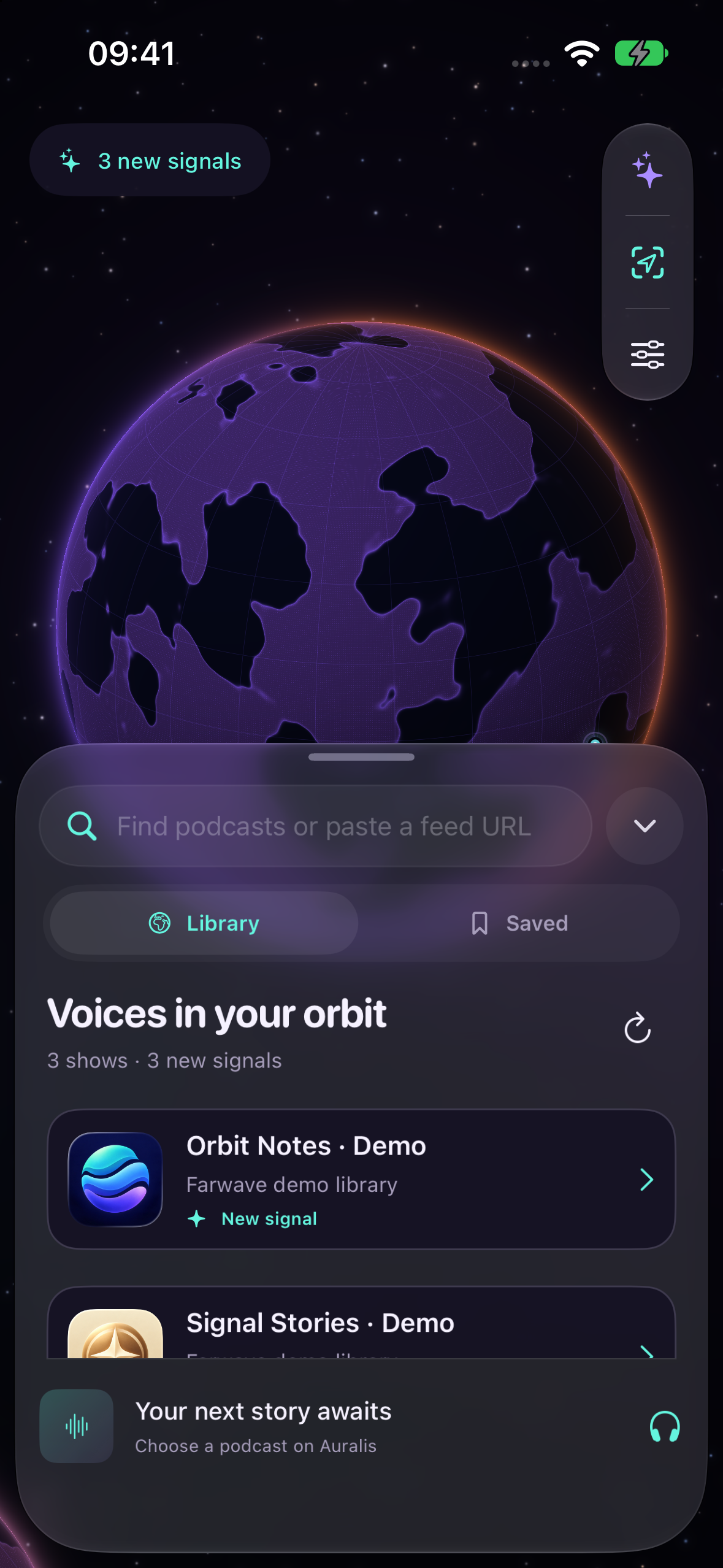
Auralis is the podcast planet. Follow a show and it becomes a signal with a stable place on its surface. New, unplayed episodes make those signals glow. Underneath that playful view is a practical podcast player: saved progress, speed controls, a queue, saved episodes, offline downloads, and sleep timers.
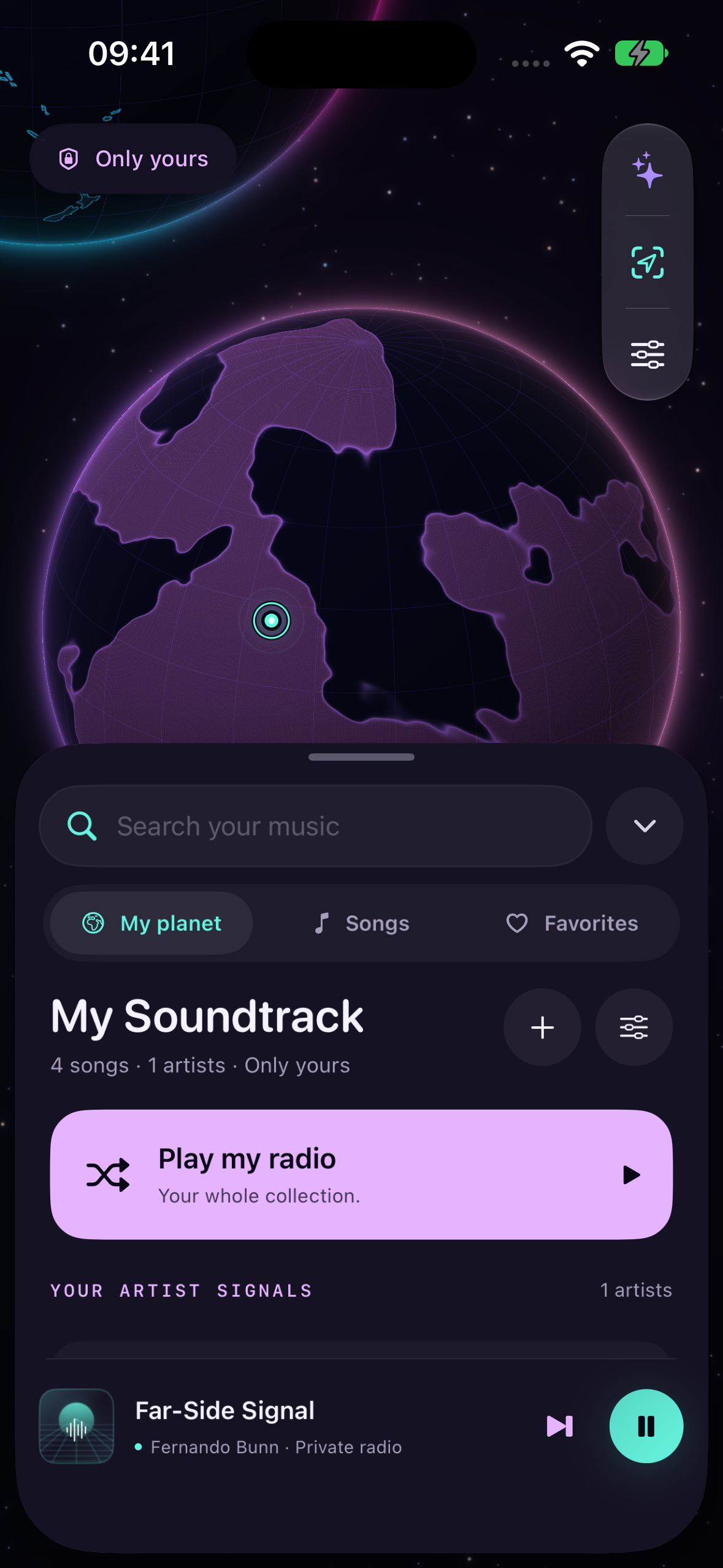
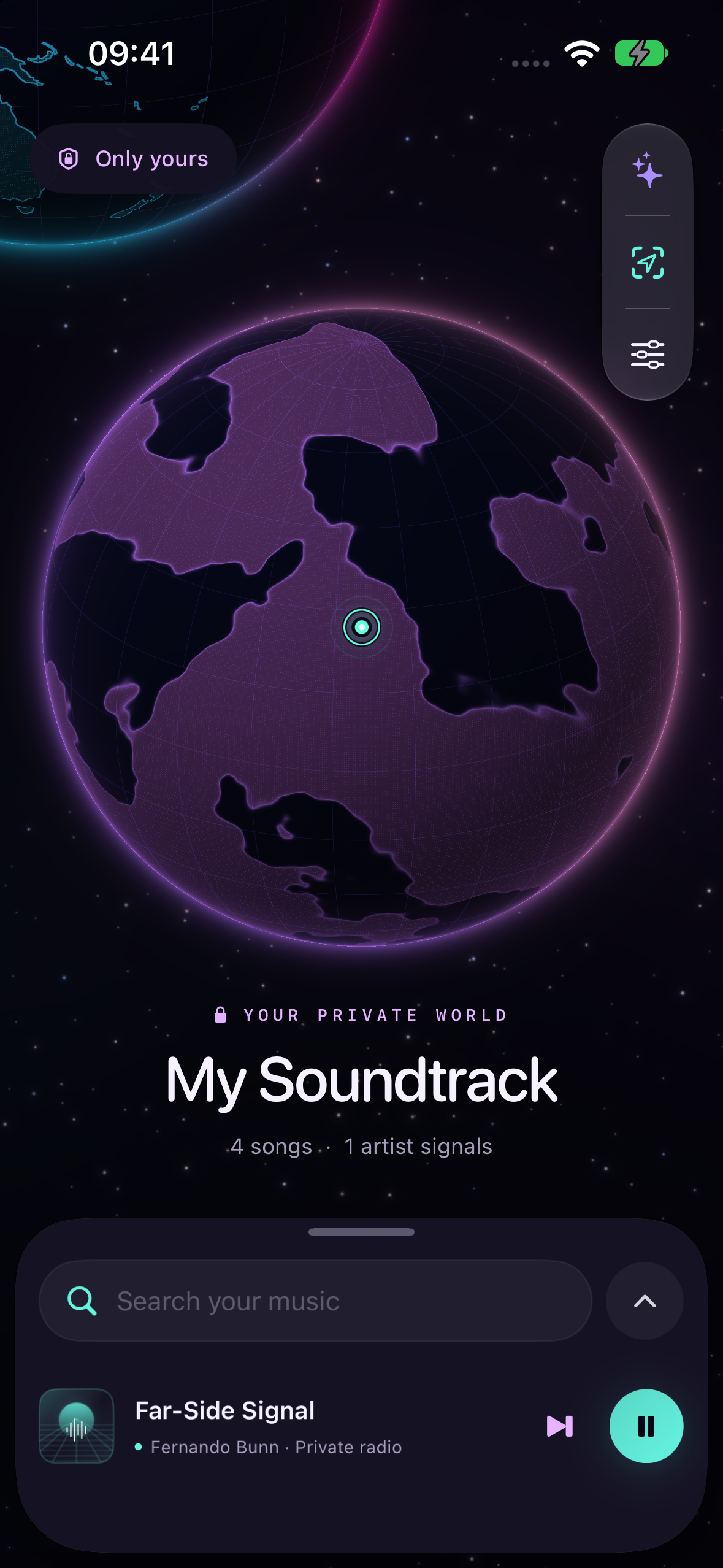
My Planet is for music you already own. Import files or transfer them from a computer over Wi-Fi. Each artist becomes a point on your planet; tap one to shuffle that artist, or turn the whole collection into your personal radio station. Give the planet a name and choose its colors. Your imported library stays on your device.
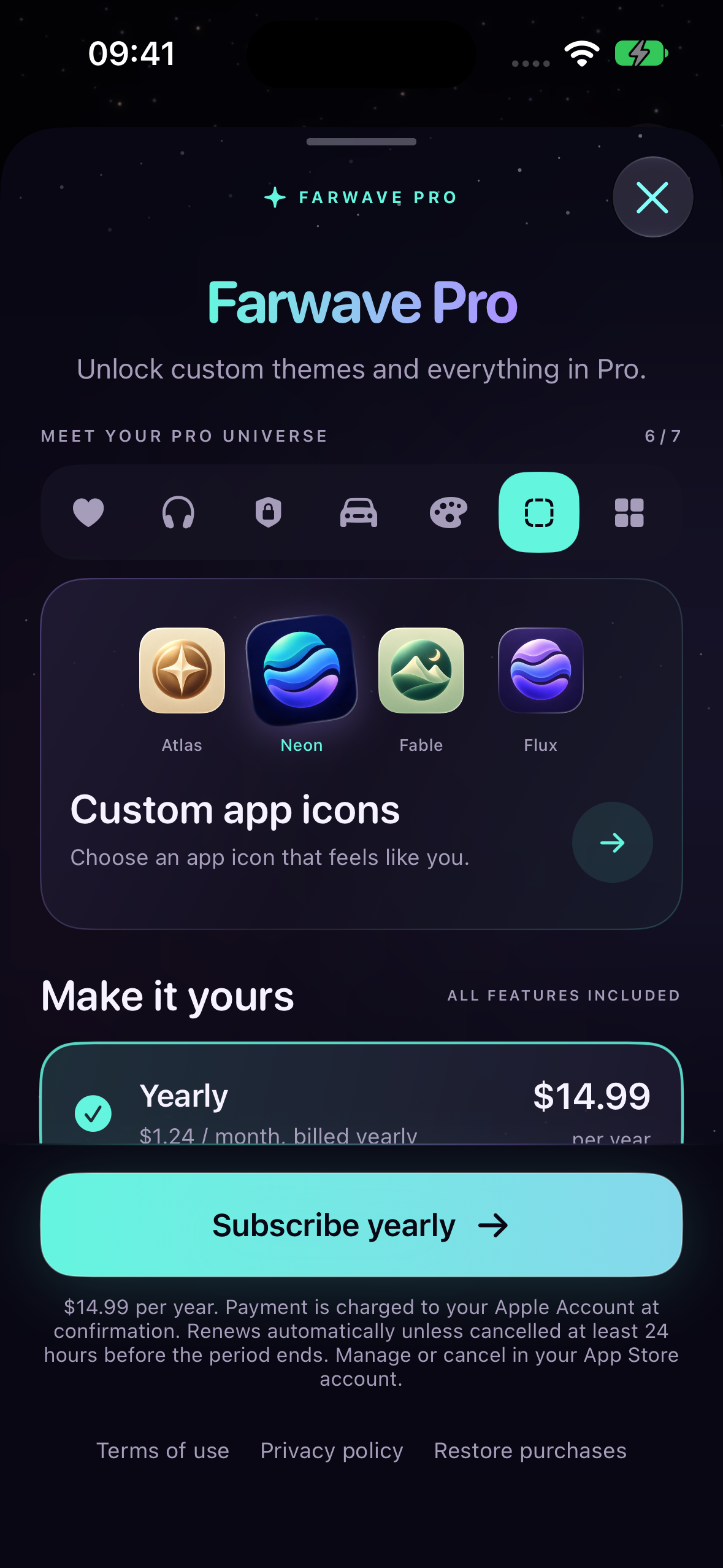
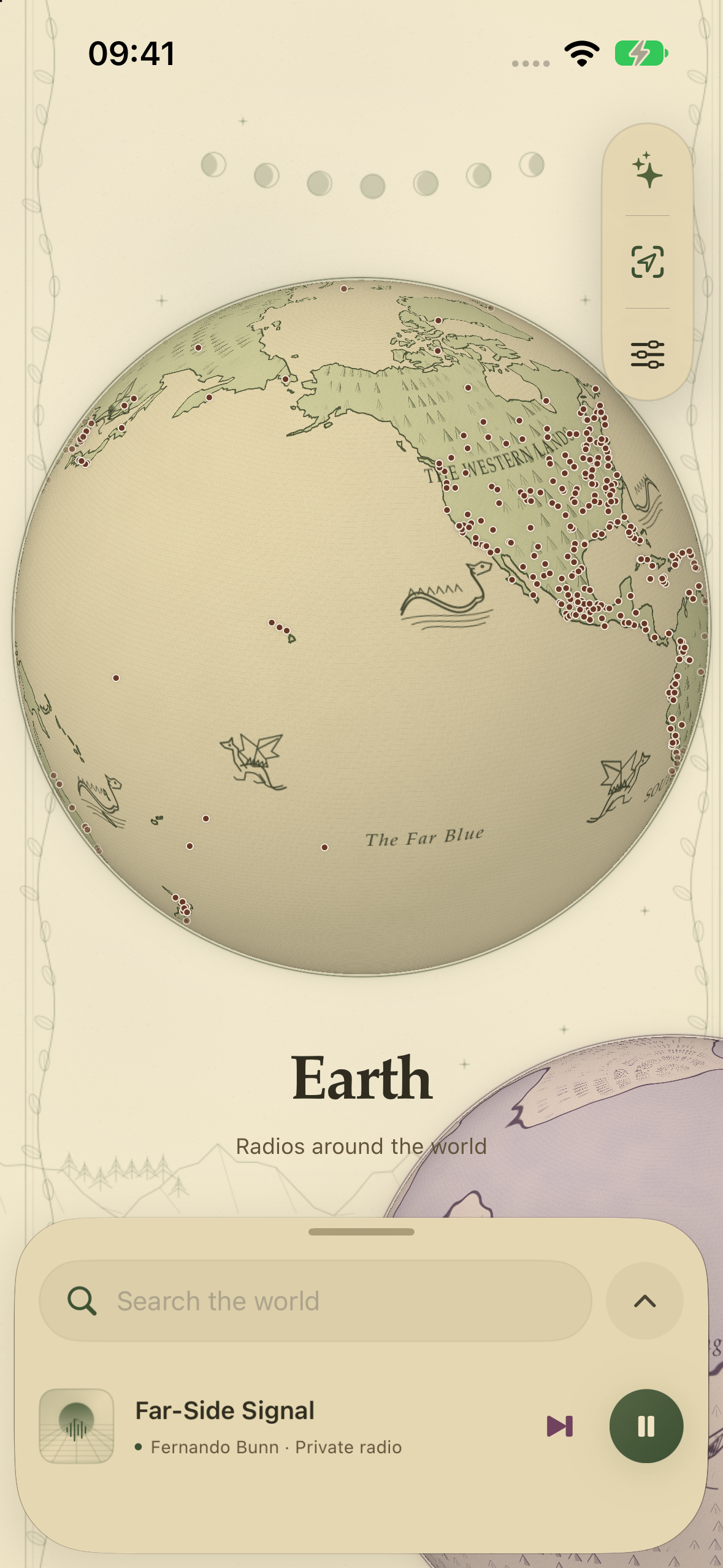
Seven visual themes change the atmosphere, from luminous neon to antique cartography, illustrated fantasy, and pixel landscapes. Audio keeps playing as you travel between worlds.
How we built it
I built Farwave natively in Swift. Metal renders the globes, terrain, stars, signals, and movement. SwiftUI provides the library, settings, player, and purchase screens, with UIKit's native sheet presentation keeping the controls easy to reach without covering the entire world.
Radio discovery uses the Radio Browser directory, with bundled station data, caching, and alternate directory hosts to make browsing more resilient. Podcasts come from public RSS and Atom feeds, with search through Apple's podcast directory. AVFoundation handles playback and local audio metadata. CloudKit supports radio-favorite syncing and the shared listener-orbit feature; podcast libraries and imported music remain local.
RevenueCat manages Farwave Pro entitlements, offerings, purchases, and restoration. I built the paywall in SwiftUI so it belongs to the same visual world as the app. Native integrations include background audio, lock-screen controls, AirPlay, CarPlay, and widgets.
Challenges we ran into
The biggest design challenge was making the planets useful. A beautiful globe would not be enough if it made a station harder to find or a podcast harder to resume. I kept the spatial browsing alongside native lists and search, so curiosity and direct access can coexist.
That also shaped the technical work. The camera, visible signals, and touch targets need to agree as the user rotates, zooms, and moves between planets. A followed podcast needs to stay in the same place as its feed updates. A theme change needs to carry through the globe, panels, player, and transfer screen. The audio needs to remain steady through all of it.
Accomplishments that we're proud of
I'm proud that the idea connects the appearance of the app to how it works. Earth is a place to discover, Auralis is a place to return to, and My Planet is a place that becomes yours.
Farwave's first public App Store release was September 9, 2026. Within its first week, it was featured in 9to5Mac's Indie App Spotlight and MacMagazine. Seeing both publications introduce readers to Farwave's globe-based listening experience has been a meaningful early milestone.
What we learned
I learned to separate the animation from the listening state. Metal can draw a continuously moving world while the player, library, and native controls keep their own responsibilities. Reduced Motion and VoiceOver support were another reminder that the experience has to work through more than its visual metaphor.
The less visible details mattered just as much: handling unavailable radio streams honestly, retaining podcast progress, avoiding duplicate music imports, and keeping file transfers off the main thread. Automated tests cover these behaviors alongside subscription access, themes, and navigation.
What's next for Farwave
My next step is to learn from people using it in their everyday routines: how they discover stations, move between different kinds of listening, add Apple Music support and make a private library their own. I want to keep the delight of exploration while making the practical parts feel effortless.
Built With
- app-intents
- apple-podcast-search-api
- avfoundation
- carplay
- cloudkit
- metal-/-metalkit
- network-framework
- radio-browser-api
- revenuecat
- revenuecatui
- rss-/-atom
- storekit
- swift
- swiftui
- uikit
- widgetkit
- xcode

Log in or sign up for Devpost to join the conversation.