Inspiration
What if finding the perfect product didn't require finding the perfect prompt?
With so many options available online, shopping can sometimes feel more overwhelming than convenient. Nowadays, people even turn to AI tools to help narrow down their choices. But even then, AI can overlook certain preferences, take time to generate a response, or only recommend a handful of products at once.
INTRODUCING: FALL LINE
Fall Line is the most direct path to the exact product a shopper wants to buy. It's a two-part system: an incredibly fast and intuitive system to rate products with hand gestures, and an AI powered recommendation system that adapts based on those rated metric.
Our group thought about how we could make the shopping experience faster without sacrificing the freedom to explore different options. Instead of relying on the traditional cycle of searching, scrolling, and filtering, we wanted to see how simple directional gestures could make discovering products feel more natural and less time-consuming. That's where we brought in marking menus. By allowing users to navigate through simple directional movements, we saw this as an opportunity to significantly reduce the number of steps it takes between searching for a product and finding one that fits their needs. Moreover, marking menus have been proven to be among the fastest menu options in all of UX.
What It Does
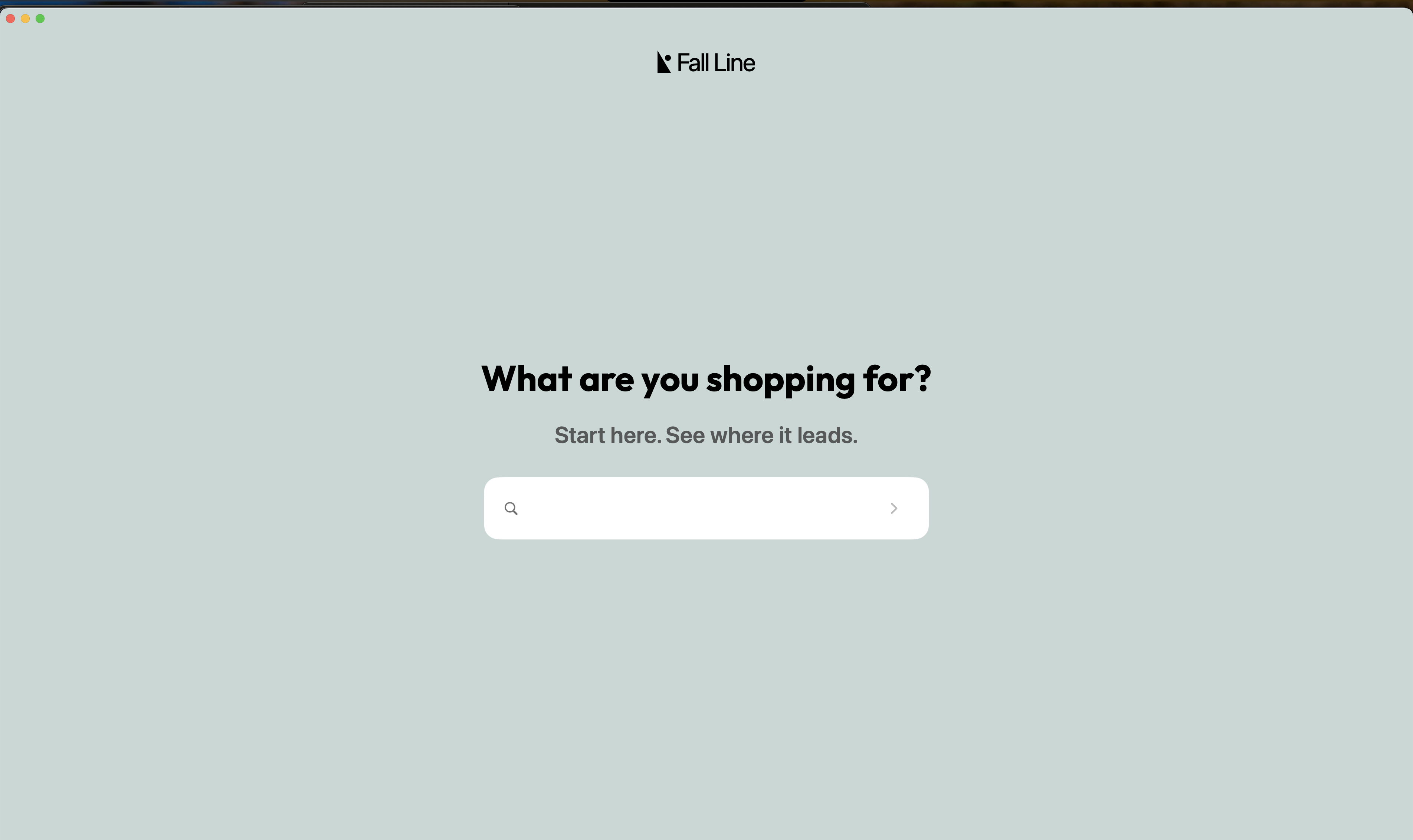
It starts with a simple question:
What are you shopping for?
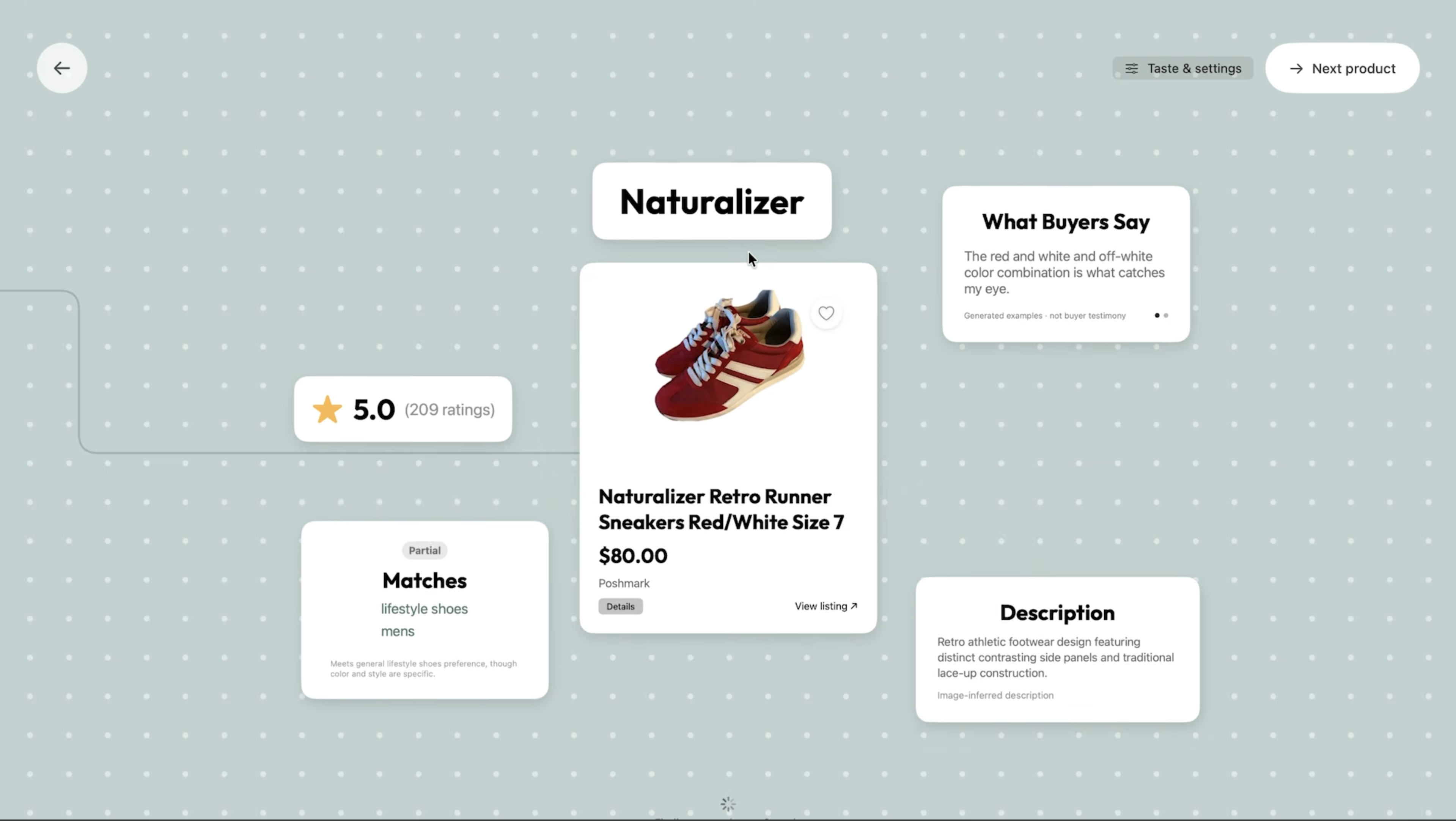
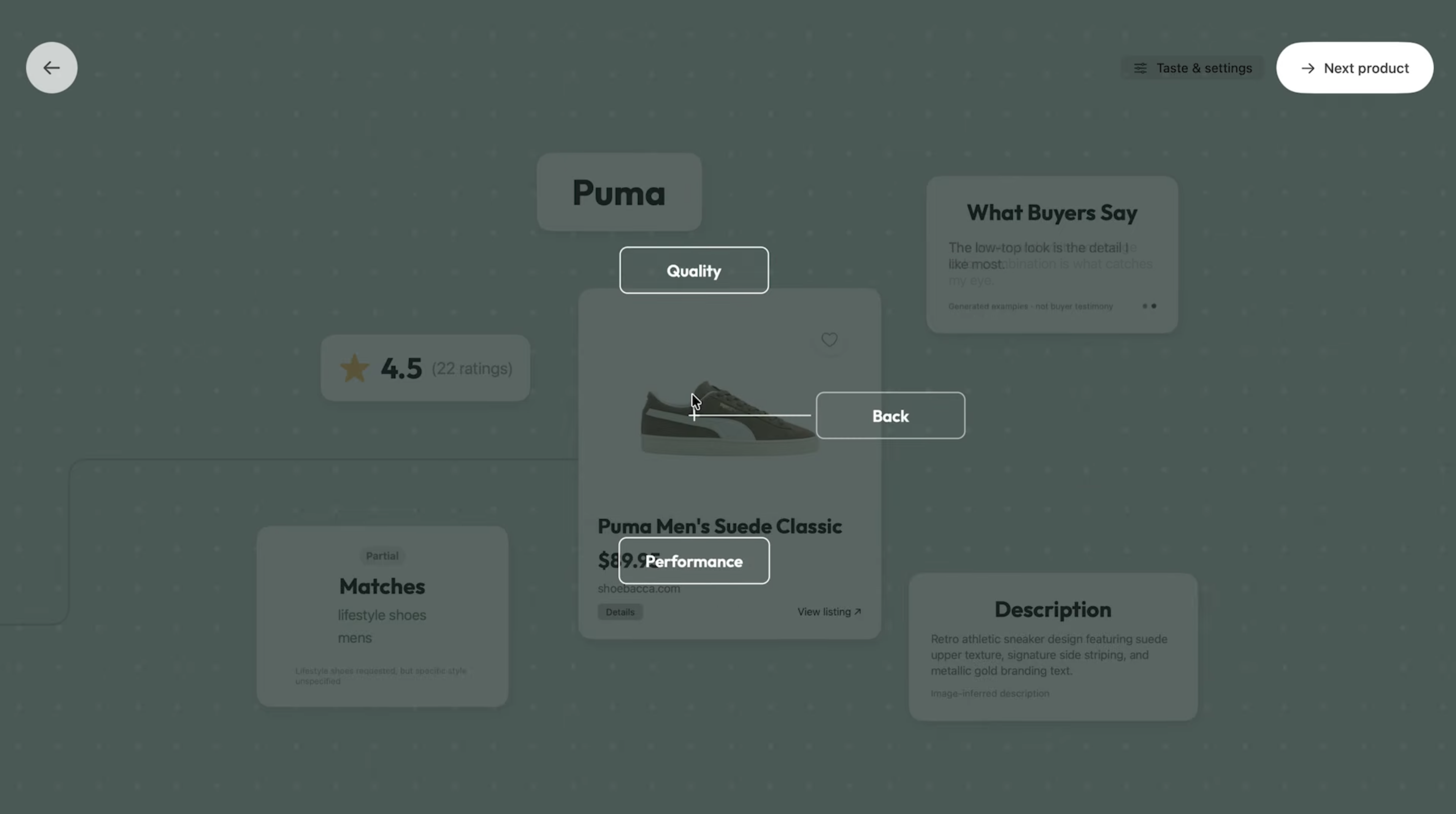
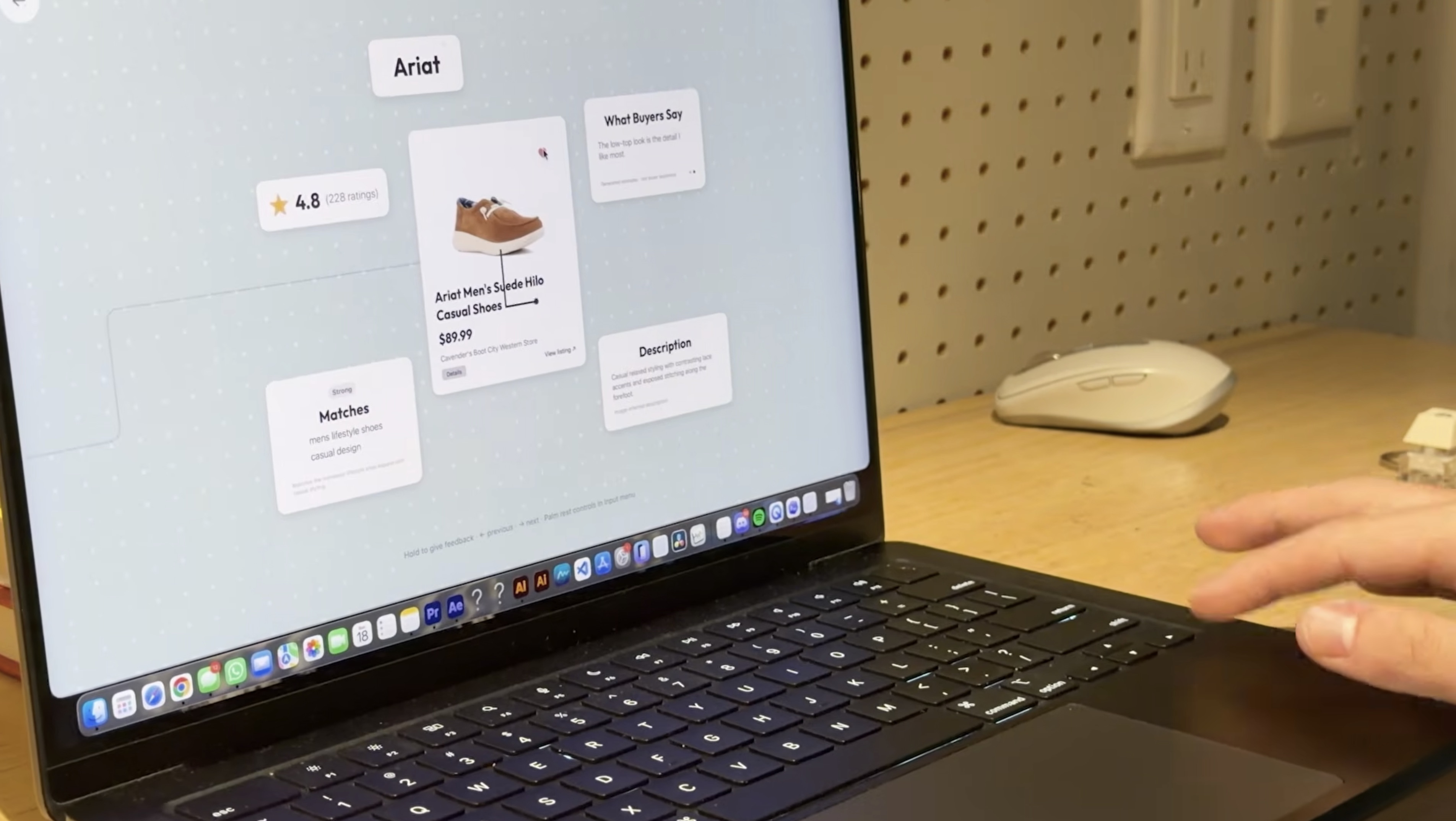
Users enter what they're looking for, including any specific preferences or requirements. It can be anything, we've only been using shoes as an example! From there, Fall Line recommends a product and presents the information that matters most, without having to jump between multiple tabs or product listings.
Each product is accompanied by:
- Matches: Shows how well the product meets the user's original preferences
- Features: Highlights additional product characteristics
- What Buyers Say: Displays customer review quotes to offer insight from other shoppers
- Ratings and Pricing: Gives users a quick overview of the product's value and customer reception.
BUT IT DOESN'T STOP THERE...
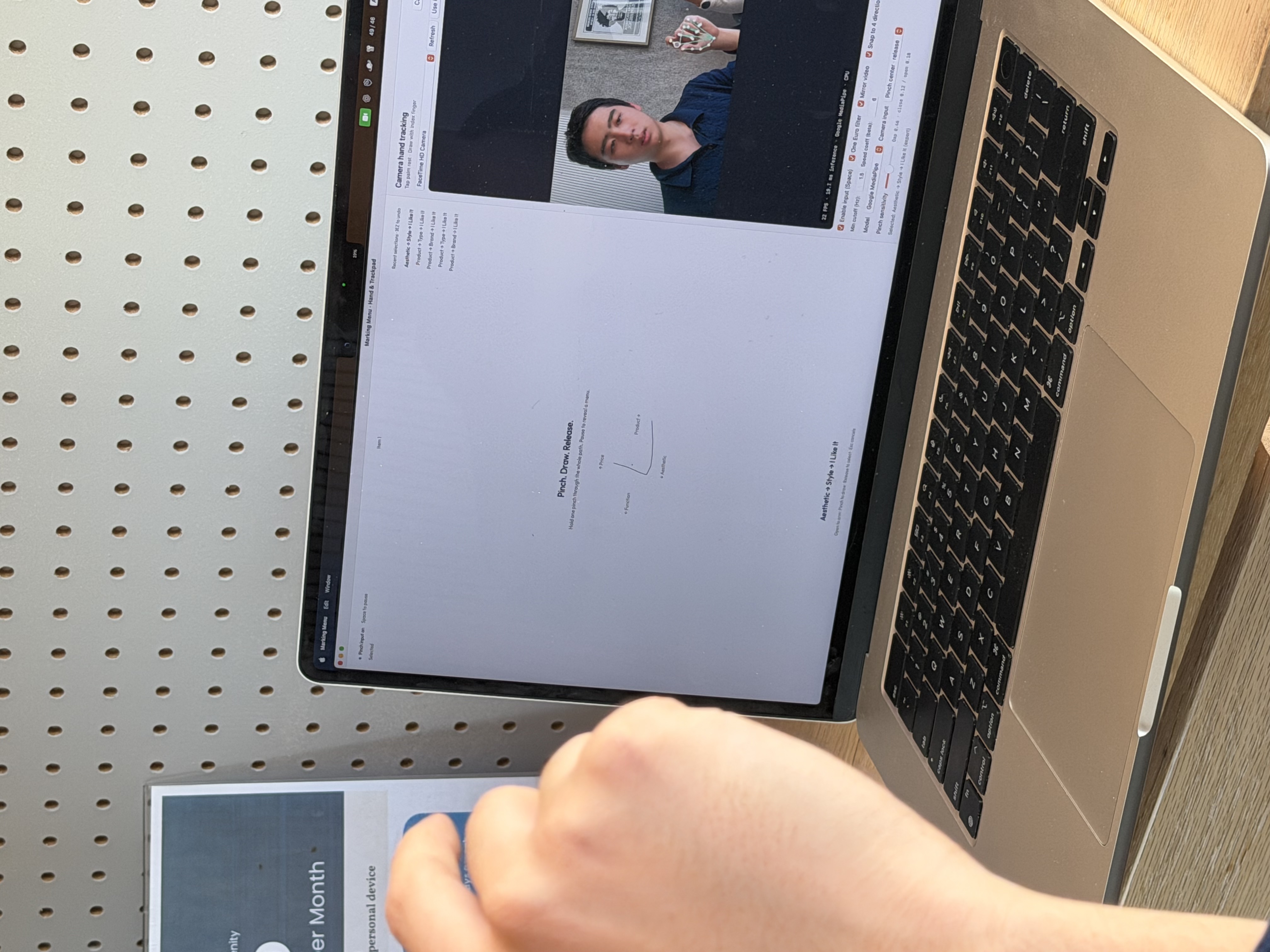
Instead of returning to the search bar or manually adjusting filters, users can navigate through products using a marking menu. Each directional gesture lets users explore a different recommendation path, reducing the need for repeated clicks and searchers.
Similar to learning a language, with fluency, users may also become familiar with the gestures, reducing their reliance on visually searching for navigation controls. This allows them to cycle through menu options at an immense speed and efficiency.
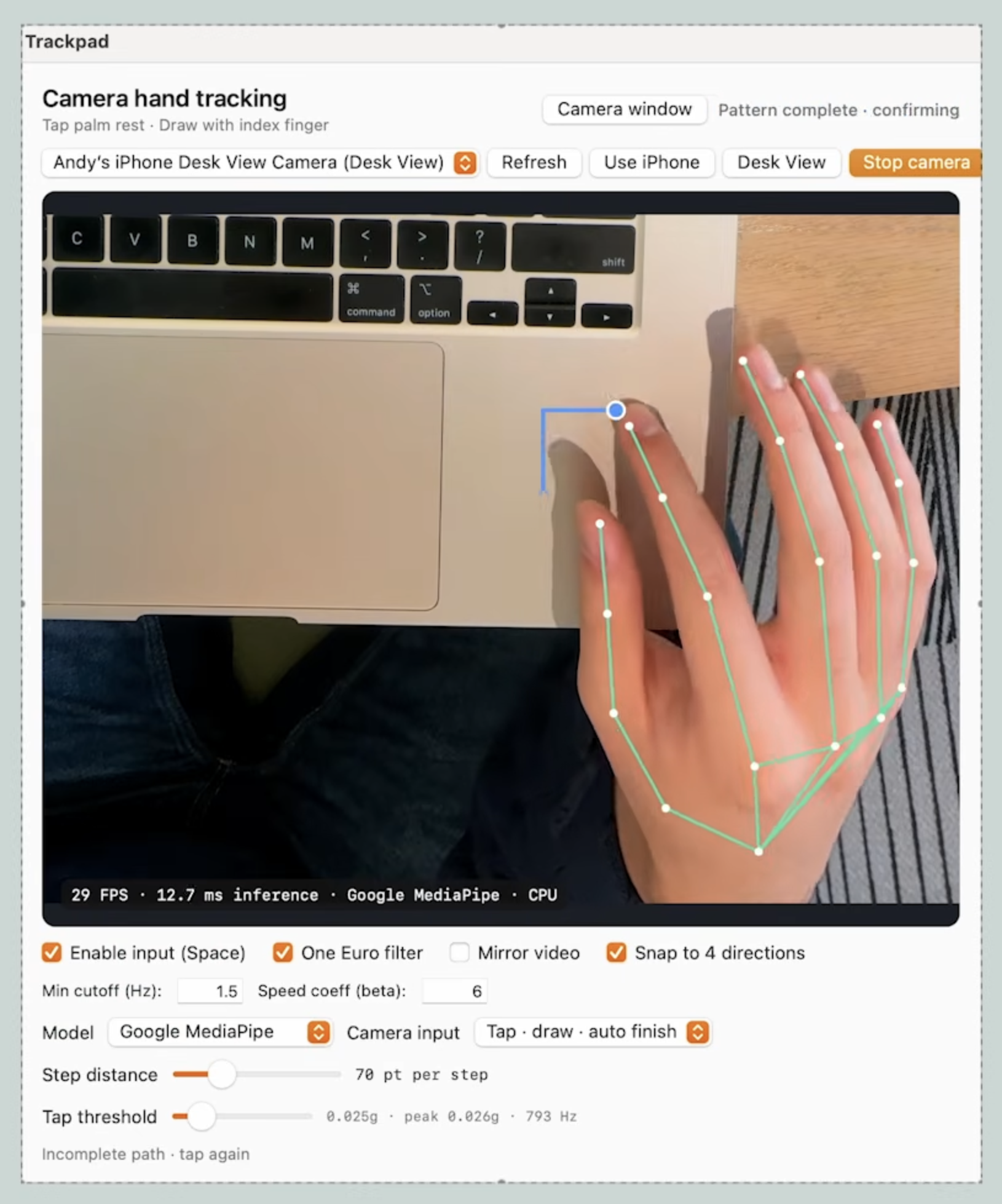
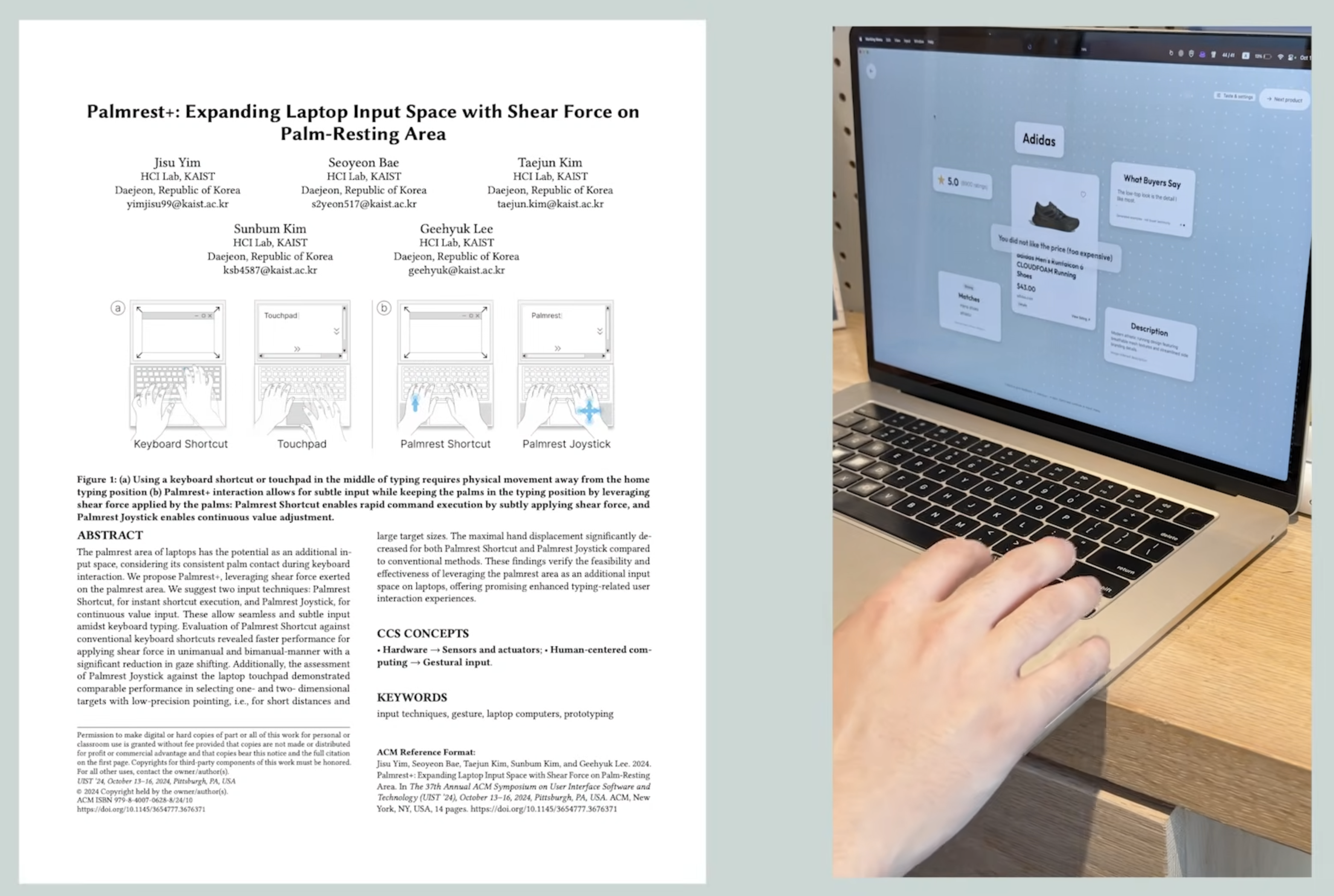
Why the palm rest instead of just the trackpad? The trackpad works too, and we support it. The palm rest gives these gestures their own surface: users can rest their hand, tap to begin, and draw without holding a click, positioning a cursor, or triggering ordinary scrolling. Moreover, this is only scraping the surface of Fall Line's UX goals, which is to create the fastest, most intuitive user experience for the 'new' shopping, that Fall Line is pioneering with their two-part system. The system for hand tracking opens a limitless amount of doors for quick, effortless interactions. Including but not limited to, offering the potential for 3 dimensional menu navigation, something a trackpad will never be able to do.
How We Built It
Development
- Used Google’s MediaPipe to track 21 hand landmarks in real time, using the index fingertip to draw gestures on the palm rest.
- Applied a median filter followed by the One Euro filter to smooth detected fingertip positions while keeping deliberate movements responsive.
- Accessed the MacBook’s undocumented SPU accelerometer through IOKit to detect the physical tap that starts a stroke. We synchronized impact and camera-capture timestamps so the finger’s downward tapping motion wouldn’t become part of the gesture.
- Built a native macOS input bridge for click-free trackpad drawing: touching starts a stroke, movement draws it, and lifting confirms the selection.
- Combined Gemini with Google’s Embedding 2 to build a fast, simple recommendation system that adapts to user-selected preferences8.
Design
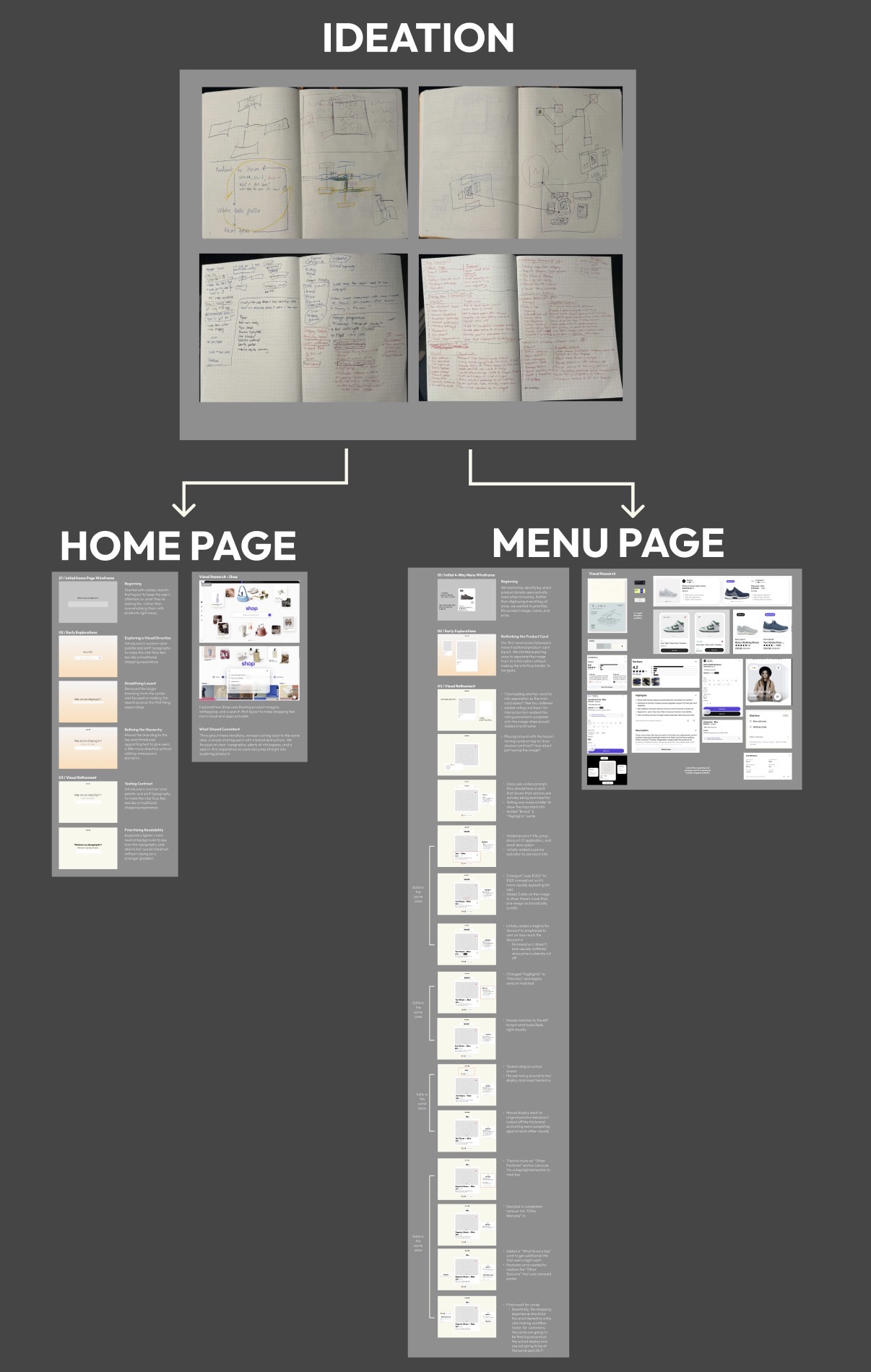
Explore Fall Line's Design Process HERE!
- GOAL: make product discovery as simple and efficient as possible, wanting to avoid unnecessary buttons and keep the interaction focused on directional gestures + make it more enjoyable (feel like an experience rather than another cycle of searching, scrolling, and filtering)
- A lot of the process involved experimenting with layouts, information hierarchy, and how to present important product details without overwhelming the user (majority of the design decisions came down to figuring out what information was necessary)
- Consider reusable components and how the different screens and interaction states would translate into development
Two questions that guided the design process:
- What does the user actually need to see at this moment?
- Does this make the experience easier for the user?
Challenges We Ran Into
Development
- Finding a reliable way to detect the beginning and end of palm-rest strokes was extremely difficult. An overhead camera could track the fingertip, but subtle changes in height made physical contact difficult to distinguish.
- Real-time hand tracking was unstable and jittery, especially with occlusions and shadows. Larger models were available, but their inference latency often exceeded what we could tolerate for a fluid interaction.
- Recognizing the intended gesture from a single camera was also challenging. We wanted movements to feel flexible and casual while preventing small corrections, accidental hooks, or jitter from becoming additional menu selections.
- Synchronizing camera frames, accelerometer events, gesture recognition, and asynchronous recommendations introduced another challenge: each component operated at a different speed, but the experience needed to feel continuous.
Design
- Rethinking navigation: Designing around a four-direction marking menu instead of traditional navigation (most shopping websites rely on buttons, dropdowns, and filters.)
- Prioritizing information: Keeping in mind where the user's attention would naturally go first and whether each element actually served a purpose
- Trying to make Fall Line feel fun and interactive, but not at the expense of usability (making design decision that weren't just visually appealing, but also helped users navigate and discover products with as little effort as possible)
Accomplishments That We're Proud Of
Development
- Creating an incredibly smooth marking menu that responds to multiple input types (mouse, trackpad, physical finger tracking).
- Turned the MacBook’s palm rest into an additional input surface by combining camera-based fingertip tracking with impact detection from its undocumented accelerometer.
- Built a custom gesture-stabilization layer that projects imperfect, human-drawn paths onto four directions and limits extra turns before passing the stroke to the marking-menu recognizer.
- Used adaptive One Euro filtering to reduce tracking jitter while balancing stability against the latency introduced by smoothing.
- Designed a recommendation queue that prepares upcoming products in the background, keeping browsing responsive while Gemini processes new feedback.
- Preserved the same gesture vocabulary across two different input methods: precise, lift-to-select trackpad strokes and tap-started palm-rest gestures.
Design
- Established a clear visual hierarchy by prioritizing product imagery, pricing, and descriptions while keeping support information easily accessible.
- Organized product information into floating cards for personalized matches, additional features, ratings, and customer reviews without overwhelming the interface.
- Designed around four-direction marking menu, minimizing unnecessary buttons and navigation elements to support a simpler, more intuitive shopping experience.
- Create a consistent visual identity across the initial search screen and product discovery interface, making the experience feel cohesive and approachable.
- Balanced functionality with playfulness, exploring how to make product discovery feel fun and interactive without sacrificing usability.
What We Learned
Development
- A reliable interaction depends on the entire input pipeline. Accurate hand landmarks alone don’t tell us when someone intends to start drawing or when a gesture should finish.
- More smoothing and larger models aren't always better if they can't perform well in real-time.
- Real-time interaction can coexist with slower AI inference when recommendations are queued in the background and the currently viewed product stays stable.
- Specific feedback such as “I like this color” or “this is too expensive” gives a recommendation system a clearer signal than simply scrolling past a product on Tiktok or Instagram.
Design
- Design isn't only about adding more features, but it's also about figuring out what can be taken away.
- Learning to be more intentional with information hierarchy, spacing, and placement of UI elements (deciding whether certain information was necessary and where user's attention would naturally go)
- Think about implementation while designing to consider reusable components and interactions.
What's Next for Fall Line
- Usability testing: gathering more feedback from real users and use those insights to guide future design decisions.
- Expanding accessibility: considering alternative navigation methods for users who may have difficulty using directional gestures.
- Enhance gesture navigations: continuing to refine the four-direction marking menu to make navigation feel smoother and more seamless.
Built With
- appkit
- avfoundation
- codex
- computer-vision
- embeddings
- figma
- gemini
- gesture-recognition
- iokit
- javascript
- machine-learning
- mediapipe
- python
- recommendation-system
- swift
- typescript
- webkit


Log in or sign up for Devpost to join the conversation.