-
-

EyebrowSnap app icon (1024 × 1024)
-
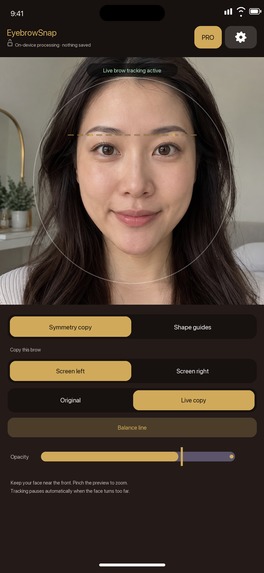
Live face-following brow guide (iPhone screenshot, no device frame)

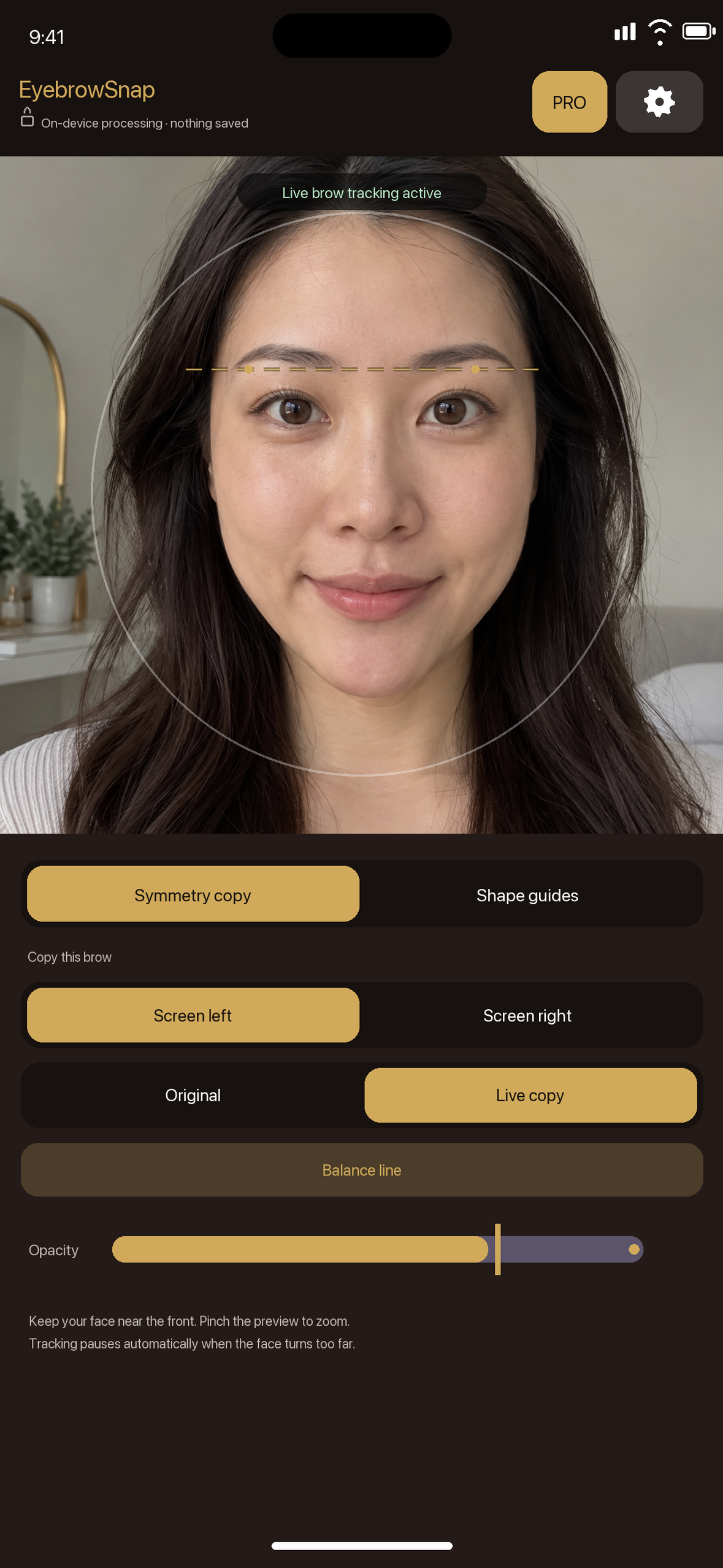
Inspiration
Drawing one eyebrow often feels easier than matching the other. A finished-photo editor can show the difference afterward, but it does not help at the moment someone is holding a brow pencil. EyebrowSnap is a small, focused camera mirror for that moment.
What it does
Choose either eyebrow as the source. EyebrowSnap mirrors it over the other side and follows the face as it moves, so the user can compare Original and Live Copy without taking a photo. Opacity and pinch zoom help make the guide usable at different distances. A movable Balance Line and three brow-shape guides offer another way to check height and shape. Pro adds Soft Arch and High Arch, brow head/arch/tail reference points, detailed guide adjustments, and a reusable My Brow preset.
The free version includes live symmetry copy, the Balance Line, and the Straight guide without a usage limit. Monthly and Yearly Pro are subscriptions; eligible new subscribers can try Yearly Pro free for seven days. RevenueCat handles entitlements and purchase restoration. Camera frames and eyebrow landmarks are processed on the device and are not saved or uploaded. The app does not require an account or photo-library access.
How we built it
The iOS app uses SwiftUI, AVFoundation, and Apple Vision for the camera experience and on-device face landmarks. RevenueCat connects App Store subscriptions to Pro access. The app is available in Japanese and English.
Challenges and lessons
Our first overlay depended on the user keeping the device and face almost still. Hands-on testing made the problem obvious: the guide drifted as soon as the face moved. We tried a still-image comparison, but that made it harder to draw makeup while looking at a live image. We switched to a live, face-following guide, then added a horizontal reference line, shape guides, and saved adjustments. The free tier now includes the core live tool without a counter, so people can decide whether the additional precision controls are useful to them.
What's next
We want to improve alignment stability and the first-use guidance using real device feedback. The Android version is being tested separately; this submission links to the published iPhone app. We will add features only where they help someone finish their brows more easily.
Why it fits the RevenueCat Design Award
The key interaction is visible while the user is drawing: pick a source brow, compare the live mirrored copy, and adjust the guide directly on camera. The Balance Line and shape guides move with the same tracked face instead of becoming disconnected overlays. The free version demonstrates that interaction; Pro provides repeatable precision through additional shapes and the My Brow preset.
Built With
- apple
- avfoundation
- ios
- revenuecat
- swiftui
- vision

Log in or sign up for Devpost to join the conversation.