-
-
Overview
-
Easily Link & Update Content
-
7 Key Takeaways
-
Excel and Word Add-Ins
-
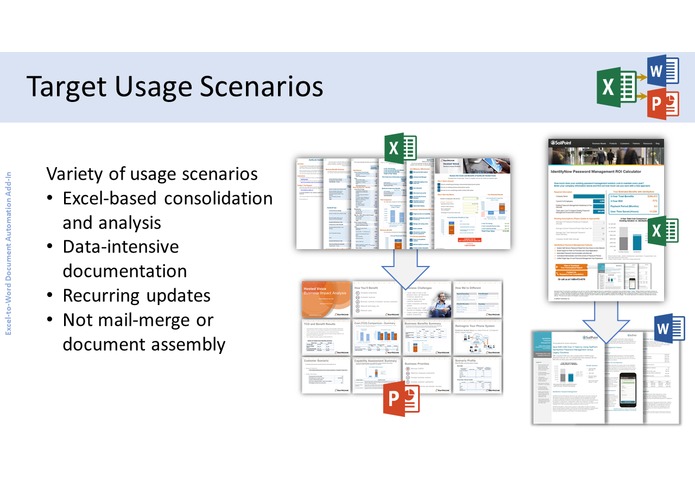
Target Usage Scenarios
-
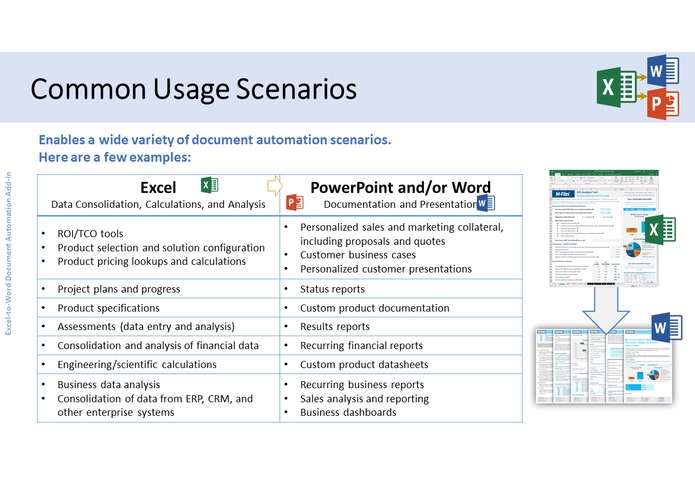
Common Usage Scenarios
-
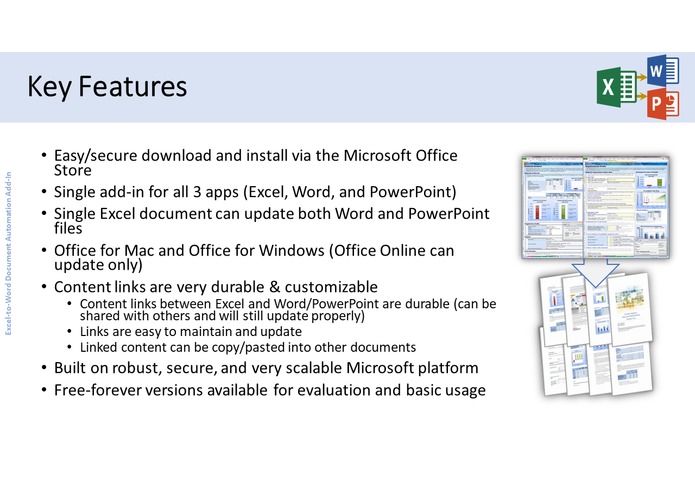
Key Features
-
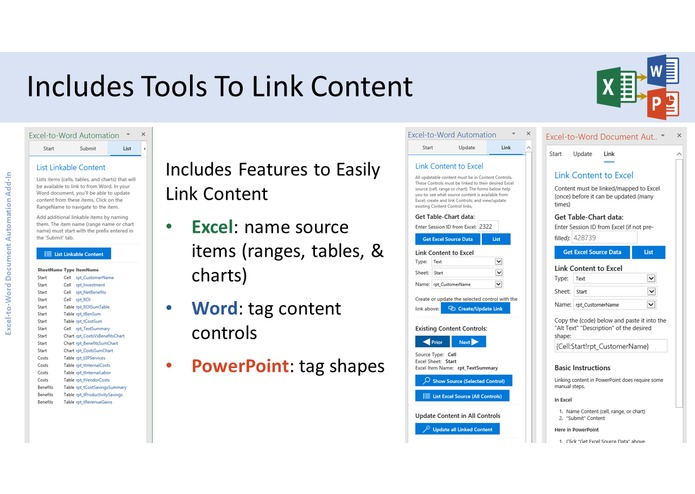
Includes Tools To Link Content
-
“Enterprise” Features
-
Customer Case Study


What it does
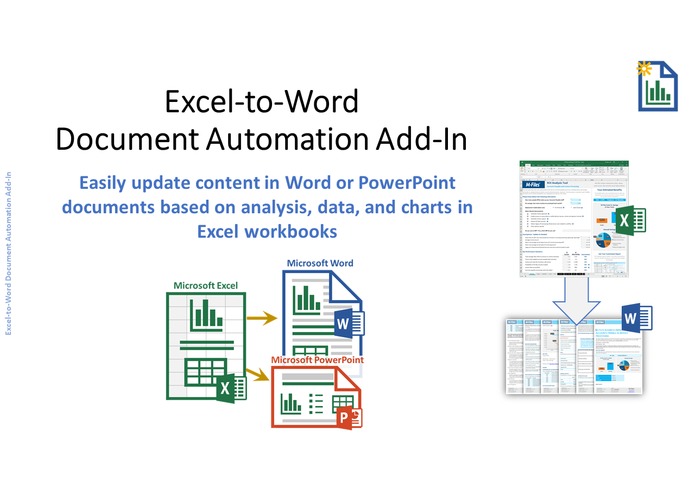
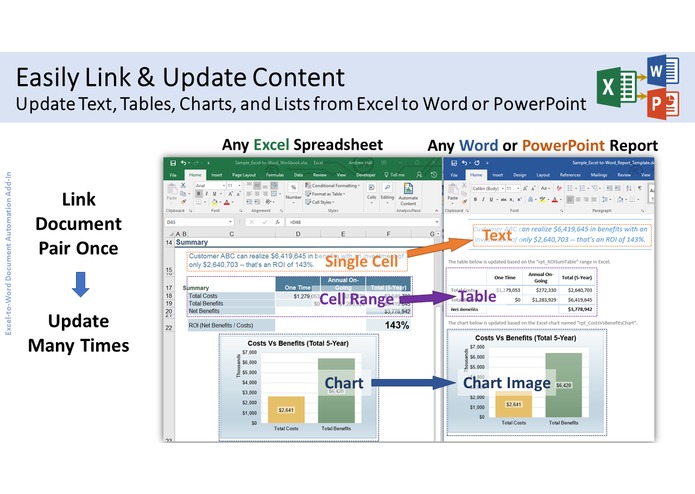
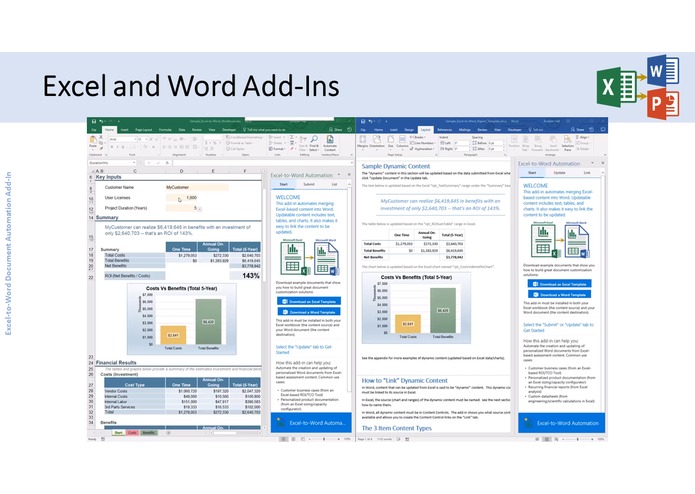
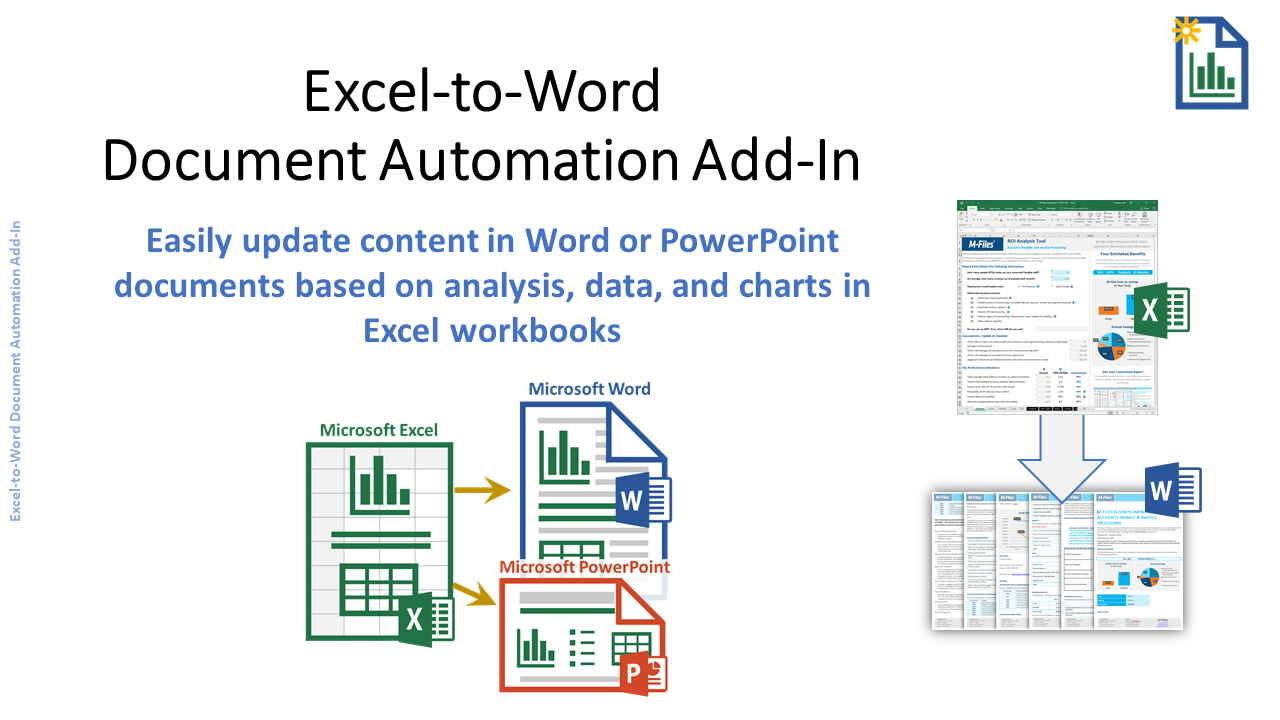
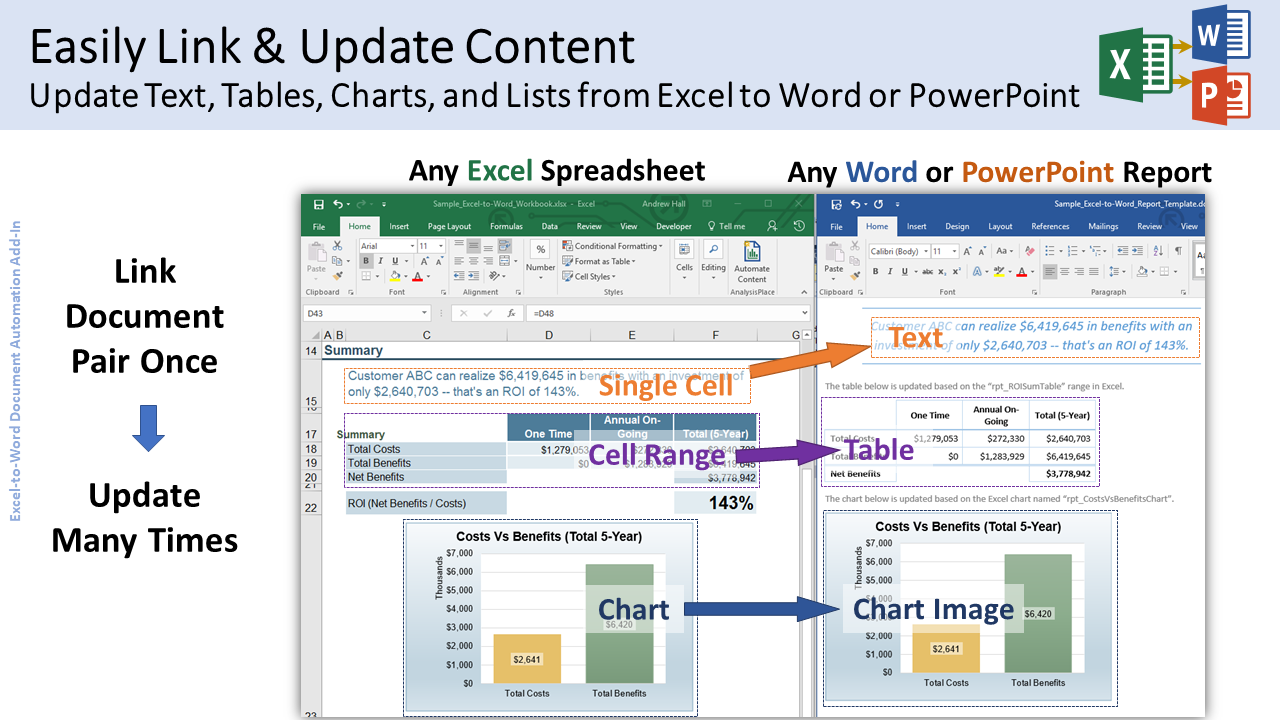
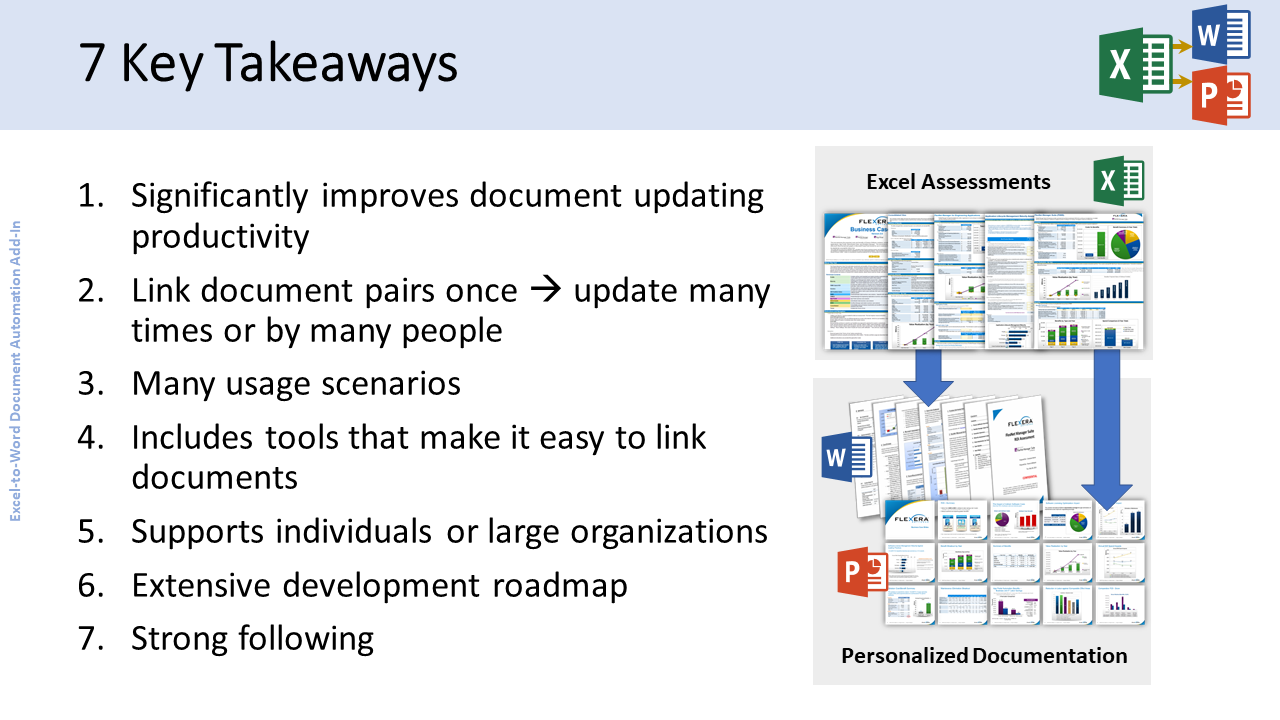
The Excel-to-Word Document Automation Add-in automates updating of Excel-based content into Word and PowerPoint documents. Updatable content includes text, tables, and charts. It also makes it easy to link/map the “dynamic” content to be updated. Users can update any new or existing Word or PowerPoint document with content from any new or existing Excel workbook.
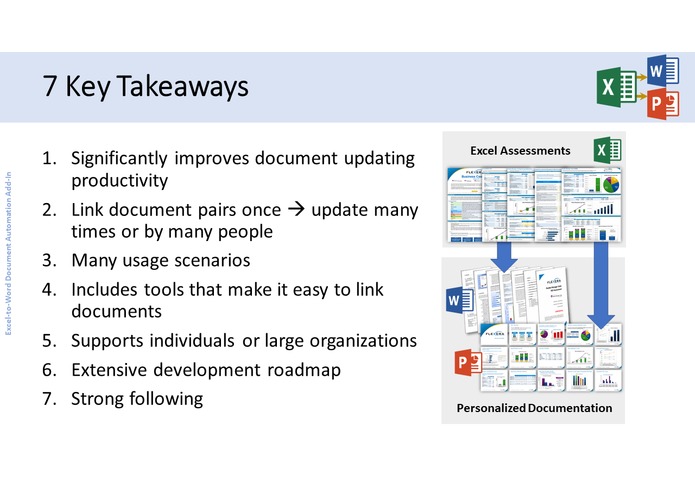
The add-in can significantly improve productivity for scenarios requiring updating of recurring reports and documents that need to be customized/personalized multiple times. It is often used for information-intensive applications where Excel is used to capture, consolidate, calculate, analyze, or summarize data.
Inspiration
I've helped businesses automate the creation of data-intensive documentation from Excel assessments for over 15 years . I've used VBA, OpenXML, and various web technologies, but they all have significant limitations. Office.js provides a great cross-platform solution that solves many of these limitations. It allows extensive user flexibility to create powerful documentation automation solutions (the Office suite), but also allows organizations to control user actions where desired (version control, access security).
Common Usage Scenarios
This add-in can be used in a wide variety of document automation scenarios. Here are a few:
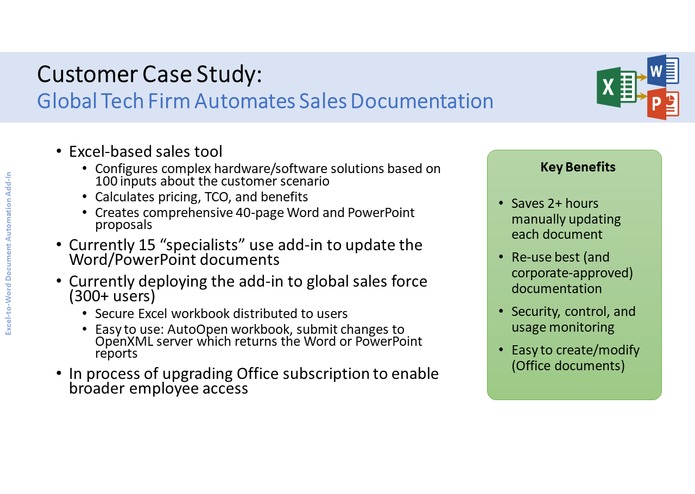
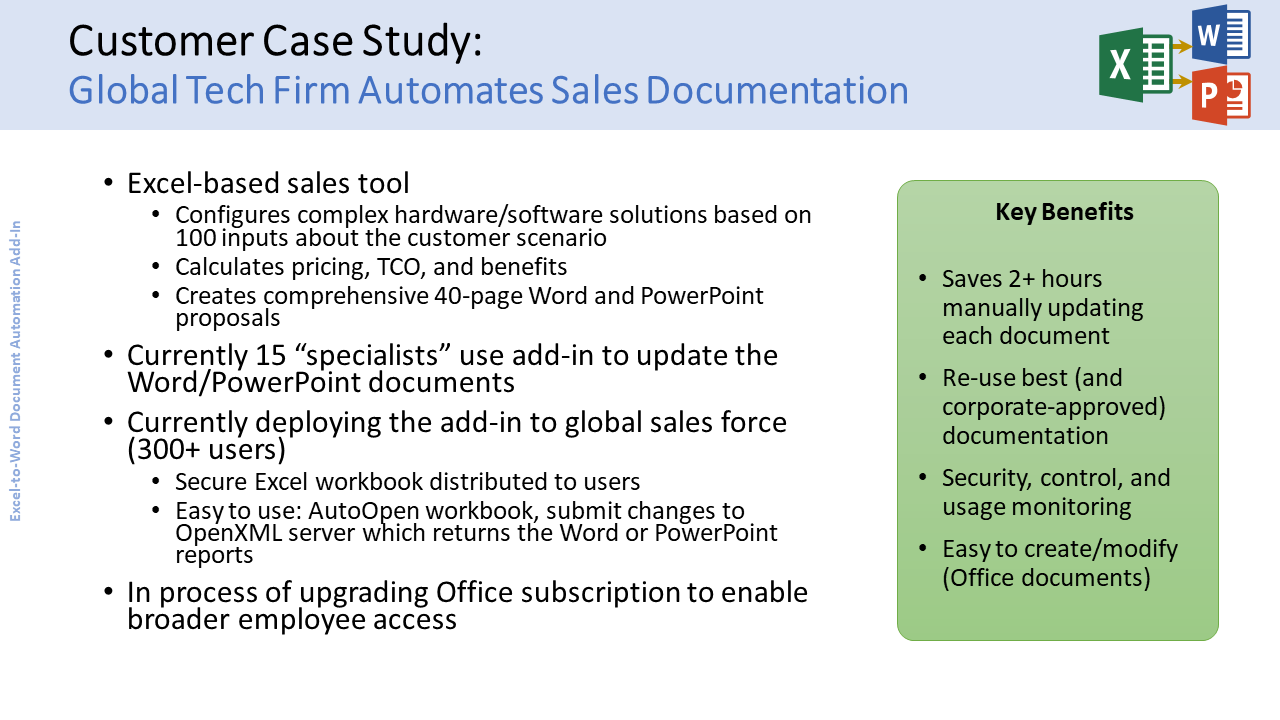
Customer business cases (from an Excel-based ROI/TCO Tool);
Personalized sales and marketing collateral, including proposals and quotes;
Custom product documentation (from Excel sizing/capacity/configurator);
Recurring financial and business reports (from Excel analysis);
Custom datasheets (from engineering/scientific calculations in Excel)
How I built it
Uses Office.js on the client side and C#, SQL Server, Azure, and OpenXML on the server side.
Challenges I ran into
Communication between Excel and Word/PowerPoint; Easy-to-understand UI design; and limited PowerPoint API functionality (required complex server-side OpenXML document manipulation)
Accomplishments that I'm proud of
Built platform from scratch that individuals and businesses are now starting to count on to significantly improve productivity of a variety of document creation/updating tasks.
What I learned
UI Design is critical to enable user adoption.
What's next for Excel-to-Word Document Automation Add-in
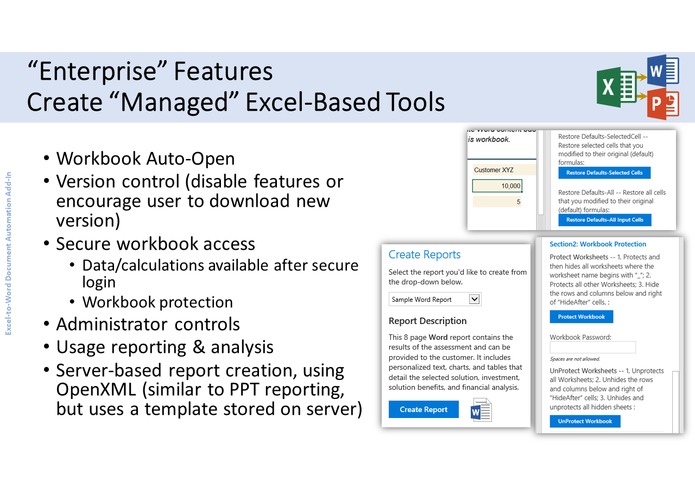
We are mostly finished with these "enterprise" features:
Version control (disable features or encourage user to download new version);
Secure workbook access (Data/calculations available after secure login, automated workbook protection)
Administrator controls;
Usage reporting & analysis;
Server-based report creation, using OpenXML (similar to PPT reporting, but uses a template stored on server)
We plan to develop other "enterprise" features, including:
Save/Load assessment data to the cloud;
Collaborate (securely share assessment data with colleagues/partners);
Usage reporting and analytics;
Document management (easy access to corporate-approved workbooks and documents);
Integration with AnalysisPlace web-based sales/marketing tools
Enterprise single sign-on;
Add-in customization (e.g. branding);
Localization;
Integration (CRM, ERP, SFA)
The add-in requires Office 2016. It must be added to Excel and either Word or PowerPoint. The add-in includes sample documents to help get users started. The free-forever "Basic" version does not require registration or login to get started and is a great option to evaluate the add-in and for users with basic content automation needs. Fee-based versions are also available to enable premium and enterprise features. The add-in has 2 types of user access: 1) Anonymous: limited usage, but adequate for most users; 2) Secure (login): Fee-based and enables “Enterprise”, advanced, and custom features
Built With
- c#
- javascript
- office.js
- openxml


Log in or sign up for Devpost to join the conversation.